Quickmail is a deliverability-first cold outreach tool that runs email and LinkedIn from your own inboxes. Smartlead is a high-volume cold email platform built for agencies, with LinkedIn only through third-party add-ons. Neither runs an autonomous AI SDR, and neither bundles email infrastructure in its base price.
For multi-channel B2B outbound at scale, Salesforge is the stronger choice. You get email and LinkedIn from one dashboard, free premium Warmforge warm-up on every plan, a unified inbox (Primebox™), three infrastructure options, and an optional AI SDR (Agent Frank). Plans start at $48/mo monthly ($40/mo annual).
I have run cold outreach on all three of these platforms, and the Quickmail vs Smartlead question usually comes down to one thing people miss: what each tool actually does outside of sending email. Both are good senders. Picking between them, and against Salesforge, depends on whether you need one channel or several, and whether you want the infrastructure handled for you.
This is a comparison for B2B teams who already know that winning clients through email and LinkedIn works, and who now need to scale it without bolting together five tools. One of them, a Salesforge customer called UniteSync, hit an 85.26% positive reply rate at a $2.86 cost per acquisition. I will get to how.
Cold Outreach Software Comparison at a Glance: Quickmail vs Smartlead
Here is the short version before the detail. Every cell is a real, current figure pulled from each vendor's live pricing page.
| Feature | Salesforge | Quickmail | Smartlead |
|---|---|---|---|
| Outreach channels | Email + LinkedIn (phone on roadmap) | Email + LinkedIn (native) | Email only (LinkedIn via partners) |
| Entry price | $48/mo monthly ($40/mo annual) - Pro | $49/mo - Starter | $39/mo ($32/mo annual) - Base |
| Top self-serve plan | $96/mo monthly ($80/mo annual) - Growth | $299/mo - Agency | $379/mo ($315/mo annual) - Unlimited Prime |
| Warm-up | Free, unlimited, premium pool (Warmforge) | Free AutoWarmer (MailFlow) | Paid $59/mo add-on on Base & Pro |
| AI SDR | Agent Frank - separate sub from $499/mo billed quarterly | None | None |
| Unified inbox | Primebox (free, email + LinkedIn) | Reply inbox (email + LinkedIn) | Master Inbox (email only) |
| Email infrastructure | 3 options (Mailforge, Infraforge, Primeforge) | None - bring your own inboxes | SmartServers / SmartSenders (paid add-ons) |
| Per-seat pricing | No - unlimited users (Growth) | No - unlimited users | Team members gated by tier |
| Lead database | Leadsforge (500M+ contacts) | None | SmartProspect (add-on) |
| Free trial | 14 days | 14 days (card required) | 14 days (no card) |
| SOC 2 compliant | Yes | GDPR (DPA available) | GDPR |
| Best for | SMB/mid-market B2B, $5K-$100K ACV | Deliverability-led email + LinkedIn senders | High-volume email agencies |
Quickmail Overview
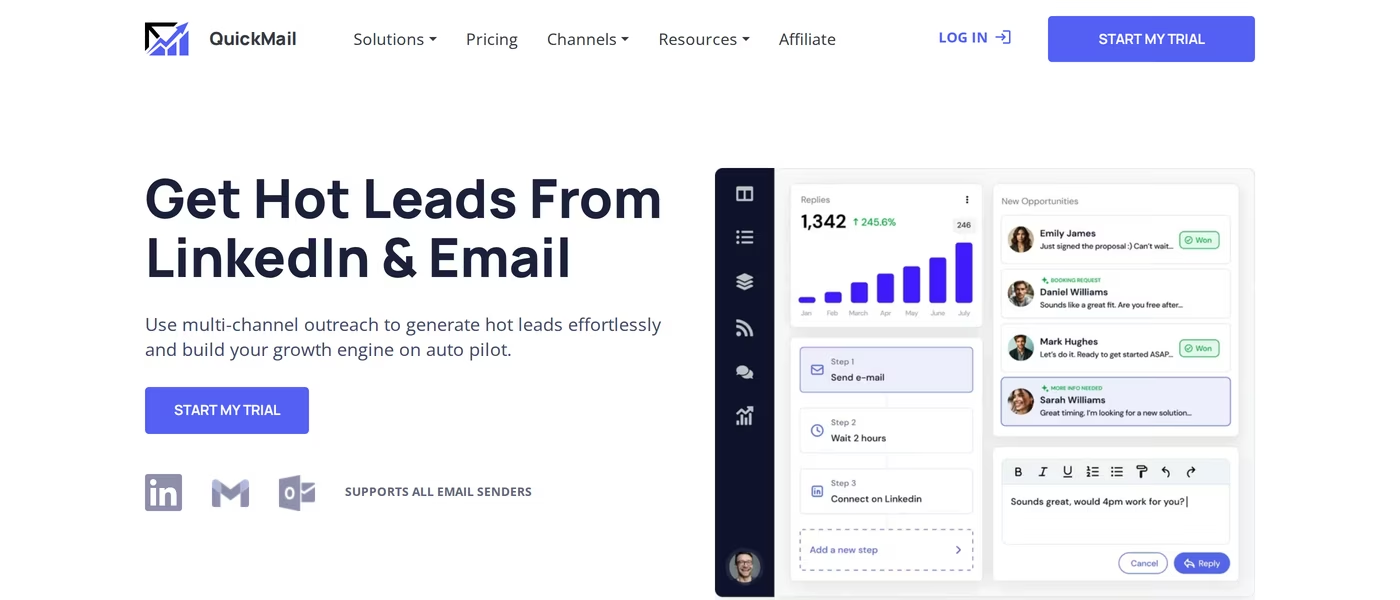
Quickmail is a deliverability-first cold outreach platform that has been around since 2014. It is based in Zug, Switzerland, and it sends through your own Gmail or Outlook accounts rather than selling you mailboxes.
The core idea is simple. You connect inboxes you already own, Quickmail rotates sending across them, and a free auto-warmer keeps reputation healthy. It is one of the more mature email automation tools on the market.
Core features I would highlight:
- Email + LinkedIn sequences: native multi-channel steps in one campaign, not a manual task list.
- Inbox rotation: spreads volume across unlimited connected inboxes to protect deliverability.
- Free AutoWarmer: warm-up runs through MailFlow, Quickmail's sister tool, at no extra cost.
- Deliverability AI: adjusts sending and flags issues like blacklisting.
- Inbox-level analytics: Quickmail's standout - you see which specific inbox performs and which is dragging a campaign down.
- Unlimited users: no per-seat fees on any plan, with an audit log for teams.
Pricing is monthly and built around three plans. Starter is $49/mo for 5,000 emails a month and 1,000 uploaded contacts. Growth is $99/mo for 100,000 emails and 25,000 contacts, and it adds API access. Agency is $299/mo for 500,000 emails, 100,000 contacts, two workspaces, and webhooks. All three include unlimited email senders, unlimited LinkedIn accounts, and unlimited users.
Quickmail is best for experienced senders and agencies who already have a data source and want clean deliverability plus native LinkedIn. It is a strong sender, not a starter kit.
What reviewers and the product itself make clear about the limits:
- It does not include email infrastructure. You bring and pay for your own Google or Microsoft mailboxes separately.
- There is no built-in lead database, so prospecting data comes from another tool.
- There is no AI SDR. Quickmail sends and reports, but it does not prospect and book meetings on its own.
- It carries a 4.7 on G2 across 116 reviews and is not listed on Trustpilot. The most common documented gripe, including a Capterra reviewer, is wishing for a cheaper low-volume tier to test before committing.
Smartlead Overview
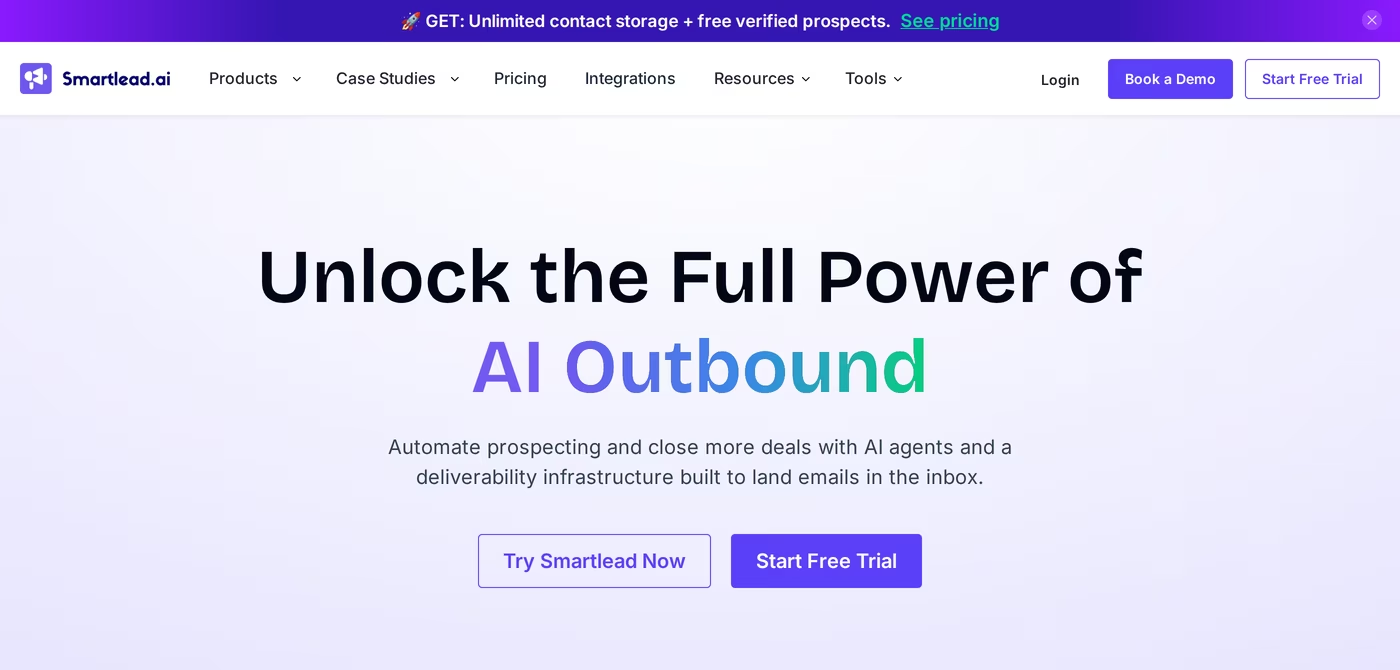
Smartlead is a cold email platform founded in 2021 and based in Bengaluru, India. It is purpose-built for agencies and high-volume teams, and over 100,000 businesses use it.
Its defining feature is unlimited connected mailboxes on every plan. You pay by active leads and monthly sends, not by inbox count, which is why it is popular with agencies running many client accounts. If you want a deeper look at the category, I cover AI cold email separately.
Core features worth knowing:
- Unlimited mailboxes and warmup: connect as many Google, Microsoft, or SMTP inboxes as you want.
- Master Inbox 3.0: a reply triage view that unifies email replies with custom categories and webhooks.
- AI features: auto-icebreakers, subject-line testing, and a SmartAI reply bot, bundled from the Base tier.
- SmartServers and SmartSenders: private infrastructure and mailbox provisioning, sold as paid add-ons.
- White-label client portal: branded client logins, available from the Pro tier at $29 per client.
- 2026 modules: SmartProspect for lead data and SmartDialer for calling, layered on top of the email core.
Smartlead has four plans. Base is $39/mo ($32/mo annual) for 2,000 contacts and 6,000 sends. Pro is $94/mo ($78/mo annual) for 30,000 contacts and 90,000 sends. Unlimited Smart is $174/mo ($144/mo annual) for unlimited contacts and 150,000 sends. Unlimited Prime is $379/mo ($315/mo annual) for 510,000 sends and three included SmartServers.
Smartlead is best for agencies and high-volume teams whose motion is email-first and who want to control their own sending infrastructure.
The honest limitations:
- It is email-only. LinkedIn is not native at any tier and runs through third-party integrations like Aimfox or HeyReach, synced by webhook. When a sync fails, an email can fire to a prospect who already replied on LinkedIn.
- Premium warm-up is not free on the lower plans. It is a $59/mo add-on on Base and Pro, and the premium pool is gated to the Unlimited tiers.
- Real costs climb with add-ons: SmartServers run about $39 per server per month, and client workspaces add $29 each.
- It holds a 4.6 on G2 but a 3.4 on Trustpilot across 85 reviews. The gap is consistent: power users like the platform, while support and bugs frustrate others.
Salesforge Overview
Salesforge is the outreach layer of the Forge Stack, a connected set of products for cold outbound. It runs email and LinkedIn sequences from one dashboard, with AI personalization and deliverability protection built in.
Core features, sourced from the product:
- Multi-channel sequences: email and LinkedIn in one conditional workflow that branches on prospect behavior.
- Unlimited mailboxes: on every plan, with smart mailbox rotation and dynamic IP rotation.
- Unlimited LinkedIn senders: on the Growth plan, instead of seat-based limits.
- Overdrive Mode: AI personalization that pulls from a prospect's website, blog, and LinkedIn posts.
- Free premium Warmforge warm-up: included and unlimited on every subscription, with a Heat Score per mailbox.
- Primebox: a free unified inbox for email and LinkedIn replies, with sentiment analysis.
- Agent Frank: an optional autonomous AI SDR that prospects, writes, follows up, and books meetings.
- Leadsforge access: a chat-based lead engine across 500M+ contacts.
- SOC 2 compliant: badged across the Forge Stack products.
What sets Salesforge apart is the stack behind it. The outreach tool plugs natively into three infrastructure options - Mailforge for shared IPs, Infraforge for dedicated IPs, and Primeforge for real Google and Microsoft mailboxes - plus Warmforge for deliverability and Leadsforge for data. You can see how it fits together on the Forge Stack overview. No Zapier glue needed between them.
Pricing is straightforward. The Pro plan is $48/mo monthly or $40/mo annual, with 1,000 active contacts and 5,000 emails a month. The Growth plan is $96/mo monthly or $80/mo annual, with 10,000 active contacts, 50,000 emails, unlimited LinkedIn senders, and unlimited users. You can verify the current rate on the Salesforge pricing page. Agent Frank is a separate subscription from $499/mo billed quarterly ($416/mo annual), never bundled into Pro or Growth.
Salesforge is built for B2B teams selling at ACVs of $5K to $100K, into startups, SMBs, and mid-market, who target 3,000 or more businesses. Salesforge itself says it is a poor fit for Fortune 500 procurement, long RFP cycles, and six- or seven-figure bespoke deals. That honesty is part of why I trust the positioning.
Honest limitations:
- Email infrastructure is not included in the base price. You connect your own mailboxes or buy one of the three Forge options.
- API, A/B testing, ESP matching, and the full integrations library require the Growth plan.
- Agent Frank needs a sales-led demo and a two-week warm-up before he sends. There is no self-serve trial for him.
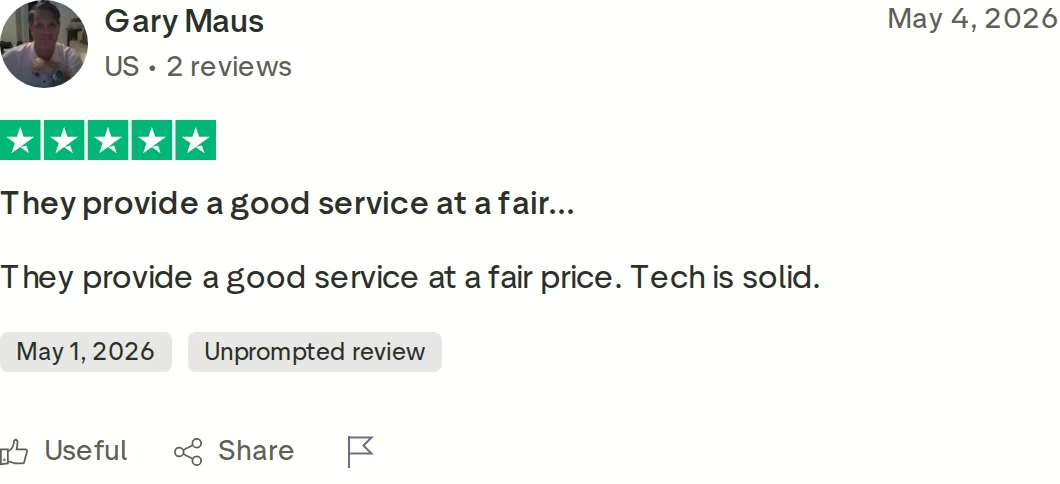
Here is the named outcome I promised. UniteSync ran on Salesforge with Mailforge and Warmforge and reached an 85.26% positive reply rate at a $2.86 cost per acquisition. ChannelCrawler, on Salesforge with Infraforge and Warmforge, hit 85.71% positive replies. Those are public case studies, not rounded marketing numbers.
in Action

Head-to-Head Feature Comparison: Quickmail vs Smartlead
This is where the three tools separate. I have kept each section to the facts that change a buying decision.
Multi-channel outreach
Salesforge and Quickmail both run native email and LinkedIn in one sequence, with phone on the Salesforge roadmap. Smartlead is email-first; its LinkedIn steps run through partners like HeyReach and sync by webhook, which can misfire. If your motion is genuinely multi-channel, the gap is real. Salesforge gives unlimited LinkedIn senders on Growth, and Quickmail gives unlimited LinkedIn accounts too. Smartlead has nothing native here. Running several profiles at once is its own skill, which is why I wrote a guide on managing multiple LinkedIn accounts without getting banned.
Email deliverability and warm-up
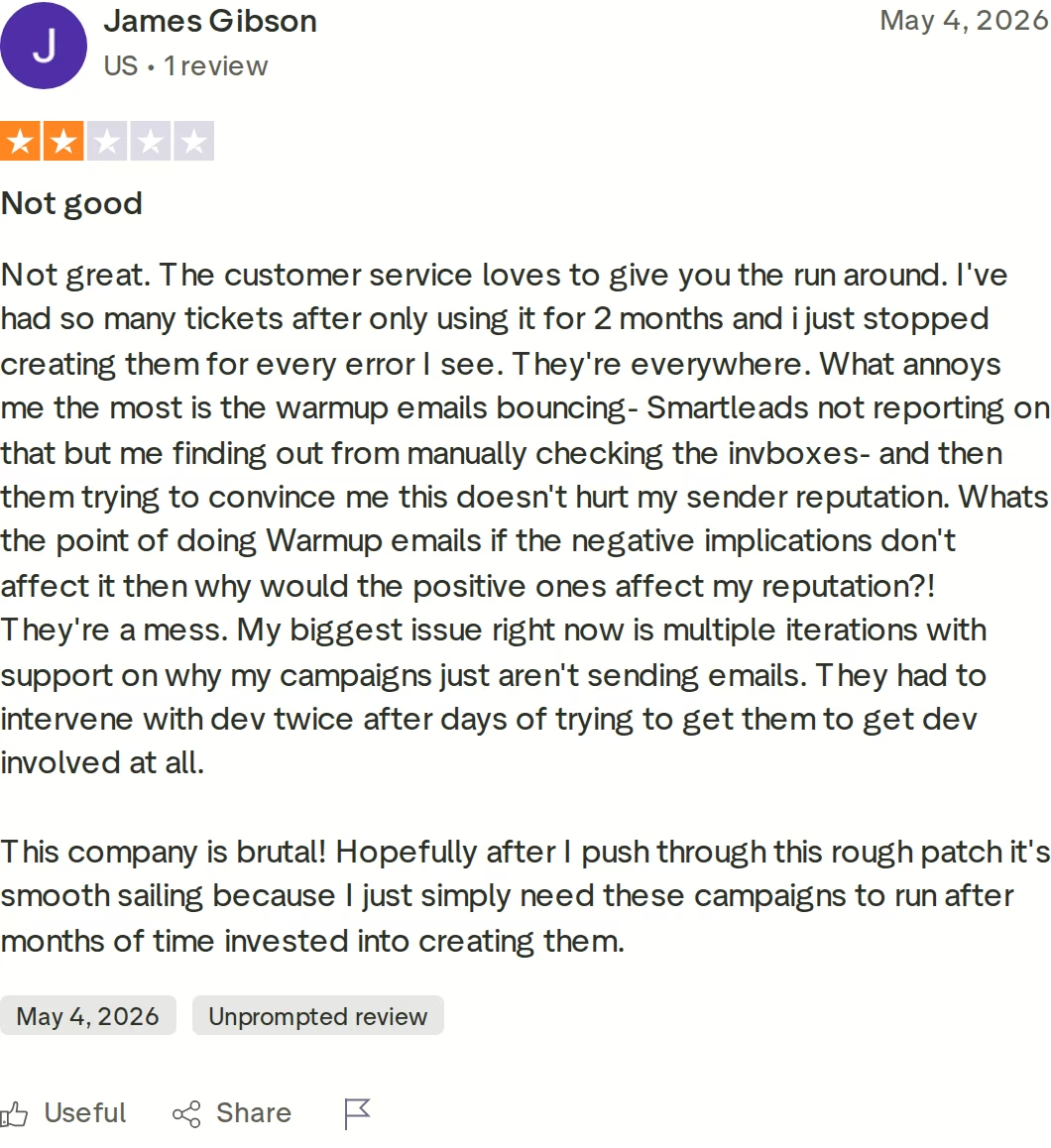
All three care about deliverability, but the warm-up economics differ. Salesforge includes free, unlimited Warmforge warm-up on every plan, with a premium-by-default pool of real Google and Microsoft mailboxes and a Heat Score per inbox. Quickmail bundles a free AutoWarmer through MailFlow on all plans. Smartlead charges $59/mo for warm-up on Base and Pro, and reserves the premium pool for its Unlimited tiers. The Trustpilot review above, where warm-up emails bounced unreported, shows why pool quality matters. Salesforge publishes the numbers it holds mailboxes to: a Heat Score above 97, a bounce rate under 1%, and 30 to 50 cold emails per inbox per day. It also lets you diversify across three sales infrastructure types to spread risk, which neither competitor matches in the base product.
AI and personalization
This is the clearest divide. Salesforge runs Agent Frank, an autonomous AI SDR with Auto-Pilot and Co-Pilot modes that prospects, writes, follows up, and books meetings. Neither Quickmail nor Smartlead has anything equivalent. Smartlead bundles AI icebreakers and a reply bot, and Quickmail adds AI-assisted follow-ups on its Agency tier, but those assist a human running the campaign. Agent Frank replaces the manual loop. You set his goal, pick from nine tonalities, choose any of 20+ languages, and feed him a Knowledge Base of your docs so his outreach stays accurate. He can also prospect continuously against your ICP. For context on the wider category, I track AI sales prospecting tools in a separate piece. VAI Consulting booked three calls in a single week with Agent Frank.
Inbox management and reply handling
Salesforge's Primebox is a free unified inbox that pulls both email and LinkedIn replies into one view, tags sentiment, and drafts AI replies on Growth. Smartlead's Master Inbox 3.0 is mature for email triage with custom categories and webhooks, but it is email-only, so LinkedIn replies live elsewhere. Quickmail unifies email and LinkedIn replies in its own inbox too. The difference is that Primebox is included free and catches replies even when a prospect answers from a different address than the one you contacted.
Pricing and scalability
On raw volume, the competitors are generous: Quickmail Growth gives 100,000 emails for $99/mo, and Smartlead Smart gives 150,000 for $174/mo. Salesforge Growth gives 50,000 emails for $80/mo annual. The difference is what scales with you. Salesforge Growth includes unlimited users, unlimited LinkedIn senders, free premium warm-up, and Primebox at no extra cost. On Smartlead you add warm-up, infrastructure, and per-client fees as you grow. On Quickmail you add your own mailboxes and a separate data tool.
Integrations and stack
Salesforge connects natively to HubSpot, Salesforce, Pipedrive, Attio, and Clay, offers an API on Growth, and ships an MCP server so AI assistants can drive outreach. Quickmail covers Zapier on every plan, with API on Growth and webhooks on Agency. Smartlead offers strong API and webhook support from Pro, plus HubSpot and Salesforce. All three integrate widely. Only Salesforge sits inside a native stack where data, infrastructure, warm-up, and outreach already talk to each other. That stack also gives you three ways to run it: your own team, the Agent Frank AI SDR, or a vetted Forge Expert agency, all on the same system with one support team behind it.
Pricing Comparison: Salesforge vs Quickmail vs Smartlead
Pricing is the most searched part of any comparison, so here it is in one place. All competitor figures come from the live vendor pricing pages, cross-checked against third-party sources.
| Plan | Salesforge | Quickmail | Smartlead |
|---|---|---|---|
| Entry plan | Pro - $48/mo ($40/mo annual) | Starter - $49/mo | Base - $39/mo ($32/mo annual) |
| Mid plan | Growth - $96/mo ($80/mo annual) | Growth - $99/mo | Pro - $94/mo ($78/mo annual) |
| Top self-serve | Growth (unlimited users + LinkedIn) | Agency - $299/mo | Unlimited Prime - $379/mo ($315/mo annual) |
| Emails on mid plan | 50,000/mo | 100,000/mo | 90,000/mo (Pro) |
| Warm-up cost | Free on all plans | Free on all plans | $59/mo add-on (Base & Pro) |
| AI SDR | Agent Frank - $499/mo billed quarterly (separate) | None | None |
| Annual discount | 2 months free | Not shown (monthly only) | ~17% off |
Salesforge and Smartlead both reward annual billing; Quickmail lists monthly pricing only. On headline price the three are close at entry, and Smartlead's Base is the cheapest sticker at $39/mo.
The scenario that matters: say you send 50,000 emails a month across email and LinkedIn, with a small team. On Salesforge Growth that is $80/mo annual, with LinkedIn, unlimited users, free premium warm-up, and Primebox included. On Smartlead you would take Pro at $78/mo annual, then add $59/mo for warm-up and a separate LinkedIn tool, so the real bill is higher and still single-channel. On Quickmail Growth at $99/mo you get email and LinkedIn, but you supply your own mailboxes and prospecting data on top.
Who Should Use Which Cold Outreach Tool
Three honest profiles, based on what each tool is actually built for.
You might consider Quickmail if:
- You are an experienced sender or agency that already owns inboxes and a data source.
- You want native email and LinkedIn with deliverability AI and per-inbox analytics.
- You value unlimited users with an audit log and do not need an AI SDR.
You might consider Smartlead if:
- Your motion is email-only and high-volume, and you manage many client accounts.
- You want unlimited mailboxes and a mature, technical API and webhook layer.
- You are comfortable paying for warm-up, infrastructure, and per-client portals as add-ons.
Choose Salesforge if:
- You sell B2B at $5K to $100K ACVs into SMB and mid-market, targeting 3,000+ businesses.
- You want email and LinkedIn from one dashboard with unlimited LinkedIn senders on Growth.
- You want free premium warm-up and a unified inbox included, not billed as extras.
- You want three infrastructure options and a 500M+ lead engine inside one connected stack.
- You want the option to hand prospecting and meeting-booking to an AI SDR, Agent Frank.
Final Verdict: Which Cold Outreach Platform to Choose
Quickmail and Smartlead are both good at what they do. Quickmail is a deliverability-led sender with native LinkedIn that expects you to bring your own inboxes and data. Smartlead is a high-volume email engine for agencies, with LinkedIn only through partners and warm-up that is paid on its lower plans. Both have public reviews worth reading before you commit.
For multi-channel B2B outbound that scales without a tool pile-up, Salesforge is the stronger choice. At $80/mo for Growth billed annually ($96/mo monthly) you get unlimited users, unlimited LinkedIn senders, unlimited mailboxes, free premium Warmforge warm-up, and Primebox - a combination neither alternative matches at any price.
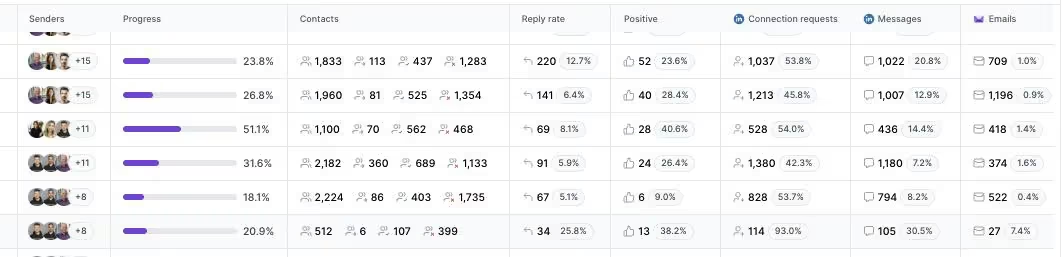
One falsifiable benchmark to hold me to: UniteSync ran on Salesforge with Mailforge and Warmforge to an 85.26% positive reply rate and a $2.86 cost per acquisition. The case study is public, and the dashboard below shows the kind of multi-channel outcome data the others do not produce.
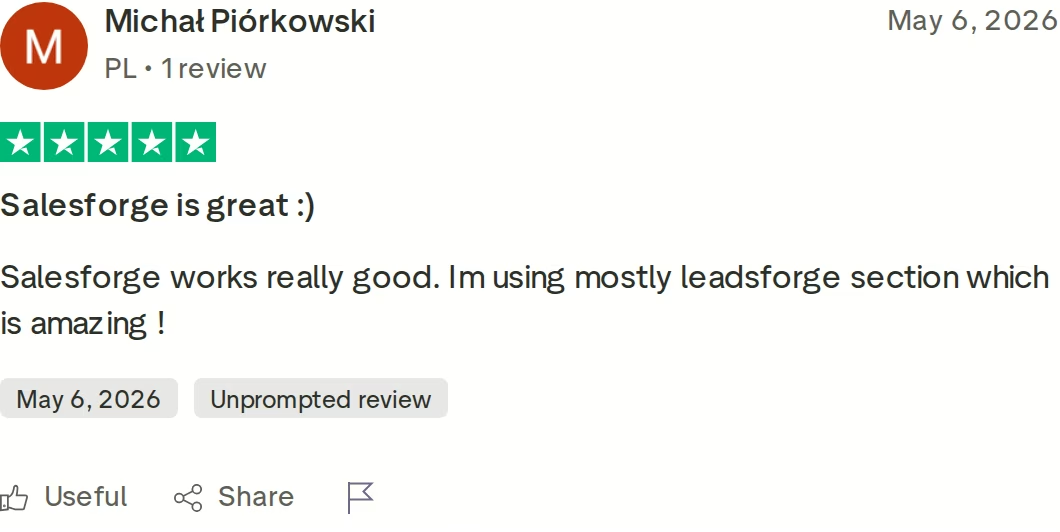
If you are weighing email-only tools more broadly, my Salesforge vs Smartlead breakdown and the wider comparisons library go deeper, and the Salesforge vs Apollo page covers the data-plus-outreach angle. You can also browse free cold outreach tools before you decide.
Try Salesforge Free for 14 DaysFrequently Asked Questions
Is Salesforge better than Quickmail or Smartlead?
For multi-channel B2B outbound, yes. Salesforge runs native email and LinkedIn, includes free premium warm-up on every plan, and offers three infrastructure options plus an optional AI SDR. Quickmail matches the multi-channel angle but supplies no infrastructure or data, and Smartlead is email-only with paid warm-up on lower tiers. UniteSync hit an 85.26% positive reply rate on Salesforge.
What's the main difference between Quickmail, Smartlead, and Salesforge?
Channels and scope. Quickmail sends email and LinkedIn through your own inboxes. Smartlead is a high-volume email platform with LinkedIn only via third-party partners. Salesforge runs both channels from one dashboard inside a connected stack that includes warm-up, three infrastructure options, a 500M+ lead engine, a unified inbox, and an optional AI SDR named Agent Frank.
Which is cheaper: Quickmail, Smartlead, or Salesforge?
On entry sticker price, Smartlead Base at $39/mo ($32/mo annual) is cheapest, with Salesforge Pro at $48/mo ($40/mo annual) and Quickmail Starter at $49/mo close behind. But cost depends on extras. Smartlead adds $59/mo for warm-up on lower tiers, while Salesforge includes free premium warm-up and a unified inbox on every plan, so the all-in cost often favors Salesforge.
Does Smartlead support LinkedIn outreach?
Not natively. Smartlead is an email-only platform at every tier. LinkedIn steps run through third-party integrations such as Aimfox or HeyReach, synced by API or webhook. That works, but it is integration-based, and a failed sync can email a prospect who already replied on LinkedIn. Salesforge and Quickmail both run LinkedIn natively in the same sequence.
Does Quickmail include email infrastructure or mailboxes?
No. Quickmail sends through the email accounts you connect, like Gmail or Outlook, so you buy and manage your own mailboxes separately. It includes a free auto-warmer through MailFlow. Salesforge offers three native infrastructure options instead: Mailforge for shared IPs, Infraforge for dedicated IPs, and Primeforge for real Google and Microsoft mailboxes.
Can I switch from Quickmail or Smartlead to Salesforge easily?
Yes. Salesforge connects unlimited mailboxes on every plan and supports CSV upload and Google Sheets for contacts, so you can move campaigns over without rebuilding from scratch. Because Salesforge includes free Warmforge warm-up, you keep mailboxes warming during the move. Most teams run a two-week warm-up on any new mailboxes before launching at full volume.
Which tool has better email deliverability and warm-up?
All three are deliverability-focused, but the warm-up terms differ. Salesforge includes free, unlimited premium Warmforge warm-up on every plan, with a Heat Score per mailbox and a pool of real Google and Microsoft inboxes. Quickmail bundles a free auto-warmer on all plans. Smartlead charges $59/mo for warm-up on Base and Pro and gates its premium pool to the Unlimited tiers.
Does Salesforge offer a free trial?
Yes. Salesforge has a 14-day free trial that includes email warm-up and unlimited mailbox connections, with caps of 50 contacts and 100 emails during the trial. Quickmail also offers 14 days but requires a card, and Smartlead offers 14 days with no card. Agent Frank, the AI SDR, is the exception: he needs a demo and a two-week warm-up, with no self-serve trial.