

QuickMail is a flat-priced tool that runs email and LinkedIn in one campaign from $49/mo. Instantly is an email-first platform from $47/mo, but Unibox replies, webhooks, and its CRM need the $107/mo plan, and lead credits cost extra.
For multichannel B2B outbound, Salesforge is the stronger choice. Email and LinkedIn share one conditional sequence, premium Warmforge warm-up is free and unlimited, and Primebox™ collects every reply on every plan. Plans start at $48/mo ($40/mo annual).
I rebuilt this QuickMail vs Instantly comparison in November 2026 because both tools have changed since it first went up. QuickMail's entry plan rose from $9 to $49 a month, and Instantly's Hypergrowth plan rose from $97 to $107. Both vendors also sell their own sending mailboxes now.
The decision I see most often is simple. A small B2B team wants email and LinkedIn outreach without paying for three tools.
QuickMail is a cold outreach platform that adds LinkedIn through a browser extension. Instantly is an email-first platform that sells sending, lead data, and AI agents as separate pieces.
I checked every price below on each vendor's live site in November 2026. I also added Salesforge, because it is the tool I would pick for this exact use case.
Cold Email Tools Compared at a Glance: QuickMail vs Instantly
| Feature | Salesforge | QuickMail | Instantly |
|---|---|---|---|
| Channels | Email + LinkedIn in one conditional sequence (phone on roadmap) | Email + LinkedIn, plus call steps (Aircall) and SMS (Twilio) | Email only; LinkedIn runs through partner tools |
| Entry plan | Salesforge Pro: $48/mo monthly, $40/mo annual (1,000 contacts, 5,000 emails) | QuickMail Starter: $49/mo, no annual rate listed (1,000 contacts, 5,000 emails) | Instantly Growth: $47/mo monthly, $37.60/mo annual (1,000 contacts, 5,000 emails) |
| Higher plans | Salesforge Growth: $96/mo monthly, $80/mo annual | QuickMail Growth: $99/mo; QuickMail Agency: $299/mo | Instantly Hypergrowth: $107/mo; Instantly Light Speed: $358/mo |
| Users and senders | Unlimited mailboxes and workspaces on every plan; unlimited users and LinkedIn senders on Salesforge Growth | Unlimited senders, LinkedIn accounts, and users; 1 workspace until Agency | Unlimited email accounts on every plan |
| Warm-up | Warmforge, free and unlimited, with Heat Score™ | Built-in Auto-Warmer for Google inboxes bought in QuickMail; free MailFlow warm-up for others | Unlimited warm-up included |
| Own mailboxes | 3 types: Mailforge (shared), Infraforge (dedicated IP), Primeforge (Google + Microsoft 365) | Google Workspace senders, $3-$4/mo | Google accounts $5/mo ($10 pre-warmed); AirMail $4/mo |
| Reply inbox | Primebox™ for email + LinkedIn on every plan; AI reply modes on Salesforge Growth | Global inbox for email + LinkedIn with AI labels | Unibox is preview-only on Instantly Growth; replies from $107/mo |
| Analytics | Reply, positive reply, connection acceptance, and meeting rates; A/B tests on Salesforge Growth | Week-by-week stats, A/B and step reports, shareable graphs | Email and account analytics; full A/Z testing from Hypergrowth |
| AI features | AI personalization across 21+ languages; Agent Frank AI SDR (separate) | Reword with AI, Deliverability AI, LinkedIn intent agents | AI Sequence Writer; AI agents billed at 5 credits per action |
| Lead database | Leadsforge, 500M+ contacts (separate plan) | No contact database | Lead Finder, 450M+ contacts (separate credits plan) |
| API | API and full integrations on Salesforge Growth; MCP server and CLI | API from QuickMail Growth; webhooks on Agency | API on all plans; webhooks from Hypergrowth |
| Free trial | 14 days, no card | 14 days, card required | 14 days, no card |
QuickMail Overview: Email and LinkedIn at a Flat Price
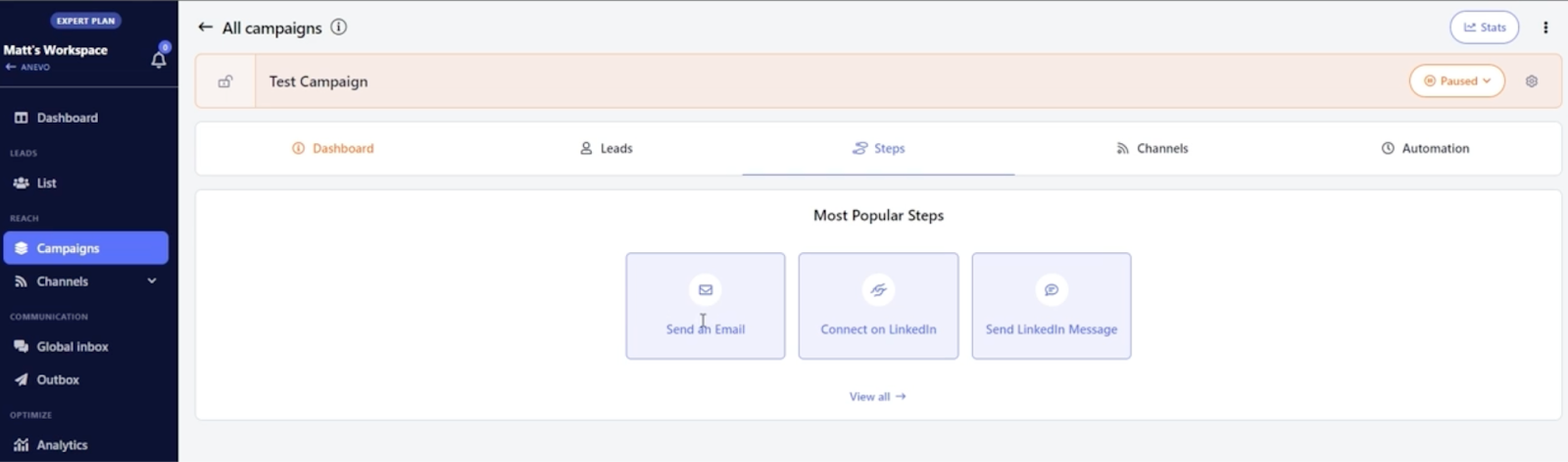
QuickMail is a cold outreach platform, running since 2014, that sends email through your own inboxes and adds LinkedIn steps to the same campaign. It charges one flat price per account, not per seat.
QuickMail core features
- Inbox Rotation™: add as many inboxes as you want to one campaign, and QuickMail splits the volume between them.
- Deliverability AI™: removes underperforming senders from a campaign and adds fresh ones automatically.
- Reword with AI™: rewrites each outgoing email so no two copies are identical.
- LinkedIn steps: connection requests, InMails, messages, and voice messages, connected through a browser extension with automation that runs in the cloud.
- Global inbox: email and LinkedIn replies land in one view with AI labels such as "Not interested".
- Done-for-you senders: Google Workspace inboxes at $4/mo (its agency page lists $3), with SPF, DKIM, and DMARC set up.
- Integrations: two-way HubSpot and Pipedrive sync, Zapier, Calendly, Aircall call steps, and Twilio SMS.
QuickMail pricing
Starter costs $49/mo for 1,000 uploaded contacts and 5,000 emails a month. Growth costs $99/mo for 25,000 contacts, 100,000 emails, API access, and priority support. Agency costs $299/mo for 100,000 contacts, 500,000 emails, webhooks, and 2 workspaces, with extra workspaces at $49/mo each.
Every plan includes unlimited email senders, LinkedIn accounts, and users. The pricing page lists no annual discount, and the 14-day trial needs a card, though QuickMail says it won't charge you automatically.
Who QuickMail is best for
QuickMail fits agencies and small teams that want email and LinkedIn in one campaign at a flat price. For a deeper walkthrough of the app, see this QuickMail review.
QuickMail limitations
- QuickMail sells Google inboxes only, so Microsoft 365 or dedicated-IP mailboxes must come from another provider.
- Its built-in Auto-Warmer only covers Google inboxes bought through QuickMail. Other inboxes warm through MailFlow, a partner tool, at no extra cost.
- Starter and Growth include one workspace. A second client workspace means moving to the $299/mo Agency plan.
What QuickMail reviewers say
Instantly Overview: Email-First Sending With Paid Add-Ons
Instantly is an email-first cold outreach platform. Its Outreach plans cover sending, warm-up, and Unibox, while lead data, AI agents, and done-for-you mailboxes are sold separately.
Instantly core features
- Unlimited email accounts and unlimited warm-up on every Outreach plan.
- Unibox: a reply inbox that sorts leads by status, such as Interested or Meeting booked.
- Lead Finder: 450M+ B2B contacts, paid through a separate Instantly Credits plan.
- AI Reply Agent and AI Sales Agent: each generated reply or lead costs 5 credits.
- Done-for-you mailboxes: Google accounts at $5/mo ($10 pre-warmed), AirMail inboxes on Instantly's own servers at $4/mo, and domains at $15/yr.
- SISR on Light Speed: dedicated server and IP rotation for high-volume senders.
- CRM and Automation Builder: the CRM starts at Hypergrowth, and automations come with every plan.
Instantly pricing
Growth costs $47/mo ($37.60/mo annual) for 1,000 contacts and 5,000 emails. Hypergrowth costs $107/mo ($85.58/mo annual) for 25,000 contacts and 125,000 emails. Light Speed costs $358/mo ($286.30/mo annual) for 100,000 contacts and 500,000 emails.
There are no overage fees, so you move up a tier when you hit a limit. Credits for lead data and AI agents start at $9/mo. The 14-day trial needs no card and covers 250 contacts and 1,000 emails.
Who Instantly is best for
Instantly fits email-only teams that send high volume and run LinkedIn elsewhere, or not at all. This Instantly.ai review covers the app in more depth.
Instantly limitations
- It doesn't send LinkedIn messages natively. Its own blog points to partner tools, which this Instantly + HeyReach setup breakdown covers.
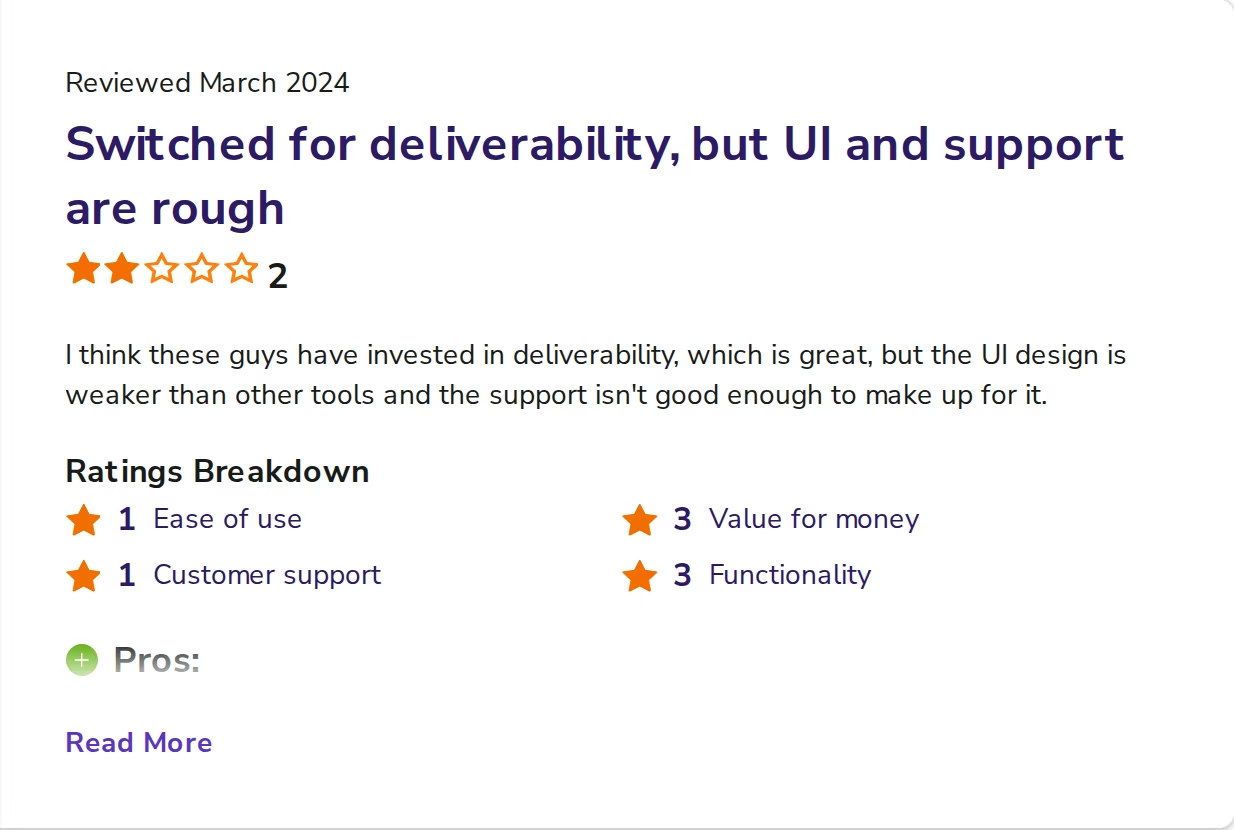
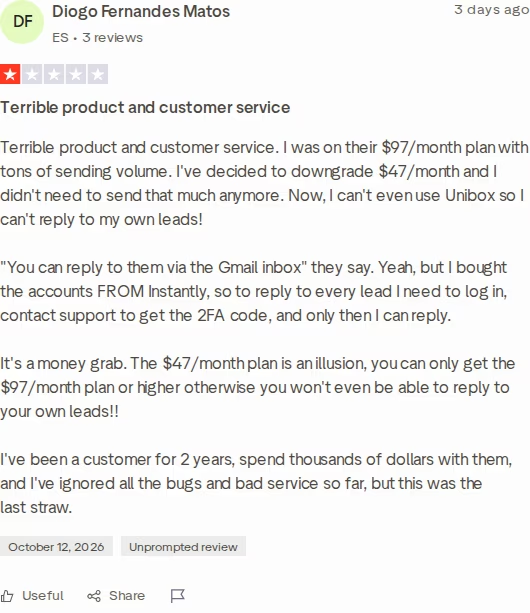
- Unibox is preview-only on the $47/mo Growth plan. Replying to leads inside Instantly needs Hypergrowth at $107/mo.
- Lead data and AI agents run on a separate credits plan, and unused credits expire after 2 months on monthly billing.
I don't treat $47/mo as Instantly's real entry price for most teams. You can still answer leads from each mailbox directly, but across many inboxes that gets slow, so I'd budget for $107/mo from the start.
What Instantly reviewers say
If you are already leaning away from Instantly, this walkthrough from the Salesforge YouTube channel compares seven alternatives.
Salesforge Overview: The Multichannel Alternative
Salesforge is a multichannel outreach platform that runs cold email and LinkedIn inside one sequence and one inbox. It is the outreach layer of the Forge Stack, which also covers mailboxes, warm-up, lead data, and an AI SDR.
Salesforge core features
- Conditional sequences: if a connection request is accepted, a LinkedIn message follows. If not, the sequence falls back to email.
- Six native LinkedIn actions: connection requests, messages, InMails, post likes, follows, and withdraw requests, each capped at 30 a day per profile.
- Account safety: session-token login, so your LinkedIn password is never stored, and no Chrome extension injection.
- Unlimited mailboxes and workspaces on every plan, with unlimited users and LinkedIn senders on Growth.
- AI personalization across 21+ languages, with Overdrive Mode pulling from several sources at once.
- Deliverability controls: sender rotation, ESP matching (Growth), text-only emails, Bounce Shield, and built-in email validation.
- Warmforge included free: unlimited warm-up slots, Heat Score™ per mailbox, and health checks for DNS, MX, and blacklists.
- Primebox™: one inbox for email and LinkedIn with sentiment tags, plus Autopilot and Co-pilot AI reply modes on Growth.
- LinkedIn email & phone finder Chrome Extension, powered by Leadsforge, with 100 free credits on signup.
- A/B testing (Growth) and analytics for reply, positive reply, connection acceptance, and meeting rates.
- Developer access: API on Growth, plus an MCP server and the Forge CLI for Claude, Cursor, or your own agents.
Salesforge plans don't include mailboxes. You can connect your own or pick from three types under one login, priced per mailbox per month, with lower rates at higher volume and on longer billing.
Mailforge shared mailboxes cost $3 to $2. Infraforge dedicated-IP mailboxes cost $4 to $3. Primeforge Google Workspace and Microsoft 365 mailboxes cost $4.50 to $3.50.
Leadsforge sends lists from its 500M+ contact database straight into sequences, with no CSV export. That puts mailboxes, warm-up, lead data, outreach, and an AI SDR under one login, each as its own subscription.
You can run the stack three ways: your own team, Agent Frank, or a Forge Expert agency.
ChannelCrawler ran Salesforge with Infraforge and Warmforge to an 85.71% positive reply rate.
Salesforge pricing
Pro costs $48/mo monthly or $40/mo annual for 1,000 active contacts, 5,000 emails a month, 1 user, and 1 LinkedIn sender. It includes 300 validation, personalization, and social action credits a month. Growth costs $96/mo monthly or $80/mo annual for 10,000 active contacts, 50,000 emails, and 1,000 of each credit type.
Growth adds unlimited users and LinkedIn senders, A/B testing, multi-language sequences, ESP matching, the API, and Primebox™ AI replies.
Agent Frank, the AI SDR, is a separate subscription from $499/mo billed quarterly ($416/mo billed annually). Salesforge has a 14-day free trial with no card required, and you can verify the live price any time.
Try Salesforge Free for 14 DaysWho Salesforge is best for
Salesforge fits B2B teams selling deals worth $5K to $100K to startups, SMBs, and mid-market companies, targeting 3,000 or more businesses. Salesforge itself says it's a poor fit if you target Fortune 500 accounts or rely on long RFP cycles.
Salesforge limitations
- Mailboxes cost extra on every plan.
- Pro has 1 user and 1 LinkedIn sender. The API, A/B testing, ESP matching, and AI replies need Growth.
- Growth includes 50,000 emails a month (more can be bought in-app), fewer than QuickMail Growth (100,000) or Instantly Hypergrowth (125,000).
- Agent Frank needs a sales demo and a 2-week warm-up before he starts sending.
in Action
Head-to-Head Feature Comparison: QuickMail vs Instantly
Multichannel outreach
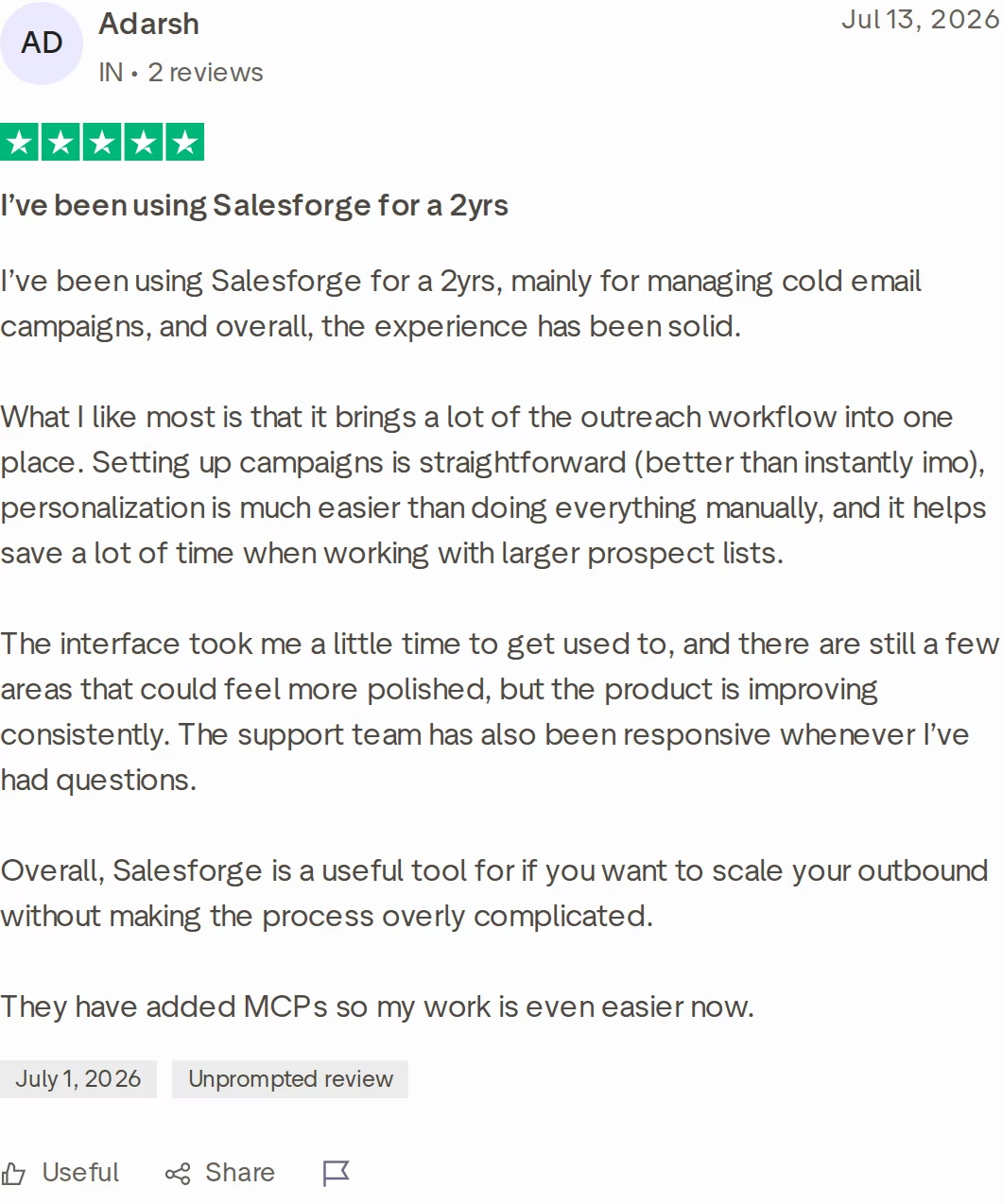
QuickMail: email and LinkedIn steps sit in one campaign, and unlimited LinkedIn accounts rotate automatically. The extension keeps running in the cloud when your laptop is closed. On raw channel count, QuickMail goes further than Salesforge today, because it adds call steps through Aircall and SMS through Twilio.
Instantly: email only. Its own blog names HeyReach, Aimfox, and Valley as LinkedIn partners, connected through integrations. That means a second tool, a second bill, and a second place to read LinkedIn replies.
Salesforge: email and LinkedIn branch on prospect behavior inside one sequence, with six native LinkedIn actions. One dashboard shows connection acceptance next to reply and meeting rates. Phone outreach is on the roadmap.
Email deliverability and warm-up
QuickMail: a built-in Auto-Warmer for Google inboxes bought through QuickMail, plus free MailFlow warm-up for the rest. Daily blacklist checks and Deliverability AI swap out weak senders. Its inbox rotation spreads one campaign across many inboxes.
Instantly: unlimited warm-up on every plan, with a Deliverability AI Agent on Hypergrowth and SISR on Light Speed. Salesforge's own comparison page cites domains like lust.com in Instantly's warm-up pool, which is not a premium pool.
Salesforge: Warmforge warms every mailbox free, using a pool of aged IMAP/SMTP, Google Workspace, and Microsoft 365 mailboxes. Heat Score™ shows when a mailbox is safe to scale, and 97+ counts as healthy. Salesforge's free outreach tools add a spam checker and placement test.
Whichever tool you pick, Salesforge's published rule of thumb still applies: 30 to 50 cold emails per inbox per day, and a bounce rate under 1%. Anything over 5% means pausing the campaign.
Email infrastructure
Both competitors now sell mailboxes, but each sells one or two kinds. QuickMail sells Google Workspace senders. Instantly sells Google accounts and AirMail inboxes on its own servers, which this look at Instantly's sending infrastructure explains.
Salesforge connects shared, dedicated-IP, and Google plus Microsoft 365 mailboxes under one login. Salesforge recommends running two or more providers, so one provider's problem never stops every campaign. ESP matching then sends Google to Google and Microsoft to Microsoft.
Setup speed differs too. QuickMail's pages promise Google senders within 3 to 5 hours.
Instantly sets up Google accounts in 24 to 72 hours, and says AirMail inboxes go live in under a minute. A Mailforge setup takes about 5 minutes, and a first Primeforge mailbox takes about 30.
AI and personalization
QuickMail: Reword with AI rewrites each email, and LinkedIn agents look for intent signals like competitor engagement.
Instantly: an AI Sequence Writer on every plan, plus Reply and Sales Agents that spend 5 credits per action.
Salesforge: AI variables pull company news and LinkedIn activity in 21+ languages. Agent Frank runs prospecting, sequences, replies, and booking 24/7 across email and LinkedIn. VAI Consulting booked 3 calls in the first week after narrowing its ICP with him.
Credit costs are easy to compare. Overdrive Mode costs 2 personalization credits per preview in Salesforge, and regenerating is free. Instantly's AI agents cost 5 credits per reply or lead generated.
Inbox management and reply handling
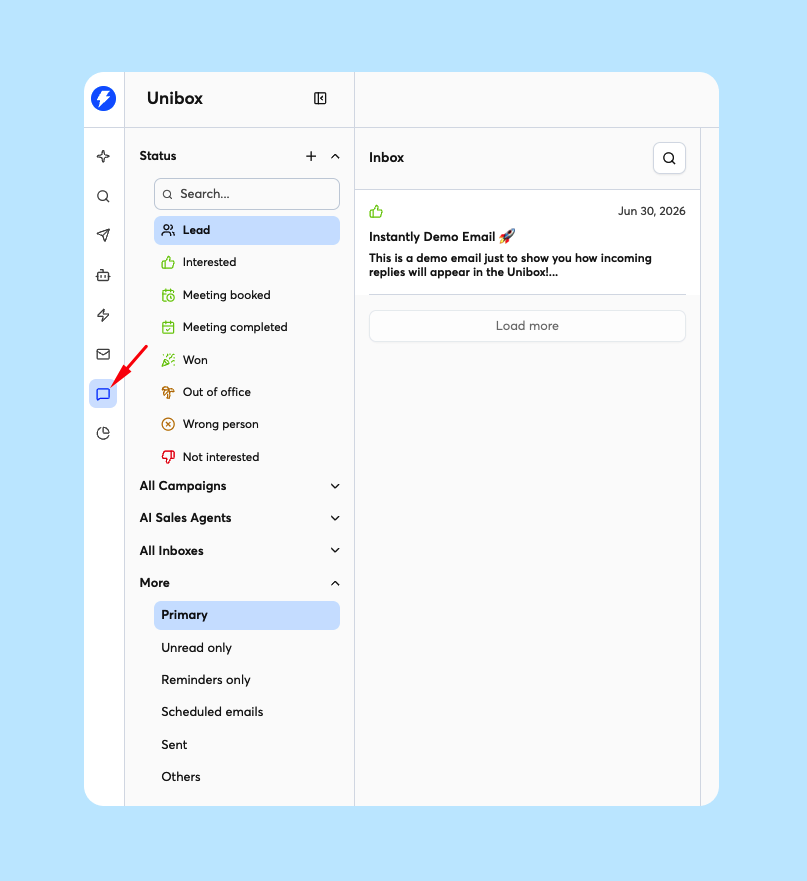
QuickMail: a global inbox for email and LinkedIn replies, with AI labels and assignment to teammates.
Instantly: Unibox handles email replies, and replying in-app needs Hypergrowth. The AI Reply Agent can answer leads with or without human approval.
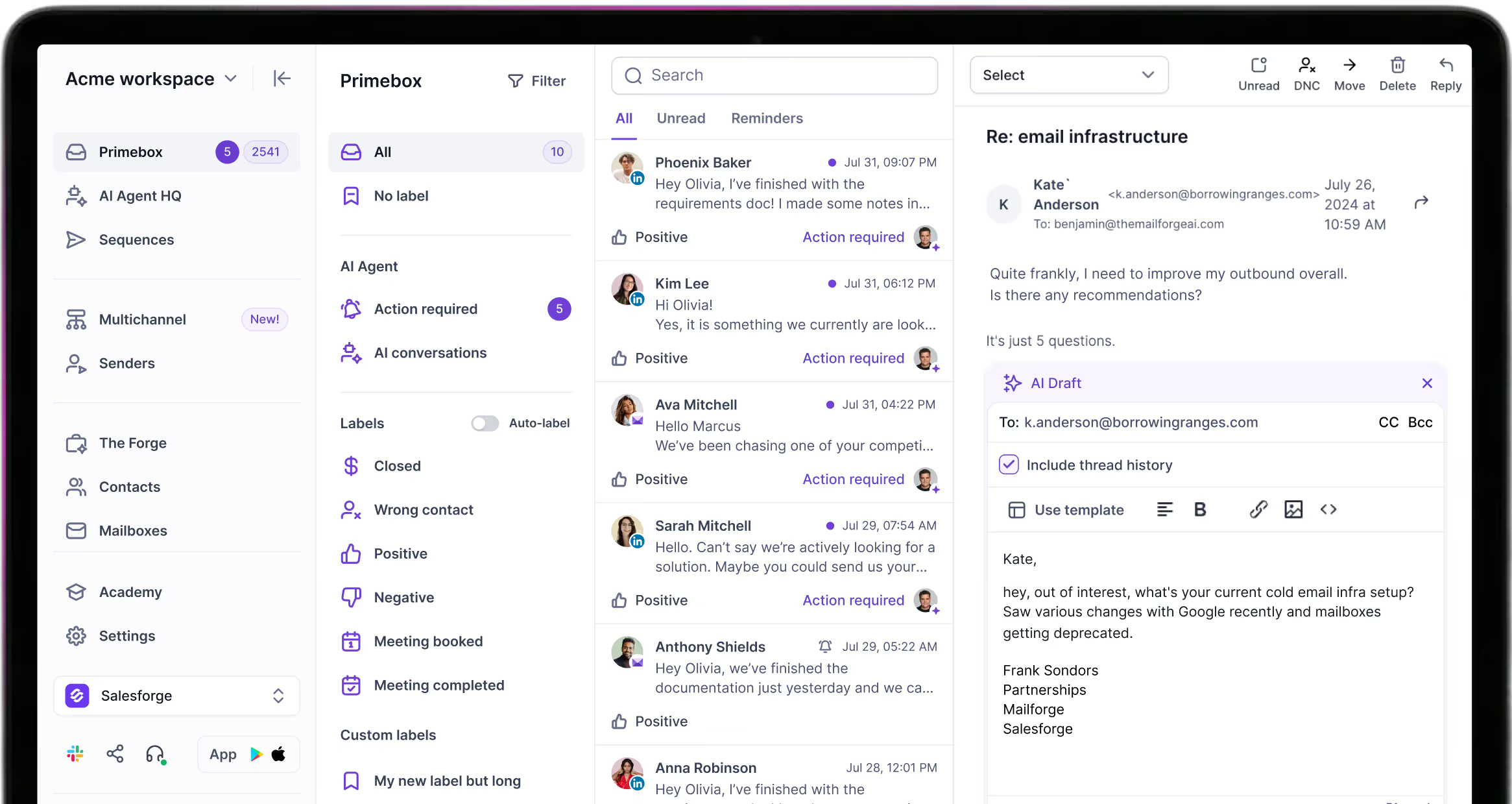
Salesforge: Primebox™ is on every plan and catches replies even when a prospect answers from a different address. Growth adds Autopilot and Co-pilot drafts at 3 credits each. Primebox™ also has custom labels, follow-up reminders, and a mobile app.
This roundup of AI inbox managers compares the options.
Pricing and scalability
QuickMail stays flat until you need a second workspace, then jumps to $299/mo. Instantly's help center says each workspace needs its own subscription, and lead data scales through credits. Salesforge includes unlimited workspaces on both plans, and Growth adds unlimited users and LinkedIn senders.
For an agency with five client workspaces, the gap is easy to see. QuickMail Agency costs $446/mo ($299 plus three extra workspaces at $49).
Instantly Hypergrowth costs $535/mo (5 x $107). Salesforge Growth costs $96/mo, as long as all five clients fit inside 10,000 active contacts and 50,000 emails a month.
On raw email volume per dollar, Instantly Hypergrowth (125,000 emails for $107) and QuickMail Growth (100,000 for $99) beat Salesforge Growth (50,000 for $96).
Integrations and stack
QuickMail: two-way HubSpot and Pipedrive sync, Zapier, Calendly, Slack, and API from Growth. It also connects to email verifiers such as NeverBounce and ZeroBounce.
Instantly: API on every plan, which is more open than Salesforge's Growth-only API, plus webhooks from Hypergrowth and an MCP server. Its CRM comes with Hypergrowth and above.
Salesforge: native HubSpot, Salesforce, Pipedrive, HighLevel, Attio, Folk, and Breakcold, plus Clay, Zapier, Make, Slack, and webhooks. The Forge CLI runs all six Forge products from one binary, and Salesforge is SOC 2 compliant.
QuickMail vs Instantly Pricing Comparison (2026)
| Item | Salesforge | QuickMail | Instantly |
|---|---|---|---|
| Entry plan | Salesforge Pro: $48/mo ($40/mo annual) | QuickMail Starter: $49/mo | Instantly Growth: $47/mo ($37.60/mo annual) |
| Mid plan | Salesforge Growth: $96/mo ($80/mo annual) | QuickMail Growth: $99/mo | Instantly Hypergrowth: $107/mo ($85.58/mo annual) |
| Top self-serve plan | Salesforge Growth | QuickMail Agency: $299/mo | Instantly Light Speed: $358/mo ($286.30/mo annual) |
| Mid-plan limits | 10,000 contacts, 50,000 emails | 25,000 contacts, 100,000 emails | 25,000 contacts, 125,000 emails |
| Extra workspaces | Unlimited, included | $49/mo each (Agency) | Each workspace needs its own plan |
| Mailboxes | $2-$4.50 per mailbox | $3-$4 per Google sender | $4-$10 per account |
| Lead data | Leadsforge from $49/mo | No contact database | Credits from $9/mo |
| AI SDR | Agent Frank from $499/mo, billed quarterly | LinkedIn AI agents for finding leads | AI agents billed in credits |
Salesforge gives 2 months free on annual billing, and Instantly takes about 20% off. QuickMail shows no annual discount.
For a solo founder, the entry plans cost almost the same: $48, $49, and $47 for 1,000 contacts and 5,000 emails. The difference is what's inside. QuickMail Starter includes LinkedIn, Salesforge Pro includes 1 LinkedIn sender and Primebox™, and Instantly Growth can't reply from Unibox.
Instantly credits also expire 2 months after purchase on monthly plans, so unused lead data doesn't roll over for long.
Here is a team scenario: a 3-person team sends 20,000 emails a month to 8,000 contacts from 20 mailboxes and 3 LinkedIn accounts. Each tool's entry plan caps contacts at 1,000, so all three need their mid tier. Prices below use monthly billing.
- Salesforge: Growth at $96 plus 20 Mailforge mailboxes at $3 comes to about $156/mo, LinkedIn included.
- QuickMail: Growth at $99 plus 20 Google senders at $3-$4 comes to $159-$179/mo, LinkedIn included.
- Instantly: Hypergrowth at $107 plus 20 accounts at $4-$5 comes to $187-$207/mo, before a separate LinkedIn tool.
Credit top-ups aren't included. Salesforge Growth includes 1,000 validation, personalization, and social action credits a month, and Salesforge estimates 400 to 500 social actions per fully active LinkedIn profile.
At higher volume, Mailforge drops to $2 per mailbox, and Warmforge warm-up stays free on every mailbox you add.
Who Should Use QuickMail, Instantly, or Salesforge
You might consider QuickMail if:
- You want email and LinkedIn in one campaign with unlimited users from the $49 Starter plan.
- Your campaigns need call or SMS steps, which QuickMail adds through Aircall and Twilio.
- You run an agency with two clients, since the $299 Agency plan covers two workspaces and 500,000 emails.
You might consider Instantly if:
- Your outreach is email-only and sends per dollar matter most, since Hypergrowth includes 125,000 emails for $107/mo.
- You want API access on the cheapest plan and already run LinkedIn in another tool.
- You want a CRM bundled with your sender, since Instantly's CRM comes with Hypergrowth.
Choose Salesforge if:
- You sell B2B deals worth $5K to $100K to startups, SMBs, or mid-market companies.
- You want email and LinkedIn in one conditional sequence, with every reply in Primebox™.
- You want a premium warm-up pool with Heat Score™ tracking: Warmforge is free with Salesforge, versus $9 per slot a month on its own (billed annually).
- You run several clients or brands and need unlimited workspaces, users, and LinkedIn senders.
- You may want an AI SDR later, and Agent Frank runs on the same stack.
For single-competitor detail, read QuickMail vs Salesforge and Instantly vs Salesforge, or browse the full comparison library.
Final Verdict: Which Cold Email Tool to Choose in 2026
QuickMail and Instantly each solve half of the job. QuickMail covers email and LinkedIn at a flat price, but it sells only Google inboxes and keeps you to one workspace below its $299 plan. Instantly sends a lot of email for the money, but LinkedIn needs another tool and Unibox replies need the $107/mo plan.
For B2B teams that want email and LinkedIn working together, Salesforge is the stronger choice. Growth costs $80/mo billed annually ($96/mo monthly) and includes unlimited users, LinkedIn senders, and mailboxes, free Warmforge warm-up, and Primebox™ with AI reply modes.
One benchmark you can check: UniteSync used Salesforge, Mailforge, and Warmforge to reach an 85.26% positive reply rate on an example campaign and a $2.86 CAC. The case study is public.

Here is a claim you can check. Of these three tools, only Salesforge includes unlimited workspaces on its entry plan and sells Microsoft 365 mailboxes under the same login (through Primeforge).
Give Salesforge a Try TodayQuickMail vs Instantly: Frequently Asked Questions
Is QuickMail or Instantly better for cold email?
QuickMail is the better pick if you want email and LinkedIn in one campaign at a flat $49/mo with unlimited users. Instantly is the better pick for email-only teams chasing volume, since Hypergrowth includes 125,000 emails for $107/mo.
For most multichannel B2B teams, Salesforge is the stronger choice overall. Email and LinkedIn share one sequence from $48/mo, with free Warmforge warm-up and the Primebox™ unified inbox on every plan.
What's the main difference between QuickMail and Instantly?
QuickMail runs email and LinkedIn in one campaign and charges a flat price with unlimited users, senders, and LinkedIn accounts. Instantly is email-first: it has no native LinkedIn sending and sells lead data and AI agents through a separate credits subscription. Instantly also keeps Unibox replies, webhooks, and its CRM behind the $107/mo Hypergrowth plan.
Which is cheaper, QuickMail or Instantly?
At the entry level, Instantly is $2 cheaper: Instantly Growth costs $47/mo ($37.60/mo annual) and QuickMail Starter costs $49/mo. Both include 1,000 contacts and 5,000 emails.
One tier up, QuickMail Growth costs $99/mo for 100,000 emails and Instantly Hypergrowth costs $107/mo for 125,000. Instantly lead data is extra, from $9/mo. Salesforge Pro costs $48/mo ($40/mo annual) with the same limits plus one LinkedIn sender.
Does Instantly support LinkedIn outreach?
Not natively. Instantly's own blog says it doesn't send LinkedIn messages and pairs with LinkedIn tools such as HeyReach, Aimfox, or Valley through integrations.
That means a second subscription and a second place to read LinkedIn replies. QuickMail adds LinkedIn steps through a browser extension with cloud sessions. Salesforge runs six native LinkedIn actions, including connection requests, InMails, and messages, inside the same sequence as email.
Can I switch from QuickMail or Instantly to Salesforge easily?
Yes. Salesforge connects Google Workspace, Microsoft 365, and any SMTP mailbox, so you can reconnect the inboxes you already send from.
Contacts come in by CSV upload or Google Sheets, and every connected mailbox gets free Warmforge warm-up. If you need new inboxes, Mailforge, Infraforge, and Primeforge set them up under the same login. Salesforge recommends at least two weeks of warm-up before a new mailbox runs campaigns.
Which tool has better email deliverability?
All three include warm-up, but the setups differ. QuickMail warms its own Google inboxes with a built-in Auto-Warmer, uses MailFlow for other inboxes, and swaps out weak senders with Deliverability AI.
Instantly includes unlimited warm-up, though Salesforge's comparison page cites domains like lust.com in its pool. Salesforge includes Warmforge free, with a pool of aged IMAP/SMTP, Google Workspace, and Microsoft 365 mailboxes. It adds Heat Score™ tracking, health checks, Bounce Shield, and ESP matching on Growth.
Does Salesforge offer a free trial?
Yes. Salesforge has a 14-day free trial with no credit card required.
It includes 50 contacts, 100 emails, 50 email validation credits, 50 personalization credits, and 100 social action credits, plus warm-up and unlimited mailbox connections. QuickMail's 14-day trial asks for a card, and Instantly's 14-day trial includes 250 contacts and 1,000 emails. Agent Frank has no self-serve trial and starts with a demo.
Who is QuickMail best for?
QuickMail fits agencies and small teams that want email and LinkedIn in one campaign at a flat price. Every plan includes unlimited email senders, LinkedIn accounts, and users, and the $299/mo Agency plan adds a second workspace.
It suits teams happy to send from Google Workspace, since its done-for-you senders are Google-only. Teams that want Microsoft 365 or dedicated-IP mailboxes under one login should look at Salesforge.