

QuickMail is a 2014-built cold email platform that added LinkedIn through a browser extension. Salesforge is a multi-channel outreach platform with native email and LinkedIn. QuickMail sells no mailboxes, no domains, and no AI SDR.
For B2B teams running email and LinkedIn at scale, Salesforge is the stronger choice. Native LinkedIn senders, unlimited workspaces, free Warmforge warm-up, Primebox™, and an optional AI SDR. Plans start at $48/mo monthly ($40/mo annual).
I spent a week pulling both platforms apart for a client running outbound to roughly 8,000 accounts a quarter. The question was simple: one tool for email and LinkedIn, or two.
QuickMail has been in cold email since 2014 and built its reputation on inbox placement. It now runs LinkedIn too, through a browser extension that finds people already engaging with content in your space. Salesforge is the outreach layer of the Forge Stack, with email and LinkedIn in the same sequence and infrastructure sold alongside it.
The comparison matters because the obvious gaps closed. Both charge nothing per seat. Both include free warm-up. So the real differences sit further down: where LinkedIn actually runs, what happens when you add a second client, and whether anyone hands you mailboxes. UniteSync hit an 85.26% positive reply rate on the Forge Stack at a $2.86 CAC, so those layers matter.
Cold Outreach Software Comparison at a Glance: QuickMail vs Salesforge
| Feature | Salesforge | QuickMail |
|---|---|---|
| Outreach channels | Email + LinkedIn in one conditional sequence with if/then branching (phone on roadmap) | Email + LinkedIn, run as two separate motions |
| Sending accounts | Unlimited mailboxes on every plan | Unlimited email senders on every plan |
| LinkedIn actions and senders | 6 native actions: connection requests, messages, InMails, post likes, follows, withdraws. Unlimited senders on Salesforge Growth, 1 on Pro | Auto-connects, free InMails, multi-tap™ DMs, voice messages. Unlimited accounts on all plans |
| Personalization | Overdrive Mode reads site, blog and LinkedIn posts together. Same AI variables for email and LinkedIn, 21+ languages | AI copy assistance. No multi-source personalization published |
| Warm-up and deliverability | Free unlimited Warmforge, Heat Score™ per mailbox, monthly placement tests | Free AutoWarmer with MailFlow, Inbox Rotation™, Deliverability AI |
| Infrastructure options | Three under one login: Mailforge, Infraforge, Primeforge | None. You buy and configure your own mailboxes |
| Lead data and enrichment | Leadsforge, 500M+ contacts, waterfall enrichment, feeds sequences with no CSV export | None built in |
| Unified inbox | Primebox™, free, email + LinkedIn, sentiment tagging, mobile app | Yes, email and LinkedIn replies in one view |
| Analytics and testing | Open rate, reply rate, connection acceptance and meeting conversion in one dashboard. A/B testing on Salesforge Growth | Inbox-level email analytics, A/B testing |
| AI SDR | Agent Frank (Auto-Pilot/Co-Pilot), separate subscription from $499/mo billed quarterly | None |
| Pricing and workspaces | $48/mo monthly ($40/mo annual) Salesforge Pro. $96/mo monthly ($80/mo annual) Salesforge Growth. 2 months free annually. Unlimited workspaces on every plan | $49/mo Starter, $99/mo Growth, $299/mo Agency, monthly only. 1 workspace on Starter and Growth, 2 on Agency, +$49/mo each extra |
| Free trial and compliance | 14 days. SOC 2 compliant across the stack | 14 days, card required at signup. No SOC 2 attestation published |
QuickMail Overview: Features, Pricing, and Known Limits
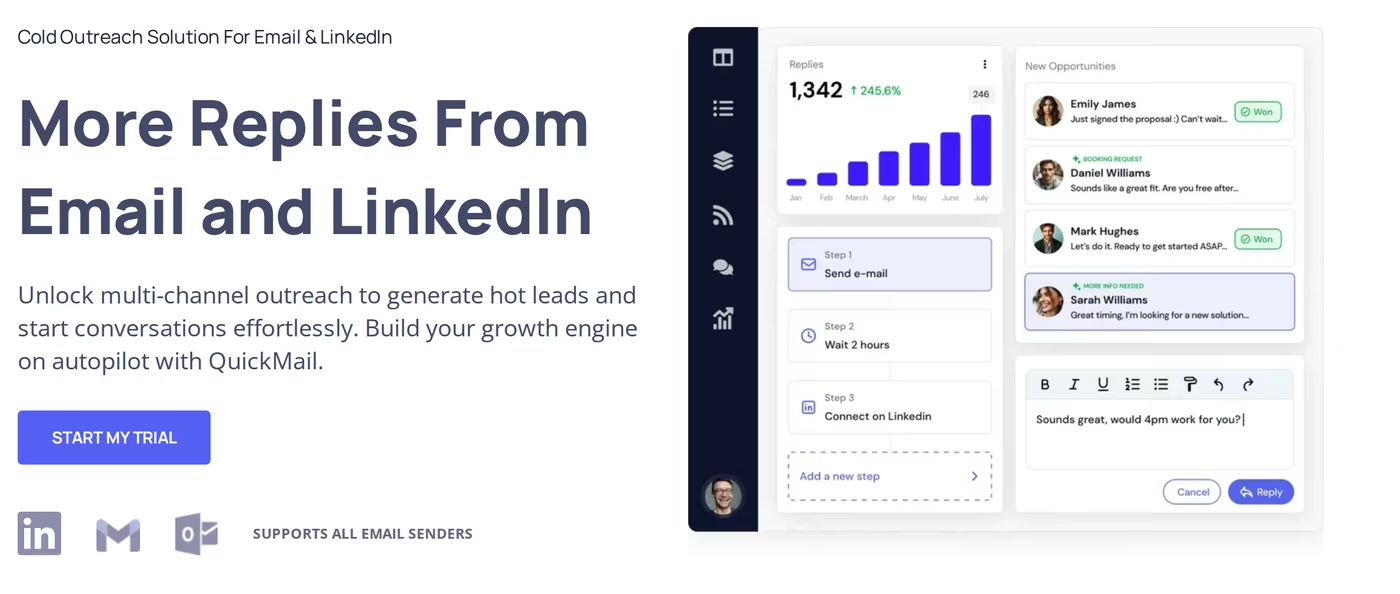
QuickMail is a cold outreach platform that has run since 2014, a date it cites on its own site. It sends from mailboxes you already own and built its name on inbox placement rather than feature count.
Its LinkedIn product is newer and works differently from most. Instead of loading a static list, it watches engagement signals and pulls people already active in your space.
What QuickMail includes
- Inbox Rotation™ - spreads sending across every connected mailbox.
- Deliverability AI - prioritizes your healthiest accounts and swaps out weak ones.
- AutoWarmer with MailFlow - free warm-up included on every paid plan.
- Blacklist and DNS monitoring - flags reputation problems on your domains.
- LinkedIn via browser extension - auto-connects, free InMails, multi-tap™ DMs, voice messages.
- Intent-signal prospecting - builds lists from competitor and influencer engagement.
- Unified inbox - email and LinkedIn replies land in one place.
- Integrations - Zapier on every plan, API from QuickMail Growth, webhooks on Agency, plus HubSpot and Pipedrive.
QuickMail pricing
Pulled from the live QuickMail pricing page on 11 August 2026. All three tiers include unlimited email senders, LinkedIn accounts and users.
- QuickMail Starter, $49/mo - 1,000 uploaded contacts, 5,000 emails/mo, 1 workspace, Zapier.
- QuickMail Growth, $99/mo - 25,000 uploaded contacts, 100,000 emails/mo, 1 workspace, API, priority support.
- QuickMail Agency, $299/mo - 100,000 uploaded contacts, 500,000 emails/mo, 2 workspaces at +$49/mo each after that, webhooks.
Worth knowing: every third-party pricing guide I cross-checked is out of date. They still list Basic, Pro and Expert tiers at $9, $89 and $129 with per-inbox caps. The live page now shows unlimited senders and three new tier names.
Who QuickMail suits
QuickMail fits solo founders, small teams and lead gen agencies where email is the primary channel. Deliverability tooling is why its reviewers stay.
What reviewers say about QuickMail
It holds a 4.7 average from 26 reviews on Software Advice. One sits at 2 stars and is worth reading.
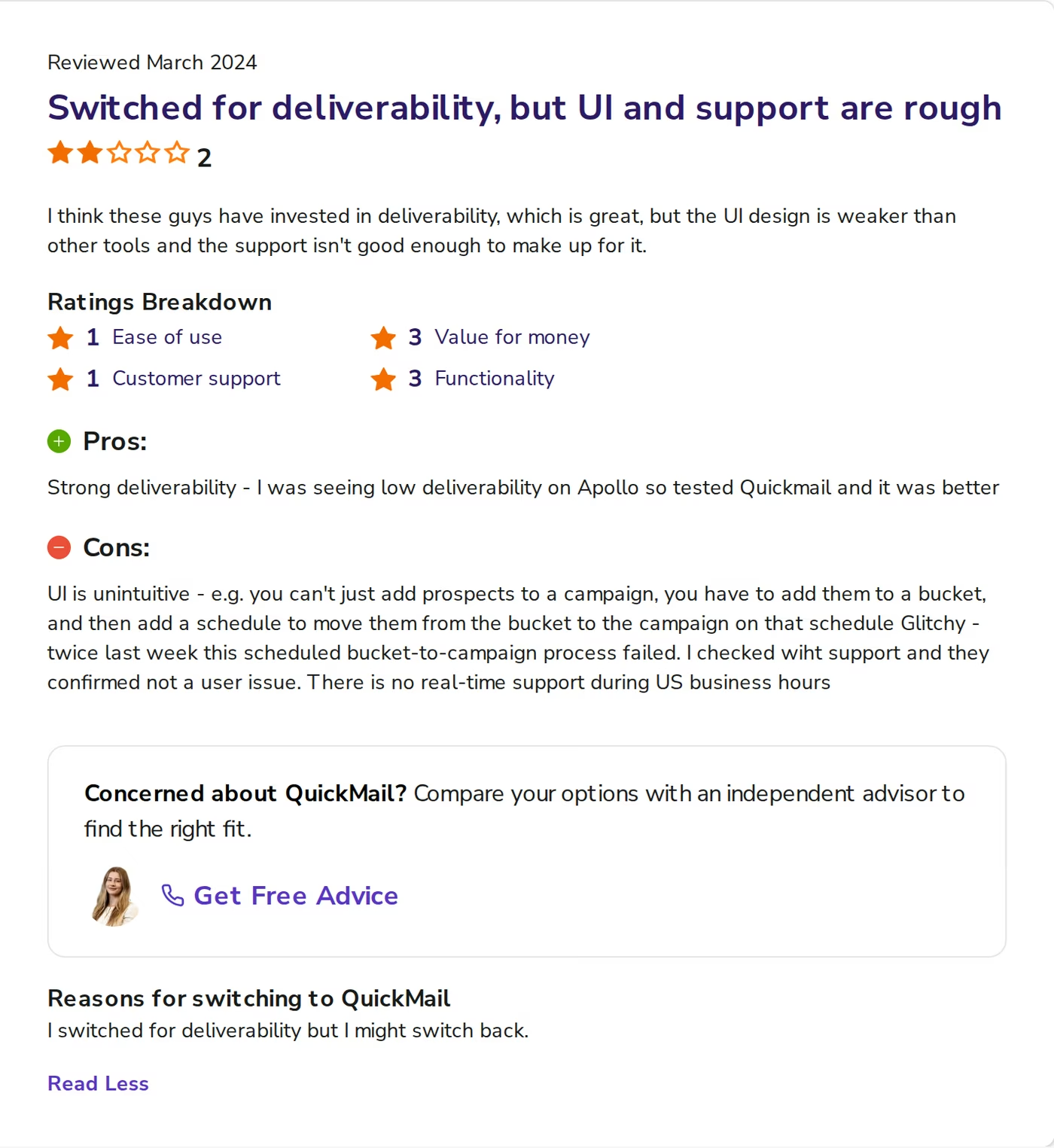
Kate H., reviewing in March 2024, scored ease of use 1 and customer support 1. She flagged three things. Prospects cannot go straight into a campaign. A scheduled bucket-to-campaign process failed twice in one week. And there is no real-time support during US business hours.
Other documented limits, from QuickMail's own pages and review sites:
- No infrastructure. QuickMail states it does not send through proprietary servers. If your inbox is Gmail, Google's IPs send it. Mailboxes and domains are yours to buy.
- Workspace caps. QuickMail Starter and Growth include one workspace each. Agencies pay $49/mo per client beyond the second.
- No annual billing. The pricing page shows monthly rates only, with no annual discount offered.
- No AI SDR. There is no autonomous agent that prospects, writes, sends and books on its own.
Comparing it to other email-first tools instead? See QuickMail vs Saleshandy and QuickMail vs Woodpecker.
Salesforge Overview: The Outreach Layer of the Forge Stack
Salesforge is a multi-channel sales execution platform. Email and LinkedIn sit in one conditional sequence. A prospect can get an email, then a connection request, then a DM, based on how they behave.
What Salesforge includes
- Conditional multi-channel sequences - branches on prospect behavior, pain points and goals.
- Unlimited mailboxes - on every plan, with no per-mailbox fee.
- Unlimited LinkedIn senders - on Salesforge Growth. Pro includes one.
- Unlimited workspaces - on every plan, including Pro.
- Overdrive Mode - all-source AI personalization at 2 credits per preview, single-source at 1.
- Free Warmforge warm-up - unlimited, premium pool by default, with Heat Score™ per mailbox.
- Primebox™ - a free unified inbox for email and LinkedIn, with sentiment tagging and a mobile app.
- Smart mailbox rotation - plus dynamic IP rotation and ESP matching on Salesforge Growth.
- Agent Frank - an optional AI SDR in Auto-Pilot or Co-Pilot, with 9 tonalities and 21+ languages.
- Native CRM integrations - HubSpot, Salesforce, Pipedrive, Attio, folk, Clay and more.
- Developer surfaces - Salesforge API on Growth, a Forge CLI, and an MCP server.
- SOC 2 compliance - badged across the stack.
Salesforge is one layer of the Forge Stack. Infrastructure comes from Mailforge, Infraforge or Primeforge, deliverability from Warmforge, leads from Leadsforge and its 500M+ contacts. They are separate subscriptions that sync natively, with no automation glue.
Salesforge pricing
- Salesforge Pro - $48/mo monthly or $40/mo annual. 1,000 active contacts, 5,000 emails/mo, 1 LinkedIn sender, 1 user.
- Salesforge Growth - $96/mo monthly or $80/mo annual. 10,000 active contacts, 50,000 emails/mo, unlimited LinkedIn senders, unlimited users, API, A/B testing, Primebox AI.
- Agent Frank - a separate subscription from $499/mo billed quarterly, or $416/mo billed annually, covering 1,000 active contacts. He is not bundled into Salesforge Pro or Growth.
The annual rates are the two months free discount, not a different product. You can verify the live price.
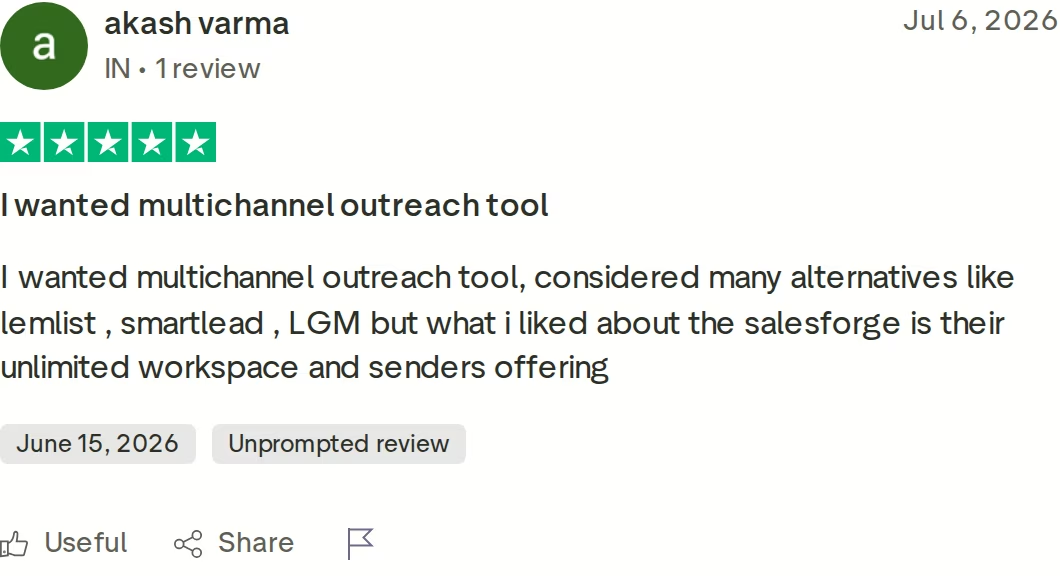
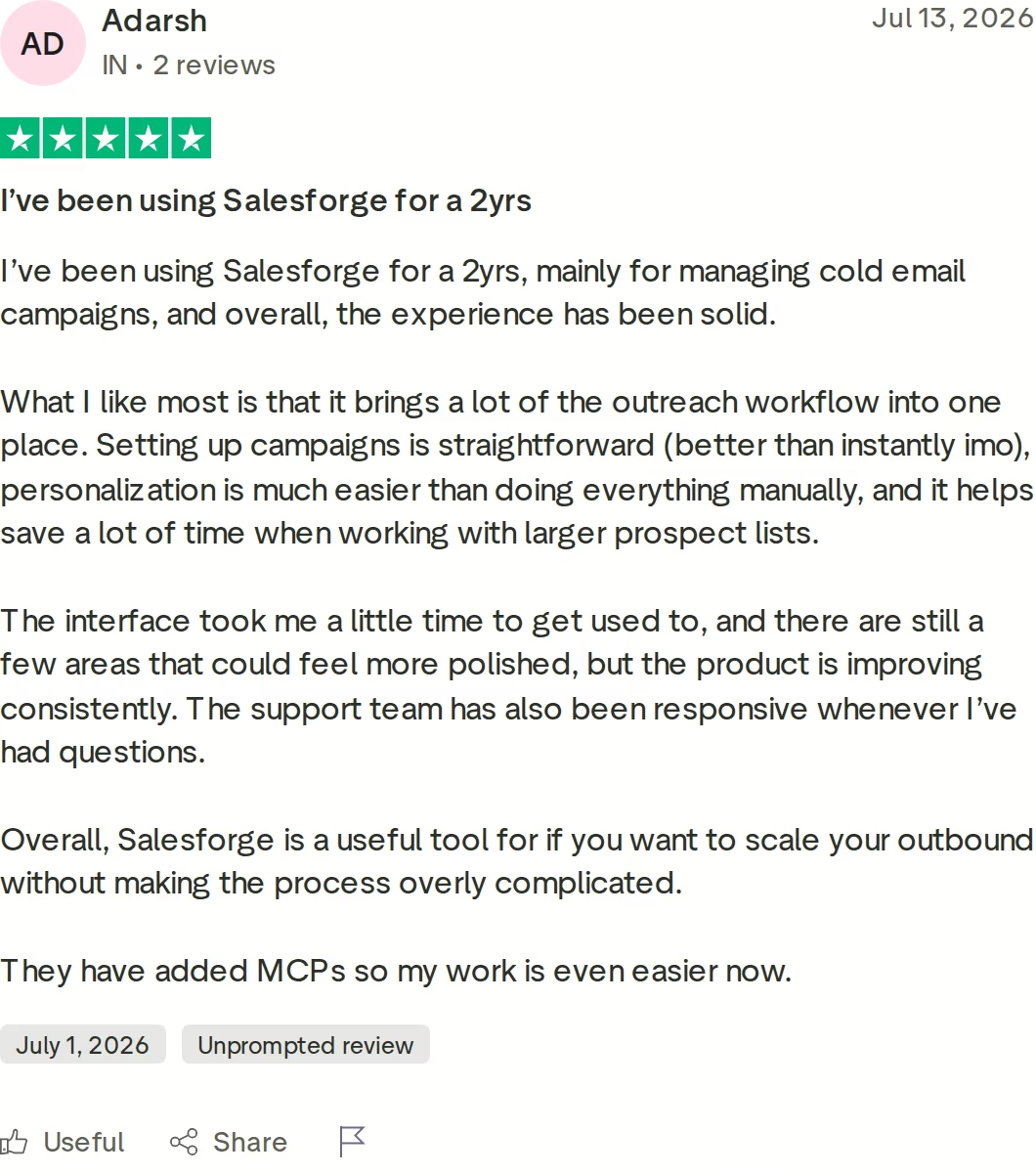
That reviewer compared Salesforge against lemlist, Smartlead and La Growth Machine, and picked it for unlimited workspaces and senders.
Who Salesforge suits
Salesforge publishes its own fit criteria. B2B products with ACVs between $5K and $100K, buyers at startups, SMBs or mid-market companies, and a target list of 3,000 businesses or more.
It also publishes who it is wrong for, which is rarer. Salesforge names Fortune 500 buyers, long RFP cycles, and consistently six or seven-figure deals as poor fits. ChannelCrawler and its 85.71% positive reply rate shows the fit it does serve.
Honest limitations
- Infrastructure is not included. No Salesforge plan ships mailboxes. You connect your own or buy Mailforge at $3 to $2 per mailbox, Infraforge at $4 to $3, or Primeforge at $4.50 to $3.50.
- Salesforge Growth gates real features. API access, A/B testing, ESP matching, multi-language sequences and Primebox AI are all Growth-only.
- Pro is genuinely single-seat. One user, one LinkedIn sender. QuickMail Starter gives unlimited users at a comparable price.
- Agent Frank is sales-led. A demo is mandatory, there is no self-serve trial, and a 2-week warm-up runs before he sends anything.
in Action

Head-to-Head Feature Comparison: QuickMail vs Salesforge
Multi-channel outreach
Both run email and LinkedIn. How they run LinkedIn is the difference.
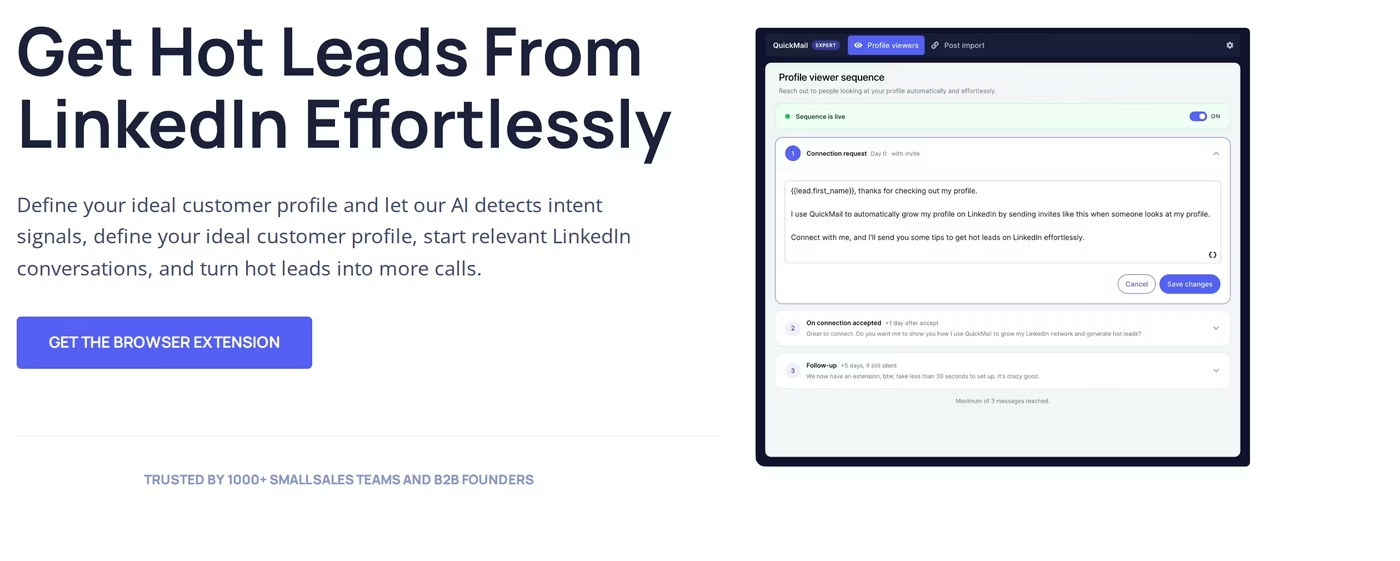
QuickMail's LinkedIn product needs a browser extension installed and linked to your account. Its own page leads with "Get The Browser Extension". The model is engagement-led: watch competitors and influencers, then message people already active.
Salesforge runs LinkedIn natively in the same sequence engine as email, with unlimited LinkedIn senders on Salesforge Growth. Six native actions run in-sequence: connection requests, messages, InMails, post likes, follows and withdraw requests. Branching sits between steps, so an accepted request triggers a DM while a silent one falls back to email.
Social actions cost 1 credit each, with 300 included on Salesforge Growth and roughly 400 to 500 expected monthly per profile.
In fairness, Salesforge ships a Chrome extension too. The difference is its job: it finds emails and phone numbers on LinkedIn profiles through Leadsforge, while campaigns run server-side. QuickMail's extension is the delivery mechanism for LinkedIn itself.
QuickMail is better in one bounded case. If you want warm LinkedIn leads without building a list at all, its intent-signal capture does that and Salesforge does not. For LinkedIn prospecting at volume from your own list, the native engine wins.
Email deliverability and warm-up
This is closer than the marketing on either side suggests. Both include free warm-up on every paid plan, which rules out the usual "competitor charges extra" line.
QuickMail bundles AutoWarmer with MailFlow, Inbox Rotation™ and Deliverability AI, which promotes your healthiest sending accounts automatically. Blacklist monitoring is included.
Warmforge adds two things QuickMail does not publish an equivalent for. The first is a Heat Score™ from 0 to 100 per mailbox, where anything under 97 counts as a problem. The second is monthly inbox placement testing across ESPs. Its warm-up pool is also premium by default, using aged IMAP, Google Workspace and Microsoft 365 mailboxes, with no paid tier.
Salesforge also publishes the numbers it holds itself to. Under 1% bounce rate, 30 to 50 cold emails per mailbox per day, 2 to 5 mailboxes per domain, and a 2-week warm-up minimum. Most cold email mistakes I see break one of those four.
AI personalization and the AI SDR gap
QuickMail has AI in the product. Deliverability AI manages sender health, and its LinkedIn agents filter intent signals against your ICP. Both are useful and neither writes your outbound for you at scale.
Salesforge personalizes from multiple sources. Overdrive Mode reads the prospect's website, blog and LinkedIn posts together at 2 credits per preview, with regeneration free.
The same AI variables work for both channels, across 21+ languages, so a localized campaign does not need a copywriter per region. Multi-language sequence creation is a Salesforge Growth feature.
The larger gap is Agent Frank. He prospects continuously, enriches and verifies data, writes, follows up, handles replies and books meetings across email and LinkedIn. VAI Consulting booked 3 calls in a single week with him running. QuickMail has no comparable product, so an autonomous SDR is a straight capability difference, not a preference.
Reply handling and the unified inbox
Both give you one inbox for email and LinkedIn replies.
Primebox™ is free on every Salesforge plan and adds sentiment tagging that marks threads positive, neutral or negative automatically. It also catches replies sent from a different address than the one you contacted, the case that quietly loses deals. There are three reply modes, Co-Pilot, Auto-Pilot and Reply-as-Human, plus a mobile app.
One honest caveat: AI-drafted replies inside Primebox unified inbox cost 3 credits each and only exist on Salesforge Growth. On Pro you get the inbox and the sentiment tags, not the drafting.
Analytics and A/B testing
QuickMail's reporting strength is inbox-level granularity. You can see which mailbox is carrying a campaign and which is dragging it down, which not every competitor exposes. A/B testing is included.
Salesforge reports both channels in one dashboard: open rate, reply rate, LinkedIn connection acceptance and meeting conversion. That matters when working out whether the email or LinkedIn step produced the meeting. A/B testing across both channels sits on Salesforge Growth, not Pro.
Pricing and how each one scales
At one workspace the two look similar. QuickMail Growth is $99/mo with 25,000 uploaded contacts. Salesforge Growth is $96/mo monthly or $80/mo annual with 10,000 active contacts in sequence, which is a different meter: contacts moving through a sequence, not contacts stored.
The split appears when you add clients. QuickMail Agency at $299/mo covers two workspaces and charges $49/mo for each one after that. Salesforge includes unlimited workspaces on every plan, Pro included.
Run five clients and the gap is not marginal. QuickMail costs $299 plus three extra workspaces at $49, so $446/mo. Salesforge Growth billed annually is $80/mo with unlimited users and unlimited LinkedIn senders. That is $4,392 a year of difference on the same client count.
Integrations, infrastructure, and the wider stack
QuickMail covers Zapier on all plans, an API from QuickMail Growth, webhooks on Agency, and native HubSpot and Pipedrive. For most small teams that is enough.
Salesforge covers HubSpot, Salesforce, Pipedrive, Attio, GoHighLevel, folk, Breakcold, Clay and Persana natively, with its API on Salesforge Growth. It also ships a CLI and an MCP server, so Claude or Cursor can launch sequences directly.
The bigger difference is upstream. QuickMail sends from your own mailbox provider and sells no infrastructure. Salesforge sells three tiers of it, so shared Mailforge and dedicated Infraforge can run side by side to spread risk. Woodpecker scaled to 2,500+ mailboxes on Infraforge, and Salesforge recommends mixing two providers rather than trusting one.
One structural difference has no QuickMail equivalent: the same Salesforge subscription runs three ways. Your team operates it, Agent Frank operates it, or a vetted Forge Expert agency operates it for you.
Salesforge also carries a SOC 2 badge across its products. QuickMail does not publish a SOC 2 attestation, which matters if procurement asks. And if you build lists from sales trigger events or LinkedIn social selling, Leadsforge feeds them straight into sequences.
QuickMail vs Salesforge Pricing Compared
| Plan | Price | Sending limit | Contacts | Workspaces |
|---|---|---|---|---|
| Salesforge Pro | $48/mo monthly, $40/mo annual | 5,000 emails/mo | 1,000 active in sequence | Unlimited |
| Salesforge Growth | $96/mo monthly, $80/mo annual | 50,000 emails/mo | 10,000 active in sequence | Unlimited |
| Agent Frank (add-on) | $499/mo quarterly, $416/mo annual | Set by infrastructure | 1,000 active contacts | Included workspace |
| QuickMail Starter | $49/mo | 5,000 emails/mo | 1,000 uploaded | 1 |
| QuickMail Growth | $99/mo | 100,000 emails/mo | 25,000 uploaded | 1 |
| QuickMail Agency | $299/mo | 500,000 emails/mo | 100,000 uploaded | 2, then +$49/mo each |
QuickMail's headline sending limits are far higher, which on paper reads like better value. In practice the binding ceiling is deliverability, not the plan. At 30 to 50 emails per mailbox per day, 500,000 emails a month needs several hundred warmed mailboxes.
Salesforge meters active contacts in sequence instead. It is a stricter meter than stored contacts, so compare 10,000 active on Salesforge Growth against 25,000 uploaded on QuickMail Growth with that in mind.
Both vendors get one thing right that older tools do not: a single subscription covers email and LinkedIn. Neither charges a separate LinkedIn license.
One structural gap sits in the billing itself. QuickMail lists no annual option, so committing for a year cannot lower the rate. Salesforge annual billing takes two months of cost off both plans.
Where the models diverge is what the subscription includes beyond software. Salesforge credits are consumable, so heavy AI use costs more: personalization is 1 credit per preview, Overdrive Mode is 2, and a Primebox AI draft is 3. Salesforge Growth includes 1,000 personalization credits and 300 social action credits, with more purchasable in-app.
QuickMail has no credit system, which is simpler to forecast. It also has nothing to spend credits on, with no multi-source personalization, no lead database and no AI SDR. Agent Frank, if you add him later, starts at $499/mo billed quarterly and falls to roughly $0.25 per contact above 2,000 a month.
A real cost scenario
Take an agency running five clients, three people on the team, email plus LinkedIn, roughly 1,000 emails a day across 25 mailboxes.
- QuickMail Agency: $299/mo, plus three extra workspaces at $49/mo, so $446/mo. Mailboxes bought separately.
- Salesforge Growth: $80/mo annual, unlimited workspaces, unlimited users, unlimited LinkedIn senders, free Warmforge. Add 25 Mailforge mailboxes at roughly $2 to $3 each, so about $130 to $155/mo all in.
Salesforge lands lower even after buying the infrastructure QuickMail expects you to source. Both figures exclude domains.
Try Salesforge Free for 14 DaysWho Should Use QuickMail and Who Should Choose Salesforge
Both tools are credible, so this comes down to how many channels, clients and stack layers you actually need. The split below is the one I would use making this call for my own pipeline.
You might consider QuickMail if:
- Email is your primary channel and LinkedIn is a light secondary motion.
- You run a single workspace and want high monthly sending limits at a flat rate.
- You want warm LinkedIn leads from engagement signals without building a list first, which QuickMail does natively and Salesforge does not.
Choose Salesforge if:
- You sell B2B with ACVs between $5K and $100K into SMB or mid-market, with 3,000+ target accounts.
- Email and LinkedIn need to run in one branching sequence rather than two tools stitched together.
- You manage more than two clients or brands and refuse to pay per workspace.
- You want infrastructure, warm-up, lead data and outreach from one vendor that syncs natively.
- An autonomous AI SDR is on your roadmap and you want Agent Frank running email and LinkedIn end to end.
If neither fits, browse all tool comparisons or the Instantly vs Salesforge breakdown. Agencies can also search the cold outreach agencies directory.
Final Verdict: Which Cold Outreach Platform to Choose
QuickMail is a solid, deliverability-first email tool with a credible LinkedIn motion attached through a browser extension. It sells no mailboxes, no domains, no lead data and no AI SDR, and it charges $49/mo per client workspace past the second.
For B2B teams running email and LinkedIn at any real scale, Salesforge is the stronger choice. At $80/mo for Salesforge Growth billed annually you get unlimited users, unlimited LinkedIn senders, unlimited mailboxes, unlimited workspaces, free Warmforge warm-up and Primebox™. Run five clients and that combination costs $446/mo on QuickMail against $80/mo here.
One falsifiable benchmark: UniteSync ran Salesforge with Mailforge and Warmforge to an 85.26% positive reply rate at a $2.86 CAC. The case study is public.

That is real Agent Frank campaign data: senders, contacts, reply rate, positive sentiment and LinkedIn connection requests in one view. No email-only tool produces that picture.
Salesforge is not for everyone, and it says so. Sell into Fortune 500 procurement, run long RFP cycles, or close a few seven-figure deals a year, and it is the wrong tool. A set of free cold outreach tools will serve you better than either platform here.
Start Your Free 14-Day TrialFrequently Asked Questions
Is Salesforge better than QuickMail?
For multi-channel B2B outbound, yes. Salesforge runs email and LinkedIn in one branching sequence with unlimited LinkedIn senders on its $96/mo monthly ($80/mo annual) Salesforge Growth plan, includes unlimited workspaces, and sells its own infrastructure through Mailforge, Infraforge and Primeforge. QuickMail is the narrower tool: strong on email deliverability, LinkedIn through a browser extension, and no infrastructure or AI SDR of its own.
What's the main difference between Salesforge and QuickMail?
Depth of stack. QuickMail sends from mailboxes you buy elsewhere and states it uses your provider's servers, so if your inbox is Gmail then Google's IPs send it. Salesforge sells three infrastructure tiers, free Warmforge warm-up with Heat Score™ monitoring, Leadsforge lead data across 500M+ contacts, and an optional AI SDR. QuickMail's LinkedIn also requires a browser extension, while Salesforge runs LinkedIn natively.
Which is cheaper, Salesforge or QuickMail?
Salesforge, at almost every level. Salesforge Pro is $48/mo monthly or $40/mo annual against QuickMail Starter at $49/mo with no annual option. Salesforge Growth is $96/mo monthly or $80/mo annual against QuickMail Growth at $99/mo. The gap widens with clients: five workspaces cost $446/mo on QuickMail Agency and $80/mo on Salesforge Growth annual.
Does QuickMail support LinkedIn outreach?
Yes, and it has since expanding beyond email. QuickMail's live pricing page lists unlimited LinkedIn accounts on all three tiers, with auto-connects, free InMails, multi-tap™ DMs and voice messages. The catch is how it works. It runs through a browser extension you install and link. It is also built around capturing people already engaging with content, rather than working a list you supply.
Can I switch from QuickMail to Salesforge easily?
Yes. Both connect mailboxes rather than host them, so your sending accounts move with you. Export contacts and sequences from QuickMail, then upload by CSV or connect Google Sheets in Salesforge. Warmforge starts warm-up free on day one, and Salesforge advises a minimum 2-week warm-up before relaunching. Keep old mailboxes warming in the background during the move.
Which tool has better email deliverability?
Both take it seriously and this one is close. QuickMail has Inbox Rotation™, free AutoWarmer with MailFlow, and Deliverability AI that promotes healthy sending accounts. Salesforge adds a per-mailbox Heat Score™ from 0 to 100 where under 97 is a problem, monthly inbox placement tests, a premium-by-default warm-up pool, and dedicated IPs through Infraforge. ChannelCrawler hit an 85.71% positive reply rate on that combination.
Does Salesforge offer a free trial?
Yes, 14 days, with 50 contacts, 100 emails, 50 email validation credits, 50 personalization credits and 100 social action credits. Warm-up and unlimited mailbox connections both work during the trial. QuickMail also runs a 14-day trial but requires a card at signup, though it states it will not charge you when the trial ends. Agent Frank has no trial and needs a demo first.
Who is QuickMail best for?
Solo founders, small sales teams and lead gen agencies running one workspace where email is the main channel. Its Software Advice average is 4.7 across 26 reviews, and deliverability is what reviewers name most. It fits less well if you manage several client workspaces, since Starter and Growth include one each and Agency charges $49/mo per workspace beyond the second.
.jpg)

.jpg)

.jpg)
