

QuickMail is a deliverability-focused cold email tool charging $49 to $299 a month, capped at 1,000 to 100,000 uploaded contacts. Woodpecker bills by contacted prospects from $7 per 100 and meters LinkedIn at $29 per account. Neither sells email infrastructure or ships an AI SDR.
For multi-channel B2B outbound at scale, Salesforge is the stronger choice. Email and LinkedIn in one sequence, no per-seat or per-prospect metering, free unlimited premium warm-up, a unified inbox (Primebox™), and three infrastructure options. Plans start at $48/mo monthly or $40/mo annual.
I spend most of my week inside cold outreach tooling, and this three-way comes up constantly: two deliverability-first sending tools against a full stack. QuickMail has been at this since 2014 and its identity is inbox health and sender rotation. Woodpecker sells outbound as a metered utility, priced by prospects contacted.
All three are competent at sending. They split on everything around the send: who supplies the mailboxes, who warms them, what LinkedIn costs, and what your bill does when volume triples.
One detail shapes this post: Woodpecker runs its own dedicated sending layer on Infraforge, a Forge Stack product. More on that below.
Cold Email Tool Comparison at a Glance: QuickMail vs Woodpecker
How the three compare on the dimensions that change your monthly bill and your inbox placement. Every figure comes from each vendor's live pricing page as of August 2026.
| Feature | Salesforge | QuickMail | Woodpecker |
|---|---|---|---|
| Outreach channels | Email + LinkedIn in one conditional sequence (phone on roadmap) | Email + LinkedIn (manual cookie auth) | Email + LinkedIn, plus manual call/SMS tasks |
| Entry price | $48/mo monthly ($40/mo annual) - Salesforge Pro | $49/mo - QuickMail Starter (monthly only) | $35/mo for 500 contacted prospects ($7 per 100) |
| Top self-serve plan | $96/mo monthly ($80/mo annual) - Salesforge Growth | $299/mo - QuickMail Agency | $9,999/mo for unlimited contacted prospects |
| LinkedIn sender cost | Unlimited on Salesforge Growth | Unlimited on all plans | $29/mo per connected account |
| Pricing model | Flat, unlimited mailboxes and users | Flat, capped uploaded contacts | Metered per contacted prospect |
| Warm-up | Free, unlimited premium Warmforge, every plan | Free AutoWarmer with MailFlow, all plans | 2 free slots at entry tier, then $5/mailbox/mo |
| First-party email infrastructure | 3 options: Mailforge, Infraforge, Primeforge | None - bring your own | Resold as add-ons ($4-$6/mo each) |
| AI SDR | Agent Frank (Auto-Pilot / Co-Pilot) - separate subscription from $499/mo billed quarterly | None | None |
| Unified inbox | Primebox™ - email + LinkedIn, free every plan | Shared team inbox (email) | Centralized inbox (email) |
| AI personalization | 21+ languages, Overdrive Mode multi-source | AI assist on higher tiers; no multi-language | AI email writer; no multi-language |
| Built-in lead database | Leadsforge - 500M+ contacts | None - bring your own | Lead Finder credits per tier |
| SOC 2 compliant | Yes | Not published | ISO storage + CASA tier 2; no SOC 2 |
| Free trial | 14 days, no credit card | 14 days | 14 days or 100 emails, whichever first |
| Best for | SMB and mid-market B2B, $5K-$100K ACV, 3,000+ target accounts | Teams that own their lead data and want inbox-level analytics | Low-volume senders and agencies paying per prospect |
QuickMail Overview: Features, Pricing, and Limits
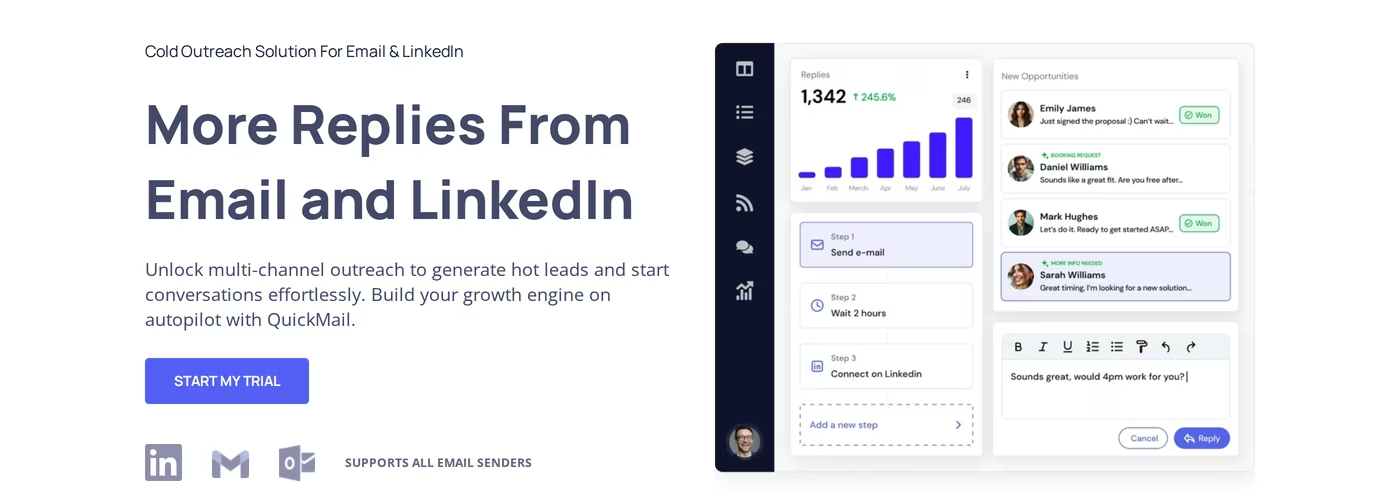
QuickMail is a cold email platform running since 2014, one of the oldest in the category. Its reputation rests on deliverability monitoring and Inbox Rotation, its trademarked feature for spreading volume across connected mailboxes.
QuickMail core features
- Inbox Rotation: spreads sending across every connected mailbox, weighing each account's reputation and warm-up status rather than plain round-robin.
- Free AutoWarmer with MailFlow: included on all three paid plans plus a free warm-up-only tier.
- Inbox-level analytics: reporting drills into individual mailbox performance, showing which account is dragging a campaign down.
- Unlimited senders and users: every plan allows unlimited mailboxes, LinkedIn accounts and team members.
- Email and LinkedIn steps in one campaign.
- Sub-campaigns and conditional branching from a parent campaign, based on prospect behaviour.
- Integrations: Zapier on every plan, API on Growth and Agency, webhooks on Agency only, plus HubSpot and Pipedrive.
QuickMail pricing
Three monthly plans, no annual option. QuickMail Starter is $49/mo with 1,000 uploaded contacts, 5,000 emails and 1 workspace.
QuickMail Growth is $99/mo with 25,000 contacts, 100,000 emails, 1 workspace and API access. QuickMail Agency is $299/mo with 100,000 contacts, 500,000 emails and 2 workspaces, each extra at $49/mo.
Worth flagging: most review sites are out of date. Capterra still lists Basic, Pro and Expert at $49, $89 and $129, and several blogs claim a $9 entry point.
The live page shows neither. Every figure here comes from QuickMail's own page.
Who QuickMail is best for
QuickMail suits teams that own verified lead data and want a dependable sending engine with granular deliverability reporting. If you run 20+ mailboxes and need to know which inbox is underperforming, that view beats campaign-level reporting alone.
QuickMail limitations worth knowing
- No first-party email infrastructure. You supply mailboxes and domains yourself.
- DNS records are manual. You configure SPF, DKIM and DMARC at your registrar. QuickMail monitors them afterwards and alerts you if something breaks, but initial setup is your job.
- No lead database or contact finder. Prospecting happens elsewhere.
- No inbox placement tester or spam-trigger checker, so you cannot confirm from inside the platform whether mail lands in primary or promotions.
- No AI SDR or native multi-language sequences.
- LinkedIn needs manual cookie authentication, not a one-click connection.
- Contacts are capped by plan. The 1,000-contact ceiling on Starter is tight for anything past a pilot.
QuickMail's reviews are unusually positive - 4.7/5 on G2 across 100+ reviews, and the recurring theme in the "what do you dislike" field is that reviewers struggle to name anything. I found no credible product-related critical review on any accessible platform, so I will not manufacture one. The limitations above are documented feature gaps, not complaints.
Woodpecker Overview: Features, Pricing, and Limits
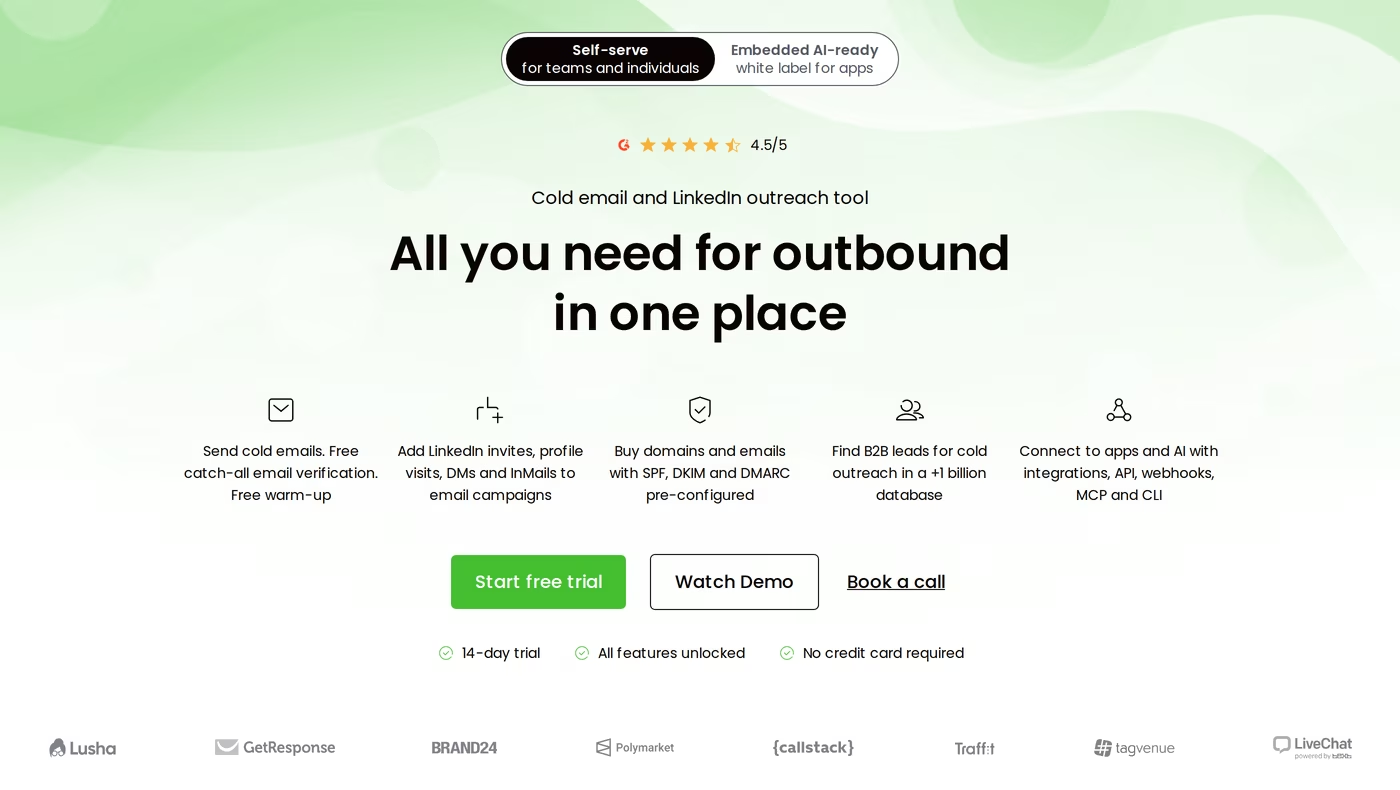
Woodpecker is a Polish outbound platform used by 13,000+ professionals per its homepage. It sells outbound as a metered utility: instead of buying a tier, you choose how many prospects you intend to contact monthly and the price follows.
Woodpecker core features
- Per-prospect pricing: each tier bundles free emails, stored prospects, warm-up slots and Lead Finder credits.
- Free warm-up, inbox rotation, deliverability monitor and ESP matching in the base product.
- Condition-based campaigns and workflows, with A/B tests across up to 5 versions.
- AI interest level detection: replies sorted automatically by apparent interest.
- Combined email, LinkedIn and call sequences, with calls and SMS as manual tasks.
- Agency Panel add-on: per-client billing, global blacklist, view-only access, automated domain audits.
- Developer surfaces: API, webhooks, MCP server and CLI, sold as an add-on bundle.
- Lead Finder drawing on a database Woodpecker describes as 1 billion+ records.
Woodpecker pricing
Woodpecker charges $7 per 100 contacted prospects per month. The live calculator gives $35/mo at 500 prospects, $67 at 2,000, $159 at 8,000, $329 at 20,000 and $1,354 at 100,000, with an unlimited tier at $9,999/mo. Annual billing saves 33%, so 500 prospects lands near $23/mo yearly.
The add-ons are where the real cost sits: $29/mo per connected LinkedIn account, $5/mo per mailbox for warm-up slots beyond the free allowance, $6/mo per Google or Microsoft mailbox, and $4/mo for mailboxes resold from Mailforge. Dedicated servers are listed as "Dedicated servers (Infraforge)" at $59/mo each.
Here is the detail I promised. Woodpecker's dedicated sending infrastructure runs on Infraforge, and Woodpecker provisioned 2,500+ mailboxes through it with 100% uptime and sub-15-minute support response.
CEO Margaret Sikora is quoted on that page recommending Infraforge to any sender who understands how custom IP infrastructure affects deliverability. Infraforge is a Forge Stack product, so part of what Woodpecker's dedicated setup costs is infrastructure you can buy directly.
Who Woodpecker is best for
Woodpecker fits low-volume, high-intent outbound. If you contact 500 chosen prospects a month and never scale past that, $35 beats a flat platform fee, and the Agency Panel is a well-built layer for consultants billing several clients.
What reviewers say about Woodpecker
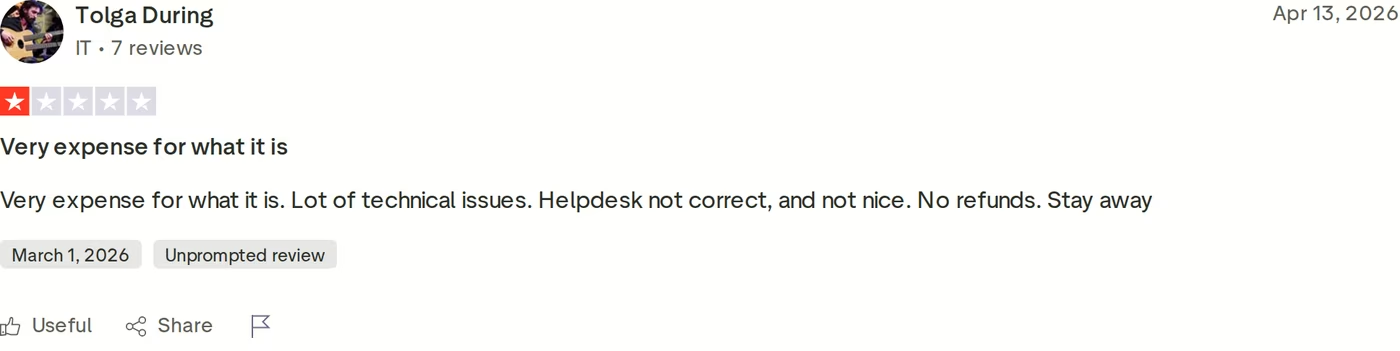
Woodpecker's Trustpilot rating sits at 2.3 out of 5 across 32 reviews, low for an established platform. Complaints cluster around billing and refund friction, warm-up reliability, and support responsiveness.
Woodpecker limitations worth knowing
- LinkedIn is metered per account. At $29/mo each, five senders adds $145/mo before a single extra prospect.
- Prospect volume is a hard ceiling. Long-time reviewers have flagged the shift to hard limits on prospects stored and contacted.
- No AI SDR or autonomous prospecting layer.
- API, webhooks, MCP and CLI sit behind an add-on rather than the base subscription.
- SOC 2 is not published. GDPR, CCPA, ISO-certified storage and CASA tier 2 are a meaningful posture, but SOC 2 is what most B2B procurement teams ask for.
Salesforge Overview: The Multi-Channel Outbound Stack
Salesforge is the outreach layer of the Forge Stack, running cold email and LinkedIn as two channels of one sequence, on top of infrastructure, warm-up and lead data products built by the same team.
Salesforge core features
- Unlimited mailboxes, users and workspaces on every plan - adding people or sending accounts never changes the price.
- Multi-channel conditional sequences: real if/then logic. If a connection request is accepted, send a LinkedIn message; if not, fall back to email.
- Six native LinkedIn actions: connection requests, messages, InMails, post likes, follows and withdraw requests, capped at 30 per day per profile. Actions use quality proxies and session-token-only auth - your password is never stored.
- AI personalization across 21+ languages, pulling company news, LinkedIn activity and industry context, with Overdrive Mode using all sources at once.
- Unlimited premium warm-up via Warmforge, free with every subscription, with per-mailbox Heat Score™ monitoring.
- Deliverability controls: ESP matching, Bounce Shield, sender and IP rotation, email validation, text-only sends.
- Primebox™ with Auto-Pilot and Co-Pilot: one inbox for email and LinkedIn replies, with AI sentiment analysis. On every plan; AI reply modes need Growth.
- LinkedIn email and phone finder Chrome extension, powered by Leadsforge with waterfall enrichment.
- A/B testing and cross-channel analytics across open, reply, acceptance and meeting rates.
- API, MCP server and CLI for agent-native control, on the Growth plan. See the Salesforge API guide.
The Forge Stack context
This is the part that does not map onto either competitor. The same stack sells shared email infrastructure (Mailforge, $3 to $2 per mailbox), dedicated infrastructure with pre-warmed mailboxes (Infraforge, $4 to $3), Google Workspace and Microsoft 365 mailboxes (Primeforge, $4.50 to $3.50), warm-up (Warmforge), a 500M+ lead database (Leadsforge) and an AI SDR (Agent Frank).
They bill separately but integrate natively - no Zapier, no CSV exports, one login. Outgrowing shared infrastructure options means moving to dedicated without migrating.
The full Forge Stack runs three ways: your team operates it, Agent Frank operates it, or a vetted Forge Expert agency runs it. No competitor here offers all three.
Salesforge pricing
Salesforge Pro is $48/mo monthly or $40/mo annual (two months free): 1,000 active contacts, 5,000 emails, 300 each of validation, personalization and social action credits, unlimited mailboxes and workspaces, unlimited Warmforge, Primebox™ with sentiment analysis - but only 1 user and 1 LinkedIn sender.
Salesforge Growth is $96/mo monthly or $80/mo annual: 10,000 active contacts, 50,000 emails, 1,000 each of validation, personalization and social action credits, plus unlimited users and LinkedIn senders.
Agent Frank is a separate subscription from $499/mo billed quarterly ($416/mo annually) for 1,000 active contacts. He is not bundled into Pro or Growth.
Who Salesforge is best for
Salesforge publishes a specific ICP: B2B companies with $5K-$100K average contract values, selling to decision-makers at startups, SMBs or mid-market, targeting 3,000+ businesses.
Salesforge limitations worth knowing
- Email infrastructure is not included. You connect your own mailboxes or buy Mailforge, Infraforge or Primeforge separately.
- Gated to Growth: API, MCP, CLI, A/B testing, ESP matching, Primebox™ AI, multi-language sequences, unlimited LinkedIn senders. Pro is single-operator.
- Agent Frank needs a demo and a 2-week warm-up before sending. No self-serve trial.
- Each Forge product bills separately - no unified invoice.
- Salesforge says it is a poor fit for Fortune 500 targeting, six- or seven-figure deals, or long RFP cycles - its published anti-ICP, not my inference.
in Action

Head-to-Head Feature Comparison: QuickMail vs Woodpecker
Multi-channel outreach
All three touch prospects on email and LinkedIn, but depth differs. Salesforge runs six native LinkedIn actions inside the same sequence as email, with conditional branching and unlimited senders on Growth.
QuickMail mixes both in one campaign with unlimited LinkedIn accounts on every plan - a real advantage over Woodpecker's metered model - though connecting one means pasting a session cookie manually. Woodpecker offers invites, profile visits, DMs and InMails plus manual call and SMS tasks, at $29/mo per account.
The difference shows when you scale. Five LinkedIn senders costs $145/mo extra on Woodpecker and nothing extra on either QuickMail or Salesforge Growth. If you use InMail across several profiles, that gap compounds monthly.
Email deliverability and warm-up
All three claim this axis, so specifics matter. Salesforge includes Warmforge free and unlimited on every plan, using a premium-by-default pool of aged IMAP/SMTP accounts plus real Google Workspace and Microsoft 365 mailboxes, multilingual traffic, and a per-mailbox Heat Score™ where 97+ means healthy. Placement tests report inbox versus spam versus promotions across ESPs.
QuickMail's AutoWarmer with MailFlow is free on all plans and genuinely strong - reviewers report clean ramps from a few sends a day to 40 over two weeks. What it lacks is a placement tester, so you cannot verify where mail lands from inside the tool.
Woodpecker includes free warm-up at each tier but meters extra slots at $5/mailbox/mo, and warm-up reliability recurs in its critical reviews. Its deliverability monitor tracks sender health but stops short of ESP placement testing.
Salesforge also publishes hard thresholds rather than vague advice: bounce rate under 1%, 2-5% a warning, pause above 5%, 30-50 cold emails per inbox per day, and a minimum two-week warm-up before launch. Working through a proper warm-up process, those are the numbers that matter.
AI and personalization
Salesforge personalizes across 21+ languages with AI variables pulling company news, LinkedIn activity and industry context, and Overdrive Mode combines every source at once. Above that sits Agent Frank, an autonomous AI SDR who prospects from Leadsforge, enriches contacts, writes and sends on both channels, handles replies in Primebox™ and books meetings - in Auto-Pilot or Co-Pilot mode, across nine tonalities.
Woodpecker ships an AI email writer and interest-level detection that sorts replies by warmth, a useful triage feature. QuickMail has AI assistance on higher tiers. Neither has an AI SDR or native multi-language sequences, which matters across regions - localized outreach is otherwise a translator-and-spreadsheet job.
Inbox management and reply handling
Primebox™ unifies email and LinkedIn replies in one view, free on every Salesforge plan. It catches replies from a different address than the one you contacted, auto-tags threads positive, neutral or negative, and offers three reply modes: Co-Pilot (AI drafts, human approves), Auto-Pilot (AI continues) and manual. It is on mobile too; the AI modes require Growth.
QuickMail has a shared team inbox and Woodpecker a centralized inbox, and both work well for email. Neither pulls LinkedIn conversations into that inbox, so LinkedIn replies stay in LinkedIn - two places to check every morning.
Pricing and scalability
The models diverge as you grow. Salesforge is flat with unlimited mailboxes, users and workspaces - same price for two people or twenty.
QuickMail is flat per plan but capped on contacts, with extra Agency workspaces at $49/mo. Woodpecker scales with every prospect contacted.
Run one growth curve through each. Going from 500 to 8,000 contacted prospects takes Woodpecker from $35 to $159, a 4.5x rise driven purely by volume. Salesforge Pro to Growth goes $40 to $80/mo annual while raising the ceiling to 10,000 contacts and 50,000 emails.
QuickMail's jump is $49 to $99. This is what the cold email provider landscape glosses over.
Integrations and infrastructure
Salesforge integrates natively with HubSpot, Salesforce, Pipedrive, Attio, GoHighLevel, folk and Breakcold, plus Clay, Persana AI and Databar.ai, and Slack, Zapier, Make and webhooks. On Growth it exposes an API, an MCP server letting Claude or Cursor run campaigns, and a CLI covering all six Forge products.
Woodpecker also ships an MCP server, CLI, two-way HubSpot and Pipedrive sync and a Claude integration, though the bundle is an add-on. QuickMail gates API access to Growth and above, webhooks to Agency only.
On infrastructure, Salesforge alone sells three first-party options with automated SPF, DKIM and DMARC setup and pre-warmed mailboxes that skip the two-to-four week wait. QuickMail has nothing - you bring mailboxes and configure DNS yourself.
Woodpecker resells mailboxes and domains, including Forge infrastructure. Salesforge advises running two or more infrastructure types to spread burn risk, which is why inbox rotation across providers beats rotation within one.
Salesforge is also SOC 2 compliant across all six Forge products. Woodpecker publishes GDPR, CCPA, ISO-certified storage and CASA tier 2, but not SOC 2.
QuickMail publishes no SOC 2 badge. If your buyers run security review, that is a procurement question, not a feature one.
Cold Email Pricing Comparison and Cost at Scale
| Plan | Monthly price | Annual price | What you get |
|---|---|---|---|
| Salesforge Pro | $48/mo | $40/mo | 1,000 contacts, 5,000 emails, 1 user, 1 LinkedIn sender, unlimited mailboxes, free Warmforge |
| Salesforge Growth | $96/mo | $80/mo | 10,000 contacts, 50,000 emails, unlimited users and LinkedIn senders, API, ESP matching, Primebox™ AI |
| Agent Frank (separate subscription) | $499/mo billed quarterly | $416/mo | Autonomous AI SDR, 1,000 contacts, infrastructure separate |
| QuickMail Starter | $49/mo | Not offered | 1,000 contacts, 5,000 emails, 1 workspace, unlimited senders |
| QuickMail Growth | $99/mo | Not offered | 25,000 contacts, 100,000 emails, 1 workspace, API |
| QuickMail Agency | $299/mo | Not offered | 100,000 contacts, 500,000 emails, 2 workspaces (+$49 each), webhooks |
| Woodpecker (500 prospects) | $35/mo | ~$23/mo | 8,000 emails, 2,000 stored prospects, 2 warm-up slots, 100 Lead Finder credits |
| Woodpecker (8,000 prospects) | $159/mo | ~$106/mo | Scaled allowance; LinkedIn still $29 per account |
| Woodpecker (unlimited) | $9,999/mo | ~$6,666/mo | Unlimited contacted prospects |
Note the annual story. Salesforge gives two months free, so $48 becomes $40 and $96 becomes $80.
Woodpecker discounts 33%. QuickMail displays no annual option, so its headline monthly price is also its best price.
A concrete cost scenario
Take a three-person team contacting 8,000 prospects a month across 20 mailboxes and 3 LinkedIn senders. Salesforge Growth is $80/mo annual, covering all three users, all 20 mailboxes, all 3 senders and unlimited Warmforge. Add 20 Mailforge mailboxes at $2-$3 each and you land near $130-$140/mo.
Woodpecker is $159/mo for the prospects, plus $87/mo for three LinkedIn accounts, plus $5 per extra warm-up slot - roughly $246/mo before mailboxes. QuickMail Growth is $99/mo with LinkedIn included, but you supply and configure all 20 mailboxes and their DNS yourself, with no placement testing.
The gap is not the headline price. It is what that price includes. Woodpecker and QuickMail both bill the sending software and leave infrastructure, and in Woodpecker's case each LinkedIn seat, as separate line items that grow with you.
See What Salesforge Costs You at ScaleWho Should Use Which Cold Email Tool
You might consider QuickMail if:
- You already own verified lead data and a working mailbox setup, and only need a sending and rotation engine on top.
- You want inbox-level deliverability analytics. On that dimension QuickMail's per-mailbox reporting beats campaign-level-only tools.
- You are happy configuring SPF, DKIM and DMARC yourself and do not need in-platform placement testing.
You might consider Woodpecker if:
- You contact a small, fixed number of prospects monthly. At 500 prospects, roughly $23/mo annual beats any flat plan here, and you would otherwise pay for unused headroom.
- You are a consultant or small agency wanting per-client billing, view-only client access and automated domain audits in the Agency Panel.
- Your outbound is email-first and LinkedIn is occasional, so the $29 per connected account rarely applies.
Choose Salesforge if:
- You sell B2B at $5K-$100K ACVs into startups, SMBs or mid-market, targeting 3,000+ accounts - Salesforge's own stated ICP.
- Email and LinkedIn both matter and you want one conditional sequence with replies in one inbox, not two campaigns stitched together by hand.
- You are scaling and refuse to be taxed for it. Unlimited mailboxes, users and LinkedIn senders on Growth mean growth does not move the bill.
- You run an agency or several workspaces and want per-client isolation, dedicated IPs, and switchable infrastructure without migrating.
- You want an AI SDR option later. Agent Frank runs the whole motion autonomously, as a separate subscription from $499/mo billed quarterly.
Final Verdict: Which Cold Outreach Platform to Choose
QuickMail and Woodpecker are both credible sending tools, and I would not talk anyone out of either for the jobs they suit. QuickMail is a deliverability instrument for teams bringing their own data.
Woodpecker is a metered utility, cheap at low volume. Neither sells the layer underneath: mailboxes, automated DNS, placement testing, a lead database or an AI SDR.
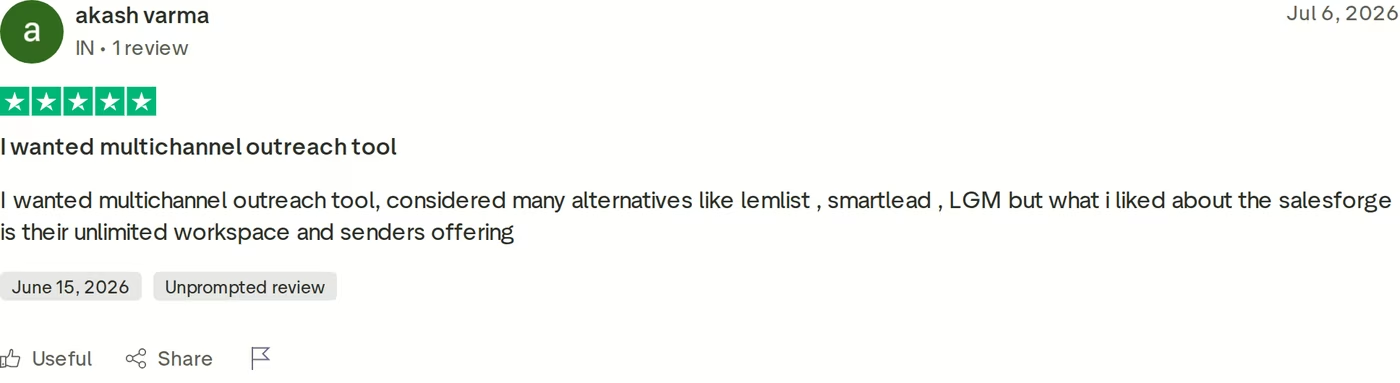
For multi-channel B2B outbound that has to scale, Salesforge is the stronger choice. At $80/mo for Growth billed annually ($96/mo monthly) you get unlimited users, unlimited LinkedIn senders, unlimited mailboxes, free unlimited premium warm-up, and Primebox™ unifying both channels. Woodpecker charges $87/mo for three LinkedIn accounts alone.
Two falsifiable benchmarks, both public. UniteSync ran Salesforge with Mailforge and Warmforge to an 85.26% positive reply rate and a $2.86 CAC. And Woodpecker provisioned 2,500+ mailboxes on Infraforge, its CEO on record recommending it.

If you sell mainly to Fortune 500 accounts or run long RFP cycles, Salesforge says plainly it is the wrong tool. Inside its stated ICP, the economics are not close. Also worth reading: the Smartlead comparison, the comparison library, the deliverability tools.
Give Salesforge a Try - 14 Days FreeFrequently Asked Questions
Is Salesforge better than QuickMail and Woodpecker?
For multi-channel outbound at scale, yes. Salesforge runs six native LinkedIn actions and email in one conditional sequence, includes unlimited premium warm-up free, and unifies both channels into Primebox™. Neither competitor sells first-party email infrastructure or an AI SDR. QuickMail is stronger if you only want inbox-level sending analytics and already own your data. Woodpecker is cheaper below roughly 1,000 contacted prospects a month.
What's the main difference between Salesforge, QuickMail and Woodpecker?
Pricing model and scope. Salesforge charges a flat $48/mo monthly ($40 annual) with unlimited mailboxes, users and workspaces, on a stack that includes infrastructure, warm-up, lead data and an AI SDR. QuickMail charges $49 to $299/mo with hard contact caps and no infrastructure. Woodpecker meters $7 per 100 contacted prospects and bills $29/mo per LinkedIn account.
Which is cheaper: Salesforge, QuickMail or Woodpecker?
It depends on volume. Below about 1,000 contacted prospects a month Woodpecker is cheapest, from $35/mo or roughly $23/mo annually. Past that its metering overtakes both flat-rate options: 8,000 prospects costs $159/mo before LinkedIn add-ons. Salesforge Growth is $80/mo annual with no per-prospect, per-seat or per-LinkedIn charges. QuickMail Growth is $99/mo with no annual discount offered.
Does QuickMail support LinkedIn outreach?
Yes, and generously - unlimited connected LinkedIn accounts on all three plans, against Woodpecker's $29 per account. Two catches: connecting an account means pasting a session cookie manually rather than a one-click authorization, and LinkedIn replies do not flow into the same inbox as email, so you check two places. Salesforge also allows unlimited LinkedIn senders on Growth, and unifies both channels in Primebox™.
Which tool has better email deliverability?
All three take it seriously, but the toolsets differ. Salesforge includes Warmforge free and unlimited, using a premium pool of aged IMAP/SMTP plus real Google Workspace and Microsoft 365 mailboxes, a per-mailbox Heat Score™ where 97+ is healthy, ESP matching, Bounce Shield, sender rotation and monthly placement tests. QuickMail's AutoWarmer is strong but has no placement tester. Woodpecker includes warm-up yet charges $5/mailbox for extra slots, and warm-up reliability recurs in its critical reviews.
Can I switch from QuickMail or Woodpecker to Salesforge easily?
Yes. Contacts import by CSV or Google Sheets, and you can connect unlimited existing mailboxes on any plan, including during the 14-day trial. Warm-up starts immediately at no extra cost. If you are also moving infrastructure, Mailforge and Infraforge set up in about five minutes with automated DNS, and pre-warmed mailboxes let you skip the two-to-four week wait.
Does Salesforge offer a free trial?
Yes, 14 days with no credit card. The trial caps you at 50 contacts, 100 emails, 50 email validation credits, 50 personalization credits and 100 social action credits, but email warm-up and unlimited mailbox connections are both available. Agent Frank has no free trial - he requires a demo and a two-week warm-up first.
Who is Woodpecker best for?
Low-volume, high-intent senders and small agencies. If you contact a few hundred selected prospects a month, per-prospect billing at $7 per 100 beats paying for unused headroom, and the Agency Panel handles per-client billing, global blacklists and automated domain audits well. It fits less well once volume climbs or LinkedIn becomes primary.


.jpg)

.jpg)
