

QuickMail is a cold email platform from 2014 with LinkedIn you connect through a browser extension. Saleshandy is a cold email tool whose LinkedIn steps its own docs say you must perform manually. Neither offers dedicated-IP infrastructure, and neither has an autonomous AI SDR.
For real multi-channel B2B outbound, Salesforge is the stronger choice. Six native LinkedIn actions and email in one conditional sequence, unlimited workspaces on every plan, free unlimited premium warm-up via Warmforge, and the Primebox™ unified inbox. Plans start at $48/mo monthly ($40/mo annual).
I have built outbound for teams that needed email and LinkedIn to work as one motion, not two dashboards. That is where these three tools stop looking alike.
QuickMail has sold cold email since 2014 and now automates LinkedIn from the same campaign. Saleshandy sells cold email at scale with an 852M+ contact lead database attached. Both are real products with real users.
My test was narrower: what happens when a connection request is accepted at 2am and nobody is around to click anything? UniteSync answered that on Salesforge with an 85.26% positive reply rate and a $2.86 customer acquisition cost.
Cold Outreach Platform Comparison at a Glance: QuickMail vs Saleshandy
| Feature | Salesforge | QuickMail | Saleshandy |
|---|---|---|---|
| Outreach channels | Email + LinkedIn in one conditional sequence | Email + LinkedIn, set up via browser extension | Email automated; LinkedIn/calls/WhatsApp manual |
| LinkedIn automation | 6 native actions: connections, messages, InMails, likes, follows, withdraws | Unlimited LinkedIn accounts, rotation | Not automated in-app; pushes to Aimfox/HeyReach |
| Entry price | $48/mo ($40/mo annual) - Salesforge Pro | $49/mo - QuickMail Starter | $36/mo ($25/mo annual) - Saleshandy Outreach Starter |
| Top self-serve plan | $96/mo ($80/mo annual) - Salesforge Growth | $299/mo - QuickMail Agency | From $299/mo ($209 annual) - Saleshandy Outreach Scale Plus |
| Workspaces | Unlimited on every plan | 1 on Starter/Growth; 2 on Agency, +$49 each | Not published |
| Warm-up | Free unlimited premium Warmforge pool | Free via MailFlow partner | Unlimited, every plan |
| AI SDR | Agent Frank, Auto-Pilot/Co-Pilot - separate, from $499/mo | None | None; AI Copilot handles copy only |
| Personalization | AI personalization across 21+ languages, Overdrive Mode | Reword With AI, custom and computed properties | AI Sequence Copilot, from AI credits |
| Analytics and testing | A/B testing, cross-channel reply/meeting rates (Growth) | Per-inbox analytics, send-day data | Sequence Score, A-Z variant testing (Pro) |
| Unified inbox | Primebox™ free every plan, email + LinkedIn | Included, email + LinkedIn replies | Every plan, email only |
| Email infrastructure | 3 first-party: Mailforge $3-$2, Infraforge $4-$3, Primeforge $4.50 | Google Workspace senders, $4/mo | Add-on mailboxes, $3.99 to $2.99 |
| Lead database | Leadsforge, 500M+ contacts, from $49/mo | None built in | Lead Finder, 852M+ contacts, from $59/mo |
| Free trial | 14 days, no credit card | 14 days | 7 days, capped at 100 emails |
| SOC 2 compliant | Yes | Not published | Yes, plus ISO 27001 |
| Best for | SMB/mid-market B2B, $5K-$100K ACV | Agencies wanting an established email tool | Email-at-scale teams wanting lead data |
QuickMail Overview: Features and Pricing
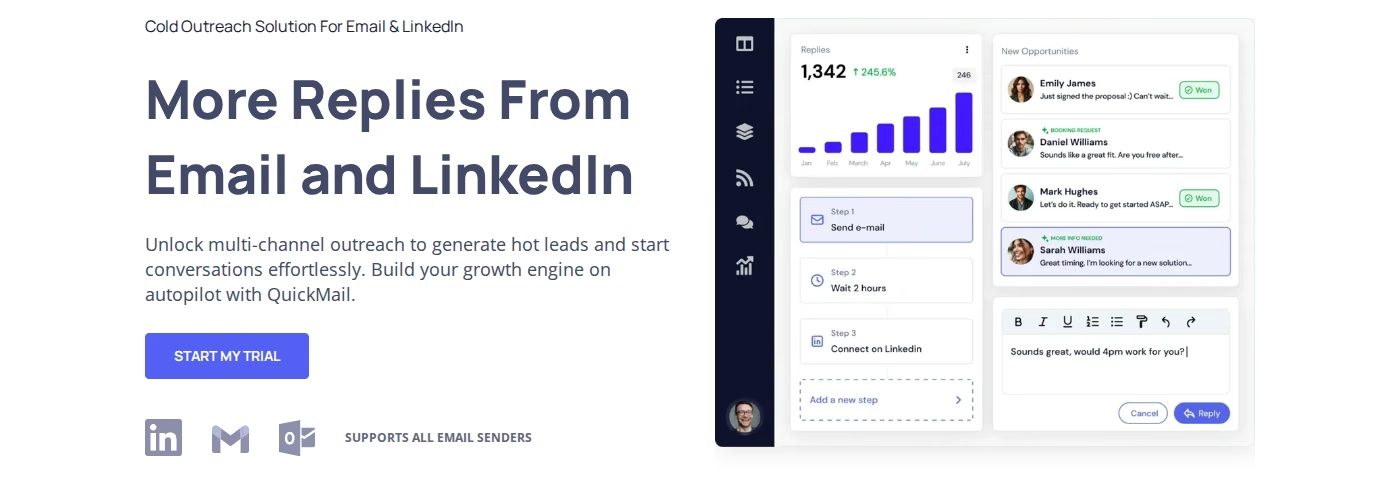
QuickMail is a cold email platform selling since 2014. Its site says it has served agencies and B2B teams for over 12 years and names 300+ agencies as customers.
Core QuickMail features
- Inbox Rotation™ - unlimited email senders per campaign, volume spread across them. QuickMail says it invented inbox rotation for deliverability.
- Deliverability AI™ - reads hundreds of data points daily and swaps underperforming senders out of a campaign automatically.
- Reword With AI™ - rewrites each outgoing email so copy varies without hand-written spintax.
- LinkedIn outreach - unlimited LinkedIn accounts per campaign with rotation. Setup runs through a browser extension, or 2FA for a persistent connection. Free and premium accounts both work.
- Free email warm-up - through MailFlow, which QuickMail describes as a partner rather than its own product.
- Blacklist and DNS monitoring - daily checks against 96 blacklists, plus SPF and DKIM.
- Gmail Sending API - as a Google partner it sends Google Workspace mail through the Gmail API rather than SMTP.
- Google Workspace senders - $4 per mailbox per month, pre-configured and delivered in under 5 hours.
- Integrations - native two-way HubSpot and Pipedrive, plus Zapier, webhooks and an API.
QuickMail pricing
QuickMail publishes three plans, all with unlimited email senders, LinkedIn accounts and users:
- QuickMail Starter - $49/mo. 1 workspace, 1,000 uploaded contacts, 5,000 emails per month.
- QuickMail Growth - $99/mo. 1 workspace, 25,000 uploaded contacts, 100,000 emails per month, adds API and priority support.
- QuickMail Agency - $299/mo. 2 workspaces at $49 for each extra one, 100,000 uploaded contacts, 500,000 emails per month, adds webhooks.
Every plan includes a 14-day free trial. QuickMail's pricing page shows monthly rates only, with no annual discount.
Who QuickMail is best for
QuickMail fits lead generation agencies and B2B teams with a data source already, wanting an email-first platform with deep deliverability controls. If inbox placement and per-inbox analytics matter more than feature breadth, it is a reasonable pick.
What I found reviewing QuickMail
QuickMail's reviews are strongly positive at 4.7 out of 5 across 116 G2 reviews, and I found no critical product review on any accessible platform. So here is what the product documents:
- Workspaces are capped and billed. QuickMail Starter and Growth include exactly 1. Agency includes 2, and each extra costs $49/mo - so $49 recurring per client just for separation.
- Warm-up is a partner product. QuickMail's deliverability page credits warm-up to MailFlow, so sending and warm-up sit with two vendors.
- No lead database. QuickMail sells no prospecting product, so lists are built elsewhere and imported.
- Low contact ceiling at entry. QuickMail Starter allows 1,000 contacts at $49/mo. Several G2 reviewers also mention a learning curve and a dated UI.
Saleshandy Overview: Features and Pricing
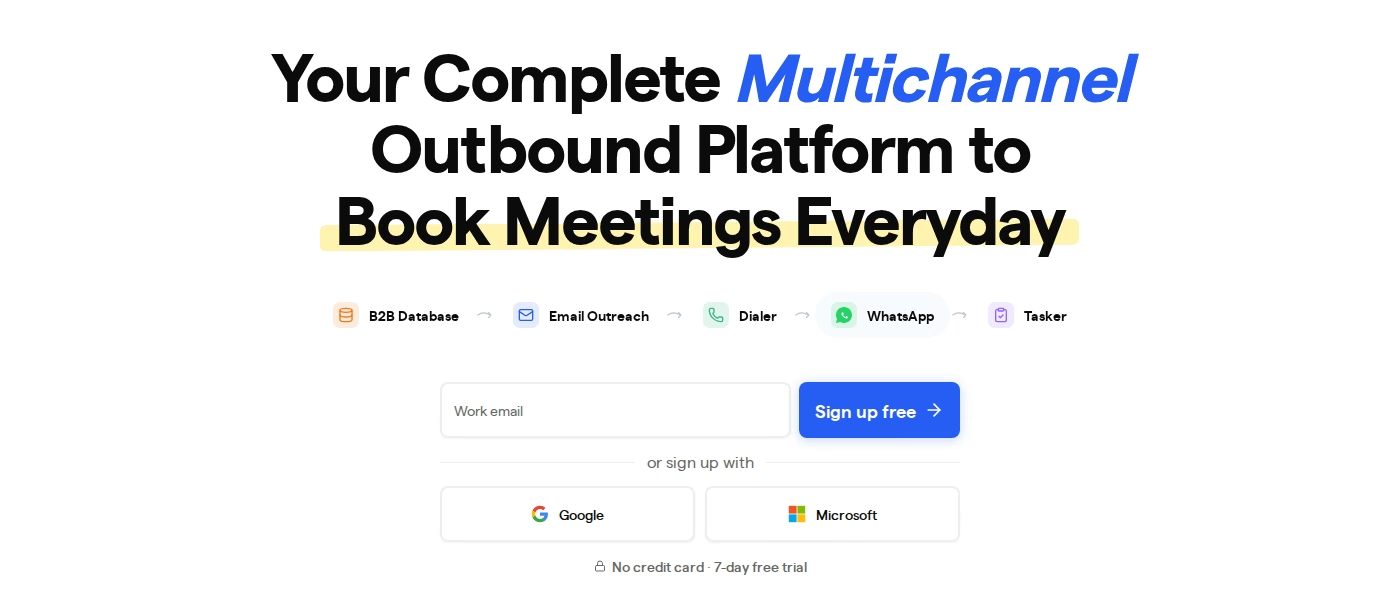
Saleshandy is a cold email and B2B lead generation platform run by Ikigai Infotech. It reports 25,000+ business customers and carries SOC 2, ISO 27001 and GDPR badges.
Core Saleshandy features
- Unlimited email accounts - on every plan, with no per-seat or per-mailbox fee.
- Unlimited email warm-up - included on every plan, not an add-on.
- Lead Finder - 852M+ contacts and 42M+ companies, waterfall enrichment across 9 providers, sold as its own subscription.
- Email Deliverability Stack - sender rotation, Sequence Score, placement tests, verifier and spam checker.
- Email infrastructure add-on - domains and mailboxes pre-configured with SPF, DKIM and DMARC, from $2.99 per mailbox per month.
- Dialer - built-in calling with AI call summaries from $23/mo annual, a channel Salesforge does not sell today.
- MCP access and API - on every Outreach plan, plus a developer CLI.
- Whitelabel and SSO - from Outreach Scale upward, for agencies.
Saleshandy pricing
Saleshandy splits Outreach and Lead Finder into separate subscriptions. Outreach plans:
- Saleshandy Outreach Starter - $36/mo monthly, $25/mo annual. 2,000 active prospects, 6,000 emails per month.
- Saleshandy Outreach Pro - $99/mo monthly, $69/mo annual. 30,000 active prospects, 150,000 emails per month, adds unlimited team members and integrations.
- Saleshandy Outreach Scale - $199/mo monthly, $139/mo annual. 60,000 active prospects, 240,000 emails per month, adds whitelabel and SSO.
- Saleshandy Outreach Scale Plus - from $299/mo monthly, from $209/mo annual. Up to 500,000 active prospects.
Lead Finder bills separately: Lead Starter at $59/mo monthly or $49/mo annual for 2,500 credits, Lead Pro at $99/mo or $79/mo annual for 4,000 credits. The trial is 7 days, sending capped at 100 emails.
Who Saleshandy is best for
Saleshandy suits email-at-scale teams wanting mailbox economics, warm-up and a large contact database from one vendor. If your outbound is email-only and list building is the bottleneck, Lead Finder removes a real stack line item.
What reviewers say about Saleshandy
Saleshandy's Trustpilot rating is 4.7 out of 5 across 743 reviews, so critical reviews are a minority. They are specific enough to read before committing.
- LinkedIn is not automated. Saleshandy's own help documentation states that LinkedIn connection requests, messages, InMails, profile views and post interactions, along with calls and custom tasks, are not automated and must be performed manually.
- Real LinkedIn automation is outsourced. To automate the channel, Saleshandy pushes prospects into Aimfox or HeyReach using an API key. That is a second subscription and a second tool.
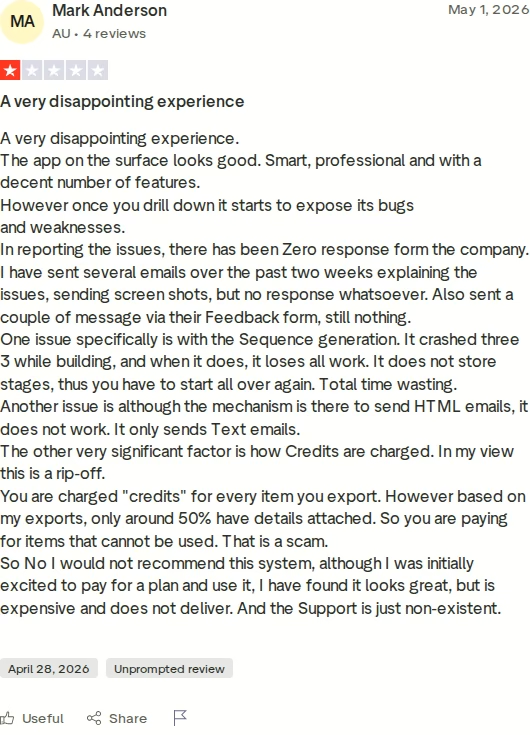
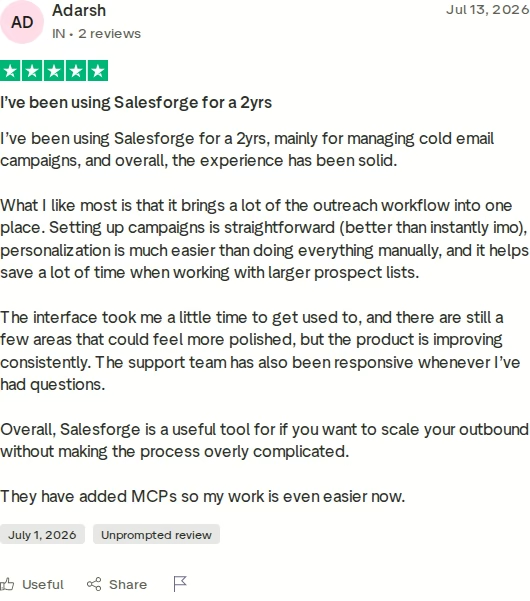
- Credits draw complaints. The reviewer above reports paying credits for exported records where only about half carried usable details. Another, in April 2026, says AI credits were exhausted across three failed attempts to build a sequence.
- Two subscriptions for one workflow. Outreach and Lead Finder bill separately, so the advertised entry price excludes the database.
Salesforge Overview: The Multi-Channel Outbound Platform
Salesforge is a sales execution platform running cold email and LinkedIn as two channels of one sequence. It launched in June 2023, built by a former VP of Sales tired of stitching outbound together from separate tools.
Core Salesforge features
- Multi-channel conditional sequences - email and LinkedIn steps branch on real behaviour. Connection accepted, fire a LinkedIn message. If not, fall back to email. If/then logic, not two parallel campaigns.
- Six native LinkedIn actions - connection requests, messages, InMails, post likes, follows and withdraws, each capped at 30 per day per profile for safety.
- Account safety as standard - actions route through high-quality shared proxies, with optional custom ones. Authentication is session-token only, so your password is never stored. No extension injection, no DOM manipulation.
- Unlimited mailboxes, users and workspaces - agencies run each client in its own workspace at no extra charge.
- Unlimited LinkedIn senders - on Salesforge Growth. Salesforge Pro includes 1 LinkedIn sender and 1 user.
- AI personalization across 21+ languages - AI variables pull company news, LinkedIn activity and industry context. Overdrive Mode reads every source at 2 credits per preview instead of 1.
- Free unlimited Warmforge warm-up - a premium pool of aged IMAP/SMTP, real Google Workspace and Microsoft 365 mailboxes, with a Heat Score™ where 97+ is healthy.
- ESP matching - pairs sender and recipient by provider, Google to Google, Microsoft to Microsoft, for primary-inbox placement.
- Bounce Shield and built-in validation - blocks sends to likely bounces before reputation takes the hit.
- Sender rotation and dynamic IPs - volume spreads so no single mailbox burns its reputation.
- LinkedIn email and phone finder Chrome Extension - pulls verified emails from LinkedIn profiles, powered by Leadsforge with 100 free credits on signup.
- Text-only content by default - no heavy HTML, tracking pixels or attachments, keeping the payload clean.
- Primebox™ unified inbox - every email and LinkedIn reply in one place with sentiment analysis, catching replies from addresses you never contacted.
- Integrations and developer surfaces - native HubSpot, Salesforce, Pipedrive, Attio, folk, Breakcold, GoHighLevel, plus Clay, Zapier, webhooks, an API on Growth, a CLI and an MCP server letting Claude operate campaigns directly.
The Forge Stack context
Salesforge is the outreach layer of a wider stack under one login, each part its own subscription. Mailforge gives shared infrastructure at $3 to $2 per mailbox, Infraforge private dedicated IPs at $4 to $3, and Primeforge real Google Workspace and Microsoft 365 mailboxes at $4.50 to $3.50. Warmforge covers deliverability, Leadsforge feeds lists straight into sequences with waterfall enrichment across 500M+ contacts and no CSV export, and Agent Frank can run the workflow himself. See how the pieces fit on the Forge Stack overview.
Three infrastructure options matter more than it sounds. Salesforge recommends two or more ESPs so one burned domain cannot stop your pipeline, and you move between them without migrating. Teams wanting pre-warmed email accounts can start there instead of waiting out a warm-up cycle.
Salesforge pricing
- Salesforge Pro - $48/mo billed monthly or $40/mo billed annually, reflecting two months free. 1,000 active contacts, 5,000 emails per month, 1 LinkedIn sender, 1 user.
- Salesforge Growth - $96/mo billed monthly or $80/mo billed annually. 10,000 active contacts, 50,000 emails per month, unlimited LinkedIn senders, unlimited users, plus A/B testing, multi-language sequences, ESP matching, API access and Primebox AI reply modes.
- Agent Frank - a separate subscription from $499/mo billed quarterly, or $416/mo billed annually, covering 1,000 active contacts. He is not bundled into Salesforge Pro or Growth.
Both plans include unlimited mailboxes and workspaces, free unlimited Warmforge warm-up and Primebox™, on a 14-day no-card trial. You can verify the live price before committing.
Start Your 14-Day Free TrialWho Salesforge is best for
Salesforge fits B2B teams selling at $5K to $100K ACV into startups, SMBs and mid-market accounts, targeting 3,000 businesses or more. It is built for teams that proved email and LinkedIn manually and now find scaling expensive or slow.
Honest Salesforge limitations
- Infrastructure is not included. No plan bundles mailboxes. You connect your own or buy Mailforge, Infraforge or Primeforge separately.
- Growth gates real features. API access, A/B testing, ESP matching, multi-language sequences and Primebox AI reply modes are Growth-only. Salesforge Pro caps at 1 user and 1 LinkedIn sender.
- Agent Frank is sales-led. No self-serve trial. A demo is mandatory, and a two-week warm-up runs before he sends anything.
- Salesforge names who it is wrong for. Its published anti-ICP: if you sell mainly to Fortune 500 accounts, run long RFP cycles, or close a handful of six- and seven-figure bespoke deals, it says it is a poor fit. Neither competitor publishes that.
in Action

Head-to-Head Feature Comparison: QuickMail vs Saleshandy
Multi-channel outreach
All three claim multi-channel. Only two automate the second channel.
- QuickMail: genuinely automates LinkedIn. Unlimited accounts per campaign with rotation, and when a prospect accepts a connection request it creates a lead record and starts a campaign. Setup runs through a browser extension.
- Saleshandy: its help docs state that LinkedIn connection requests, messages, InMails, profile views and post interactions are not automated and must be performed manually. Automating the channel means pushing prospects to Aimfox or HeyReach.
- Salesforge: six native LinkedIn actions inside the same conditional sequence as email, branching on accepted, replied or profile-viewed. No extension, session-token authentication only, actions capped at 30 per day per profile.
If your motion is LinkedIn-first then email, Saleshandy turns that into a to-do list. A multichannel outreach sequence only works when one channel's outcome decides the next step.
Email deliverability and warm-up
All three take deliverability seriously, and it is QuickMail's strongest ground.
- QuickMail: Deliverability AI swaps weak senders automatically, it monitors 96 blacklists daily, and sends via the Gmail API as a Google partner rather than SMTP. Warm-up is free but comes from MailFlow, a partner product.
- Saleshandy: unlimited warm-up on every plan, plus sender rotation, Sequence Score and placement tests.
- Salesforge: Warmforge is first-party, free and unlimited on both plans. The pool is premium by default with no paid upgrade tier, built only from aged accounts blending IMAP/SMTP with real Google Workspace and Microsoft 365 mailboxes. Heat Score™ tracks each mailbox, warm-up traffic is multilingual, and Deliverability Boost removes warm-up mail that lands in spam.
The difference is ownership. Salesforge's warm-up, sending and infrastructure sit in one environment, so a cold email deliverability problem is diagnosable in one place. ChannelCrawler ran that combination to an 85.71% positive reply rate.
AI and personalization
- QuickMail: Reword With AI varies outgoing copy automatically, and custom, colleague and computed properties personalize subject lines and CTAs.
- Saleshandy: AI Sequence Copilot writes sequences and AI Column Enrichment fills prospect data, from AI credits at $10 per 5,000.
- Salesforge: AI personalization across 21+ languages covers both email and LinkedIn copy, pulling company news, LinkedIn activity and industry context. Overdrive Mode reads every source at 2 credits per preview, and regeneration is free.
The 21+ language support is the gap that shows fastest for teams selling into more than one region. Running localized outreach campaigns without a copywriter per market is a Growth feature, not an add-on.
AI SDR: the capability neither competitor has
Neither QuickMail nor Saleshandy sells an autonomous AI SDR. Saleshandy's AI helps you write, QuickMail's varies copy and picks senders. Both still need a human running the motion.
Agent Frank prospects from Leadsforge, enriches contacts, writes email and LinkedIn messages, runs follow-ups, handles replies in Primebox and books meetings, 24/7. He runs Auto-Pilot or Co-Pilot, speaks 21+ languages, offers 9 tonalities.
VAI Consulting booked 3 calls in one week with him. He is a separate subscription from $499/mo quarterly, needing a demo plus two-week warm-up.
Inbox management and reply handling
- QuickMail: email and LinkedIn replies land in one inbox, assignable to team members.
- Saleshandy: a unified inbox is included on every plan, but it covers email only, since LinkedIn never runs in the platform.
- Salesforge: Primebox™ is free on every plan, unifies email and LinkedIn, auto-tags sentiment positive, neutral or negative, catches replies from addresses you never contacted, and runs on mobile. Auto-Pilot and Co-Pilot reply modes require Growth.
Pricing and scalability
Headline prices are close. What they include at scale is not.
QuickMail Starter and Growth include exactly 1 workspace, and extras on Agency cost $49/mo each. Salesforge gives unlimited workspaces on Pro at $48/mo. For an agency with 10 clients, that is eight $49 add-ons on top of QuickMail Agency.
Saleshandy splits Outreach from Lead Finder, so email-plus-database means two subscriptions. Salesforge splits Leadsforge out too at $49/mo, but bundles warm-up free where the others partner it out or skip the premium pool.
Cost is also why the delivery model matters. One Salesforge subscription runs three ways: your team, Agent Frank, or a vetted Forge Expert agency. Neither competitor offers all three.
Integrations and stack
- QuickMail: native two-way HubSpot and Pipedrive, plus Zapier and an API. Webhooks are Agency-only.
- Saleshandy: Salesforce, HubSpot, Pipedrive, Zoho and Zapier from Outreach Pro up, with MCP and API on every plan.
- Salesforge: native HubSpot, Salesforce, Pipedrive, Attio, folk, Breakcold and GoHighLevel, plus Clay, Persana, RB2B, Sendspark, Slack, Zapier and Make. The API is Growth-only, and the MCP server plus one Forge CLI let Claude or Cursor operate every Forge product through a single protocol.
Compliance and infrastructure ownership
Salesforge and Saleshandy both publish SOC 2 compliance, and Saleshandy adds ISO 27001. QuickMail publishes neither badge.
All three now sell mailboxes. QuickMail sells Google Workspace senders at $4/mo, Saleshandy from $2.99/mo tied to an Outreach plan. Only Salesforge offers three distinct infrastructure products, including private dedicated IPs with an isolated sequencer fingerprint via Infraforge - how ChannelCrawler and Woodpecker scaled, the latter to 2,500+ mailboxes.
Pricing Comparison: Cost at Scale
| Pricing dimension | Salesforge | QuickMail | Saleshandy |
|---|---|---|---|
| Entry plan | Salesforge Pro $48/mo ($40 annual): 5,000 emails, 1,000 contacts | QuickMail Starter $49/mo: 5,000 emails, 1,000 contacts | Saleshandy Outreach Starter $36/mo ($25 annual): 6,000 emails, 2,000 prospects |
| Mid plan | Salesforge Growth $96/mo ($80 annual): 50,000 emails, 10,000 contacts | QuickMail Growth plan $99/mo: 100,000 emails, 25,000 contacts | Saleshandy Outreach Pro $99/mo ($69 annual): 150,000 emails, 30,000 prospects |
| Top self-serve tier | Salesforge Growth is the top tier | QuickMail Agency $299/mo: 500,000 emails | Saleshandy Outreach Scale $199/mo ($139 annual); Scale Plus from $299/mo ($209 annual) |
| Annual discount | 2 months free on both plans | None published | Around 30% |
| Users and seats | Unlimited on Growth, 1 on Pro; no per-seat fee | Unlimited users on every plan | Unlimited team members from Outreach Pro |
| Workspaces | Unlimited on every plan | 1 on Starter/Growth, 2 on Agency, +$49 each | Not published |
| AI SDR | Agent Frank separate, from $499/mo quarterly ($416 annual) | None | None |
| Lead data | Leadsforge separate, $49/mo, 500M+ contacts | None built in | Lead Finder separate, from $59/mo ($49 annual), 852M+ contacts |
| Mailboxes | Mailforge $3-$2, Infraforge $4-$3, Primeforge $4.50-$3.50/mailbox | $4 per mailbox/mo | $3.99 to $2.99 per mailbox/mo |
Costs diverge as you add people and clients, not emails. QuickMail and Saleshandy both give unlimited email senders, so mailbox count is not what punishes you. Workspaces and channels are.
A concrete scenario. You are an agency with 5 clients, sending 40,000 emails a month, wanting LinkedIn automated alongside email.
- Salesforge Growth: $80/mo annual. Unlimited workspaces for all 5 clients, unlimited LinkedIn senders, 50,000 emails, free Warmforge, Primebox™.
- QuickMail Agency: $299/mo. Two workspaces included, so 3 more at $49 each brings it to $446/mo. LinkedIn is automated, warm-up comes from MailFlow.
- Saleshandy Outreach Pro: $69/mo annual covers email comfortably. LinkedIn automation needs Aimfox or HeyReach on top, plus Lead Finder from $49/mo annual for data.
Salesforge Growth at $80/mo annual matches that $446/mo QuickMail Agency setup, and does what Saleshandy cannot do in-app at any price. Compare more on the comparisons index, the Smartlead breakdown or the Instantly comparison. The sales tools directory lists 700+ options.
Who Should Use Which Cold Outreach Tool
You might consider QuickMail if:
- Your outbound is email-first, you have a data source already, and you want per-inbox deliverability analytics from a platform shipping since 2014.
- You run a single workspace and want automated LinkedIn alongside email without building conditional logic. For that narrow shape it is a capable pick at $49/mo, because LinkedIn is genuinely automated rather than task-based.
- You send from Google Workspace mailboxes and want Gmail API sending rather than SMTP.
You might consider Saleshandy if:
- Your outbound is email-only and list building is the bottleneck. The 852M+ contact Lead Finder and the Outreach plan come from one vendor.
- You need cold calling in the same platform. The Saleshandy Dialer from $23/mo annual covers a channel Salesforge does not sell today, so for email-plus-phone teams it fills a real gap.
- You want the lowest annual entry price, at $25/mo on Saleshandy Outreach Starter.
Choose Salesforge if:
- You sell B2B at $5K-$100K ACV into startups, SMBs or mid-market accounts, and your target list runs past 3,000 businesses.
- You need email and LinkedIn in one sequence with real branching, and you will not have a rep manually clearing LinkedIn tasks or pay a second vendor to automate them.
- You are an agency or a growing team. Unlimited workspaces, users and LinkedIn senders on Salesforge Growth at $80/mo annual means headcount and client count stop driving your bill.
- Deliverability keeps breaking. Free unlimited premium Warmforge, ESP matching, Bounce Shield, sender rotation and three first-party infrastructure options sit in one environment.
- You want the option of handing the whole motion to an AI SDR later, with Agent Frank as a separate subscription from $499/mo billed quarterly.
Final Verdict: Which Cold Outreach Platform to Choose
QuickMail is a mature email platform with strong deliverability engineering and real LinkedIn automation, priced per workspace in a way that punishes agencies. Saleshandy is a capable cold email tool with a large bundled database and a dialer. Its own docs confirm LinkedIn is a manual task list unless you pay Aimfox or HeyReach to automate it.
For multi-channel B2B outbound, Salesforge is the stronger choice. At $80/mo annual for Growth, you get unlimited users, unlimited LinkedIn senders, unlimited mailboxes, unlimited workspaces, six native LinkedIn actions inside conditional sequences, free unlimited premium warm-up and Primebox™. No configuration of QuickMail or Saleshandy matches that combination at any price.
One falsifiable benchmark: UniteSync ran Salesforge with Mailforge and Warmforge to an 85.26% positive reply rate at a $2.86 customer acquisition cost. The case study is public, and so is Salesforge's anti-ICP - if you sell to Fortune 500 accounts through long RFP cycles, it says so itself: look elsewhere.

Frequently Asked Questions
For multi-channel outbound, yes. Salesforge runs six native LinkedIn actions and email inside one conditional sequence, while Saleshandy's docs confirm its LinkedIn steps are manual and QuickMail sets LinkedIn up through a browser extension. Salesforge also gives unlimited workspaces on every plan, where QuickMail charges $49/mo per extra workspace. For email-only outreach with a bundled database, Saleshandy is a reasonable alternative.
How they treat the second channel. Salesforge automates LinkedIn natively with session-token authentication, no extension, and 30 actions per day per profile. QuickMail automates LinkedIn but sets it up through an extension. Saleshandy does not automate it in-app at all - its help docs state connection requests, messages, InMails, profile views and post interactions must be performed manually.
Saleshandy has the lowest entry price at $36/mo monthly or $25/mo annual. Salesforge Pro is $48/mo monthly or $40/mo annual, and QuickMail Starter is $49/mo with no annual discount published. At scale the ranking flips: Salesforge Growth at $80/mo annual includes unlimited workspaces, users and LinkedIn senders, while a five-client QuickMail Agency setup runs $446/mo once extra workspaces are added.
Not as automation. Saleshandy's own help docs say LinkedIn connection requests, messages, InMails, profile views and post interactions are not automated and must be performed manually. It can push prospects into Aimfox or HeyReach via API key, but that is a separate subscription. Salesforge runs all six LinkedIn action types natively inside the same sequence as email.
Yes. Salesforge connects unlimited mailboxes on every plan via Google Workspace, Microsoft 365 or custom SMTP, so existing senders come across without new infrastructure. Contacts import by CSV or Google Sheets. Warm-up starts immediately at no extra cost through Warmforge, and the 14-day trial needs no credit card, so you can run a parallel campaign before cancelling.
QuickMail is genuinely strong here, with Deliverability AI swapping weak senders automatically, daily checks against 96 blacklists and Gmail API sending as a Google partner. Salesforge covers the same ground first-party and adds ESP matching, Bounce Shield, dynamic IP rotation and three infrastructure products. ChannelCrawler reached an 85.71% positive reply rate on Salesforge with Infraforge and Warmforge.
Yes, 14 days with no credit card, capped at 50 contacts, 100 emails, 50 validation credits, 50 personalization credits and 100 social action credits. Warm-up and unlimited mailbox connections both work during it. QuickMail also offers 14 days. Saleshandy's trial is 7 days, sending capped at 100 emails. Agent Frank has no trial - he needs a demo first.
Email-first teams and agencies that already have a data source and want deep deliverability control from a platform running since 2014, with 300+ agencies as customers. It suits operators in a single workspace, since QuickMail Starter and Growth include exactly one and extras cost $49/mo on Agency. It has no built-in lead database, so prospecting data comes from elsewhere.
.jpg)

.jpg)
