Blog
Sera Review 2026: What Does It Offer?

Sera Review 2026: What Does It Offer?

Summarize with

If you are considering Sera, its 3-10x higher reply-rate claim is probably one of the first things that caught your attention.

But reply rates alone do not tell you if an AI SDR is worth paying for. You need to know what happens before those emails are sent. Are the right companies being picked? Is Sera finding the person who can actually buy? And is the research good enough to make the message relevant?

There is also the cost. Sera does not publish the price of Lite or Scale. That makes it difficult to judge what you are paying for those 300 or 600 monthly messages before you sign up.

And if you need more volume, Custom moves into thousands of messages with LinkedIn, WhatsApp, and phone added to the mix.

So does Sera’s approach actually lead to better prospects and more worthwhile replies? 

Let’s find out.
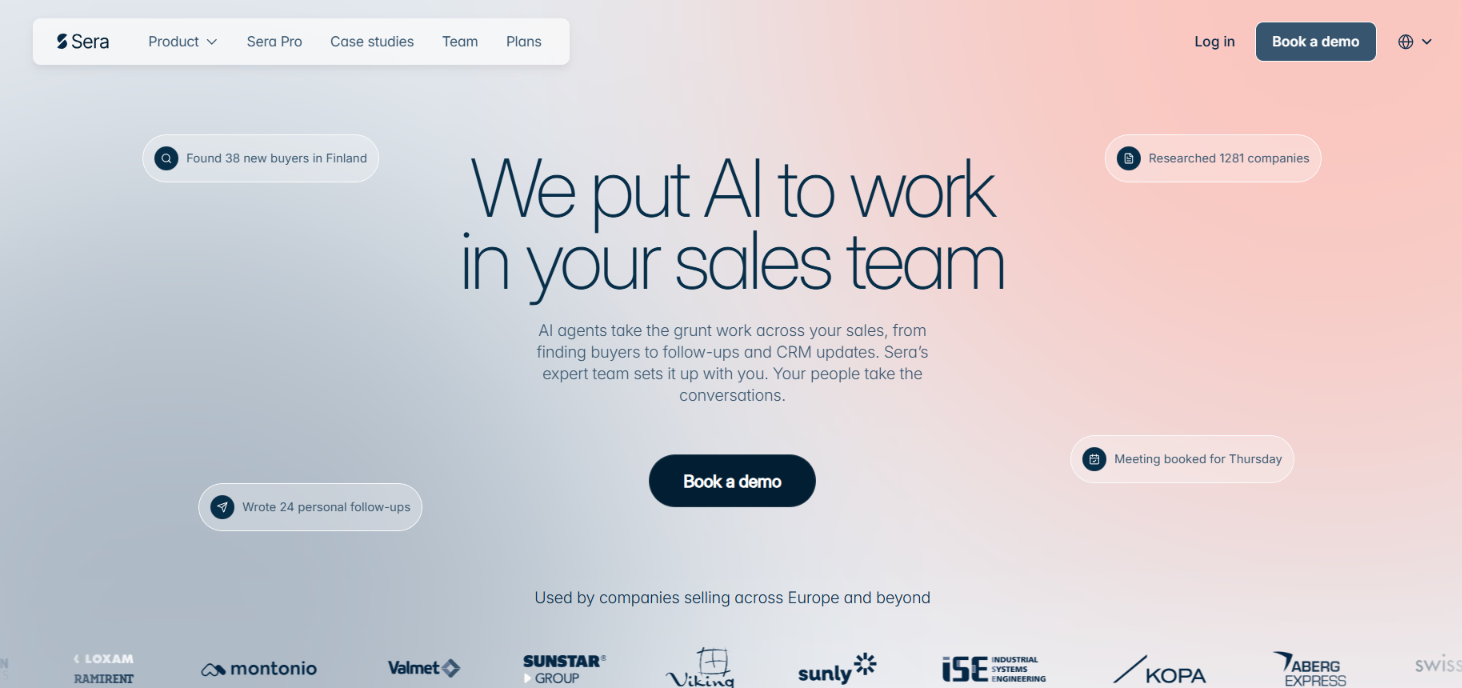
Table of Contents

TL;DR – Sera Review 2026

  • Sera finds companies and the right people to contact. It then researches them before writing the email.
    ‍
  • It has access to data from 350M+ companies and 1B+ professional profiles.
    ‍
  • Lite lets you send up to 300 emails a month. Scale gives you up to 600 messages per month.
    ‍
  • Scale also finds companies showing buying signals. It can log leads and replies in your CRM.
    ‍
  • Sera Pro is for companies that want Sera’s team more involved. You get guided setup and a dedicated strategist. It also covers more than email.
    ‍
  • Sera takes care of the sending setup too. It creates separate domains and inboxes then warms them up for you.
    ‍
  • You should choose Sera if you want the research done before each prospect is contacted.
    ‍
  • Agent Frank by Salesforge is another option if you want an AI SDR that can find prospects and run cold email.

Sera Review – What You Get vs. What You Don't

Sera homepage
This image shows the Sera homepage

Sera finds prospects and researches them before outreach. It finds the right contact and writes a personalized email. Follow-ups and meeting booking can also run through Sera. It handles the email setup too. Sera sets up the sending mailboxes and warms them before sending starts.

What you get after that depends on the plan. Lite is capped at 300 emails a month. It does not include buying signals or CRM logging. Analytics are also missing. Scale adds these features and raises the limit to 600 messages a month. For outreach beyond email, you need Sera Pro. It adds LinkedIn plus WhatsApp and phone outreach. You also get guided setup and a dedicated strategist.

Agent Frank by Salesforge does much of the same sales work as Sera. It can find prospects and research them. It can write personalized outreach and follow up. It can also book meetings.

The differences start with how much you can send and which channels you can use.

Feature Sera Agent Frank
Email volume 300 Lite / 600 Scale 6,000-7,500 emails/month at 1,000 active contacts
LinkedIn Sera Pro Included
WhatsApp + phone Sera Pro Not included
Email infrastructure Setup and warm-up included Separate
Human help Strategist with Sera Pro Dedicated Account Manager
Starting price Not publicly listed $599/month billed quarterly

Agent Frank’s starting plan covers 1,000 active contacts at a time. Salesforge says this works out to roughly 2,000-2,500 new leads and 6,000-7,500 personalized emails per month. 

So Sera includes the email setup and gives you more outreach channels with Pro. Agent Frank gives you far more stated sending volume from its starting plan.

How Does Sera Work?

Sera works through six AI agents. Each agent handles a different part of the sales process. Here is how they work together.
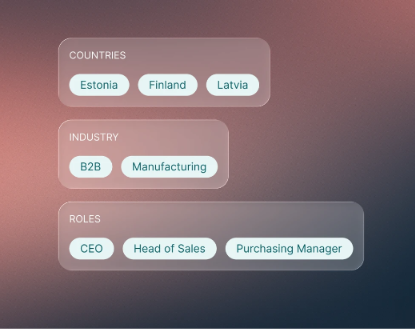
1. Tell Sera What You Sell

Defines your ideal customer profile and target markets
This image shows Defines your ideal customer profile and target markets

You start by telling Sera about your business and the customers you want to reach. You can describe your ideal customer in simple words. Its Strategy Agent uses this information to set the targeting criteria for the other agents.
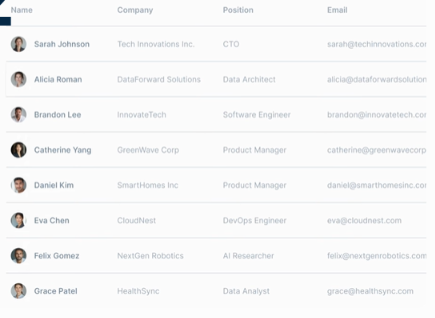
2. Sera Finds Companies That Match

Data Scout sources a large pool of companies from premium data providers
This image shows the Data Scout sources a large pool of companies from premium data providers

The Data Scout searches premium data providers and market signals for potential companies. Sera says its data covers 350M+ companies and 1B+ professional profiles. 

The Qualification Agent then checks those companies against your ICP. Poor matches are removed before outreach starts.
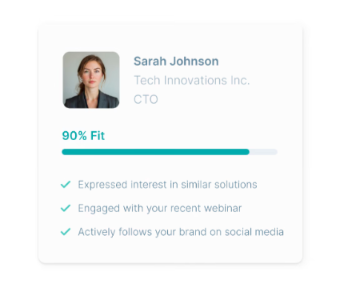
Qualification Agent analyzes and filters the sourced companies against your ICP and criteria
This image shows the Qualification Agent analyzes and filters the sourced companies against your ICP and criteria

3. Sera Researches the Best Matches

The Research Agent looks deeper into the companies that pass qualification. It finds decision-makers and their contact details. It also collects information that can be used in the message.

Sera can also track signals such as hiring and company growth. These signals can help it decide when a company may be worth contacting.
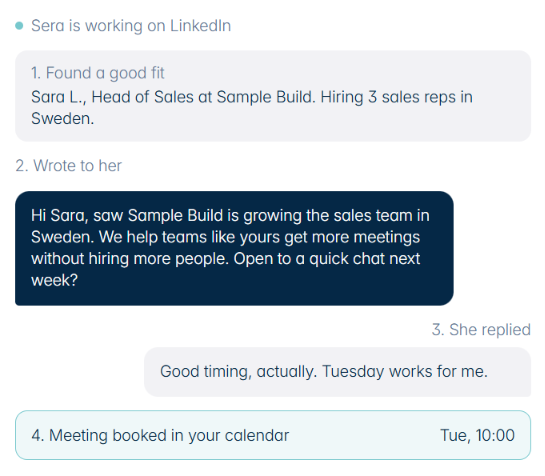
4. Sera Writes the Outreach

An example of Sera working on LinkedIn
This image shows An example of Sera working on LinkedIn

The Outreach Agent uses that research to write a message for the company and contact. You can review or edit the message before it goes out. Once you are comfortable with the output, you can turn on autopilot and let Sera send on its own.

5. Sera Sends and Follows Up

Sera sends the first message and schedules follow-ups when someone does not reply. If a prospect is interested, Sera can book the meeting in your calendar.

Behind this process is the Infrastructure Agent. It handles the sending setup and domains used for outreach. Sera also warms the inboxes before sales emails start going out.

Once you set the target, Sera’s agents take the process from finding companies through research and outreach. Sera can then handle follow-ups and book interested prospects into your calendar.

What Features Does Sera Offer?

Some Sera features are included with Lite. Others require Scale or Sera’s fully managed Pro service. The table below shows what each feature does and where the main limits appear.

Feature What You Get
Prospect search Searches data from 350M+ companies and 1B+ professional profiles. Companies are checked against your ICP before outreach.
Buying signals Tracks hiring, growth, and market activity to judge when a company may be more likely to engage. Available with Scale.
Cold email Researches each company before writing the email. Sera can send the message and follow up automatically. You can approve messages first or use autopilot.
LinkedIn, WhatsApp, and phone These channels are available through Sera Pro. Lite and Scale only include email outreach.
Email setup Sets up separate sending domains and inboxes. Sera also warms the inboxes and monitors where emails land.
HubSpot and Pipedrive Adds new leads and saves conversations in your CRM. Sera can also create a deal when a meeting is booked.
Chat control Change targeting or messaging by chatting with Sera. You can also ask questions such as “What’s my reply rate?”

Top Pros of Sera

  1. 6 AI agents divide the work from finding companies to sending the outreach.
    ‍
  2. Email infrastructure is included so separate domains plus inbox setup and warm-up come with Sera.
    ‍
  3. 4 channels come with Sera Pro covering email and LinkedIn plus WhatsApp and phone.
    ‍
  4. HubSpot and Pipedrive are supported with leads and replies added to your CRM automatically.
    ‍
  5. Every message can be checked first instead of letting Sera send without your approval.
    ‍
  6. 5 leads and 5 personalized messages are free so you can try Sera before paying.

What Are the Limitations of Sera?

  • Low sending limits on self-serve plans cap Lite at 300 emails and Scale at 600 messages per month.
    ‍
  • Email-only outreach on Lite and Scale means LinkedIn plus WhatsApp and phone require Sera Pro.
    ‍
  • No G2 or Trustpilot reviews are available which makes independent user feedback difficult to check.
    ‍
  • No public price for Lite or Scale makes it hard to compare Sera's cost before signing up.
    ‍
  • Higher volume requires Custom because sending thousands of messages per month is only listed under its Custom option.

How Much Does Sera Cost?

Sera does not list pricing for Lite or Scale. It shows what each option includes and how much outreach you get. Custom uses quote-based pricing. You can try Sera before paying. The first 5 leads and 5 personalized messages are free.

Option Sending Volume What’s Included Price
Lite Up to 300 emails/month Prospect finding, company research, personalized emails, automatic follow-ups, mailbox setup and warm-up Not publicly listed
Scale Up to 600 messages/month Everything in Lite plus buying signals, CRM logging, analytics dashboard and support Not publicly listed
Custom Thousands of messages/month Everything in Scale plus email, LinkedIn, WhatsApp and phone outreach. Also includes a dedicated strategist, custom sales strategy and unlimited sales projects Custom pricing

Lite and Scale are Sera’s self-serve plans. Custom is different because Sera says it will build and run the outbound setup for you.

Sera Pro is separate from the Lite and Scale plans. Sera describes Pro as a fully managed service with guided setup, a dedicated strategist, multichannel outreach and deeper data. Its public material does not show a fixed price for Sera Pro.

Who Should Use Sera, and Who Should Avoid It?

Sera works better for companies that want prospect research included in the outreach process rather than simply sending emails from an existing list.

Who Should Use Sera?

  • Companies running smaller and more targeted campaigns.
    ‍
  • Sales reps who want prospects researched before outreach.
    ‍
  • Businesses that need sending inboxes set up and warmed.
    ‍
  • HubSpot or Pipedrive users who want CRM logging.
    ‍
  • Companies that want automated follow-ups and meeting booking.
    ‍
  • Sales reps who want to approve messages before sending.

Who Should Avoid Sera?

  • Agencies that need higher self-serve sending limits.
    ‍
  • Businesses that already have prospecting and research tools.
    ‍
  • Companies that only need a cold email sender.
    ‍
  • Businesses that need CRM integrations beyond HubSpot or Pipedrive. 
    ‍
  • Buyers who want public pricing and independent reviews.

Sera is a better match for researched outreach at lower volumes. If your priority is sending thousands of cold emails each month, Lite and Scale are too limited for that use case. 

Best Sera Alternative – Agent Frank by Salesforge

If you want another AI SDR for prospecting and outreach, Agent Frank by Salesforge is the closest Sera alternative to compare.
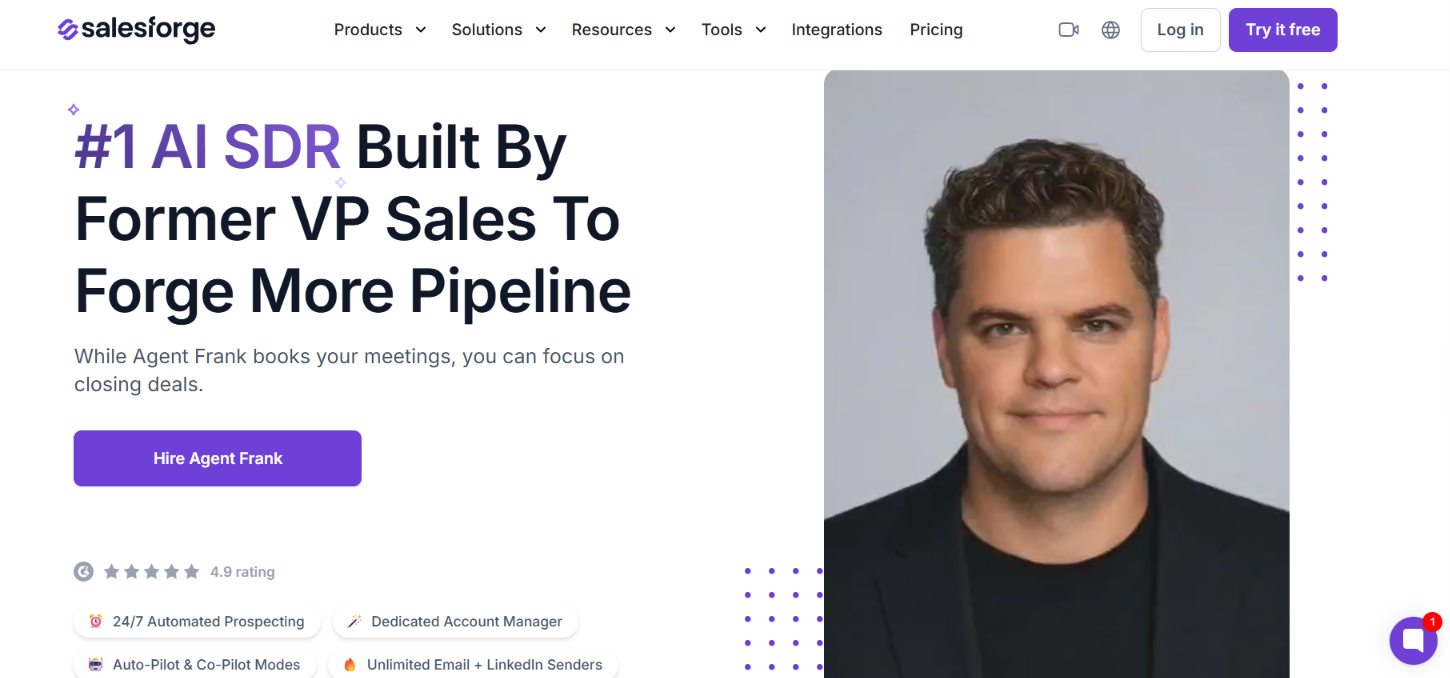
Agent Frank by Salesforge
This image shows the Agent Frank by Salesforge

You give Frank your ICP and information about what you sell. It can then find prospects and research them before writing the outreach. Frank can handle follow-ups and book meetings when a prospect is interested.

There are a few reasons to consider it over Sera:
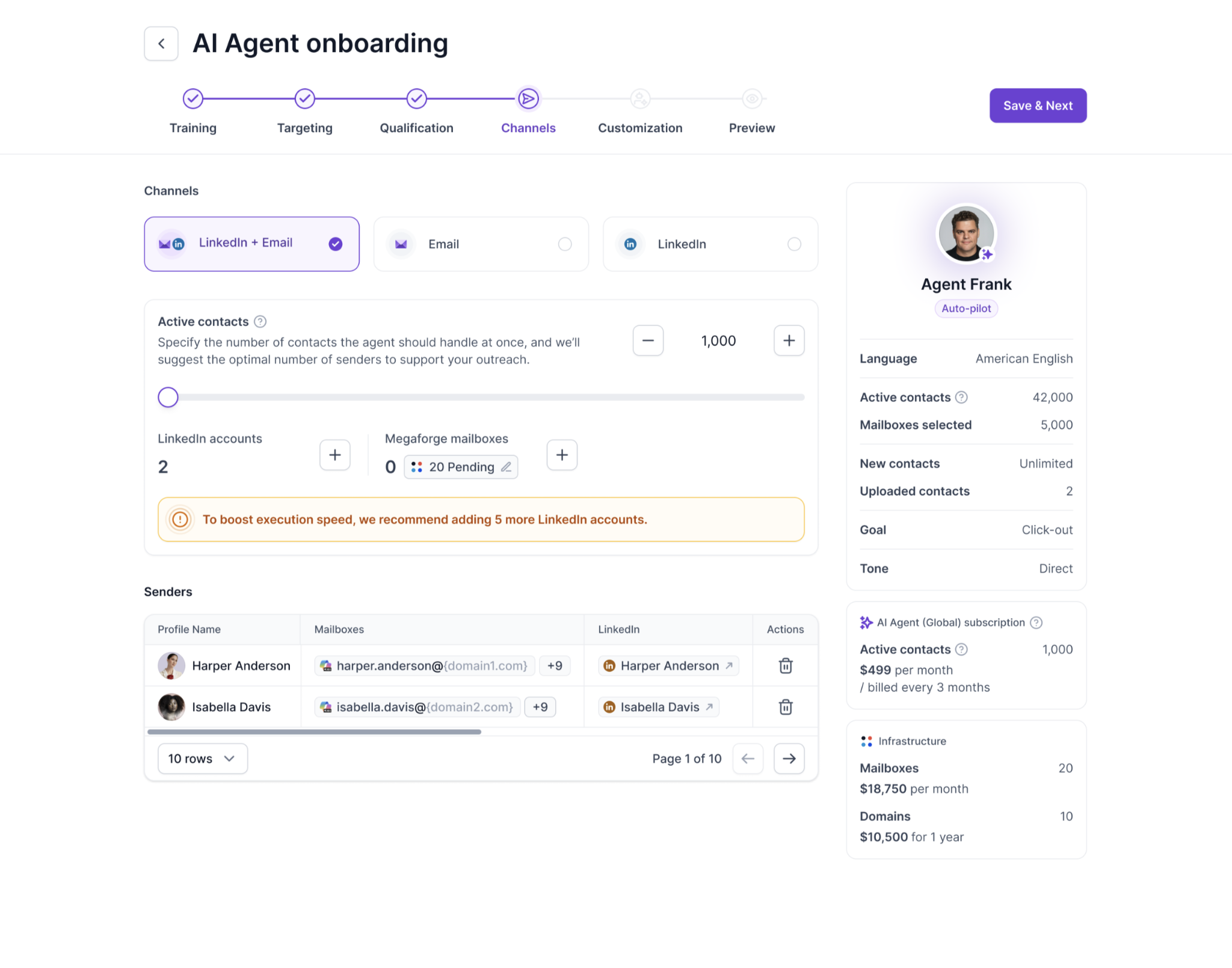
  • Clear starting capacity gives Frank up to 1,000 active contacts at a time. Salesforge estimates this reaches 2,00-2,500 new leads per month.
    ‍
  • Email and LinkedIn outreach lets Frank run email-only, LinkedIn-only, or combined sequences.
Multi-channel outreach overview of Agent Frank
This image shows the Multi-channel outreach overview of Agent Frank
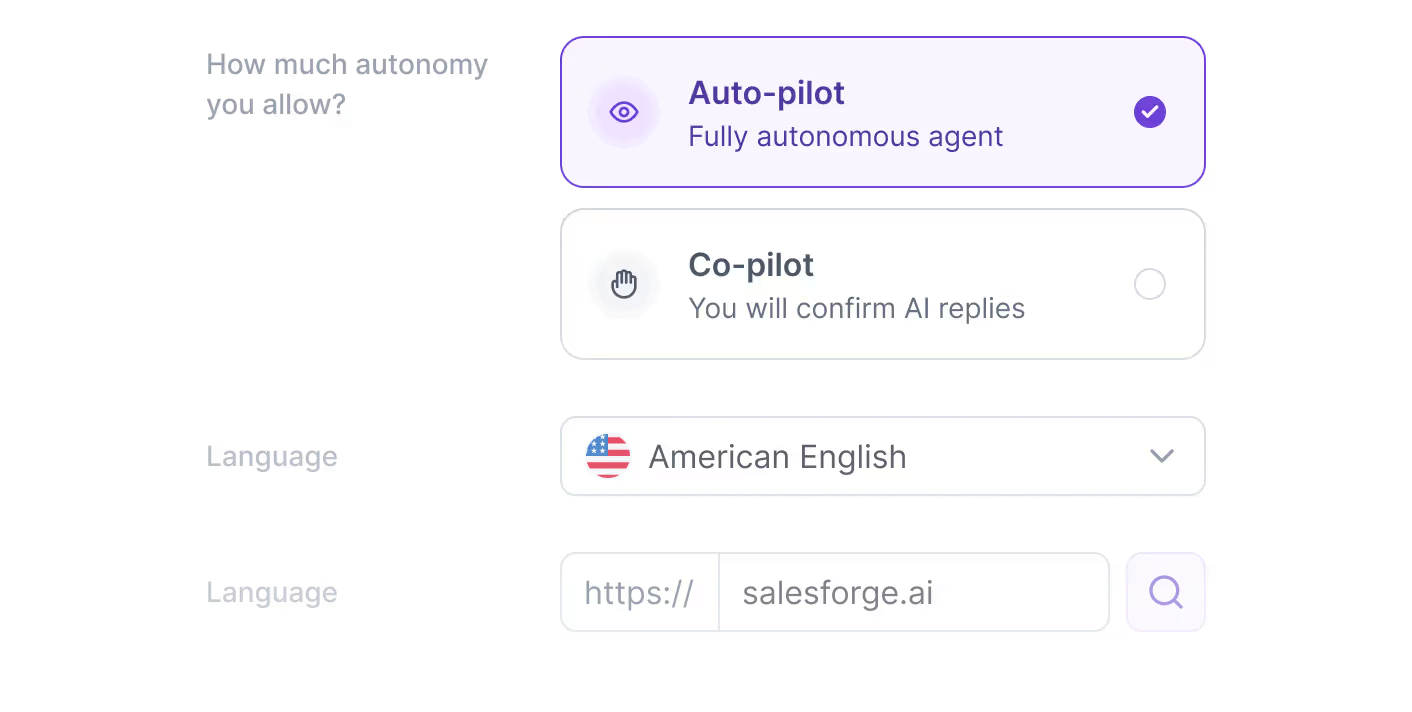
  • Auto-Pilot and Co-Pilot modes let Frank work independently or give you the option to review and edit its work.
Auto-Pilot and Co-Pilot modes available on Agent Frank
This image shows the Auto-Pilot and Co-Pilot modes available on Agent Frank
  • Deeper prospect research checks the prospect and company along with buying signals, timing, likely pain points, and objections.
    ‍
  • Custom outreach rules let you set send windows and wait times. You can also control the tone and tell Frank what to avoid.
    ‍
  • Continuous prospecting keeps looking for new leads that match the ICP you set during onboarding.
    ‍
  • Dedicated account support gives you an Account Manager who helps set up Frank and adjust how it works.

Agent Frank starts at $599 per month billed quarterly. This covers 1,000 active contacts at a time. Salesforge estimates that this works out to 2,000-2,500 new leads and 6,000-7,500 personalized emails per month.

Email infrastructure is separate. You can connect your existing mailboxes or get infrastructure through Infraforge or Megaforge. Sera can also handle higher-volume outreach through its Custom option, which lists thousands of messages per month. 

The difference is that Sera uses custom pricing for that level. Agent Frank gives you a published $599 starting price and a stated monthly workload, so you know what the entry point covers before booking a demo.

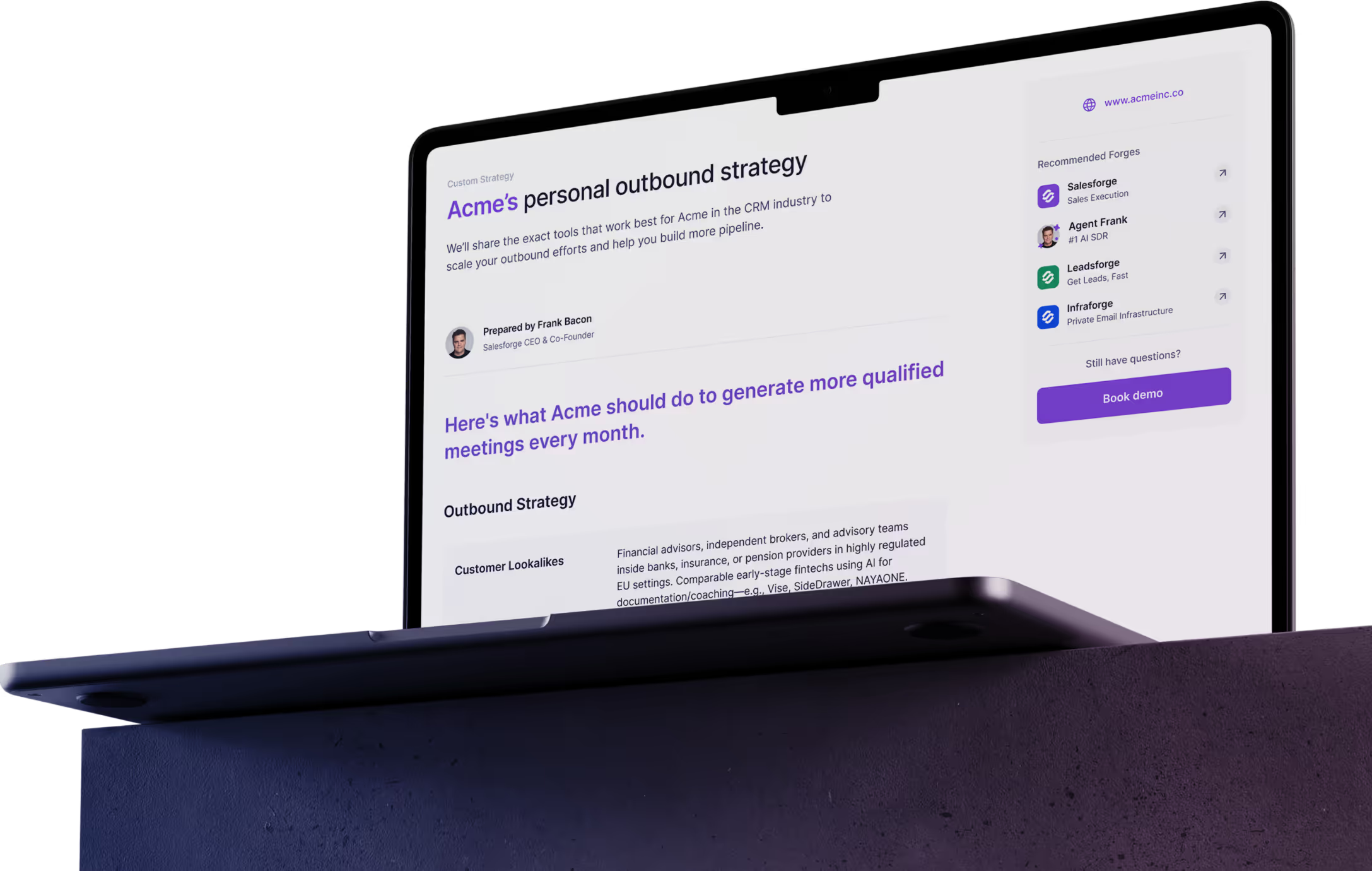
Personalized Outbound Strategy

Get The Right Outbound Strategy In Minutes

Enter your email to get a custom plan & stack recommendation for your business

It's being carefully crafted by AI

Please check your mailbox in 5 minutes
Is Sera Worth It in 2026?

Yes, Sera is worth it if you want AI to research prospects before running the outreach. It can find the right contacts, write personalized emails, follow up, and book meetings. Sera also handles sending domains and mailbox warm-up.

The main drawbacks are the lack of public pricing for Lite and Scale and the limited independent reviews. Lite also stops at 300 emails per month, while Scale allows 600 messages. Higher-volume outreach is available through Custom.

If you want to compare Sera with an AI SDR that has a clear starting price and stated monthly capacity, take a look at Agent Frank by Salesforge. 
Book more meetings on autopilot

Set up in minutes. No per-seat pricing. No commitment.
Try
free
4.6 rating on G2
Add as a preferred
source on Google