Personalized Outbound Strategy
Get The Right Outbound Strategy In Minutes
Enter your email to get a custom plan & stack recommendation for your business
It's being carefully crafted by AI
Please check your mailbox in 5 minutes
“Free contact data” usually makes experienced outbound teams suspicious, and for good reason.
Free data is often stale, and stale emails bounce on domains you’ve spent weeks warming up. So when Loopster AI says emails and phone numbers come included in one flat monthly fee, the first thing to find out is whether that free data is good enough to send to.
The other questions come quickly.
This review answers each question with clear numbers. It also covers what happens after you build the list, since Loopster AI doesn’t send emails, warm mailboxes, or handle replies.
Here’s how Loopster AI compares with Salesforge, using Leadsforge for the data.
Loopster AI comes from the team behind HeyReach. It’s a table workspace for building and enriching lead lists, much like Clay, but contact data is included in the monthly fee rather than charged per row.
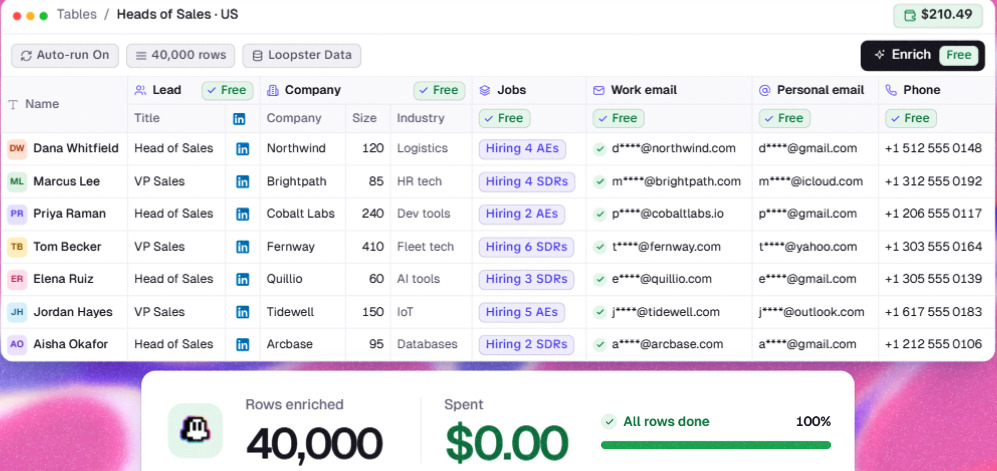
That changes how I’d build lists. If Loopster already has someone’s work email, personal email, or phone number, I pay nothing for it.
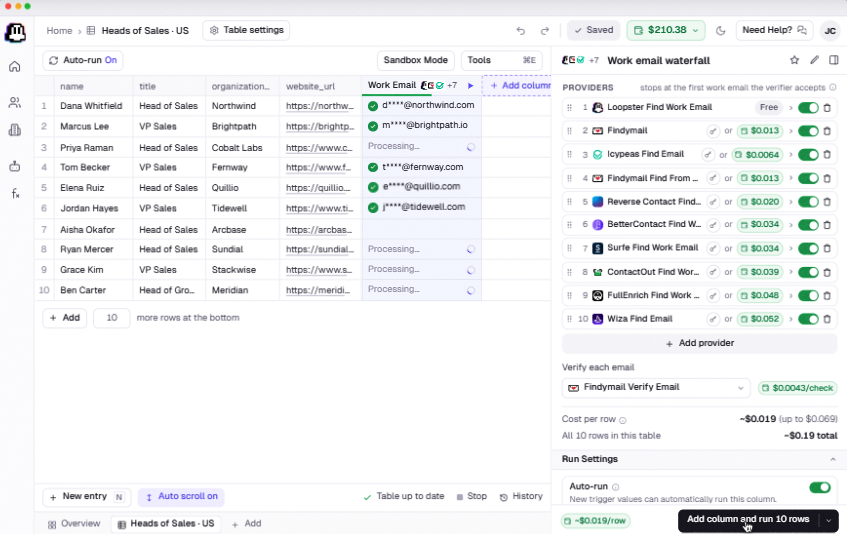
If it doesn’t, the lookup moves through a list of 50+ vendors in the order I choose, and I pay only when one returns a verified result, at that vendor’s price.
Each run shows its cost before it starts, and the charge comes from a dollar wallet that never expires.
The feature I’d use most is Functions. I can combine finding an email, verifying it, and scoring the lead in one column, test a change on five rows, see the new cost per row, then publish it across every table.
For an agency, that means building each client list the same way without recreating the workflow.
Loopgents handle research I’d otherwise give to a junior SDR, like checking whether a company is hiring SDRs, who led its last funding round, or writing an opening line about recent news. If I connect my own LLM key, those tokens cost me nothing in Loopster.
I can also manage my tables from Claude Code through the MCP. If I already work in an agent, I get a screen showing exactly what it did—something one early G2 reviewer says won him over.
But “unlimited” isn’t quite what the launch post suggests. Launch and Scale each include one workspace, so separate client workspaces cost $1,299 a month.
Tables are capped at 50,000 rows on Launch and 200,000 on Scale, daily API calls are limited, and free data is subject to a fair use policy.
I also can’t keep my data spending to myself. When I pay a vendor for an email, Loopster adds it to its shared database, making it free for other customers, including my competitors.
My tables and imports stay private, but the contacts I’ve paid for don’t.
A few more gaps would change how I plan a campaign:
So Loopster AI is a low-cost way to fill a large list with contact details. But you’ll need another tool to get that list in front of prospects.
Loopster AI launched just a few weeks ago, so there’s not much feedback to go on. It has two G2 reviews, both 5 stars and both posted in its first week.
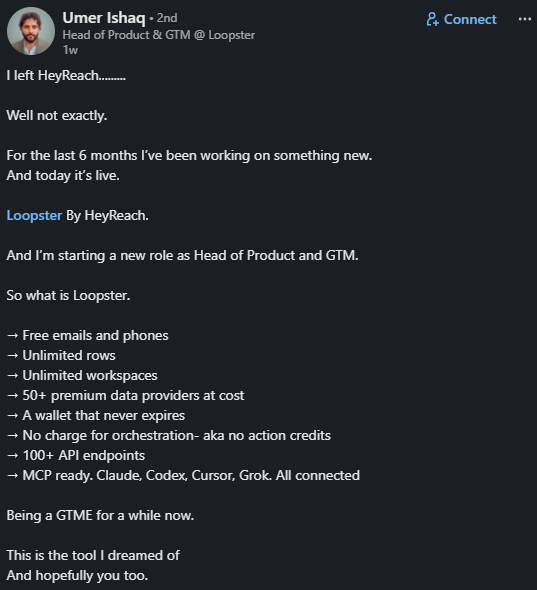
Its website adds five agency testimonials, and its LinkedIn launch posts have drawn some pointed questions in the comments.
Those questions tell me as much as the praise. They show what experienced GTM teams want to know before trusting the product with client work.
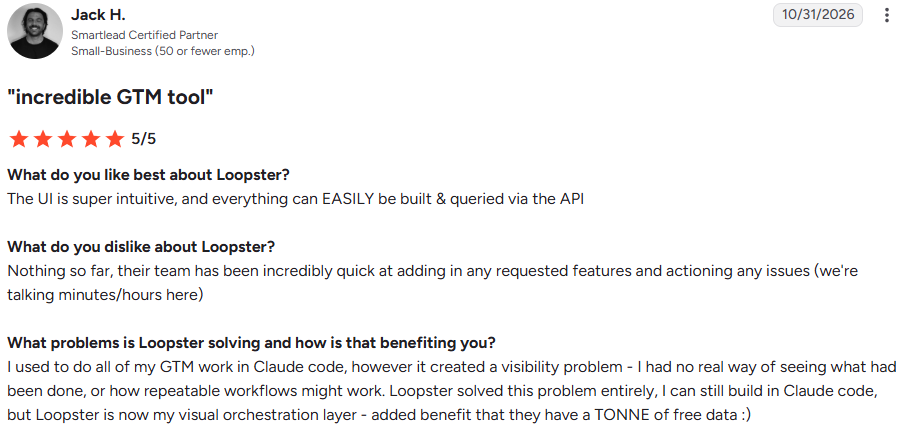
Jack H., a Smartlead Certified Partner at a small business (G2, Oct 31, 2026, 5/5), used to run all his GTM work in Claude Code.
He couldn’t see what had already been done or which workflows were worth repeating. He still builds in Claude Code, but now uses Loopster as a visual layer to see the work, and likes how much free data it includes.
He also says the team adds requested features and fixes issues within minutes or hours. That’s common for a product in its first few weeks, and worth checking again in a few months.
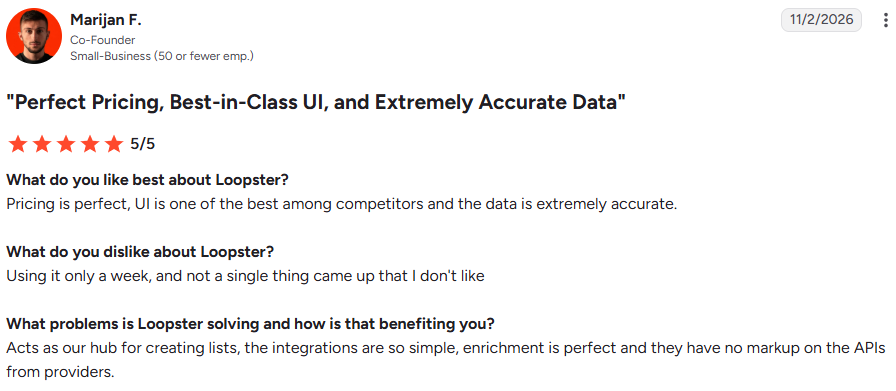
Marijan F., a co-founder at a small business (G2, Nov 2, 2026, 5/5), uses Loopster as his hub for building and enriching lists. He calls the pricing perfect and likes paying vendors their own rates, with no markup.
He also calls the data “extremely accurate,” but he’d only been using it for a week. I’d treat that as a first impression, not a proper test.
Three agency founders on Loopster’s website make the same point.
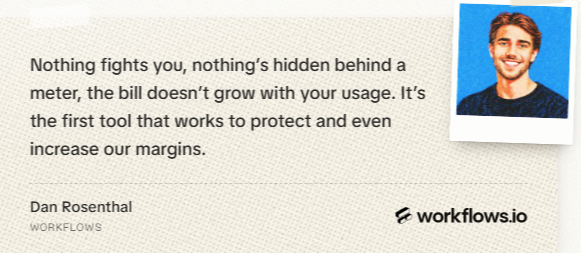
Dan Rosenthal of workflows.io says the bill doesn’t rise with usage, which protects his margins.
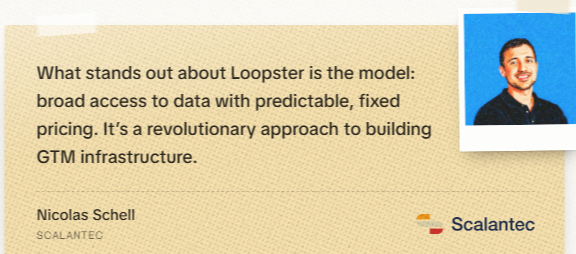
Nicolas Schell of Scalantec and Alex Fine of Understory both praise getting broad data at a fixed price.
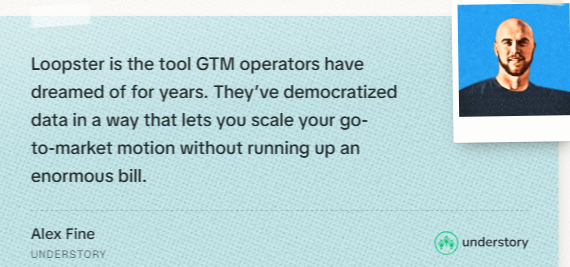
These are testimonials Loopster chose to publish, but they point to the main reason agencies might switch: credits that eat into client margins.
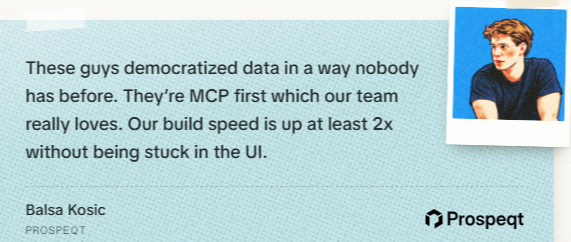
Balsa Kosic of Prospeqt says his team builds at least twice as fast by working through the MCP instead of clicking around the interface.
One more testimonial comes from Bill at SalesCaptain, who says his agency was consulted while Loopster was being built.
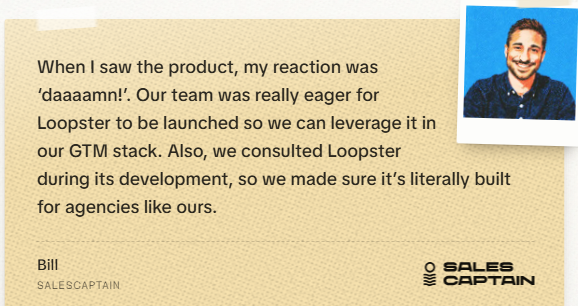
That’s fair to disclose, but it also means his view isn’t independent.
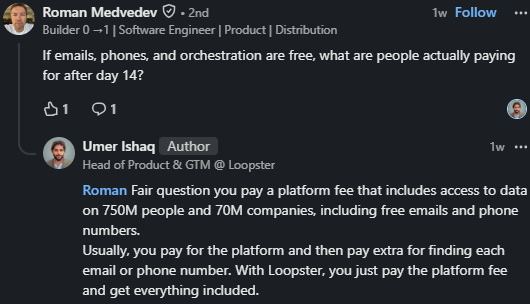
Roman Medvedev asked what people pay for after day 14 if emails, phones, and orchestration are all free.
Umer Ishaq, Loopster’s Head of Product, replied that users pay a platform fee that includes contact data, rather than paying per lookup.
That’s the trade-off to consider. At $179 a month or more, the platform fee only pays off if I’d otherwise spend more than that on data and workflow tools.
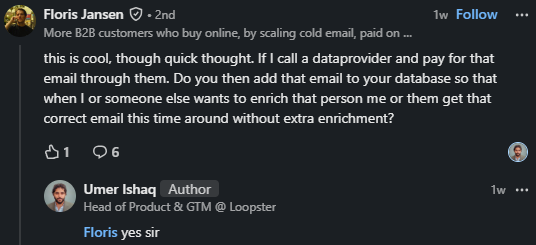
Floris Jansen asked whether an email he pays a vendor for gets added to Loopster’s database for other users. Umer’s answer was simply “yes sir.”
That means every contact I pay for becomes free for other customers, including competing agencies targeting the same accounts.
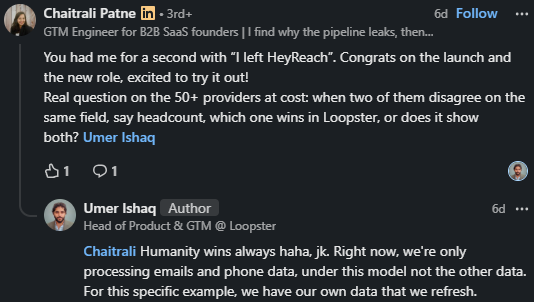
Chaitrali Patne, a GTM engineer, asked what happens when two providers return different values for the same field, such as headcount.
Umer joked at first, then said this only applies to emails and phones for now, and that Loopster refreshes its own data for other fields.
That doesn’t really explain how conflicts are resolved. If I score accounts by headcount, I’d test it myself before relying on it.
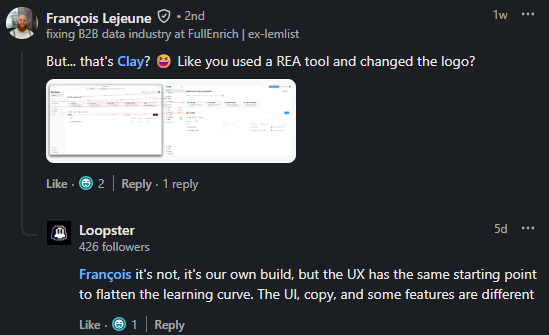
François Lejeune of FullEnrich, a competing data company, posted a screenshot suggesting Loopster looks like Clay with a different logo.
Loopster replied that it built the product itself and intentionally started with a similar layout to make it easier to learn.
For Clay users, that familiarity is a plus. It also means Loopster needs to win on price and data, not on a new way of working.
Loopster AI gives you 14 days of the Scale plan for free, with 10,000 enrichments and no card required.
That’s enough to decide whether it’s worth $179 a month or more, as long as you run the right tests.
I’d start with 1,000 to 2,000 contacts I’ve already emailed, so I know which addresses work and which have bounced. With one click, Loopster’s own database fills in work emails, personal emails, phone numbers, company details, and open jobs for $0.00.
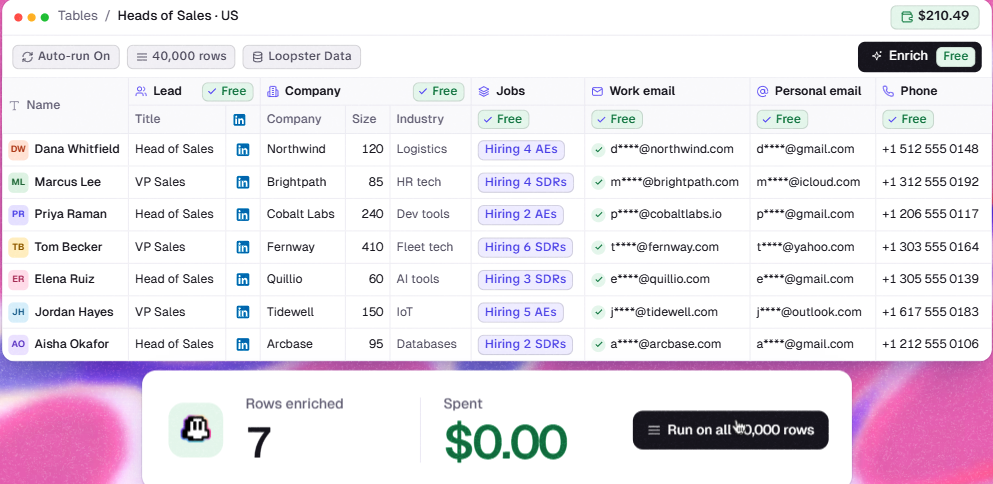
The free result only matters if it’s accurate. I’d run every free email through my usual verifier and compare it with what I already know. With 10,000 trial enrichments, measuring accuracy is a better use of them than filling a 40,000-row list.
When the free database comes up empty, the lookup moves through vendors in the order I set. The default starts with Icypeas at $0.0064 and Findymail at $0.013, then moves to Wiza at $0.052. Findymail’s verifier checks every result for $0.0043.
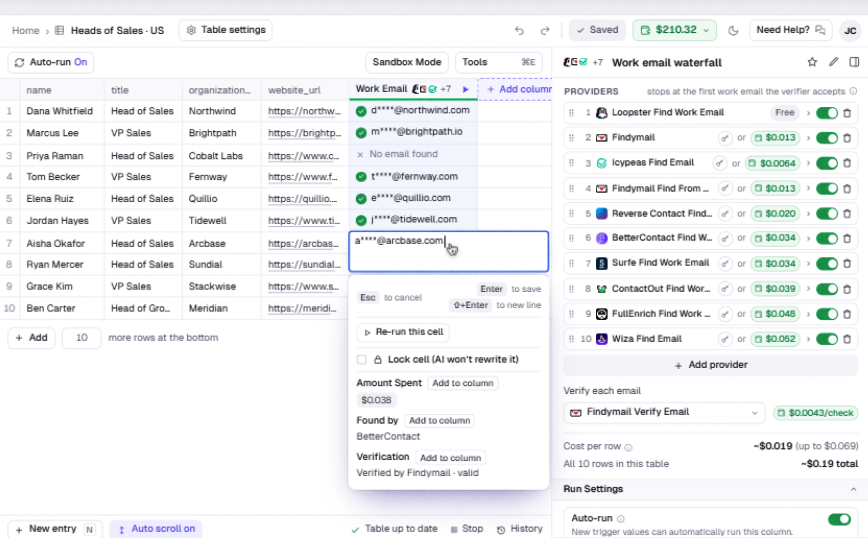
The average comes to about $0.019 per row, but a row that makes it to the end can cost up to $0.069. I’d put the cheapest accurate vendor for my market first and leave the expensive ones until last.
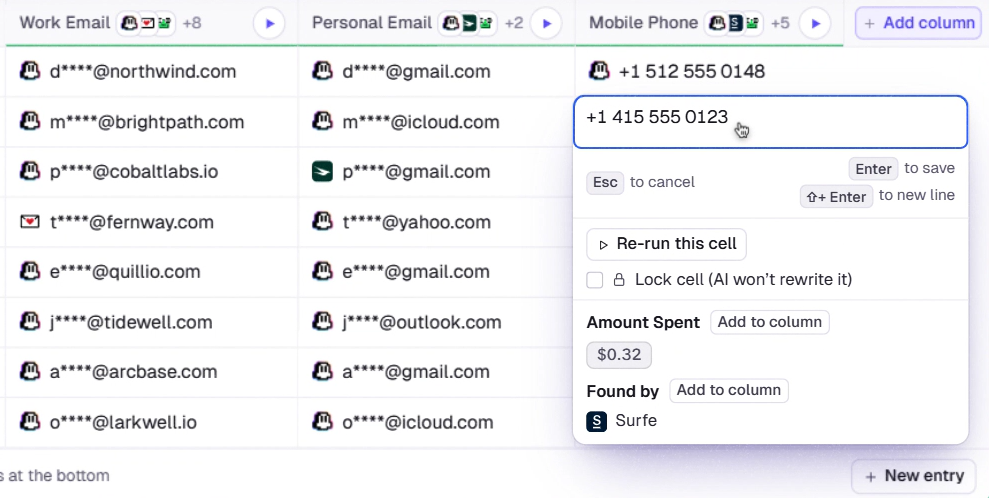
Each filled cell shows the cost, which vendor found the data, and whether it passed verification. For example, an email cost $0.038, came from BetterContact, and Findymail verified it as valid.
This image shows the amount spent, the vendor that found the email, and its verification status in Loopster.Phone lookups need a closer look. One mobile number in the examples cost $0.32 through Surfe, above the $0.28 top rate listed in the phone waterfall menu. I’d set a phone budget before running a full column.
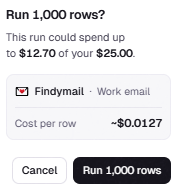
Adding a card puts $10 in the trial wallet, enough for about 790 emails at Findymail’s rate. I’d send rows to paid vendors only after Loopster’s free database misses them.
Large runs show the maximum cost and ask before starting, and auto top-up stays off until you begin a paid plan.
A Loopgent written in plain English scores each account out of 10 and gives a reason, such as “Opening 3 EU hubs” for a 9 or “Agency, not a buyer” for a 3.
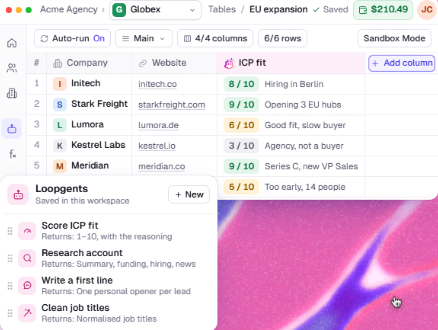
I’d run it on accounts I’ve won and lost. If lost deals score as highly as wins, I’d improve the prompt before using it. With my own Anthropic key connected, tokens cost nothing from the wallet.
Saving find, verify, and score as one function gives me a fixed cost per lead. In the examples, finding and verifying an email costs $0.024 per row, ICP scoring adds $0.012, and a company snapshot is free.
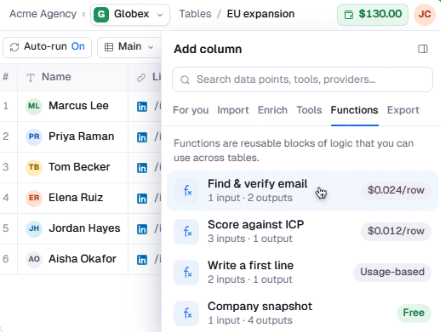
Changes go through a draft, are tested on five rows, with the new cost shown before publishing. Agencies can use the same process for every client list without rebuilding it.
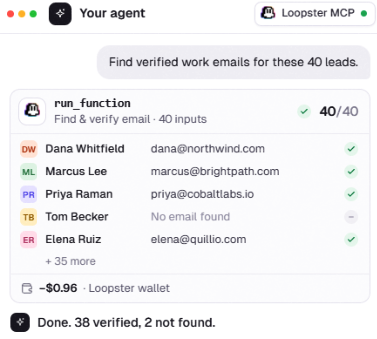
Through the MCP, I’d ask my agent to find verified work emails for 40 leads. In the example, the function returns 38 verified emails and 2 misses for $0.96, or about $0.025 per email found, and the table logs every step.
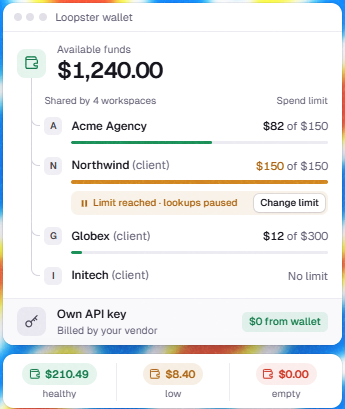
Scale includes one workspace, so per-client spending limits shown on the wallet page—such as a client paused at $150—are only available on the $1,299 Unlimited plan.
If that’s how I’d manage client work, I’d ask for an Unlimited trial before deciding.
Loopster AI charges a flat monthly fee, and every plan includes contact data from its own database.
The only additional spend is the wallet, which pays vendors when Loopster doesn’t have a contact and covers AI columns.
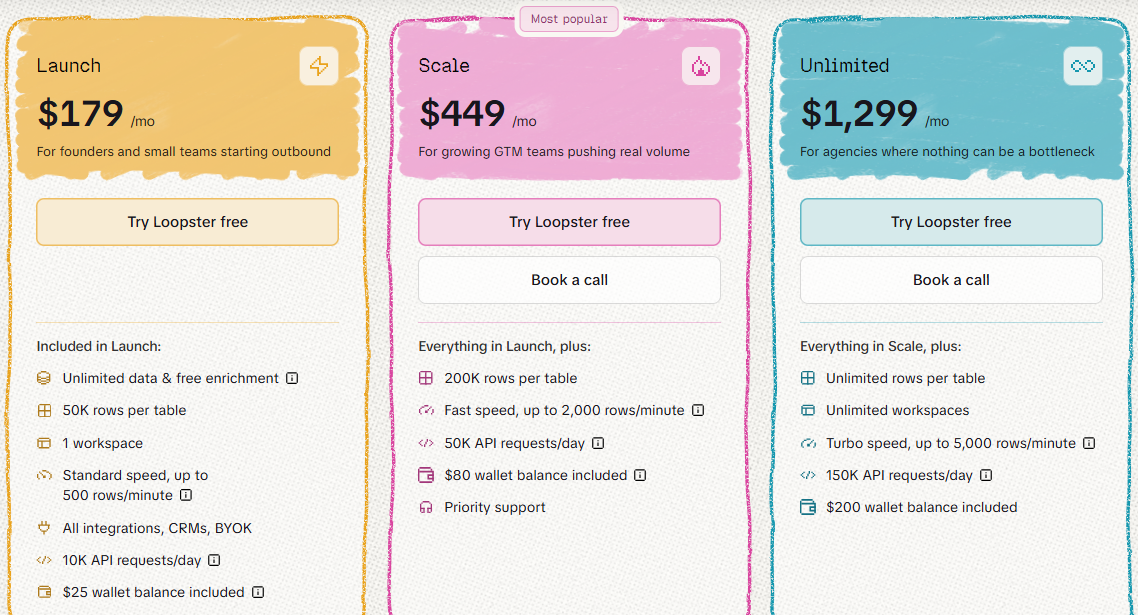
The flat fee only makes sense if I’d otherwise spend more than that on data. At Leadsforge’s $49 plan rate, a verified email works out to about $0.025. At that rate, Launch pays for itself at roughly 7,300 found emails a month.
Phone numbers change the math quickly. Each one costs 10 Leadsforge credits, or about $0.25, so Launch is cheaper at around 730 numbers a month. If my outreach includes calling, the flat fee pays off much sooner.
If I handle fewer than a few thousand contacts a month, I’d be paying $179 for a workspace I barely use.
Moving from Launch to Scale costs $270 more a month. In return, I get four times as many rows per table, four times the speed, and five times the API requests but still only one workspace.
Moving from Scale to Unlimited costs another $850. It’s the only plan with separate client workspaces and per-client spending limits, which most agencies will want.
The trial uses Scale, so I’d be testing with larger tables and faster runs than Launch allows. If I plan to buy Launch, I’d keep my trial lists below 50,000 rows to test what I’d actually be paying for.
When someone asked who Loopster AI is for under the launch post, Umer Ishaq, its Head of Product and GTM, named agencies, SMBs, and startups.
He described the ideal customer as someone tired of paying for data and a platform at the same time, then paying again just to try to get data.
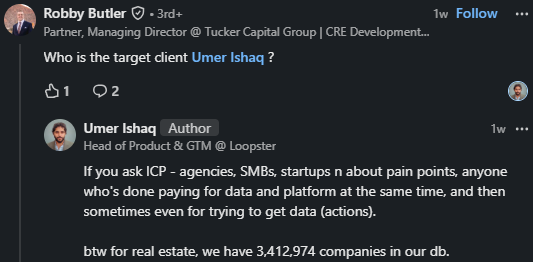
That fits how I’d use it. I’d consider Loopster AI if I enrich thousands of contacts every month and get tired of credits running out before the campaign does.
I’d skip Loopster AI if I needed a tool that takes a list all the way to sent emails, or if my monthly volume were low.
Loopster AI and Leadsforge do the same first job: find the right people and get their contact details.
The difference is in how you pay and where the list goes next. Leadsforge starts at $49 a month instead of $179, charges only for contacts it finds, and sends finished lists straight into Salesforge, where the rest of the campaign runs.
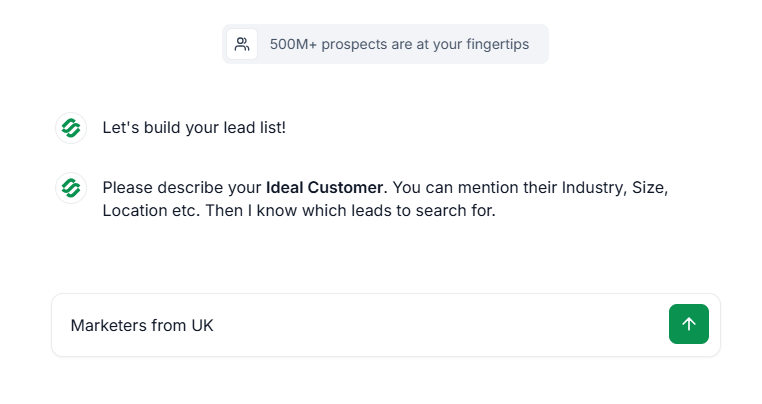
I type who I’m after, like “CEOs in healthcare across EMEA and the Americas,” and Leadsforge returns contacts ranked by how well they fit. I can narrow by title, seniority, department and location before I spend a credit, and counting a market is free up to 1,000 times a month.
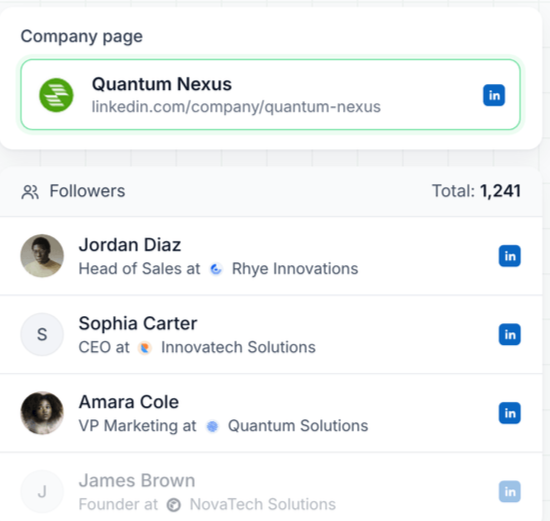
Leadsforge pulls the people who follow any company’s LinkedIn page. If that company is my competitor, those are people already paying attention to my category.
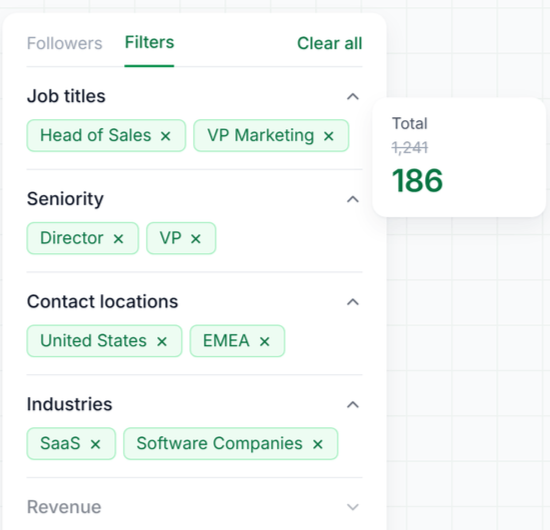
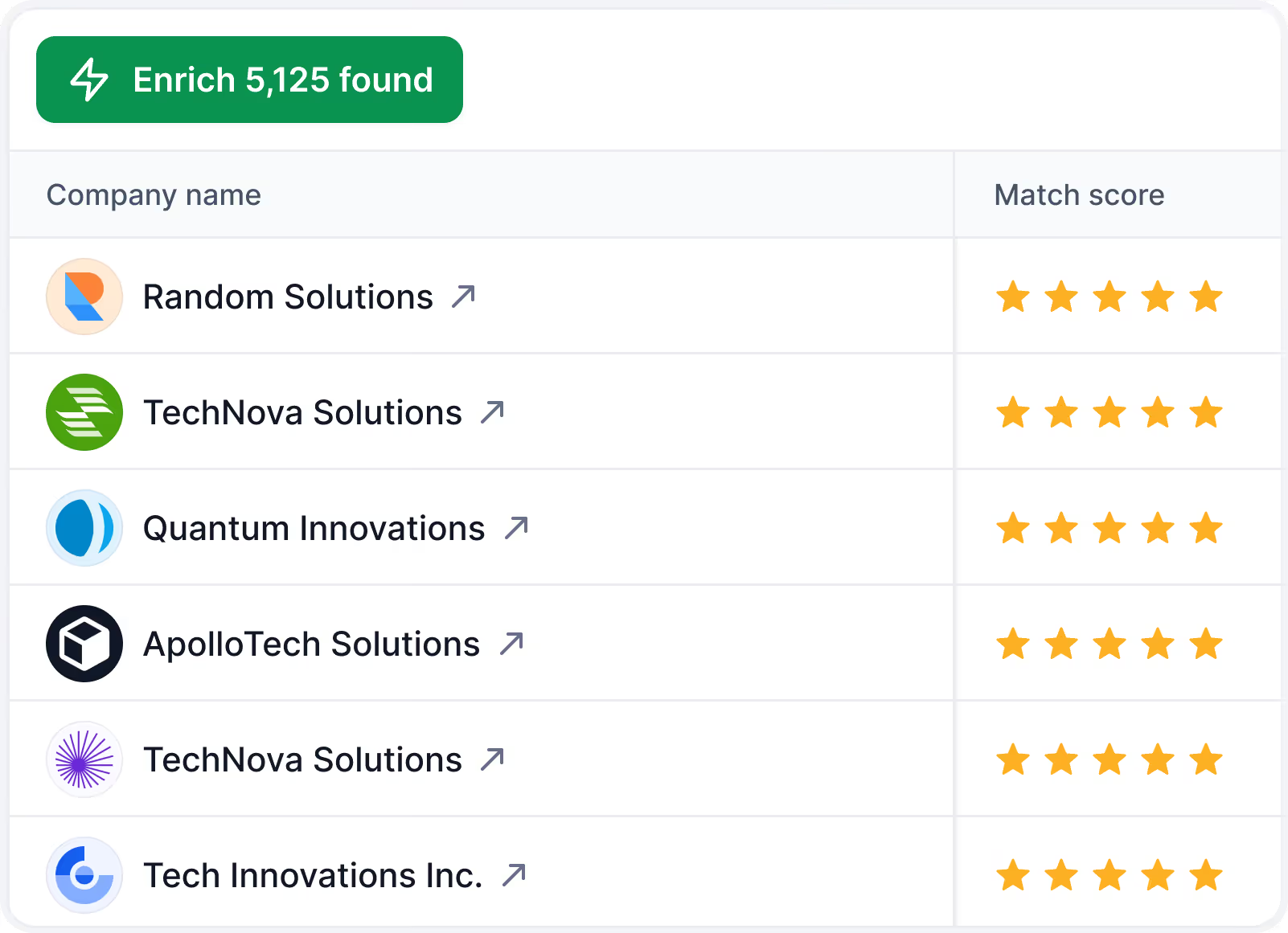
It also finds companies similar to up to 10 of my best customers, ranked by match. That’s how I’d grow a list from accounts I’ve already closed instead of guessing at filters.
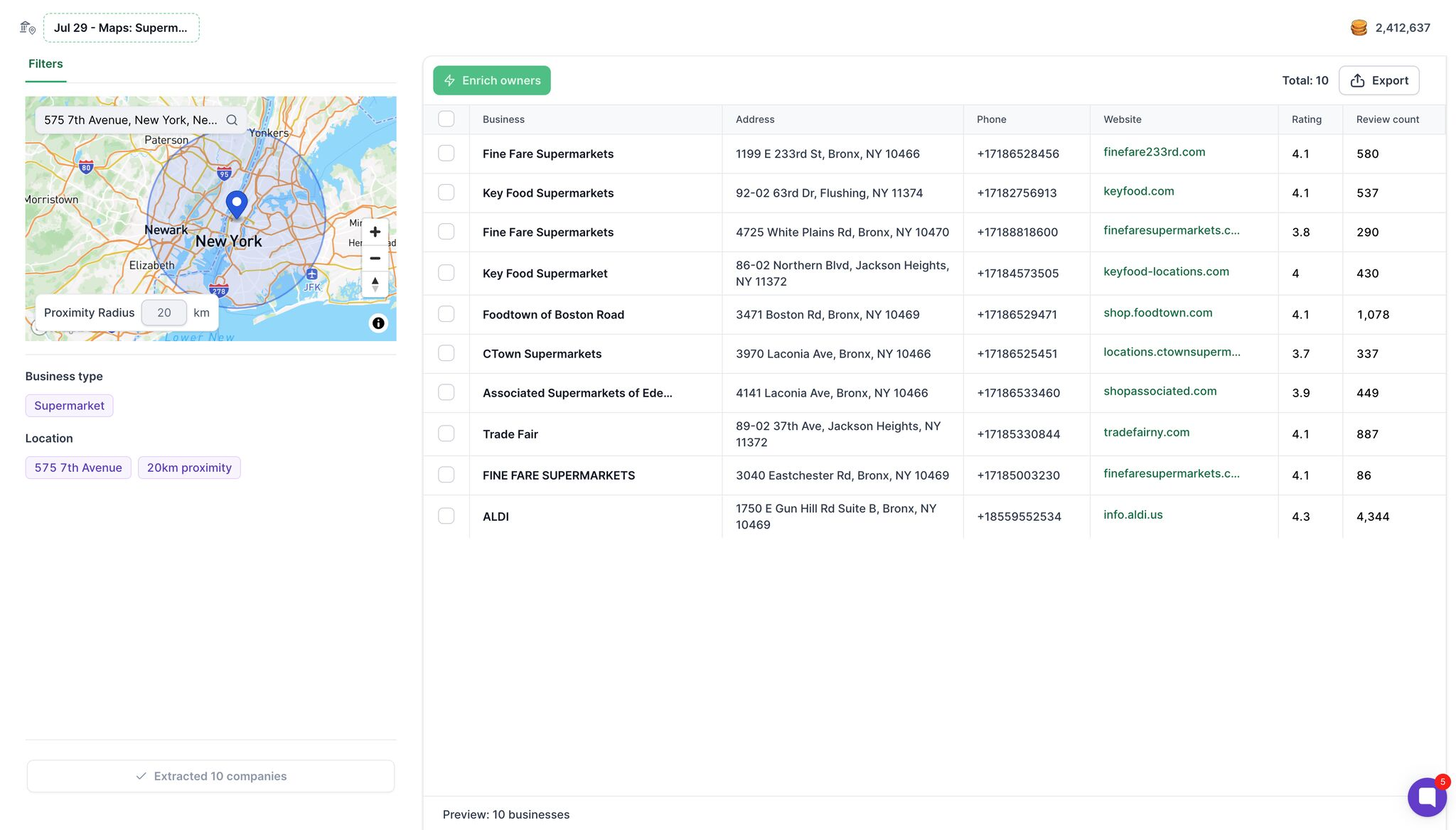
For local markets, it searches Google Maps businesses by category and radius, then finds the owners of up to 200 of them per search.
Before a search runs, I can exclude emails, domains and LinkedIn URLs already in my CRM. Loopster gives me contacts someone else already paid for. Leadsforge makes sure I don’t pay again for ones I already have.
An email costs 1 credit and a phone 10 credits, and neither costs anything when nothing comes back. Bulk jobs reserve credits upfront and settle on actual results, and a retried request doesn’t charge twice. If I stop my plan, the API keeps working on credits I’ve already bought.
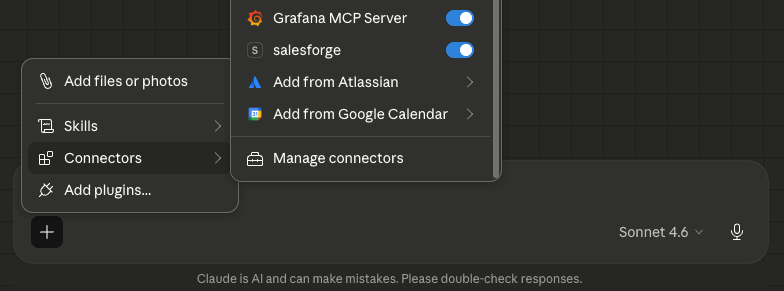
Through the Forge MCP, I can ask Claude to search Leadsforge, enrich the results and check my credit balance without opening a dashboard.
Enter your email to get a custom plan & stack recommendation for your business
Please check your mailbox in 5 minutes
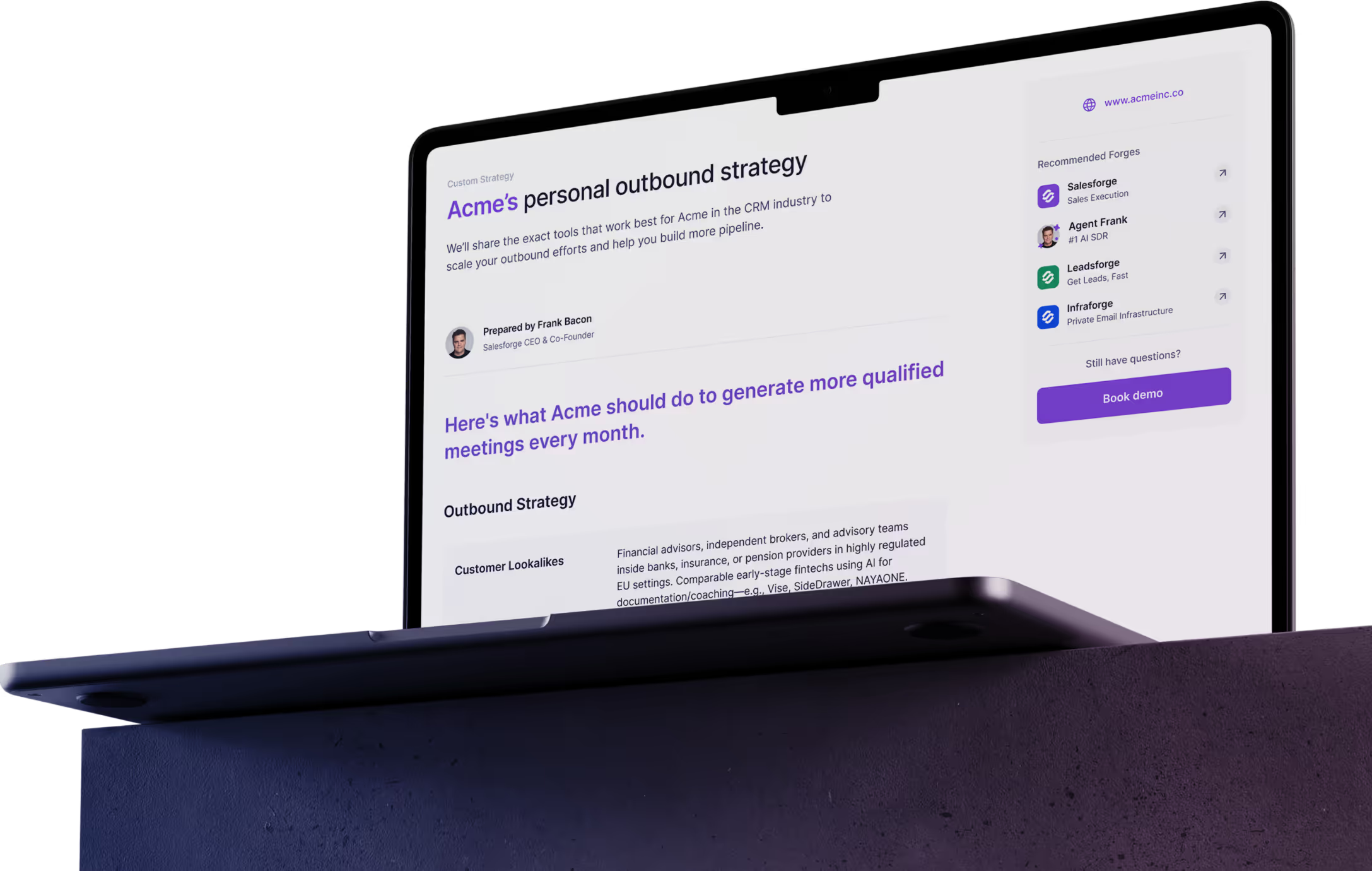
Loopster AI is worth it when three things are true:
If all three apply, the flat fee will likely cost less than paying per contact, and the tables are familiar enough to move your Clay workflows over in a week. Use the 14-day trial to test the second point before you pay.
If even one doesn’t hold, or you’d rather not add a separate sending tool to your list, I’d start with Salesforge. Find leads in Leadsforge for 1 credit per email found, send them through email and LinkedIn in one sequence, and let Warmforge protect your domains.