

Personalized Outbound Strategy
Get The Right Outbound Strategy In Minutes
Enter your email to get a custom plan & stack recommendation for your business
It's being carefully crafted by AI
Please check your mailbox in 5 minutes
If you are comparing Clay vs Claude Code, do not start with features. Start with ownership.
Clay is the better default when sales or RevOps needs a repeatable GTM data workflow: enrichment steps, waterfall logic, validation, routing, CRM field prep, and review before records move downstream.
Claude Code is better when a technical operator needs custom research, scripts, internal automation, data cleanup, or workflow prototypes across files, APIs, and internal systems.
For production outbound, neither tool is the whole system. Clay and Claude Code can help decide who to contact and why and Salesforge is where that work turns into sending, mailbox health, LinkedIn and email execution, replies, and performance loops.
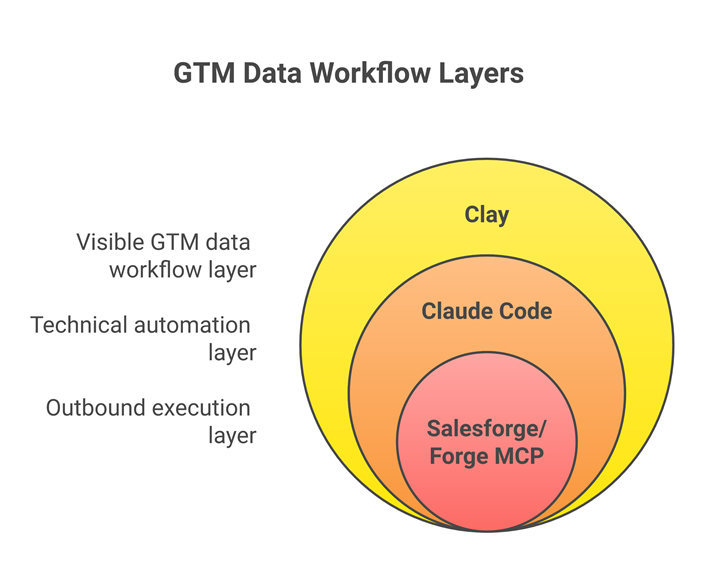
Use Clay when the workflow touches prospect records, enrichment credits, waterfall logic, CRM fields, or seller handoff. Clay brings data enrichments, intent signals, AI-led research, conditional logic, CRM/email destinations, and 150+ data providers into a visible GTM workflow layer, which makes it easier to audit before a bad batch reaches your CRM or sequencer.
Use Claude Code when the workflow is technical, context-heavy, or internal. Claude Code reads files, edits files, runs commands, works in terminal and IDE environments, and integrates with development tools, so it fits tasks like CRM export analysis, custom scripts, API glue, data cleanup, and workflow prototyping.
The buyer's shortcut:
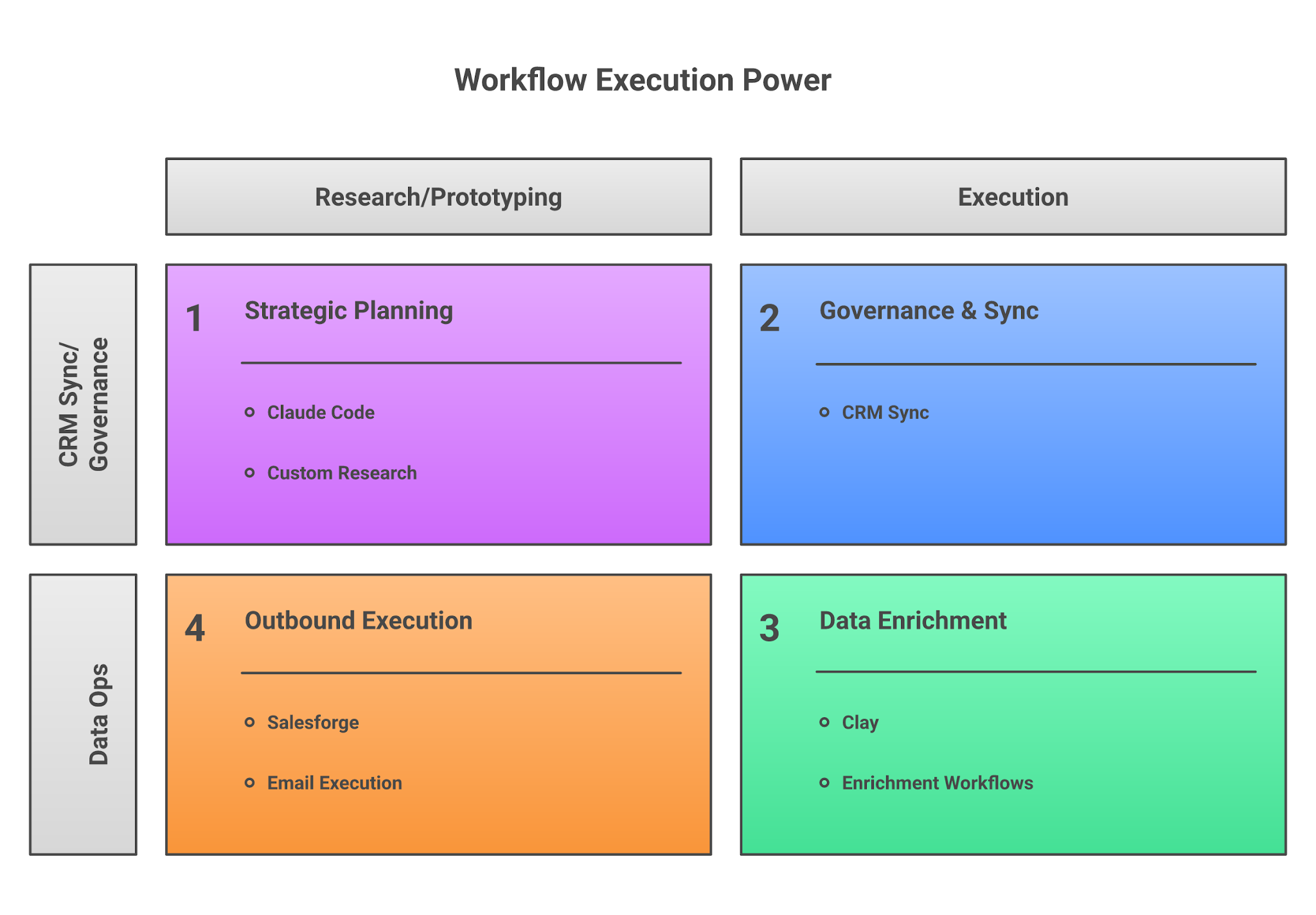
I evaluated Clay and Claude Code the way operators evaluate sales workflow software in practice, workflow ownership, inspectability, failure handling, credential risk, CRM write safety, cost control, maintenance burden, and readiness for outbound execution. I compared:
The key distinction is clear. Clay packages GTM data operations for sales teams. Claude Code gives technical owners an agentic coding surface across files, commands, code, and tools.
Read - How to Use Claude Code With Clay to Run Outbound at Scale
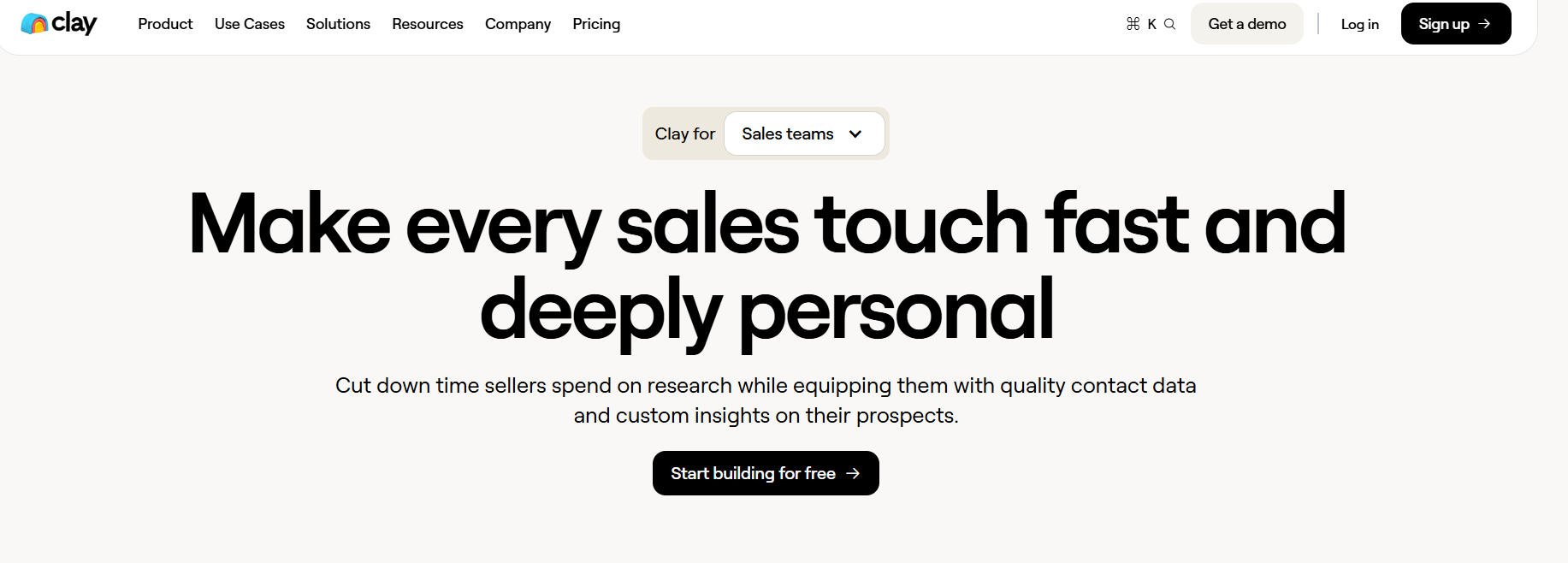
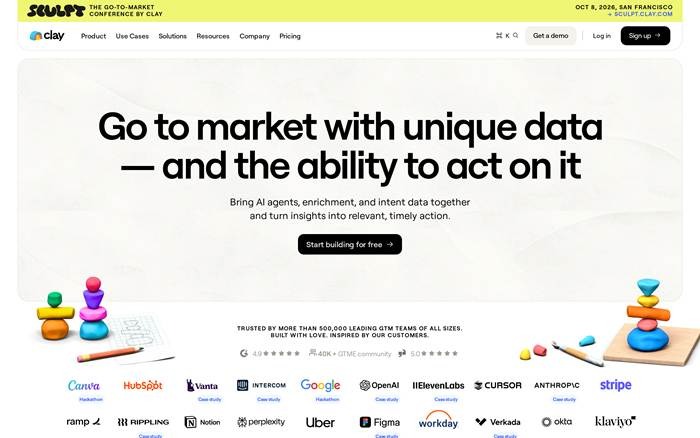
Clay is built as a GTM data and workflow layer. Its homepage positions the product around AI agents, enrichment, intent data, and action, with use cases like CRM enrichment, outbound, account research, rep prospecting, signals, and sequencer handoff.
In practice, Clay fits the middle of the outbound machine, after you know the ICP, but before the list enters sales execution.
Clay is still the better default for visible enrichment work. If a RevOps manager wants to see each prospect row, enrichment step, contact field, and output before it reaches the CRM, Clay fits the job.
Clay's advantage is the visible operating surface around the data. Teams can inspect rows, review columns, compare provider output, and decide what moves forward.
Claude Code can build an enrichment script. A technical operator can connect APIs, process CSVs, validate outputs, and generate a clean file. But once that workflow needs routine sales-team review, Clay is easier to maintain because the workflow is not hidden in code, logs, or a terminal session.
Clay wins when the workflow depends on provider fallbacks. If provider one fails, try provider two. If a phone number is missing, use another source. If an email confidence score is too low, hold the record.
You can build that in Claude Code. The question is whether you want to own it forever. Once a Claude Code workflow becomes a real enrichment pipeline, someone has to maintain provider choices, retries, rate limits, logging, exception handling, and spend controls.
That is engineering work. It is a bad trade when the team only needs a clean prospect table.
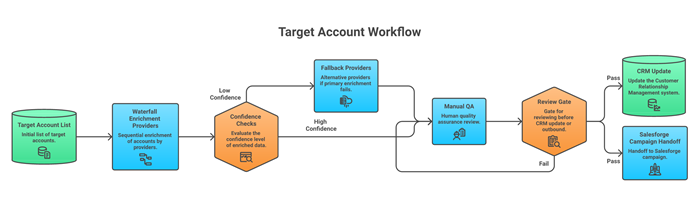
Clay is safer when humans need to approve records before anything touches a CRM or sequencer. Bad enrichment does not stay contained. It becomes wrong CRM fields, bad segmentation, broken personalization, bounced emails, duplicate contacts, and campaigns sent to people who should have been excluded.
A practical review gate should include fields like company domain, job title, seniority, verified email, role match, exclusion reason, source confidence, and the exact CRM fields that will be changed.
Clay gives sales and RevOps teams a natural place to review that work. Claude Code can add approval checks, but then you are building your own workflow UI, logs, and governance.
Clay is easier to adopt when the users are sellers, SDR managers, GTM operators, or RevOps generalists. Most sales workflows fail at the adoption layer. The workflow works once, then the field mapping changes, or no one trusts the output enough to use it. Clay gives the team a shared surface. Claude Code gives a technical owner a build surface.
Clay becomes painful when the work behaves more like software than enrichment: custom logic, internal APIs, stateful workflows, or versioned automations. That is where Claude Code starts to win.
Clay also now has a Claude connector. It means Claude can use Clay's people, company, and research context inside a Claude session for prospecting, account research, contact discovery, and outbound drafts.
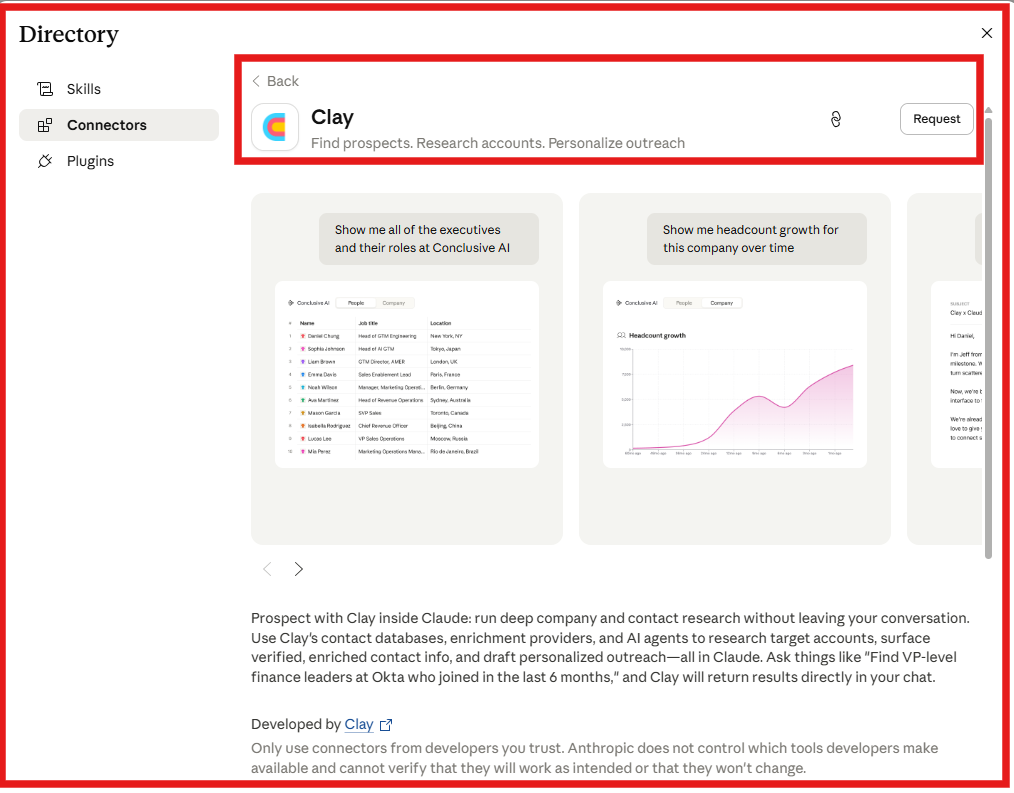
That is useful for sellers who want a natural-language research surface. It still depends on Clay as the underlying GTM data layer.
Read -How I Use Claude Code Automation to Launch 50 Multi-Channel Campaigns in One Day
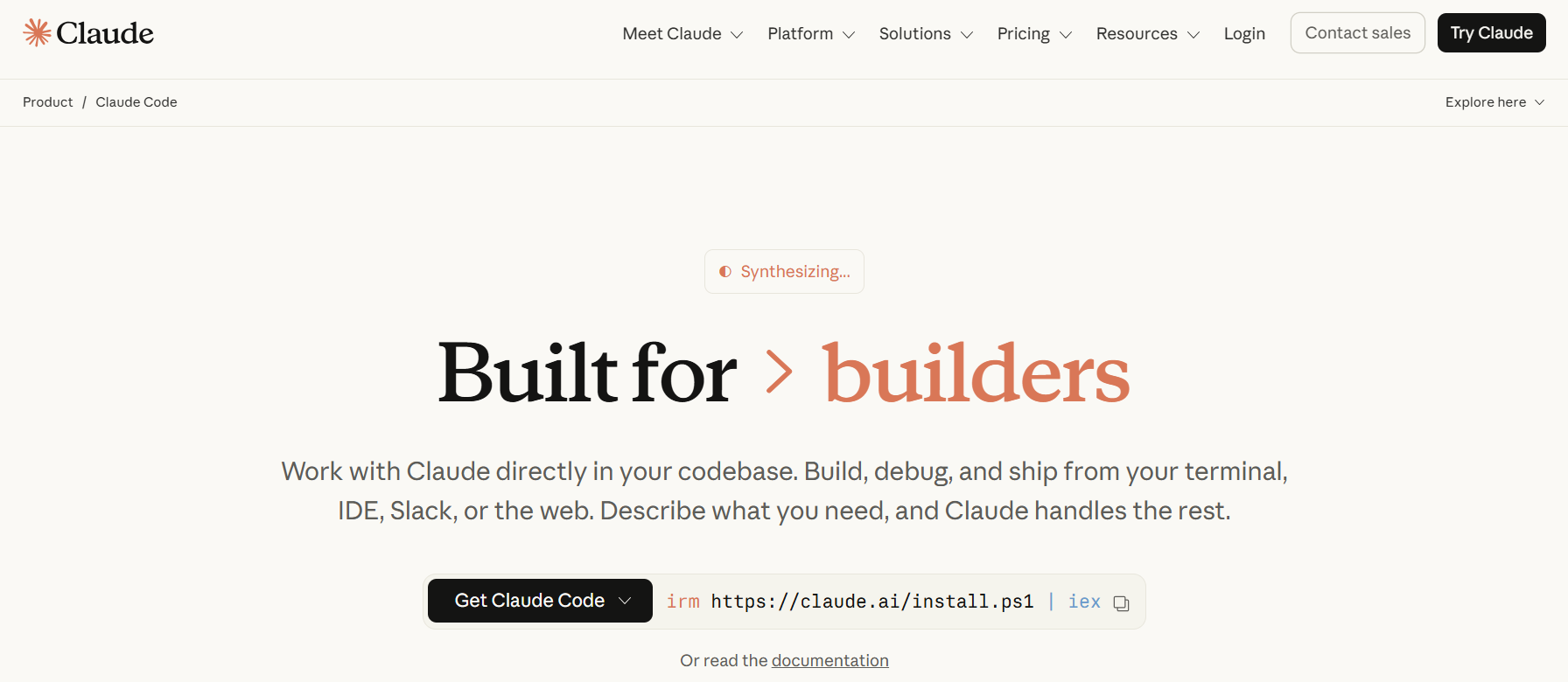
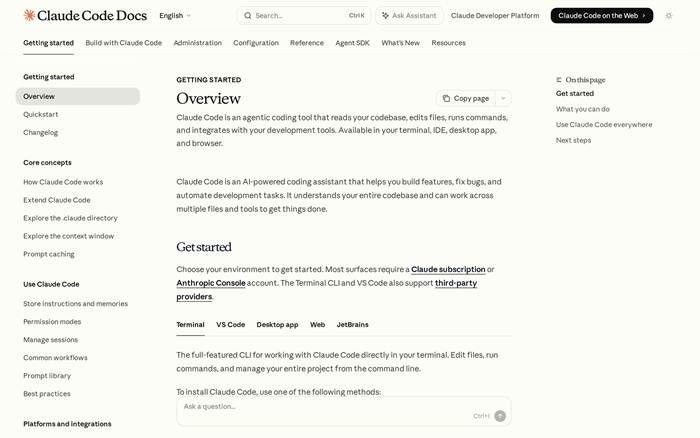
Claude Code is not a sales workflow platform. It is an agentic coding tool that can read a codebase, edit files, run commands, and connect with development tools across terminal, IDE, desktop, and browser surfaces.
That makes it useful for GTM teams with technical ownership. It can analyze CRM exports, work across CSVs and internal docs, write scripts, connect to APIs, and prototype workflow logic before the team commits to a repeatable operating model.
Claude Code is better when the input is messy and the output needs judgment plus code: compare a CRM export against product usage data, map account names to domains, pull job pages into structured research, or build a repeatable scoring script before Clay or Salesforge touches the segment.
Clay can handle a lot of structured GTM work. Claude Code is stronger when the work starts outside a neat GTM table. This is where the Claude Code surface matters. It can work in a terminal, IDE, desktop app, and browser; edit files; run commands; and use development tools.
A technical GTM owner can move from "analyze this export" to "write the transform, run it, inspect the output, and keep the reusable script."
Claude Code is better when the workflow crosses systems that Clay does not own.
For example, pull product usage data, compare it with CRM firmographics, detect accounts with three active users and no open opportunity, create an account-priority file, then generate a campaign brief. That is not just enrichment. It is internal automation.
Clay can connect GTM data sources and destinations. Claude Code is the better builder when the automation has to live around internal systems, custom APIs, repositories, scripts, and command-line tools.
Claude Code wins when the workflow should be versioned. If the logic matters enough to review in Git, rerun in CI, or share across a technical team, it probably belongs closer to Claude Code than Clay.
Clay is strong as a live GTM workflow surface. Claude Code is strong when the workflow becomes code: scripts, prompts, tests, config files, documentation, and repeatable commands.
That matters for agencies and technical GTM teams building reusable systems across clients or segments. A Clay table can be copied. A code-owned workflow can be reviewed, versioned, tested, and extended. The tradeoff is ownership.
Claude Code becomes much more useful for sales when MCP gives it access to real operating systems. Without MCP, a lot of GTM work inside chat turns into copy-paste. With MCP, Claude Code can connect to tools and use them directly when permissions allow it.
Clay has moved into this pattern with its connector in Claude, bringing prospecting, account research, verified contact information, and outreach drafting into Claude using Clay context.
That changes the Clay vs Claude Code answer. Claude Code is not only competing with Clay. It can also operate the systems around Clay.
The table is the whole comparison in one sentence, Clay packages GTM workflows; Claude Code helps you build software. If the buyer cannot maintain code, Clay is usually safer. If the workflow is too custom for a SaaS table, Claude Code becomes more useful.
Check out - Claude for Enrichment: Can It Help With Better Prospect Data?
The pricing models expose the real Clay vs Claude Code decision. Clay charges for packaged GTM workflow usage. Its free tier includes 500 actions per month and 100 data credits per month, while paid tiers add larger action and data-credit pools.
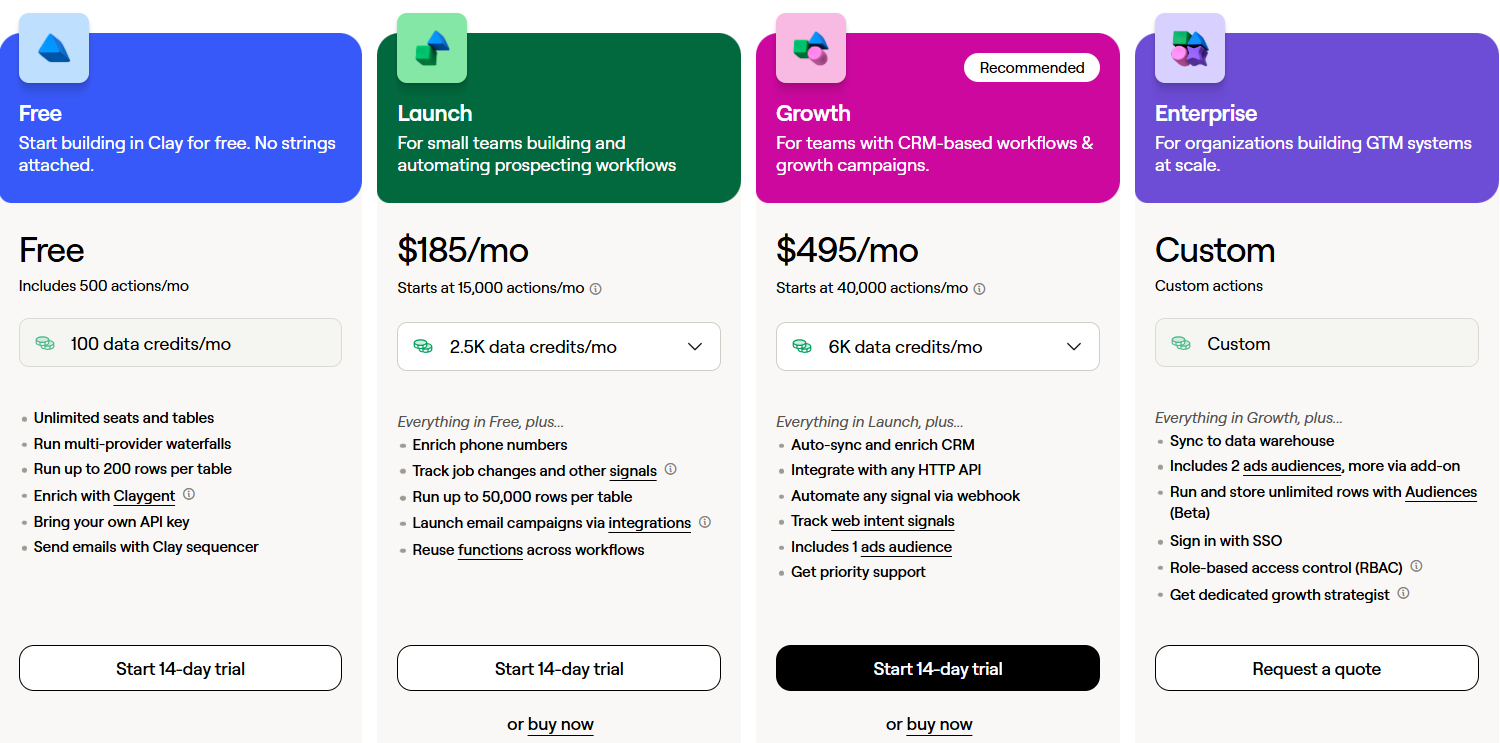
Clay also separates Data Credits from Actions, credits buy data from its marketplace, while actions cover orchestration such as enrichment, AI model calls, third-party syncs, and exports.
The buying advice. Clay is fair when enrichment coverage and operator speed are worth the credit spend. It gets expensive when teams enrich every record, run too many research steps, or let reps use credits without clear budget rules.
Claude pricing is different. Claude Code is included with every Claude Team plan seat, and Team or Enterprise users can access Claude Code through one subscription path.
Claude Pro, Max 5x, and Max 20x are listed at $20, $100, and $200 per month, respectively, in Anthropic's plan guidance. Enterprise access can also include usage-based billing on top of seat cost, where usage across Claude, Claude Code, and Cowork is billed at API rates.
The buying advice: Claude Code looks cheaper if you compare only the subscription cost against Clay credits. But you also need to count engineering review, provider fees, hosting, data storage, QA, monitoring, and fixes when the workflow breaks.
Clay shifts cost into a visible GTM workflow bill. Claude Code shifts cost into ownership.
Sometimes. Usually not for the team that is asking the question. Claude Code can replace Clay when the team has a technical owner ready to maintain provider selection, enrichment calls, retries, deduplication, validation, logging, approvals, spend controls, CRM writes, and data storage.
That is a real path for GTM engineers, technical founders, and agencies with internal tooling discipline. It is not a good default for RevOps teams. Ask these questions before replacing Clay:
• Who chooses the enrichment providers?
• Who reviews failed rows and partial matches?
• Who prevents unapproved CRM writes?
• Who tracks cost per enriched prospect?
• Who owns rate limits, errors, and retries?
• Who explains the workflow to a new SDR manager?
If those questions point to RevOps ownership, Clay is the safer answer. If they point to engineering ownership, Claude Code can replace parts of Clay or sit before it as a custom automation layer.
For outbound teams, Clay and Claude Code are both upstream from the sending problem, but Claude Code can become much more useful when it has access to the right outbound tools.
Clay helps decide who to contact and why. Claude Code helps build custom systems around that decision. Salesforge is the execution layer that turns those decisions into live email and LinkedIn outreach with mailbox infrastructure, warmup, reply management, sender rotation, and campaign operations.
When Claude Code is connected to the Forge MCP endpoint, it can work across Salesforge, Infraforge, Primeforge, Mailforge, Warmforge, and Leadsforge from one assistant workflow.
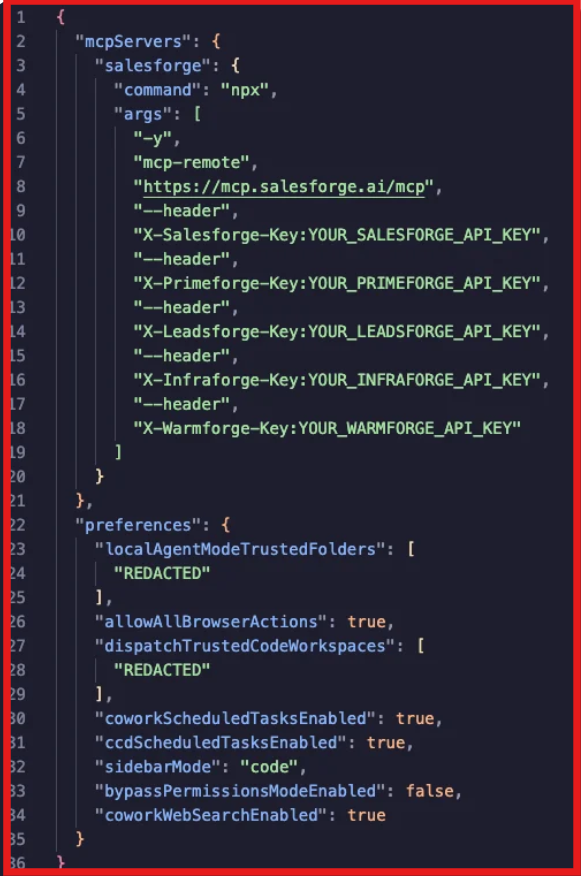
That gives Claude Code an operating surface for the outbound stack after the research layer is ready. A weekly outbound workflow can look like this:
Without an outbound platform, Claude Code is mostly a builder, useful for scripts, pipelines, and internal tools, but not a finished GTM workflow. With Forge MCP access, Claude Code can operate the outbound layer directly.
Also Read - How to Automate LinkedIn Outreach with Claude Code and Salesforge MCP
Enter your email to get a custom plan & stack recommendation for your business
Please check your mailbox in 5 minutes

Clay and Claude Code solve different problems. Choose Clay if you want visible, repeatable GTM workflows that sales and RevOps teams can manage without engineering support. Choose Claude Code if you need custom automations, internal tooling, or workflows built around APIs and code.
If the goal is outbound execution after the research is done, connect either workflow to Salesforge for email and LinkedIn outreach.
Try Salesforge for outbound execution now!
.jpg)

![How to Use Jev for Cold Email Agents [Step-by-Step Guide]](https://cdn.prod.website-files.com/6436c3ac9f9fd0594d00b9fc/6acbd25fa19716f481a8dc43_Duplicate-me-open-graph%20(67).jpg)

![How to Use Jev for LinkedIn Outreach [Step-by-Step Guide]](https://cdn.prod.website-files.com/6436c3ac9f9fd0594d00b9fc/6acbc875da442e046e263670_Duplicate-me-open-graph%20(66).jpg)