Every outbound program lives or dies on the quality of its lead data. Half-filled lists burn rep hours, kill reply rates, and slowly wreck your sender reputation.
Data enrichment is the fix. This guide covers what it is, the five types of data worth enriching, how modern enrichment works in 2026, and how I automate the whole thing with Leadsforge.
Let's dive in.
Data enrichment is the process of adding missing details to a lead profile so your reps can run personalized outreach at scale. It sounds simple, but the practical difference it makes is enormous.
Here's an example from my own workflow.
Last quarter I exported 500 leads from LinkedIn Sales Navigator for a mid-market SaaS campaign. All I had was a name, a job title, and a company name per row. That was the raw input. Thin. Not enough context to write a single relevant email.
After running the list through enrichment, each row had a verified email, a direct dial, the company's tech stack, the last funding round, and behavioral signals from the past 30 days. Same 500 leads, completely different starting position.
Now compare the emails my rep could send with each version of the list.
Without enrichment: "Hey [First Name], I hope this email finds you well."
With enrichment: "I noticed you just added Salesforce and are hiring three AEs. Here's how we help new SDRs ramp faster."
That gap between the two emails is the whole point of data enrichment. And it's the reason I've stopped running any campaign without an enrichment layer sitting upstream.
Before we get into how it works, it's worth understanding what happens when you skip it. Skipping enrichment doesn't just mean fewer replies.
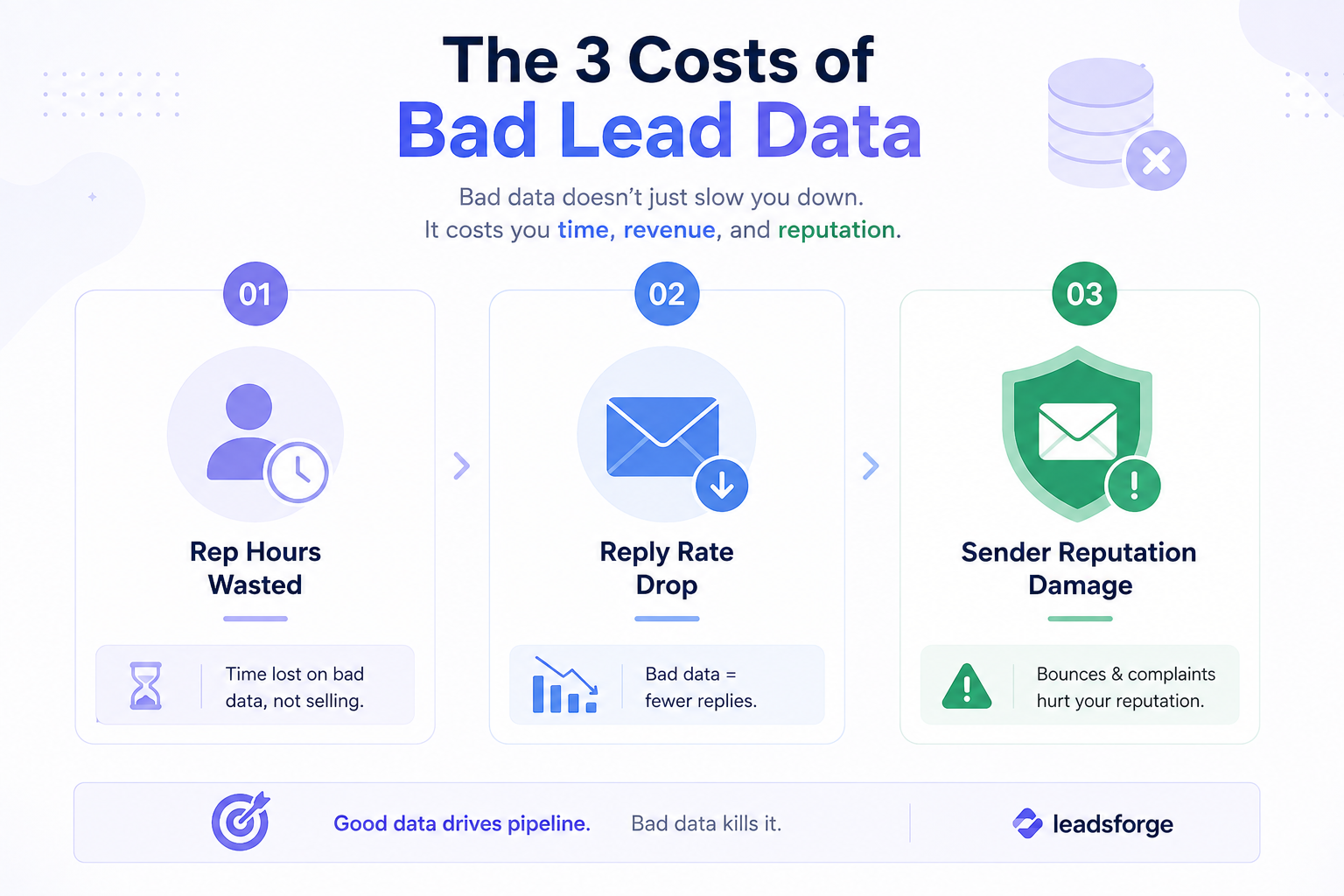
In my experience, it quietly damages three parts of your outbound program at once.
When lists show up half-filled, someone has to fill them in. Usually that's an SDR who should be selling instead.
I've timed this on my own team. At 15 minutes per lead, researching 20 leads a day eats five hours. Scale that across a five-person team and you've lost 25 hours a week to manual data entry. That's more than half a full-time role, burned on work that automation handles in seconds.
The kicker is that most of this time is invisible. It never shows up as a line item, so leadership doesn't see the cost until reply rates start slipping.
Even worse than lost hours is what happens to your messaging. Without enriched data, personalization becomes a lie.
Reps end up sending the same "Hey [First Name], I noticed you're in [Industry]" template to 500 people. Reply rates collapse within a week. I've seen this pattern on every underperforming outbound team I've audited, and the root cause is almost always the same. The data upstream isn't giving reps anything real to work with.
Personalized outreach that references role, company stage, or a specific business signal wins consistently. You can't fake this at scale. Either you have the data to do it or you don't.
The third cost is the one most teams don't connect back to enrichment at all.
Outdated emails don't just bounce. They damage your domain's reputation with Gmail and Outlook. Every bounce sends a signal to inbox providers that your sending patterns look sloppy, and enough of them in a row triggers throttling on your domain.
Here's the piece that makes this worse. B2B contact data decays at roughly 20-30% per year. So if your list hasn't been refreshed in six months, a big chunk is already stale before your first send. Enrichment isn't just a lead-quality problem. It's a deliverability problem too.
Now that the cost of skipping enrichment is clear, let's look at what enrichment actually adds to a lead record. Not all enrichment data is equal, and knowing which layers matter helps you pick tools that cover them properly.
Here's the quick view first, and I'll walk through each type below.
Contact data is the foundation. Verified emails, direct dials, and LinkedIn URLs are the fields most teams start with.
The word "verified" is doing the heavy lifting here. Just having an email isn't enough. If it hasn't been checked against active mailbox status recently, you're gambling with your sender reputation on every send.
In my own testing, modern tools verify at request time rather than pulling from a stale cache. That single difference has a bigger impact on my bounce rates than any other setting I adjust.
Firmographic data covers company-level details. Employee count, industry, revenue band, funding stage, HQ location.
This is what lets you segment a list into "startups under $5M ARR" versus "mid-market SaaS between $50-200M." Without it, you're either blasting one generic pitch to everyone or manually researching every account before touching it. Neither scales.
Technographic data tells you what tools the company already uses. When I'm selling to a marketing team, knowing they run HubSpot versus Marketo changes my entire opener.
"I saw you're on HubSpot" is a real opener. "I hope this finds you well" is not. That one piece of enriched context often decides whether the email gets a reply or gets ignored.
Behavioral data captures how the prospect has interacted with your content or your competitors'. Website visits, whitepaper downloads, webinar attendance, product page views.
I use behavioral data mostly to change the timing of my outreach. Someone who visited my pricing page last Tuesday is a very different lead than someone who's never heard of me. My email to them shouldn't be the same, and my sequence cadence shouldn't be either.
Intent data tells you when a prospect is actively researching a solution like yours right now. Not last quarter. This week.
It comes in a few flavors, and each one adds a different angle to your prioritization:
The teams I've seen ignore intent data end up chasing cold accounts that aren't ready to buy. The teams that use it get to the ones already raising their hands, often before their competitors even notice the signal.
Leadsforge's Signals feature surfaces this layer natively, and I'll cover exactly how I use it in a minute.
With the 5 data types covered, let's look at how enrichment tools actually deliver them. The mechanics have changed a lot in the last few years.
What used to be a static database lookup is now a multi-source, real-time, AI-verified pipeline.
Three shifts drove the change.
Instead of relying on one data provider, waterfall enrichment queries multiple providers in sequence. If provider A doesn't have the contact, the request falls through to B, then C, then D.
The impact on match rates is dramatic. On a single-provider setup, I typically saw match rates of 40-60%. On waterfall, I've watched the same lists hit [INSERT: 80-95% typical waterfall hit rate]. The other benefit is pricing. You only pay for the data you actually find, not for empty lookups.
For a deeper look at the tools leading this shift, see my breakdown of the best data enrichment agents for B2B sales.
Batch enrichment still exists. You upload a list, wait 24 hours, and get it back enriched. But real-time API calls are the new default, especially for teams running inbound-to-outbound plays.
When a lead enters your funnel, it's enriched inside a few seconds. No lag. No stale data by the time your rep opens the record. This one shift has made same-day outreach on inbound leads a realistic play, whereas five years ago it needed a full manual workflow.
More on this pattern here: how real-time data enrichment improves cold email outreach.
The third shift is the one that separates good tools from great ones. Old-school enrichment returned data with no confidence score attached. Modern tools use AI to verify each field against multiple sources, flag stale records, and refuse to return low-confidence data instead of dumping it in your CRM.
Confidence scores are the baseline expectation now. If your enrichment tool doesn't give them, it's already behind the market.
Reading all this, you might be thinking, “Fine, I’ll just enrich the leads manually. LinkedIn, Google, a couple of free tools. No extra cost.”
I’ve tried this myself. The problem is that manual enrichment doesn’t scale.
For every lead, you have to open your CRM, search for the person on LinkedIn, confirm their role, check the company website, figure out the email pattern, find or guess the email, verify it, search for a phone number, and then paste everything back into your CRM.
On my own tests, that takes 8–12 minutes per lead when everything goes smoothly.
For 500 leads, that’s roughly 80 hours of manual work.
That’s two full weeks of an SDR’s time spent researching and copying data instead of selling.
The obvious cost is time. But that’s only part of it.
Manual enrichment also means paying for the gaps it creates.
You’re spending hours finding basic contact details while missing the signals that could actually help you prioritize leads.
Manual research makes it difficult to consistently catch:
You might end up with a complete contact record, but still miss the most important question:
Why should I reach out to this person right now?
That’s where manual enrichment starts to fall apart.
Manual enrichment looks cheap because you aren’t paying for another tool.
But you’re still paying with SDR time, inconsistent data, missed signals, and lost pipeline.
It might work for 20 or 30 leads. Once you’re working with hundreds or thousands of prospects, the process becomes slow, repetitive, and difficult to maintain.
Automated enrichment handles the repetitive research for you.
Instead of opening multiple tabs for every prospect, you can start with a raw list and automatically enrich it with contact details, company information, and other relevant data.
You get the information you need without spending hours collecting it manually.
More importantly, automated enrichment can combine contact data with intent signals, giving you a better idea of which leads are worth contacting and when.
That’s why I prefer using Leadsforge instead of doing everything manually.
It automates the enrichment process, uses waterfall enrichment to find missing data, verifies contact information, and helps layer intent signals onto your lead lists.
The result is simple: less time spent researching leads and more time spent reaching the right prospects.
Leadsforge sits at the top of my outbound stack, and it's the tool I default to whenever I'm building or refreshing a lead list.
It gives me access to 500M+ verified contacts, has waterfall enrichment baked in, and includes search modes that cover almost every way I actually build lists in the real world.
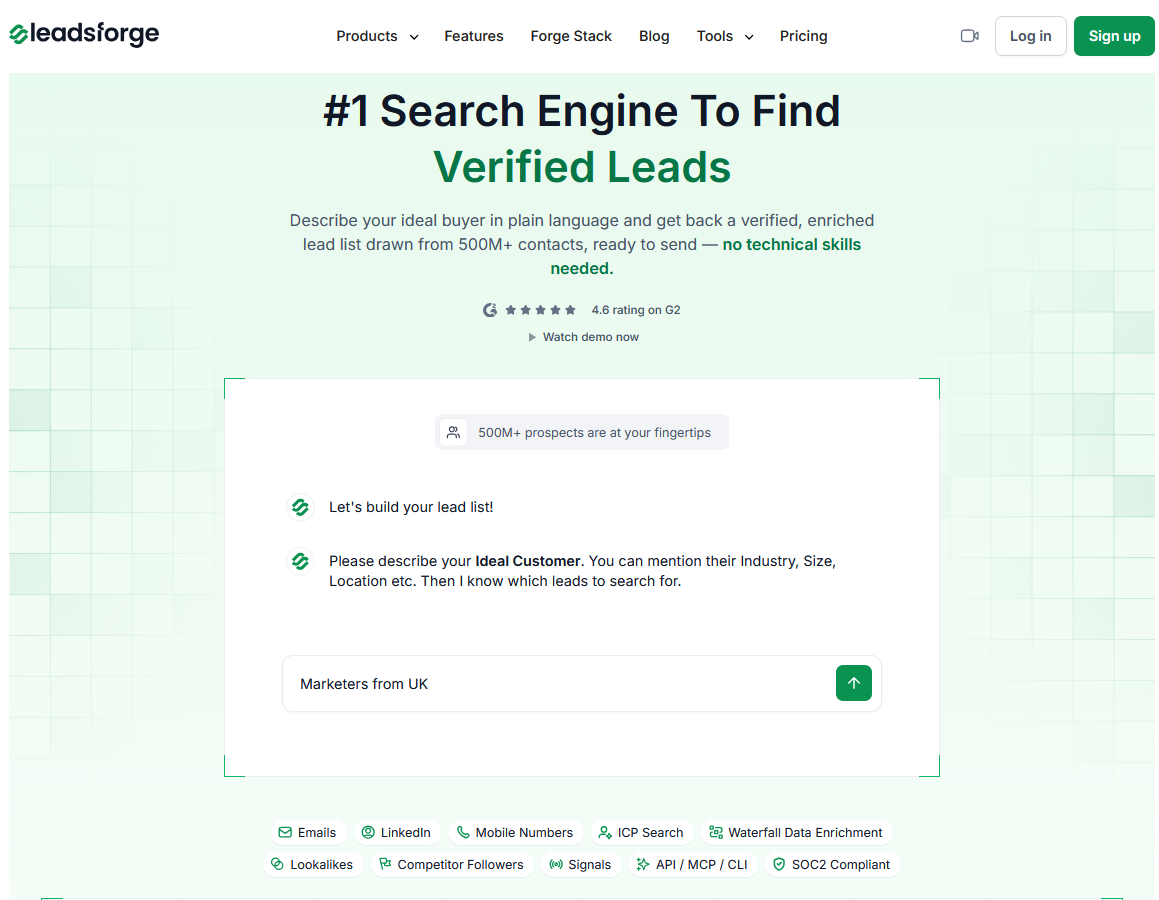
Here's how I use each capability day-to-day.
Waterfall enrichment across providers
ICP and conversational search
Local Companies Search
Signals (intent data)
Pricing starts at $49/mo and includes a free tier of 100 credits so you can test coverage before committing.
I recommend running the free tier first to check match rates against your specific ICP before upgrading.
Having a clean list is only half the equation, though. Here's the part most enrichment content skips entirely.
Enriched data is inert until you send.
The cleanest lead list in the world doesn't book meetings on its own. You need a sending engine downstream to turn all that clean data into actual pipeline. This is where the enrichment layer connects to the outreach layer, and it's the difference between having a good database and running a working outbound program.
For me, that outreach layer is Salesforge.
Once my list is enriched in Leadsforge, I push it straight into Salesforge to run multichannel sequences across email and LinkedIn. Unlimited mailboxes let me scale without hitting sender limits, which used to be my biggest bottleneck. Unlimited LinkedIn senders let me layer social outreach into every sequence rather than treating it as a separate motion. And Primebox™ pulls every reply into one unified inbox so nothing falls through the cracks when volume ramps up.
For teams that want to go fully automated, Agent Frank takes it further. He pulls enriched contacts from Leadsforge and drafts personalized emails using the enriched fields directly. Then he sends across email and LinkedIn in 20+ languages, handles replies, and books meetings straight onto your calendar. All of this happens without you touching a sequence, which is the closest thing to a real SDR replacement I've tested to date.
More on this workflow: AI SDRs Vs real-time lead data enrichment.
The stack works because enrichment and sending live are inside the same outbound loop rather than in different SaaS silos with clunky integrations between them.
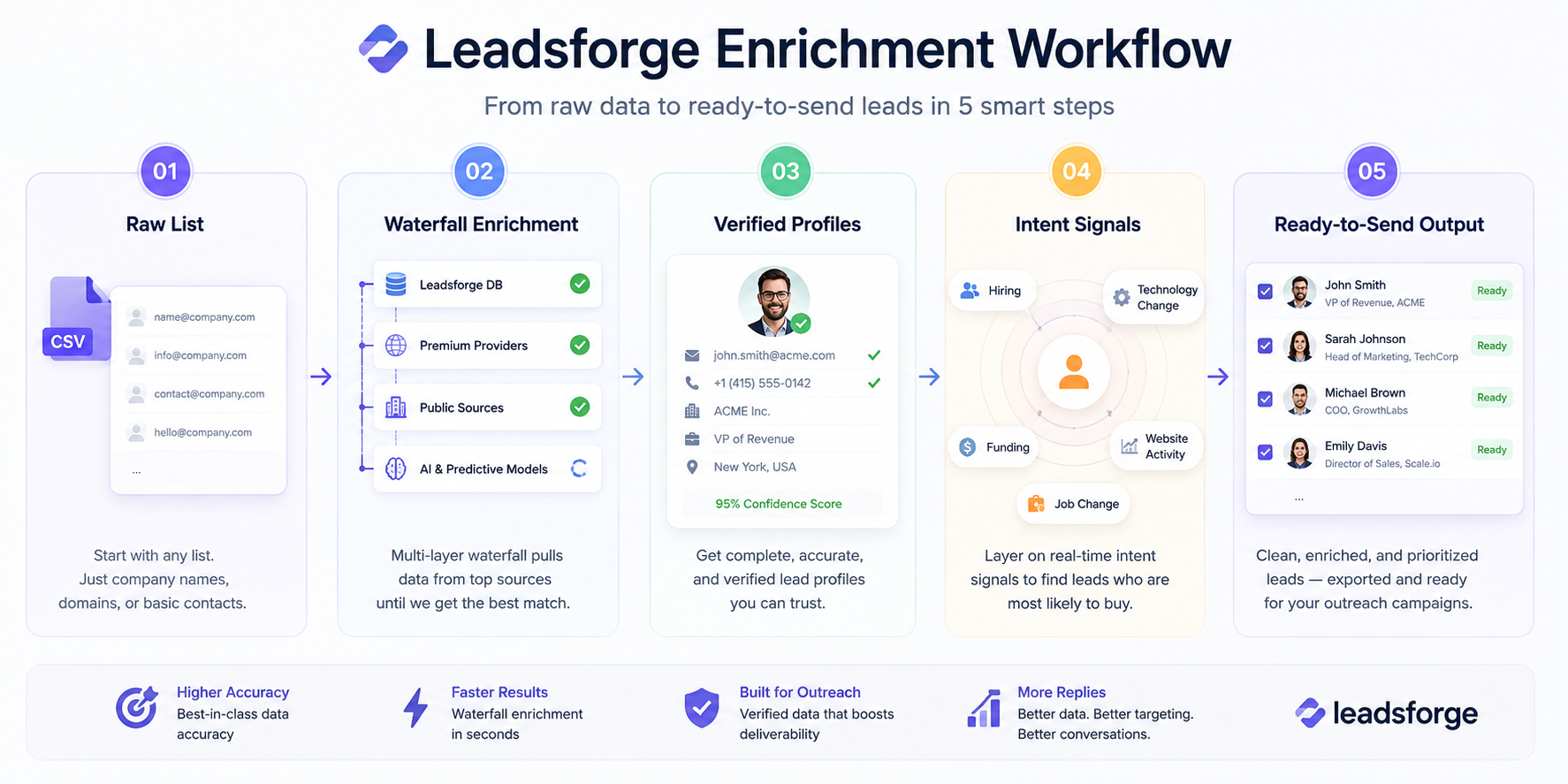
Now that you've seen the pieces, here's how to put them together. You can build a working enrichment layer in four steps, and this is the exact sequence I use whenever I'm setting up a new outbound program from scratch.
Before you enrich anything, know what you're working with. Pull a random sample of 100 leads from your CRM and check the fill rate. How many are missing job titles? How many emails still verify? How many companies have wrong industries attached or have been acquired?
That baseline tells you the size of the problem you're solving. It also gives you a clean before-and-after comparison to justify the enrichment budget to whoever needs to sign off on it.
Once you know the baseline, run your list (or your ICP definition) through Leadsforge. Use waterfall enrichment to fill contact gaps on existing accounts. Use ICP or conversational search to find new accounts that match your buyer profile. And use Signals to flag accounts that are showing buying intent right now.
This is where the bulk of the automation lift happens. Everything downstream depends on getting this layer right.
Enriched data only earns its keep once it's in a sequence. Push enriched contacts into Salesforge and use enriched fields like job title, industry, tech stack, and funding stage inside your personalization tokens. Real personalization at scale becomes possible once the underlying data supports it.
If you're going full automation, hand the list to Agent Frank and let him run prospecting, sending, and follow-ups end-to-end.
For more on how these workflows fit together, see Clay and Salesforge multichannel outreach workflows.
The last step is the one most teams skip. B2B data decays fast, so you need to build re-enrichment into your quarterly cycle rather than treating it as a one-time project.
My cadence looks like this:
Set the reminders. Automate the runs. Never send to a stale list again.
Read: How to use AI for Personalization
Bad lead data is the quietest tax on your outbound program. It burns rep hours, kills reply rates, and slowly wrecks your sender reputation. All at once, and usually without leadership noticing until the pipeline number drops.
The fix isn't complicated. Enrich the data first. Then send.
Skip the manual research. Grab 100 free Leadsforge credits, enrich your first list this afternoon, and see the difference clean data makes on your reply rates by the end of the week.
Data enrichment is the process of adding missing details to a lead profile. You start with basic info (name, email, company). Enrichment fills the gaps: verified contact info, job title, industry, company size, tech stack, and buying signals. The goal is to give sales teams enough context to run personalized outreach at scale rather than blasting generic templates.
Batch enrichment happens on a schedule. You upload a list and get an enriched version back hours or days later. Real-time enrichment happens instantly through API calls, so when a lead enters your funnel it's enriched in seconds. Your reps see current data every time they open a record. Real-time is the standard for modern outbound programs, though batch still works fine for large one-off list builds.
Waterfall enrichment queries multiple data providers in sequence rather than relying on one for every field. The tool checks provider A first. If A doesn't have the data, it falls through to B, then C, then D. This approach dramatically improves match rates, and you only pay for verified data rather than for empty lookups.
I use a tiered cadence. Every 30 days for email verification on active sending domains. Every 90 days for full contact re-enrichment on active accounts. Every 6 months for firmographic data on top-value accounts. B2B data decays at roughly 20-30% annually, so any longer between refreshes and you're effectively sending to ghosts.
It depends entirely on the provider. Reputable enrichment tools source data through compliant methods like public profiles, opt-in databases, and publisher partnerships. They also give you controls to honor GDPR, CCPA, and other regional privacy laws. If a provider can't clearly explain their sourcing and opt-out mechanisms during a sales call, don't buy from them.
Pricing varies widely based on features and coverage. Entry-level tools start around $50-150/month for solo users. Mid-market tools with API access and waterfall enrichment usually run $200-500/month. Enterprise platforms like ZoomInfo and Cognism can hit $15,000-50,000/year. Leadsforge offers a free tier with 100 credits so you can test coverage before committing. For a broader look at options, see my breakdown of AI tools for B2B prospect research.
.jpg)

.jpg)
.jpg)


