Data enrichment agents are no longer just tools that fill missing fields. The best ones act more like autonomous research layers for your outbound stack.
They do not just find a work email or update a job title. They can decide what data matters, pull it from multiple sources, verify whether a contact still fits your ICP, and enrich lead records in a way that is actually usable for prospecting.
This matters because most B2B lead data is incomplete, stale, or disconnected from execution.
You may have a name, company, and LinkedIn profile, but still be missing the signals that make outreach work:
Verified work email
Current role and seniority
Company size
Industry
Geography
Tech stack
Buying signals
Hiring activity
ICP fit
CRM readiness
Without that layer, your team ends up spending time fixing records manually, enriching rows one by one, or pushing low-confidence data into outbound campaigns.
That is where data enrichment agents stand out. Instead of behaving like static databases, they can function more like agentic systems, researching, validating, and operationalizing lead data before it reaches your sequencing tool or CRM.
For example, if you are building a list of SaaS founders, a strong enrichment agent should not just append email addresses. It should also verify whether the person still works there, confirm the company fits your ICP, enrich firmographic context, and remove leads that are unlikely to convert.
But not every enrichment tool is truly agentic.
Some tools only enrich fields. Some are better at waterfall email finding. Some are designed for CRM cleanup. Others are closer to agentic GTM infrastructure, where enrichment is part of a broader workflow involving research, qualification, and outbound execution.
In this guide, I’ll break down the 5 best data enrichment agents for B2B sales in 2026, what each tool does well, how agentic each one actually is, and which one fits your workflow best.
Leadsforge - Best for ICP-based lead discovery plus enrichment
Clay - Best for building custom, agent-like enrichment workflows
Bitscale - Great for running automated enrichment pipelines at scale.
Cognism - Best for compliant B2B data in (EU/UK markets)
Apollo.io - Best for teams that want enrichment, database, and outreach in one platform
How I Chose These Data Enrichment Agents?
A data enrichment agent should do more than fill empty columns.
For this list, I looked at whether each tool could help turn rough prospect or account data into outbound-ready records that sales teams can actually use.
Here’s what I evaluated:
Setup time, from signup to first usable lead list
Data quality, including emails, LinkedIn profiles, phone numbers, and company details
Match rate after enrichment, not just preview-level data
Bulk enrichment reliability, especially for larger lead lists
Workflow fit, including CRM and outbound stack compatibility
Source orchestration, or how well the tool pulls from multiple providers or datasets
Agentic depth, meaning whether it can research, verify, and prioritize enrichment steps instead of only appending fields
Operational usability, meaning whether the output is actually ready for prospecting, routing, or sequencing
The biggest difference I looked for was simple: Does the tool just add data, or does it help create a usable lead record with context and confidence?
5 Best Data Enrichment Agents for B2B Sales Teams:
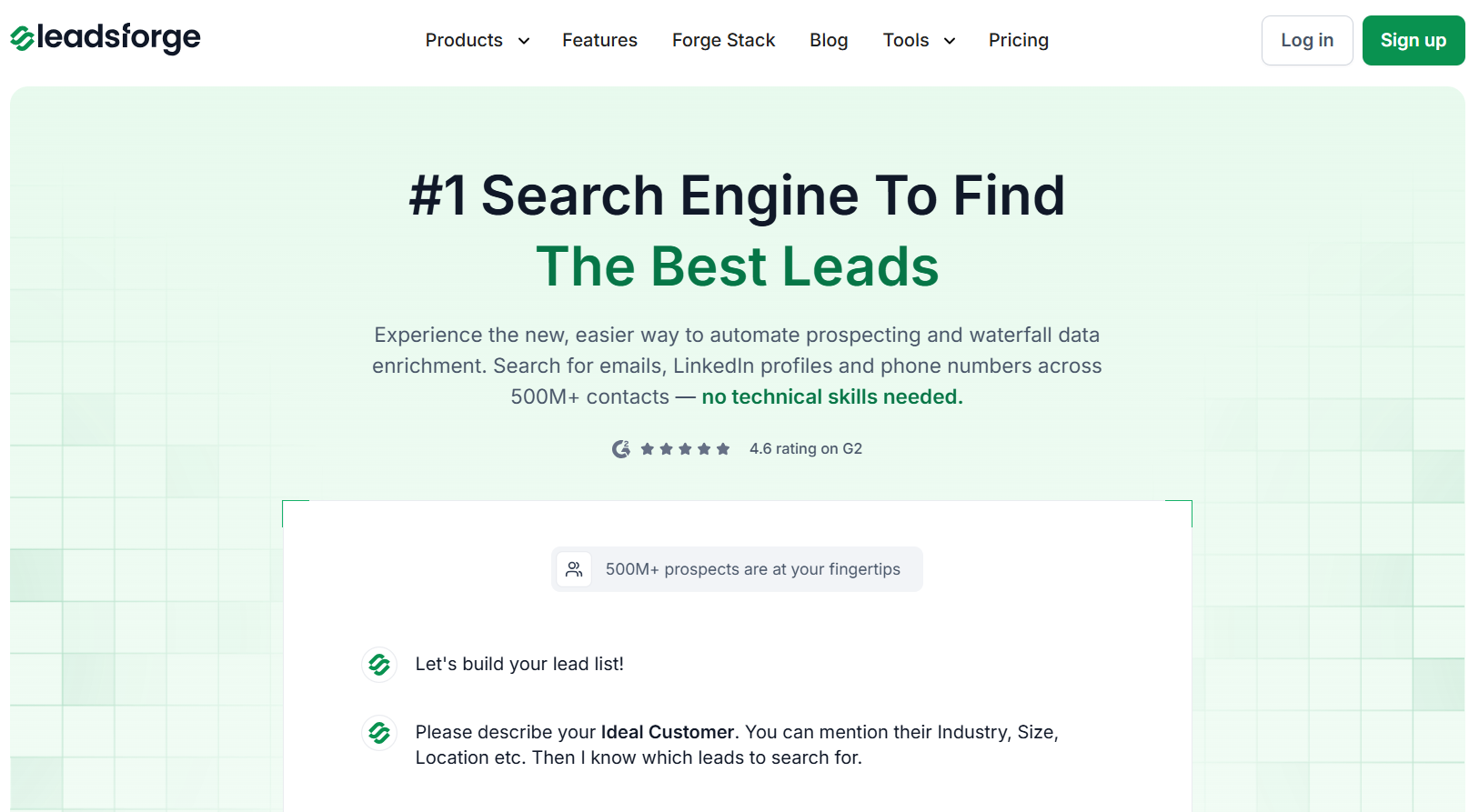
If you want a data enrichment agent that is actually practical for day-to-day outbound work, Leadsforge is one of the strongest options on this list.
What makes Leadsforge compelling is that it sits in the sweet spot between basic enrichment and over-engineered workflow tooling. Instead of forcing teams to stitch together multiple tools, datasets, and enrichment steps manually, it gives you a simpler path from ICP definition to usable lead records.
That matters because most sales teams do not need an enrichment lab. They need a way to describe the kind of prospect they want, generate relevant leads, enrich them with usable data, and move them into outreach quickly.
Why Leadsforge feels agentic
Leadsforge is not just acting like a static database. Its value comes from helping translate intent into lead discovery and enrichment.
In practice, that means it behaves more like a lightweight agent when it can:
start from an ICP prompt instead of a rigid filter-first workflow
return lead suggestions that map to your targeting criteria
enrich records with details that are usable in outbound
reduce the manual work between “I know who I want” and “I have a list I can act on”
That is an important distinction.
Basic enrichment tools help clean data after the list already exists. Leadsforge is more useful earlier in the workflow, where the job is not only to enrich records but to help create the right records in the first place.
GTM POV:
From a technical GTM perspective, Leadsforge is useful because it compresses multiple steps of the lead generation workflow:
ICP interpretation
lead discovery
data enrichment
outbound-readiness
That makes it especially valuable for lean teams that want faster throughput without building heavy custom workflows.
It is not the most programmable option on this list, but that is also part of the appeal. A lot of teams do not need maximum configurability. They need a tool that gives them enough intelligence and enough enrichment to move faster with less operational drag.
Key Features of Leadsforge
Leadsforge lets you describe your ideal customer in plain language and generates targeted lead lists without using filters.
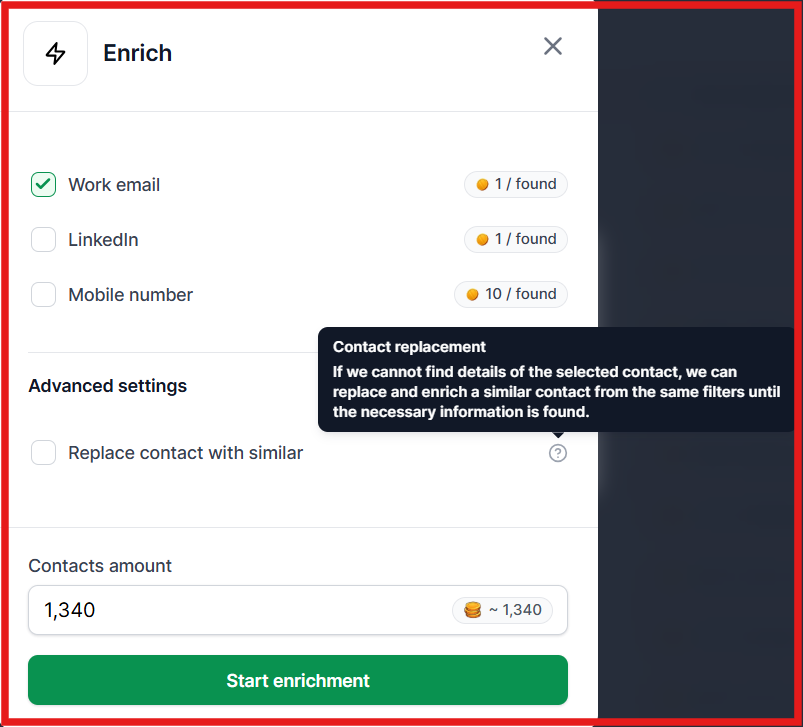
You can choose what data to enrich (email, LinkedIn, phone), and see how many records are found before running enrichment.
This image shows the Leadsforge enrichment feature
If a contact cannot be enriched, Leadsforge can replace it with a similar contact that fits your filters but has complete data.
Leadsforge identifies buying signals like hiring activity or product launches to help you prioritize leads.
It helps you find similar companies or people following competitors.
Pros & Cons of Leadsforge
Pros
Cons
Very easy to use with chat-based search
High match rate using waterfall enrichment
Fast lead generation and enrichment
Uses intent signals and prompts for targeting
Direct export to outreach tools
Less control compared to workflow tools like Clay
Credit usage can increase with large lists
Limited customization for advanced workflows
Not designed for complex workflow automation
Depends on credit system for scaling
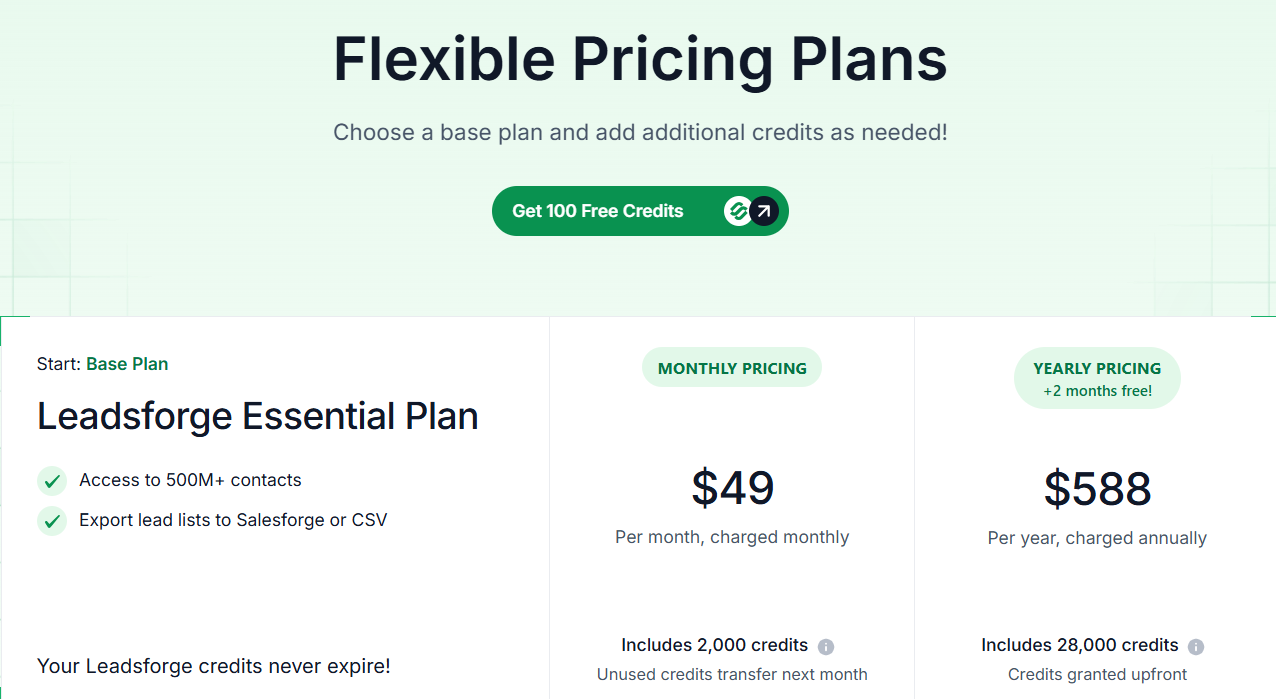
Leadsforge Pricing
This image shows the Leadsforge pricing
Monthly Plan: $49/month for 2,000 export credits (unused credits roll over to the next month)
Annual Plan: $588/year for 28,000 credits (credits are provided upfront)
Free Trial: 100 free credits included
Best for
SDR teams that want speed over workflow complexity
founders doing outbound themselves
agencies that need repeatable lead sourcing
growth teams that want cleaner lead discovery tied to ICP input
Watch out for
If you need deep orchestration, multi-source branching logic, or highly customized enrichment workflows, Leadsforge may feel lighter than a tool like Clay. But for teams that value affordability, usability and speed, that tradeoff may actually be a strength.
2. Clay
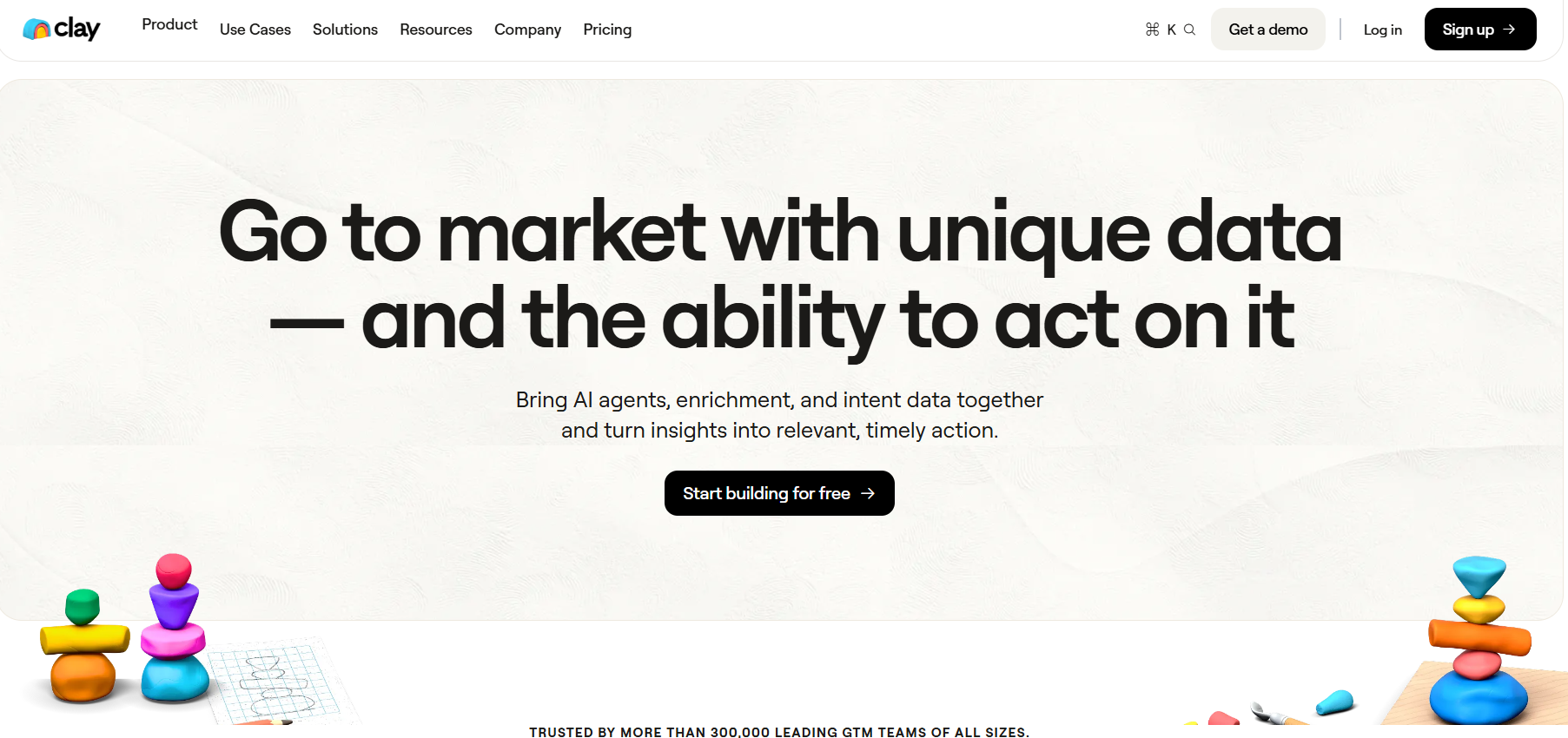
This image shows the Clay homepage
After Leadsforge. Clay is another strongest options if you want enrichment to behave more like a programmable research agent than a static lookup tool.
Instead of relying on one source, Clay lets you combine multiple data providers, enrichment steps, prompts, and logic inside one workflow.
That makes it especially useful when you need more than email discovery, for example, when you want to enrich a company, identify the right persona, validate fit, and add context before outreach begins.
Why it feels agentic
Pulls company and contact data from multiple sources
Verifies or cross-checks fields
Adds custom logic
Generates context for personalization
Scores or filters leads before they move downstream
That makes it less of a simple enrichment tool and more of a research and workflow engine for GTM teams.
Key Features of Clay
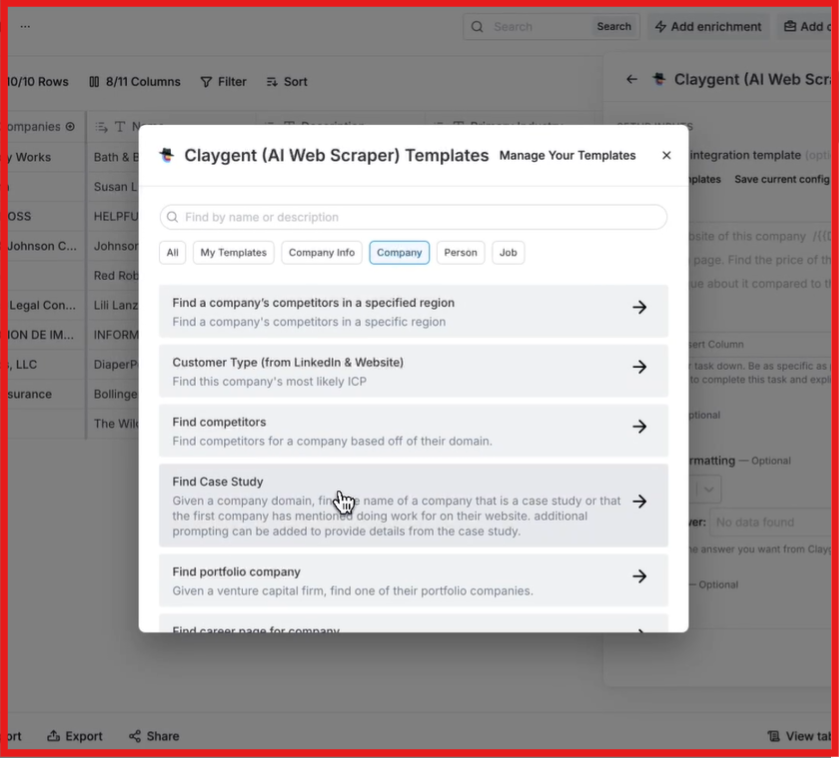
Clay includes AI agents that can research companies and people automatically based on your inputs.
This image shows the Claygent by Clay to research companies
It combines multiple data providers to fill missing fields and improve match rates instead of relying on a single source.
Clay tracks job changes, hiring activity, and other signals so you can identify the right time to reach out.
You can access data from 100+ providers in one place without managing separate tools or subscriptions.
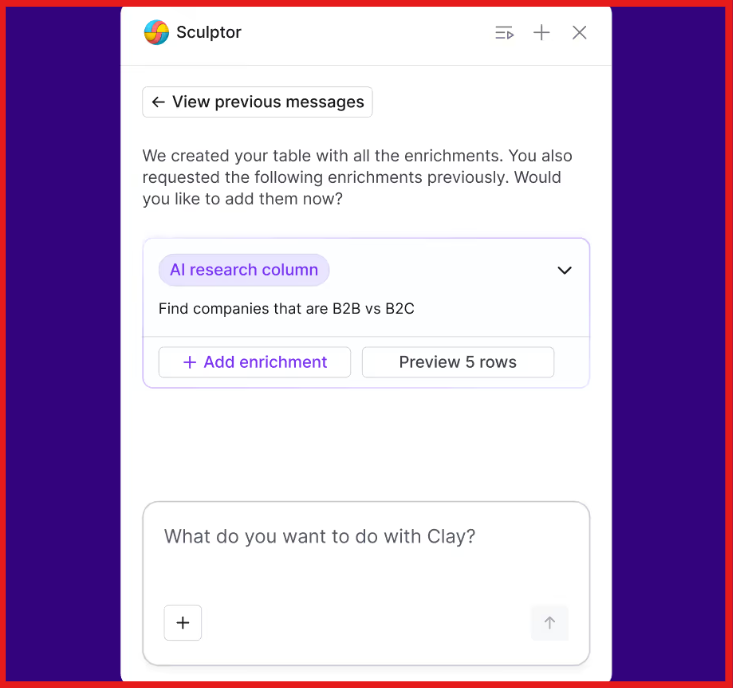
With Sculptor, Clay lets you create enrichment and prospecting workflows using simple prompts instead of manual setup.
This image shows the Sculptor feature by Clay for enrichment
It includes a built-in feature, Sequencer, to run outreach campaigns directly using the enriched data.
Pros and Cons of Clay
Pros
Cons
Combines 150+ data providers for higher data coverage
Supports multi-source (waterfall) enrichment
Includes AI agents (Claygents) for research and enrichment
Tracks signals like job changes, hiring, and intent
Takes time to learn and set up workflows
Overkill for simple email enrichment use cases
Credit-based pricing can get expensive at scale
Requires managing workflows for best results
Clay Pricing
This image shows the Clay pricing
Free Plan: $0/month with 100 data credits and 500 actions (good for testing, limited for real campaigns)
Launch Plan: $185/month with 2,500 data credits and 15,000 actions (includes phone enrichment and signal tracking)
Growth Plan: $495/month with 6,000 data credits and 40,000 actions (includes CRM sync, API access, and advanced workflows)
Enterprise Plan: Custom pricing based on usage and team needs
Best for
Teams that want flexible, technical enrichment workflows and do not mind spending time configuring them.
Watch out for
Clay is powerful, but it can get complex fast. If your team wants something simple and fast out of the box, it may feel heavier than necessary.
Personalized Outbound Strategy
Get The Right Outbound Strategy In Minutes
Enter your email to get a custom plan & stack recommendation for your
business
It's being carefully crafted by AI
Please check your mailbox in 5 minutes
3. Bitscale
This image shows the Bitscale homepage
Bitscale is a GTM and data enrichment platform built for RevOps and outbound teams that want to generate leads, enrich data, and connect it to their outreach tools. It gives you access to a large contact database and helps you enrich leads using multiple data sources.
Instead of using separate tools, Bitscale connects lead generation, enrichment, and outbound workflows in one system. It also includes AI agents that can research companies, find signals, and add more context to your lead data.
Bitscale is a better fit for teams that think about enrichment as part of a broader GTM pipeline, not as a standalone lookup task.
It is useful when you want to run automated enrichment across large datasets, connect multiple providers, and push cleaner records into the rest of your stack.
Why it feels agentic
Bitscale is closer to an automated enrichment pipeline than a single-purpose database. It supports the kind of multi-step processing that makes enrichment operationally useful, such as combining sources, enriching in bulk, and feeding results into larger workflows.
Key Features of Bitscale
Bitscale gives access to a database of 300M+ contacts to build ICP-based lead lists.
It enriches emails and phone numbers using 18+ providers in sequence to improve match rates.
This image shows the Bitscale enrichment feature
Bitscale connects to 100+ data sources and integrations to fill missing data.
BitAgent uses AI to scrape websites, analyze companies, and add insights like hiring, funding, and tech stack.
Bitscale tracks signals like hiring activity, funding, and engagement to identify high-intent prospects.
It supports 2-way sync with tools like HubSpot and integrates with Salesforce and APIs.
Pros and Cons of Bitscale
Pros
Cons
Combines lead generation, enrichment, and workflow automation
Uses 18+ providers in waterfall for better match rates
Connects with 100+ data sources and integrations
Includes AI research and intent signals
Can feel complex for new users
Requires setup to get full value
Not ideal for simple enrichment-only use cases
Usage is based on Bitscale credits
Bitscale Pricing
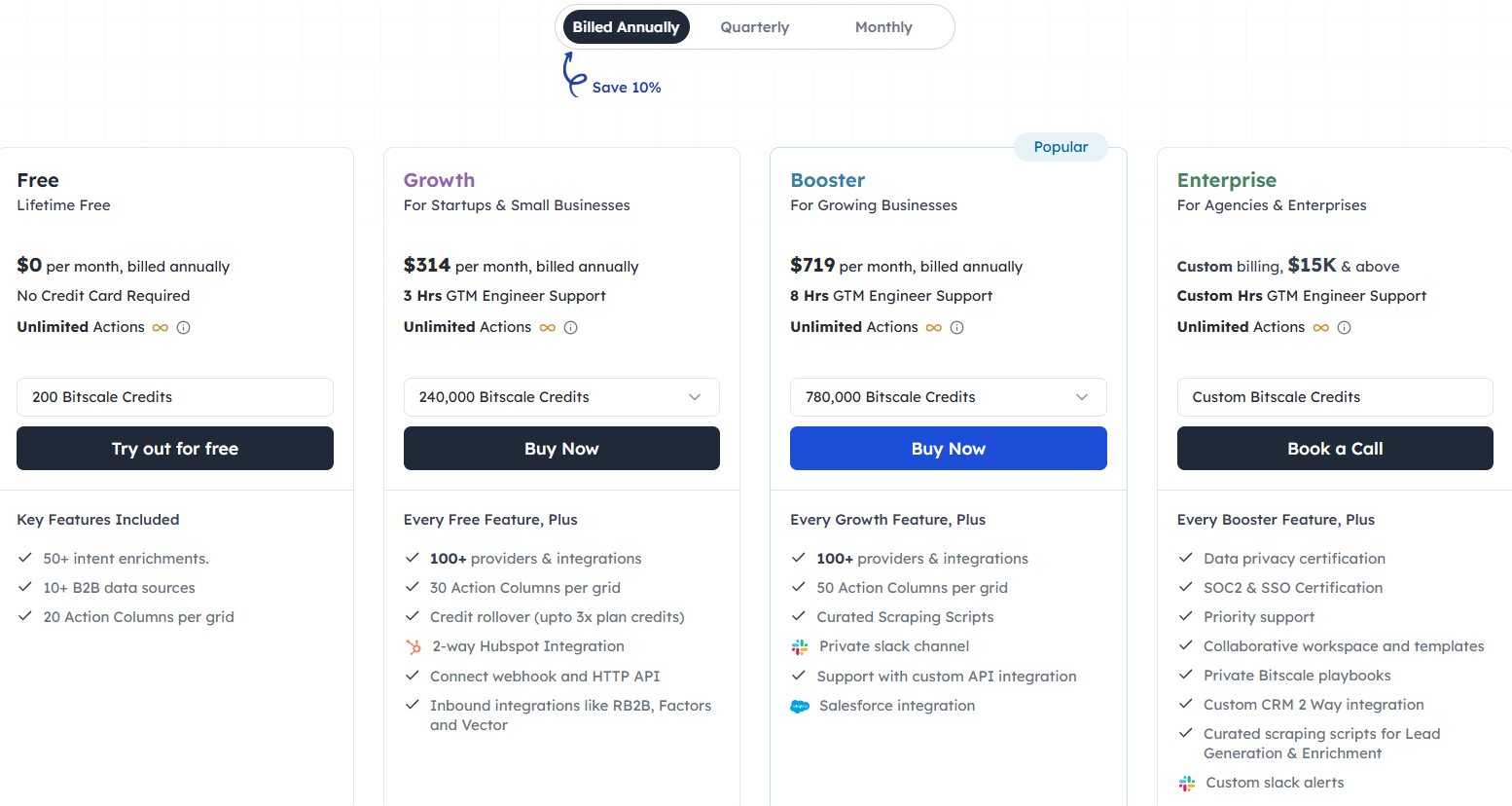
This image shows the Bitscale pricing
Free Plan: $0/month with 200 Bitscale credits and unlimited actions (good for testing basic workflows)
Growth Plan: $314/month with 240,000 Bitscale credits and features like CRM integration and API access
Booster Plan: $719/month with 780,000 Bitscale credits, advanced integrations, and higher limits
Enterprise Plan: Custom pricing starting around $15K+ with advanced security, custom integrations, and dedicated support
Best for
Ops teams and growth teams that need enrichment to run continuously and reliably at scale.
Watch out for
It may be more infrastructure-oriented than teams need if their enrichment use case is relatively simple.
4. Cognism
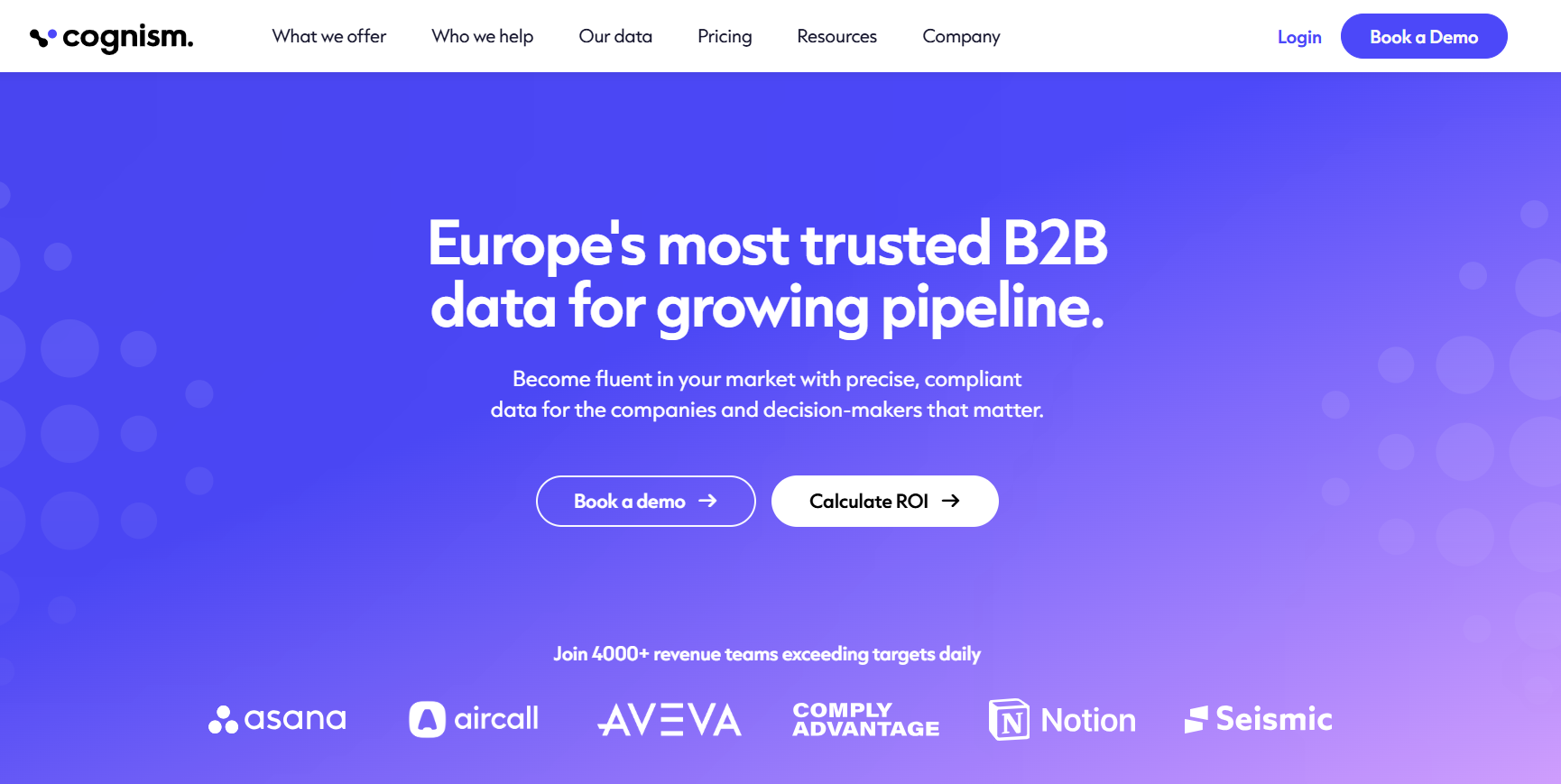
This image shows the Cognism homepage
Cognism is a sales intelligence platform with strong data enrichment capabilities. It is mainly used to improve and maintain existing lead and CRM data by adding missing emails, phone numbers, and company details. It helps keep records accurate by updating and refreshing contact data over time.
Cognism stands out less for agentic workflow flexibility and more for data quality, compliance, and geographic strength, especially in EU and UK markets.
If your team cares heavily about compliant B2B contact data and wants a trusted provider for sales intelligence, Cognism is a serious option.
Where the agentic angle is weaker
Cognism is valuable, but it is not usually the first tool people think of when they want agentic enrichment behavior. Its strength is more about access to reliable sales data and CRM enrichment than autonomous research logic or workflow orchestration.
Key Features of Cognism
Cognism fills missing fields and updates existing records inside your CRM, so your data stays usable.
It adds phone-verified mobile numbers and business emails to improve contact accuracy.
Senior-level contact data is refreshed every 30 days to reduce outdated records.
It enriches data while following GDPR and CCPA and checks records against 15+ Do-Not-Call lists.
It adds signals like hiring, funding, and job changes to enriched records.
Cognism allows you to enrich specific segments of your CRM based on ICP, persona, or account priority.
Pros and Cons of Cognism
Pros
Cons
Strong CRM enrichment for existing data
High data accuracy with phone-verified contacts
Regular refresh reduces outdated records
Built for compliant data enrichment
Requires demo to get access
Expensive compared to most tools
Pricing is not transparent
Limited control over enrichment workflows
Cognism Pricing
This image shows the Cognism pricing
Standard Plan: Custom pricing based on team size and data usage
Pro Plan: Custom pricing with advanced enrichment and intent data features
CRM Enrichment: Priced separately based on database size and enrichment needs
Data-as-a-Service: Custom pricing based on data volume and delivery method
Best for
Teams that prioritize compliant B2B data and strong coverage in regulated or region-specific outbound motions.
Watch out for
If your main goal is building highly dynamic enrichment workflows, Cognism may be less flexible than tools built around orchestration and multi-step enrichment logic.
5. Apollo.io
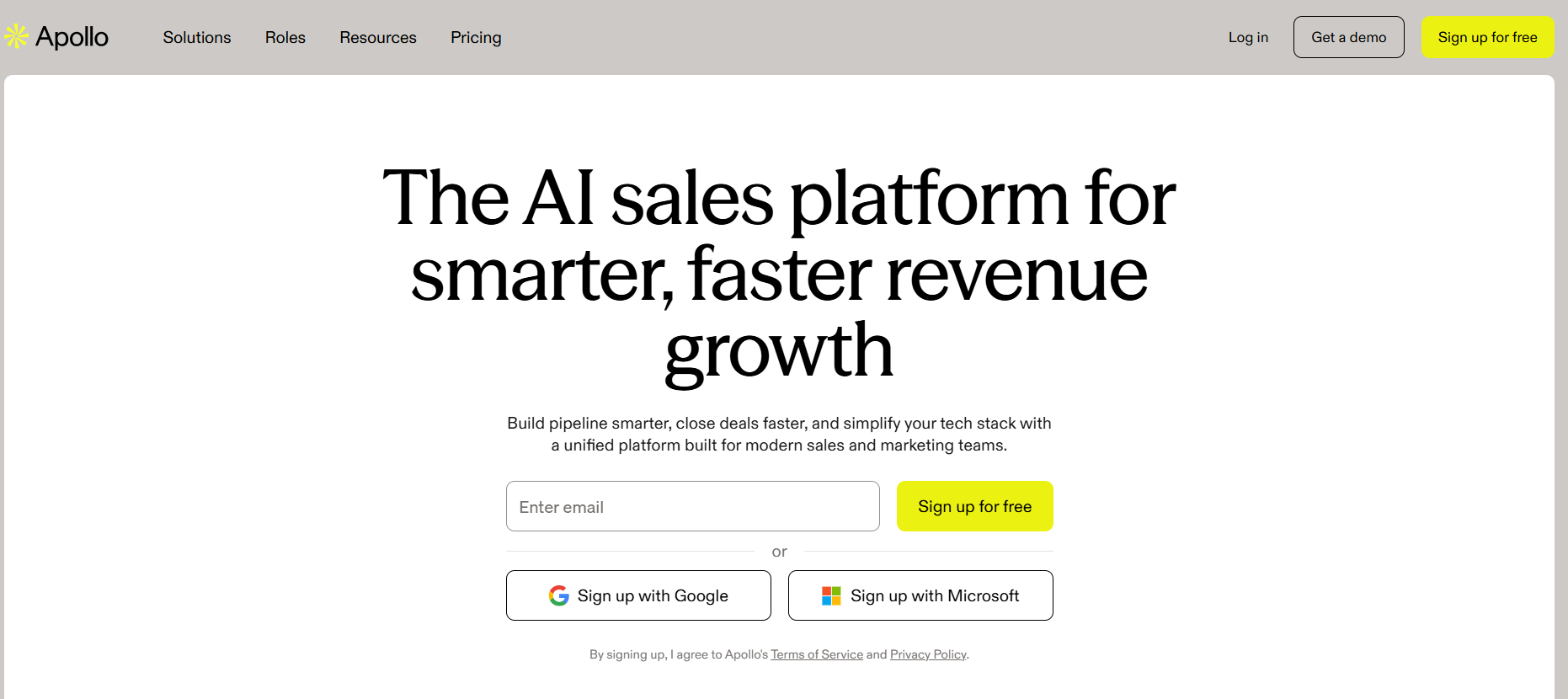
This image shows the Apollo homepage
Apollo is a sales intelligence platform with strong data enrichment capabilities. It is not the most agentic tool on this list, but it is practical. It combines enrichment with prospecting and outreach.
You can find new leads, enrich them, and use that same data for campaigns without switching tools. It also supports real-time, scheduled, and API-based enrichment, so your data stays updated across your CRM and other systems.
Because of this, Apollo is best suited for teams that want an all-in-one system where enrichment is directly connected to prospecting and outbound execution, rather than a standalone enrichment workflow.
Where it is less agentic
Apollo is best understood as an all-in-one outbound platform with enrichment features, not as a dedicated enrichment agent that makes complex research decisions on your behalf.
Key Features of Apollo.io
Apollo enriches records using its own database, third-party sources, and real-time web data to improve coverage and accuracy.
This image shows the Enrichment configuration on Apollo
It pulls data from multiple providers in sequence until it finds verified emails or phone numbers, improving match rates.
It automatically updates CRM records by filling missing fields or refreshing outdated data based on your rules.
Apollo adds data points like buying intent, job changes, and company activity to help prioritize leads.
AI helps generate additional insights and enrich records with context before outreach.
Pros and Cons of Apollo.io
Pros
Cons
Large database improves data coverage and lead discovery
Supports real-time, scheduled, and API enrichment
Waterfall enrichment improves match rates for emails and phones
Includes intent signals and AI insights for better targeting
Credit-based usage can increase cost at scale
Data quality can vary depending on region or source
Requires setup (rules, workflows) for best results
Not as flexible as dedicated enrichment workflow tools
Apollo.io Pricing
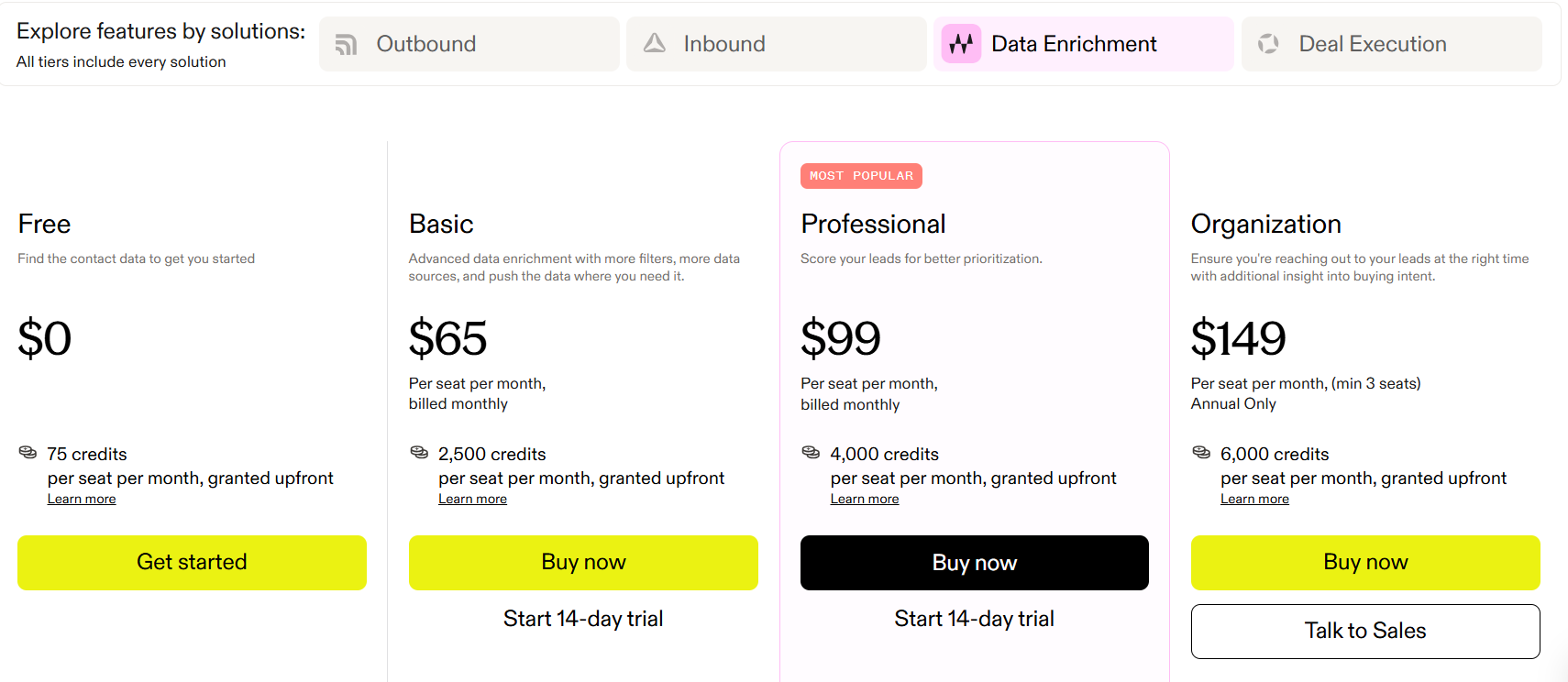
This image shows the Apollo pricing
Free Plan: $0/month with limited credits (around 75–100 credits) for basic prospecting and enrichment.
Basic Plan: $65/month per user with 2,500 credits and access to enrichment, CRM integrations, and filters.
Professional Plan: $99/month per user with 4,000 credits, AI features, automation, and advanced workflows.
Organization Plan: $149/month per user (annual) with 6,000 credits, advanced reporting, security, and deeper integrations.
Credit-based system: Credits are used to access emails, phone numbers, and enriched data, and additional credits can be purchased as needed.
Best for
Teams that want one tool for list building, enrichment, and outreach.
Watch out for
If you need more nuanced enrichment logic or deeper research-style workflows, Apollo may feel broader than it is deep.
Personalized Outbound Strategy
Get The Right Outbound Strategy In Minutes
Enter your email to get a custom plan & stack recommendation for your
business
It's being carefully crafted by AI
Please check your mailbox in 5 minutes
Which Data Enrichment Agent Should You Choose?
The right choice depends on what you mean by enrichment.
If you only need a tool to append fields, several options can do that. But if you want a system that behaves more like an agent, meaning it can research, verify, prioritize, and operationalize lead data, then your bar should be higher.
Choose:
Leadsforge if you want the simplest path from ICP definition to usable lead data
Clay if you want the most agentic and customizable enrichment workflows
Bitscale if you need enrichment pipelines that scale operationally
Cognism if compliant B2B data quality matters most
Apollo.io if you want convenience and an all-in-one outbound setup
For a lot of teams, Leadsforge hits the best balance. It does not try to be the most complex system in the stack. It tries to make lead discovery and enrichment actually usable, which is often more valuable than maximum configurability.
Book more meetings on autopilot
Set up in minutes. No per-seat pricing. No commitment.
Prospecting automation fails at the list, not the send. This guide covers the workflow I run end to end: signal-based sourcing in Leadsforge, waterfall enrichment, multichannel sequences in Salesforge, deliverability controls, and reply handling.
I put together this complete lead generation guide to walk you through the types, the full process, the best practices, and the 2026 trends shaping B2B outbound.









.jpg)