
Personalized Outbound Strategy
Get The Right Outbound Strategy In Minutes
Enter your email to get a custom plan & stack recommendation for your business
It's being carefully crafted by AI
Please check your mailbox in 5 minutes
Your reps are capped at what they can do by hand.
One rep writes maybe 50 to 60 personalized messages a day, then loses hours to research, follow-ups, and CRM updates.
Scale that process, and you are hiring more people to click more buttons.
An agentic AI sales workflow breaks that cap.
It sources leads, sends across email and LinkedIn, reads replies, qualifies against your rules, and hands the hot ones to a human, deciding each next move on its own instead of following one fixed path.
This guide is a build guide, not a primer. It is for the people who already know why and want the how:
By the end, you will know how to build a workflow that runs the whole outbound motion up to the handoff, so your people spend their time only where judgment actually closes deals.
Before you wire a single agent, you need four things in place. Skip them, and you automate a mess that runs faster than before.
A defined ICP: You need to know exactly who you are targeting. Not "marketing leaders at SaaS companies," but "VP Marketing at B2B SaaS, 50 to 200 employees, Series A to C, US-based, using HubSpot."
The tighter the ICP, the better every agent downstream performs. A loose one sends good messages to the wrong people, and no automation fixes that.
Qualification logic: You need clear rules for what makes a lead worth your time. What counts as a yes, what counts as a no, and where the line sits.
Make it binary. If a lead is not a clear yes, it is a fast no. Your agents will use this logic to score and filter, so it has to be defined before they can run it.
Clean data: Your workflow acts on the data you feed it. Bad data means agents target the wrong people, personalize with wrong details, and burn your sending reputation.
So validate and dedupe before you build. Bad data costs businesses millions a year, and an agent scales that damage faster than a human ever could.
An offer worth sending: No workflow saves a weak offer. You need something the market wants, framed around a problem your ICP actually feels.
Here is the rule that ties all four together. Do not automate a broken process, or you will just break it faster.
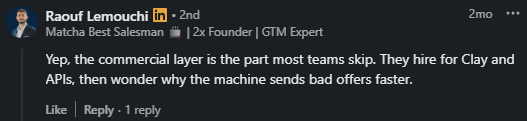
Fix the logic first. The teams that skip this step build fast and fail fast, because the tooling was never the problem. Raouf Lemouchi put it plainly.
Get these four right, and the build itself gets easier. Every step after this assumes they are in place.
Now you map the motion before you build it. You need to see every step on paper first, so you know what each agent does and where the handoffs sit.
Think of this as drawing the blueprint. For each step, decide what triggers it, what it does, and what it passes on. Get that right on paper, and the build becomes wiring, not guesswork.
Here is the full motion, and how to map each step.
Source: Input is your ICP definition, output is a list of matching leads. Decide the cadence too: does the workflow pull leads daily, weekly, or when your list runs low?
That pace sets the tempo for everything downstream.
Enrich: Input is the raw list. Map which fields each lead needs before it moves: work email, LinkedIn URL, company size, role, and any signal you want to personalize around.
Set a fallback rule for missing fields, so a lead never goes out half-personalized.
Sequence: Input is an enriched lead. Map the channels, order, and timing: email on day one, LinkedIn on day three, follow-up on day five. You are not writing copy yet, just the shape and pace the agents will fill.
Detect reply: Trigger is any reply. Map the categories you sort them into: positive, neutral, objection, out-of-office, unsubscribe, and the next action for each.
A positive reply moves toward handoff, an out-of-office pause, and an unsubscribe drops the lead.
Score: Input is a lead's engagement. Map which actions carry weight and how much: open a little, click more, reply more, and pricing-page visit the most.
This is what tells a warm lead from a cold one without a human reading every thread.
Qualify: Input is a scored lead. Set the bar against the logic you defined before the build: the score or signal that passes, and what happens to the ones that fail.
Passing leads move up, failing leads exit cleanly.
Hand off: Trigger is a lead clearing that bar. Map what the human receives: the lead, their history, and why they qualified.
A clean handoff means your closer opens already knowing the context.
So the chain runs: source, enrich, sequence, detect, score, qualify, and hand off. Seven steps, each with a trigger, an action, and an output feeding the next.
Now, the one decision that shapes the whole build. You choose where the handoff happens, and you choose it now.
Set the trigger that moves a lead from agent to human: a score above a set number, a direct reply asking to talk, or a level of engagement you pick.
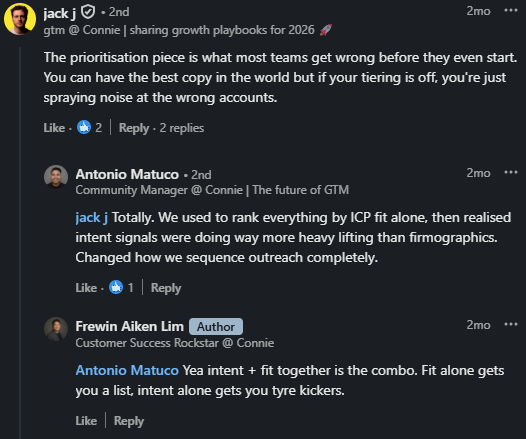
Mark it on your map, because it is the line between what the agents own and what your people own. Frewin Aiken Lim pointed out why fit and intent both belong in that qualification step.
Map these seven steps, define the trigger and output for each, and mark the handoff. That blueprint is what the rest of the build fills in.
Before any agent runs, it needs infrastructure to run on. Your workflow acts on lead data, sends through mailboxes, and lands in inboxes. Set that foundation up first, or the agents have nothing to work with.
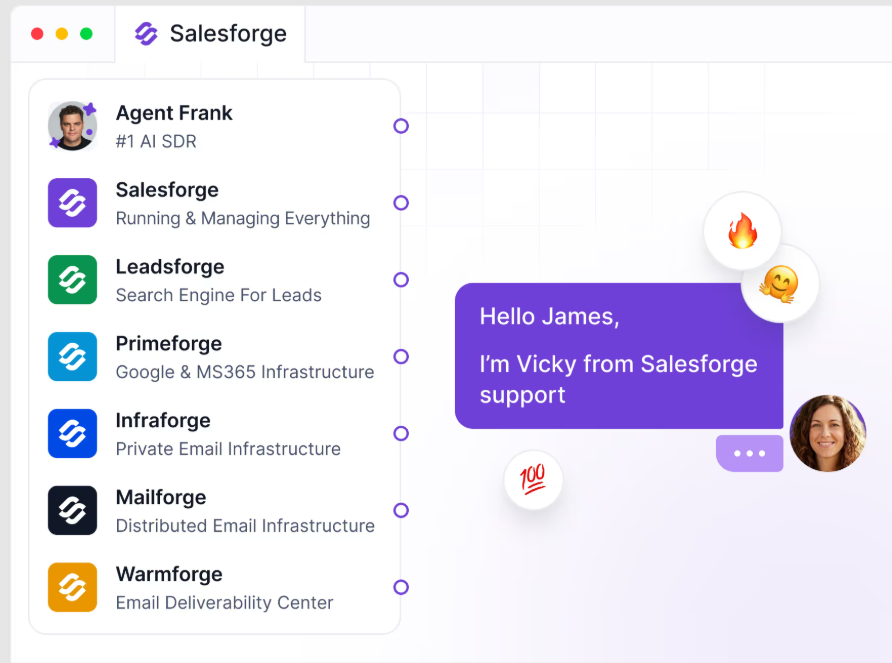
Here is the infrastructure the workflow needs, and how the Forge stack covers each piece.
Lead data
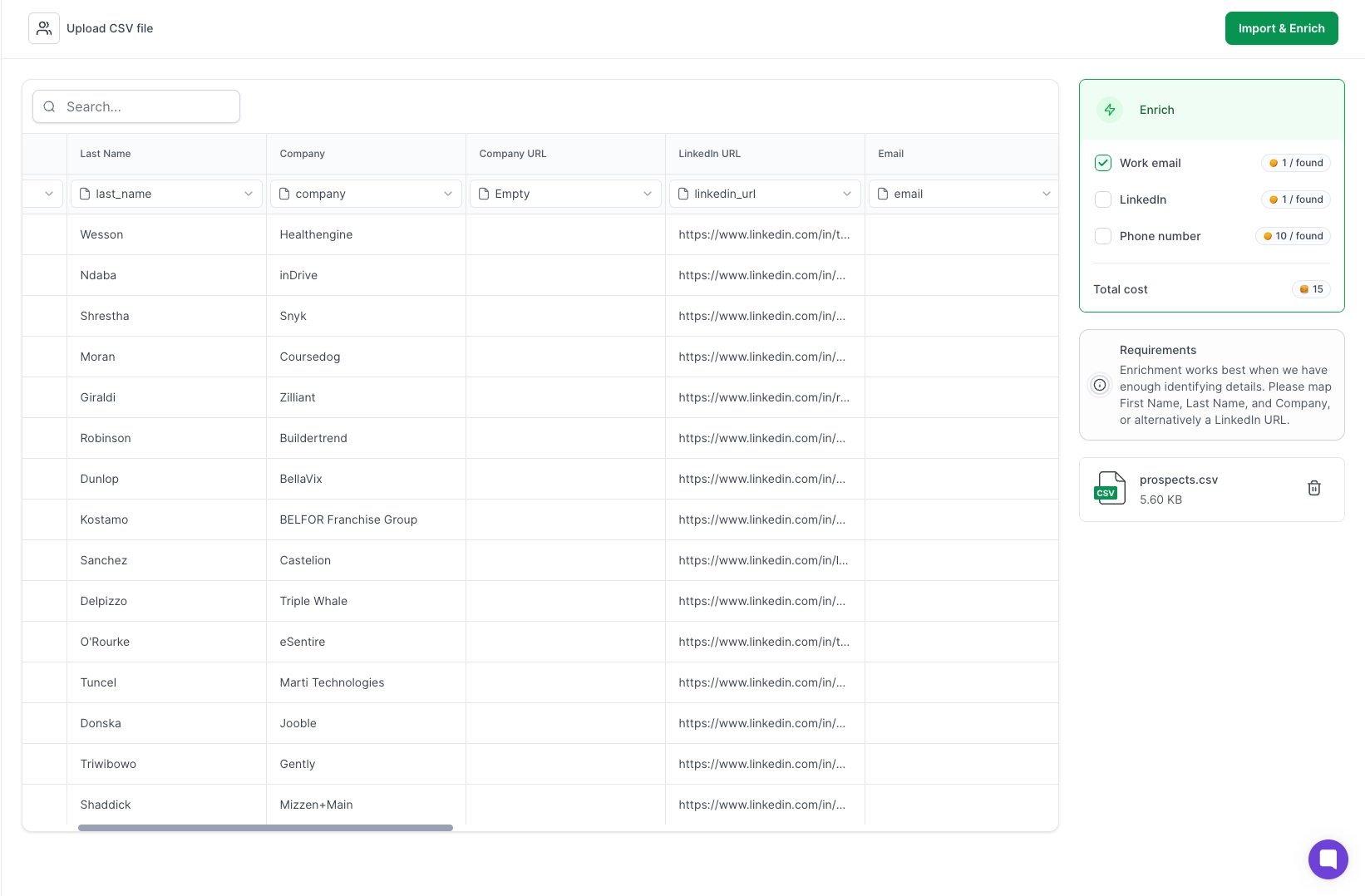
Your workflow starts by sourcing leads, so it needs a source to pull from. Leadsforge gives you that.
You describe your ICP, and it returns matching contacts with work emails, phone numbers, and LinkedIn profiles enriched.
This feeds the source and enrichment steps you mapped. Clean, enriched leads mean better targeting all the way down the chain.
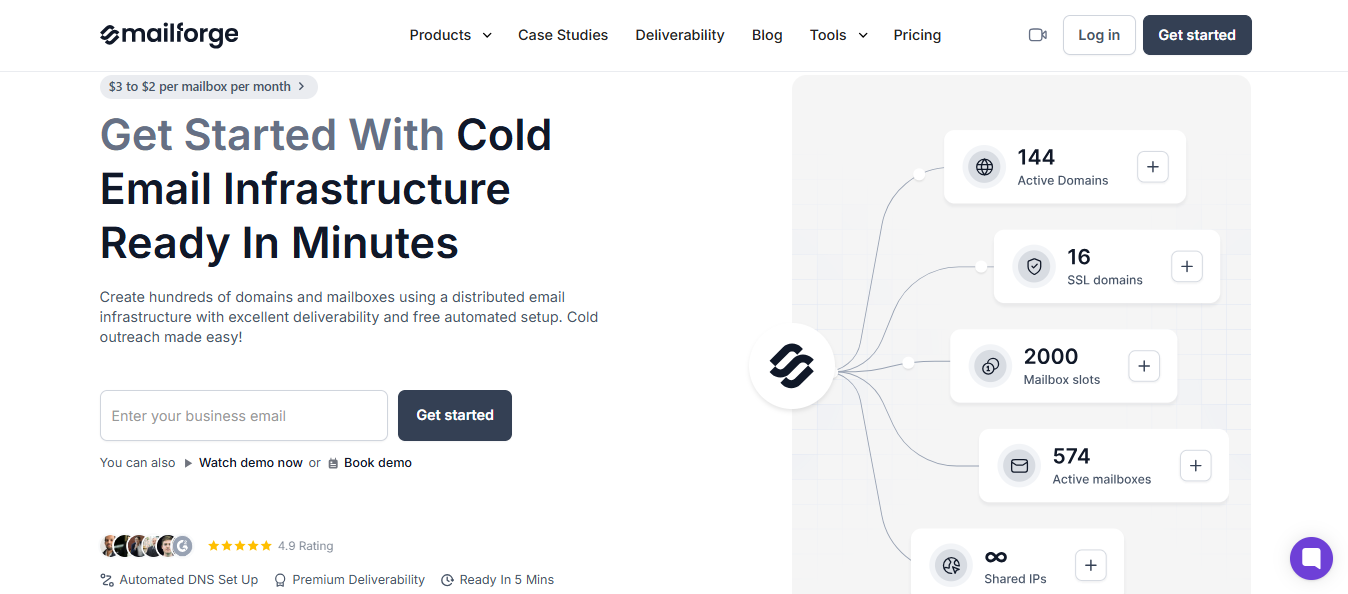
Your agents send at volume, so you need domains and sending infrastructure built for that. Mailforge gives you a distributed infrastructure on rotating IPs.
Infraforge gives you private IP infrastructure when you want full control over your reputation.
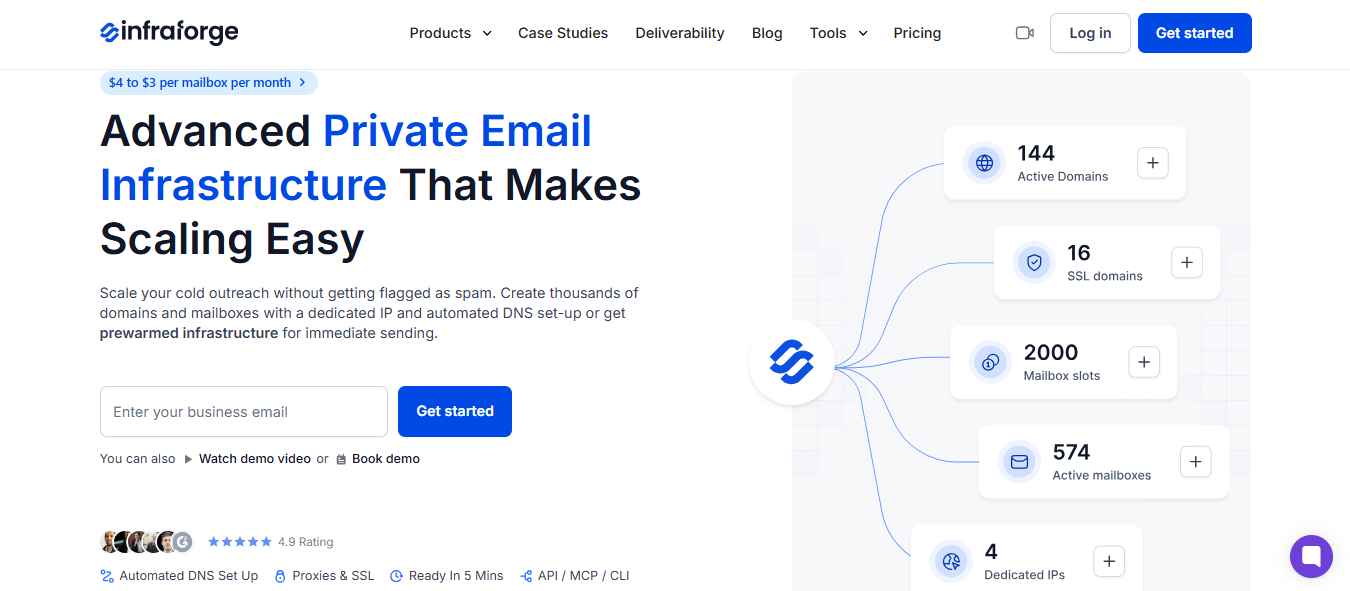
Pick based on your scale and risk tolerance.
Shared setups work when you are testing. Private infrastructure protects you once volume climbs.
You need real sending accounts on trusted providers. Primeforge gives you Google Workspace and Microsoft 365 mailboxes, built for cold outreach.
These are the accounts your sequences send from. The quality of the mailbox shapes whether your message reaches the inbox or the spam folder.
New domains and mailboxes cannot send at full volume on day one. They need warmup first, or they land in spam. Warmforge handles this.

It builds sender reputation gradually and runs placement tests so you know where your mail lands.
Set warmup running before you launch. Agentic volume hits hard, and a cold mailbox will not survive it.
Now, the point that matters most about this stack. These tools are built to talk to each other.
Your leads flow from Leadsforge into your infrastructure, warm through Warmforge, and send through your mailboxes, without you stitching vendors together.
That connection is not a nice-to-have for agentic workflows. Agents move fast across steps, and they break at every handoff where two tools do not connect.
A stack that already talks to itself removes those breaks. Salman Riaz pointed to the deeper win here.
Set up these four layers, and the ground your workflow runs on is ready. Next, you build the agents that run on top of it.
This is the core of the build. You have your logic, your blueprint, and your infrastructure. Now you build the agents that run the outreach.
Salesforge runs your multichannel sequencing, email, and LinkedIn from one place.
Agent Frank is the AI SDR that works your blueprint: sourcing, personalizing, following up, and qualifying against your rules.
Here is how to set it up so it runs as an agentic system, not a dumb sequence.
Start by setting Frank up around the map you already drew. Open Agent Frank and load your ICP, so it's sourcing pulls the same profile you defined.
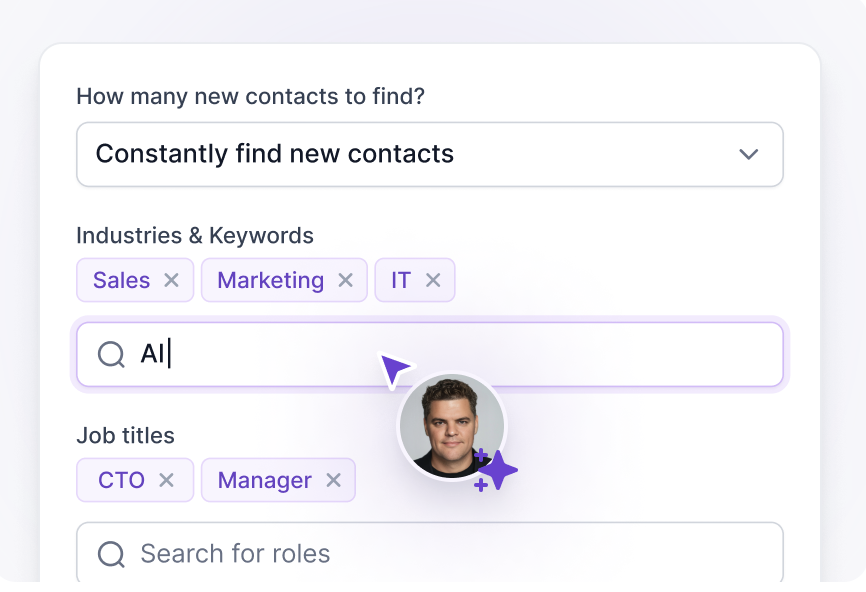
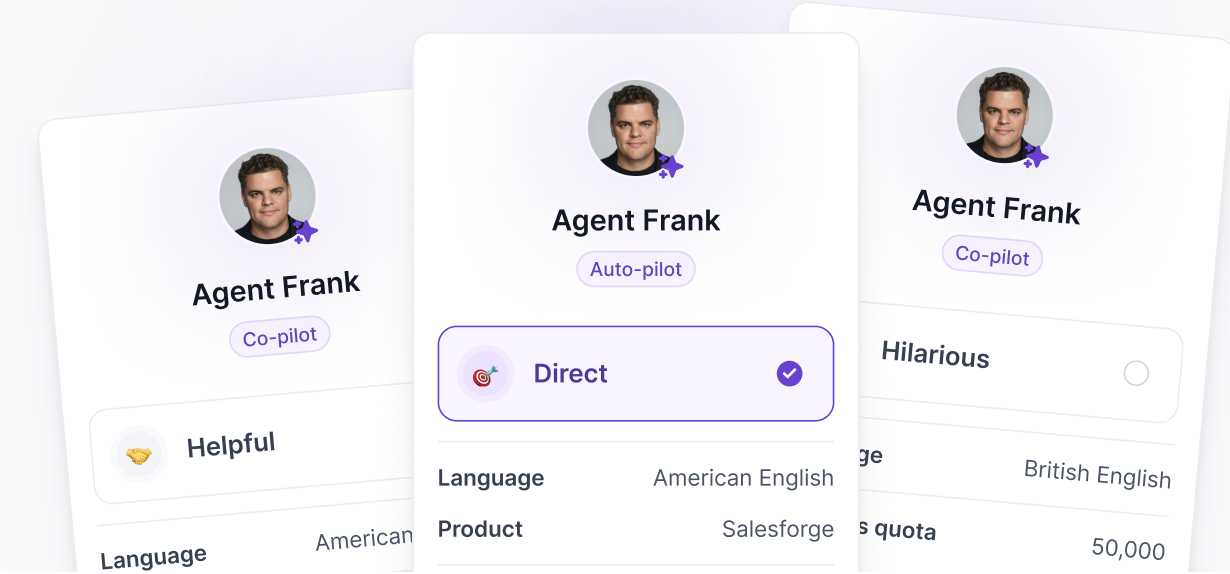
Then set its mode. Auto-pilot lets Frank run the full motion end-to-end. Co-pilot drafts each message and waits for your approval before sending.
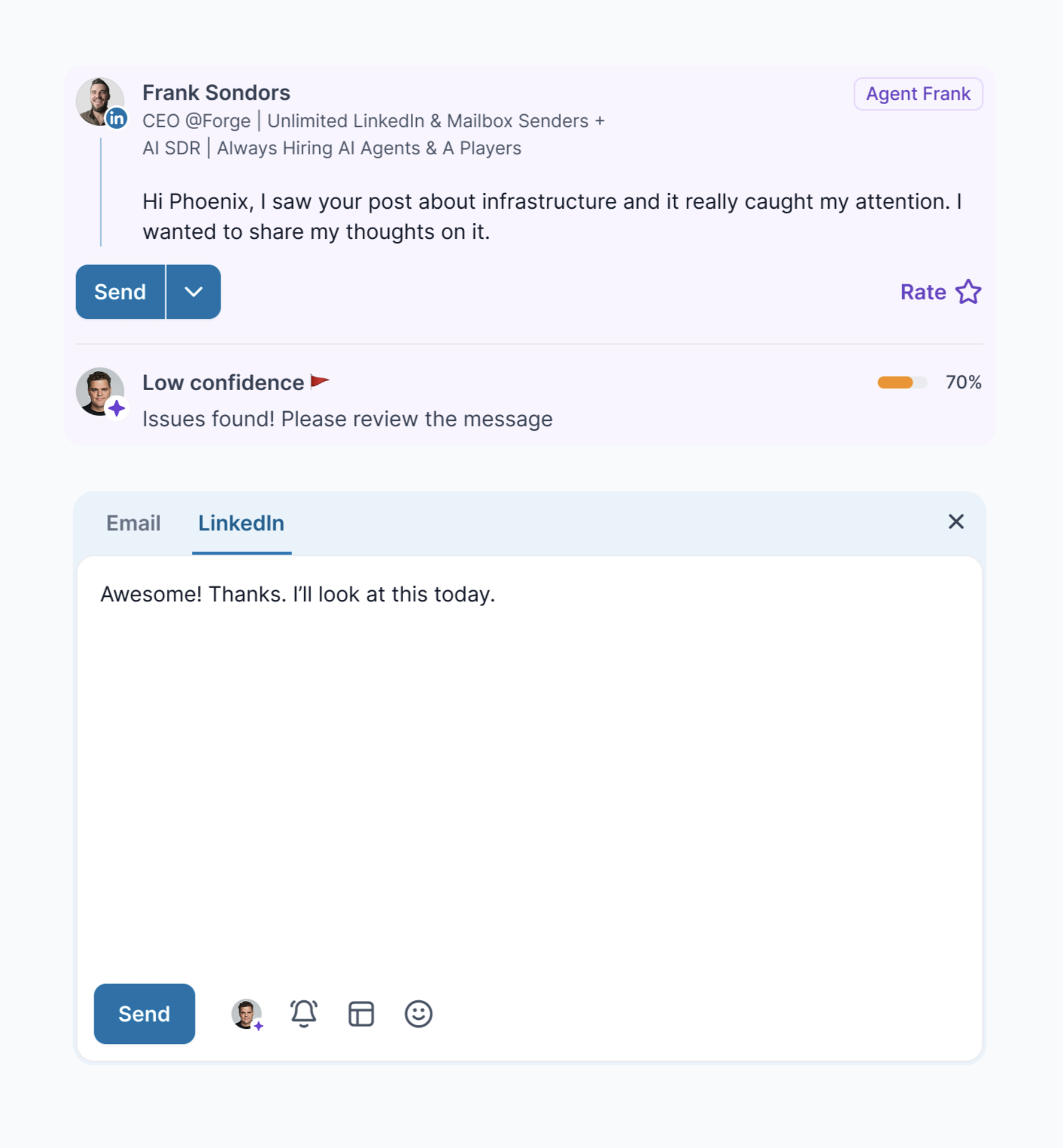
Start in co-pilot while you build trust, then switch to auto-pilot once the output holds up.
Next, feed it your offer and your angle. Frank writes the personalization, so give it the pain point and the value framing from your prep.
Weak input here means weak messages, no matter how good the agent is.
Set the goal last. Tell Frank what a win is: a booked meeting, a positive reply, a click to your calendar.
That target shapes how it sequences and when it pushes for the ask.
Do not build one giant catch-all sequence. Build it as distinct steps, each doing one job, matching the agent roles from your map.
In Salesforge, lay out the sequence you blueprinted: email on day one, LinkedIn connection on day three, follow-up on day five. Each touch is its own step with its own trigger and copy.
Keep the jobs separate for a reason. Specialist steps outperform generalist ones by 30% to 50% on domain-specific tasks.
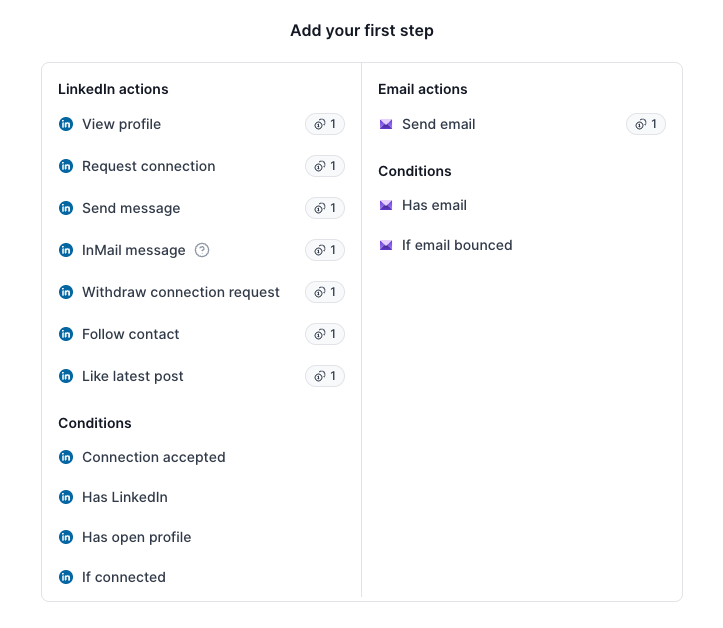
A step that only writes the first cold email beats one step trying to handle every message in the chain.
So build narrow. One step sources, one personalizes the opener, one handles follow-ups, one reads replies.
Salesforge and Frank run them together, but each stays focused on its own job.
This is what stops your workflow from sending tone-deaf messages. Salesforge reads replies and updates the sequence the moment one lands.
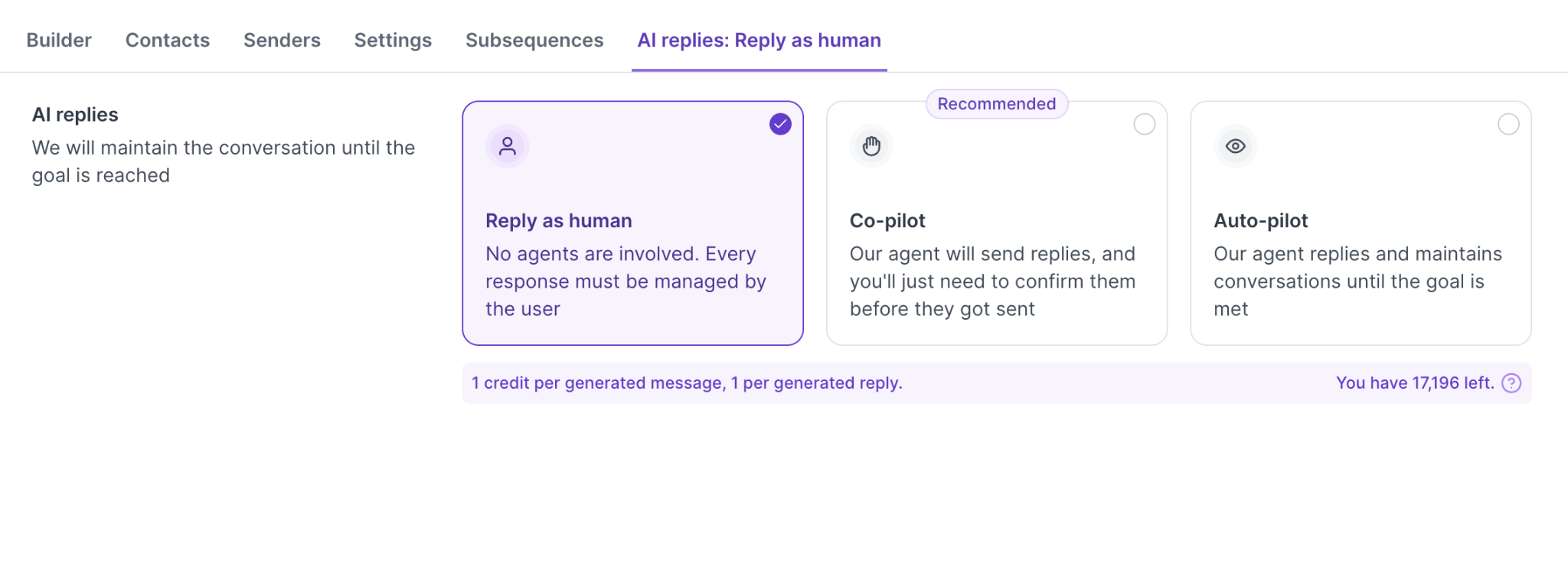
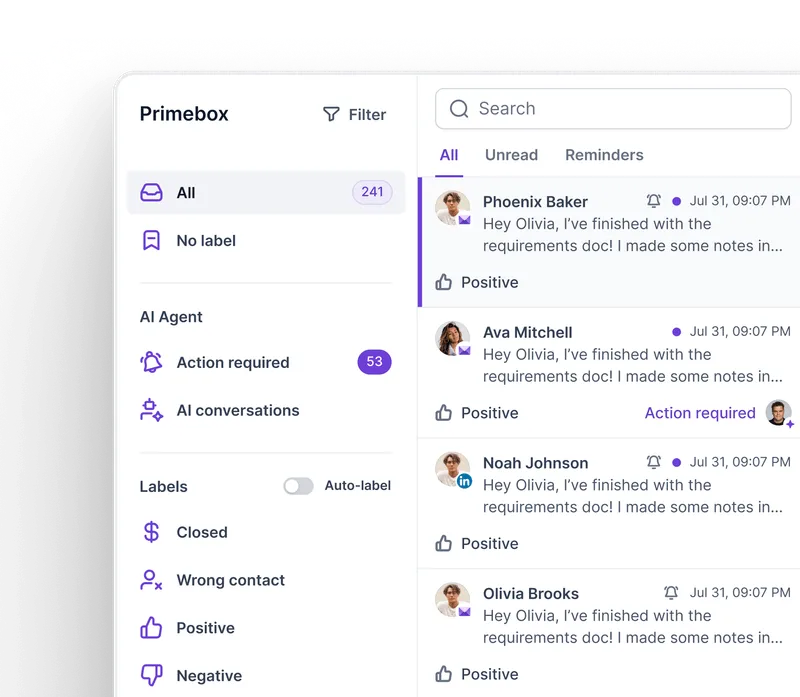
Set it up through Primebox, which pulls email and LinkedIn replies into one inbox. When a prospect replies on LinkedIn, your email sequence for that lead pauses on its own.
No double-messaging someone who already answered.
Then map each reply type to an action, using the categories from your blueprint. A positive reply moves the lead toward handoff.
An out-of-office message pauses the sequence. An unsubscribe drops the lead. Set these once, and the workflow reacts without you watching the inbox.
This is your shared state working. Every agent reads the same live status, so the sequencing step knows the second the reply step logs an answer.
Now make the workflow react to signals, not just run on a fixed timer. This is the difference between a rep and a robot.
Build in the channel pivots first. If a LinkedIn request goes ignored, the workflow moves that lead to email.
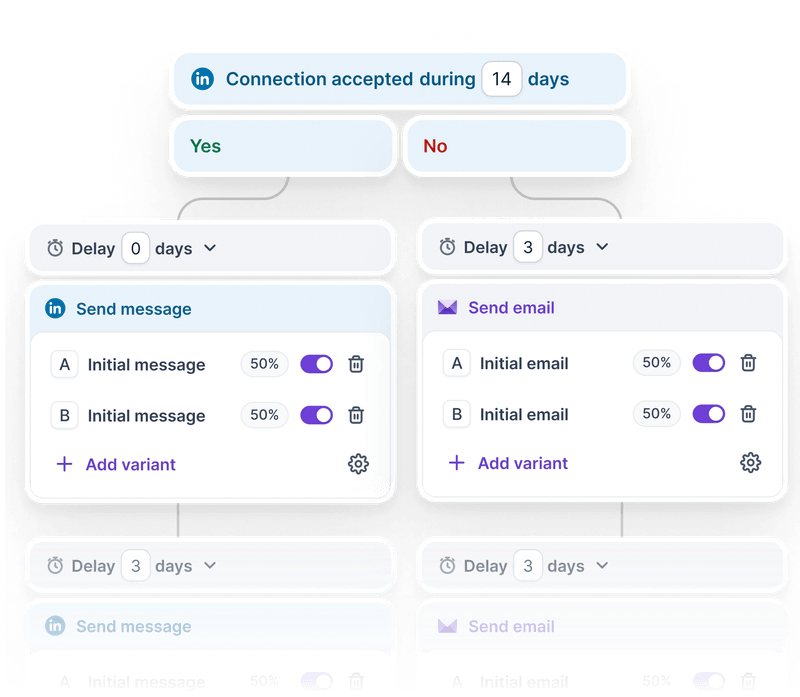
If engagement drops, it changes the next touch. You set these rules once, and Frank follows them per lead.
Then add intent triggers. Point the workflow at signals like a job change or a funding round, and have it act within 24 to 72 hours while the timing is fresh.
A lead in their first 90 days at a new job is far more open, and the workflow moves within that window instead of waiting.
Last, wire in the handoff you marked on your map.
Tell the system the exact trigger that moves a lead from Frank to a human: a lead score past your bar, a direct reply asking to talk, or a set engagement level.
When a lead hits it, Frank passes it up with the full context: the thread, the history, and why it qualified. Your closer opens the conversation already knowing the story.
That is the whole build.
Frank is configured to your ICP and offers a sequence built as specialist steps, reply detection keeping every agent in sync, adaptive triggers reacting to signals, and a clean handoff to your team.
Judith Amarachi described what this kind of setup looks like when it matures.
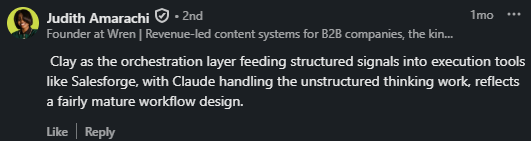
Wire these five together, and the outreach runs itself up to the handoff. What is left is making sure it does not scale mistakes as fast as it scales sends.
You can build everything above by hand in the Salesforge dashboard, and most teams start there. But you do not have to.
The same workflow can be built in code. The Salesforge API lets you create sequences, load leads, and manage the whole motion programmatically, so you can wire it into your CRM or your own scripts.
The CLI runs those same actions from your terminal, which suits the RevOps work you want to schedule and repeat.
For an agentic build specifically, the MCP server matters most. It connects Salesforge to assistants like Claude, so you can build and run the workflow in plain language.
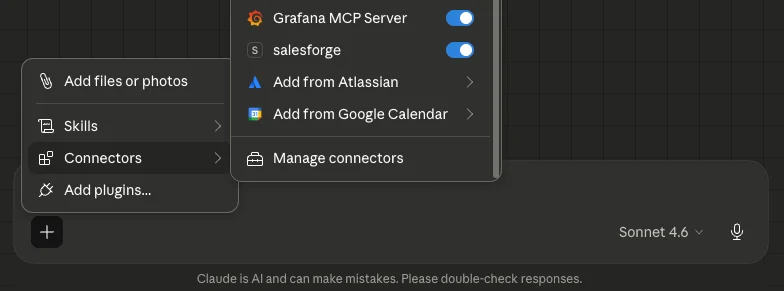
You describe the sequence, and the assistant builds it through the same actions.
Pick the path that matches how you work. The UI to start, the CLI to script, the API to embed, or the MCP to drive it with an AI assistant
Each builds the same workflow underneath. (For the full setup on all three, see our guide on the Salesforge API.)
How to Automate Cold Email With Claude Code and Salesforge MCP
An agent scales whatever you give it. Give it a good process, and it scales results. Give it a flaw, and it scales the flaw just as fast.
That is the risk no one warns you about. A human making a mistake sends one bad email. An agent making the same mistake sends a thousand before you notice.
So you build the guardrails in now, not after something breaks.
Here are the five to set up.
Build a rule that stops the agents when they start getting things wrong. Set a threshold: if an agent misclassifies three replies in a row, the workflow pauses and flags a human. One wrong read is noise.
Three in a row means something is broken, and you want it stopped before it runs across your whole list.
Do not let agents send everything untouched. Route a small share of output, around 5% of AI-written messages, through a human first to catch wrong context or off tone.
Then set clear points where a person always steps in: a high-value lead, a complex reply, or a direct request to talk.
Most agent mistakes trace back to bad data. Stop it before it enters the workflow. Build validation rules on every field: check email formats, verify domains, and reject records that fail.
Run it on a schedule, since daily checks catch fresh errors and a weekly sweep clears duplicates. Bad data costs businesses millions a year, and an agent turns that cost into volume.
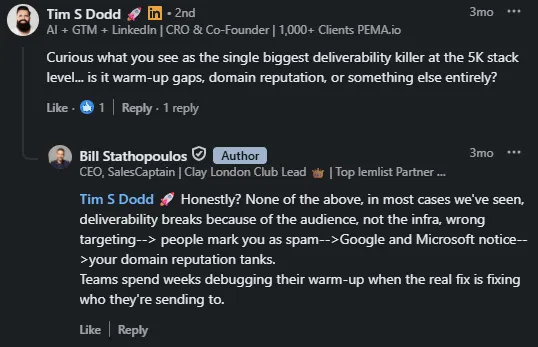
Agentic volume is the fastest way to burn a domain. Set up the basics before you scale: configure SPF, DKIM, and DMARC, warm every new domain and mailbox with Warmforge, and validate addresses ahead of each send.
Then keep watching deliverability, and let a drop in placement trigger an alert. Bill Stathopoulos pointed to where the real damage starts.
Watch the system as a whole so problems surface early.
Track reply classification accuracy, bounce rates, and lead conversion, set alerts on sudden changes, and review weekly for short-term issues and monthly for drift that needs retuning.
You built it. Now you launch it the right way, which means small first, not all at once. The fastest way to break a new workflow is to point it at your whole list on day one.
Launch narrow. Pick one channel and one sequence, and run it against a small segment of your list.
This keeps mistakes cheap. If the copy misses or a trigger misfires, you find out on 50 leads, not 5,000. You fix it before it touches the rest.
So resist the urge to turn everything on. One sequence, one segment, live. That is your starting point.
Let the first sequence run, then read the numbers. Look at reply rates, positive replies, meetings booked, and where leads drop off.
These tell you if the workflow works before you scale it. A sequence that converts on a small segment will convert on a big one. A sequence that fails small will fail big, faster.
So do not add a second channel or a second sequence until the first one holds. Prove it, then build on it.
Once the first flow works, you scale by adding to the system, not by hiring more people. This is the shift that makes agentic workflows worth building.
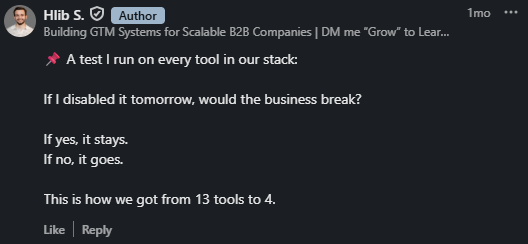
Each layer adds output without adding a salary. A well-built system with agents beats another manual hire, every time. Hlib S. described how this thinking reshapes the whole stack.
One honest note before you start. If you build this yourself from scratch, expect two to three months to get everything connected and running smoothly.
Not because the tools are hard, but because you are learning the logic while you build it.
On a pre-integrated stack like the Forge stack, that shrinks. The pieces already talk to each other, so you spend your time on the workflow, not on stitching tools together.
Either way, the patience pays off. Once it is built, it runs. You launch one sequence, prove it, and keep adding layers until the system carries the load your team used to carry by hand.
Enter your email to get a custom plan & stack recommendation for your business
Please check your mailbox in 5 minutes

The teams winning outbound in 2026 are not the ones sending more by hand.
They built a system that sources, sends, and qualifies while they sleep, and keeps their people for the conversations that need a human.
That system can be bought. It is built, logic first, agents second, guardrails throughout, one proven sequence at a time.
Ready to build? Start with Salesforge and put your first workflow live today.
.jpg)

![How to Use Jev for Cold Email Agents [Step-by-Step Guide]](https://cdn.prod.website-files.com/6436c3ac9f9fd0594d00b9fc/6acbd25fa19716f481a8dc43_Duplicate-me-open-graph%20(67).jpg)

![How to Use Jev for LinkedIn Outreach [Step-by-Step Guide]](https://cdn.prod.website-files.com/6436c3ac9f9fd0594d00b9fc/6acbc875da442e046e263670_Duplicate-me-open-graph%20(66).jpg)