
Personalized Outbound Strategy
Get The Right Outbound Strategy In Minutes
Enter your email to get a custom plan & stack recommendation for your business
It's being carefully crafted by AI
Please check your mailbox in 5 minutes
My Grok sales prospecting agent already connects to Leadsforge and Salesforge, so this guide starts with Jev. In this setup, Jev sits between the lead data and the LinkedIn actions Salesforge sends.
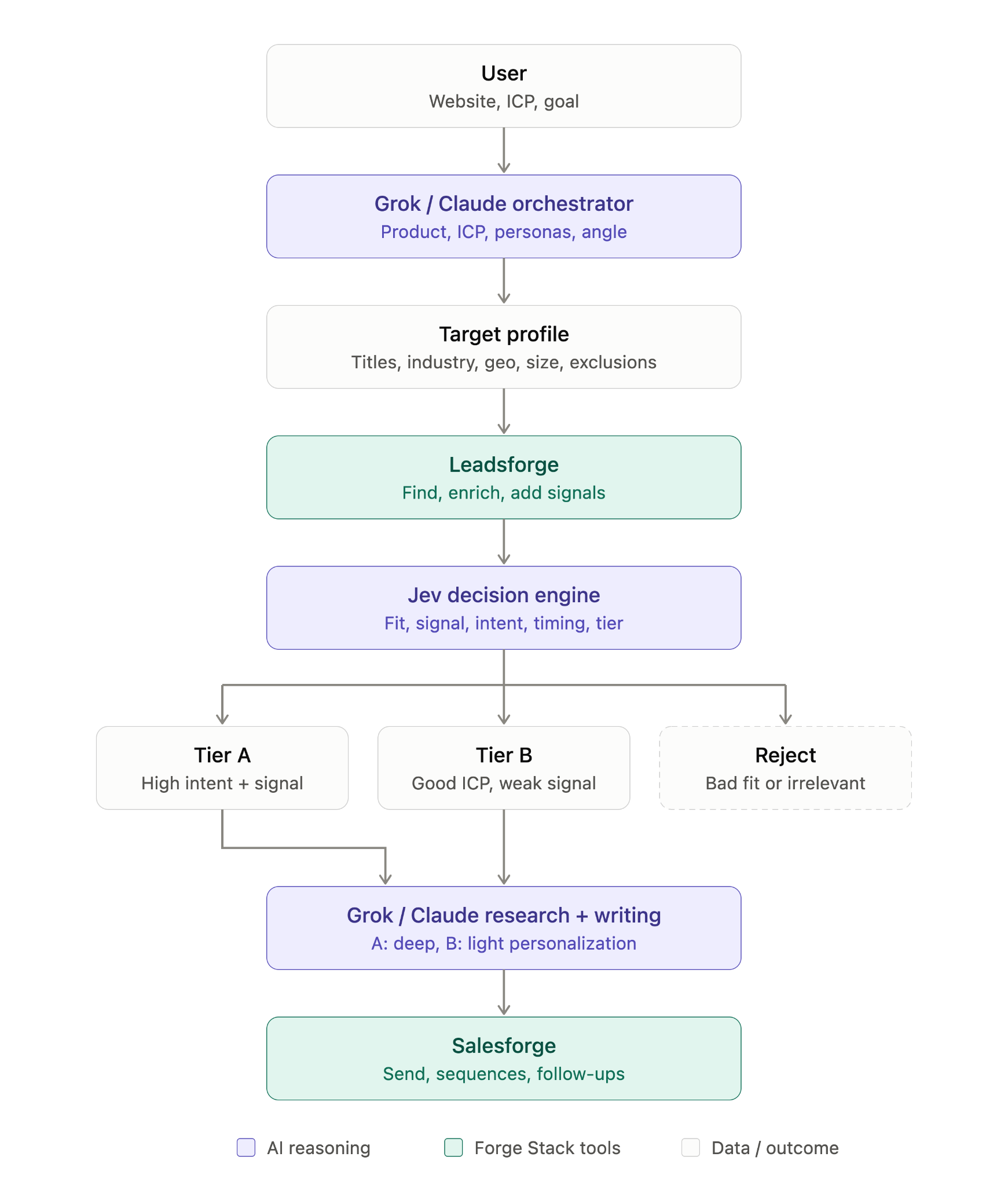
If you have already set up Jev for cold email, skip this step. The same skill and API key work for LinkedIn.
If you are starting from scratch, you need two things. First, install TypeSafe skill instructions, which teach your agent how to write questions for Jev:
npx skills add typesafe-ai/skills --skill typesafe-ai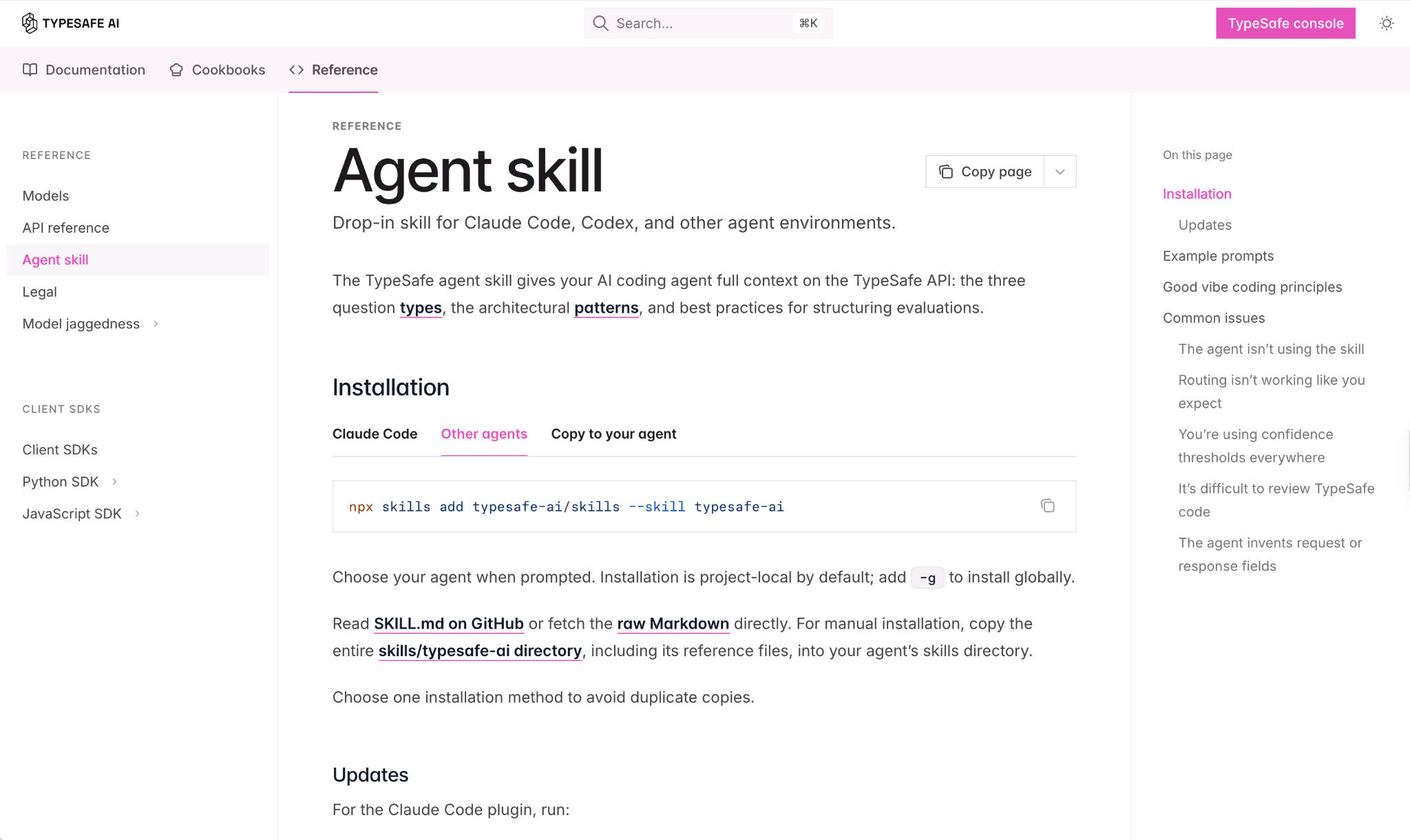
I sent my agent the link to the skill’s SKILL.md file instead, and it saved the skill to Grok Bot.
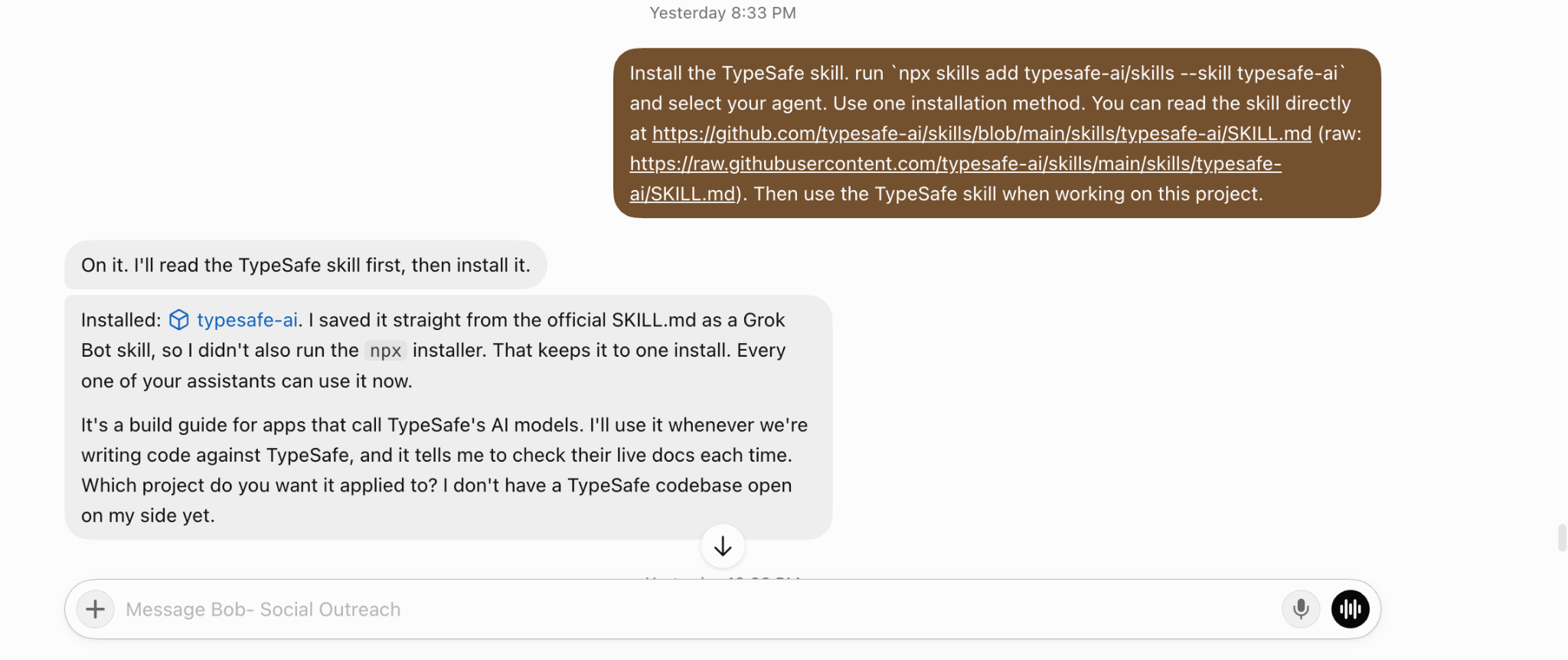
Second, create an API key in the TypeSafe console. Give it to your agent, and it will store the key privately.

Before connecting anything, I had two questions. Would using an AI agent put my LinkedIn account at risk? And how much would it cost to run outreach from several profiles?
My LinkedIn accounts stay connected to Salesforge. Grok works with them through Salesforge, while Jev never touches them. It only answers questions about leads and replies.
Salesforge sets daily limits for each LinkedIn action to keep accounts within LinkedIn’s safe range. It is not affiliated with or endorsed by LinkedIn. Because the limit applies to each action, adding Jev does not increase the number of requests sent. It only changes who receives the requests you can already send.
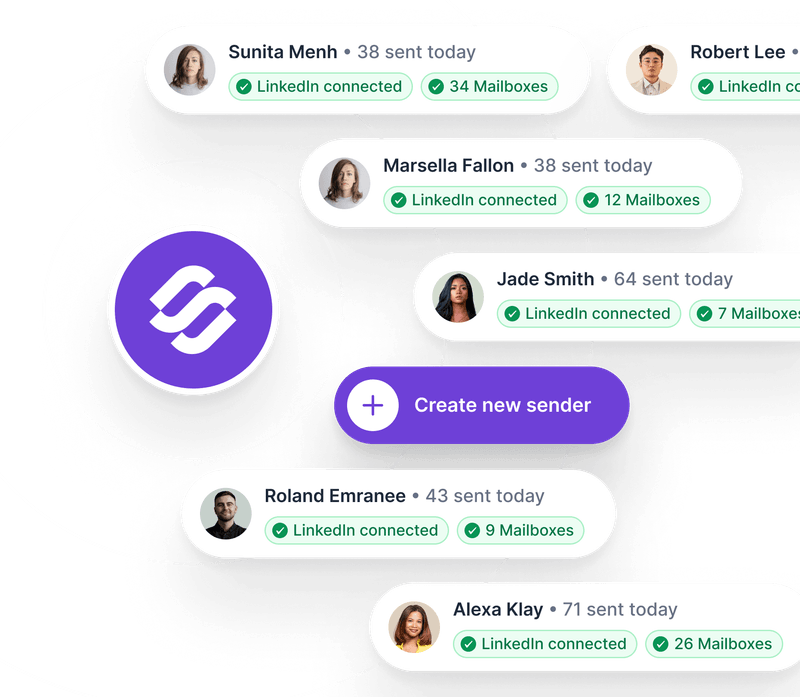
Salesforge also does not charge per LinkedIn account. Five profiles can sit in one workspace under one subscription. Agencies can run client profiles under their own branding.
A weak email lead costs me one send. A weak LinkedIn lead uses one of the limited connection requests that profile can send that day.
Before a lead enters the sequence, my agent asks Jev about both the person and the company:
If Jev is unsure about an answer, the lead comes to me instead of entering the sequence.
My agent also removes leads without a LinkedIn profile URL before sending anything to Jev. There is no reason to assess someone I cannot reach on LinkedIn.
Before any lead receives a LinkedIn connection request, run it through Jev using the TypeSafe skill. Ask for the persona, ICP fit, buying signal, whether there is enough information to personalize a DM, and a contact-now/nurture/don’t-contact decision. Remove leads without a LinkedIn profile URL first.
Send any uncertain decisions to me.
During my first test with 20 leads, I trusted the persona results most.
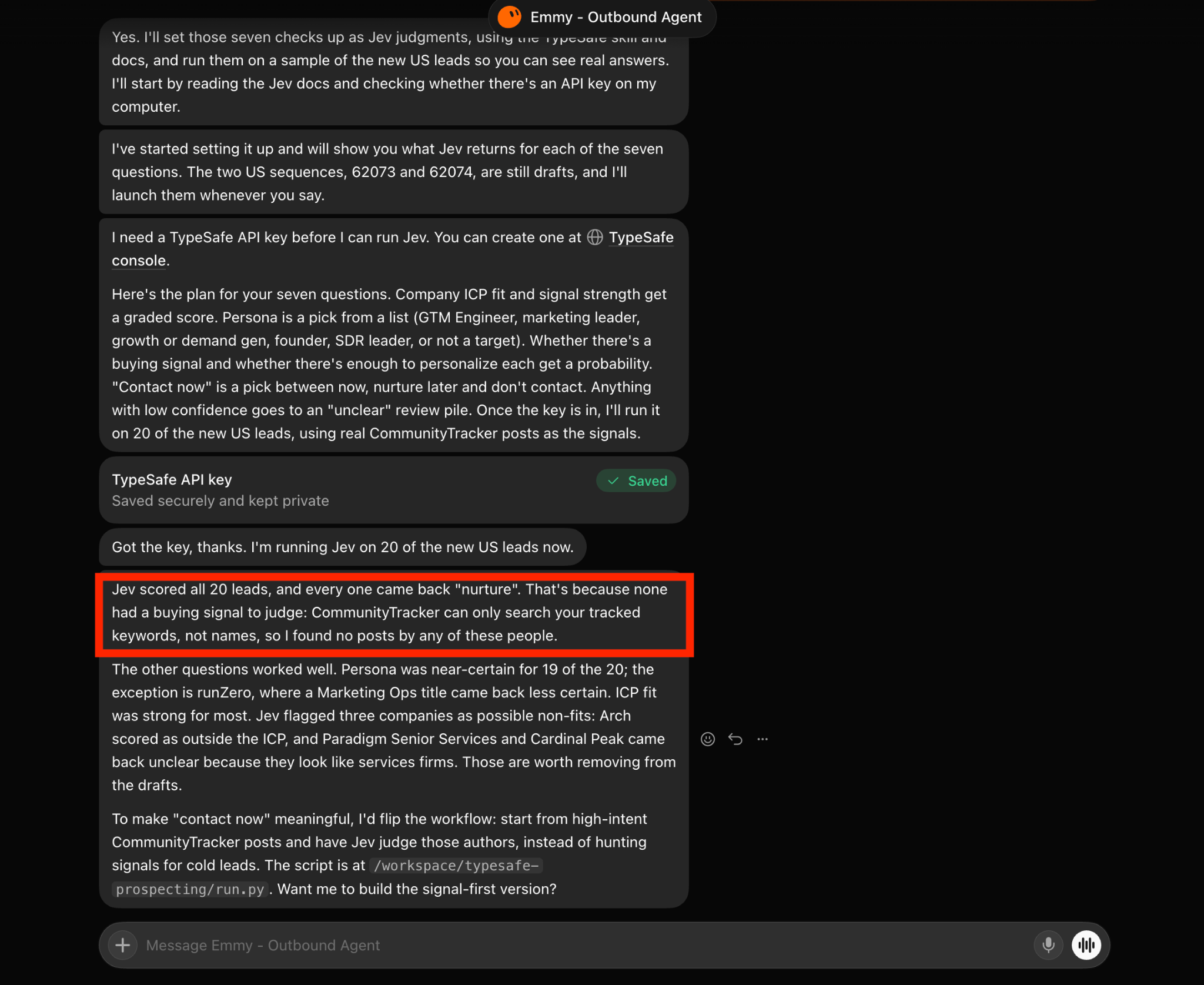
Jev was confident about 19 of the 20 people. However, it didn't put anyone in contact. The next step explains why.
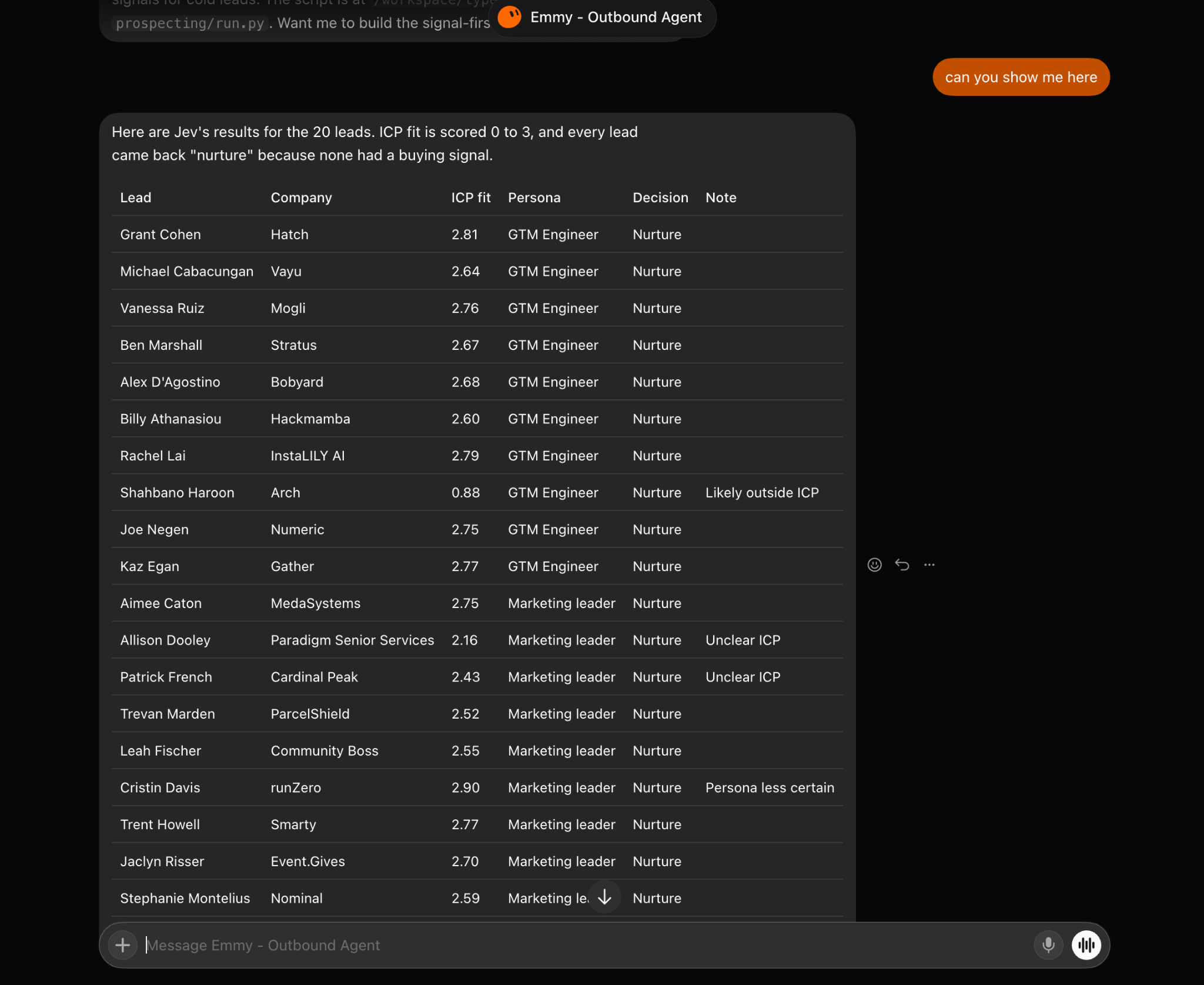
Jev cannot know why someone should hear from me this week with only a name and job title. My agent needs to give it a signal.
I ask the agent to find four types of Leadsforge signals from the past six months:
Check each lead in Leadsforge for job changes, funding, acquisitions, and investor activity from the past six months. Attach every signal with its source, then ask Jev to reassess the lead. Tell me which leads had no signal.
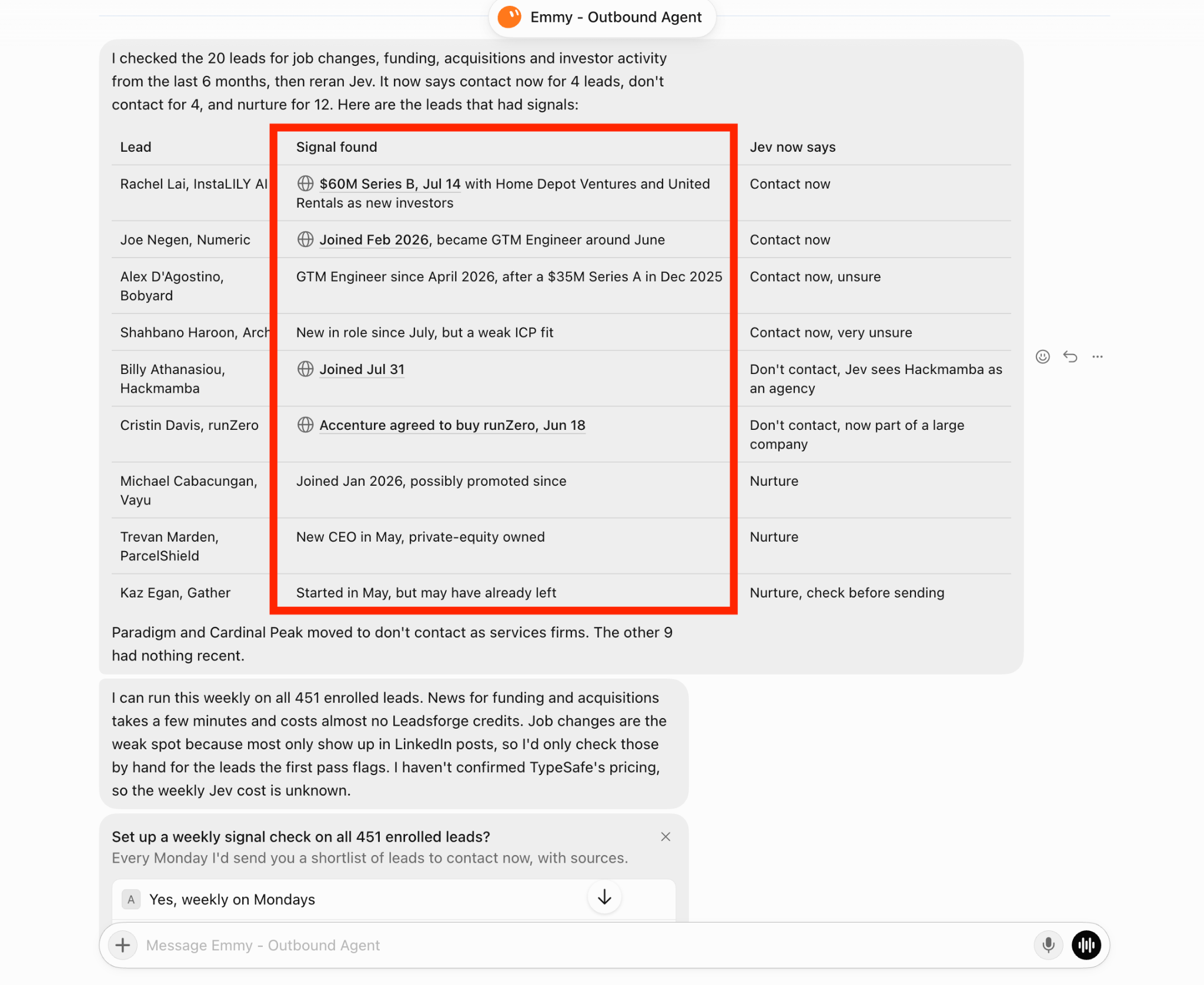
For LinkedIn, job changes are the signals I care about most. They are also the ones I trust least. Three leads from my sample show why:
Most job changes appear only in LinkedIn posts, making them harder for my agent to verify than funding announcements. The agent suggested checking these by hand, but only for leads flagged during the first pass.
If Jev selects contact now but has low confidence, I review the lead before sending a request.
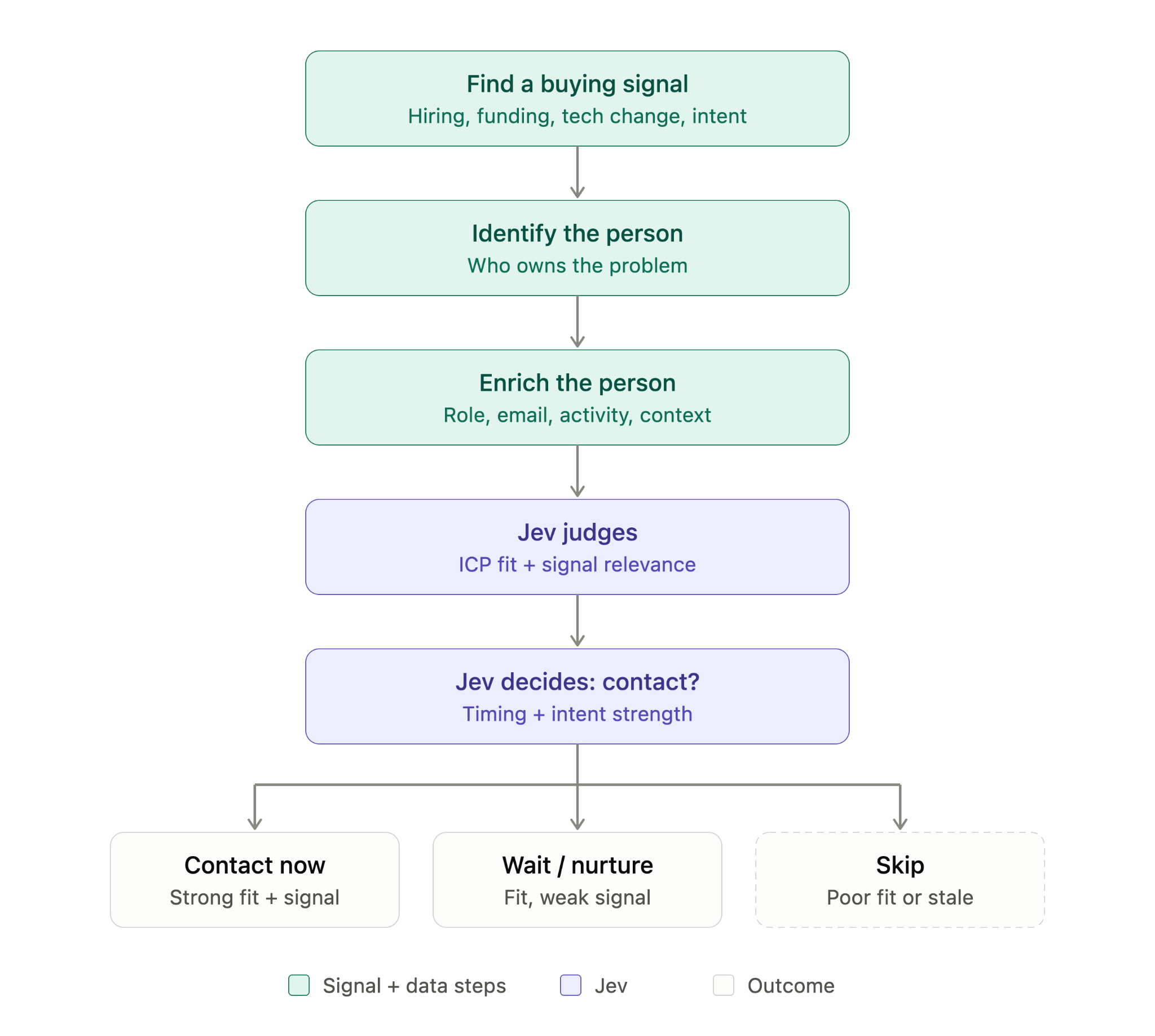
Only high-confidence contact-now leads enter the Salesforge sequence. Uncertain leads wait for my review, nurture leads wait for a new signal, and don’t-contact leads never enter.
I also do not want a connection request from a stranger to be the first time someone sees my name. Salesforge lets me schedule a profile view, follow, or post like before the request within the same sequence. By the time the request arrives, my name has already appeared in their notifications.
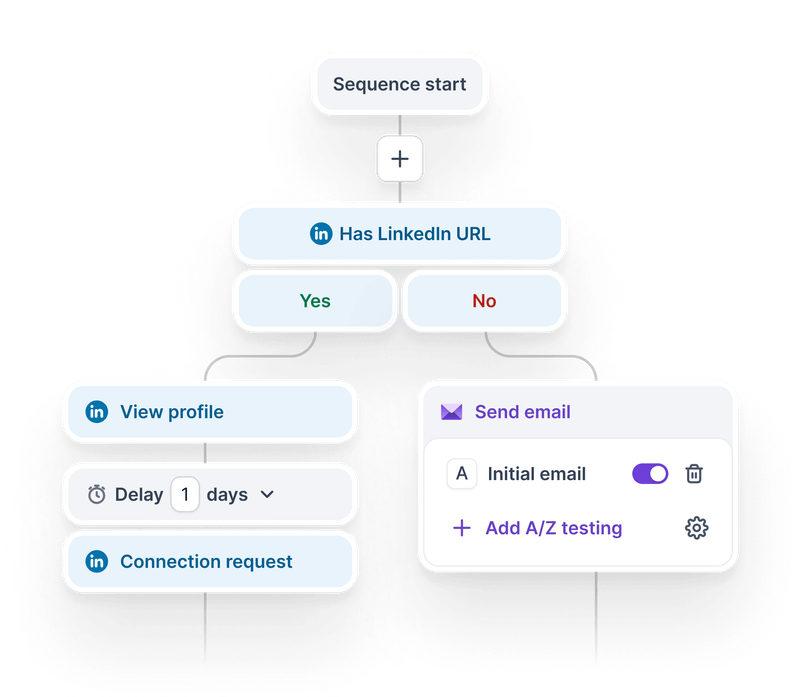
If someone does not accept, Salesforge’s if/then branching can send an InMail instead.
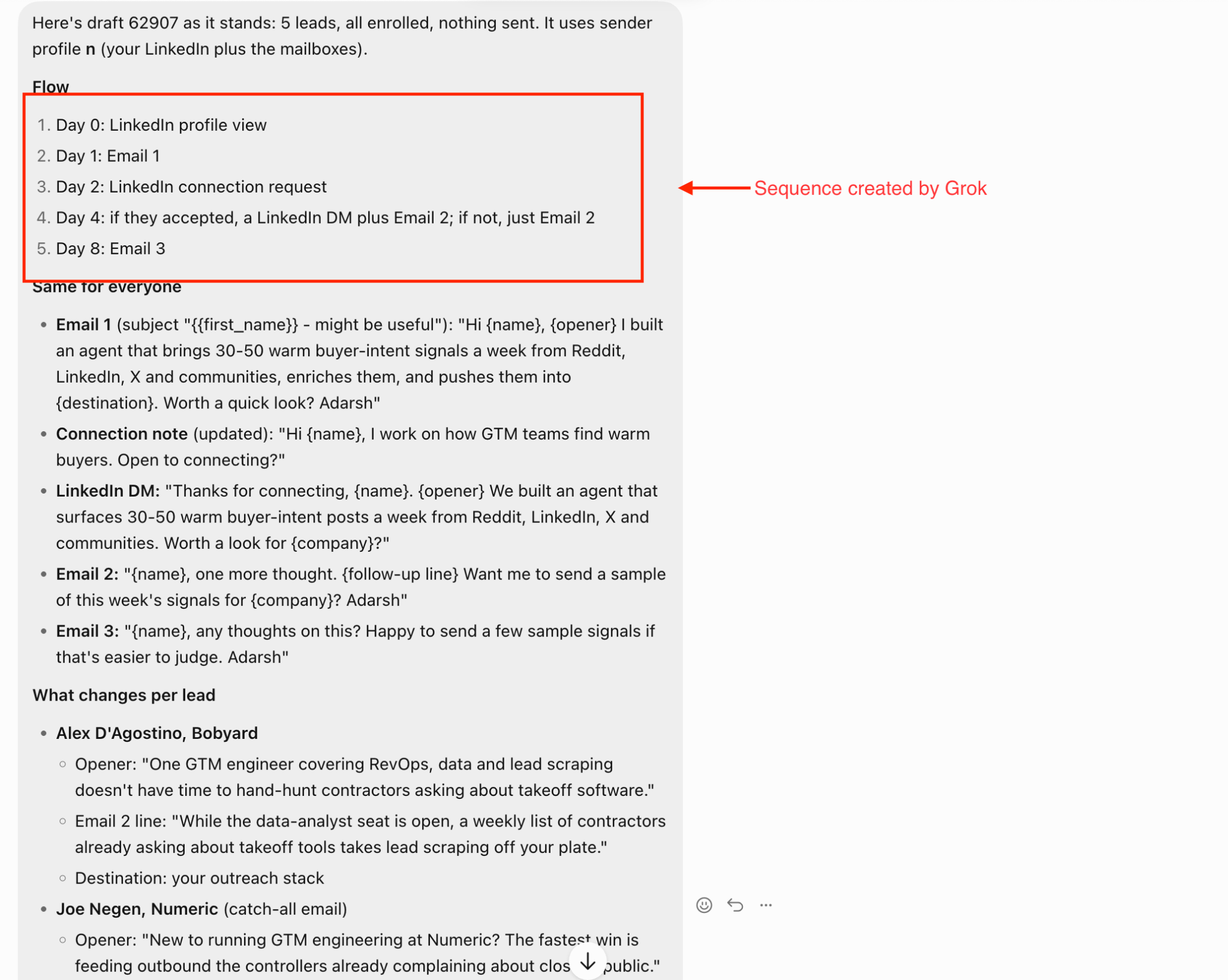
Build a LinkedIn-only Salesforge sequence for high-confidence contact-now leads. View their profile on day 0, send the connection request on day 2, and send a DM on day 4 if they accept. If they do not accept, branch to an InMail. Keep the campaign as a draft.
Nurture leads receive another chance because new signals appear over time. My agent offered to check enrolled leads every Monday, run any new signals through Jev, and send me that week’s sourced contact-now list.
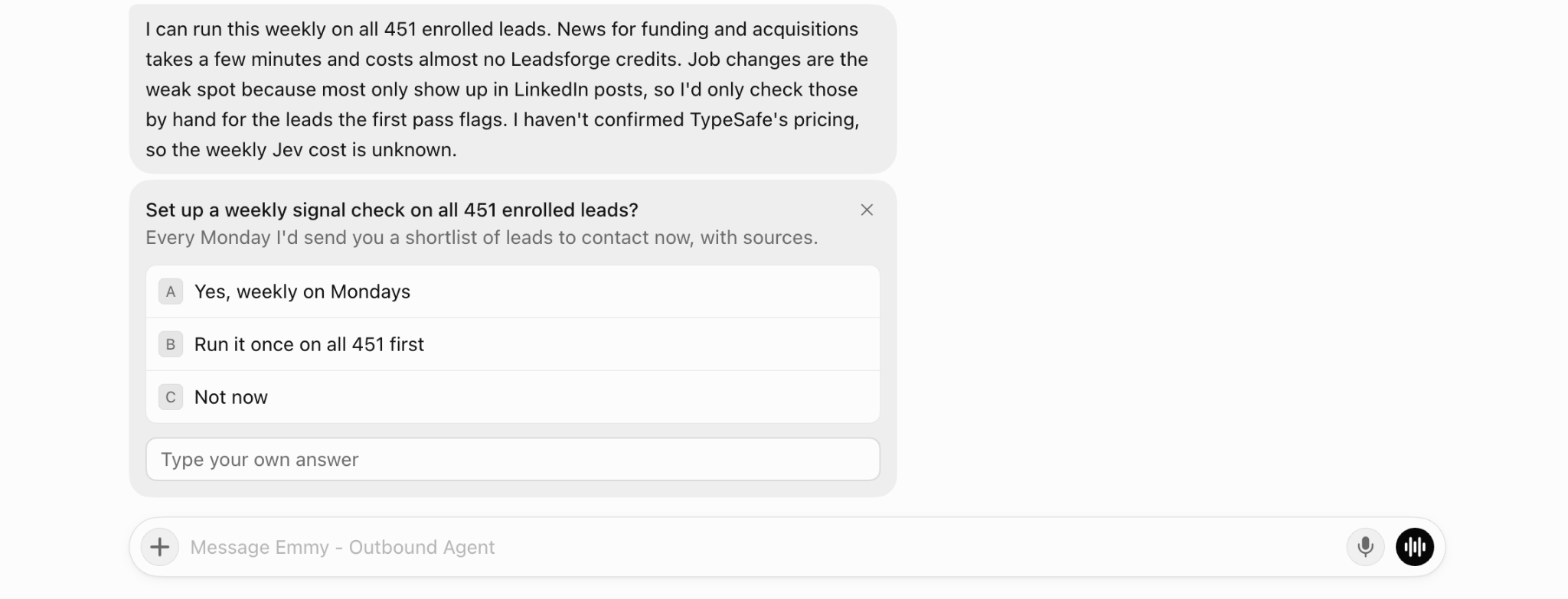
I use the same connection note for every lead. It briefly explains what I work on and asks to connect. The personal detail stays in the DM, which only goes to people who accept.
To write the opener, my agent records three things for every lead with a signal:
Each point must have a source. Of the nine leads with signals, five had usable angles, one needed a quick check, and three were held back or skipped.
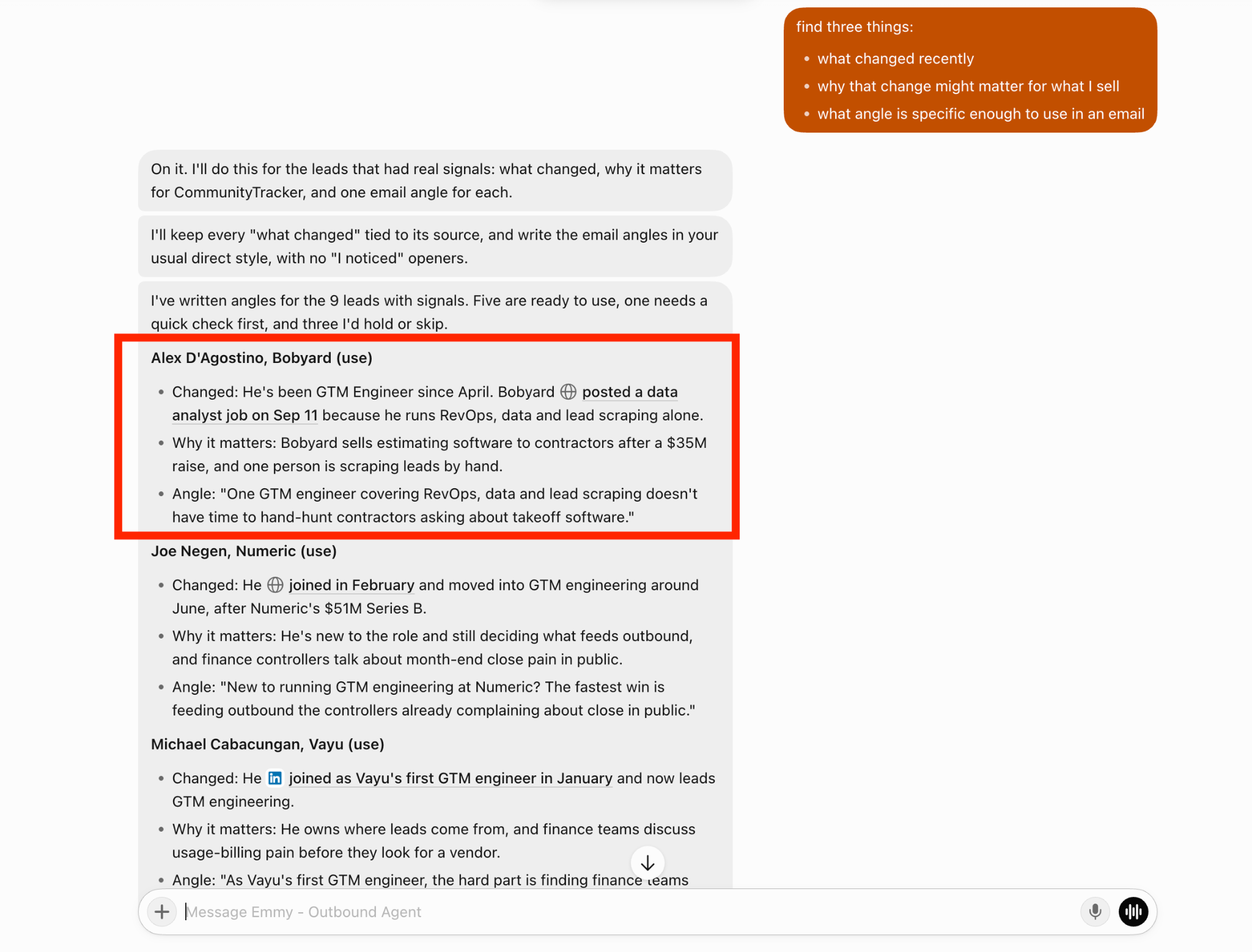
When Jev says there is not enough information for personalization, the DM starts without a personal line. Guessing about someone’s situation is worse than leaving it out.
Write a DM opener for each contact-now lead using only its sourced signal. Keep the connection note the same for everyone. Skip the opener when Jev says there is not enough information to personalize. Show every opener beside its source.
If Primebox already sorts replies, why use Jev? They answer different questions.
Primebox collects LinkedIn replies from every connected account in one inbox. Its AI tags positive replies, objections, and meeting requests so I know what to read first.
Jev decides what should happen next:
It also classifies replies as not now, referral, unsubscribe, out of office, or unclear. A fixed rule stops the sequence whenever Jev identifies an unsubscribe or negative reply.
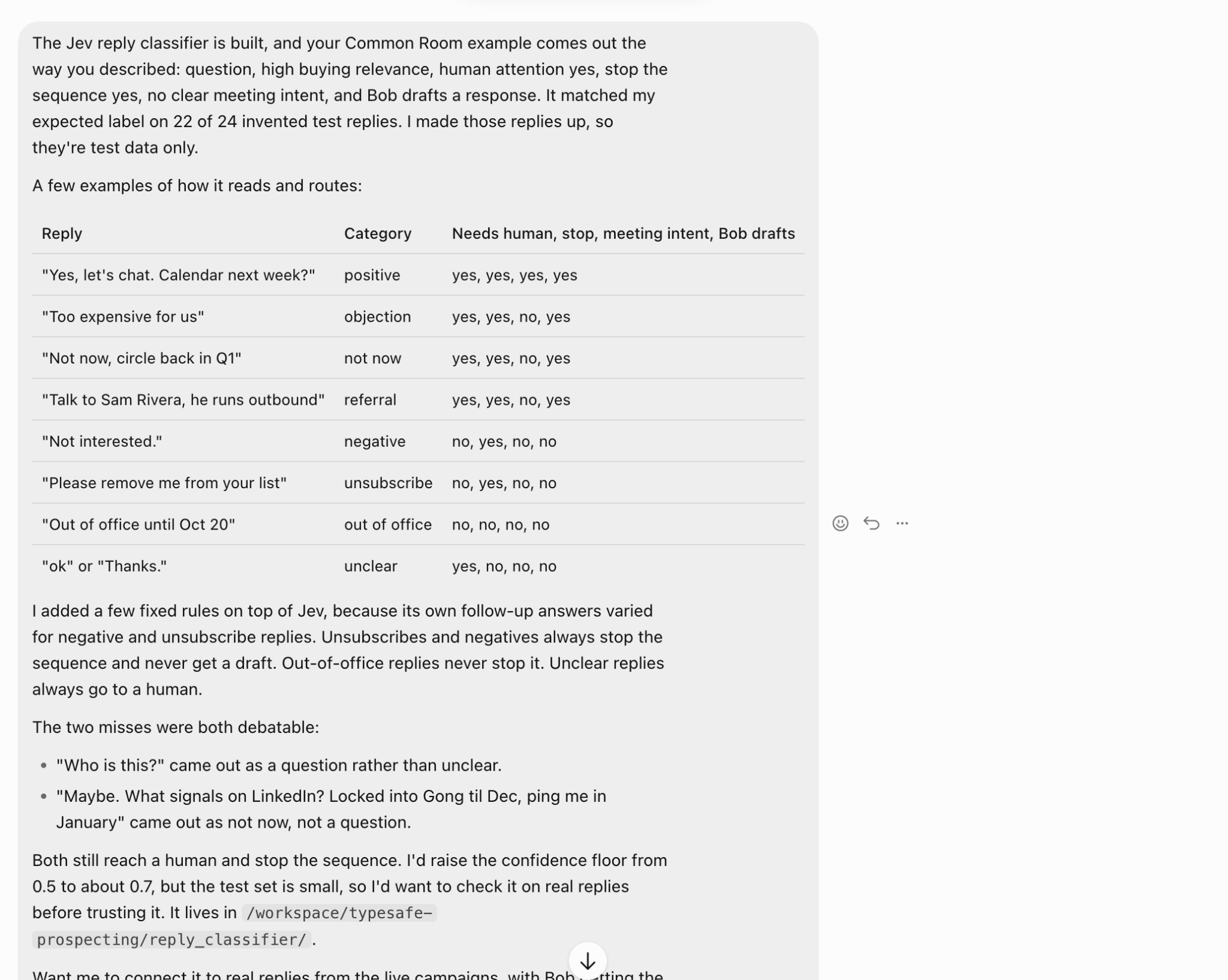
One test reply asked about LinkedIn signals and said to follow up in January. Jev labeled it not now, while I would have called it a question. It still sent the reply to me and stopped the sequence, so the outcome was safe.
I wrote those test replies myself. Primebox offers three modes: Reply as human, Co-pilot, and Auto-pilot. Until I test Jev in real LinkedIn conversations, I will keep using Reply as human.
Salesforge shows LinkedIn results by sender, so I can see which profile receives fewer replies. It can't tell me whether the issue is the profile or the messages it sent.
I can ask Jev to label every sent DM by:
I then compare those labels with replies, positive replies, and meetings. If messages based on job changes repeatedly receive positive replies, I can give job changes more weight in Jev’s contact-now decision.
If one profile performs poorly despite sending the same type of message, I know to review the account rather than the copy.
Pull every LinkedIn DM and its outcome from my last Salesforge campaign. Have Jev label each message by opener, signal, CTA, and personalization. Show the results by sender profile and suggest changes to the contact-now rules. Do not change anything without my approval.
A few replies are not enough to justify a new rule, so I review the patterns myself first.
For LinkedIn, the answer depends less on your total number of leads and more on how many connection requests you can send. Your profiles and their daily limits control that number.
I send from one profile and select leads by hand. I would skip Jev for now. If you can review every profile before sending a request, the setup may not save much time.
I send from several profiles and have hundreds of leads. This is where Jev becomes useful. More profiles mean more daily requests and more leads to assess. Jev handles that extra decision-making.
I do not have lead sourcing or a LinkedIn sequence yet. Set those up first. Jev needs leads to assess and a sequence for approved leads.
Two parts of my setup still need testing:
Enter your email to get a custom plan & stack recommendation for your business
Please check your mailbox in 5 minutes

Salesforge controls how many connection requests each profile can send each day. Jev decides which leads receive them. When Jev is uncertain, I decide.
That split makes the workflow useful for LinkedIn. My agent gives Jev a sourced signal for every lead. Contact-now leads see my name before receiving a request, while personalization waits until the DM after they accept.
Every reply enters Primebox. Salesforge’s free 14-day trial gives you enough time to connect one profile and test the process on a small list before using it more widely.
![How to Use Jev for Cold Email Agents [Step-by-Step Guide]](https://cdn.prod.website-files.com/6436c3ac9f9fd0594d00b9fc/6acbd25fa19716f481a8dc43_Duplicate-me-open-graph%20(67).jpg)

![How to Use Jev for LinkedIn Outreach [Step-by-Step Guide]](https://cdn.prod.website-files.com/6436c3ac9f9fd0594d00b9fc/6acbc875da442e046e263670_Duplicate-me-open-graph%20(66).jpg)

![How to Use Jev for Cold Email Outreach [Step-by-Step Guide]](https://cdn.prod.website-files.com/6436c3ac9f9fd0594d00b9fc/6acbc7c2c1eea5af07ff181b_Duplicate-me-open-graph%20(65).jpg)