
Personalized Outbound Strategy
Get The Right Outbound Strategy In Minutes
Enter your email to get a custom plan & stack recommendation for your business
It's being carefully crafted by AI
Please check your mailbox in 5 minutes
I usually build lead lists using filters like job title, industry, and company size. But a lead can match every filter and still have no reason to read my email right now.
I use Jev to decide before I send the email.
Jev is a TypeSafe AI model that answers specific questions in a fixed format. It does not research companies or write emails.
My Grok sales prospecting agent still handles those tasks. Jev only makes decisions at four points in my cold email workflow:
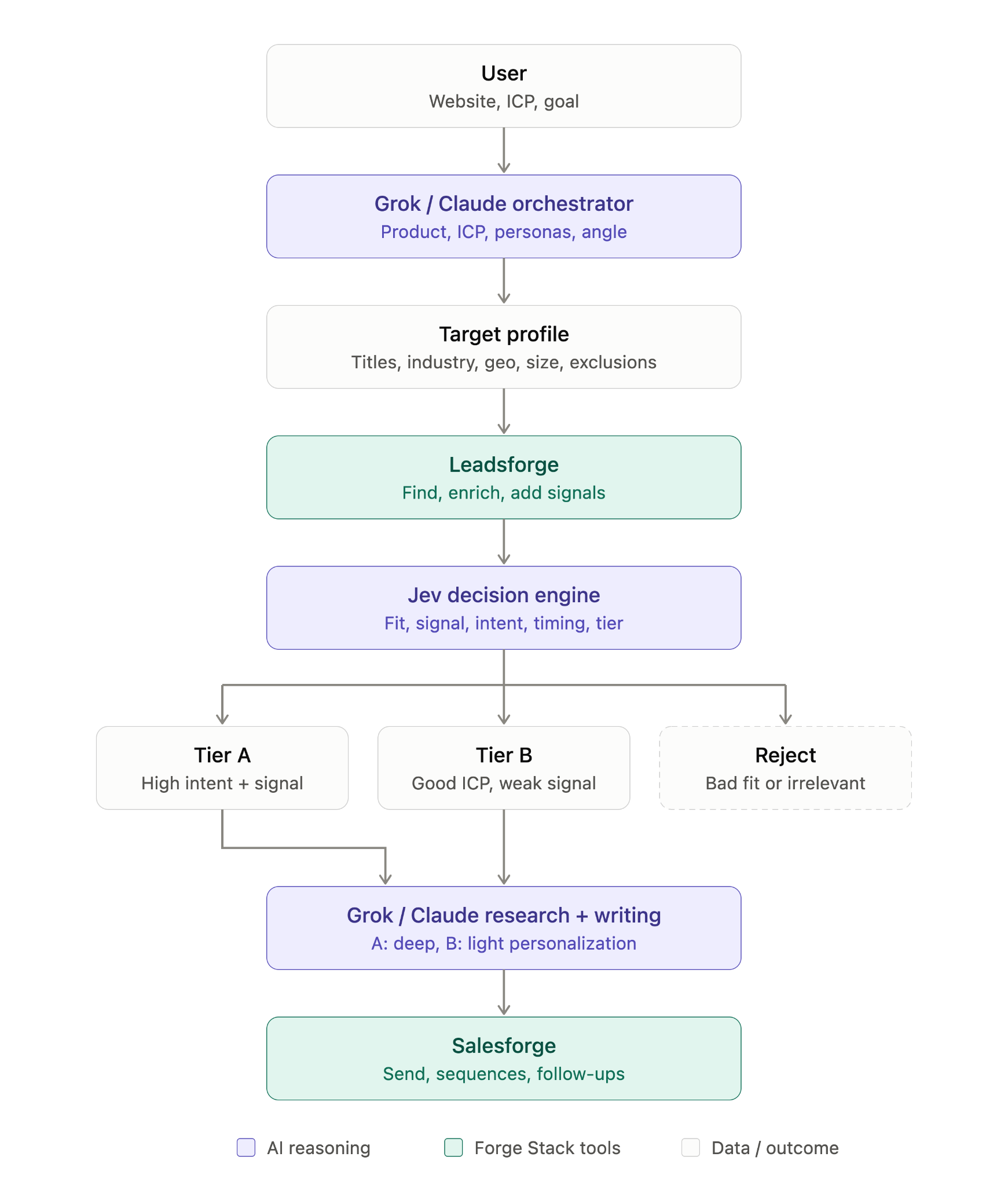
Your agent writes the code needed to call Jev. The TypeSafe skill explains the question types, how to structure them, and how TypeSafe expects each call to work. You only need to tell the agent what you want Jev to decide.
Install the TypeSafe skill instructions with:
npx skills add typesafe-ai/skills --skill typesafe-ai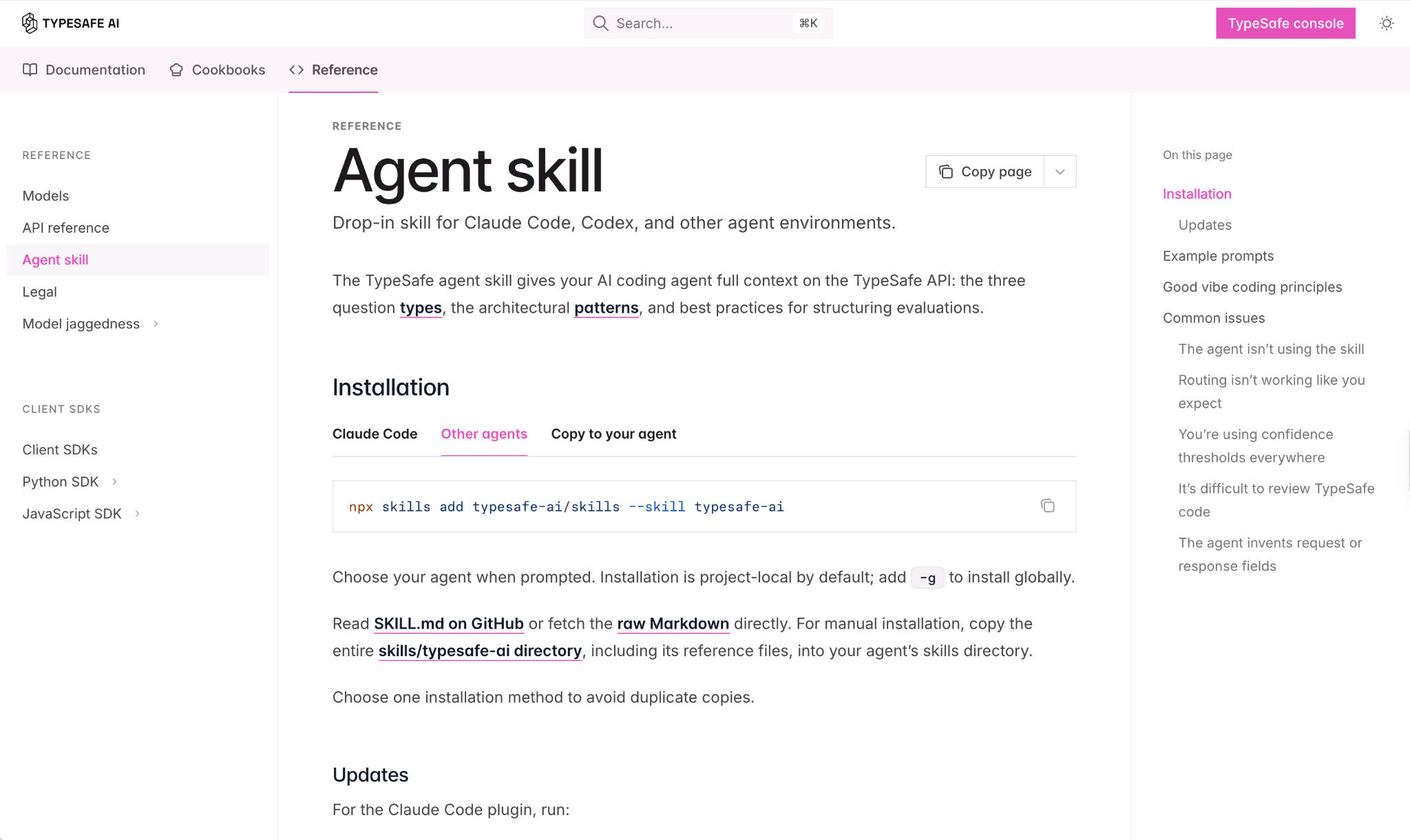
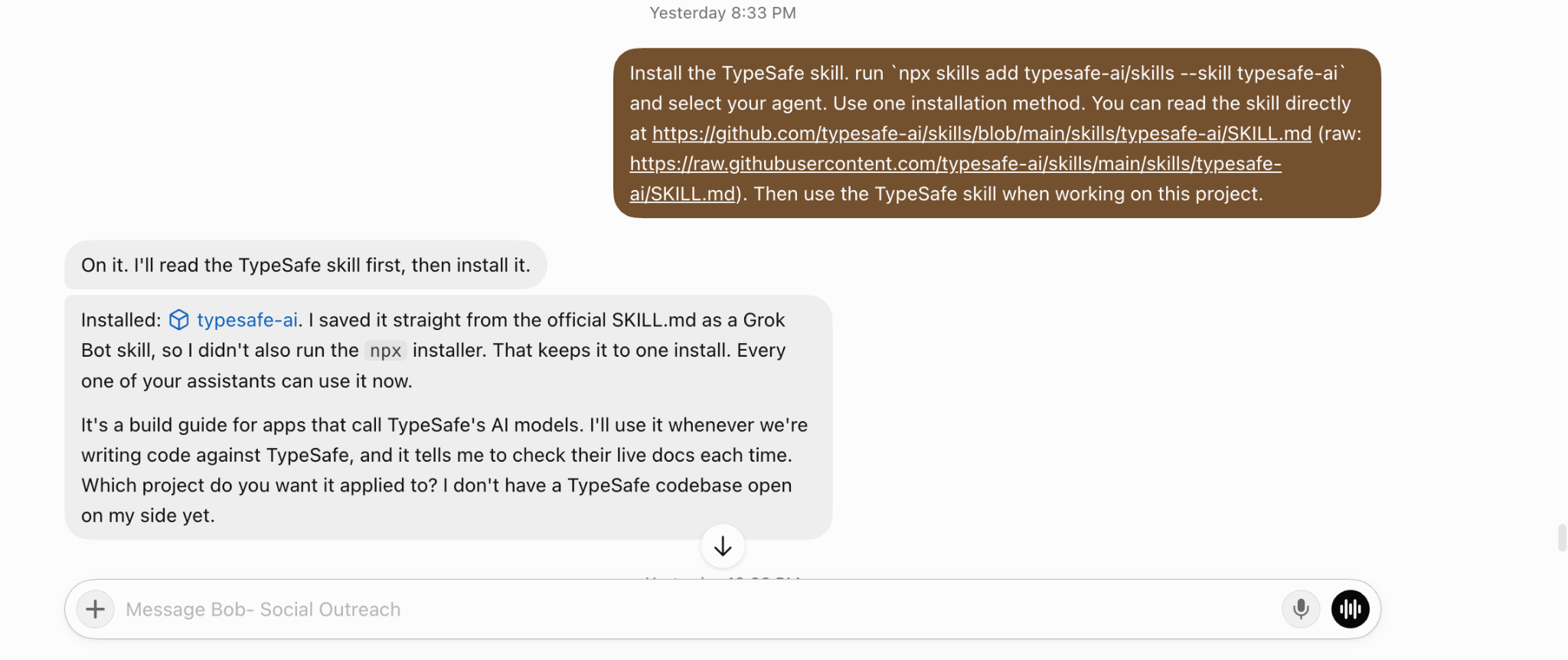
If your agent can read GitHub files, you can point it to the skill’s SKILL.md file and ask it to save the skill directly. That is what I did. Choose one method, not both, to avoid duplicate copies.
Next, create an API key in the TypeSafe console and give it to your agent. Mine stored the key securely and kept it private.

I do not ask Jev to judge everything. I use it for decisions where a wrong answer has a cost, such as contacting the wrong person, forcing weak personalization, or following up with someone who wants no more emails.
Jev can return three types of answers, each suited to a different question:
Why not ask Grok directly? Grok may return a paragraph that the agent must interpret before acting.
A pick, score, or probability gives the agent a clear next step.
Jev also shows its confidence, so uncertain answers can go to a review list rather than being treated as reliable.
I give my agent a prompt like this:
Using the TypeSafe skill, set up these Jev checks for every lead before it enters a cold email campaign:
Before using this setup on a full list, I asked the agent to test it on 20 leads so I could review every answer.
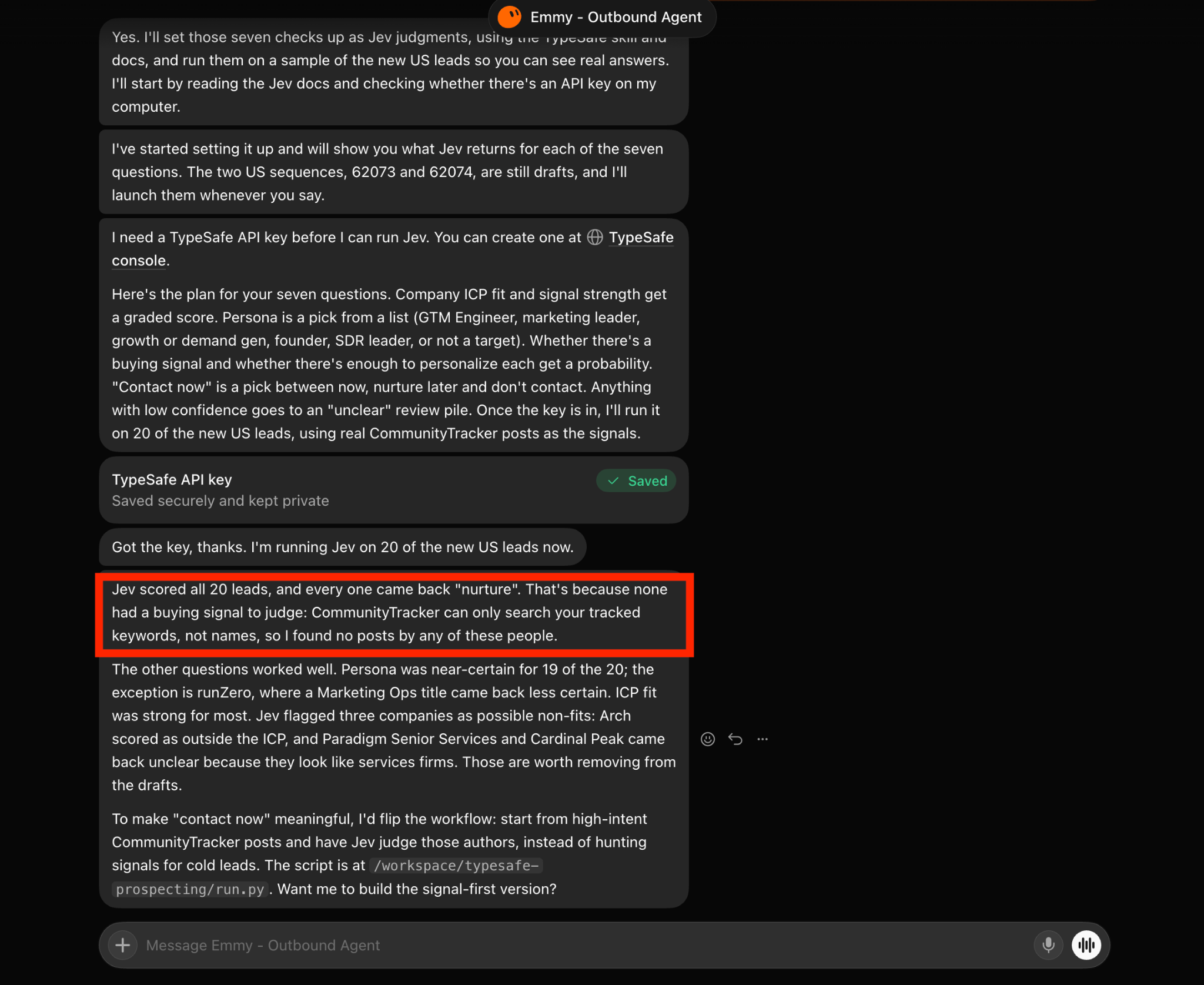
Can Jev find buying intent in a basic lead list? No, and it should not try. Jev only judges the information you provide.
A row containing a name, title, and company shows who someone is, but not why they might want your email now.
My 20-lead test made this clear. Without signals, every lead went into nurture. The fit checks still worked.
Jev identified the persona confidently for all but one lead and marked three companies as outside or unclear on ICP. It simply had no information for judging timing.
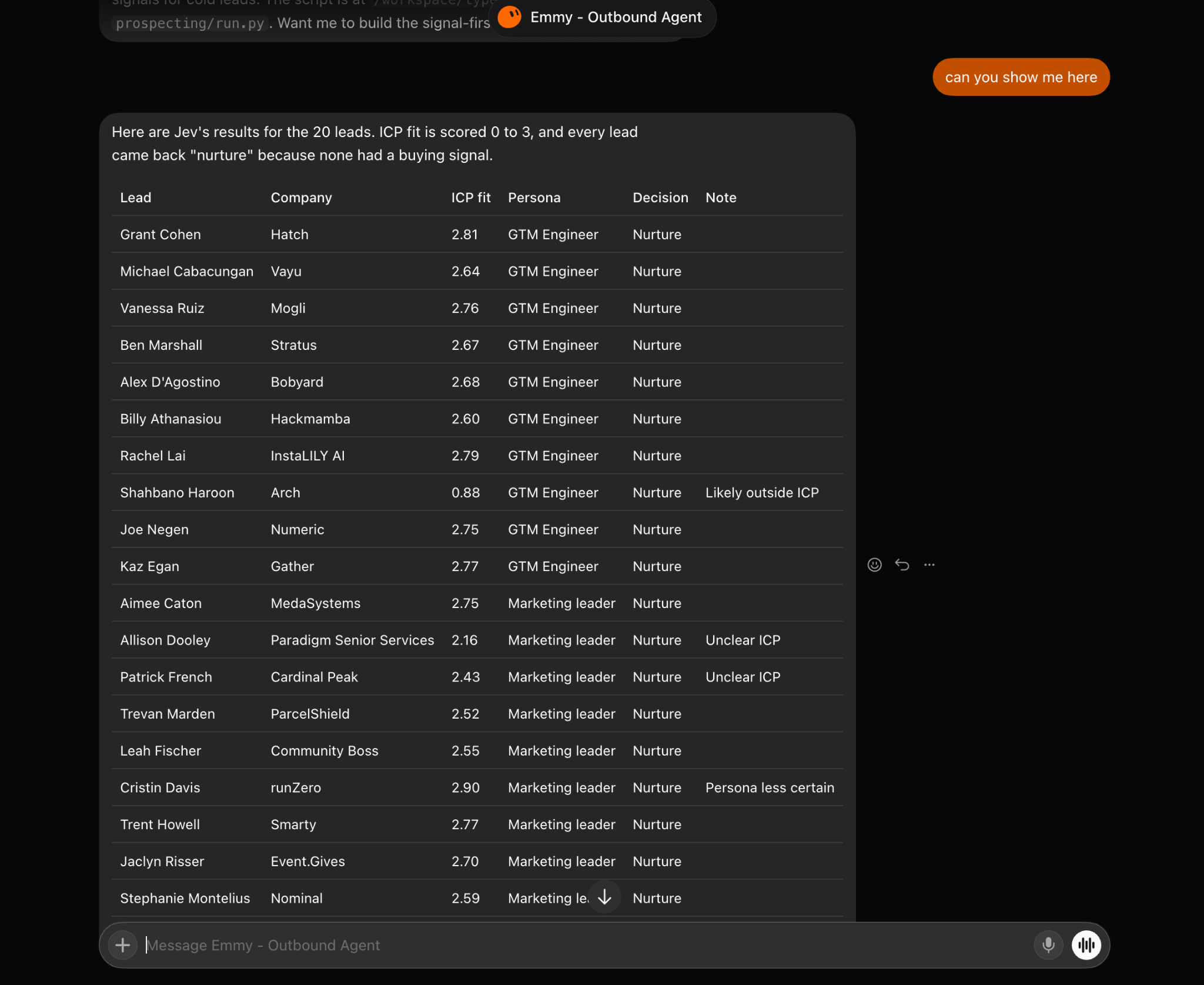
Before running the checks, I now ask my agent to attach recent Leadsforge signals to each lead:
Before running the Jev checks, pull job changes, funding, acquisitions, and investor activity from the past six months for each lead in Leadsforge.
Attach the signal and its source to the lead. If there is no signal, say so instead of guessing.
After adding signals, the same 20 leads get split into three groups. Four moved to contact now, four to don’t contact, and 12 stayed in nurture.
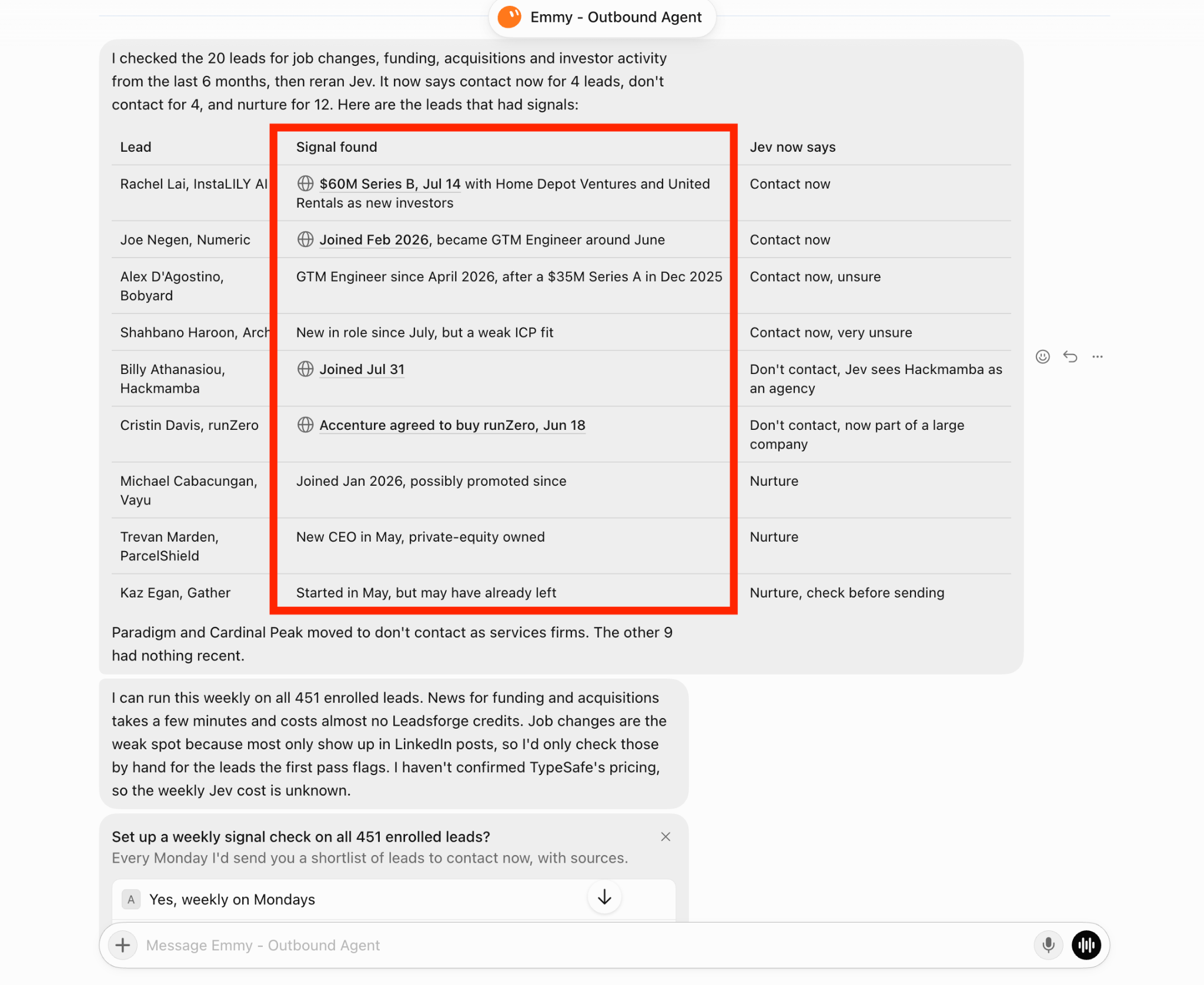
A funding round moved one lead forward, while an acquisition removed another. The event alone did not determine the result. Jev weighed it against the company and my ICP.
This is where Jev changes the campaign. I connect each answer to one action:
Does this reduce the size of the list? Yes. I would rather review uncertain leads than turn a weak signal into an unwanted email.
Nurture leads are not discarded.
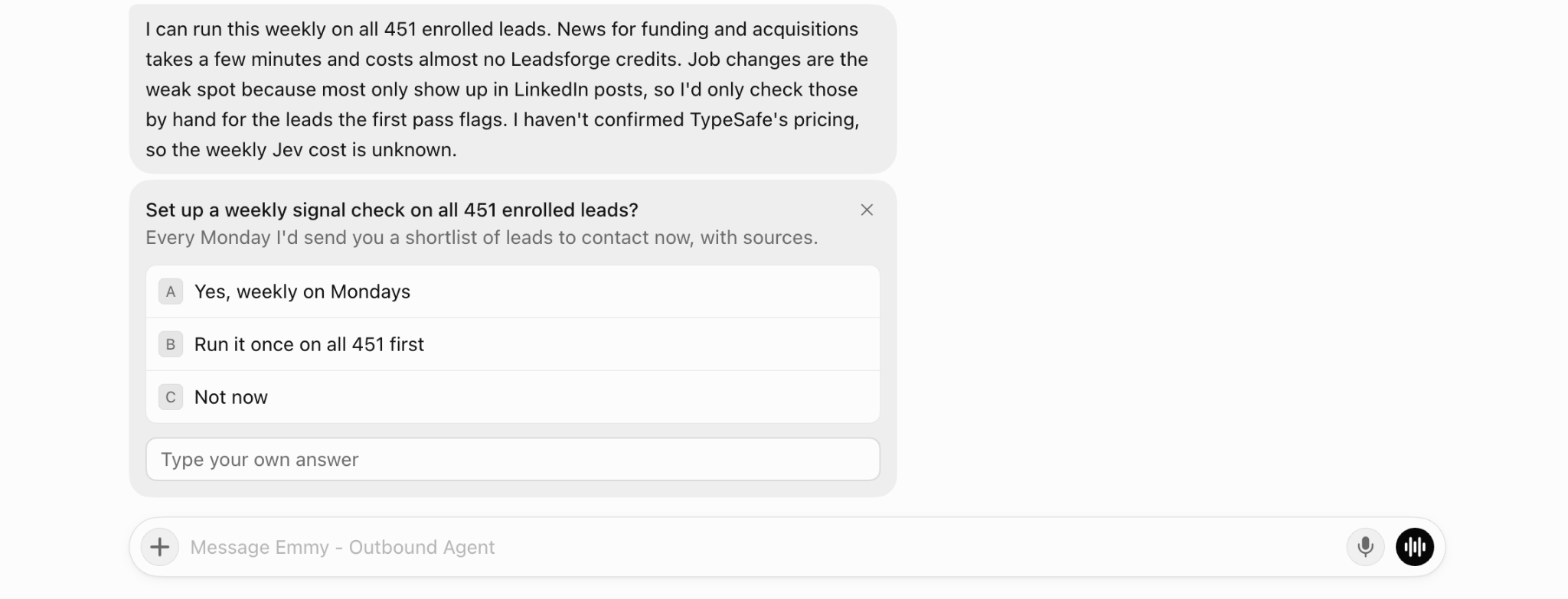
My agent offered to check enrolled leads every Monday for new signals, send updated leads through Jev, and give me a sourced shortlist of people to contact that week.
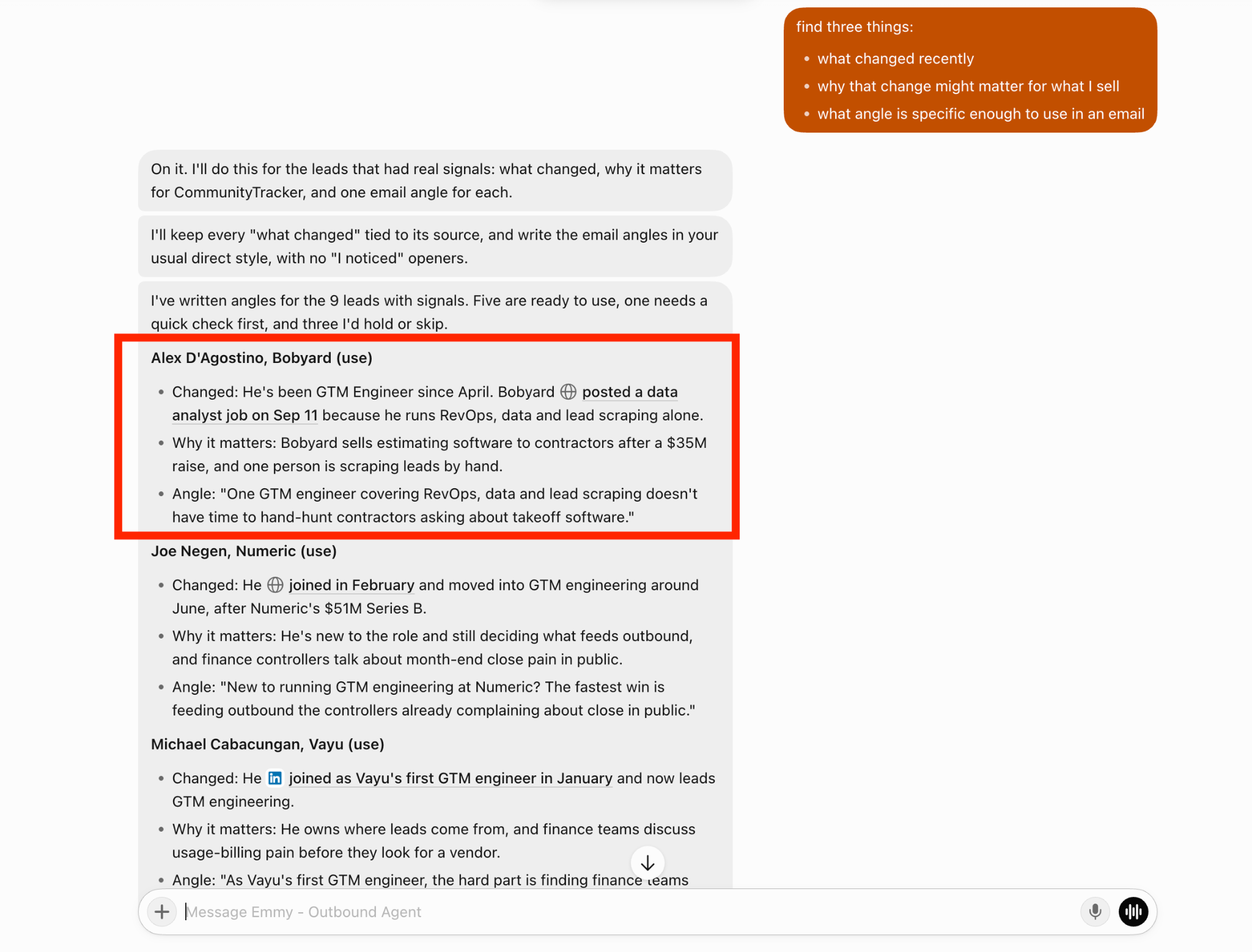
Once a lead passes the checks, my Grok agent writes the email. The personalization check from Step 2 controls how much it writes:
Before writing, I ask the agent to record three points for each lead: what changed, why it matters to my offer, and one specific email angle.
Every claim about what changed needs a source. Leads without a useful angle go to hold or skip.
I also keep the campaign steps consistent across every lead. The agent changes only the opener, one follow-up line, and the workflow being pitched.
I can review the full sequence once and then check only the lines based on research.
For every lead Jev marked as contact now, build the Salesforge campaign as a draft. Keep the same steps for all leads.
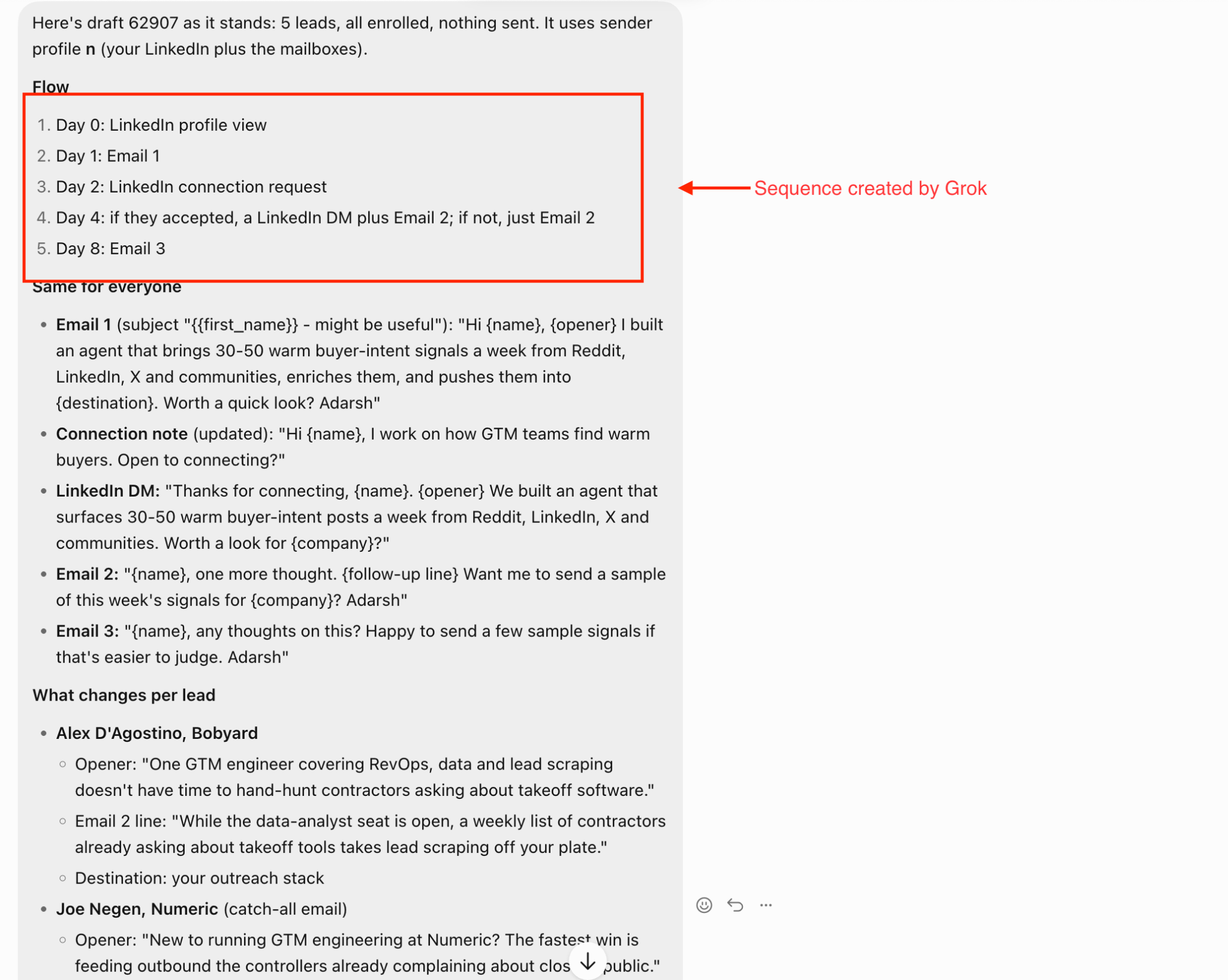
Change only the opener, follow-up line, and workflow I’m pitching. Put the source under each personal opener. Don’t send anything.
What happens if Jev misreads an unsubscribe? Jev can classify each reply, but fixed rules control cases where a mistake would cause harm:
Jev handles replies that require judgment. Is “not now” a timing issue or an objection? Is “talk to my colleague” a referral? For every reply, Jev decides:
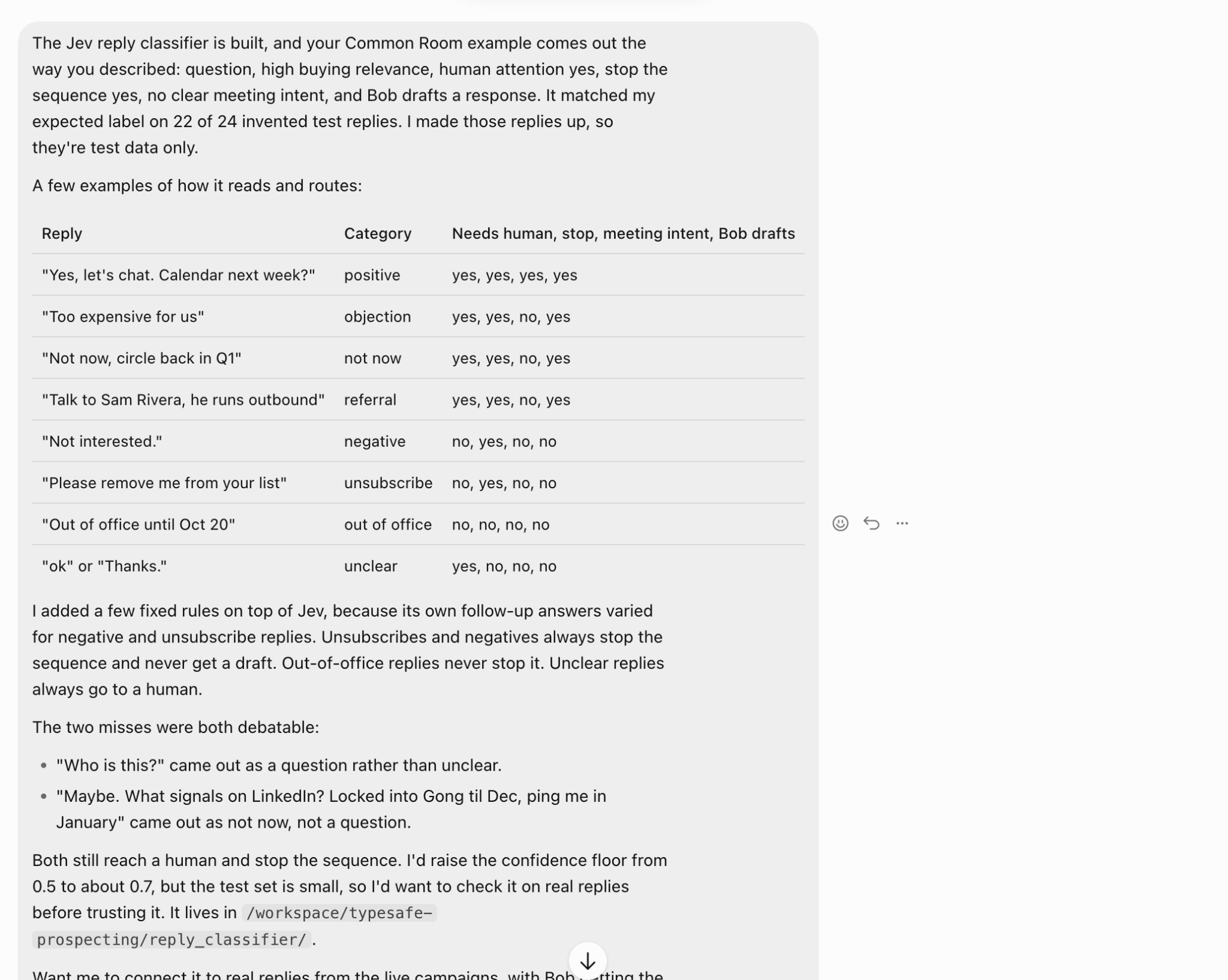
Do not connect Jev to live replies on the first day:
After a campaign ends, the useful question is which type of email generated replies. Jev can help answer it.
I can pull sent emails and their outcomes from Salesforge, then ask Jev to label each email:
I then compare those labels with replies, positive replies, meetings, and negative replies. A campaign report shows which campaign performed well.
These labels show which signal, opener, and CTA contributed to the result.
The findings can improve the agent’s rules:
Pull the sent emails and outcomes from my last Salesforge campaign. Have Jev label each email by opener type, signal used, CTA, and personalization level.
Show which labels align with positive replies and meetings, and suggest changes to the contact-now rules. Don’t change any rule until I approve.
A few replies can make a pattern look stronger than it is, especially in a small campaign. I review the findings before approving any change.
It depends on which part of cold outreach takes the most time. Jev doesn't find leads, write emails, or send campaigns.
It only makes decisions about leads and replies. It becomes useful when making those decisions manually slows you down.
Give Jev questions with clear answers, such as whether a company fits your ICP or whether a reply contains an objection.
Researching the account, writing the email, and planning the campaign should remain with your Grok agent.
Before trusting Jev with a full list, a few parts of my setup still need more testing:
If your list is large enough that you are guessing who to email, test Jev on 20 leads and compare its decisions with your own.
Enter your email to get a custom plan & stack recommendation for your business
Please check your mailbox in 5 minutes

Adding Jev did not change how my emails are sent. Leadsforge still finds the leads, my Grok agent writes the emails, and Salesforge sends them.
The difference is that every lead must now pass specific checks before receiving an email, and every reply gets classified before anyone responds.
Those checks work only when Jev has useful information to judge. Once each lead had a sourced signal, Jev separated them into contact now, nurture, and don’t contact. Without signals, every lead stayed in nurture.
Jev does not control every decision. Fixed rules handle unsubscribes and negative replies, unclear responses come to me, and Jev handles the decisions in between.
![How to Use Jev for LinkedIn Outreach [Step-by-Step Guide]](https://cdn.prod.website-files.com/6436c3ac9f9fd0594d00b9fc/6acbc875da442e046e263670_Duplicate-me-open-graph%20(66).jpg)

![How to Use Jev for Cold Email Outreach [Step-by-Step Guide]](https://cdn.prod.website-files.com/6436c3ac9f9fd0594d00b9fc/6acbc7c2c1eea5af07ff181b_Duplicate-me-open-graph%20(65).jpg)

.jpg)