We used QuickMail for 28 days. Every single day.
This is not a list of features from their website.
This is our real review, what worked, what didn’t, and how it helped us send cold emails and LinkedIn messages without landing in spam.
If you’re thinking about using QuickMail, this blog will help you decide. We’ll show you:
Let’s jump into the full QuickMail review.
QuickMail is a cold outreach tool made for sending emails and LinkedIn messages at scale.
You can connect as many inboxes and LinkedIn accounts as you want and send from all of them without limits.
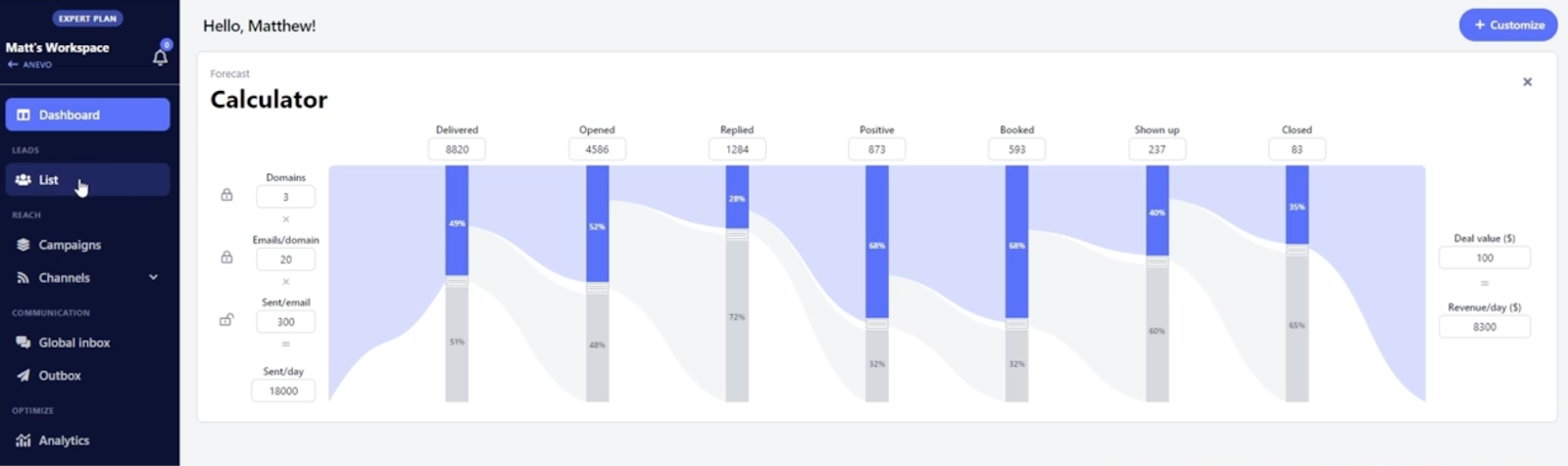
It’s not just for sending, you can also:
QuickMail also gives you access to:
If you’re an agency or sales team running outbound, QuickMail helps you send more safely, reply faster, and scale campaigns without breaking things.
We didn’t just look at QuickMail’s features. We actually used it for 28 days, to send cold emails, manage replies, and test how well it works for real outreach.
Here’s what we did step by step.
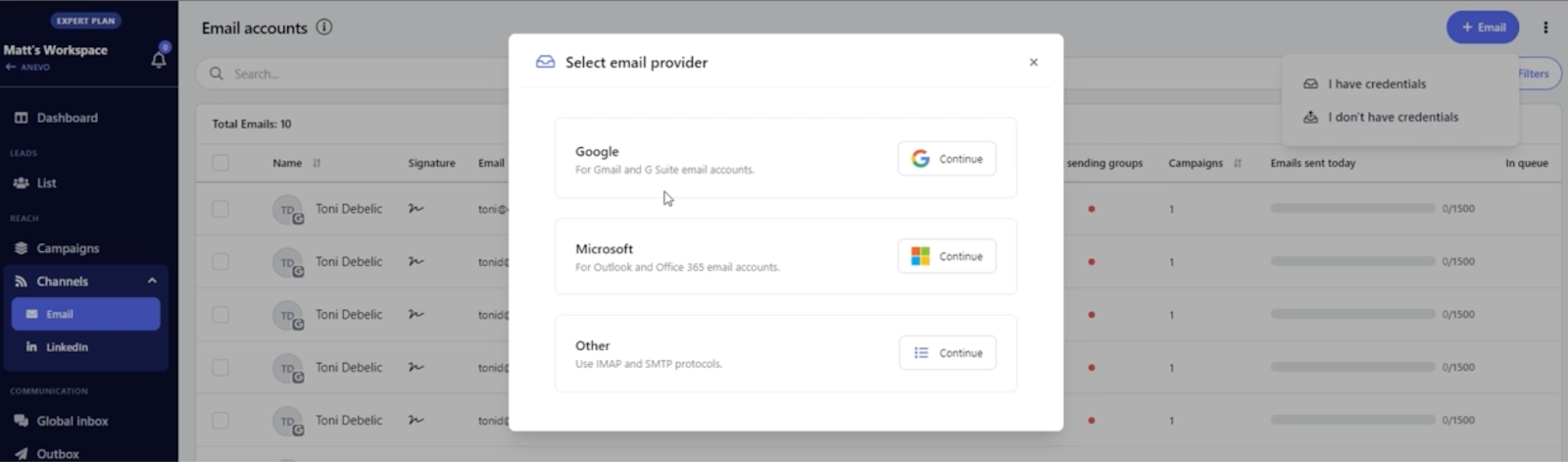
QuickMail made this easy.
It even lets us rotate inboxes automatically and use Google sign-in without extra setup.
Each workspace acted like a client folder, perfect if you’re running lead gen for others too.
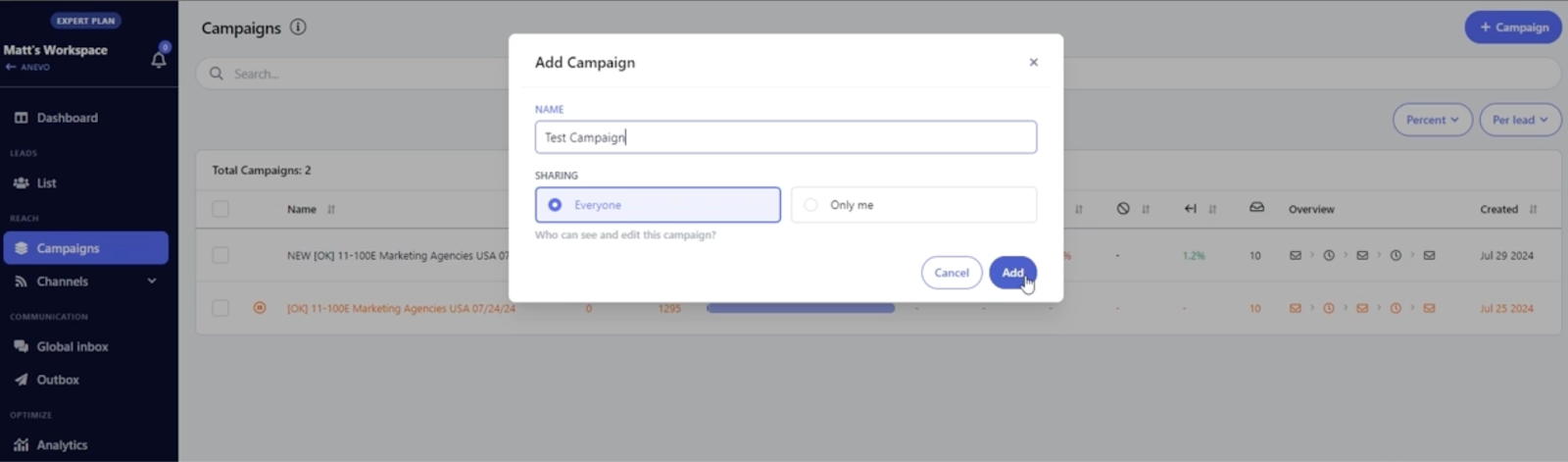
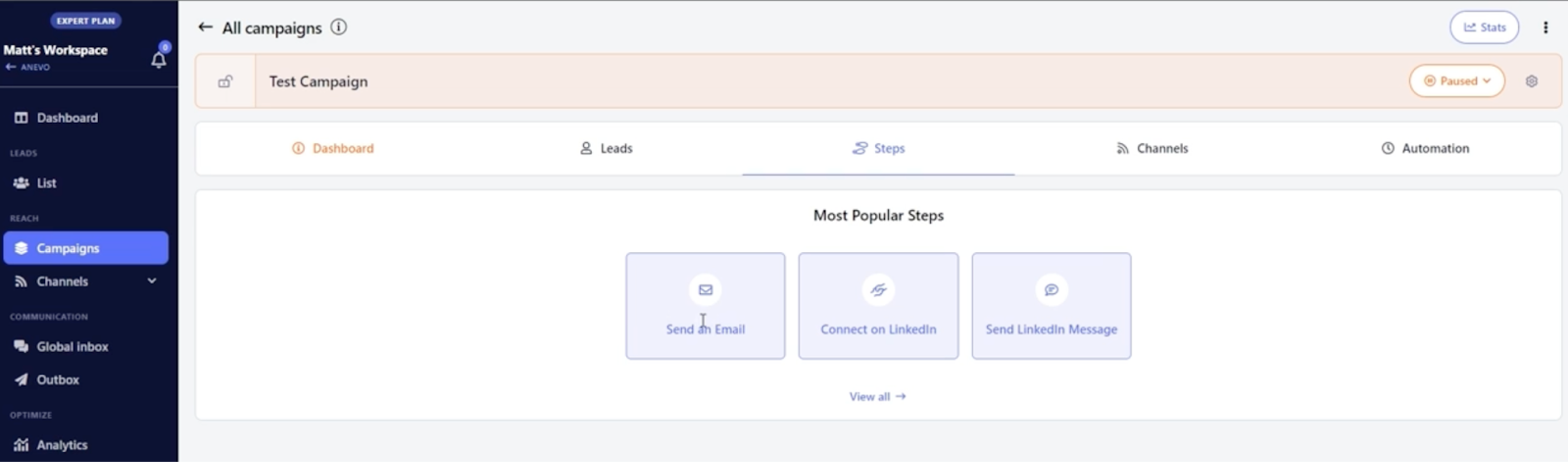
QuickMail lets us add email and LinkedIn steps in the same flow.
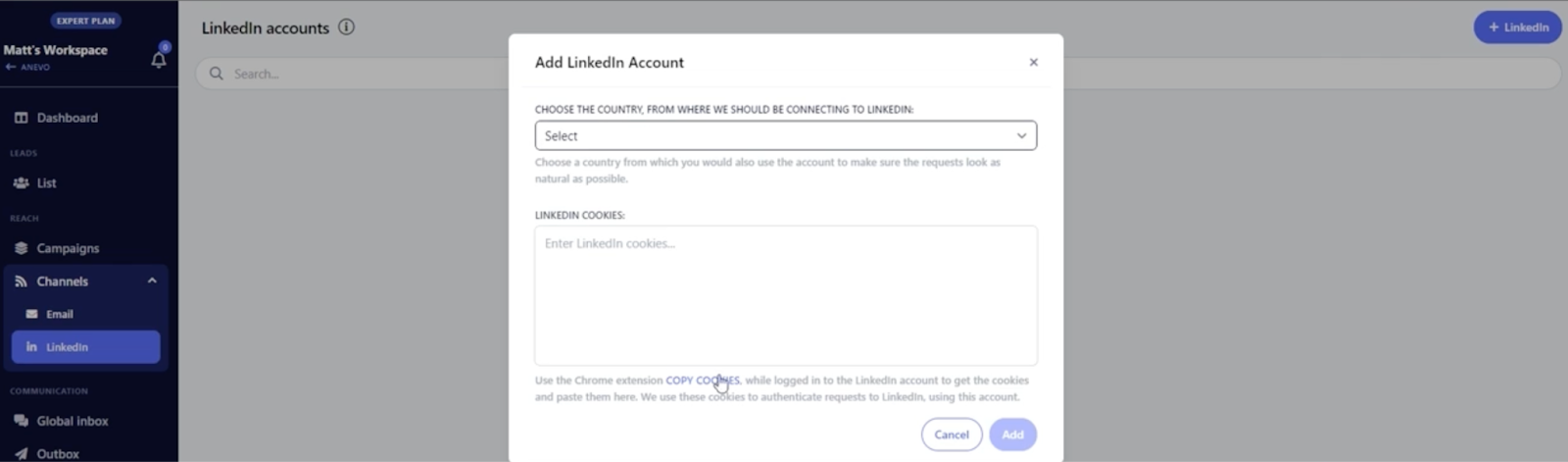
So we could send a cold email, then follow up on LinkedIn, all in one campaign.
If any sender's performance dropped, QuickMail automatically swapped it out with a healthier inbox.
This helped us avoid spam folders without doing anything manually.
It had a “Reword with AI” tool that rewrote our text to improve deliverability.
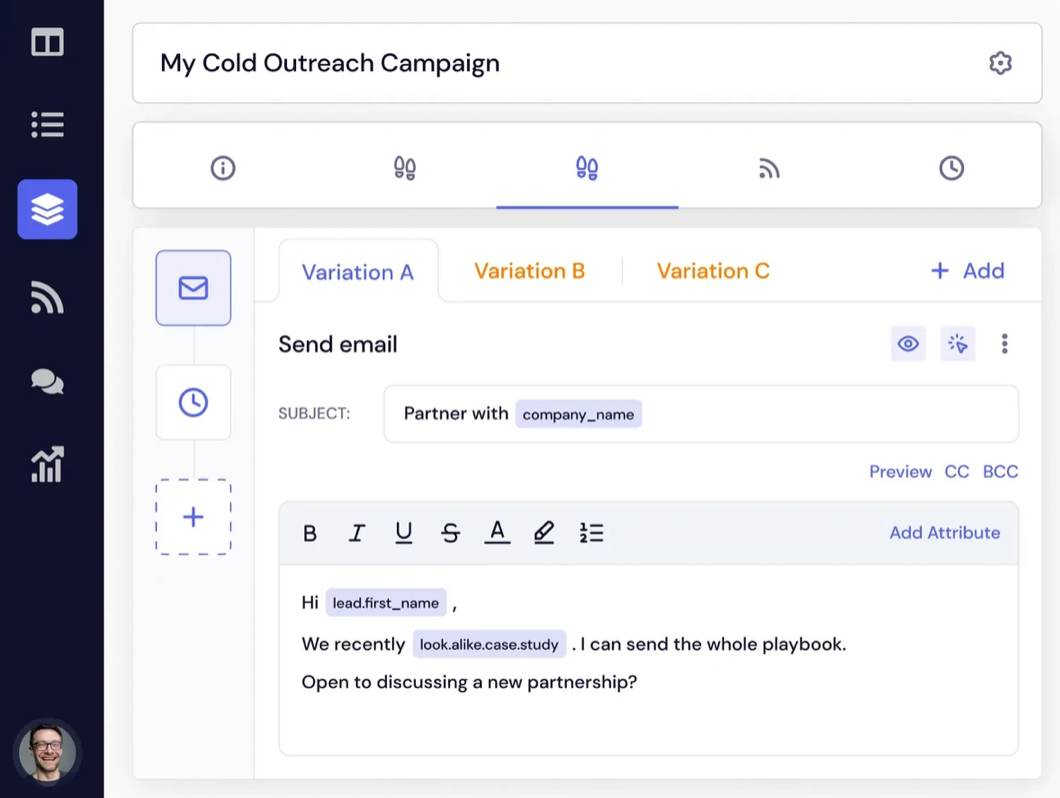
It also supported spintax to change words like “Hi” and “Hey” randomly.
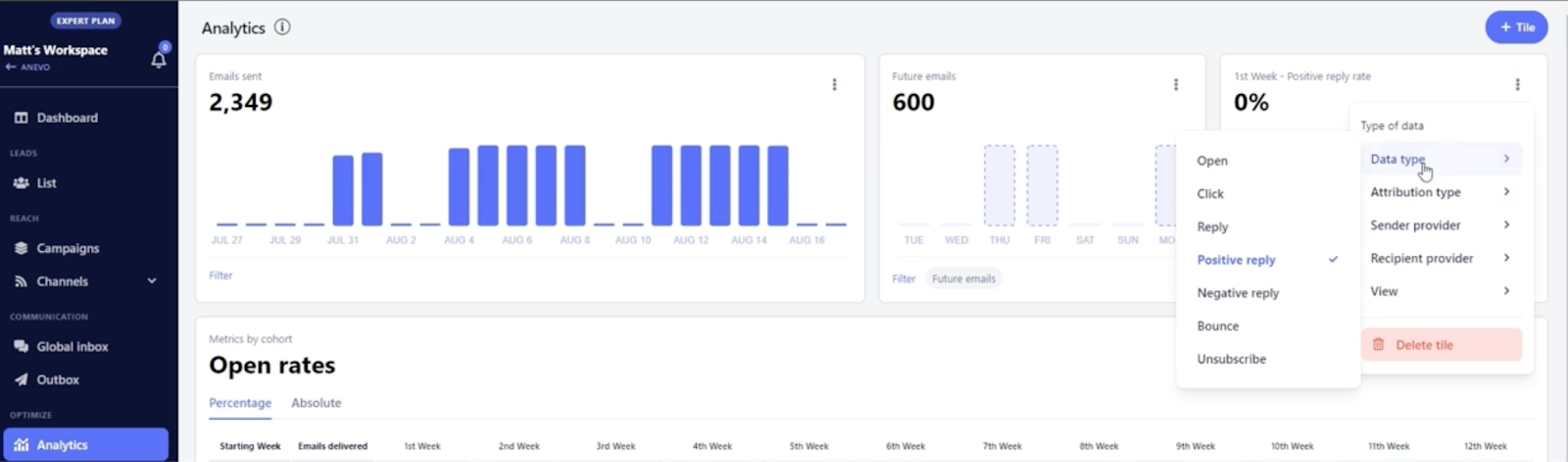
It showed us open rates, reply rates, and bounce data in detail.
We even saw results by inbox and sending provider.
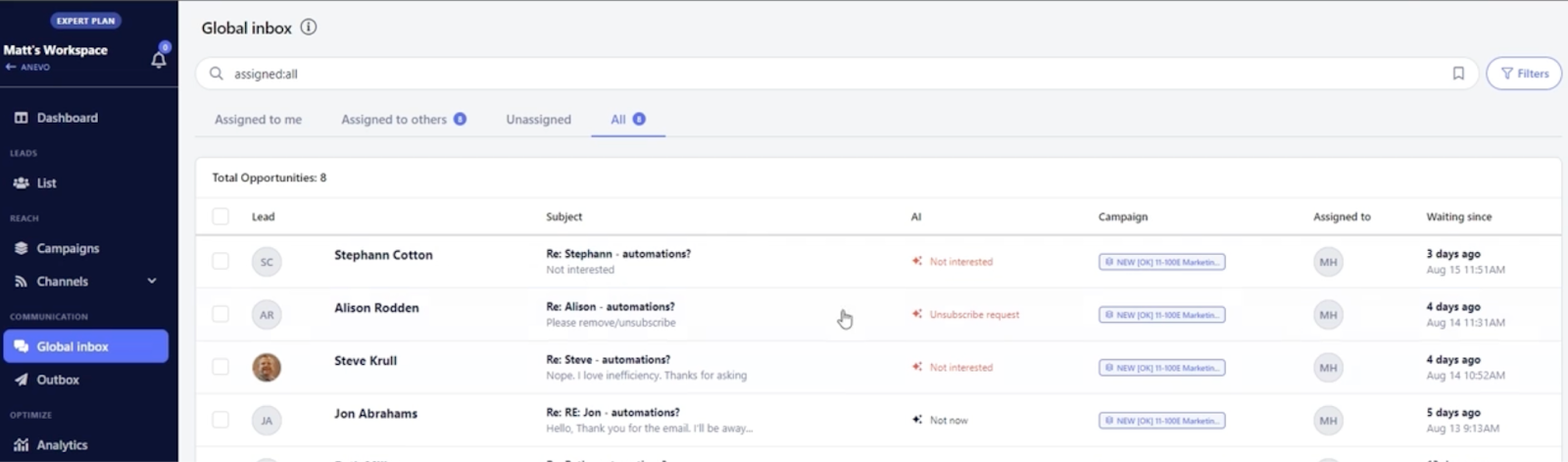
All replies, email and LinkedIn, came into one place.
We could respond, assign to team members, and even snooze or tag conversations.
QuickMail gave us a free warm-up tool to keep inboxes healthy.
The scores were synced automatically between MailFlow and QuickMail.
By the end of 28 days, we had:
Next, let’s break down the features that stood out most.
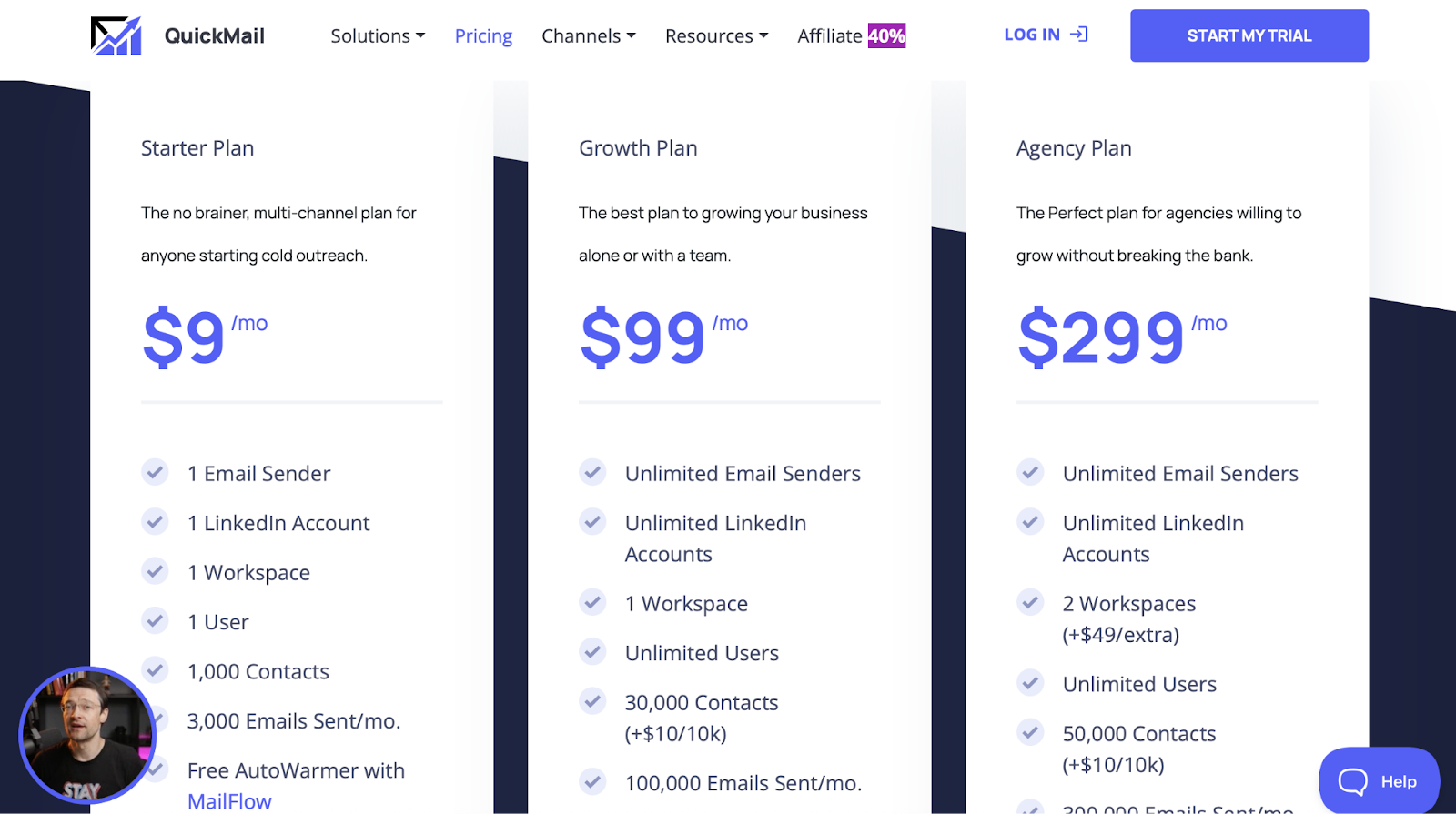
QuickMail gives you 3 simple plans:
If you’re just getting started, this one’s enough.
This is for people who want to send more and grow fast.
Best if you're managing campaigns for clients.
Now, QuickMail’s pricing might look okay at first.
But once you start using it, you’ll notice something.
You still need to:
So even though you’re paying $99 or $299 every month, you’re still doing most of the hard work on your own.
That’s where things start to feel… off.
You’re not getting AI to help.
You’re not getting built-in leads.
And you’re not getting full control of your outreach, unless you stitch together 3–4 other tools.
At this point, you might be wondering:
“Is there something that just does more, without me doing all this manually?”
Well, that’s exactly what we’re about to show you next.
Let’s look at the best QuickMail alternatives that give you more automation, better control, and actually save your time.

If you like what QuickMail does but wish it handled more of the manual work for you, Salesforge is a strong alternative to consider.
It’s a multi-channel outreach platform that combines email, LinkedIn, inbox management, and deliverability tools in one place.

Instead of relying on multiple add-ons or integrations, you can manage everything directly inside Salesforge.
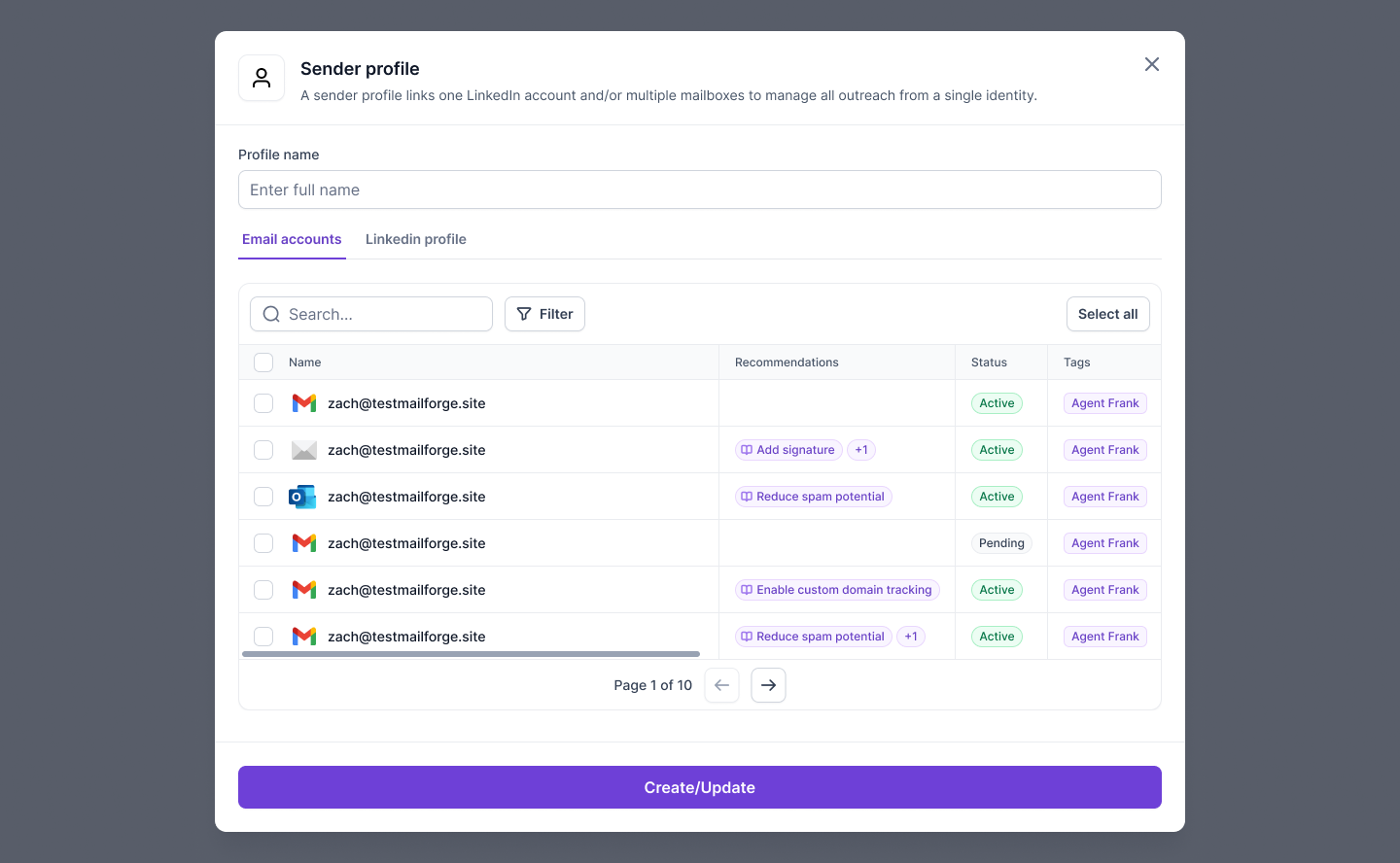
All-in-one setup
Salesforge covers the entire outreach workflow, from domain setup and warm-up to sending, tracking, and replying, through its connected tools like Mailforge, Warmforge, and Infraforge.
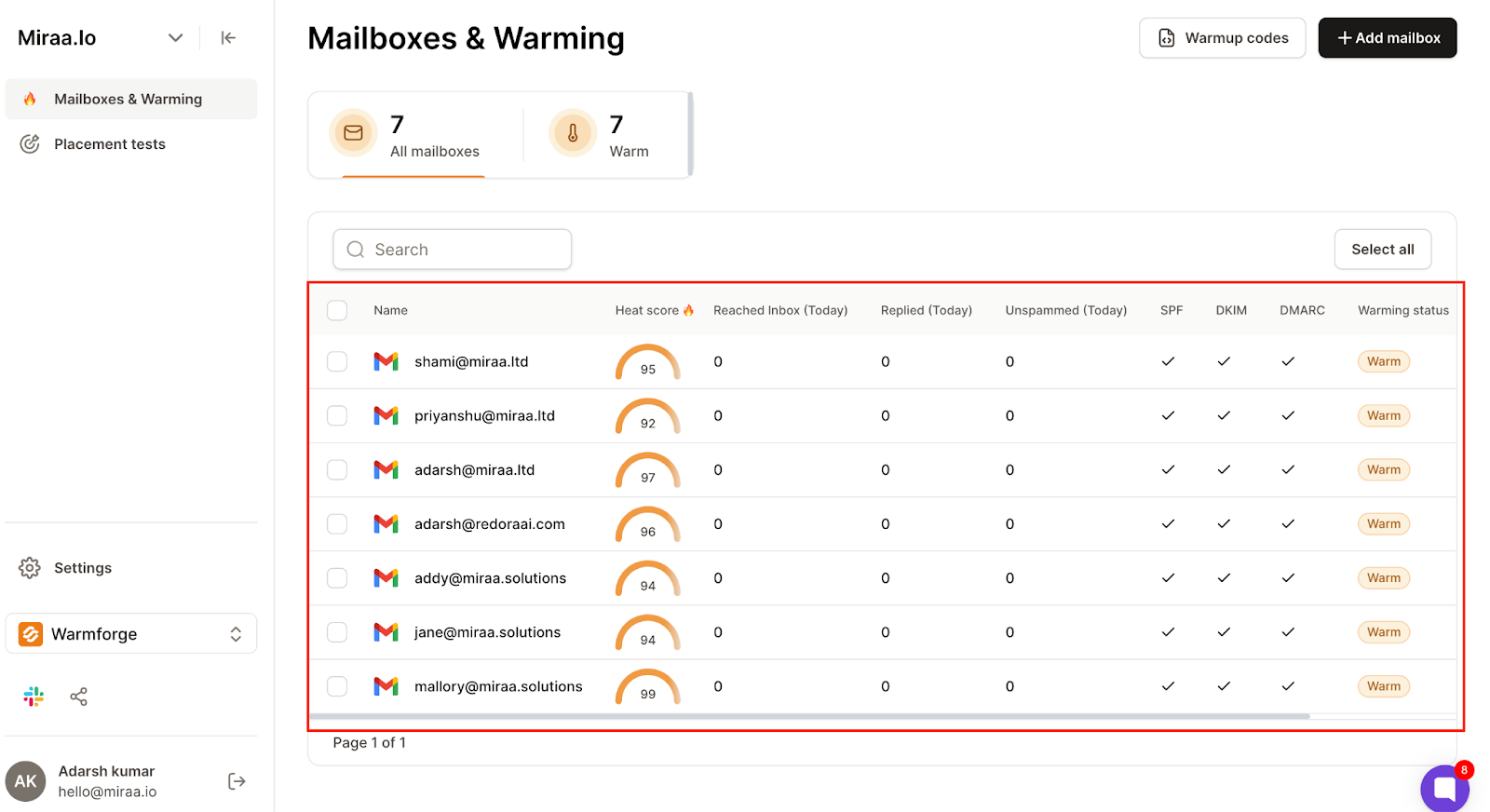
Unlimited sending
Unlike tools that charge per seat, Salesforge lets you connect as many mailboxes and LinkedIn accounts as you need under one subscription.
Unified inbox
Every reply across email and LinkedIn appears inside Primebox™, so you don’t have to switch between different inboxes.

AI support when you need it
Salesforge includes an optional AI SDR, Agent Frank, that can handle parts of your outreach automatically, such as prospecting, message creation, and meeting booking.
Multi-language capability
You can run outreach in 20+ languages, which helps if you’re targeting prospects in different regions.

| Plan | Price | Suitable for |
|---|---|---|
| Pro | $48/month | Individual users testing or starting with cold outreach |
| Growth | $96/month |
Small teams that want to scale outreach safely
Team-ready
|
| Agent Frank (Add-on) | $499/month |
Companies that want full AI-driven automation
AI automation
|
All plans include unlimited warm-up, inbox rotation, Primebox™, and both email + LinkedIn channels.
In short, Salesforge is better suited for teams or agencies that want to run larger, multi-channel campaigns without managing separate tools for warm-up, deliverability, and LinkedIn outreach.
If your focus is on scaling outreach efficiently rather than handling setup manually, it’s worth exploring.
After using QuickMail for 28 days, I’d say it’s a solid tool for cold outreach.
It’s good at what it does, sending emails, managing inboxes, and mixing LinkedIn steps in the same campaign.
But it still needs a lot of manual work.
You have to set up DNS records, bring your own leads, and manage deliverability yourself.
For solo users, that might be fine.
For teams that want to scale faster, it can start to feel like too much effort.
And here Salesforge gives you everything, from warm-up and deliverability to inbox management and AI outreach, already built in.
You don’t have to connect five different tools or fix things by hand.
QuickMail works best if you want full control.
Salesforge works best if you want things to just run smoothly.
If that sounds like what you need, you can check out Salesforge and see how it fits your outreach setup.
.jpg)

.jpg)

.jpg)
