
Personalized Outbound Strategy
Get The Right Outbound Strategy In Minutes
Enter your email to get a custom plan & stack recommendation for your business
It's being carefully crafted by AI
Please check your mailbox in 5 minutes
ZoomInfo can tell you which companies are showing buying intent and who the decision-makers are.
But can you trust the email or phone number it gives you?
That question matters because recent G2 reviews mention outdated contacts and data gaps. If the contact is wrong, finding the right company does not get you very far.
So, how accurate is ZoomInfo, what are you actually paying for, and is it worth the cost?
In this ZoomInfo review, I’ll look at its data, features, pricing, user reviews, and limitations to find out.
ZoomInfo has 4.5/5 from 13,007 reviews on G2. Many recent reviewers like having contact data, company details, and account research in one place. They also say it helps them find the right people without spending as much time searching manually.
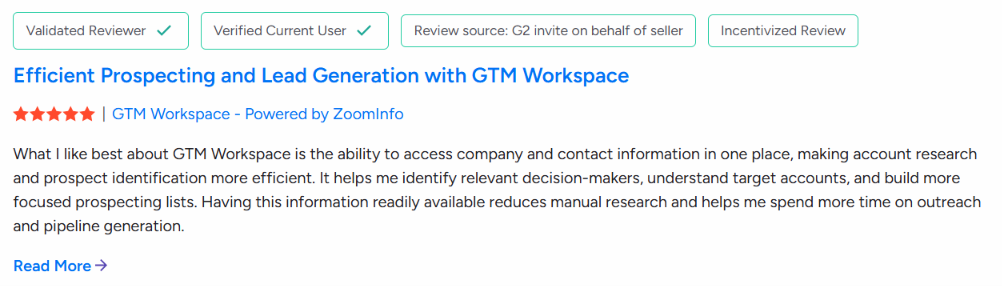
But the reviews also point to data problems. Some users mention outdated contacts, missing information, and weaker data for certain regions. Several of the recent G2 reviews shown were incentivized, so I would keep that in mind when reading the rating.
On Trustpilot, ZoomInfo has a much lower rating, 1.6/5 from 340 reviews, and 66% are one-star reviews. The complaints are mostly about customer support, cancelling contracts, billing, onboarding, and incorrect contact data.
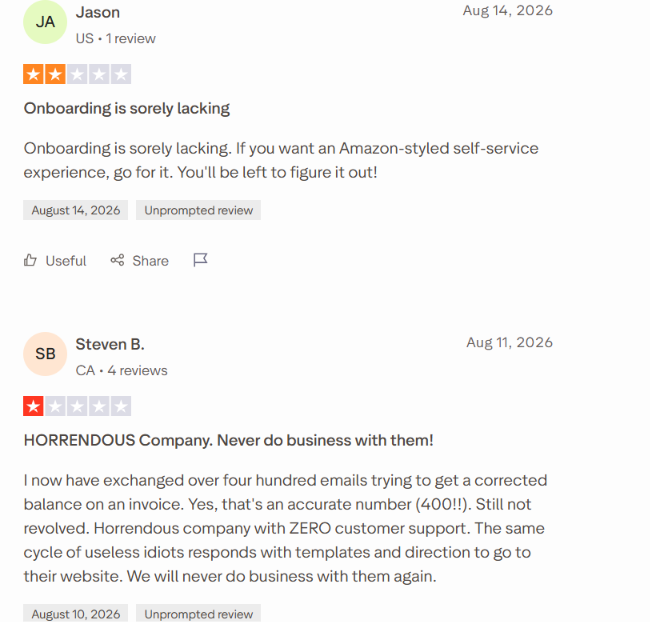
There are positive reviews too, but these complaints come up often enough that they are worth checking before you sign a contract.
So, ZoomInfo gets good feedback for finding and researching prospects. The bigger concerns are data accuracy, support, and contract terms.
ZoomInfo gives you a large B2B database for finding companies and decision-makers. You can get work emails and direct dials for outreach. Its buyer intent data helps you find accounts that may already be researching your market.
There is more beyond prospecting. ZoomInfo can identify companies visiting your website. It can fill missing data in your CRM and keep records updated. You can also build sales workflows around the signals ZoomInfo tracks.
But you should not expect every contact record to be current. People change jobs and contact details change. Recent user reviews also report outdated contacts and missing data.
You also won't find a fixed price for the paid platform on the website. Your cost can change based on the package you buy and how you use ZoomInfo.
If you mainly need ZoomInfo for finding prospects and getting their contact data, Leadsforge is worth comparing before you pay for the wider ZoomInfo platform.
ZoomInfo gives you more than prospect data. Depending on your package, you can also get tools for buyer intent, website visitor tracking, CRM enrichment, and sales workflows.
If you mainly want to find prospects and get verified emails and phone numbers, Leadsforge is worth considering. Its pricing starts at $49 per month, and its waterfall enrichment checks 20+ data providers.
ZoomInfo works by combining its B2B database with search filters, buying signals, enrichment, and sales tools. A sales rep can use it from the first prospect search through to outreach.
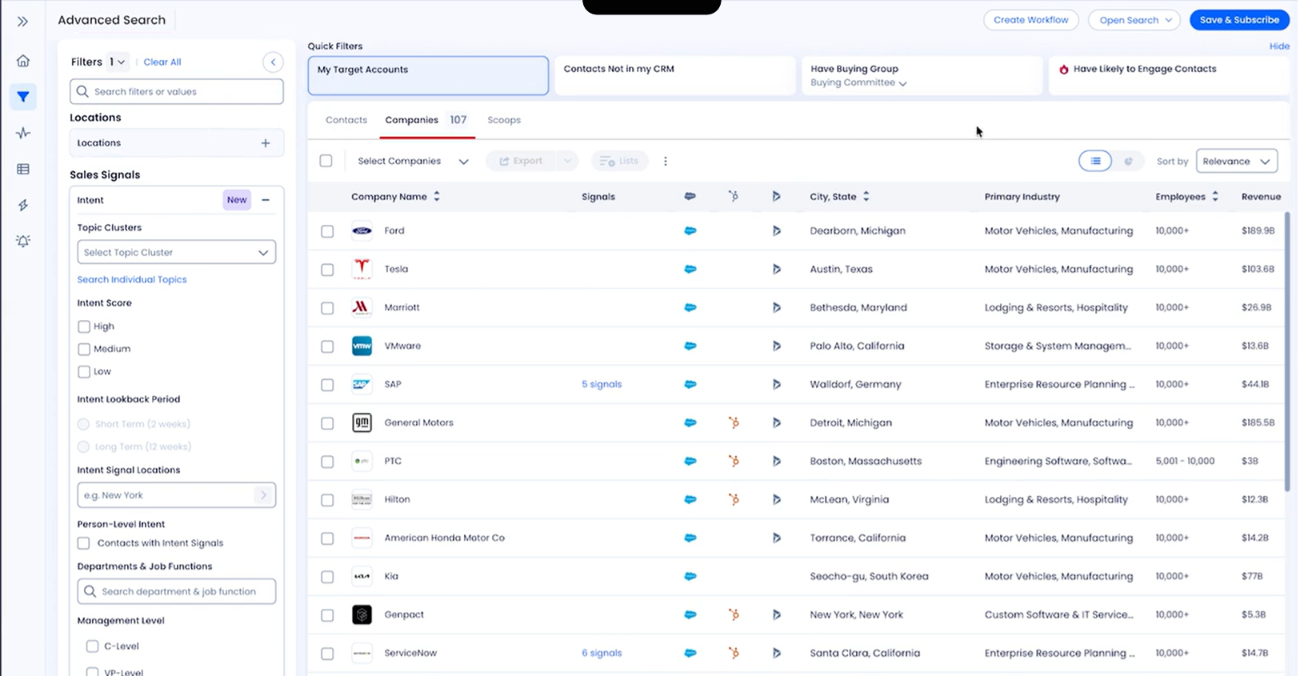
Start by defining the companies you want to target. ZoomInfo lets you filter its database using more than 300 company attributes. These include details such as company size, industry, location, technology stack, and funding data.
Once you find a company, you can look for the people you want to contact. ZoomInfo provides professional profiles along with business emails and direct dials. You can also use org charts to find other people involved in the buying decision.
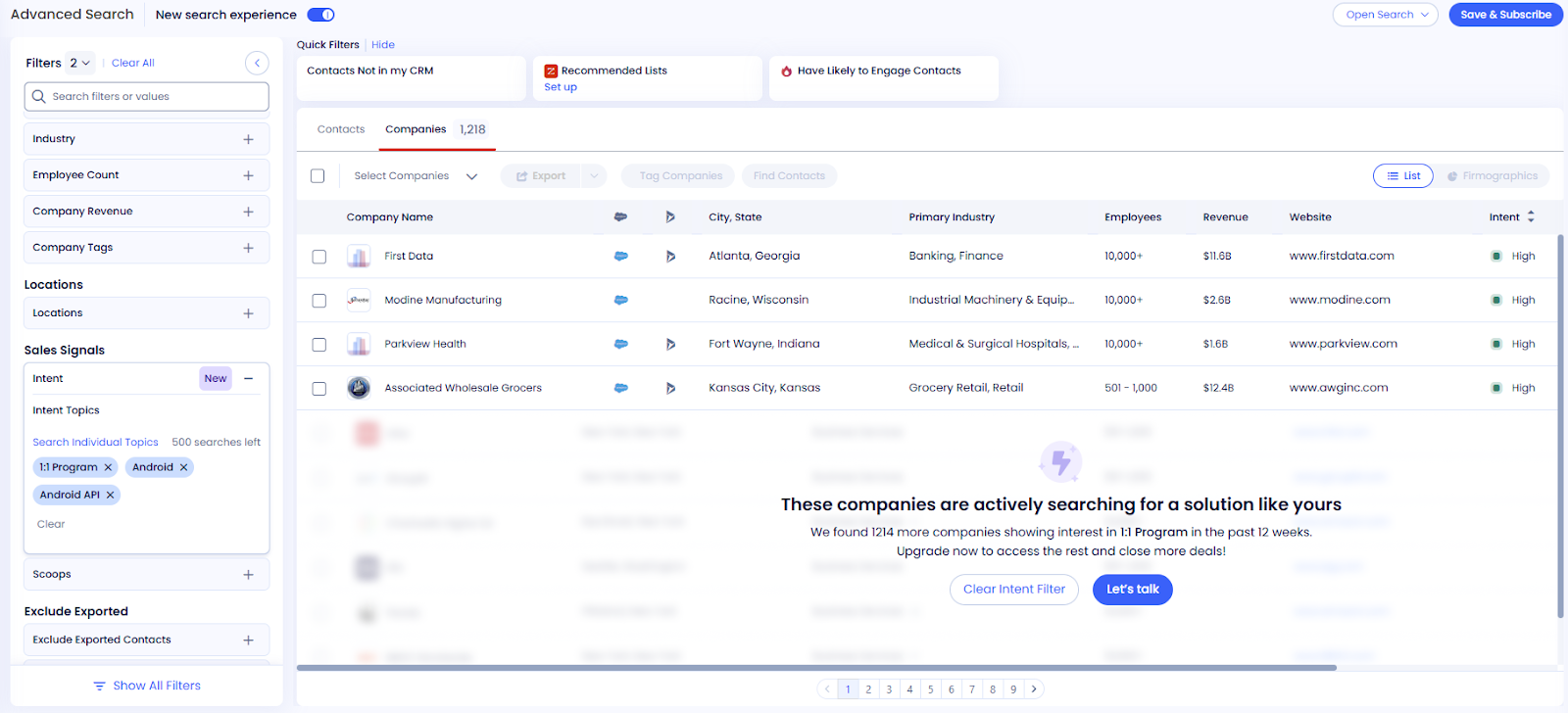
You do not have to treat every company on the list the same. ZoomInfo Intent tracks companies researching topics related to your business. Person-Level Intent can also identify people within those accounts who are showing buying signals.
For example, instead of starting with 500 matching companies and contacting all of them, you can look for accounts already researching a topic connected to what you sell.
Once you know who you want to reach, you can pull the available contact details from ZoomInfo. This can include a work email, direct dial, phone number, job title, department, and seniority. ZoomInfo can also fill missing fields in records you already have.
You can export prospects to your CRM instead of moving the data manually. ZoomInfo connects with Salesforce, HubSpot, and Microsoft Dynamics 365. Existing CRM records can also be enriched when data is missing. Updates can run when new records enter the CRM or on a recurring schedule.
Once you have the prospect, you can use ZoomInfo Workflows to act on signals such as buyer intent or technology installations. With ZoomInfo Engage, you can also add prospects to multi-touch email and phone cadences.
So, ZoomInfo can take you from finding a company and its decision-makers to checking buying signals and starting outreach. The parts available to you will depend on the ZoomInfo products and features included in your package.
ZoomInfo checks its data regularly, but not every record will be accurate. Its Contact Accuracy Score runs from 75 to 99 and shows how confident ZoomInfo is that a person still works at the listed company and can be reached at their business email.
ZoomInfo uses public sources, its contributory network, AI, and 300+ human researchers to verify and update records. It reports 96% email deliverability and 87% mobile number accuracy. It also processes 1.5B+ data points daily to keep its database current.
Still, recent G2 reviews mention outdated contacts, incorrect details, and missing data. So, the accuracy score is useful for filtering prospects, but it does not guarantee that every email or phone number will be correct.
ZoomInfo combines prospect data with buying signals, enrichment, and sales tools. Here are its main features:
These features take ZoomInfo beyond basic lead lists. You can find prospects, identify active accounts, fill missing data, and move those prospects into your sales process.
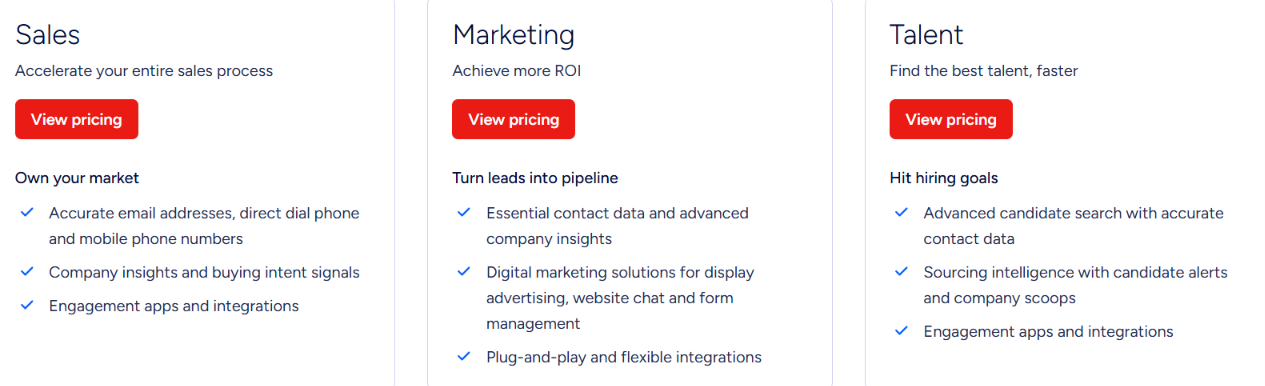
ZoomInfo does not publish fixed prices for its paid plans. You need to contact sales for a quote. Your cost can change based on the licenses, credits, features, integrations, and products you choose.
ZoomInfo currently lists three Sales plans:
There is also ZoomInfo Lite, which gives you limited access for free. ZoomInfo uses credits for data exports. Paid packages come with a set number of credits, and you can add more if needed. Credits can be used when exporting data through ZoomInfo, ReachOut, APIs, or integrations.
Since the paid plan prices are not listed publicly, you need a ZoomInfo quote to know what your setup will cost.
ZoomInfo is a better fit if you need more than emails and phone numbers. You can use it to find prospects, track buying signals, identify website visitors, and keep CRM data updated.
ZoomInfo is a better fit if you plan to use its contact data, buyer intent, CRM enrichment, and sales tools together. If you mainly need verified emails and phone numbers for outbound, you may end up paying for more than you actually use.
You might like ZoomInfo's prospect data but have little use for everything else in the platform. If your goal is simply to find the right prospects and get verified contact details, Leadsforge is worth looking at instead.
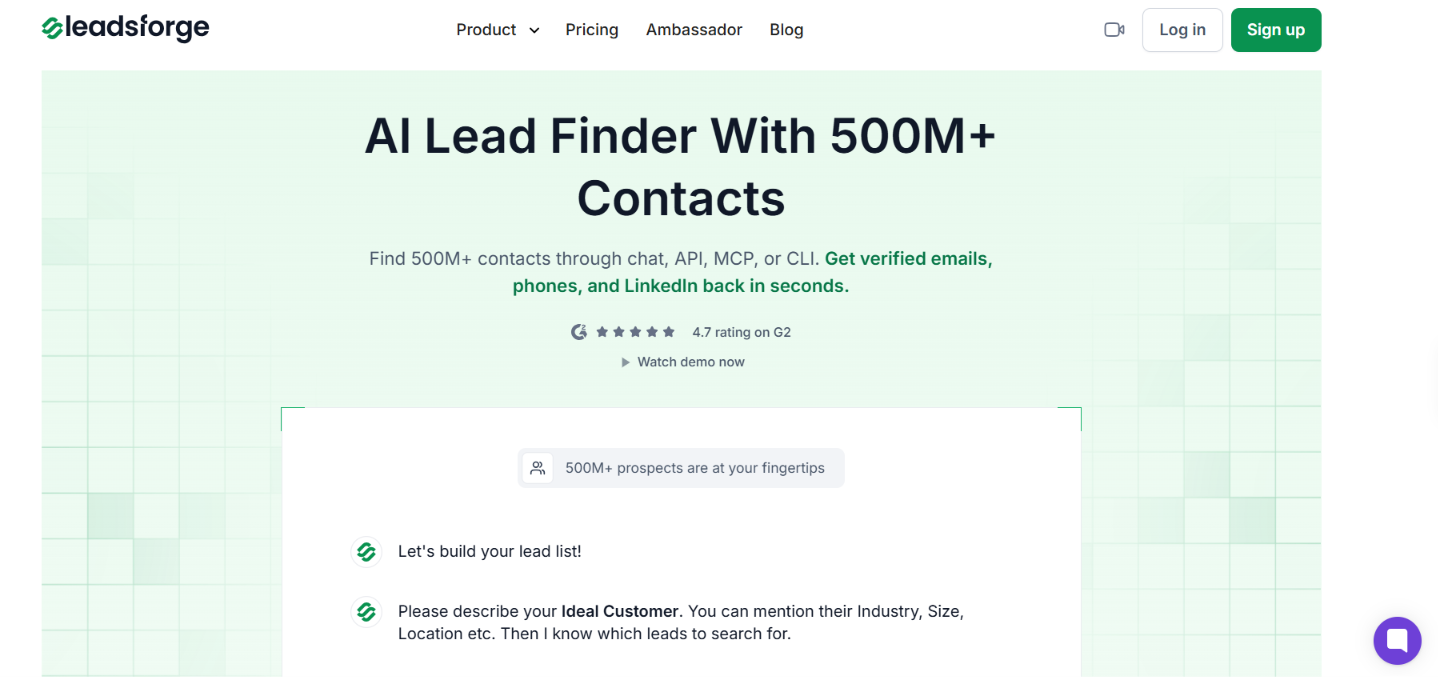
You can build a lead list, choose the people you want, and then find their emails, phone numbers, or LinkedIn profiles.
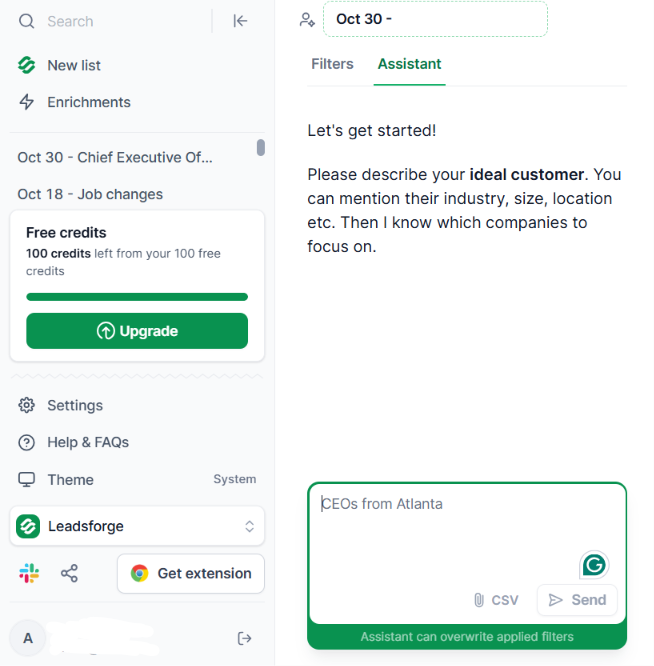
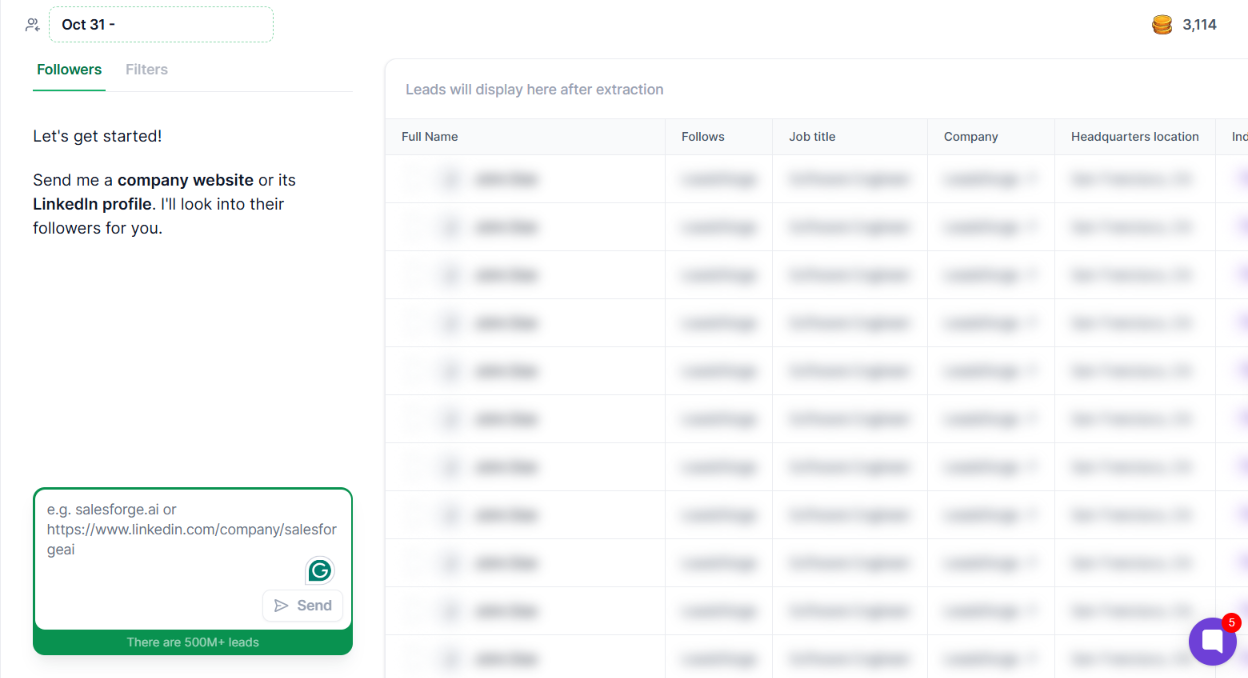
ZoomInfo covers a much wider part of the sales process. Leadsforge stays closer to prospecting.
So if you are considering ZoomInfo mainly for lead lists, verified work emails, and phone numbers, Leadsforge gives you those prospecting tools at a clear starting price.
Enter your email to get a custom plan & stack recommendation for your business
Please check your mailbox in 5 minutes

Yes, ZoomInfo is worth it if you need more than a B2B contact database.
You get prospect data, buyer intent, website visitor tracking, CRM enrichment, and sales workflows in one platform. That makes ZoomInfo easier to justify if you will use these tools together.
But I would not choose ZoomInfo just for lead lists and contact data. Recent reviews still mention outdated records and missing information. You also need to check the cost of your setup before buying.
If your main goal is finding B2B prospects and verified contact details, Leadsforge is the better place to start. You can search 500M+ contacts, check 20+ data providers for contact details, and start at $49 per month for 2,000 credits.
Try Leadsforge with 100 free credits if you want to build your first list before paying for a wider sales platform.
.jpg)

.jpg)

.jpg)
