Every API you add to an AI agent comes with its own account, key, billing, and integration.
Orthogonal cuts that down to one account and one balance, with access to 60+ providers and 1,000+ API endpoints for search, scraping, enrichment, browser automation, messaging, and more.
Your agent can even search for an API, check the endpoint and its price, and then make the call.
The question is how much work this actually removes when each provider still has its own inputs and response data.
In this Orthogonal review, I'll look at how it works, pricing, limitations, and when using APIs directly may be a better option.
Orthogonal gives AI agents one way to access 60+ API providers and 1,000+ endpoints, without creating and funding a separate account with every provider.
The agent can find an API for a task, check its required inputs and price, and make the call using the same Orthogonal key.
There is no monthly platform fee. You add credits to one balance and pay based on the endpoints your agent calls.
Orthogonal handles provider access, authentication, and billing. It does not standardize the APIs themselves, so their inputs and returned data still differ.
There are no independent user reviews on G2, Capterra, or Trustpilot. The feedback available on Orthogonal’s website is made up of customer testimonials published by the company.
Orthogonal is a better fit when one agent needs to use several different APIs. If the job is mainly B2B lead search and enrichment, Leadsforge API is the more focused alternative.
What Do You Actually Get With Orthogonal (And What You Don't)
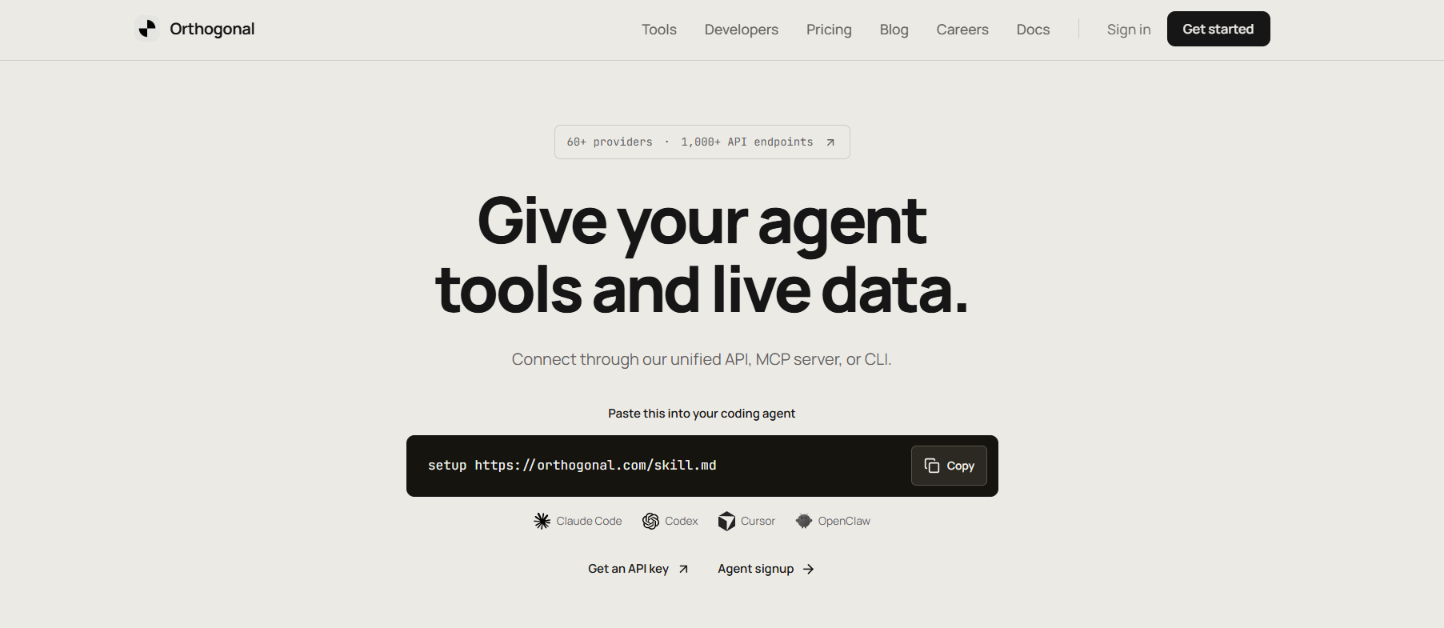
This image shows the Orthogonal homepage
Orthogonal gives your AI agent access to 60+ API providers and 1,000+ endpoints through one account, instead of opening and funding an account with every provider.
You get one API key and one shared balance. Orthogonal handles provider accounts, authentication, and billing, while your agent can find an API, check its inputs and price, and make the call.
What you don't get is one standard API format across all those providers. Each provider still has its own inputs and response data, so your agent has to work with the endpoint it chooses. Orthogonal is also not an AI agent itself. You need an existing agent or application to use it.
Here’s how it compares with Leadsforge API.
Feature
Orthogonal
Leadsforge API
Main use
Access many types of APIs
B2B lead search and enrichment
API access
60+ providers, 1,000+ endpoints
Leadsforge directly
Lead data
Multiple providers, including Leadsforge and Apollo
Native lead and company search
Enrichment
Depends on the API selected
Email, phone, and LinkedIn enrichment
Other functions
Search, scraping, market data, social data, messaging, AI models, and more
B2B sourcing, enrichment, lookalikes, company followers, and Maps discovery
Billing
One Orthogonal balance across providers
Uses Leadsforge credits
Orthogonal gives you more choice when an agent needs several types of APIs in the same workflow. Leadsforge API is more focused. If the agent mainly needs to find B2B leads and enrich their email, phone, or LinkedIn data, you can connect to Leadsforge directly.
How Does Orthogonal Work?
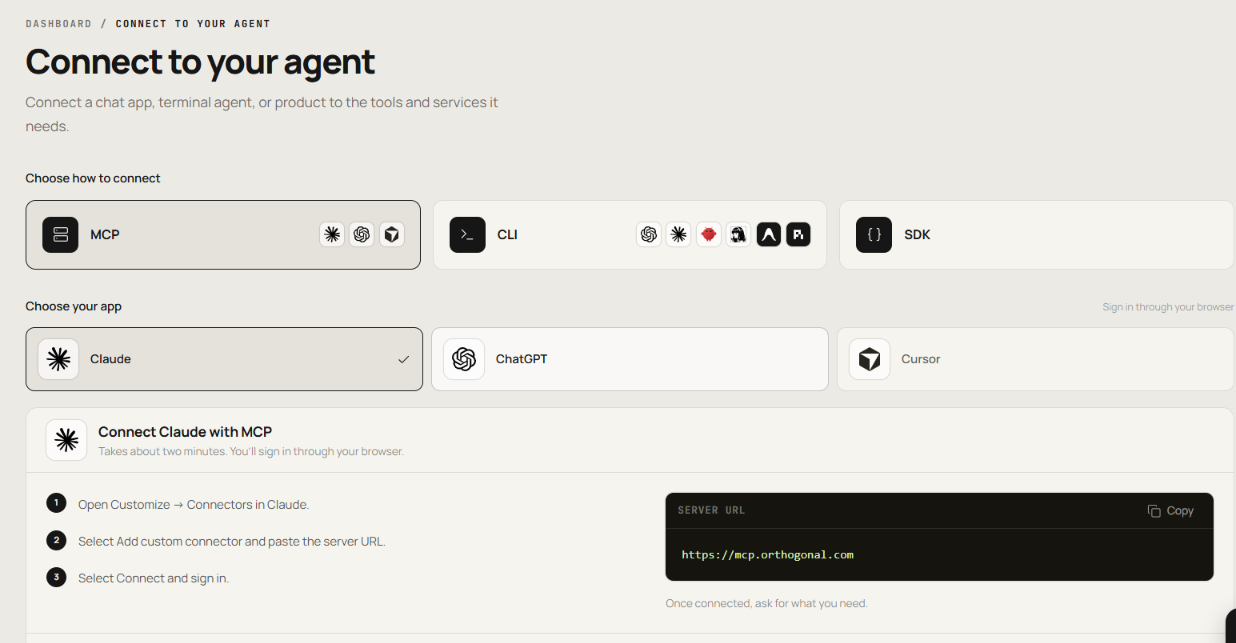
Orthogonal works as a gateway between an AI agent and the outside APIs that agent needs. You can connect through the API, MCP, CLI, or SDK, depending on how your agent or application is set up. Here is how it works.
This image shows the Connect to your agent
1. Connect Your Agent or Application
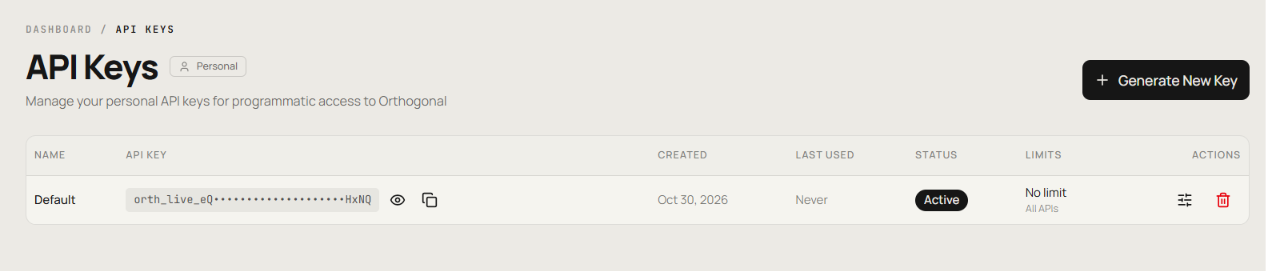
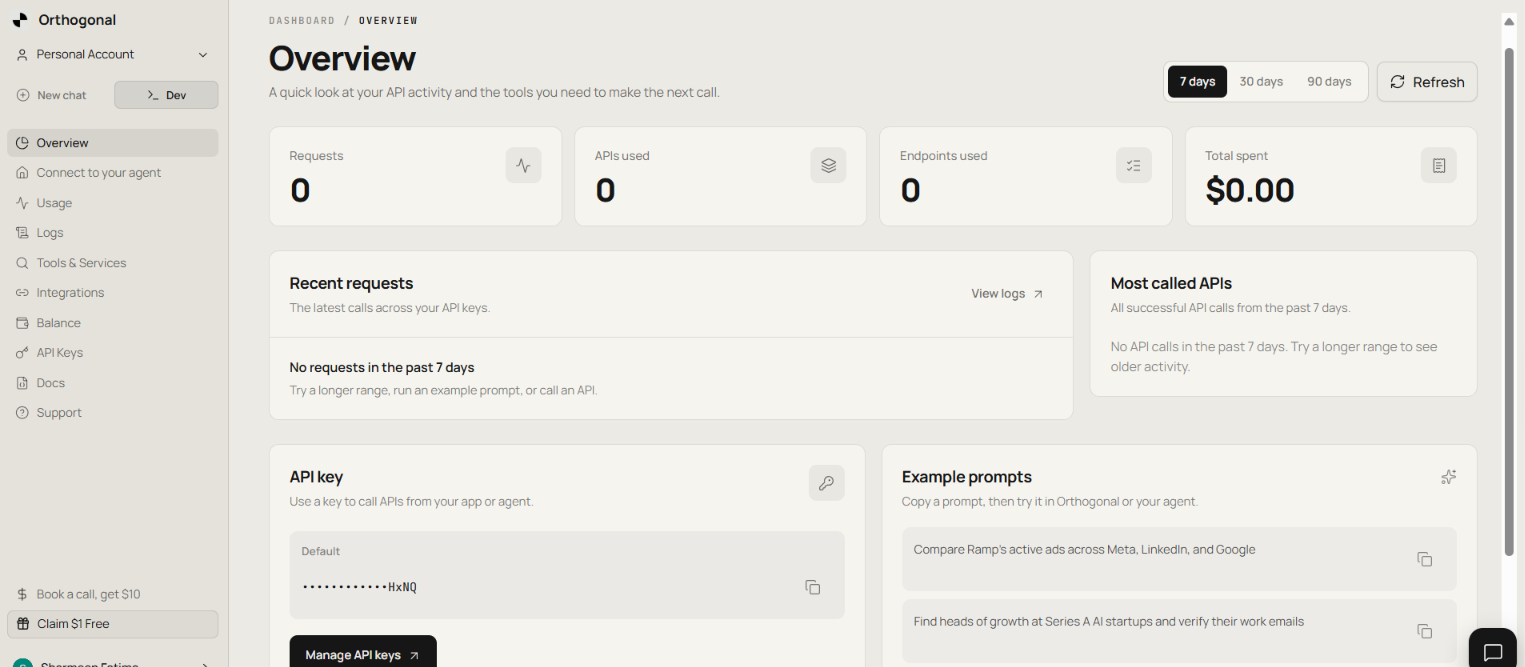
If you are building your own integration, you can use the Orthogonal API with an API key generated from the dashboard.
This image shows the API key generated from the dashboard.
The API includes:
/v1/search to find APIs for a task.
/v1/details to check an endpoint's required inputs and price.
/v1/integrate to get code examples for integrating an endpoint.
/v1/run to send a request to the selected endpoint.
You can also connect through MCP, CLI, or SDK. The dashboard provides MCP setup for Claude, ChatGPT, and Cursor.
2. Find an API for the Task
Your agent does not need to choose a provider first. It can describe what it needs, such as:
“Find heads of growth at Series A AI startups and verify their work emails.”
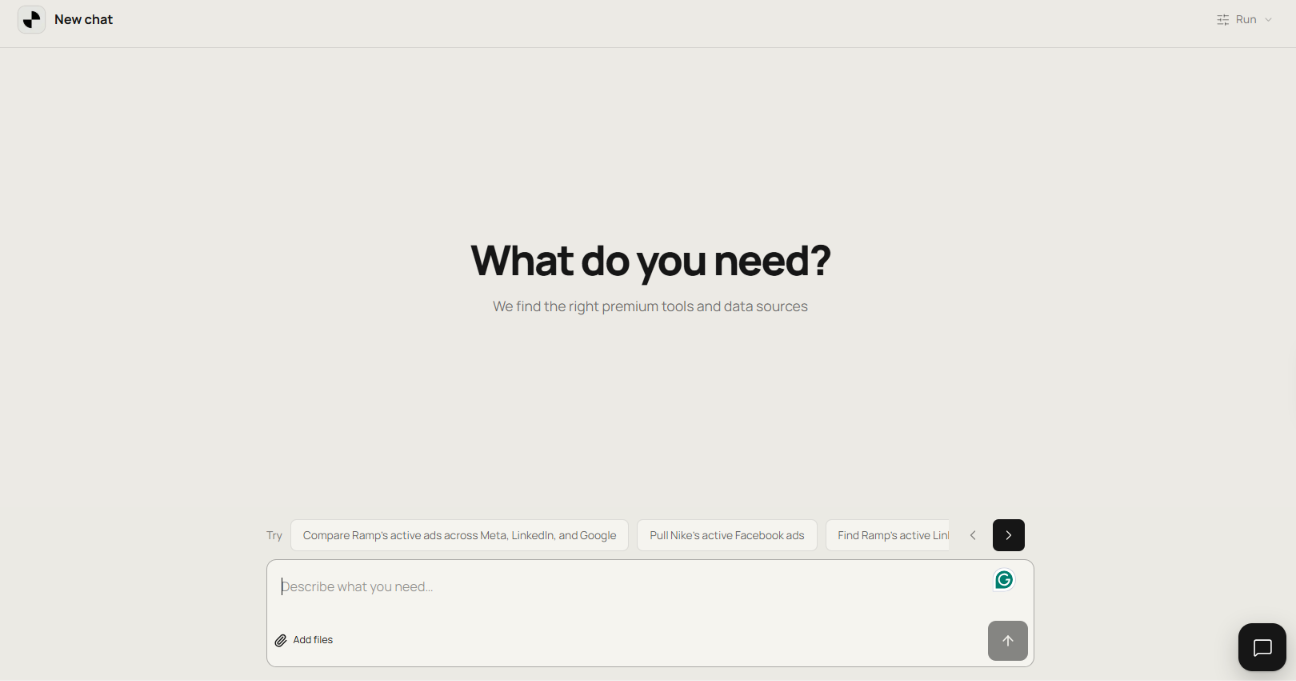
With the API, /v1/search finds endpoints that match the task. With MCP, the search tool handles API discovery. Orthogonal also has a New Chat section where you can enter a task directly.
This image shows the New Chat section available on Orthogonal
3. Check the Endpoint Before Using It
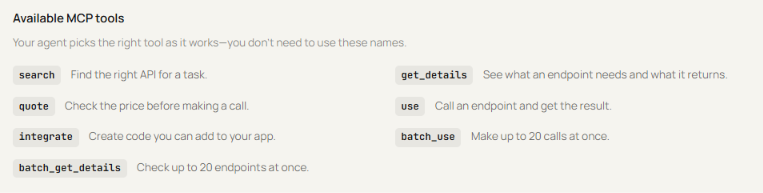
Before using an endpoint, the agent can check what information it requires and what it will cost. With the API, /v1/details provides the endpoint details and price. With MCP, get_details provides endpoint information, while quote can check the price.
This image shows the Available MCP tools
The inputs and responses can still differ between providers. Orthogonal handles access and billing, but it does not convert every provider into the same API format.
4. Send the Request
Once an endpoint is selected, the agent can use it through Orthogonal. With the API, the request is sent through /v1/run. With MCP, the use tool runs the selected endpoint. You use your Orthogonal access instead of setting up a separate API key with each provider. The result is then returned to your agent or application.
Orthogonal also provides batch_use for running up to 20 requests at once and batch_get_details for checking up to 20 endpoints at once through MCP.
5. Track Requests and Spending
This image shows the Orthogonal overview section to track requests
The Overview section in the Orthogonal dashboard shows:
Requests made
APIs used
Endpoints used
Total spent
Recent requests
Most-called APIs
You can also use Usage and Logs for more details, while Balance and API Keys let you manage your credits and API keys.
Top Use Cases of Orthogonal
Orthogonal can be used for tasks across prospecting, company research, web search, scraping, social data, financial research, and agent actions.
Here are some of the tasks you can give an agent through Orthogonal:
Use Case
Example Task
B2B prospecting
Find heads of growth at Series A AI startups and verify their work emails.
Company enrichment
Enrich a company with its headcount, revenue, funding, and technologies.
Funding and investor research
Find startups that recently raised funding, then return their founders and headcount.
Company signals
Find companies that recently added a specific technology or check their latest funding, hiring, and product changes.
Recruiting research
Find companies hiring for a specific role or pull open jobs by role, location, and seniority.
Competitor research
Find companies similar to a given business based on its product, customers, and technology stack.
Social media research
Pull social posts, comments, audience data, video transcripts, or active ads.
Web scraping
Crawl a website, extract page data into JSON, take screenshots, or inspect network requests.
Financial research
Pull earnings data, insider trades, institutional holdings, or market data.
Local business research
Find local businesses that match specific criteria and return details such as their websites and phone numbers.
Data verification
Check email deliverability, identify suspicious IPs, validate VAT or IBAN numbers, or inspect phone-number details.
Agent actions
Send an email, reply to an existing email thread, or use supported communication APIs for other actions.
Orthogonal Pricing in 2026
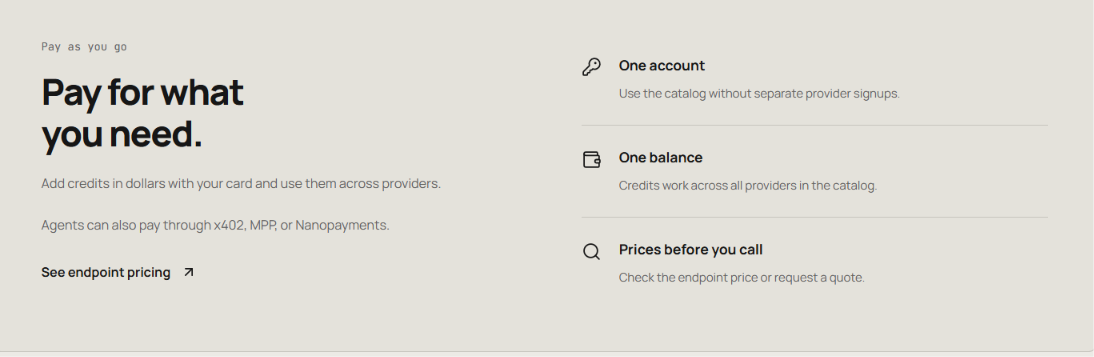
This image shows the Orthogonal pricing
Orthogonal uses pay-as-you-go pricing. There is no monthly subscription or minimum spend. By default, you prepay for credits in dollars with your card. Those credits sit in one Orthogonal balance and can be used across the providers in its catalog, so you do not need to fund each provider separately.
You are charged when your agent uses an API through Orthogonal. Each endpoint has its own price, and you can check that price before the request is made.
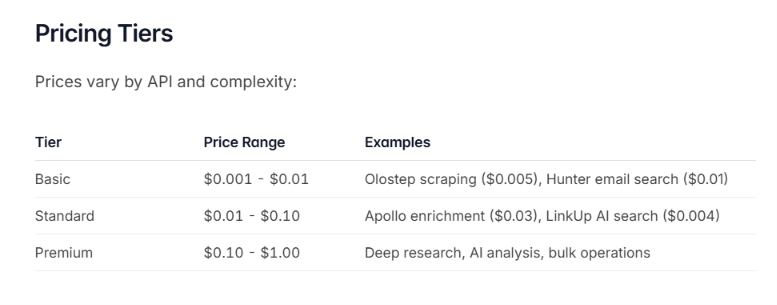
Here are a few examples:
This image shows the Pricing examples available in Orthogonal documentation
API Request
Price
Olostep scraping
$0.005
Hunter email search
$0.01
Apollo person enrichment
$0.03
Deep research, AI analysis, and bulk operations
$0.10-$1.00
For example, if your agent uses Apollo person enrichment at $0.03, that request costs $0.03 from your Orthogonal balance. The API response also shows the amount charged.
New accounts get $5 in free credits, with no credit card required. You do not have to use prepaid credits. Orthogonal also supports per-request stablecoin payments through x402 with USDC on Base and MPP with USDC.e on Tempo. With either method, the payment is settled before the API request runs.
Orthogonal says every payable tool in its catalog supports both x402 and MPP.
Top Pros of Orthogonal
Natural-language API discovery lets an agent describe the task and search Orthogonal for matching endpoints instead of knowing the provider beforehand.
Endpoint details are available before the request so the agent can check the required inputs and price before choosing an API.
API, MCP, and CLI access gives you different ways to connect Orthogonal to an existing agent or application.
One Orthogonal API key works across supported providers, so you do not have to manage a separate API key for each one.
Shared credits work across providers, with the cost of each request taken from the same Orthogonal balance.
Pay-as-you-go pricing has no monthly platform subscription, and endpoint prices can be checked before use.
Top Cons of Orthogonal
You still have to handle provider-specific API formats. Inputs and responses differ between providers, so one integration does not mean one standard data format.
You may not know the exact cost of every request upfront. Some endpoints have fixed prices, while others require a quote based on the request.
Costs can jump depending on which API your agent chooses. Provider pricing varies, so using a more expensive endpoint can quickly increase your spend.
Orthogonal does not give you an AI agent. You need an existing agent or application before you can use its API, MCP server, or CLI.
There is little independent feedback to judge it by. Orthogonal has customer testimonials on its website, but no independent reviews on G2, Capterra, or Trustpilot.
Who Should Use Orthogonal and Who Should Look Elsewhere?
Orthogonal is most useful when your agent needs to work with several APIs rather than depend on one provider. But if your needs are narrow or you want a ready-made agent, adding an API gateway may be unnecessary.
Use Orthogonal if:
Your agent needs different APIs for search, scraping, enrichment, financial data, messaging, or other tasks.
You want one API key and one balance instead of managing separate accounts with several API providers.
You want your agent to find an API for a task and check its requirements and price before using it.
You already have an AI agent or application and want to connect APIs through REST API, MCP, or CLI.
You prefer pay-as-you-go pricing instead of a monthly platform subscription.
Look elsewhere if:
Your agent only needs one API provider, so there is little reason to add another layer between your agent and that provider.
You need the same inputs and response format across providers, which Orthogonal does not provide.
You need a fixed price for every request, since some Orthogonal endpoints require a quote.
You want a ready-to-use AI agent rather than a gateway for an agent you already have.
Your main need is B2B lead search and enrichment, where a focused API such as Leadsforge may be enough on its own.
Best Orthogonal Alternatives for B2B Sales Agents
Orthogonal is useful when one agent needs to pull data or take actions across different providers. If your agent has a narrower sales job, you can connect it directly to Leadsforge API or Salesforge API instead.
1. Leadsforge API – Best for B2B Prospecting
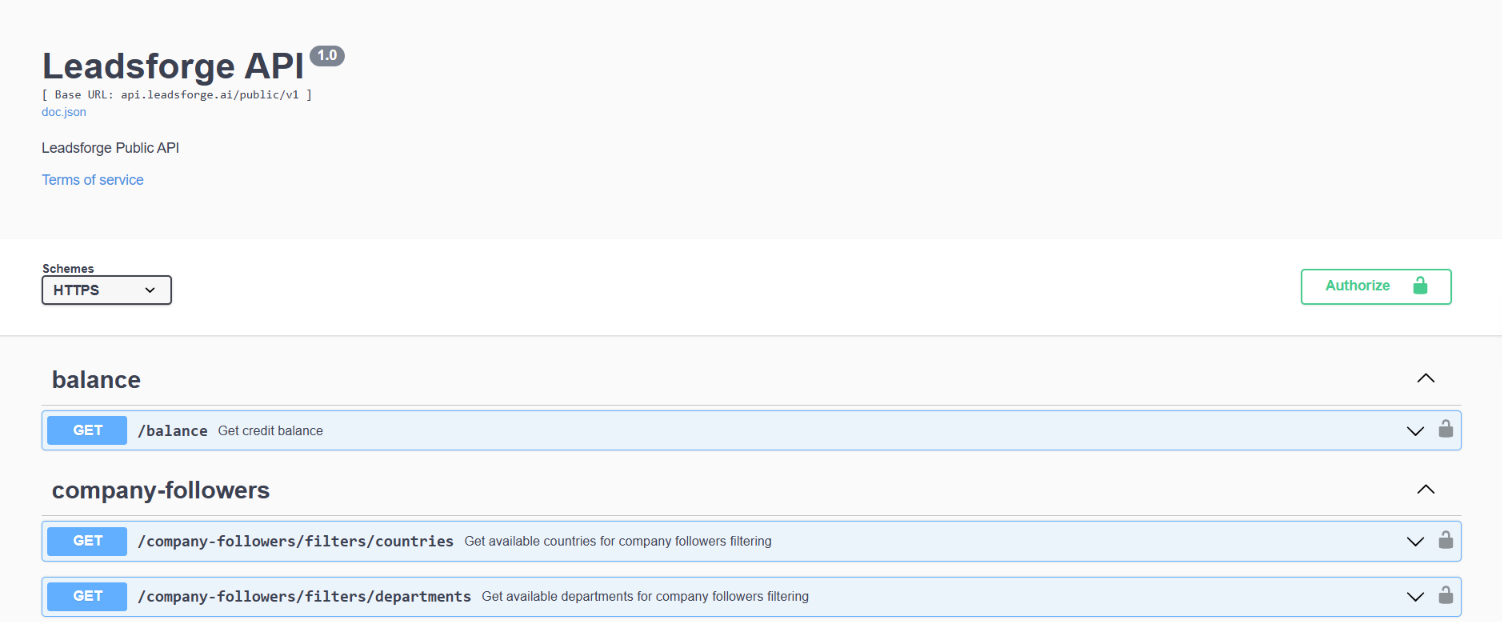
This image shows the Leadsforge Public API swagger documentation
If your agent needs to search for B2B prospects and enrich their contact details, Leadsforge API gives it direct access to those functions.
Search for people and companies using ICP filters.
Enrich a prospect with email, phone, or LinkedIn data.
Submit bulk enrichment jobs for up to 500 person IDs at a time.
Find companies similar to a company you already want to target.
Search company followers using filters such as job title, department, level, and location.
Use the same credits as your Leadsforge account, with enrichment credits charged only for successful results.
For example, an agent could find heads of growth at Series A companies and enrich their work emails using Leadsforge directly.
You would need Orthogonal if that same agent also needs to move outside Leadsforge and use other providers for tasks such as scraping a website, pulling financial data, or accessing other data sources.
2. Salesforge API – Best for Sales Outreach
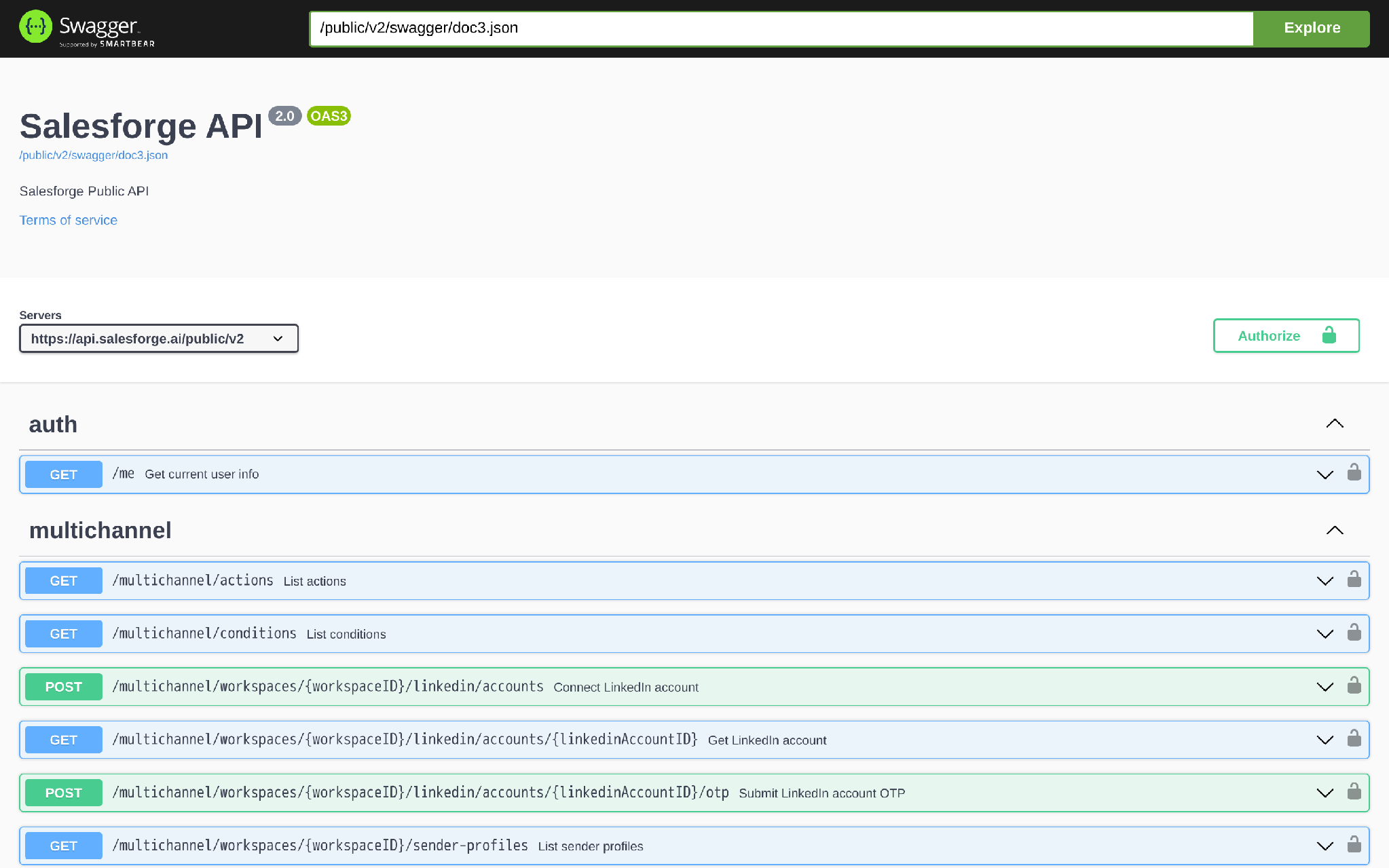
This image shows the Salesforge API Swagger documentation
Salesforge API is for agents that need to work with the outreach already running inside a Salesforge workspace.
Create contacts or import them in bulk.
Add contacts to sequences and manage their schedules.
Create, update, or delete sequences.
Manage multichannel sequences, enrollments, and sequence actions.
Retrieve sequence analytics and performance data.
Read email threads and reply to conversations.
Retrieve or update mailbox settings.
Create webhooks for supported Salesforge events.
For example, an agent could import a lead list, enroll those contacts in a sequence, check the sequence results, and work with the email conversations that follow.
Salesforge does not provide the prospect search and enrichment described above for Leadsforge. If your agent needs to find the prospects before starting outreach, you would need a separate data source. Salesforge API is available only on the Growth plan.
Personalized Outbound Strategy
Get The Right Outbound Strategy In Minutes
Enter your email to get a custom plan & stack recommendation for your
business
It's being carefully crafted by AI
Please check your mailbox in 5 minutes
Is Orthogonal Worth It in 2026?
Orthogonal is worth using if your agent regularly needs APIs from different providers. Instead of opening separate accounts, managing multiple keys, and funding each provider, you get one Orthogonal key and one credit balance.
That convenience has limits. Orthogonal does not standardize the inputs and responses from each provider, and some endpoint costs depend on the request. There are also no independent reviews on G2, Capterra, or Trustpilot yet.
So I would choose Orthogonal for an agent that needs to move between jobs such as finding company data, scraping websites, checking financial data, and sending messages.
For a B2B sales agent with a narrower job, I would go directly to the source. If the agent needs to find companies, search for prospects, and enrich email, phone, or LinkedIn data, use Leadsforge API.
If you already have the prospects and need the agent to add contacts to sequences, manage schedules, check sequence results, read email threads, and reply to conversations, use Salesforge API.
Book more meetings on autopilot
Set up in minutes. No per-seat pricing. No commitment.
Boardy is an AI superconnector that makes double opt-in introductions from its own network of more than 248,000 people. I run it next to an AI SDR and both work from the same ICP. This review covers how to set Boardy up and what its intro emails look like. It also covers Boardy Pro pricing and where Boardy falls short. It ends with how I hand each intro pattern to my AI SDR for outbound at volume.


.jpg)

.jpg)

.png)
