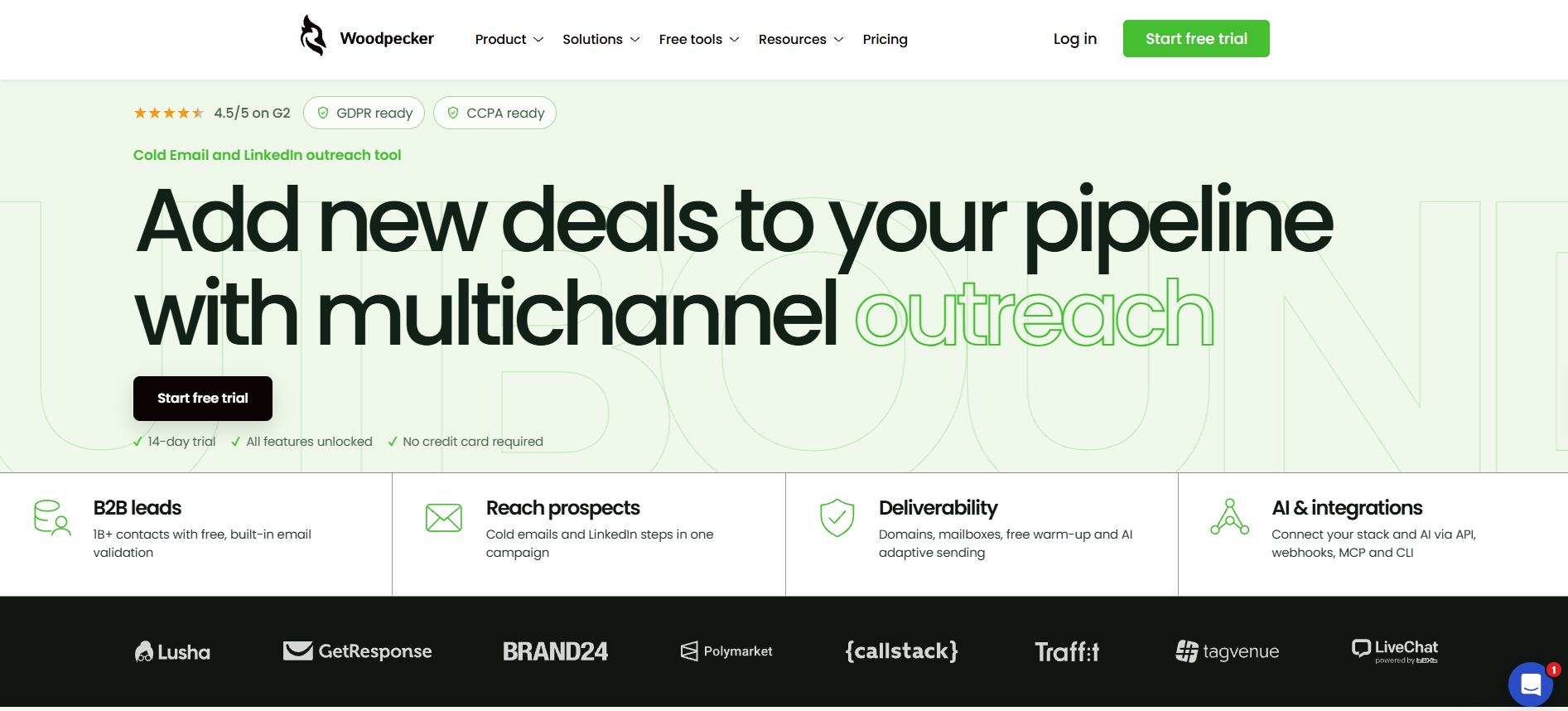
Woodpecker positions itself as a cold email and LinkedIn outreach tool that helps you bring more deals into your pipeline through multichannel campaigns.
But putting email and LinkedIn in the same campaign doesn't automatically make a tool good at outbound.
You also need to look at how well the campaign builder works, how much you can actually do with its multichannel features, and which add-ons you'll have to pay for along the way.
So I signed up for Woodpecker's free trial and went through more than 95 G2 reviews to see what the platform gets right and where users run into problems.
In this Woodpecker review, I'll walk you through the campaign builder, multichannel features, add-ons, pricing, user feedback, and limitations.
By the end, you'll have a better idea of whether Woodpecker is worth adding to your outbound stack.
Woodpecker is cold email and LinkedIn outreach software that has been running since 2015.
You can connect unlimited mailboxes, and Woodpecker rotates your sending across all of them, with nothing charged per mailbox.
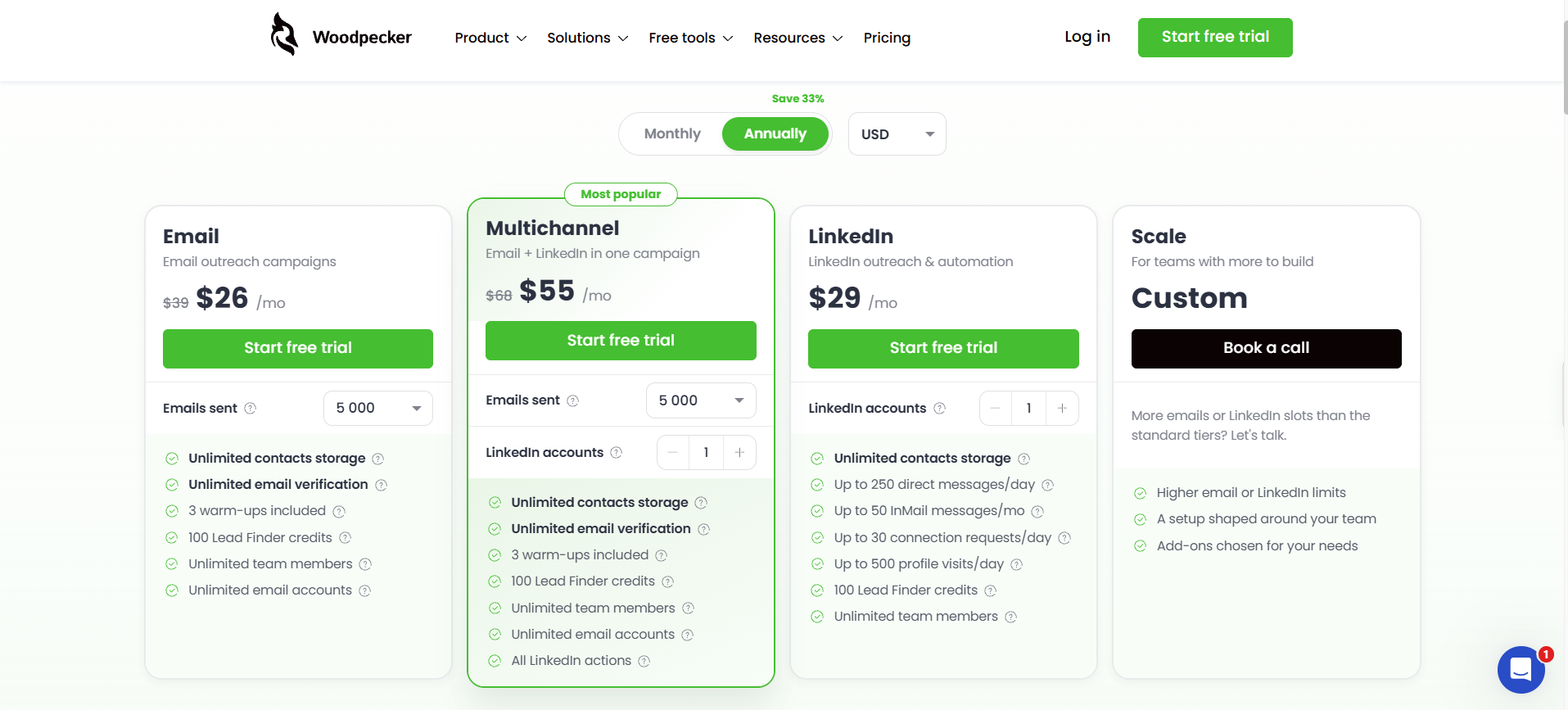
Plans start at roughly $26/mo on annual billing for 5,000 emails.
Warmup is included for three mailboxes on the entry plan, and every mailbox after that costs $5 a month..
LinkedIn, calls, and SMS need the Multichannel plan, and every LinkedIn account you connect costs another $29 a month.
Woodpecker has a G2 rating of 4.5/5, with users consistently praising its setup and customer support, while its email warm-up feature draws the most criticism.
Salesforge is the best Woodpecker alternative. You get the same unlimited mailboxes, but warm-up runs on all of them at no extra cost, and your LinkedIn senders don’t cost $29 each per month.
Woodpecker Review – What You Get vs. What You Don't
What you get is a clean sequencing tool that handles your follow-ups, detects replies and stops chasing anyone who answers, and spreads your sending across as many mailboxes as you care to connect.
Pay for the Multichannel plan, and you also get LinkedIn, calls, SMS, and manual tasks as steps inside that same sequence, with conditions that branch depending on what each prospect does.
What you do not get on the entry plan is enough warm-up to cover a real mailbox fleet. Three slots against unlimited mailboxes is a strange pairing, and it is where most people's bill quietly starts growing.
You also do not get a direct Salesforce connection, since that runs through Zapier. And you cannot test any integration during the trial anyway, because they stay locked until you are paying.
None of that makes Woodpecker a bad tool. It just means the plan you price out on day one is rarely the plan you end up on, which is worth knowing before you put a card in.
Woodpecker’s Features Review
Woodpecker has several features designed to help you run cold email and LinkedIn campaigns from one place. But I wanted to look beyond the feature list and understand how each part works when you're setting up and managing actual outreach campaigns.
I'll walk you through its campaign builder, email and LinkedIn automation, follow-up scheduling, unified inbox, deliverability features, and paid add-ons.
I'll also point out what works well, where the platform falls short, and what you should know before relying on it for your outbound campaigns.
1. Campaign and Sequence Builder
I expected the usual setup wizard, and you will be glad to hear there isn't one.
You hit the plus button on the campaigns dashboard, name your campaign, and you are already building. Your prospects go in by CSV or by hand, and Woodpecker maps your spreadsheet columns to its own fields while the file uploads, so you are not doing that part manually.
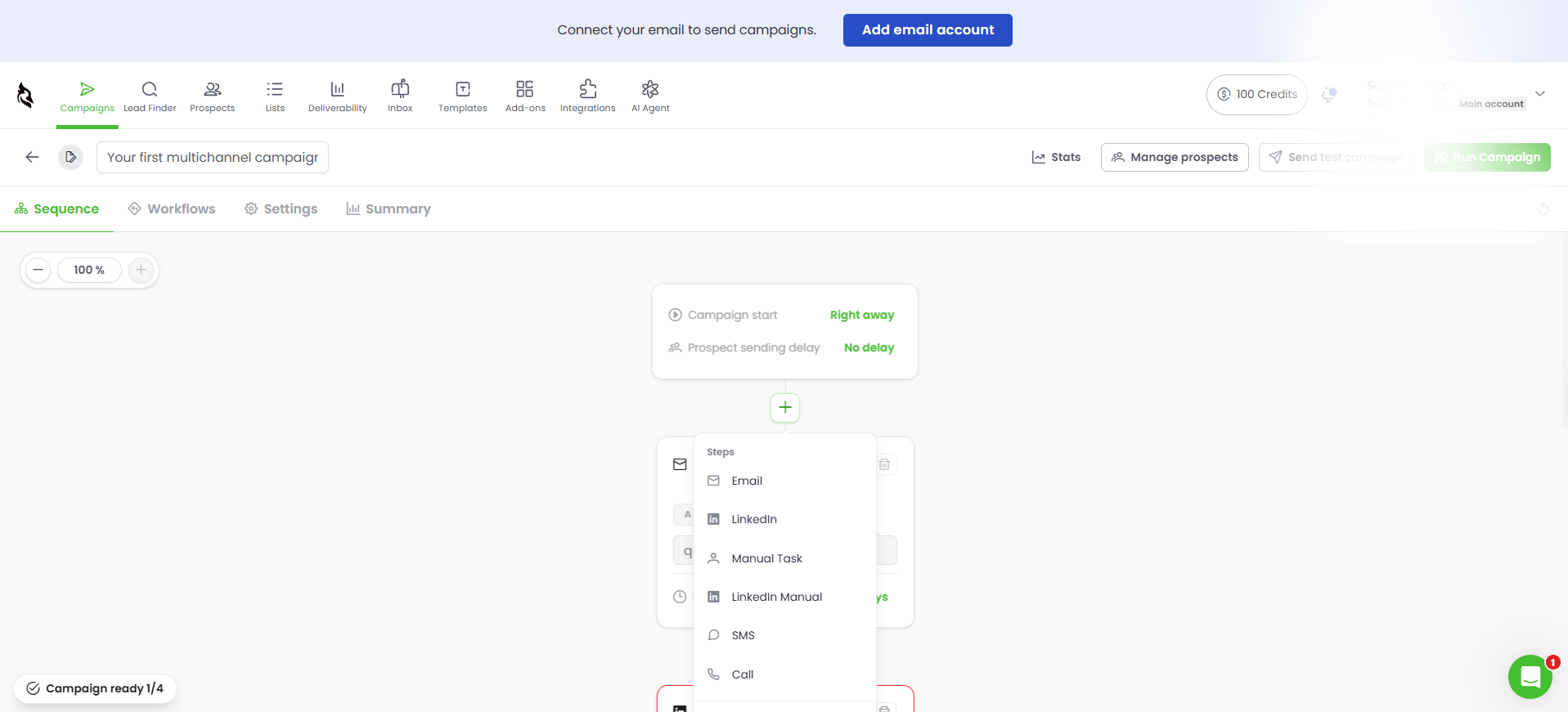
The sequence itself is drag-and-drop, and the plus button inside it gives you eight step types to work with:
Email, with subject line, body, open and reply tracking, and A/B variants
LinkedIn message, connection request, and InMail, though all three need the LinkedIn add-on
Call, which creates a reminder for you rather than dialling anything itself
SMS
Manual task, for anything you would rather handle yourself
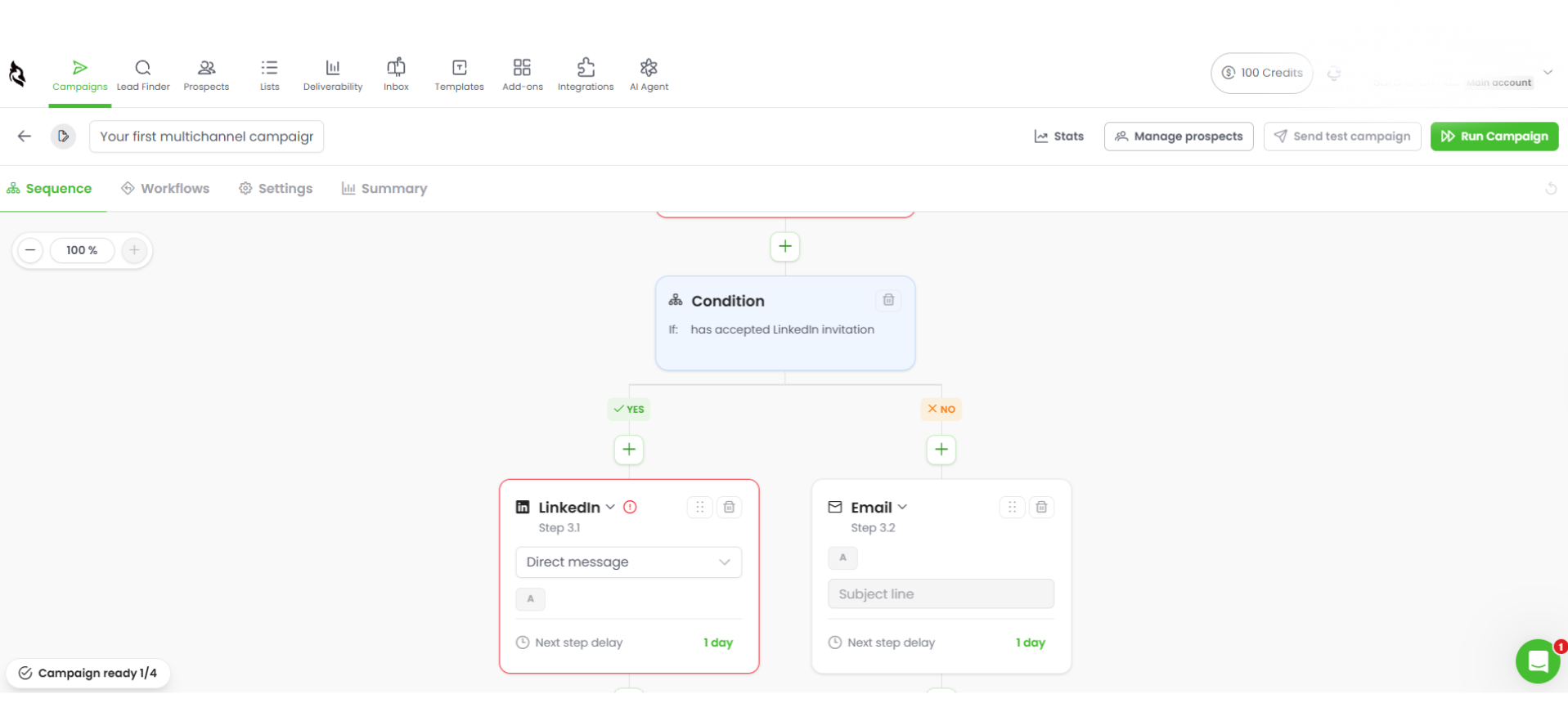
Condition, which splits the sequence depending on whether someone opened, clicked, or replied
What I liked here is that your sending settings sit inside the campaign instead of off in some separate menu.
How long you wait between steps and how fast you send are decisions you want to make while looking at the sequence, not three screens away from it. Adaptive sending lives in the same place, reading each provider's limits and slowing your rate to stay inside them, and A/B testing runs within the email step so Woodpecker picks your winner once it has enough data to call it.
All in, a three-step sequence with placeholder copy took me about five minutes, and nothing in there needed explaining.
What I cannot tell you is how adaptive sending holds up under real load. That only proves itself across thousands of live sends, and a builder will never show you.
Mailbox Connection and Inbox Rotation
This is the reason to look at Woodpecker at all, so it is worth understanding properly.
You can connect as many mailboxes as you want to a single campaign. Woodpecker then rotates your sending across all of them, so no single inbox carries the full daily load, and here is the part that matters: not one of those mailboxes adds anything to your bill. Google Workspace, Microsoft 365, and your own IMAP or SMTP setup all work.
Compare that to most volume-priced tools, where mailbox count is exactly where your costs start climbing. If your setup depends on spreading sends across ten or twenty inboxes, Woodpecker is genuinely cheaper than it looks at first glance, and I do not say that about many tools in this category.
One thing to sort before you start, though. Your SPF, DKIM, and DMARC records need to be in place before a mailbox will connect, so if you have never configured those, do it the day before rather than discovering it halfway through setup.
2. Email Warmup
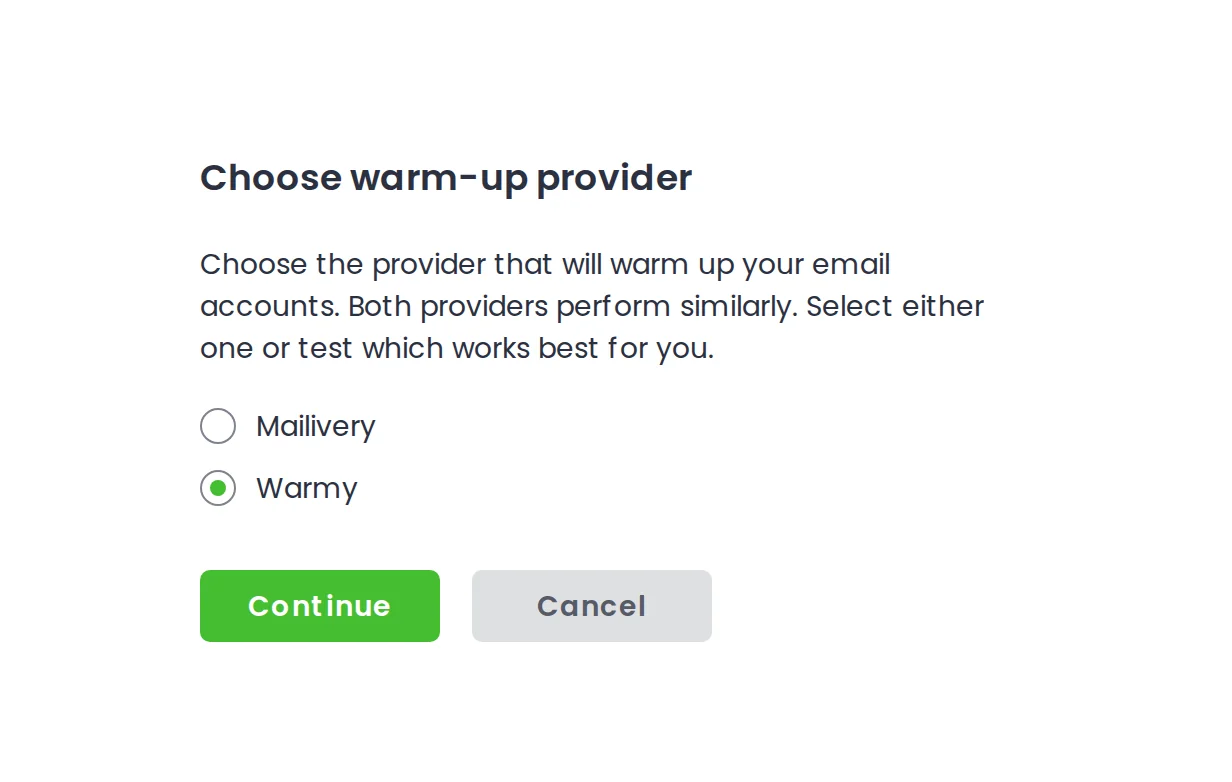
Woodpecker warms your mailboxes itself through a Mailivery integration, which I prefer to tools that hand you off to a separate vendor you then have to pay and manage.
The problem is how many mailboxes it will actually warm for you:
Entry email plan: 3 warm-up slots
Higher volume tiers: up to 10 slots
Anything beyond that: charged on top
See the issue? Those numbers fight the unlimited mailboxes you were just sold. Connect ten inboxes on the cheapest plan and seven of them have nothing warming them, which means upgrading or buying slots to close a gap the pricing page never flags. It is also where Woodpecker's harshest reviews land, with users saying the warmup worked differently from what they expected when they signed up.
Honestly, this is the clearest gap between Woodpecker and Salesforge. There you get premium warmup on every plan with no slot limit at all, and each mailbox carries a live Heat Score telling you when it is ready, so you are not guessing at whether an inbox can handle real volume yet.
If warmup is new to you, this guide on cold email deliverability explains why skipping it costs you more than the warmup ever would.
3. Deliverability Monitor
Woodpecker's Deliverability Monitor helps you keep track of whether your emails are likely to reach the inbox or run into spam issues. It checks spam scores and monitors blacklist status, giving you a way to spot problems that could affect your sending reputation.
This is useful because poor deliverability can affect an entire campaign. Your emails might be going out as scheduled, but if your domain or IP gets flagged or your messages start triggering spam filters, fewer prospects will see them.
Monitoring these signals helps you catch potential issues and investigate them before they affect more of your outreach.
However, there's one thing I noticed when I opened this feature.
My new account didn't show any deliverability data. Instead, Woodpecker displayed an instructional message explaining that the monitor needs data from sent campaigns before it can show results.
That means you won't get much value from this feature while evaluating the platform during your free trial. You'll need to start sending campaigns first to see what the monitor actually reports.
4. Unified Inbox
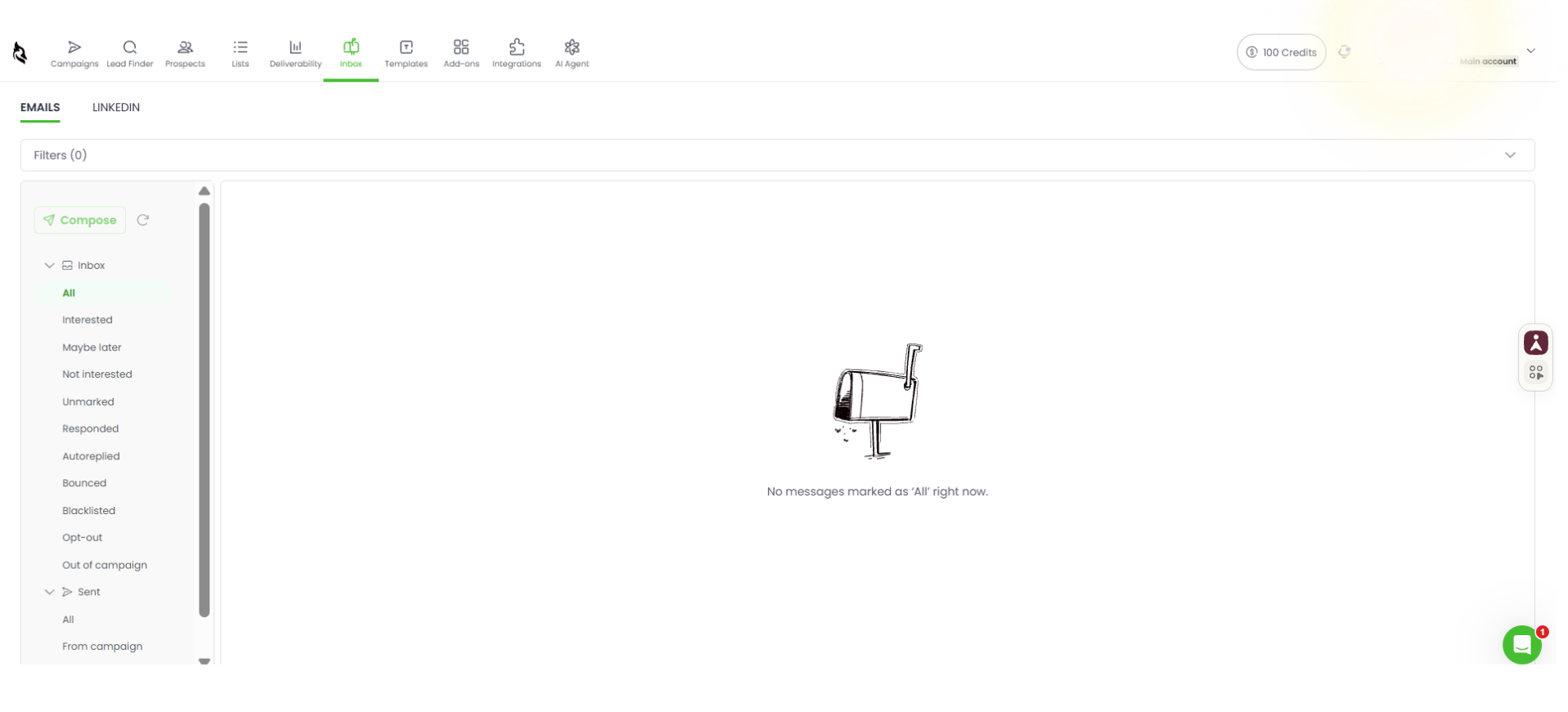
Woodpecker's Unified Inbox brings email replies and LinkedIn conversations into one place. So instead of checking multiple email accounts and switching over to LinkedIn to follow up with prospects, you can manage conversations from both channels in the same view.
This is particularly useful when you're running campaigns across several mailboxes and LinkedIn accounts.
For example, if a prospect replies to your email and another responds to your LinkedIn message, you can find both conversations inside Woodpecker rather than jumping between different platforms.
You can also filter incoming conversations, keep track of replies, and respond without leaving the inbox. This makes it easier to manage prospect interactions, especially when you're handling several campaigns at once.
I can see why users appreciate this feature. It brings two outreach channels together and saves you from checking multiple accounts just to keep up with replies.
5. Lead Finder
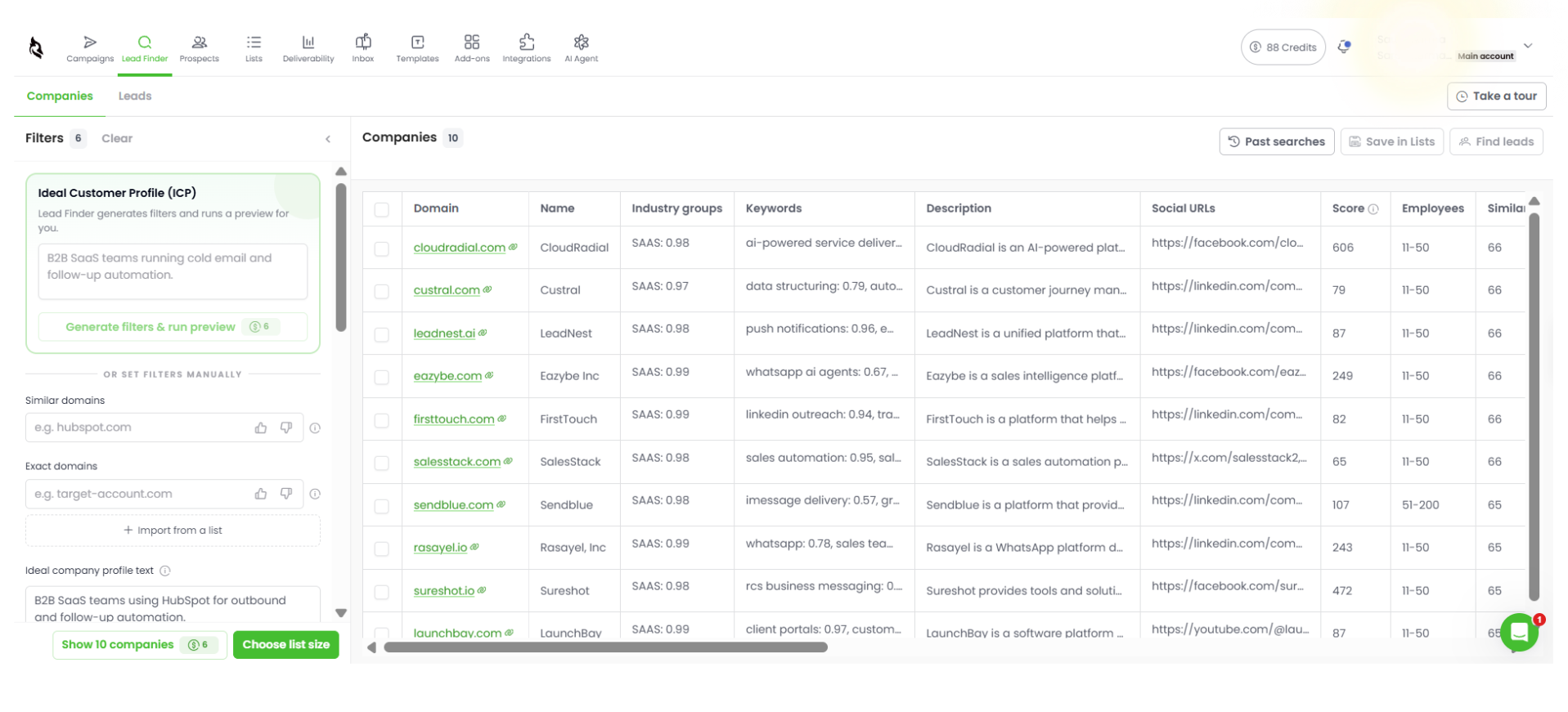
Woodpecker has its own B2B database, and the pitch is 1B+ contacts with validation built in. I spent some trial credits to see what that gets you.
You describe your ICP in plain language, and Lead Finder generates the filters, or you set them yourself across industry, employee count, country, tech stack, and keywords. I searched for B2B SaaS companies using HubSpot for outbound and follow-up automation, filtered to the US, and asked for ten companies. That cost six credits out of the 100 the trial gives you.
The results came back fast, and the table is dense, with employee counts, locations, tech signals, phone numbers, social profiles, and a similarity score on each row.
Two things stood out
First, the similarity scores came back at 65 and 66 across every single result, which is not a confident match. Every company was also in the 11 to 50 employee band and none were names I recognised, so if you are targeting established mid-market accounts, this is not where you will find them.
Second, and this is the one that matters: look at the email column. Every address returned is a generic company inbox. info@, support@, hello@, team@, even dpo@ and privacy@ on a couple of them. The column is labelled Public emails and that is precisely what it delivers, addresses scraped from the website rather than a person you can actually write to.
If prospecting is a real part of your workflow rather than an occasional top-up, price this against a dedicated database before you depend on it. Credits start at $10 for 500 and run to 70,000, and that spend sits entirely outside your sending plan.
6. AI Agent
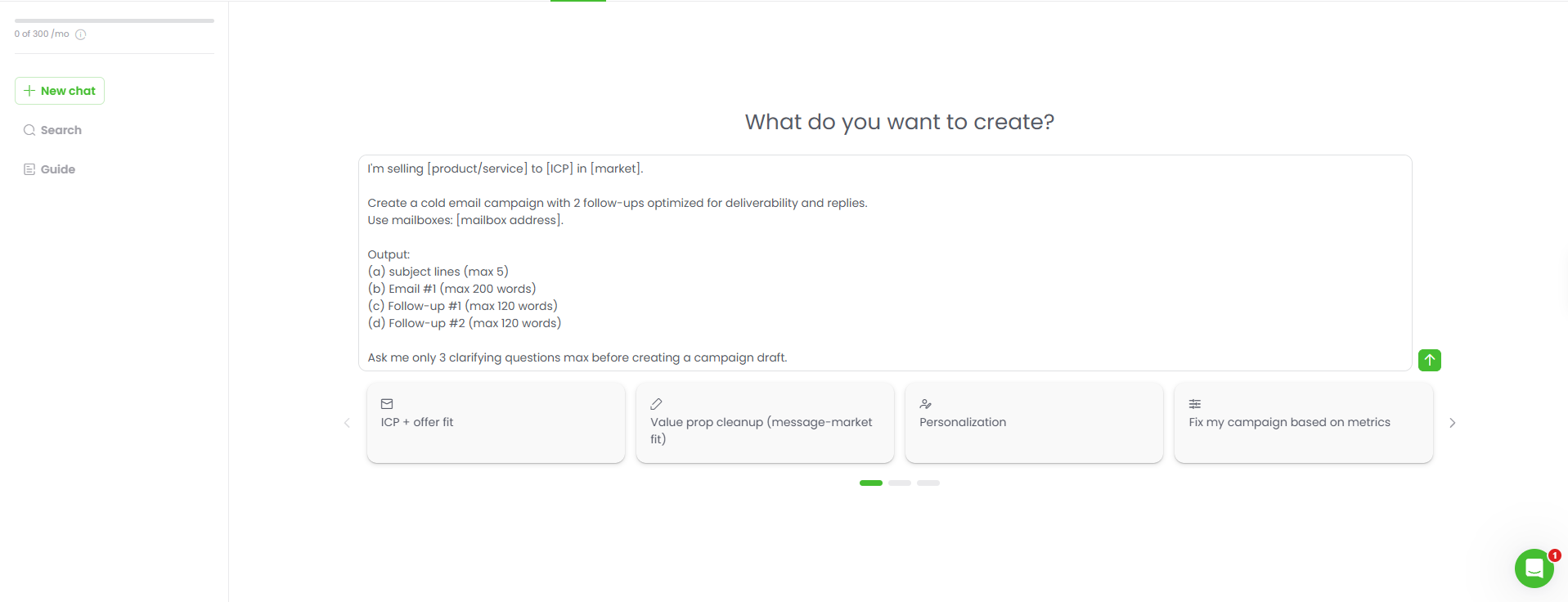
The AI Agent has its own tab in Woodpecker's top navigation. You open it like a chat window, describe the campaign you want to run, and it builds the sequence structure with draft copy for each step. You also get 300 AI credits every month.
What I didn't like was that this AI assistance stops there. Once you move into the email step of your sequence, there's no AI writing assistant to help you improve or generate the copy. You have to go back to the AI Agent, generate the content, and bring it into your campaign yourself.
I expected to be able to work on the copy directly inside the sequence builder, especially when Woodpecker is promoting AI campaign creation as one of its main features.
7. Reporting and Analytics
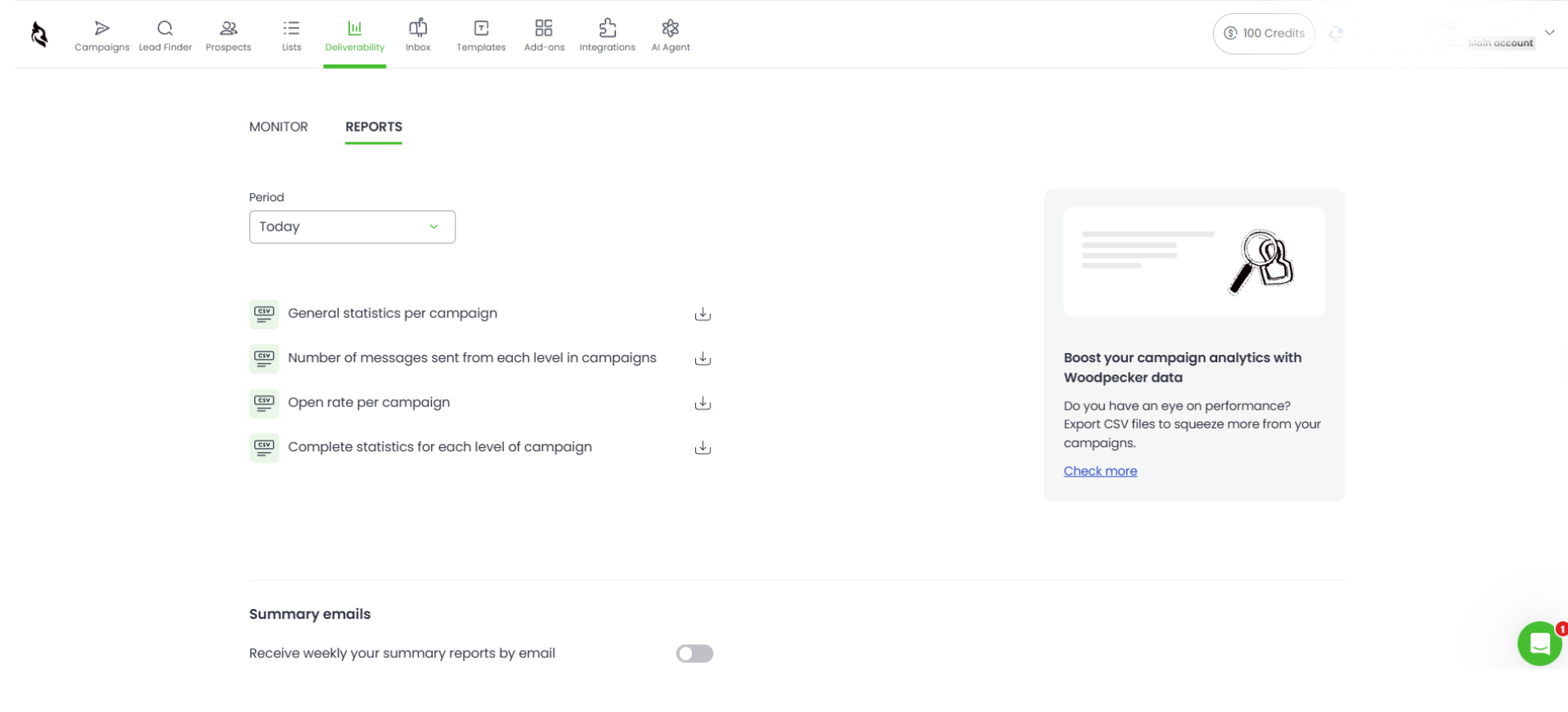
Woodpecker tracks the usual campaign numbers: opens, clicks, replies, and bounces. You can use these to see how many people are engaging with your emails and whether your campaigns are getting responses.
There's one limitation worth knowing about. Daily reporting is available for only 30 days. Your overall campaign numbers stay available, but if you want to compare daily performance across the last three months, you'll have to export the data and do that outside Woodpecker.
I couldn't explore the reports in much detail during my trial because I hadn't sent campaigns from the account. So I could see which metrics Woodpecker tracks, but not how the reports look with actual campaign data.
8. Integrations
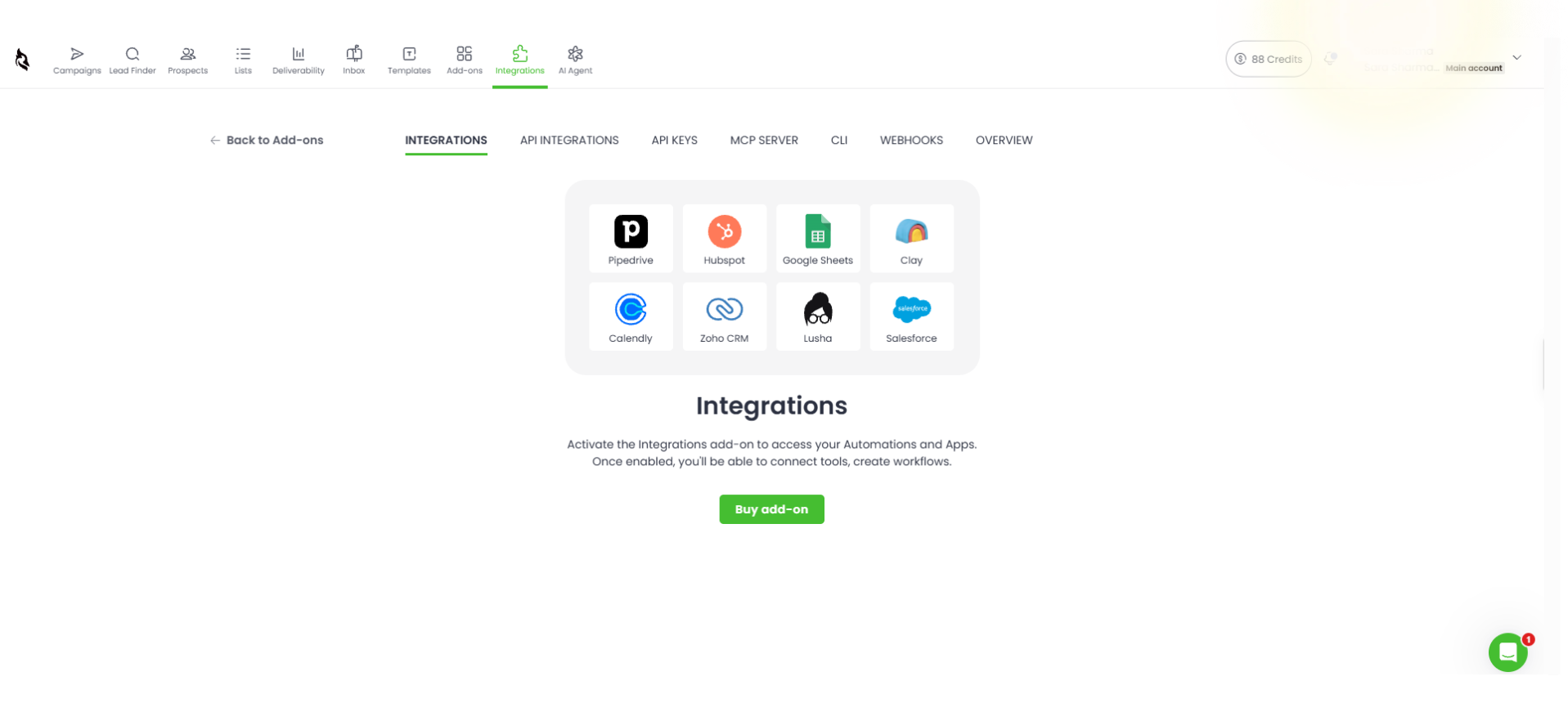
Woodpecker has direct integrations with HubSpot, Pipedrive, Copper, Zapier, and Slack. Salesforce is missing from that list, which is a problem if your sales team already uses it as its main CRM.
You can connect Salesforce through Zapier, but that means setting up and maintaining another integration instead of connecting your CRM directly.
There's another issue I ran into during the trial. Woodpecker shows you the integrations available, but keeps the panel locked. I couldn't connect any of them or check how contact and campaign data moves between the tools. So you know what's supported, but you don't get to test whether the integrations work the way you need them to before paying.
Woodpecker Pricing in 2026 – Plans, Volume, and Add-Ons
Woodpecker changed how it charges in January 2025, and a surprising number of comparison articles never caught up, so read this part carefully before you trust a price you saw elsewhere.
It used to charge per active mailbox, across plans called Starter, Growth, and Scale. Those are gone entirely. Today you pay by emails sent per month, across three plan types: Email, Multichannel, and LinkedIn.
Annual billing saves you roughly a third compared to paying monthly, and every plan includes unlimited mailboxes, inbox rotation, catch-all verification, reply detection, A/B testing, and the unified inbox.
What costs you extra is each LinkedIn account at $29 a month, any warm-up slots beyond your plan's limit, and the Agency Panel.
These figures come from the app in November 2026, so confirm them on Woodpecker's pricing page before you buy.
Woodpecker Add-Ons – What Actually Changes Your Bill
Your plan price covers sending. Almost everything else is priced separately and stacked on top, so this is where your real monthly cost gets decided.
Add-on
What it costs
When you’ll need it
Additional warm-ups
$5 per month per email account
Any mailbox beyond the 3 included on the entry plan
Email addresses (Google or Microsoft)
$4 per month per address, saving $24 a year on annual
Buying mailboxes through Woodpecker rather than bringing your own
Email addresses (Maildoso, Mailforge, Infraforge or Azure)
$3 per month per address, saving $12 a year on annual
The cheaper mailbox route if you don’t need Google or Microsoft
New domains
Around $1 per month per domain, billed annually
Spinning up sending domains separate from your main one
Transfer your domain
$1 per month per domain, billed annually
Moving domains you already own into Woodpecker
Dedicated servers (Infraforge)
$59 per month per server
High-volume sending that needs dedicated IPs
Azure domain hosting
$20 per month per domain
Hosting your sending domains on Azure
Lead Finder credits
From $10 for 500 credits, scaling to 70,000
Finding prospects inside Woodpecker instead of importing a list
Integrations, API, webhooks, MCP, CLI
$20 per month
Connecting your CRM, or any automation at all
Agency Panel, per active client
$27 per month per client
Running outreach for more than one client
White Label, per active client
$5 per month per client
Putting your own branding on what clients see
What a Real Team Actually Pays
Let’s price up something realistic. Say you are a team of four sending a three-step sequence to 2,000 prospects a month from ten mailboxes, and you want your CRM connected.
Woodpecker’s Offerings
Cost
10,000 email tier (6,000 sends plus headroom)
~$22
10 mailboxes
$0
Warm-ups for 7 mailboxes beyond the included 3
$35
Integrations and API
$20
Monthly total
~$77
So the plan is $22, and the bill is roughly $77, before you have touched LinkedIn.
Add that, and you are on the Multichannel plan plus $29 for every LinkedIn account you connect, which takes a two-sender setup past $130.
None of that is hidden exactly; it is all there on the pricing page.
But the number you remember from the plans table is $22, and the number that leaves your account is three times it, so run this arithmetic before your trial ends rather than after.
Top Pros of Woodpecker
Unlimited mailboxes with inbox rotation included, so scaling your mailbox count never changes your bill
Fast, clean setup that reviewers consistently praise and that held up when I went through it myself
Eight sequence step types, including conditional branching on opens, clicks, and replies
Native warm-up through Mailivery, so there is no second vendor for you to pay and manage
A unified inbox that pulls replies from every mailbox into one place
A decade of stability behind the product, which matters more than it sounds in this category
Limitations of Woodpecker
Warmup slots cap at three on the entry plan while your mailboxes stay unlimited, so the two work against each other the moment you scale
Integrations, API, and webhooks sit behind a $20 monthly add-on, so connecting your CRM is a separate charge on top of your plan.
The Agency Panel runs $27 per active client per month, so costs scale directly with how many clients you take on.
The deliverability monitor stays empty until you have sent, making it useless for evaluating the tool beforehand
Prospect limits cap your list size separately from your sending volume, which is easy to miss
The changelog carries no dates, so you cannot tell whether a feature shipped last month or three years ago
Most of these you could live with on their own. Together, they mean the plan you price out on day one is rarely the plan you end up paying for, which is worth weighing against cold email software that includes these pieces rather than charging for them separately.
Who Should Use Woodpecker, and Who Should Avoid It?
Who Should Use Woodpecker?
Small and mid-size sales teams sending steady volume across several mailboxes
European teams who need data stored in the EU rather than simply preferring it
Beginners who want a first campaign live without learning a complicated tool
Teams on HubSpot or Pipedrive who want CRM sync without custom work
Anyone who values a product that will behave the same way next year as it does today
Who Should Avoid Woodpecker?
Teams running large mailbox fleets who need every inbox warmed, not just three
Agencies that need transparent pricing before committing to a client setup
Teams where LinkedIn is half the motion, because per-account charges add up fast
Salesforce shops that need a native connection rather than a Zapier bridge
Buyers who want to verify deliverability and CRM behaviour before paying
If you are weighing Woodpecker against the wider field, this breakdown of Woodpecker alternatives covers who each option suits.
The Better Woodpecker Alternative – Salesforge
Woodpecker gets the basics right, but you'll run into extra costs as soon as you need more than email outreach. Warmup beyond three mailboxes costs $5 per mailbox, CRM integration costs another $20/month, LinkedIn accounts are $29 each, and agency clients cost $27 per client.
These aren't exactly optional features for teams running serious outbound campaigns. And once you add them up, Woodpecker's unlimited mailbox offer doesn't look quite as generous.
If you want these capabilities without paying separately for each one, take a look at Salesforge.
Included from the starter plan and no per-account charges
AI writing
Separate AI Agent tab, 300 credits a month
Writes full sequences in 21 languages
AI SDR
❌
Agent Frank fully autonomous
Unified inbox
Email only
Primebox for email and LinkedIn together
Integrations and API
$20 per month add-on
Included without any additional cost
MCP and CLI
Part of the $20 integrations add-on
Included without any additional cost
Agency tooling
$27 per month per active client
Included without any additional cost
Here are the reasons why you should consider Salesforge over Woodpecker:
Email and LinkedIn outreach run inside the same sequence, with no per-account charge for LinkedIn senders.
Unlimited premium warm-up comes with every plan, so your tenth mailbox gets the same treatment as your first with no slot limits and no $5 monthly charge per account.
A real-time Heat Score on each mailbox tells you when it is actually ready for live campaigns, rather than leaving you to guess at whether an inbox can take real volume yet
Integrations, API, webhooks, MCP, and CLI are all included, where Woodpecker bundles them into a $20 monthly add-on.
AI that writes full sequences in 21 languages inside the campaign you are already building, instead of a separate tab you generate copy in and carry across.
Primebox collects your email and LinkedIn replies in one inbox, which is a step further than Woodpecker’s email-only version.
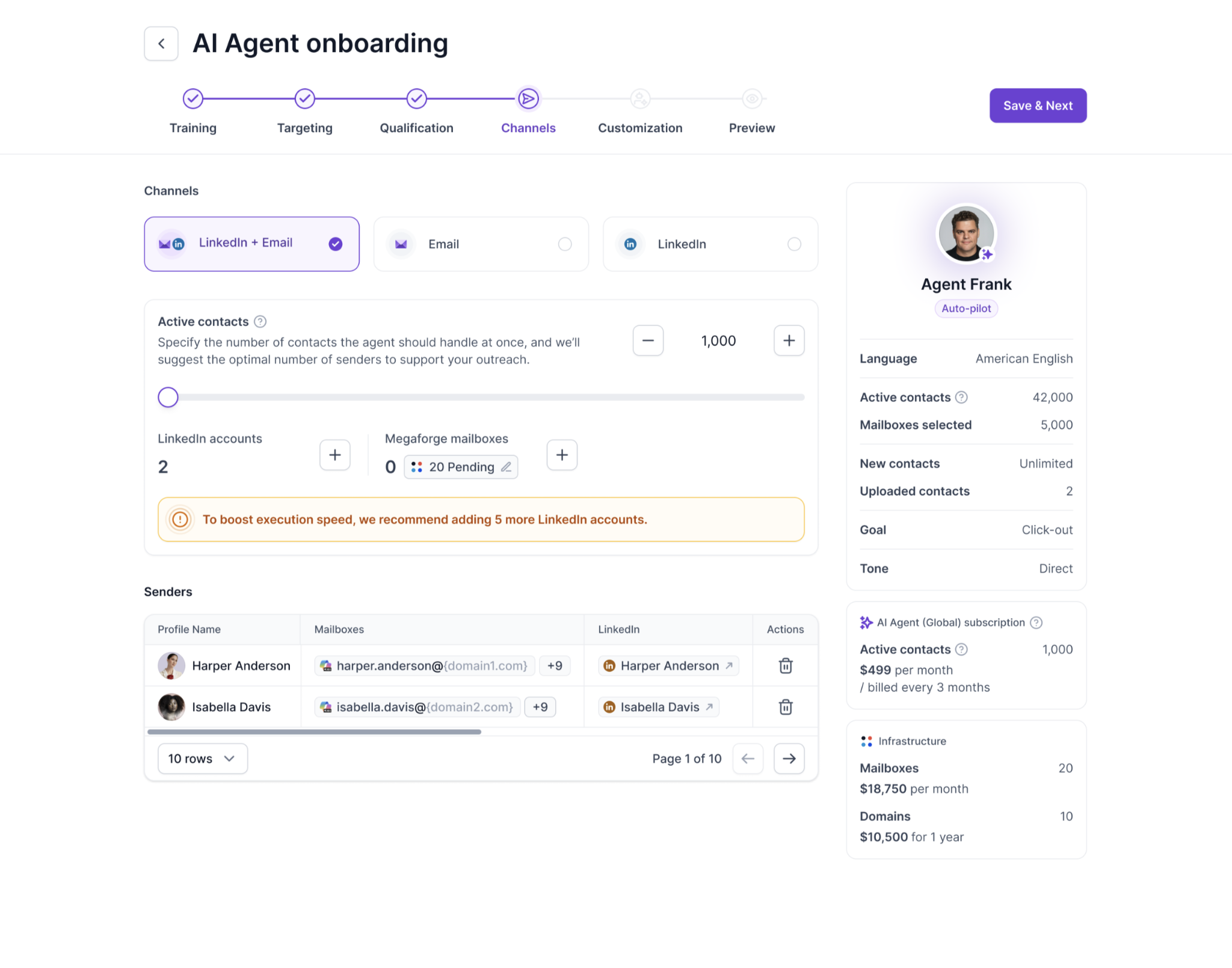
If you would rather not run the prospecting yourself at all, Agent Frank is an AI SDR you hire rather than a feature you switch on. He finds contacts matching your ideal customer profile, researches them, writes the outreach, sends it, and follows up. Auto-Pilot lets him work independently, while Co-Pilot gives you the chance to review everything before it goes out.
Is Woodpecker Worth It in 2026?
Yes, Woodpecker is worth it if you are a small or mid-size team sending moderate volume.
The unlimited mailbox model is real, and at that stage it is cheaper than most of the market. Setup is fast, the sequence builder does everything you need it to, and the support reputation has clearly improved from where it was a few years ago.
But I would not buy it expecting the entry price to hold. Your warm-up slots run out before your mailboxes do, LinkedIn is charged per account, and the two things you most want to check before paying, which are deliverability data and CRM sync, are the two things the trial will not show you.
So if you want the same mailbox freedom without the warm-up cap, and LinkedIn in the sequence rather than on the invoice, start a free trial of Salesforge and run the two side by side before your Woodpecker trial expires.
FAQs
How much does Woodpecker cost in 2026?
Woodpecker charges by emails sent per month, starting at roughly $14 a month on annual billing for 5,000 emails. Unlimited mailboxes are included, and LinkedIn accounts cost $29 each per month on top.
Does Woodpecker charge per mailbox?
No. Woodpecker moved to volume-based pricing in January 2025, so you connect as many mailboxes as you want at no extra cost. Any article quoting Starter, Growth, or Scale plans is out of date.
Does Woodpecker include email warm-up?
Yes, through a native Mailivery integration. The entry plan includes three warmup slots and higher tiers include up to ten, with extra slots charged on top.
Does Woodpecker work with LinkedIn?
Yes, on the Multichannel plan, which adds LinkedIn messages, connection requests, and InMail as sequence steps. Each connected LinkedIn account costs $29 a month.
Does Woodpecker integrate with Salesforce?
Only through Zapier. HubSpot, Pipedrive, Copper, Zapier, and Slack connect directly, and all integrations stay locked during the trial.
Is Woodpecker good for beginners?
Yes. Fast setup is the most consistent praise in its reviews, and I had a three-step sequence built in under ten minutes. The one hurdle is configuring your DNS records before a mailbox will connect.
Book more meetings on autopilot
Set up in minutes. No per-seat pricing. No commitment.
Read our Sera review for 2026 to see how its AI SDR works, what Lite and Scale offer, their sending limits, pricing, and how it compares to Agent Frank.