
Personalized Outbound Strategy
Get The Right Outbound Strategy In Minutes
Enter your email to get a custom plan & stack recommendation for your business
It's being carefully crafted by AI
Please check your mailbox in 5 minutes
If you use LinkedIn Sales Navigator for prospecting, a Chrome extension can cut down the manual work of collecting and moving leads.
You can pull leads from your search results. Find their work emails and phone numbers. Export them to a CSV or send them directly to your CRM and outreach campaigns.
I compared 11 LinkedIn Sales Navigator Chrome extensions to see how well they handle these tasks. Below, you’ll see how each extension works with Sales Navigator along with its key features and pricing.
I compared each extension based on how useful it is once you start prospecting in Sales Navigator. I focused on the steps between finding a prospect and getting that prospect ready for outreach. Here’s what I looked at:
I used these points to separate simple contact finders from extensions that can handle more of the Sales Navigator prospecting process.
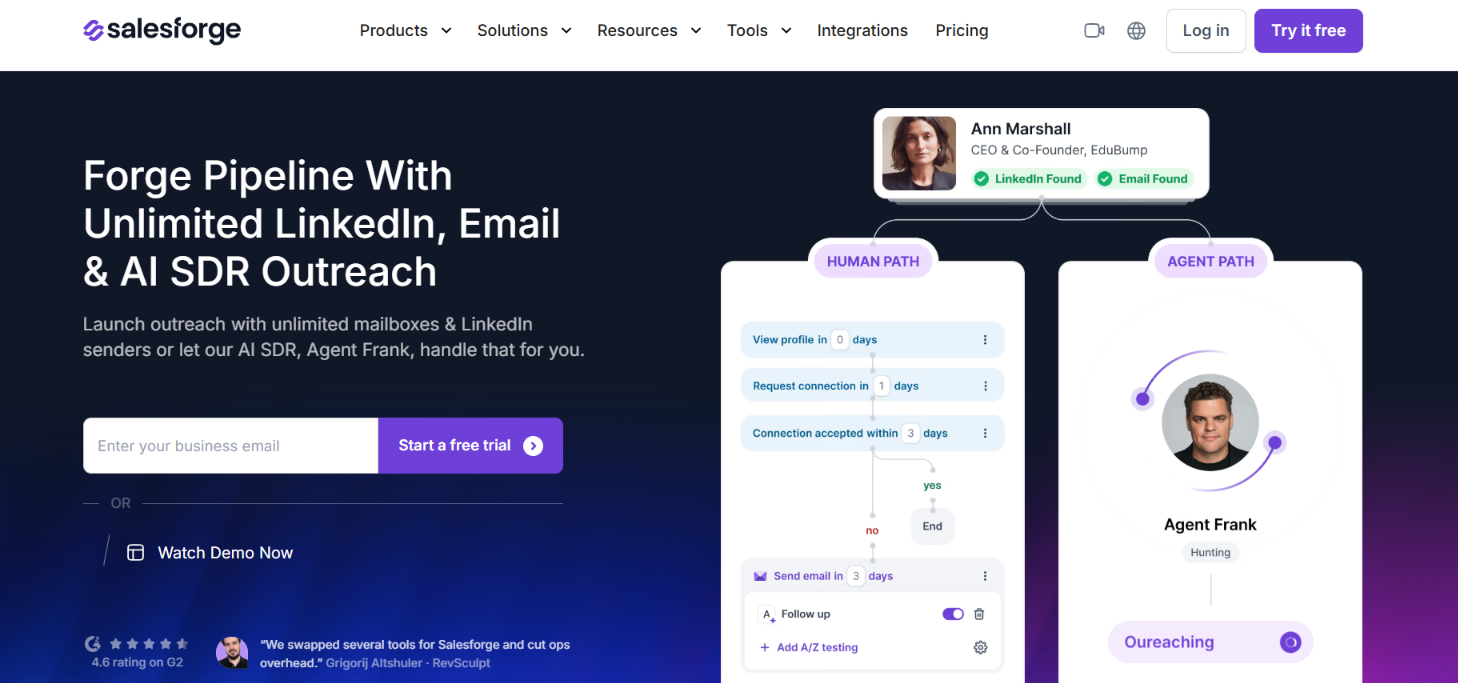
Salesforge is a sales outreach platform for email and LinkedIn campaigns. It supports unlimited mailbox connections and includes multichannel sequences plus a unified inbox.
Its Chrome extension lets you extract leads from LinkedIn Sales Navigator. You can also find emails and phone numbers before moving those prospects into Salesforge for outreach.
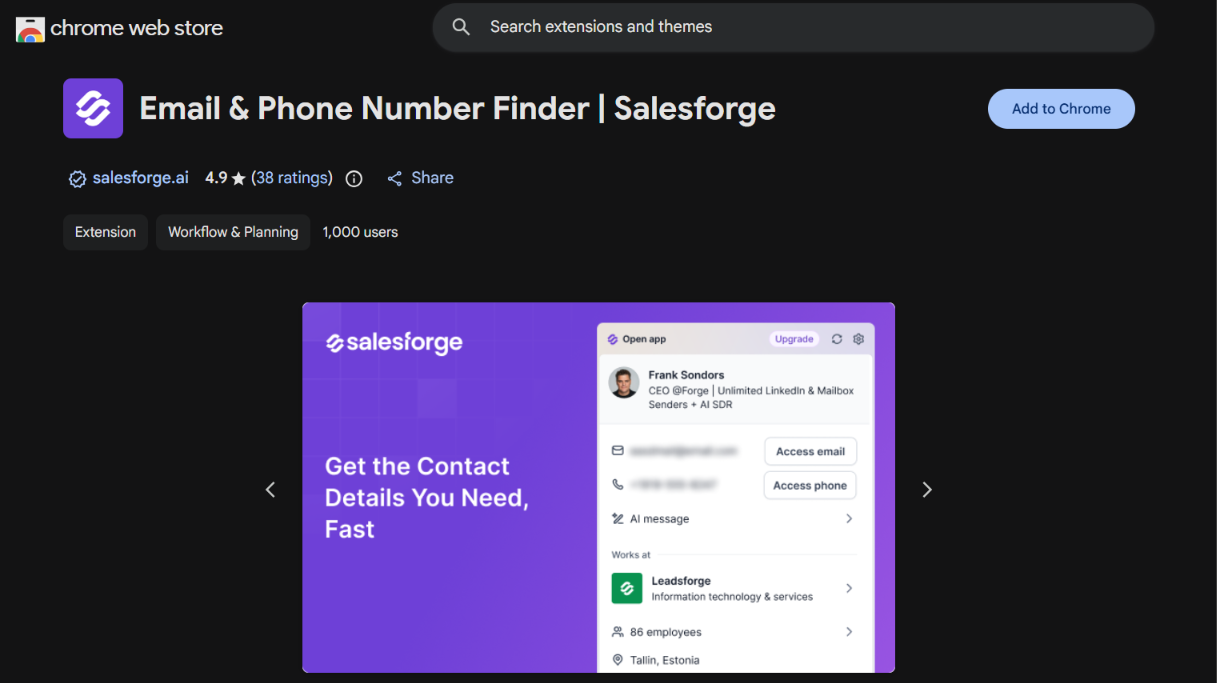
Run a search in LinkedIn Sales Navigator and open the Salesforge Chrome extension. It loads the prospects from your search results. You can select specific leads or select everyone shown on the page.
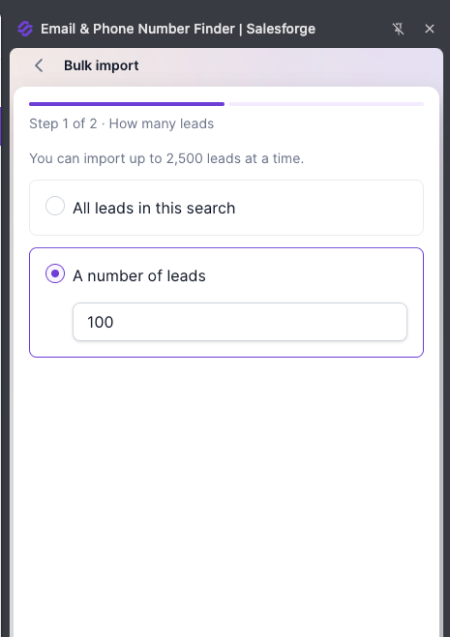
For bigger searches, you can use bulk import. Salesforge can collect leads from the full search in the background. You can import every lead returned by the search or choose a specific number.
Before starting the import, you can choose to:
The import keeps running even after you close the extension. You can check its progress when you open it again.
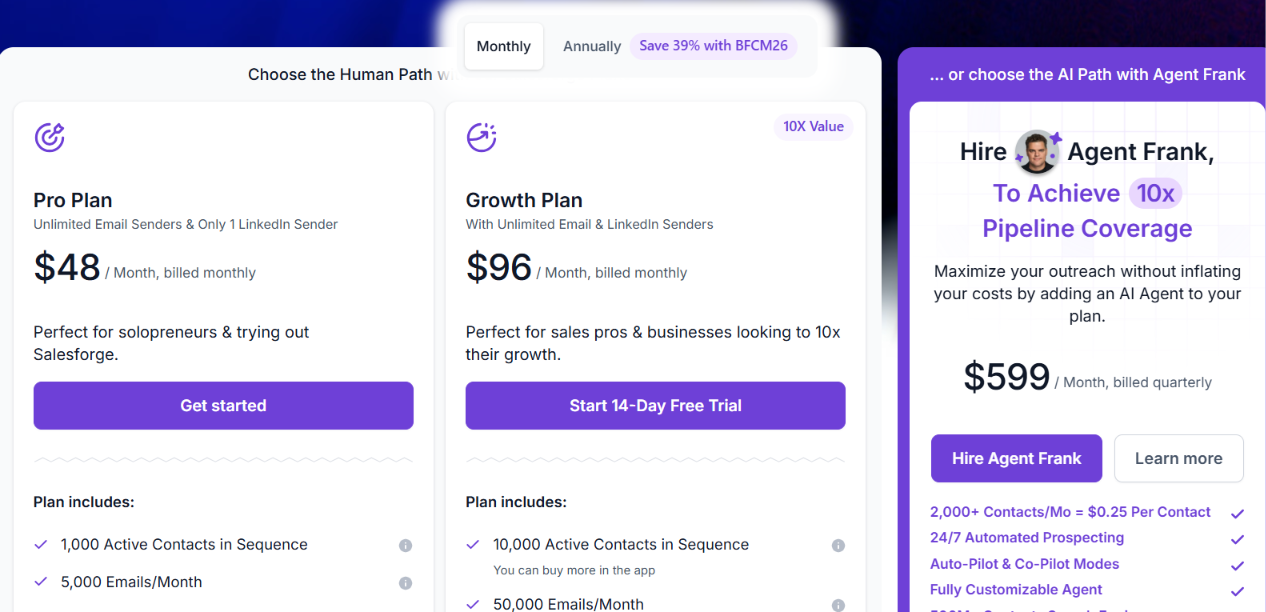
This setup makes Salesforge useful if you want to move leads from a Sales Navigator search straight into an outreach sequence without exporting and re-uploading a CSV.
Enter your email to get a custom plan & stack recommendation for your business
Please check your mailbox in 5 minutes
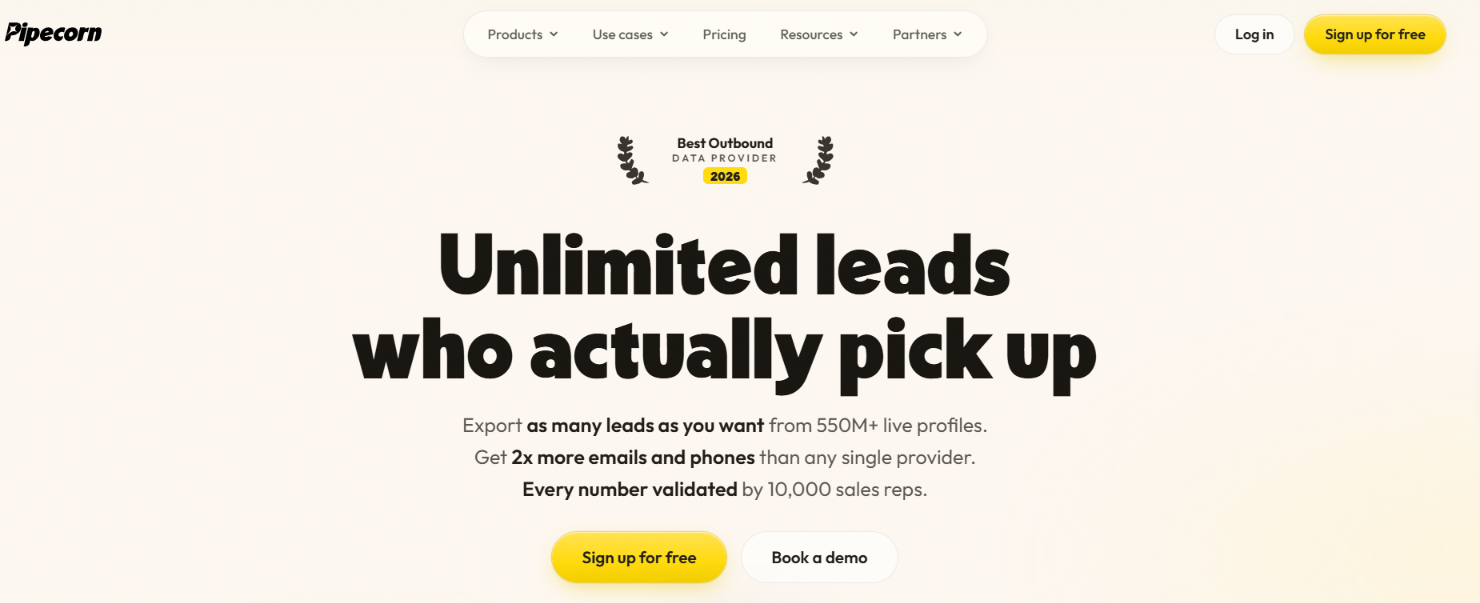
Pipecorn is a B2B data platform for finding work emails and mobile numbers. It uses waterfall enrichment across 100+ data providers and verifies the contact data it finds.
Its Chrome extension works with LinkedIn and Sales Navigator. You can reveal contact details from individual profiles or export a full Sales Navigator search into Pipecorn.
Open a prospect profile and launch the Pipecorn extension. You can search for the prospect’s work email and direct mobile number without leaving LinkedIn. Pipecorn checks 100+ providers to find the contact details.
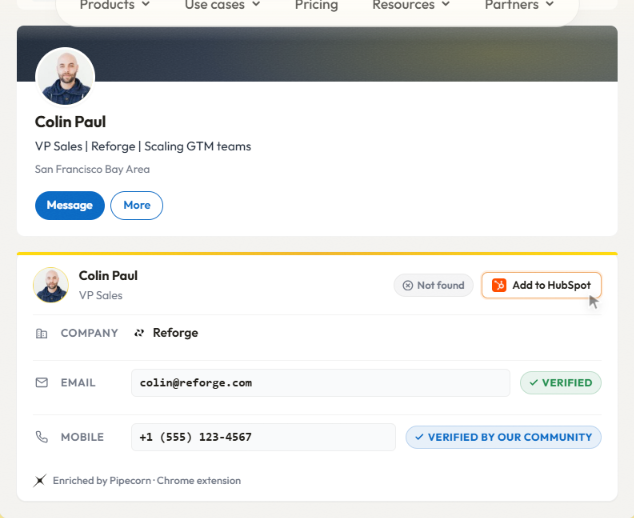
For larger prospect lists, you can export a full Sales Navigator search. Open the extension panel and click Export. The results are sent to your Pipecorn workspace where the records are cleaned and deduplicated.
Pipecorn can also check whether a prospect already exists in your CRM. New contacts can be created from the extension. Existing contacts can be updated instead of creating another record.
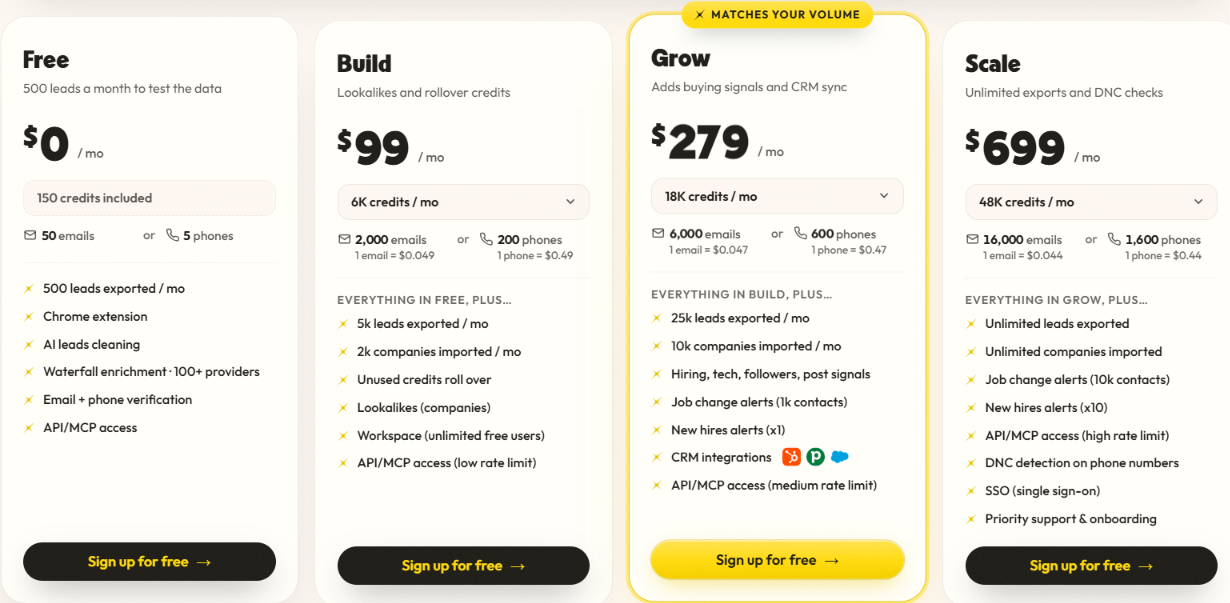
Pipecorn is useful if you want to export Sales Navigator searches and enrich those prospects with verified emails and mobile numbers.
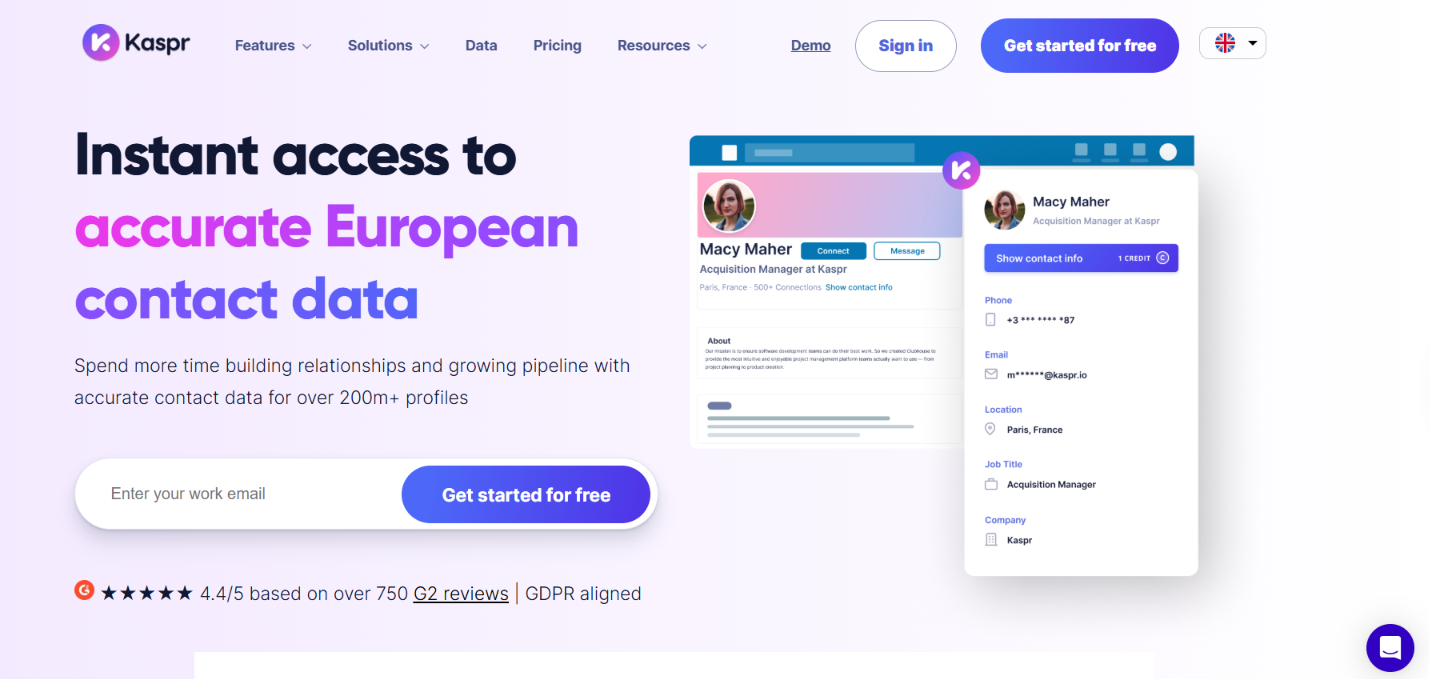
Kaspr is a B2B contact data platform focused on phone numbers and email addresses. It provides access to more than 500 million phone numbers and email addresses with a strong focus on European contact data.
Its Chrome extension works directly with LinkedIn and Sales Navigator. You can use it to reveal contact details from prospect profiles or enrich multiple prospects from a search list.
Kaspr works with Sales Navigator lead lists and search results. Start by finding your target prospects in Sales Navigator and then open the Kaspr Chrome extension.
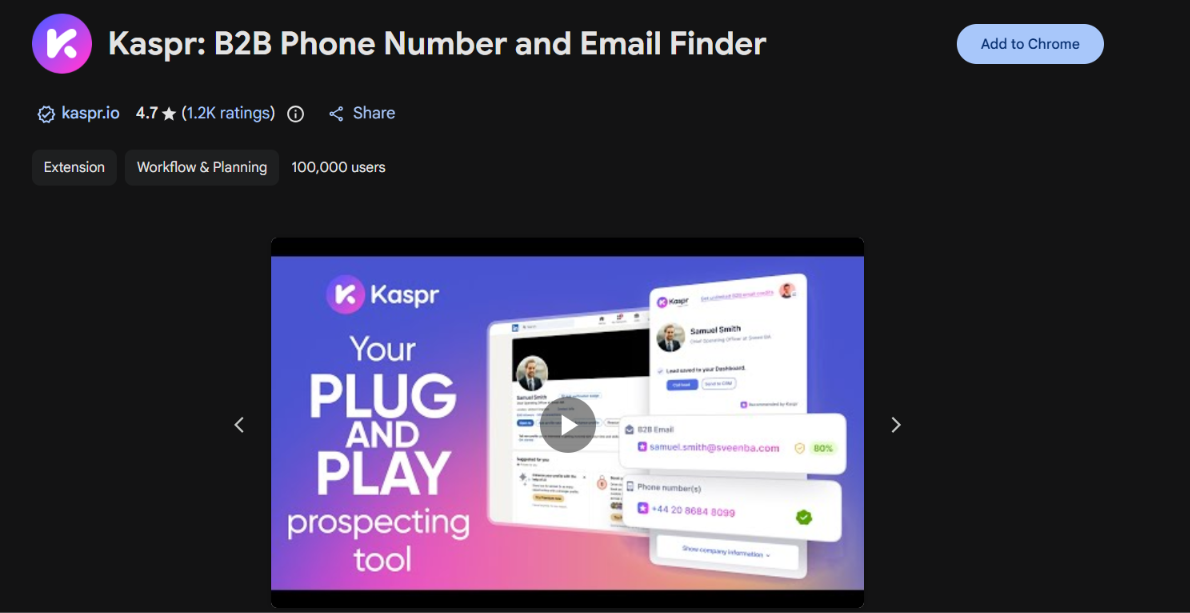
You can choose whether you want to find B2B emails, phone numbers or both. Then select how many prospects you want to enrich and launch the enrichment workflow.
Before starting the enrichment, you can:
Once the enrichment is complete, you can access the prospects in your Kaspr dashboard and export them to supported CRM tools or a CSV file.
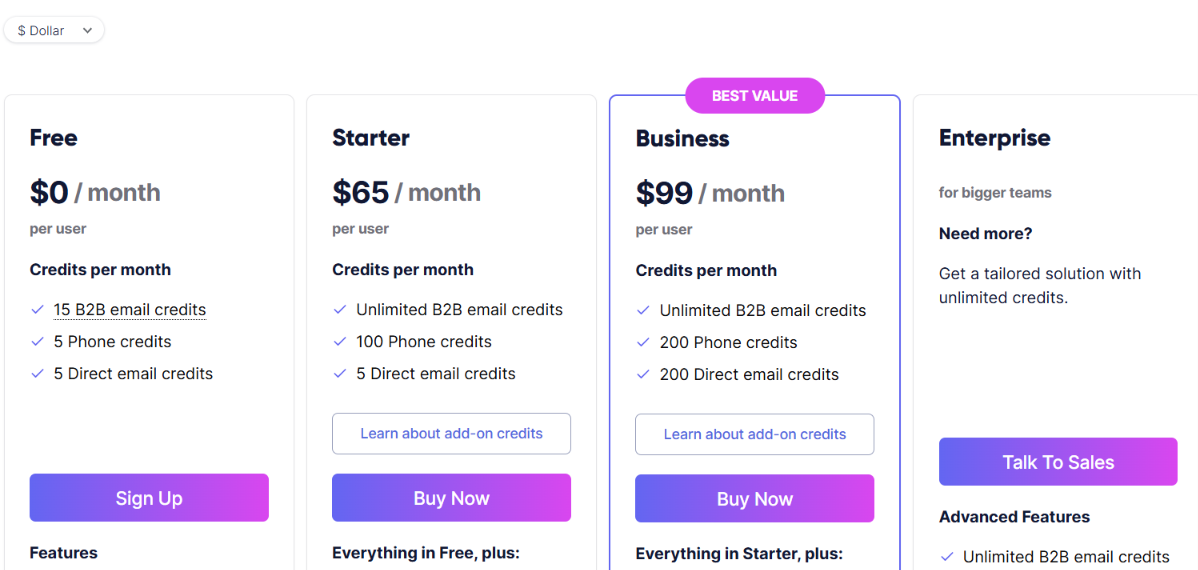
One pricing detail matters for Sales Navigator users. Kaspr on Sales Navigator starts with the Starter plan. The Free plan includes the Kaspr LinkedIn Extension but does not list Sales Navigator access.
Kaspr makes the most sense here if phone numbers are your priority and you want to find them without leaving Sales Navigator.
Apollo.io is a sales intelligence and outreach platform with a database of more than 240 million contacts. You can use it to find prospect data and then move those contacts into lists and outreach sequences.
Its Chrome extension has specific support for LinkedIn Sales Navigator. From a search page, it shows suggested leads based on your search. On individual Sales Navigator profiles, it can display available Apollo contact and company data.
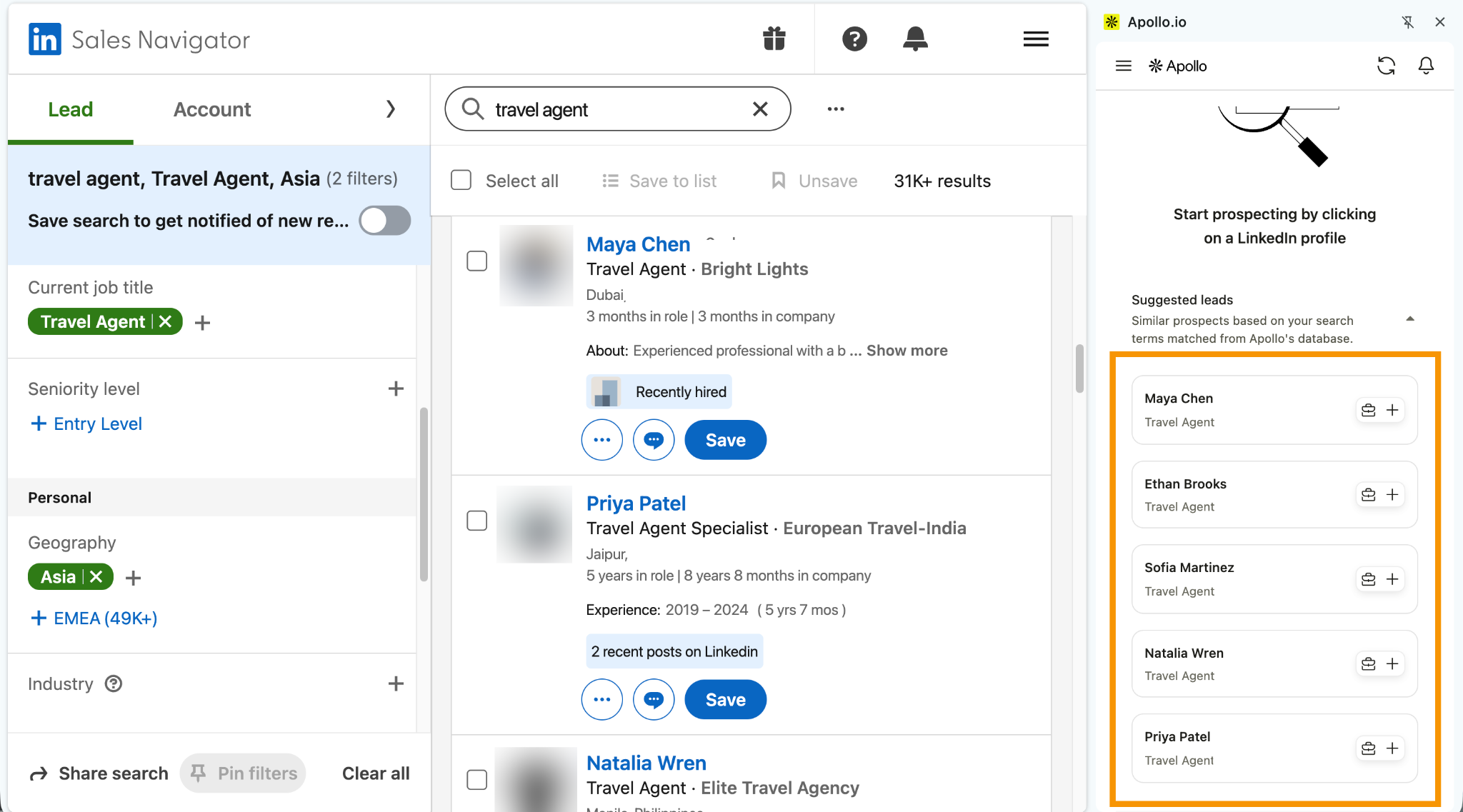
Start by running a lead search in LinkedIn Sales Navigator and open the Apollo Chrome extension. Apollo shows suggested leads based on that search.
For individual prospects, open their Sales Navigator profile and launch the extension. If Apollo has information available for that profile, you can review it there. If not, Apollo asks you to open the prospect's standard LinkedIn profile to continue prospecting.
There is one important limit:
Once a prospect is available in Apollo, you can save the contact and continue with actions such as adding them to a list or sequence.
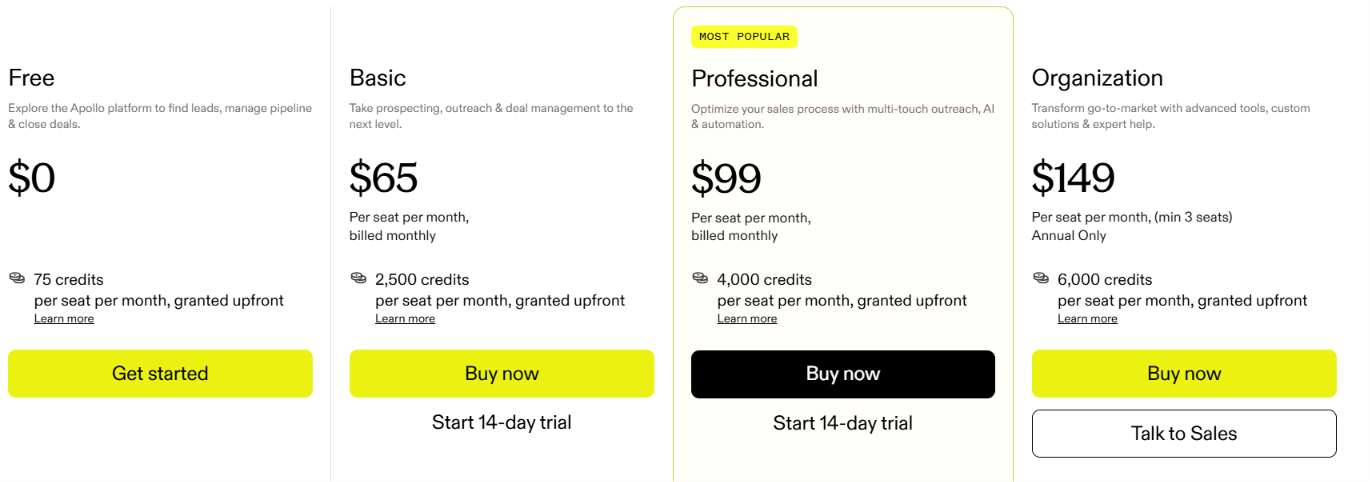
Apollo charges 1 credit for a verified email and 8 credits for a phone number.
Apollo is better suited to researching individual Sales Navigator prospects than extracting an entire Sales Navigator search. Its extension can show suggested leads from a search but does not let you select and bulk prospect those results directly.
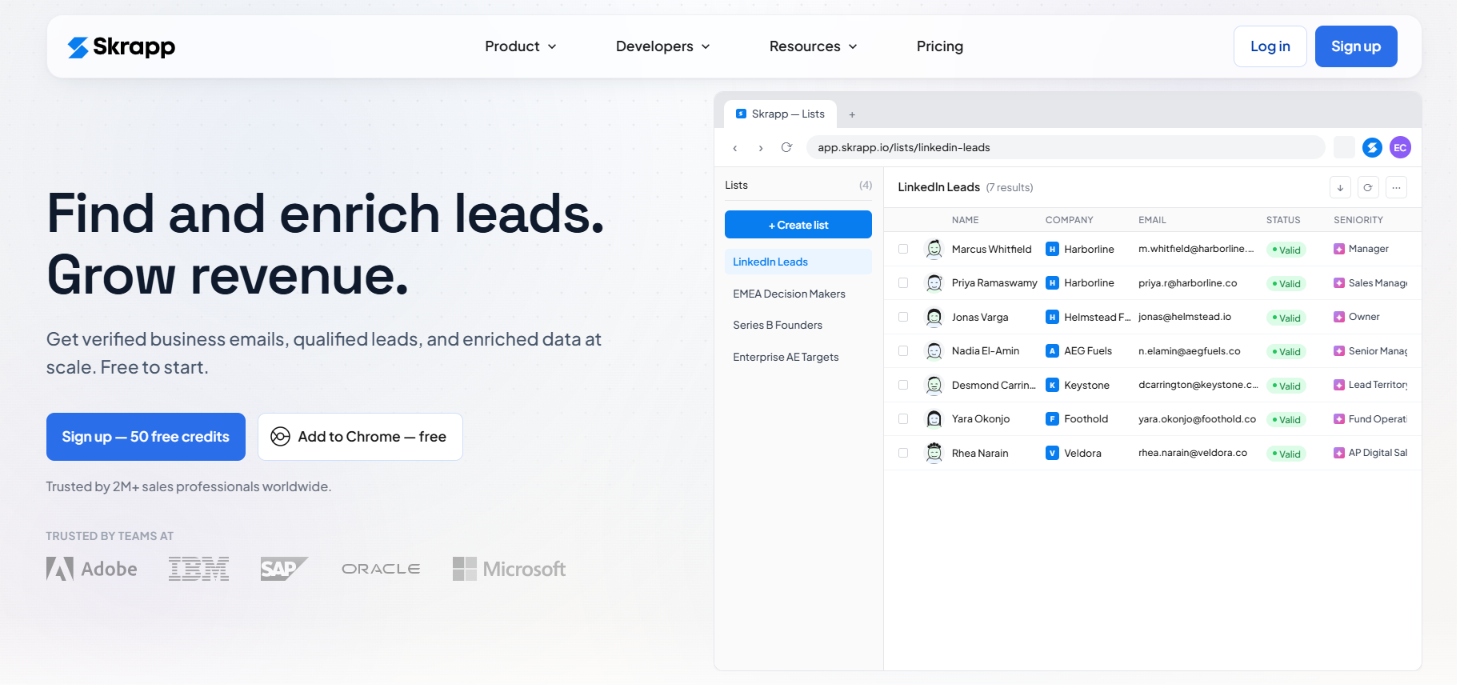
Skrapp.io is a B2B email finder built around finding and verifying work email addresses. It has a database of 200M+ B2B contacts and 40M+ company profiles.
For Sales Navigator prospecting, its Chrome extension goes beyond checking one profile at a time. It can enrich search results and saved lead lists with verified emails. You can also process multiple result pages without opening every prospect individually.
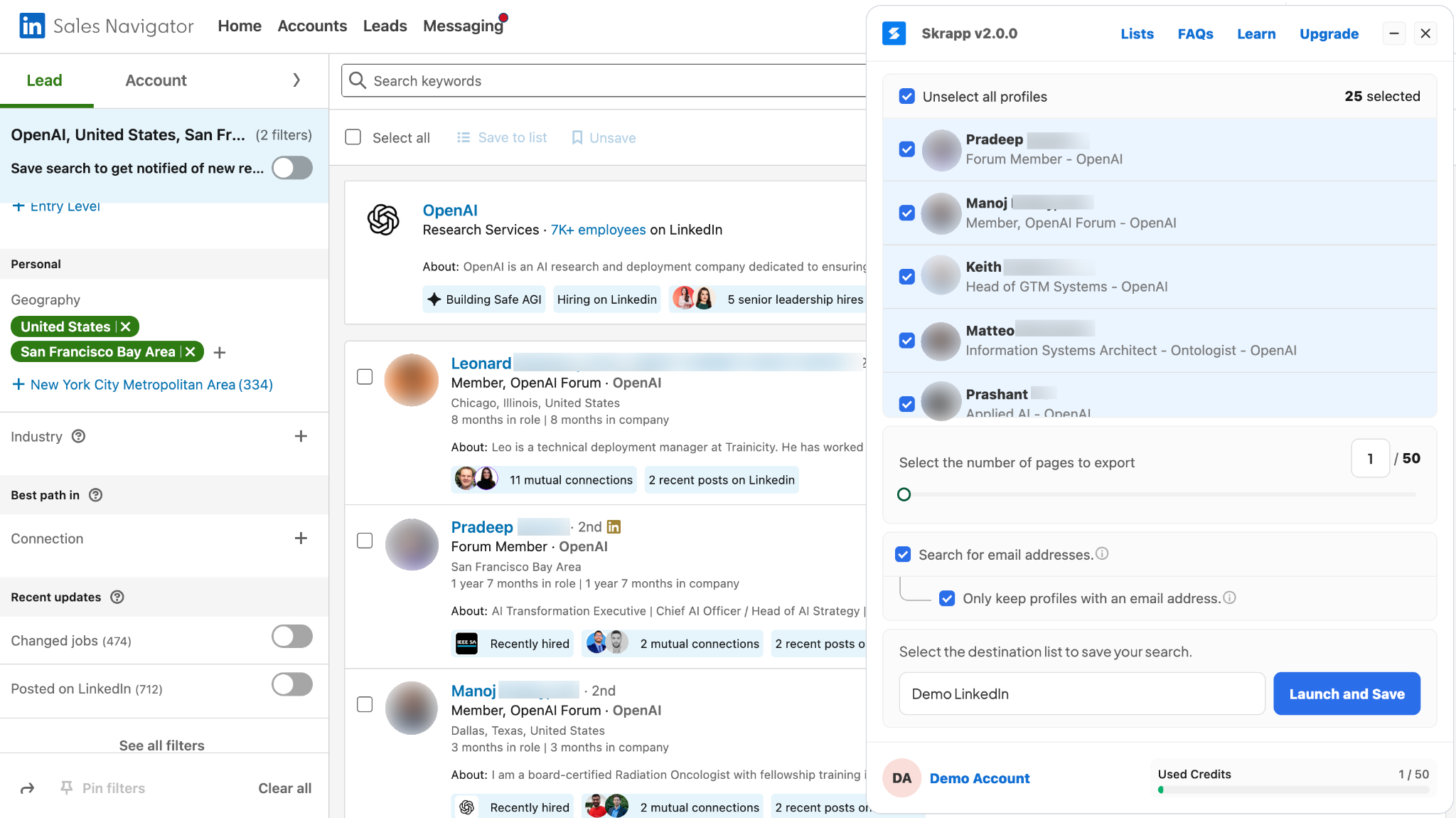
Start with a People Search or lead list in Sales Navigator. Open the Skrapp extension and choose the prospects you want to enrich. You can select individual profiles or all profiles in the results.
Skrapp then searches for their business emails and saves the enriched records to a Skrapp list. For larger searches, you can choose how many pages you want to process and let the extension move through them automatically.
After the enrichment finishes, you can:
Skrapp uses a credit only when it successfully finds and verifies an email address.
The main difference here is multi-page enrichment. Instead of opening Sales Navigator profiles one by one, you can select prospects from a search and let Skrapp process multiple result pages.
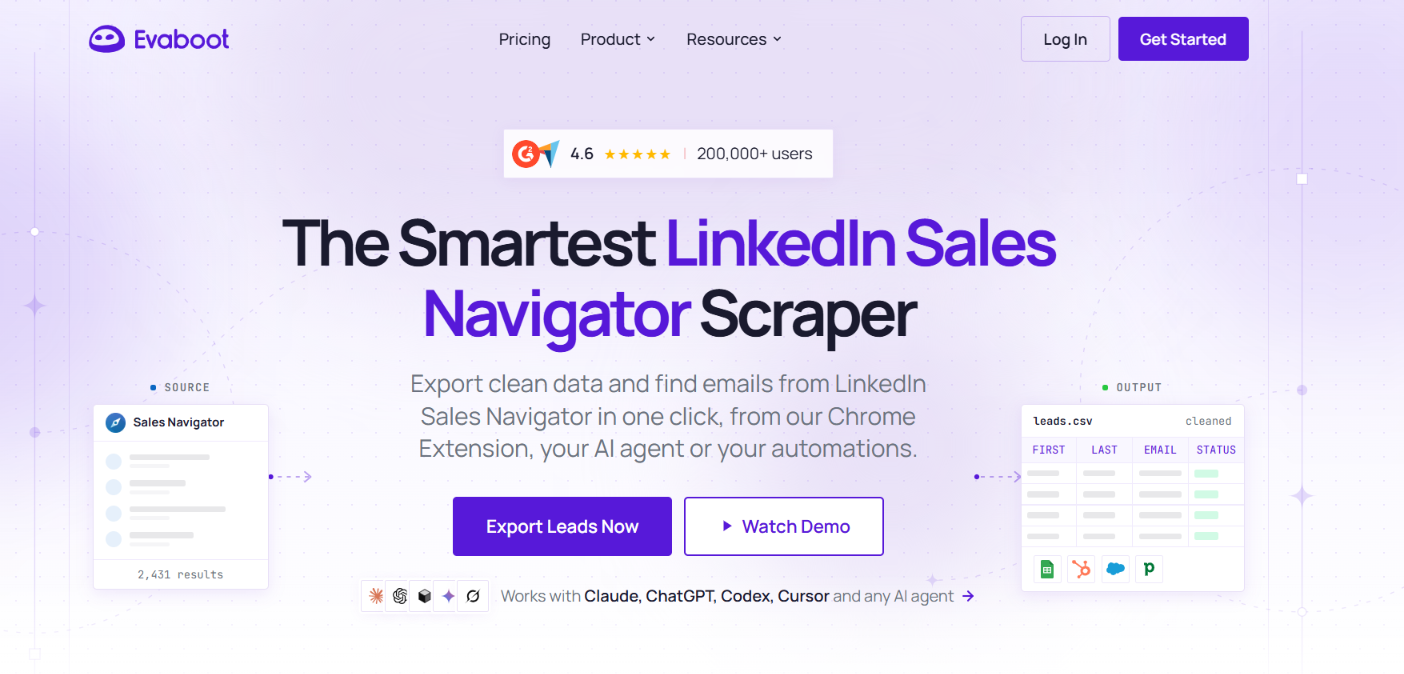
Evaboot is a LinkedIn Sales Navigator scraper built for exporting lead and account data. Instead of only copying the data shown by LinkedIn, it also cleans the records and checks whether prospects actually match your Sales Navigator filters.
Its Chrome extension adds an export option directly inside Sales Navigator. You can use it with lead searches, lead lists, account searches, account lists and saved searches.
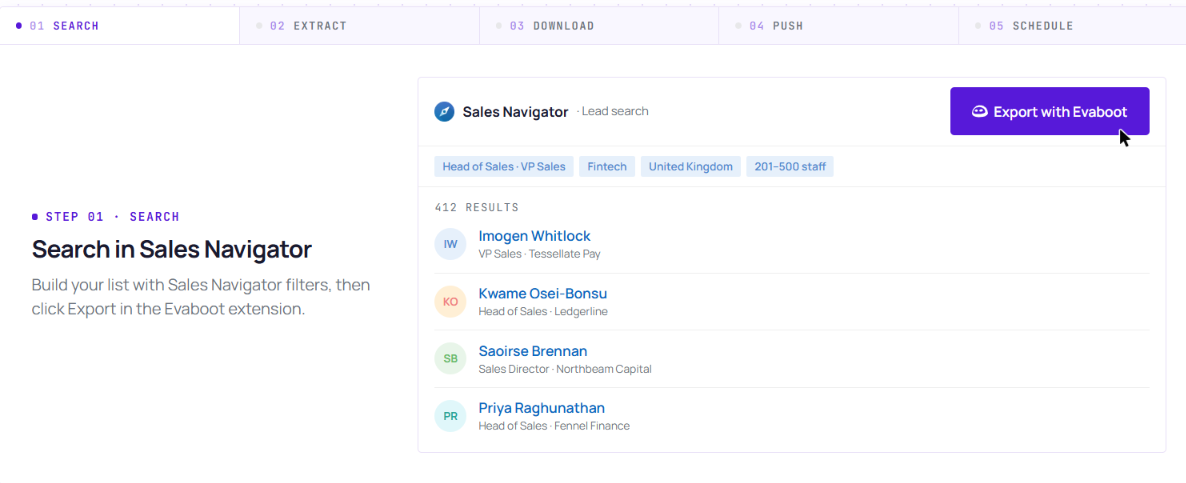
You can build your search or open a list in Sales Navigator. The Evaboot Chrome extension adds an Export with Evaboot button to the page.
Click the button and Evaboot sends the search or list to its app for extraction. During the export, it cleans names and company data. It also checks the leads against your original Sales Navigator filters and can find their work emails.
Once the export is ready, you can download the cleaned list as a CSV or Excel file. You can also push the leads to supported CRM and outreach tools.
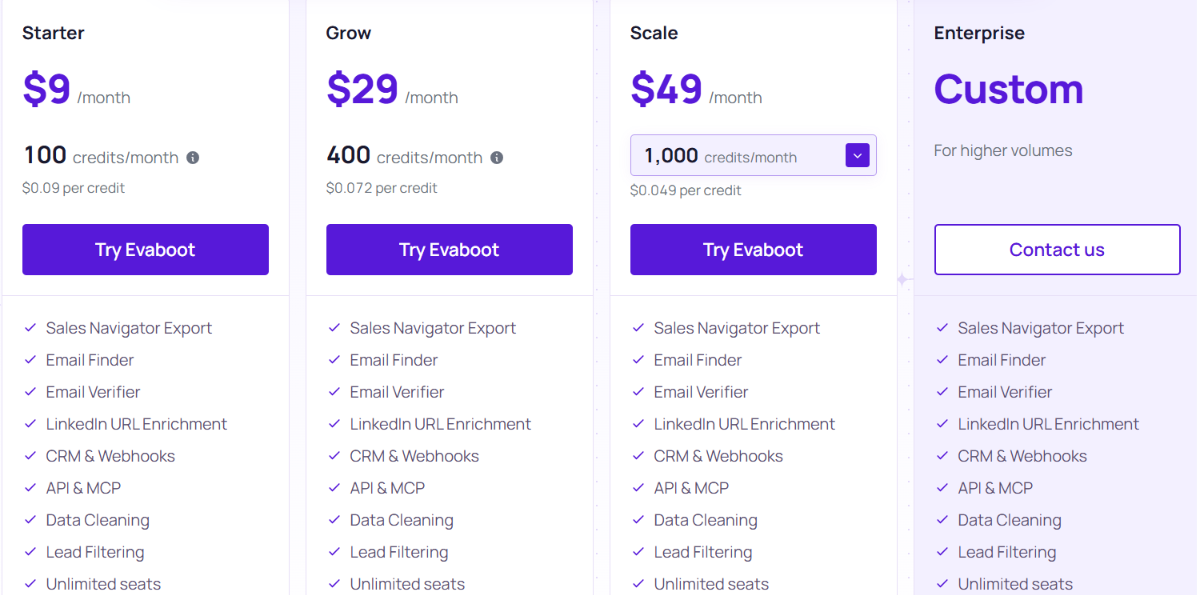
Every plan includes Sales Navigator exports, email finding, email verification, data cleaning, lead filtering, CRM integrations, unlimited seats and unlimited Sales Navigator accounts. Unused credits roll over while your subscription stays active.
Evaboot stands out for what happens after the Sales Navigator data is extracted. It cleans the export and flags leads that do not match the filters you originally used.
LeadIQ is a B2B prospecting platform for finding work emails and mobile phone numbers. Its Chrome extension works with LinkedIn Sales Navigator and lets you capture prospect data without leaving the page.
You can also check whether a prospect already exists in your CRM before sending the record to your sales tools.
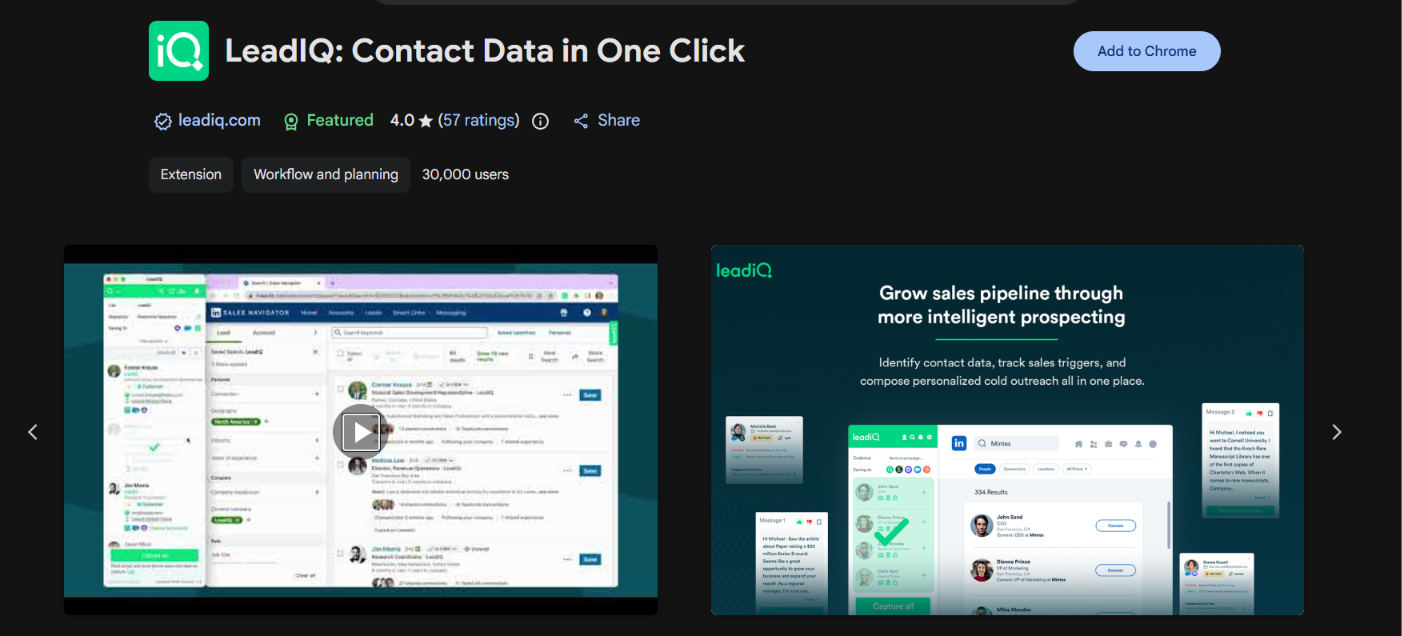
Open a prospect search in Sales Navigator and launch the LeadIQ extension. LeadIQ mirrors the prospects you are viewing and shows available contact data such as work emails and mobile phone numbers.
You can capture individual prospects or use Capture all to capture multiple contacts. The extension can also show whether a record already exists in your CRM and who owns it.
From there, you can save prospects to a LeadIQ list or send their data to supported tools such as Salesforce, HubSpot, Outreach and Salesloft.
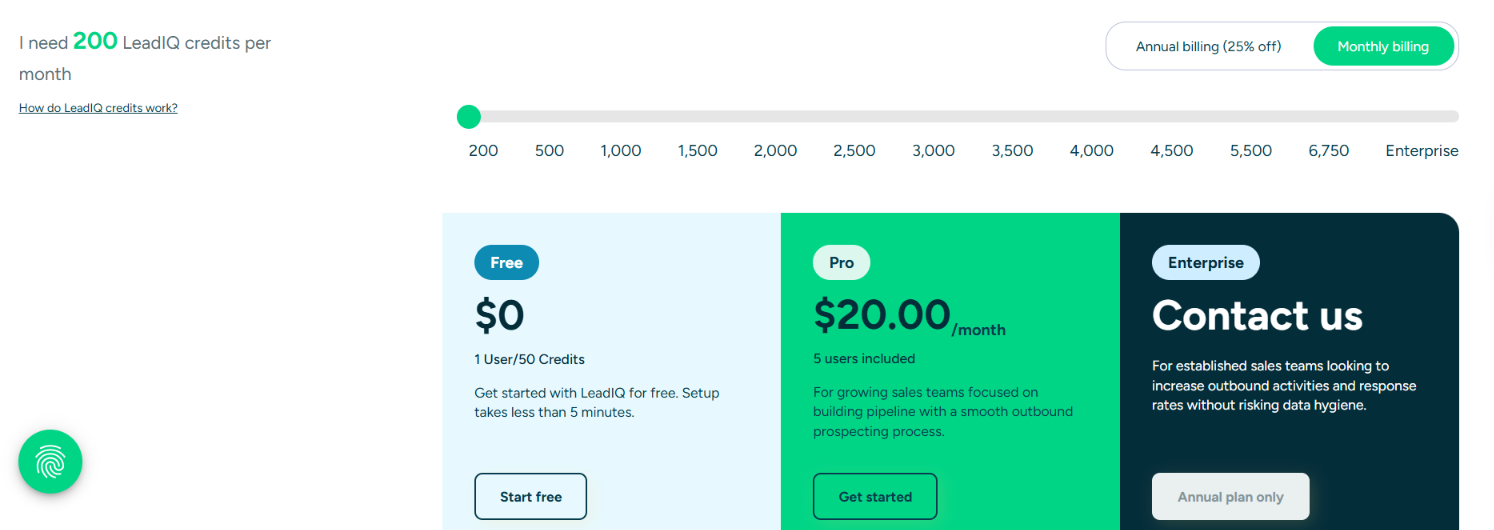
All three plans include People Search for emails and mobile numbers, Chrome extension prospecting, exporting, integrations and LeadIQ's AI outbound message writer.
LeadIQ is useful if you want to capture Sales Navigator prospects and send them directly to your CRM or sales engagement platform.
Lemlist is a multichannel sales outreach platform for email, LinkedIn, calls, SMS and WhatsApp. It also includes a lead database plus email and phone number enrichment.
Its Chrome extension works inside LinkedIn and Sales Navigator. You can collect prospects, find their contact details and add them directly to a lemlist campaign.
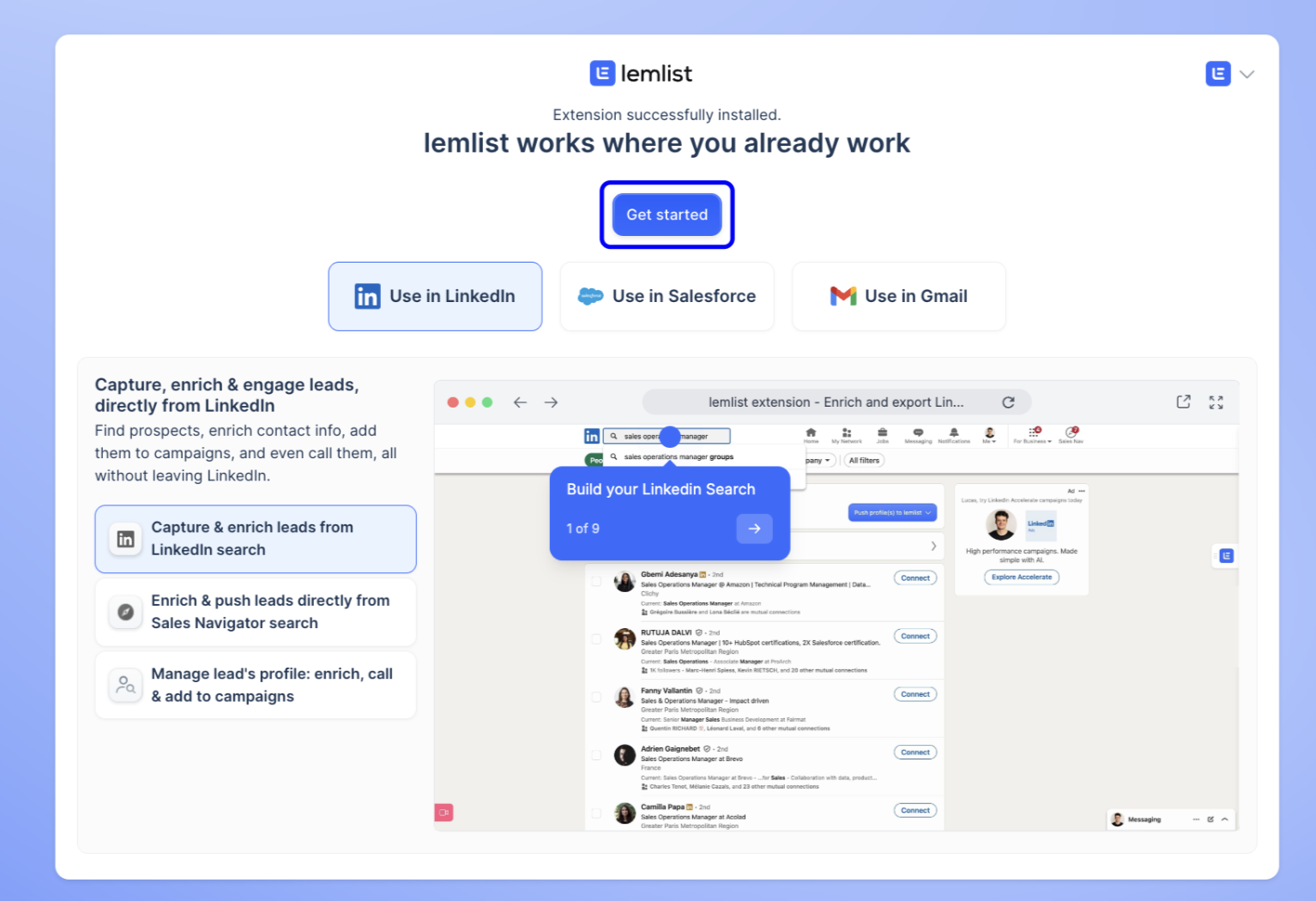
Open a Sales Navigator search, lead list or prospect profile. Then launch the lemlist extension.
You can collect prospects from the page and enrich them with work emails and phone numbers. The extension also supports collecting multiple prospects from Sales Navigator search results.
Once you have the contacts, you can add them to an existing lemlist campaign or create a new one. Lemlist also shows if a prospect is already in one of your campaigns.
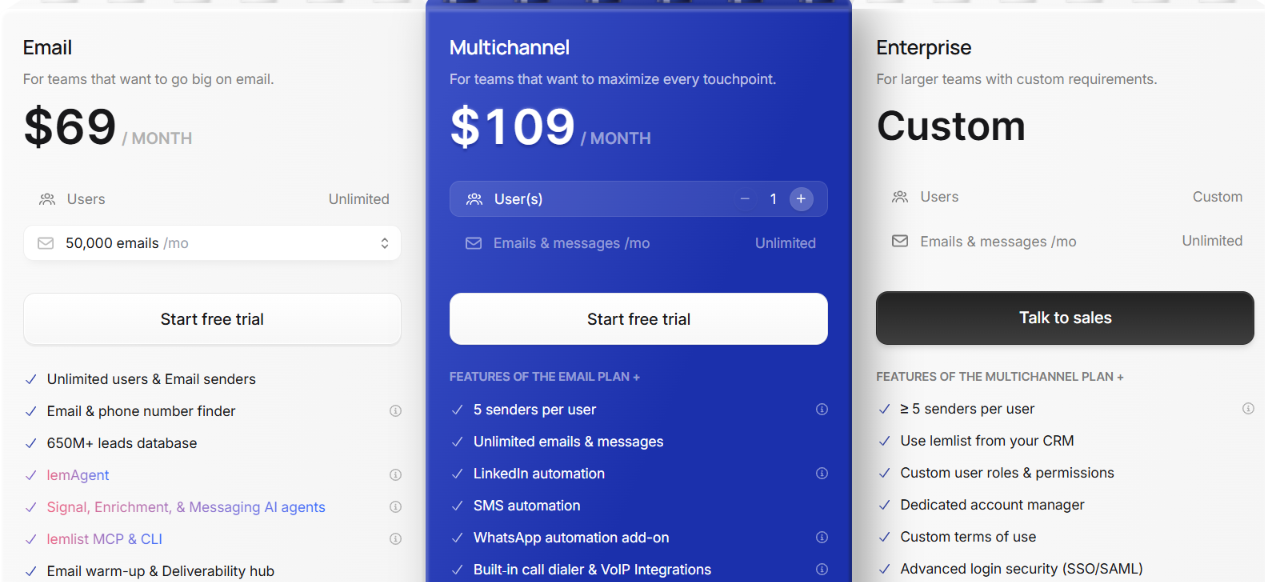
Quarterly billing gives you 10% off. Yearly billing gives you 20% off.
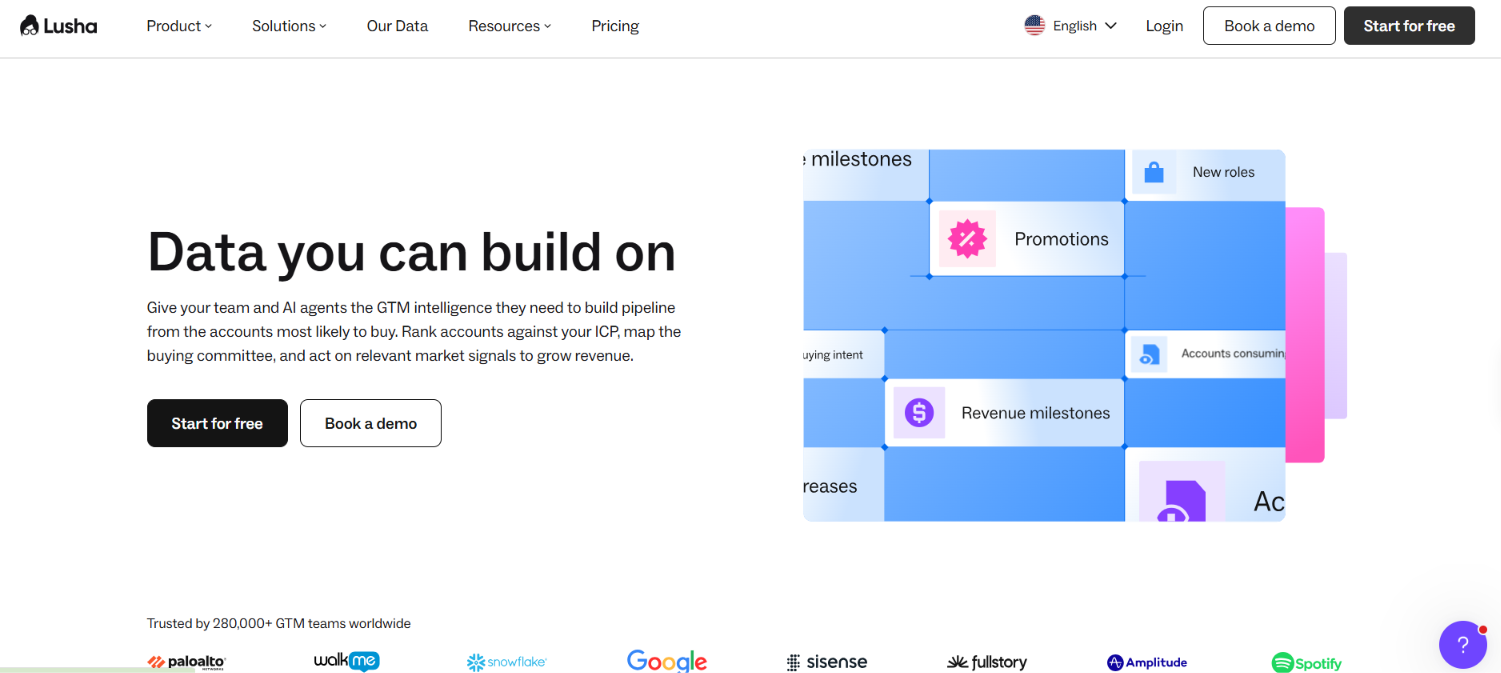
Lusha is a B2B contact data platform for finding work emails and phone numbers. Its Chrome extension works directly inside LinkedIn Sales Navigator.
You can use it when Sales Navigator gives you the right prospect but not their contact details. Lusha can reveal their work email or phone number. You can then save the contact or send it to your CRM.
Start with a prospect profile or lead search in Sales Navigator. Open the Lusha extension and it shows the contact and company data available for those prospects.
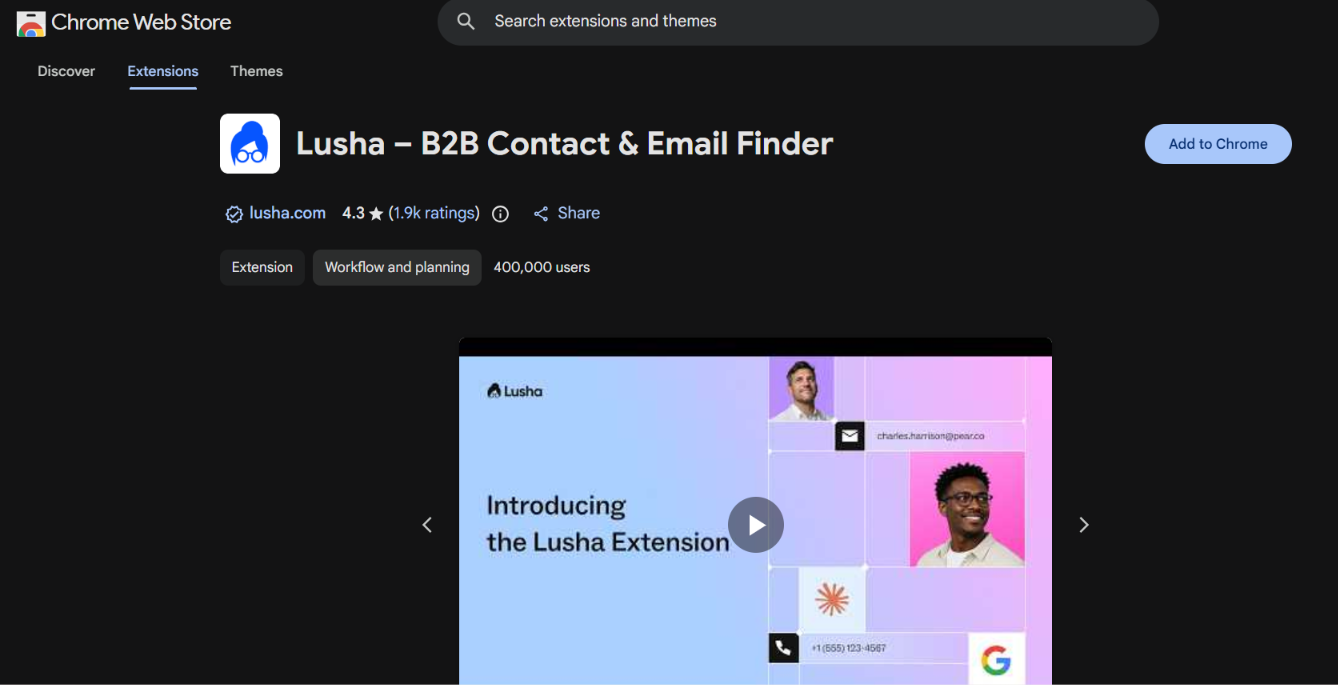
For each lead, you can reveal details such as:
You can also reveal multiple prospects from Sales Navigator search results instead of checking every profile separately. The number you can reveal depends on your Lusha plan.
After that, you can save the contacts to a Lusha Workspace table. You can also export them to a supported CRM or add them to a Lusha Engage email sequence.
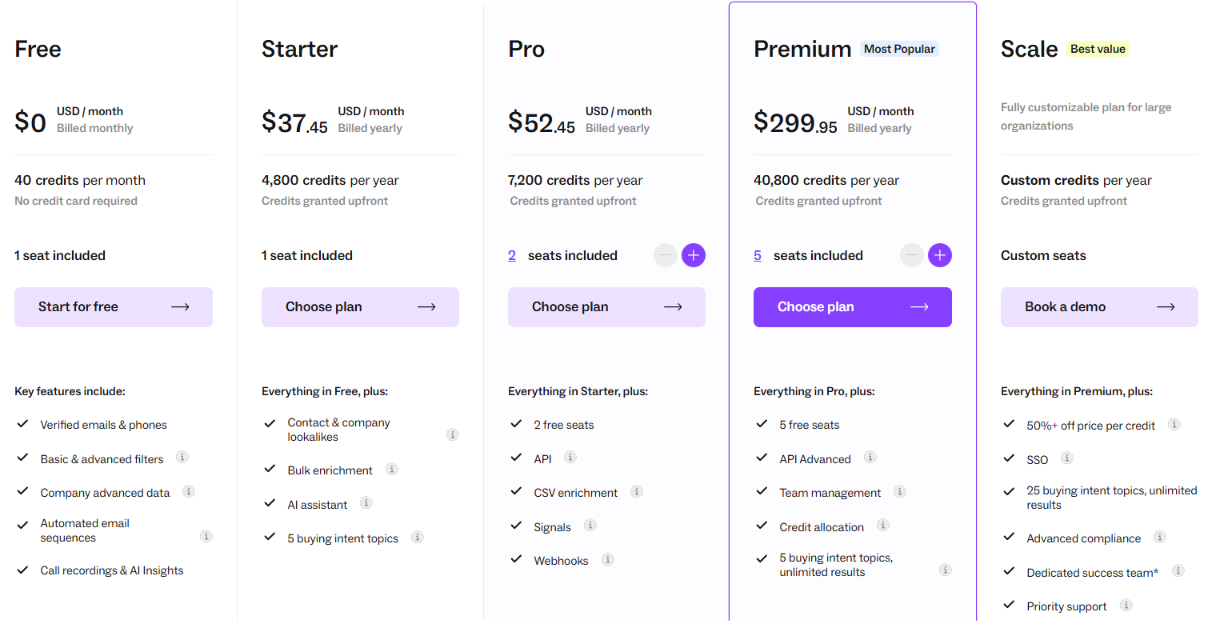
Starter, Pro and Premium prices above are billed yearly. A verified email costs 1 credit. A phone number costs 5 credits.
Lusha is useful when the contact details are the missing part of your Sales Navigator search. You can reveal the email or phone number and send that contact to your CRM without copying the record by hand.
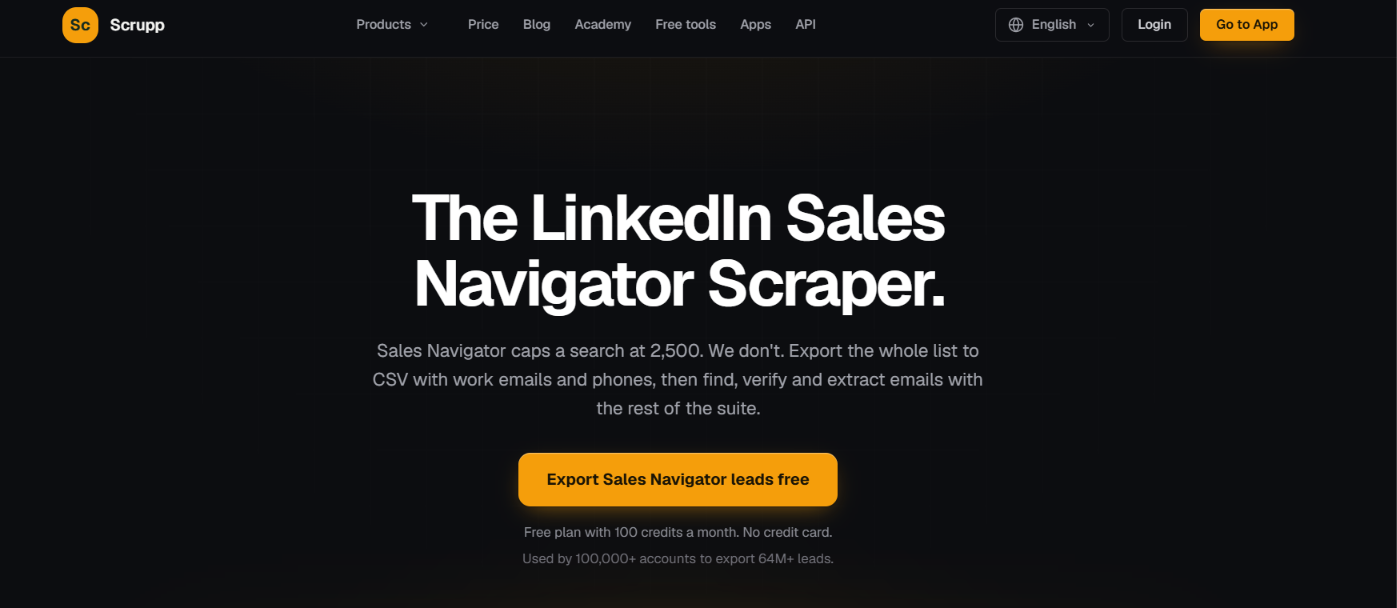
Scrupp is a lead extraction tool for LinkedIn Sales Navigator. Its Chrome extension can export prospects from a Sales Navigator search into a lead list.
Scrupp is built for larger searches. Sales Navigator normally shows up to 2,500 results in one search. Scrupp says it can export beyond that limit and collect the larger search into one list.
Run a lead search in Sales Navigator and open the Scrupp Chrome extension. The side panel reads the prospects from the search. Choose the pages you want to export and select a Scrupp list. Once you start the export, Scrupp continues collecting the leads even if you close the side panel.
The leads are saved in your Scrupp workspace. From there you can enrich the list with verified work emails and phone numbers. Scrupp also flags duplicate prospects.
Once the list is ready, you can download it as a CSV or Excel file. You can also send it to Google Sheets or supported sales tools.
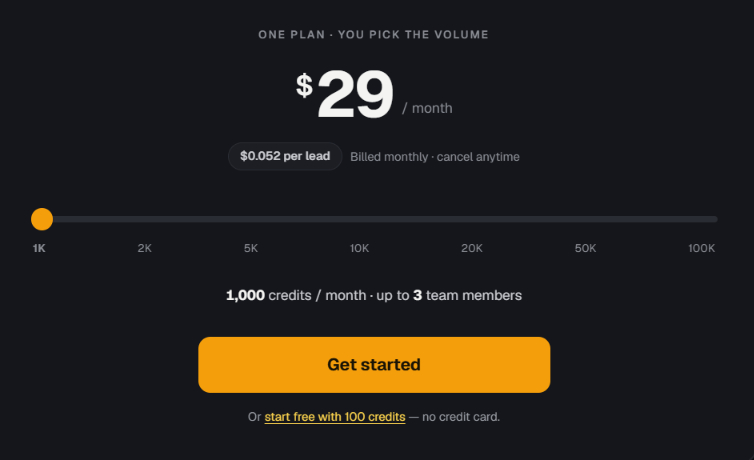
Exporting a lead costs 1 credit. Finding an email adds 1 credit. A delivered phone number adds 2 credits.
Scrupp is built for turning a large Sales Navigator search into an enriched lead file. Its main difference is that it can export beyond Sales Navigator's 2,500-result search cap instead of stopping at the leads LinkedIn displays.

Hublead is a Chrome extension that connects LinkedIn Sales Navigator with HubSpot and Salesforce. It lets you add prospects and their companies to your CRM from the LinkedIn profile you already have open.
Hublead also brings LinkedIn activity into the CRM. You can sync conversations and find work emails or mobile numbers without moving to another contact finder.
You can open a prospect profile in Sales Navigator and launch Hublead. The extension checks whether that person already exists in your CRM. If the prospect is new, you can create the contact and company record. If the prospect already exists, you can link the LinkedIn profile to that record instead of creating a duplicate.
You can also find the prospect's work email and mobile number. Hublead searches across several data providers for this contact data.
Once the prospect is linked, you can sync their LinkedIn conversation to the CRM. Depending on your plan, you can also sync invitations and work with sequences, notes, tasks and lists from LinkedIn.
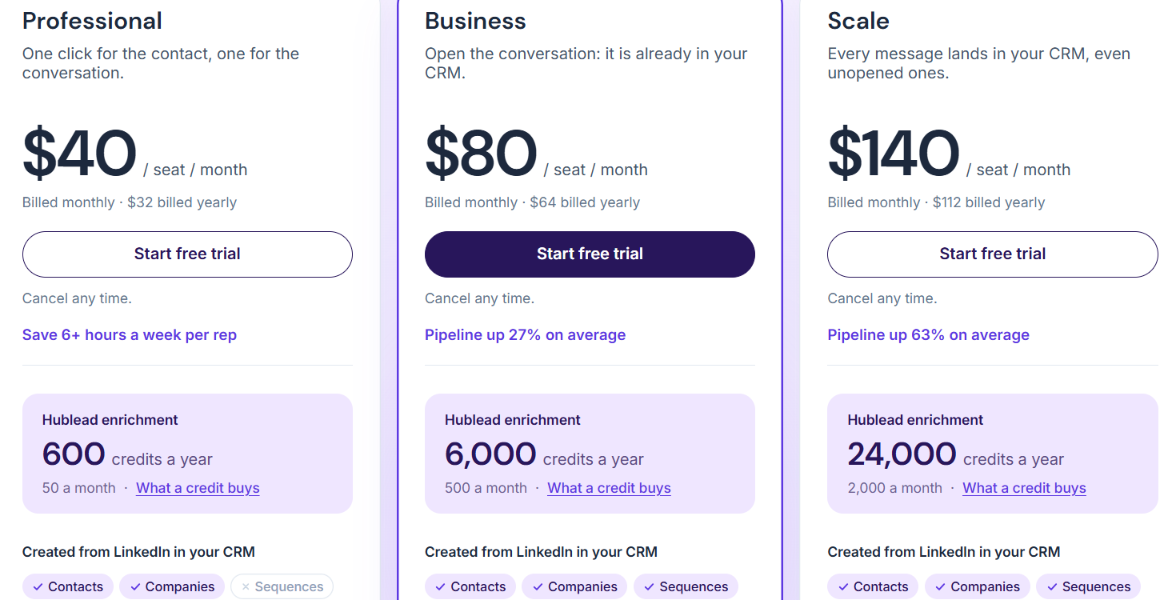
A verified work email costs 1 credit. A verified mobile number costs 8 credits.
Hublead is mainly for moving Sales Navigator activity into your CRM. Instead of building a CSV first, you can create or link the prospect in HubSpot or Salesforce and keep their LinkedIn conversation attached to the CRM record.
The main difference is what happens to a lead after you find it in Sales Navigator. Pick based on whether you need a file, contact data, CRM sync or direct campaign enrollment.
Enter your email to get a custom plan & stack recommendation for your business
Please check your mailbox in 5 minutes
Sales Navigator helps you build targeted prospect searches. The Chrome extension you add determines what you can do with those prospects next.
If you want to extract Sales Navigator leads and move them straight into email or LinkedIn outreach, you can try the Salesforge Chrome extension. It lets you collect prospects, find their emails or phone numbers and add them to a sequence without exporting a CSV first.
You can install the extension for free and use the 100 included prospecting credits to test it on your own Sales Navigator search.


