If you're running an agency, you need tools to find new clients, manage outreach campaigns, and handle work across multiple accounts.
But which tools should you choose? Do you need separate platforms for lead generation, cold email, and email infrastructure?
What should you use to manage client projects, track campaign performance, and keep communication organised?
In this guide, I'll compare 18 agency tools across six categories: outreach, lead data, email infrastructure, CRM, project management and reporting, and communication.
I'll look at their features, pricing, and capabilities for managing multiple clients to help you choose tools that fit your agency's needs and budget.
Before choosing an agency tool, check how it handles multiple clients, pricing, and daily workflows.
I've grouped the tools into six categories to help you compare their features, pricing, and agency-specific capabilities.
Here are the tools that can help agencies manage outreach for their clients.
Salesforge combines cold email and LinkedIn outreach in one platform. It helps agencies manage campaigns for multiple clients from a single account.
You can create a separate workspace for each client to manage their contacts, mailboxes, and campaigns.
All plans include unlimited workspaces and mailboxes, along with premium email warmup through Warmforge at no extra cost.
You can also combine email and LinkedIn steps in one campaign. These include profile views, connection requests, and messages.
Primebox brings email and LinkedIn replies into one inbox. It makes managing conversations easy and spot interested prospects.
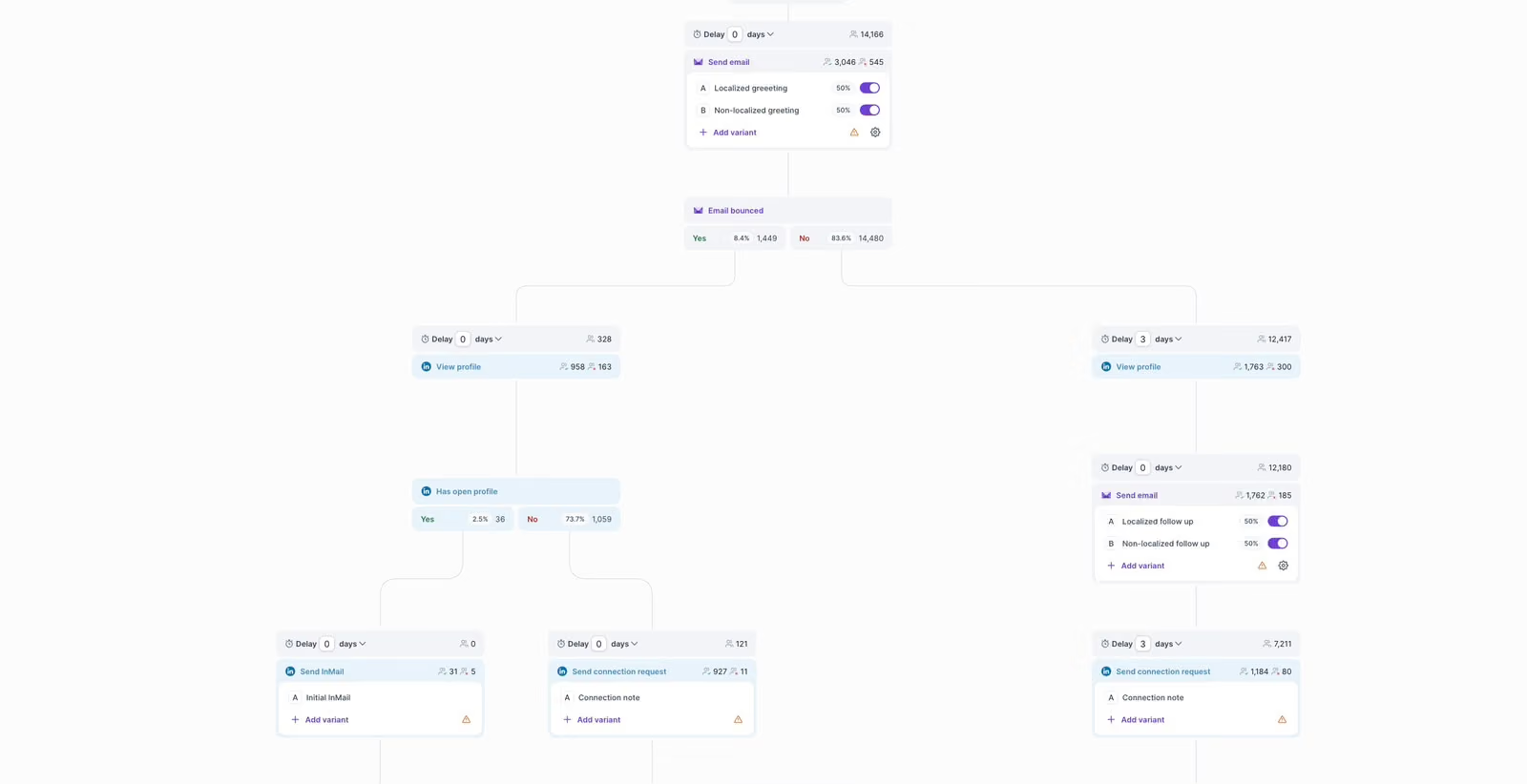
The Growth plan adds unlimited LinkedIn accounts and multilingual campaigns. It also lets you create campaigns through Claude or ChatGPT.
For agencies looking to automate prospecting, Agent Frank acts as an AI SDR. It finds prospects, writes emails, and books meetings. You can let it handle these tasks or review its work before it takes action.
Agencies that want to resell the platform can use Salesforge Whitelabel. It lets you offer Salesforge under your own brand and keep 80% of the revenue from each client subscription.
The Pro plan costs $40/month with annual billing or $48/month with monthly billing. It includes one user, unlimited mailboxes and workspaces, and 5,000 emails per month. Agent Frank costs $499/month, billed quarterly.
Instantly is a cold email platform that helps agencies run campaigns at scale.
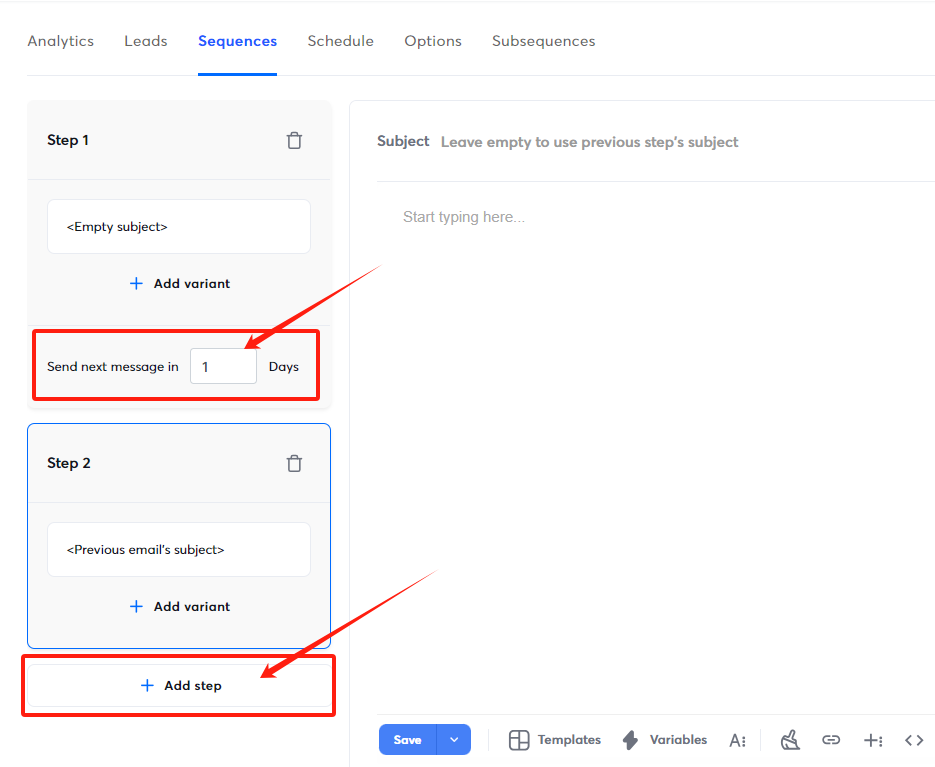
All plans include unlimited email accounts and warmup, so you can add mailboxes for new clients without paying extra for each account.
Its AI agents help find leads, manage replies, and monitor email deliverability.
The deliverability agent can detect bounce spikes and blocklist issues, pause risky campaigns, and replace underperforming mailboxes.
You can also use Lead Finder (formerly SuperSearch) to search over 450 million contacts. Its website tracking pixel identifies visitors from the US, helping agencies find companies that show interest in their clients' websites.
However, Instantly does not offer branded client logins. Lead data, CRM access, and website visitor tracking also require additional payments.
For a closer look, read our full Instantly review.
The Growth plan costs $37.60/month with annual billing or $47/month with monthly billing. It offers Lead credits and CRM access at extra cost.
Considering other options? See our list of Instantly alternatives.
Smartlead is a cold email platform that helps agencies manage campaigns for multiple clients.
It lets you organise each client's contacts, campaigns, and performance data in a separate workspace. Agencies can also share campaign results through client portals that carry their own branding.
Smartlead has added several features, including automatic replacement of failing mailboxes, voicemail drops, and an auto dialer.
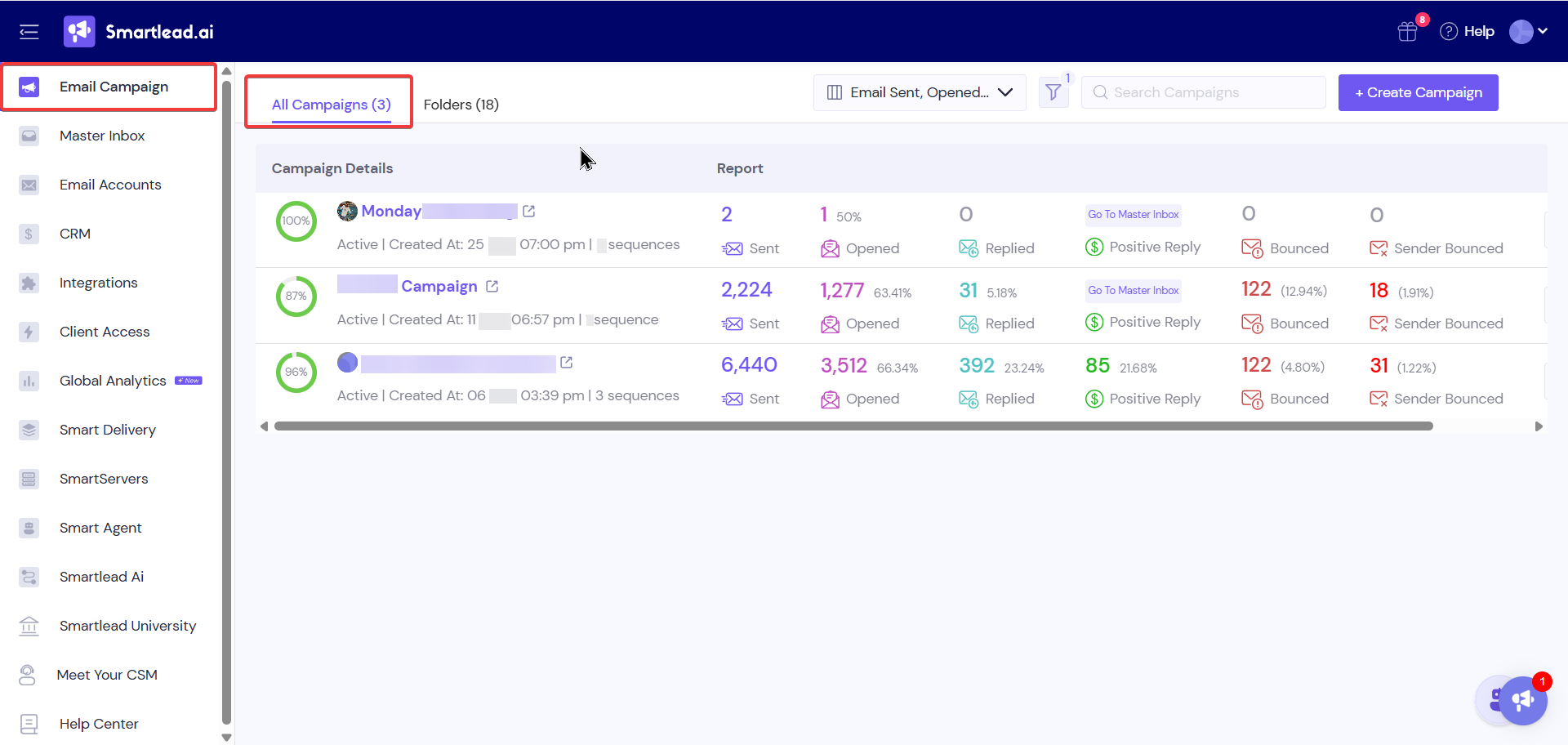
Its Lead Finder now includes 16 additional filters. I find the company-level pause rules particularly useful. For example, when one contact at a company replies, Smartlead can pause outreach to the other contacts there.
The Unlimited Smart plan includes custom-branded client portals. Each additional client workspace costs $29 per month.
Our Smartlead review covers its features and limitations in more detail.
The Base plan starts at $39/month and includes unlimited email accounts and warmup. The Unlimited Smart plan costs $174/month, with an additional $29/month per client workspace.
Lemlist helps agencies run personalised outreach campaigns across email, LinkedIn, and phone. You can combine these channels in one campaign and add SMS or WhatsApp outreach. Lemlist also supports personalised images and LinkedIn voice messages.
Its AI features help agencies create campaigns, research leads, and identify buying signals.
lemAgent can build campaigns from a short description, while lemwarm helps improve email deliverability through mailbox warmup. You can also connect Lemlist with Claude and ChatGPT.
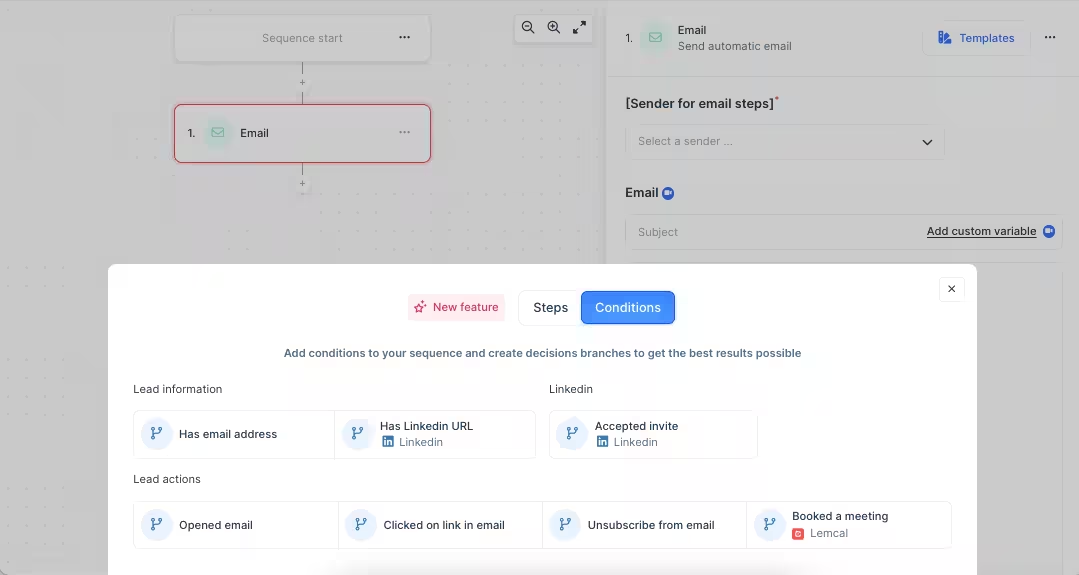
Its Email plan includes unlimited users and sending accounts, with pricing based on monthly email volume.
Moreover, its Multichannel plan adds LinkedIn automation, SMS, and calling, with pricing based on the number of users.
WhatsApp is available as a paid add-on. Lemlist does not offer a white-label option, which may be a limitation for agencies that want to resell the platform under their own brand
Read our full Lemlist review for a closer look at the platform.
The Email plan starts at $55/month per workspace with annual billing or $69/month with monthly billing. Lead data credits cost an additional $10 per 1,000 credits.
Looking at other options? Explore our list of Lemlist alternatives.
Leadsforge is an AI lead generation tool that helps me find prospects based on a client's ideal customer profile.
I can describe the target audience in plain English or use search filters to find relevant companies and contacts.
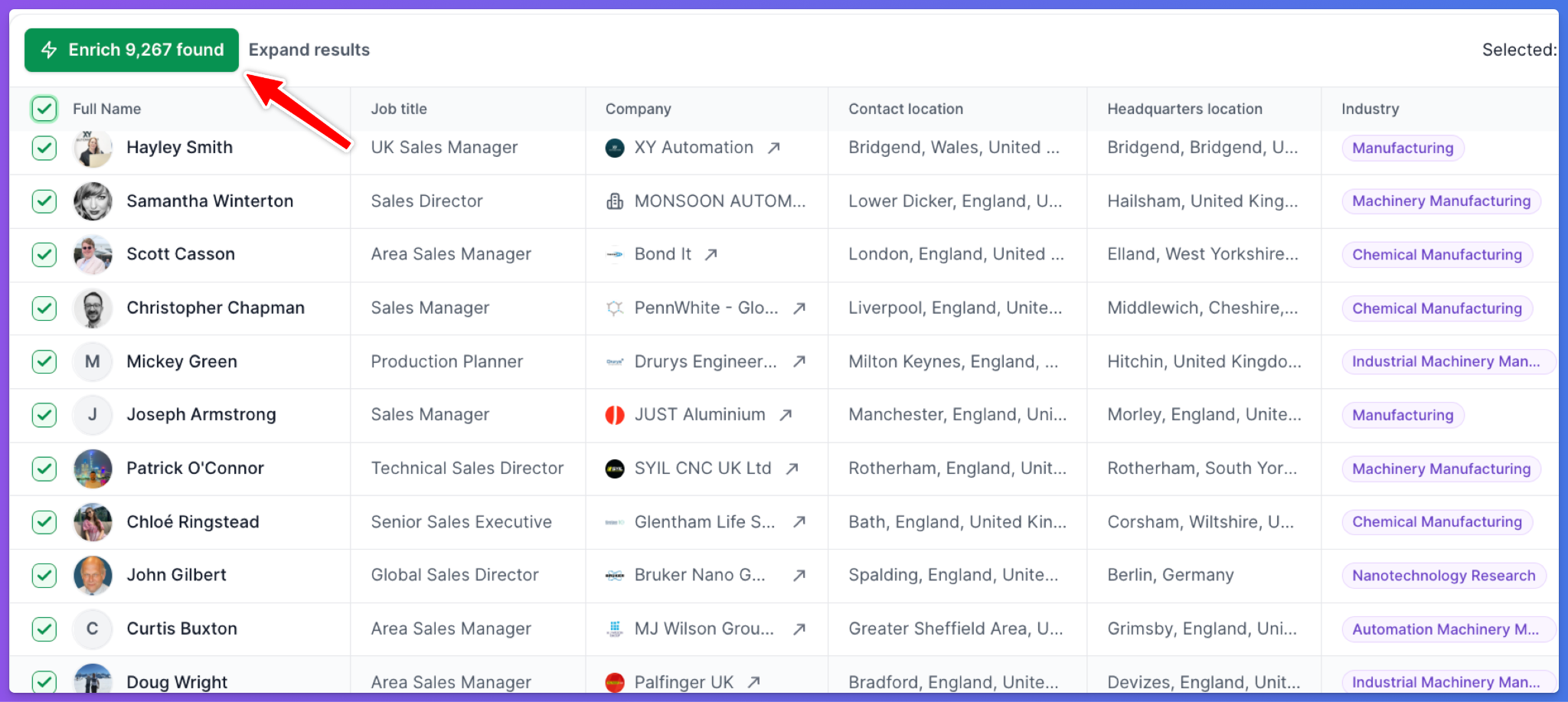
Its database includes more than 500 million contacts. I can narrow down searches by industry, job title, company details, funding rounds, and job changes.
It also lets me find competitor followers and discover lookalike companies.
Once I have the right prospects, Leadsforge uses waterfall enrichment to find their email addresses and phone numbers through multiple data providers. I can then export the lead lists to Salesforge or download them as CSV files.
The Essential plan costs $49/month and includes 2,000 export credits. The annual option costs $588/year and includes 28,000 credits. Credits do not expire, and unused credits roll over.
Apollo.io combines a B2B contact database with sales engagement tools.
I can search for companies and prospects using more than 65 filters, including industry, technology, funding, and revenue. It also lets me create email sequences and manage prospect information from the same platform.
Apollo has expanded its AI features with an AI Assistant and buying signals.
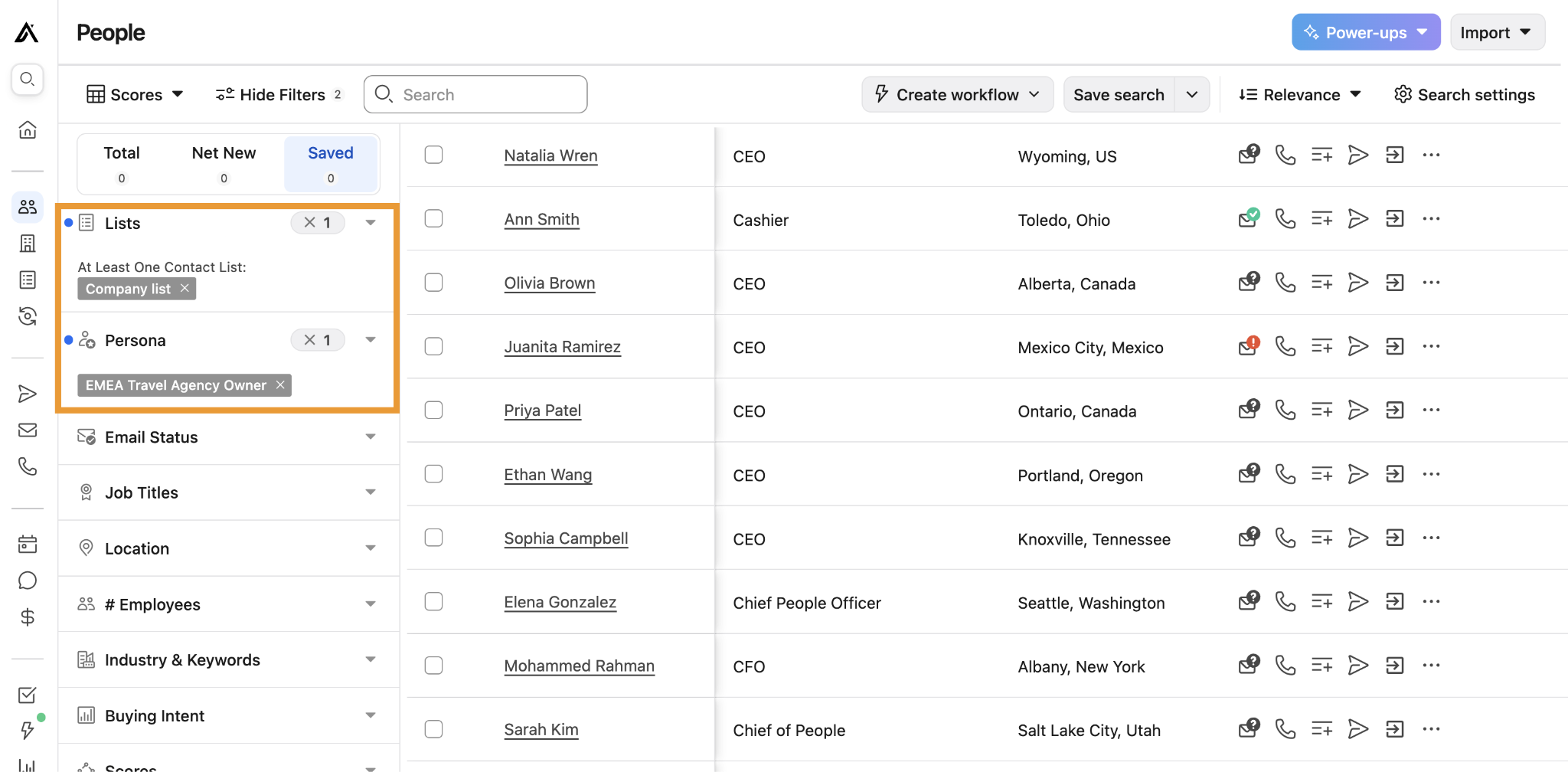
The AI Assistant can turn simple instructions into multi-step tasks, while buying signals help identify prospects who may be ready to engage. You can also access Apollo through ChatGPT.
I would consider Apollo when an agency needs prospect data and outreach tools in one platform. Its per-user pricing is worth considering as the team grows.
I would also verify contact details before launching campaigns to avoid sending emails to outdated or incorrect addresses.
The Basic plan costs $49/user/month with annual billing or $59/user/month with monthly billing. It includes email and phone credits, along with unlimited email sequences.
Clay is a lead research and enrichment platform for agencies that need more control over their prospect data. It connects dozens of data providers in a spreadsheet-style workspace and checks them in sequence to find the information you need.
Clay has expanded its AI capabilities with Sculptor, an AI copilot that builds workflows from written instructions. Its Audiences feature combines CRM data, buying signals, and research to give you a fuller view of target accounts.
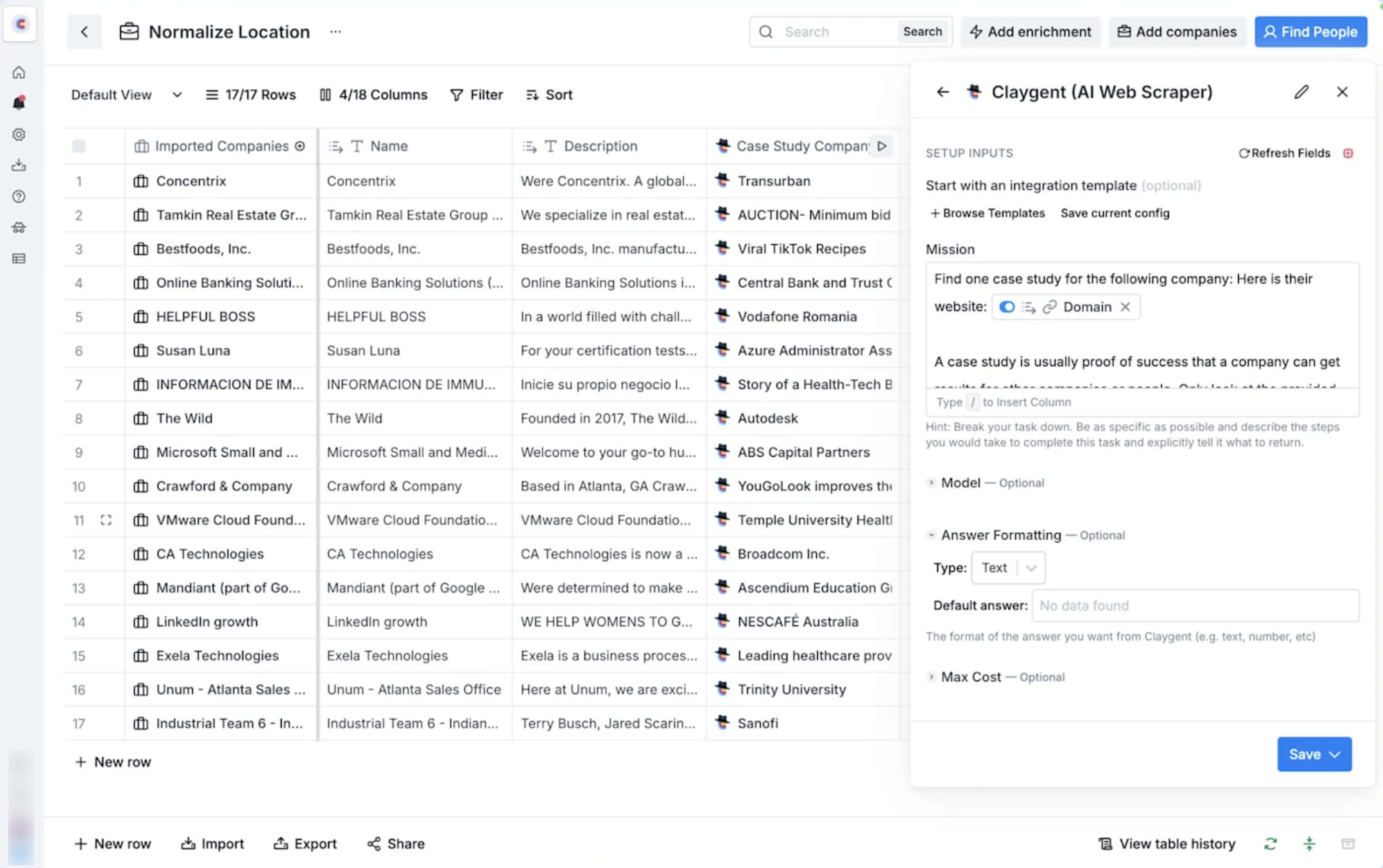
You can also run email campaigns through Sequencer and use Web Intent to identify target companies visiting a client's website.
Every plan includes unlimited seats, which helps when several team members work on the same client account.
The pricing structure needs some attention. Clay charges separately for data credits and actions, so you need to track two types of usage.
Plus, CRM syncing also requires the Growth plan, which costs $495/month.
Read our full Clay review to learn more about its features and use cases.
The Launch plan costs $185/month or $167/month with annual billing. It includes 2,500 data credits, 15,000 actions, and unlimited seats.
If you're considering other options, see our guide to Clay alternatives.
Mailforge is a shared-IP cold email infrastructure platform. It helps agencies set up domains and mailboxes in bulk, with automated DNS configuration.
You can create hundreds of mailboxes in minutes, manage DNS records in bulk, and use domain masking to protect your primary domain.
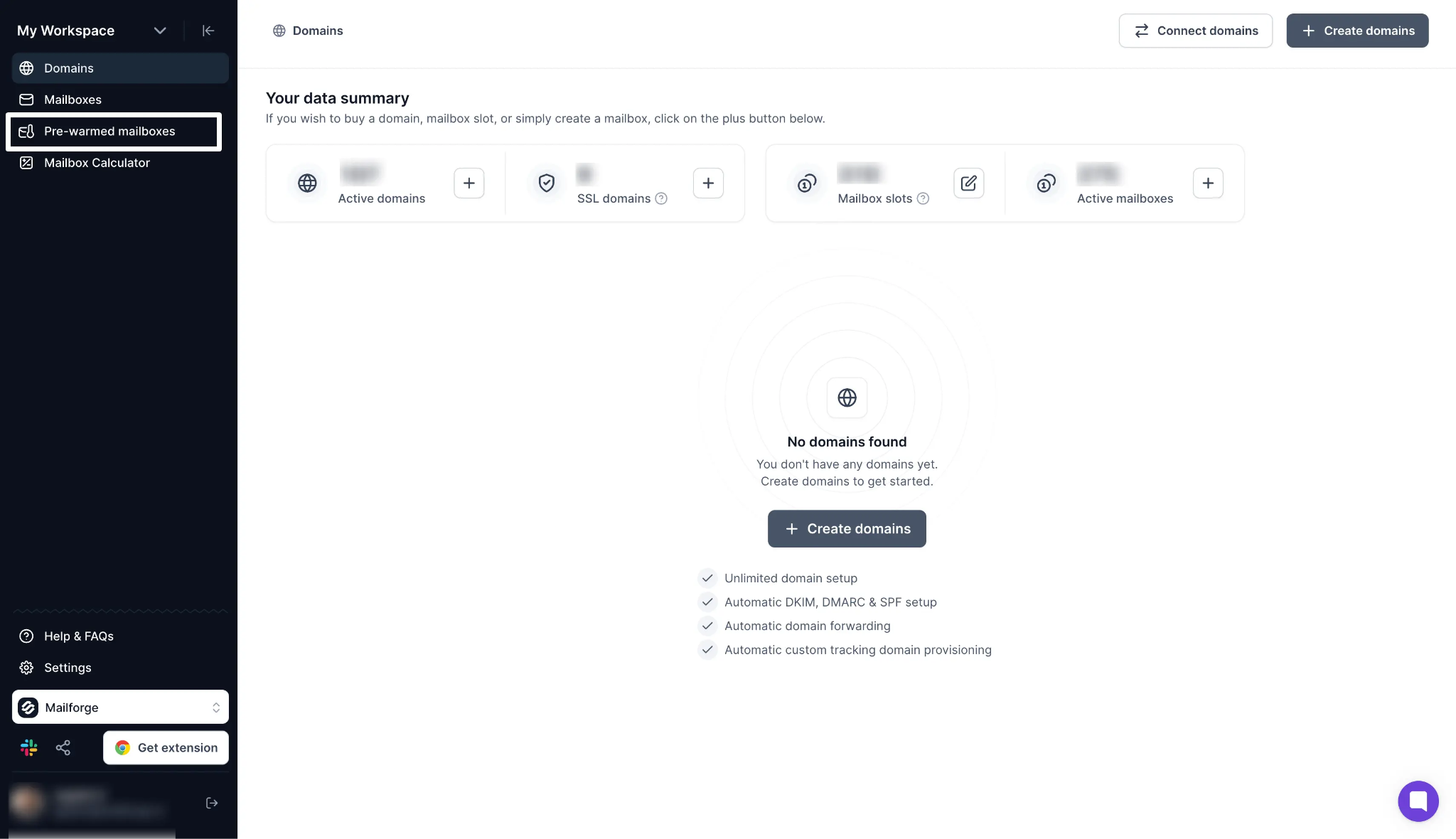
Mailforge also supports API, MCP, and CLI access. You can manage domains, mailboxes, workspaces, and DNS settings through AI assistants or run infrastructure tasks from your terminal.
Mailforge uses shared IPs. If you need Google Workspace or Microsoft 365 mailboxes, Primeforge is the alternative. For private infrastructure with dedicated IPs, you can use Infraforge.
Mailboxes cost $3/month each, with the price dropping to $2/month at higher volumes. The minimum order is 10 mailboxes. Domains cost $14/year.
Infraforge is a private cold email infrastructure platform that provides dedicated IPs and separate sending environments for agencies and businesses.
You can set up domains and mailboxes with dedicated IPs. This keeps each client's sending reputation separate from other senders.
Infraforge also offers prewarmed setups, so you can start sending without waiting for a new IP to warm up.
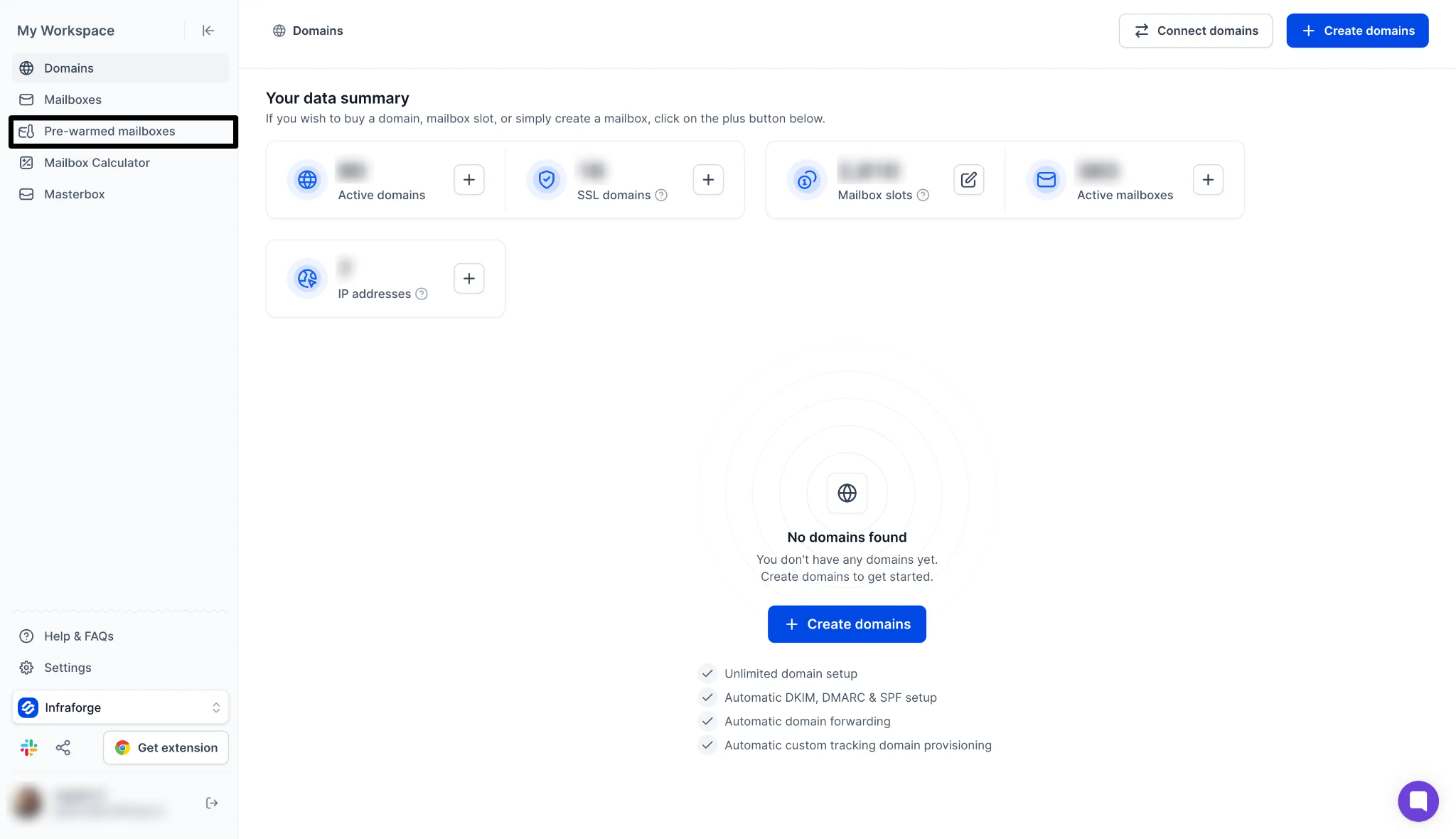
You can manage multiple IPs and mailboxes from one dashboard and use API access to automate infrastructure management.
Agencies can also resell Infraforge through its whitelabel program and offer email infrastructure under their own brand.
Dedicated IPs cost an additional $99 per month each, on top of mailbox fees. If you choose a new IP without prewarming, it can take around two weeks to prepare it for sending.
Mailboxes cost $4/month each, dropping to $3/month at higher volumes, with a minimum order of 10. A dedicated IP costs $99/month.
Primeforge provides Google Workspace and Microsoft 365 mailboxes for cold email campaigns. It handles mailbox creation and DNS setup, so you don't have to configure each account yourself.
You can create multiple mailboxes in bulk and choose prewarmed accounts to start sending sooner. Primeforge also supports API, MCP, and CLI access for mailbox setup and management.
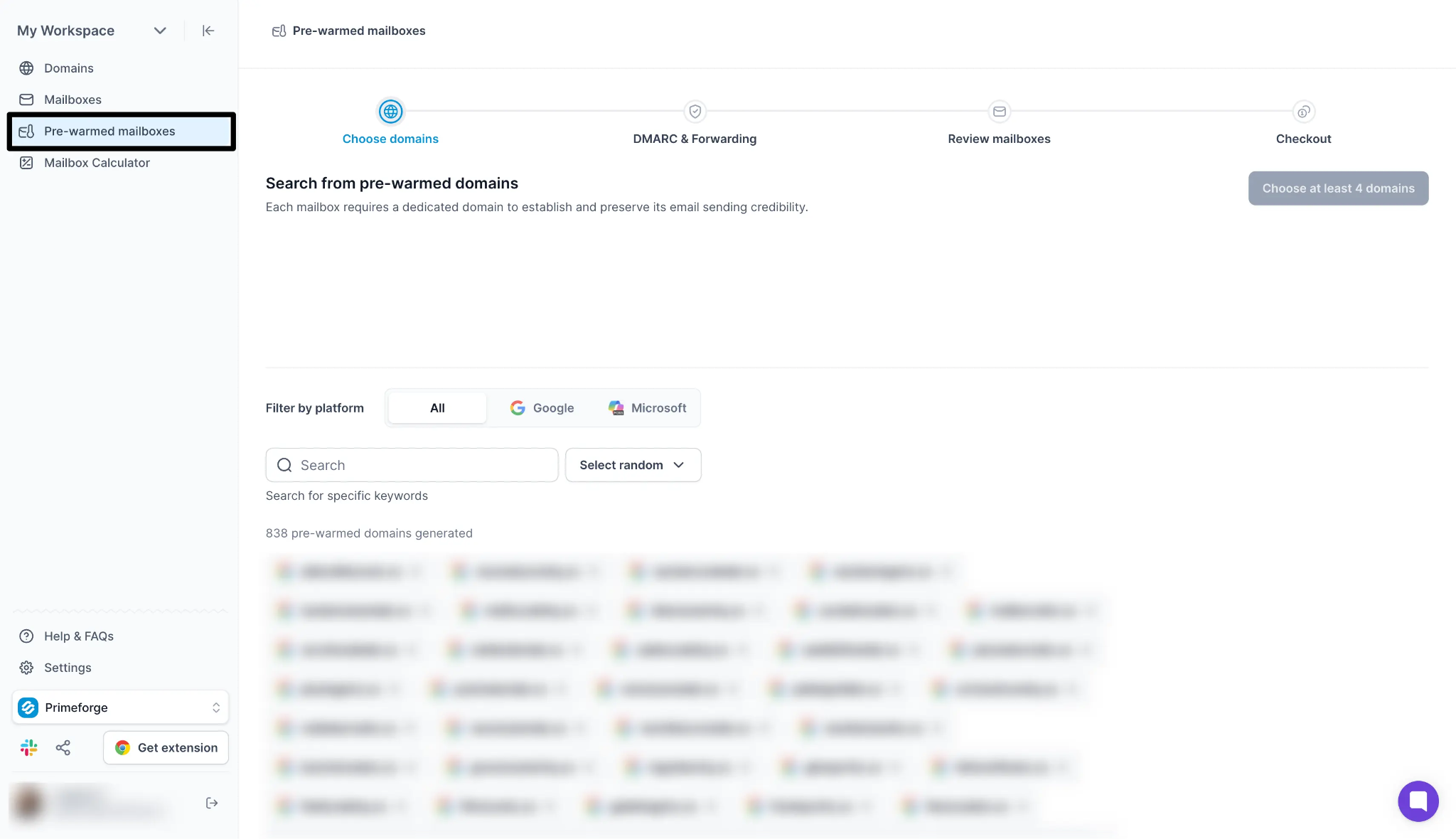
You can connect these mailboxes with Salesforge and other cold email platforms to run campaigns from your preferred sending tool.
I would choose Primeforge when clients specifically want Google or Microsoft inboxes. If you need shared-IP infrastructure at a lower cost, Mailforge is another option.
Mailboxes cost $4.50/month each, with the price dropping to $3.50/month at higher volumes. The minimum order is 10 mailboxes.
If you're comparing email infrastructure options, see our guide to cold email infrastructure tools.
HubSpot CRM helps agencies manage contacts, deals, sales pipelines, and client communication in one place. You can track prospects from their first interaction to deal closure and keep a record of every conversation.
HubSpot also offers AI tools to support sales teams. Its Prospecting Agent identifies companies showing buying signals, finds relevant contacts, and drafts outreach messages for review.
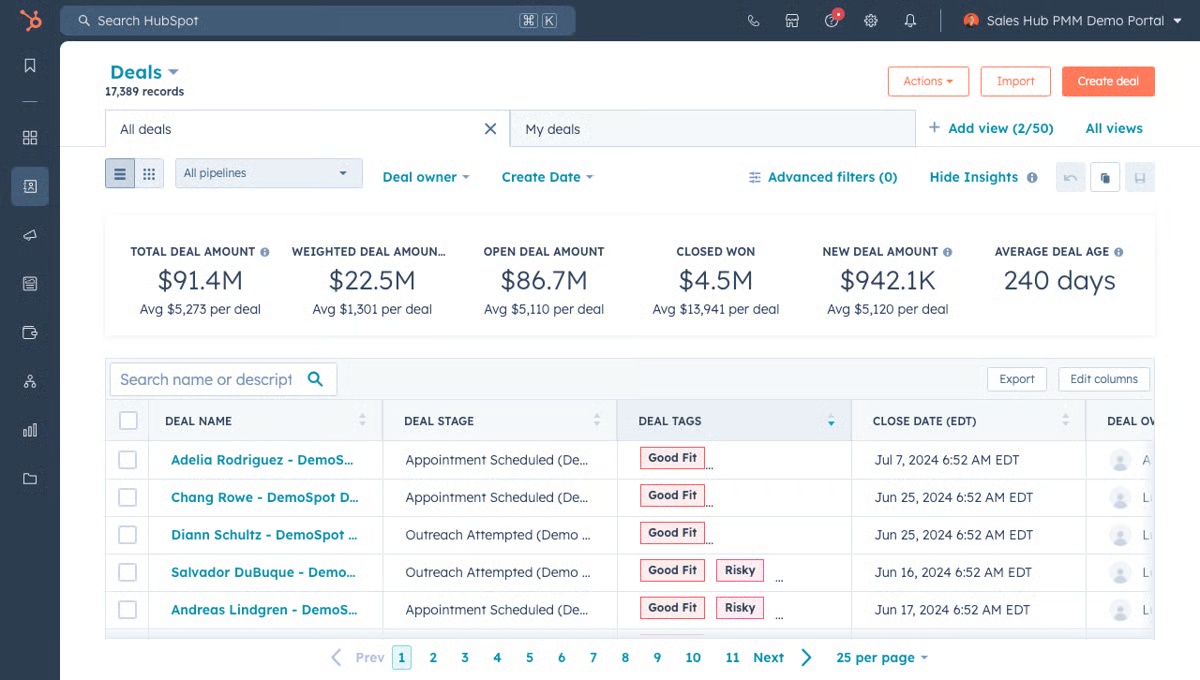
Plus, its Smart Deal Progression analyses call transcripts and suggests CRM updates and follow-up tasks. You also get Breeze, HubSpot's AI assistant, and access to more than 1,800 app integrations.
I would consider HubSpot when an agency needs a CRM to manage its own sales pipeline as the team grows.
However, check the pricing before upgrading. The Professional plan costs $90 per seat per month on annual billing and includes a one-time onboarding fee of $1,500.
The Starter plan costs $20/seat/month. Professional costs $90/seat/month with annual billing, plus a one-time onboarding fee of $1,500.
Pipedrive is a CRM that uses a visual sales pipeline to help agencies track prospects and manage deals. You can move deals through different stages, schedule follow-ups, and see which opportunities need attention.
I find its visual pipeline useful for agencies that want to manage their own sales process without dealing with too many CRM features. It gives you a clear view of every prospect, from the first conversation to the signed contract.
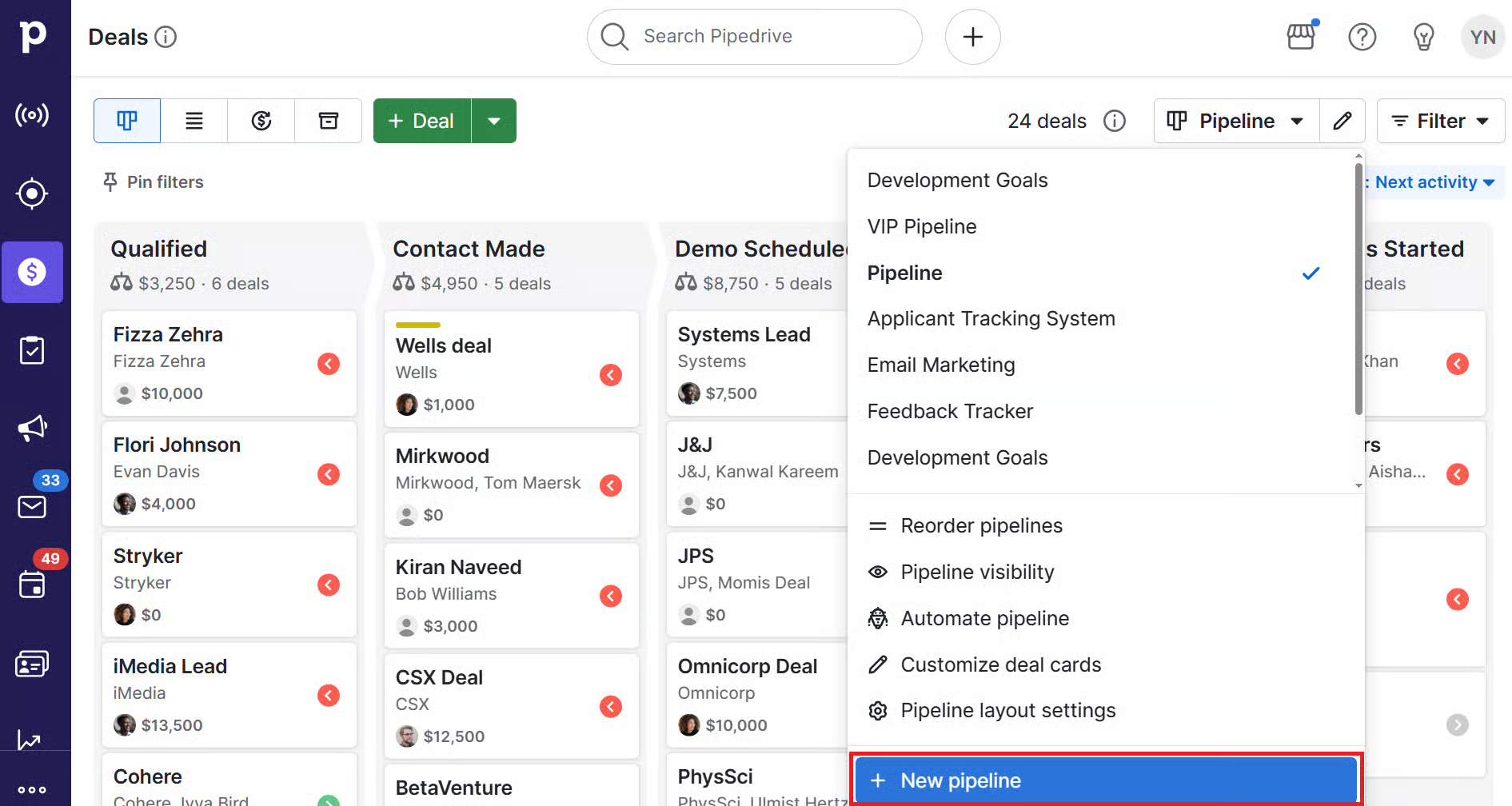
Pipedrive has also added AI features to its CRM. You can connect it with Claude and ChatGPT to search and update CRM data. Its Nova AI call assistant records sales calls and suggests CRM updates for approval.
One thing to consider is the plan structure. The Lite plan does not include workflow automations or email syncing. You need the Growth plan or higher to access these features.
The Lite plan costs $14/seat/month with annual billing. It includes the visual pipeline, deal tracking, and AI reports.
GoHighLevel is a CRM and client management platform for marketing agencies. You can create separate accounts for each client and manage their contacts, sales pipelines, funnels, calendars, SMS campaigns, and reviews.
GoHighLevel also offers AI chat and voice agents that can handle enquiries, follow up with leads, and book appointments. You can trigger conversations after form submissions or missed calls. Its AI agent builder also lets you automate recurring tasks.
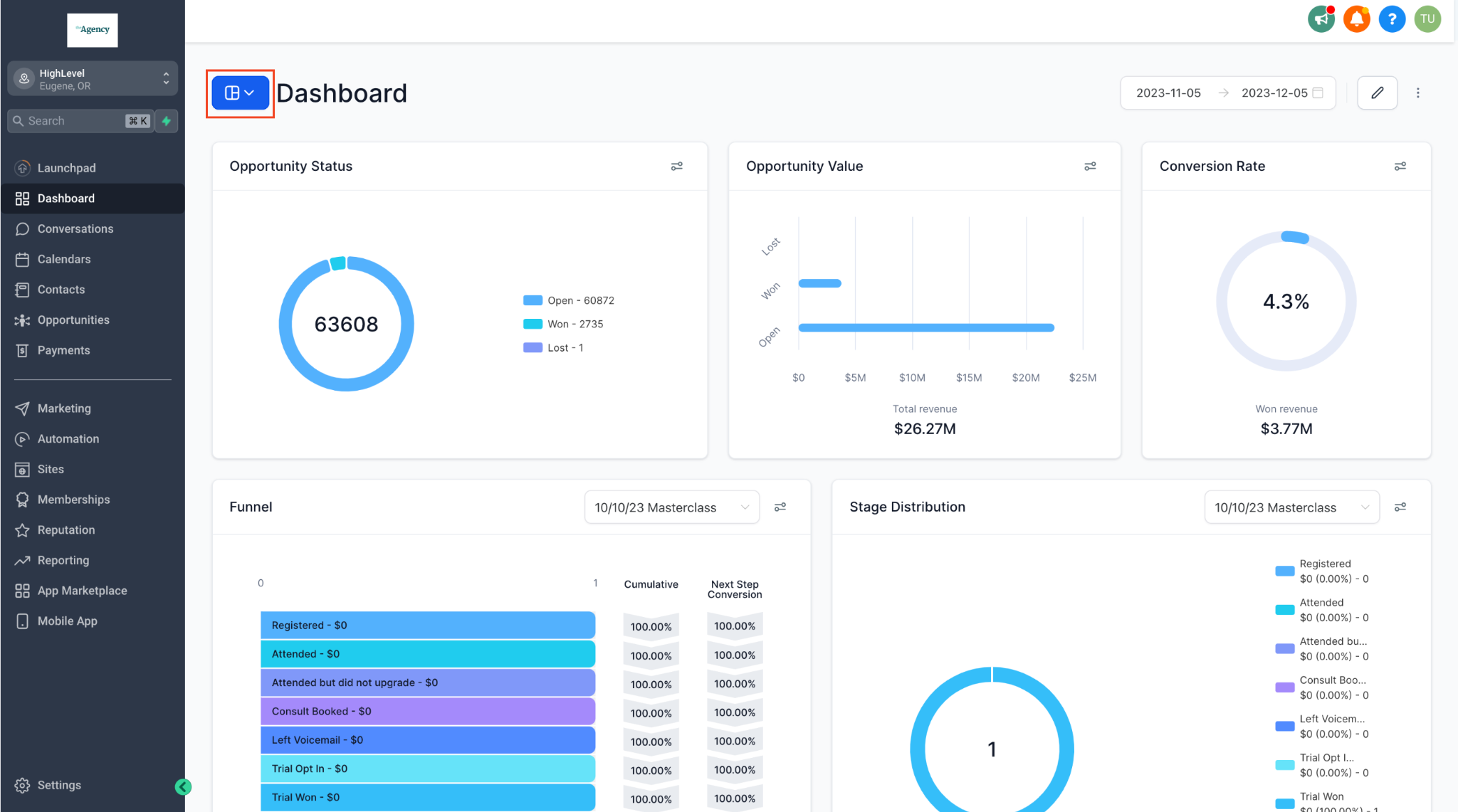
The platform integrates with Salesforge, so agencies can manage cold email outreach alongside their client accounts. Plus, its Unlimited plan also includes a white-label desktop app.
GoHighLevel is a good option for agencies that manage client leads and inbound enquiries.
However, it does not include dedicated cold email infrastructure or LinkedIn outreach. You may need separate tools for those activities.
The Starter plan costs $97/month and includes three client accounts, unlimited contacts, and unlimited users. The Unlimited plan costs $297/month.
If you want to know about this platform in detail, read our GoHighLevel review.
ClickUp helps agencies manage client projects, tasks, deadlines, and team workloads in one place. You can create a separate space for each client, assign tasks to team members, track project progress, and monitor time spent on work.
ClickUp also offers AI features through Brain². You can use AI within tasks and documents, with support for Claude, ChatGPT, and Gemini.
Its Super Agents can handle recurring tasks and workflows, reducing manual work for your team.
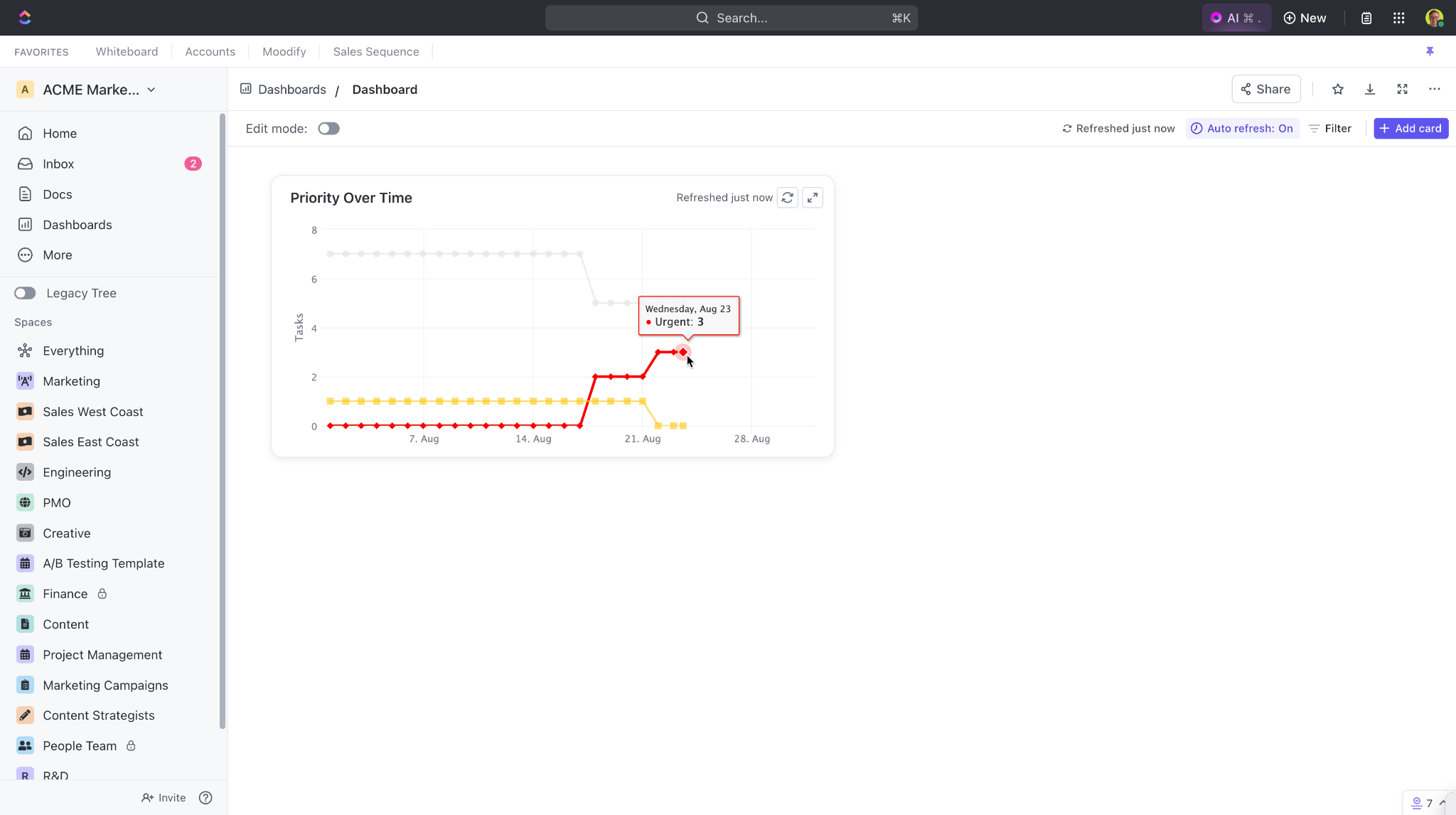
I would consider ClickUp if you want to manage client projects and internal tasks from one platform.
Its dashboards also give you an overview of project progress and team workloads. Keep in mind that AI features are available as a paid add-on.
The Unlimited plan costs $7/user/month with annual billing or $10/user/month with monthly billing. It includes unlimited storage, dashboards, and time tracking.
AgencyAnalytics is a marketing reporting platform for agencies. It connects with more than 90 marketing platforms, including SEO, PPC, social media, and call tracking tools.
You can bring campaign data from different channels into one dashboard and create reports for each client.
You can customise reports with your agency's branding and give clients access to their own dashboards.
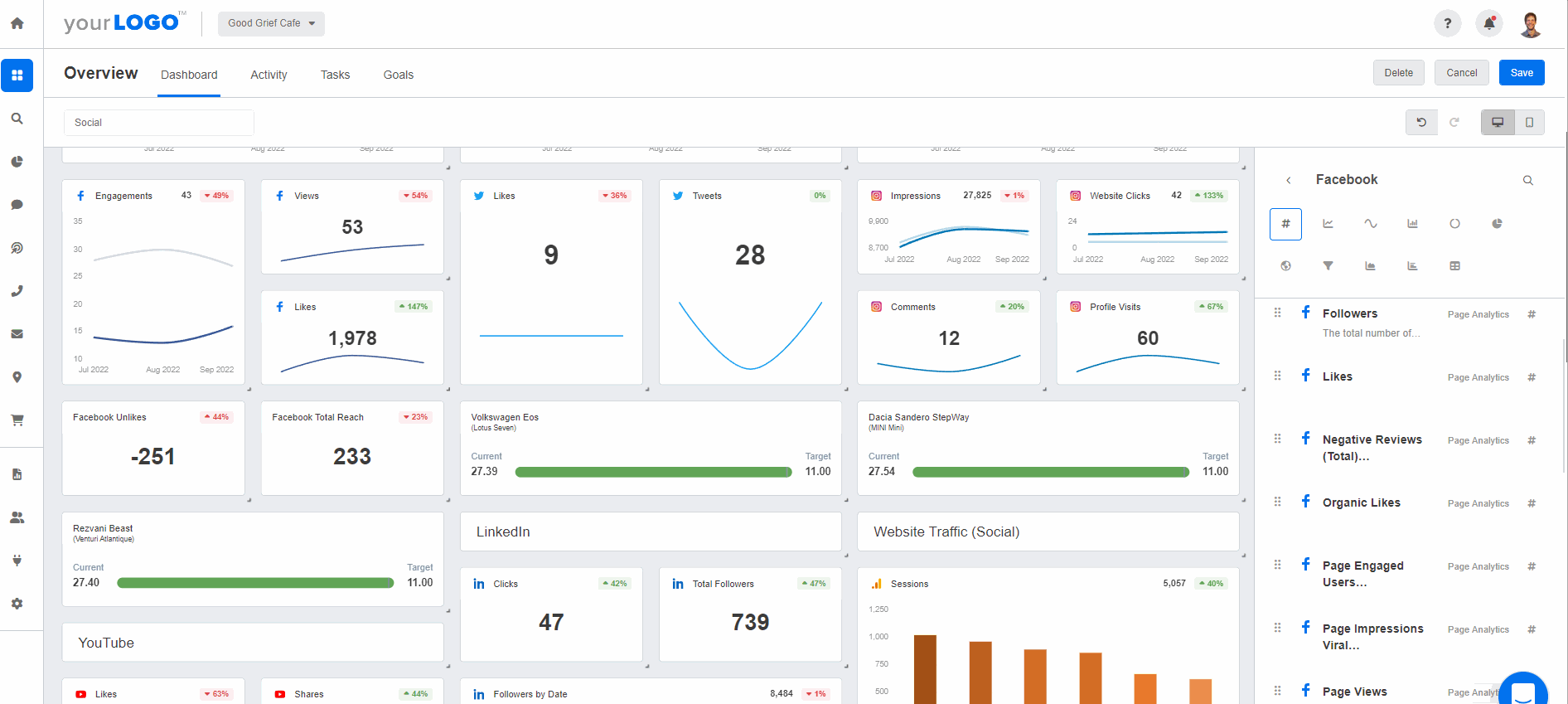
AgencyAnalytics also includes AgencyAI, which helps you analyse campaign results and answer questions about client performance.
Another feature is AI Tracker, which monitors how often your clients appear in AI-generated answers across ChatGPT, Claude, Gemini, Google AI Overviews, and Perplexity.
You can use these reports to show clients how their brands perform in AI search results.
The Core plan costs $20/client/month with annual billing or $25/client/month with monthly billing. There is no base fee; you pay for each client you report on.
Calendly is a meeting scheduling platform that helps agencies book discovery calls, sales meetings, and client appointments.
You can share a booking link so prospects can choose a suitable time without exchanging multiple emails. Calendly automatically adds the meeting to your calendar and includes a video conferencing link.
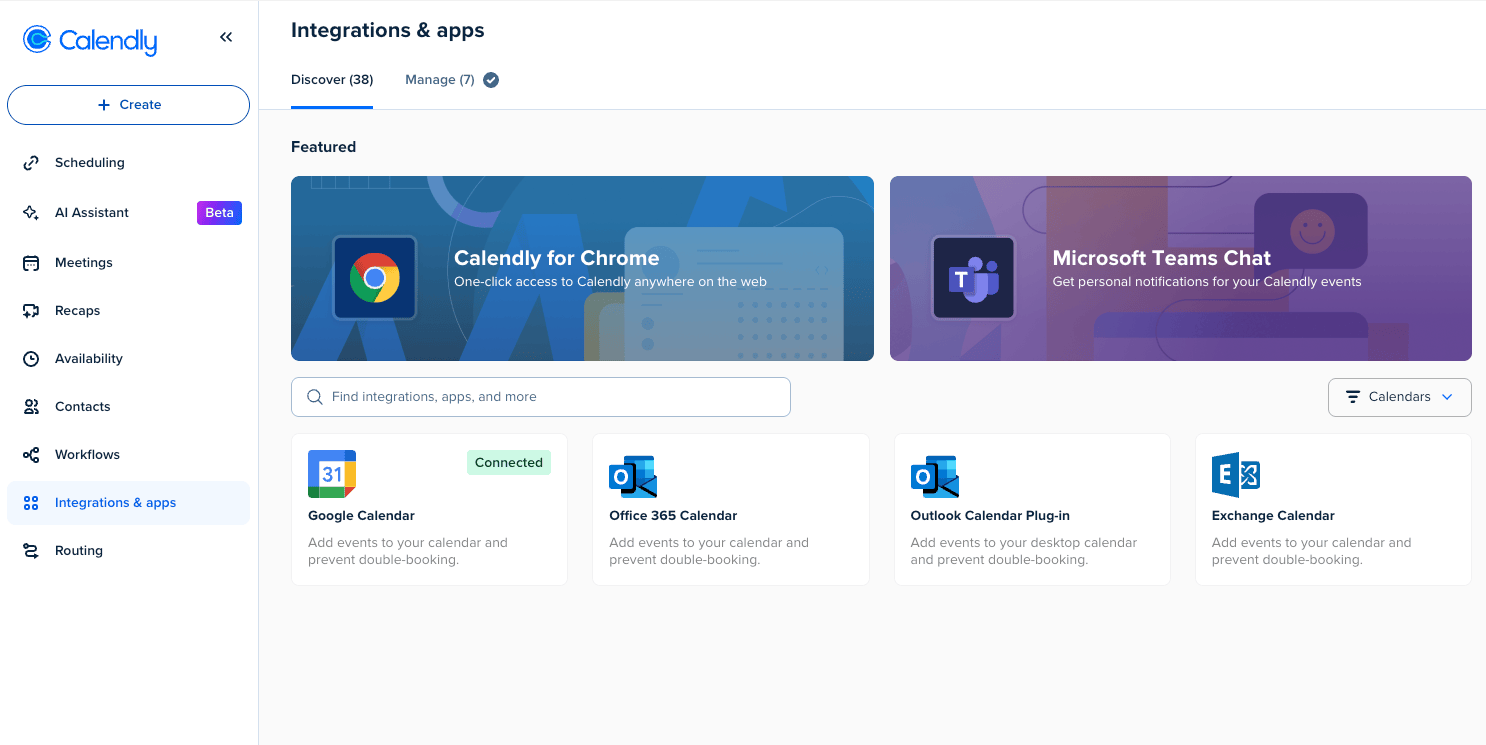
Calendly also offers Callie, an AI scheduling assistant that helps arrange meetings through email conversations. Its Notetaker records meetings on Zoom, Google Meet, and Microsoft Teams, then creates summaries and action items.
For agencies with multiple account managers, round-robin scheduling distributes bookings among available team members. Each host needs a paid seat to use the feature.
The Standard plan costs $10/seat/month with annual billing or $12/seat/month with monthly billing. It includes unlimited event types and automated reminders.
Slack gives agencies a shared place to communicate with team members and clients. With Slack Connect, you can create shared channels for each client and keep project discussions out of long email threads.
Slackbot has also been rebuilt as a personal AI assistant.
It can provide daily recaps, help prepare for meetings, and research topics. Huddles support quick audio and video conversations, while Workflow Builder helps automate routine requests.
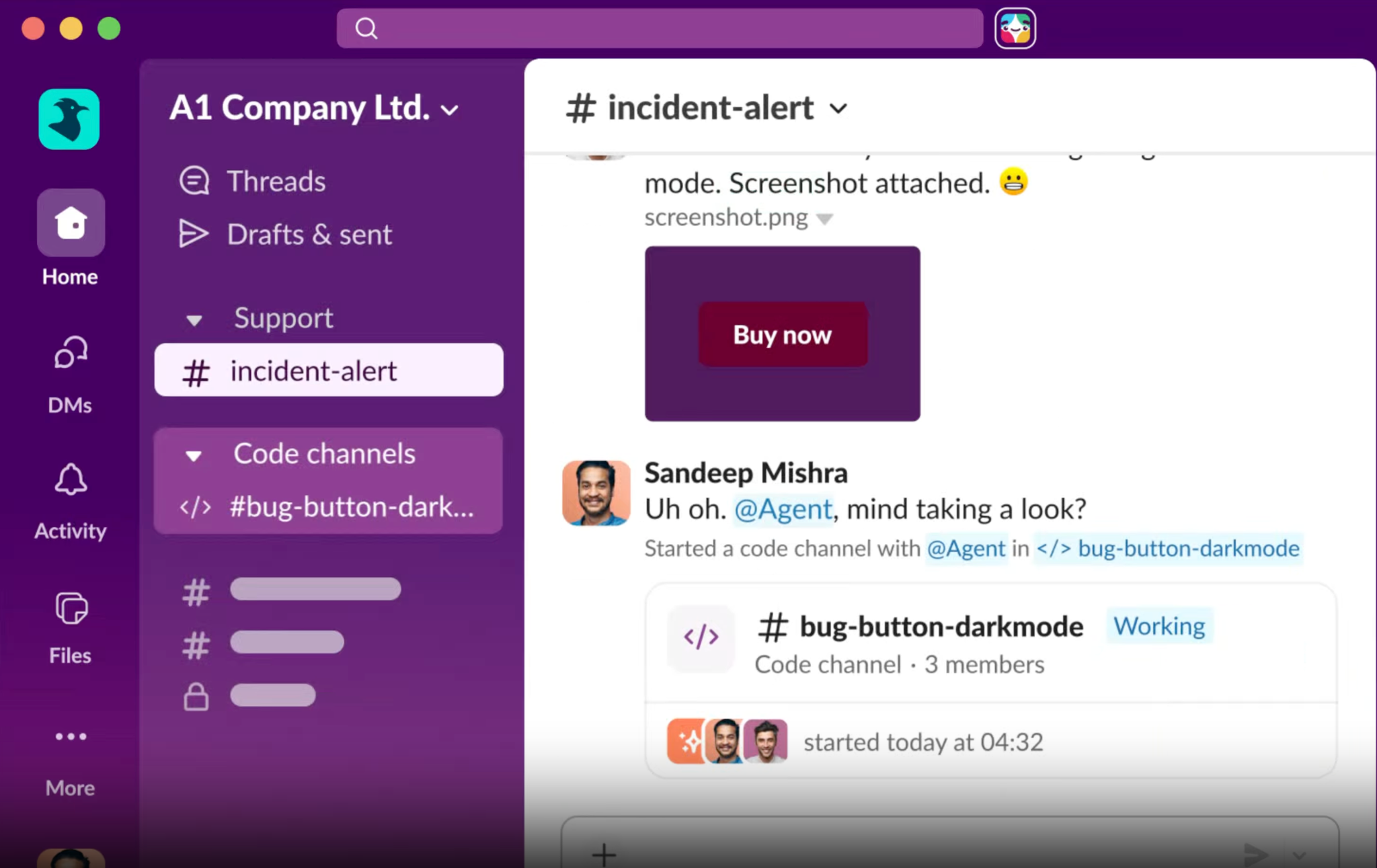
I would use Slack when an agency needs regular communication with several clients and internal teams.
Keep in mind that paid plans charge per active user, and Slackbot's features depend on your subscription.
The Pro plan costs $7.25/user/month with annual billing or $8.75/user/month with monthly billing. It includes full message history, unlimited apps, and Slack Connect.
Loom is a screen recording and video messaging platform that helps agencies explain work, share updates, and communicate with clients without scheduling meetings.
You can record your screen and camera, then share the video through a link. Clients can watch the recording whenever it suits them, without needing a paid account.
I find Loom useful for sharing website audits, campaign walkthroughs, project updates, and feedback. Instead of writing lengthy explanations or arranging calls, you can record a short video and show clients exactly what you mean.
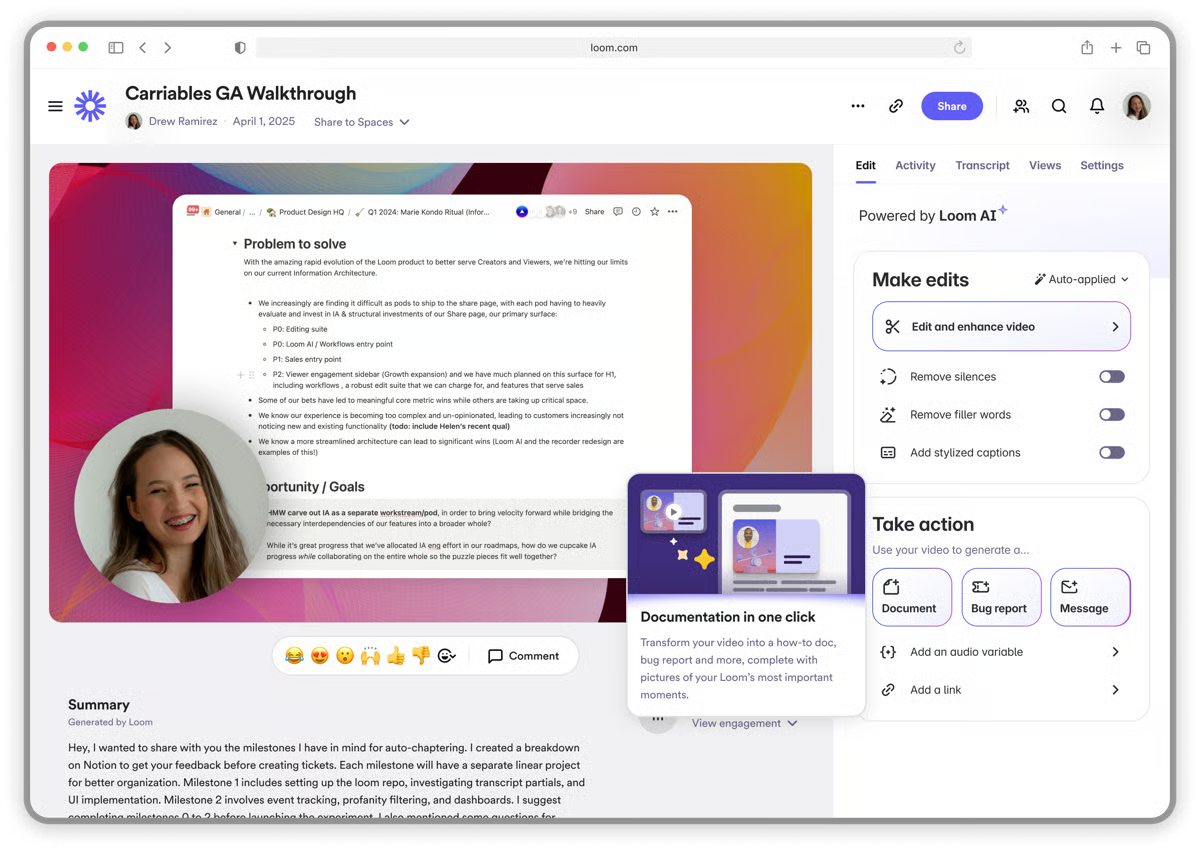
Loom also offers AI features that generate video titles, summaries, and chapters. Its AI Meeting Assistant can record calls on Zoom, Google Meet, and Microsoft Teams, then prepare meeting notes and action items.
These AI features are available with the Business + AI plan, so check the plan details before choosing a subscription.
The Business plan costs $15/creator/month with annual billing or $18/creator/month with monthly billing. It includes unlimited videos and custom branding.
Agency tool requirements differ based on the size of your team, client base, and services. Here's how I'd approach the tool stack at each stage.
When you're starting out, focus on finding prospects, running campaigns, and setting up reliable email infrastructure. You can handle most other tasks with free tools.
Start with these tools:
Your core stack costs around $134/month, excluding domain registration. This estimate uses annual billing for Salesforge and Primeforge and monthly billing for Leadsforge.
If you prefer shared email infrastructure, consider Mailforge instead of Primeforge. Ten mailbox slots cost around $30/month with annual billing, bringing the estimated core stack down to $119/month.
You can also use free plans of these tools:
Once you manage several clients, campaign delivery and coordination become more demanding. You need a system to assign work, manage deadlines, organise prospect research, and report results.
Add these tools when you need them:
You don't need all these tools as soon as you reach five clients. Start with project management and reporting. Add Clay or Infraforge when a client's requirements justify the additional cost.
At this stage, prospects may ask whether they should hire your agency or build an in-house outbound team.
Our cold email agency vs. in-house comparison can help you explain the differences in cost, resources, and responsibilities.
Once you have a stable client base, you can consider generating additional revenue by reselling outreach software and email infrastructure under your agency's brand.
Consider these options:
Both programmes require you to sign up through their reseller process. Factor in client onboarding, support, and account management before adding either service to your offering.
If you're still planning your agency, read our guide on how to start a cold email agency.
The right agency tools depend on how you find clients, manage campaigns, and deliver work. You don't need all 18 tools to run an agency.
Start with lead generation, outreach, and a CRM. Add project management and reporting when you take on more clients. Consider private email infrastructure or white-label software when your clients and service requirements call for them.
Before choosing a tool, compare its pricing, client management features, integrations, and limits. Pick a stack that fits your current workload and gives you room to grow.
Salesforge helps you manage your entire outreach process, from finding leads and setting up email infrastructure to running cold email and LinkedIn campaigns.
You can sign up for Salesforge to manage your outreach from one platform.
Most marketing agencies need tools for lead generation, outreach, CRM, project management, reporting, and client communication. The exact stack depends on the services you offer and the number of clients you manage.
Salesforge, Smartlead, and GoHighLevel offer separate client workspaces or accounts. ClickUp helps organise client projects, while AgencyAnalytics provides branded reports and client dashboards.
HubSpot and Pipedrive are good options for managing contacts, deals, and sales pipelines. GoHighLevel is worth considering if you also manage client accounts, funnels, calendars, and inbound leads.
The cost depends on the number of clients, users, mailboxes, and features you need. Some tools charge per user, while others charge per client, mailbox, or usage. Start with essential tools and add subscriptions as your agency grows.
Not necessarily. Platforms such as Salesforge combine cold email and LinkedIn outreach, while HubSpot combines CRM and sales management. Choose tools that cover your main workflows without paying for features you rarely use.
Check whether you can use your own branding, create separate client accounts, control client access, and set your own pricing. Also review the revenue-sharing terms and the support you need to provide to clients.