If you're using Closely to manage LinkedIn and email outreach, its LinkedIn account limits can restrict your ability to scale campaigns.
Closely offers three plans with the following account limits:
Starter: 1 LinkedIn account
Growth: 3 LinkedIn accounts
Essential: 5 LinkedIn accounts
All three plans include unlimited email accounts. However, if your team needs more than five LinkedIn accounts, you'll have to request a custom plan.
You may need an alternative that lets you manage more LinkedIn accounts, automate outreach across multiple senders, and handle prospect conversations from one place.
I've compared six Closely alternatives based on their LinkedIn outreach features, account limits, campaign management, pricing, and multichannel capabilities.
Here's how they compare and which one may fit your team's needs.
If you're comparing Closely with other LinkedIn outreach tools, start with these three:
Salesforge: Best for GTM teams and agencies managing LinkedIn and cold email campaigns across multiple senders.
HeyReach: Best for agencies running LinkedIn outreach across multiple accounts and managing campaigns from one platform.
Waalaxy: Best for founders and SDRs who manage LinkedIn outreach from a single account and need a simple campaign setup.
Here's what to consider when choosing a Closely alternative.
What Users Look for in Closely Alternatives?
Closely is a cloud-based LinkedIn and email outreach tool. It lets you run both channels in one campaign and includes a Smart Inbox, CRM integrations, webhooks, and white-label features on every plan.
Closely has a 4.6/5 rating from 196 G2 reviews. Users praise its campaign setup, multichannel outreach, and ability to manage LinkedIn and email replies in one place.
However, there are a few limitations worth considering before choosing a plan:
LinkedIn account limits: Starter includes 1 LinkedIn account for $49/month. Growth includes 3 for $127/month, and Essential includes 5 for $205/month. You'll need a Custom plan for more than 5 accounts.
Starter feature limits: Starter doesn't include monthly enrichment credits for email finding, phone finding, or AI personalization.
Shared credit pool: Growth includes 3,000 monthly credits, while Essential includes 5,000. You can use these credits for email lookups, phone lookups, and AI personalization.
Subscription and renewal concerns: Customer reviews mention issues with subscription management, cancellations, refunds, and unexpected renewal charges.
Reported product issues: Some users report slow LinkedIn message syncing, limited email campaign features, and difficulty editing campaign data after uploading it.
LinkedIn account restrictions: One G2 reviewer reported that their LinkedIn account was banned after using Closely. LinkedIn automation carries a risk of account restrictions or suspension, regardless of the tool you use. No tool can eliminate that risk.
What I Looked for in a Closely Alternative
I weighed each tool on five things:
LinkedIn sender limits: How many LinkedIn accounts the plan covers, and what each extra one costs.
Channels: LinkedIn and email steps run in one sequence, or the tool covers LinkedIn alone.
Pricing model: The bill grows per LinkedIn account, per user or per plan.
Reply handling: LinkedIn and email replies land in one inbox.
Reviewer feedback: G2 users report how the tool performs on support, bugs and billing.
Salesforge is our product, so it comes first. Search demand sets the order for the rest.
A Quick Comparison of 6 Closely Alternatives
Here's how the six tools compare with Closely on LinkedIn sender limits and starting price.
6 Best Closely Alternatives in 2026 [An In-depth Comparison]
Let's look at each tool in detail.
1. Salesforge
Salesforge is a multichannel outreach platform that brings cold email and LinkedIn campaigns together in one place.
Best for: GTM teams and agencies managing LinkedIn and cold email outreach across many senders.
User Rating: 4.6/5 on G2.
How Salesforge Compares to Closely
Closely caps LinkedIn accounts at 1, 3 or 5 depending on the plan. Salesforge Growth costs $80/month on yearly billing and includes unlimited LinkedIn senders, mailboxes and users.
Why Choose Salesforge Over Closely?
Here are some features that make Salesforge worth considering:
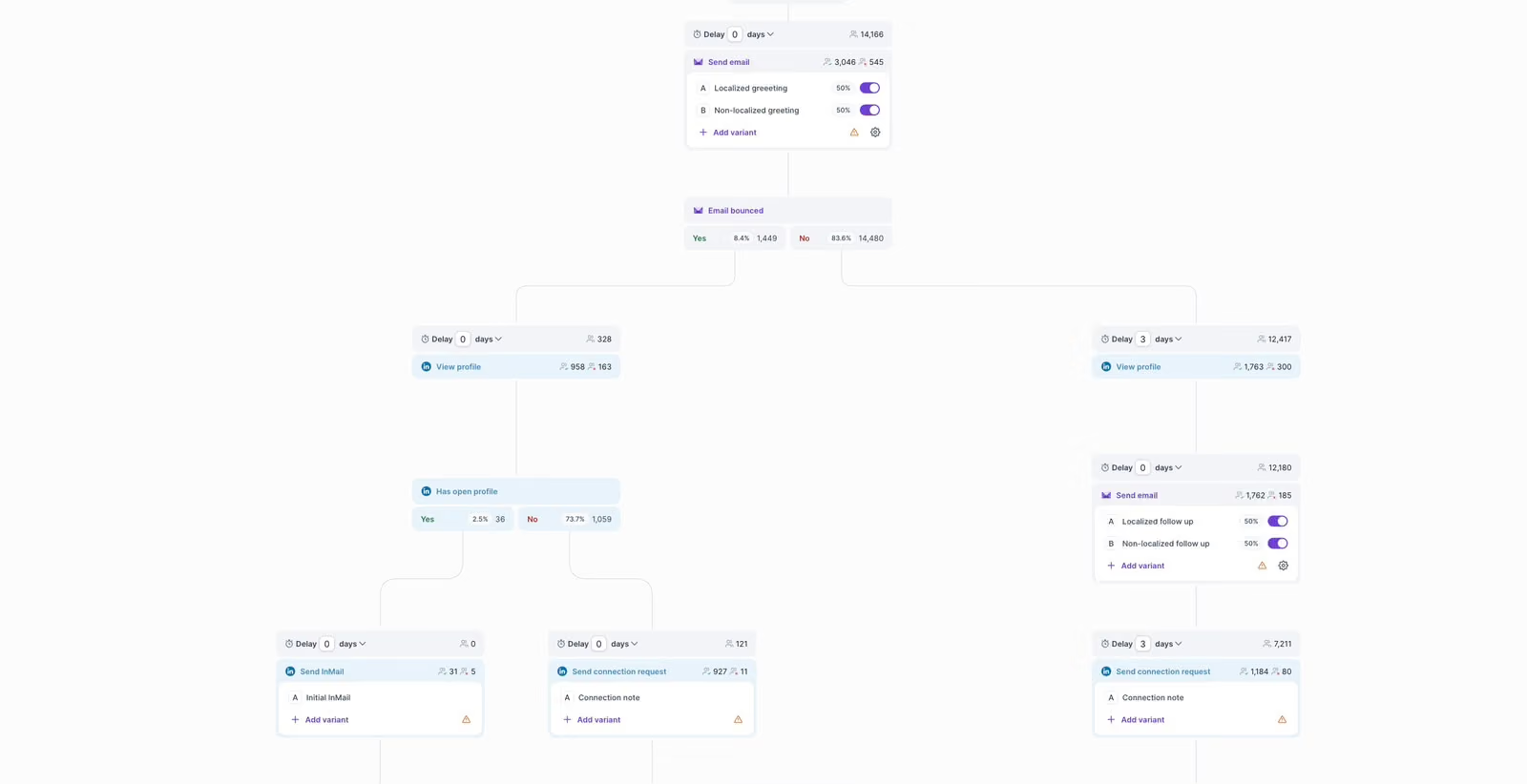
LinkedIn and Email Sequences: Run LinkedIn connection requests, messages, InMails, and cold emails in one campaign.
Conditional Follow-Ups: Set up follow-ups based on prospect actions, such as accepting a connection request or replying to a message.
Primebox™: Manage LinkedIn and email replies from one inbox. You can reply manually or use AI-generated drafts.
Client Workspaces: Manage separate campaigns and accounts for each client.
Extra benefit: Salesforge supports LinkedIn voice notes and video messages. This gives you more ways to reach prospects and personalize your outreach beyond text-based messages.
Salesforge is worth considering if your LinkedIn sender count is about to pass Closely's plan limits. LinkedIn steps use social action credits, with 1,000 a month included on Growth.
Salesforge Key Features
LinkedIn Campaign Builder: Create campaigns with profile visits, follows, connection requests, messages, InMails, post likes, and voice notes.
Conditional Sequences: Set up follow-ups based on prospect activity. For example, send a message after a connection request gets accepted.
Unlimited LinkedIn Accounts: Connect multiple LinkedIn profiles under one workspace and manage campaigns without a per-account fee on the Growth plan.
Primebox™ Inbox: Manage LinkedIn conversations from one inbox. Reply manually, use AI-generated suggestions, or enable automated replies.
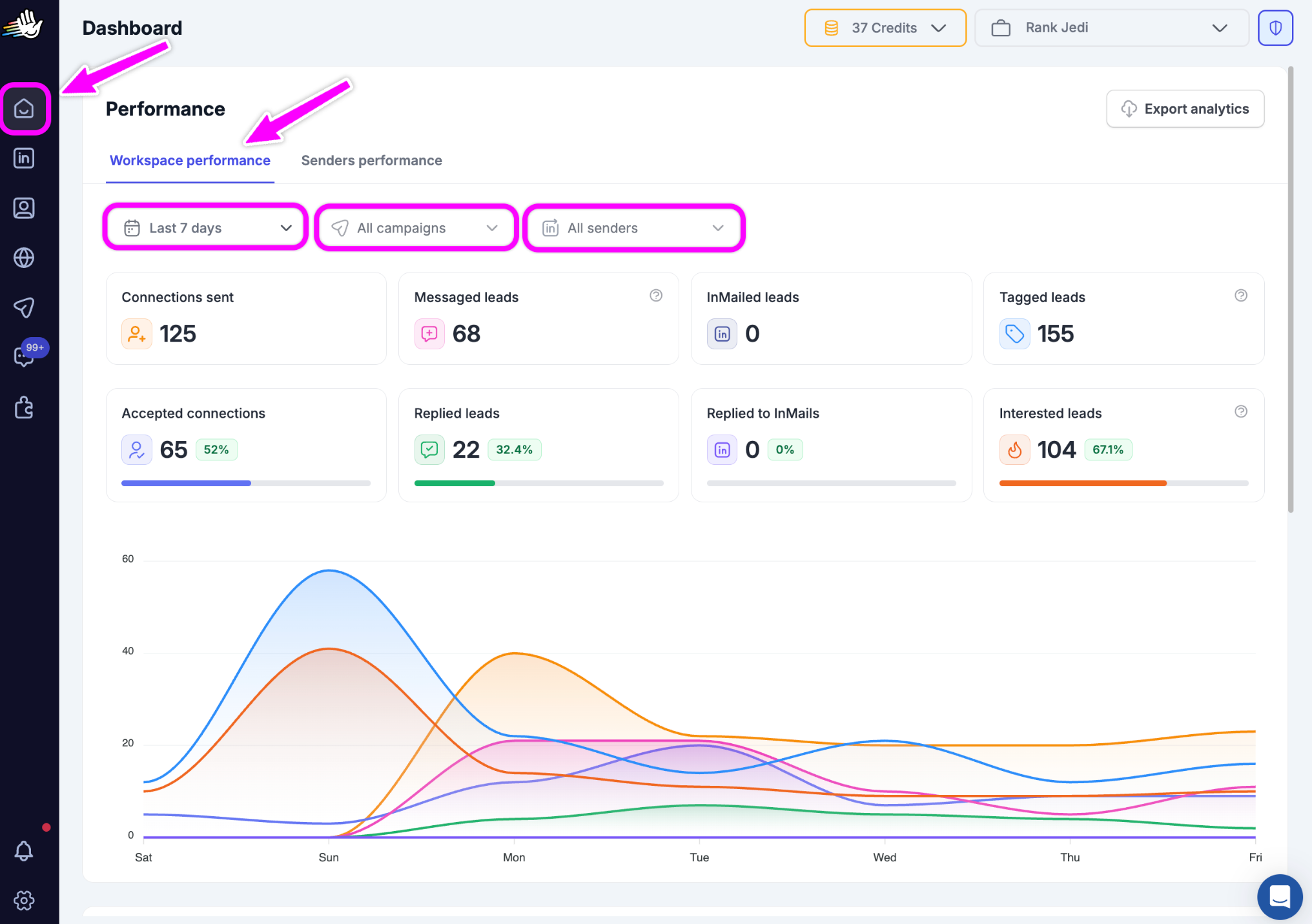
LinkedIn Campaign Analytics: Track connection requests, accepted connections, messages, replies, and performance across your connected accounts.
MCP, CLI, and API: Connect Salesforge with AI assistants, manage LinkedIn outreach workflows through its CLI, and build custom integrations using its API.
Salesforge Pricing
Salesforge offers two main plans for teams running LinkedIn and cold email outreach:
HeyReach is a cloud-based LinkedIn automation tool that runs outreach from many LinkedIn sender accounts in one workspace.
Best for: Agencies running LinkedIn-only outreach from 10 or more accounts.
User Rating: 4.6/5 on G2.
How HeyReach Compares to Closely
Closely moves you to a Custom quote after five LinkedIn accounts. HeyReach adds senders one at a time, at $63 per sender a month on yearly billing and $47 from 10 senders.
Why Choose HeyReach Over Closely?
Here are some features that make HeyReach worth considering:
Agency packs: Run 25 senders for $999 a month or 50 senders for $1,399 a month.
Unified inbox: Answer LinkedIn messages from every connected account in one place.
Seat pool: Move senders between client workspaces on Agency plans.
API and MCP: Connect HeyReach to Clay, Zapier, Make and AI assistants.
Extra benefit: Users are free on every plan because HeyReach bills per LinkedIn sender.
HeyReach is worth considering if LinkedIn is your main channel and your account count keeps growing. Email steps need a separate cold email tool, which Closely already includes.
Multi-Account Management: Connect multiple LinkedIn accounts and manage your outreach campaigns from one dashboard.
Automated Sequences: Set up LinkedIn campaigns with connection requests, messages, and follow-ups.
Unified Inbox: Manage conversations from all your connected LinkedIn accounts in one place.
Agency Workspaces: Create separate workspaces to manage campaigns and LinkedIn accounts for different clients.
MCP, CLI, and API: Connect HeyReach with AI assistants, manage outreach through its CLI, and build custom integrations using its API.
HeyReach Pricing
HeyReach charges based on the number of LinkedIn sender accounts you manage:
Per-Sender Plan: Starts at $63 per sender/month, billed annually. The rate drops to $47 per sender/month when you manage 10 or more senders.
Agency Plan: $999/month for 25 senders.
Agency Plan: $1,399/month for 50 senders.
3. Expandi
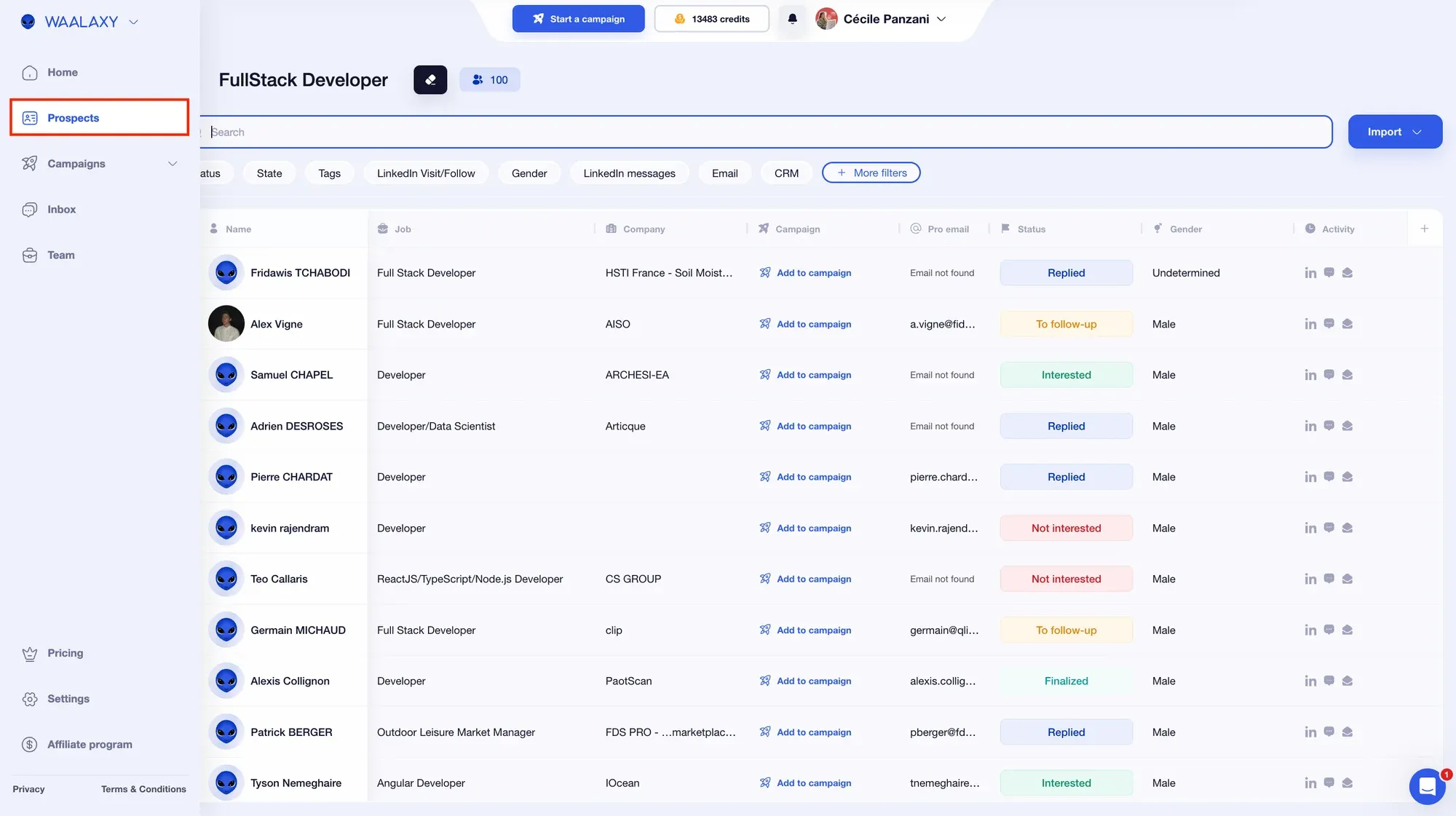
Expandi is a cloud-based LinkedIn automation tool that adds email steps to smart LinkedIn sequences.
Best for: LinkedIn-first sales teams and SDRs who want dedicated IPs and every feature on one plan.
User Rating: 4.3/5 on G2.
How Expandi Compares to Closely
Expandi bills per LinkedIn account at $79 a seat a month on yearly billing. That costs more per account than Closely Growth or Essential, so the case for Expandi rests on features and account safety.
Why Choose Expandi Over Closely?
Here are some features that make Expandi worth considering:
Dedicated residential IP: Each seat runs from its own IP address.
Smart sequences: Branch LinkedIn and email steps based on what each prospect does.
Webhooks: Push campaign events to a CRM or Zapier.
Agency plan: White label and client management start at 10 seats.
Expandi is worth considering if account safety matters more to you than the price per seat. G2 reviewers mention support delays and technical issues.
Smart Campaign Builder: Create LinkedIn and email sequences with actions, delays, and conditions.
LinkedIn Automation: Automate connection requests, profile visits, messages, and InMails.
Dedicated IP: Get a dedicated IP address based on your selected country for each LinkedIn account.
Smart Inbox: Manage LinkedIn conversations, organize replies, and keep track of prospect interactions.
MCP, API, and Webhooks: Connect Expandi with AI assistants through its MCP integration, build custom workflows using the API, and send campaign updates to other tools through webhooks.
Expandi Pricing
Expandi offers a single main plan with pricing based on the number of LinkedIn accounts:
Business: $79/seat/month, billed annually. Each seat covers one LinkedIn account.
4. Waalaxy
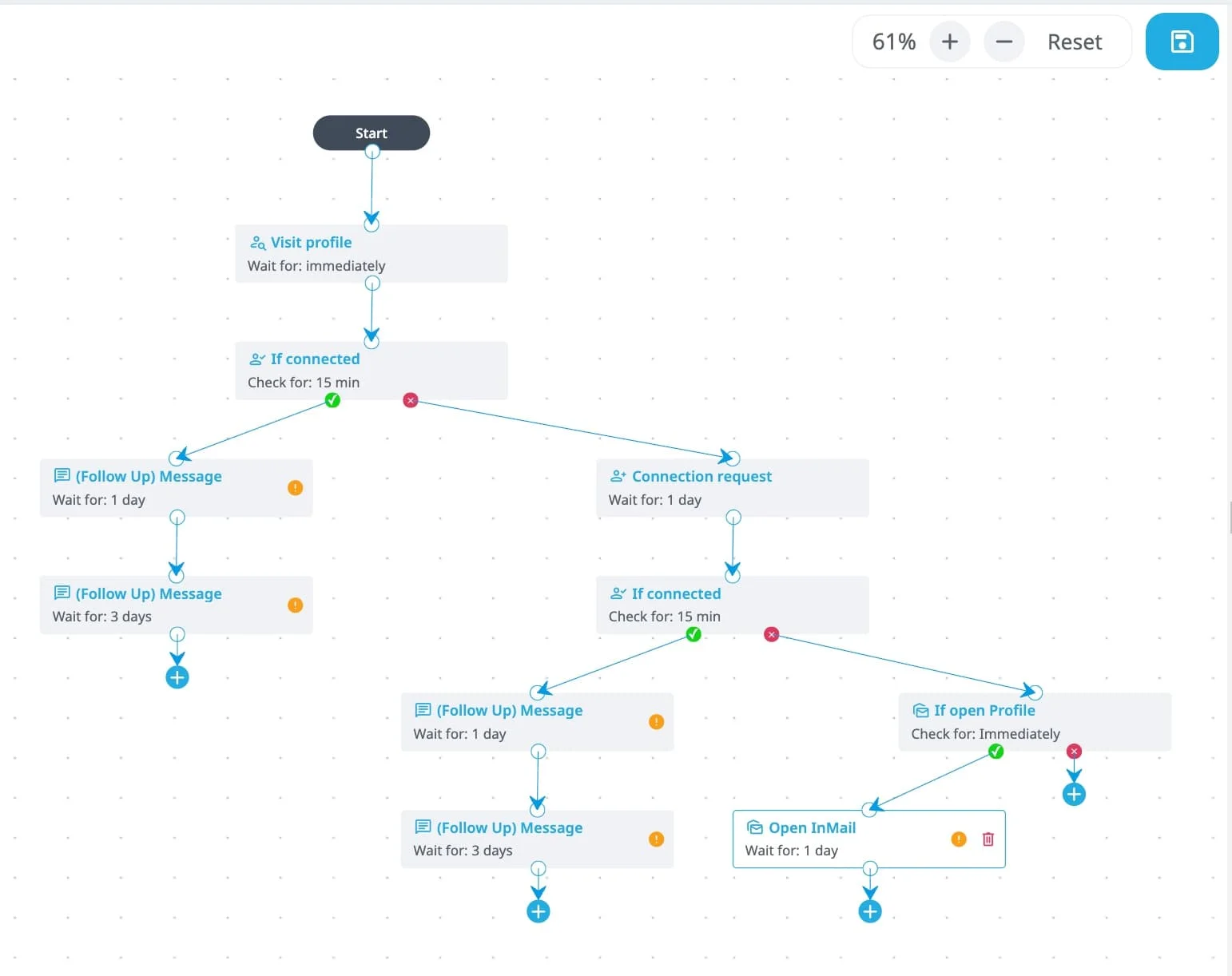
Waalaxy is a LinkedIn automation tool with ready-made campaign templates. It runs from a Chrome extension and a web app.
Best for: Founders and SDRs who work from one LinkedIn account and want the lowest entry price.
User Rating: 4.5/5 on G2.
How Waalaxy Compares to Closely
Waalaxy Pro costs €19 per user a month, below Closely Starter's $39 yearly rate. Pro caps invitations at 300 a month, and cold email steps start on Business at €69.
Why Choose Waalaxy Over Closely?
Here are some features that make Waalaxy worth considering:
Campaign templates: Launch LinkedIn sequences from pre-built templates.
Smart reply detection: Stop follow-ups as soon as a prospect replies.
Email finder: Find work emails with credits on every plan, including the cheapest one.
Integrations: Connect Make, Zapier and N8N on the Advanced plan.
Waalaxy is worth considering if one LinkedIn account and a tight budget describe your setup. G2 reviewers mention price at scale and campaign management issues.
This Waalaxy review covers its campaigns and limits in more detail.
Waalaxy Key Features
Campaign Templates: Start LinkedIn campaigns with ready-made sequences for profile visits, connection requests, and messages.
Automated Follow-Ups: Set up follow-up messages and stop a sequence when a prospect replies.
Email Finder: Find professional email addresses from LinkedIn profiles using your available enrichment credits.
Multichannel Campaigns: Add cold emails to your LinkedIn sequences with the Business plan.
MCP and API: Connect Waalaxy with AI assistants, access prospect data, and build custom workflows.
Waalaxy Pricing
Waalaxy offers plans for individuals and teams running LinkedIn and email campaigns:
Pro: €19/user/month.
Business: €69/month. Includes cold email steps alongside LinkedIn campaigns.
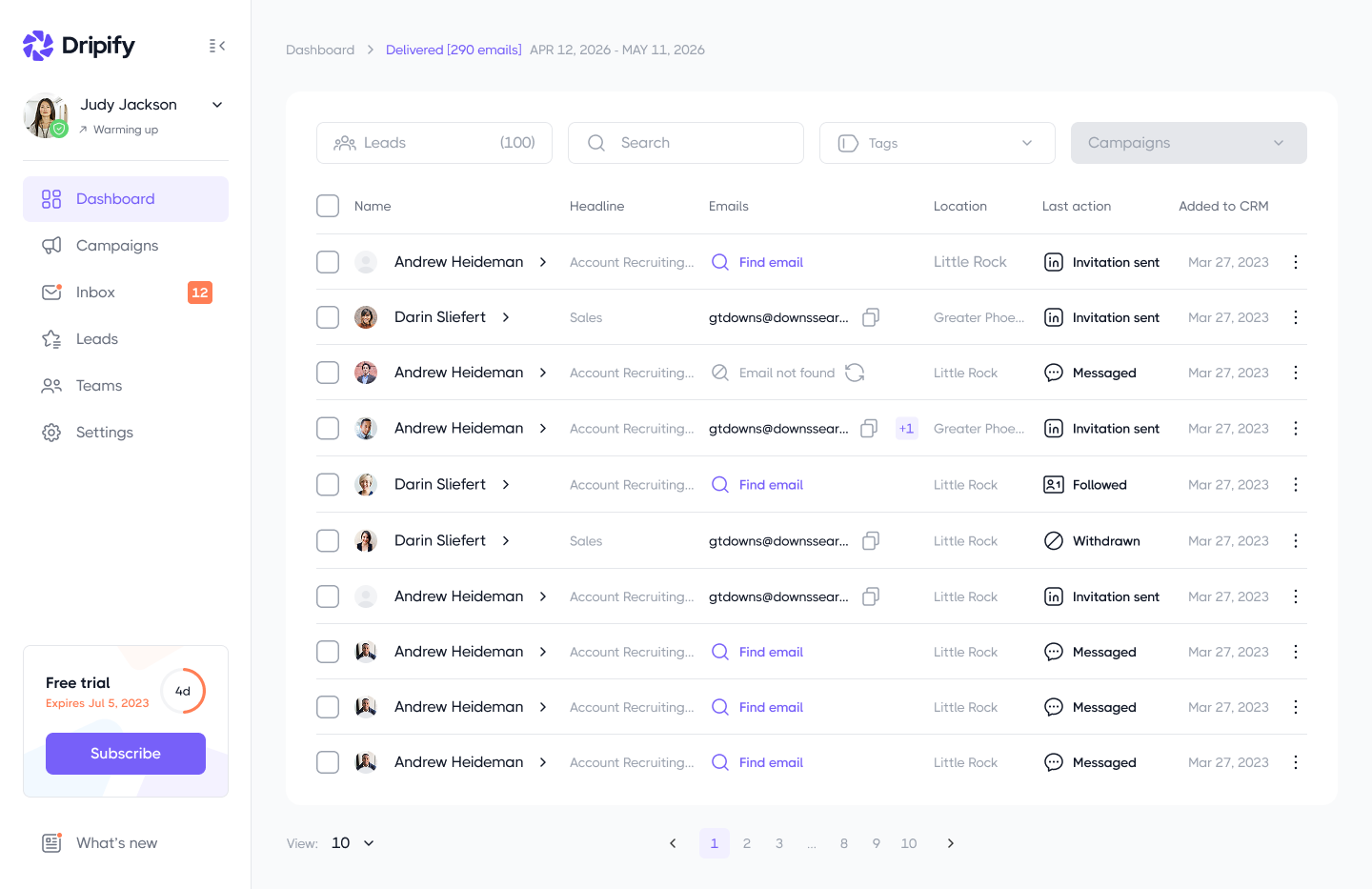
Dripify is a cloud-based LinkedIn automation tool that builds drip campaigns from LinkedIn actions and email steps.
Best for: Solo SDRs and founders who want simple drip campaigns on one LinkedIn account.
User Rating: 4.5/5 on G2.
How Dripify Compares to Closely
Dripify Basic costs $39 a month on yearly billing, the same as Closely Starter. Each license covers one LinkedIn account, so three accounts on Pro cost $177 a month against $95 on Closely Growth.
Why Choose Dripify Over Closely?
Here are some features that make Dripify worth considering:
Drag-and-drop builder: Combine LinkedIn actions with email steps, delays and conditions.
Email finder: Find emails from LinkedIn profiles with 100 credits a month included.
CRM integrations: Connect a CRM from the Pro plan up.
Activity control: Manage reps and their activity on the Advanced plan.
Dripify is worth considering if a single LinkedIn account needs a simpler builder. G2 reviewers name price as the top complaint once several licenses are involved.
Drag-and-Drop Builder: Build LinkedIn and email sequences by arranging actions, delays, and conditions.
LinkedIn Automation: Automate connection requests, profile visits, messages, InMails, and other LinkedIn activities.
Email Outreach: Add cold emails and follow-ups to your LinkedIn campaigns.
Smart Inbox: Manage LinkedIn conversations, filter replies, and add notes to prospect profiles.
MCP and Open API: Connect Dripify with AI assistants and use its API to access campaign data, manage leads, and handle other outreach tasks.
Dripify Pricing
Dripify offers three plans, with each license covering one LinkedIn account:
Basic: $39/user/month, billed annually.
Pro: Pricing varies by billing term.
Advanced: Pricing varies by billing term.
6. SalesRobot
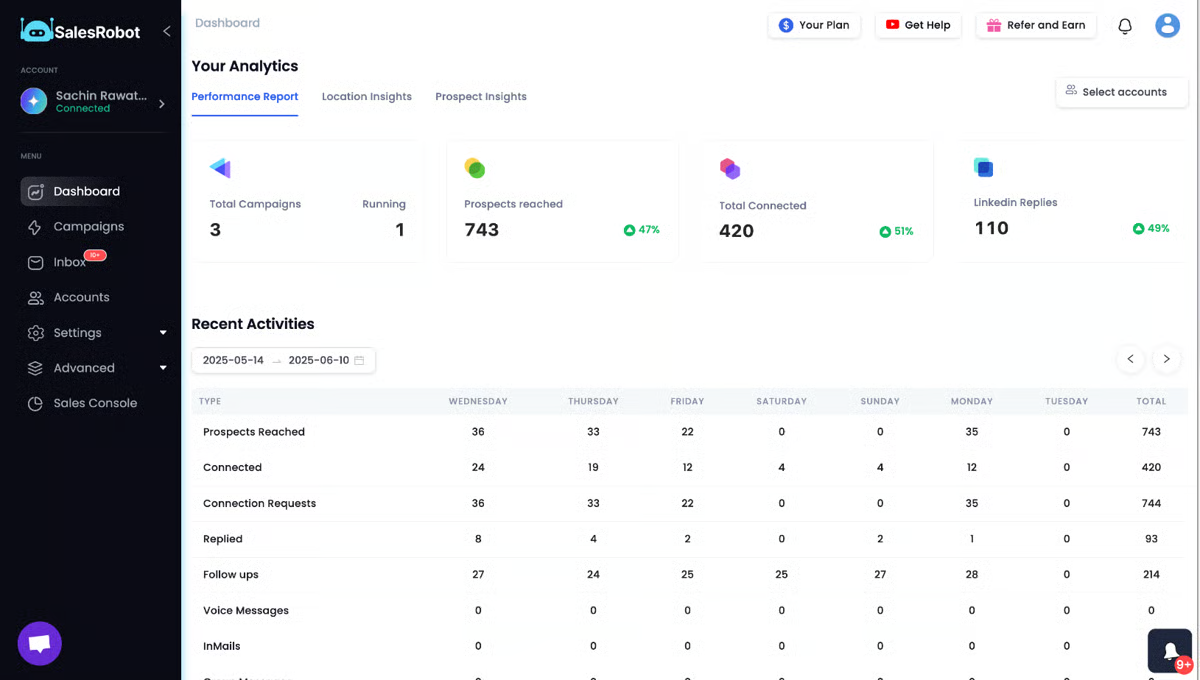
SalesRobot is a cloud-based LinkedIn and email automation tool with voice notes, video messages and an AI appointment setter.
Best for: Founders and agencies that want voice and video touches inside LinkedIn sequences.
User Rating: 4.8/5 on G2.
How SalesRobot Compares to Closely
SalesRobot bills per LinkedIn account, from $39 a month on yearly billing. Email adds $15 per mailbox a month, while Closely includes unlimited email accounts.
Why Choose SalesRobot Over Closely?
Here are some features that make SalesRobot worth considering:
Voice and video messages: Send up to 50 voice messages and 50 video messages a day per account on Advanced.
AI Appointment Setter: Hand conversations to an AI agent that works toward a booked meeting.
Event invites: Invite up to 150 people a day to LinkedIn events.
Dedicated IPs: Run each LinkedIn account from its own local IP.
SalesRobot is worth considering if voice and video notes matter more than mailbox costs. G2 reviewers report slow lead processing and inbox sync delays.
SalesRobot Key Features
LinkedIn and Email Sequences: Combine LinkedIn connection requests, messages, InMails, and cold emails in one campaign.
Voice Notes: Send personalized LinkedIn voice messages using your own recordings or an AI-generated voice.
Video Messages: Add personalized video messages to your LinkedIn outreach.
AI Appointment Setter: Use automated conversations to engage interested prospects and help schedule meetings.
MCP, CLI, and API: Connect SalesRobot with AI assistants, manage outreach through its CLI, and build custom integrations using its API.
SalesRobot Pricing
SalesRobot charges based on the number of LinkedIn accounts and email mailboxes you use:
LinkedIn Account: Starts at $39/account/month, billed annually.
The best option depends on how many LinkedIn accounts you manage, your outreach needs, and your budget.
Salesforge: Choose Salesforge if you run LinkedIn and cold email campaigns together. Its Growth plan costs $80/month on annual billing and includes unlimited LinkedIn senders and mailboxes. Replies from both channels land in Primebox™.
HeyReach: Consider HeyReach if you manage LinkedIn-only campaigns across 25 or more accounts. Its Agency plan costs $40 or less per sender.
Expandi: Pick Expandi if you need a dedicated IP for each LinkedIn account. Every seat includes one.
Waalaxy: Pick Waalaxy Pro if you manage one LinkedIn account and want a lower-cost option. Plans start at €19/month.
Dripify: Consider Dripify Basic if you need LinkedIn automation for one account. It costs $39/month on annual billing.
SalesRobot: Choose SalesRobot if you use LinkedIn voice notes and video messages in your outreach sequences.
You can also review the LinkedIn automation guide for details on Salesforge's LinkedIn steps and limits.
Final Verdict: Is Salesforge the Right Closely Alternative?
The right tool depends on how many LinkedIn accounts you manage, whether you run cold email alongside LinkedIn outreach, and your plans for scaling.
If you want to manage both channels from one platform, Salesforge is a strong choice.
Its Growth plan costs $80/month on annual billing and includes unlimited LinkedIn senders, mailboxes, and users.
You also get Warmforge for email warmup and Primebox™ to manage replies from both channels.
If Salesforge fits your outreach needs, start your 14-day free trial and explore its features before committing to a paid plan.
FAQs About Closely Alternatives
1. What Is Closely?
Closely is a cloud-based LinkedIn and email outreach tool. It runs LinkedIn and email steps in one campaign with a Smart Inbox for replies. Plans start at $39 a month on yearly billing.
2. How Much Does Closely Cost?
Closely Starter costs $39 a month, Growth costs $95 and Essential costs $155 on yearly billing. Monthly billing raises them to $65, $159 and $259. A Custom plan covers larger setups.
3. How Many LinkedIn Accounts Does Closely Allow?
Starter allows 1 LinkedIn account, Growth allows 3 and Essential allows 5. More than five accounts needs a Custom plan. Email accounts are unlimited on every plan.
4. When Is Closely Still the Right Choice?
Closely fits sales teams that run up to five LinkedIn accounts and want unlimited email accounts. Essential works out to about $31 per LinkedIn account on yearly billing. White label also comes on every plan.
5. What Is the Cheapest Closely Alternative?
Waalaxy Pro starts at €19 per user a month for 300 LinkedIn invitations. Dripify Basic costs $39 a month on yearly billing for one LinkedIn account. Salesforge Pro costs $40 a month on yearly billing with unlimited mailboxes and one LinkedIn sender.
6. Which Closely Alternative Is Best for Agencies?
Salesforge gives agencies unlimited workspaces that keep each client's mailboxes and replies apart. Growth adds unlimited LinkedIn senders and users. HeyReach's Agency plan is the LinkedIn-only option, with 25 senders for $999 a month.
7. How Do I Protect Email Deliverability After Switching?
Warm every new mailbox for about 14 days before a campaign. Warmforge comes free inside Salesforge and shows a Heat Score™, where 85 or more means a mailbox is ready to send.
8. Which Email Infrastructure Should I Pair With a LinkedIn Outreach Tool?
Send cold email from separate domains and mailboxes to protect the main company domain. Mailforge offers shared-IP mailboxes, and Infraforge offers dedicated IPs. Primeforge offers Google Workspace and Microsoft 365 mailboxes, including pre-warmed ones.
Compare 6 Closely alternatives by LinkedIn account limits, pricing, outreach features, and email capabilities. Find the right tool for your sales team in 2026.