Most teams searching for email testing tools are actually searching for three different things without realising it.
Some want to know whether their cold email reaches the primary inbox or the spam folder. Others need to see how their HTML renders in Outlook before a marketing send goes out. And a third group is a development team trying to stop a staging environment from emailing real customers by accident.
Those are three genuinely different problems, and the tools that solve them are not interchangeable. I have watched people buy a rendering QA platform because a listicle called it an email testing tool, then wonder why it never told them anything about deliverability.
So I went through six of the most commonly recommended email testing tools and sorted out which job each one actually does. I read their product documentation, their pricing pages, and their review profiles, then checked what each one returns when you run a test.
In this guide you will find a feature-by-feature comparison, honest pricing at team scale, what each tool genuinely tests, and a decision framework for picking the right one for your situation.
2 free a month, then $34/month plus a platform plan
1 free a month, then $99/month
Not offered
Not offered
Credit card to get started
Not required
Account required for free credits
Not required on the free tier
Account required
Required after trial
Not required
Built for cold email specifically
Yes, designed around outbound sending
Built for email marketers and deliverability teams
Yes, cold email platform
Built for list hygiene first
Built for marketing design QA
Built for developers
Placement score you can track over time
Placement Results Score, 0 to 100%
Per-provider percentages, no single index
Placement percentages per ESP
Per-provider results
Not applicable
Not applicable
Warmup included at no extra cost
Yes, through Warmforge on every plan
Not offered
Unlimited warmup on platform plans
Warmup on ONE at $99/month
Not offered
Not offered
Testing and sending in one platform
Yes
No, testing only
Yes
No, testing only
No
No
Setup time before first test
Send to the seed address shown on the page
Account signup, then configure a test
Account plus add-on subscription
Account signup
Account plus HTML upload
SMTP reconfiguration in your app
Separate free tools for auth and blacklists
Yes, free deliverability test and blacklist checker
Bundled into paid tiers
Included in the paid add-on
Included in paid tiers
Not offered
Not offered
Hidden cost to unlock placement testing
None
None
Platform plan required on top of the add-on
ONE subscription at $99/month
Not applicable
Not applicable
Entry price for a cold email team
$0, or $40/month for the full platform
$59/month annually
Roughly $68/month annually combined
$99/month
$99/month
$14/month
G2 rating
4.6
4.2
4.6
4.7
4.5
4.8
How I Compared These Email Testing Tools
I want to be upfront about what I weighted heavily, because the ranking only makes sense if you know what I was optimising for.
1. Which of the three jobs the tool actually does
This was the first filter and the one that moved tools up and down the list more than anything else. A tool that delivers to real seed mailboxes and reports the folder is doing placement testing. A tool that renders your HTML across clients is doing QA. A tool that captures SMTP traffic from your application is doing development testing. All three are legitimate, but a tool only gets credit for the job it genuinely performs.
2. Whether a cold email sender gets value from it
I write for outbound teams, so I asked a specific question of every tool: if you are sending cold email to B2B prospects on Google Workspace and Microsoft 365, does this tool tell you something you can act on? Some of these are excellent products that answer a different question entirely, and I have said so rather than pretending otherwise.
3. What the free tier genuinely gives you
Free tiers in this category range from meaningful to decorative. I looked at how many tests you get, whether a card is required, and how quickly you hit the wall if you are checking a campaign before it goes out.
4. The real cost once your team is using it
Headline pricing is easy to compare and often misleading. Saleshandy is the clearest example, because the inbox placement feature is an add-on that sits on top of a platform subscription. I have broken out the combined cost where it applies.
5. How honest the vendor is about what the tool returns
That said, this one matters more than it sounds. A few tools in this space describe content analysis in language that implies placement testing. I checked the documentation rather than the marketing page, and where there is a gap between the two, I have flagged it.
6 Best Email Testing Tools in 2026
Here they are, ordered by how much a cold email sender gets out of them rather than by overall product polish.
1. Salesforge Inbox Placement Test
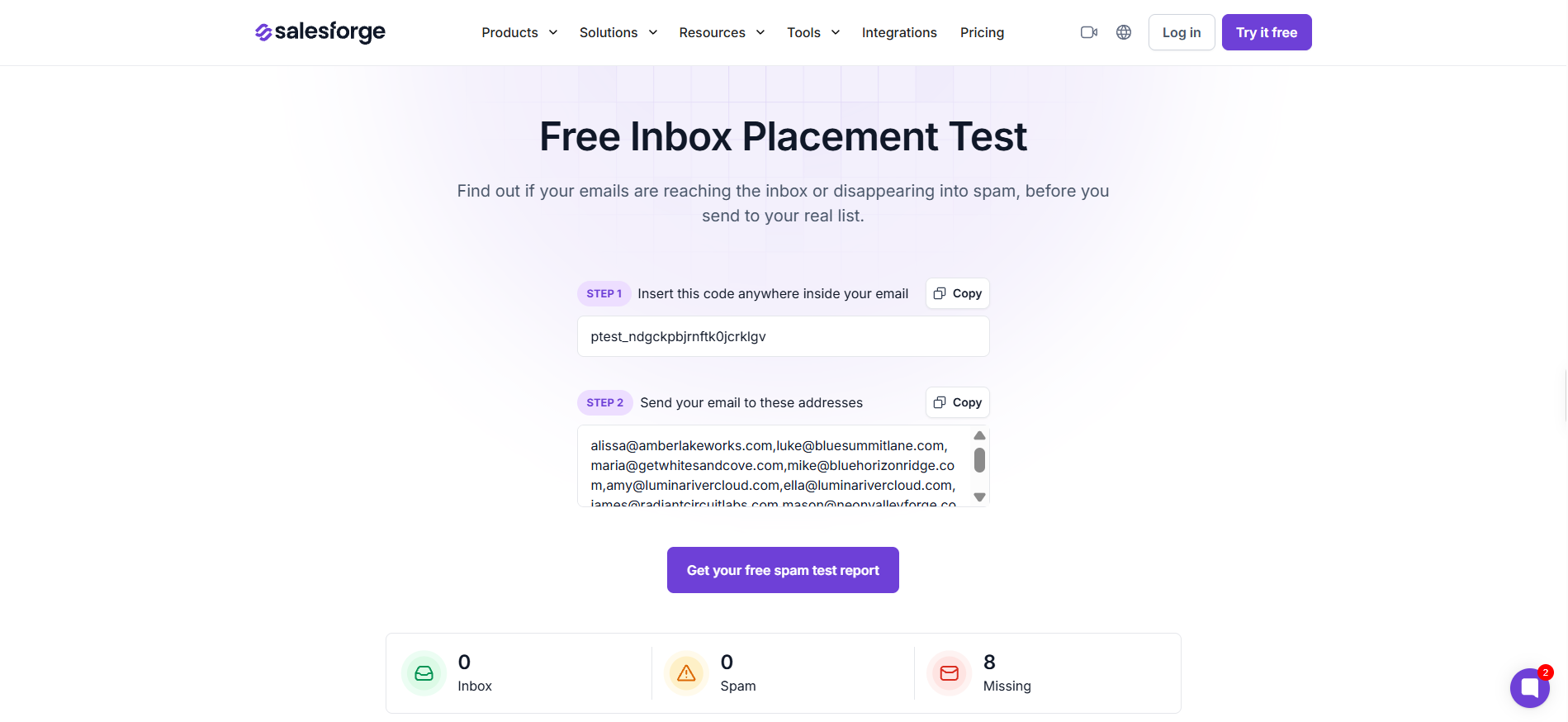
The Salesforge Inbox Placement Test is the best email testing tool on this list for cold email teams, because it confirms real folder placement across providers and costs nothing to run before a send.
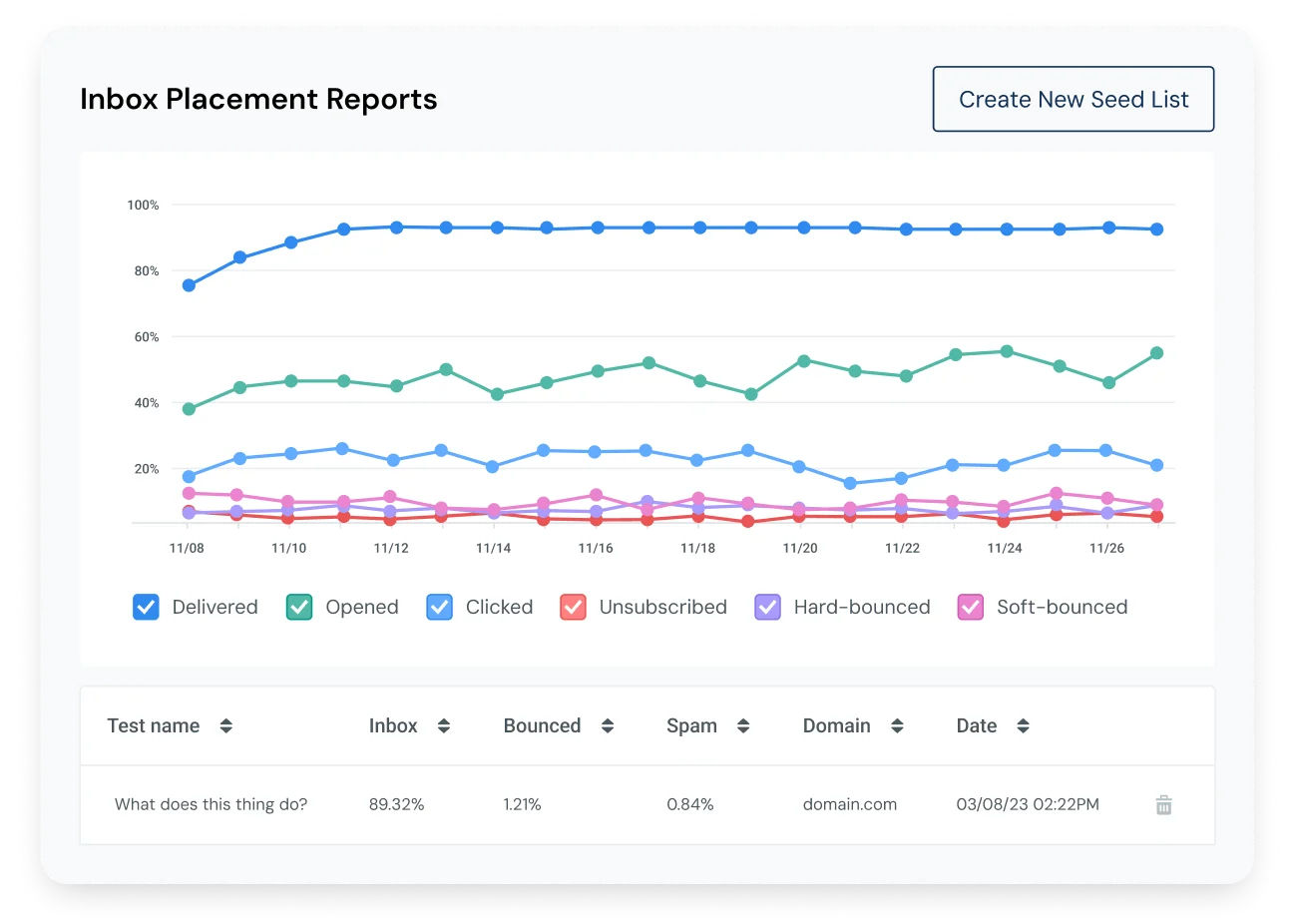
You send your actual email to a set of seed mailboxes, and the report comes back as a three-way split between inbox, spam and missing, alongside a Placement Results Score from 0 to 100%. Coverage runs across Gmail, Outlook, Yahoo and other providers.
I want to highlight why that three-way split matters more than a single score. Inbox, spam and missing are three separate problems with three separate fixes. Spam usually points at your copy or your authentication setup. Missing usually points at volume, reputation, or a block further upstream. A tool that folds both outcomes into one number leaves you guessing which one you are dealing with.
Pros
The standalone test is free with no paid tier attached, so you can check a campaign before a send without a subscription or a credit card.
You get confirmed folder placement rather than a predicted score, and that distinction separates the genuinely useful tools in this category from the ones that only read your content.
Placement testing, warmup and sending sit in the same ecosystem, so you are not stitching three vendors together to answer one question.
The Placement Results Score gives you a single number to track across sends, which makes a gradual decline far easier to catch before it becomes a reputation problem.
Cons
The seed list size and the exact provider mix are not published, so you cannot compare coverage against GlockApps on a like-for-like basis.
The standalone test is a one-off snapshot, so ongoing monitoring means running placement tests through Warmforge rather than the public tool page.
The Salesforge platform trial runs for 14 days, which is tight if you want to watch placement trend across a full campaign cycle before paying.
Pricing:
Standalone Inbox Placement Test: Free
Salesforge Pro: $40/month on annual billing, including warmup and placement testing through Warmforge
Bonus read: if placement is weak at one provider and healthy everywhere else, inbox rotation is usually a faster fix than rewriting your copy.
2. GlockApps
GlockApps is the best choice for international senders, because its seed list covers more than 27 mailbox providers including Mail.ru, Yandex and a spread of regional European and Asian services.
Most placement tools cover Gmail, Outlook and Yahoo, then stop. If your prospect list carries real volume outside North America, every other tool here is effectively blind to a chunk of your sends.
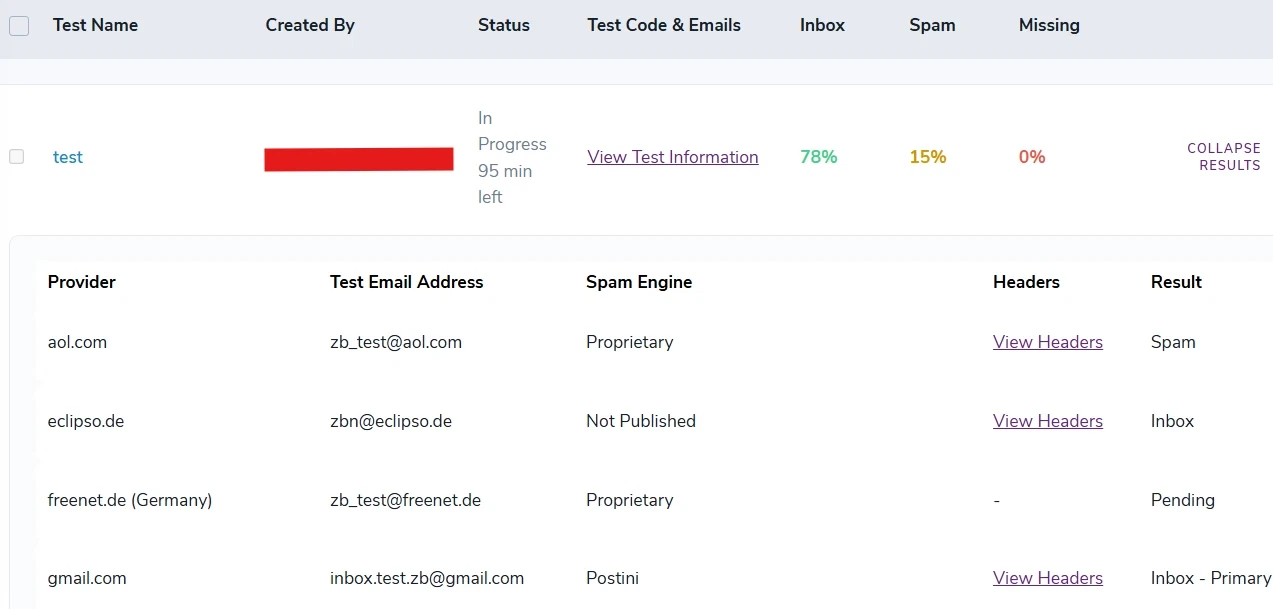
It also scores your content against five separate spam filter engines rather than one. SpamAssassin, Barracuda, Microsoft EOP, Proofpoint and Google each object to different things, and knowing which specific engine has a problem with your email is a much faster route to a fix than a generic score.
Here's the thing, though. That depth comes with a learning curve. GlockApps is built for people who want to understand filtering, not for people who want a quick verdict before a send. If nobody on your team owns deliverability as a job, most of what you pay for will sit unused.
Pros
Provider coverage is the widest on this list, and the regional mail services it includes are genuinely absent from most competitors.
Testing against five named filter engines tells you which filter objects to your email, not merely that one does.
DMARC analytics, blacklist monitoring and Google Postmaster Tools integration live in the same subscription, which takes two or three vendors out of your stack.
Cons
Pricing complaints come up repeatedly in reviews, and the gap between monthly and annual billing is steep enough that paying monthly feels like a penalty.
With 29 G2 reviews behind a 4.2 rating, the review base is the thinnest of the four placement tools here, so the sentiment data carries less weight than the score suggests.
The depth works against casual users, and a team that only wants a pre-send check will find most of the platform irrelevant.
Pricing:
Free: 2 test credits
Essential: $59/month billed annually, or $85/month monthly, for 360 spam test credits
Growth: $99/month billed annually, or $142/month monthly, for 1,080 credits
Enterprise: $129/month billed annually, or $185/month monthly, for 1,800 credits
3. Saleshandy
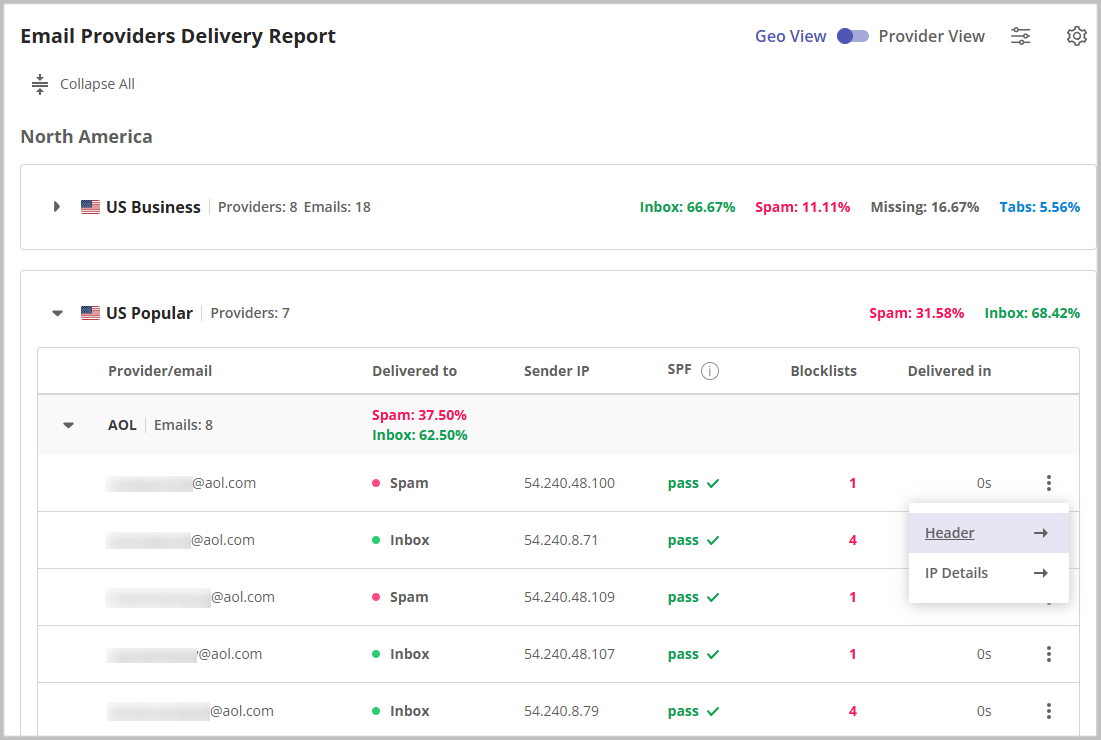
Saleshandy is the strongest option if you want placement testing inside the tool you already send from, because its reports break results down ESP to ESP rather than giving you one blended number.
That sounds like a minor convenience until you have worked without it. When your placement test and your campaign run through different vendors, you are always testing something slightly different from what you actually send.
I want to be straight about the pricing, because most reviews skip this part. Inbox Placement is a separate add-on rather than a feature of the main platform. Using it properly means paying for a platform plan and an inbox plan together, which puts realistic entry cost at roughly $68 a month on annual billing rather than the $34 the add-on page shows. That is still fair value. It is simply not what the headline number implies.
If you want the fuller picture on the platform itself, I have broken it down in this Saleshandy review.
Pros
Testing and sending share one environment, so the email you test is the email you ship.
ESP-to-ESP reporting shows you which receiving provider is the problem, which is more actionable than a single placement percentage.
The free tier gives you two tests a month with no credit card, which is enough to check a campaign before a significant launch.
With 824 G2 reviews behind a 4.6 rating, it has by far the deepest review base of the placement tools here.
Cons
The add-on structure means the real cost is close to double the advertised entry price, and that is easy to miss when you are comparing tools on a spreadsheet.
The full seed list is not published, so you know Gmail, Outlook and Yahoo are covered but not what sits beyond them.
Reviewers regularly mention that settings are scattered across different sections of the interface, and deliverability tools sitting apart from sequence settings is part of that complaint.
Pricing (Inbox Placement add-on):
Free: $0 for 2 tests a month, 1 sending account
Inbox Starter: $34/month annually, or $49/month monthly, for 120 tests
Inbox Pro: $69/month annually, or $99/month monthly, for 250 tests
Inbox Scale: $139/month annually, or $199/month monthly, for 600 tests
4. ZeroBounce
ZeroBounce makes the most sense when your deliverability problem starts with your list rather than your copy, because verification is the core product and placement testing comes bundled alongside it.
A good share of spam placement traces back to bounce rates and spam traps, not to the words in your email. If that is your situation, cleaning the list and testing placement under one subscription is a more efficient path than buying two tools.
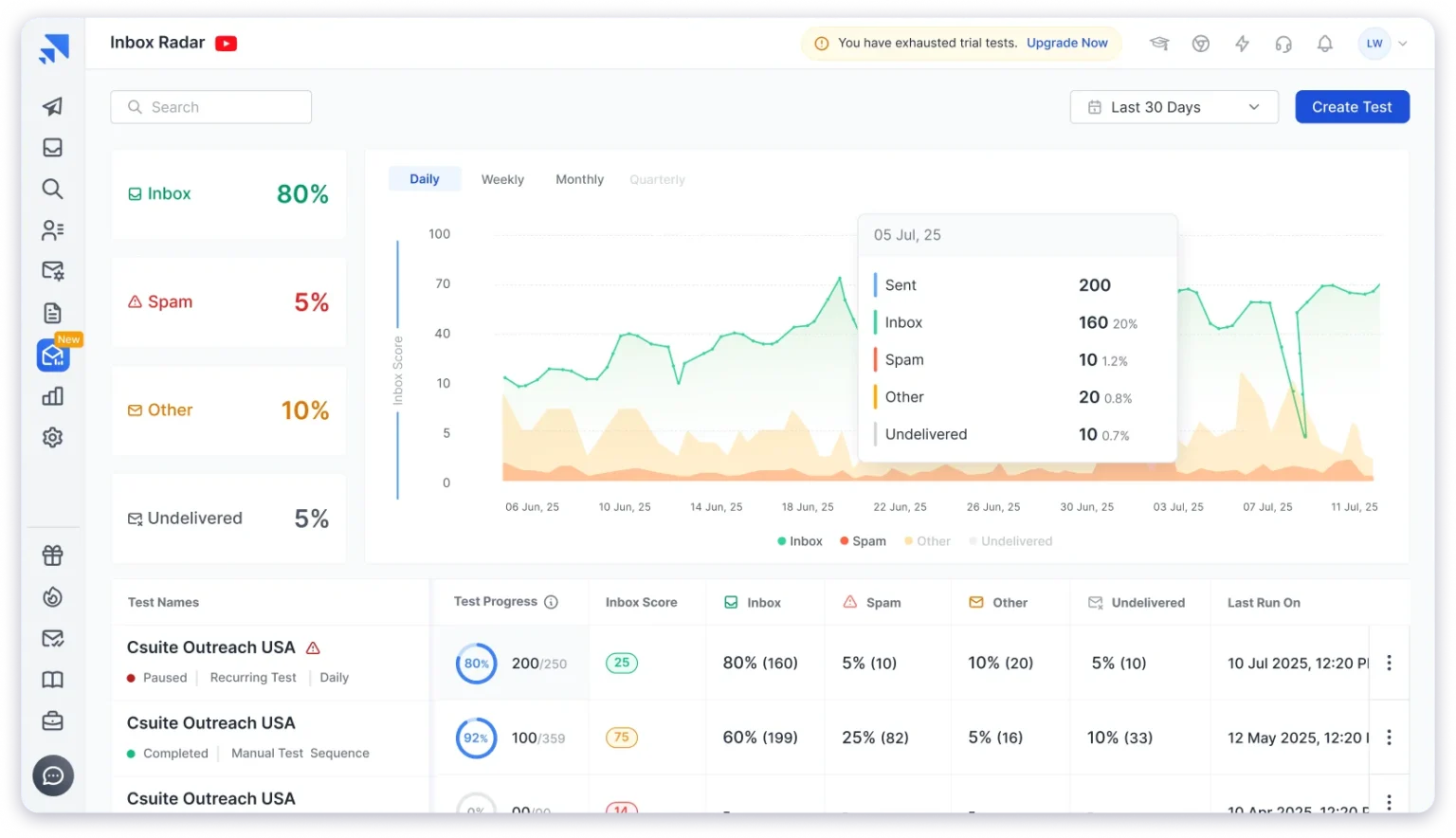
The bundle is genuinely broad. You get validation, AI scoring for catch-all addresses, blacklist monitoring across 200+ lists, an Email Server Tester running 100+ server health checks, DMARC monitoring and warmup, all under ZeroBounce ONE.
That said, placement testing is a feature here, not the product. The 1,403 G2 reviews are overwhelmingly about verification, so you are buying the placement test on the strength of the company rather than on reviewer feedback about that specific feature.
Pros
The freemium tier replenishes monthly with 100 validation credits, one placement test and one server test, which is unusually generous for an ongoing free plan.
Combining list hygiene with placement testing addresses two causes of poor deliverability under one bill.
Blacklist monitoring across 200+ lists is deeper than anything else on this list.
Cons
Placement testing is a secondary feature, and the review base tells you almost nothing about how good it is.
ZeroBounce ONE starts at $99 a month, which is steep if placement testing is all you need from it.
Independent testing tends to put real-world validation accuracy below the headline figure the company advertises, so treat the accuracy claim as directional.
Pricing:
Freemium: $0, with 100 validation credits, 1 placement test, 1 server test and 1 blacklist monitor each month
Pay-as-you-go: from $39 for 2,000 validations
ZeroBounce ONE: $99/month for 10,000 credits and 100 placement tests a month
Enterprise: custom pricing above 1M credits
5. Email on Acid (now Mailgun Inspect)
Email on Acid is the right pick when your problem is how the email looks rather than where it lands, because it renders your HTML across more than 100 email clients and devices.
Outlook breaks layouts that work perfectly everywhere else. Dark mode inverts colours you never intended to invert. If you send design-heavy marketing email, that is a real risk, and no placement tool on this list will warn you about it.
Premium adds accessibility testing, HTML code analysis, link validation and image validation, which together make a solid pre-send QA pass.
One thing I want to flag clearly. The content spam analysis in Premium is content scoring, not seed-list placement testing, so this tool will never tell you which folder your email reached. And the product is mid-rebrand to Mailgun Inspect, with the migration running from June 2026. The vendor states that existing previews and tests do not transfer across, which is worth knowing before you build a workflow on it.
Pros
Rendering coverage across 100+ clients is the deepest here, and nothing else on this list competes on that job.
Accessibility checks and HTML code analysis catch problems that only surface after a send has already gone out.
The product works with any email service provider, so it slots into an existing stack without forcing a switch.
Cons
It does not confirm inbox placement at all, which makes it the wrong tool if deliverability is your actual question.
The rebrand to Mailgun Inspect is live and your existing test history does not migrate with you.
At $99 a month for 1,000 previews, with each client screenshot counting as a single preview, a thorough test across 100 clients burns a tenth of your monthly allowance in one go.
Pricing:
Basic: $99/month for 1,000 previews, with $0.15 per preview overage
Premium: $199/month for 2,000 previews, adding accessibility, HTML, link and image checks
Contract: custom pricing with a custom preview allotment
6. Mailtrap Email Sandbox
Mailtrap Email Sandbox is the only tool here built for development environments, because it captures SMTP traffic from your application before any of it reaches a real recipient.
That solves a problem the other five do not touch. If your staging environment has live mail credentials, one bad test run can send a few thousand real emails to real customers. Pointing staging at Mailtrap instead means everything lands in a virtual inbox you control.
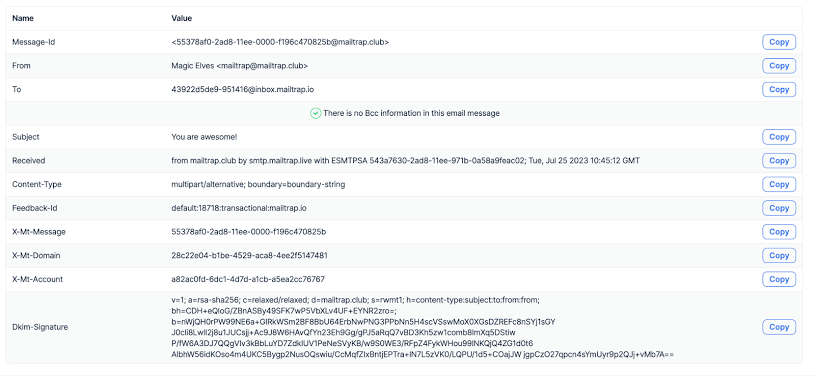
Once an email is captured you can view the rendered HTML, the plain text version, the full headers, the raw source and a SpamAssassin score. Device Previews covering 100+ client configurations are available on request as an add-on across all plans, though the pricing for that is not published.
To be clear about where this sits, Mailtrap Email Sandbox is not a deliverability tool. It never delivers to a real ISP, so it cannot tell you anything about inbox placement. It is a development safety net, and judged as one it is excellent.
Pros
SMTP capture prevents accidental sends from staging, which is a category of mistake that costs far more to clean up than the subscription costs.
The free tier handles 50 test emails a month, which covers a small project without any spend.
At $14 a month on annual billing, the entry price is the lowest on this list by a wide margin.
Cons
It does not test inbox placement, so it solves none of the problems a cold email sender has.
The 4.8 G2 rating comes mostly from reviews of the Email API product rather than the Sandbox, so the score does not say much about this specific tool.
Mailtrap sells three separate products, and Email Sandbox pricing does not include sending or marketing, which is easy to miss when budgeting.
Pricing:
Free: $0 for 50 test emails a month, 1 user, 1 sandbox
Basic: $14/month annually, or $17/month monthly, for 500 test emails
Team: $34/month annually, or $42/month monthly, for 5,000 test emails
Business: $99/month annually, or $123/month monthly, for 50,000 test emails
Enterprise: $399/month annually, or $498/month monthly, for unlimited test emails
Final Verdict
The Salesforge Inbox Placement Test is the best email testing tool for cold email teams, because it confirms real folder placement across providers and costs nothing to run before a send.
GlockApps wins on provider coverage if you send internationally. ZeroBounce wins when your list is the problem. Email on Acid and Mailtrap both do excellent work on jobs that have nothing to do with deliverability.
Start with the free test, find out where you stand, and only pay once you know what you are paying to fix.
An email testing tool checks something about your email before or after it is sent. Depending on the tool, that means confirming which folder it landed in, scoring your content against spam filters, rendering your HTML across email clients, or capturing mail from a development environment. The category covers several different jobs, so the right tool depends on which question you are asking.
2. What is the difference between inbox placement testing and email rendering testing?
Placement testing delivers your email to real seed mailboxes and reports whether each copy reached the inbox, spam, or nowhere. Rendering testing shows you how your HTML displays across different email clients and devices. One answers whether the email arrived, the other answers whether it looks right when it does.
3. Can an email testing tool fix my deliverability?
No. These tools tell you where you stand and often point at the likely cause, but fixing placement means working on authentication, warmup, sending volume and list quality.
Free tools give you an accurate directional read. The limits are normally volume and frequency rather than quality, which makes free tiers well suited to pre-send checks and poorly suited to continuous monitoring across many campaigns.
5. How often should I test my emails?
Run a test before any new campaign, after any change to your domain or authentication setup, and whenever reply rates drop without an obvious explanation. Teams sending daily usually test weekly, because placement shifts as domain reputation and provider filtering rules change.
6. Do I need more than one email testing tool?
Often, yes. Placement, rendering and development testing are different jobs, and very few tools do more than one of them well. A cold email team usually needs placement testing alone. A marketing team sending designed campaigns typically needs placement and rendering together.
7. Why do two tests on the same email return different results?
Seed results are a snapshot and provider filtering shifts constantly. Running the same test twenty minutes apart can return a different split, which is why a trend across several tests is more reliable than any single run.
Compare the 5 best Trigify alternatives in 2026. See which tools track buying signals, find LinkedIn prospects, offer verified contacts, and what they cost.