Why do some BDRs book more meetings while others spend hours chasing prospects who never respond?
The tools they use can make a big difference. BDRs need to find the right contacts, manage outreach, follow up with prospects, and track their pipeline.
Good BDR tools help you:
Identify the right contacts for your campaigns.
Run email, LinkedIn, and phone outreach.
Track calls, emails, and prospect replies.
Automate research, follow-ups, and scheduling.
I compared 9 BDR tools for 2026 across prospecting, outreach, CRM, calling, and meeting scheduling. Let's look at their features, pricing, pros, and cons.
9 Best BDR Tools for in 2026 [Discussed in Detail]
1. Salesforge
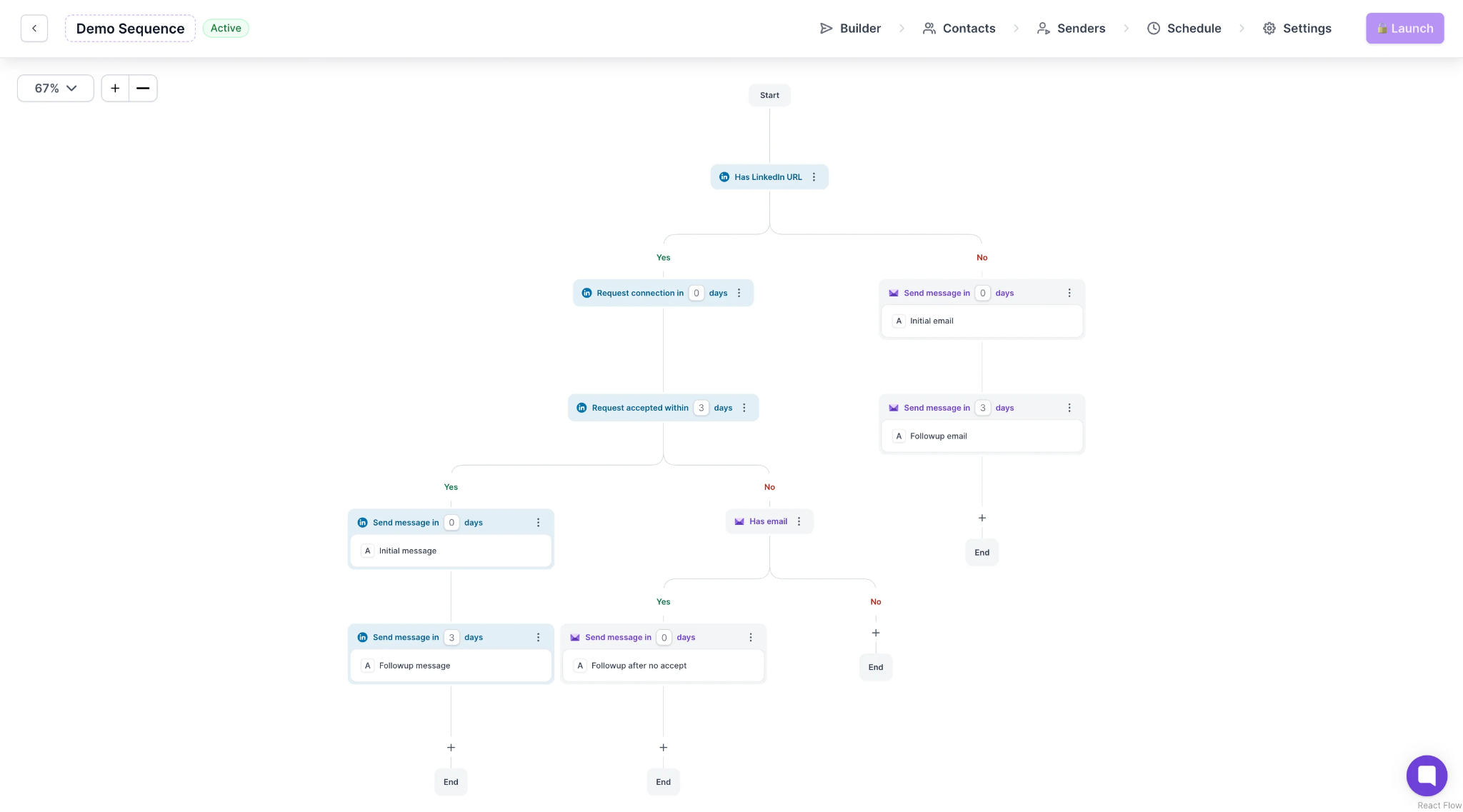
Salesforge is an AI-powered multichannel outreach platform. It helps BDRs run cold email and LinkedIn campaigns from one place. You can connect unlimited email mailboxes, automate sequences, and manage prospect replies.
Best for: BDR teams and agencies that want to scale cold email and LinkedIn outreach.
User Ratings
G2: 4.6/5 ⭐
How Salesforge Works?
Salesforge helps you manage your outbound campaigns, from sequence creation to reply management.
You can connect unlimited email mailboxes and LinkedIn senders. However, unlimited LinkedIn senders are available on the Growth plan. Its sequence builder lets you combine emails, LinkedIn messages, connection requests, profile views, InMails, and voice notes.
You can also use AI to personalize emails and create LinkedIn voice notes. The Sendspark integration lets you add personalized videos to your email campaigns.
Salesforge also automates reply management.
AI Co-pilot: Drafts replies for you to review and approve.
AI Auto-pilot: Replies to prospects based on your campaign goals and knowledge base.
Primebox™: Brings email and LinkedIn conversations into one inbox.
Auto-resume after OOO: Resumes follow-ups after a prospect returns from leave.
Meeting analytics: Tracks positive replies and booked meetings.
You also get unlimited email warmup through Warmforge and smart mailbox rotation. Salesforge offers sequence priority controls, pre-launch checks, and two-way Salesforce and HubSpot integrations.
Pros of Salesforge
Supports unlimited mailboxes with free warmup on every plan
Brings email and LinkedIn replies into one Primebox™ inbox
Offers MCP, CLI and API access on the Growth plan
Syncs two-way with Salesforce and HubSpot and other tools/CRMs on the Growth plan
Cons of Salesforge
The Pro plan allows one LinkedIn sender and one user
It offers only 14-days of free trial
Salesforge Pricing
Pro Plan: $40/month billed annually or $48/month billed monthly (1,000 active contacts and 5,000 emails per month)
Growth Plan: $80/month billed annually or $96/month billed monthly (10,000 active contacts and 50,000 emails per month)
Agent Frank: From $499/month billed quarterly for Salesforge's AI SDR
Free Trial: 14 days, with 50 contacts and 100 emails
Salesforge lets your BDRs connect unlimited mailboxes, warm them up for free and answer every reply in Primebox™. Start a 14-day free trial and send your first sequence today.
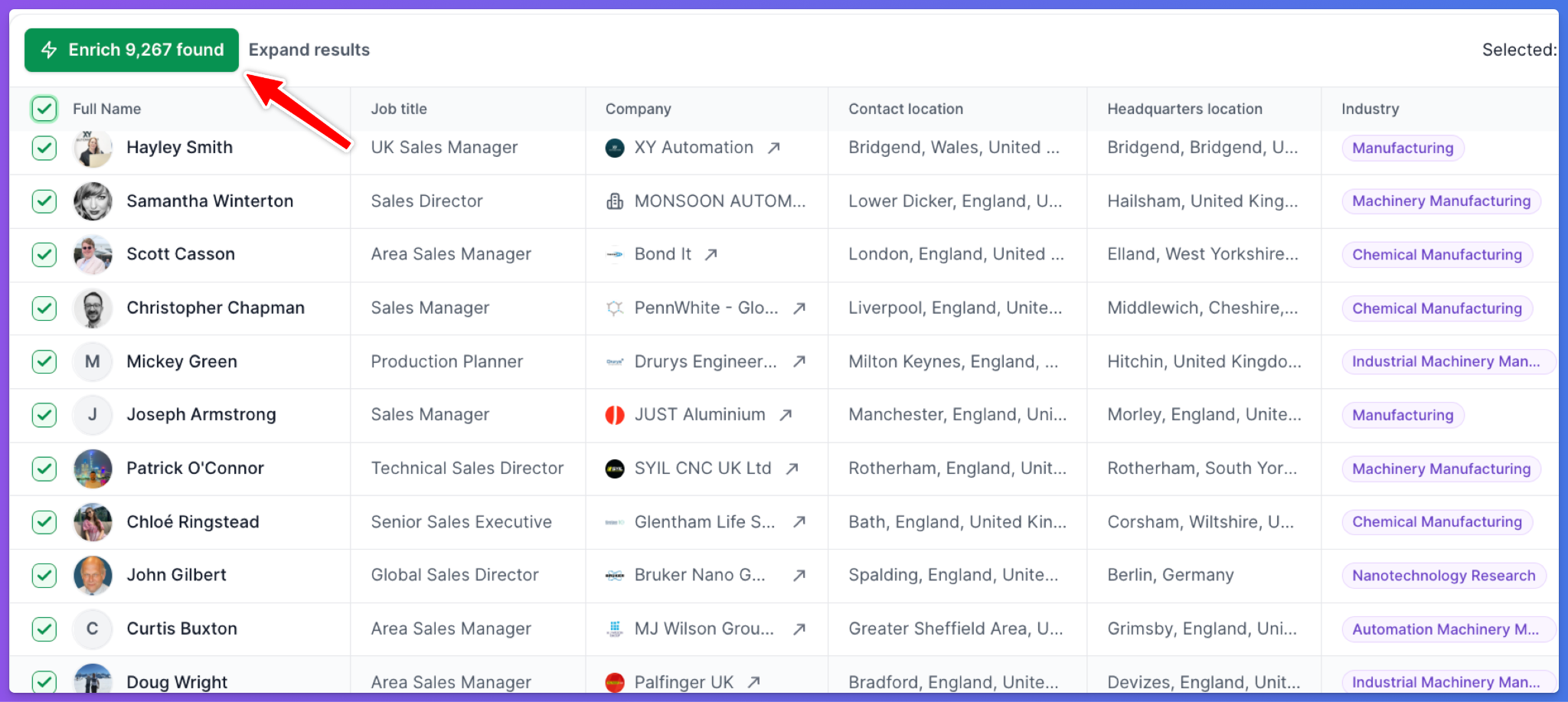
Leadsforge is an AI-powered B2B lead generation platform. It helps BDRs find, qualify, and enrich prospects from a database of 500M+ contacts.
Best for: BDRs, GTM teams, and agencies that want to build targeted prospect lists with AI-powered search and enrichment.
User Ratings
G2: 4.7/5 ⭐
How Leadsforge Works?
Leadsforge simplifies prospect research with AI-powered search. You can describe your ideal customer profile in plain language, and it finds matching companies and decision-makers.
You can also build prospect lists using different search methods.
Customer Profile Search: Find contacts by job title, industry, company size, location, and technology.
Company Lookalikes: Find businesses similar to your existing customers.
Competitor Followers: Find people who follow competitors on LinkedIn.
CSV Enrichment: Upload contact lists to find missing emails, phone numbers, and LinkedIn profiles.
Signal-Based Prospecting: Find companies based on funding, acquisitions, hiring, and job changes.
Local Business Search: Find businesses by location, radius, and category.
Leadsforge also helps you qualify prospects.
You can set qualification criteria and evaluate leads against them. AI classifies matches as positive, negative, or uncertain. Company niche filters help you narrow your search further.
The platform uses waterfall enrichment to check multiple data providers for contact information. You can review and refine results before exporting them. Credits are charged for verified contact exports, and unused credits never expire.
Once your list is ready, you can export it as a CSV or send it to Salesforge. Leadsforge also supports HubSpot, Salesforce, API, MCP, and CLI integrations.
Pros of Leadsforge
Finds prospects from a simple chat prompt instead of boolean filters
Keeps unused credits with no expiry and charges no seat fees
Offers API, MCP and CLI access for custom workflows and AI assistants
Integrates with HubSpot and Salesforce and exports lists straight to Salesforge
Cons of Leadsforge
Verified mobile numbers use more credits than work emails
Leadsforge does not send emails, so outreach needs Salesforge or another tool
Leadsforge Pricing
Essential Plan: $49/month for 2,000 credits or $588/year for 28,000 credits
Extra Credits: Priced in the plan builder on the Leadsforge pricing page
Free Trial: No free trial, though new accounts get 100 free credits
3. Apollo.io
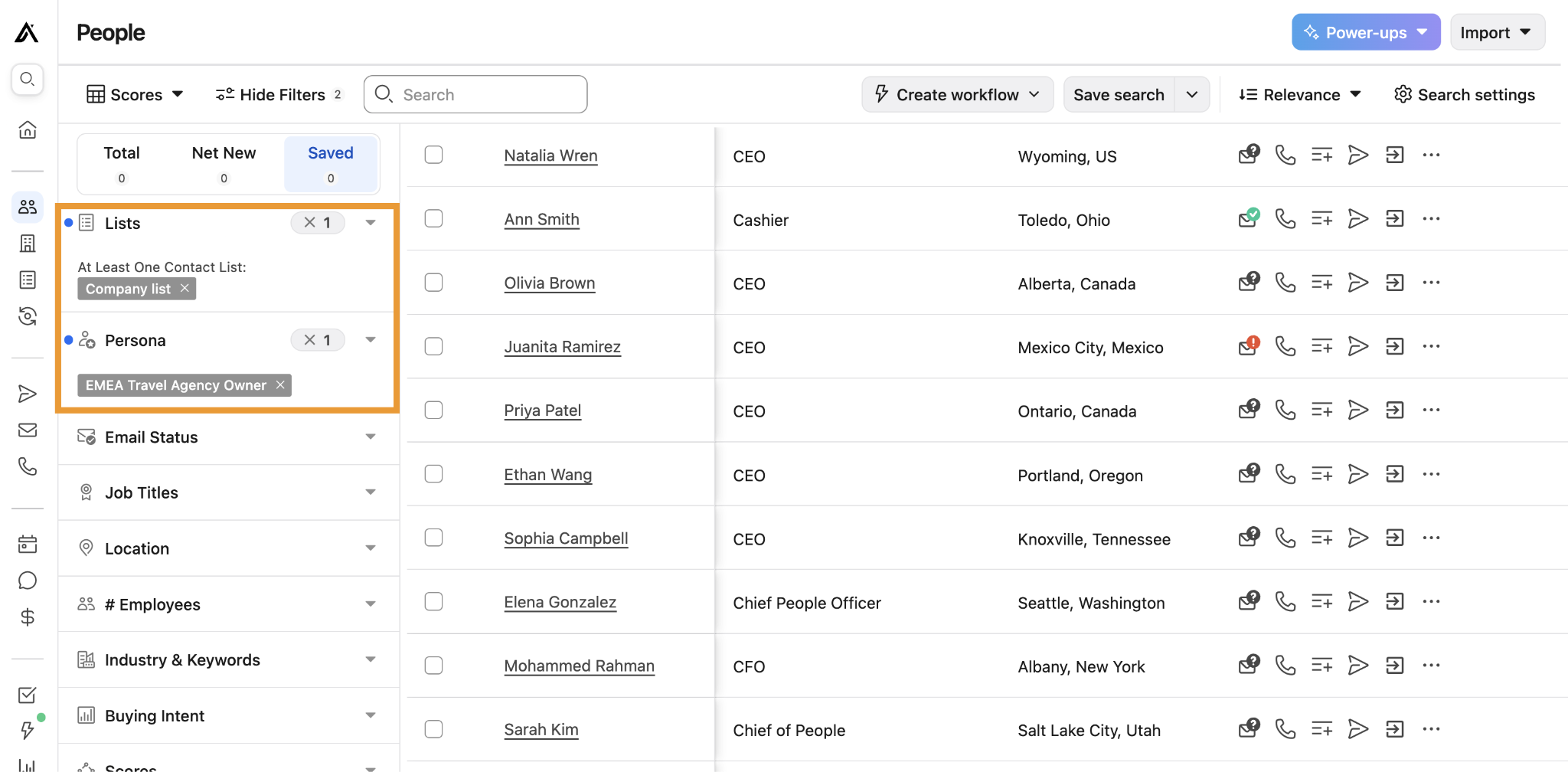
Apollo.io is a sales intelligence and engagement platform. It helps BDRs find contacts in a large B2B database and reach them with email sequences and calls.
Best for: BDRs and small sales teams that want contact data and basic outreach under one login.
User Ratings
G2: 4.7/5 ⭐
How Apollo.io Works?
Apollo.io combines prospecting and outreach in one workspace.
You search the database, reveal contact details with credits and add prospects to a sequence or call list. An email reveal uses 1 credit, and a phone number reveal uses 8 credits.
Contact Search: Filter the database by job title, company size and industry.
Email Sequences: Build multi-step sequences with follow-ups. The Professional plan adds A/Z testing.
Built-in Dialer: Call prospects from inside Apollo.io.
Chrome Extension: See Apollo.io contact data on LinkedIn profiles and company websites.
Credit Controls: Set credit caps for each user to protect the team balance.
Apollo.io data needs an extra verification step before outreach. G2 reviewers report outdated job titles and bounced emails, especially for contacts outside the US.
This Apollo.io review explains its data, sequences and limits in more detail.
Pros of Apollo.io
Combines contact search, email sequences and calling in one platform
Lets admins set credit caps for each user
Includes A/Z testing on the Professional plan
Provides a Chrome extension that shows contact data on LinkedIn profiles
Cons of Apollo.io
G2 reviewers report outdated job titles and bounced emails
The Basic plan caps sending at 250 emails per day from one mailbox per user
Apollo.io Pricing
Free Plan: $0 (900 credits per year)
Basic Plan: $49/seat/month billed annually or $65/seat/month billed monthly
Professional Plan: $79/seat/month billed annually or $99/seat/month billed monthly
Clay is a data enrichment and workflow platform. It helps BDRs and RevOps teams enrich lead lists from 150+ data providers and research accounts with AI.
Best for: RevOps teams and technical SDRs that want custom enrichment and AI research before outreach.
User Ratings
G2: 4.6/5 ⭐
How Clay Works?
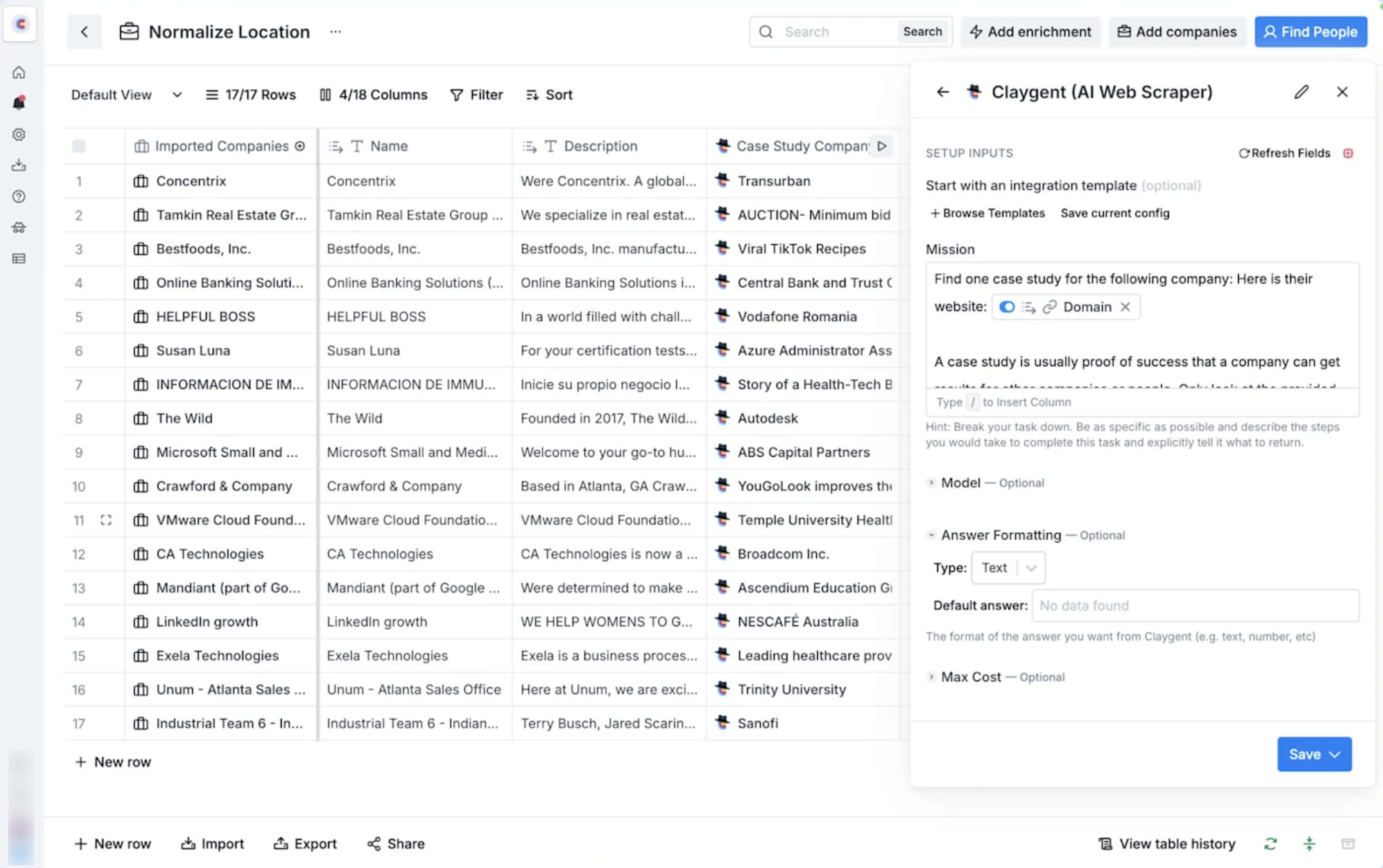
Clay works like a spreadsheet where each column runs an action.
You import a list, then add columns that fetch data, run AI prompts or send records to other tools. Clay bills in Data Credits for contact data and in Actions for each step a table runs.
Waterfall Enrichment: Checks several providers one after another until it finds an email or phone number.
Claygent: Clay's AI research agent reads each prospect's website and answers a question you set.
Scoring and Filters: Combine formulas and filters to score and sort leads.
CRM Sync: Auto-sync and enrich CRM records on the Growth plan.
Unlimited Seats: Add every teammate on every plan without seat charges.
Once the list is ready, you send it to a sequencer such as Salesforge. Expect a learning curve in the first week, which G2 reviewers mention often.
This Clay review explains how its tables and credits work.
Pros of Clay
Brings data from 150+ providers into one table
Includes Claygent, an AI agent for account research
Offers unlimited seats on every plan
Rolls unused Data Credits over on the Launch plan and the Growth plan
Cons of Clay
G2 reviewers mention a steep learning curve
The Launch plan leaves out CRM sync with Salesforce and HubSpot
Clay Pricing
Free Plan: $0 (100 Data Credits and 500 Actions per month)
Launch Plan: From $167/month billed annually or $185/month billed monthly (3,000 Data Credits and 15,000 Actions per month)
Growth Plan: From $446/month billed annually or $495/month billed monthly (6,000 Data Credits and 40,000 Actions per month)
Enterprise Plan: Custom quote from Clay's sales team
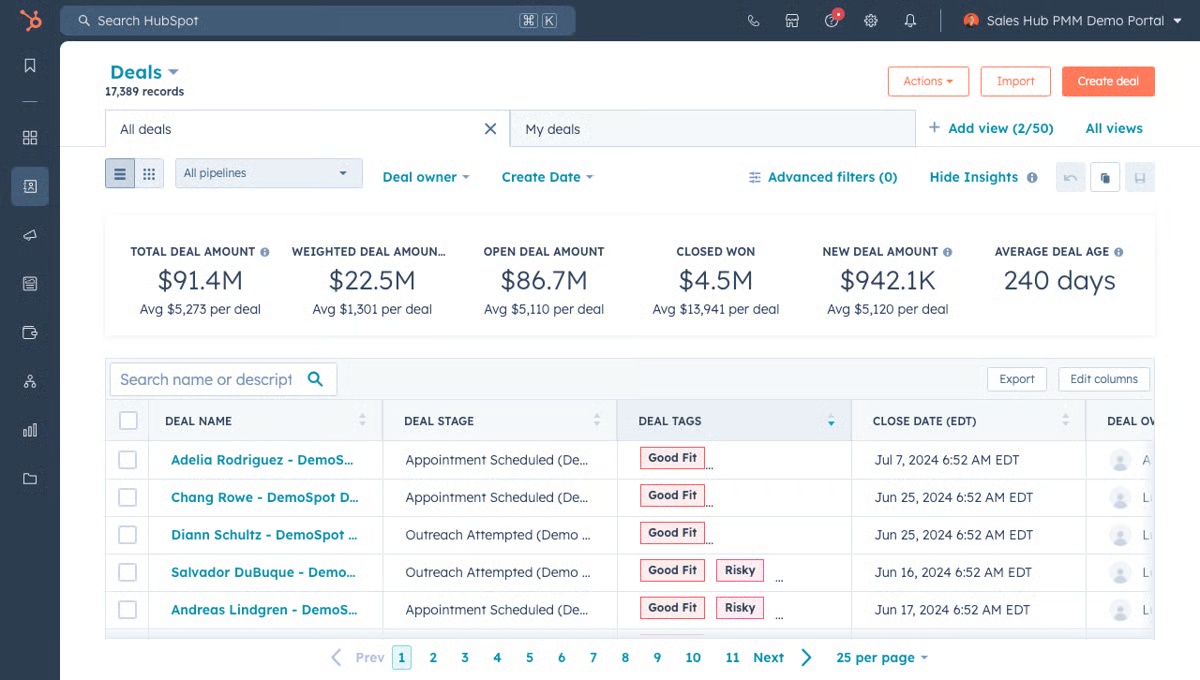
HubSpot Sales Hub is a CRM with built-in sales tools. It helps BDRs log every call, email and meeting and hand qualified deals to account executives.
Best for: Sales teams that want BDR activity and deal pipelines on one contact record.
User Ratings
G2: 4.4/5 ⭐
How HubSpot Sales Hub Works?
HubSpot Sales Hub keeps every prospect interaction on one timeline.
Outreach tools such as Salesforge, Apollo.io and Aircall connect to it. BDR activity then reaches the CRM without manual logging.
Contact and Deal Records: See every email, call and meeting with a prospect in one place.
Sequences: Send follow-up emails and tasks that stop when a contact replies. Sequences start on the Professional plan.
Meeting Scheduler: Share a link so prospects book time on a rep's calendar.
Calling and Email Tracking: Call from the browser and see when prospects open emails.
Deal Pipelines: Track which BDR-sourced meetings turn into opportunities.
The Free tools cover contacts and deals for up to 2 users. Teams that need sequences move to the Professional plan.
Pros of HubSpot Sales Hub
Shows every call, email and meeting on one contact timeline
Tracks which BDR meetings turn into opportunities with deal pipelines
Integrates with outreach tools and dialers to log BDR activity
Includes a meeting scheduler that logs booked meetings in the CRM
Cons of HubSpot Sales Hub
The Free tools and the Starter plan leave out sequences
The Professional plan requires a one-time $1,500 onboarding fee
HubSpot Sales Hub Pricing
Free Tools: $0 for up to 2 users, with no credit card required
Starter Plan: $20/seat/month list price, with a promotional price from $7/seat/month billed annually
Professional Plan: $90/seat/month billed annually or $100/seat/month billed monthly, plus a $1,500 onboarding fee
Enterprise Plan: $150/seat/month with an annual commitment, plus a $3,500 onboarding fee
6. Waalaxy
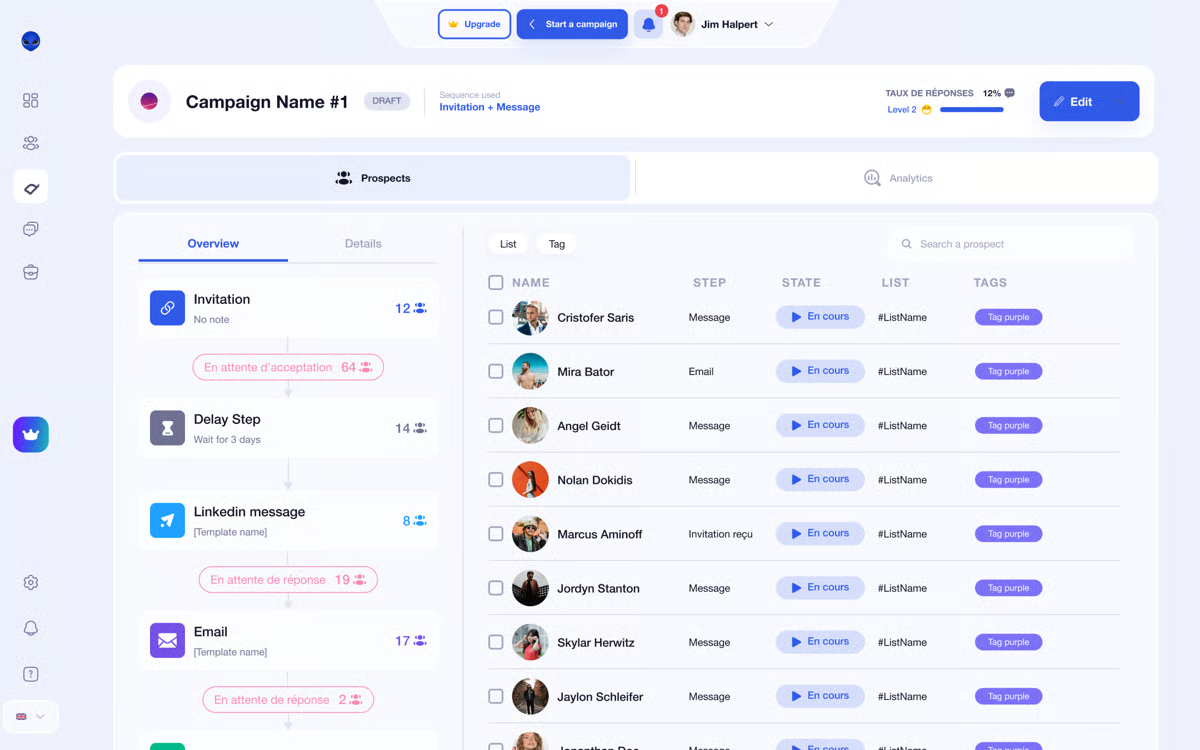
Waalaxy is a LinkedIn automation tool. It helps BDRs send connection requests, messages and follow-ups on LinkedIn from ready-made sequence templates.
Best for: SDRs and founders who prospect mainly on LinkedIn and want automation without a technical setup.
User Ratings
G2: 4.5/5 ⭐
How Waalaxy Works?
Waalaxy turns LinkedIn prospecting into automated campaigns.
You import prospects from LinkedIn search, Sales Navigator or a CSV file. Then you pick a template, and Waalaxy sends the invitations and follow-ups.
Sequence Templates: Launch LinkedIn campaigns from pre-built templates.
Smart Reply Detection: Stops follow-ups when a prospect replies.
Email Finder: Find work emails with credits on every plan.
Cold Email: Run LinkedIn and email steps in one campaign on the Business plan.
Integrations: Sync prospects to your CRM and connect Make, Zapier and N8N on the Advanced plan.
G2 reviewers mention ease of use and easy setup more than any other strength. The Pro plan caps invitations at 300 per month, and the Advanced plan raises that to 800.
This Waalaxy review explains how its LinkedIn campaigns perform in daily use.
Pros of Waalaxy
Offers a quick setup that needs no technical skills
Provides pre-built sequence templates for LinkedIn outreach
Sends up to 800 invitations per month on the Advanced plan
Includes API access and Make, Zapier and N8N modules on the Advanced plan
Cons of Waalaxy
G2 reviewers say the price feels high when scaling
Cold email sequences start on the Business plan
Waalaxy Pricing
Pro Plan: €19/user/month billed monthly (300 invitations per month)
Advanced Plan: €49/user/month billed monthly (800 invitations per month)
Business Plan: €69/user/month billed monthly (800 invitations and 500 email finder credits per month)
Yearly Billing: Up to 50% off the monthly price
Inbox Add-on: €20/month
Enterprise Plan: Custom quote for teams of 5 or more users
Free Trial: 14 days on the Pro plan, the Advanced plan and the Business plan
The right choice depends on your outbound strategy and the channels you use to reach prospects. If your BDR team relies on cold email and LinkedIn, Salesforge offers both channels in one platform.
You get unlimited email mailboxes, automated sequences, email warmup, mailbox rotation, and AI-powered reply management. Features such as Primebox, AI Co-pilot, and AI Auto-pilot also help reduce manual work.
However, unlimited LinkedIn senders and advanced team features require the Growth plan.
If you want to scale multichannel outreach and manage prospect conversations from one place, Salesforge is worth considering.
BDR tools are the software business development representatives use to find prospects, contact them and book meetings. A typical stack includes a lead database, an outreach tool, a CRM and a dialer.
2. What Is the Difference Between BDR Tools and SDR Tools?
BDR tools and SDR tools overlap almost completely. BDRs lean on lead data and cold outreach, while SDRs lean on the CRM to qualify inbound leads.
This BDR vs SDR guide explains how the two roles differ.
3. How Much Does a Typical BDR Tool Stack Cost?
A lean stack for one BDR can start under $100 per month. The Salesforge Pro plan costs $40 per month with annual billing, and the Leadsforge Essential plan costs $49 per month. Costs rise as you add seats.
4. Can One Tool Replace a Full BDR Stack?
Rarely. Apollo.io combines data, sequences and a dialer. Salesforge combines email, LinkedIn and replies. A CRM and call coaching usually come from separate tools.
5. Are AI BDR Tools Replacing Human BDRs?
No. AI BDR tools handle repetitive work such as list building and follow-ups, while human BDRs run live calls and handle complex objections.
This AI BDR tools guide compares eight options, including Agent Frank by Salesforge.
6. Which BDR Tool Is Best for Agencies?
Salesforge gives agencies unlimited workspaces, which keep each client's mailboxes and replies separate. Whitelabel and API options let agencies offer outreach under their own brand.
7. How Do BDR Tools Protect Email Deliverability?
Outreach tools warm mailboxes and spread sends across them. Salesforge includes unlimited warmup through Warmforge, and Mailforge sets up SPF, DKIM and DMARC records automatically.
8. What Email Infrastructure Should SDR Teams Set Up Before Sending Cold Email?
SDR teams should send cold email from separate domains and mailboxes to protect the main company domain. Mailforge offers shared-IP mailboxes, Infraforge offers dedicated IPs and Primeforge offers Google Workspace and Microsoft 365 mailboxes.
Compare the 5 best Trigify alternatives in 2026. See which tools track buying signals, find LinkedIn prospects, offer verified contacts, and what they cost.