Your outreach is probably not failing because of the bad copy.
It is failing because the data underneath it is quietly get outdated. B2B contact data decays at roughly 2.1% a month, which compounds to about 22.5% a year on the HubSpot and MarketingSherpa benchmark. Studies that re-verify the same records continuously put the number far higher.
So if you bought a list in January and you are still sending to it in October, a serious chunk of those people have moved, changed titles, or stopped existing at that address.
Those sends bounce. The bounces get recorded against your domain. And the campaign you run next quarter underperforms before you have written a single line of it.
That is the problem lead enrichment tools exist to solve, which is exactly why there are now far too many of them. Every one of them promises verified data, waterfall enrichment, and the biggest database on the market.
So which one is actually best for your team?
To answer that, I went through the five tools that come up most often on a shortlist. Leadsforge, ZoomInfo, Apollo.io, Clay, and Saleshandy.
For each one I pulled pricing from the live pricing page, worked out what a verified email and a phone number really cost in credits, and read what reviewers say about data quality once the trial is over.
You get the full comparison first, then each tool broken down with pros, cons, and real pricing.
Bombora intent, job changes, funding, company news
Any signal you can research with Claygent
Hiring signals, tech stack data, company financials
Local business search
Pulls business data from Google Maps
Works from its own company records
Works from its own 30M company records
Depends which marketplace provider you choose
Works from filter-based company search
Push into outreach
One click into Salesforge sequences
Exports to Outreach and Salesloft
Native sequencer and parallel dialer
Clay Sequencer plus 200+ integrations
Native email, LinkedIn, call and WhatsApp sequences
G2 rating
4.7
4.5
4.7
4.6
4.6
What I Compared These Lead Enrichment Tools On
I weighted four things, and I weighted them in this order.
1. Data Accuracy and Verification
A tool that returns a contact is not the same as a tool that returns a contact who still exists. Verification has to happen before export, not after your sequence has already burned the address.
Get that wrong and it shows up in your sender reputation long before it shows up in your reply rate.
2. Waterfall Depth and Provider Count
Single-source data has a hard ceiling. When one provider has no record for a contact, the lookup simply fails and the row stays empty. Waterfall enrichment sends that same lookup across multiple providers until verified data comes back.
If you want the mechanics behind it, I broke down how data enrichment actually works separately.
3. What a Contact Costs You in Practice
The starting price tells you very little on its own. What matters is what a verified email costs in credits, what a phone number costs, and whether leftover credits survive into next month.
4. How the Data Reaches Your Sequences
An enriched list sitting in a CSV has not earned you anything yet. The gap between a finished list and a live campaign is where most enrichment tools stop being useful.
5 Best Lead Enrichment Tools in 2026
In this section I will walk you through each tool one by one, so you can see what it does, who it suits, where reviewers push back, and what it costs.
Every tool follows the same shape. A short overview, then pros, then cons, then the real pricing.
All pricing came from each vendor's live pricing page on November 5, 2026. Plans change often here, so check the current numbers before you commit.
1. Leadsforge
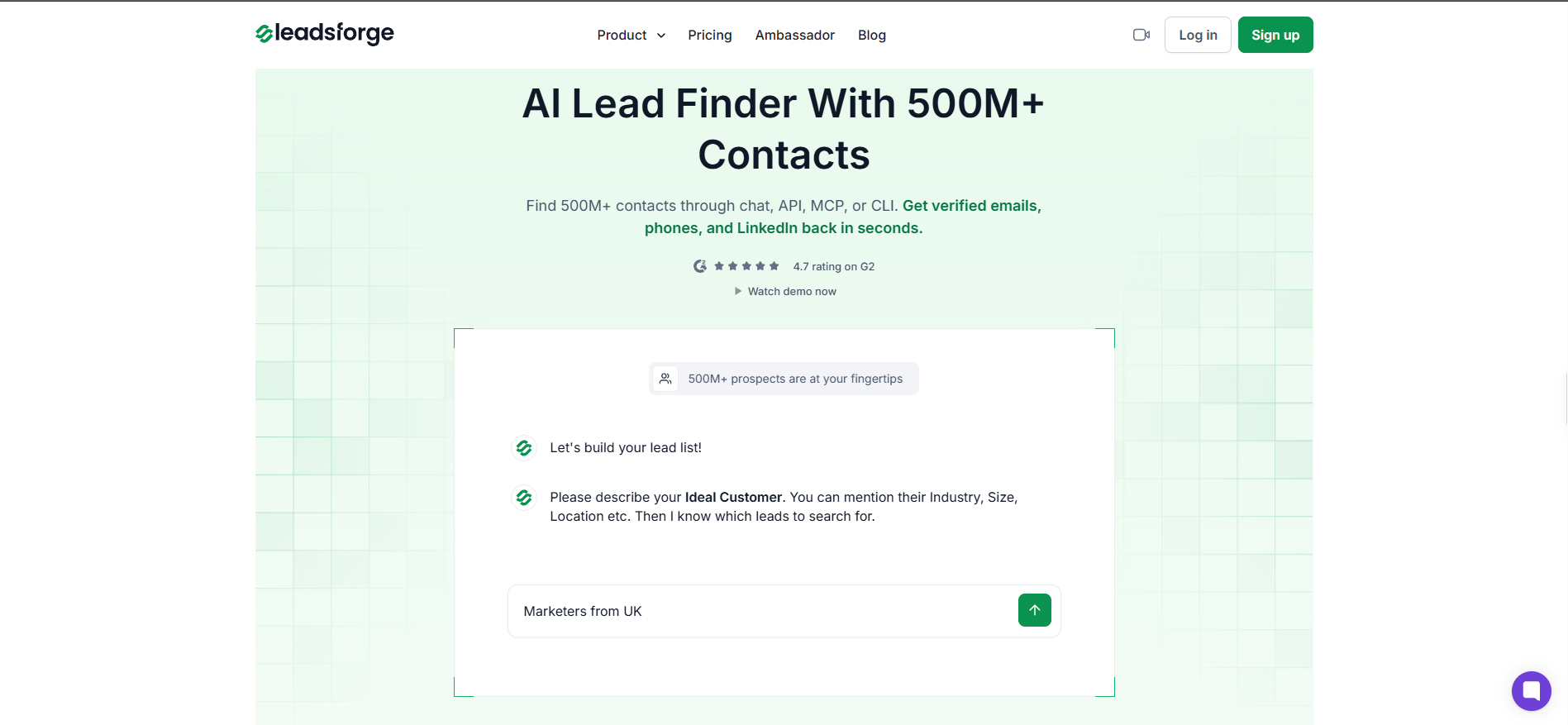
The first lead enrichment tool on my list is Leadsforge, and I put it first because it verifies data before export and then drops the finished list straight into your sequences.
The search runs through chat, which is the part I found most useful. You describe the people you want in plain language, something like senior ops leaders at logistics companies in Texas, and the list comes back already built.
Behind that chat box, every lookup fans out across more than 20 data providers until verified details come back. That is what keeps your bounce rate down.
The feature I think most buyers overlook is the local business search. Leadsforge pulls business data from Google Maps, so you can build a list of clinics, dealerships, gyms or contractors in one city and enrich those records with emails and phone numbers.
That matters more than it first sounds. Every other tool here indexes corporate B2B records, which means a 12-person local business with no real LinkedIn presence is invisible to them.
Two other searches are worth knowing about. Company lookalikes takes the accounts you already sell to and finds similar companies, while company followers pulls the people following a competitor's LinkedIn page.
When I read through reviews, the same point kept coming up, which is that the data holds up in live sends. One reviewer put the hit rate at "around 95 percent accurate for me" in their G2 review.
Leadsforge Pros
Chat-based search removes the filter-building step, so an SDR who knows the ICP can build a list without learning a query builder.
Waterfall enrichment across 20+ providers fills the gaps that single-source tools leave empty, which keeps bounces off your domain.
Google Maps sourced local business search covers the SMB and local segment that corporate databases miss completely.
Credits roll over and never expire, so a slow month does not quietly cost you budget you already spent.
One-click export into Salesforge sequences removes the CSV download and re-upload step. One reviewer said it "saves a lot of manual effort" in their G2 review.
Leadsforge Cons
Coverage runs thinner for niche roles and smaller companies in Central and Eastern Europe than it does across the US.
Phone numbers are missing for some contacts, so you will still verify a handful manually before a calling push.
A phone number costs 10 credits against 1 for an email, which adds up fast on a dial-heavy motion.
Your results depend on how you write the search prompt, so expect a short learning curve in week one.
Leadsforge Pricing
Free: 100 credits to start, no card required
Essential, annual: $588 a year for 28,000 credits, which is 4,000 more than twelve monthly payments would give you
Credits are spent at 1 per verified email, 10 per phone number, 1 per company follower, and 1 per lookalike company.
The next lead enrichment tool on my list is ZoomInfo, and the first thing I ran into is that you cannot find out what it costs.
No price appears anywhere on the pricing page. Every tier ends in a Get Pricing button that sends you to a demo form, and your credit rate gets settled in that conversation.
I find that a real barrier when you are comparing options on a Tuesday afternoon. It is also consistent with who the product is built for, which is enterprise RevOps rather than a two-person outbound team.
What you get in exchange for the sales call is depth. The database covers 500M+ contacts and 100M+ companies, and the intent layer runs on Bombora data alongside website visitor identification and competitor alerts.
The enrichment story is also different from everything else on this list. ZoomInfo is built to re-enrich an entire CRM on a schedule, across millions of records, with waterfall enrichment running inside the sync itself.
Champion tracking is the feature I would actually pay for. It flags when a known buyer changes companies, which turns a churned account into a warm conversation somewhere new.
Reviewers mostly describe the value as consolidation, with one noting it brings "prospect data, company insights, and sales engagement tools together in one place" in their G2 review.
If the budget is where this falls apart for you, I covered the cheaper routes in my guide to ZoomInfo alternatives.
ZoomInfo Pros
Bulk CRM enrichment runs across millions of records on a set schedule, which nothing else here matches at that scale.
The intent layer combines Bombora data, website visitors, funding events, hiring activity and earnings call signals in one view.
Champion tracking alerts you when a known contact moves companies, turning old relationships into new pipeline.
Salesforce sync runs bi-directionally and in real time, so enriched records land where your reps already work.
ZoomInfo Lite is a permanent free plan rather than a trial, so you can inspect the data before any sales conversation.
ZoomInfo Cons
No pricing is published at any tier, so you cannot compare it against anything else without booking a demo first.
The platform recently became GTM Workspace, and reviewers mention needing time to relearn the interface after that change.
Contact data for smaller companies and non-US markets is noticeably less reliable than its enterprise coverage.
You are buying a full GTM platform, so a team that only needs enrichment pays for capability it will never open.
ZoomInfo Pricing
Custom
3. Apollo.io
The third lead enrichment tool on my list is Apollo.io, and where ZoomInfo hides its pricing, Apollo publishes all of it.
The database covers 240M+ contacts and 30M+ companies, and I like that Apollo checks its own records first before any waterfall runs. That ordering matters, because native data does not burn partner credits.
When the waterfall does kick in, it runs across more than 20 partners, and you can configure the order they run in. Very few tools give you that much control over which source gets priority.
Email verification runs through a seven-step process with a claimed 98% accuracy rate. Apollo also reports a 45% lower bounce rate from its waterfall beta, though that figure comes from the vendor rather than an independent test.
The credit model is where I would slow down before signing. Credits are granted upfront for the year and expire at the end of the cycle, so a 30,000 credit Basic plan is not 2,500 a month you can bank.
Reviewers rate the data highly, with one calling it an "extensive, highly accurate B2B contact database" in their G2 review.
The complaint I saw repeated is about spend control rather than quality. Another reviewer warned that "you'll burn through your contact credits fast on irrelevant leads" in their G2 review, which matches that upfront allocation model.
For teams weighing a move away from it, I compared the options in my breakdown of Apollo.io alternatives.
Apollo.io Pros
A phone number costs the same single credit as an email, which makes Apollo the cheapest option here for dial-heavy teams.
Waterfall provider order is configurable, so you can prioritise coverage or cost depending on what each campaign needs.
Sequencing, a parallel dialer and a unified inbox are built in, so data and outreach live in one tool.
The MCP connector exposes Apollo data to AI tools, which helps if you are building agent-driven prospecting workflows.
The free plan gives 900 credits per seat a year with no card, which is enough to properly test data quality.
Apollo.io Cons
Credits expire at the end of the billing cycle, so anything you do not spend is simply gone.
Credits arrive as one upfront annual block rather than a monthly allowance, which catches out teams budgeting month to month.
Reviewers report outdated contact details and direct dials often enough that you should verify before a high-stakes send.
The interface has grown dense as features piled up, and newer users describe it as cluttered.
Apollo.io Pricing
Free: $0 with 900 credits per seat a year
Basic: $49 per seat a month on annual billing, with 30,000 credits per seat a year
Professional: $79 per seat a month on annual billing, with 48,000 credits per seat a year
Organization: $119 per seat a month on annual billing, with 72,000 credits per seat a year and a three-seat minimum
4. Clay
The fourth lead enrichment tool on my list is Clay, and I want to flag something before you look at the price, because Clay has no database of its own.
What it has instead is a marketplace of more than 200 data providers under one contract, plus a visual canvas where you build the enrichment logic yourself.
That distinction decides whether Clay is brilliant or expensive for you. If you want verified contacts by Friday, I would skip it. If you want to run a lookup through four providers, enrich it with AI research, score it and push it into a CRM on a trigger, nothing else here comes close.
Claygent is the piece I think earns the price. It is an AI agent that researches public sources like news, job postings and company sites, then returns structured data no contact database holds.
The other advantage worth knowing is that you can plug in your own API keys. If you already pay for Apollo or ZoomInfo, Clay orchestrates that data without charging you data credits on top.
Reviewers who get value from it talk about completeness, and one said the waterfall "produced significantly more complete records" in their G2 review.
The friction shows up just as consistently, and another reviewer put it plainly when they said "Clay can be hard to learn at first" in their G2 review.
If that complexity is more than you need right now, there are simpler data enrichment tools worth looking at first.
Clay Pros
Access to 200+ data providers under one contract removes the overhead of managing separate vendor relationships.
Failed enrichments cost nothing at all, neither data credits nor actions, so empty lookups never reach your bill.
Bringing your own API keys lets you orchestrate data you already pay for without paying Clay for it twice.
Claygent researches signals that structured databases cannot hold, like recent company news or job posting language.
The visual canvas keeps every enrichment step visible, so a non-engineer can debug a workflow without reading code.
Clay Cons
The learning curve is the most repeated complaint across reviews, and advanced workflows take real time to build.
At $185 a month, the Launch plan has the highest entry price of every tool compared here.
Actions reset every billing cycle with no rollover, and data credits only bank up to twice your monthly allowance.
Variable-priced AI models bill on actual token consumption, so the cost of a run is confirmed after it finishes.
You need someone in RevOps or GTM engineering to own it, otherwise the workflows go stale.
Clay Pricing
Free: $0 with 100 data credits and 500 actions a month
Launch: $185 a month with 2,500 data credits and 15,000 actions
Growth: $495 a month with 6,000 data credits and 40,000 actions
Enterprise: custom annual pricing with 100,000+ data credits and 200,000+ actions
5. Saleshandy
The last lead enrichment tool on my list is Saleshandy, and the thing I rate it for is that it refuses to charge you for data it never found.
Its credit model only bills on success. A verified work email costs 1 credit, a phone number costs 6, and a lookup that returns nothing costs you nothing.
That sounds small until you run a few thousand lookups against a niche ICP and see how many come back empty. On most tools you still pay for those attempts.
The database is the largest here at 852M+ contacts across 42M+ companies, with waterfall enrichment running on both email and phone lookups.
Where I think it genuinely separates is everything after the data. Saleshandy provisions domains and mailboxes, configures SPF, DKIM and DMARC automatically, and runs warmup in the background.
Unlimited email accounts come on every plan with sender rotation included, which changes the maths for agencies and anyone managing serious cold email volume.
One reviewer highlighted something unusual for this category, noting "I drive Saleshandy from Claude" through its MCP connector in their G2 review.
The pushback I saw most often is about navigation rather than data, with one reviewer saying "the interface can feel confusing at first" in their G2 review.
Saleshandy Pros
You pay nothing when a lookup finds nothing, which protects your credit balance on hard-to-find contacts.
The 852M contact database is the largest on this list, with 70+ filters available on the higher plans.
Domains, mailboxes and DNS records are provisioned and configured inside the platform, so data and sending live together.
Unlimited email accounts with sender rotation come on every plan, which removes per-mailbox fees for agencies.
At $34 a month on annual billing, it has the lowest entry price of the five tools compared here.
Saleshandy Cons
Settings are spread across several sections, and reviewers consistently find the navigation confusing at the start.
Native integrations are thinner than what Apollo.io or ZoomInfo offer, which matters if your CRM workflow is complex.
Advanced reporting is held back for the Scale plan, so Starter and Pro users work with limited analytics.
Email infrastructure is a separate add-on cost, so the headline plan price is not your final monthly number.
There is no deep third-party intent layer, so signal-led prospecting is weaker than ZoomInfo or Apollo.io.
Saleshandy Pricing
Starter: $34 a month on annual billing, with 1,500 lead credits and 2,000 active prospects
Pro: $76 a month on annual billing, with 4,000 lead credits and 30,000 active prospects
Scale: $149 a month on annual billing, with 8,000 lead credits and unlimited active prospects
Enterprise: custom pricing
Final Verdict
Leadsforge is the best lead enrichment tool for most outbound teams, because it is the only one here that verifies before export and then puts the list into a live sequence in one click.
Credits that never expire and Google Maps sourced local business data are the two things nothing else on this list offers together.
That said, ZoomInfo still wins on enterprise CRM enrichment at scale, and Clay wins if you have a GTM engineer who wants to build custom workflows.
But for the common case, which is getting verified contacts into outreach without burning budget on dead data, Leadsforge is where I would start.
Lead enrichment is the process of adding verified details to a contact record you already have. That usually means a work email, a phone number, a LinkedIn profile, a job title, and company firmographics. The goal is a record accurate enough to send to without bouncing.
What is waterfall enrichment and why does it matter?
Waterfall enrichment sends the same lookup through several data providers in sequence until one returns verified data. A single-source tool gives up after the first miss, so your row stays empty. Waterfall enrichment lifts your fill rate and lowers your bounce rate on the same list.
Which lead enrichment tool has the most accurate data?
Apollo.io publishes the highest claimed figure at 98% email accuracy from a seven-step verification process. Leadsforge reviewers report roughly 95% accuracy in live sends. Accuracy varies heavily by region and seniority, so test any tool against your own ICP before committing.
How much do lead enrichment tools cost?
Entry pricing ranges from $34 a month for Saleshandy to $185 a month for Clay. Apollo.io and Leadsforge both start at $49. ZoomInfo publishes no pricing at all and quotes after a demo. What you actually pay depends on credit consumption, not the plan price.
Can you enrich leads for free?
Yes, up to a point. Leadsforge gives 100 free credits, Apollo.io gives 900 credits per seat a year, Clay gives 100 data credits a month, and ZoomInfo Lite is permanently free. Those tiers are enough to test data quality, not to run a campaign.
Do you still need a lead enrichment tool if you have a CRM?
Yes, because a CRM stores data rather than refreshing it. With contact data decaying around 2.1% a month, records go stale inside your CRM without anything flagging it.
Enrichment tools re-verify those records, which is why tracking sender reputation metrics alongside enrichment matters.
Book more meetings on autopilot
Set up in minutes. No per-seat pricing. No commitment.