TL;DR: 7 Best LinkedIn Sales Navigator Extractors in 2026
Salesforge: Best for bulk extracting Sales Navigator leads and importing them into Leadsforge and Salesforge.
Evaboot: Best for cleaning Sales Navigator leads and exporting them with verified emails when found.
PhantomBuster: Best for automating Sales Navigator extraction and exporting results to CSV.
LeadDelta: Best for extracting Sales Navigator leads and finding business emails for CSV exports.
Skrapp: Best for finding verified business emails and exporting Sales Navigator leads to CSV.
Kaspr: Best for enriching Sales Navigator lead lists with business emails and phone numbers before CSV export.
Scrupp: Best for exporting Sales Navigator searches to CSV or Excel with optional email and phone enrichment.
How I Evaluated LinkedIn Sales Navigator Extractors
I compared these tools based on their actual Sales Navigator extraction features. I also looked at what each tool offers beyond downloading a list of prospects.
Here's what I focused on:
Bulk extraction from Sales Navigator searches and lead lists.
CSV export options and the contact details included.
Email and phone enrichment for extracted prospects.
Data cleaning and duplicate handling.
Pricing based on export credits and extraction limits.
I used these factors to compare all seven tools and identify where each one works best and where it falls short.
7 Best LinkedIn Sales Navigator Extractors: Quick Comparison
1. Salesforge – Best for Sales Navigator Lead Extraction and Outreach
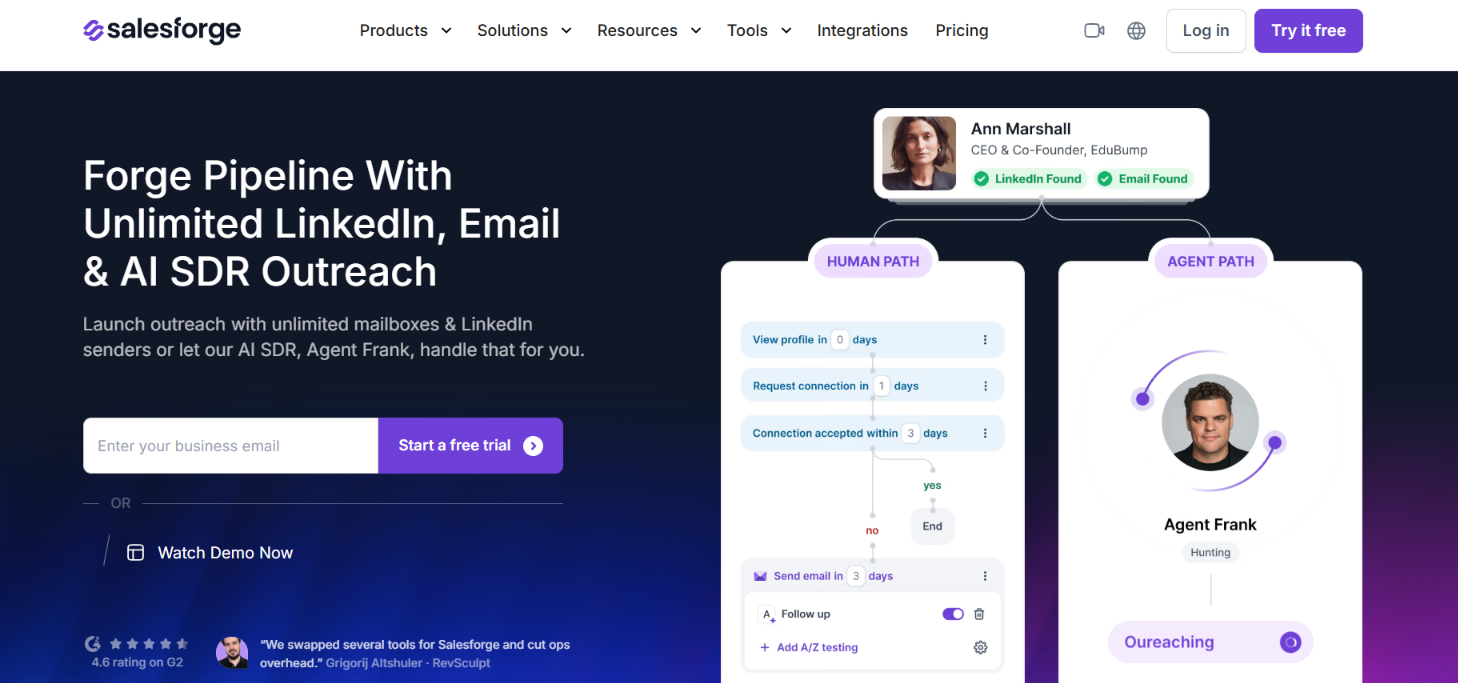
This image shows the Salesforge homepage
Salesforge is an email and LinkedIn outreach platform with a Chrome extension that extracts leads from LinkedIn Sales Navigator.
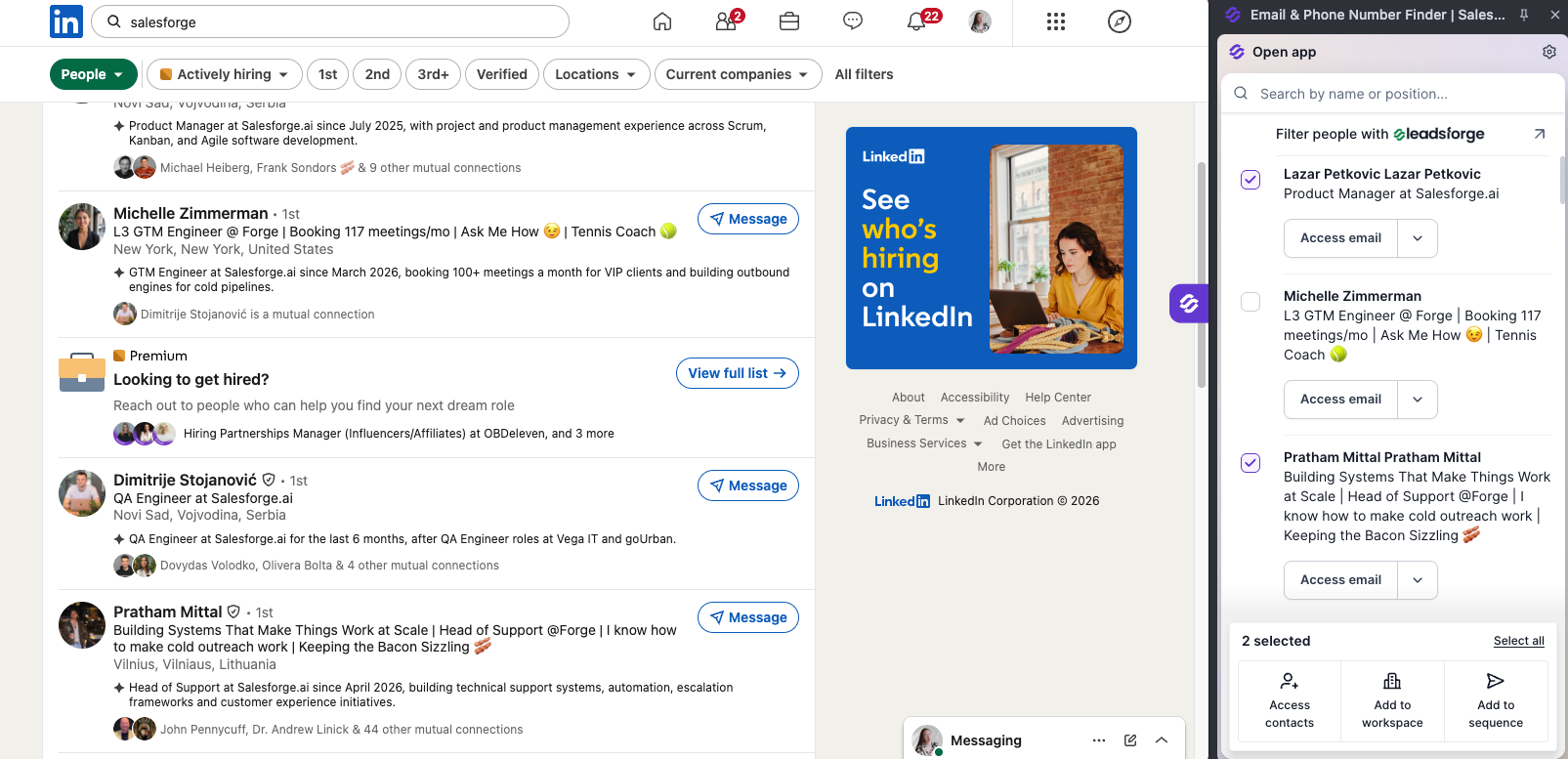
You can select individual prospects or import an entire Sales Navigator search. The extension can also find business emails and phone numbers during extraction.
The leads are saved in Leadsforge and synced to your Salesforge workspace. You can download them as a CSV through Leadsforge or add them directly to an outreach sequence.
Unlike other CSV scrapers in this list, Salesforge lets you move extracted Sales Navigator leads directly into email and LinkedIn outreach sequences.
Key Features of Salesforge
Sales Navigator extraction lets you collect contacts from LinkedIn Sales Navigator searches.
This image shows the Extract contacts from LinkedIn or Sales Navigator
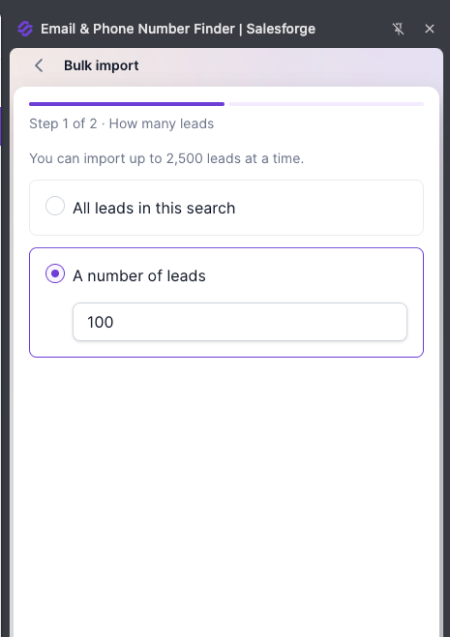
Bulk lead imports let you extract an entire search or choose a specific number of prospects.
This image shows the Bulk import from a search
Email and phone enrichment finds business emails and phone numbers during extraction.
Direct sequence enrollment adds extracted contacts to email and LinkedIn outreach campaigns.
Background extraction continues importing leads after you close the Chrome extension.
Pros of Salesforge
Supports bulk extraction without manually visiting every Sales Navigator results page.
Charges enrichment credits only when emails or phone numbers are found.
Prevents duplicate imports into the same Salesforge workspace.
Supports up to 10 bulk imports running at once.
Includes unlimited mailbox connections without per-mailbox charges.
Provides unlimited email warm-up through Warmforge.
Cons of Salesforge
Charges separate credits for extracting leads and finding contact details.
Restricts bulk Sales Navigator imports to paid plans.
Does not allow cancellation after a bulk import starts.
Limits the Pro plan to one LinkedIn sender.
Salesforge Pricing
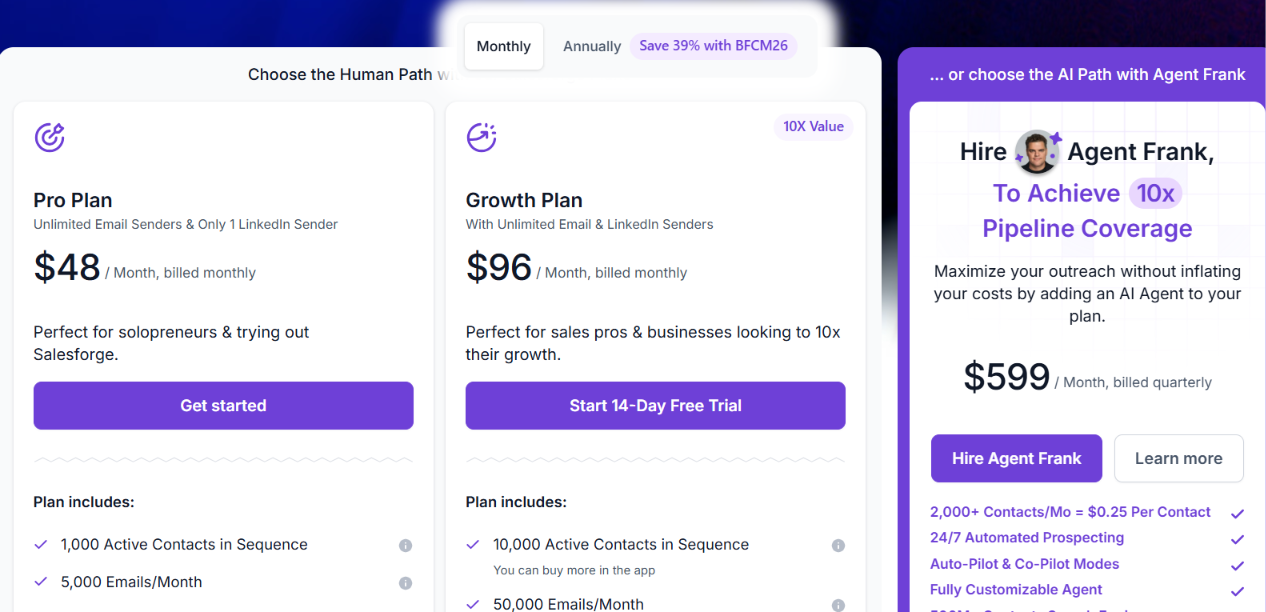
This image shows the Salesforge pricing
Pro: $48/month for 1,000 active contacts, 5,000 emails and 1 LinkedIn sender.
Growth: $96/month for 10,000 active contacts, 50,000 emails and unlimited LinkedIn senders.
Free trial: 14 days with limited contacts and sending credits.
Lead extraction: 1 Leadsforge credit per collected lead.
Email enrichment: 1 additional credit per email found.
Phone enrichment: 10 additional credits per phone number found.
Leadsforge Essential: $49/month for 2,000 credits.
Both Salesforge plans support unlimited connected mailboxes. Domains and mailboxes are purchased separately.
Salesforge is best for agencies that want to turn Sales Navigator searches into active outreach campaigns.
2. Evaboot – Best for Clean Sales Navigator CSV Exports
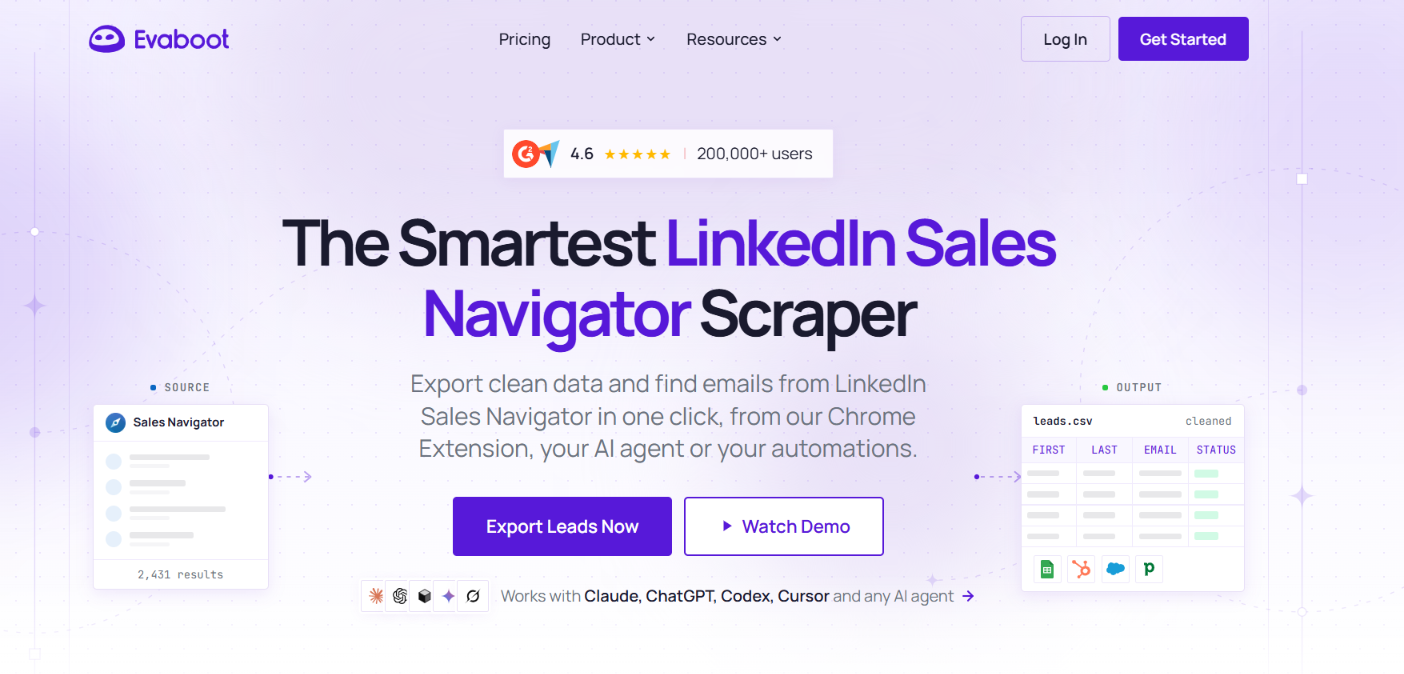
This image shows the Evaboot homepage
Evaboot is a LinkedIn Sales Navigator scraper that extracts leads and account data directly from Sales Navigator. Its Chrome extension lets you export search results and lead lists to CSV without copying profiles manually.
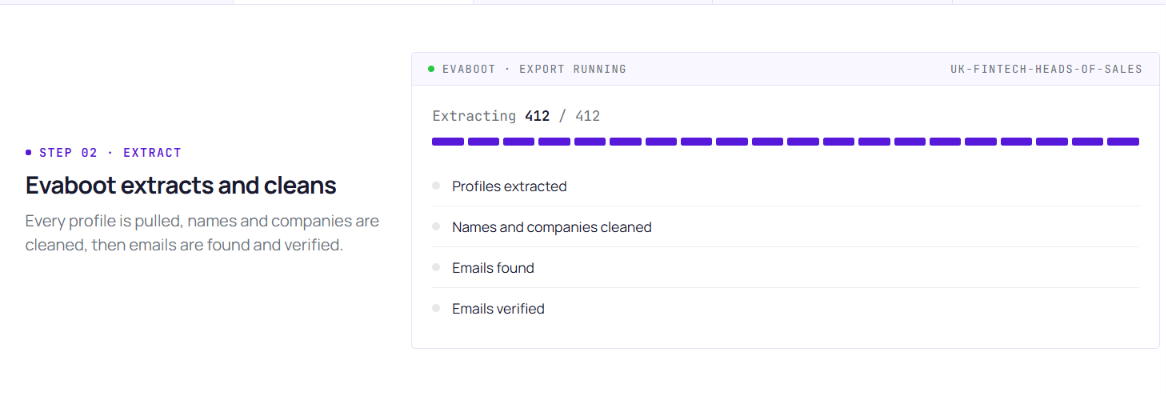
Evaboot also cleans names and company details and checks whether extracted leads match your search filters. It finds and verifies professional email addresses before you use the data.
You can send the extracted leads to your CRM or schedule recurring exports to collect new prospects from saved searches.
Key Features of Evaboot
Sales Navigator extraction lets you export lead searches, account searches and saved lists directly from Sales Navigator.
This image shows the Evaboot extract and cleans
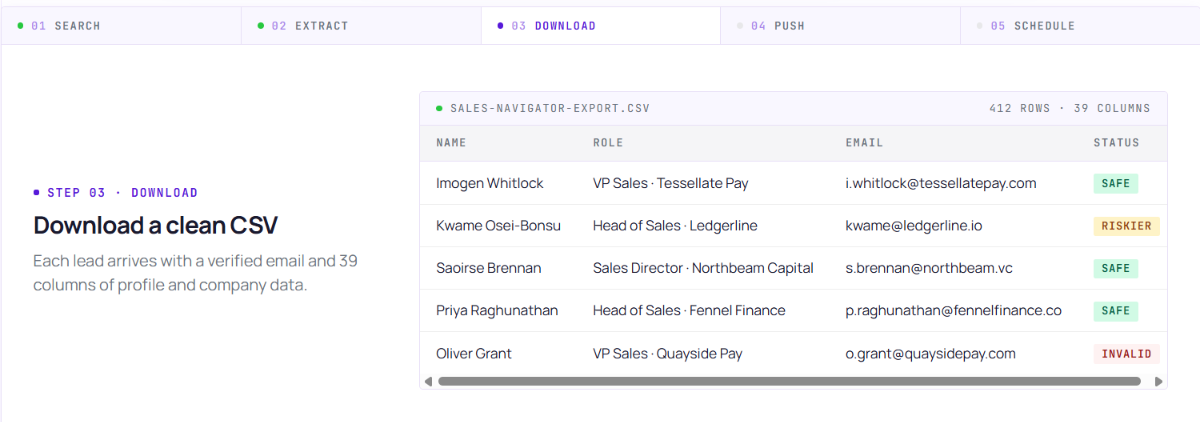
CSV exports let you download prospect data such as names, job titles and company information.
This image shows the Download CSV exports from Evaboot
Data cleaning removes emojis and fixes capitalization and formatting in names and company details.
Lead filtering checks whether extracted leads match your Sales Navigator filters and removes false positives.
Email finding and verification finds professional email addresses and checks whether they are valid.
Scheduled exports run Sales Navigator searches daily, weekly or monthly and send new leads to your CRM.
Pros of Evaboot
Supports bulk CSV exports from Sales Navigator searches and lists.
Improves lead accuracy by identifying profiles that do not match search filters.
Includes professional email finding and verification during exports.
Supports direct lead transfers to HubSpot, Pipedrive and Attio.
Allows recurring exports without repeating searches manually.
Cons of Evaboot
Requires a separate paid LinkedIn Sales Navigator subscription.
Does not support phone number enrichment.
Charges 1 credit per exported lead even when no email is found.
Limits exports to 2,500 leads or 1,000 accounts per 24 hours per Sales Navigator account.
Requires larger searches to be split into smaller searches.
Does not offer built-in cold email or LinkedIn outreach campaigns.
Evaboot Pricing
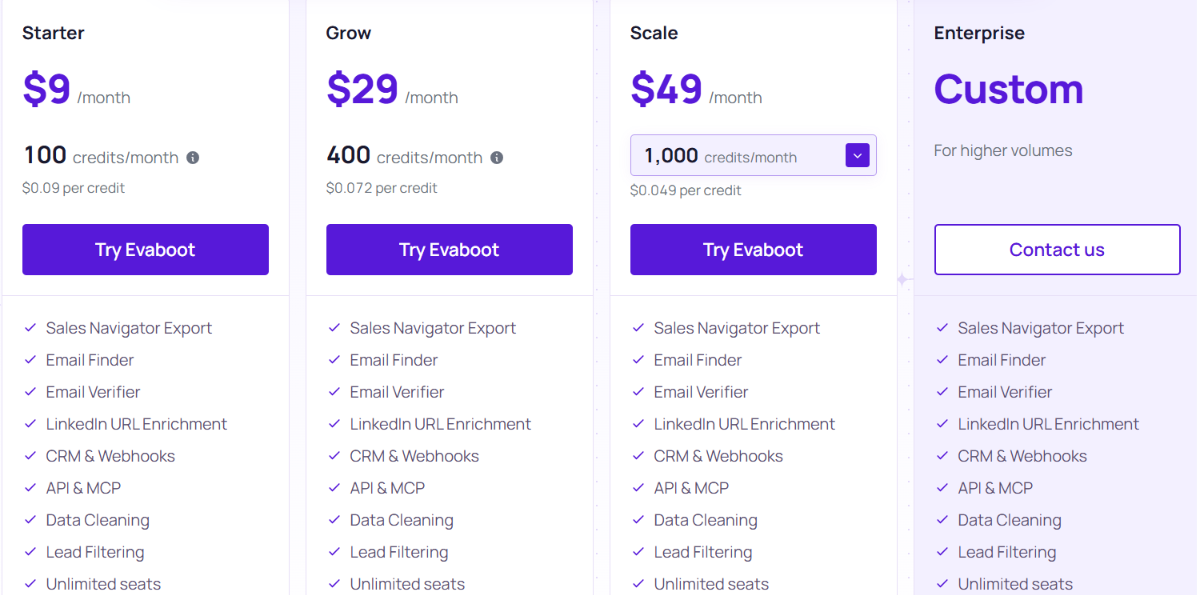
This image shows the Evaboot pricing
Starter: $9/month for 100 credits.
Grow: $29/month for 400 credits.
Scale: $49/month for 1,000 credits.
Higher-volume plans: $99/month for 3,000 credits, $149/month for 6,000 credits and $299/month for 15,000 credits.
Enterprise: Custom pricing.
Each exported lead costs 1 credit. Verified emails are included when found during export. Unused credits roll over while your subscription remains active.
Evaboot is a good pick for clean Sales Navigator exports, but less suited for phone enrichment.
3. PhantomBuster – Best for Automated Sales Navigator Exports
This image shows the PhantomBuster homepage
PhantomBuster is a lead extraction and automation tool with dedicated workflows for LinkedIn Sales Navigator. Its Sales Navigator Search Export automation extracts prospects from search results. The List Export automation collects leads and accounts from saved lists. You can download the extracted data as a CSV file.
PhantomBuster also lets you schedule repeated exports instead of running every search manually. You can connect these exports to other automations for email discovery, profile enrichment and LinkedIn outreach.
Unlike Evaboot, PhantomBuster covers more than Sales Navigator extraction. It offers 100+ automations across 15+ platforms.
Key Features of PhantomBuster
Sales Navigator Search Export extracts prospects from Sales Navigator search results into a spreadsheet.
Sales Navigator List Export downloads leads and accounts from saved Sales Navigator lists.
CSV and JSON exports let you download extracted contact data for spreadsheets and other tools.
Scheduled extraction runs automations at selected times or on recurring schedules.
Email discovery finds professional email addresses using PhantomBuster credits or supported providers.
Workflow chaining connects lead extraction with profile enrichment and LinkedIn outreach.
Pros of PhantomBuster
Broad automation coverage across 15+ platforms.
Generous execution time on higher plans.
Unlimited team members without seat-based charges.
Separate automation slots for running multiple workflows.
Built-in email discovery credits on every plan.
Support for multiple LinkedIn accounts.
Cons of PhantomBuster
Free exports are limited to just 10 rows.
Monthly execution hours can restrict large extraction jobs.
Email discovery consumes credits even when no email is found.
Sales Navigator extraction requires a connected LinkedIn session.
Running too many automations can put your LinkedIn account at risk.
PhantomBuster Pricing
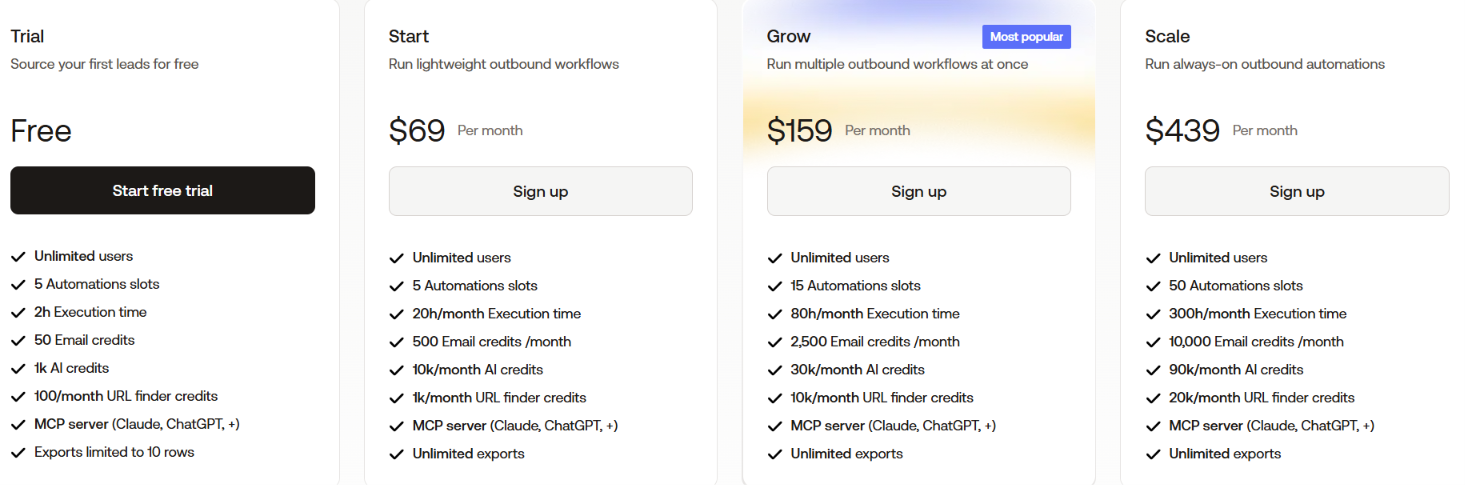
This image shows the PhantomBuster pricing
Free trial: 14 days with 2 execution hours, 5 automation slots and exports limited to 10 rows.
Free plan: $0 with 30 minutes of execution time per month, 1 automation slot and a 10-row export limit.
Start: $69/month with 20 execution hours, 5 automation slots and 500 email credits.
Grow: $159/month with 80 execution hours, 15 automation slots and 2,500 email credits.
Scale: $439/month with 300 execution hours, 50 automation slots and 10,000 email credits.
All paid plans include unlimited CSV exports. PhantomBuster is worth considering for recurring Sales Navigator exports, but the execution-hour limits can restrict larger jobs.
4. LeadDelta – Best for Sales Navigator CSV Exports and LinkedIn Contact Management
This image shows the LeadDelta homepage
LeadDelta is a LinkedIn CRM with a Chrome extension that lets you export Sales Navigator leads to CSV. You can open a Sales Navigator search and capture up to 1,000 profiles at a time. LeadDelta saves them to a new or existing list. You can also find business emails during extraction.
What makes LeadDelta different is its focus on managing contacts after export. You can add tags and notes to prospects. You can also check if someone on your team already knows a lead before contacting them.
LeadDelta works directly inside LinkedIn through a sidebar. It focuses on contact management rather than automated scraping and connection requests.
Key Features of LeadDelta
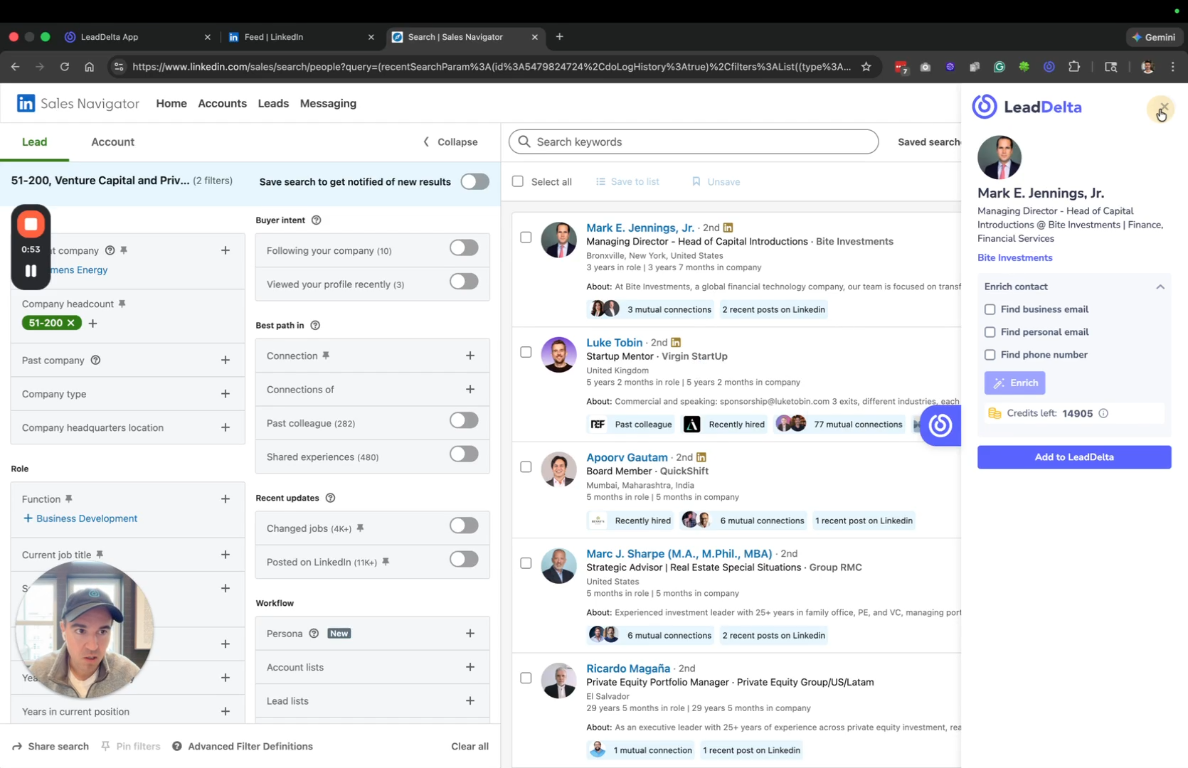
Sales Navigator bulk export captures up to 1,000 profiles from a search.
This image shows the Use LeadDelta inside Sales Navigator to extract prospects
CSV downloads export collected leads and their available contact details.
Waterfall enrichment finds business emails and phone numbers using multiple data sources.
LinkedIn sidebar captures contacts from searches, events and individual profiles.
Contact management organizes prospects using tags and notes.
Warm Intro AI identifies possible introduction paths through your team's connections.
Pros of LeadDelta
Easy CSV exports for up to 1,000 Sales Navigator profiles.
Clear enrichment costs shown before spending credits.
Flexible lead management with tags and custom lists.
Useful team visibility for finding mutual connections.
Free 7-day trial without a credit card.
Cons of LeadDelta
Limited batch size of 1,000 profiles per export.
Extra enrichment costs for business emails and phone numbers.
Incomplete contact coverage when emails or phone numbers cannot be found.
No scheduled extraction through the Sales Navigator sidebar.
No automated connection requests through the sidebar.
LeadDelta Pricing
This image shows the LeadDelta pricing
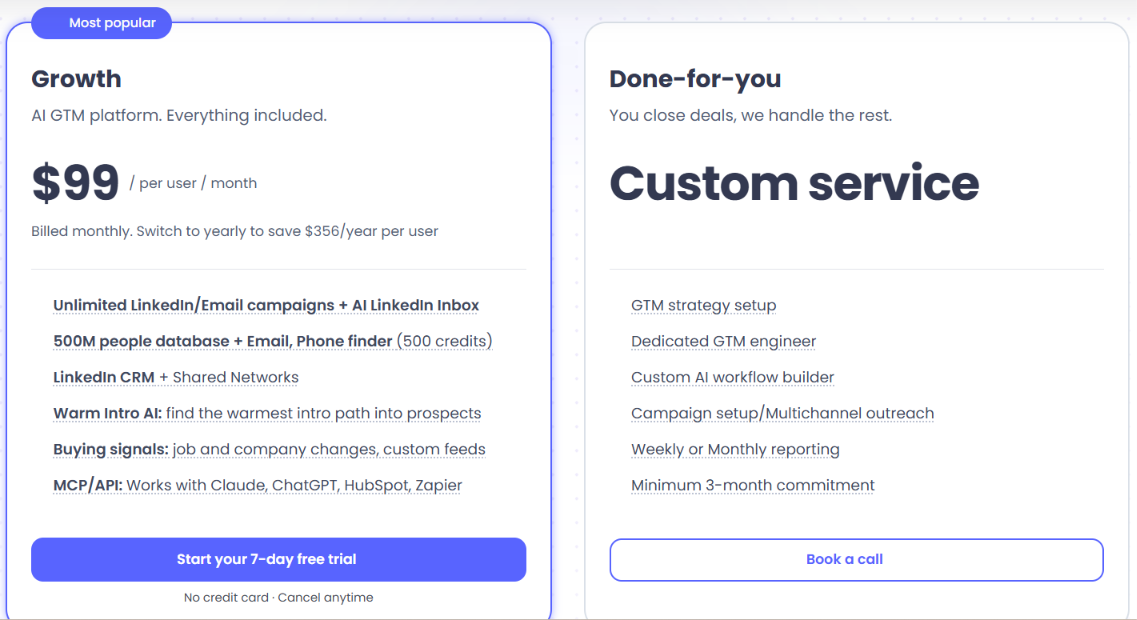
Free trial: 7 days with no credit card required.
Growth: $99/user/month with LinkedIn CRM, Sales Navigator exports and 500 enrichment credits.
Annual billing: Save 30% compared with monthly billing.
Enterprise: Custom pricing based on seats, credits and integrations.
Done-for-you: Custom pricing with a minimum three-month commitment.
Extra enrichment credits may increase the total cost. LeadDelta is a good choice if you want to export Sales Navigator leads and manage your LinkedIn contacts in one place.
5. Skrapp – Best for Sales Navigator Email Extraction
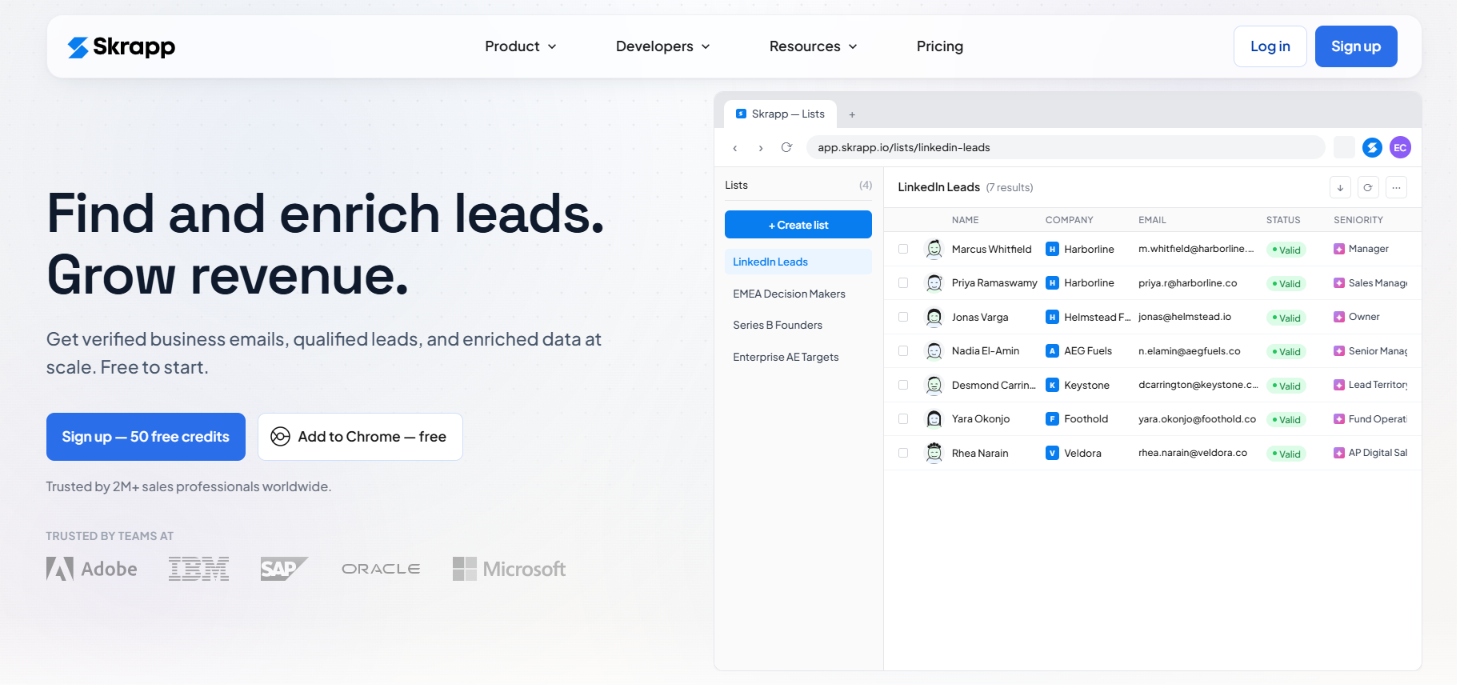
This image shows the Skrapp homepage
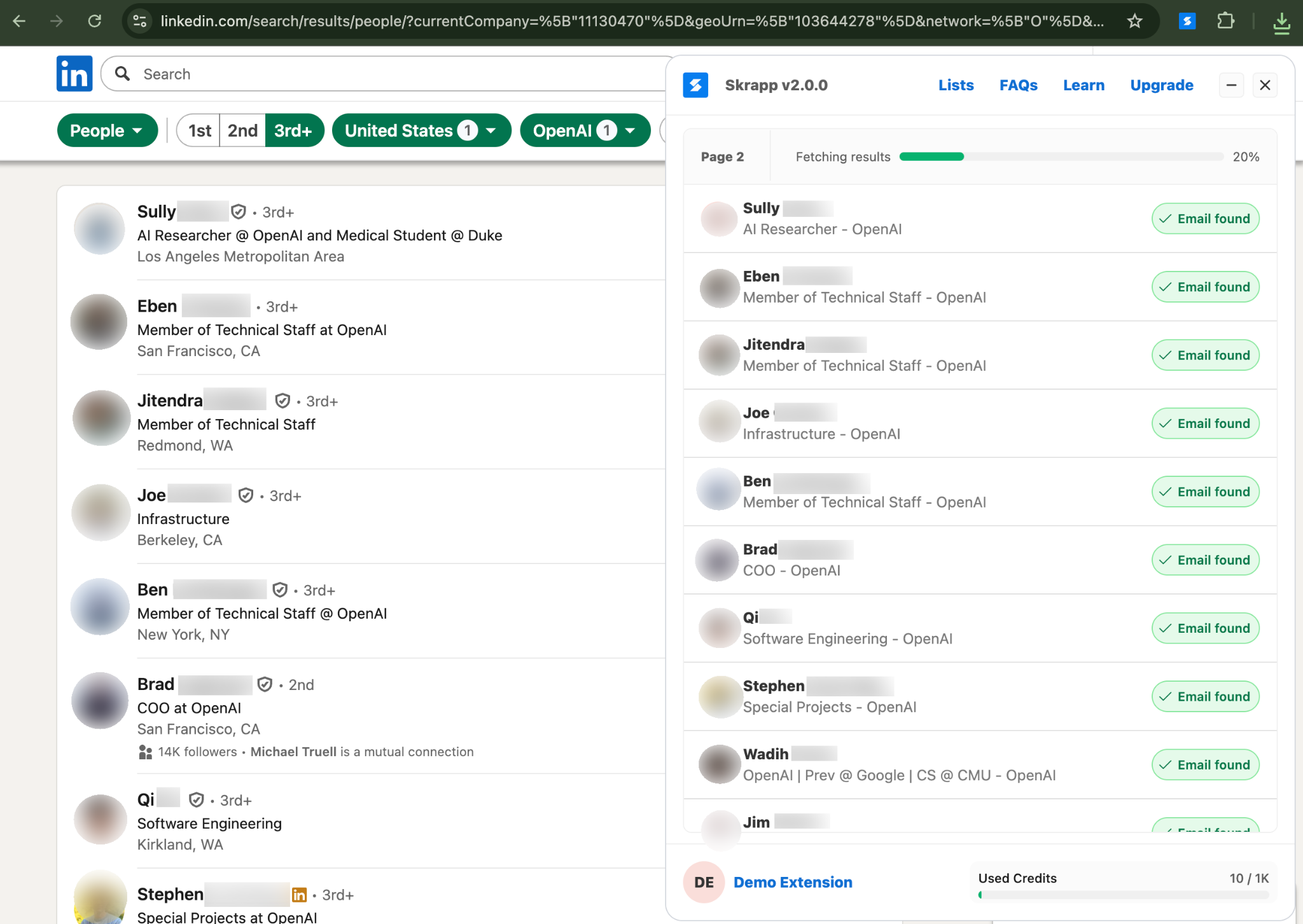
Skrapp is a B2B email finder that extracts prospects from LinkedIn Sales Navigator and finds their business email addresses. Its Chrome extension works with Sales Navigator searches and saved lead lists. You can select individual prospects or use auto-pagination to collect leads across multiple search pages.
Once the extraction finishes, Skrapp saves the leads to your account. You can download them as CSV or Excel files with verified emails and company details.
Skrapp also has a database of 200M+ B2B contacts. This gives you another way to find prospects without starting from a Sales Navigator search.
Key Features of Skrapp
Sales Navigator search extraction collects leads from People Search results.
This image show the Enrich email and company data from LinkedIn Sales Navigator with Skrapp
Saved lead list extraction captures prospects from existing Sales Navigator lists.
Multi-page extraction uses auto-pagination to collect leads across search result pages.
Selective lead extraction lets you choose specific profiles instead of exporting every result.
Business email enrichment finds work emails and adds them to extracted leads.
Email verification checks discovered addresses and assigns confidence scores.
CSV and Excel exports download prospect names, available emails and company details.
Pros of Skrapp
Wide Sales Navigator support across Core, Advanced and Advanced Plus.
Large contact database with 200M+ B2B profiles.
High claimed verification accuracy of 97%.
Flexible credit policy with rollover on paid plans.
Free starting credits with no credit card required.
Cons of Skrapp
Limited free plan with only 50 email credits.
Paid export access for downloading saved lead lists.
Incomplete email coverage when a business address cannot be found.
Limited phone prospecting compared with tools focused on emails and mobile numbers.
Higher credit costs for teams processing large prospect lists.
Skrapp Pricing
Free: $0 with 50 credits and 1 user.
Professional: $39/month for 2,000 credits and 2 users. Currently advertised at $27/month.
Enterprise: $349/month for 50,000 credits and 15 users. Currently advertised at $244/month.
Higher volumes: Professional offers up to 25,000 credits and Enterprise up to 500,000 credits with different pricing.
Custom plans: Available for larger teams and higher contact volumes.
Paid plans include credit rollover. The Black Friday prices are promotional and may change.
Skrapp is a good choice if you need verified business emails alongside your Sales Navigator CSV exports.
6. Kaspr – Best for Sales Navigator Phone Number Extraction
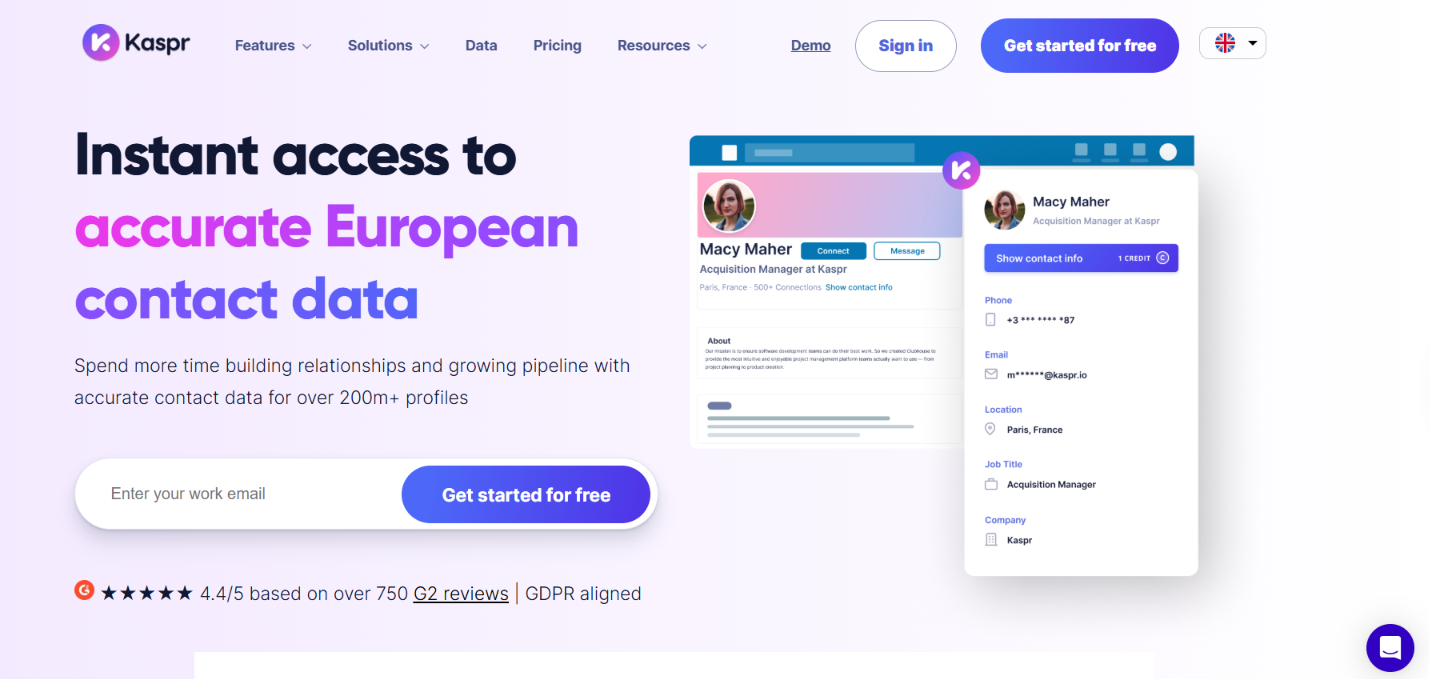
This image shows the Kaspr homepage
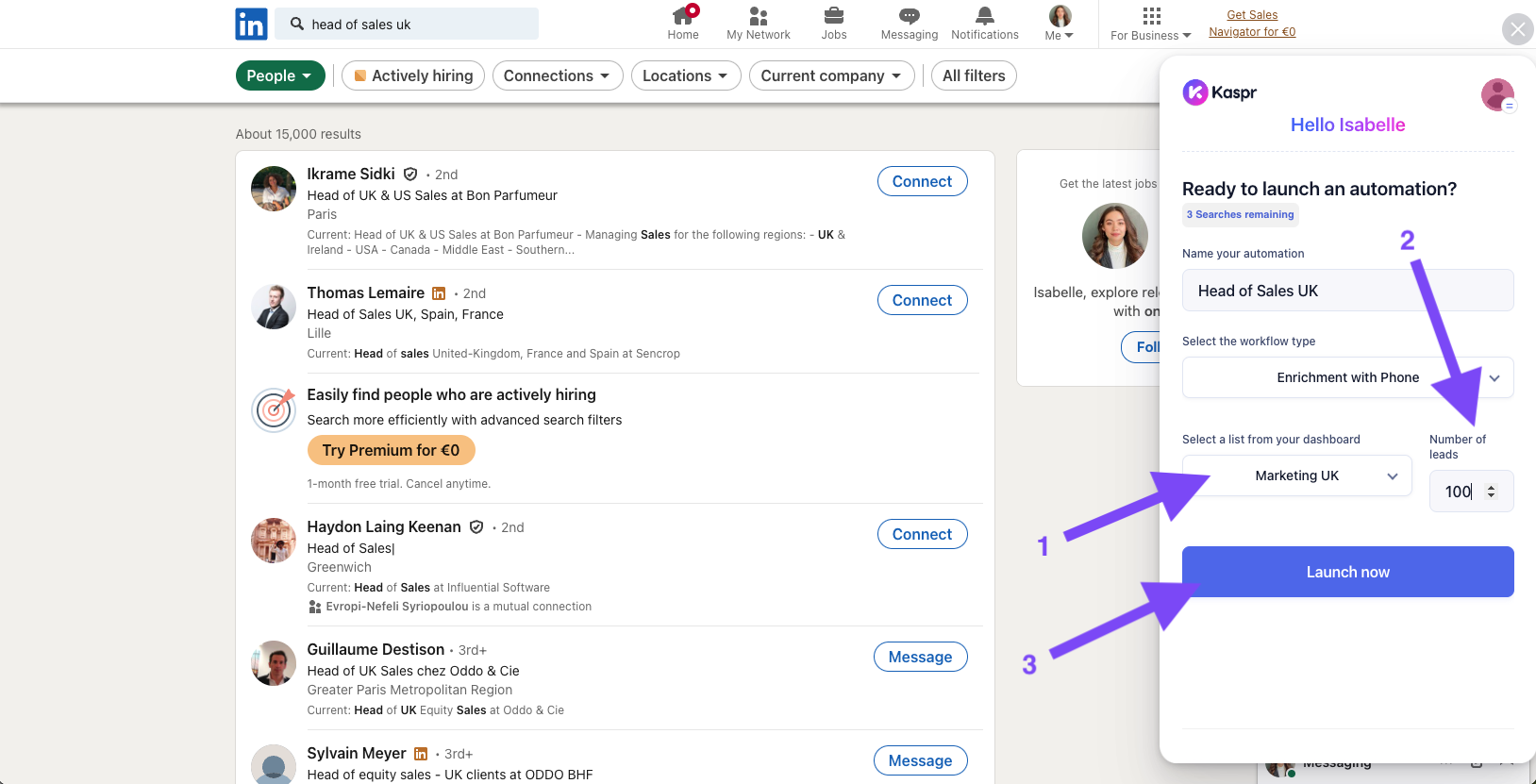
Kaspr is a LinkedIn contact finder that helps you get phone numbers and business emails from Sales Navigator. You can run a Sales Navigator search or open a saved lead list. Kaspr's Chrome extension then collects the selected profiles and looks for their contact details.
It supports up to 2,500 contacts per Sales Navigator search. You can also set rules to collect only leads with an email, phone number or both.
Kaspr focuses on European contact data. This makes it particularly relevant for teams that use Sales Navigator to find prospects they want to call.
Key Features of Kaspr
Bulk extraction collects up to 2,500 Sales Navigator profiles per search.
This image shows the Enrich your contacts in Kaspr
Lead list imports extract contacts from saved Sales Navigator lists.
Contact enrichment finds business emails and phone numbers.
Required data filters let you specify which contact details must be found.
Automated workflows collect and enrich leads based on your chosen settings.
Pros of Kaspr
High extraction limit of 2,500 Sales Navigator profiles per search.
Strong European focus for finding business contact details.
Flexible credit rules that can prevent charges when required contact data is missing.
Unlimited B2B email credits on paid plans, subject to Kaspr's usage rules.
Free starting plan with no credit card required.
Cons of Kaspr
No Sales Navigator access on the Free plan.
Limited free credits with only 5 phone credits per month.
Expensive phone credits for teams needing hundreds of mobile numbers.
Annual export limits of 12,000 on Starter and 30,000 on Business.
Incomplete contact coverage when Kaspr cannot find a prospect's phone number or email.
Kaspr Pricing
This image shows the Kaspr pricing
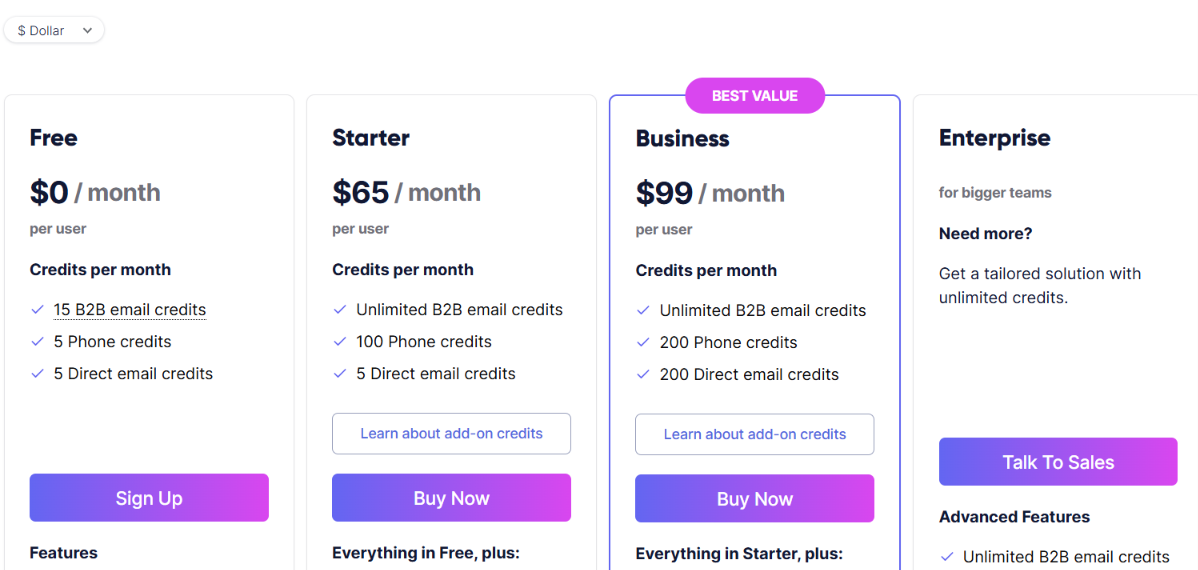
Free: $0/month with 15 B2B email credits, 5 phone credits and 5 direct email credits.
Starter: $65/user/month with unlimited B2B email credits, 100 phone credits and 5 direct email credits per month. Includes Sales Navigator support and 12,000 exports per year.
Business: $99/user/month with unlimited B2B email credits, 200 phone credits and 200 direct email credits per month. Includes 30,000 exports per year.
Enterprise: Custom pricing with unlimited credits and exports.
Extra credits are available as add-ons. Kaspr is better suited to Sales Navigator users who need phone numbers for cold calling rather than just email addresses in a CSV file.
7. Scrupp – Best for Exporting More Than 2,500 Sales Navigator Leads
This image shows the Scrupp homepage
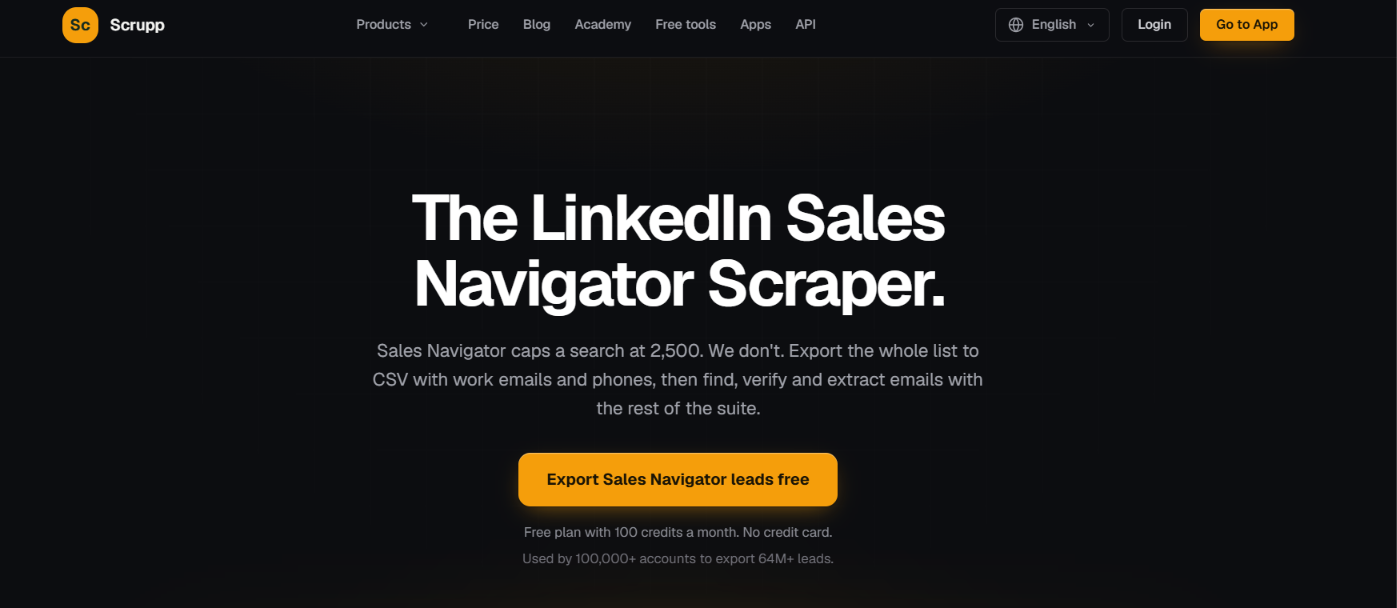
Scrupp is a LinkedIn Sales Navigator scraper that exports leads to CSV or Excel files. Its biggest selling point is the ability to extract more than Sales Navigator's 2,500-result search limit. You can collect larger prospect lists without manually splitting your searches.
Scrupp works through a Chrome extension and web app. Once you've collected your leads, you can find verified work emails and direct phone numbers. You can also send the finished list to Google Sheets or tools like HubSpot and Instantly.
Multi-page extraction gathers results across selected search pages.
Email enrichment finds and verifies work emails for saved leads.
Phone enrichment adds available direct phone numbers.
CSV and Excel downloads export lead details and available contact information.
Google Sheets integration sends prospect lists directly to spreadsheets.
Pros of Scrupp
Exports beyond 2,500 leads without manually splitting large Sales Navigator searches.
Clear credit pricing with separate charges for extraction and contact enrichment.
No per-seat charges with up to 3 team members on the entry paid plan.
Non-expiring credit packs for occasional exports without a subscription.
Cons of Scrupp
Separate enrichment charges for emails and phone numbers.
Base scraping charges apply even when no email or phone number is found.
Limited free usage with only 100 credits per month.
Extra Sales Navigator cost because a subscription is not included.
No guaranteed contact coverage for every extracted prospect.
Scrupp Pricing
This image shows the Scrupp pricing
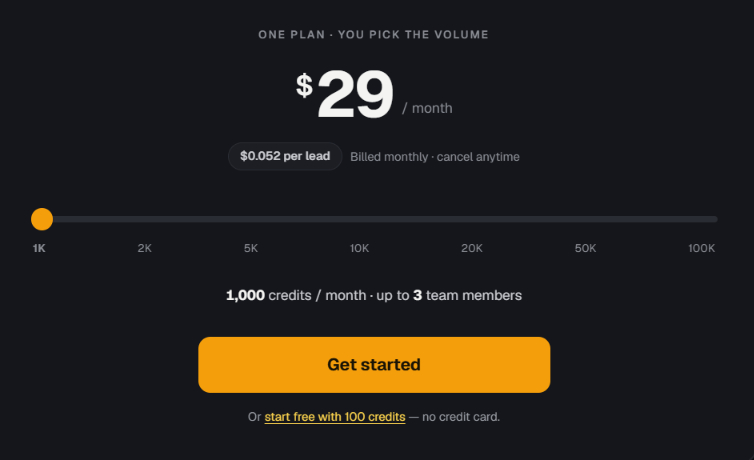
Scrupp starts at $29/month for 1,000 credits. Pricing depends on how many leads you export.
Free: 100 credits/month.
1,000 credits: $29/month.
2,000 credits: $39/month.
5,000 credits: $59/month.
10,000 credits: $99/month.
20,000 credits: $169/month.
50,000 credits: $329/month.
100,000 credits: $499/month.
One-time credits: $35 for 1,000 credits with no expiry.
Each exported lead costs 1 credit. Finding an email costs 1 extra credit and a phone number costs 2 extra credits.
Note: Sales Navigator requires a separate subscription.
Which LinkedIn Sales Navigator Extractor Should You Choose?
Here's which LinkedIn Sales Navigator extractor to choose based on what you want to do with those contacts.
If You Need...
Choose
Sales Navigator extraction with email and LinkedIn outreach
Salesforge
Clean lead data with verified emails
Evaboot
Scheduled exports from Sales Navigator
PhantomBuster
CSV exports with LinkedIn contact management
LeadDelta
Business emails from Sales Navigator searches
Skrapp
Phone numbers for cold calling
Kaspr
Exports beyond the 2,500-lead search limit
Scrupp
Personalized Outbound Strategy
Get The Right Outbound Strategy In Minutes
Enter your email to get a custom plan & stack recommendation for your
business
It's being carefully crafted by AI
Please check your mailbox in 5 minutes
Conclusion
The seven tools covered here offer different ways to extract Sales Navigator leads. Some focus on clean CSV files. Others support larger exports, contact enrichment or scheduled extraction.
Before choosing a tool, check its extraction limits and credit charges. A low starting price may not include the emails and phone numbers you need.
If you plan to use those leads for cold outreach, Salesforge lets you extract prospects through its Chrome extension and move them into email and LinkedIn sequences without manually transferring CSV files.
Compare 11 LinkedIn Sales Navigator Chrome extensions for 2026. See which tools can extract leads, find emails and phone numbers, and send prospects to your CRM.
Looking for agency tools? Compare 19 options for lead generation, outreach, CRM, reporting, project management, and client communication. Find your fit.