Blog
Pipecorn Review 2026: Is Its Lead Data Worth Paying For?

Pipecorn Review 2026: Is Its Lead Data Worth Paying For?

Summarize with

Pipecorn, formerly ProntoHQ, now puts 550M+ B2B profiles and 100+ data providers behind a single lead search.

And it's making some big promises about the results.

Pipecorn claims a 71-81% work email find rate and a 73-86% mobile number find rate. It also charges only when it finds a verified match.

But here's what I'd want to know before paying for it.

If Pipecorn finds 80 emails out of 100 searches, how many are actually usable? And if you're paying 30 credits for each mobile number, are you getting numbers your sales reps can use or just more records in your CRM?

Those are the questions that matter more than the size of its database.

In this Pipecorn review, I'll examine its contact data, and customer feedback to see if the results justify the price.
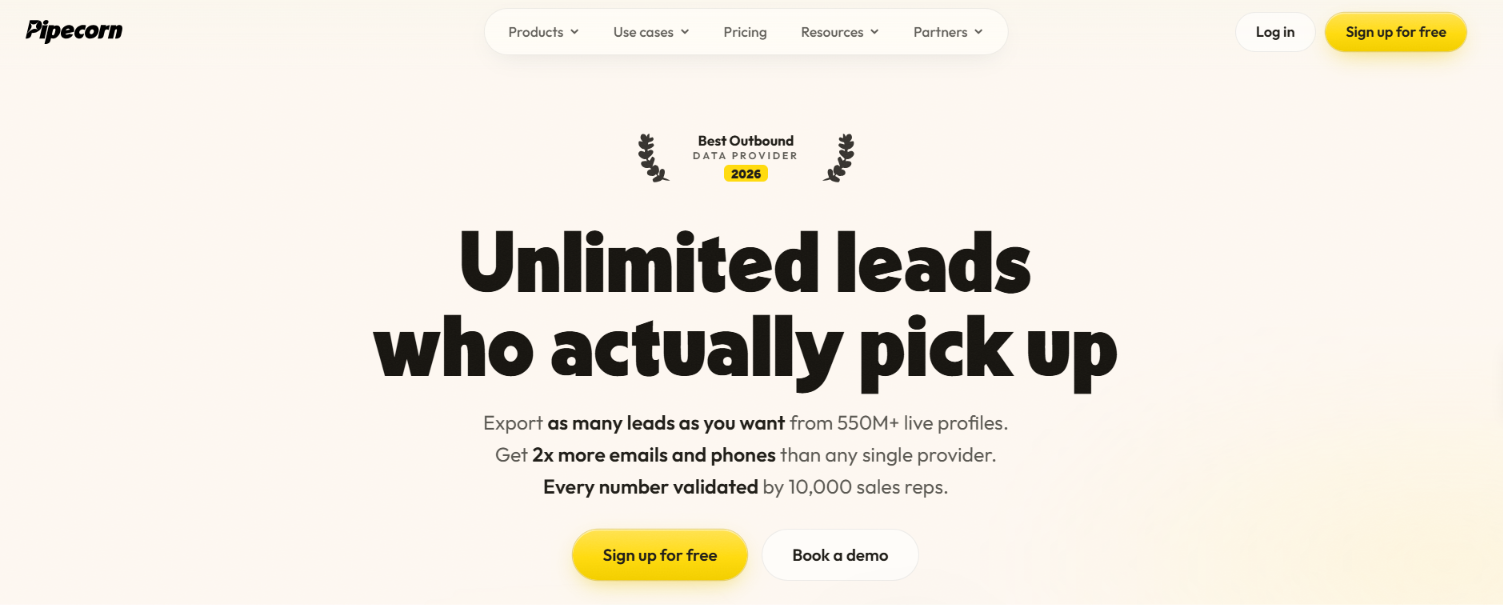
Table of Contents

TL;DR: Pipecorn Review 2026

  • Pipecorn is a B2B lead data tool. It helps you build prospect lists and find work emails and mobile numbers.
    ‍
  • Its main selling point is contact coverage. Pipecorn searches 100+ providers and claims a 71-81% verified email find rate. Actual results can vary by market and audience.
    ‍
  • You only pay for successful matches. A verified email costs 3 credits and a mobile number costs 30. Failed searches don't use credits.
    ‍
  • Pricing starts at $49/month for Build, or $41/month with annual billing. There's also a free plan with 150 credits per month.
    ‍
  • The limitations are worth checking. Mobile numbers cost 10 times as many credits as emails. Buying signals and native CRM integrations require Grow or Scale. Pipecorn also doesn't send outreach campaigns.
    ‍
  • My verdict: Pipecorn is worth considering if your current data provider misses too many work emails or direct mobile numbers. But I'd recommend testing its free plan with a sample lead list before paying. 

What Do You Get With Pipecorn (And What Don't You Get)

Pipecorn homepage
This image shows the Pipecorn homepage

Pipecorn gives you access to 550M+ professional profiles. It searches 100+ data providers to find verified work emails and mobile numbers. You can build lead lists using filters for job titles and company details. It also offers LinkedIn enrichment through its Chrome extension. Higher plans add buying signals and CRM integrations.

But Pipecorn has a few limitations. It doesn't send cold emails or LinkedIn messages. It also doesn't have a built-in calling tool. You'll need separate software to run outreach.

Buying signals and native CRM integrations are only available from the Grow plan. Each verified mobile number also costs 30 credits.

Leadsforge is another option worth comparing. It has 500M+ contacts and checks 20+ data providers. You can find leads using AI chat or ICP filters. It also supports buying signals and company follower searches.

Leadsforge starts at $49/month for 2,000 credits. Each verified email costs 1 credit and each phone number costs 10. Here's how the two compare.

Feature Pipecorn Leadsforge
Lead database 550M+ profiles 500M+ contacts
Data providers 100+ 20+
Verified email 3 credits 1 credit
Phone number 30 credits 10 credits
Lead search ICP filters ICP filters and AI chat
Buying signals From Grow Included in Essential
LinkedIn prospecting Chrome extension to find emails and mobiles. Supports Sales Navigator search exports. Finds people following selected LinkedIn company pages. Also provides LinkedIn profile URLs.
Company lookalikes From Build Available
CRM integrations HubSpot, Salesforce and Pipedrive from Grow HubSpot and Salesforce
Free access 150 credits monthly 100 credits on signup
Starting price Build starts at $49/month or $41/month with annual billing. Credit allowance varies. Essential costs $49/month with 2,000 credits.

User Reviews Say About Pipecorn

There aren't enough public reviews to judge Pipecorn's performance. On G2, Pipecorn has a 5/5 rating from just 5 reviews. The feedback is positive, with users mentioning its contact data and phone number coverage.
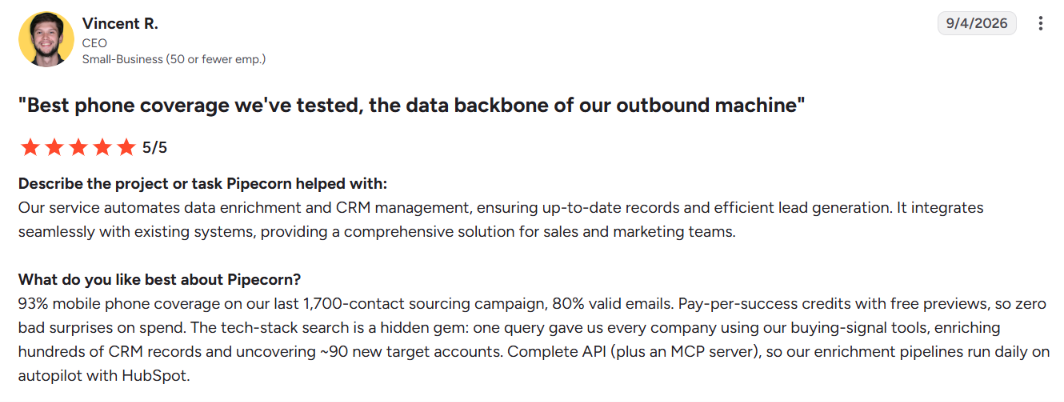
Pipecorn G2 user review
This image shows the Pipecorn G2 user review

However, Capterra has no user reviews, and I couldn't find a verified Trustpilot review page for Pipecorn.

The limited feedback makes it difficult to assess Pipecorn's data accuracy across different industries. Its free plan is a better starting point for checking how many verified contacts it can find.

How Does Pipecorn Work?

Pipecorn works by finding B2B prospects and checking multiple data sources for their contact details. You can start with a new lead search or upload a list you already have.

Here's how the process works.
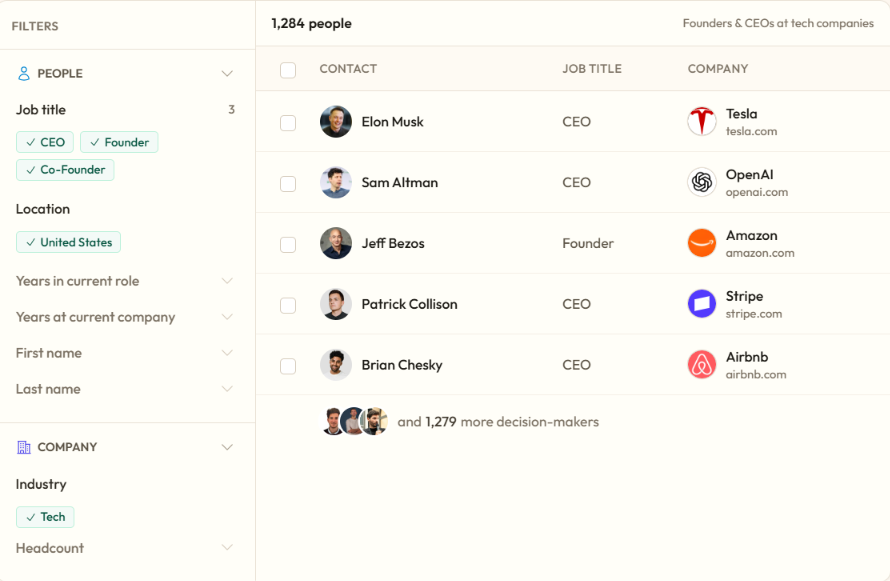
Step 1. Find your target prospects

Find leads after using filters
This image shows Find leads after using filters

Search Pipecorn's database using filters such as job title, seniority, industry, company size, and location. For example, you can search for VP-level marketing leaders at US software companies with 50-500 employees.

You can also upload a CSV or find prospects through Pipecorn's LinkedIn Chrome extension.
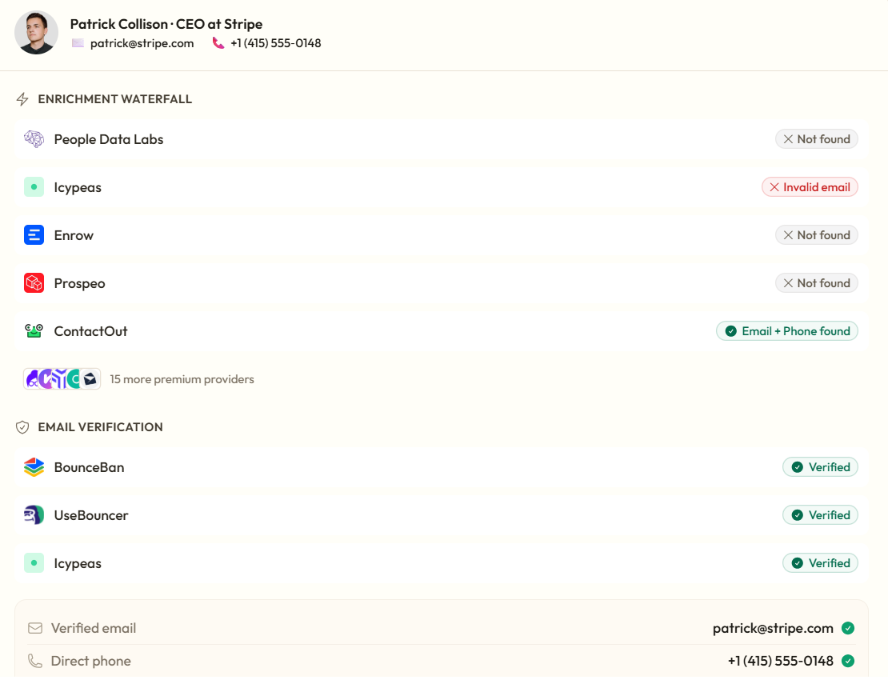
Step 2. Find their emails and phone numbers

Find email and phone on Pipecorn
This image shows Find email and phone on Pipecorn

Once you have a list, Pipecorn checks its network of 100+ data providers for work emails and mobile numbers. It selects providers based on factors such as location and job role, then checks additional sources when needed.

Pipecorn continues checking selected providers until it finds a verified match or completes the lookup.

Step 3. Verify the contact details

Pipecorn checks emails through three verification systems. It also uses feedback from sales reps to check mobile numbers.

You only spend credits when Pipecorn returns a verified match.

  • 3 credits for a verified work email.
    ‍
  • 30 credits for a mobile number.
    ‍
  • 33 credits for both.

If Pipecorn can't find a verified match, it doesn't charge enrichment credits.

Step 4. Clean and export your leads

Before exporting, Pipecorn can remove duplicate records and clean up names, job titles, and company details. You can download the list as a CSV. Grow and Scale users can also send contacts directly to HubSpot, Salesforce, or Pipedrive.

You can then use the exported contacts in your outreach campaigns. Pipecorn doesn't run cold email sequences.

The process is fairly simple. The part worth checking is how many verified contacts Pipecorn actually finds from a sample list. That tells you more about its value than the number of providers it advertises.

Top Features of Pipecorn

Pipecorn searches more than 100 data providers instead of relying on one contact database. It also checks the contact data before charging you for the result.

Here are its main features.
Feature What It Does
Waterfall enrichment Searches 100+ data providers for work emails and mobile numbers and routes each lookup based on the prospect's country and role.
Contact verification Checks emails through three verification systems and checks mobile numbers using carrier data plus feedback from sales reps.
AI persona builder Finds related job titles for your target role and removes junior positions that do not match your search.
Buying signals Tracks new hires, promotions, job changes, and company hiring activity from the Grow plan.
LinkedIn Chrome extension Finds work emails and mobile numbers from LinkedIn profiles and imports Sales Navigator searches for bulk enrichment.
CRM integrations Sends enriched contacts to HubSpot, Salesforce, and Pipedrive from the Grow plan.
Data cleaning Removes duplicates and cleans names, job titles, company names, and email formatting before export.
API and MCP Lets you run Pipecorn enrichment through other apps and supported AI tools without using the dashboard.
Team workspace Lets teams share credits, lists, and saved personas with credit limits for each user.

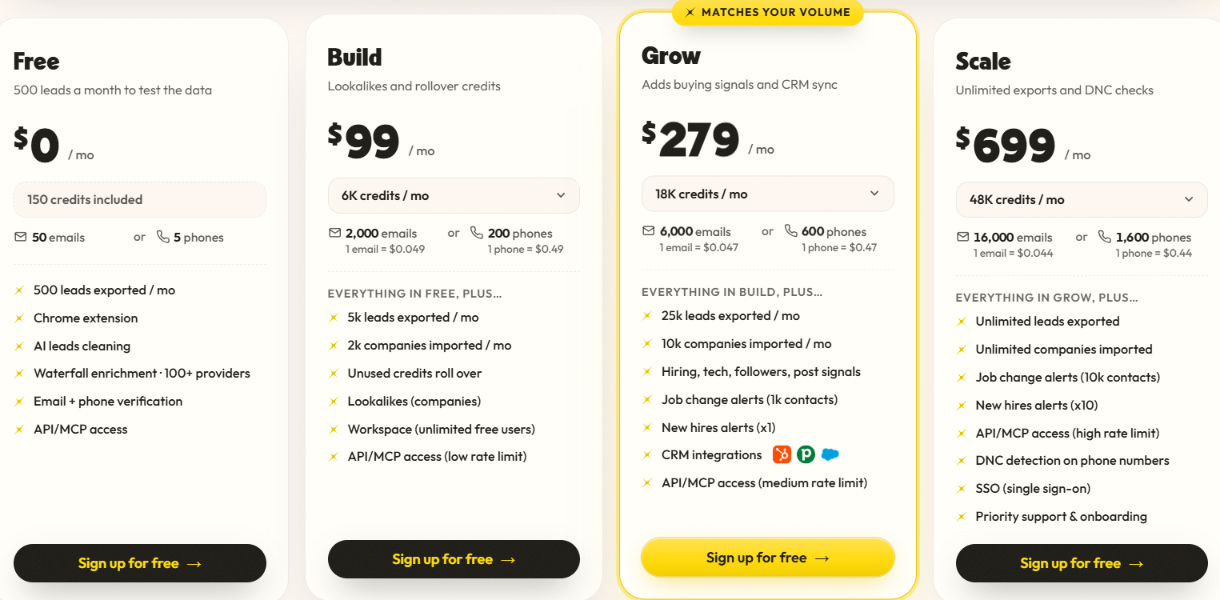
Pipecorn Pricing 2026: How Much Does It Cost?

Pipecorn pricing
This image shows the Pipecorn pricing

Pipecorn uses credits for contact data. A verified email costs 3 credits. A mobile number costs 30 credits. Both cost 33 credits. You pay nothing when Pipecorn cannot find a verified result.

Here is what that looks like across the plans:

  • Free – $0/month: 150 credits and 500 lead exports.
    ‍
  • Build – $49/month: 3,000 credits for up to 1,000 emails or 100 phone numbers.
    ‍
  • Grow – $149/month: 9,000 credits for up to 3,000 emails or 300 phone numbers.
    ‍
  • Scale – $699/month: 48,000 credits for up to 16,000 emails or 1,600 phone numbers.

So, is the lead data worth paying for?

For emails, the pricing is reasonable. For phone numbers, it gets expensive fast.

At $49, Build gives you up to 1,000 verified emails if you use all 3,000 credits for email enrichment.

The same $49 gets you up to 100 mobile numbers. Pipecorn can search across 100+ providers until it finds a verified result. That is the part you are paying for. If your current database fails to find contact details for a large part of your list, Pipecorn can check other sources for those missing records.

I would test that with the 150 free credits first. Run the same prospects through Pipecorn and your current provider. If Pipecorn finds verified contacts the other source misses, paying for the extra coverage has a clear reason behind it. Unused credits roll over on paid plans.

Top Pros of Pipecorn

  • 100+ data sources for email and mobile enrichment.
    ‍
  • Country-based routing to choose providers for each market.
    ‍
  • Three-step email verification before an email is returned.
    ‍
  • Mobile verification to check active lines and number owners.
    ‍
  • Full Sales Navigator exports for bulk enrichment.
    ‍
  • Buying signals for hiring and other company activity.
    ‍
  • Job-change alerts for recent role changes.
    ‍
  • Free failed lookups when no verified contact is found.

Cons of Pipecorn

  • No outreach sending so you need another tool for email sequences or calls.
    ‍
  • High mobile credit use at 30 credits for each verified number.
    ‍
  • No guaranteed contact coverage since some searches still return no verified email or mobile.
    ‍
  • Lookalike results need checking because similar company descriptions can return unrelated companies.
    ‍
  • Job-change tracking runs monthly so it is not continuous monitoring.
    ‍
  • New-hire tracking runs weekly rather than checking for changes every day.

Who Should Use Pipecorn (And Who Should Avoid It)?

Pipecorn works well when you regularly build prospect lists and need to find verified contact data across multiple sources.

You should use Pipecorn if:

  • You build large B2B prospect lists regularly.
    ‍
  • Your reps need verified work emails and mobile numbers.
    ‍
  • You prospect across several countries and need better contact coverage.
    ‍
  • You use LinkedIn or Sales Navigator to find prospects.
    ‍
  • You want to clean and enrich contacts already sitting in your CRM.
    ‍
  • You want to prospect around hiring activity and job changes.
    ‍
  • Several reps need to work from the same lists and credit pool.

You should avoid Pipecorn if:

  • You want one tool to find leads and send cold emails.
    ‍
  • You need large volumes of mobile numbers on a small budget.
    ‍
  • You only need a basic contact database for occasional prospecting.
    ‍
  • You need job-change checks more often than Pipecorn provides.
    ‍
  • You do not want to review lookalike companies before using them.

Pipecorn is best if you need to find and verify B2B contact data at scale. If you also want to send cold emails or run outreach sequences, you will need a separate tool for that.

Best Pipecorn Alternative for B2B Lead Generation – Leadsforge

If Pipecorn looks good for contact data but its credit costs are holding you back, Leadsforge is the alternative I would consider.
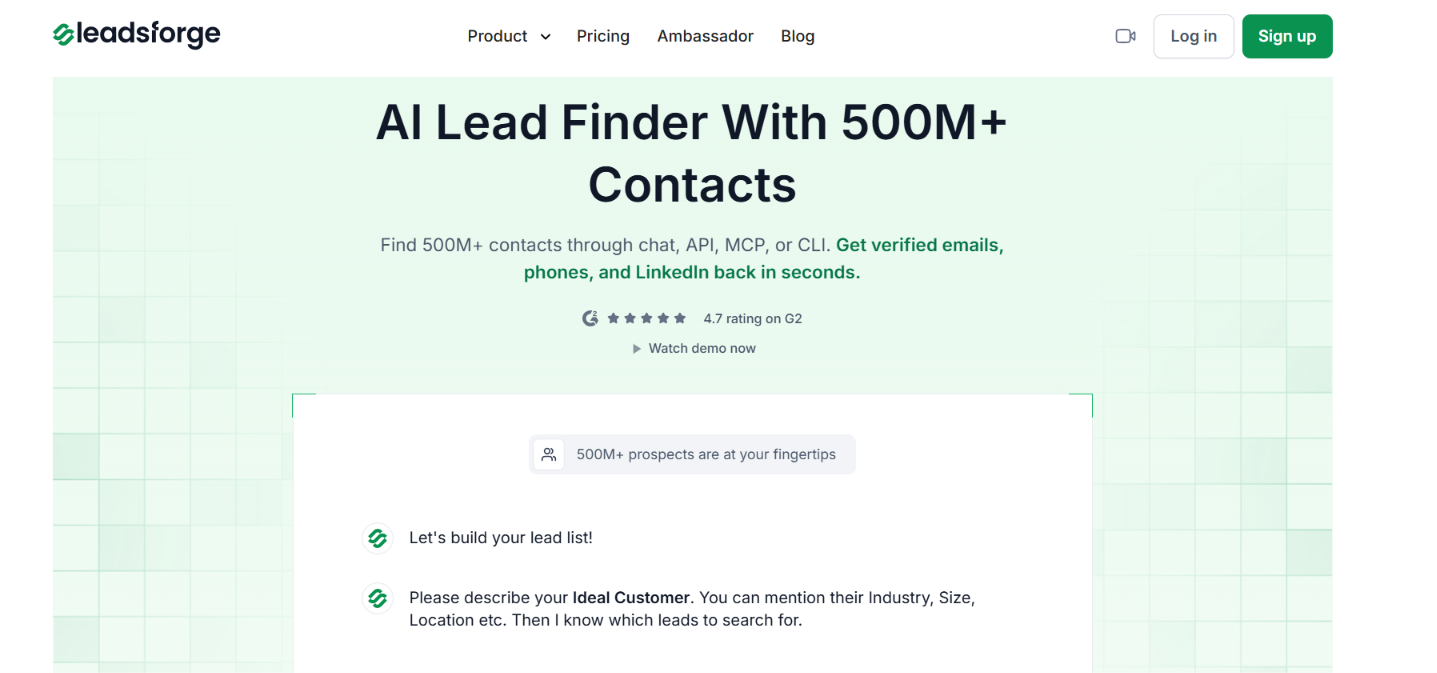
Leadsforge homepage
This image shows the Leadsforge homepage

Leadsforge searches a database of 500M+ contacts and checks 20+ data providers when enriching leads. You can build a list with normal filters or describe your ICP to its AI assistant.

Compared with Pipecorn, Leadsforge gives you:
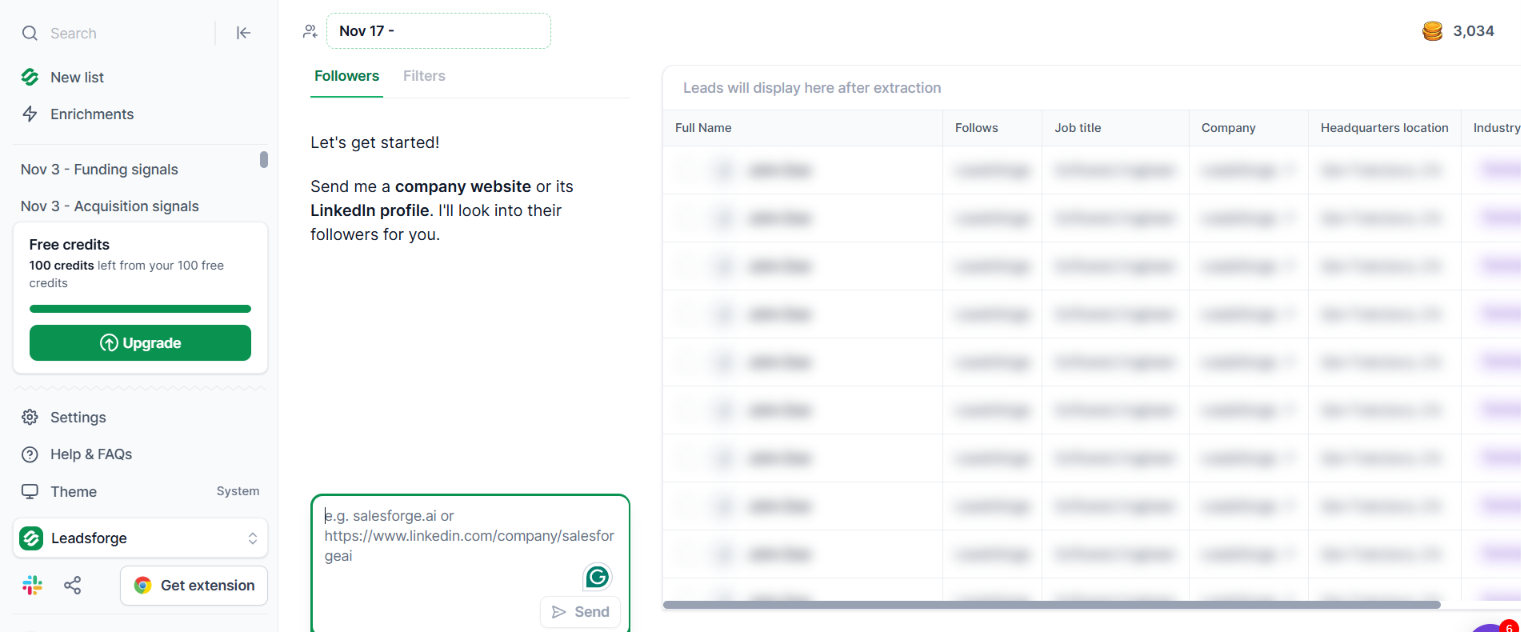
  • Lower credit cost per contact with 1 credit for a verified email and 10 credits for a verified phone number.
    ‍
  • AI-based ICP search where you can describe the people you want to reach in plain words.
    ‍
  • Buying signals for funding, hiring, job changes, acquisitions, and investor activity.
    ‍
  • Company follower search to find people following a company or competitor on LinkedIn.
Company followers on Leadsforge
This image shows the Company followers on Leadsforge
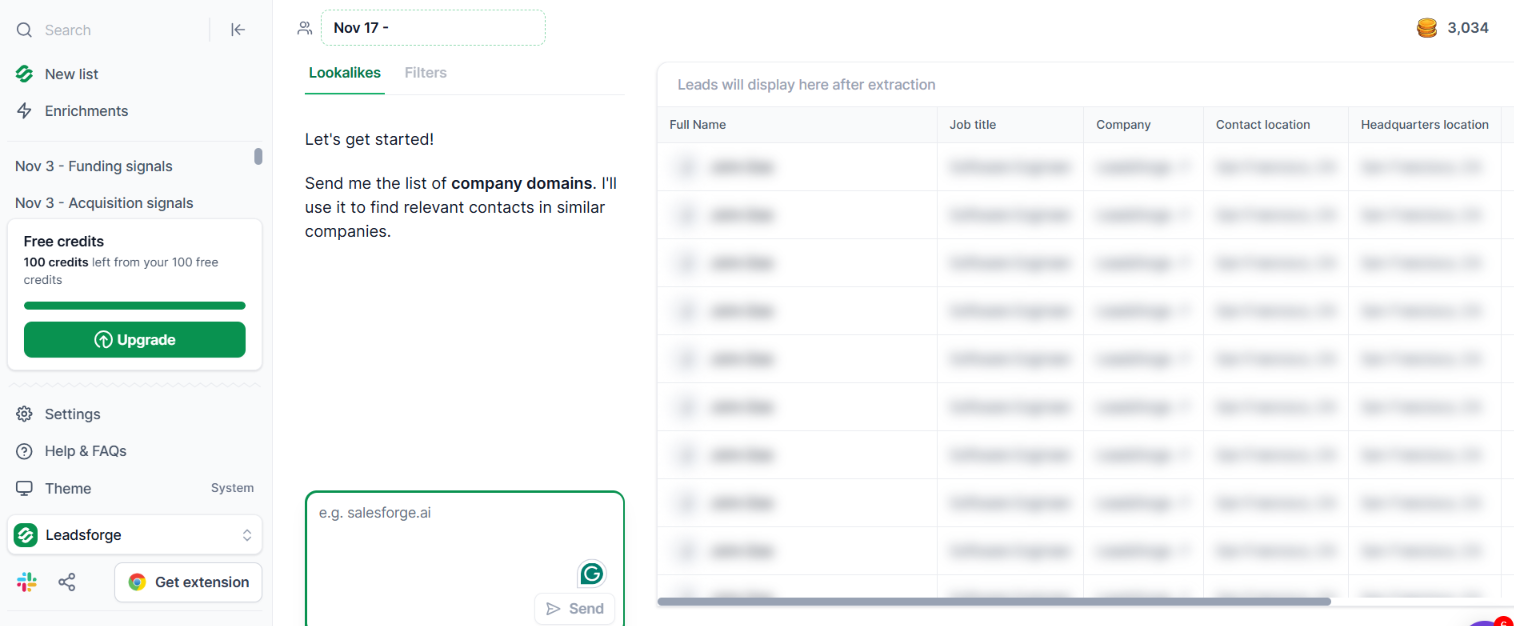
  • Company lookalikes to find businesses similar to customers or target accounts you already have.
Company lookalikes in Leadsforge
This image shows the Company lookalikes in Leadsforge
  • Local business search using a location, radius, and business category.
    ‍
  • 20+ provider waterfall enrichment for verified emails, phone numbers, and LinkedIn profiles.
    ‍
  • Credits that do not expire if you do not use them during the current billing period.
    ‍
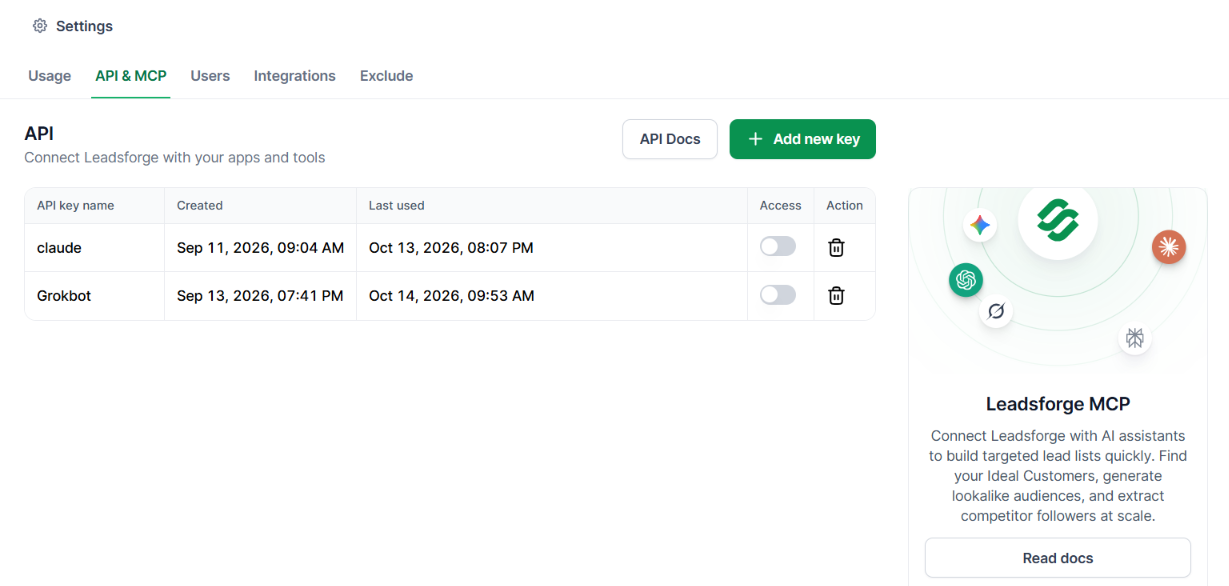
  • API, MCP, and CLI access for running searches and enrichments outside the Leadsforge app.
API and MCP on Leadsforge
This image shows the API and MCP on Leadsforge

The Essential plan costs $49 per month and includes 2,000 credits. You also get 100 free credits when you sign up without entering a card.

Pipecorn still searches more data providers with its 100+ source waterfall. But Leadsforge charges fewer credits for the two contact fields that matter most for outbound: 1 credit for an email versus Pipecorn's 3, and 10 credits for a phone number versus Pipecorn's 30.

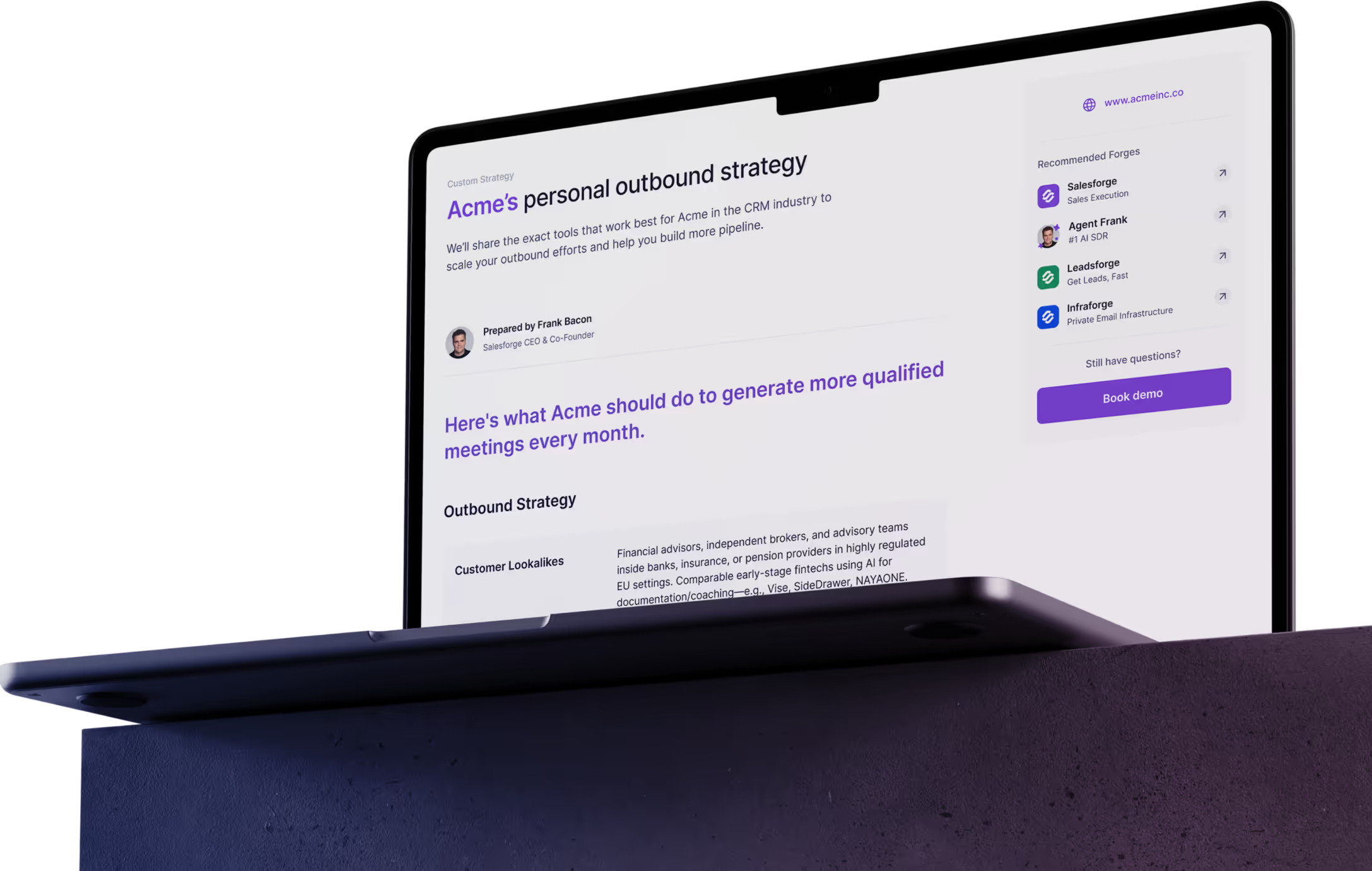
Personalized Outbound Strategy

Get The Right Outbound Strategy In Minutes

Enter your email to get a custom plan & stack recommendation for your business

It's being carefully crafted by AI

Please check your mailbox in 5 minutes
Is Pipecorn Worth Paying For in 2026?

Yes, Pipecorn is worth paying for if contact coverage is the main problem in your prospecting.

Its biggest advantage is the 100+ provider waterfall. Pipecorn checks multiple sources for each lead, verifies the result, and does not charge for a failed lookup.

The trade-off is cost. A verified email uses 3 credits and a mobile number uses 30. Pipecorn also stops at prospecting and enrichment, so you still need another tool to run your outreach.

So, Pipecorn is worth paying for if you regularly need verified emails and mobile numbers across large prospect lists.

If you want to spend fewer credits per contact, Leadsforge is worth checking instead. It charges 1 credit for a verified email and 10 for a phone number, with 100 free credits to try it first.

Book more meetings on autopilot

Set up in minutes. No per-seat pricing. No commitment.
Try
free
4.6 rating on G2
Add as a preferred
source on Google