Personalized Outbound Strategy
Get The Right Outbound Strategy In Minutes
Enter your email to get a custom plan & stack recommendation for your business
It's being carefully crafted by AI
Please check your mailbox in 5 minutes
QuickLead.io starts at $59 per LinkedIn account per month, which sounds reasonable for a tool that can automate connection requests, messages, follow-ups, and AI personalization.
Its users seem happy with it too. QuickLead currently has a 4.8/5 rating on G2, with reviewers praising its campaign setup, and Smart Inbox.
But the reviews also point to a concern worth checking before you pay. Some users say credits can run out quickly with heavier use. And on the Starter plan, you can only have one campaign running at a time.
So, how far does $59 actually get you? And when does moving to a higher plan start to make sense?
In this QuickLead.io review, I’ll break down its features, pricing, limits, and user feedback to see if it’s worth your money in 2026.
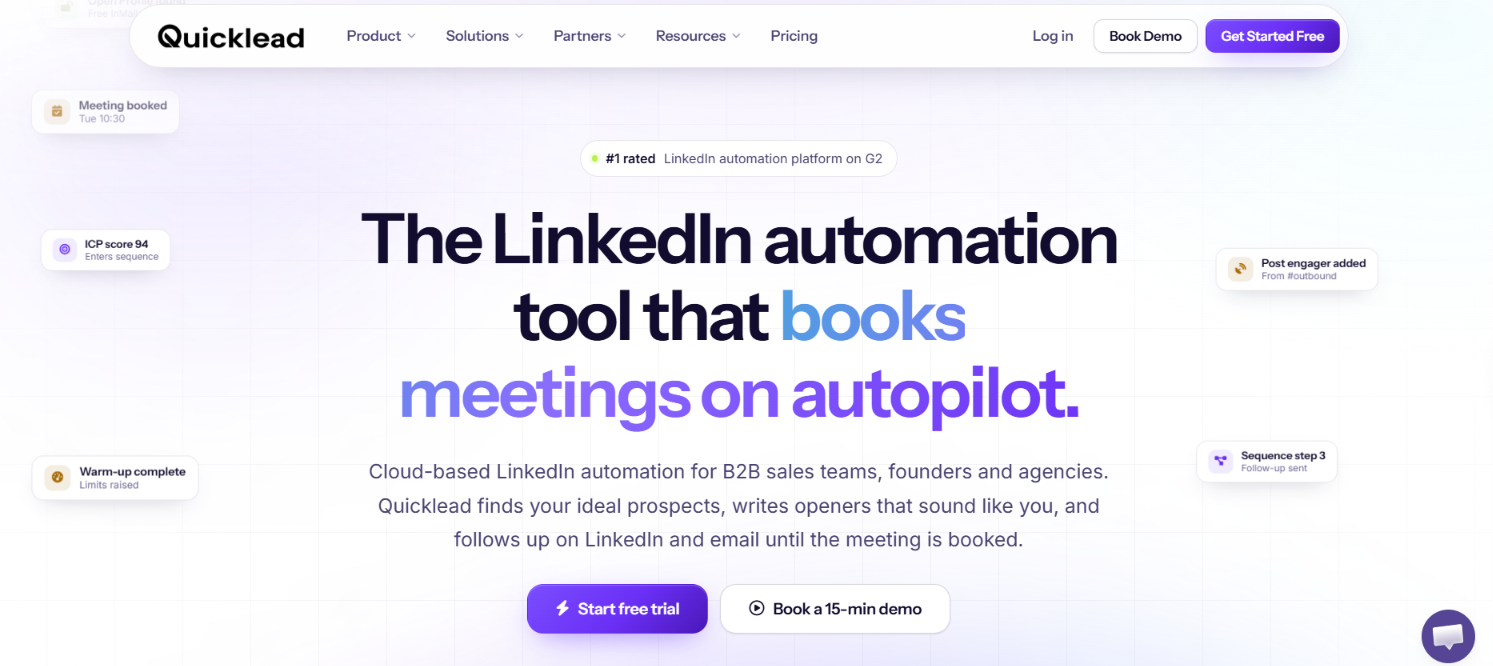
QuickLead handles the main parts of LinkedIn outreach. You can bring in prospects, build automated sequences, personalize the messages, and manage replies without leaving the platform.
It also gives you ways to decide who should enter those sequences. ICP scoring checks how closely a prospect matches your target customer. Social Signals can find people based on their LinkedIn activity. QuickLead also offers email-only outreach and combined LinkedIn + Email sequences. The combined option is still in Early Access.
But what you get depends on the plan. Starter costs $59 per account and allows one campaign to run at a time. Social Signals and ICP scoring require Scale. Finding work emails also costs extra at $39 for 2,000 Email Finder credits.
Salesforge is worth comparing if you need email to carry more of the outreach. Pro costs $48 per month and includes unlimited email mailboxes with one LinkedIn sender. Growth costs $96 per month and includes unlimited LinkedIn senders.
Here’s a quick comparison:
QuickLead gives you more LinkedIn-specific prospecting tools. Salesforge gives you more room to run email and LinkedIn outreach across multiple sending accounts.
QuickLead has very few public user reviews.
On G2, it has a 4.8/5 rating. Users like how easy it is to set up LinkedIn campaigns. The campaign automation and Smart Inbox also get positive mentions.
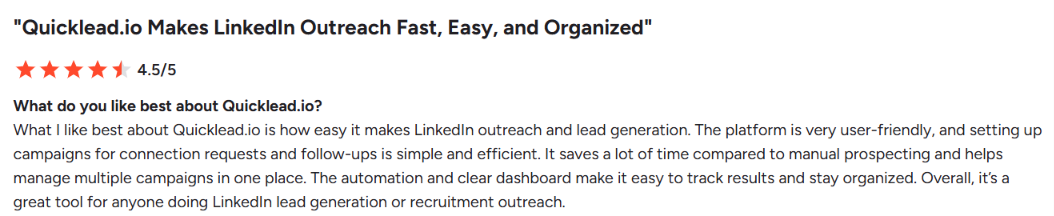
There are some complaints too. Two reviewers say credits can run out quickly. One user mentions initial glitches. Others want a mobile app or more automation in some parts of the platform.

The lack of reviews is the bigger concern. I couldn't find a QuickLead review page on Trustpilot or Capterra during my research. That leaves G2 as one of the few places with actual customer feedback.
So while 4.8/5 looks good, it comes from only 9 reviews. That is too small a sample to tell how consistent the experience is across a larger number of customers.
QuickLead takes a prospect from your lead list through to the outreach sequence and reply stage. The process works in five steps.
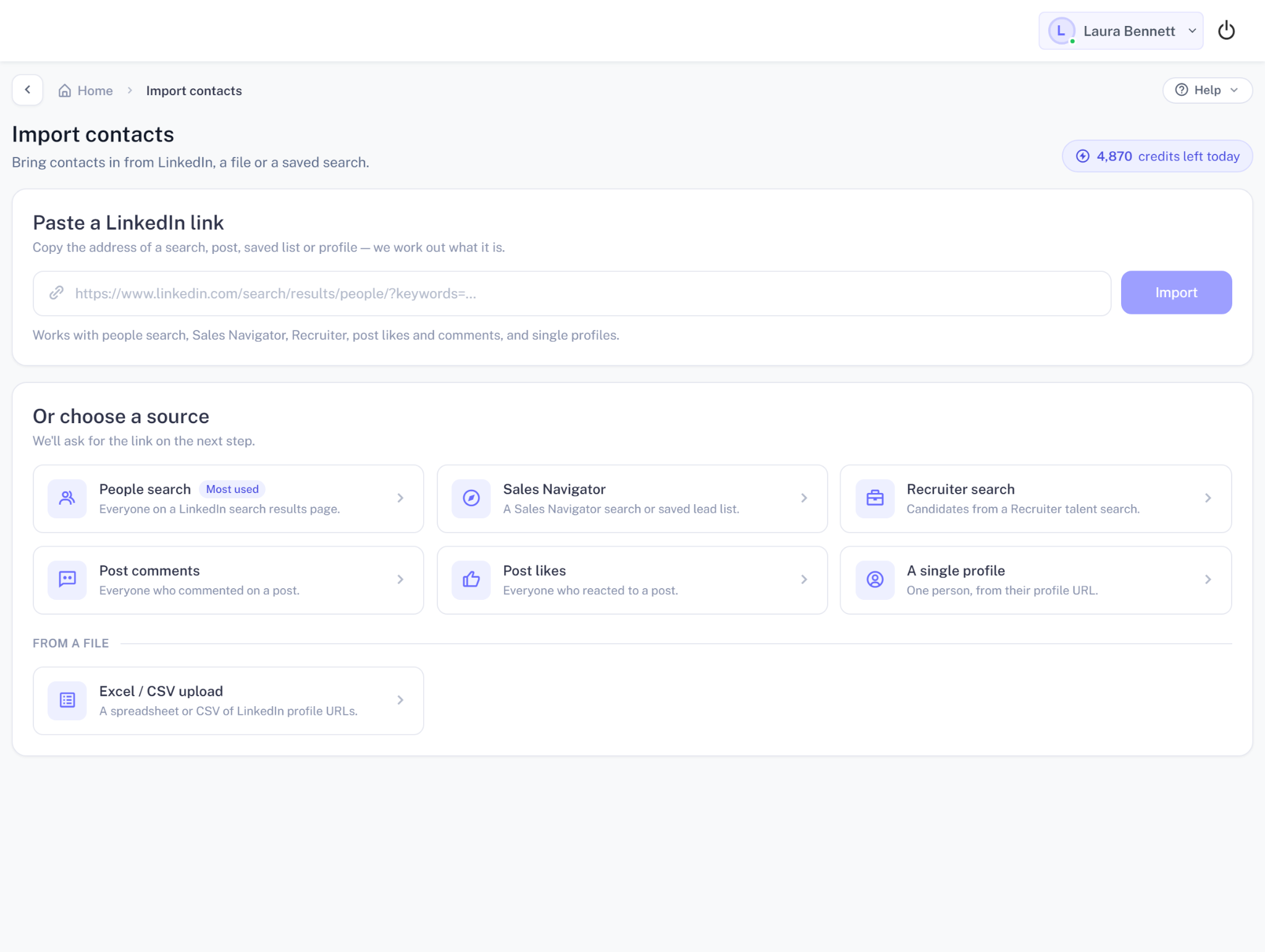
First, you add the people you want to contact. QuickLead can pull prospects from Sales Navigator, LinkedIn Search, and People Search. You can also upload a CSV or bring in people who engaged with selected LinkedIn content.
If the same person appears in more than one source, QuickLead merges the duplicate instead of adding them twice.
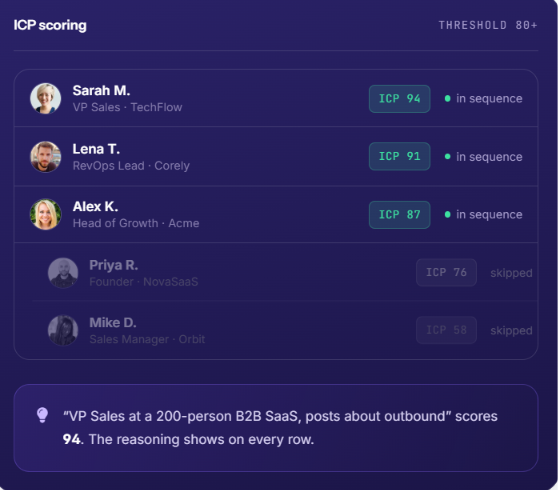
Next, QuickLead can check each prospect against the ICP you provide. Each lead gets a score from 0-100 along with the reason for that score. You can then set a minimum score. Prospects below it are held back from the sequence.
This lets you decide who gets contacted before using your LinkedIn connection requests on the list.
You then decide what should happen after a prospect enters the campaign. A sequence can include profile visits, post likes, comments, connection requests, LinkedIn messages, and Open Profile InMails. You can set delays between each step.
The sequence can also take different paths based on what the prospect does. For example, someone who accepts your request can receive a message. Someone who does not accept can follow another path.
Before a message goes out, QuickLead can research the prospect's LinkedIn profile and recent activity.
It uses details such as their role, company, recent posts, and mutual connections to write the opener. QuickLead generates five message variants. You can review them before sending or allow approved variants to send automatically.
Once the campaign is running, QuickLead sends the scheduled steps from the cloud. If a prospect replies, the remaining steps for that person stop. Their response appears in Smart Inbox.
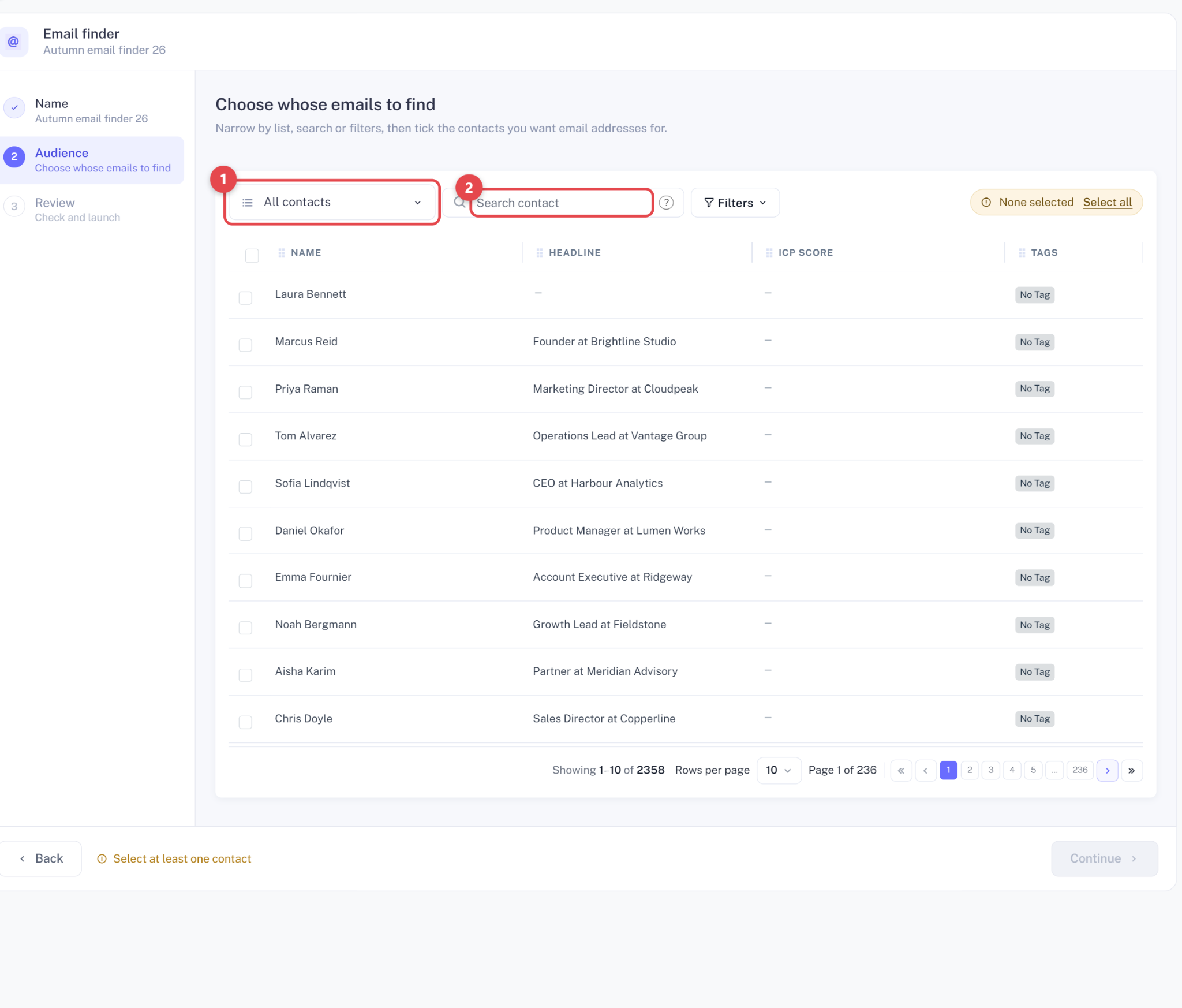
QuickLead can also use Email Finder to find a verified work email for a prospect already in your campaign. You can then continue the sequence over email. The email sending step is currently marked as Early access. A reply on either LinkedIn or email stops the remaining steps.
Beyond the basic campaign flow, QuickLead has a few features that change who you contact and how you reach them.
QuickLead takes several steps to reduce the risk that comes with LinkedIn automation. Each account runs in an isolated cloud session with a dedicated country-based IP. You can set daily limits for invites, messages, and profile visits. QuickLead also uses randomized timing and gradually increases activity on newer accounts.
But there is still a risk of account restrictions. QuickLead itself says LinkedIn discourages automated activity and that any tool in this category carries some risk.
So, QuickLead gives you controls to keep activity within reasonable limits. It cannot guarantee that your LinkedIn account will never be restricted.
QuickLead starts at $59 per LinkedIn account per month. There are three plans: Starter, Scale, and Agency.
Starter lets you build unlimited campaigns, but only one can run at a time. Scale removes that limit and adds ICP scoring and Social Signals. Agency includes everything in Scale and costs $69 per account, with a minimum of 10 accounts.
There are two extra costs to keep in mind. Email Finder costs $39 for 2,000 credits, and extra AI usage costs $5 per 1M tokens.
QuickLead gives you 10% off quarterly billing and 20% off yearly billing. You can also try it for 7 days with no credit card required.
QuickLead is built for LinkedIn-first outbound. If your team finds prospects on LinkedIn and then runs connection requests, messages, and follow-ups, its feature set fits that process.
QuickLead is a good fit if you:
You should look elsewhere if you:
QuickLead is a better fit for LinkedIn-led outreach than email-led outbound. If LinkedIn is only a small part of your sales process, several of its main features will have limited value for you.
If you like QuickLead but need to run cold email campaigns across multiple mailboxes, Salesforge is worth considering.
QuickLead supports LinkedIn-only and email-only outreach. It also offers combined LinkedIn + Email sequences in Early Access. Its LinkedIn features include ICP scoring, Social Signals and Open Profile detection.
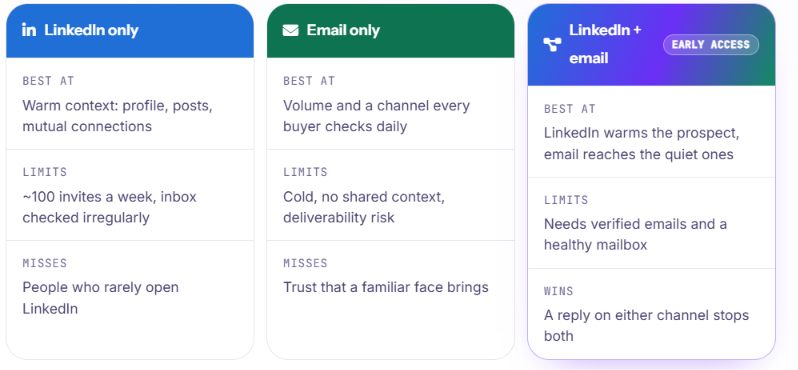
Salesforge lets you run email and LinkedIn sequences together. You can rotate sending across multiple mailboxes and manage replies from both channels in Primebox.
You get:
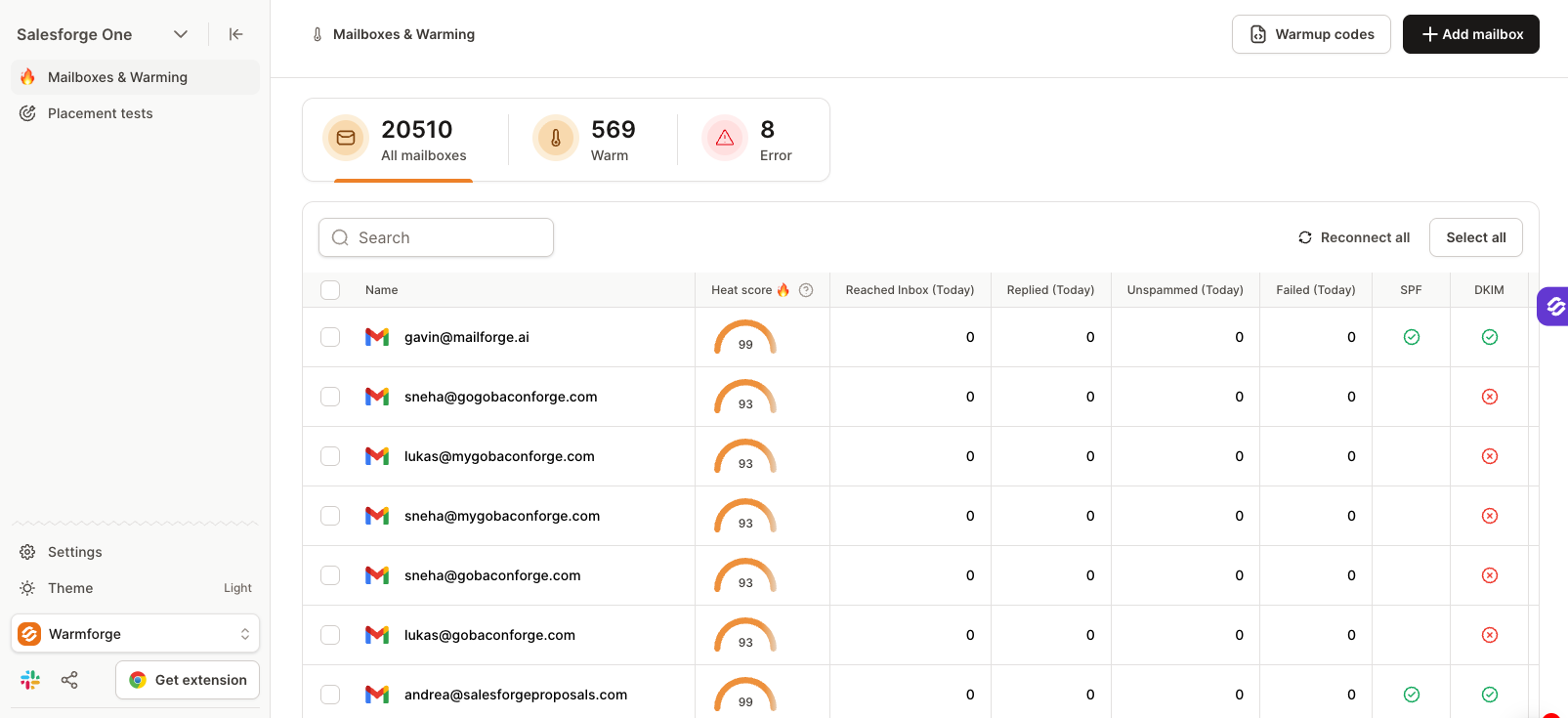

Both tools also cover the technical side. QuickLead offers MCP, REST API, and webhooks. Salesforge has MCP, API, and webhooks too. With Salesforge MCP, you can create contacts, launch sequences, and manage outreach through AI assistants such as Claude.
Salesforge Pro starts at $48 per month. Growth costs $96 per month. Pro includes 1 LinkedIn sender, while Growth includes unlimited LinkedIn senders.
Salesforge is the better alternative if QuickLead's LinkedIn-first approach is too narrow for your outbound. You can keep LinkedIn in your sequences but get a much fuller setup for cold email at the same time.
Enter your email to get a custom plan & stack recommendation for your business
Please check your mailbox in 5 minutes
Yes. QuickLead.io is worth the money if LinkedIn is your main outreach channel. It gives you enough control over prospecting and outreach to justify the $59 starting price. Just remember that pricing is per LinkedIn account and email sending is still in Early access.
If you rely heavily on both email and LinkedIn, Salesforge is a better fit for that setup. It starts at $48 per month and includes both channels.
You can try Salesforge free for 14 days to see if it fits your outreach better than QuickLead.