Personalized Outbound Strategy
Get The Right Outbound Strategy In Minutes
Enter your email to get a custom plan & stack recommendation for your business
It's being carefully crafted by AI
Please check your mailbox in 5 minutes
Can AdsPower keep 50 accounts separate without them sharing the same browser fingerprint and cookies?
It gives each account its own browser profile, login session, fingerprint, and proxy. You can also manage profiles in bulk instead of setting up each one separately.
AdsPower gives you 2 profiles for free. But even with separate profiles, it cannot guarantee your accounts won't get restricted.
So, how good is its anti-detect browser at keeping accounts separate? And is AdsPower worth paying for?
Let's find out.
AdsPower has a 4.7/5 rating from 31 reviews on G2.

Most of the feedback is positive. Users often like how easy it is to set up and manage multiple browser profiles. Some also mention its automation tools and support as positives.
There are a few complaints too. One reviewer mentioned high system resource use when many profiles are open. Others reported smaller issues with navigation, features, or the app.

Overall, G2 users seem most positive about profile management and ease of use.
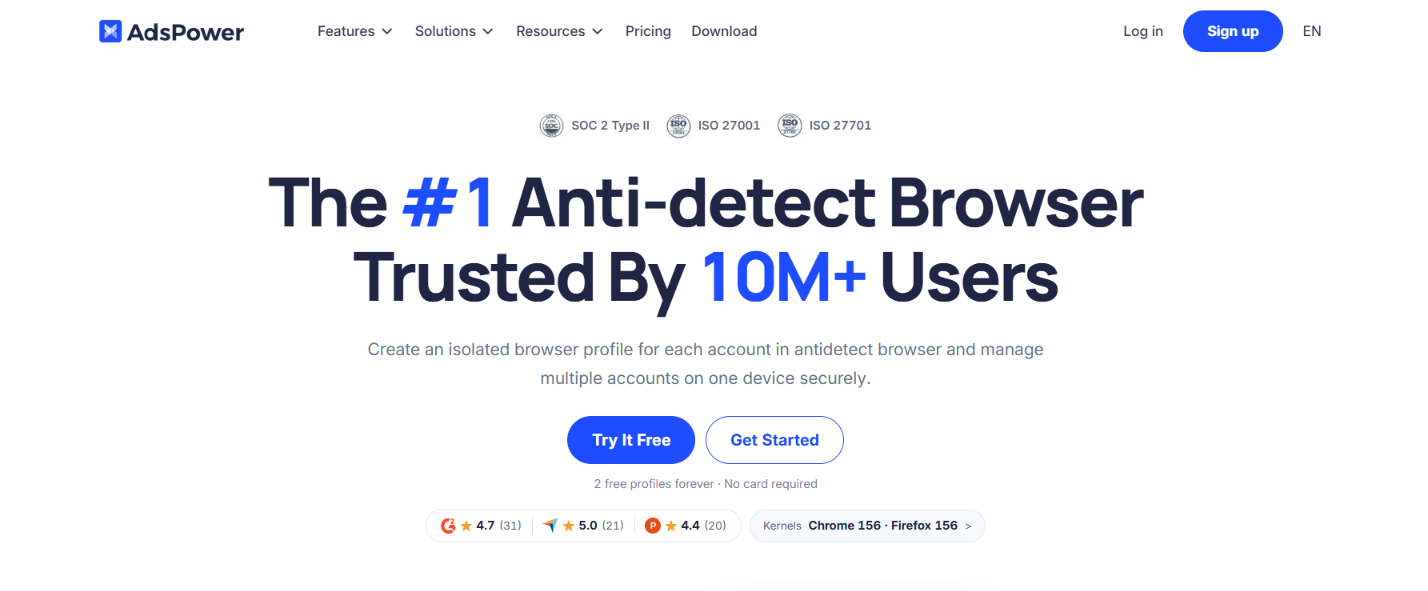
AdsPower gives you a separate browser profile for each account you manage. Each profile keeps its own cookies and login session. It also has its own browser settings and fingerprint. You can assign a different proxy to each profile.
You can choose SunBrowser, which is Chrome-based, or FlowerBrowser, which is based on Firefox. You can change fingerprint details such as the operating system and screen settings. AdsPower also lets you adjust fonts, Canvas, WebGL, language, and time zone.
If you have many accounts, you can create and edit profiles in bulk. Window Synchronizer repeats selected actions across multiple profiles. RPA and RPA Plus handle repeated browser tasks. The AI Agent can run supported tasks across selected profiles.
For teams, AdsPower lets you share selected profiles and set member permissions. Admins can also review activity logs. Local API and MCP are available if you want to connect AdsPower with your own scripts or tools. You can start with 2 browser profiles for free. There is no credit card required.
AdsPower does have clear limits:
AdsPower gives you separate browser environments and tools to manage them. It does not control how a platform decides to treat your accounts.
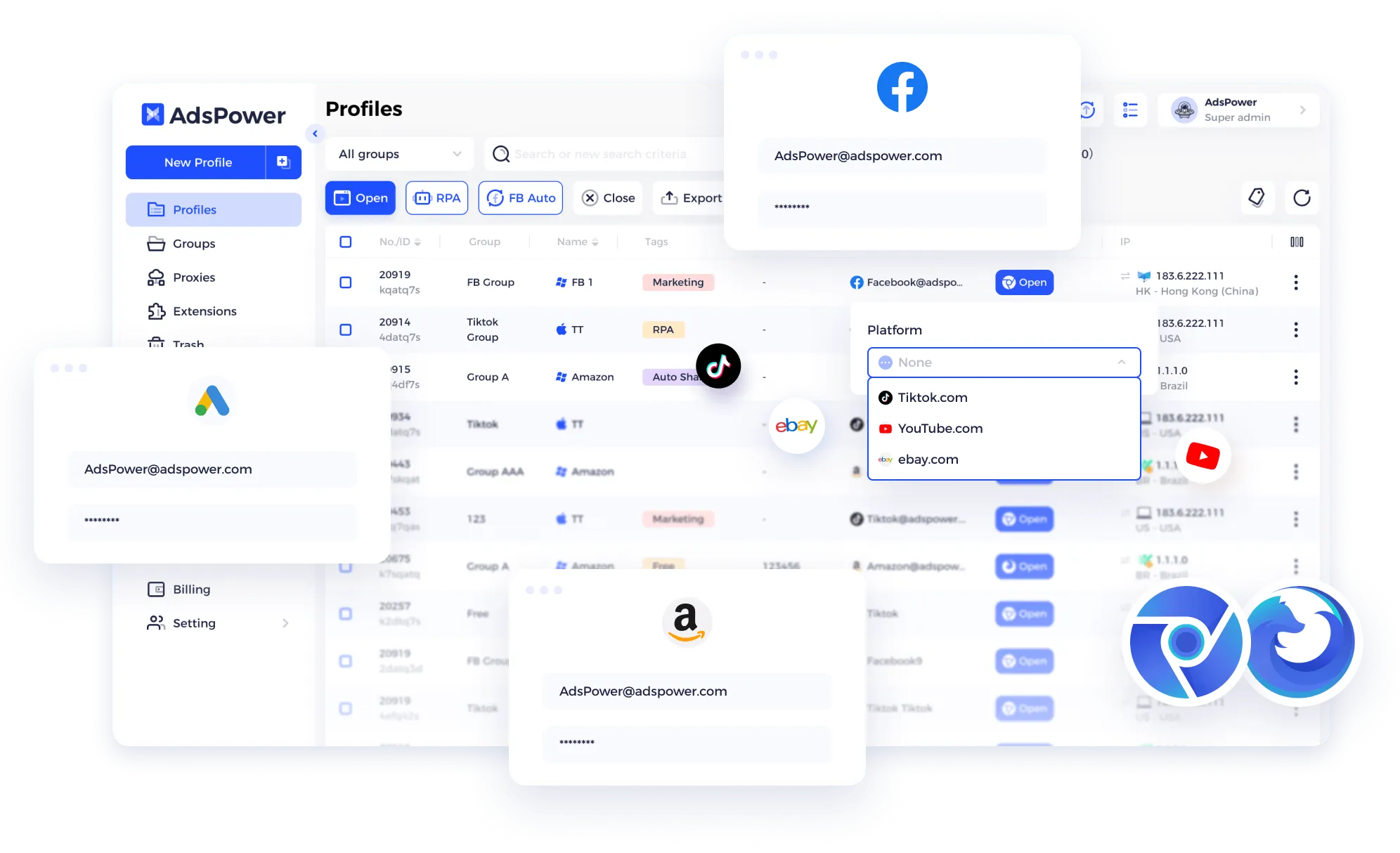
AdsPower works by putting each account inside its own browser profile. That profile keeps its own browser fingerprint, cookies, login session, and network settings instead of sharing them with your other accounts.
Here is how you set it up.
After installing AdsPower, create a new profile for the account you want to manage. If you have many accounts, AdsPower also supports creating profiles in bulk.
Each profile stays separate, so opening one account does not mean you need to log out of another.
Next, choose the browser and device settings for the profile.
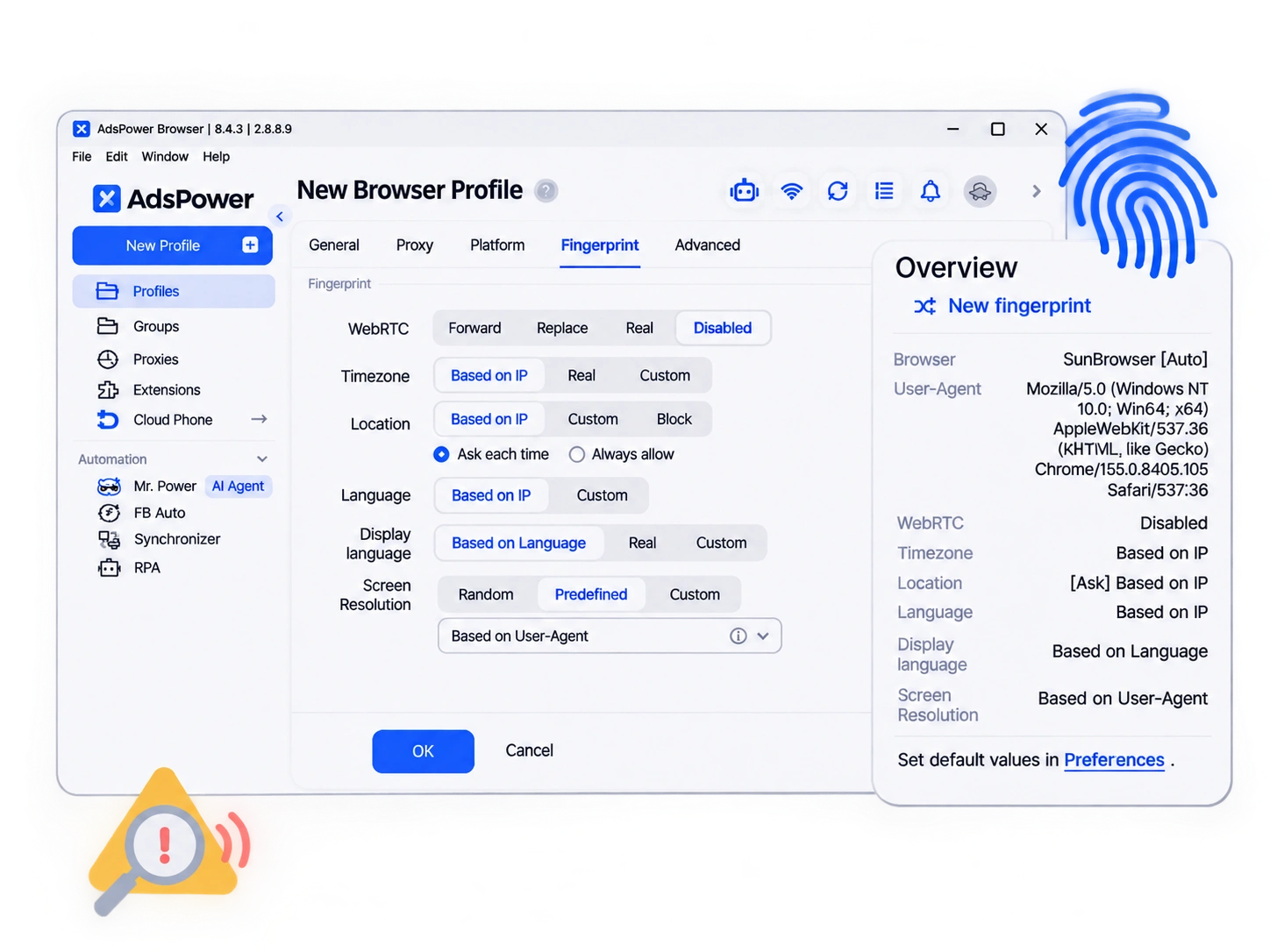
AdsPower lets you set details such as the operating system, screen, fonts, Canvas, WebGL, language, and time zone. You can use SunBrowser or FlowerBrowser. The aim is to keep these settings consistent each time you open that profile.
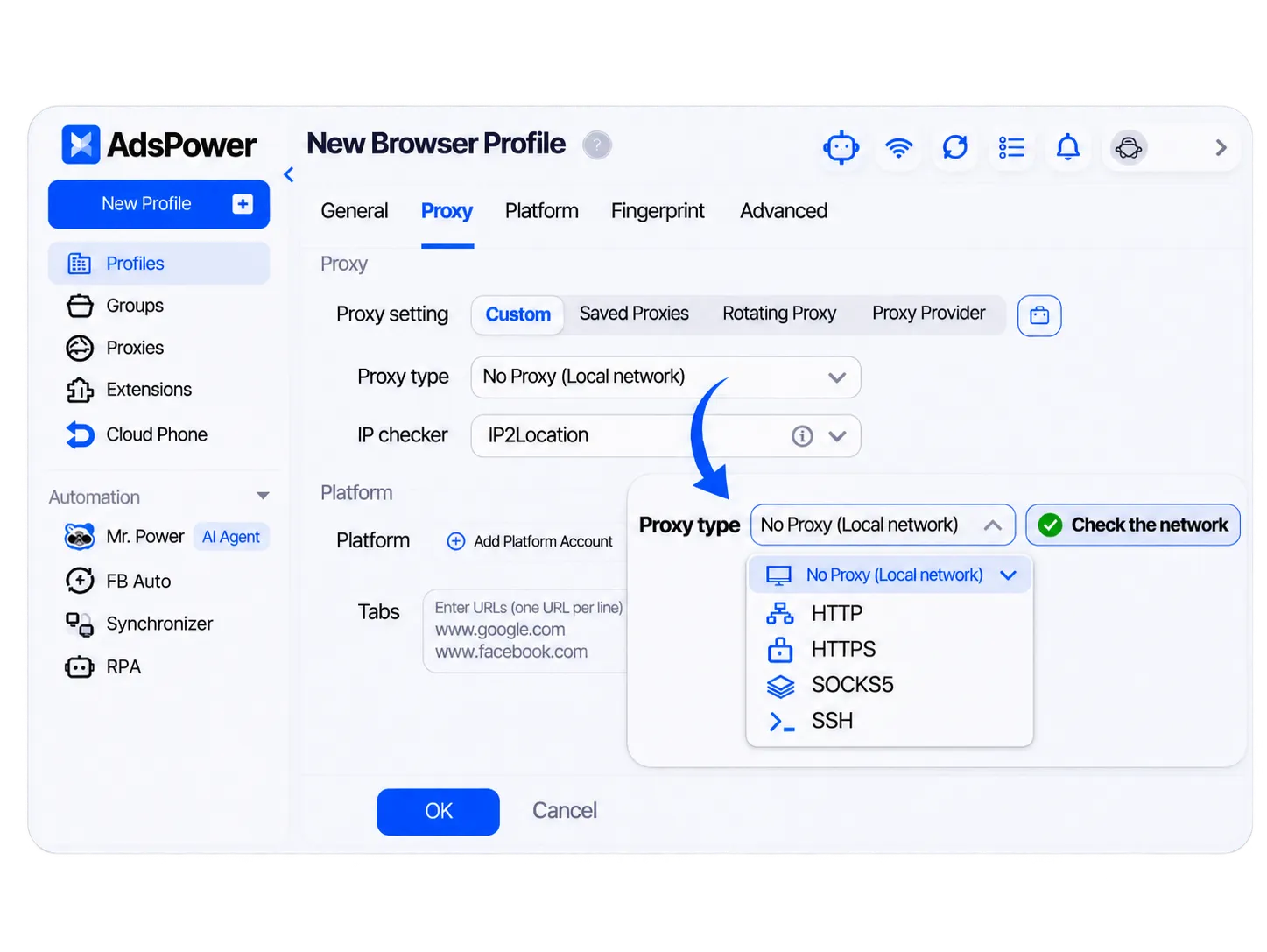
You can then assign a proxy to the profile. The proxy controls the network route and public IP used by that profile.
This is separate from the browser fingerprint. Changing the proxy does not change the profile's cookies or fingerprint.
Save the profile and open it. You can then sign in to the account you want to use inside that browser profile.
AdsPower keeps the profile's cookies and session data. When you open it again, you return to the same browser environment instead of starting with a fresh regular browser.
Create another profile for the next account and give it its own settings. You can then open and manage your profiles from the AdsPower dashboard.
For larger setups, you can group profiles and manage them in bulk. AdsPower also provides Window Synchronizer, RPA, AI Agent, and Local API if you want to handle repeated tasks across multiple profiles.
Once your browser profiles are set up, AdsPower gives you more ways to manage them without handling everything one profile at a time.
Here are the main features you can use to manage accounts, automate repeated tasks, and control team access.
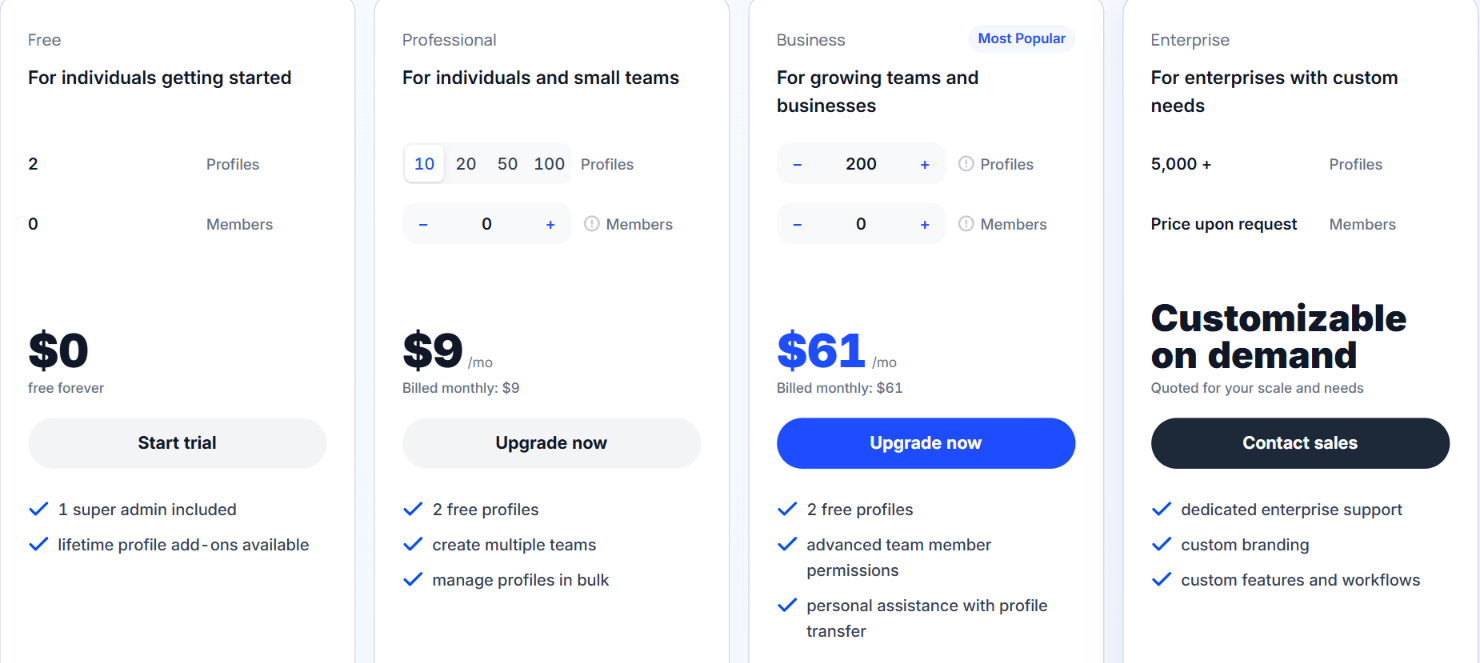
AdsPower pricing changes based on how many browser profiles and team members you need. You can pay monthly, quarterly, or yearly. Quarterly billing gives you 15% off, while yearly billing gives you 40% off.
Here is the monthly pricing:
The Free plan includes 2 profiles and 1 super admin. It is free forever and does not require a card. AdsPower also offers a 7-day free trial if you want to try paid features before upgrading.
The Professional plan starts at $9 per month for 10 profiles. You can choose between 10, 20, 50, or 100 profiles.
The Business plan starts at $61 per month for 200 profiles. It supports configurations from 200 to 5,000 profiles. You can also add team members based on your setup.
For more than 5,000 profiles, AdsPower offers its Enterprise plan. Pricing is provided on request and can be customized based on the number of profiles and members you need.
You can also buy proxies through AdsPower. Static proxies start at $4.99 per IP, while rotating proxies start at $1.60 per GB.
AdsPower has several controls to protect your account and profile data. Sensitive data is stored locally by default. If you enable cloud sync, AdsPower says the data is protected with end-to-end encryption.
It also supports 2FA, login IP allowlists, login alerts, activity logs, and team permissions. AdsPower states that it has SOC 2 Type II, ISO 27001, and ISO 27701 certifications.
However, AdsPower cannot guarantee that the accounts you manage will avoid bans. Platforms can still consider your behavior, IP reputation, browser signals, and their own rules. So, AdsPower has clear security measures for your data and browser profiles, but it does not remove the risk of account restrictions.
If you are managing multiple accounts and want to use them for sales outreach, Salesforge can handle the outreach side of the work.
AdsPower helps you create separate browser profiles for different accounts. Salesforge is built to send and manage outreach through email and LinkedIn.
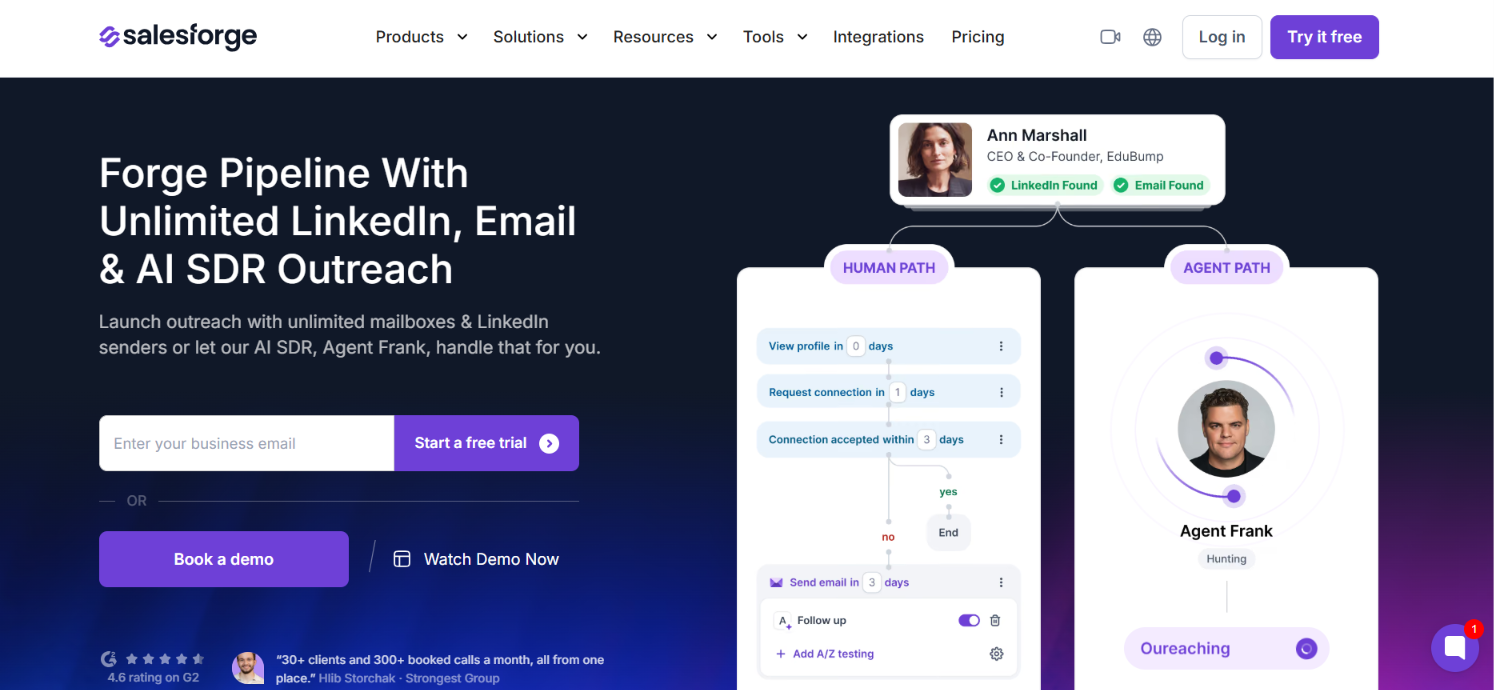
You can connect unlimited email mailboxes on both Pro and Growth. Pro includes 1 LinkedIn sender, while Growth supports unlimited LinkedIn senders. From there, you can:
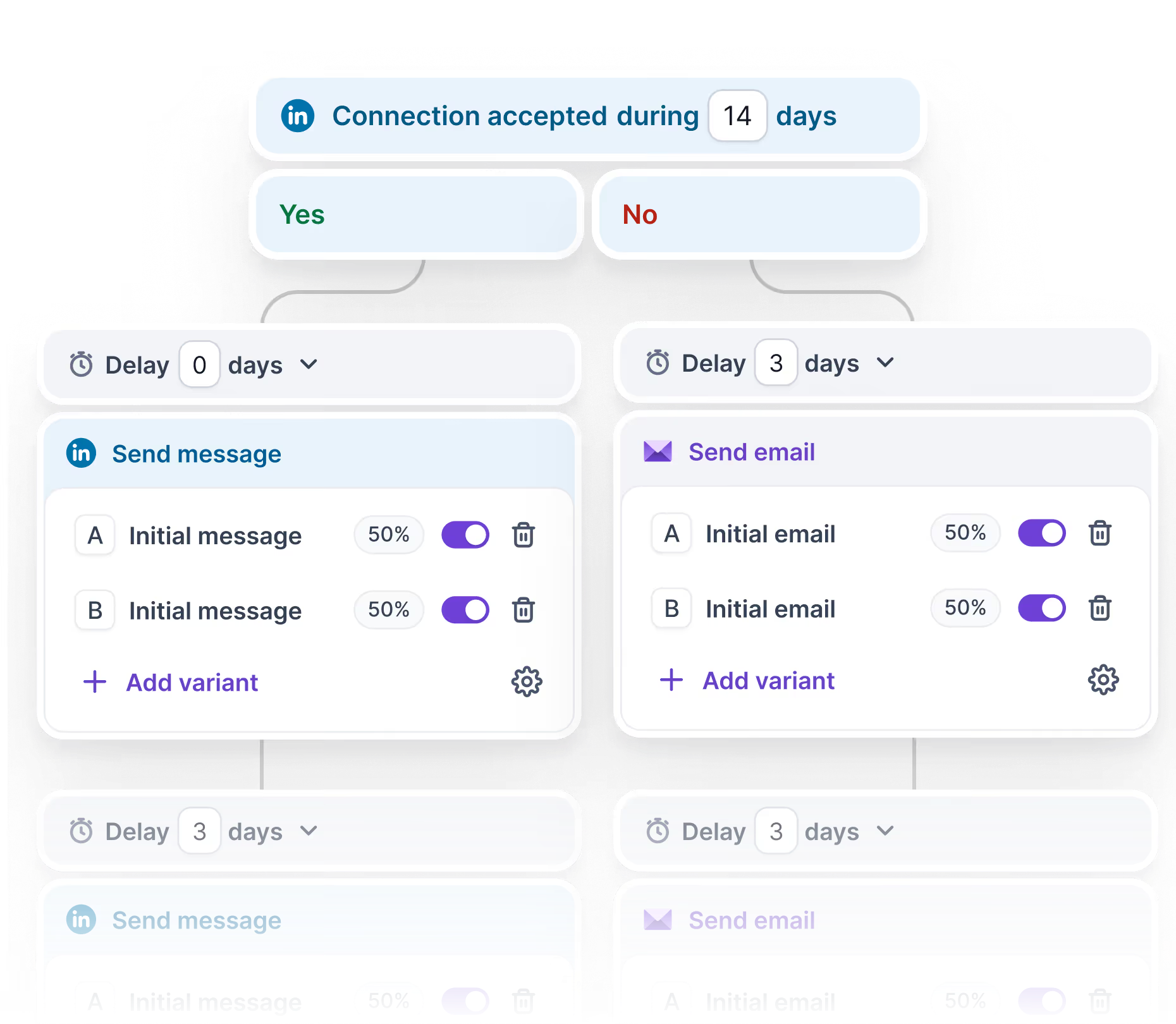
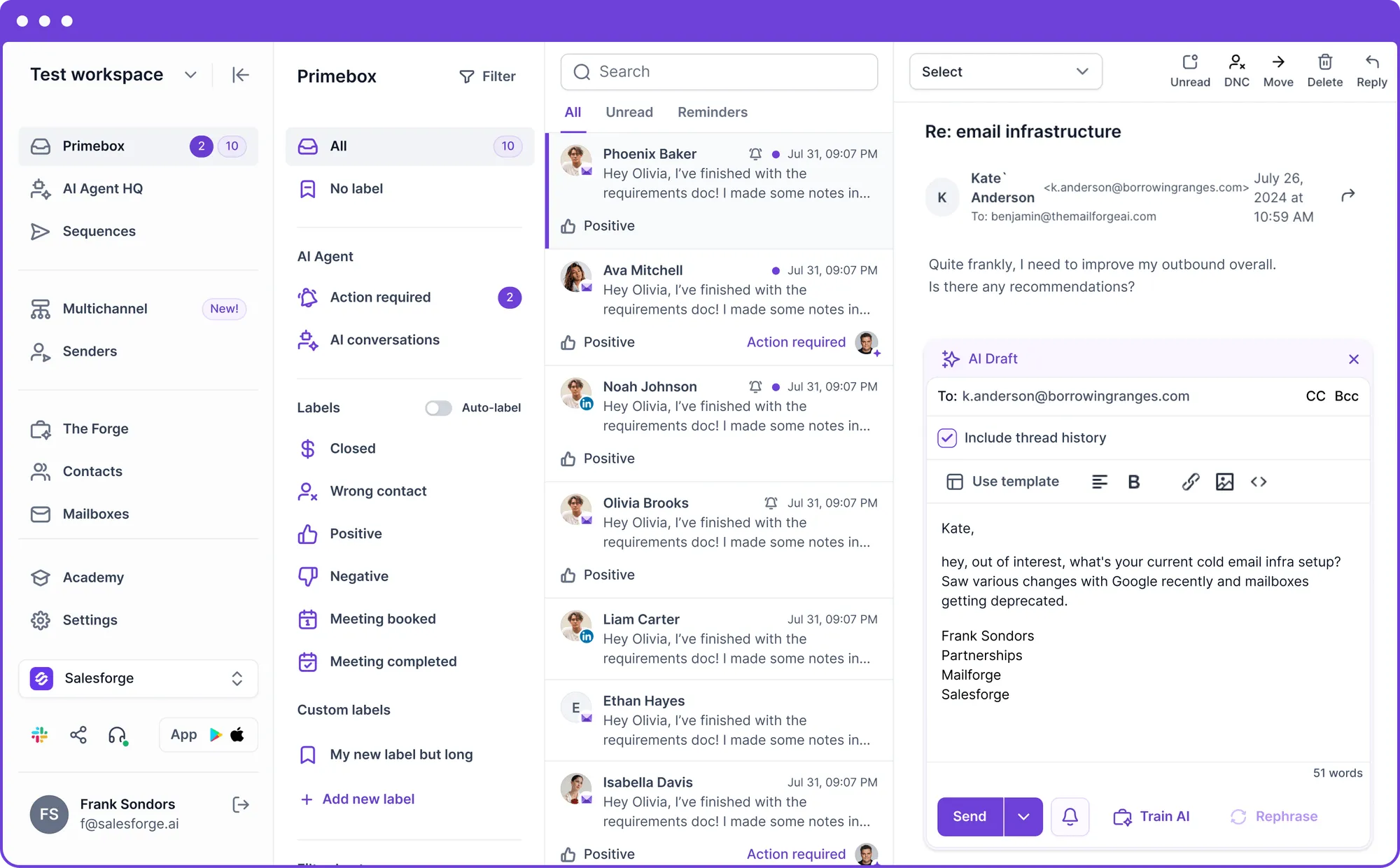
Salesforge supports Google Workspace, Microsoft 365, and SMTP mailboxes. You can connect your existing mailboxes or purchase email infrastructure separately.
So, if you are managing several accounts because you want to reach prospects, AdsPower can keep the browser profiles separate, while Salesforge can run the outreach from your email and LinkedIn accounts.
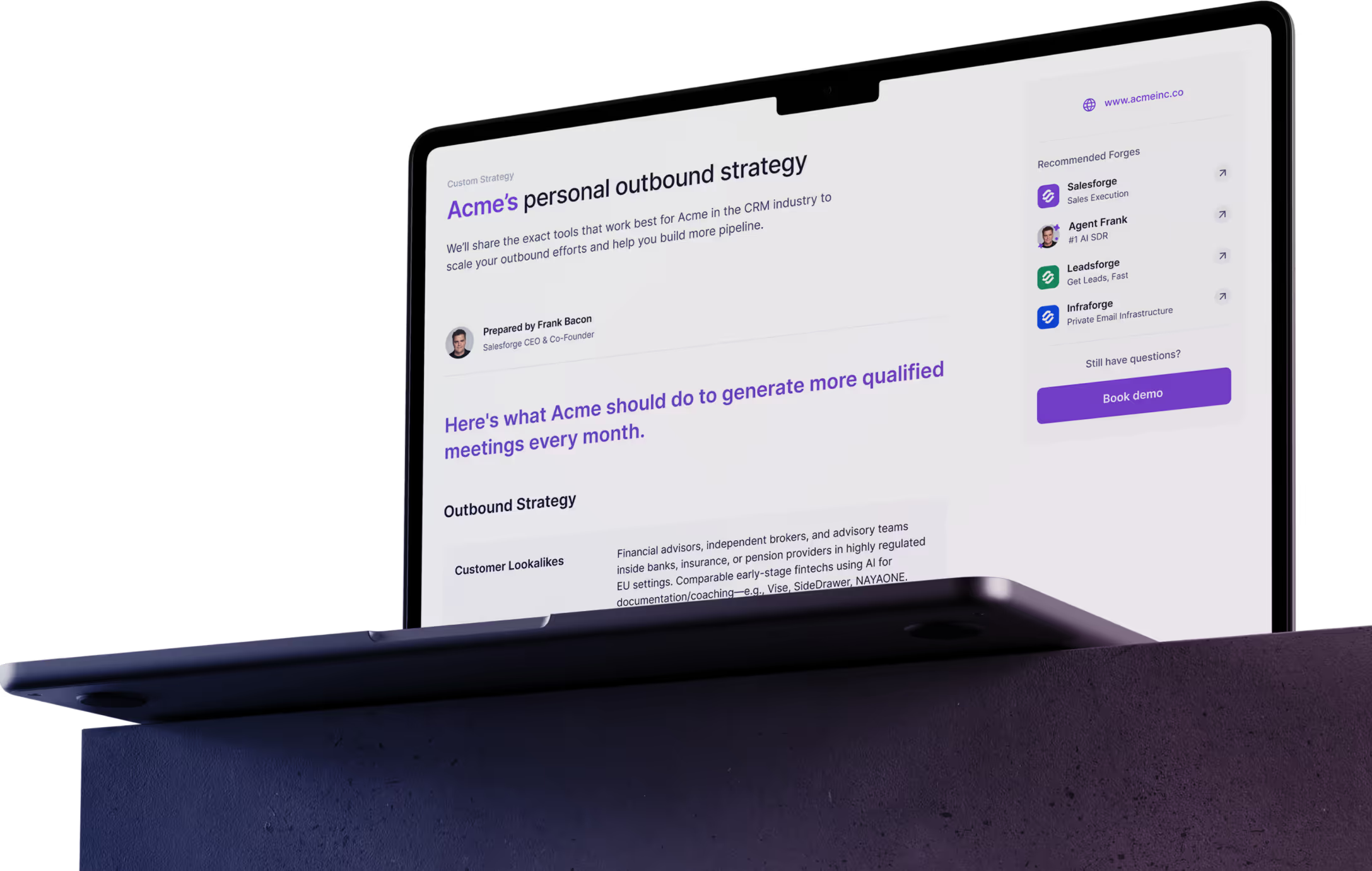
Enter your email to get a custom plan & stack recommendation for your business
Please check your mailbox in 5 minutes
Yes, AdsPower is worth it if you need to manage a large number of accounts without mixing their browser sessions.
The free plan is enough to try the core setup with 2 profiles. From there, paying makes sense when you need more profiles or want to manage accounts in bulk. Team access and automation also give you reasons to upgrade.
And do not treat AdsPower as protection against bans. It can separate your browser profiles. It cannot control how a platform reviews or restricts your accounts.
For multi-account management, AdsPower is worth paying for. For occasional use, the 2-profile free plan should be enough.