Every week a new tool pops up claiming to be the AI SDR that changes everything.
Unlimited mailboxes. Deliverability better than any other tool. Multichannel across five channels.
Read the pricing pages side by side and they all look the same.
Most of these tools are recycled cold email platforms with a marketing rewrite.
Add an AI badge, promise multichannel that requires manual work to run, put an "unlimited mailboxes" claim on the pricing page.
Some work. Some don't. A few will burn your domain or your LinkedIn account before you notice, and once that happens you're looking at 3 to 6 months of reputation recovery.
I've tested 20+ tools over the last two years. Not all at once. Some I ran for a single campaign to see if the AI books meetings. Some I ran for months at a client while running outbound at scale. What I ended up with is 10 tools that earned their spot for a specific type of team.
Cold email agencies, enterprise SDR floors, phone-first sales teams, solo founders. No single tool wins all of them.
Below is what each one costs, what it does, what breaks, and which team it fits.
TL;DR: 10 Best Sales Outreach Tools
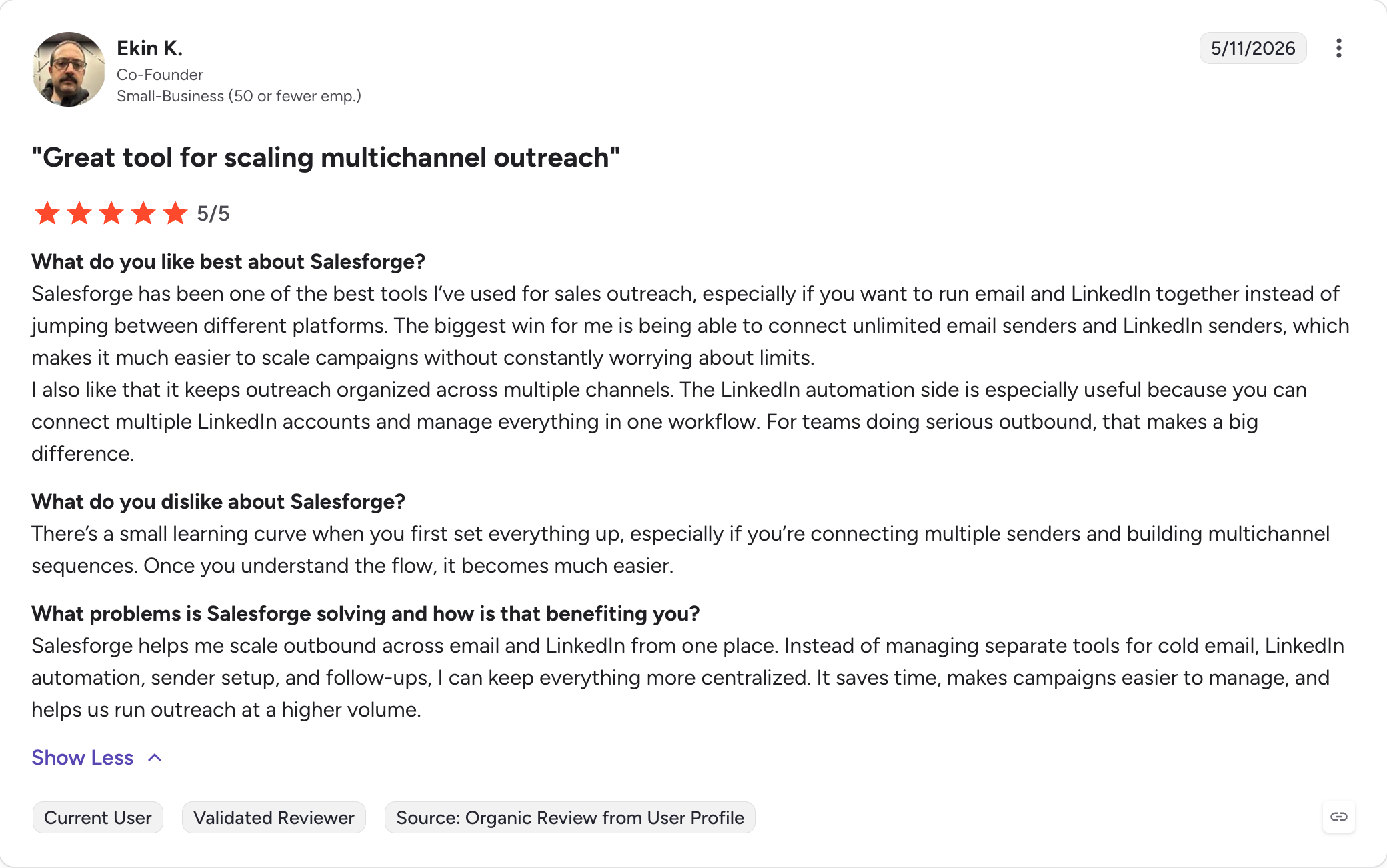
Salesforge: Multichannel outreach platform running email and LinkedIn on one sequence with unlimited mailboxes, unlimited LinkedIn senders on Growth, and free Warmforge warm-up on every plan.
Outreach.ai: Enterprise sales engagement platform with Kaia call assistant, forecasting, and rep coaching for large SDR teams.
Salesloft: Enterprise sales engagement platform with Conductor AI and 25+ AI agents for research, drafting, coaching, and call scoring.
Apollo.io: 275M+ contact database with email sequencing, native dialer, and Chrome extension in one workspace.
Reply.io: Multichannel platform with Jason AI SDR running email, LinkedIn, calls, SMS, and WhatsApp on branching sequences.
Lemlist. Multichannel outreach built around image, video, and landing page personalization for smaller targeted lists.
Snov.io. Bundled platform combining email finder, verifier, drip campaigns, and warm-up with unlimited seats on paid tiers.
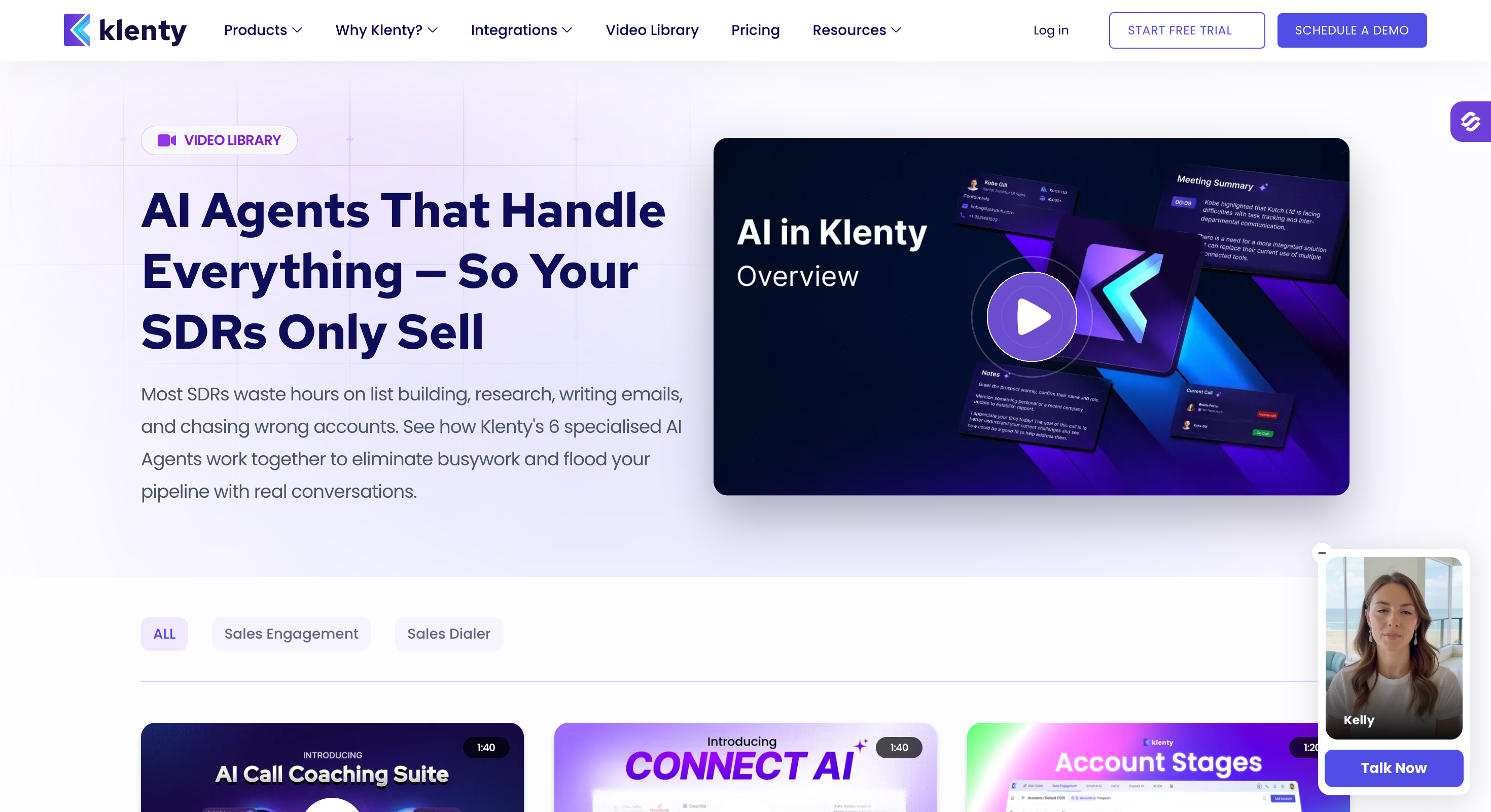
Klenty. Phone-first outreach platform with parallel and power dialers, SmartLists, and CRM-linked workflows.
Instantly. Cold email at scale with unlimited email accounts, unlimited warm-up, and inbox rotation for volume-driven outbound.
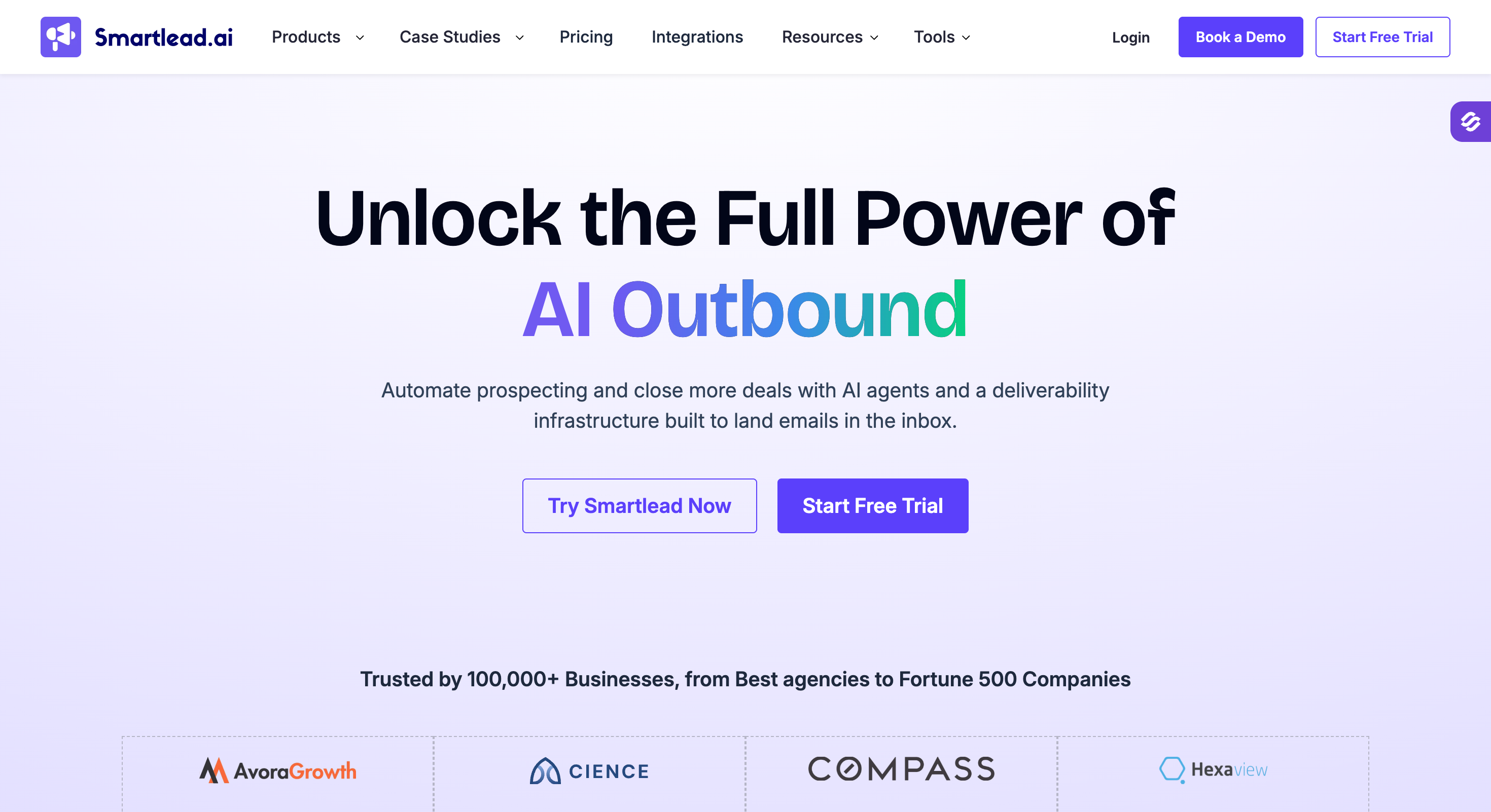
Smartlead. Cold email at scale with mailbox rotation, in-campaign warm-up, and a unified inbox for teams sending from dozens of mailboxes.
I checked every tool on this list against five things that decide whether a sales outreach setup actually works day to day. If a tool did not clear these five, it did not make the list.
Channel Coverage
I checked whether multichannel work from the same sequence or in separate campaigns manually stitched together.
A "multichannel" claim means very little if the LinkedIn step waits for a rep to complete it manually. So, I looked for real if/then branching. Connection accepted triggers a message, no response triggers an email, replied moves the prospect out of the sequence.
Deliverability Infrastructure
Even the best sequencer in the world does not fix a burned domain. So I checked:
Whether warm-up quality (premium pool of aged mailbxoes)
Whether it's included or a paid add-on
Whether the tool has provider-to-provider send routing, mailbox rotation, bounce protection, and domain reputation monitoring built in rather than sold as a separate line item.
LinkedIn Depth
Native LinkedIn actions vary wildly across this list.
Some tools ship 3 actions (connection requests, messages, InMails). Some ship 6 (add likes, follows, withdraw requests). Some ship zero and treat LinkedIn as a manual task the rep completes when prompted.
I also checked account safety: whether authentication is session-token or password-based, whether daily action limits stay within LinkedIn's own thresholds, and whether the tool ships proxies as standard.
AI SDR, MCP, Integrations
There are two things that separate 2026 tools from 2024 tools in the AI category: whether the platform has a fully autonomous SDR (not just an AI writing assistant), and whether it exposes an MCP server that Claude, Cursor, and custom agents can operate directly.
On integrations, I checked CRM depth (HubSpot, Salesforce, Pipedrive), Chrome extension quality, and open API access.
Pricing at Scale
Pricing pages hide the real cost.
For every tool on this list, I priced out the fully loaded per-user cost for teams of 5 to 20 reps, adding LinkedIn, calling, and warm-up as line items wherever they're not bundled into the base plan.
I also flagged mid-contract price escalators and auto-renewal clauses, because a bad annual contract is where the real damage lives.
1 - Salesforge
Salesforge is the only tool on this list that runs multichannel (email + LinkedIn) natively on the same sequence.
On LinkedIn side, it offers 6 native LinkedIn actions inside the same sequence as cold email, with if/then branching between steps and a unified Primebox™ inbox on top.
That means one workflow for LinkedIn plus email, one place for replies, and no per-account LinkedIn tax stacked on top of the sending plan.
I built Salesforge because in my over a decade experience, I've personally seen GTM & outbound teams using four tools to do one job. They ran a cold email tool, a LinkedIn tool, a warm-up tool, and an infrastructure tool, with pricing that scaled per seat on all four.
The Forge Stack combines that into one login (Salesforge, Warmforge, Leadsforge, Mailforge, Infraforge, Primeforge, Agent Frank), and Salesforge itself is a flat-fee subscription that keeps deliverability and multichannel execution in the same product.
Key Features of Salesforge
Multichannel with conditional sequences: Email and LinkedIn steps in one sequence with real if/then branching. Connection request accepted triggers a LinkedIn message. No response after 3 days falls back to email.
Six native LinkedIn actions: Connection requests, messages, InMails, likes, follows, and withdraw requests all execute inside the same sequence as cold email steps.
LinkedIn Safety as Standard: Each action is capped at 30 per day per profile to match LinkedIn's own usage thresholds, and everything routes through shared proxies with optional custom proxy support. Authentication is session-token only, so your LinkedIn password never sits in the platform.
AI personalization: AI variables pull prospect-specific detail like company news, LinkedIn activity, and industry context into every message. The {{localized_greeting}} variable writes a native-language opener across 21+ languages at 1 personalization credit per send, so localized campaigns run without a separate copywriter per region.
Primebox™ with Autopilot and Co-pilot modes: LinkedIn and email replies land in one inbox. Autopilot handles routine replies end-to-end. Co-pilot drafts responses for a human to approve before sending. This is what separates a proper unified inbox from a central email inbox where LinkedIn conversations still live inside LinkedIn.
LinkedIn email and phone finder Chrome Extension: The Salesforge Chrome Extension pulls verified emails and mobile numbers from LinkedIn profiles and searches. Free to install and shared across the Forge Stack. Lookups consume Leadsforge credits (1 per email, 10 per mobile number). New Leadsforge signups get 100 free credits with no credit card required, which is enough to test the extension on a real prospect list before committing.
Integrations: Native two-way sync with HubSpot, Salesforce, Pipedrive, HighLevel, Breakcold, Attio, and Folk. Automation runs through Slack, Zapier, Make, and webhooks.
Native Forge MCP server: Salesforge exposes an MCP server so Claude, Cursor, and custom AI agents can create sequences, manage contacts, and trigger campaign actions directly.
Unlimited mailboxes, users, and workspaces: No per-seat, per-mailbox, or per-workspace caps. GTM teams and agencies can add sending accounts, users, and client workspaces without watching the bill climb.
Free unlimited warm-up:Warmforge is Salesforge's premium warm-up product, and it is included free with every plan across unlimited slots. The pool is aged Google Workspace and Microsoft 365 mailboxes only, with Heat Score™ tracking on every mailbox so you know when it is safe to scale volume.
Sender rotation: Volume distributes across connected mailboxes and domains automatically so no single mailbox burns through its reputation. Matters most when a team scales past 10 mailboxes, because burning one mailbox drags the next campaign into a worse baseline.
Text-only content: Emails ship without heavy HTML, tracking pixels, or attachments by default. Cleaner payload, better inbox landing.
Bounce Shield: Any mailbox that crosses a bounce threshold pauses sends automatically before reputation damage compounds. If you have ever watched a domain die overnight because one campaign hit a bad list, this is the guardrail that stops it.
Agent Frank (AI SDR add-on): For teams that want an AI SDR to run the full workflow (prospecting from the Leadsforge 500M+ contact database, writing sequences, handling replies through Primebox™, and booking meetings 24/7), Agent Frank is available at $499/month (billed annually). Base plan handles up to 1,000 active contacts.
Salesforge Pros and Cons
✅ Pros
❌ Cons
Free unlimited email warm-up through Warmforge with no separate subscription required
No free plan available; only a 14-day free trial
Unlimited mailboxes and unlimited users on the Growth plan with no per-seat pricing
Native LinkedIn and email outreach in a single sequence instead of stitching together multiple tools
Primebox™ combines LinkedIn and email replies into one unified inbox
Forge MCP enables AI agents such as Claude, Cursor, and custom agents to operate the platform
10,000 contacts, 50,000 emails/month, unlimited users,
unlimited LinkedIn senders, A/B testing, multi-language sequences,
provider-matched send routing, API access, plus everything in Pro
Agent Frank (add-on)
$499/month (billed annually)
Fully autonomous AI SDR that handles prospecting from Leadsforge's
500M+ contact database, sequencing, reply handling, and meeting booking
24/7. Includes support for up to 1,000 active contacts on the base plan.
Salesforge offers a 14-day free trial, no credit card required. First mailbox is typically live in about 5 minutes once DNS records propagate.
2 - Outreach.ai
Outreach is on this list because it's what large enterprise sales teams pick when they need a mature, coaching-first platform that plugs deep into Salesforce.
If your team is 25+ SDRs with a dedicated ops function behind them, this is the platform every other tool gets compared to.
What Outreach does well is structured multi-step cadences at scale. The sequence builder handles email plus phone plus LinkedIn tasks with branching triggers. Salesforce sync is deep and two-way. Kaia AI records and transcribes calls for coaching. And the analytics give managers real activity and pipeline data rather than vanity dashboards.
Where Outreach breaks down is anywhere outside that enterprise sweet spot. It's expensive on a per-seat basis, needs a multi-week implementation with dedicated onboarding, ships only on annual contracts, and has no self-serve free trial to test it first.
Smaller teams keep buying it thinking they'll grow into it, then end up on online asking how to get out of their renewal.
If you're under 20 reps, pick a different tool.
Key Features of Outreach.ai
Here is what I have watched the platform deliver for the teams it was built for:
Multi-step sequences with branching: Email, phone, and LinkedIn tasks in one sequence, with branches triggered by prospect behavior. This is the feature Outreach's G2 reviewers cite most across the 3,535 reviews I read through.
Two-way Salesforce sync: Covers every account and contact field plus opportunity records. Also integrates with a handful of other CRMs.
Kaia AI call assistant: Records and transcribes sales calls and surfaces coaching moments for managers. Not an autonomous SDR. It is a call intelligence layer that supports human reps.
Deal management and forecasting (add-ons): Separate paid products for pipeline tracking and AI revenue forecasting. Priced on top of the base plan.
Reporting and analytics: Rep-level activity dashboards, sequence performance, and pipeline attribution.
LinkedIn as a manual task step: Outreach does not automate LinkedIn actions. Reps get a task reminder, open LinkedIn, and complete the action manually. The teams I have watched running Outreach at scale end up with LinkedIn queue backlogs because reps do not click through fast enough.
Outreach.ai Pros and Cons
✅ Pros
❌ Cons
Two-way Salesforce sync covers virtually every account and contact field
No native LinkedIn automation. Reps complete LinkedIn tasks manually, one step at a time.
Sequence builder with branching logic is the most frequently praised feature across G2 reviews
Annual contracts only. No monthly billing or self-serve free trial.
Reporting, coaching, and revenue forecasting are designed for managers leading teams of 25+ reps
Implementation fees typically range from $5,000–$25,000, with a 4–8 week rollout.
More than 12 years in the sales engagement category with 3,500+ G2 reviews
List pricing starts around $100–$140 per user/month, but fully loaded deployments often reach $180–$280 per user/month after add-ons.
Kaia AI delivers real-time call intelligence and coaching for sales teams
Steep learning curve. New reps typically need 2–4 weeks before reaching full productivity.
What Real Users Say About Outreach.ai
Outreach.ai Pricing
Official pricing: Custom, sales contact required. Outreach does not publish pricing publicly on any plan or add-on.
What teams report paying (from Vendr, Landbase, and Prospeo 2026 pricing analyses of verified user contracts):
Line Item
Reported Price
What It Covers
Outreach Engage (Base)
$100–$140/user/month (billed annually)
Sales sequencing, email, phone, LinkedIn tasks, and reporting
Conversation Intelligence
$30–$50/user/month (billed annually)
Kaia AI, call recording, and transcription
Deal Management
$30–$50/user/month (billed annually)
Pipeline and opportunity tracking
Forecasting
$20–$40/user/month (billed annually)
AI-powered revenue forecasting
Implementation Fee
$5,000–$25,000 (one-time)
Onboarding, integrations, and platform setup
Fully Loaded Cost
$180–$280/user/month (billed annually)
Outreach Engage plus all major add-ons
3 - Salesloft
Salesloft is on this list because it's the enterprise sales engagement platform I most often see teams actively use day to day.
Same enterprise category as Outreach, but reps here use it because it works for them, not because they're forced to.
That difference matters more than any feature checklist when picking a platform your whole team will live inside for two years or more.
What Salesloft does well is cadence builder UX (arguably the cleanest in the enterprise segment), Salesforce sync (built from day one, deeper than most platforms in 2026), and Rhythm AI which orders next-best-actions across the workflow.
Conversations for call intelligence is baked into the same product as sequences, which most enterprise platforms bolt on separately.
What Salesloft still doesn't have, oddly, is a native power dialer. Phone-heavy teams end up bolting on a separate dialer or moving to Klenty. And the December 2025 Clari merger means forecasting is still half-built in 2026.
Signing a multi-year deal right now buys you an integration that isn't done.
Key Features of Salesloft
Here is what Salesloft ships in the box, focused on the parts I have seen enterprise teams rely on:
Cadence sequence engine: Multi-step sequences combining email, phone, LinkedIn tasks, and SMS. Branching logic based on prospect behavior. The reps I know who have used both platforms rate Cadence's UX as the reason they stayed on Salesloft.
Conversations (call intelligence): Records and transcribes calls, surfaces moments like pricing objections and competitor mentions, and gives managers coaching data. Included on Advanced and Premier tiers.
Rhythm AI (next-best-action): AI layer that surfaces a prioritized list of prospects and actions based on engagement signals across the platform. This is Salesloft's answer to autonomous SDR positioning, though it stops short of full autonomy. The human still decides who to contact next, and Rhythm just orders the list.
Deals (pipeline forecasting): Pipeline management with AI deal health scoring. After the December 2025 Clari merger, this is where Salesloft is investing hardest for 2026.
Salesforce sync built in from day one: Two-way integration covering every account and opportunity field. Salesloft was built Salesforce-first and it shows.
No native power dialer: The single most-mentioned complaint on G2 with 95 named mentions across reviews. Teams pay $125 or more per user per month and still need to buy a separate dialer if the workflow is phone-heavy.
LinkedIn as a manual task step: Same limitation as Outreach. Reps see a task reminder, open LinkedIn, and complete the action manually. No automation.
Salesloft Pros and Cons
✅ Pros
❌ Cons
Higher rep adoption than Outreach on G2 (4.5 vs. 4.3), making it a common choice for enterprise sales teams
Strong G2 rating (4.5/5) but weak Trustpilot rating (2.2/5), suggesting a different experience for smaller customers
Conversations call intelligence is built directly into the same platform as sales sequences
No native power dialer despite pricing that typically exceeds $125 per user/month
Rhythm AI recommends next-best actions across the sales workflow
Multiple G2 reviews report inconsistent open tracking and analytics accuracy
Native two-way Salesforce sync from day one
Annual contract renewals commonly include 8–12% price increases
The Clari merger strengthens revenue forecasting and pipeline visibility
Clari integration is still evolving in 2026, creating some uncertainty for organizations signing long-term contracts
What Real Users Say About Salesloft
Salesloft Pricing
Official pricing: Custom, sales contact required. Salesloft does not publish pricing on any plan.
What teams report paying (from Vendr, ITQlick, and Landbase 2026 pricing analyses of verified user contracts):
Line Item
Reported Price
What It Covers
Essentials
~$125/user/month (billed annually)
Cadences, email, and core calling features. Conversation Intelligence not included.
Advanced
~$145/user/month (billed annually)
Adds Conversations, deeper analytics, and coaching capabilities.
Premier
~$165/user/month (billed annually)
Adds Deals, Rhythm AI, and revenue forecasting.
Power Dialer Add-on
Separate purchase
Required for teams that rely heavily on outbound calling.
Annual Price Increase
8–12% per year
Typical renewal increase reported in Salesloft contracts.
10-Rep Annual Cost (Advanced + Dialer)
$20,000–$40,000/year
Estimated total annual cost based on reported enterprise contracts.
Confirm with Salesloft sales before signing.
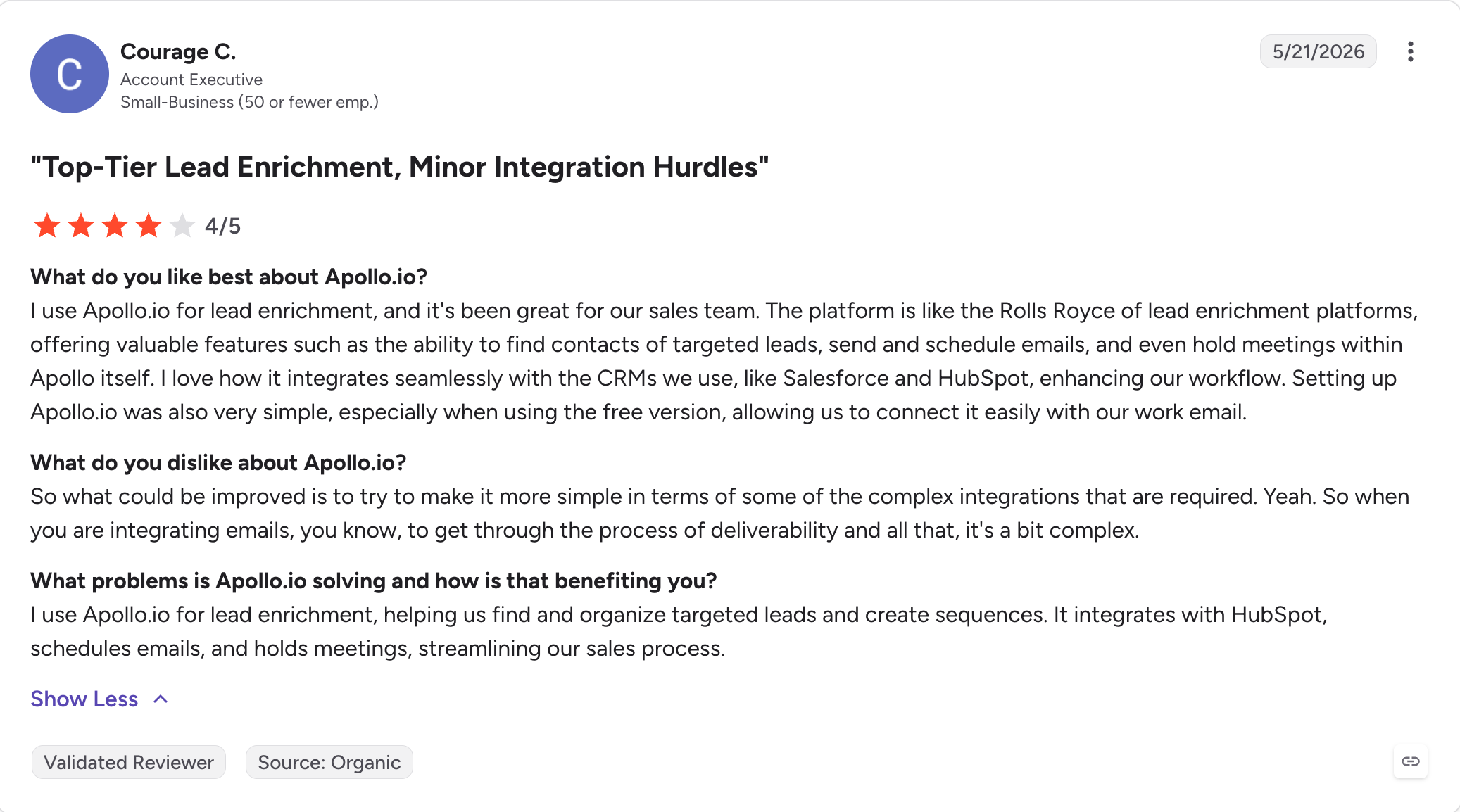
4 - Apollo.io
Apollo used to be my go-to for small teams. Data, email sequences, and a Chrome extension under one $49/user login.
Hard to beat if you need everything in one product.
But two issues emerged in 2026. First, Apollo killed LinkedIn automation on January 30. Anyone with LinkedIn steps built into their sequences got broken overnight. Migrations off Apollo have been messy all year.
Second, the data quality question. Apollo's own "Verified Emails" filter drops the 275M contact database to 96M. 1,680 G2 reviews name data accuracy as the top complaint. That kills a domain in a week.
Apollo still has 4.7/5 across 9,500 reviews, so the product works when the data is right.
Key Features of Apollo.io
Here is what I have watched Apollo deliver, focused on the parts most SMB teams use:
275M+ contact database: I've built lists in Apollo using filters for title, seniority, industry, company size, and tech stack, and they come back fast. The catch: apply the "Verified Emails" filter and the 275M drops to about 96M usable contacts.
Email sequencing built in: Multi-step email cadences with scheduling, A/B testing, and CRM sync. Since January 30, 2026 there is no LinkedIn automation, so any LinkedIn touch in the sequence needs a rep to open LinkedIn and complete it by hand.
Native dialer with parallel and power dial modes: Built-in phone workflow. Not the deepest dialer on this list, but the teams I've watched using it add calls to email cadences without buying a second tool.
Chrome extension: Sources leads from LinkedIn profiles and searches. Free to install, uses Apollo credits per lookup. This is the piece most Apollo users rely on day to day.
AI writing assistant: AI helper for drafting emails, research summaries, and lead scoring. Apollo won G2's 2026 Best Software Award for Top AI-Native Sales Intelligence Platform. The badge fits what the feature delivers.
Apollo MCP server: Launched in 2026. I can connect Claude or Cursor to Apollo through MCP and have them build lists, draft sequences, and export contacts. Apollo is one of six tools on this list with a native MCP server.
Intent signals (Bombora-powered): Topic-intent data on Professional plan and above showing which companies are researching your category right now. Useful for cutting a 10,000-account list down to the 200 companies I would reach out to this week.
HubSpot and Salesforce integrations: Two-way sync with both CRMs. Zapier and API also available for teams pushing Apollo data into their own workflow tools.
No native email warm-up: The Apollo setup I've watched teams run always ends up needing a separate warm-up tool. Apollo does not include one, and sending fresh mailboxes cold onto 20 to 30% bounce data is how domains die.
Apollo.io Pros and Cons
✅ Pros
❌ Cons
275M+ contact database with strong US coverage and fast search filters
Data accuracy is the biggest G2 complaint, with 1,680+ mentions across reviews
$49/user/month is the lowest starting price on this list for combining data, sequencing, and dialer features
Users report 18–30% bounce rates from fresh Apollo exports, which can quickly damage sender reputation
Native dialer included for teams that add calling workflows
No native email warm-up. Teams need a separate warm-up solution.
Apollo MCP server (launched in 2026) enables AI agents to operate the platform
LinkedIn automation was removed on January 30, 2026. LinkedIn actions are now manual.
Winner of G2 2026 Best Software Award for Top AI-Native Sales Intelligence
International data accuracy drops significantly across EU, APAC, and LATAM markets compared with US coverage
What Real Users Say About Apollo.io
Apollo.io Pricing (annual)
Plan
Price
What It Covers
Free
$0
60 email credits/month, 25 phone credits/month, and basic sequences with 1 active sequence
Basic
$49/user/month (billed annually)
900 email credits/month, sequencing, A/B testing, and HubSpot/Salesforce synchronization
Professional
$79/user/month (billed annually)
Unlimited email credits under fair-use limits, advanced dashboards, AI writing assistant, and call recordings
Organization (5+ seats)
$119/user/month (billed annually)
Advanced Salesforce sync, single sign-on, security controls, and dedicated support
5 - Reply.io
Reply.io covers more channels than anything else on this list. Email, LinkedIn, calls, SMS, WhatsApp.
All five in one sequence with branching logic that works as advertised.
Jason AI, Reply's autonomous SDR product, is one of two AI SDR agents I have seen book real meetings for customers. Salesforge's Agent Frank is the other.
What Reply.io does well is the multichannel breadth, deep Salesforce and HubSpot integrations for CRM-heavy teams, and Jason AI doing what most AI SDR products only claim: booking real meetings from cold outreach without a human editing every message.
Reply.io is on this list because it's one of the few multichannel platforms where the "multichannel" claim holds up when you look under the hood.
Key Features of Reply.io
Multichannel sequences across 5 channels: Email, LinkedIn, calls, SMS, and WhatsApp all in one sequence builder. No other tool on this list runs all 5 without a manual step or an external integration.
Jason AI SDR: Autonomous AI agent that prospects, drafts messages, and handles inbound replies. Separate product priced from $500/month. The teams I know using Jason have it running as a second SDR alongside their human reps, not replacing them.
B2B contact database (1B+ records per Reply): Native prospecting database with intent signals, per Reply's own data. Not an external plug-in, but I would still test the data quality against Leadsforge or Apollo on the same list before trusting it.
AI Variables and AI-generated sequences: Personalization using AI variables that pull prospect-specific detail (company news, LinkedIn activity, role) into every message. Similar to what Salesforge, Apollo, and Lemlist offer, delivered through Reply's own AI model.
MailToaster.ai warm-up: Free warm-up from a Reply sister brand. Not built into Reply directly but included with the plan. I would still monitor deliverability separately since it is not integrated at the sending layer.
Unified inbox for replies: Central inbox that pulls LinkedIn and email replies into one place. Outreach and Salesloft leave LinkedIn conversations inside LinkedIn, so Reply.io saves reps a tab-switch here.
Salesforce and HubSpot two-way sync: Deep two-way sync with both CRMs. Handles the messy edge cases (custom objects, owner reassignments) that break lighter integrations.
Zapier plus API integrations: Zapier connections plus an open API. I have used the API to push Reply.io campaign data into custom dashboards and it worked fine.
Reply.io Pros and Cons
✅ Pros
❌ Cons
Widest channel coverage on this list: 5 channels combined in one sequence
Fully loaded cost reaches around $187/user/month once LinkedIn and calling features are added
Jason AI is one of the few AI SDR solutions showing real customer meeting bookings
Every channel beyond email is a separate paid add-on
Deep two-way synchronization with Salesforce and HubSpot
Repeated Trustpilot and Reddit complaints mention a 3-month minimum contract not being clearly disclosed during signup
Unified inbox for managing LinkedIn and email replies together
Auto-renewal complaints and an "all sales final" refund policy have been reported across multiple review platforms
4.6/5 G2 rating across 1,300+ reviews
Multiple G2 and Trustpilot reviewers report issues with LinkedIn integration reliability
What Real Users Say About Reply.io
Reply.io Pricing (annual)
Line Item
Price
What It Covers
Free
$0
200 emails/month and a 14-day trial of paid features
Email Volume
$49/user/month (billed annually)
1 mailbox per allocation, basic email automation, warm-up, and 1,000–5,000 active contacts
Multichannel
$89/user/month (billed annually)
10 mailboxes per user, email + LinkedIn tasks, branching, and conditional sequence logic
LinkedIn Automation Add-on
+$69/LinkedIn account/month
LinkedIn automation capabilities added separately
Calls and SMS Add-on
+$29/user/month
Voice calling and SMS outreach features
Jason AI SDR (Separate Product)
From $500/month
Autonomous prospecting with 1,000 active contacts, 2 LinkedIn accounts, and AI-driven outreach
Fully Loaded Cost (True Multichannel)
~$187/user/month
Multichannel plan + LinkedIn + calls, excluding Jason AI
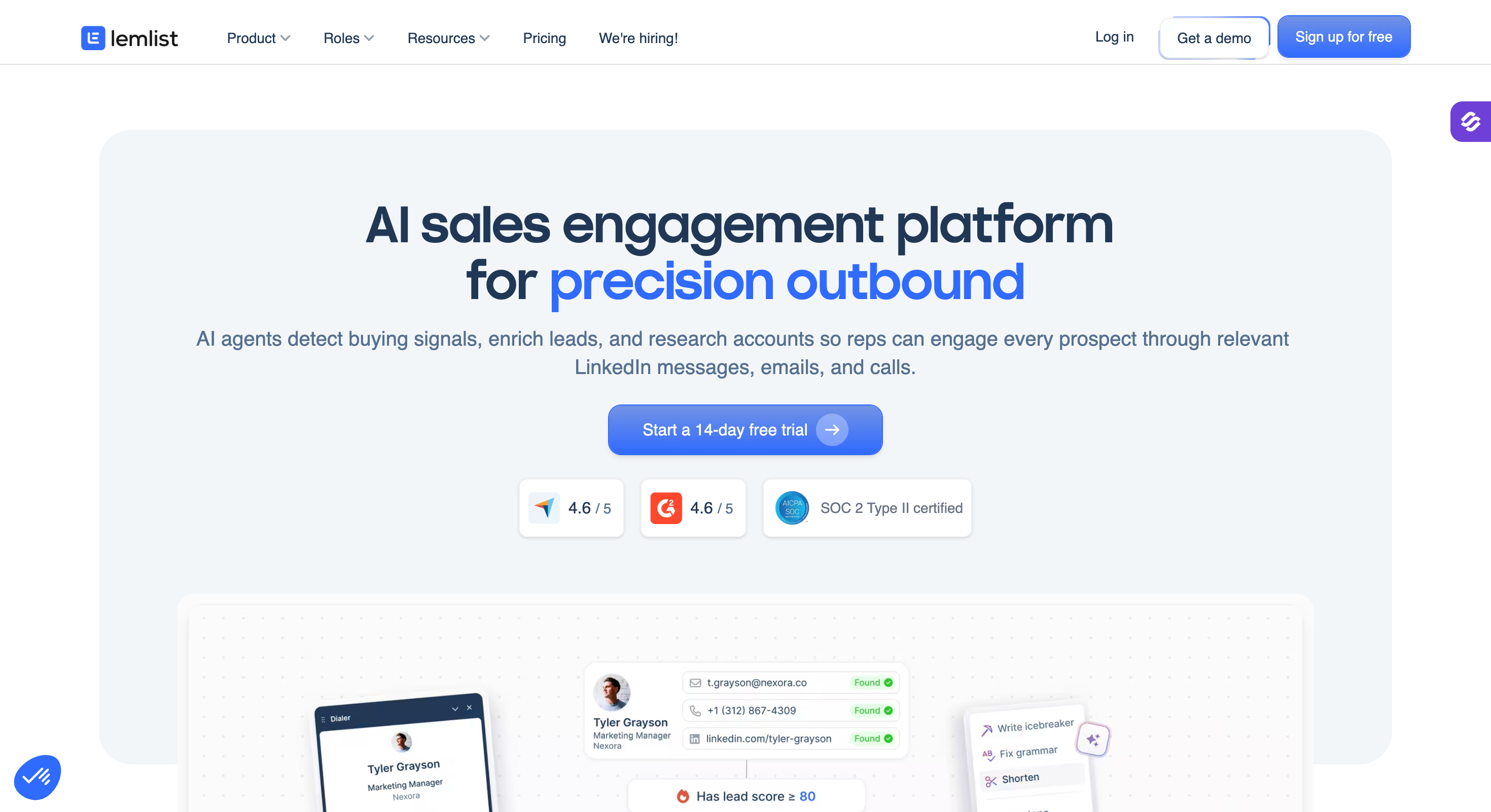
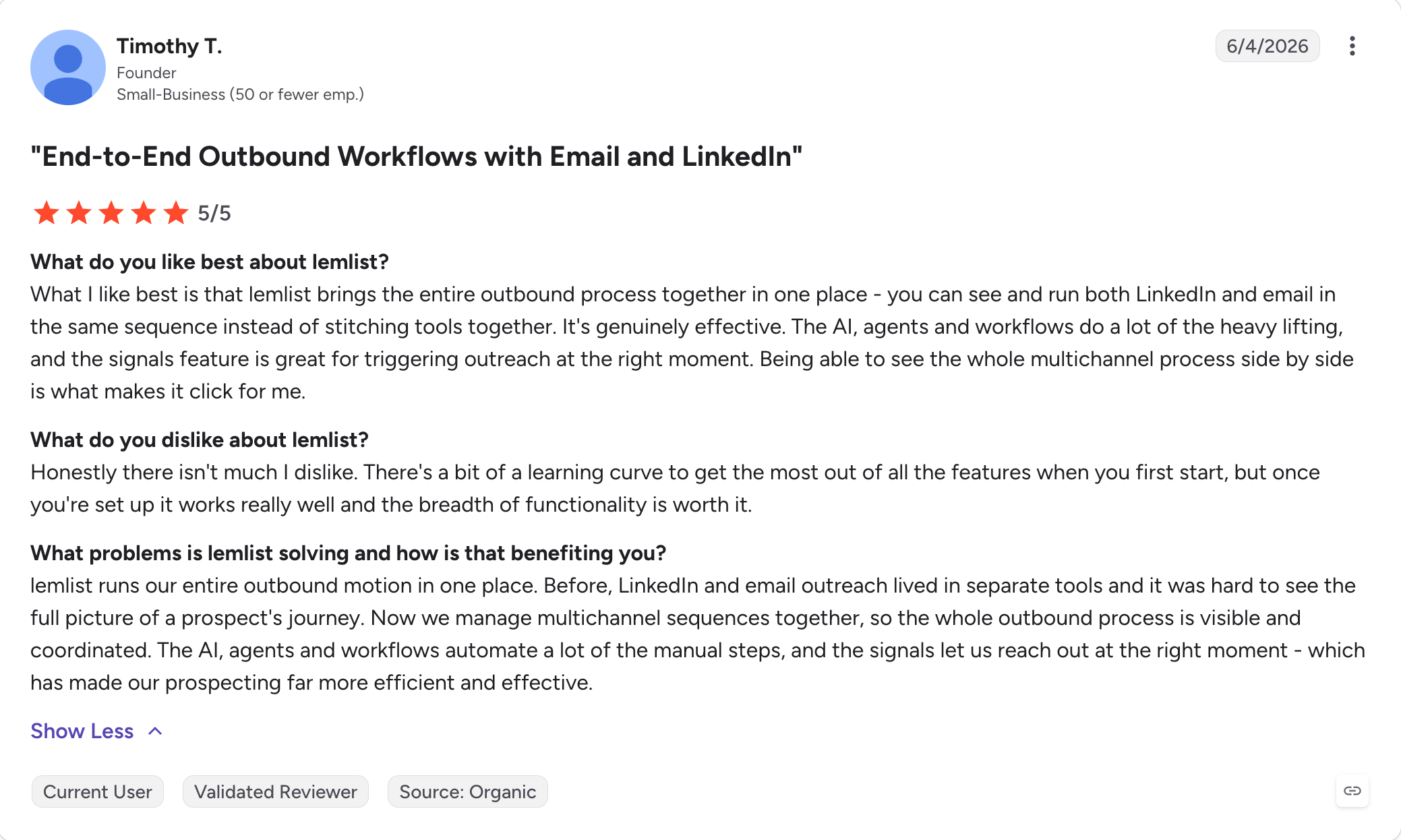
6 - Lemlist
Lemlist is what personalization looks like when it is the whole product.
Custom images with the prospect's website pasted in. Dynamic landing pages. Video variables. Liquid syntax. It is the strongest personalization tooling at this price point since 2019. lemwarm, their own warm-up product, is bundled free on every plan.
For 1-4 rep teams at $87/user on Multichannel Expert, it works.
5 reps and up, the cost increases. Multichannel Expert alone is $435/month for 5 seats. Add $9/mailbox for extra sending addresses, credits for the built-in database, and LinkedIn cadences that push you toward the Enterprise tier.
Fully loaded 5-rep bill runs $500-$700/month. Not $87.
On top of that, there are complaints of Chrome extension crashes and CRM sync bugs across HubSpot, Salesforce, and Pipedrive in G2 reviews.
Key Features of Lemlist
Custom image and video personalization: The strongest personalization tooling on this list. I've watched teams insert dynamic screenshots of a prospect's own website into their first cold email and see reply rates jump 2 to 3x on tight lists.
Multichannel sequences across 5 channels: Email, LinkedIn, calls, SMS, and WhatsApp in one sequence with branching. Lemlist and Reply.io are the two tools here that ship all five natively.
lemwarm bundled warm-up: Lemlist's own warm-up product baked into every plan. The teams I know using it report 90%+ inbox placement after 2 to 3 weeks of warmup.
AI icebreakers and liquid syntax: AI-generated first lines and dynamic email templating with liquid syntax variables. The sequence builder is one of the cleaner multichannel builders I've spent time in.
450M+ contact database built in: Native lead database with email finder and verifier. Not the biggest here but enough for the SMB teams I know using Lemlist.
Chrome extension: Pulls leads from LinkedIn profiles. G2 reviewers flag reliability issues (crashes and stale sessions) repeatedly, and I've heard the same complaint from teams running Lemlist day to day.
Native Lemlist MCP server: Launched 2026. I can connect Claude or Cursor to Lemlist and have them search leads, build sequences, launch campaigns, and pull analytics through MCP.
CRM integrations (HubSpot, Salesforce, Pipedrive): Deep two-way sync with all three major CRMs, though G2 reviewers report sync bugs across every integration. I have not personally hit these but the pattern is documented enough that I would test the sync before committing.
Lemlist Pros and Cons
✅ Pros
❌ Cons
Strongest personalization capabilities on this list with custom images, videos, and dynamic landing pages
Per-user pricing gets expensive quickly. A 5-rep team typically lands around $500–$700/month fully loaded, not the $87 starting price.
Lemwarm bundled warm-up with reported 90%+ inbox placement after 2–3 weeks
Chrome extension reliability issues are repeatedly mentioned in negative G2 reviews
Multichannel outreach across 5 channels: email, LinkedIn, calls, SMS, and WhatsApp
CRM sync issues have been reported across HubSpot, Salesforce, and Pipedrive integrations
Native Lemlist MCP server (launched in 2026) enables AI agent workflows
450M+ database is smaller than Apollo's 275M+ native database or Snov.io's claimed 500M+ coverage
4.6/5 G2 rating across 1,300+ reviews, especially popular with solo founders and small sales teams
Most SMB teams move to Multichannel Expert ($87/user/month) because Email Pro does not include multichannel features
What Real Users Say About Lemlist
Lemlist Pricing (annual)
Plan
Price
What It Covers
Free Trial
14 days free (no credit card required)
Full platform access to test campaigns and features
Email Pro
$63/user/month (billed annually)
Unlimited email campaigns, Lemwarm, CRM integrations, lead database access, and 3 senders per user
Multichannel Expert
$87/user/month (billed annually)
Email + LinkedIn + calls + SMS + WhatsApp in one sequence, 5 senders per user, and AI personalization
Outreach Scale (Enterprise)
Custom pricing
Custom volume plans and dedicated enterprise support
Extra Sending Addresses
$9/mailbox/month
Additional mailboxes beyond the included sending allocation
Cold Calling
Usage-based pricing
Calling costs charged separately outside the seat price
Fully Loaded 5-Rep Team (Multichannel)
$500–$700/month
Multichannel Expert seats plus credits and additional sending addresses
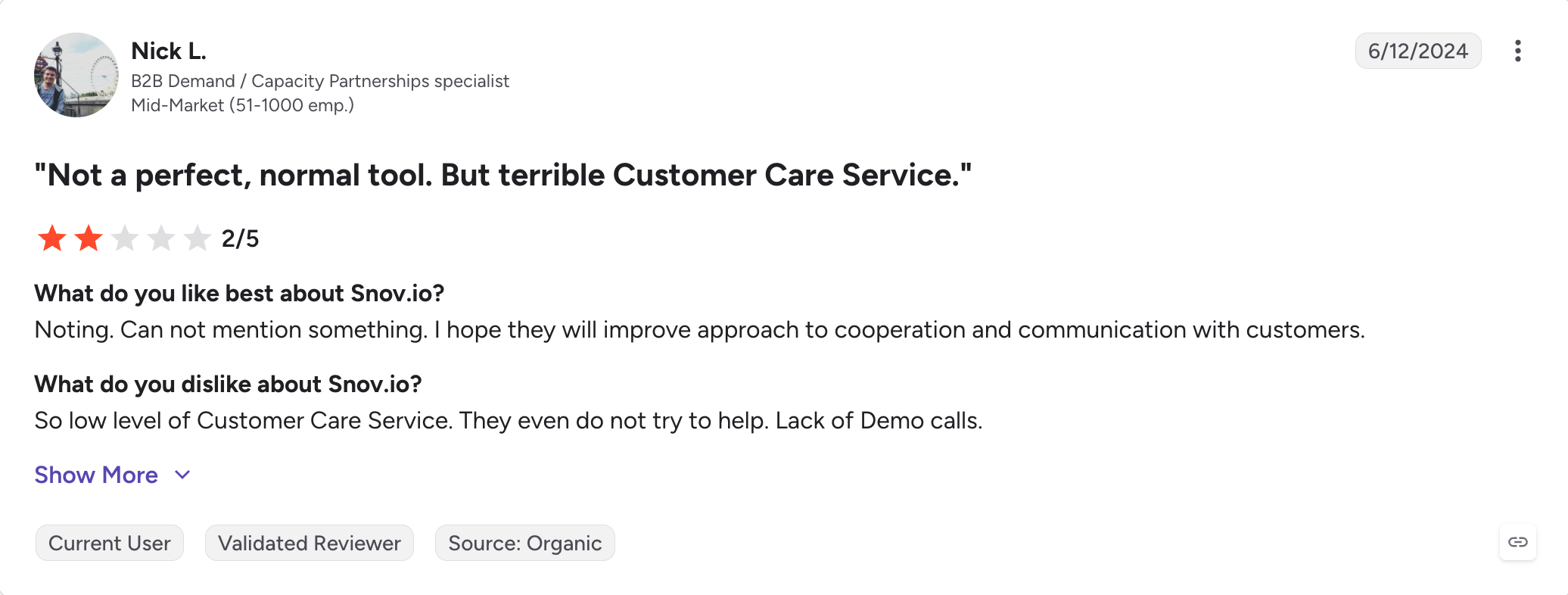
7 - Snov.io
Snov.io for a solo founder is best.
$29/month for data, sending, warm-up, and a CRM. No per-seat pricing above the Starter tier.
No one else on this list matches that at that price.
The problem is data quality. An independent test of 5,000 contacts through Snov.io returned only 20.1% verified. That means 4 out of 5 emails would not verify or were not found.
And LinkedIn automation is not included in any plan. It is a $62/slot/month add-on.
For small-volume outreach, Snov.io works fine. The Pro tier at $74/month gets you unlimited seats, which beats Lemlist or Reply.io once a team hits 3 or 4 reps. The native CRM saves a HubSpot subscription.
But at volume, that 20% verified rate chews through your sending domain.
Key Features of Snov.io
Email finder and verifier: Find and verify B2B emails from LinkedIn URLs, company domains, or name + domain lookups. Snov's 7-tier verification is more granular than most competitors, but the yellow/risky ambiguous status is what I keep watching users complain about.
500M+ contact database: Native database with search filters for role, industry, company size, and location. Snov's pricing page claims 852M+ contacts, while the help center references 450M to 500M. I would confirm the current number with Snov directly before committing.
Drip campaigns with sequence branching: Multi-step email cadences with conditional next steps. Not the deepest sequence builder I've used but functional for basic email outbound.
Free warm-up bundled with the plan: Unlimited warm-up on Pro tier and above, which puts Snov ahead of Apollo (no warm-up) and roughly matched with Lemlist and Salesforge for warm-up as a bundled feature.
Free native CRM: Basic pipeline management included at no extra cost. For solo founders without a separate CRM subscription, this saves a real line item.
Chrome extension: Pulls emails from LinkedIn profiles and websites. Free to install; uses Snov credits per lookup.
Unlimited seats on Pro tier and above: Snov.io does not charge per user on Pro tier and higher. Adding team members after the third or fourth seat is where Snov beats Lemlist on math.
Native Snov.io MCP server: I can connect Claude or Cursor to Snov via MCP for lead search, enrichment, drip campaign management, and analytics through natural language.
LinkedIn automation as an add-on: LinkedIn is not included in any plan. $62/LinkedIn slot/month (billed annually) or $69/month monthly.
Snov.io Pros and Cons
✅ Pros
❌ Cons
Unlimited seats on Pro tier and above, unlike per-user pricing models from Lemlist, Reply.io, and Klenty
Independent Prospeo benchmark of 5,000 contacts found only a 20.1% verified rate
Starter plan at $29.25/month (billed annually) provides one of the cheapest all-in-one entry points
Email tracking reliability issues were flagged 39 times across G2 reviews, especially with Gmail accounts
Free email warm-up included across all paid tiers
LinkedIn automation costs an additional $62/slot/month and is not included in any base plan
Native CRM included at no additional cost
Yellow/risky verification statuses can still lead to unexpected bounces from supposedly verified emails
Native Snov.io MCP server enables AI agent workflows
4.7/5 Trustpilot rating, but reviewers mention integration problems, slow support, and technical issues
What Real Users Say About Snov.io
Snov.io Pricing (annual)
Plan
Price
What It Covers
Free
$0
Limited credits, single user access, and basic features
More credits and recipient capacity with all Pro features included
Pro (L)
Higher volume tier
Even higher sending capacity with Pro features
Custom (Ultra)
Custom pricing
Enterprise capacity and custom requirements through sales
LinkedIn Automation Add-on
$62/LinkedIn slot/month (billed annually) or $69 monthly
Adds LinkedIn outreach features separately
8 - Klenty
Klenty is the ideal pick when calling channel is your priority.
Growth plan includes a parallel dialer that handles 350 calls per hour and writes every dial back to the CRM at the record level.
The issue is the full parallel dialer is an add-on. Growth plan is $70/user for multichannel cadences and a standard dialer. The full parallel dialer at 350 calls per hour costs another $45/user on top. For a 5-rep calling team that is $575/month before Pro-tier AI features.
Apart from these, there are other issues worth highlighting such as charges after cancellation, mid-contract price increases, slow support when teams hit real problems.
Key Features of Klenty
Parallel and power dialers: The core Klenty differentiator. Growth plan includes a standard dialer; the full parallel dialer at 350 calls per hour is a $45/user/month add-on. I have watched teams double their conversation count per rep with the parallel dialer running.
Multichannel cadences (email + phone + LinkedIn + SMS + WhatsApp): Combined into one cadence with branching. Growth plan is where multichannel starts, and the cadence builder handles the five channels from one screen.
CRM Acceleration framework: Two-way sync with Salesforce, HubSpot, Pipedrive, Zoho CRM, and Microsoft Dynamics 365. This is the deepest CRM integration coverage I've seen on this list.
SmartLists (intent-adaptive playbooks): AI moves prospects between cadences based on engagement signals. If a prospect opens or clicks, they get pulled into a warm follow-up cadence automatically without a rep touching anything.
SDRx (autonomous AI SDR product): Klenty's autonomous AI SDR, sold separately. Prospects, drafts messages, and manages follow-ups. Not as commercially proven as Reply.io's Jason AI but positioned similarly.
Call IQ (conversation intelligence): Records and transcribes calls and surfaces coaching moments. Add-on product in the Klenty ecosystem.
Schedule IQ (meeting scheduling): Native calendar and scheduling. Add-on product.
No native contact database: Klenty does not include B2B contact data. Every prospect list has to come from an external source (LinkedIn Sales Navigator, CRM export, or a separate enrichment tool like Leadsforge).
No native MCP server (as of July 2026 research): Klenty exposes an API but I did not find a native Klenty MCP server. Confirm with Klenty before making a definitive comparison for teams building an agent workflow.
Klenty Pros and Cons
✅ Pros
❌ Cons
Parallel dialer handling 350 calls/hour is the main reason phone-first teams choose Klenty
Parallel dialer costs an additional $45/user/month and is not included in the base Growth plan
CRM sync with Salesforce, HubSpot, Pipedrive, Zoho, and MS Dynamics provides some of the deepest CRM coverage on this list
No native contact database. Prospect lists must be imported from external sources.
4.6/5 G2 rating and 4.8/5 Capterra support rating, among the strongest support scores in this category
Multiple G2 and Capterra reviews mention unexpected charges after cancellation and mid-contract price increases
SmartLists automatically move prospects between cadences based on engagement signals
Reporting has been described as difficult to read and "data mashed together" by multiple reviewers
Multichannel outreach across 5 channels: email, phone, LinkedIn, SMS, and WhatsApp on the Growth plan
Multiple G2 reviews report slow performance and instability during high-volume active campaigns
What Real Users Say About Klenty
Klenty Pricing (annual)
Plan
Price
What It Covers
Free Trial
14 days
Sales Engagement trial. Dialer trial requires a demo.
Startup
$50/user/month (billed annually)
Email cadences and basic CRM synchronization
Growth
$70/user/month (billed annually)
Multichannel cadences, standard dialer, and deeper CRM integrations
Pro
$99/user/month (billed annually)
AI features, 4,000 data credits/month, and advanced reporting
Ultimate
Custom pricing
Enterprise capacity and dedicated support
Parallel Dialer Add-on
$45/user/month
350 calls/hour, call recording, voicemail drop, and local phone numbers
SDRx (Autonomous AI SDR)
Custom pricing
Autonomous prospecting and outreach capabilities
Fully Loaded 5-Rep Team (Pro + Parallel Dialer)
~$720/month
Pro plan plus Parallel Dialer add-on for all 5 representatives
9 - Instantly
Instantly bet cold email would keep working and did not build multichannel. Everyone else did.
If you're running email-only outbound at high volume across dozens of sending accounts, Instantly is the right pick. Unlimited email accounts on a flat fee removes the per-account cost anxiety competing tools bake in. Unibox handles heavy account counts cleanly. The warm-up network works.
Cold email agencies default to Instantly for client campaigns because you can add mailboxes without the bill scaling per account.
What Instantly is not is multichannel. No LinkedIn automation. No calling. No SMS or WhatsApp.
If your outbound needs LinkedIn as a channel, you are picking the wrong tool. Same if you want in-platform coaching, forecasting, or a proper CRM.
The Instantly CRM add-on is thin and costs another $47/month on top of the base plan.
Key Features of Instantly
Here is what I have watched Instantly deliver, focused on the email-volume use case it's built for:
Unlimited email accounts: The Instantly signature feature. Add as many sending accounts as your infrastructure supports without paying per account. This is why cold email agencies default to Instantly for client campaigns.
Free unlimited warm-up: Every connected mailbox warms automatically through Instantly's warm-up network. Network effects work both ways though: Reddit reports of the network damaging brand-new domain reputation have surfaced repeatedly in 2025-2026.
Unibox (unified inbox): Central inbox pulling replies from every connected email account into one view with AI-labeled categorization. This is the feature Instantly users cite most in G2 reviews.
SISR deliverability network: Server and IP rotation to spread risk across IPs and maintain primary inbox placement at high volumes. Only on Light Speed and Enterprise plans, not Growth.
Inbox Placement testing: Pre-launch tests that check whether emails land in Primary, Promotions, or Spam across major providers. Add-on priced separately.
SuperSearch (lead database): Instantly's own B2B lead database. Add-on subscription at ~$47/month, and Reddit reports of high bounce rates on the data are documented.
Instantly CRM: Basic CRM with unified inbox for calls, SMS, and tasks. Add-on subscription at ~$47/month.
Website visitor tracking: Identify anonymous website visitors and sync them into outreach. Higher-tier feature.
Native Instantly MCP server: 31 tools across 5 categories (campaigns, leads, analytics, accounts, warm-up). I can point Claude or Cursor at Instantly and have it run campaign audits, health checks, and analytics queries through natural language.
Integrations: HubSpot, Salesforce (via OutboundSync), Slack, Zapier, and Make. Integration depth is lighter than Reply.io or Klenty.
No native LinkedIn actions: LinkedIn is not part of the Instantly product. Teams that need LinkedIn bolt on a separate tool.
Instantly Pros and Cons
✅ Pros
❌ Cons
Unlimited email accounts on a flat fee. The main reason cold email agencies default to Instantly.
Warm-up network reputation issues have been flagged on Reddit r/coldemail, including reports of new domains being reputation-blocked after joining.
4.8/5 G2 rating from 3,800+ reviews, one of the highest ratings among cold email platforms.
Headline pricing of $37.60/month can rise to around $141/month after adding SuperSearch and CRM features.
Unibox unified inbox handles large mailbox counts cleanly.
G2's AI review summary highlights 126 mentions related to campaign failures.
Native Instantly MCP server with 31 tools enables AI agent workflows.
No native LinkedIn support. Instantly remains email-only while the market moves toward multichannel outreach.
Free unlimited warm-up included with the subscription.
Support quality concerns have been reported, including slow responses and AI-bot-heavy support experiences on G2 and Trustpilot.
What Real Users Say About Instantly
Instantly Pricing (annual)
Plan
Price
What It Covers
Growth
$37.60/month (billed annually)
Unlimited email accounts, unlimited warm-up, 1,000 active leads, and basic Unibox
Hypergrowth
$97.60/month (billed annually)
25,000 active leads, A/Z testing, and advanced analytics
Light Speed
$358/month (billed annually)
SISR deliverability network, higher sending volumes, and team collaboration features
Enterprise
Custom pricing
Custom capacity and dedicated support
SuperSearch (Lead Database Add-on)
~$47/month
5,000 leads/month with verified email data
Instantly CRM Add-on
~$47/month
Deal pipeline, calls, SMS, and task management
Inbox Placement Testing
Separate add-on
Pre-launch email placement tests to check deliverability
Fully Loaded Starter Setup
~$141/month
Growth plan + SuperSearch + CRM add-ons for a realistic outbound setup
10 - Smartlead
Smartlead is what agencies pick after Instantly.
Same offer: unlimited mailboxes, unlimited warm-up, flat fee, no per-seat. Different implementation.
Instantly runs a shared warm-up network. Smartlead runs in-campaign warm-up with more control over how mailboxes rotate and how sequences distribute across accounts.
But for agencies with technical resources, Smartlead handles mailbox management better than anything else on this list. Base plan is $32.50/month annual. No forced upsells. Pro adds white-label at $29 per client workspace, which is why agencies rebranding for clients pick Smartlead.
Key Features of Smartlead
Unlimited email accounts on every tier: Connect 5 mailboxes or 500 for the same monthly fee. This is Smartlead's headline feature and the reason agencies pick it over per-seat platforms.
Warm-up on every tier: Free unlimited warm-up bundled with every plan. Smartlead's warm-up runs in-campaign rather than through a separate shared network, which is a different risk model than Instantly's network warm-up.
Mailbox rotation and auto-rotation: Sequences distribute sends across connected mailboxes automatically so no single mailbox burns through reputation. Agencies scaling to hundreds of mailboxes on Smartlead avoid the domain problems that come with running one mailbox too hot.
Master Inbox (unified inbox): Central inbox pulling replies from every connected mailbox. The Salesforge blog's June 2026 hands-on Smartlead review measured reply-lag at 20 to 30 minutes on high-volume days (450 replies plus), so same-day reply cadence at that volume is a limitation to plan around.
White-label at $29 per client workspace: Agency-grade rebranding for client-facing work. Instantly does not ship native white-label, so this is a real Smartlead advantage for agencies running client accounts.
Full API and webhooks: Deep programmatic access to campaigns, mailboxes, leads, and analytics. The Smartlead API is one of the deeper ones on this list, and agencies with technical resources build custom workflows on top of it.
Native Smartlead MCP server (116+ tools): Complete API coverage exposed to Claude, Cursor, and custom AI agents through MCP. I know two agency owners who connect Claude to Smartlead for daily account audits and deliverability triage.
SmartDelivery, SmartServers, and SmartAgents: Add-on products in the Smartlead ecosystem for dedicated servers, deliverability diagnostics, and autonomous outbound agents.
No native contact database: Smartlead does not include B2B contact data. Every prospect list has to come from an external source.
No native email verification: Smartlead does not include email verification. Teams integrate ZeroBounce, NeverBounce, or a similar tool via API.
No native LinkedIn actions: Smartlead is email-only. Teams that need LinkedIn bolt on a separate tool.
Smartlead Pros and Cons
✅ Pros
❌ Cons
Unlimited mailboxes and warm-up on every tier with flat-fee pricing and no per-seat charges
19 G2 reviews specifically mention poor support as the primary complaint
White-label available at $29/client workspace, making Smartlead popular for agencies managing client campaigns
Master Inbox reply delays of 20–30 minutes on high-volume days were reported in Salesforge's June 2026 hands-on review
Deep API access and native MCP server with 116+ tools, offering some of the strongest programmatic control in this category
Users report emails stuck in sending queues and random mailbox disconnections at scale on Unlimited plans
Mailbox rotation and auto-rotation distribute sending volume reliably across dozens of mailboxes
Steeper learning curve than Instantly, with G2 reviewers describing the campaign builder as confusing for new users
Base plan at $32.50/month (billed annually) is one of the cheapest entry points for unlimited mailboxes
No native LinkedIn, no native contact database, and no native email verification. Smartlead remains email-only in a multichannel market.
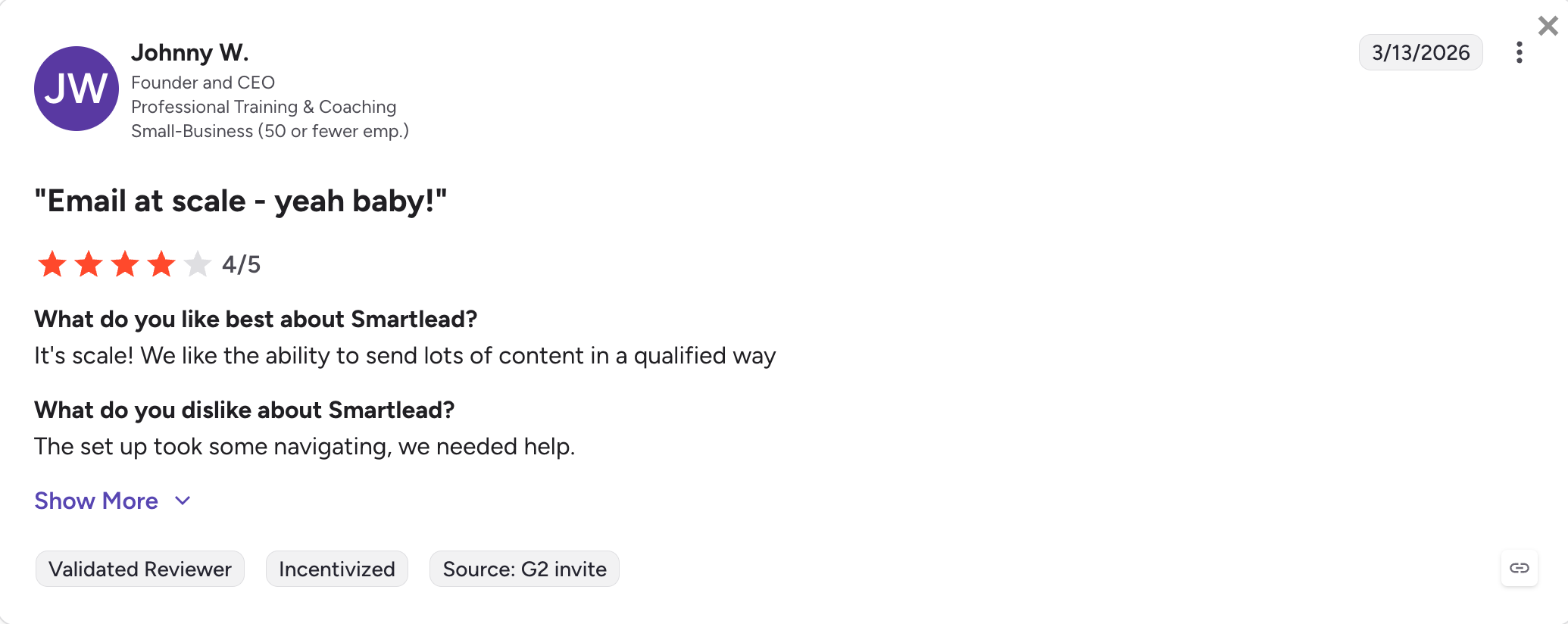
What Real Users Say About Smartlead
Smartlead Pricing (annual)
Plan
Price
What It Covers
Base
$32.50/month (billed annually)
2,000 active leads, 6,000 emails/month, unlimited mailboxes, and unlimited warm-up
Pro
$78.30/month (billed annually)
30,000 active leads, 90,000 emails/month, white-label features, API access, and webhooks
Unlimited Smart
$144.50/month (billed annually)
Unlimited active leads, 150,000 emails/month, SmartDelivery, and SmartServers
Unlimited Prime
$314.60/month (billed annually)
Unlimited active leads, 500,000 emails/month, and dedicated support
Client Workspace (White-label)
$29/month per workspace
Additional client-facing branded workspaces on Unlimited Smart and above
Email Verification
Third-party integration required
Connect tools like ZeroBounce, NeverBounce, or equivalent verification providers
The honest answer is that no tool on this list wins every use case.
Most GTM teams and agencies are not running just email channel anymore. They are running email plus LinkedIn on the same sequence, into tighter lists, with modern & reliable deliverability infrastructure.
Salesforge is built for these two. $40 a month on Pro or $80 a month on Growth, both billed annually. Unlimited mailboxes, unlimited LinkedIn senders on Growth, Warmforge warm-up free on every plan.
Sign up for free 14 days trial to test it with no credit card required, and the first mailbox goes live in about five minutes.
FAQs
1) What is a sales outreach tool?
A sales outreach tool is software that automates cold email, LinkedIn, and phone outreach to prospects. The tools I recommend in 2026 run email and LinkedIn on the same sequence with branching between the two channels, ship deliverability infrastructure (warm-up, mailbox rotation, bounce protection) built in rather than sold as separate paid add-ons, and expose a native MCP server so AI agents can operate the platform through natural language.
2) What is the difference between sales engagement and sales outreach?
I use "sales engagement" for older enterprise platforms like Outreach.ai and Salesloft. Those tools were designed for large SDR teams with structured multi-step cadences, coaching, forecasting, and deep Salesforce sync. I use "sales outreach" for newer platforms like Salesforge, Instantly, and Smartlead. Those focus on sending, sequencing, and reply management, without the coaching and forecasting layer that enterprise platforms add on top.
3) What is the best free sales outreach tool?
Apollo.io has the most useful free tier on this list. 60 email credits per month, 25 phone credits, and one basic sequence give you enough runway to test cold email against a small list. If you want to test multichannel sequencing (email plus LinkedIn) before committing to a plan, I would take the Salesforge 14-day free trial, which requires no credit card.
4) What is the best AI SDR product in 2026?
Reply.io's Jason AI and Salesforge's Agent Frank are the two AI SDR products I have watched book real meetings for customers this year. Jason starts at $500/month, Agent Frank at $499/month (billed annually). I would not call Salesloft's Rhythm AI or Outreach's Kaia autonomous SDRs. They are prioritization and coaching layers on top of human reps rather than agents that prospect, write, and book meetings on their own.
5) Which sales outreach tool is best for enterprise sales teams?
If your team is 25+ SDRs whose day runs in Salesforce with a dedicated sales operations function behind them, I would put Outreach.ai and Salesloft ahead of everything else on this list. Both are custom-priced (roughly $100 to $140 per user per month for Outreach base, $125 to $165 per user per month for Salesloft), require annual contracts, and take 4 to 8 weeks to deploy. If you want flat-fee pricing with native LinkedIn included in the same sequence as email, I would use Salesforge Growth at $80/month (billed annually), which covers unlimited users and unlimited LinkedIn senders.
Book more meetings on autopilot
Set up in minutes. No per-seat pricing. No commitment.
Compare the 5 best realtor email list providers in 2026. See verified email costs, contact accuracy, refund policies, and which provider is worth your money.
Compare the 9 best CEO email list providers for B2B outreach in 2026. See pricing, email verification, contact data, and which tool is worth paying for.








.jpg)

.jpg)
.jpg)


