Blog
5 Best Realtor Email List Providers in 2026 (Compared)

5 Best Realtor Email List Providers in 2026 (Compared)

Summarize with

Most realtor list providers focus on two numbers: how many agents they have and what a list costs. Neither tells you whether the list will pay off.

What matters is the cost per agent you can actually reach. Across the five providers below, a verified email costs about 2 to 58 cents. A phone number can cost eight to ten times more, and some providers charge again whenever you refresh a list you've already bought.

Next, check who pays when an email bounces. Some providers return credits for each bad address, others refund only batches that fall below an accuracy threshold, and some offer credits instead of cash. Agents change brokerages often, so you may need that policy more than you think.

Then check who's missing. Independent agents and small offices often get the fewest vendor pitches, but they're also the hardest to find in most databases

I compared each provider on these points so you know what you'll really pay before buying.

Table of Contents

Best Realtor Email List Providers at a Glance

These five fall into two groups. Bookyourdata and Salesgenie sell realtor lists. Leadsforge, Apollo, and UpLead let you build one from a B2B database. 

Leadsforge is my top pick for teams that want verified contacts when they send, at a lower per-agent cost. 

Feature Leadsforge
Best Overall
Bookyourdata Salesgenie Apollo.io UpLead
Starting price $49/mo $99 one-time for 250 contacts From $99/mo Free, then $49/user/mo billed annually $99/mo, or $74/mo billed annually
Pricing model ✅ Credits roll over and never expire ✅ Pay-as-you-go, credits never expire ⚠️ Subscription, plus credits to export ⚠️ Per seat, credits expire each cycle ⚠️ Subscription, credits expire each cycle
Cost per verified email ✅ About 2.5¢ About 10¢ to 40¢ by pack size ⚠️ Not published ✅ About 2¢ on annual Basic ❌ About 58¢ on monthly Essentials
Phone numbers ✅ 10 credits each ✅ Included in the same credit, where available ✅ Includes cell numbers ✅ 8 credits each ⚠️ Thinner coverage than email
Verification ✅ Checked across 20+ providers when you pull ✅ Checked at export ⚠️ Weekly verification, self-reported ⚠️ Verified flag, re-verify before sending ✅ Checked when you unlock
Bounce policy ✅ No charge for lookups that find nothing ⚠️ Credits back if a batch falls below 97% ⚠️ Refund on the undeliverable portion ❌ Not stated ✅ Credit back for each bounced email
Local targeting ✅ City radius search, brokerages from Google Maps ✅ State, city, specialization ✅ 300 demographic and 400 firmographic filters ✅ City, state, brokerage ✅ Brokerage, city, ZIP
Realtor-specific fields ⚠️ No license numbers ✅ Brokerage, specialization, license number ⚠️ Not stated ⚠️ Brokerage and role ⚠️ Not stated
Outreach built in ✅ Sends straight to Salesforge ❌ Export and CRM push only ✅ Direct mail workflow ✅ Sequences and dialer ❌ Data only
Contract ✅ None ✅ None ❌ 12-month initial term ✅ Monthly or annual ✅ Month-to-month on self-serve plans
Free start ✅ 100 credits ✅ 10 credits ✅ Explore the app free ✅ Free plan, 75 credits a month ✅ 5 credits
Best for Lists kept current market by market A full statewide list in one purchase Email, phone, and direct mail from one list Testing free, then emailing and calling in one tool Small local lists with per-email refunds

How I Evaluated Each Realtor Email List Provider

Realtor lists tend to fail in familiar ways, so I judged each provider on the six that cost buyers most.

  1. How Fresh a Contact Is on the Day You Send

Agents switch brokerages, open offices, and change email addresses more often than most professionals. A contact checked months ago may no longer be valid. I gave more weight to providers that verify emails when you pull them.

  1. Whether Independent Agents Show Up

Many realtors work alone or in offices of two or three people, and databases often miss them. A provider covering only large brokerages leaves out much of the market.

  1. How Closely You Can Target a Market

Most realtor outreach is local, so filtering by state isn't enough. I looked for city, ZIP code, and brokerage filters, so you only pay for agents you'll contact.

  1. What a Usable Contact Really Costs

A low starting price can hide costly phone numbers, expiring monthly credits, or list-refresh fees. I calculated the cost of each verified email and phone number, not just the plan.

  1. What Happens When an Email Bounces

Some providers return credits for each bad email. Others only refund batches below an accuracy threshold, while some offer nothing. That policy decides how much stale data costs you.

  1. Which Channels You Can Reach Agents On

Realtors often answer calls or open mailers faster than cold emails. If you plan to call or send mail, an email-only provider leaves you needing another tool.
The 5 Best Realtor Email List Providers in 2026

Feature Leadsforge
Best Overall
Bookyourdata Salesgenie Apollo.io UpLead
1,000 verified emails ✅ $49, one month of Essential $299 credit pack ⚠️ $99/mo plan plus export credits (price not published) ✅ $49 to $65, one month of Basic ❌ About $499, on Plus with extra credits
1,000 emails plus phone numbers 11,000 credits, covered by the $588 annual plan ✅ $299, phone comes in the same credit ⚠️ Plan plus credits, quote needed ⚠️ 9,000 credits, more than one month’s allowance on any plan ⚠️ Same credit, but phone coverage is thinner
Least you can spend to start ✅ $0, 100 free credits ✅ $0, 10 free credits ❌ $1,188, the 12-month initial term on Basic ✅ $0, free plan ✅ $0, 5 free credits
Unused credits ✅ Roll over, never expire ✅ Never expire ⚠️ Not stated ❌ Expire each billing cycle ❌ Expire each billing cycle
Refreshing a list later ✅ Already-enriched contacts skipped ❌ Re-downloading uses credits again ⚠️ Not stated ⚠️ Not stated ⚠️ Not stated

1. Leadsforge

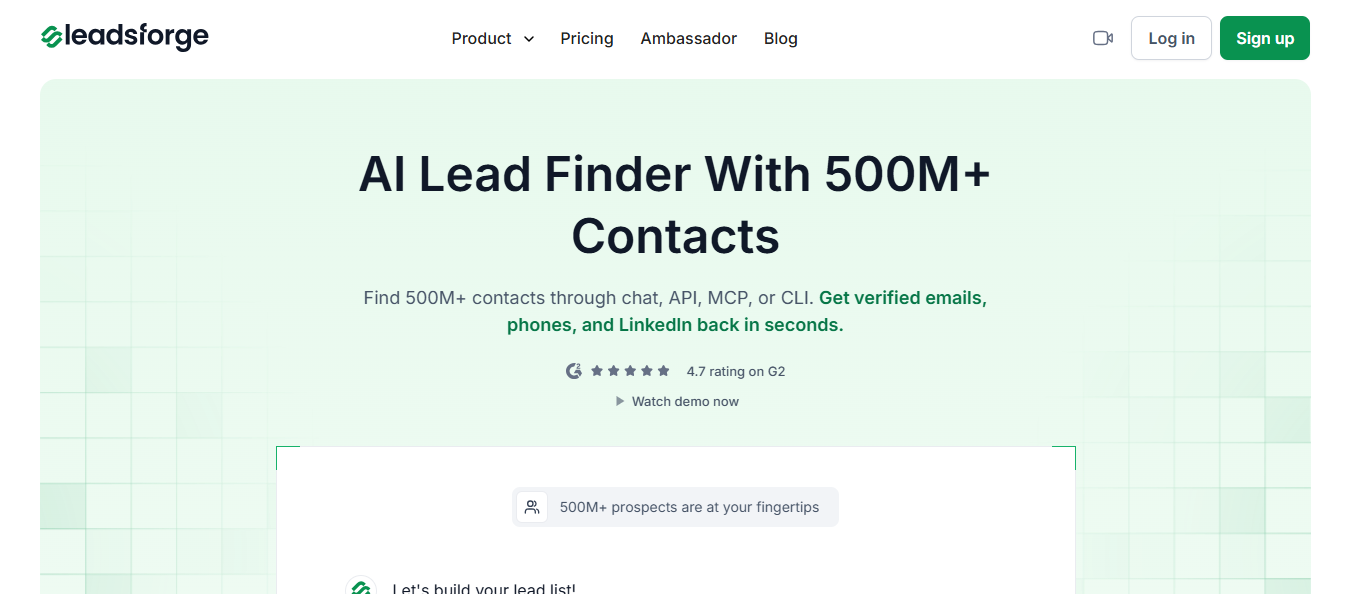
Leadsforge Homepage
This image shows the Leadsforge Homepage

Leadsforge doesn't sell a fixed file. It builds your realtor list from a search. Describe who you want as you would to a colleague, such as "agents at independent brokerages in Austin." 
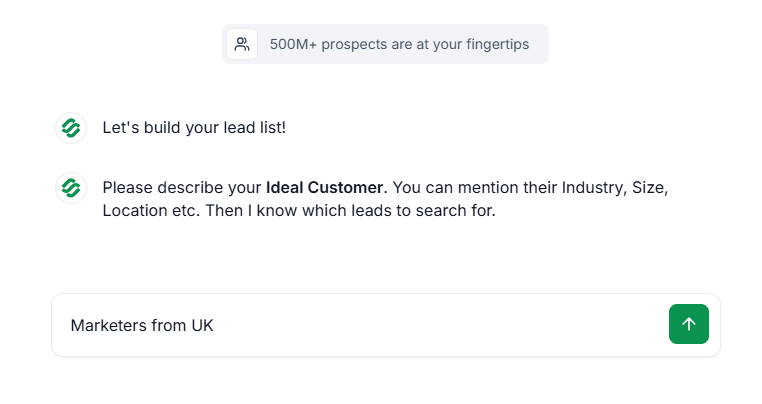
This image shows Leadsforge's plain-language search

It finds matching people in a database of 500M+ contacts, with verified work emails, phone numbers, and LinkedIn profiles.

You can check how many agents match before committing. Searching and filtering are free, so you can size your market, narrow the results, and pull only the contacts you plan to email.
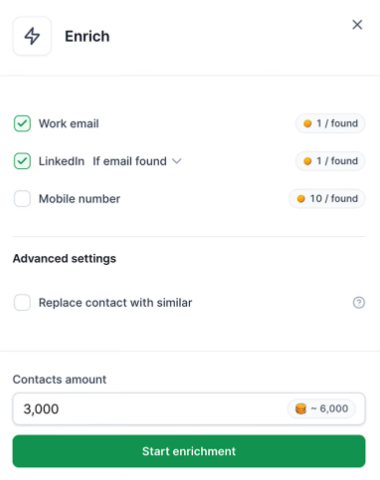
This image shows Leadsforge counting matches before using any credits

Realtor data has gaps because so many agents work in small independent offices. Leadsforge checks each contact across 20+ data providers, moving to the next whenever a source returns nothing.
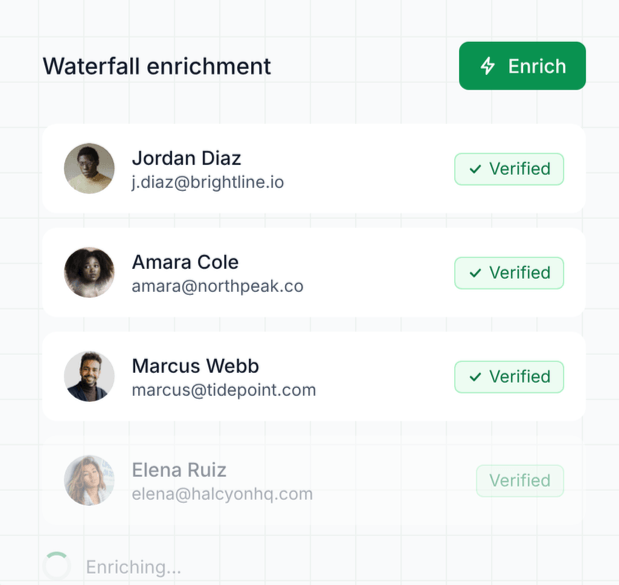
This image shows Leadsforge's waterfall enrichment checking contacts individually
  • find lookalikes of brokerages you already sell to
    ‍
  • upload an existing list and fill in missing emails and phone numbers

There's one limit to know before starting. Leadsforge doesn't have a ready-made file of every licensed agent in a state, and its data doesn't include license numbers. If you need a complete statewide download today, a list vendor is faster.

Why Leadsforge Is Better for Keeping a Realtor List Current

A purchased realtor list starts aging as soon as you download it. Agents switch brokerages, open offices, and change emails, and each move can turn a valid contact into a bounce. Leadsforge treats your list as something to refresh, not buy once. 
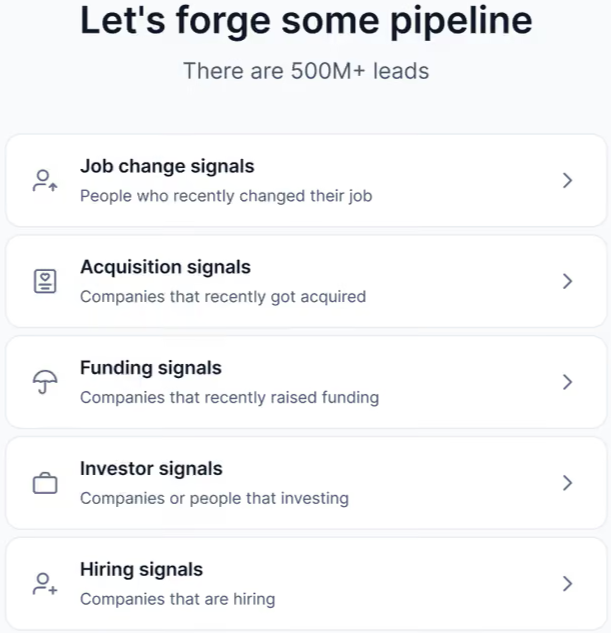
Leadsforge signals menu, including job change signals
This image shows the Leadsforge signals menu, including job change signals
  • Job change signals let you find agents who've just switched brokerages and contact them soon after.
    ‍
  • Refresh without paying twice, since already-enriched contacts are skipped and you pay only for new data.
    ‍
  • Verification across 20+ providers continues until a source returns verified details.
    ‍
  • Your own qualification prompts score agents against your criteria before you spend anything.
    ‍
  • Send lists straight to Salesforge sequences, or export a CSV at no extra cost.

Pricing

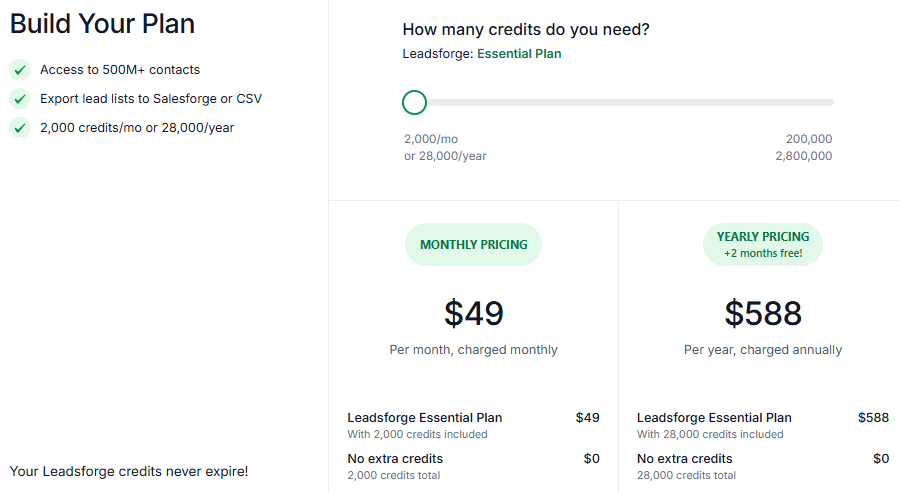
Leadsforge pricing plans
This image shows the Leadsforge pricing plans
  • Essential costs $49 monthly for 2,000 credits.
    ‍
  • Annual costs are $588 for 28,000 credits upfront, 4,000 more than twelve monthly allocations.
    ‍
  • Larger volumes reach 200,000 credits monthly or 2.8 million annually.
    ‍
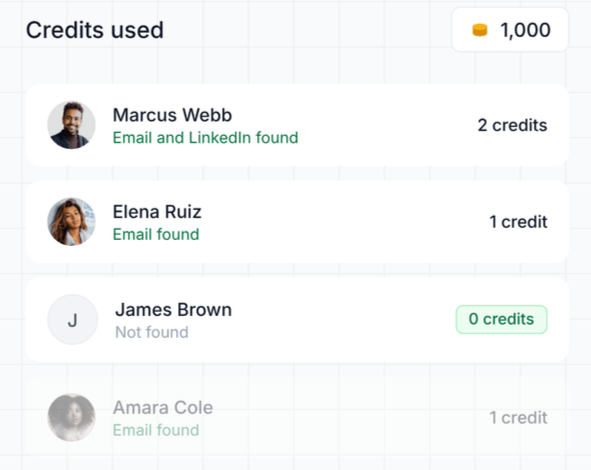
  • Credit costs are 1 per verified email, 1 per LinkedIn profile, and 10 per verified phone number.
    ‍
  • Searching, filtering, and unsuccessful lookups are free.
    ‍
  • Credits never expire and roll over monthly.
    ‍
  • Sign-up includes 100 free credits.
    ‍
  • No contract, cancel anytime.
Leadsforge charging credits only for contacts it finds
This image shows the Leadsforge charging credits only for contacts it finds

On Essential, $49 buys up to 2,000 verified realtor emails, about 2.5 cents each, or 200 verified phone numbers.

Pair it with Salesforge’s multichannel outreach to reach those agents by email and LinkedIn from one sequence. 
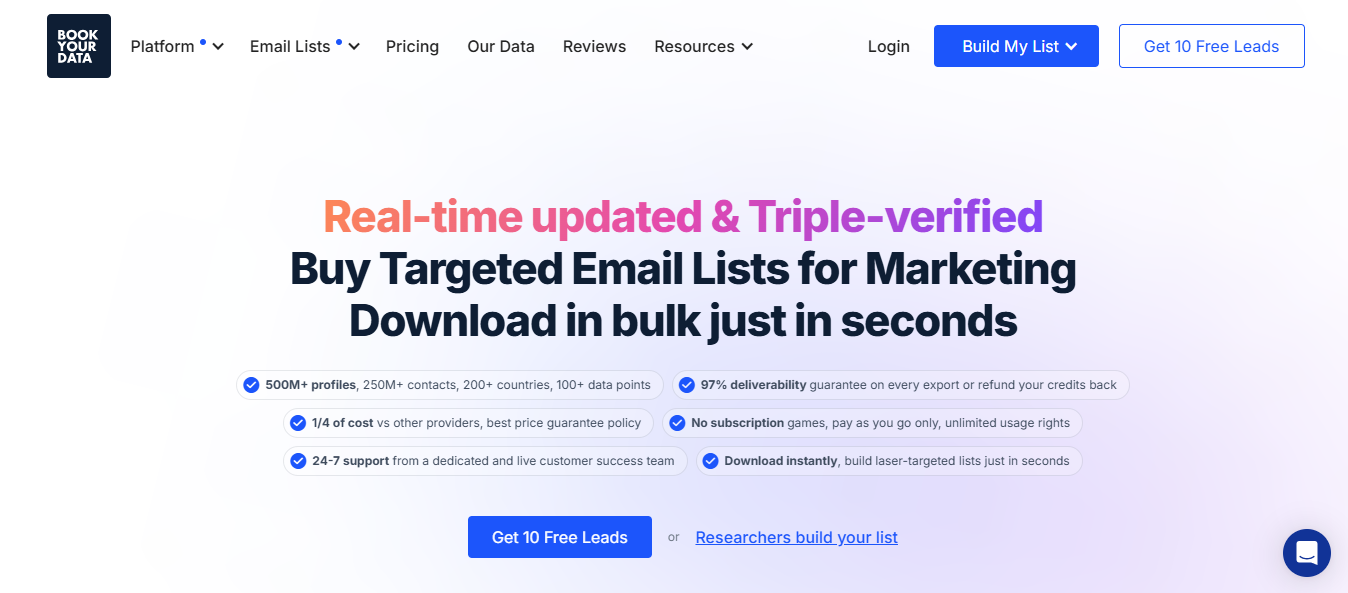
2. Bookyourdata

Bookyourdata Homepage
This image shows the Bookyourdata Homepage

Bookyourdata is close to buying a realtor list off the shelf. Filter its US realtor database by state, city, or specialization, preview matches, and export them. FullEnrich's comparison puts the database at over 2.2 million US realtors. Records can include names, emails, phone numbers, brokerage names and addresses, websites, specializations, and license numbers.

The license number matters to some buyers. Title companies, lenders, and compliance-led businesses often need to confirm active licenses before contacting someone. Most B2B databases don't include that field.

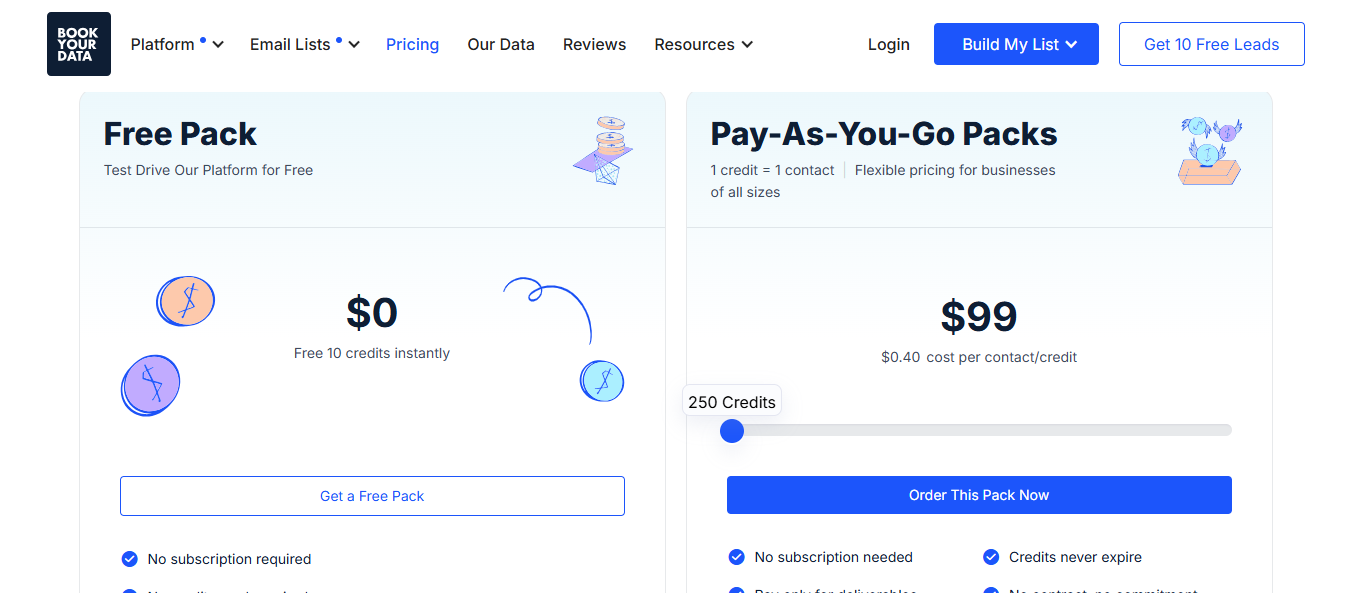
Pricing is pay-as-you-go. Buy a credit pack once, unlock one contact per credit, and keep unused credits indefinitely. If you campaign quarterly, you pay nothing between campaigns.

Why Bookyourdata Is Better for Buying a Statewide Realtor List Without a Subscription

If you need every Florida or Texas agent for one launch, a subscription means paying monthly for a one-time need. Bookyourdata lets you buy the contacts, export them, and stop paying. 
  • Realtor-specific fields: Include brokerage, specialization, and license number alongside email and phone. 
    ‍
  • One credit per full contact: Including email and phone where available. 
    ‍
  • Verified at export: Every email is checked when you download it, not when the list was built.
    ‍
  • No contract or minimum spend: Start with the free credits or the smallest pack.
    ‍
  • CRM push on export: Send contacts straight to Salesforce, HubSpot, Zoho, Mailchimp, or Zapier.

Pricing

Bookyourdata pricing page
This image shows the Bookyourdata pricing page
  • Free trial: 10 credits, no card required
    ‍
  • 250 credits: $99, about $0.40 per contact
    ‍
  • 1,000 credits: $299, about $0.30 per contact
    ‍
  • 5,000 credits: $799, about $0.16 per contact
    ‍
  • 10,000 credits: $999, about $0.10 per contact
    ‍
  • Larger volumes: custom quote
    ‍
  • Credits: one-time purchase, never expire

A 1,000-agent list costs $299, versus about $25 for 1,000 verified emails on Leadsforge's Essential plan. Bookyourdata includes available phone numbers, though. Leadsforge charges 10 credits per verified phone. 

3. Salesgenie

Salesgenie real estate list page
This image shows the Salesgenie real estate list page

Salesgenie is Data Axle's prospecting platform, and its main difference here is the channels it covers. Most realtor lists focus on email. 

Salesgenie includes mailing addresses and phone numbers, including cells, alongside email, with a built-in direct-mail workflow. If you contact agents through postcards and calls, you can use the same list.

It also includes consumer data: 255 million consumers and 19.5 million businesses, including homeowner and new-mover lists. A mortgage lender could contact local agents and recent homebuyers in the same ZIP codes without a second vendor.

Why Salesgenie Is Better for Mail, Phone and Email Campaigns From One List

Realtors receive plenty of vendor emails. A mailer on their desk or a well-timed call often gets more attention than a fourth cold email. 

Salesgenie lets you plan all three channels from one search rather than matching addresses and phones across tools. 

  • Email, phone, and mailing address together: One record, every channel.
    ‍
  • Built-in direct-mail workflow: Order and send mailers without a separate print vendor.
    ‍
  • B2B and consumer data in one place: Reach agents and homeowners in the same markets.
    ‍
  • Detailed filters: 300 demographic and 400 firmographic filters, plus intent data as an add-on.
    ‍
  • Refund for bad records: The undeliverable, out-of-date, or disconnected part of a list is refunded under its satisfaction guarantee.
    ‍
  • A person to call: Every plan includes an account strategist by phone, chat, or email.

Pricing

  • Basic: from $99 a month, 1 user
    ‍
  • Pro: $149 a month, 1 user
    ‍
  • Team: $299 a month, up to 5 users
    ‍
  • Buyer intent add-on: $50 a month
    ‍
  • Exports and email addresses: paid in credits on top of the plan, priced by quote
    ‍
  • Term: 12 months, then month-to-month
    ‍
  • Free trial: explore the app without a card

A year of Basic costs $1,188 before exporting any contacts. Leadsforge's annual plan costs $588 with 28,000 credits, while Bookyourdata has no subscription. Salesgenie is therefore a better fit if you'll regularly use mail and phone, not just email. 
4. Apollo.io

Apollo real estate agent database
This image shows the Apollo real estate agent database

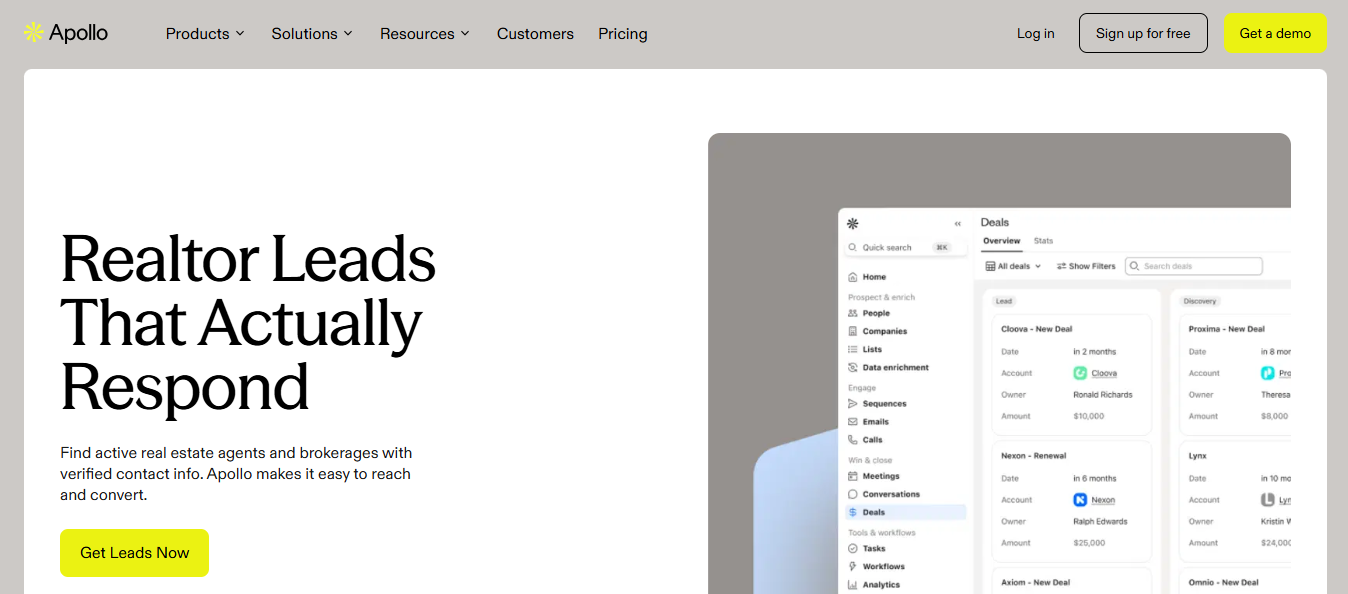
Apollo isn't a realtor list vendor. It's a sales platform with a 275M+ contact database, including realtors. Filter by title, city, state, or brokerage, and most agent records include an email and direct phone number, though Apollo's real estate page says some don't.
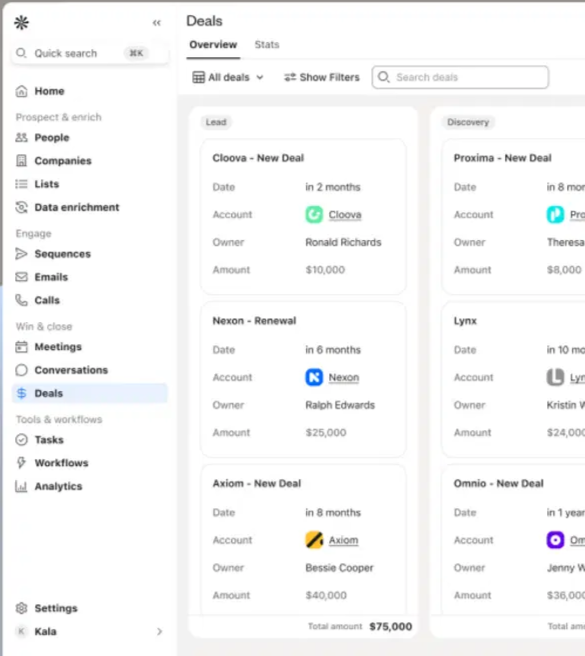
Apollo Leads Dashboard
This image shows the Apollo Leads Dashboard

For a realtor campaign, coverage comes first, and I'd check it carefully. Apollo is strongest for companies with a clear online presence, established titles, and active LinkedIn profiles. Large brokerages and team leads tend to appear. 

Solo agents at two-person offices are more likely to have no email listed. Search your market before relying on it.

What earns Apollo a place here is what happens after export. You can add agents to sequences, track replies, and use the built-in dialer without changing tools. Realtors often answer calls faster than emails, making this especially useful in this market.

Why Apollo Is Better for Testing Realtor Outreach Before You Pay

Every other provider here asks for payment, or at least a card, before you can test its data in your market. 

Apollo's free plan includes 75 monthly credits, two sequences, and 250 daily sends. That's enough to find a few dozen local agents, email them, and check bounces before paying. 

  • Free plan with no time limit: Test a market for as long as you need.
    ‍
  • Find, sequence, and call in one place: No handoff between a list tool and a sending tool.
    ‍
  • Built-in dialer: On Professional and above, with US calling included.
    ‍
  • Brokerage filter: Target every agent at a specific firm.
    ‍
  • CRM sync: Strong HubSpot sync, plus Salesforce and Zapier.

Two habits help control costs. Credits expire each billing cycle, so choose a plan that fits your monthly volume. 

Phone numbers cost 8 credits versus 1 per email, so reveal them only for agents worth calling. 
Pricing

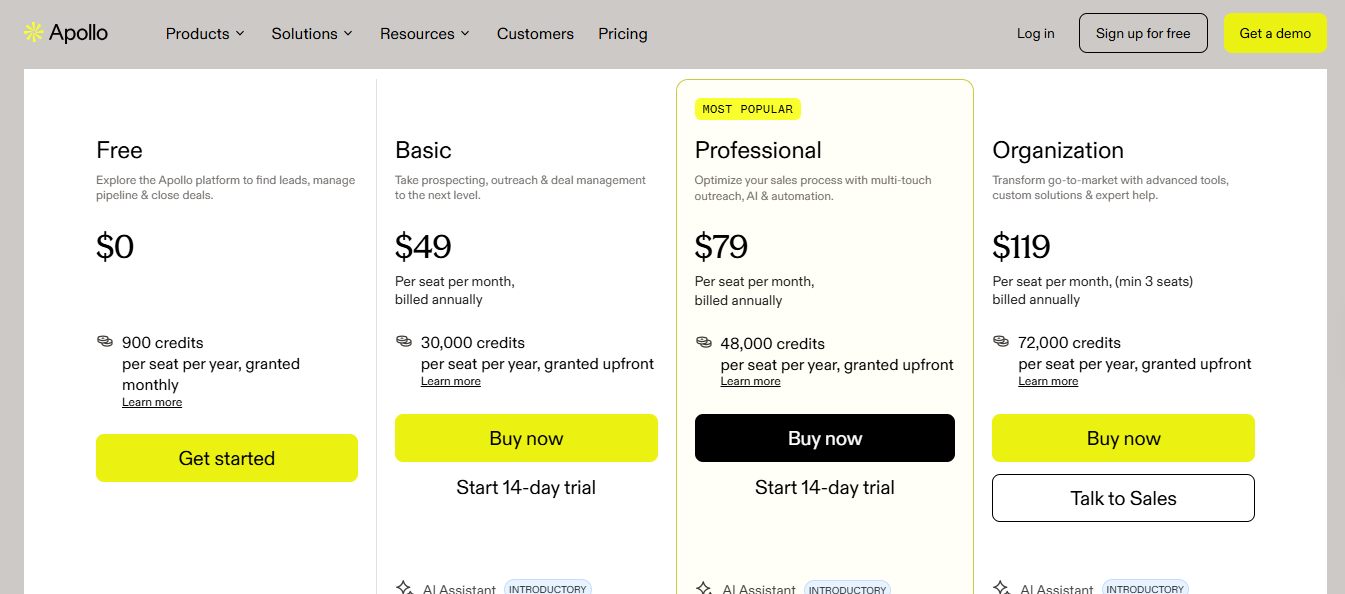
Apollo Pricing
This image shows the Apollo Pricing
  • Free: $0, 75 credits a month, 2 sequences, 250 daily sends
    ‍
  • Basic: 49peruseramonthbilledannually(65 monthly, 2,500 credits a month
    ‍
  • Professional: 79peruseramonthbilledannually(99 monthly, 4,000 credits a month, dialer included
    ‍
  • Organization: $119 per user per month, annual only, 3-seat minimum
    ‍
  • Credit costs: 1 per email, 8 per phone number
    ‍
  • Credits: expire at the end of each billing cycle, no rollover
    ‍
  • Trial: 14 days on Basic and Professional

With annual Basic billing, emails cost about 2 cents and phone numbers about 16 cents. That's cheaper per contact than the list vendors above, provided you use your credits before they reset. 

If expiring credits are a deal-breaker, compare these Apollo.io alternatives. 
5. UpLead

UpLead search filtered to real estate agents
This image shows the UpLead search filtered to real estate agents

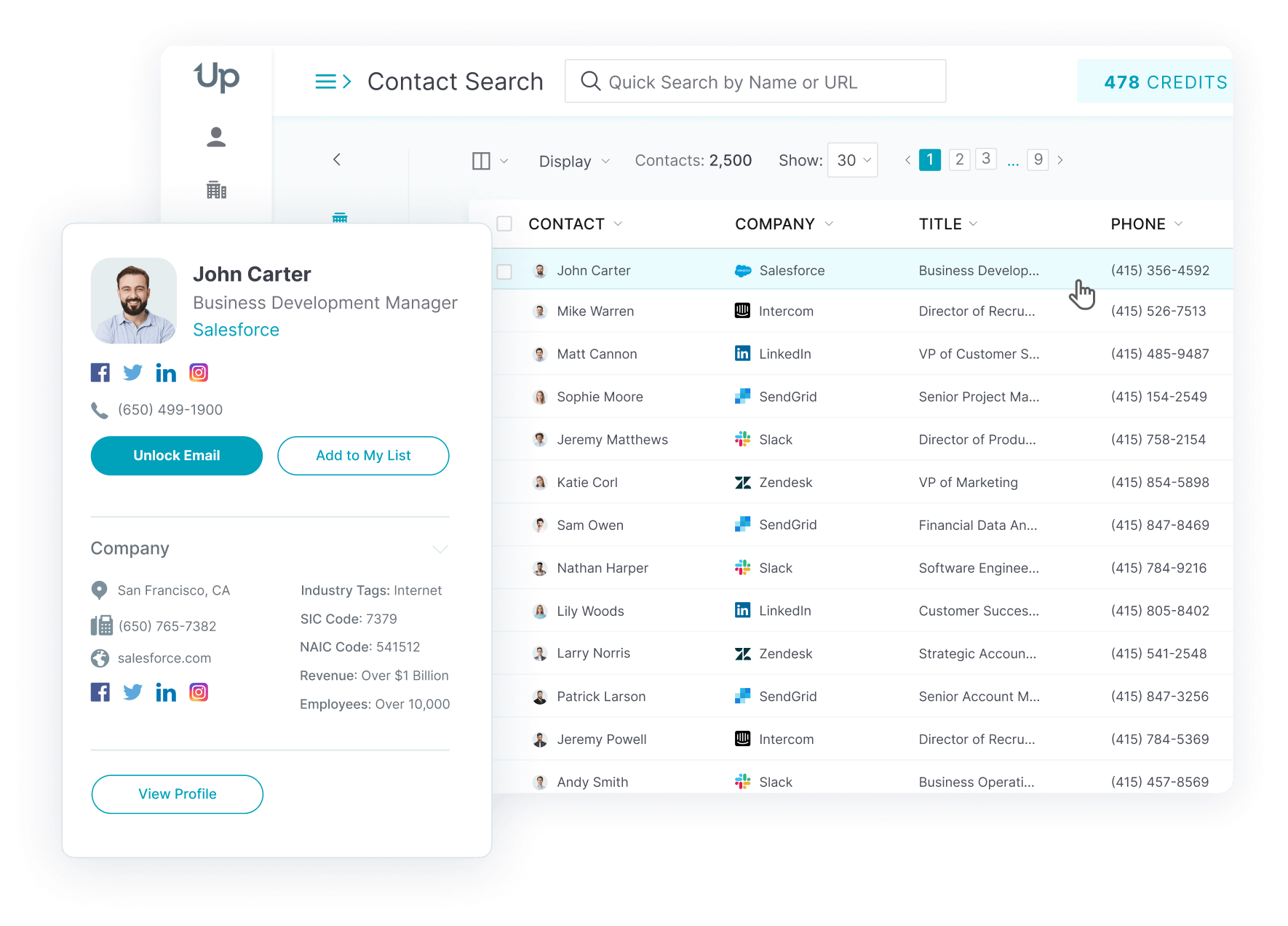
UpLead is a B2B contact database I'd use for one job: building smaller, focused realtor lists where every email needs to arrive. Filter down to one brokerage, city, or ZIP code, which helps when selling into neighborhoods rather than entire states.

Emails are checked when you unlock them, not when the record was added. For realtors who often change brokerages and inboxes, that separates an address valid last year from one valid today. If a verified email still bounces, UpLead returns that address's credit.

The trade-off is volume. The entry plan includes 170 monthly credits, enough for a focused local campaign but not much statewide outreach. Unused monthly credits expire, so quiet months cost you.

Why UpLead Is Better for Paying Only for Emails That Deliver

Most realtor list guarantees apply to whole batches. Your list must fall below an accuracy threshold before you can claim a refund. 

UpLead returns credits per email, so one bounce qualifies even if the rest deliver. 
  • Per-email credit back: Each bounced, verified email earns its credit back.
    ‍
  • Verified on unlock: Every address is checked the moment you reveal it.
    ‍
  • Brokerage, city and ZIP filters: Target one office or one neighborhood.
    ‍
  • Free search and filtering: Credits are used only when you reveal a contact.
    ‍
  • Month-to-month self-serve plans: No annual contract required on Essentials or Plus.

Pricing

UpLead pricing page
This image shows the UpLead pricing page
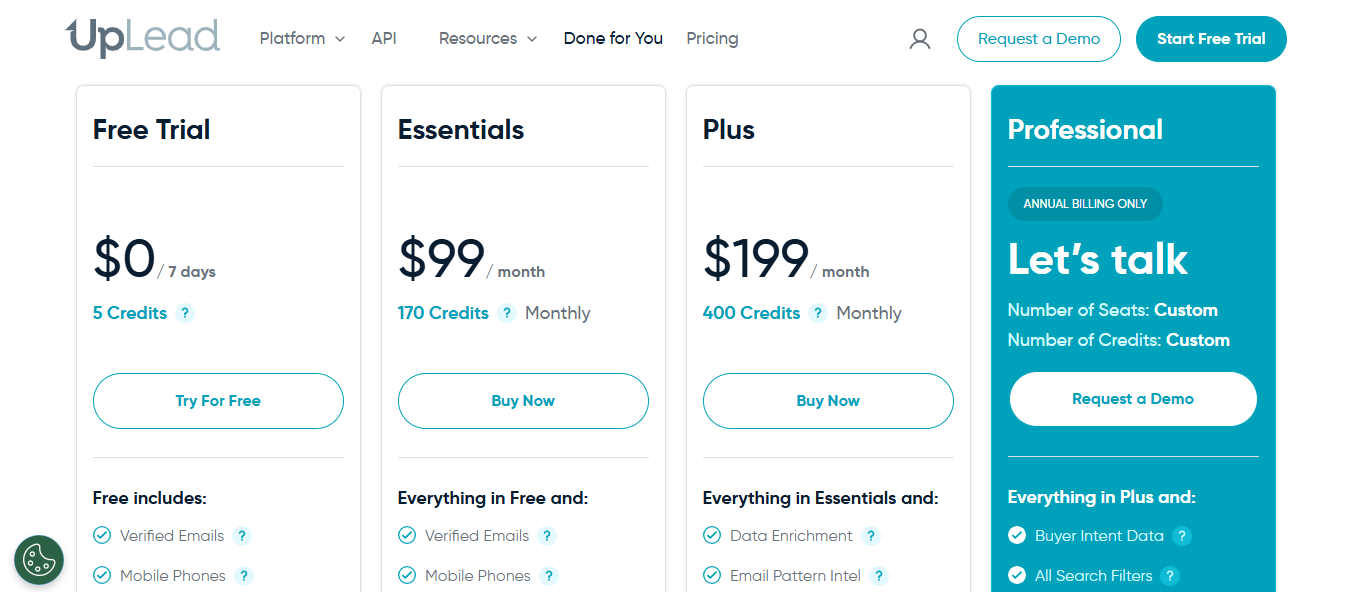
  • Free trial: 5 credits
    ‍
  • Essentials: $99 a month, or $74 a month billed annually, 170 credits a month
    ‍
  • Plus: $199 a month, or $149 a month billed annually, 400 credits a month, adds enrichment and technographics
    ‍
  • Professional: custom pricing, annual only, adds buyer intent data and API access
    ‍
  • Extra credits: about $0.60 each on Essentials, $0.50 on Plus
    ‍
  • Credits: monthly credits expire at the end of each cycle

On monthly Essentials, each verified realtor email costs about 58 cents. That's the highest per-contact price here. You're paying for per-email refunds, not volume. 

Personalized Outbound Strategy

Get The Right Outbound Strategy In Minutes

Enter your email to get a custom plan & stack recommendation for your business

It's being carefully crafted by AI

Please check your mailbox in 5 minutes

Conclusion: Which is the Best Realtor Email List Provider

How often you need fresh realtor contacts matters more than database size.

If you need them monthly, I'd choose Leadsforge. Each contact is checked across 20+ providers when pulled, verified emails cost about 2.5 cents, and unused credits roll over.

For occasional lists, Bookyourdata offers statewide downloads without a subscription. Salesgenie adds phone and direct mail, Apollo offers free testing, and UpLead returns credits for each bounced email.

Start with Leadsforge's 100 free credits, email a small batch, and let the bounce rate decide.

Book more meetings on autopilot

Set up in minutes. No per-seat pricing. No commitment.
Try
free
4.6 rating on G2
Add as a preferred
source on Google