Job change signals are one of the strongest triggers you can build your cold outreach around.
When someone starts a new role, priorities shift, budgets open up, and they're often looking for better tools and vendors.
That gives you a much better chance of starting a conversation than reaching out at a random time.
In this guide, you'll learn what qualifies as a job change signal, why it converts better than untriggered outbound, and how to use these signals to build a pipeline that actually converts.
Let's dive in.
A job change signal is a real-time notification that a specific contact has moved to a new role, a new company, or both.
It could be a decision-maker at your target account moving to a different department. It could be a former user of your product leaving one company and founding another. It could be a new VP of Sales joining a company in your ICP with a fresh mandate to rebuild the stack.
The four types worth tracking:
Here is what makes job changes different from most buying signals. Intent data is probabilistic. A company might be in-market. A contact might be researching your category. You are guessing.
A job change already happened. There is no interpretation involved. That precision is why the conversion rate on job change outreach runs so far ahead of standard cold outbound.
If you want a broader look at how job changes sit inside the wider signal universe, my guide to B2B buying signals covers all fourteen signal types I track.
That is the share of B2B sellers who lost or delayed at least one deal because a stakeholder changed jobs (LinkedIn State of Sales Report, 2021). One in three lost or delayed three or more. The gap between the sellers who caught the move early and the ones who did not is measured in closed deals.
B2B contact records decay by roughly 30% each year. The email you had for your best prospect last quarter may no longer work. Every job change creates a new contact record, and the person you lost track of could already be working at one of your ICP accounts.
New leaders make around 70% of their vendor evaluation decisions during their first 90 days.
They arrive with a mandate, review the existing tech stack, and often introduce tools they trusted in previous roles. That creates one of the best windows to start a conversation.
Then finish with:
Put these three facts together, and the opportunity becomes obvious.
💡Pro tip: Track tenure at the previous company, not just the job change itself. Someone who spent four years in a role is more likely to bring strong preferences for the tools they used than someone who stayed for only a few months. The longer the tenure, the stronger the buying signal.
Here is the piece most people get wrong.
When someone changes jobs, most outbound teams see one prospect and send one email.
In reality, a single job change can create multiple prospecting opportunities. Depending on who moved, where they came from, and where they joined, you may have several ways to break into an account.
Here are the three job change prospecting angles you should always track.
This is often the highest-converting job change signal.
A former customer, buyer, or product champion has joined a new company. Since they already know your product and the results it delivered, you're not starting from zero. You're restarting a relationship in a new account.
Track job changes across both closed-won and closed-lost opportunities. Even if a deal never closed, your main contact may still have believed in your solution.
Reach out within the first 30 days while they're evaluating vendors and influencing new purchasing decisions. If an AE owned the previous relationship, involve them in the outreach.
The second-highest-conversion angle. When a new VP, Director, or Head-of joins a company in your ICP, that is fresh budget and a new mandate walking through the door.
You do not need any prior relationship with this person. The trigger is the move itself, plus the fact that their new company matches your ideal customer profile.
The compound angle. When one person changes jobs, the accounts they touched now have committee gaps and committee arrivals. Both are prospecting opportunities.
At the old company, someone inherited the vacated seat. At the new company, your former user is now working alongside a fresh buying committee they can introduce you to.
The point is that one signal produces three angles. Once you see the pattern, you cannot unsee it.
Manual tracking doesn't scale. I've watched too many SDRs try.
You create LinkedIn alerts for a handful of prospects. You check them every morning, catch a few job changes, miss dozens more, and then spend another hour trying to find a new work email. By the time you've verified the contact, someone else has already reached out.
That's not a repeatable outbound motion. It's manual research.
A scalable workflow needs to do four things well:
This is exactly where I use Leadsforge. Instead of jumping between LinkedIn, enrichment tools, and spreadsheets, everything happens in one place.
Navigate to Signals from the left sidebar. Leadsforge tracks multiple buying signals, including Job Changes, Funding, Acquisitions, and Investor Signals.
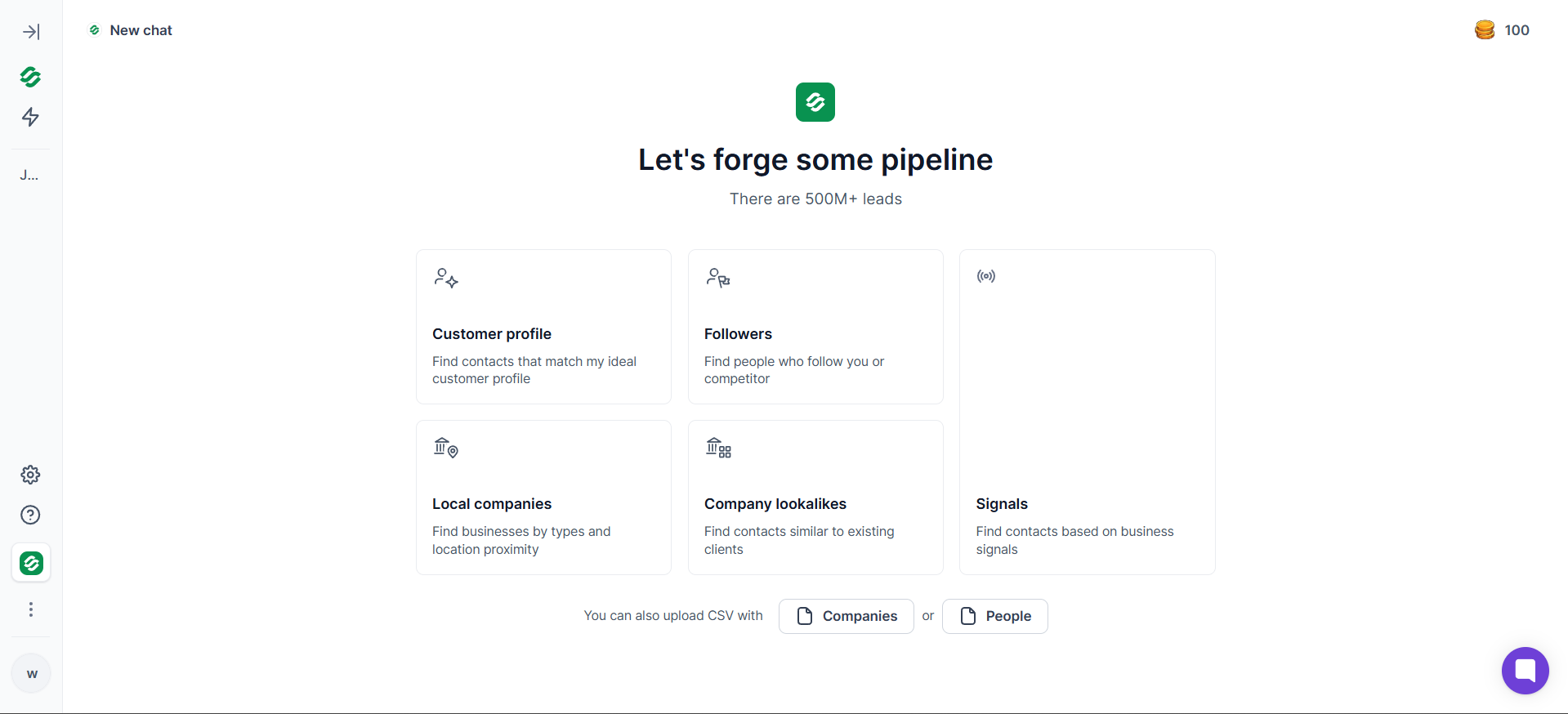
Choose Job Change Signals to search across Leadsforge's database of more than 500 million contacts who've recently changed jobs.
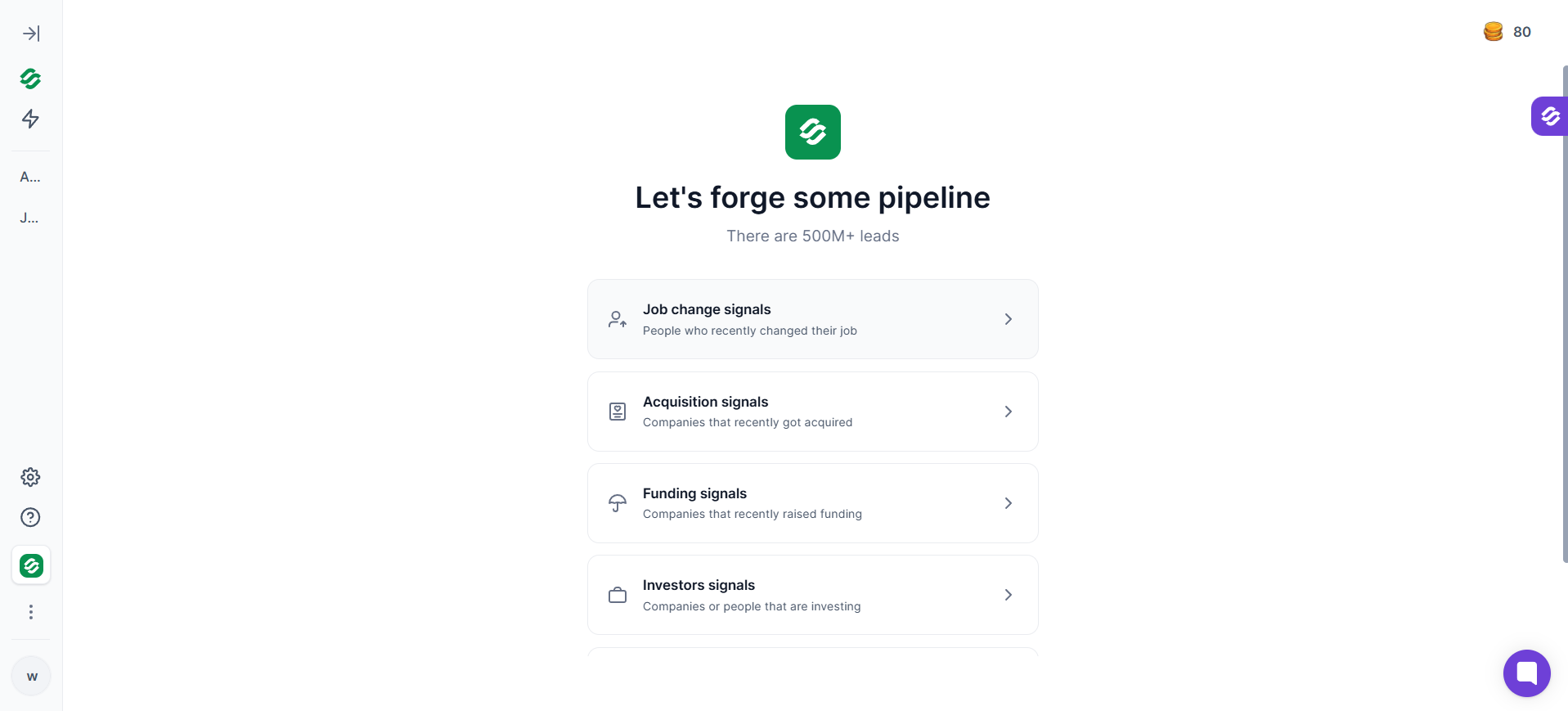
At this stage you'll see every recent job change. The next step is narrowing those down to prospects that actually matter.
Use the filters on the left to define exactly who you want to track.
For example, you can filter by:
Instead of reviewing thousands of job changes, you're left with a shortlist that matches your ICP.
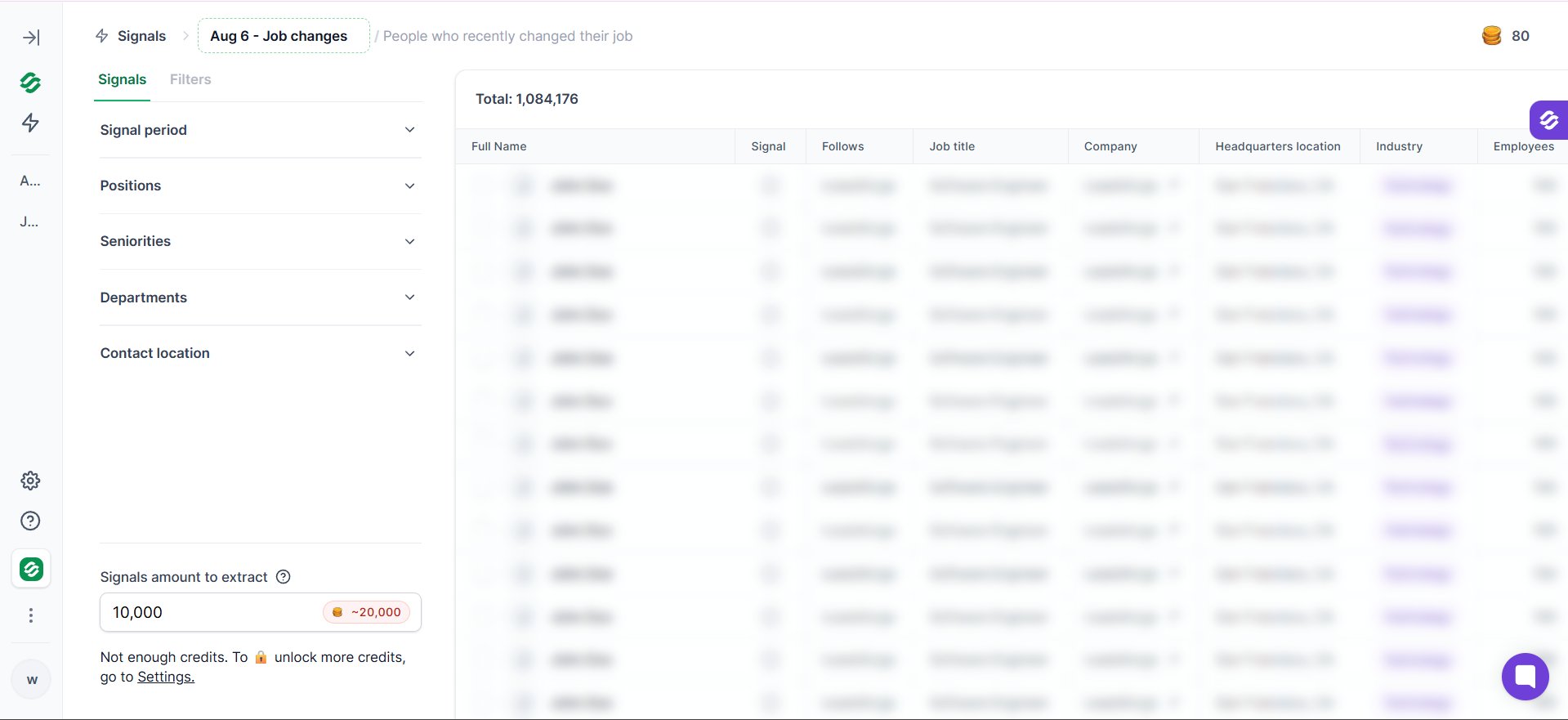
Once you've found relevant job changes, click Extract.
Leadsforge enriches each contact with verified work email addresses and other contact data, so you're reaching prospects at their new company instead of guessing their email format.
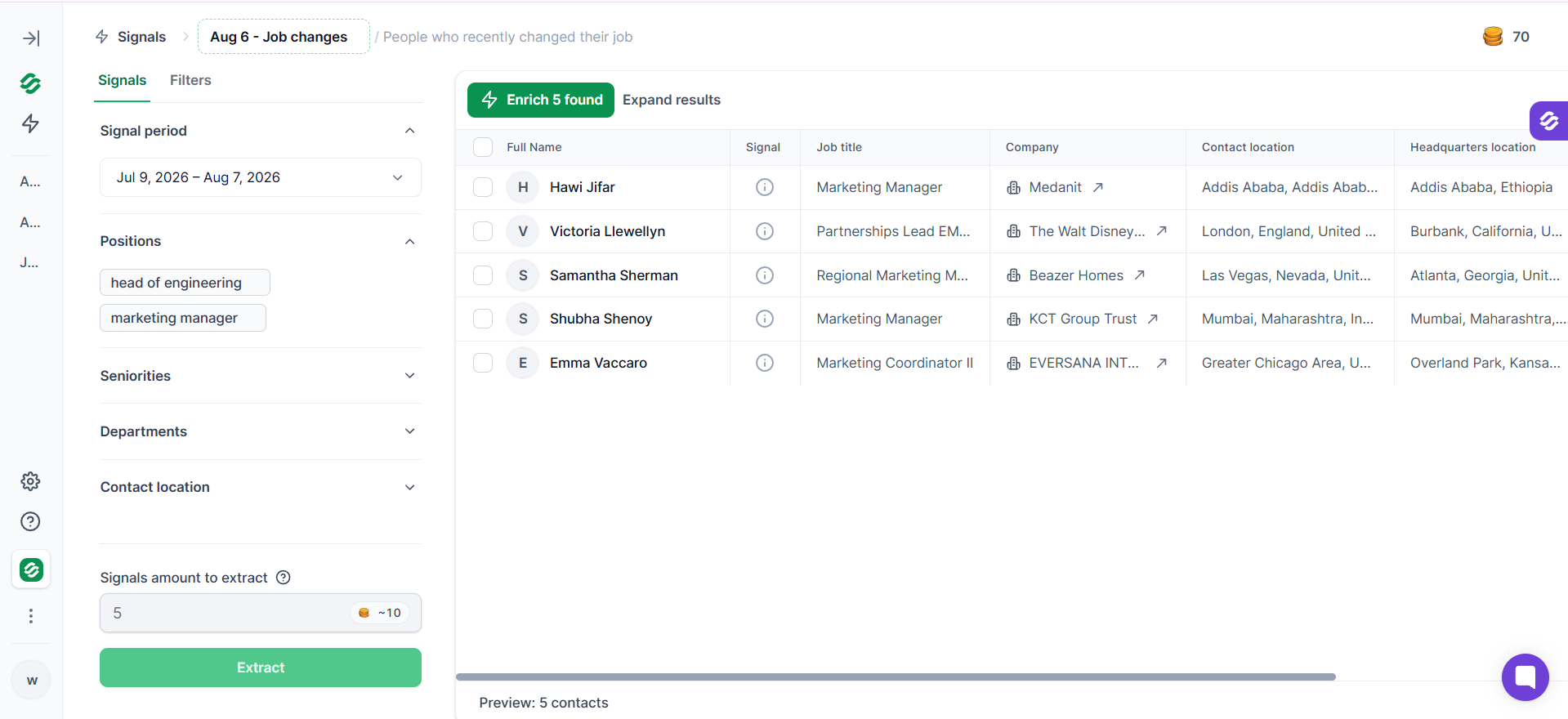
Leadsforge combines four steps that most outbound teams do separately.
💡Pro tip. Don't try to monitor every job change.
Prioritize them in this order:
Most teams make the mistake of tracking everything. The signal queue fills up, reps ignore it, and the system stops working. Focusing on the highest-intent moves keeps the pipeline manageable and your outreach timely.
Detection is only half of the work. What you do with the signal is what actually books the meeting.
I run four specific job change prospecting motions. Each one has its own timing rules and its own message shape.
The highest-conversion motion. Your former user or champion is now sitting at a new company that might be ICP-fit.
When to reach out: inside 30 days of the move, ideally in the first two weeks.
Message shape:
💡Pro tip. Do not lead with the pitch. First message is congrats. That is it. Wait two to four weeks before any CTA. The move needs breathing room. Reach out too fast with a pitch and you look like you were watching them, which reads as a red flag.
When a new VP of Sales, CTO, or Head of Marketing joins a company in your ICP, that is fresh budget and a new mandate walking through the door.
When to reach out: inside the first 90 days of the hire, ideally between weeks three and eight.
Message shape:
💡Pro tip. Pair the job change signal with hiring activity at the same company. If the new VP of Sales just joined and the company is hiring three SDRs the same month, you are looking at a compound signal that reads much stronger than either one alone.
When one person moves, do not stop at the individual. The wider committee is where the pipeline compounds.
When to reach out: within two weeks of the primary move, once you have mapped the committee.
Message shape:
💡Pro tip. Cluster moves are the strongest signal in this category. When two or three people from the same old team land at the same new company inside six months, you are looking at a full team-level rebuild. That is a whole-account prospecting opportunity, not a single move.
The compound play. A job change on its own is powerful. A job change plus a funding round, a hiring spree, or intent data on your category is stronger.
When to reach out: when two or more signals fire on the same account inside 30 days.
Message shape:
💡Pro tip. Watch for job change plus website visits. If your former user shows up on your pricing page within days of starting at the new company, that is not a signal to schedule. That is a signal to call.
For the message frameworks and multi-channel timing that go under each of these motions, my multichannel outreach playbook covers the sequence structures I use.
Timing kills more of these plays than message quality does. Two rules to get right.
You have to know within 48 hours that the move happened. Weekly batches do not work. By Friday, the Monday move has been claimed by a competitor reading the same data source you are.
Continuous signal detection is not a nice-to-have. It is the whole point.
Detection is fast. The pitch is slow.
The first touchpoint is congrats. No CTA. Nothing sales-adjacent. A short LinkedIn message or a two-line email. The whole point is to plant the flag: I know you moved, I am rooting for you.
Wait two to four weeks. Let them settle. Let the ramp start. Then reach out with the real message.
The order matters:
💡Pro tip. The honeymoon phase is real. New leaders in their first 30 to 60 days are meeting vendors, forming opinions, and mapping the landscape. If you miss the window entirely and reach out in month four, your email lands next to every other rep who found the LinkedIn update late. Speed is what buys you the warm response.
The play is simple. But there are six ways I see teams break it constantly.
Manual tracking is reactive. You catch what you happen to notice, when you happen to notice it.
A continuous system flips that. The system tracks, filters, verifies, and routes. Your reps just execute.
Here is what mine looks like end to end:
The whole point is that no rep is watching LinkedIn. No rep is manually verifying an email. No rep is copy-pasting a congrats template. The system runs, the reps close.
If you want to run this on autopilot without adding headcount, Agent Frank handles the continuous prospecting, message drafting, and sequence execution while you keep control of the accounts that matter most.
For the strategic frame on how this fits inside a modern outbound function, my full outbound sales strategy breakdown walks through where signals sit in the overall motion.
Job changes are one of the strongest buying signals in B2B outbound, but they're only valuable if you can act on them before everyone else.
That means finding the move early, verifying the prospect's new contact details, and reaching out while they're still settling into their new role.
If you're doing this manually, you'll spend more time researching than selling. That's where Leadsforge helps.
It automatically surfaces job change signals, enriches prospects with verified contact data, and gives you qualified leads that are ready for outreach. Instead of chasing LinkedIn updates, you can focus on starting conversations while the opportunity is still fresh.
The faster you act on a job change, the better your chances of turning it into a pipeline.
A job change signal is a verified notification that a contact has moved to a new company, taken a new role, or changed title. Unlike intent data, it is a factual event, not a probabilistic guess. B2B sales teams use job change signals to trigger cold outreach into former users at new accounts, new decision-makers at ICP companies, and the wider buying committees around both moves.
Detection needs to happen inside 48 hours of the move. The first message, a short congrats note, should go out in the first week. Wait two to four weeks before sending any message with a CTA. New leaders need breathing room before they are ready to talk vendors.
Both, but net-new prospecting is where most of the pipeline lives. Job change signals let you catch new decision-makers the moment they walk into an ICP account, before your competitors even notice. On existing contacts, the same signals flag former users landing at new companies where they can advocate for your product again.
Manual tracking through LinkedIn does not scale past 20 to 30 contacts. Use a signal detection tool with continuous monitoring, verified contact enrichment, and ICP filtering. Track new hires into decision-maker seats at ICP accounts first, then former users and champions from closed-won and closed-lost deals.
Waterfall enrichment pulls from multiple data sources at once, which gives you a much higher hit rate than any single provider. When a contact changes companies, run their new profile through a waterfall enrichment tool to get a verified email at the new domain. This avoids the bounce that kills the play before it starts.


.png)
.jpg)


