
Personalized Outbound Strategy
Get The Right Outbound Strategy In Minutes
Enter your email to get a custom plan & stack recommendation for your business
It's being carefully crafted by AI
Please check your mailbox in 5 minutes
Which CEO email list provider should you trust with your next outreach campaign?
There are plenty to choose from, but they don’t all give you CEO contacts in the same way—or at the same price.
And paying more doesn’t always mean getting a better list. You could still end up with outdated emails, missing contact details, or CEOs who have already left the company.
That’s a problem when every bad contact takes up space in a campaign you’re paying to run.
So, I compared 9 CEO email list providers for B2B outreach in 2026 to see what you actually get from each one, what it costs, and where you may have to compromise.
Before paying for a CEO email list provider, check what you can actually find, verify, and export for your outreach.
With those checks set, here are the 9 CEO email list providers and how each one handles CEO search, contact data, and pricing.
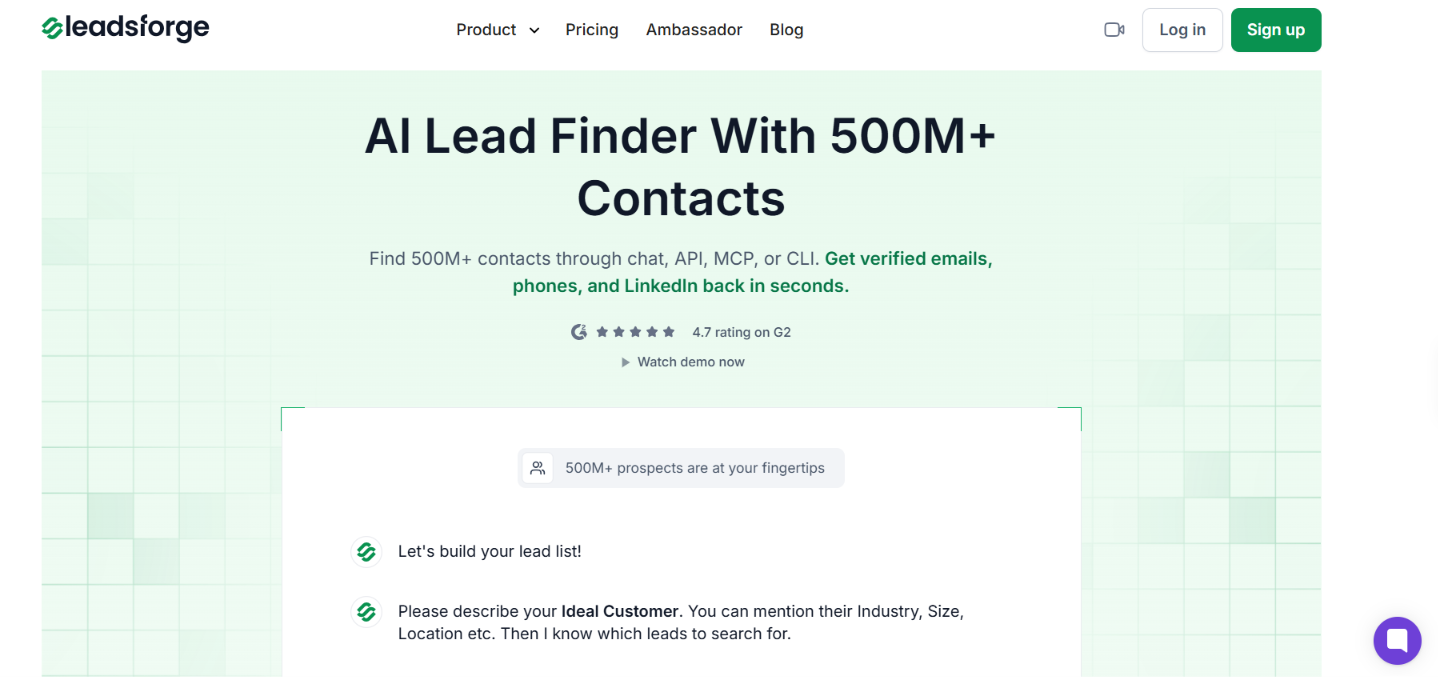
Leadsforge is an AI lead finder with access to 500M+ B2B contacts. Instead of buying a fixed CEO list, you can search for CEOs who match the companies you want to reach.
You can use detailed filters or describe your target CEOs to the AI assistant in plain words. Leadsforge lets you review and narrow the results before spending credits on their contact data.
For each CEO, you can enrich verified work emails, phone numbers, and LinkedIn profiles. Its waterfall enrichment checks 20+ data providers and moves to another source when data is missing.
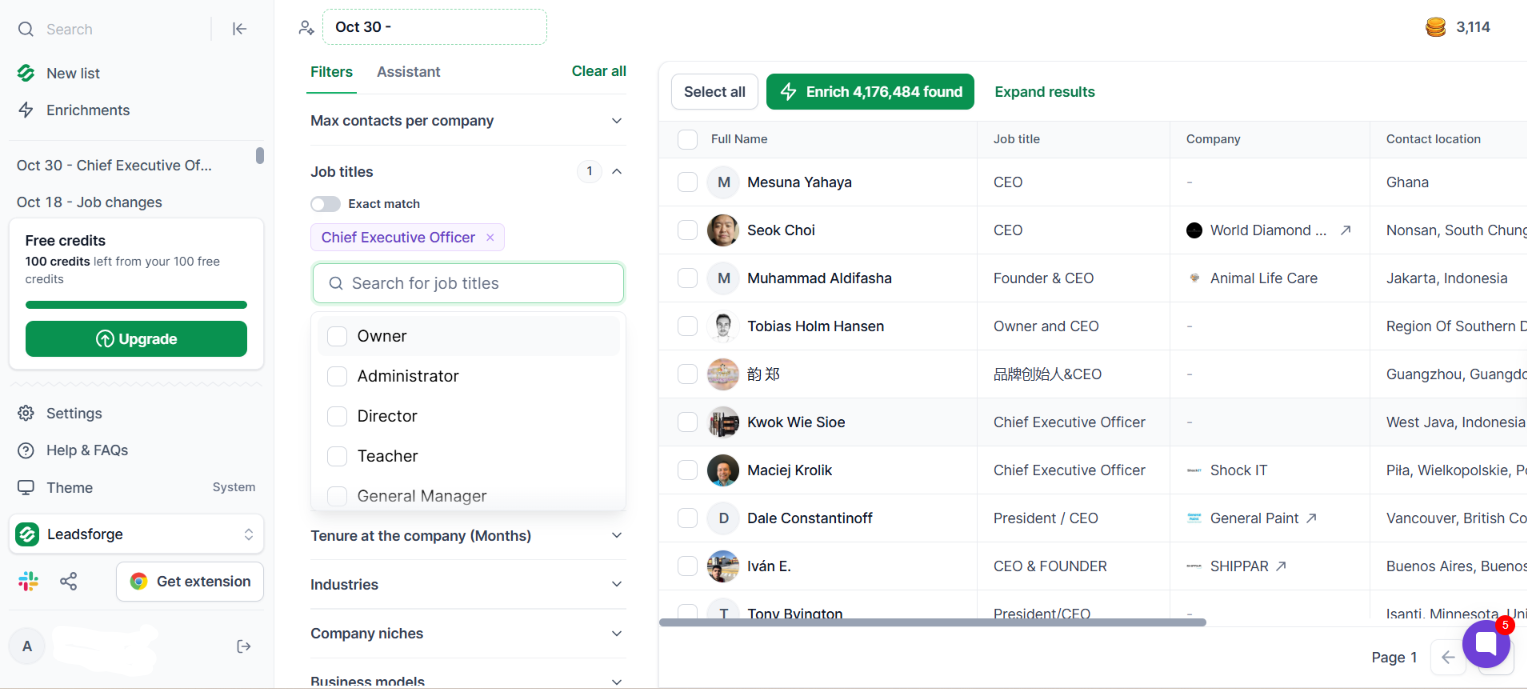
You can start with the filters and add CEO as the job title, then narrow the search by location, industry, company niche, business model, company size, revenue, and other company criteria.
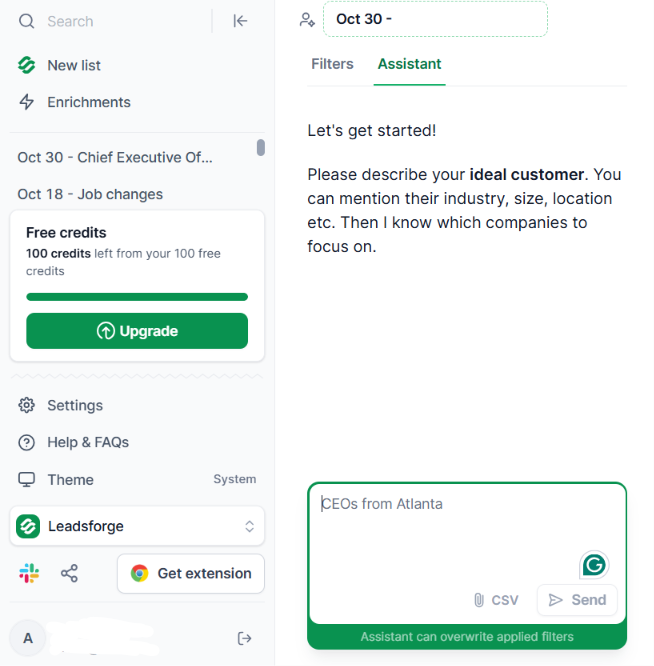
You can also describe the list to the AI assistant. For example, enter “CEOs from Atlanta”, and the assistant sets up the search for you. You can still change the filters before selecting contacts.
Once you have the CEOs you want, choose which data to enrich:
Leadsforge checks 20+ data providers for the requested contact details. You only spend email or phone enrichment credits when the requested data is found.
The finished CEO list can be exported as a CSV or sent to Salesforge. Leadsforge also supports direct exports to HubSpot and Salesforce.
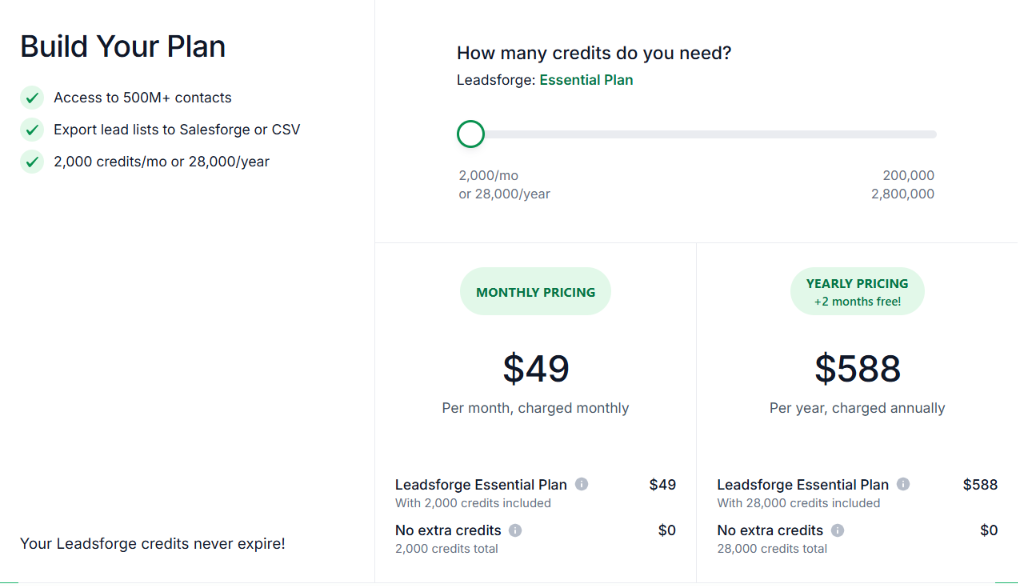
Leadsforge offers one main paid plan:
Verified emails and LinkedIn profiles cost 1 credit each, while verified phone numbers cost 10 credits each. Searching and refining your CEO list is free, and unused credits do not expire.
You should choose Leadsforge if you want to build a targeted CEO list instead of buying a fixed database export. You can narrow the search first, then pay for the contact data you want to enrich.
Enter your email to get a custom plan & stack recommendation for your business
Please check your mailbox in 5 minutes

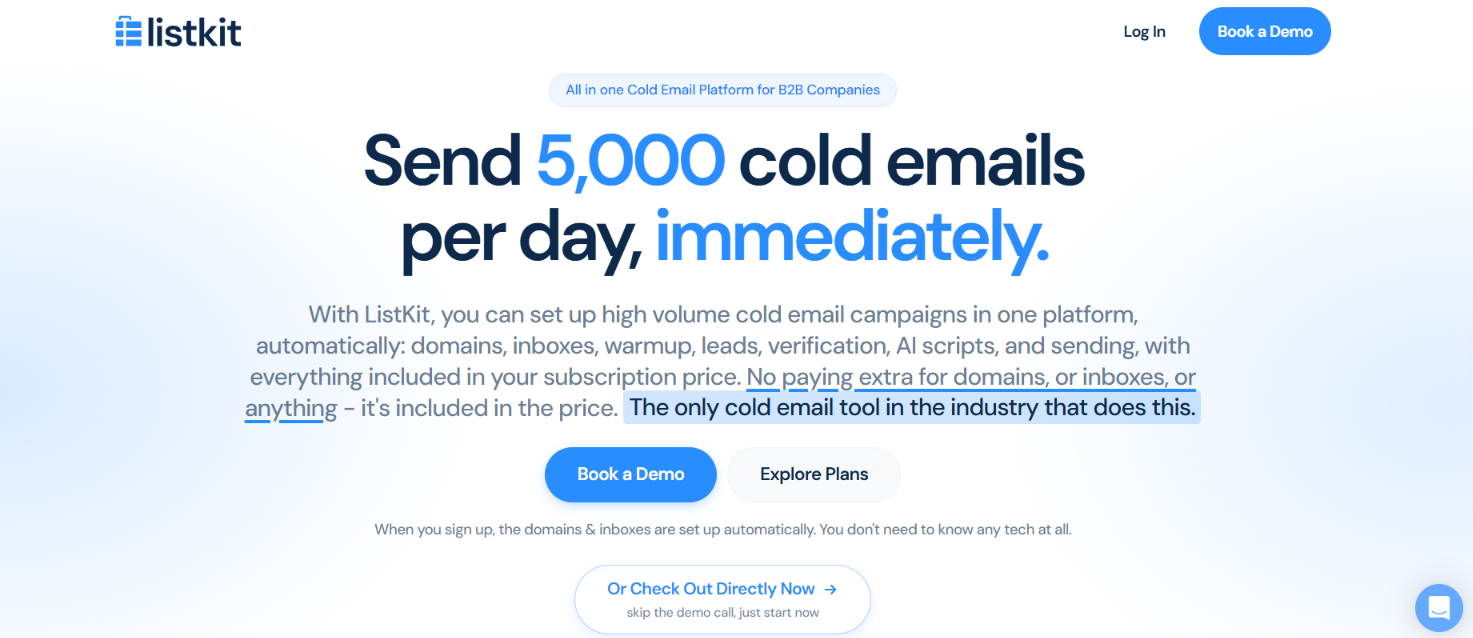
ListKit is a B2B lead database and cold email platform with 977M+ contacts. You can use it to find CEO contact data, export triple-verified business emails, and run cold email campaigns from the same platform.
Every business email you export is triple-verified at the time of export. ListKit also provides mobile numbers for US contacts, company data, LinkedIn URLs, and Buying Intent data.
It also includes domains, Google Workspace inboxes, inbox warmup, email sequences, and a shared inbox for replies.
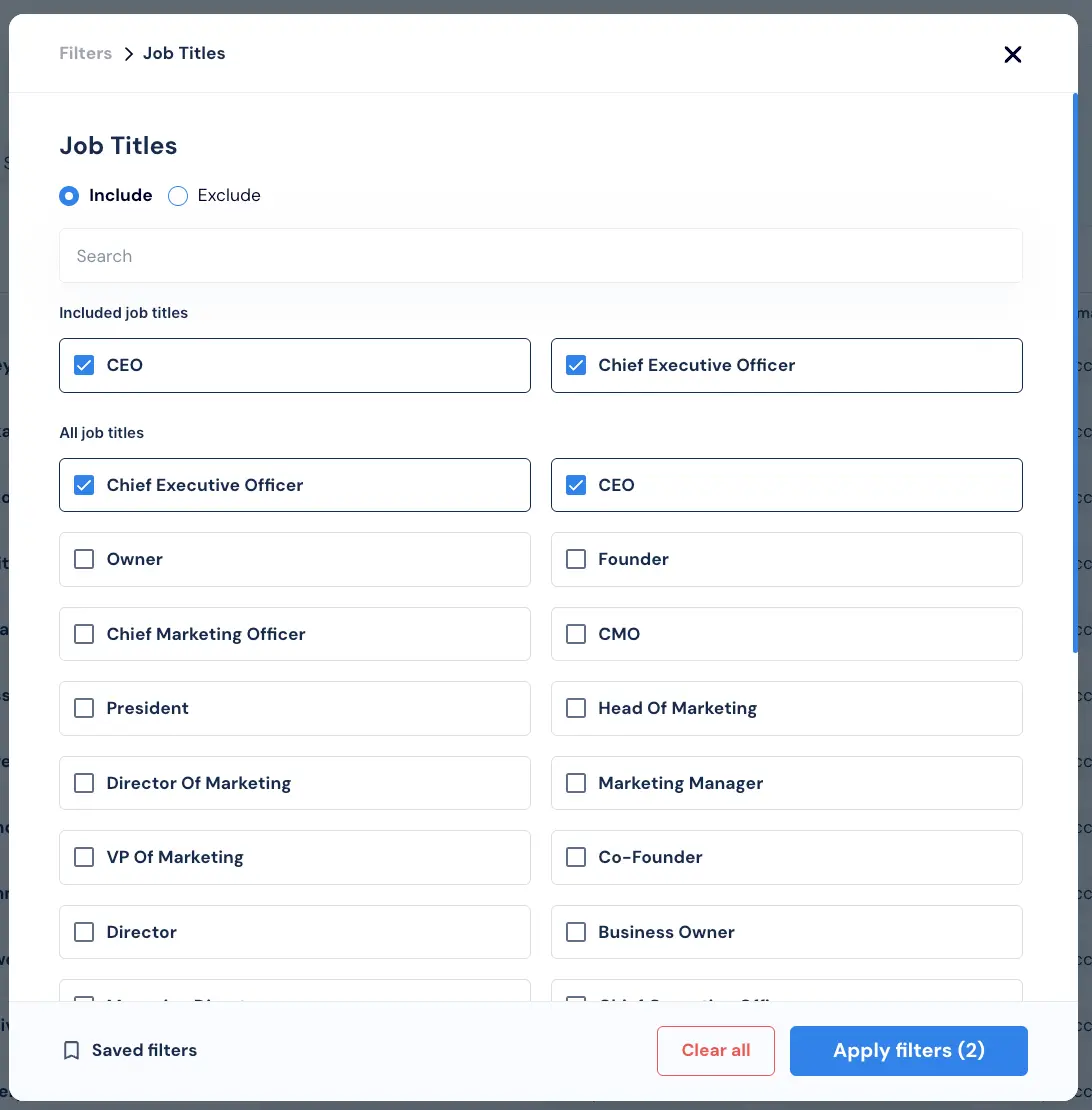
You should go to the Leads page and open the Job Title filter. Add titles such as:
ListKit recommends using Contains matching for most title searches. For example, searching for CEO can also return titles such as CEO or Interim CEO. Next, narrow the list with company and contact filters. You can filter by:
You can also add the Buying Intent filter. Enter a description of what you sell or select relevant intent topics, then keep your CEO title filters applied. This returns CEOs working at companies where people have recently researched those topics.
When the list is ready, choose the contacts you want and export them. Each exported business email is triple-verified at that point, and 1 exported business email uses 1 credit.
If you also want mobile numbers, ListKit can add them for US contacts. A mobile number found through enrichment uses 3 credits.
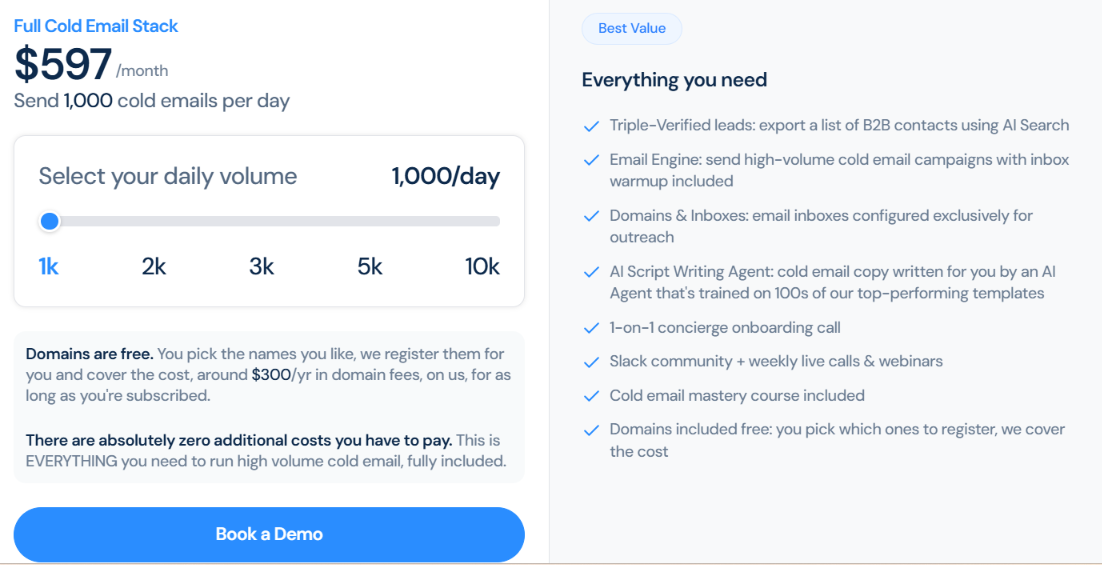
For CEO contact data, 1 triple-verified business email costs 1 credit, while a US mobile number found through enrichment costs 3 credits. ListKit does not offer a free trial or a standalone credit plan.
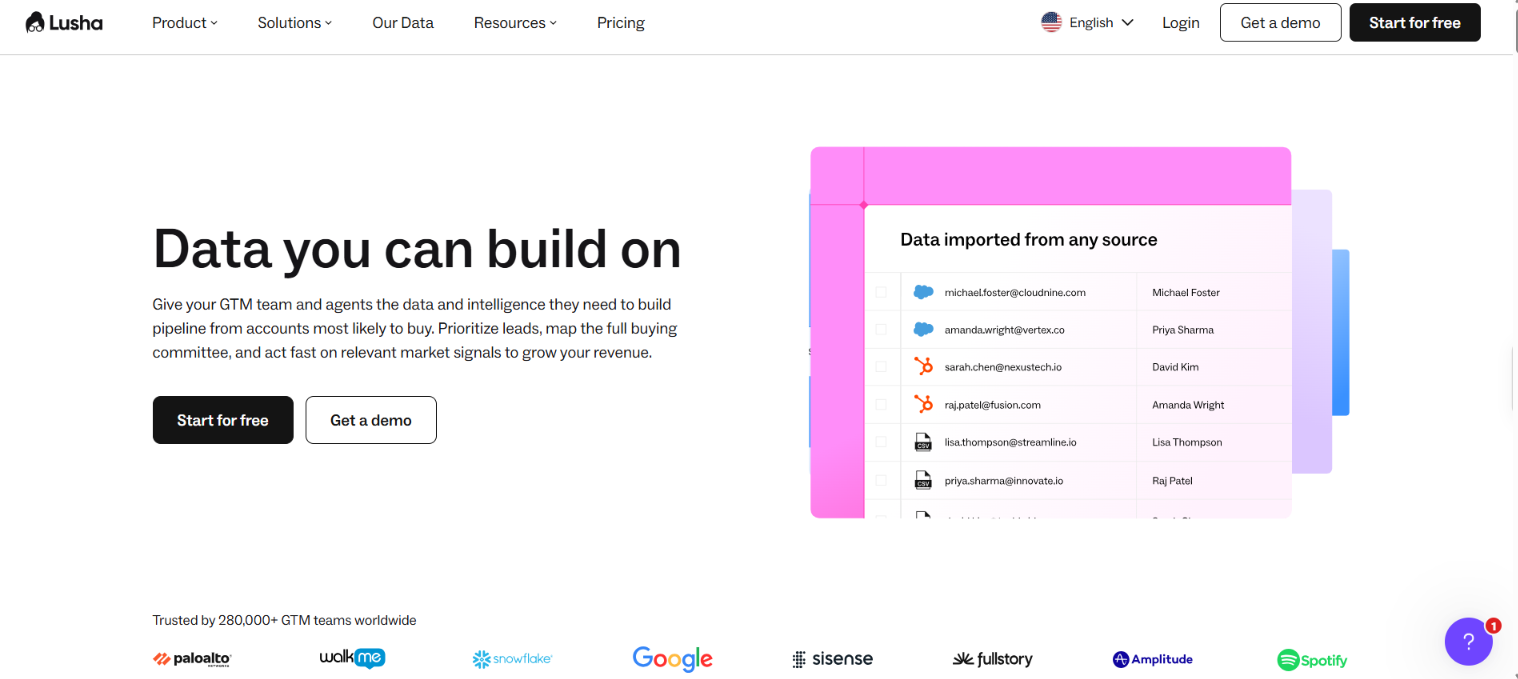
Lusha gives you access to 515M+ B2B contacts, including 165M+ verified emails and 117M+ phone numbers. You can filter this database for CEOs and narrow the list by the type of companies you want to contact.
For each CEO, you can reveal a verified business email for 1 credit or a phone number for 5 credits. Lusha also shows a confidence score for emails and when the contact data was last updated.
If you want to narrow the CEO list further, Lusha tracks 26 dated buying signals, including funding rounds, hiring surges, job changes, promotions, and leadership changes.
In Lusha Search, add CEO or Chief Executive Officer under the Job Title filter. Then narrow the results using company and contact filters such as industry, company size, location, seniority, revenue, or technologies used.
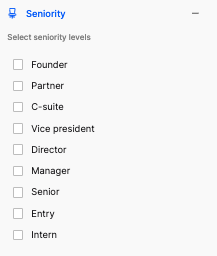
You can also build the search in Lusha Workspace using simple language. Instead of setting each filter yourself, describe the companies and contacts you want, then adjust the resulting table with the available filters.
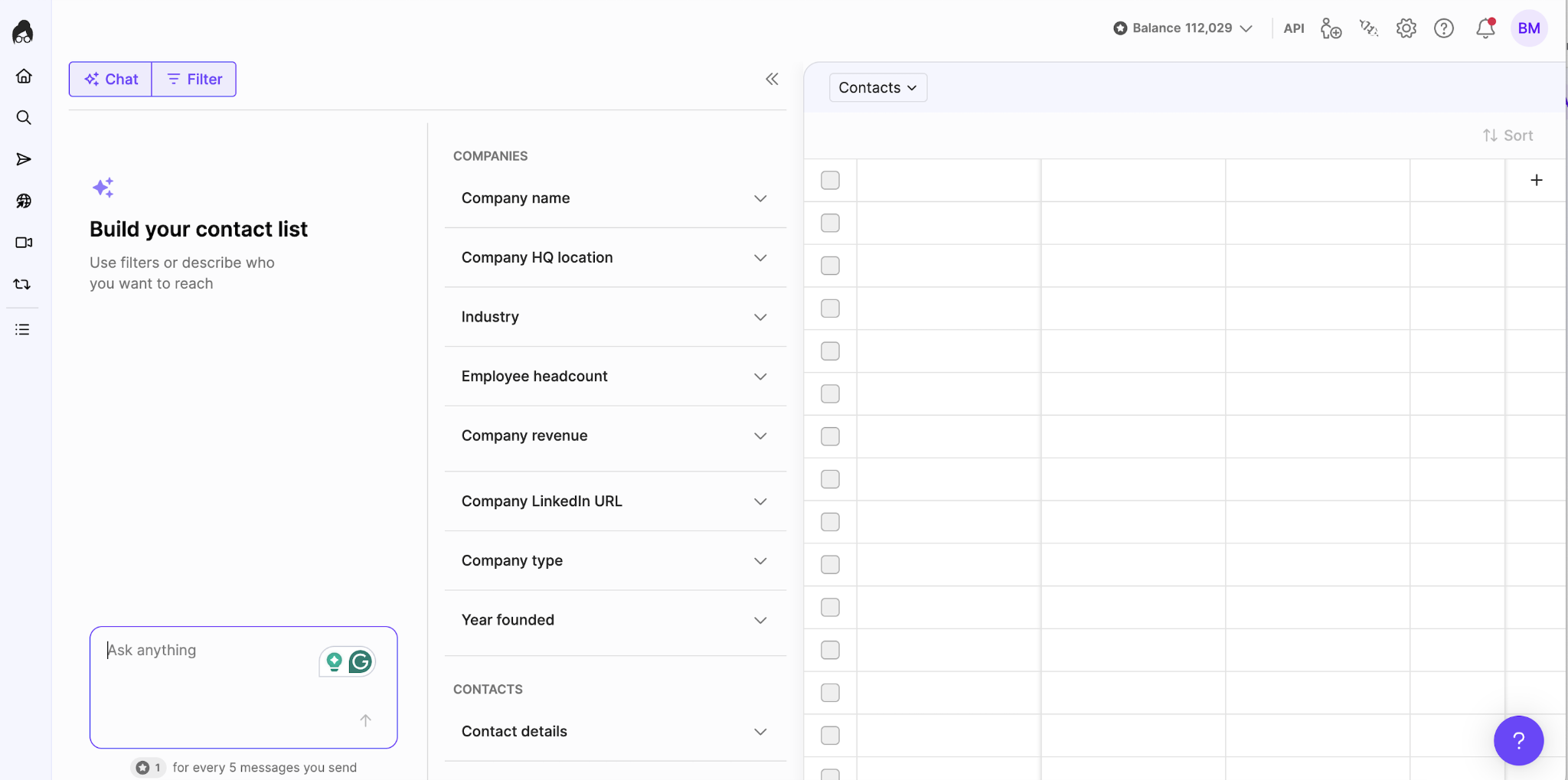
Lusha does not charge a credit just to view the search results. When you reveal the CEO's contact information:
You can save the selected CEOs to a table, export them to CSV, or send them to a connected CRM. Revealed contacts can also be added directly to an email sequence through Lusha Engage.
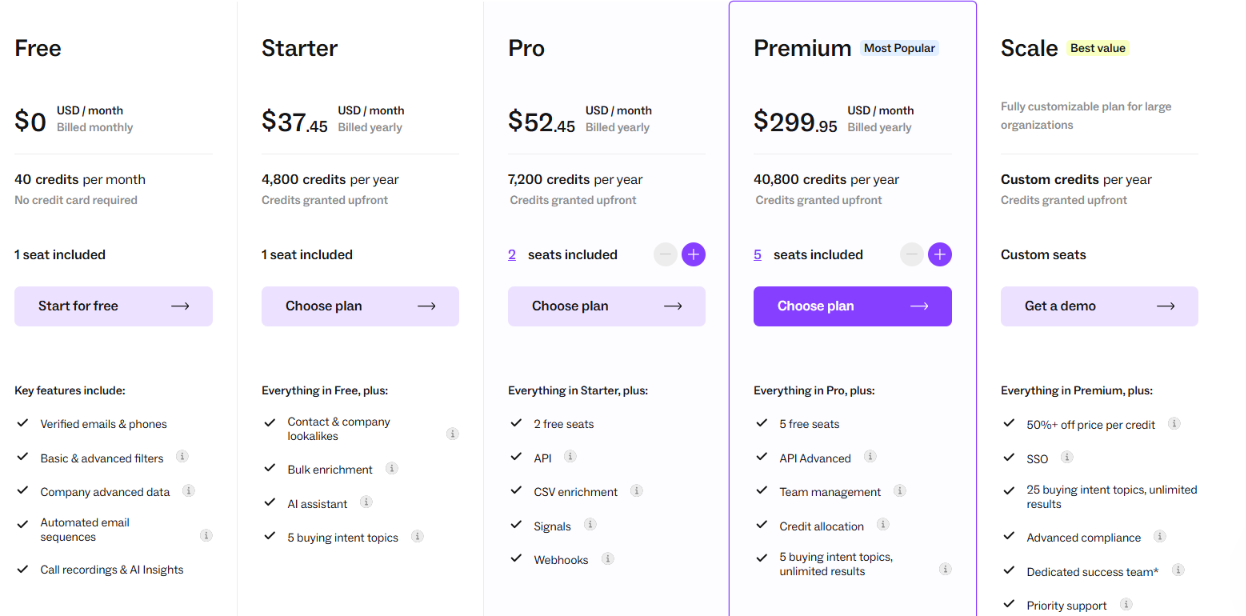
Lusha charges 1 credit for a verified email and 5 credits for a phone number. Starter, Pro, and Premium credits are granted upfront for the year.
The 5-credit phone reveal is the main number to watch when building CEO lists with both emails and phone numbers. A list of 100 CEOs with both details would use 600 credits if both are revealed for every contact.
ZoomInfo lets you search a large B2B database for CEOs and then narrow the results with company data. CEO records can include a business email, direct dial, mobile number, job title, company, work history, and social profile links.
For CEO list building, ZoomInfo is strongest when you want to filter heavily before exporting. You can use company size, revenue, industry, location, technologies, funding data, and other company fields to remove CEOs who do not match your target market.
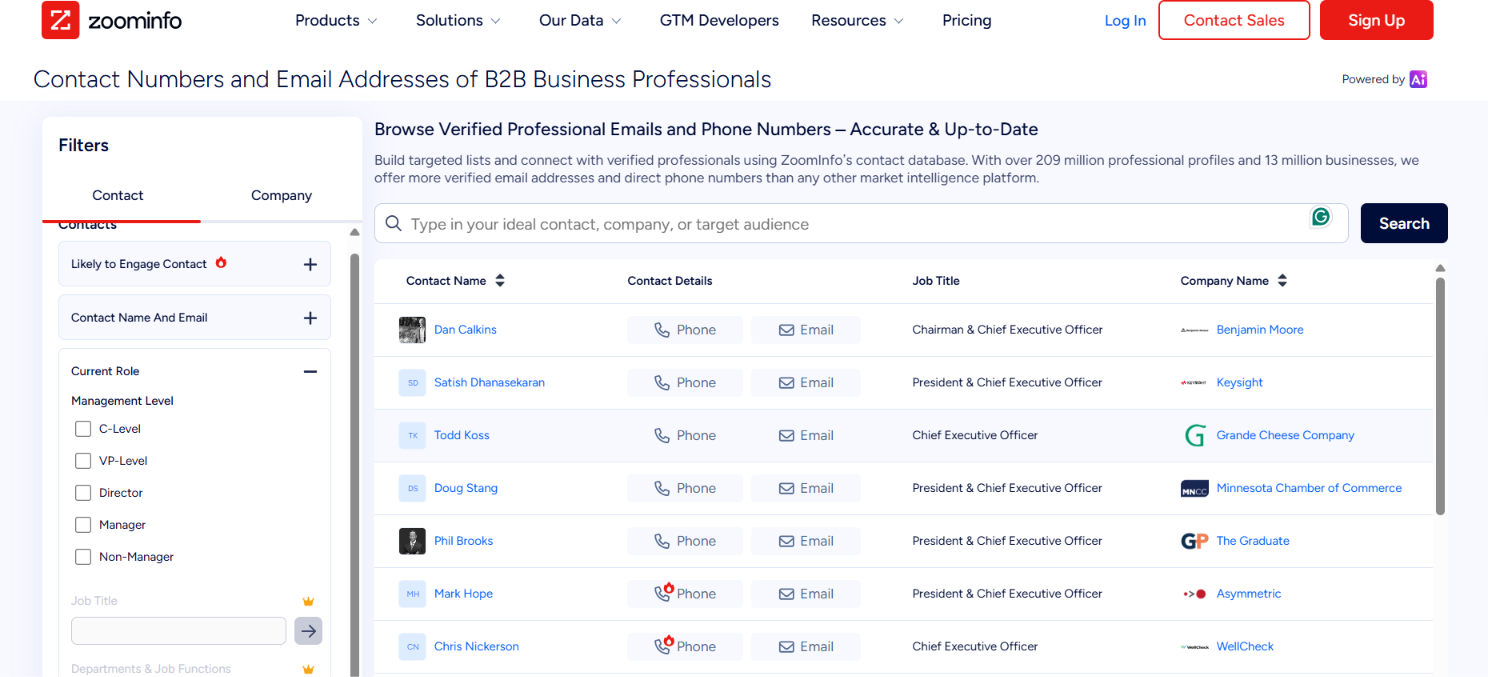
You should open Contact Search or People Search and add CEO or Chief Executive Officer as the current role. Then narrow the list with filters such as:
ZoomInfo also gives you org charts for account-level research. These can help you check the current CEO and see other senior decision-makers at the same company.
If you want to sort the list by buying activity, ZoomInfo Intent can show companies researching selected topics. Person-Level Intent can also point to specific people inside those companies. When the list is ready, you can export the contacts to CSV or send them to connected tools such as Salesforce, HubSpot, or Microsoft Dynamics.
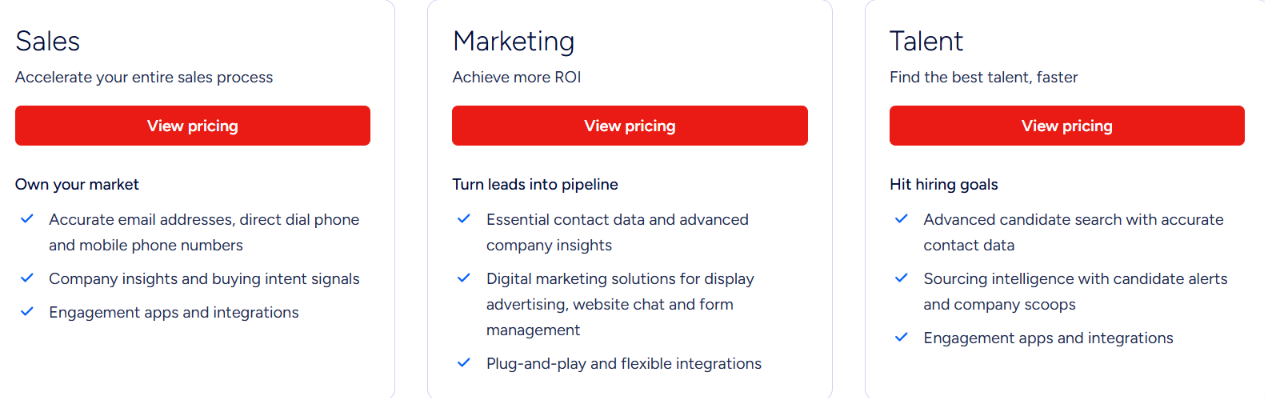
ZoomInfo does not publish fixed prices for its main sales plans.
Your final price depends on the number of licenses, credit usage, and features included. Exporting one contact or company profile uses 1 credit.
ZoomInfo also offers ZoomInfo Lite, a permanent free plan with no credit card required, plus a free trial of the full platform.
Seamless.AI is worth looking at if you want to research CEO contact details as you build your list, rather than work from a static list of emails.
Its Prospector lets you search by title, industry, location, company size, revenue, technologies, and other criteria. Once you find the CEOs you want, Seamless researches their available business email, phone number, and company data in real time.
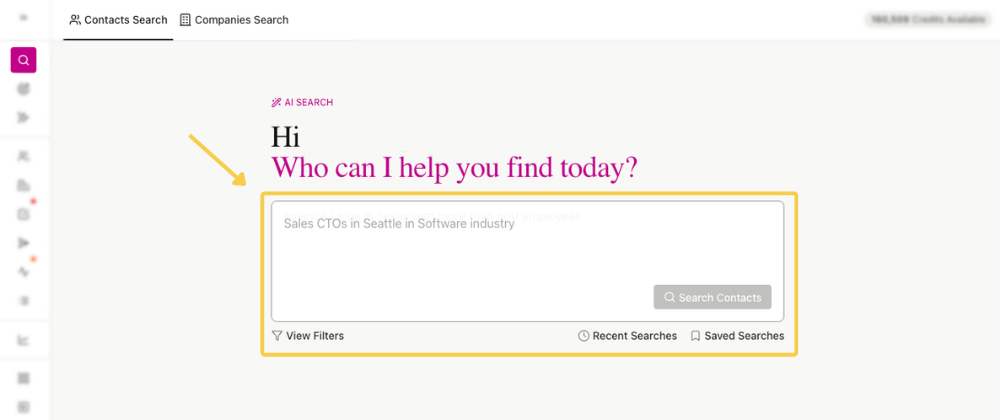
You can build a CEO search with the regular filters or use Natural Language Search. For example, you could enter “CEOs at SaaS companies in New York with 50-200 employees.” Seamless turns that request into filters, and you can check or edit them before continuing.
Once you find a CEO you want to contact, click Find. This researches the person and returns the available email addresses, phone numbers, location data, and other profile information. Researching one contact uses 1 credit.
Seamless also offers Buyer Intent filters. You can use them to find CEOs at companies showing interest in selected topics. The important distinction is that the intent belongs to the company, it does not mean the CEO personally researched that topic.
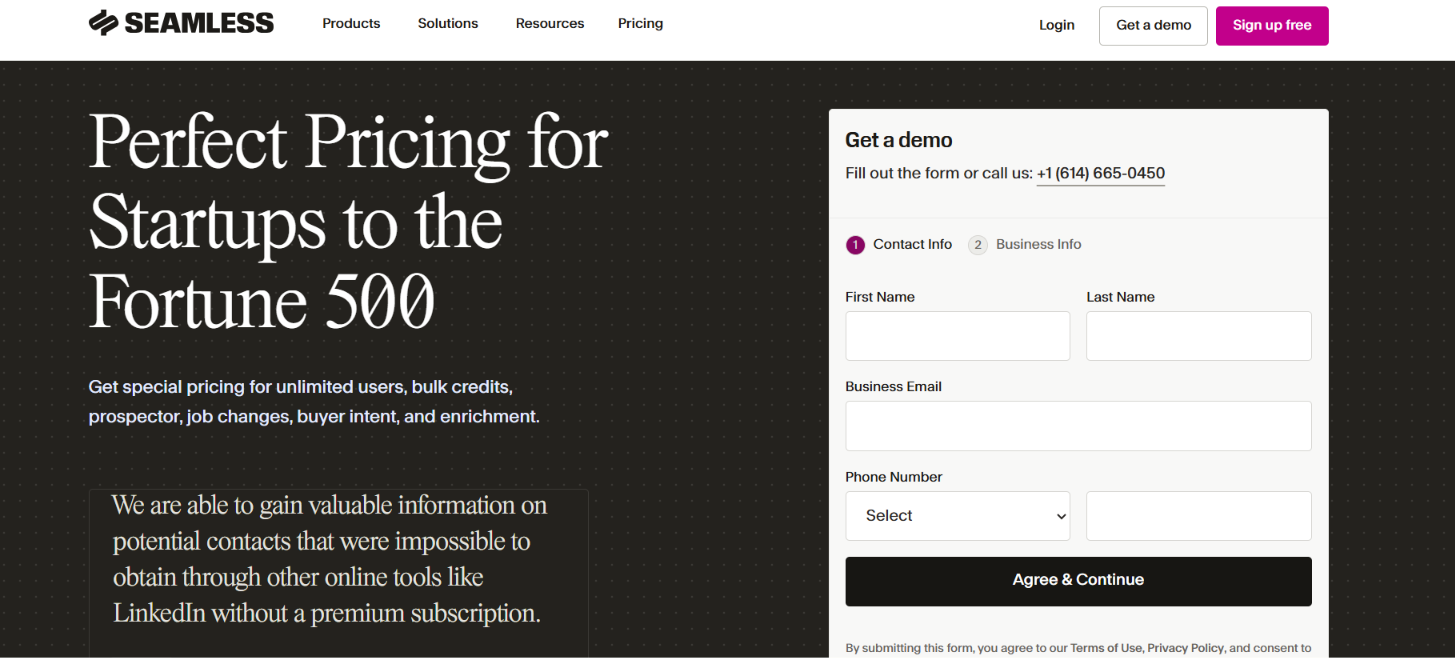
Seamless currently has a Free plan with 50 credits. No credit card is required to start. The Pro plan uses annual credit packages and requires you to contact sales for pricing. Seamless states that Pro packages start at 10,000 annual credits.
For regular Contact Search, researching a CEO with Find costs 1 credit per contact. That research can return the available titles, emails, phone numbers, and other information in the contact profile.
With Seamless.AI, one research credit can return the available email, phone number, and other data for a CEO instead of charging separately for each contact field.
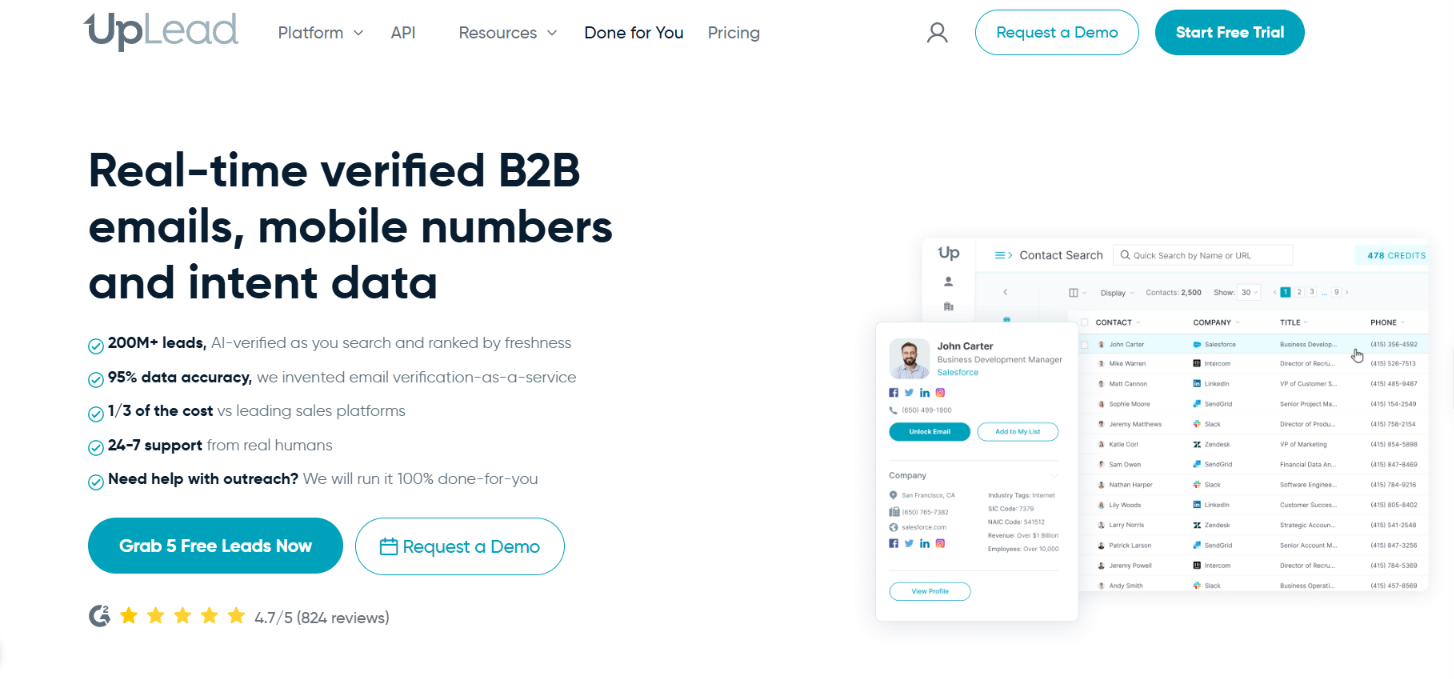
UpLead verifies a CEO’s email at the moment you unlock it, rather than relying on an earlier verification
Every time you unlock an email, UpLead verifies it in real time. If it finds a valid email, you can access it. If the email is invalid, UpLead does not reveal it or charge you for it. Valid emails come with a 95% accuracy guarantee.
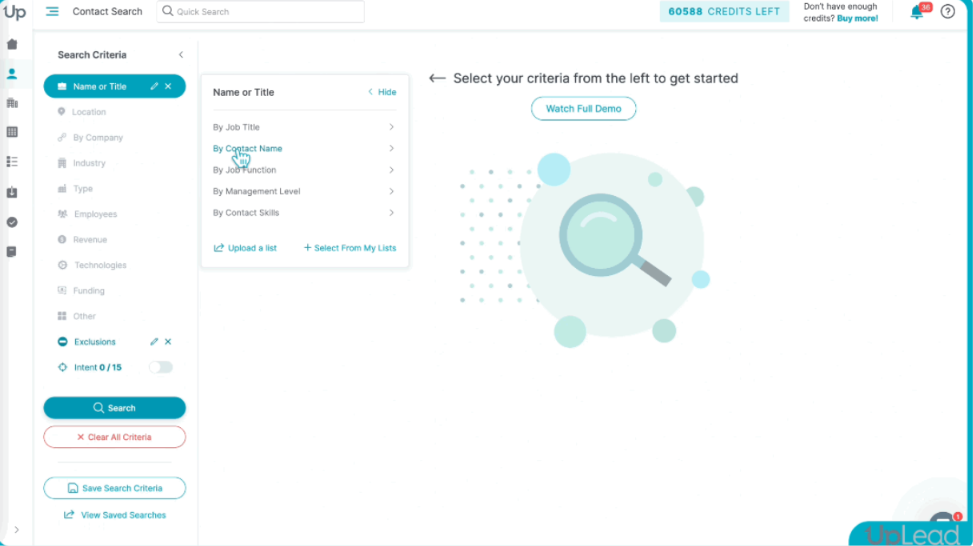
Start a Contact Search and enter CEO or Chief Executive Officer under the job title filter. You can use Exact Match when you want tighter control over the titles included.
From there, narrow the CEO list by criteria such as location, industry, employee count, revenue, technologies used, funding, or company type.
When you unlock a CEO, UpLead verifies the email at that moment. One credit unlocks one contact for download or CRM export and gives you access to the available email and mobile direct dial.
You can download the finished list as a CSV or send contacts directly to CRMs such as Salesforce, HubSpot, Pipedrive, and Microsoft Dynamics 365.
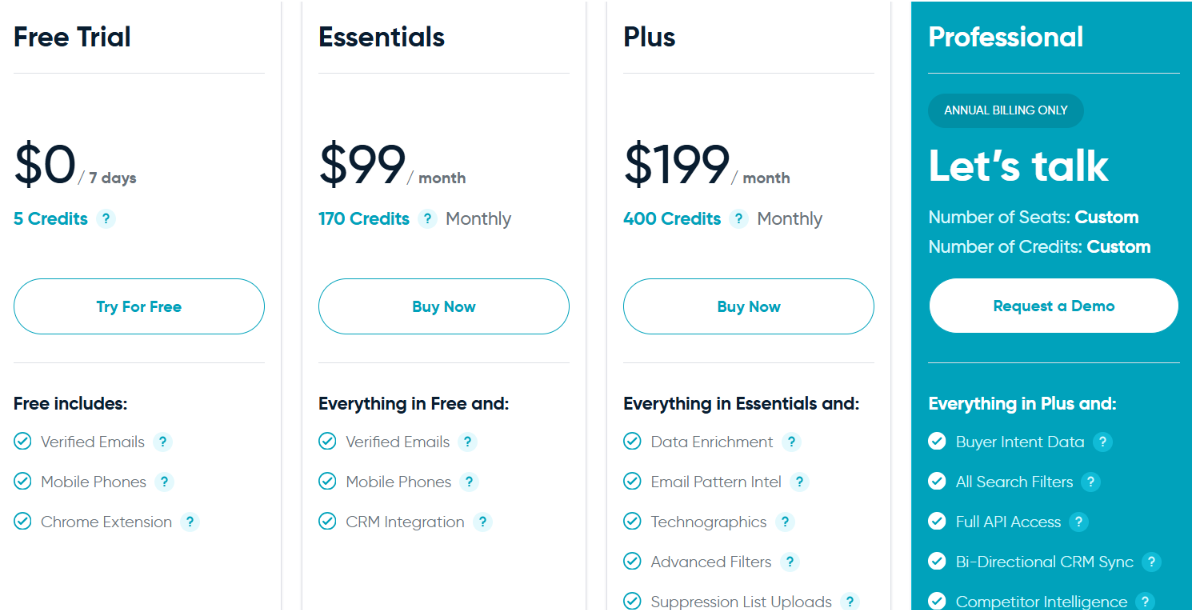
One credit unlocks one contact and includes access to the available email and mobile direct dial. Additional credits cost $0.60 each on Essentials and $0.50 each on Plus.
UpLead is especially useful for CEO email lists when you care about checking the email right before you download it, rather than relying on an earlier verification.
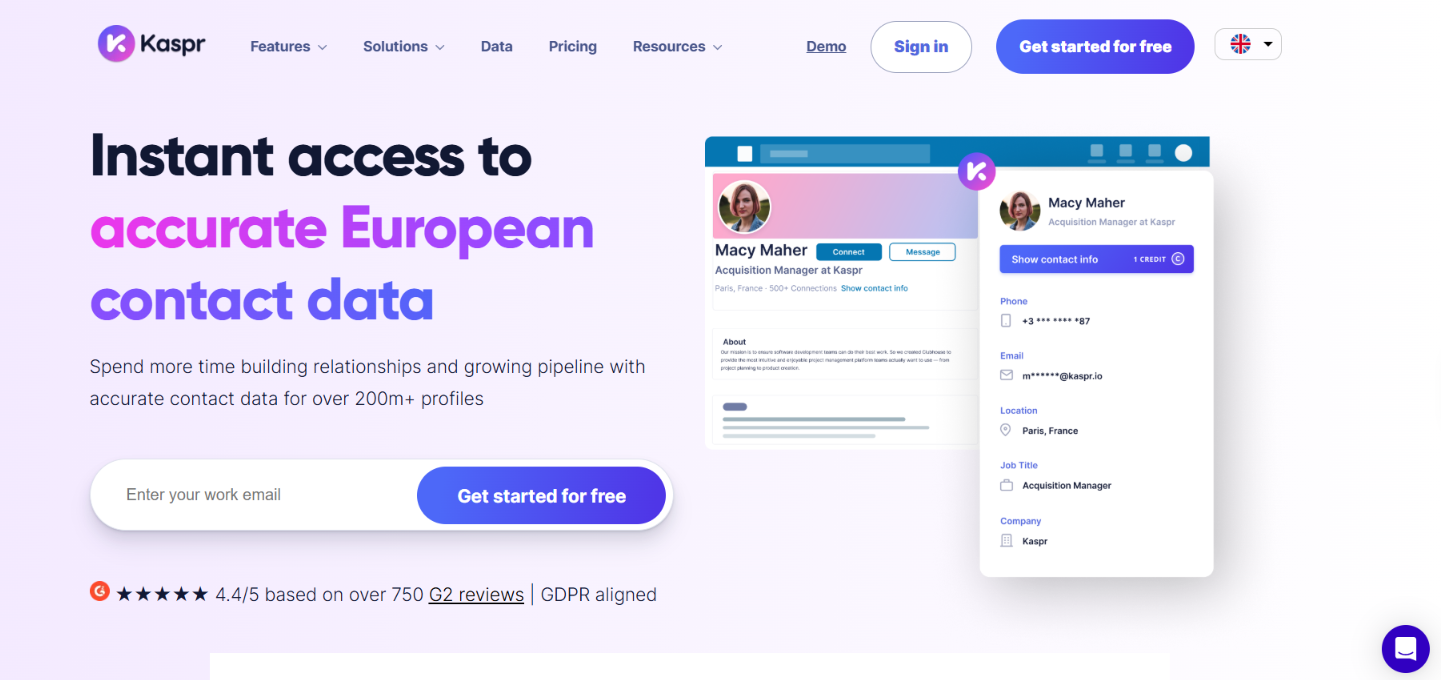
Kaspr lets you pull a CEO’s business email and phone number directly from their LinkedIn profile. You can do this for one CEO at a time or enrich a full list from LinkedIn Sales Navigator.
This is especially relevant for European prospecting. Kaspr focuses on European contact data and checks more than 150 sources for contact information.
Let’s say you want the contact details of SaaS CEOs in France. You can build that search in LinkedIn Sales Navigator using the CEO title, France location, industry, company size, and any other Sales Navigator filters you need.
From there, Kaspr gives you two ways to get the contact data.
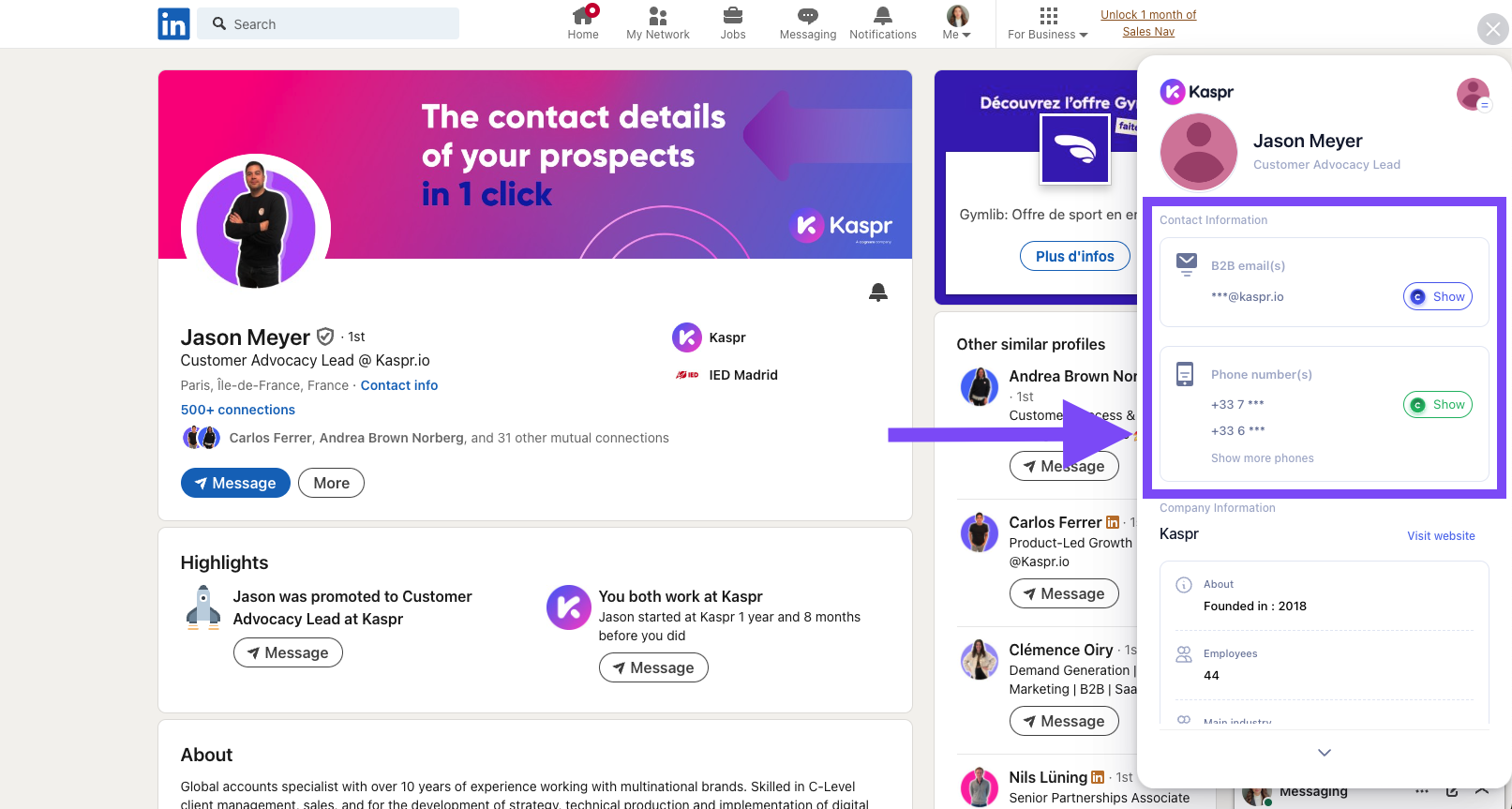
For an individual CEO, open the LinkedIn profile and click Reveal contact details in the Kaspr Chrome extension. You can see the available business email and phone number without leaving the profile.
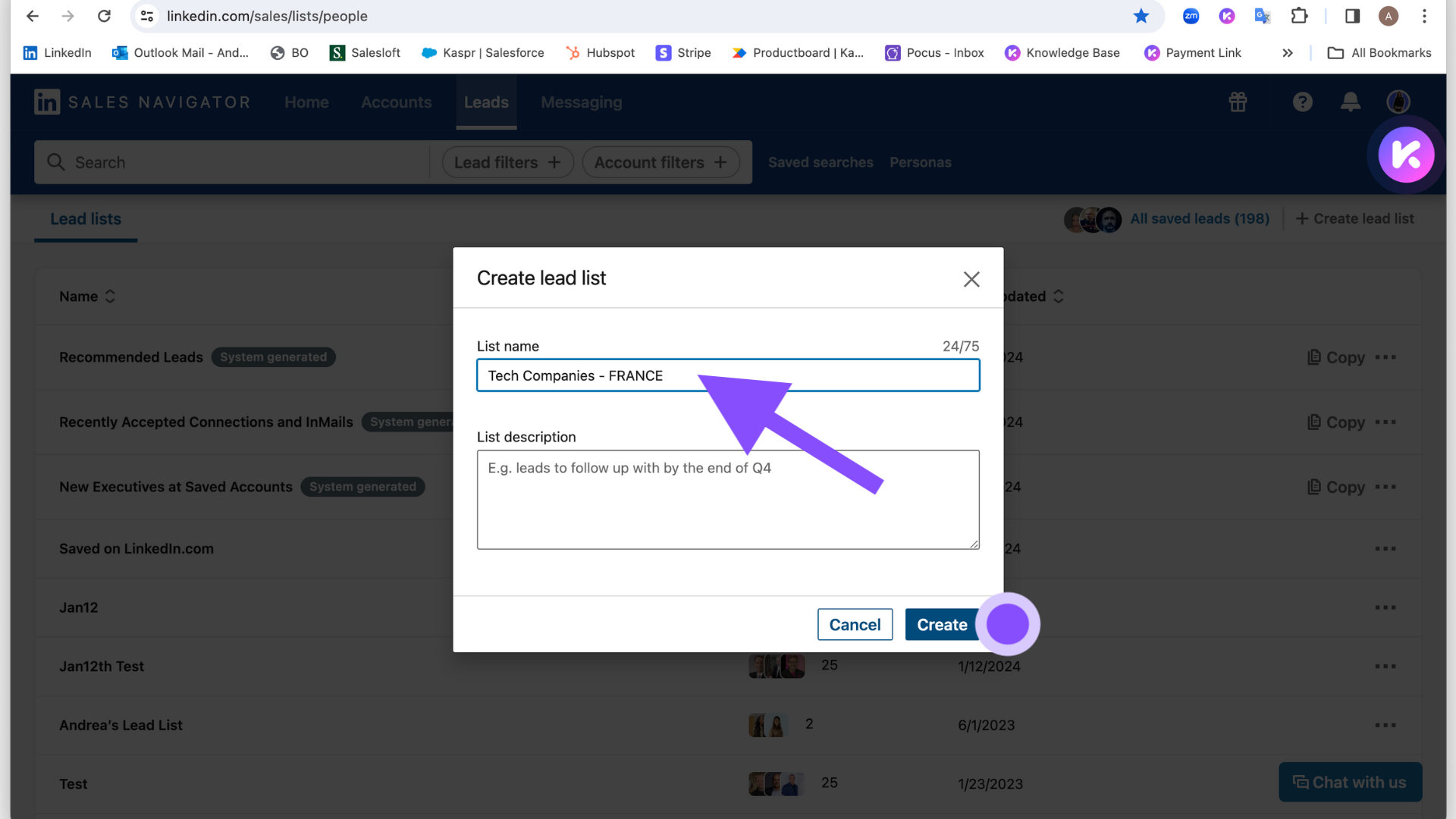
For the whole CEO list, launch a Kaspr enrichment workflow from your Sales Navigator search or saved lead list. Choose how many profiles you want to enrich, and Kaspr adds the enriched contacts to your Kaspr list.
You can then export those CEOs to CSV or send them to Salesforce, HubSpot, Pipedrive, Zoho, and other supported tools.
And what if you already have the CEO names? Upload the list as a CSV and use Kaspr to fill in available emails and phone numbers instead of rebuilding the list.
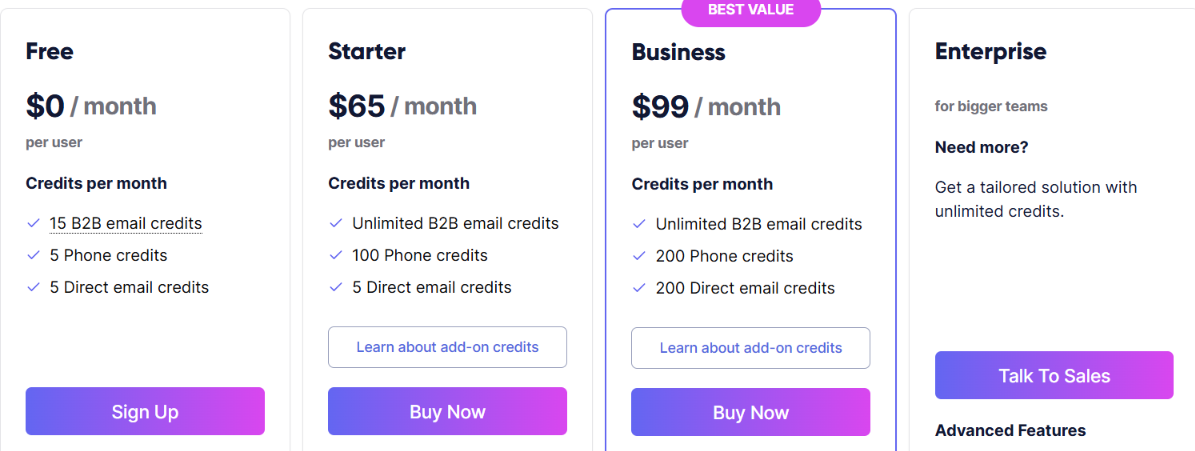
Overall, Kaspr is a practical option for building CEO contact lists from LinkedIn, especially when you need European business emails and phone numbers alongside the profiles you find.
Apollo.io lets you find CEO emails and start contacting those CEOs from the same platform. Its database currently covers 240M+ contacts and 30M+ accounts.
You can build a CEO list using job title and company filters, reveal verified emails and phone numbers, and then either export the contacts or add them directly to an Apollo sequence.
Apollo also verifies emails before marking them as verified. Its current verification process uses seven steps and has a stated 91% accuracy rate.
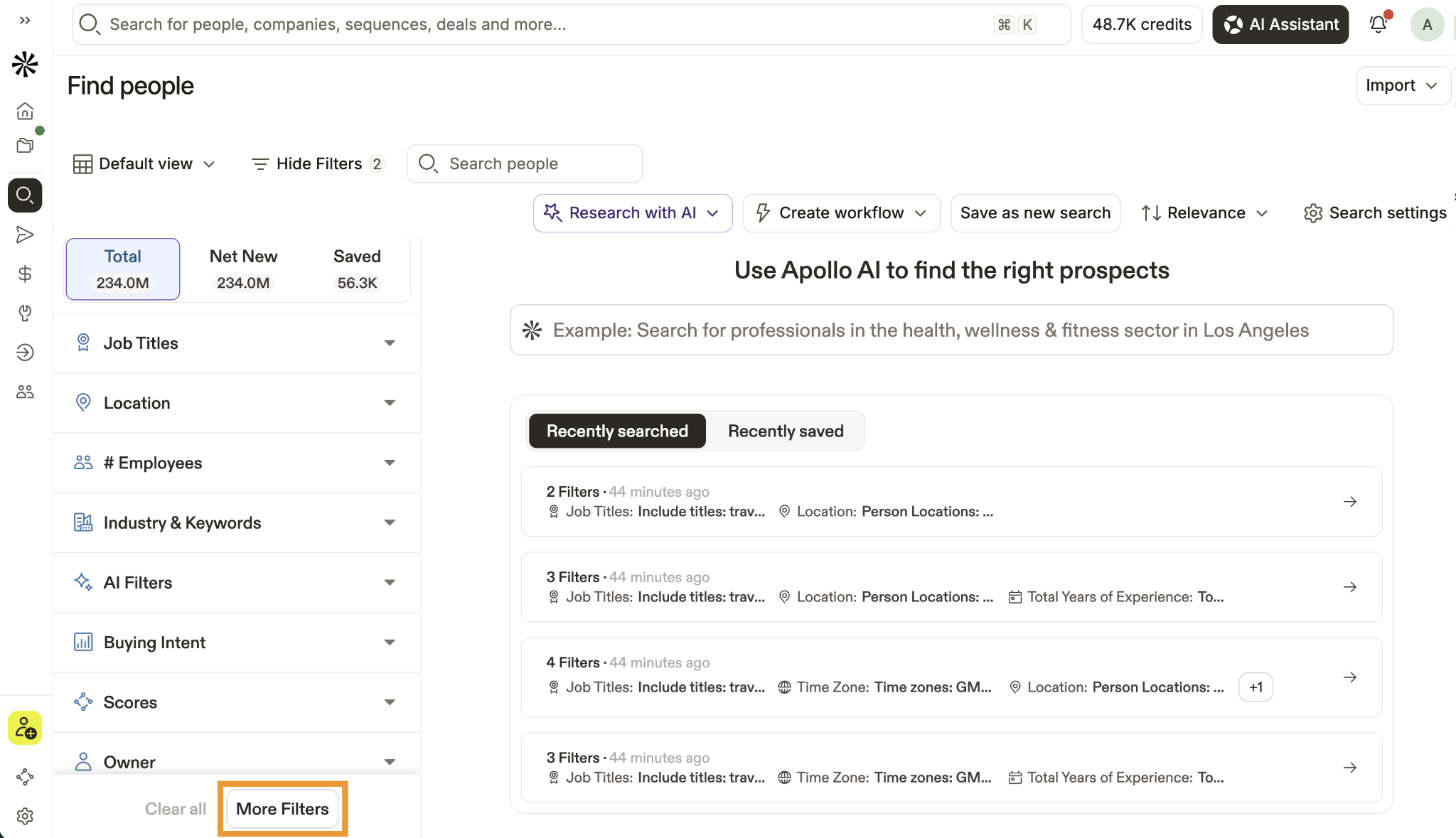
Go to People Search and add CEO and Chief Executive Officer under Job Titles. Apollo also supports Boolean title searches if you need tighter control over which executive titles appear.
You can then narrow the CEOs by filters such as:
Use the Email Status filter if you only want contacts with verified emails. A verified email costs 1 email credit. Apollo does not charge an email credit when it cannot find a known, valid email.
Once your CEO list is ready, you do not have to export it before starting outreach. You can select the CEOs and add them directly to an Apollo email or multi-step sequence. You can also save them to a list, export them to CSV, or push them to a connected CRM.
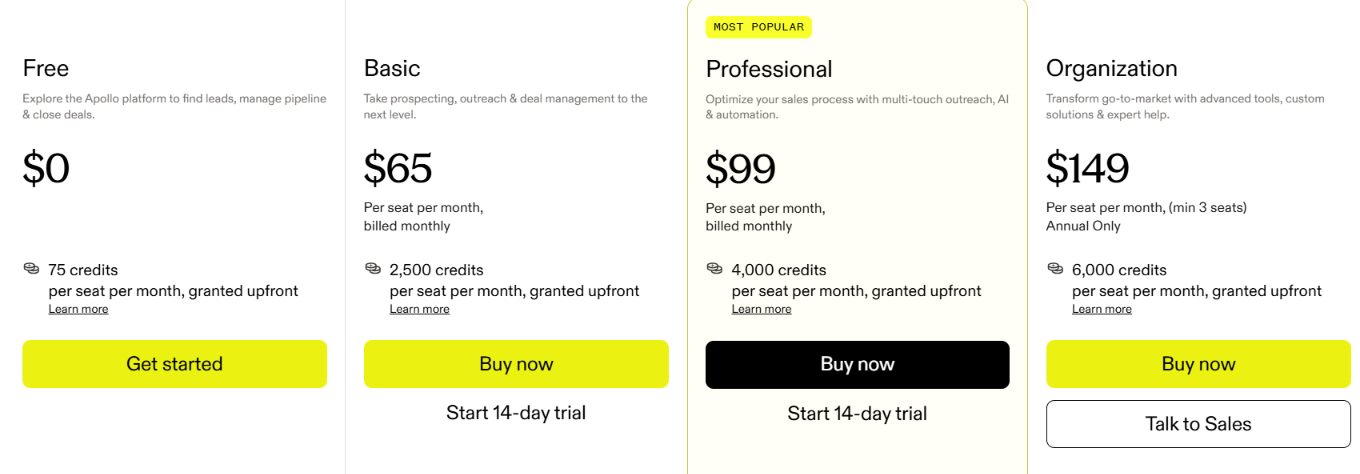
A verified email costs 1 credit, while a verified phone number costs 8 credits. The Free plan includes 1 Buying Intent topic, Basic and Professional include 6, and Organization includes 12.
Overall, Apollo works well when you want to build a CEO email list and run the outreach from the same place instead of moving the contacts into a separate sending tool.
Cognism is a B2B sales intelligence platform for finding contact and company data, with a strong focus on European markets.
You can use it to build targeted CEO lists with business emails, mobile numbers, job details, and company information. Cognism also offers phone-verified mobile numbers, which is useful if you plan to call the CEOs on your list as well as email them.
Start by searching for CEO or Chief Executive Officer and then narrow the companies you want to target.
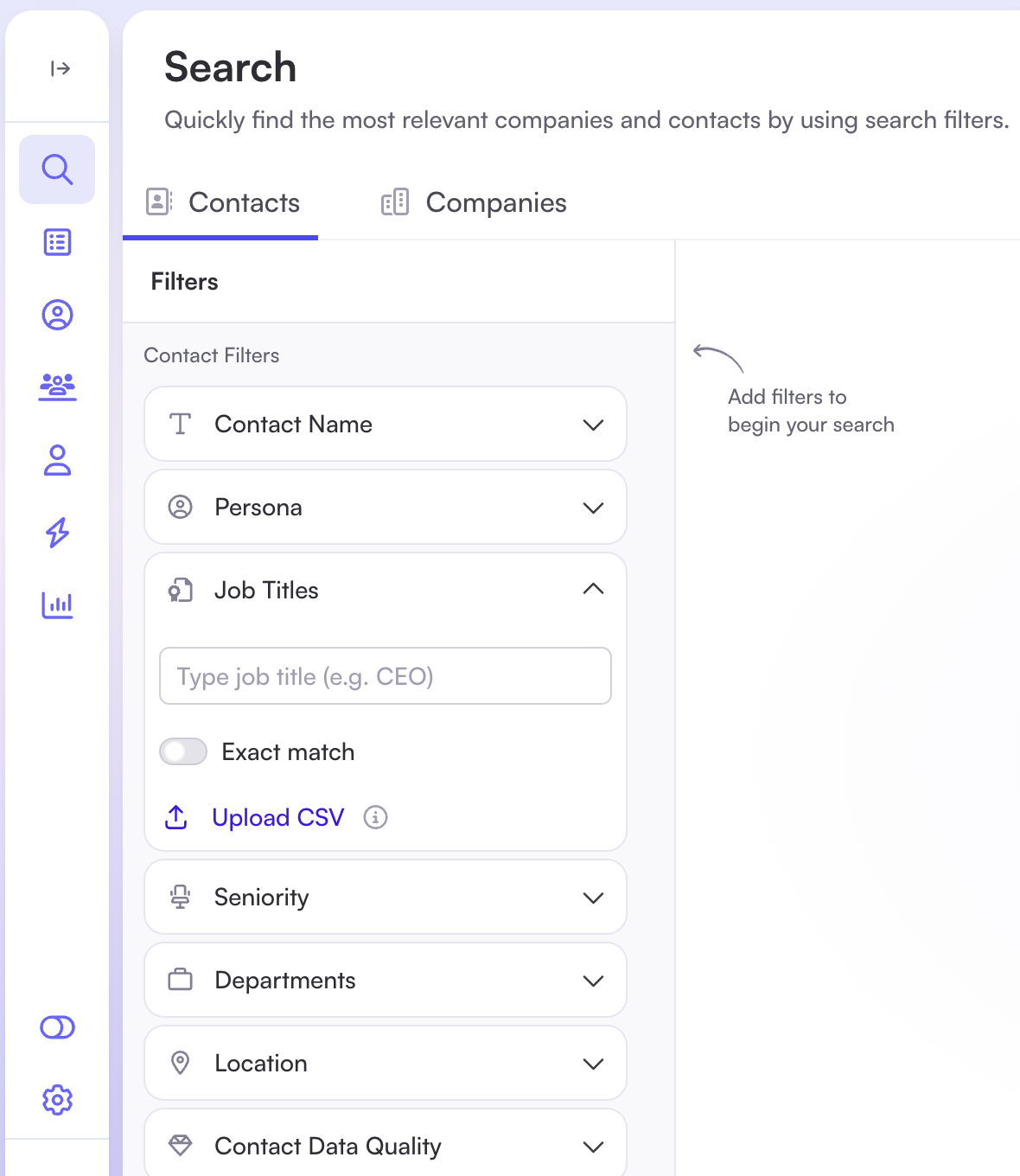
For example, if you sell to mid-sized software companies in Europe, you can combine the CEO title with filters for country, industry, company size, revenue, and technology used. This gives you a CEO list based on the companies you actually want to reach rather than a broad list of executives.
You can then reveal the CEOs you want to contact. Their records can include a work email and mobile number, depending on the data Cognism has for that person.
The mobile data is particularly relevant if your outreach includes calling. Cognism offers phone-verified mobile numbers and screens phone data against Do Not Call lists before restricted numbers are shown.
Once the list is ready, you can export the CEO contacts to your CRM or sales tool, including Salesforce, HubSpot, Pipedrive, Outreach, and Salesloft.
Cognism is worth considering when European CEO coverage and checked mobile numbers matter as much as finding the email itself.
Start with the contact data you need for your outreach. If you only need CEO emails, verification and email credits matter most. If you also plan to call, check the provider’s mobile data, phone verification, and phone-credit costs.
Here’s the simplest way to narrow the nine options:
Enter your email to get a custom plan & stack recommendation for your business
Please check your mailbox in 5 minutes
A CEO email list is only useful if it contains the right CEOs and contact details you can actually use. Before paying for a provider, check how narrowly you can define your target companies, how emails are verified, and how many credits you will spend to get the data you need.
If you want to build the list around your own targeting criteria, Leadsforge gives you another route. You can describe the CEOs you want or set the filters yourself, review the results first, and then use waterfall enrichment across 20+ data providers to find verified contact details.
You can start with 100 free credits to build and enrich your first CEO list on Leadsforge.
.jpg)



