If you want to build a lawyers email list, you need accurate contact details to reach the right legal professionals.
Finding these contacts can take time. You need to identify attorneys, law firm partners, and other decision-makers, along with their professional email addresses.
Manual research becomes even more time-consuming when you target specific locations or legal practice areas.
B2B lead generation tools can help you find relevant contacts using filters such as job title, company, and location. However, the quality and coverage of legal contacts vary by platform.
Before building a large list, check the available contact records and compare each tool's features, pricing, and data quality. The right choice depends on your target audience, budget, and outreach goals.
In this guide, we compare six tools for building a lawyers email list: Leadsforge, Apollo.io, Cognism, ZoomInfo, Lusha, and Saleshandy Lead Finder.
Contact search, email reveals, waterfall enrichment, and email verification
Teams finding prospects for cold email campaigns
$34/month, billed annually
A Detailed Review of the 6 Best Lawyers Email List Providers
Here’s a closer look at the six tools, their key features, pricing, and how they can help you build a targeted lawyers email list.
1. Leadsforge
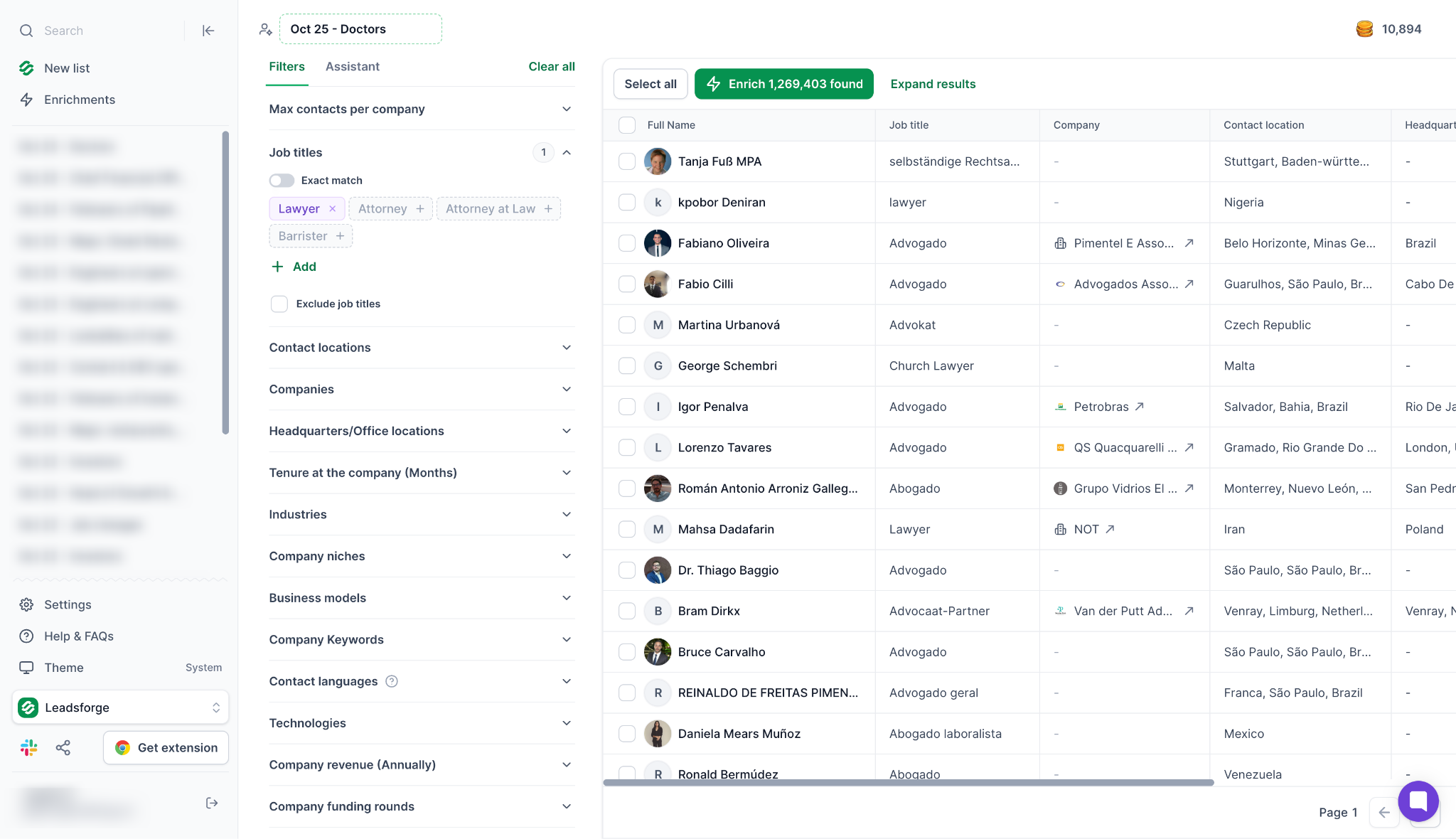
Leadsforge helps you build B2B contact lists around your target audience. Its database includes more than 500 million contacts.
You can describe your audience through AI Search in plain English. Then, narrow the results using job title, industry, company size, and location filters.
For a lawyers email list, target attorneys, managing partners, or decision-makers at law firms. These filters help you focus on specific roles and markets.
Leadsforge also offers waterfall enrichment to find missing contact details. It searches across multiple data providers to improve contact coverage.
Once you review the results, export your contacts to CSV. You can also send prospects to Salesforge for outreach. The platform supports MCP, CLI, and API workflows for teams with custom requirements.
Leadsforge suits teams that want to define a legal audience and find matching B2B contacts. It also helps prepare those contacts for outreach.
Key Features of Leadsforge
AI-powered lead search: Describe your ideal prospects in plain language to find lawyers and other legal professionals based on your target criteria.
Waterfall data enrichment: Searches across multiple data providers to find contact details when one source cannot provide a match.
Advanced search filters: Refine prospect lists by job title, industry, company size, and location.
Verified contact data: Find professional email addresses, LinkedIn profiles, and mobile phone numbers.
Lead qualification and buying signals: Use custom prompts and business signals to prioritize relevant prospects.
CSV export and integrations: Export contact lists to CSV or connect with supported sales tools, including HubSpot and Salesforce.
Company lookalikes: Find companies similar to your existing customers to expand your prospect list.
MCP CLI support: Connect Leadsforge with compatible AI tools and workflows through MCP CLI to support lead discovery and prospecting tasks.
Leadsforge Pricing (billed annually)
Free: $0, with 100 credits
Essential: $49/month, billed annually at $588
Essential monthly billing: $49/month, with 2,000 credits per month
The annual Essential plan includes 28,000 credits per year. Review current plan details to confirm available features and credit limits before purchasing.
Best for: GTM teams and agencies that need targeted lead discovery, contact enrichment, and flexible prospecting workflows.
Build a Targeted Lawyers Email List
Find attorneys, law firm partners, and other legal professionals using AI Search, advanced filters, and waterfall enrichment.
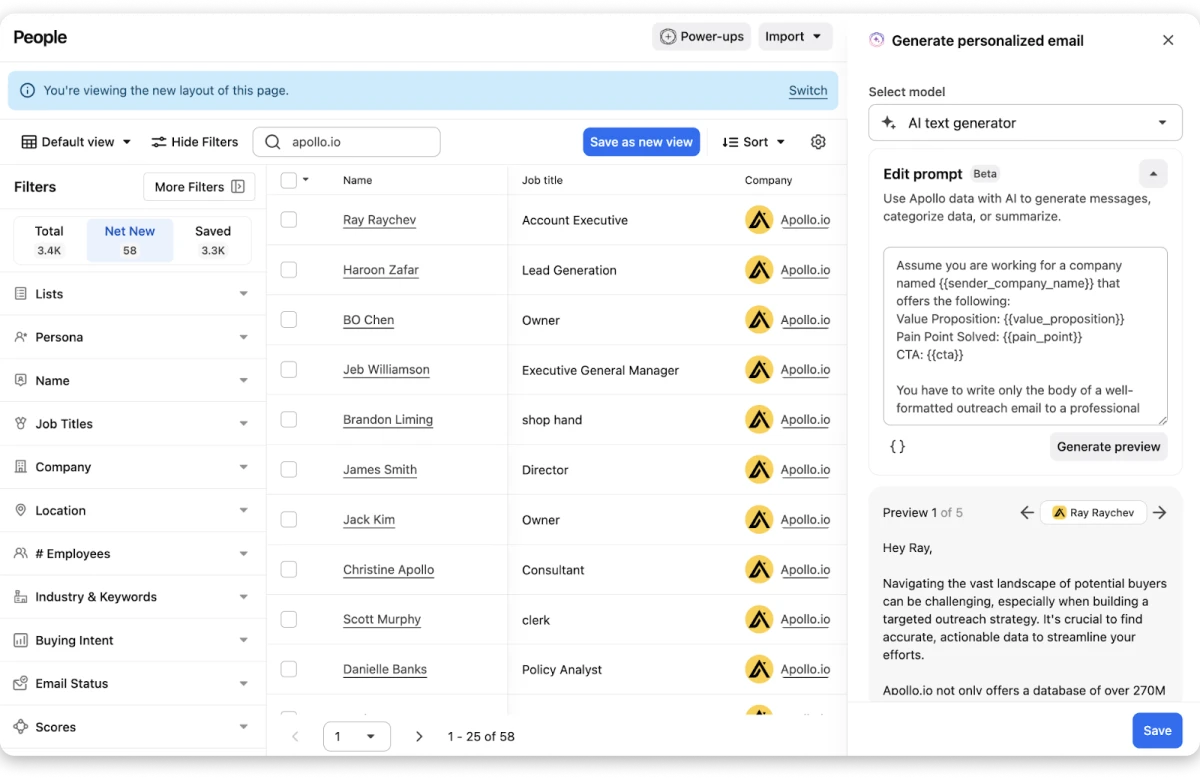
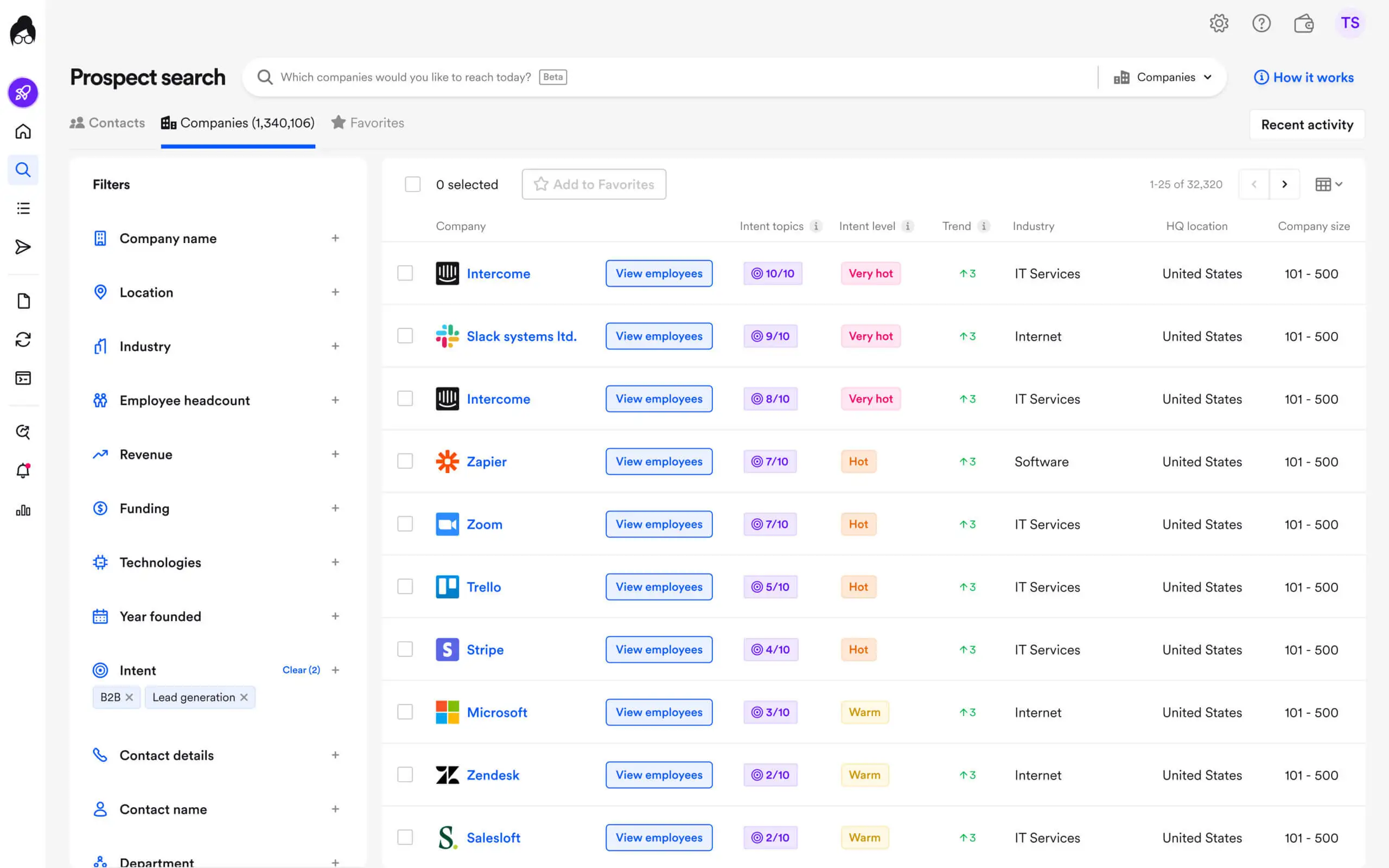
Apollo.io combines a B2B contact database with sales engagement tools. You can find professionals, review company details, and organize prospects for outreach.
Its search filters help you narrow results by job title, company, industry, and location.
For a lawyers email list, search for partners at law firms in specific cities. You can also look for attorneys or decision-makers at legal service companies.
Apollo includes email finding, contact enrichment, email sequences, and CRM integrations. These features help you move from prospect research to outreach within one platform.
Check the available records before exporting your list. Contact coverage depends on the roles and locations you target.
If Apollo.io doesn't meet your requirements, review these Apollo.io alternatives to compare other prospecting platforms.
Key Features of Apollo.io
B2B contact database: Search professional contacts and companies across industries.
Advanced prospecting filters: Find relevant contacts using job titles, industries, company details, and locations.
Email finding: Access available professional email addresses for your target prospects.
Contact enrichment: Add available contact and company information to existing records.
CRM integrations: Connect prospect data with supported sales systems.
Chrome extension: Research contacts and companies while browsing supported websites.
Sales engagement tools: Manage prospecting and outreach activities from one platform.
Apollo.io Pricing (billed annually)
Free: $0/month
Basic: $49/user/month, billed annually
Professional: $79/user/month, billed annually
Organization: $119/user/month, billed annually; minimum three seats
Check Apollo's pricing page for current rates, credit allowances, and plan limits before purchasing.
Best for: Teams that want contact discovery and email outreach in one platform.
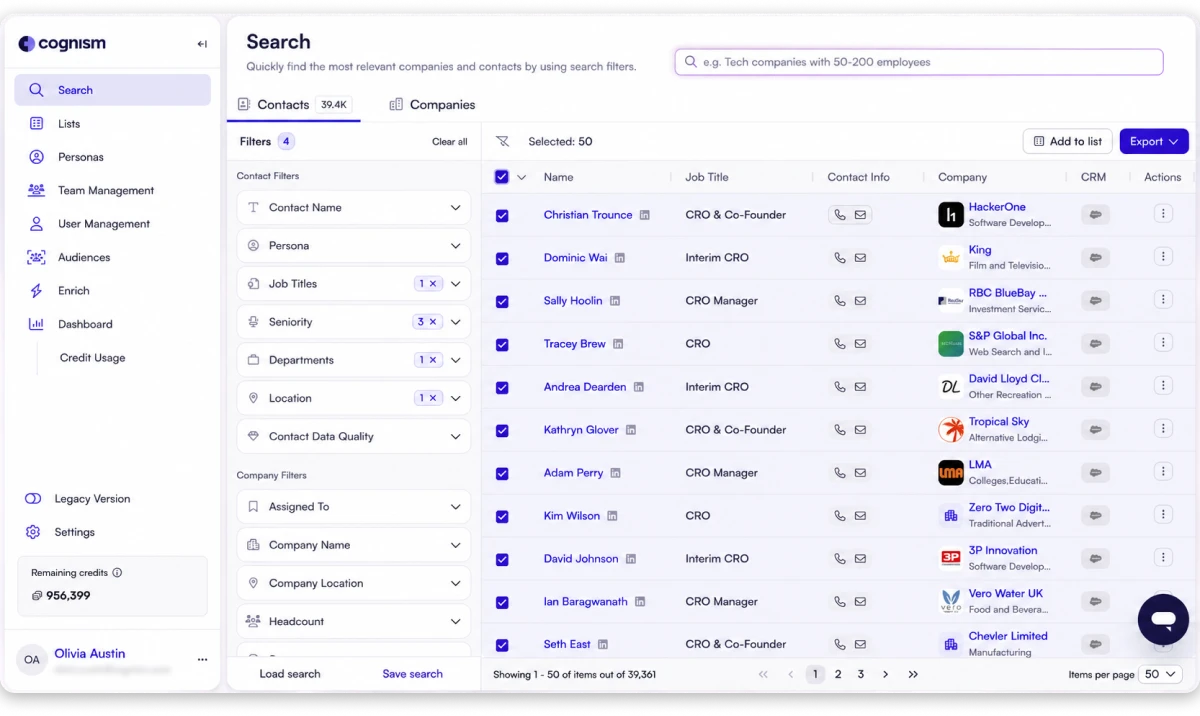
Cognism provides B2B contact data and company information for sales teams. It is worth considering when your campaigns target professionals across multiple countries.
The platform offers prospecting filters, data enrichment, and integrations with supported sales systems.
For a lawyers email list, research partners and decision-makers associated with law firms. Use available company and contact information to narrow your audience before outreach.
Cognism also offers contact verification features. These can help your team assess the quality of available records.
Cognism is a general B2B sales intelligence platform, not a dedicated lawyer directory. Individual attorney coverage varies by market.
Check its database for your target roles and countries before subscribing.
Key Features of Cognism
B2B contact data: Find professional contact details for prospecting.
Company intelligence: Research organizations and identify relevant businesses.
Prospecting filters: Narrow searches by job title, company, and geographic market.
Phone-verified mobile data: Access human-verified mobile numbers where available through Cognism's Diamond Data offering.
Contact verification: Use available verification features to assess contact data quality.
Data enrichment: Add available details to existing contact records.
CRM integrations: Connect contact data with supported sales and CRM systems.
International prospecting: Research business contacts across markets, with strong coverage in Europe.
Cognism Pricing
Custom pricing: Contact Cognism for a quote based on your requirements.
Cognism sets pricing according to the selected package, data requirements, and team setup. Contact its sales team for a quote and product details.
Best for: B2B teams targeting international markets that need contact data and sales intelligence.
If you're evaluating other B2B data providers, check out these Cognism alternatives to find a platform that fits your prospecting needs.
4. ZoomInfo
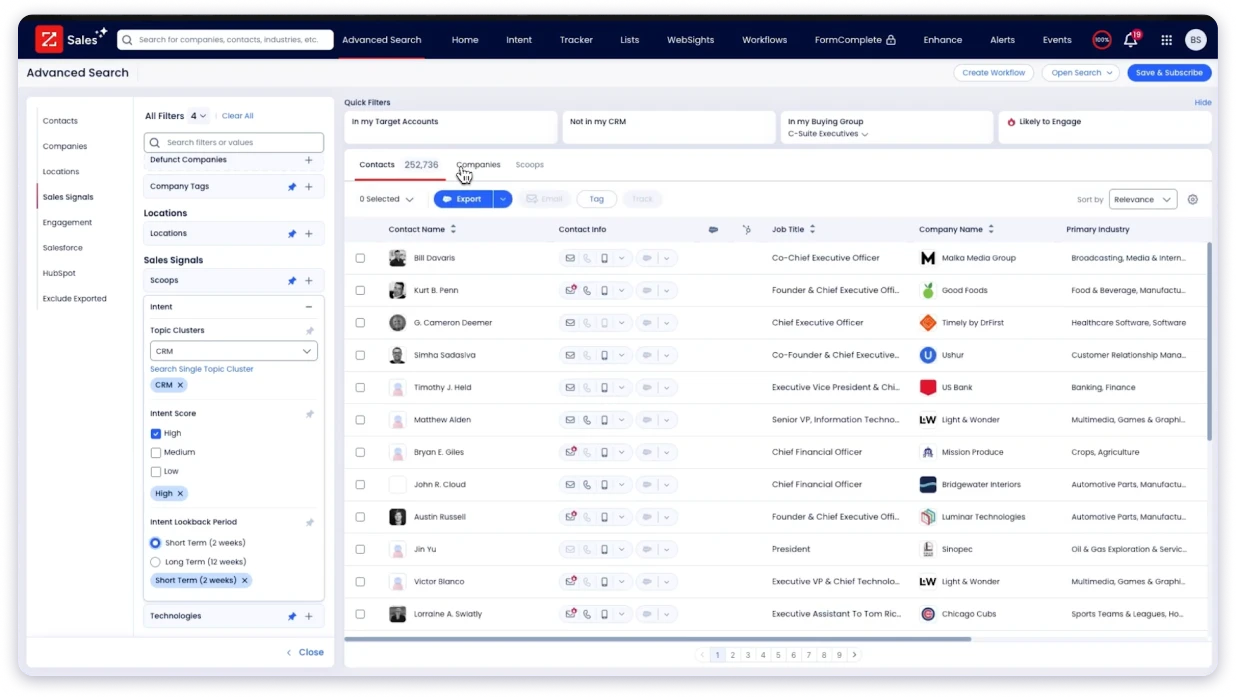
ZoomInfo combines professional contact data with detailed company intelligence. It helps sales teams research organizations and identify relevant decision-makers.
Its features include contact search, company data, data enrichment, intent signals, and CRM integrations.
For a lawyers email list, search for contacts at specific law firms or legal service organizations. Use available job title, location, and company filters to narrow the results.
Company information can help you prioritize firms that match your target market. For example, employee count and revenue may help you identify suitable organizations.
ZoomInfo suits larger teams that need company research alongside contact details. However, its database does not focus exclusively on lawyers. Confirm coverage for your target legal roles before requesting a quote.
Key Features of ZoomInfo
Professional contact search: Find available business contacts at relevant organizations.
Company intelligence: Research firms using available company information.
Prospecting filters: Narrow results by job title, location, and company attributes.
Intent data: Review available signals that indicate potential buying interest.
Data enrichment: Add available information to existing contact records.
CRM integrations: Connect prospecting data with supported sales systems.
ZoomInfo Pricing
Custom pricing: Contact ZoomInfo for a quote based on your requirements.
ZoomInfo pricing and features depend on the products and package you select. Contact its sales team for a quote based on your requirements.
Best for: Larger sales teams that need company research and B2B contact intelligence.
If ZoomInfo's pricing or features don't fit your needs, explore these ZoomInfo alternatives to compare other options.
5. Lusha
Lusha helps you find professional contact details and company information. It can be useful when you already know which law firms you want to target.
You can search for people and review their available professional details. Its search options help you find contacts associated with specific organizations.
For example, you might target managing partners at small law firms. You could also research decision-makers at larger legal organizations.
Lusha offers contact enrichment and integrations with supported sales workflows. These features help you add available details to existing prospect records.
Check the available contacts before exporting a large list. Coverage depends on your target roles, locations, and Lusha's database.
Key Features of Lusha
Contact lookup: Find available professional email addresses and phone numbers.
Company information: Review details associated with target organizations.
Prospecting filters: Narrow searches using available contact and company attributes.
Contact enrichment: Add available details to existing prospect records.
Browser extension: Find contact details while researching supported websites and professional profiles.
Sales integrations: Connect contact data with supported sales tools.
Lusha Pricing (billed annually)
Free: $0/month
Starter: $37.45/month, billed annually
Pro: $52.45/month, billed annually
Premium: $299.95/month, billed annually
Scale: Custom pricing
Check the current Lusha pricing page to confirm plan prices, credit allowances, and included seats before purchasing.
Best for: Teams that need contact lookup and enrichment for targeted prospecting.
Looking for other ways to find professional contact details? Compare these Lusha alternatives to explore more options.
6. Saleshandy Lead Finder
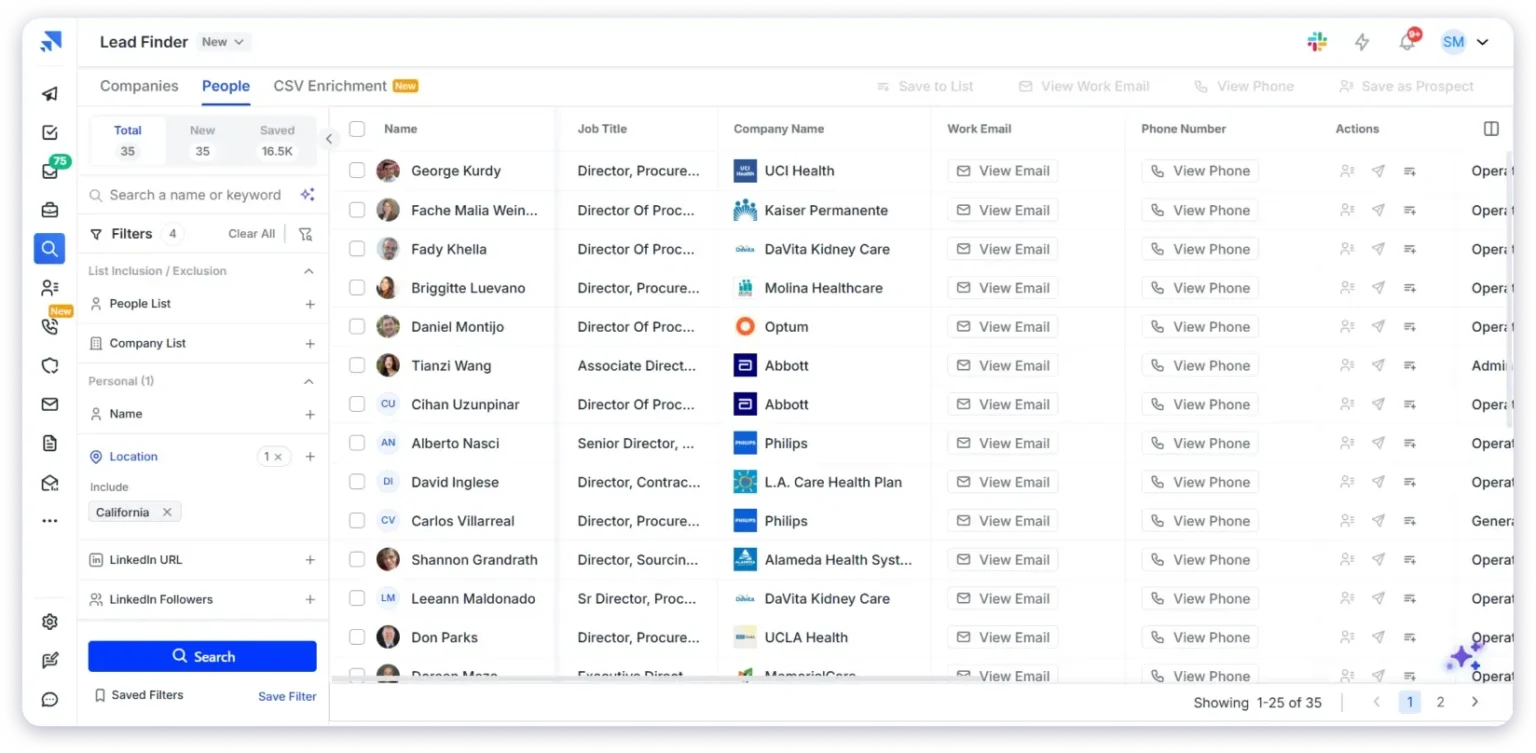
Saleshandy Lead Finder helps businesses find B2B prospects for cold email campaigns. It supports teams that need contacts for targeted outreach.
Start by defining the legal professionals or firms you want to reach. Then, use the available filters to narrow your search.
You might target partners in selected regions or decision-makers at firms that match your market. Review the contact details before adding prospects to your campaign.
Saleshandy Lead Finder also offers waterfall enrichment and email verification features. These can help you find additional contact information and assess email quality.
After finding suitable prospects, use Saleshandy's outreach platform to create sequences and manage follow-ups.
The connected workflow can reduce manual transfers between prospecting and outreach tools.
If you want to compare other tools for lead generation and cold email outreach, see our guide to Saleshandy alternatives.
Key Features of Saleshandy Lead Finder
B2B prospect discovery: Find contacts that match your target audience.
Contact search filters: Narrow results using available professional and company details.
AI Search: Describe your ideal prospects in plain English to find relevant contacts.
75+ search filters: Refine searches using available professional and company attributes.
People and company search: Switch between individual contacts and company records.
Email and phone discovery: Find available contact details for selected prospects.
Waterfall enrichment: Search multiple data providers to find additional contact information.
Email verification: Check email addresses to assess their suitability for outreach.
CSV enrichment: Upload existing contact lists and enrich them with available email addresses, phone numbers, and other details.
Saleshandy Lead Finder Pricing
Starting plan: $34/month, billed annually at $408
Monthly billing: $41/month
Saleshandy pricing depends on the selected plan and billing option. Lead Finder access and credit allowances can also vary. Check the latest pricing details before subscribing.
Best for: Teams that want to find prospects and manage cold email campaigns in a connected workflow.
How to Choose the Right Tool for a Lawyers Email List
The following factors can help you make the right choice.
1. Contact Accuracy
Check how the provider collects, updates, and verifies email addresses. Outdated contact details can lead to bounced emails and wasted outreach efforts.
Look for tools that offer email verification and explain how they maintain contact data. Check whether verification is included in the plan or requires additional credits. Test a small batch of contacts before exporting a larger list.
2. Legal Industry Coverage
Confirm that the provider has contacts who match your target audience. You might want to reach solo practitioners, attorneys, managing partners, law firm owners, or in-house counsel.
General B2B databases do not always provide detailed legal industry coverage. Check whether the provider includes your target job titles and professional roles. Review sample search results before committing to a paid plan.
3. Geographic Coverage
Decide which locations you want to target. You may need contacts from a particular city, state, country, or multiple markets.
Check whether the provider supports the geographic filters you need. Also, confirm that it has enough relevant contacts in those locations. A database with broad international coverage may still have limited records for specific legal roles in your target market.
4. Search Filters
Search filters help you build a list that matches your campaign requirements. Without relevant filters, you may spend time reviewing contacts who are unlikely to fit your audience.
Look for filters such as:
Job title: Find attorneys, partners, managing partners, or general counsel.
Company or law firm: Target specific firms or organizations.
Location: Narrow results by country, state, or city.
Industry: Focus on legal services or related business sectors.
Company size: Find firms that match your target market.
Seniority or department: Identify decision-makers where these filters are available.
Available filters vary by provider. Test your intended search criteria before purchasing a subscription.
5. Pricing and Credit Limits
Compare each provider's starting paid plan, billing cycle, and included features. Some platforms charge per user, while others use credits for contact reveals, email lookups, or enrichment.
Check how many contacts you can access within your budget. Review seat requirements, export limits, credit allowances, and extra usage charges. Also, confirm whether annual billing is required to get the advertised monthly rate.
Custom-priced platforms may require a sales consultation. Ask for a quote based on your team size, target markets, and expected contact volume.
6. Contact Enrichment and Integrations
Contact details may be incomplete or outdated. Enrichment features can help you find additional information, such as company details, job titles, and available phone numbers.
Check whether the tool can update existing records or search multiple data sources for missing details. If you already use a CRM or email outreach platform, review its supported integrations.
CSV exports can also help you transfer contacts into your existing workflow. Choose a tool that supports the way your team manages prospect data and outreach campaigns.
7. Compliance and Responsible Outreach
Review how the provider sources and maintains its contact data. Check its terms of use, privacy practices, and available information about data collection.
Before contacting prospects, understand the privacy and email marketing rules that apply to your business and recipients. Requirements vary by jurisdiction and message type. Business email addresses may still qualify as personal data under applicable privacy laws.
Identify yourself accurately, follow applicable requirements, and respect opt-out requests. Purchasing a lawyers email list does not automatically provide consent to send marketing emails.
8. Test the Tool Before Committing
Run a small search using your actual target criteria. Review the results to see whether the contacts match your intended legal roles, firms, and locations.
Check the availability of professional email addresses and any verification features. Compare the results with your expected contact volume and budget.
A short test can help you identify gaps in database coverage before you commit to an annual plan or export a large list.
Find the Right Contacts for Your Outreach
Use Leadsforge to discover relevant B2B contacts, enrich prospect data, and export contact lists for your outreach campaigns.
Choosing the right lawyers email list tool depends on your target audience, budget, and outreach goals.
Before making a decision, compare the available contact data, search filters, email verification features, and pricing.
Leadsforge helps you build targeted prospect lists using AI Search, advanced filters, and waterfall enrichment. You can define your ideal audience, find relevant legal professionals, and export contacts for your outreach campaigns.
Start by identifying the legal professionals you want to reach. Test a small list to check contact quality and coverage before investing in a larger database.
Use B2B prospecting tools such as Leadsforge, Apollo.io, Cognism, ZoomInfo, Lusha, or Saleshandy Lead Finder. Search by legal job title, law firm, and location. Review the available records before exporting your list.
2. Which tool is best for building a lawyers email list?
The best choice depends on your prospecting needs. Leadsforge offers AI Search and waterfall enrichment. Apollo combines contact discovery with outreach. Saleshandy connects lead discovery with cold email campaigns.
Cognism and ZoomInfo offer broader B2B sales intelligence. Lusha focuses on professional contact lookup and enrichment.
3. Can I find law firm partners and managing attorneys with these tools?
You may find these professionals when the provider has matching records. Use available job title, company, and location filters. Review each record before adding it to your campaign.
4. How much does a lawyers email list cost?
Costs depend on the provider, contact volume, and required features. Leadsforge offers 100 free credits and a paid plan starting at $49 monthly. Apollo also offers a free plan and paid subscriptions.
Cognism and ZoomInfo use custom pricing. Lusha offers free and paid plans. Saleshandy pricing depends on the selected subscription.
5. Is it legal to send cold emails to lawyers?
The rules depend on your location and your recipients' jurisdictions. They also depend on how you collected the data and what your message contains.
Review the applicable privacy and marketing laws before contacting prospects. Follow the provider's terms and include clear sender information. Provide an appropriate way for recipients to opt out.
Book more meetings on autopilot
Set up in minutes. No per-seat pricing. No commitment.




.jpg)
