A list of 5,000 prospects doesn't tell your sales reps which accounts are worth contacting this week.
Even if 200 companies have recently raised funding, changed leadership, or started hiring, someone still needs to check whether those events are relevant to what you're selling.
That means researching accounts, finding decision-makers, and deciding who deserves outreach first.
AI signal agents can take on parts of that work. Some monitor buying signals, others research and qualify prospects, and a few can also run outreach based on what they find.
I've compared 8 AI signal agents for sales teams in 2026, looking at their signal sources, prospect research, outreach features, pricing, and limitations.
Agent Frank by Salesforge – Best for AI-led prospect research and personalized email and LinkedIn outreach.
UserGems – Ideal for tracking job changes, past champions, and new decision-makers.
Common Room – Best for tracking website visits, product usage, and community activity.
Unify – Great for turning buying signals into automated outbound campaigns.
6sense – Best for identifying accounts showing buying intent using intent data and predictive scoring.
Clay – Ideal for researching custom buying signals, including funding, hiring, and technology changes.
Warmly – Best for identifying website visitors and tracking engagement signals.
CommunityTracker – Great for finding buying signals from online community discussions.
How I Evaluated AI Signal Agents for Sales Teams
I compared these 8 tools based on how they find buying signals, research prospects, and help sales reps decide who to contact.
I focused on the following areas.
Buying signals each tool can track, such as funding, job changes, hiring activity, website visits, and intent data.
Signal sources each tool uses to collect information, including LinkedIn, company websites, and online communities.
Prospect research each tool can perform to find decision-makers and check whether a company matches your ICP.
Outreach features that let sales reps contact prospects through email or LinkedIn after detecting a signal.
CRM integrations that allow sales reps to access and manage signal data in their existing systems.
Pricing and limits that show what each tool costs and what is included in its plans.
This helped me separate tools that only alert sales reps about buying signals from those that can research prospects, qualify leads, and start outreach.
8 AI Signal Agents for Sales Teams in 2026: Quick Comparison
1. Agent Frank by Salesforge – Best for AI-Led Prospect Research and Outreach
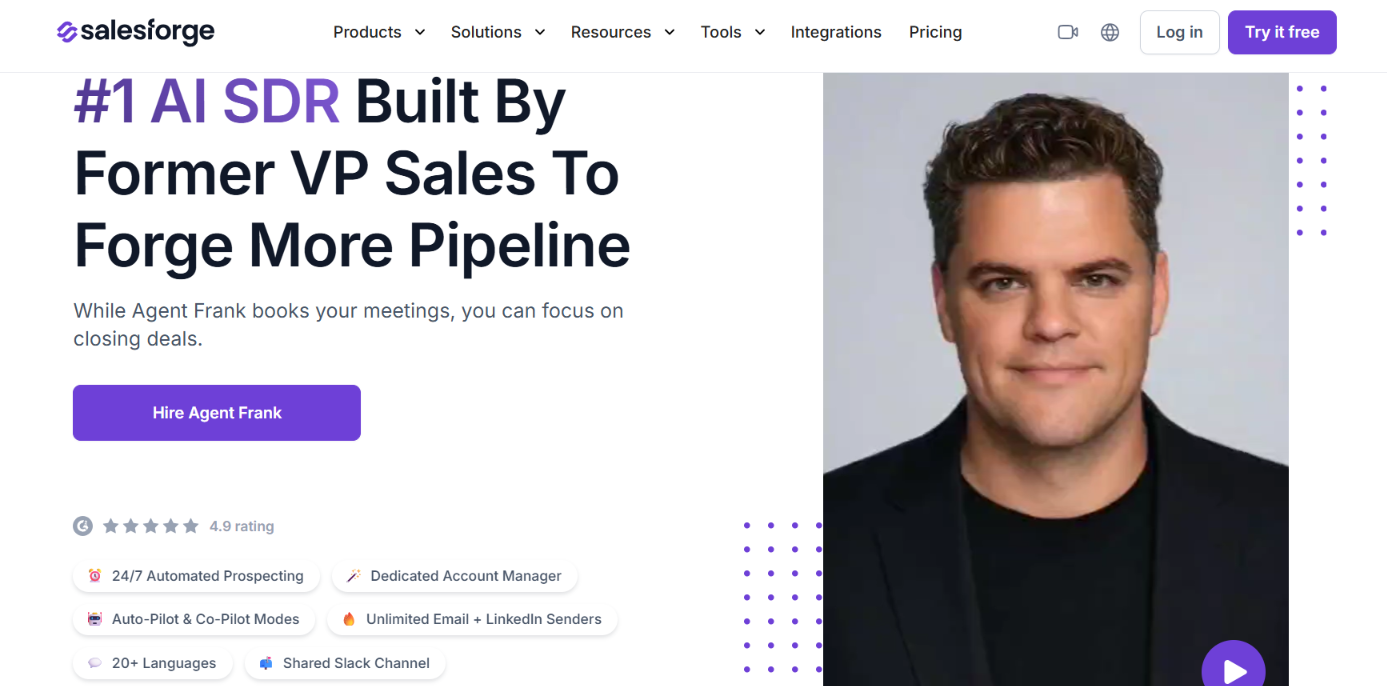
This image shows the Agent Frank homepage
Agent Frank by Salesforge is an AI SDR built to find B2B prospects, research their companies, and run email and LinkedIn outreach without requiring sales reps to manage every step.
Before writing a message, Agent Frank checks the prospect's company, buying signals, timing, likely pain points, and possible objections. It uses that research to decide what to mention in its outreach.
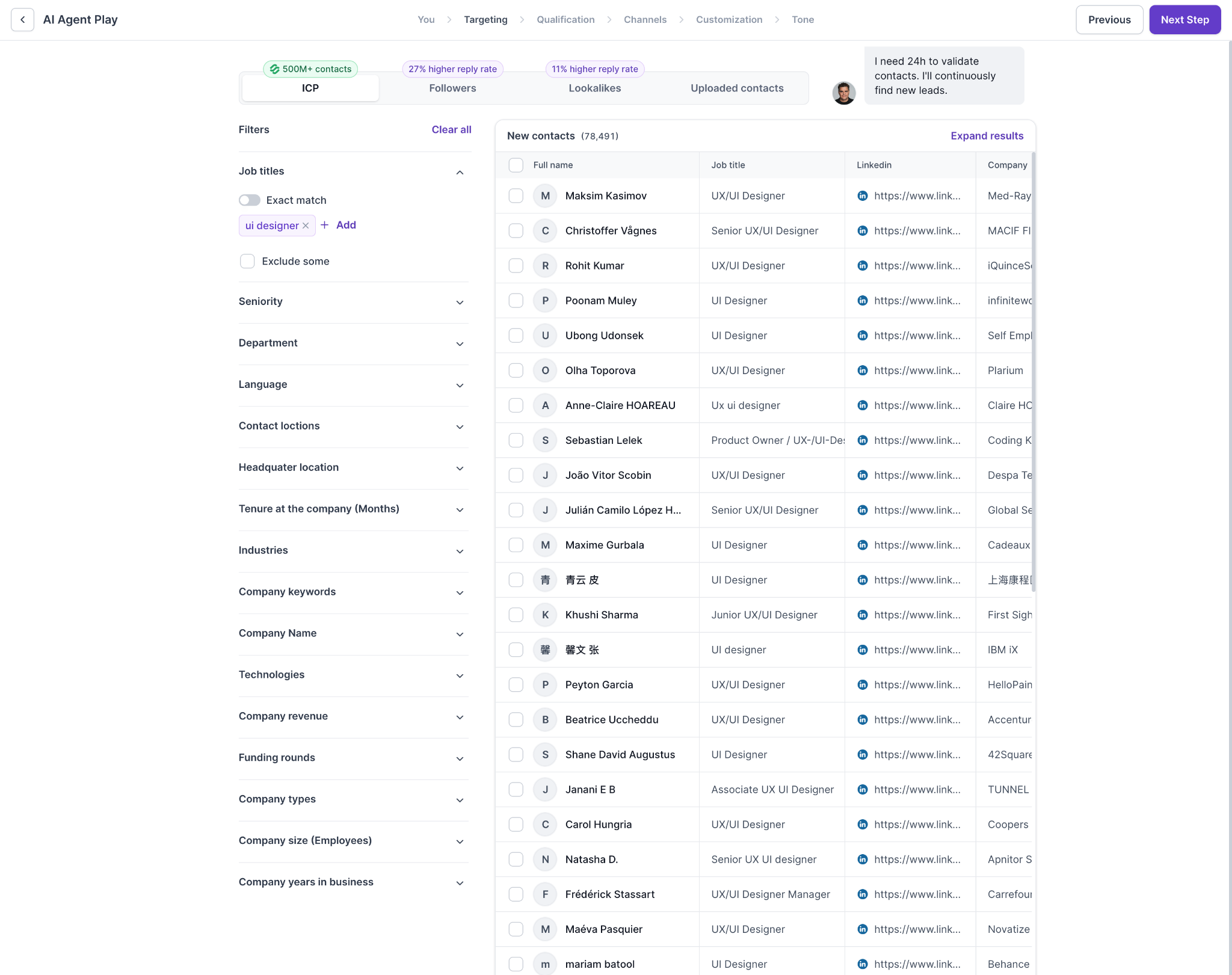
For prospect discovery, Agent Frank uses Leadsforge's database of 500M+ contacts. You can define your ICP, review matching leads, check their LinkedIn profiles, and remove contacts you don't want to target.
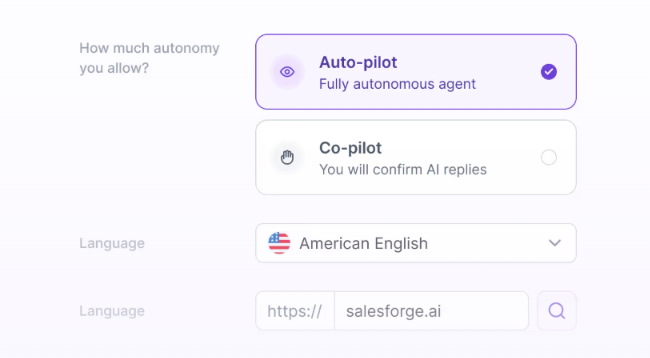
Once the target audience is set, Agent Frank can prepare messages, manage follow-ups, and book meetings. You can let it handle these tasks through Auto-Pilot or review and approve its work through Co-Pilot.
How Agent Frank Uses Buying Signals
Agent Frank uses buying signals during prospect research to understand why a company might be worth contacting. Here's how it handles the process.
ICP-based prospecting uses Leadsforge-powered search to find prospects matching your target criteria. You can review LinkedIn profiles and exclude irrelevant contacts.
This image shows the Browse potential leads using the familiar Leadsforge search interface
Buying signal research examines company activity, timing, potential pain points, and objections before preparing outreach.
Prospect personalization uses the research findings and your company knowledge base to write messages relevant to each contact.
Email and LinkedIn outreach supports both channels individually or together, with personalized messages and follow-ups.
Auto-Pilot mode allows Agent Frank to manage prospecting, outreach, follow-ups, and meeting booking automatically.
This image shows the Agent Frank runs in two modes
Co-Pilot mode sends you updates and lets you review, edit, or approve Agent Frank's work.
Unlike a dedicated signal-monitoring platform, Agent Frank focuses on using prospect research to support outreach rather than providing a separate dashboard for tracking every buying signal.
Pros of Agent Frank
Researches prospects and buying signals before preparing outreach.
Supports both email and LinkedIn campaigns.
Includes Auto-Pilot and Co-Pilot modes for different levels of human control.
Uses Leadsforge-powered search to find and review ICP-matched prospects.
Supports 20+ languages for personalized outreach.
Can manage follow-ups and meeting booking.
Cons of Agent Frank
Does not publish a complete list of supported buying signal types or their update frequency in the supplied documentation.
Is not primarily designed for standalone buying signal monitoring.
Requires a demo before onboarding and does not offer a free trial.
May require separate spending on email infrastructure.
Agent Frank Pricing
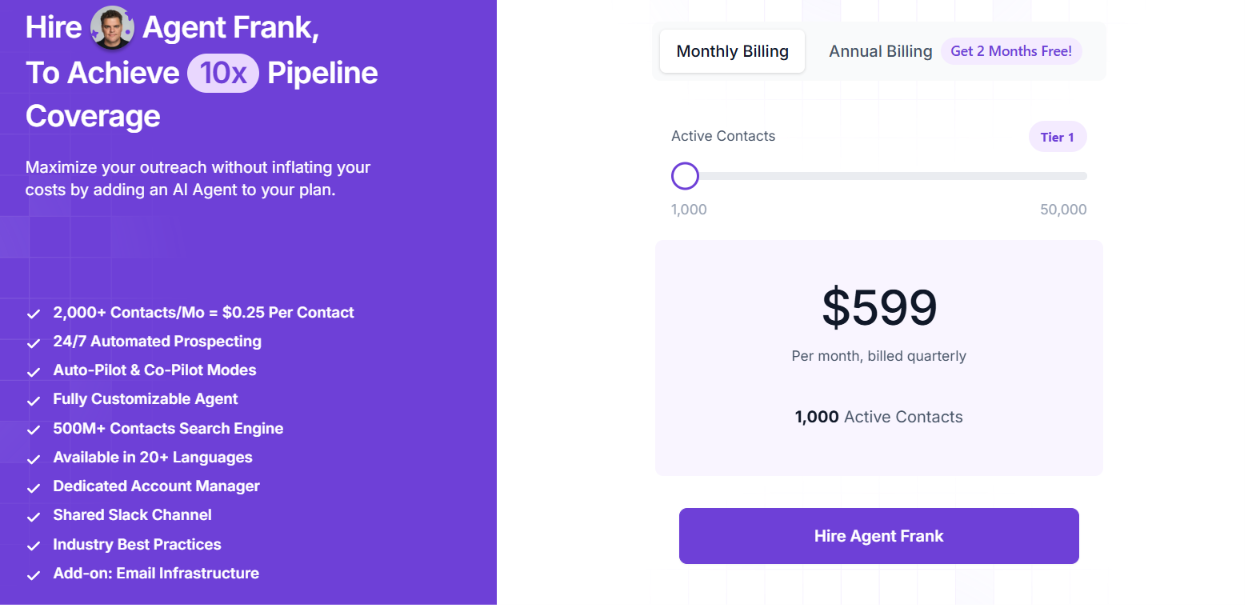
This image shows the Agent Frank pricing
Agent Frank starts at $599 per month, billed quarterly. The starting plan includes:
Up to 1,000 active contacts at a time.
Access to a 500M+ contact search engine.
Automated prospecting and personalized outreach.
Email and LinkedIn outreach.
Auto-Pilot and Co-Pilot modes.
Support for 20+ languages.
A dedicated account manager and shared Slack channel.
According to Salesforge, 1,000 active contacts can translate to approximately 2,000–2,500 new prospects and 6,000–7,500 personalized emails per month.
Email infrastructure is charged separately if you need new mailboxes. Agent Frank is worth considering if you want an AI SDR that researches buying signals and handles outreach, rather than another tool that only alerts you when something happens.
Personalized Outbound Strategy
Get The Right Outbound Strategy In Minutes
Enter your email to get a custom plan & stack recommendation for your
business
It's being carefully crafted by AI
Please check your mailbox in 5 minutes
2. UserGems – Best for Job Changes and Past-Buyer Signals
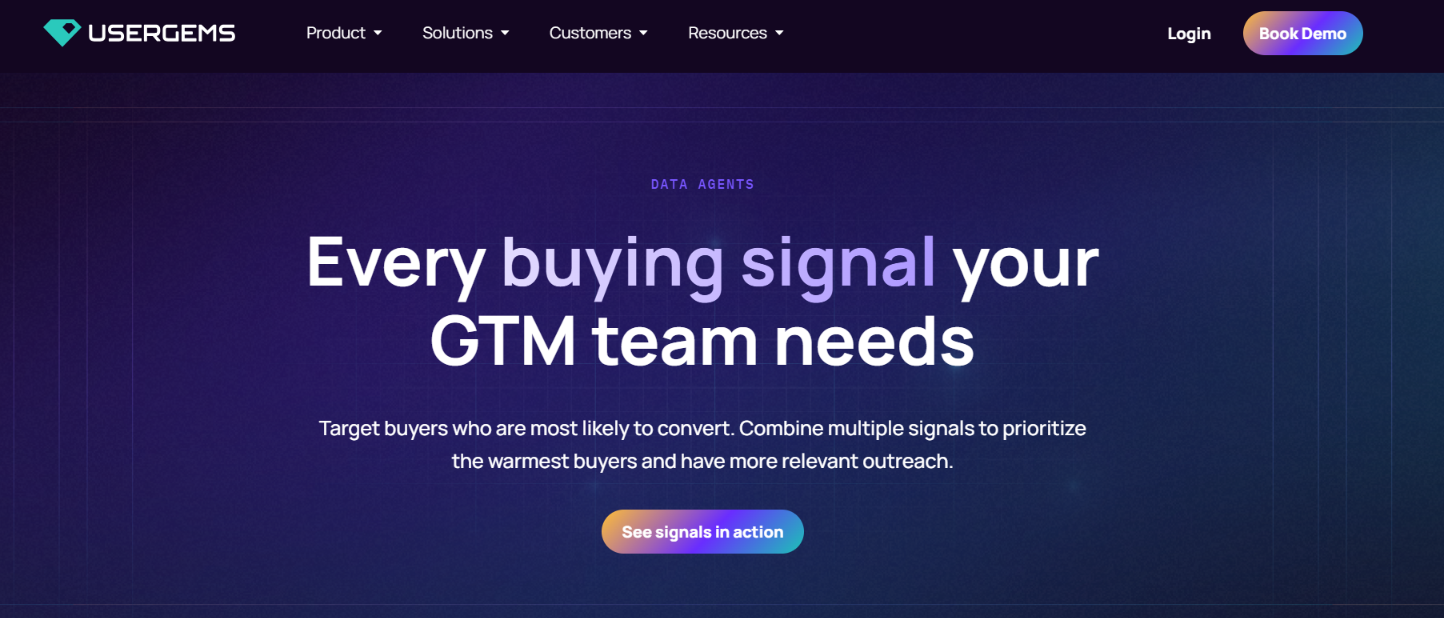
This image shows the UserGems homepage
UserGems uses its AI agent, Gem-E, to identify and prioritize B2B buyers based on buying signals, ICP fit, and past sales outcomes. It is particularly useful for tracking former customers who move to new companies, promotions, and new decision-makers at target accounts.
Gem-E combines these signals with CRM data to score accounts and contacts. UserGems also includes a Research Agent for investigating custom company signals and a Writing Agent for preparing personalized outreach.
Its workflows can then create sales tasks, update CRM records, add prospects to sequences, and sync advertising audiences based on relevant signals.
How UserGems Uses Buying Signals for Sales
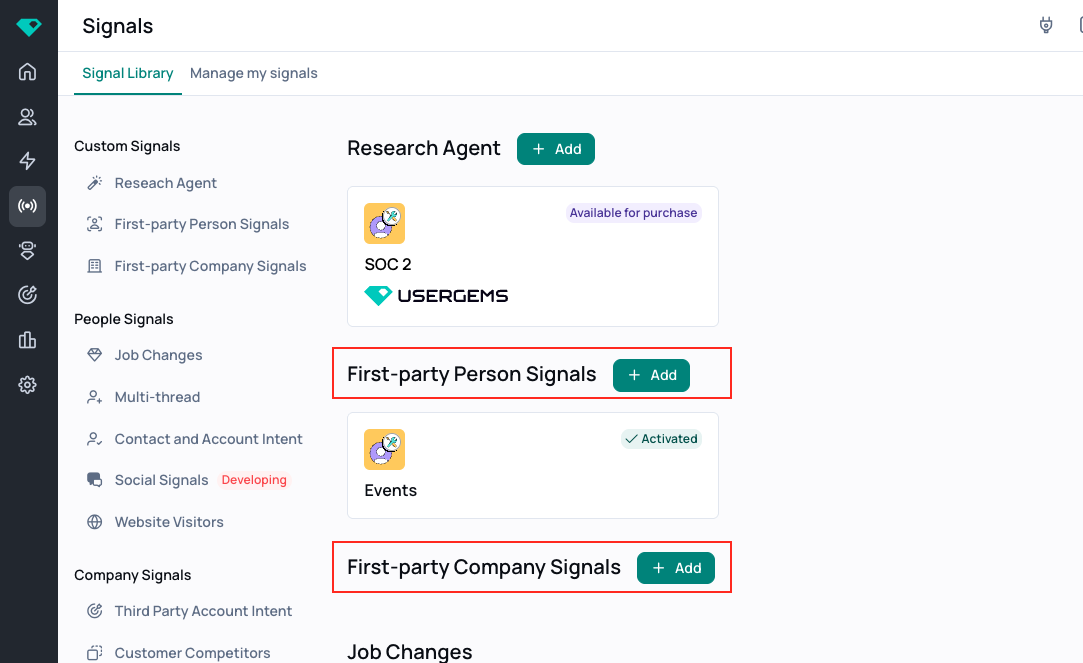
This image shows the Custom First-Party Person & Company Signals on UserGems
UserGems combines 30+ native signals with first-party data and connected sources. Gem-E uses this information to prioritize buyers and support outreach.
Signal collection tracks past champions, job changes, promotions, website visits, contact-level intent, funding, hiring, and company changes.
Custom signal research uses the Research Agent to investigate publicly available company information and turn relevant findings into signals for scoring and outreach.
AI account scoring analyzes 600+ ICP criteria and signals alongside past sales outcomes to prioritize companies based on fit and buying activity.
AI contact scoring ranks individual prospects using job changes, past customer relationships, website visits, intent, and marketing engagement.
Automated actions uses Intelligent Workflows to create tasks, update CRM records, add contacts to sales sequences, and sync advertising audiences when relevant signals appear.
Sales managers can adjust the weights assigned to individual signals and see why an account or contact received a particular score.
Pros of UserGems
Combines native, first-party, and third-party signals for AI-based prospect scoring.
Uses a Research Agent to investigate custom company signals from public sources.
Provides separate AI scoring for accounts and individual contacts.
Allows managers to adjust scoring weights and review why prospects were prioritized.
Uses a Writing Agent to prepare outreach based on signals and previous buyer interactions.
Connects sales outreach, CRM updates, and advertising activities through configurable workflows.
Cons of UserGems
Annual pricing starts at $40,000, which may be difficult to justify for smaller sales teams.
Contact-level intent and website visitor identification are available in the Elite plan.
Some signals, including product usage and NPS data, require you to connect your own data sources.
Its AI scoring relies partly on CRM history and past deal outcomes, so the value of those inputs depends on the data available.
Setting up custom signals, scoring weights, and workflow conditions may require additional planning.
UserGems Pricing
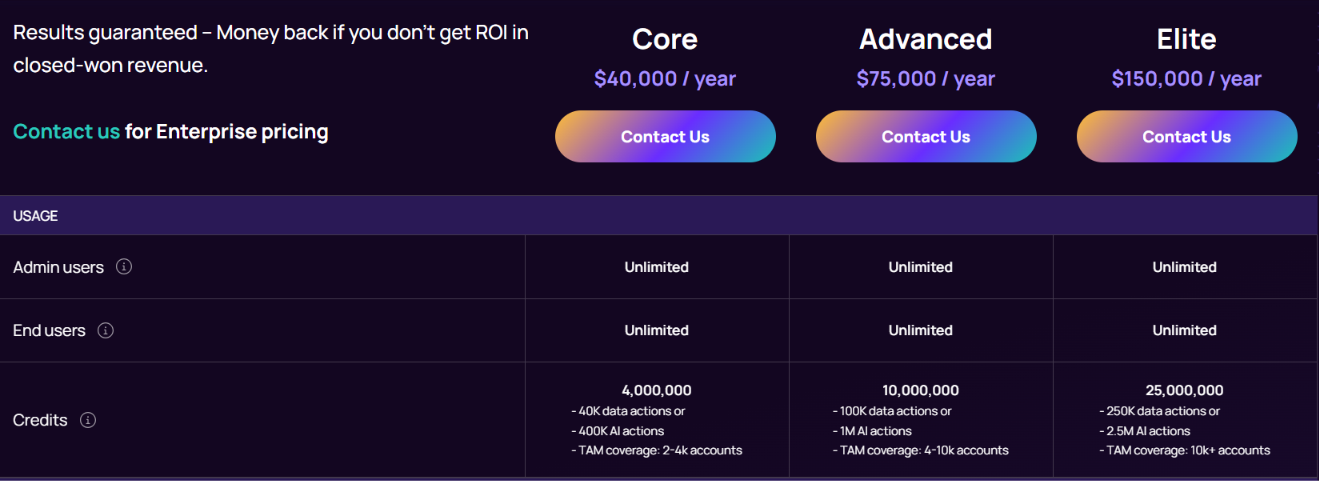
This image shows the UserGems pricing
UserGems offers three annual plans.
Plan
Annual Price
Included Credits
Core
$40,000
4 million
Advanced
$75,000
10 million
Elite
$150,000
25 million
All three plans include account and contact scoring, automated campaigns, Research Agent, Writing Agent, and reporting.
Advanced adds UserGems MCP and ad audience syncing. Elite adds contact-level intent, website visitor identification, buying stages, and CRM hygiene. Custom Enterprise pricing is available on request.
UserGems is best suited to companies running account-based sales programs that want Gem-E to connect buying signal research, prospect scoring, and personalized outreach within their existing sales tools.
3. Common Room – Best for Tracking Website, Product, and Community Buying Signals
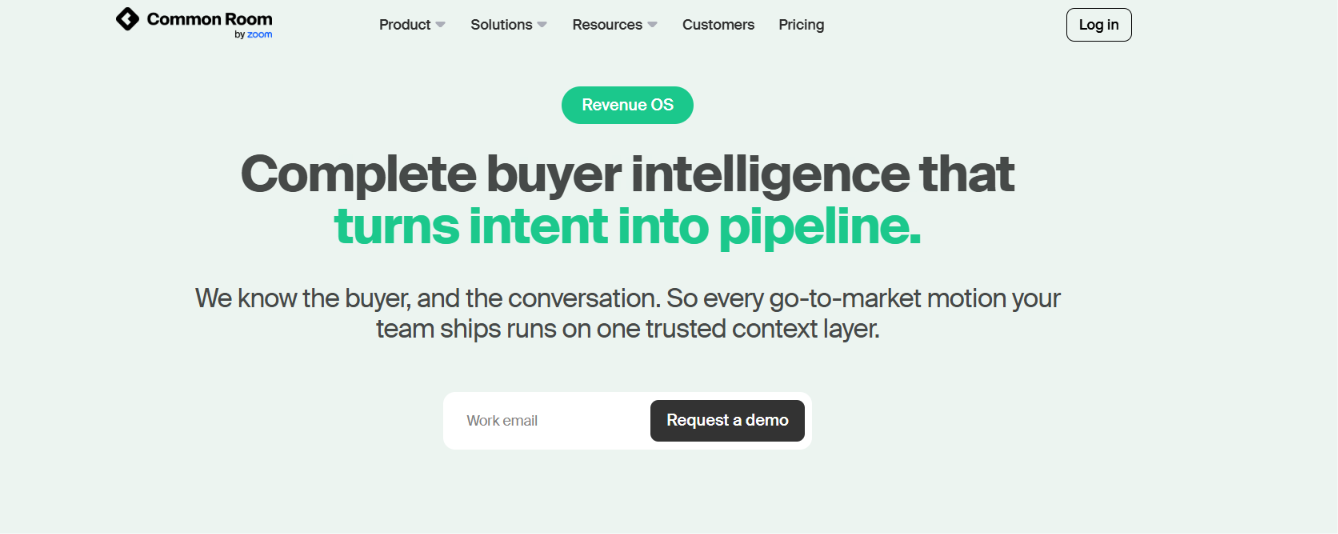
This image shows the Common Room homepage
Common Room is a buyer intelligence platform that helps identify prospects showing interest through website visits, product usage, community activity, and other buying signals.
Its main strength is connecting these activities to individual buyers, rather than showing intent only at the company level.
Common Room uses Person360™ to match activity with contact and company profiles. Its AI scoring and RoomieAI agents then help identify which prospects deserve attention and what sales reps should do next.
How Common Room Uses Buying Signals
Common Room collects buying signals from different sources, connects them to prospects, and uses AI to prioritize outreach. Here's how it works.
Website visits track activity on your website and documentation pages, including visits to pricing and integration pages.
Product usage identifies engagement within your product and helps sales reps find active users who may be worth contacting.
Community activity captures engagement from connected community and social sources to identify prospects interacting with your brand.
Job changes and hiring signals identify contacts who have moved companies and organizations posting new jobs.
Person360™ identity matching connects website, product, community, and CRM activity to individual contacts when a reliable match is available.
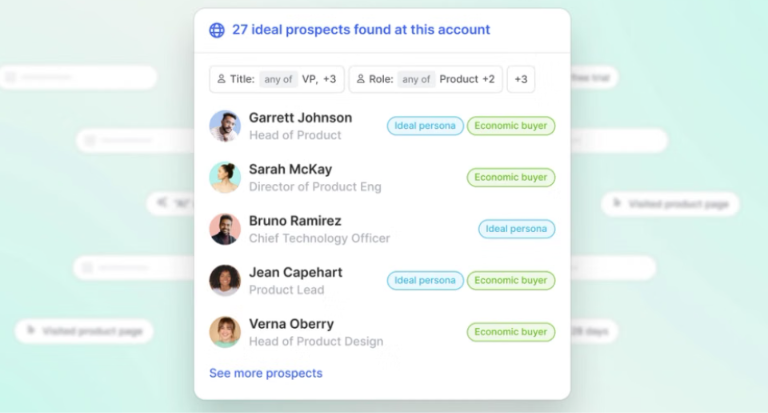
This image shows the Automatically surface the best prospects
AI scoring ranks prospects using hundreds of buying signals, including website engagement, product activity, and job changes.
RoomieAI™ agents support custom signal research, prospect scoring, and prioritization based on the collected information.
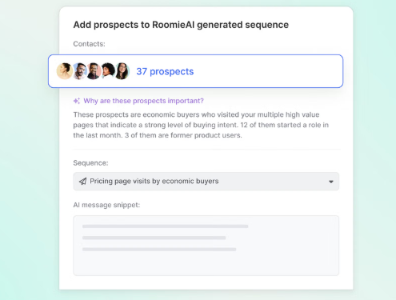
This image shows the RoomieAI support custom signal research
Signal trend tracking detects increases in buyer activity and can trigger alerts or outbound workflows when engagement rises.
For example, if a prospect visits your pricing page, Common Room can connect that visit to their contact profile when their identity is known or successfully matched. Sales reps can then review that activity alongside other signals before reaching out.
Pros of Common Room
Strong coverage of website, product, community, and job-change signals.
Person-level intent tracking through Person360™.
Customizable AI scoring for contacts and accounts.
AI-powered custom signal research through RoomieAI™.
Automated alerts and signal-based outreach workflows.
50+ native integrations with sales tools.
Cons of Common Room
Anonymous website visitors cannot always be identified.
Website tracking requires initial setup.
Cross-domain visitor identification has limitations.
Product Signals require a paid add-on.
Common Room Pricing
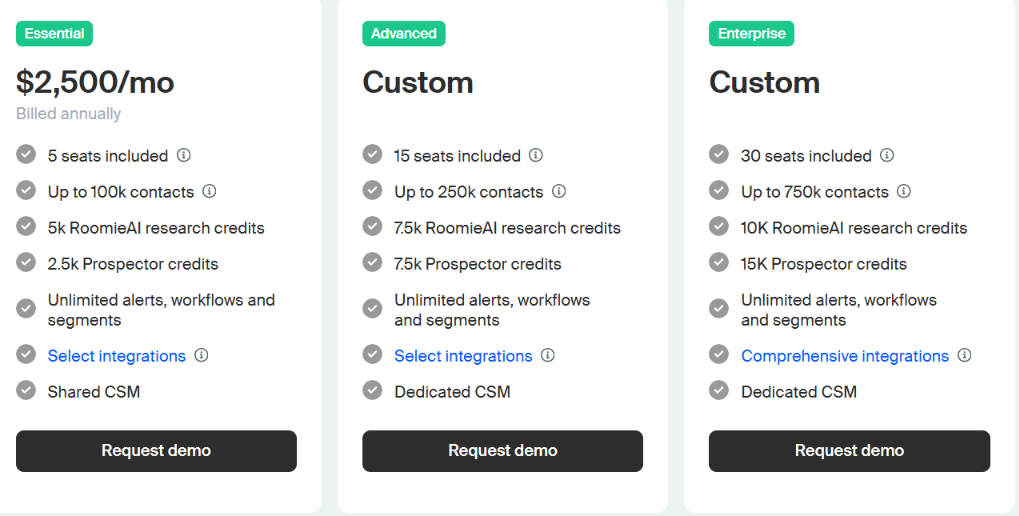
This image shows the Common Room pricing
Common Room offers three pricing plans, starting at $2,500/month, billed annually.
Essential – $2,500/month includes 5 seats, 100,000 contacts, 5,000 RoomieAI research credits, and 2,500 Prospector credits.
Advanced – Custom pricing includes 15 seats, 250,000 contacts, 7,500 RoomieAI research credits, and 7,500 Prospector credits.
Enterprise – Custom pricing includes 30 seats, 750,000 contacts, 10,000 RoomieAI research credits, and 15,000 Prospector credits.
All plans include RoomieAI agents, Person360™, AI Scoring, custom signals, job-change tracking, and unlimited alerts, workflows, and segments.
Product Signals are available as an add-on, while website activity and visitor identification limits vary by plan.
Common Room is a better fit for businesses that need multiple buying signal sources and AI-based prospect prioritization, rather than basic signal tracking.
4. Unify – Best for AI Agents That Turn Buying Signals Into Outreach
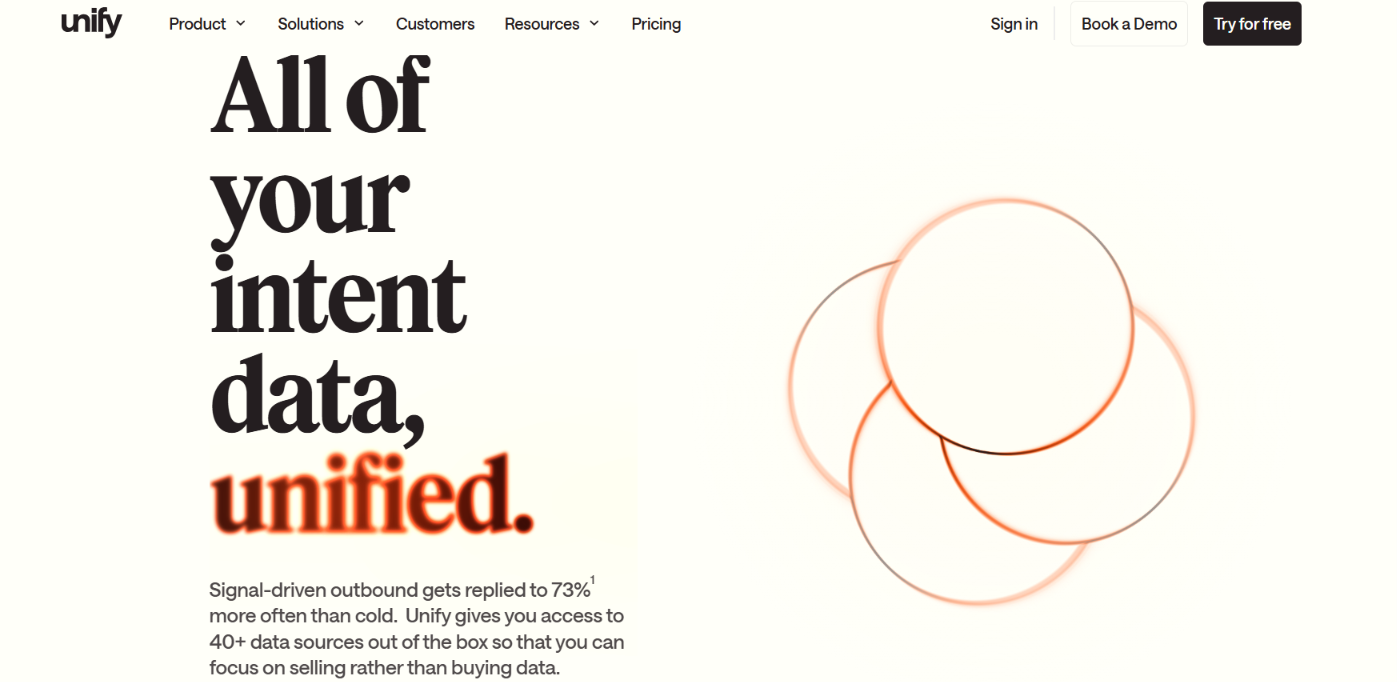
This image shows the Unify homepage
Unify uses AI agents to find buying signals, research prospects, and run outbound campaigns. Its agents can access 40+ data sources to research company activity, including funding, hiring, job changes, website visits, and technology adoption.
What makes Unify relevant as an AI signal agent is its ability to act on these findings. Through automated Plays, it can identify matching prospects, enrich contact details, and start personalized outreach when specific buying signals appear.
How Unify's AI Agents Use Buying Signals
Unify's AI agents research companies using 40+ data sources, combine buying signals with prospect information, and help identify who is worth contacting.
Once you define the signals and conditions that matter, automated Plays can handle the next steps.
Find buying signals by researching funding rounds, hiring activity, job changes, technology adoption, and company news.
Identify interested accounts using website visits, pricing-page activity, and product usage events.
Combine multiple signals with company attributes and CRM records to narrow down relevant prospects.
Research potential buyers using AI to review company websites, gather account information, and find matching contacts.
Qualify prospects based on your target criteria, buying signals, and CRM exclusions.
Trigger outreach through automated Plays that enrich contacts and enroll qualified prospects in personalized sequences.
For example, if a target company visits your pricing page, Unify can use an automated Play to find relevant contacts, qualify them against your criteria, and start outreach.
This means Unify goes beyond detecting buying signals. Its AI agents support the research and prospecting steps, while automated Plays connect those findings to outreach.
Pros of Unify
Strong buying signal coverage across 40+ data sources.
AI agents handle account research and prospect qualification.
Automated Plays turn buying signals into outreach.
Supports combining multiple signals for prospect targeting.
Cons of Unify
Website and product signals require the Business plan.
Automated signal-triggered Plays are Business-only.
Champion tracking runs every 30 days.
Champion tracking uses credits even without detected changes.
Credit usage varies across research and enrichment actions.
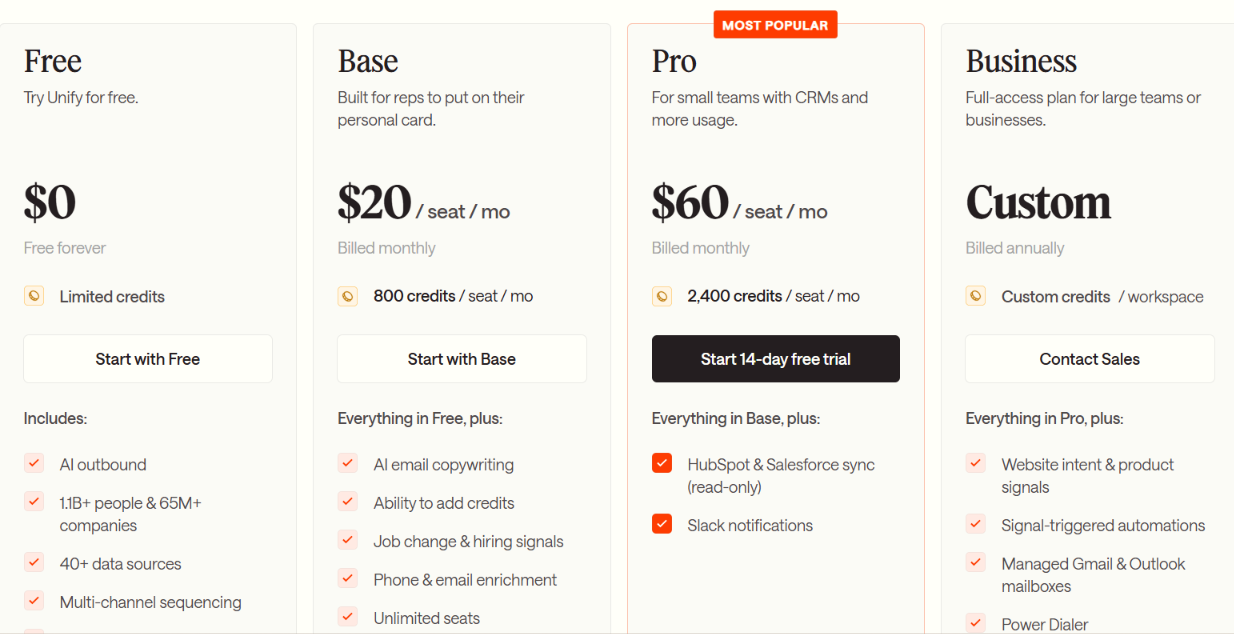
Unify Pricing
This image shows the Unify pricing
Free – $0/month includes limited credits, AI outbound, and up to 3 seats.
Base – $20/seat/month includes 800 credits, job-change and hiring signals, and enrichment.
Pro – $60/seat/month includes 2,400 credits, CRM read-only access, and Slack notifications.
Business – Custom annual pricing includes website and product signals, automated Plays, and full CRM syncing.
Unify is a good choice if you want AI agents to find buying signals and handle prospect research and outreach from the same platform.
5. 6sense – Best for AI-Powered Buying Intent and Account Prioritization
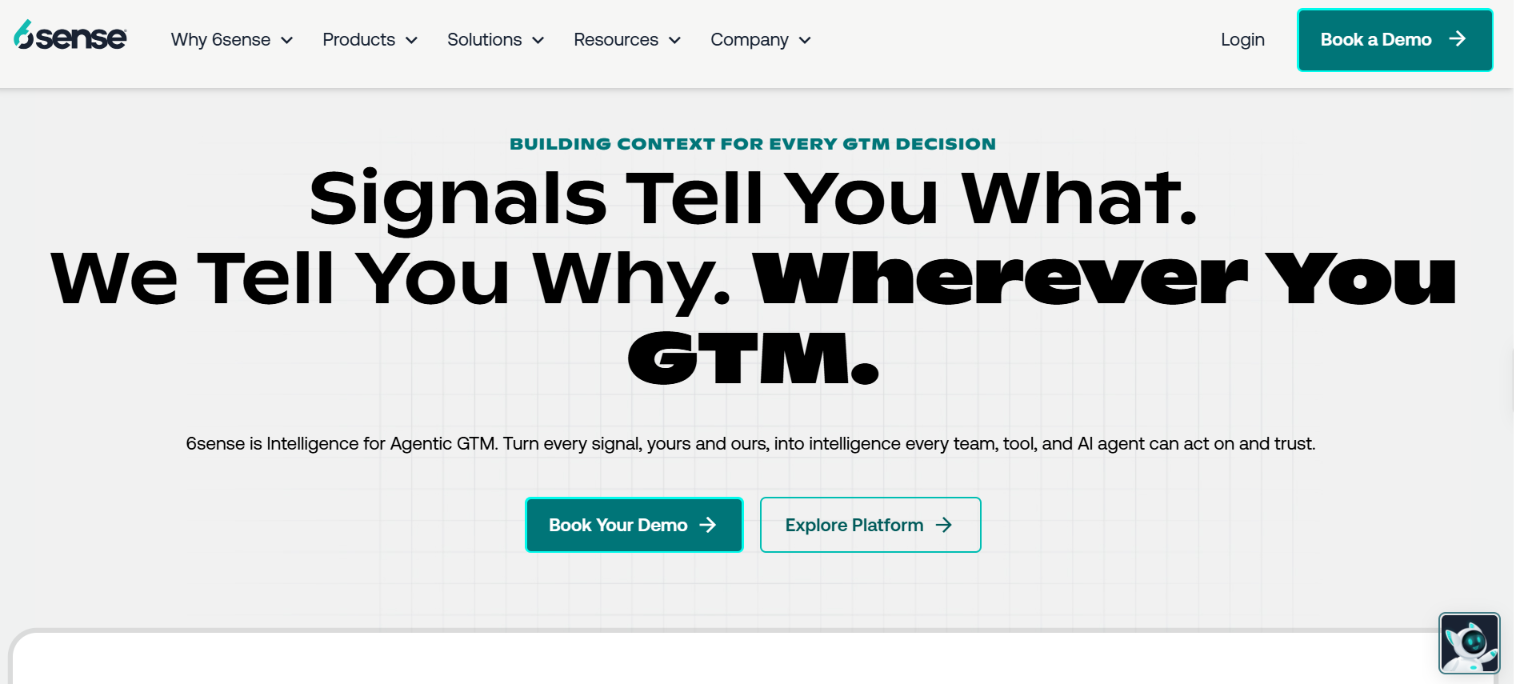
This image shows the 6sense homepage
6sense is a buyer intelligence platform that uses AI to identify accounts showing buying intent and predict where they are in their buying journey.
Its Signalverse™ processes over 1 trillion signals daily, including keyword searches, website visits, CRM activity, and third-party intent data.
6sense uses 6AI™ to study these signals and predict which accounts may be ready to buy. RevvyAI and Sales Copilot help sellers research accounts, find contacts, and prepare outreach. It also offers AI Email Agents that can write, send, and reply to emails based on buyer activity.
How 6sense's AI Uses Buying Signals
6sense looks at several buying signals together instead of treating every website visit or keyword search as a sales opportunity.
Its 6AI engine uses these signals to predict which accounts are interested and how close they may be to buying.
Buyer intent research identifies companies researching specific keywords, products, and competitors.
Website visitor identification connects anonymous website activity to company accounts when a match is available.
Buying-stage prediction uses past CRM data, website activity, and intent signals to estimate how close an account is to buying.
Account scoring ranks companies based on their fit, buying stage, and engagement.
AI account research uses RevvyAI to find account news, recent activity, buying signals, and relevant contacts.
Outreach preparation helps sellers create talking points using account research and CRM information.
Automated outreach uses Intelligent Workflows and AI Email Agents to start campaigns and send personalized follow-ups.
For example, a company might be researching your competitors but hasn't visited your website. 6sense can still identify that research activity at the account level and use other signals to predict whether the company is actively considering a purchase.
Pros of 6sense
Strong buying intent data from multiple sources.
AI predicts buying stages instead of relying on individual signals.
Keyword-level intent shows what companies are researching.
RevvyAI makes account research easier through chat.
AI Email Agents handle personalized emails and replies.
Anonymous website tracking may identify companies without revealing individual visitors.
RevvyAI does not support bulk research across account lists.
Predictive AI requires the appropriate package or add-on.
6sense Pricing
6sense offers custom pricing based on the products and features selected.
Sales Intelligence is available with Data Credits, Predictive AI, or both.
RevvyAI is included at no additional cost for eligible Sales Intelligence customers.
AI Email Agents and Intelligent Workflows should be discussed with sales to confirm package availability and costs.
6sense is particularly useful when you have a large list of target accounts but need help deciding which companies are closer to buying and should be contacted first.
6. Clay – Best for Building Custom AI Buying Signal Agents
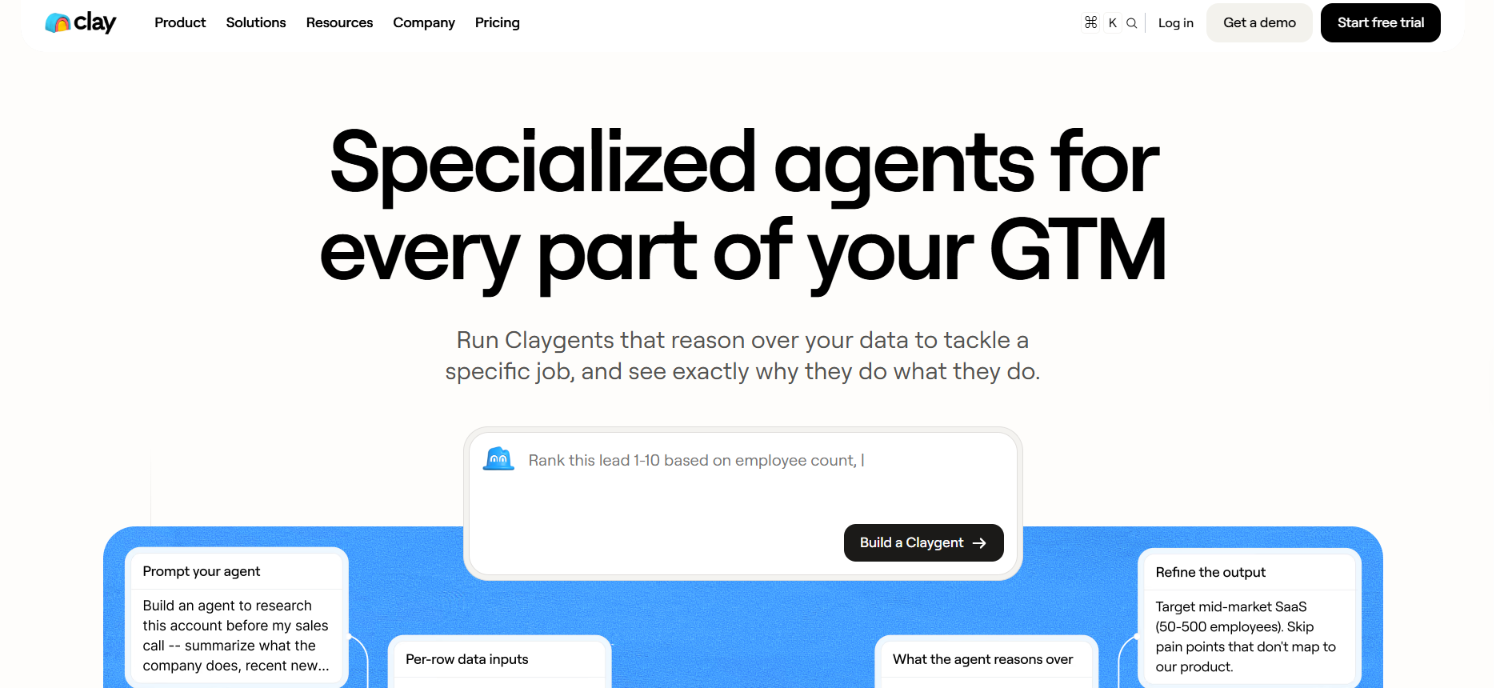
This image shows the Claygent homepage
Clay lets you build AI agents that research companies, find buying signals, and decide which prospects are worth contacting. Its Claygent AI can search the web for information that standard data providers may miss, such as website changes, certification plans, or specific company announcements.
Clay also offers Account Agents that monitor accounts, review new signals alongside CRM history, and recommend what should happen next. You can combine these agents with Clay's 200+ enrichments to find contact details, score leads, and trigger outreach.
How Clay's AI Agents Use Buying Signals
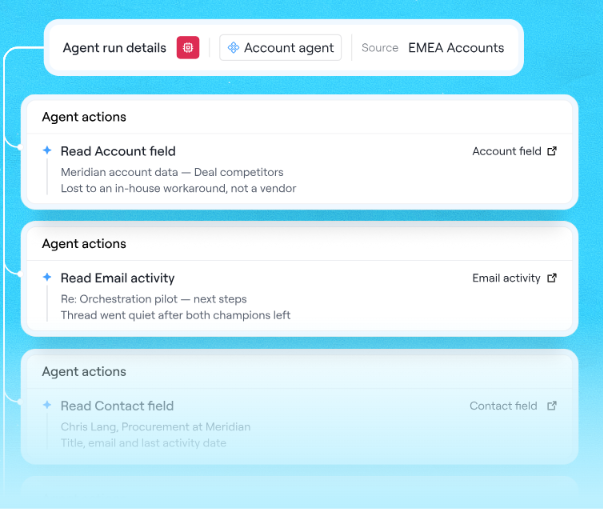
This image shows the Account agent by Clay
Clay has two types of agents that handle signals differently. Claygent researches specific questions, while Account Agents keep track of what is happening across accounts.
Claygent finds custom signals by researching websites, company news, certification plans, and other details you ask it to investigate.
AI research adds context to job changes, funding announcements, and new hires before you decide whether to contact someone.
Custom scoring checks lead fit against your criteria, such as industry, company size, technology, and recent activity.
Account Agents track changes over time using CRM records, previous conversations, and new buying signals.
Account Agents choose the next action from your approved options, such as updating a CRM record or notifying an account owner.
For example, Vanta uses Clay to monitor SOC 2 certification announcements, compliance-related website changes, funding, and CISO job openings. These signals can be combined to identify companies that may need compliance software.
Pros of Clay
Finds custom signals that standard intent tools may miss.
Claygent supports detailed web research and lead scoring.
Account Agents remember past findings and monitor changes.
Combines signals with 200+ enrichment options.
Shows the reasoning behind agent decisions.
Cons of Clay
Custom signals require setting up prompts and workflows.
Account Agents are not available on the Free plan.
Website intent tracking starts on Growth.
AI research costs depend on usage.
Clay Pricing
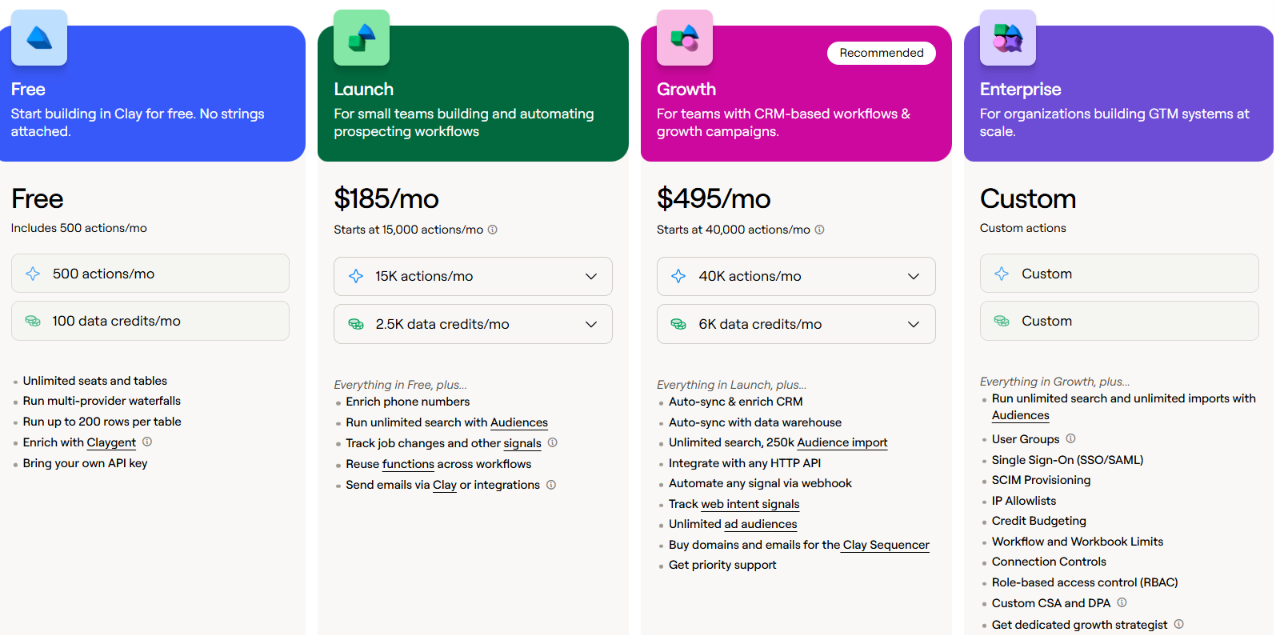
This image shows the Clay pricing
Free – $0/month includes 500 actions, 100 data credits, and Claygent access.
Launch – $185/month includes 15,000 actions, 2,500 data credits, and job-change signals.
Growth – $495/month includes 40,000 actions, 6,000 data credits, website intent, and CRM syncing.
Enterprise – Custom pricing includes custom limits, advanced access controls, and dedicated support.
Account Agents are available in beta from Launch onward. AI usage consumes actions and data credits.
Clay stands out for custom signal research and agents that remember account history, rather than relying only on predefined buying intent alerts.
7. Warmly – Best for Identifying Website Visitors Showing Buying Intent
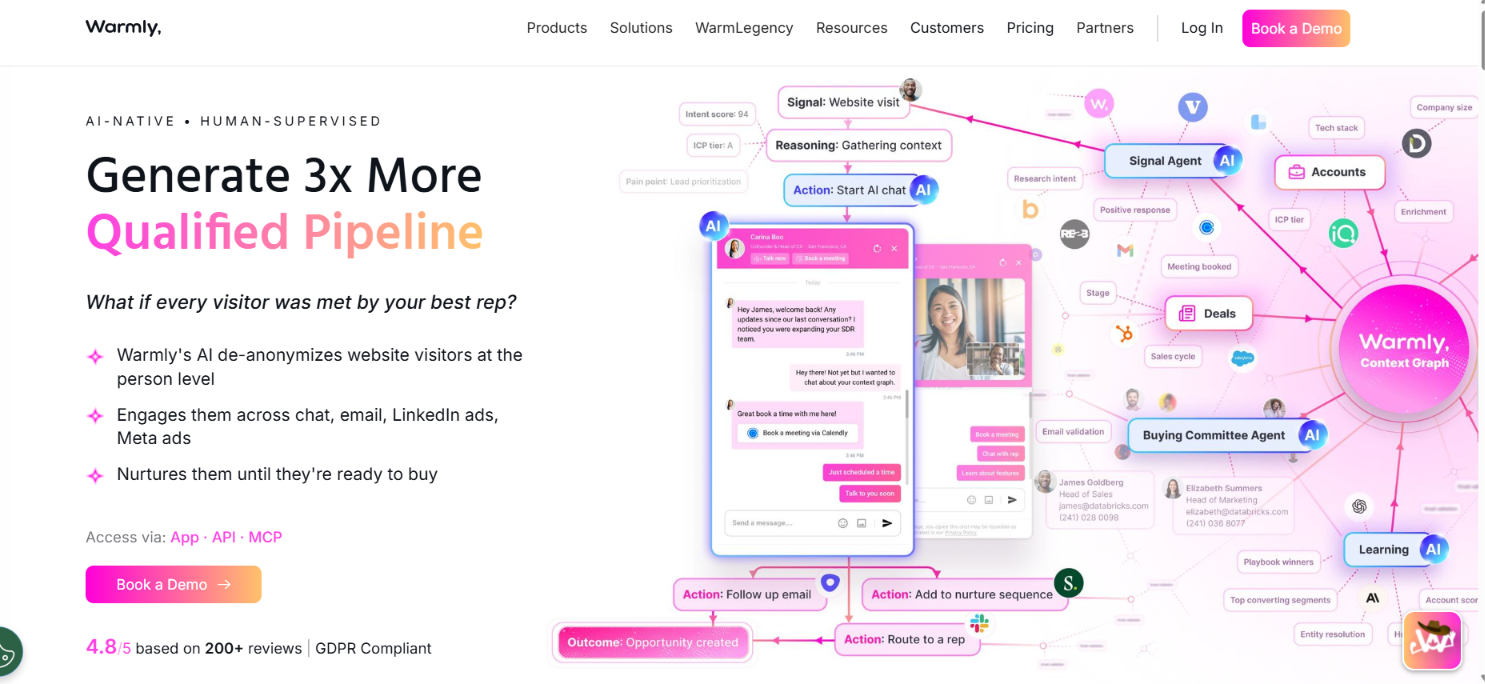
This image shows the Warmly homepage
Warmly helps sales reps identify people visiting their website and find out what they are interested in. For matched visitors, it can show their name, job title, company, and browsing activity, depending on the available data.
Warmly also tracks LinkedIn engagement, hiring activity, job changes, and research intent from outside sources. Its TAM Agent uses these signals to prioritize accounts and trigger follow-ups. Inbound Agent can talk to visitors through AI chat while they are on your website.
How Warmly's AI Uses Buying Signals
Warmly brings together website activity, social engagement, and outside research. Its AI scores accounts based on these signals and can trigger actions when your conditions are met.
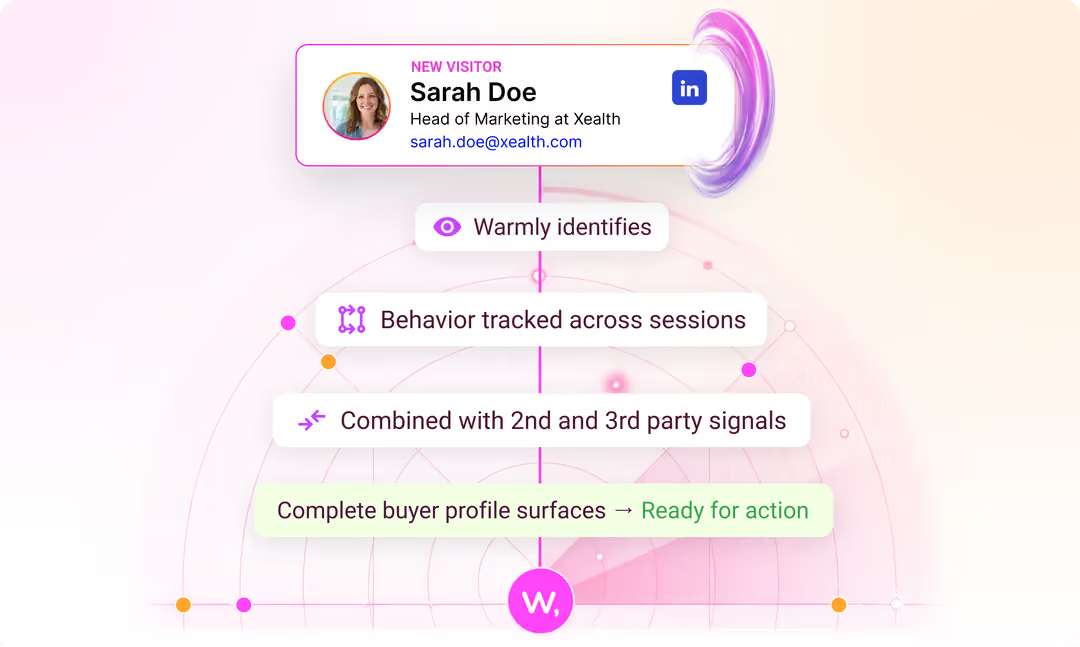
This image shows How warmly uses buying signals
Website activity tracks pricing page visits, return visits, time spent on pages, and chat conversations.
LinkedIn engagement covers profile views, comments, likes, and connection activity, subject to LinkedIn's visibility limits.
Hiring and job changes identify new decision-makers, promotions, open roles, and companies expanding their workforce.
Competitor signals identify complaints in G2 reviews, competitor mentions in LinkedIn posts, and discussions about switching tools.
Bombora intent shows when companies increase their research on topics related to your product.
AI intent scoring weighs signals based on buying interest and past conversion patterns. It also shows which activities contributed to each account's score.
TAM Agent uses your rules to trigger outbound sequences, CRM updates, and Slack alerts when buying signals meet your conditions.
For example, if someone visits your pricing page while their company is hiring SDRs, Warmly can use both signals to score the account and notify the assigned rep.
Pros of Warmly
Can identify website visitors by name and job title when matching data is available.
Website alerts can arrive in under five seconds.
Uses AI to find buying clues in public posts and product reviews.
Shows which signals contributed to an account's intent score.
Can trigger outbound sequences and CRM updates based on buying activity.
Cons of Warmly
Person-level identification typically covers 20–40% of B2B website visitors.
Third-party signals have different refresh schedules and are not always real-time.
LinkedIn profile-view data depends on available permissions and visibility.
Advanced buying signals require a separate paid package.
AI chat and autopilot features cost more than basic visitor identification.
Warmly Pricing
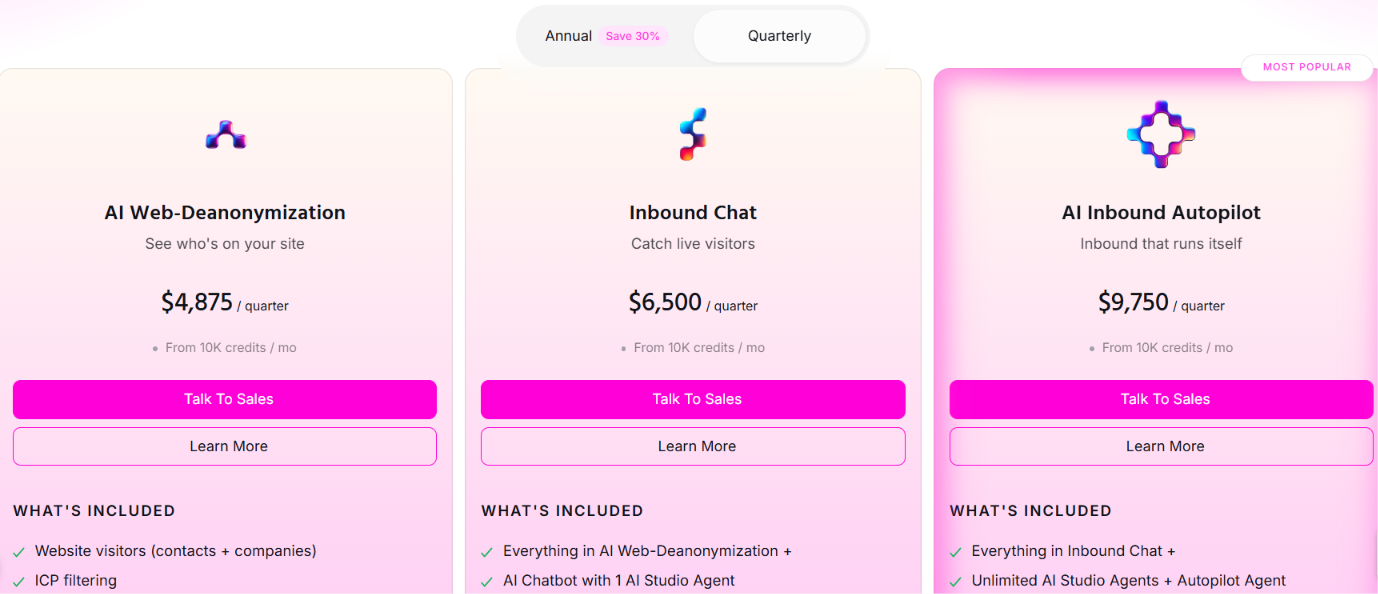
This image shows the Warmly pricing
Warmly offers three main products. These are the starting prices with quarterly billing.
AI Web-Deanonymization – From $4,875/quarter includes visitor identification, real-time alerts, lead routing, and CRM syncing.
Inbound Chat – From $6,500/quarter adds AI chat, live chat, and automated email follow-ups.
AI Inbound Autopilot – From $9,750/quarter includes AI qualification, automated conversations, and follow-ups.
Each main product starts with 10,000 credits per month. Annual billing is also available.
Warmly is a good fit for businesses that want to identify website visitors and act on buying signals quickly. Its third-party research signals can also help find interested accounts before they visit your site.
8. CommunityTracker – Best for Finding Buyers in Online Communities
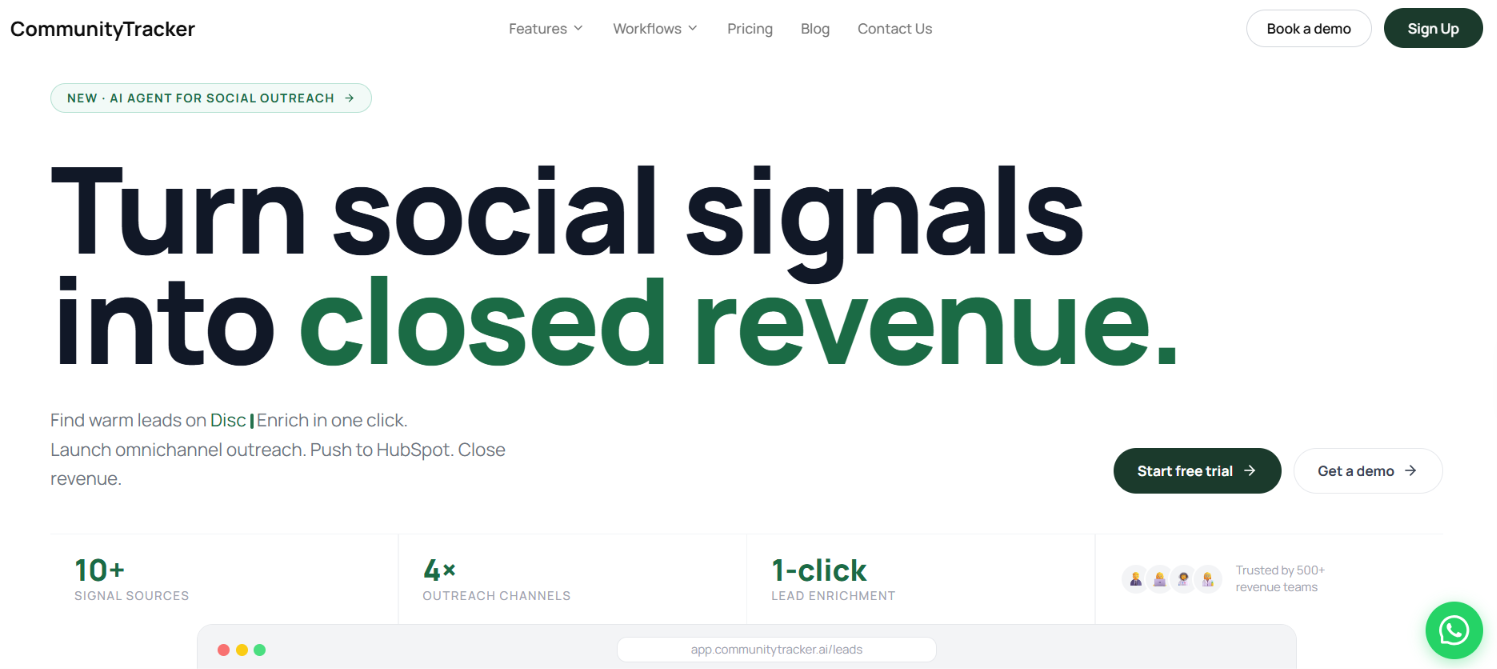
This image shows the CommunityTracker homepage
CommunityTracker focuses on people who openly discuss their buying needs in online communities. It tracks conversations across 12+ platforms, including Reddit, LinkedIn, Slack, Discord, and Hacker News.
Its AI reads these discussions, checks purchase intent, and ranks posts so sales reps can focus on people showing stronger interest. CommunityTracker also offers lead enrichment, outreach automation, and HubSpot integration.
How CommunityTracker's AI Uses Buying Signals
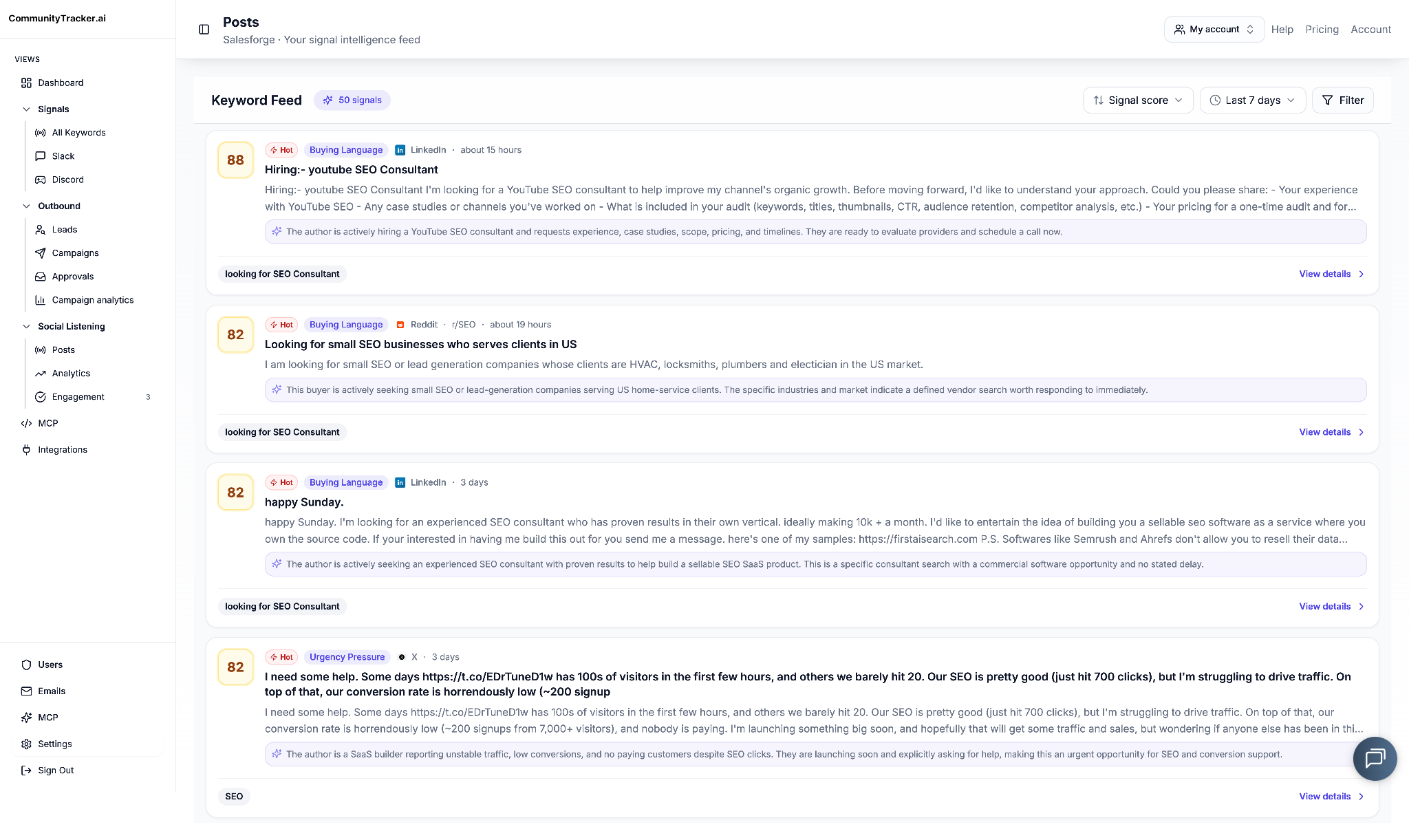
This image shows the Detect buyer intent in real time
Instead of treating every keyword mention as a lead, CommunityTracker looks at what the person is actually saying.
Recommendation requests find people asking which product would solve their problem.
Competitor complaints identify users discussing problems, missing features, or dissatisfaction with their current tools.
Switching intent catches discussions about replacing a current provider.
Pain-point detection finds problems related to your product, even when no brand is mentioned.
Intent scoring checks context and sentiment to rank conversations by buying interest.
Signal-based messaging uses details from the original discussion to draft outreach messages.
For example, a Reddit user might complain about poor reporting in their current sales tool and ask for alternatives. CommunityTracker can identify the post as a buying signal and prepare a response addressing that complaint.
Pros of CommunityTracker
Supports lead enrichment to find available verified emails, LinkedIn profiles, and company details.
Offers email, LinkedIn, Reddit, and AI voice outreach.
Sends alerts to Slack when important conversations appear.
Supports lead assignments and message approvals.
Offers REST API access and supports workflows through n8n, Make, and Zapier.
Cons of CommunityTracker
The free plan only monitors one Reddit keyword.
Starter limits monitoring to four platforms and 5,000 mentions.
AI scoring and full platform access require Pro or higher.
Outreach feature limits are not fully explained on the pricing page.
CommunityTracker Pricing
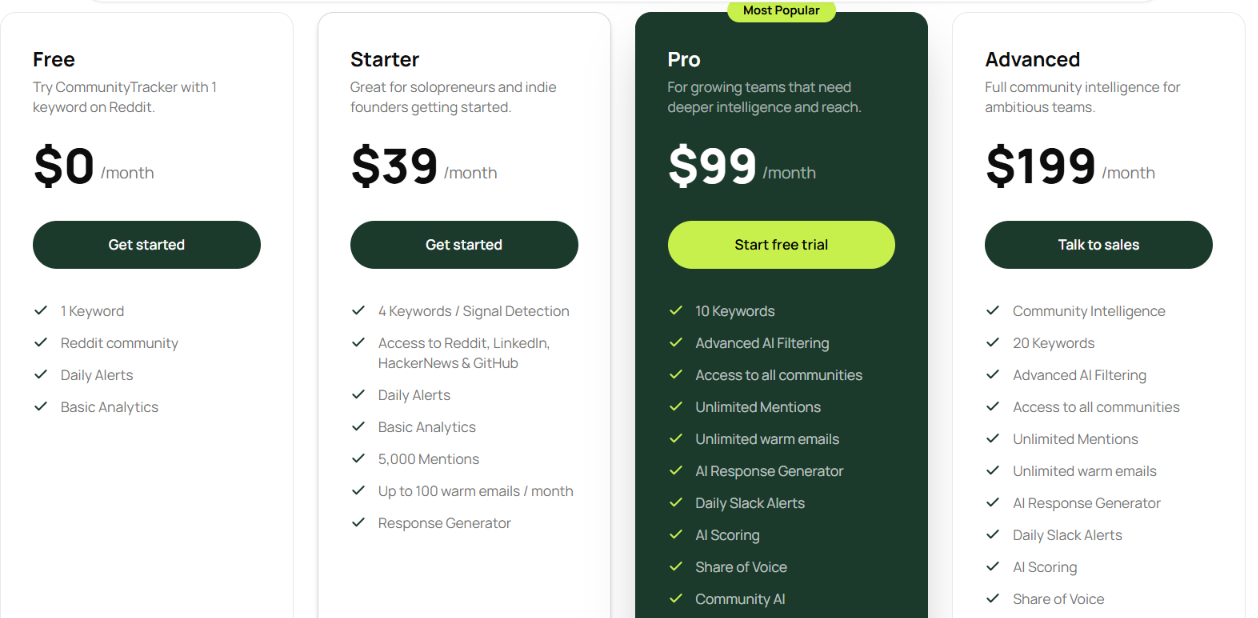
This image shows the CommunityTracker pricing
Free – $0/month includes one keyword, Reddit monitoring, and daily alerts.
Starter – $39/month includes four keywords, 5,000 mentions, four platforms, and up to 100 warm emails monthly.
Pro – $99/month includes 10 keywords, all supported communities, unlimited mentions, AI scoring, and Slack alerts.
Advanced – $199/month includes 20 keywords, Community Intelligence, share-of-voice exports, and AI visibility.
CommunityTracker is best suited to sales reps who want to find buyers through online discussions rather than company-level signals such as funding or hiring.
Which AI Signal Agent Should You Choose?
Your choice depends on the buying signals you want to track and whether you need AI to research prospects, prioritize accounts, or handle outreach.
Your Requirement
Recommended AI Signal Agent
Find prospects and automate email and LinkedIn outreach
Agent Frank
Track past champions, job changes, and promotions
UserGems
Connect website visits, product usage, and community activity
Common Room
Trigger outbound campaigns based on buying signals
Unify
Identify accounts researching products and predict buying stages
6sense
Research custom signals and monitor account changes
Clay
Identify website visitors and track their buying activity
Warmly
Find prospects asking for recommendations or alternatives online
CommunityTracker
Before deciding, check the plan limits. Some features, including Unify's automated Plays, Common Room's Product Signals, and Warmly's advanced intent signals, require higher plans or paid add-ons.
Personalized Outbound Strategy
Get The Right Outbound Strategy In Minutes
Enter your email to get a custom plan & stack recommendation for your
business
It's being carefully crafted by AI
Please check your mailbox in 5 minutes
Conclusion
If your sales reps already have a list of target accounts, the next question is which ones have a reason to buy right now.
UserGems helps find former champions at new companies. 6sense uses intent data to rank accounts by buying stage. Clay lets you investigate specific events, such as hiring for a role or adopting a new technology.
These are different ways to decide who deserves attention.
But if you also want AI to find the right contacts, write messages based on prospect research, and manage follow-ups, Agent Frank by Salesforge is a better fit.
It searches 500M+ contacts through Leadsforge, checks company activity and potential pain points, and uses that research to prepare email and LinkedIn outreach. You can review its work in Co-Pilot or let Auto-Pilot manage prospecting, follow-ups, and meeting booking.
Explore Agent Frank if you want to move from identifying prospects to contacting them without managing each step manually.
Book more meetings on autopilot
Set up in minutes. No per-seat pricing. No commitment.
Compare 5 AI inbox managers for cold email and sales outreach. See how Salesforge, Smartlead, Instantly, Reply.io, and Saleshandy handle replies, AI features, and pricing.
Compare 11 AI agents for tracking buying signals in sales. See which tools help spot funding, hiring, job changes, and buyer intent, plus features and pricing.


.jpg)

.jpg)
.jpg)
