
Personalized Outbound Strategy
Get The Right Outbound Strategy In Minutes
Enter your email to get a custom plan & stack recommendation for your business
It's being carefully crafted by AI
Please check your mailbox in 5 minutes
Let's say you're looking for HR directors to pitch your payroll software. You search for HR email lists and find providers claiming millions of contacts.
But how many of those contacts are actually HR directors? Can you filter out recruiters and HR assistants? And do you have to spend credits before you know if the work email is valid?
Those are the questions worth asking before choosing an HR email list provider.
I've compared 7 HR email list providers in 2026 based on how they help you find the right HR contacts, verify work emails, and what they charge for the data.
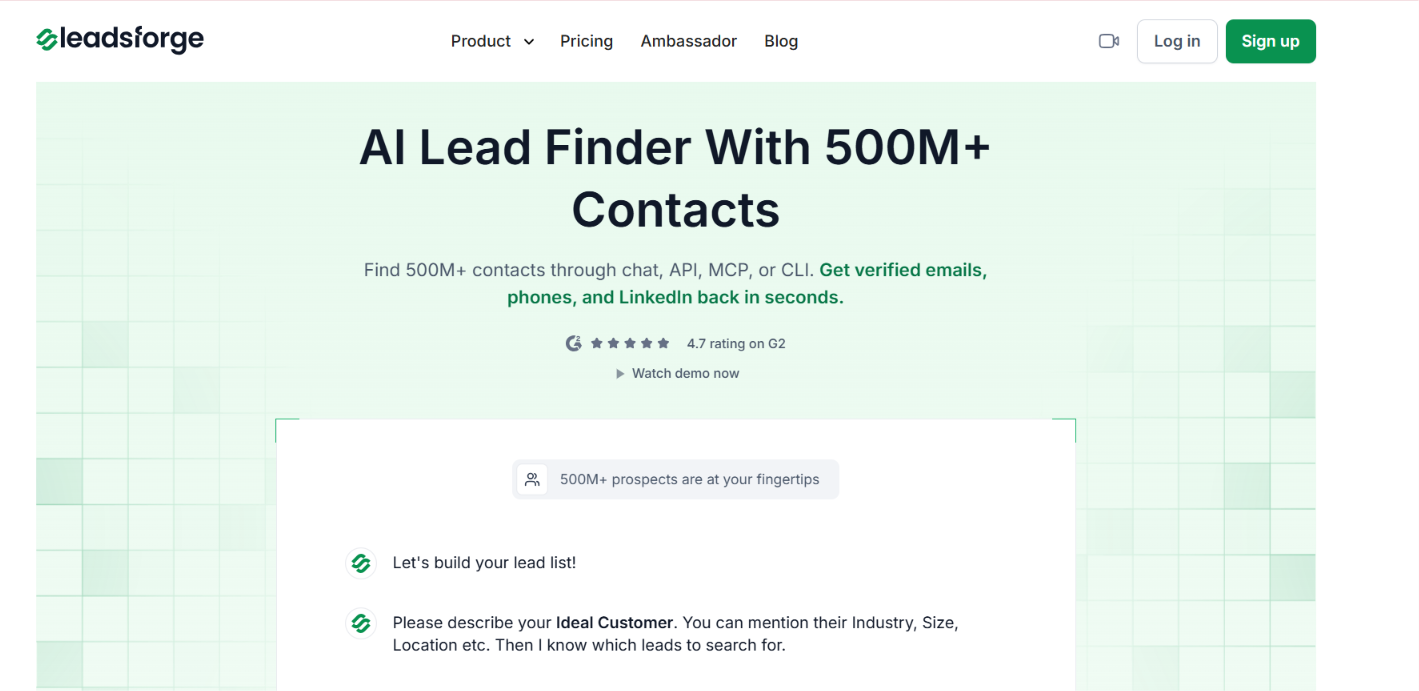
Leadsforge is a B2B lead finder with 500M+ contacts. You can search for HR prospects by job title and location. You can also narrow the list by industry and company size. Other company filters are available too.
You don't have to set every filter yourself. Leadsforge has an AI Assistant where you can describe the HR contacts you want in plain words. It then sets up the search for you.
For contact data, Leadsforge checks 20+ B2B data providers. If one source does not have the requested data, it checks another. You can get verified work emails, phone numbers, and LinkedIn profiles.
You can start by choosing the HR roles you want to reach. For example, you could search for HR Directors, CHROs, Heads of HR, or VPs of Human Resources.
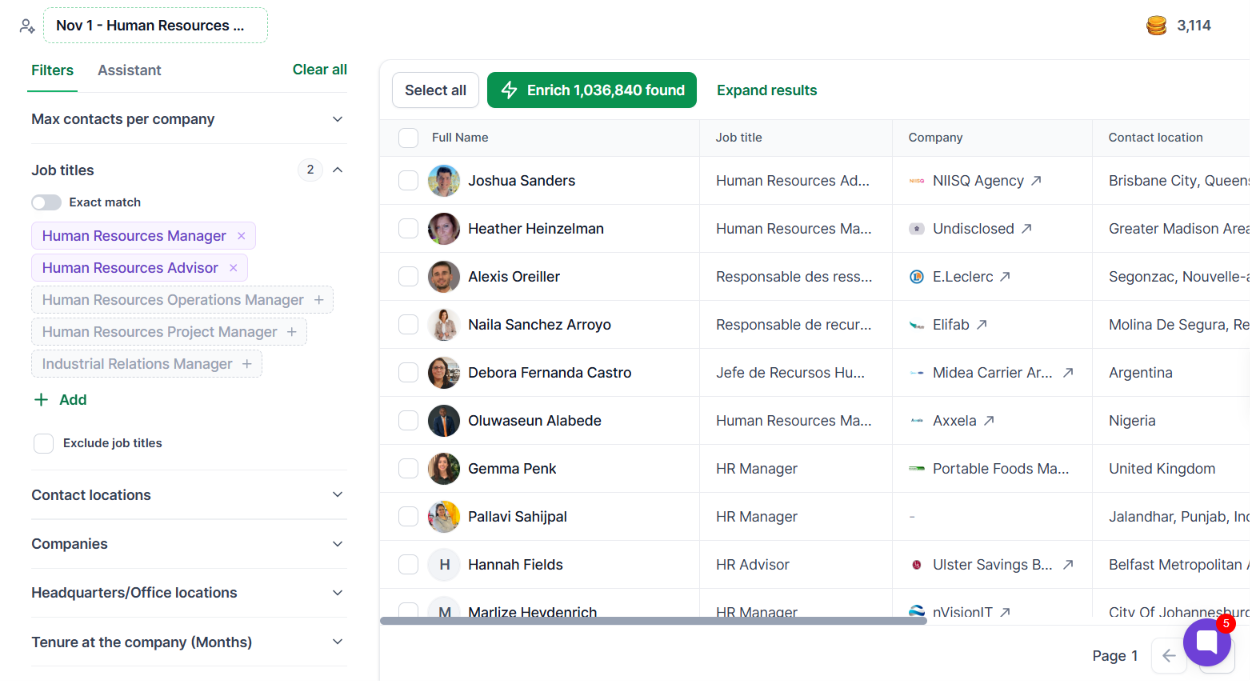
You can then narrow the results by location or company details. Leadsforge supports filters such as industry and company size.
You can also use the AI Assistant instead of setting up the search yourself. Describe your target in a sentence such as: “HR directors at SaaS companies in the US with 200-1,000 employees.”
The Assistant sets up the search, and you can adjust the filters afterward. If you want to build the list around something that recently happened, you can use Signals.
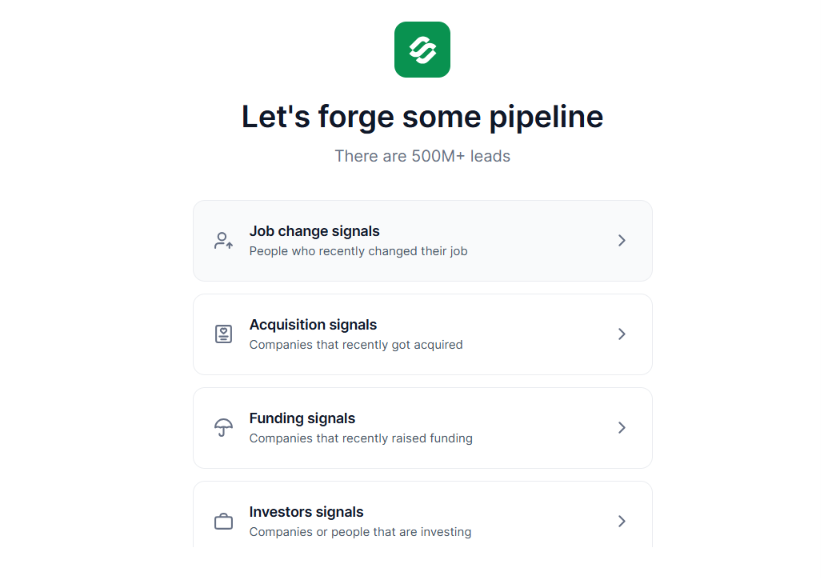
For example, Job Change Signals can surface HR professionals who recently moved to a new company or role. Leadsforge also has signals for funding, acquisitions, and investors. This gives you another way to find HR prospects when there is a specific reason to reach out.
Once you have the right contacts, you can request their verified work emails, phone numbers, or LinkedIn profiles. Leadsforge checks 20+ providers through its waterfall enrichment to find the requested contact data. Your finished list can be exported as a CSV or sent to Salesforge.
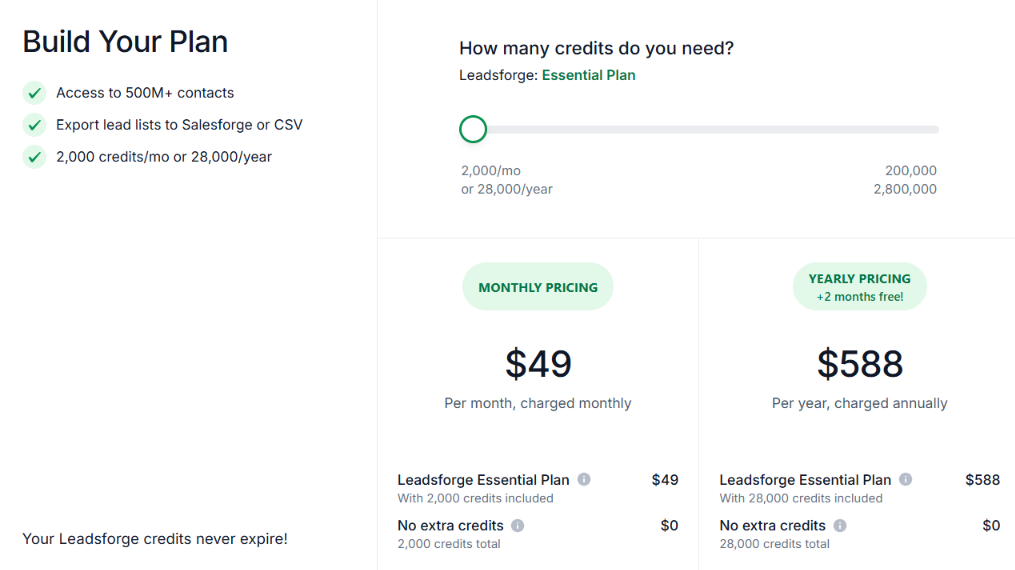
The Essential plan costs $49 per month and includes 2,000 credits. The annual plan costs $588 per year. It includes 28,000 credits upfront.
A verified email costs 1 credit. A verified phone number costs 10 credits. You also get 100 free credits when you create an account. Unused credits roll over and do not expire.
Enter your email to get a custom plan & stack recommendation for your business
Please check your mailbox in 5 minutes

ZoomInfo is a B2B database with 500M+ contacts and 100M+ companies. For an HR email list, the main advantage is how specific the search can get. You can narrow HR contacts by their role and the type of company they work for.
ZoomInfo also gives you company data alongside the contact record. This helps when you want HR managers from a certain industry or company size instead of everyone with an HR title.
Your HR search can start with the Current Role filter. The directory you provided shows HR Manager as one example.
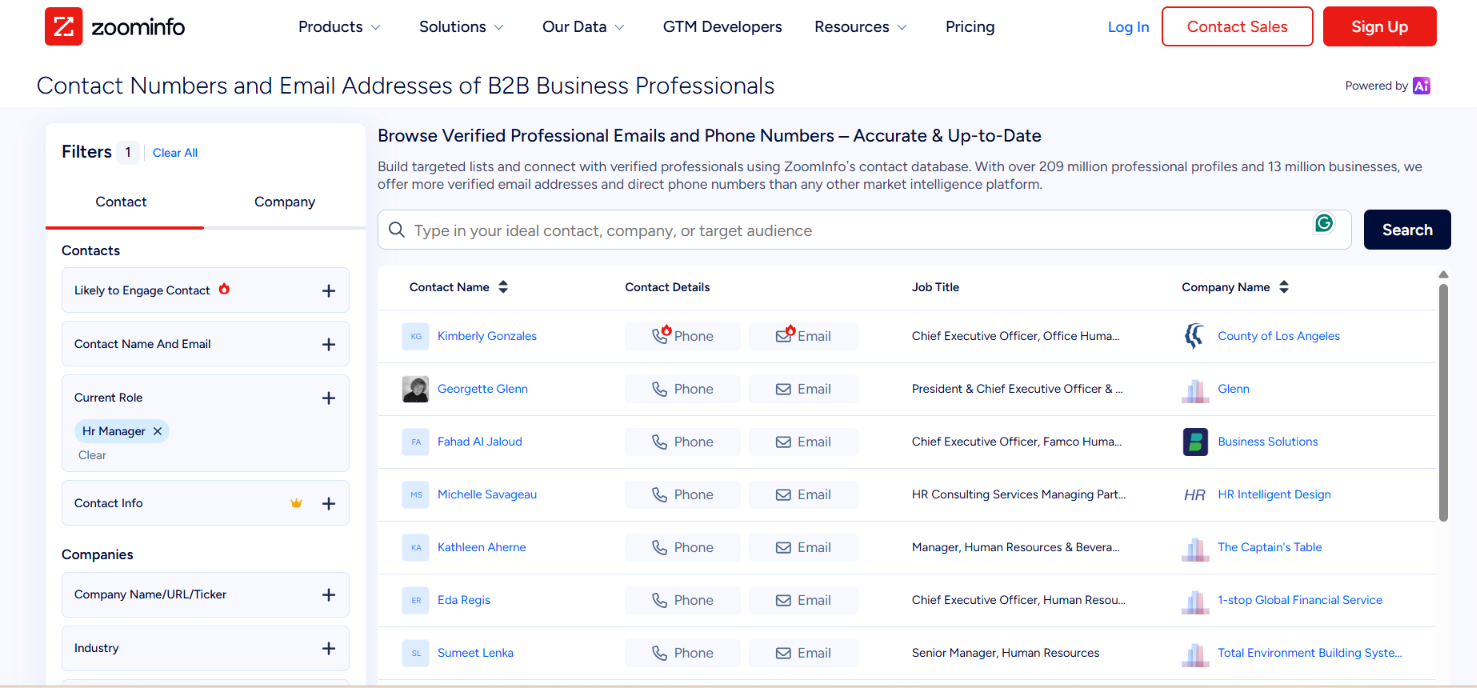
From there, you can narrow the companies by industry, employee count, revenue, or location. ZoomInfo also supports 300+ company attributes, including technology stack and funding data.
Once you have the right people, their profiles can include business emails and phone numbers. ZoomInfo Sales lists 174M+ verified email addresses and more than 70M phone numbers across its database. You can also check department org charts if you need to see other decision-makers at the same company.
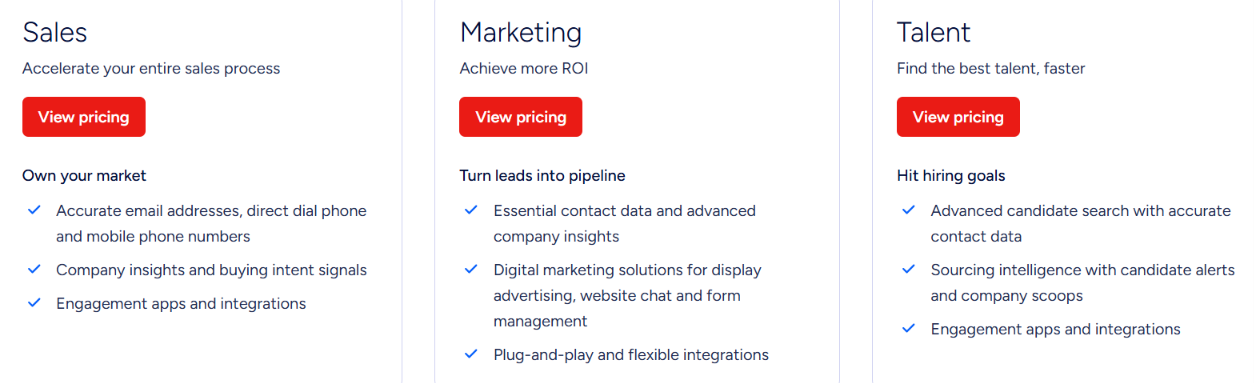
ZoomInfo uses a consumption-credit model. Your cost depends on how much data you use and which workflows you run.
You can also use ZoomInfo Lite for free. It does not require a credit card. A free trial of the full platform is available too
Cognism is a B2B sales intelligence platform with a strong focus on European contact data. For HR prospecting, you can search by job title, seniority, or department. This is useful because the person responsible for HR may be listed as CHRO, HR Director, Head of People, or another title.
Cognism also lets you filter for contacts with verified emails or verified mobile numbers. So you can build the list around the contact data you actually need.
Cognism gives you several ways to define an HR audience. You can search specific job titles or combine department and seniority to find decision-makers whose titles differ between companies.
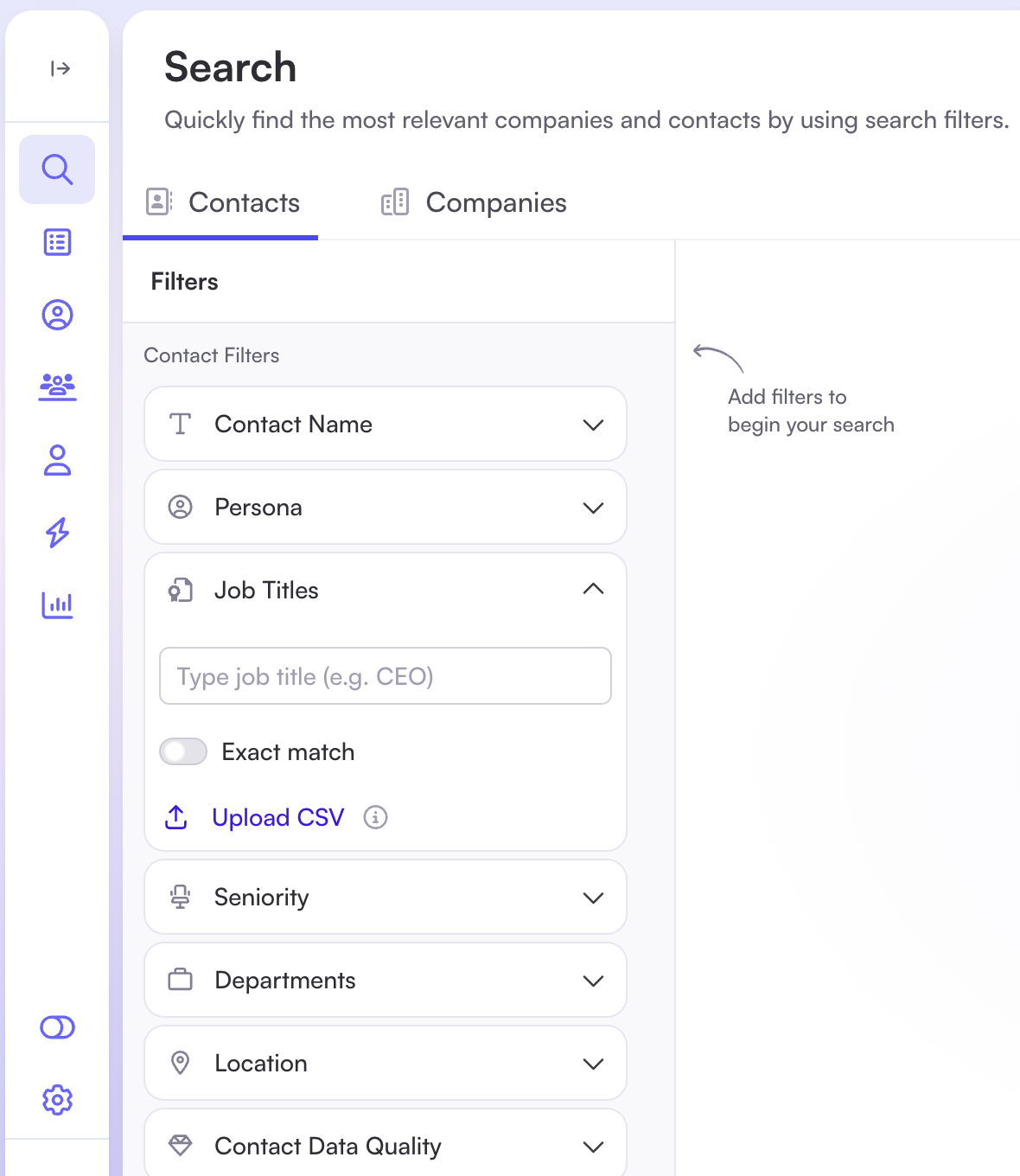
Its own HR example includes HR Director, CHRO, Head of People, and Director of Employee Engagement. You can also include or exclude individual titles from the results.
Company filters cover headcount, revenue, industry, location, technology usage, and other criteria. For a quicker search, Cognism's AI Search accepts plain-language requests such as HR managers in Berlin at companies using Salesforce.
The Contact Data Quality filters can limit your list to contacts with verified emails or verified mobile numbers. Finished lists can be exported as CSV files or sent to a connected CRM.
Cognism offers Standard and Pro for sales prospecting. Both currently include five seats.
Standard includes the core contact and company data, AI Search, CSV enrichment, and API access. Pro adds features such as on-demand mobile verification and intent data.
Cognism uses credits to reveal, enrich, or export contacts. One credit reveals one contact, and previously revealed contacts can be viewed again without another charge. Extra credits can also be purchased.
Cognism does not publish a fixed price on its main pricing page. You need a quote based on the package and setup you choose.
Apollo gives you access to 240M+ contacts across 30M+ accounts. You can use that database to build an HR contact list and handle the outreach from the same platform.
Instead of searching for HR contacts one title at a time, you can narrow a larger group by role and company. This works well if you need HR decision-makers from a particular market or company size.
Apollo lets you search for specific HR roles through its Job Titles filter. For example, its own prospecting guide uses HR Manager as a search example. You can narrow those results by location, industry, company size, or revenue.
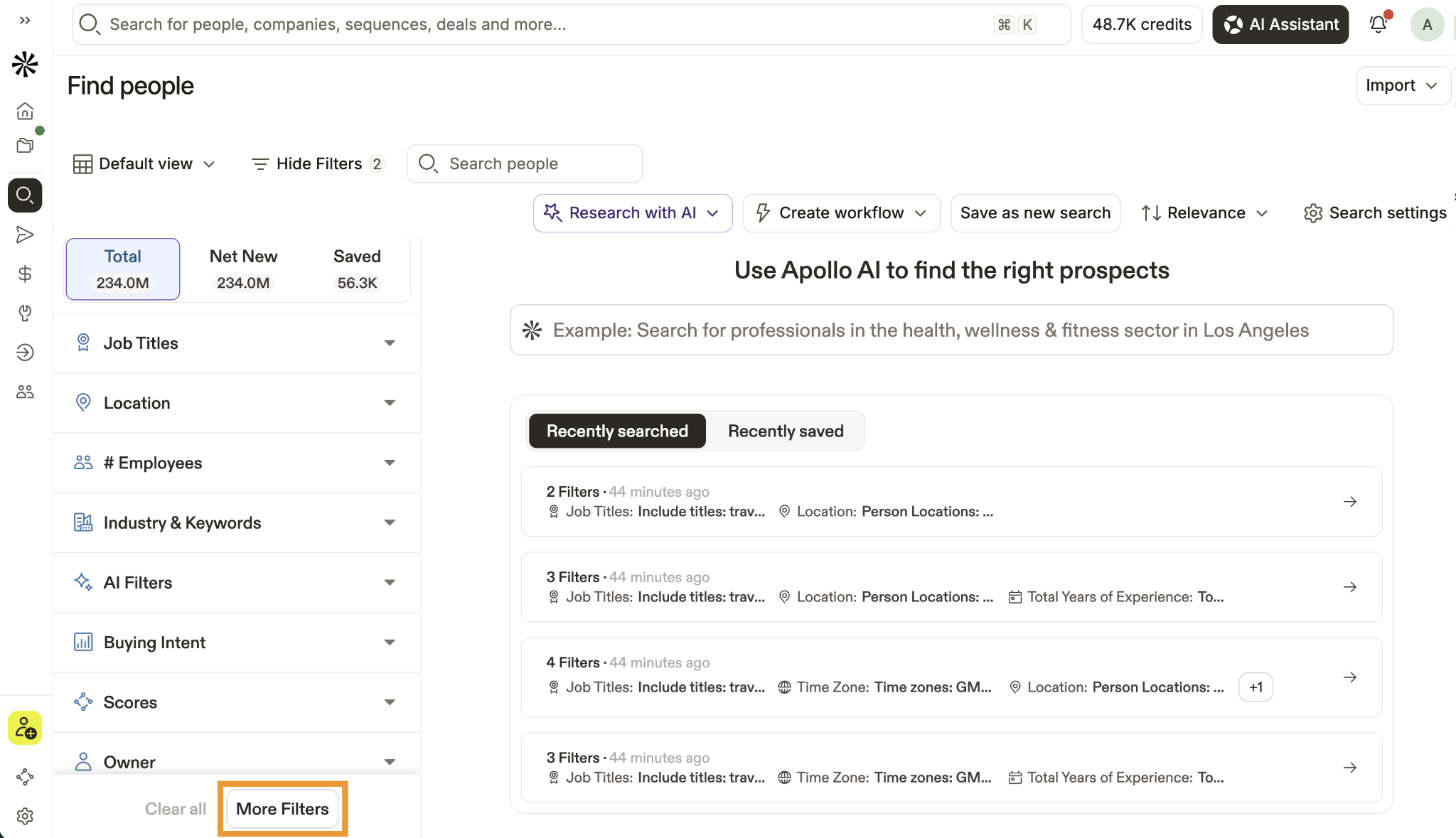
From there, the Email Status filter helps you narrow the list based on the status of each contact's email.
Apollo also connects prospecting with outreach. Your selected HR contacts can be saved to a list or exported to CSV. You can send them to your CRM or add them directly to an Apollo sequence.
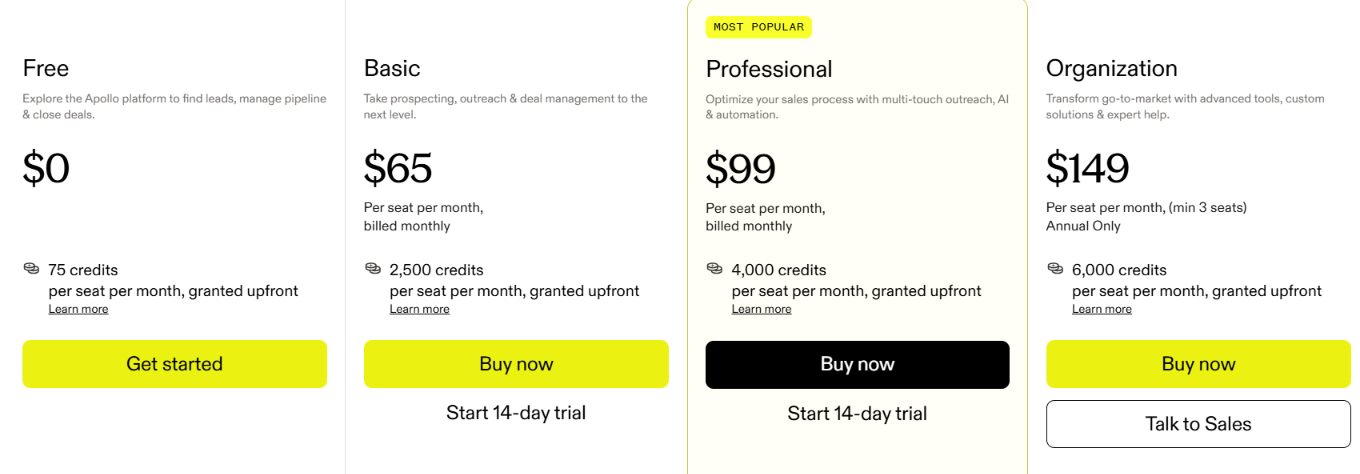
Apollo has four main plans:
Apollo charges 1 credit for a verified email and 8 credits for a phone number. Unused credits expire at the end of each billing cycle.
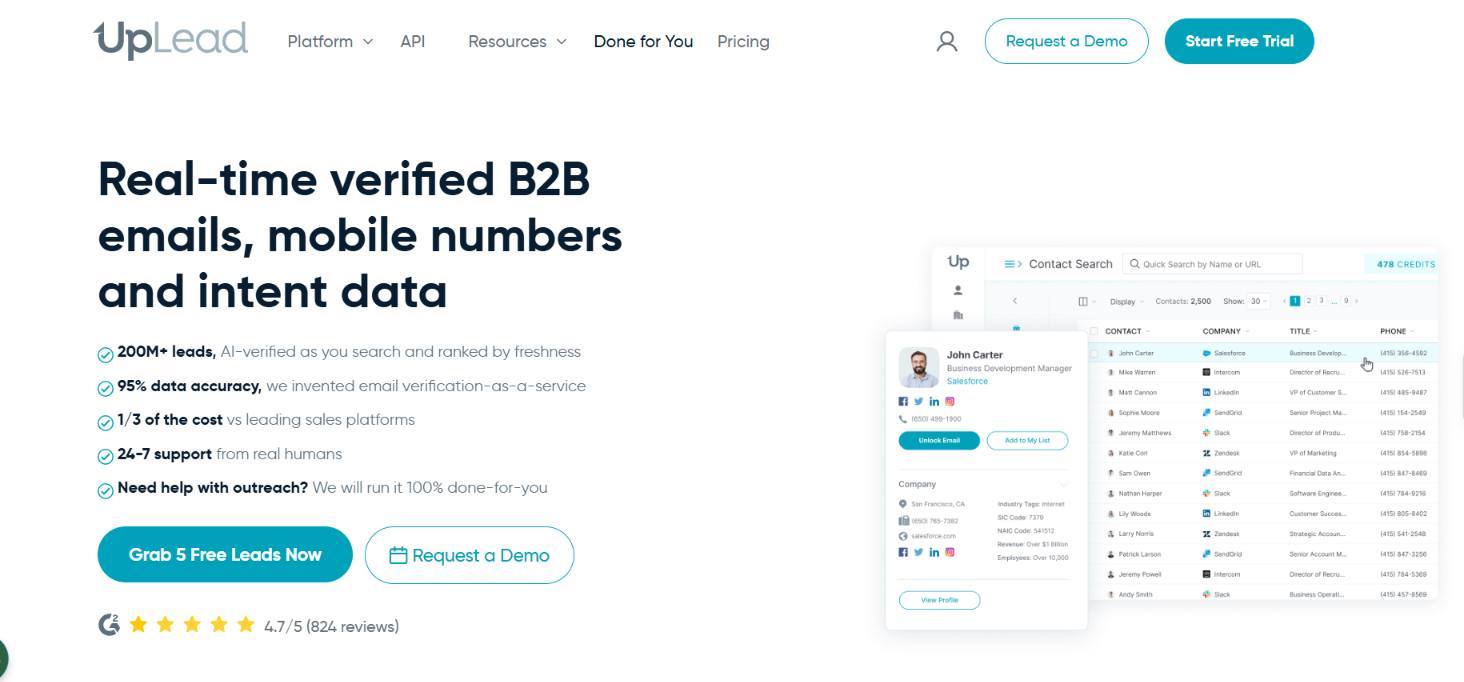
UpLead gives you access to 200M+ B2B contacts across 200+ countries. You can narrow that database down to the HR people you actually want to reach.
For example, you can search by job title, job function, management level, location, industry, company size, and revenue. So your list could focus on HR Directors at larger companies or HR Managers in a specific industry.
The useful part for email outreach is what happens when you unlock a contact. UpLead checks the email in real time before showing it to you. It also states a 95% data accuracy guarantee and refunds credits for poor data.
You can search for specific HR titles or use Job Function and Management Level when you want a broader list.
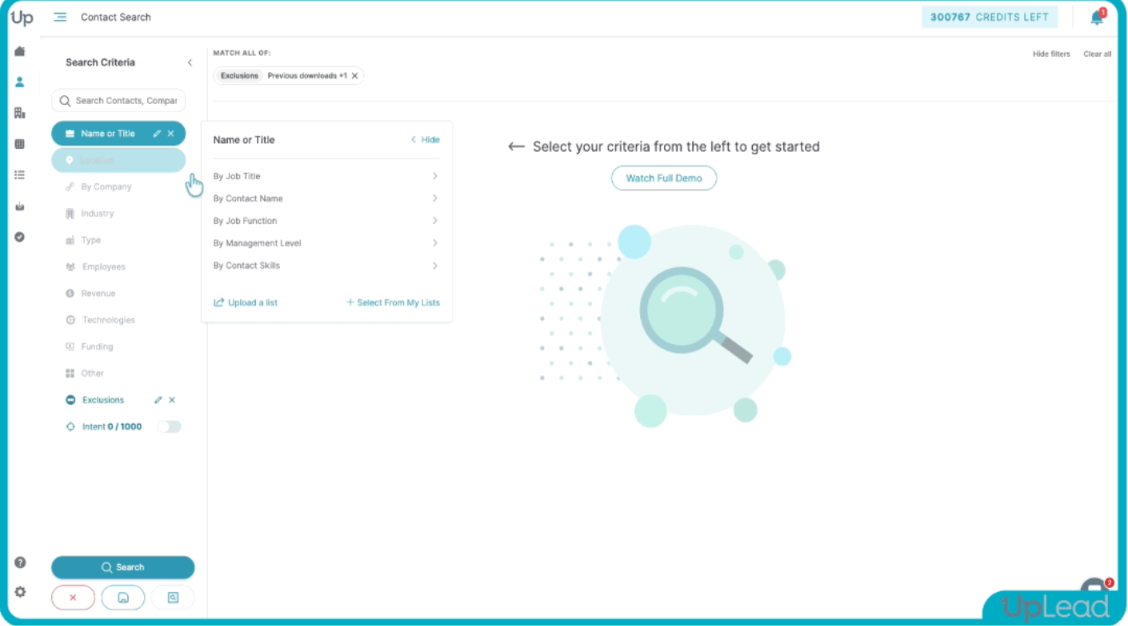
From there, company filters let you narrow the results by industry, employee count, revenue, location, or technology used. You can also exclude titles or companies you do not want in the list.
Once you have the right contacts, UpLead verifies their emails when you unlock or download them. The finished list can be downloaded as a CSV or sent to a supported CRM.
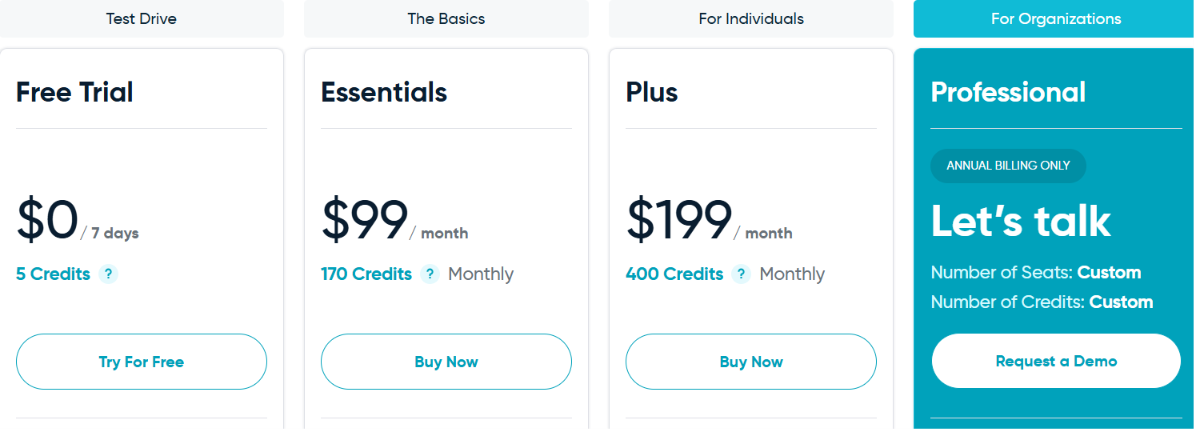
UpLead has a 7-day free trial with 5 credits.
One credit unlocks one contact for download or CRM export and gives you access to its available email and mobile direct dial.
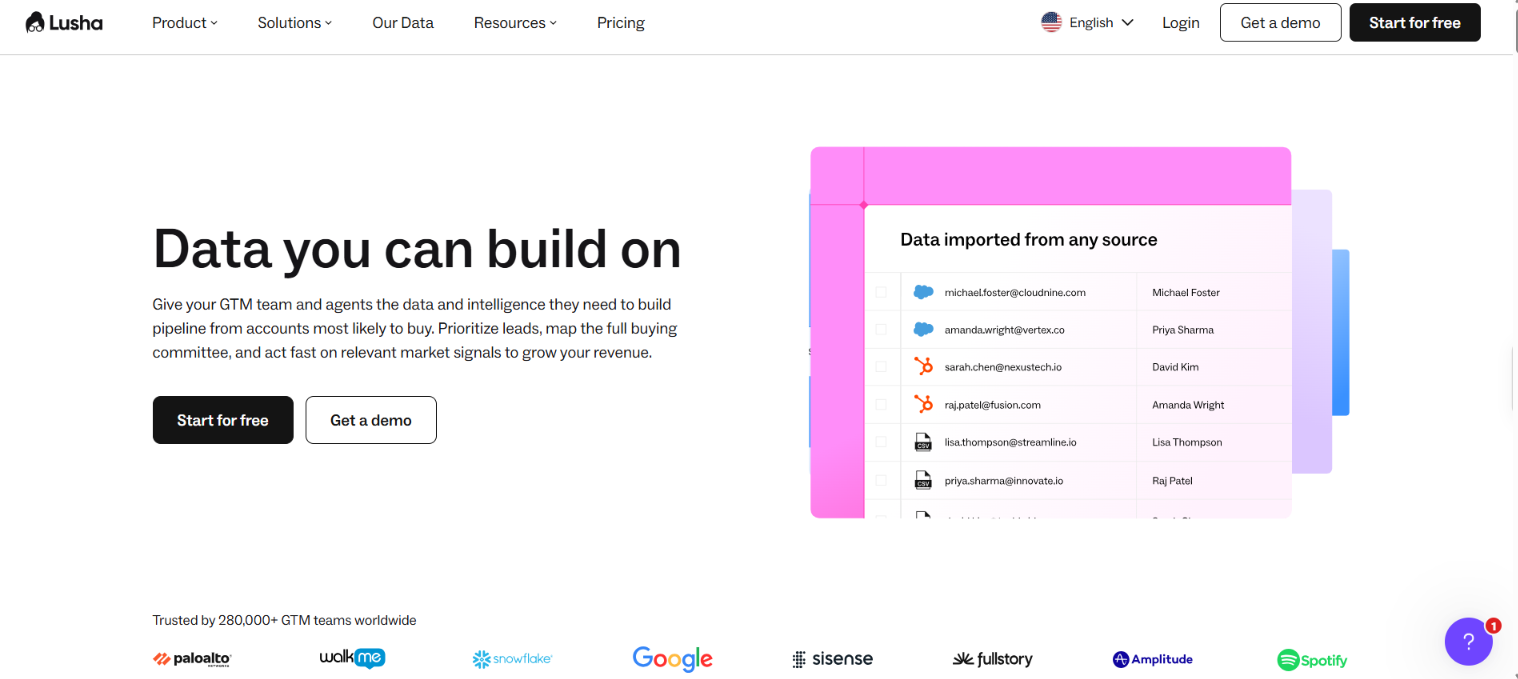
Lusha is a B2B contact database with 515M+ contacts. You can use it to find HR professionals and get their work emails or phone numbers.
It also has a Chrome extension for prospecting on LinkedIn and other supported websites. If you want to contact prospects without moving them elsewhere, Lusha has built-in email sequences too.
Lusha lets you search by job title, department, and seniority. This helps you target specific HR roles instead of searching through a broad employee list.
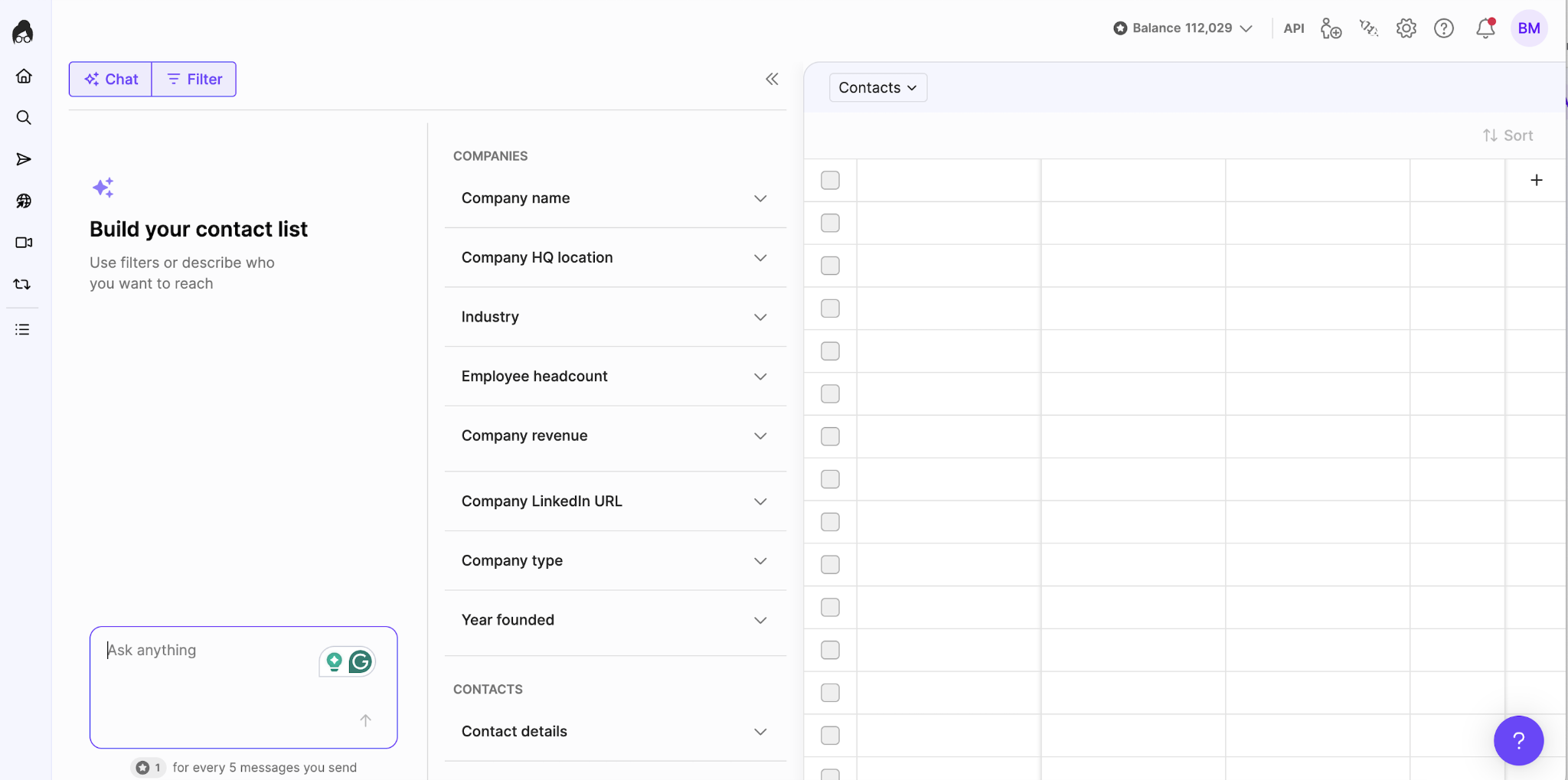
You can narrow the companies by industry, location, size, or revenue. The Contact Details filter can then show people with a work email or a specific type of phone number. Once you have the contacts you need, you can save them to a table. Lusha also supports CSV and CRM exports.
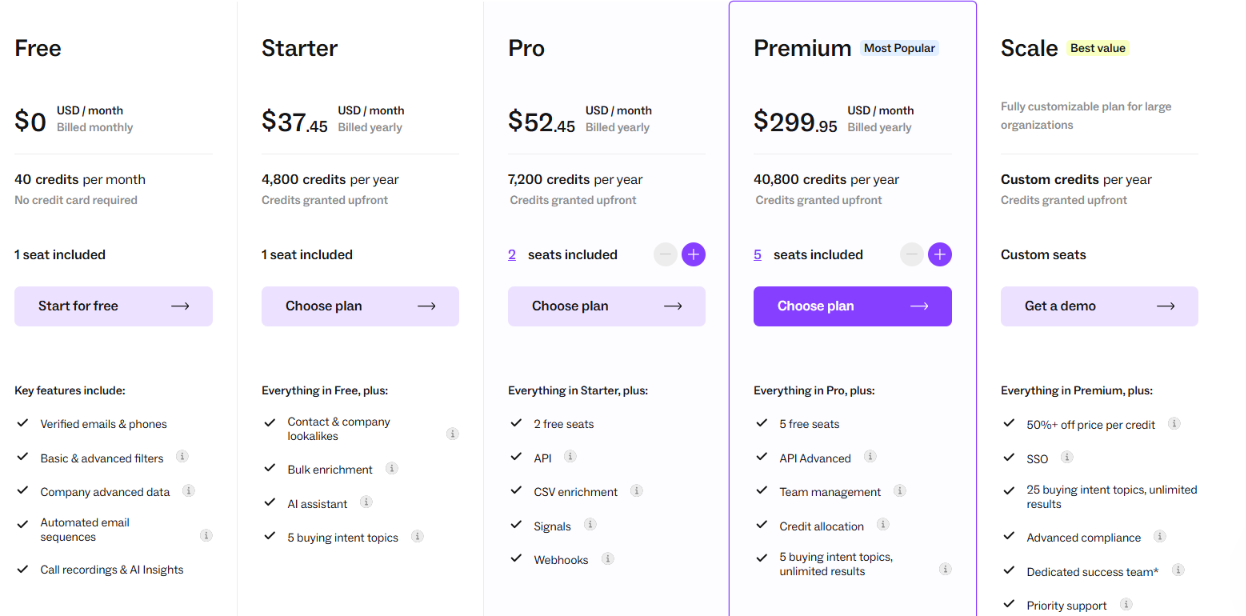
Lusha has a Free plan with 40 credits per month.
Starter costs $37.45 per month when billed yearly and includes 4,800 credits per year. Pro costs $52.45 per month with 7,200 annual credits. Premium costs $299.95 per month with 40,800 annual credits.
A verified email costs 1 credit. A phone number costs 5 credits. The Scale plan uses custom pricing.
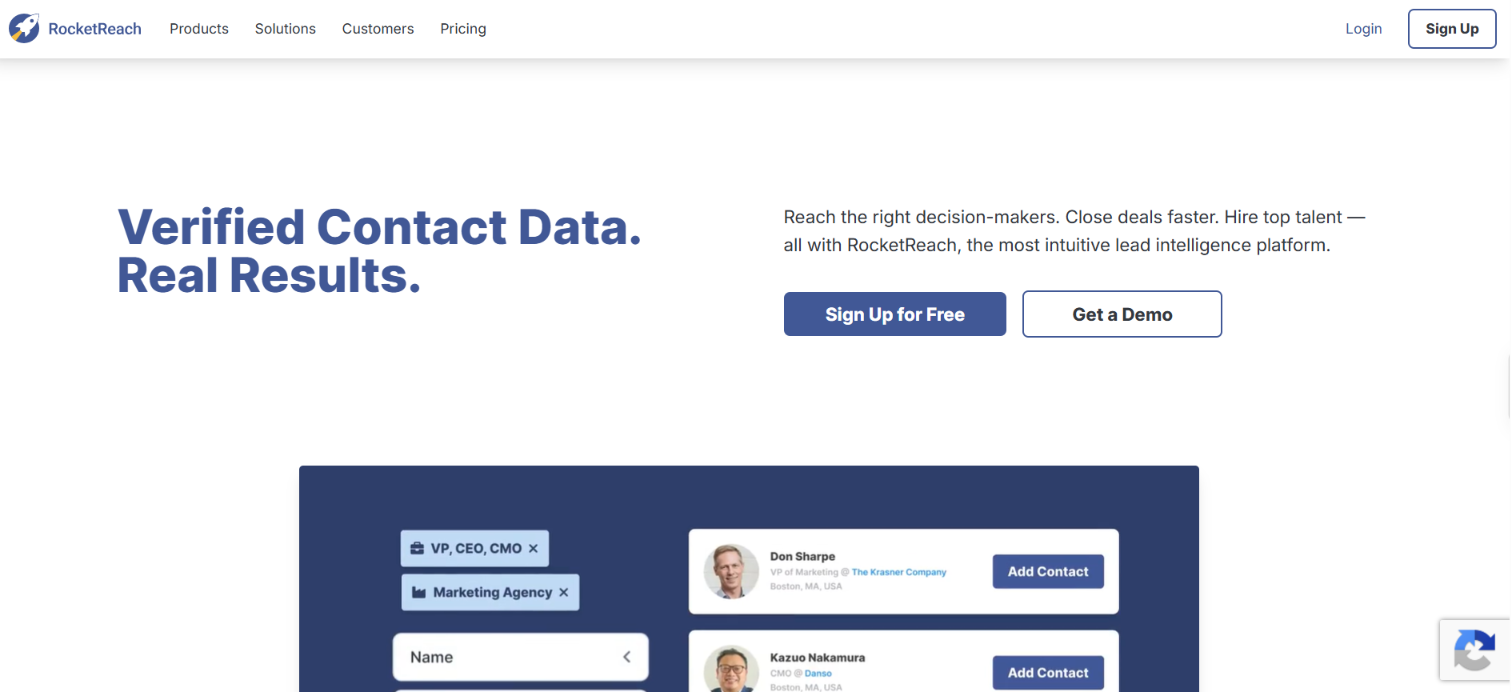
RocketReach is a contact database with 700M professional profiles and 60M companies. Its data includes 1B+ email addresses and 135M+ phone numbers.
A useful difference is how RocketReach handles a lookup. It runs email prediction and verification checks in real time when you request a contact. RocketReach reports 90%+ deliverability for verified emails and 98% for A-grade contact profiles.
It also works well when you already know who you want to reach. You can look up a person through RocketReach or use its Chrome extension while researching them online.
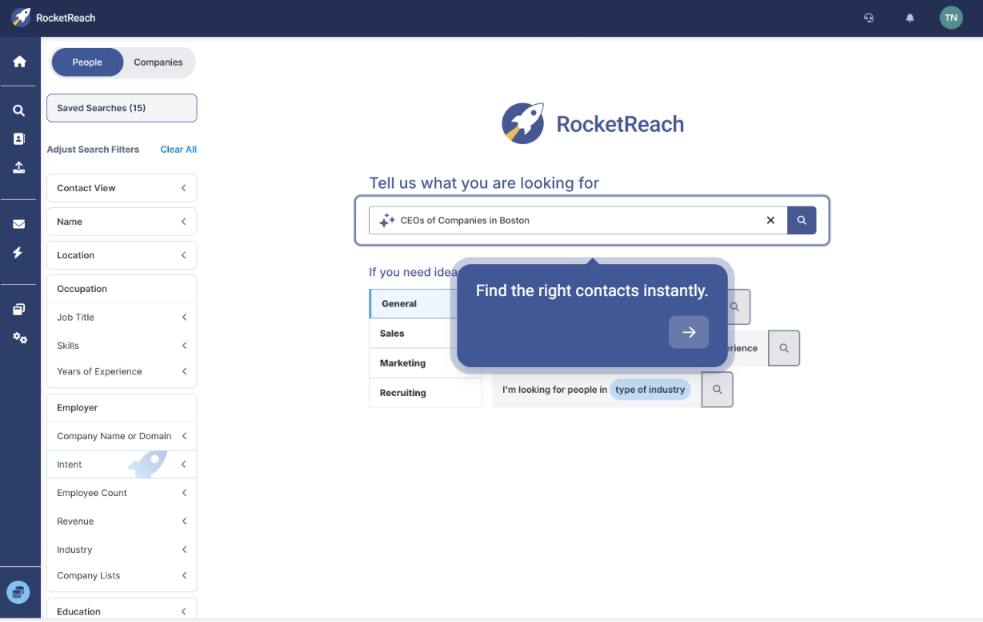
RocketReach has 100+ search filters for building targeted prospect lists. You can search for HR roles and narrow the results by factors such as location and industry.
If you are looking for one specific HR professional, you can search for that person directly. RocketReach shows available professional emails and phone numbers based on your plan.
You can save selected contacts to a list or export them. RocketReach also has Messages and Sequences if you want to email those contacts from the platform.
RocketReach has three individual paid plans:
Annual plans include unlimited lookups subject to RocketReach's fair-use limits. Export limits still apply.
The main difference is how each provider helps you find HR contacts and get their contact data. Your use case can narrow the choice quickly.
Enter your email to get a custom plan & stack recommendation for your business
Please check your mailbox in 5 minutes
If you are building an HR email list, the biggest difference between these providers is how much control they give you over who gets into the list and how the contact data is checked.
Leadsforge is my top pick because it covers both parts well. You can narrow HR prospects by title and company details or describe the audience in plain words. After that, its waterfall checks 20+ B2B data providers for the contact details you request.
That is useful if you want a list of specific HR decision-makers rather than a broad export full of loosely matched contacts.
Start with 100 free Leadsforge credits and build your first HR list around the roles and companies you actually want to reach.
.jpg)

.jpg)
.jpg)
