

Lemlist is a French outreach platform that splits email and LinkedIn across two plans, with LinkedIn only on Multichannel at $109/user/mo. QuickMail is a cold email tool with LinkedIn steps, shipping since 2014 and priced per workspace from $49/mo. Neither sells email infrastructure, and neither has an autonomous AI SDR.
For multi-channel B2B outbound, Salesforge is the stronger choice. Email and LinkedIn run in one conditional sequence, mailboxes are unlimited on every plan, premium warm-up is free and unlimited, and Primebox™ unifies every reply. Plans start at $48/mo monthly ($40/mo annual).
I have run cold outreach on all three of these platforms, and the decision usually comes down to one question: how many channels do you need, and who pays when your team grows?
Lemlist is an outreach platform built around personalization and a 650M+ lead database. QuickMail is one of the oldest cold email tools still shipping, built around inbox rotation and per-inbox analytics.
Both stop at the sending layer. When I helped a client scale past 40 mailboxes, the tool was never the bottleneck - the infrastructure under it was. That gap is what this comparison is about, and why UniteSync hit an 85.26% positive reply rate at a $2.86 CAC running Salesforge with Mailforge and Warmforge together.
Cold Outreach Comparison at a Glance: Lemlist vs QuickMail
| Feature | Salesforge | Lemlist | QuickMail |
|---|---|---|---|
| Outreach channels | Email + LinkedIn in one conditional sequence (phone on roadmap) | Email, LinkedIn, calls, SMS, WhatsApp - LinkedIn needs Multichannel | Email + LinkedIn steps |
| Entry price | $48/mo monthly ($40/mo annual) - Salesforge Pro | $69/mo monthly ($55 yearly) - Lemlist Email plan | $49/mo - QuickMail Starter plan |
| Top self-serve plan | $96/mo monthly ($80 annual) - Salesforge Growth, unlimited users + senders | $109/user/mo ($87 yearly) - Lemlist Multichannel | $299/mo - QuickMail Agency plan |
| Pricing model | Per workspace, no per-seat fees | Email per workspace; Multichannel per user | Per workspace, unlimited users |
| Mailboxes included | Unlimited on every plan | Unlimited on Email plan; 5 per user on Multichannel | Unlimited email senders on every plan |
| Email warm-up | Free, unlimited premium warm-up (Warmforge) | Included (Deliverability Hub) | Free AutoWarmer with MailFlow |
| Email infrastructure sold | 3 options: Mailforge, Infraforge, Primeforge | None; in-app domain/mailbox purchase only | None; connect your own Gmail, Outlook, or SMTP |
| AI SDR | Agent Frank (Auto-Pilot/Co-Pilot), separate from $499/mo billed quarterly | lemAgent and intent-signal agents, credit-metered | None |
| Unified inbox | Primebox™ - free, email + LinkedIn, sentiment analysis | Unified Inbox included | Unified inbox included |
| Lead database | Leadsforge, 500M+ contacts (separate sub) | 650M+ contacts, credits at $0.01 each | None built in |
| Free trial | 14 days, no credit card | 14 days, no credit card | 14 days, card required at signup |
| SOC 2 compliant | Yes | Advertises SOC 2 and GDPR compliance | Not advertised on its site |
| Best for | SMB/mid-market B2B, ACVs $5K-$100K, 3,000+ accounts | Teams wanting personalization plus a lead database | High-volume email senders wanting per-inbox analytics |
Lemlist Overview: Features, Pricing, and Limitations
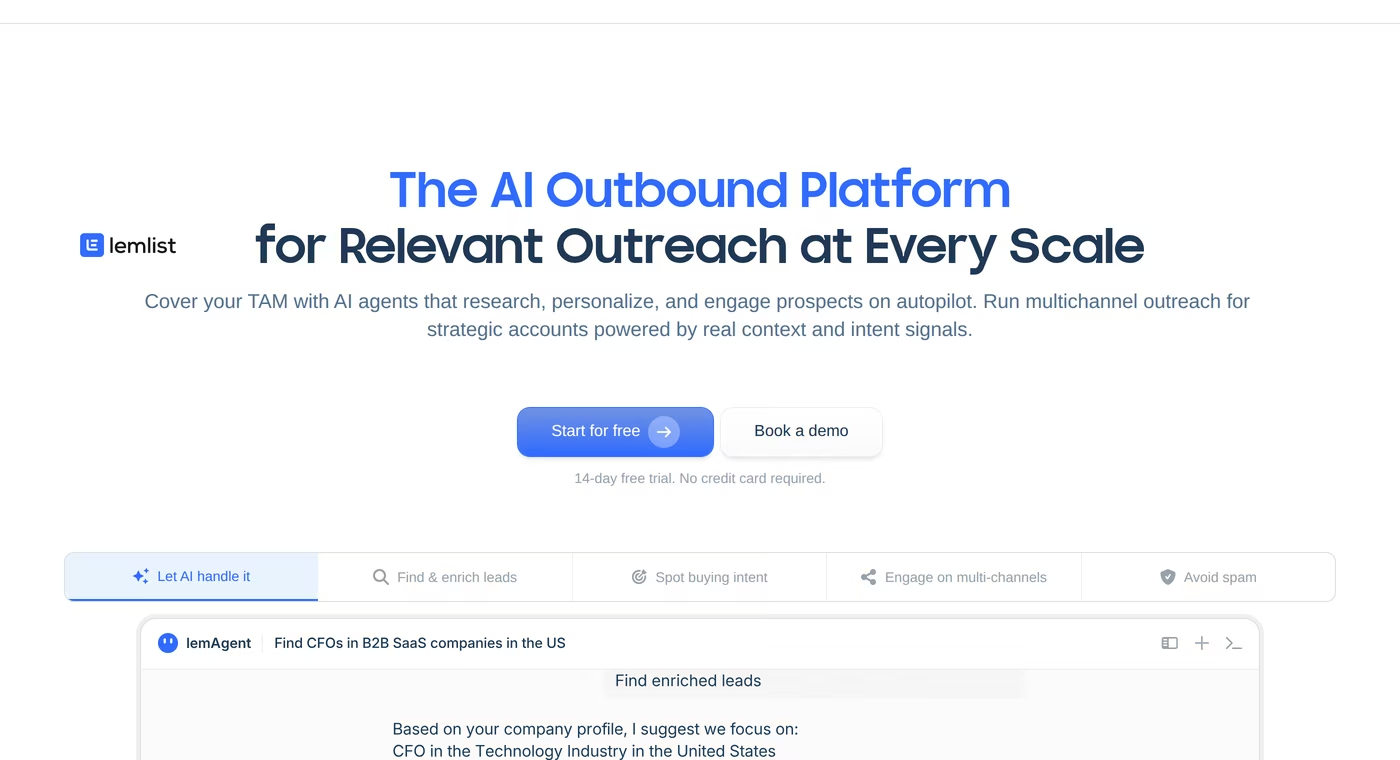
Lemlist is a Paris-based sales engagement platform. It started as a cold email tool known for personalized images and videos, and now sells itself as an AI outbound platform with a lead database.
Lemlist core features
- 650M+ lead database - account-based prospecting with email and phone finders, in credits.
- Multichannel sequences - email, LinkedIn, SMS, WhatsApp, and in-app calling with conditional steps.
- Advanced personalization - Liquid syntax, custom text and images, personalized landing pages.
- Deliverability Hub - warm-up, inbox rotation, rotating IPs, tracking domains, DNS setup tests.
- lemAgent and intent-signal agents - AI agents that research leads and flag signals like hiring, fundraising, and website visits.
- Unified inbox - replies from every channel in one place.
- lemlist MCP and CLI - agent-native access for Claude and similar.
Lemlist pricing
Lemlist restructured its plans in 2026, so third-party trackers are unreliable. The live pricing page in August 2026 shows three tiers, billed monthly, quarterly (10% off), or yearly (20% off):
- Lemlist Email plan - $69/mo monthly, $55/mo yearly. Priced per workspace with unlimited users and email senders, capped at 50,000 emails/mo.
- Lemlist Multichannel plan - $109/user/mo monthly, $87/user/mo yearly. Adds LinkedIn, SMS, WhatsApp, and the call dialer, with 5 senders per user.
- Lemlist Enterprise - custom quote for teams of 5+, adding SSO/SAML, custom roles, and a dedicated account manager.
Data is metered separately: credits cost $0.01 each, a verified email 5 credits, a phone number 20 credits, so $10 buys roughly 200 emails or 50 phones.
Who Lemlist is best for
Lemlist fits small teams wanting personalization depth and a lead database in one subscription. If your motion is email-only with several people sending, the workspace-priced Email plan at $55/mo yearly is good value, because unlimited users at that price is rare here.
What reviewers say about Lemlist
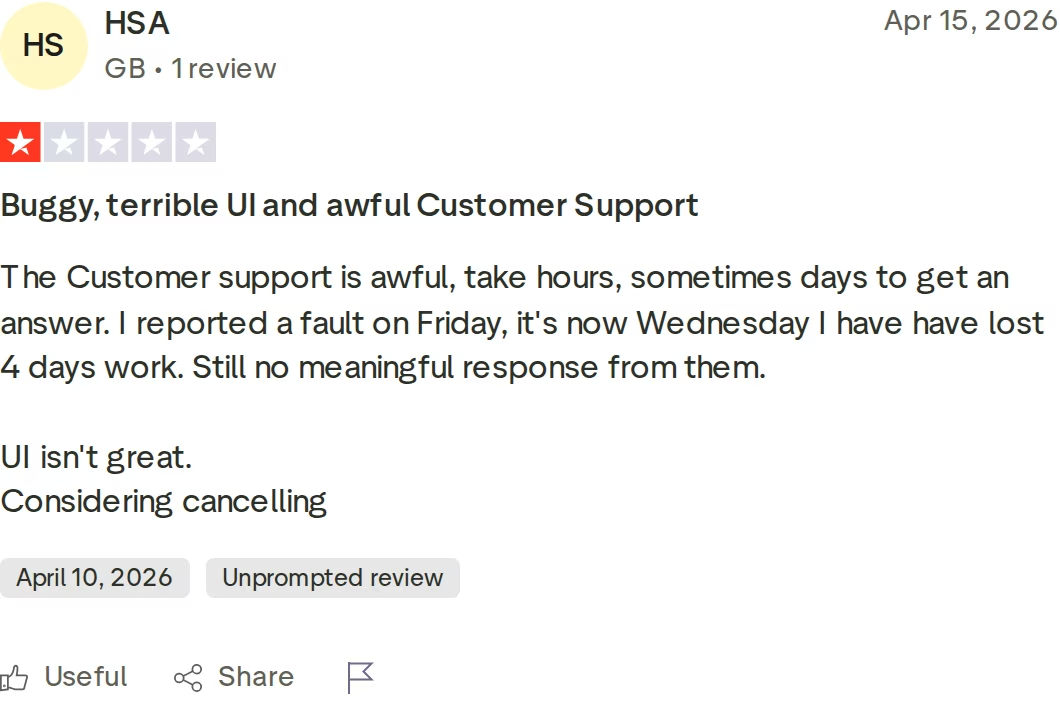
Lemlist holds 4.6 from 203 Trustpilot reviews and 4.7 from 1,396 G2 reviews, and reviewers praise the support team repeatedly. Critical reviews cluster on response times and bugs.
Lemlist limitations I would weigh
- LinkedIn sits behind the per-user plan. Going from email to multi-channel means moving from $69/mo per workspace to $109 per user. Three reps is $327/mo.
- Credits expire monthly with no rollover. Unused enrichment credits are lost at the end of each billing cycle.
- Senders are capped on Multichannel. The Email plan gives unlimited senders; Multichannel allows 5 per user, limiting mailbox rotation.
- No email infrastructure product. You can buy domains and mailboxes in-app, but there are no dedicated-IP options.
If you are weighing Lemlist against other email-first tools, my breakdown of Lemlist versus Klenty covers the sequencing differences in more detail.
QuickMail Overview: Features, Pricing, and Limitations
QuickMail has been in cold email since 2014, one of the oldest tools still actively developed. Its reputation rests on deliverability engineering and inbox-level reporting.
QuickMail core features
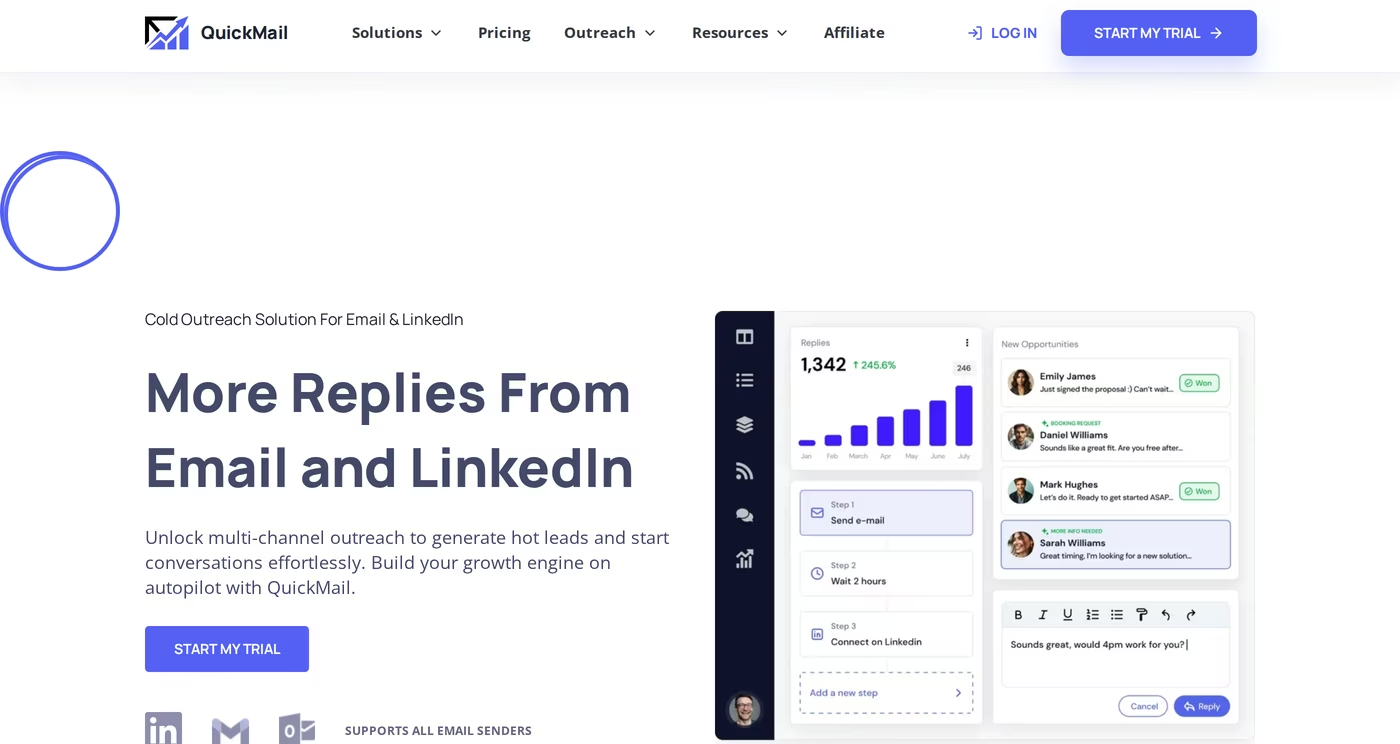
- Inbox Rotation™ - spreads campaign sending across every connected mailbox.
- Free AutoWarmer with MailFlow - warm-up on every plan, and free as a standalone product.
- Deliverability AI - prioritizes sending from the best-performing accounts.
- Email + LinkedIn steps - connection requests and messages can sit inside an email sequence.
- Per-inbox analytics - granular enough to see which mailbox drags a campaign down.
- Unlimited users on every plan - no per-seat charge at any tier.
- Integrations - native HubSpot and Pipedrive, plus Zapier, API, and webhooks on higher tiers.
QuickMail pricing
QuickMail's plans changed, and most review sites still publish the retired Basic/Pro/Expert lineup at $49/$89/$129. The live page in August 2026 shows three monthly plans, with no annual or quarterly discount:
- QuickMail Starter plan - $49/mo. Unlimited email senders, LinkedIn accounts, and users, 1 workspace, 1,000 contacts, 5,000 emails/mo.
- QuickMail Growth plan - $99/mo. Same unlimited senders and users, 1 workspace, 25,000 contacts, 100,000 emails/mo, plus API and priority support.
- QuickMail Agency plan - $299/mo. 2 workspaces ($49 per extra), 100,000 contacts, 500,000 emails/mo, plus webhooks.
Note the naming collision: QuickMail Growth at $99/mo differs from Salesforge Growth at $96/mo monthly ($80 annual), which adds unlimited LinkedIn senders, free Warmforge warm-up, and Primebox™ AI reply modes.
Who QuickMail is best for
QuickMail suits teams whose main channel is email at volume, especially agencies that value per-inbox reporting. Because users are unlimited at every tier, a 10-person team on the $99/mo QuickMail Growth plan pays the same as a solo sender - a real advantage over per-seat tools.
What reviewers say about QuickMail
QuickMail averages 4.7 on Software Advice across 26 reviews. The one dissenting review is specific about what frustrated a paying customer.
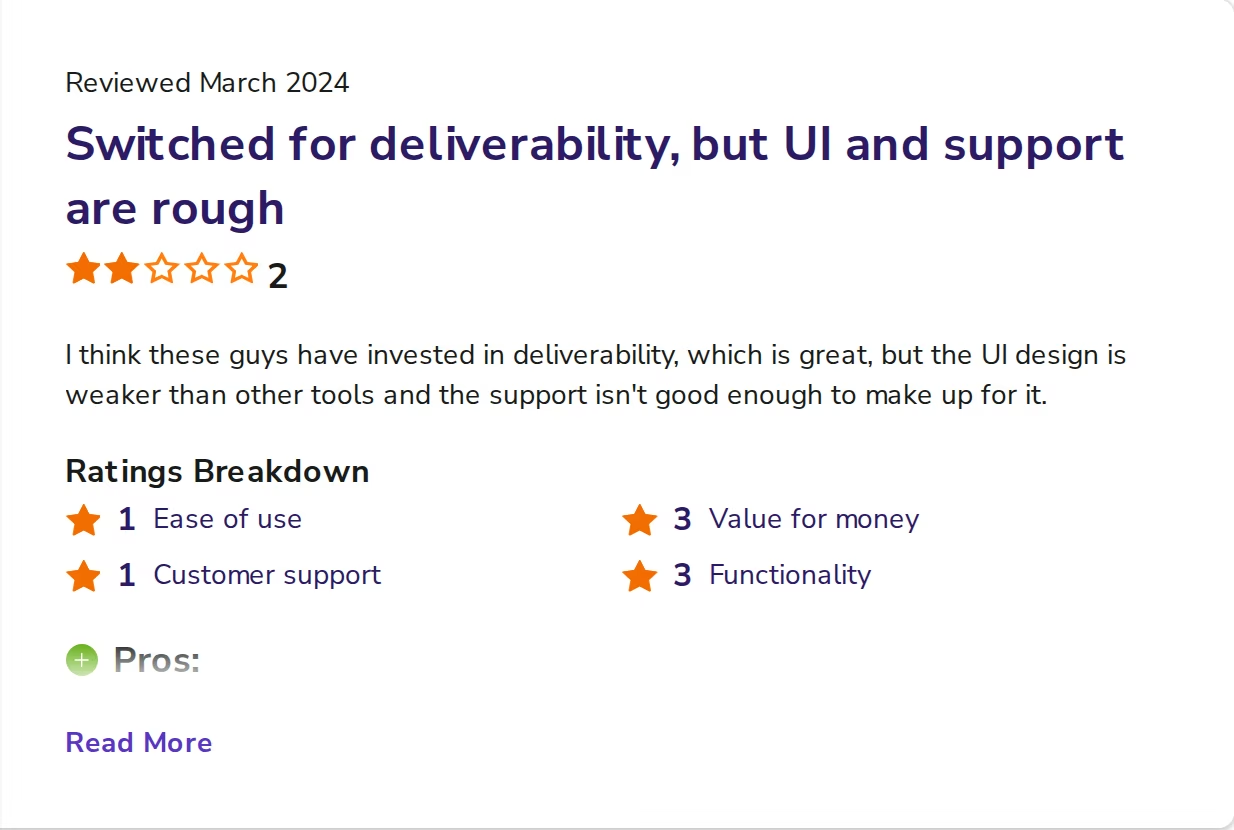
That reviewer credited QuickMail's deliverability over Apollo, then called the setup flow unintuitive: prospects go into a bucket, then a schedule moves them into the campaign. They reported that process failing twice in one week, with support confirming it was not user error. A Capterra reviewer raised the same UI critique.
QuickMail limitations I would weigh
- No annual billing discount. Every plan is monthly only, so committing for a year cuts nothing.
- Contact caps bite early. The $49/mo Starter plan holds 1,000 contacts and 5,000 emails/mo, which one active campaign can exhaust.
- Workspaces cost extra. Agencies get 2 on the $299/mo plan and pay $49 per extra client workspace.
- No lead database and no AI SDR. Prospect data and autonomous execution come from other tools.
I have also compared QuickMail against Saleshandy and QuickMail against Instantly if you want the email-only view.
Salesforge Overview: The Multi-Channel Outbound Stack
Salesforge is a sales execution platform where cold email and LinkedIn are two channels of one workflow, not two products stitched together. It is the outreach layer of the Forge Stack and went live in June 2023.
Salesforge core features
- Conditional multi-channel sequences - LinkedIn and email steps run in one sequence with if/then logic. If a connection request is accepted, trigger a LinkedIn message; if not, fall back to email.
- Six native LinkedIn actions - connection requests, messages, InMails, post likes, follows, and withdraw requests, alongside email touches.
- Unlimited mailboxes, users, and workspaces - no seat limits, and no per-mailbox charge.
- Unlimited LinkedIn senders - on the Salesforge Growth plan, replacing seat-based pricing entirely.
- AI personalization across 21+ languages - single-source or all-source Overdrive Mode, built for cold outreach rather than repurposed from a chatbot.
- Sender rotation and dynamic IPs - volume spreads automatically across mailboxes and domains, so no single mailbox burns its reputation.
- ESP matching - matches your sending provider to the recipient's to improve primary-inbox placement (Growth plan).
- Primebox™ with Auto-Pilot and Co-Pilot modes - a free unified inbox for email and LinkedIn replies, with AI sentiment analysis.
- Free unlimited Warmforge warm-up - premium pool with Heat Score™ monitoring, included with every subscription.
- Bounce Shield and built-in email validation - blocks sends to addresses likely to bounce and validates every contact, protecting sender reputation before it is damaged.
- Text-only content - emails ship without heavy HTML, tracking pixels, or attachments by default.
- LinkedIn email and phone finder Chrome Extension - powered by Leadsforge, it pulls verified emails from LinkedIn profiles, with 100 free credits on signup.
- Spintax, A/B testing, and multi-language sequences - message variation and testing built in.
- Salesforge MCP and CLI - run sequences and contacts from Claude, Cursor, or the terminal.
- Native integrations - HubSpot, Salesforce, Pipedrive, Attio, folk, Clay, Slack, Zapier, webhooks.
The Forge Stack context
This is the part neither competitor matches. Salesforge covers every outbound layer under one login.
There are three infrastructure options: shared email infrastructure, private dedicated IPs, and Google and MS365 mailboxes. Deliverability comes from Warmforge, lead data from Leadsforge with waterfall enrichment, and autonomous execution from Agent Frank.
Lists move from Leadsforge into a Salesforge sequence without a CSV export. You can see how the layers fit together on the Forge Stack overview.
The stack also supports three delivery models, a structural difference rather than a feature: your team runs it, Agent Frank runs it end-to-end, or a vetted Forge Expert agency does. No direct competitor offers all three.
Salesforge pricing
- Salesforge Pro plan - $48/mo billed monthly, or $40/mo billed annually (2 months free). 1,000 active contacts, 5,000 emails/mo, 1 LinkedIn sender, 1 user, unlimited mailboxes, unlimited workspaces, unlimited Warmforge warm-up, Primebox™ with sentiment analysis.
- Salesforge Growth plan - $96/mo billed monthly, or $80/mo billed annually. 10,000 active contacts, 50,000 emails/mo, 1,000 credits each for validation, personalization, and social actions, unlimited LinkedIn senders, unlimited users, plus A/B testing, multi-language sequences, ESP matching, the Salesforge API, MCP and CLI, Primebox™ AI, and the full integrations library.
- Agent Frank - a separate subscription from $499/mo billed quarterly, or $416/mo billed annually, covering 1,000 active contacts and dropping to roughly $0.25 per contact above 2,000/mo. He is not bundled into Pro or Growth.
You can verify the live price before committing, and every plan includes a 14-day free trial, no credit card required.
Start Your Free 14-Day TrialWho Salesforge is best for
Salesforge publishes its own ICP: B2B companies with ACVs of $5,000-$100,000, selling to decision-makers at startups, SMBs, and mid-market companies, with 3,000+ target businesses. It fits teams that proved email and LinkedIn manually and now need to scale without hiring more SDRs.
Where Salesforge is honestly not the answer
- Salesforge says it is a poor fit for teams targeting Fortune 500 accounts, long RFP cycles, or six- and seven-figure bespoke deals.
- Email infrastructure is not included in any plan. You connect your own mailboxes or buy Mailforge, Infraforge, or Primeforge separately.
- Key features are gated to Growth - the API, A/B testing, ESP matching, Primebox™ AI, and multi-language sequences are off Pro, which allows 1 LinkedIn sender and 1 user.
- Agent Frank is sales-led - a demo is mandatory, there is no self-serve trial, and a 2-week warm-up runs before he sends.
- Each Forge product bills separately - there is no single all-in-one invoice.
in Action

Head-to-Head Feature Comparison: Lemlist vs QuickMail
Multi-channel outreach
All three run email and LinkedIn, but the structure differs.
- Lemlist: LinkedIn, SMS, WhatsApp, and calling exist, but only on Multichannel at $109/user/mo. The Email plan has no LinkedIn.
- QuickMail: LinkedIn steps are on every plan, including the $49/mo Starter, with unlimited LinkedIn accounts.
- Salesforge: Email and LinkedIn run in one sequence with conditional branching across six native LinkedIn actions, with unlimited LinkedIn senders on Growth.
Lemlist covers more channels once you pay for Multichannel, and SMS and WhatsApp are real capabilities Salesforge lacks today. The trade-off is the per-user price. My LinkedIn outreach templates show the patterns that work inside these sequences.
Email deliverability and warm-up
Warm-up is included in all three, so the difference is pool quality and monitoring depth.
Warmforge uses a curated, premium-by-default pool of aged IMAP/SMTP accounts plus real Google Workspace and Microsoft 365 mailboxes, with no paid warm-up tiers. Salesforge includes it free and unlimited.
Every mailbox gets a Heat Score™ from 0 to 100, where 97+ is healthy, plus automated DNS, MX, and blacklist health checks, domain reputation and inbox placement monitoring, and monthly placement tests.
QuickMail's AutoWarmer with MailFlow is free even as a standalone product, and its Deliverability AI shifts sending toward healthy accounts. Lemlist bundles a Deliverability Hub with inbox rotation and DNS testing. Neither publishes a per-mailbox reputation score like Heat Score™, and neither sells the infrastructure underneath.
I covered the sending mistakes that break deliverability in 15 cold email mistakes.
Email infrastructure
This one is lopsided, and worth stating plainly: neither Lemlist nor QuickMail sells email infrastructure. Lemlist offers in-app domain and mailbox purchases; QuickMail asks you to connect your own Gmail, Outlook, or SMTP accounts.
Salesforge offers three and recommends mixing at least two to spread risk. Mailforge runs $3 to $2 per mailbox/mo on shared IPs, Infraforge $4 to $3 on private dedicated IPs, and Primeforge $4.50 to $3.50 for real Google Workspace and MS365 mailboxes with ESP matching. For scale, 200 Mailforge mailboxes run $484/mo against $1,680/mo buying Google Workspace direct, and Woodpecker scaled past 2,500 mailboxes on Infraforge.
AI, personalization, and the AI SDR gap
Lemlist has invested heavily here: lemAgent, AI web-search enrichment, AI account research, and intent-signal agents flagging hiring, fundraising, and website visits. Those signals are credit-metered, and LinkedIn engagement signals start at 400 credits each.
QuickMail has no AI SDR and no lead database.
Salesforge splits this in two. In-app, Overdrive Mode personalizes from all sources at 2 credits per preview, regeneration free. Separately, Agent Frank is an autonomous AI SDR who prospects from the 500M+ Leadsforge database, enriches, writes, sequences, handles replies in Primebox™, and books meetings 24/7 in Auto-Pilot or Co-Pilot mode across 21+ languages.
VAI Consulting booked 3 calls in a single week with him. Tracking the right triggers matters more than volume, which I broke down in sales trigger events.
Inbox management and reply handling
All three ship a unified inbox. Primebox™ is free on both Salesforge plans, covers email and LinkedIn together, auto-tags threads positive, neutral, or negative with AI sentiment analysis, and catches replies from a different address than the one you contacted.
It has three reply modes and a mobile app. AI-drafted replies cost 3 credits and are Growth-only.
Lemlist's unified inbox is on every plan, and QuickMail's covers email and LinkedIn in one view. Neither publishes an equivalent to sentiment auto-tagging with three reply modes.
Pricing and scalability
The models diverge as headcount grows. QuickMail and the Lemlist Email plan both include unlimited users, so neither punishes team growth. Lemlist Multichannel is per user, so LinkedIn cost scales with headcount.
Salesforge Growth is $96/mo monthly ($80 annual) for unlimited users, mailboxes, and LinkedIn senders. Five people on Lemlist Multichannel pay $545/mo monthly ($435 yearly). The same five on Salesforge Growth pay $96/mo monthly ($80 annual).
Integrations and developer surfaces
QuickMail offers native HubSpot and Pipedrive, Zapier, an API on Growth and above, and webhooks on Agency. Lemlist offers CRM integrations, an API on all plans, plus MCP and a CLI.
Salesforge has native HubSpot, Salesforce, Pipedrive, Attio, GoHighLevel, folk, and Breakcold, plus Clay, Persana AI, Sendspark, RB2B, Slack, Zapier, Make, and webhooks. The Salesforge API, MCP server, and Forge CLI are Growth features, with one CLI binary running all six Forge products. Lemlist matches on MCP; QuickMail has no equivalent.
Compliance
Salesforge is SOC 2 compliant, badged across every Forge product, and publishes a DPA. Lemlist also advertises SOC 2 and GDPR compliance on its site. QuickMail does not advertise SOC 2, which matters if your buyer runs a security review.
Pricing Comparison: What Each Platform Really Costs
| Plan | Monthly price | Annual price | Users | Key limits |
|---|---|---|---|---|
| Salesforge Pro | $48/mo | $40/mo | 1 user, 1 LinkedIn sender | 1,000 contacts, 5,000 emails/mo, unlimited mailboxes |
| Salesforge Growth | $96/mo | $80/mo | Unlimited users + LinkedIn senders | 10,000 contacts, 50,000 emails/mo, unlimited mailboxes |
| Agent Frank (separate) | $499/mo billed quarterly | $416/mo | Managed AI SDR | 1,000 contacts; infrastructure extra |
| Lemlist Email plan | $69/mo | $55/mo | Unlimited users | 50,000 emails/mo, no LinkedIn, credits metered |
| Lemlist Multichannel plan | $109/user/mo | $87/user/mo | Per user | 5 senders/user, unlimited emails/messages |
| Lemlist Enterprise | Custom | Custom | 5+ users | SSO/SAML, dedicated account manager |
| QuickMail Starter plan | $49/mo | Not offered | Unlimited users | 1,000 contacts, 5,000 emails/mo, 1 workspace |
| QuickMail Growth plan | $99/mo | Not offered | Unlimited users | 25,000 contacts, 100,000 emails/mo, 1 workspace |
| QuickMail Agency plan | $299/mo | Not offered | Unlimited users | 100,000 contacts, 500,000 emails/mo, 2 workspaces (+$49 each) |
Two structural points matter more than the headline numbers. QuickMail offers no annual discount, so its monthly rate is the only rate, while Salesforge and Lemlist give roughly 2 months free annually. Lemlist Multichannel is the only per-user plan here, so its cost rises with every hire.
A concrete scenario: 3 reps, email plus LinkedIn, 20,000 emails a month
Assume three reps on both channels, 20,000 emails/mo across 25 mailboxes, and 5,000 contacts.
- Lemlist: LinkedIn requires Multichannel, so 3 users x $109 = $327/mo monthly, or $261 yearly. Senders cap at 5 per user, giving 15, so 25 mailboxes does not fit this plan.
- QuickMail: the $99/mo QuickMail Growth plan covers 25,000 contacts, 100,000 emails, and unlimited senders, with no annual option and no lead data.
- Salesforge: the Growth plan at $96/mo monthly ($80 annual) covers all three users, unlimited LinkedIn senders, and unlimited mailboxes. Warm-up on all 25 mailboxes is free. Adding 25 Mailforge mailboxes at about $3 each brings the all-in cost to roughly $155/mo annual, infrastructure included.
That last line is the comparison that matters. At three reps on both channels, Salesforge lands under the Lemlist figure while including infrastructure and warm-up Lemlist does not sell.
See What Salesforge Costs YouWho Should Use Which Cold Outreach Tool
You might consider Lemlist if:
- Your outbound needs SMS, WhatsApp, or an in-app dialer, which Salesforge lacks today.
- You want a lead database and intent signals in the same subscription as your sequencer.
- You run email-only with several senders, where the $55/mo yearly Email plan with unlimited users beats a per-seat tool.
You might consider QuickMail if:
- Email is your only serious channel and you want per-inbox analytics on which mailbox underperforms.
- You need very high send volume cheaply: the $299/mo Agency plan allows 500,000 emails/mo.
- You prefer month-to-month billing with no annual commitment.
Choose Salesforge if:
- You sell B2B at ACVs of $5,000-$100,000 into SMB or mid-market accounts, with 3,000+ target businesses.
- You want email and LinkedIn in one conditional sequence rather than two plans or two tools.
- Your team is growing and you refuse to pay per seat: unlimited users, mailboxes, and LinkedIn senders on Growth at $96/mo monthly ($80 annual).
- You need the infrastructure layer solved too: three options under one login, plus free unlimited premium warm-up.
- You are weighing an AI SDR: Agent Frank runs prospecting through booked meetings as a separate subscription.
Final Verdict: Which Outreach Platform to Choose
Lemlist and QuickMail are both real products with real strengths. Lemlist has the widest channel list and better built-in lead data. QuickMail has the most generous send volumes per dollar and the best per-inbox reporting.
Neither sells email infrastructure, and neither has an autonomous AI SDR.
For multi-channel B2B outbound that has to scale past one or two senders, Salesforge is the stronger choice. At $80/mo for the Growth plan billed annually ($96/mo monthly), you get unlimited users, LinkedIn senders, and mailboxes, free unlimited Warmforge warm-up, and Primebox™. Three infrastructure products sit under the same login, and a five-person team pays the same $80/mo as a solo operator.
One falsifiable benchmark: UniteSync ran Salesforge with Mailforge and Warmforge to an 85.26% positive reply rate and a $2.86 CAC, and ChannelCrawler hit 85.71% positive replies with Infraforge and Warmforge. Both case studies are public, with named founders attached.

A word on where Salesforge does not fit. If you sell mainly to Fortune 500 accounts through long RFP cycles, or your pipeline rests on a few bespoke six-figure deals, Salesforge says it is the wrong tool. That is published on its own solution pages.
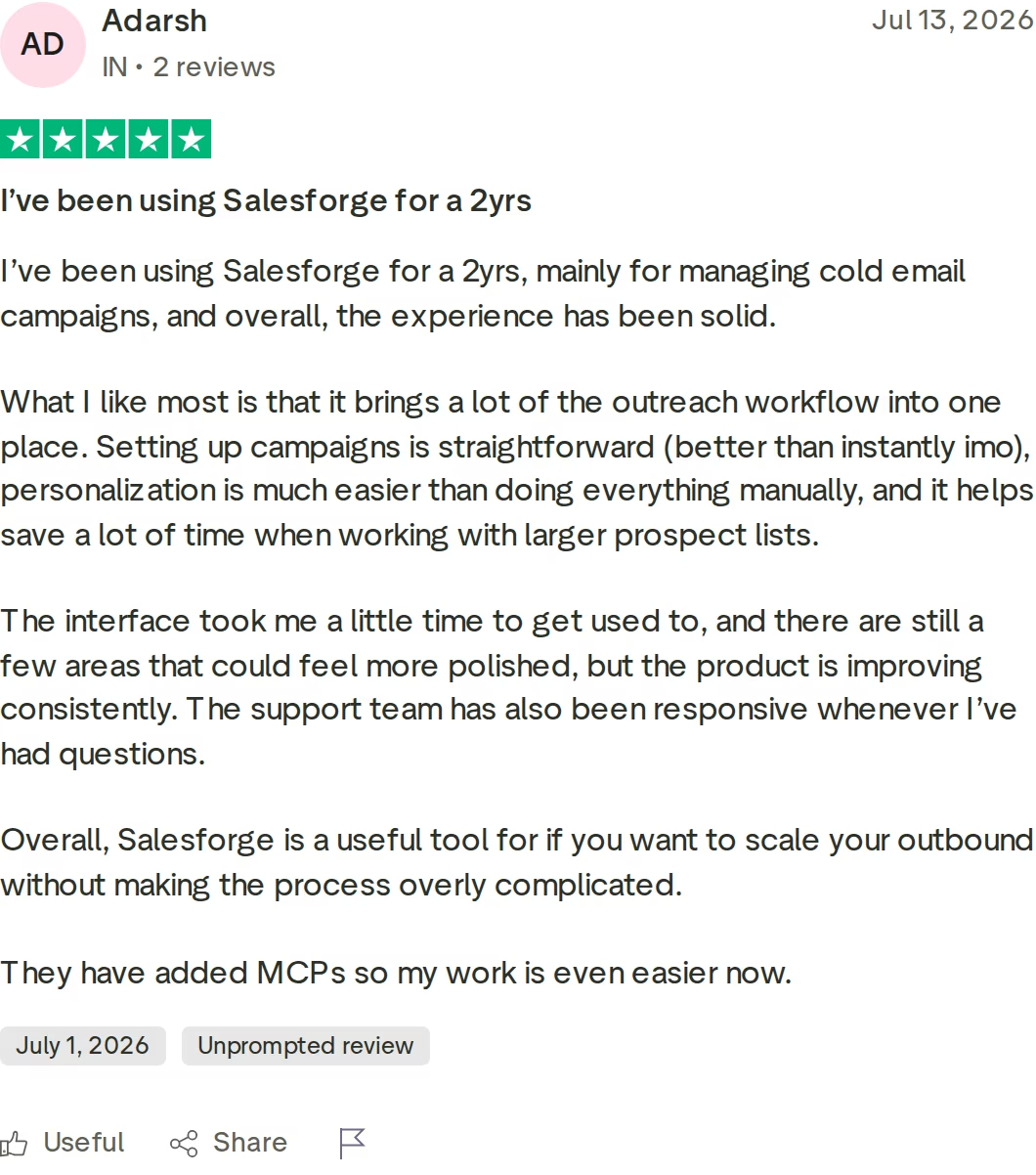
For more of your shortlist, the Lemlist versus Salesforge page goes deeper, the tool comparison library covers the category, and the free outreach tools page has DNS and placement checkers.
Frequently Asked Questions
Is Salesforge better than Lemlist and QuickMail?
For multi-channel outbound at scale, yes. Salesforge runs email and LinkedIn in one conditional sequence with unlimited users, mailboxes, and LinkedIn senders on the $96/mo monthly Growth plan ($80/mo annual). Lemlist gates LinkedIn behind a $109/user/mo plan, and QuickMail has no lead database or AI SDR.
For SMS or WhatsApp outreach specifically, Lemlist covers channels Salesforge does not.
What's the main difference between Salesforge, Lemlist, and QuickMail?
Salesforge sells the whole outbound stack: outreach, three email infrastructure options, free warm-up, lead data, and an autonomous AI SDR under one login. Lemlist and QuickMail sell the outreach layer only. Lemlist adds a 650M+ lead database and more channels; QuickMail adds high send volumes and per-inbox analytics.
Neither sells email infrastructure.
Which is cheaper: Salesforge, Lemlist, or QuickMail?
Salesforge Pro is the cheapest entry point at $48/mo monthly ($40/mo annual), against Lemlist's Email plan at $69/mo ($55/mo yearly) and QuickMail Starter at $49/mo. The gap widens with multi-channel: three reps on Lemlist Multichannel cost $327/mo, while Salesforge Growth covers unlimited users at $96/mo monthly ($80/mo annual). QuickMail offers no annual discount at all.
Does QuickMail support LinkedIn outreach?
Yes. QuickMail includes LinkedIn steps and unlimited LinkedIn accounts on all three plans, starting at $49/mo. Salesforge goes further with six native LinkedIn actions - connection requests, messages, InMails, post likes, follows, and withdrawals - inside conditional sequences that branch on whether a connection request was accepted.
Lemlist gates LinkedIn behind its Multichannel plan.
Do I need LinkedIn on Lemlist's cheapest plan?
You cannot get it there. Lemlist's Email plan at $69/mo monthly ($55/mo yearly) has no LinkedIn automation. LinkedIn, SMS, WhatsApp, and calling all require the Multichannel plan at $109/user/mo ($87/user/mo yearly), which also caps senders at 5 per user.
For three reps that is $327/mo, against $96/mo monthly for Salesforge Growth with unlimited users and unlimited LinkedIn senders.
Can I switch from Lemlist or QuickMail to Salesforge easily?
Yes. Contacts import by CSV upload or Google Sheets connection, and you reconnect the same mailboxes since Salesforge allows unlimited mailbox connections on every plan, including during the trial. Salesforge recommends a minimum 2-week warm-up before launching, and Warmforge handles that free.
The 14-day trial needs no credit card. Unlimited workspaces keep each client separate.
Which tool has better email deliverability?
All three include warm-up, but Salesforge pairs it with infrastructure the others do not sell. Warmforge uses a premium-by-default pool of aged IMAP/SMTP, Google Workspace, and MS365 mailboxes, scores each mailbox 0-100 with Heat Score™ where 97+ is healthy, and runs DNS, MX, and blacklist checks. QuickMail's AutoWarmer with MailFlow is free and its Deliverability AI prioritizes healthy accounts.
Does Salesforge offer a free trial, and does Agent Frank?
Salesforge offers a 14-day free trial with no credit card required, capped at 50 contacts and 100 emails, with warm-up and unlimited mailbox connections active. Agent Frank works differently: there is no self-serve trial, a demo with the team is mandatory, and a 2-week warm-up runs before he sends. He costs from $499/mo billed quarterly, separate from Pro or Growth.
Who is QuickMail best for?
Email-first teams and agencies sending at volume. The $299/mo Agency plan allows 500,000 emails/mo and 100,000 contacts with unlimited users, and per-inbox analytics show which specific mailbox is underperforming. The trade-offs are 2 workspaces (extra ones cost $49 each), no lead database, no AI SDR, and no annual discount.
QuickMail also sells no email infrastructure.
.jpg)

.jpg)

.jpg)
