Blog
8 Best LinkedIn Sales Navigator Scrapers in 2026

8 Best LinkedIn Sales Navigator Scrapers in 2026

Summarize with

You have 2,000 leads in your Sales Navigator search. Now you need to get them into a CSV without copying profiles one by one.

  • But will the scraper export all 2,000 leads? 
    ‍
  • Will you get work emails and phone numbers or just LinkedIn profile details? 
    ‍
  • And how much will the full export cost?

I compared 8 LinkedIn Sales Navigator scrapers to see which ones can handle large searches, what data they extract and what you actually pay.

Table of Contents

TL;DR: 8 Best LinkedIn Sales Navigator Scrapers in 2026

  1. Salesforge: Best for bulk importing Sales Navigator leads directly into outreach campaigns.
    ‍
  2. Evaboot: Best for exporting and cleaning Sales Navigator leads with professional email finding.
    ‍
  3. Skrapp: Best for extracting Sales Navigator leads with business email enrichment.
    ‍
  4. PhantomBuster: Best for scheduled Sales Navigator search exports.
    ‍
  5. Datablist: Best for scraping Sales Navigator search URLs without providing your LinkedIn cookie by default.
    ‍
  6. Apify: Best for running Sales Navigator extraction workflows through third-party Actors.
    ‍
  7. Waalaxy: Best for importing Sales Navigator prospects into LinkedIn outreach campaigns.
    ‍
  8. GetProspect: Best for bulk saving Sales Navigator prospects that are available in its contact database.

How I Evaluated These LinkedIn Sales Navigator Scrapers

I compared each tool based on what matters when you're pulling hundreds or thousands of prospects from a Sales Navigator search.

  • How many leads you can extract from one search.
    ‍
  • How many search pages the tool can process.
    ‍
  • What prospect and company data you get after the scrape.
    ‍
  • Whether it can find work emails and phone numbers.
    ‍
  • Whether you can export leads to CSV or Excel.
    ‍
  • Whether extracted leads can go directly into an outreach campaign.
    ‍
  • Whether you need to connect your LinkedIn account or share session cookies.
    ‍
  • How much scraping and contact enrichment cost.

I also checked where each tool starts to become limiting. That includes daily extraction caps, credit usage and features that only work on higher-priced plans.
8 Best LinkedIn Sales Navigator Scrapers: Quick Comparison

Tool Bulk Scraping Email Enrichment Main Output Starting Price
Salesforge
Best Overall
Full search Yes Direct to outreach $48/mo
Evaboot Searches + lists Yes CSV $9/mo
Skrapp Multi-page Yes CSV / Excel / CRM $39/mo
PhantomBuster Up to 2,500 results Optional CSV / JSON $69/mo
Datablist Up to 2,500 results Yes Datablist collection $25/mo
Apify Actor-dependent Actor-dependent Actor-dependent $19/mo + usage
Waalaxy Up to 2,500 results Yes CSV / outreach €19/user/mo (yearly)
GetProspect Up to 100 pages Yes CSV / Excel $49/mo

1. Salesforge – Best for Importing Sales Navigator Leads Into Outreach

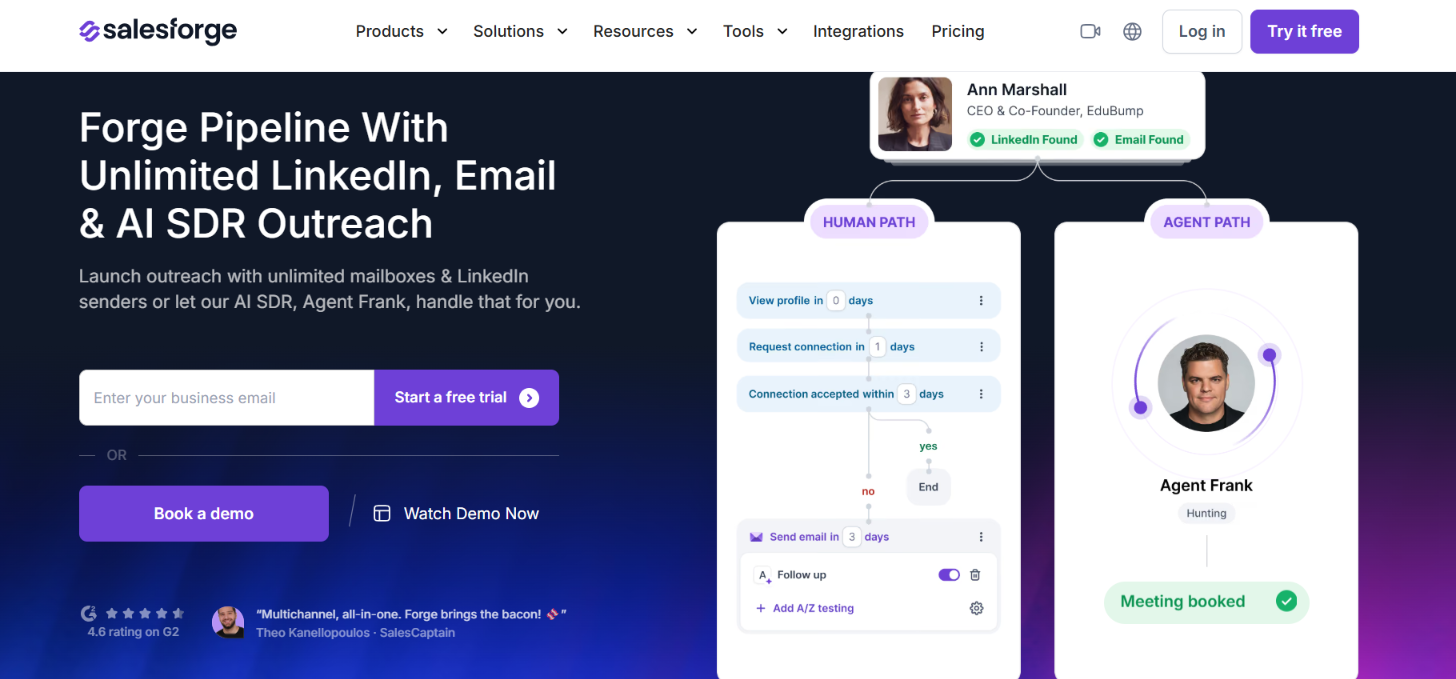
Salesforge homepage
This image shows the Salesforge homepage

Salesforge has a Chrome extension that can pull leads from LinkedIn Sales Navigator. You can select leads from the current page or import the full search. Bulk import works across all result pages in the background. You do not need to open each profile yourself.

The main difference is what you can do with those leads next. You can add them to a Salesforge workspace or put them straight into an email or LinkedIn sequence.
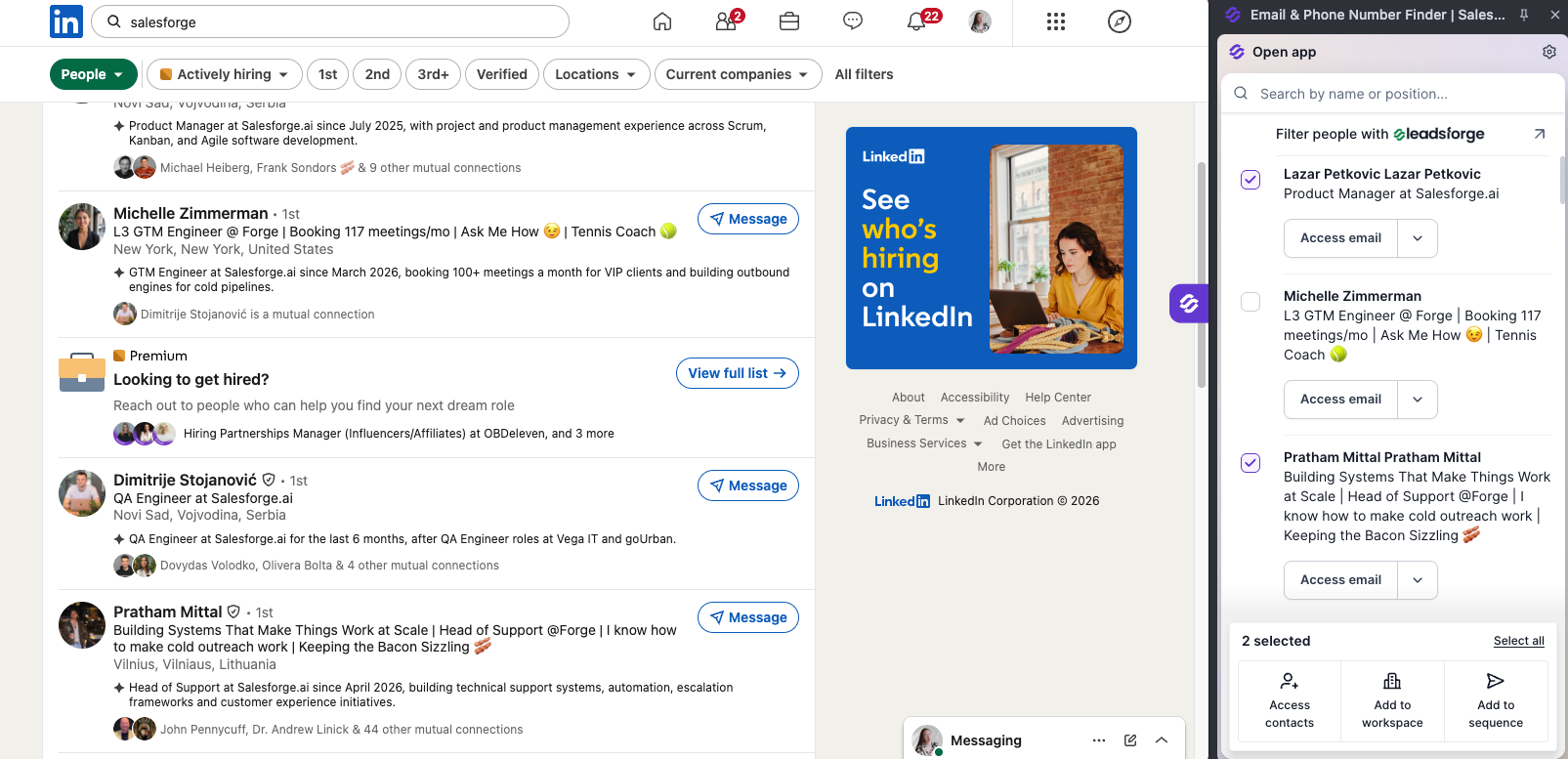
How Does Salesforge Scrape LinkedIn Sales Navigator Leads?

Extract contacts from LinkedIn Sales Navigator
This image shows the Extract contacts from LinkedIn Sales Navigator

First run your target search in Sales Navigator. Then open the Salesforge Chrome extension.  You can scrape selected leads or choose All leads in this search. You can also set the exact number of leads you want to collect. 
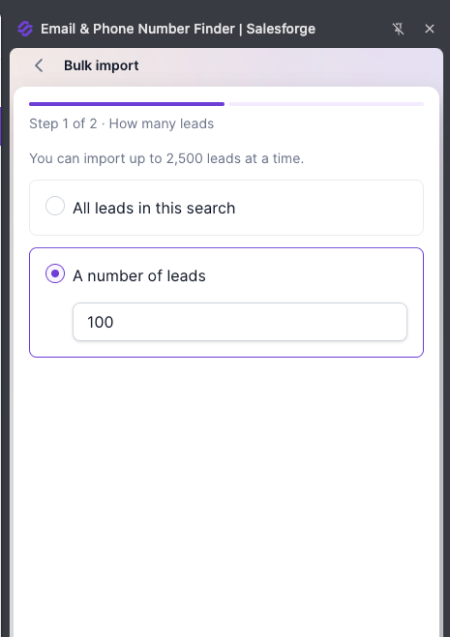
Choose how any leads to import
This image shows Choose how any leads to import

Salesforge does not set its own fixed limit on the number of leads in a bulk import. The limit is the number of leads returned by your Sales Navigator search.

You can also turn on email and phone enrichment before the scrape starts. Salesforge will look for those details as it processes the leads.

Once the scrape is complete the leads are saved in a Leadsforge list. They also sync to your chosen Salesforge workspace. You can add them to a sequence during the import instead of downloading a CSV and uploading it to another outreach tool.
Pros of Salesforge

  • Easy bulk imports pull leads from the full Sales Navigator search.
    ‍
  • Flexible lead selection lets you choose how many leads to import.
    ‍
  • Built-in enrichment finds work emails and phone numbers.
    ‍
  • Direct outreach import sends leads straight into a sequence.
    ‍
  • Background imports keep running after you close the extension.

Cons of Salesforge

  • Paid bulk imports are not available on the free plan.
    ‍
  • Credit-based imports can get costly with large searches.
    ‍
  • Higher phone costs use 10 credits per number found.
    ‍
  • Chrome extension access is required for Sales Navigator imports.
    ‍
  • No cancellation is available once an import starts.

Salesforge Pricing

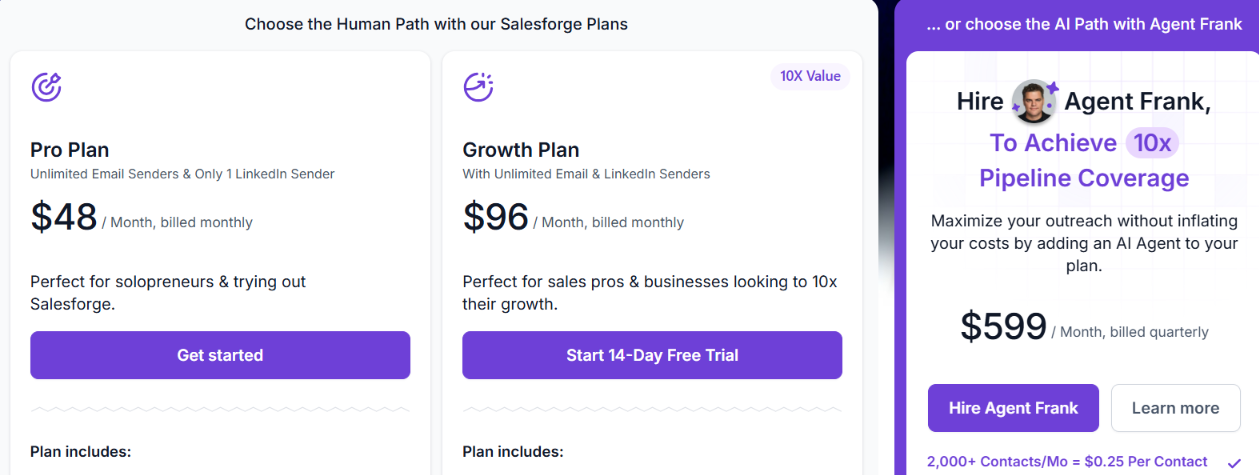
Salesforge pricing
This image shows the Salesforge pricing

Salesforge has two main paid plans:

  • Pro – $48/month: 1,000 active contacts and 5,000 emails per month. It includes unlimited mailbox connections and 1 LinkedIn sender.
    ‍
  • Growth – $96/month: 10,000 active contacts and 50,000 emails per month. It includes unlimited mailbox connections and unlimited LinkedIn senders.

Sales Navigator scraping uses Leadsforge credits. A collected lead costs 1 credit. A found email costs 1 credit. A found phone number costs 10 credits. You only pay for the data that is returned.

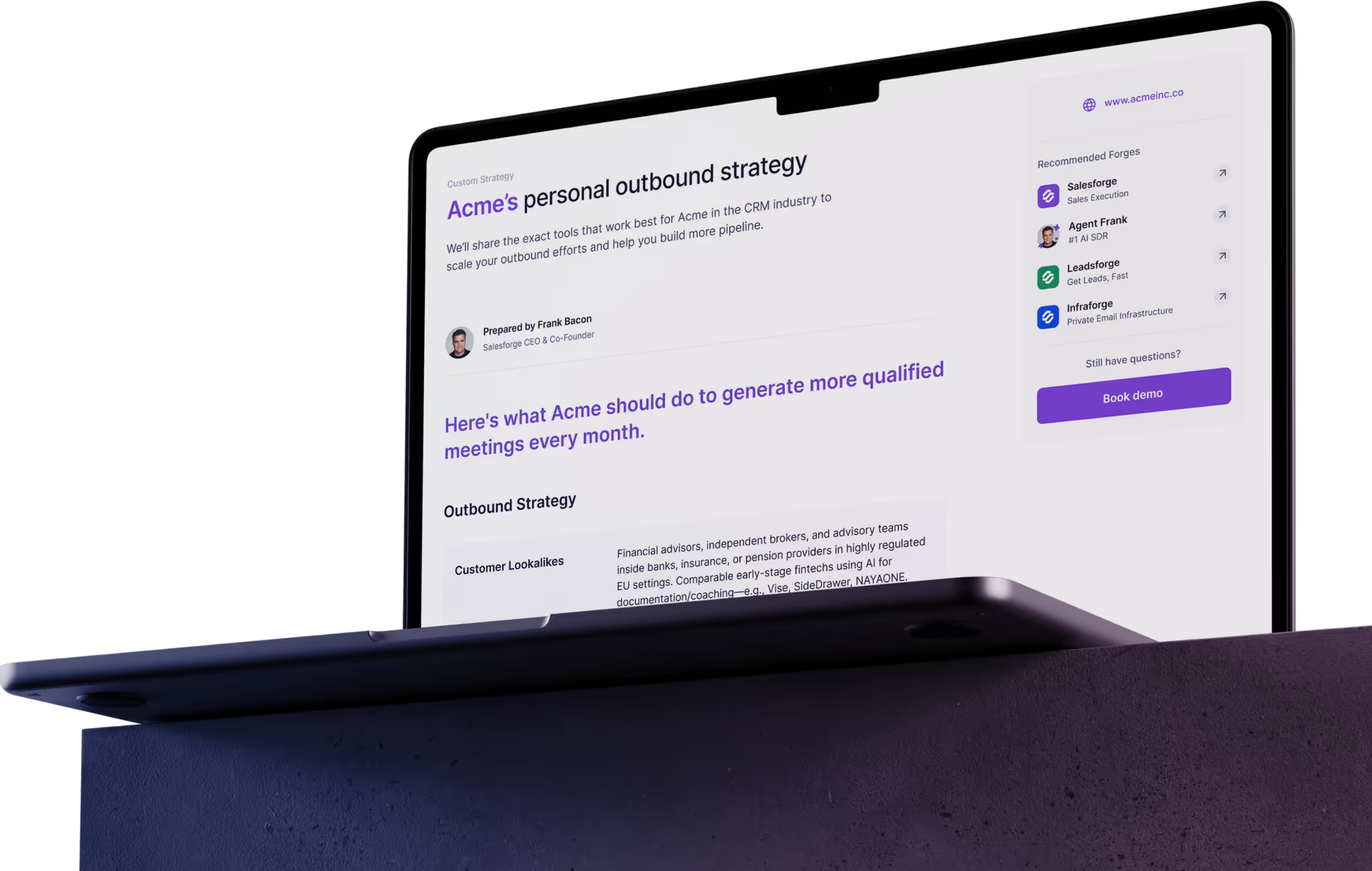
Personalized Outbound Strategy

Get The Right Outbound Strategy In Minutes

Enter your email to get a custom plan & stack recommendation for your business

It's being carefully crafted by AI

Please check your mailbox in 5 minutes
2. Evaboot – Best for Clean Sales Navigator CSV Exports

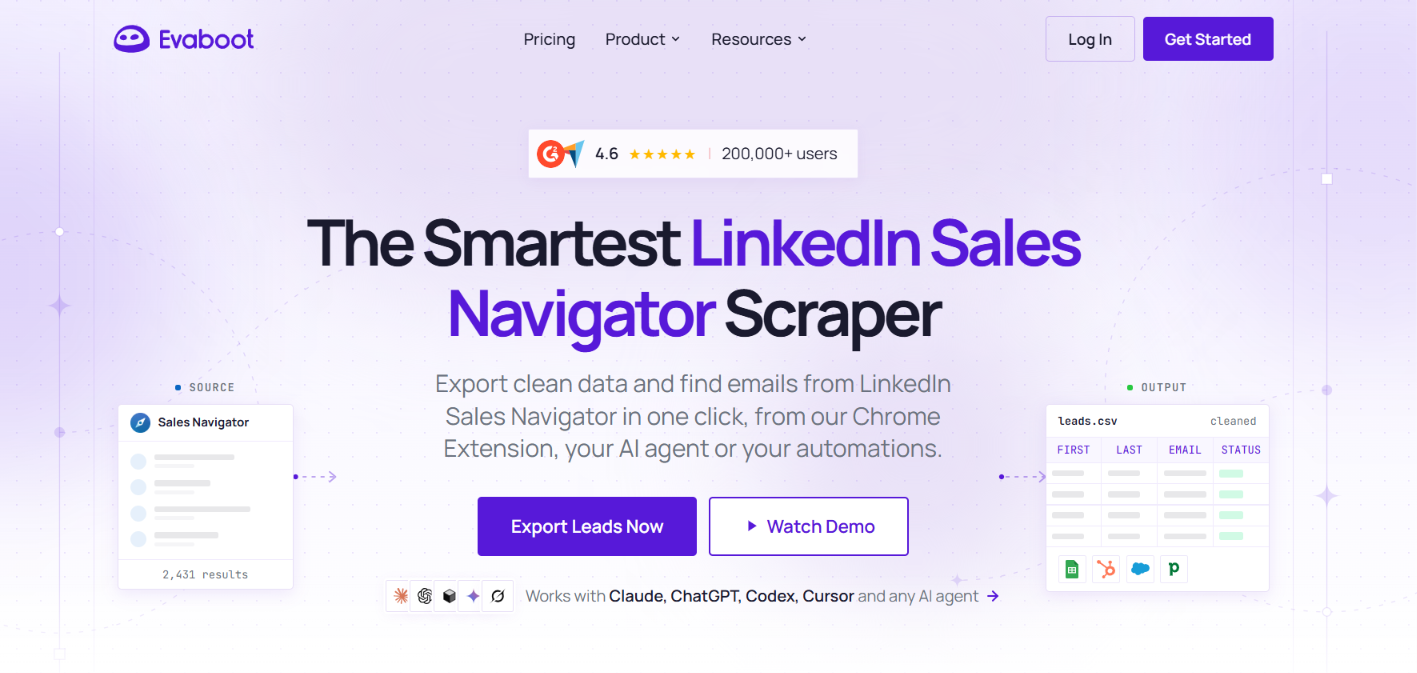
Evaboot homepage
This image shows the Evaboot homepage

Evaboot is built specifically for scraping LinkedIn Sales Navigator searches and lists. Its Chrome extension adds an export option inside Sales Navigator. You can scrape lead searches, account searches and saved lists. The results can then be downloaded as a CSV.

Evaboot also cleans the scraped data before you use it. It fixes names and company data. It can also check whether each lead still matches the filters used in your Sales Navigator search.

How Does Evaboot Scrape LinkedIn Sales Navigator Leads?

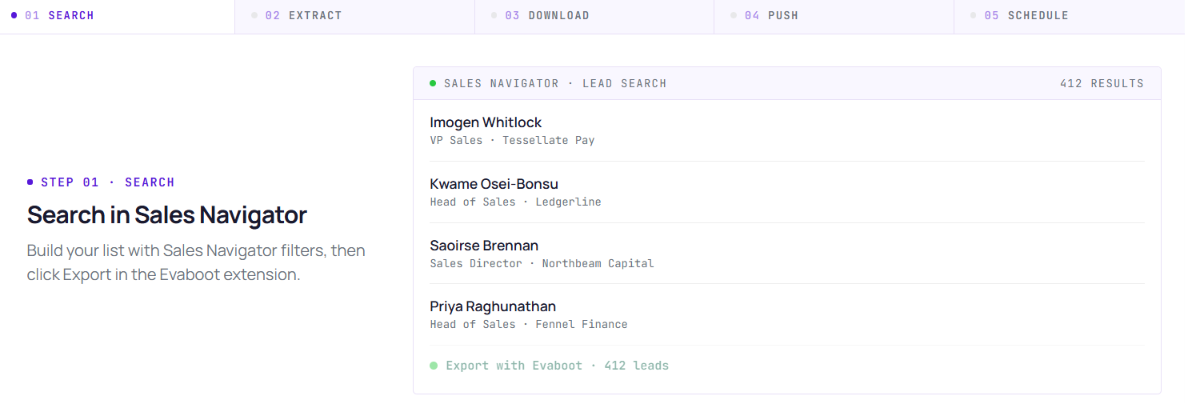
Build your lead search in Sales Navigator
This image shows the Build your lead search in Sales Navigator

You should build your lead search inside Sales Navigator. Then click the Evaboot export button added by its Chrome extension.

Evaboot scrapes the leads from the search and turns them into a CSV. It can collect details such as names, current jobs, LinkedIn URLs and company data. The tool then cleans the scraped data. It can remove unwanted text from names and company names. It also checks leads against your original filters to find results that do not match.

You can also find and verify professional emails before using the list for outreach. For searches you run often, Evaboot can schedule exports daily, weekly or monthly. New leads can then be sent to your CRM.

Pros of Evaboot

  • Sales Navigator search exports turn lead and account searches into CSV files.
    ‍
  • Filter checking detects leads that no longer match your job title, company size or industry filters.
    ‍
  • Data cleaning fixes names, job titles and company names before export.
    ‍
  • Email Finder finds professional emails for scraped leads.
    ‍
  • Email Verifier checks emails for valid, catch-all and bounce status.
    ‍
  • Recurring exports can scrape the same Sales Navigator search daily, weekly or monthly.

Cons of Evaboot

  • Sales Navigator access is required to use the Chrome extension.
    ‍
  • LinkedIn Recruiter scraping is not supported.
    ‍
  • Regular LinkedIn scraping is not supported by the extension.
    ‍
  • Phone number enrichment is not included in the listed enrichment features.
    ‍
  • Daily export limits are applied automatically to Sales Navigator exports.
    ‍
  • Credit limits start at 100 credits on Starter and 1,000 credits on Scale.

Evaboot Pricing

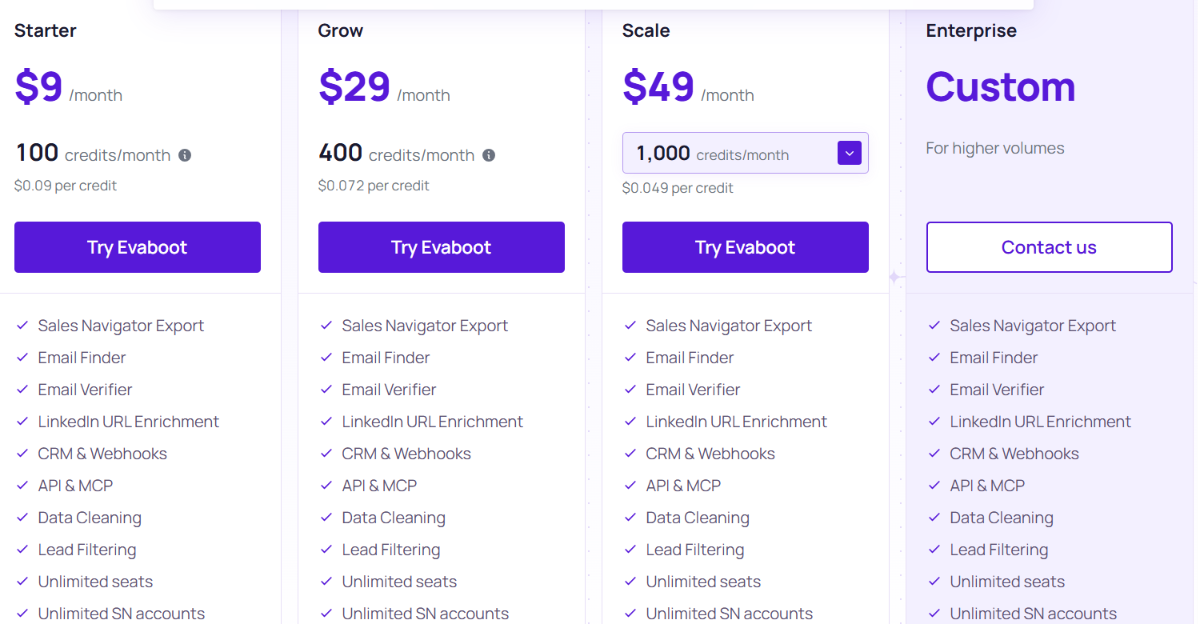
Evaboot pricing
This image shows the Evaboot pricing

Evaboot charges by credits rather than seats. All listed plans include Sales Navigator exports, email finding, email verification and unlimited seats.

  • Starter – $9/month: 100 credits.
    ‍
  • Grow – $29/month: 400 credits.
    ‍
  • Scale – $49/month: 1,000 credits.
    ‍
  • Enterprise – Custom: For higher volumes.

Unused credits roll over as long as your subscription stays active.

Evaboot takes a Sales Navigator search from extraction to a cleaned CSV with professional emails that can be verified. Phone number enrichment is not included.

3. Skrapp – Best for Sales Navigator Scraping With Email Enrichment

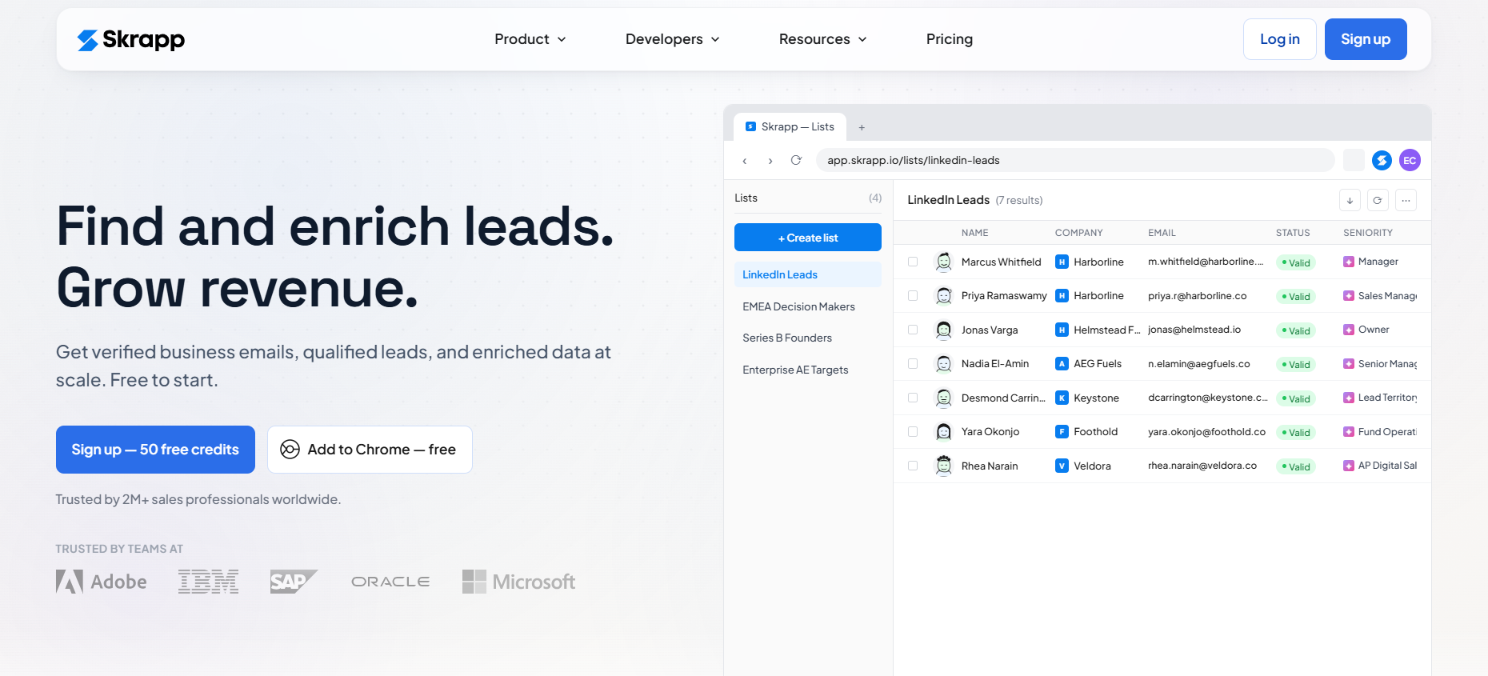
Skrapp homepage
This image shows the Skrapp homepage

Skrapp uses its Chrome extension to pull prospects from LinkedIn Sales Navigator searches and lists.

You can select individual profiles or all profiles in a search. On paid plans, its multi-page enrichment can move through multiple result pages automatically. Skrapp finds business emails and company data as it processes those prospects.

The results are saved to a Skrapp list. From there, you can export them to CSV or Excel or sync them with your CRM.

How Does Skrapp Scrape LinkedIn Sales Navigator Leads?

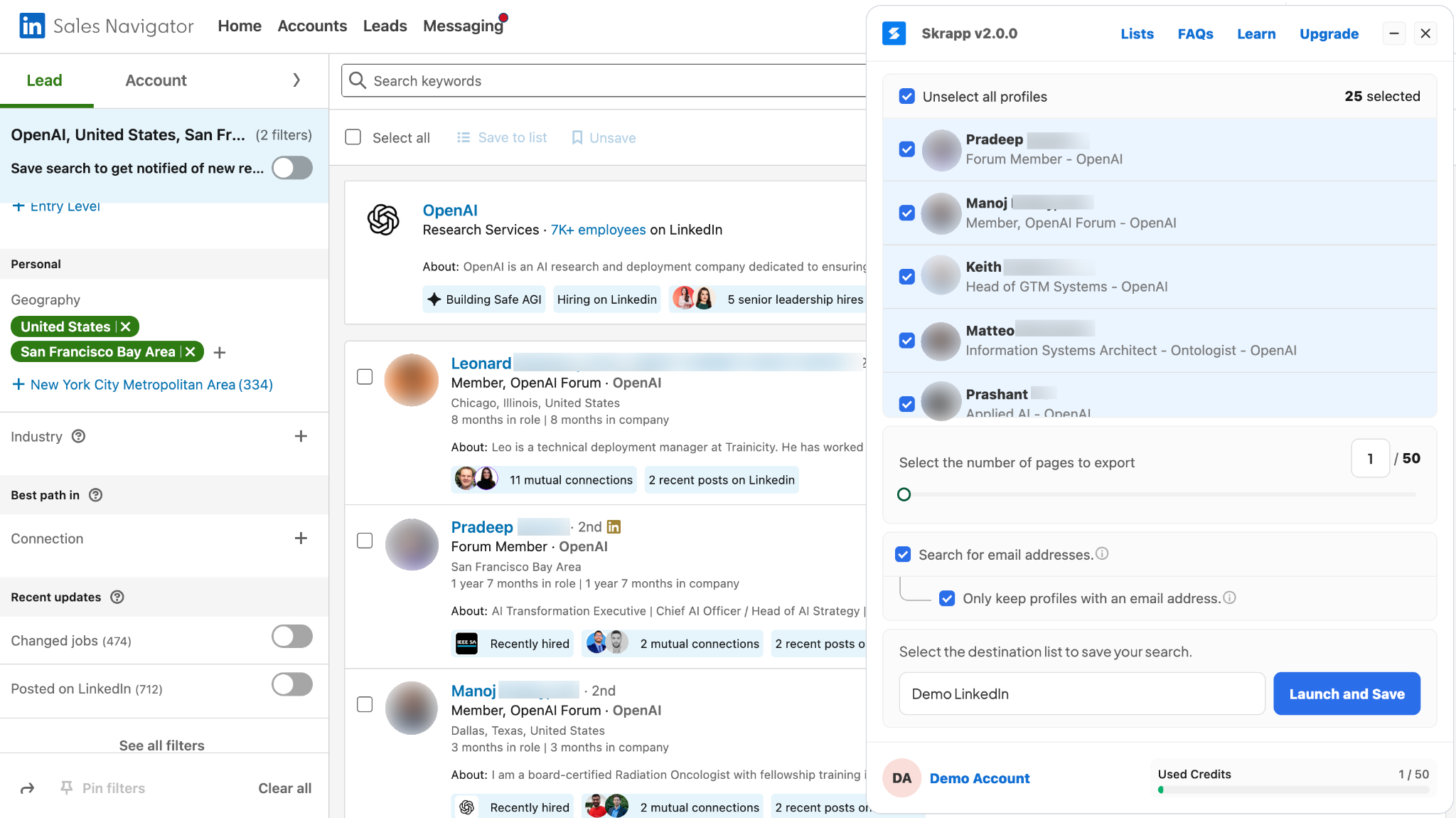
Use Skrapp on LinkedIn Sales Navigator search
This image shows Use Skrapp on LinkedIn Sales Navigator search

You can start with a People Search or Lead List in Sales Navigator. Open the Skrapp extension and select the profiles you want to collect. If you select all profiles, Skrapp can auto-paginate through multiple Sales Navigator pages. This lets you process more than the prospects shown on the current page without moving through each page yourself.

During the process, Skrapp looks for verified business emails. It can also return job titles, seniority and company data.

Once the task finishes, the leads are saved in your Skrapp account. You can then export the list to CSV or Excel or send it to a connected CRM.

Pros of Skrapp

  • Auto-pagination processes multiple Sales Navigator result pages.
    ‍
  • Bulk profile selection lets you collect all results or choose individual prospects.
    ‍
  • Email enrichment finds business emails during the extraction.
    ‍
  • Email verification checks found business emails and provides their verification status.
    ‍
  • Sales Navigator List Saver can save enriched leads back to your Sales Navigator lists.
    ‍
  • CSV and Excel exports let you download the collected lead data.

Cons of Skrapp

  • List exports are not included on the Free plan.
    ‍
  • Sales Navigator List Saver is also limited to paid plans.
    ‍
  • Phone number enrichment is not listed as part of its Sales Navigator enrichment.
    ‍
  • Credit usage grows as you enrich larger Sales Navigator searches.

Skrapp Pricing

Skrapp pricing
This image shows the Skrapp pricing

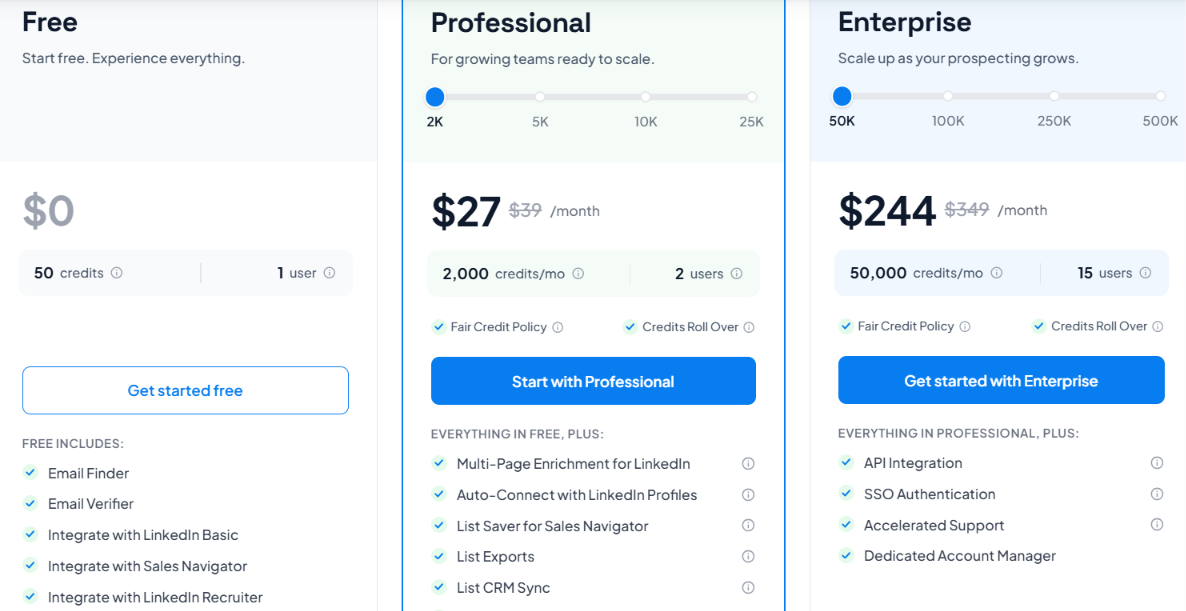
Skrapp has a free plan and two paid plans. Multi-page Sales Navigator enrichment starts on Professional.

  • Free – $0: 50 credits and 1 user. Includes the Email Finder, Email Verifier and Sales Navigator integration.
    ‍
  • Professional – $39/month: 2,000 credits and 2 users. Adds multi-page LinkedIn enrichment, Sales Navigator List Saver, list exports and CRM sync.
    ‍
  • Enterprise – $349/month: 50,000 credits and 15 users. Adds API access, SSO and dedicated account support.

Professional and Enterprise credits roll over. The page currently shows Black Friday prices of $27/month for Professional and $244/month for Enterprise.

4. PhantomBuster – Best for Scheduled Sales Navigator Scraping

PhantomBuster homepage
This image shows the PhantomBuster homepage

PhantomBuster approaches Sales Navigator scraping through separate automations called Phantoms.

For example, Sales Navigator Search Export collects prospects from a search. List Export handles saved lead and account lists. Profile Scraper pulls data from individual profiles. There is also a Search to Emails workflow when you want professional emails added to the scraped records.

This gives you more control over what gets scraped, but you need to choose the right Phantom for the job.

How Does PhantomBuster Scrape Sales Navigator?

Give Phantom the search URL
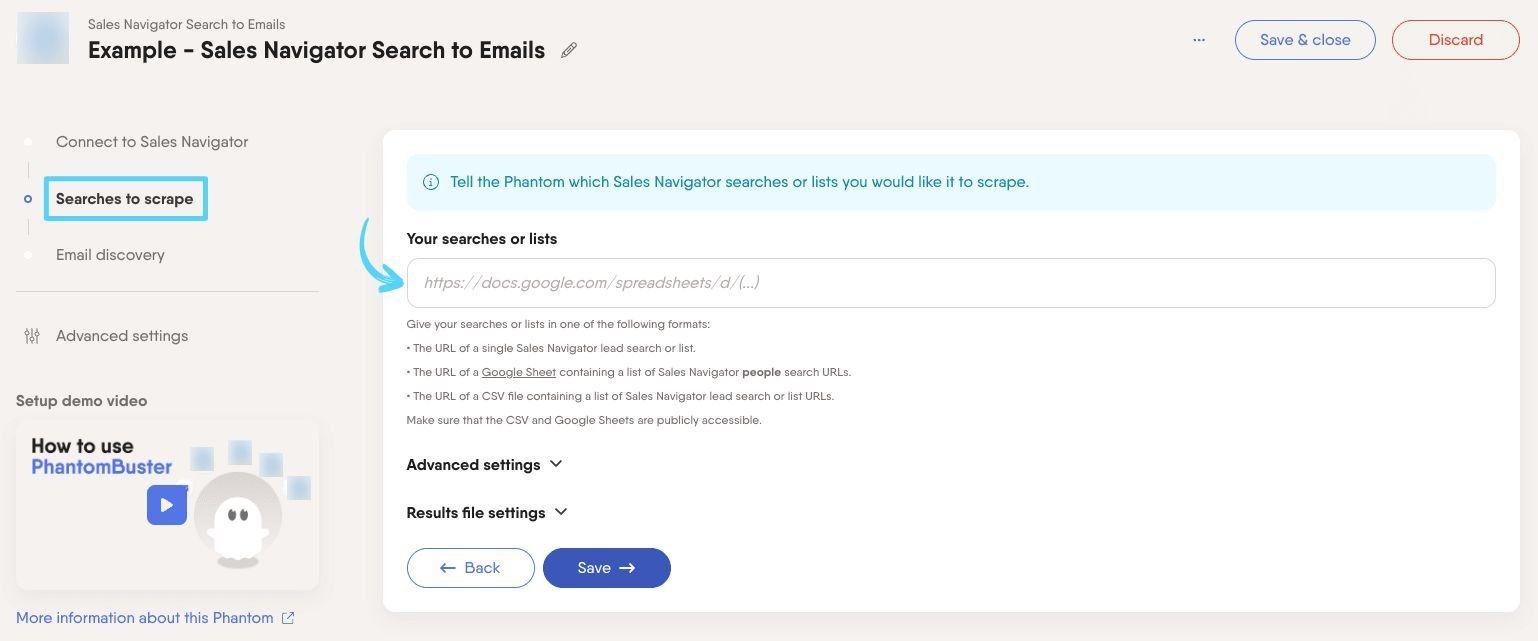
This image shows Give Phantom the search URL

For a Sales Navigator search, you give PhantomBuster the search URL and connect your Sales Navigator session. The connection can be made through its browser extension or with a session cookie.

You can set the number of results you want. PhantomBuster can process up to the 2,500 results that Sales Navigator makes available for a People Search.

Email discovery is optional. When enabled, PhantomBuster attempts to find and verify a professional email after extracting the profile. One credit covers one email lookup attempt. A lookup does not guarantee that an email will be found.

The Search to Emails workflow runs hourly in the background until it reaches the limits you configured.

Pros of PhantomBuster

  • Flexible scraping across Sales Navigator searches, lists and individual profiles.
    ‍
  • Scheduled extraction can run automatically in the background.
    ‍
  • Custom extraction lets you set how many results to scrape from each search.
    ‍
  • Optional enrichment can find and verify professional emails.
    ‍
  • Selective exports let you keep only the fields you need.
    ‍
  • Multiple export options include CSV and JSON on paid plans.

Cons of PhantomBuster

  • Account connection required to scrape Sales Navigator.
    ‍
  • Limited search depth with a maximum of 2,500 available results per People Search.
    ‍
  • Email lookup attempts use one credit even when no email is found.
    ‍
  • Limited execution time based on your monthly plan.
    ‍
  • Restricted free exports with only 10 rows available.
    ‍
  • Fixed hourly schedule for the Search to Emails workflow. 

PhantomBuster Pricing

PhantomBuster pricing
This image shows the PhantomBuster pricing

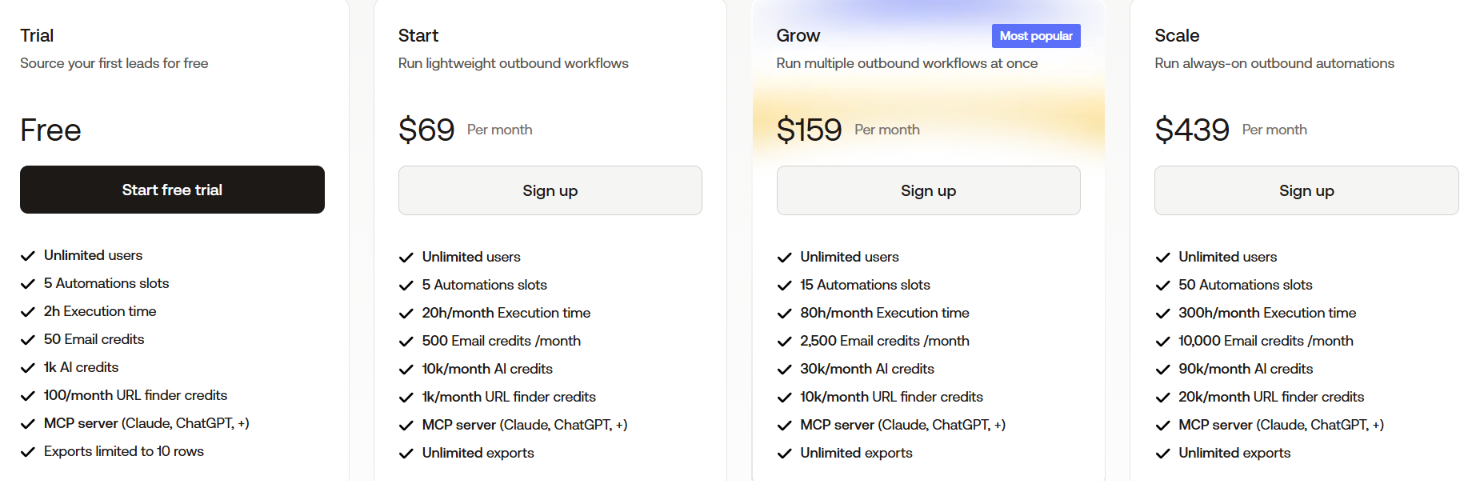
PhantomBuster charges based largely on monthly execution time and the number of automation slots.

  • Trial – Free, 5 automation slots, 2 execution hours and 50 email credits.
    ‍
  • Start – $69/month, 5 slots, 20 execution hours and 500 email credits.
    ‍
  • Grow – $159/month, 15 slots, 80 execution hours and 2,500 email credits.
    ‍
  • Scale – $439/month, 50 slots, 300 execution hours and 10,000 email credits.

The Trial limits exports to 10 rows. Paid plans include unlimited exports.

PhantomBuster splits Sales Navigator scraping into separate automations for searches, lists, profiles and email discovery. Your plan then determines how many automation slots and execution hours you have each month.

5. Datablist – Best for Sales Navigator Scraping Without a LinkedIn Cookie

Datablist homepage
This image shows the Datablist homepage

Datablist is a lead data platform where you can scrape prospect data and enrich the records you collect. It supports several data sources and keeps the results in spreadsheet-style collections.

For Sales Navigator, it has a dedicated scraper for lead and account searches. The default mode runs on Datablist's infrastructure. You do not need to connect your LinkedIn account or provide your li_at cookie.

Lead searches can return 50+ fields. Account searches focus on company data such as domain, industry, employee range and location.

How Does Datablist Scrape Sales Navigator?

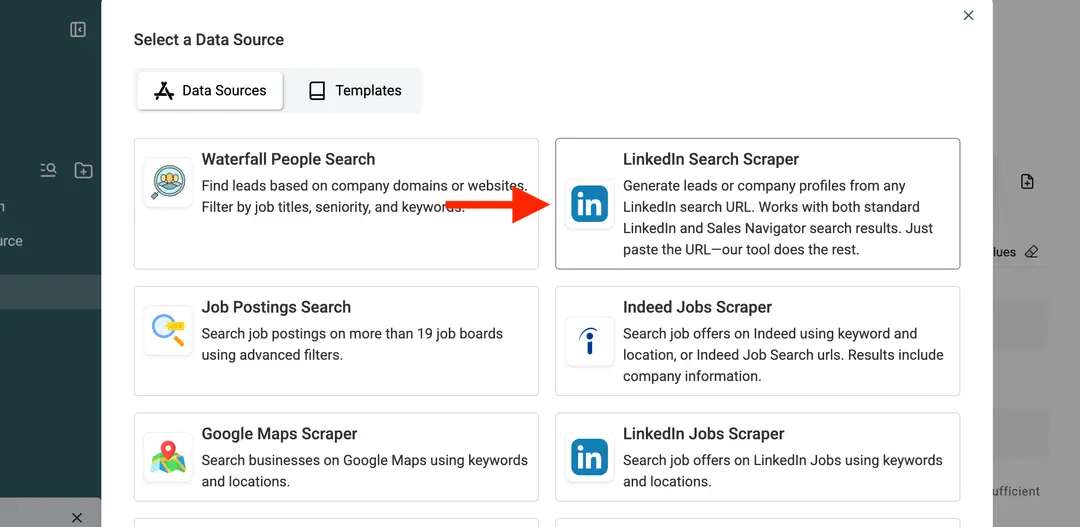
Select Sales Navigator Scraper as data source
This image shows Select Sales Navigator Scraper as data source

Start with a live lead or account search in Sales Navigator. Copy the search URL and paste it into Datablist. You can then set how many records to import and choose the fields you want returned.

The default mode does not use your LinkedIn session. A single Sales Navigator search can expose up to 2,500 results. If your search contains more prospects, you need to split it using filters such as location or company size.

Datablist charges 20 credits per imported lead or account in this mode. There is also an account-connected mode for some lead searches. This requires your li_at cookie but lowers the cost to 10 credits per imported lead. This mode does not support account searches.

Pros of Datablist

  • No-cookie default mode scrapes from a live Sales Navigator search URL.
    ‍
  • Lead and account scraping supports both Sales Navigator search types.
    ‍
  • 50+ lead fields can be returned from a lead search.
    ‍
  • Adjustable import limit lets you choose how many results to scrape.
    ‍
  • Selectable output fields let you control what goes into the final list.

Cons of Datablist

  • 2,500-result ceiling applies to each Sales Navigator search.
    ‍
  • Account-specific filters are not supported in the default mode.
    ‍
  • Cookie access is required for the optional account-connected mode.
    ‍
  • Lead-only account mode cannot scrape Sales Navigator account searches.
    ‍
  • Per-record credits are charged for imported leads or accounts.

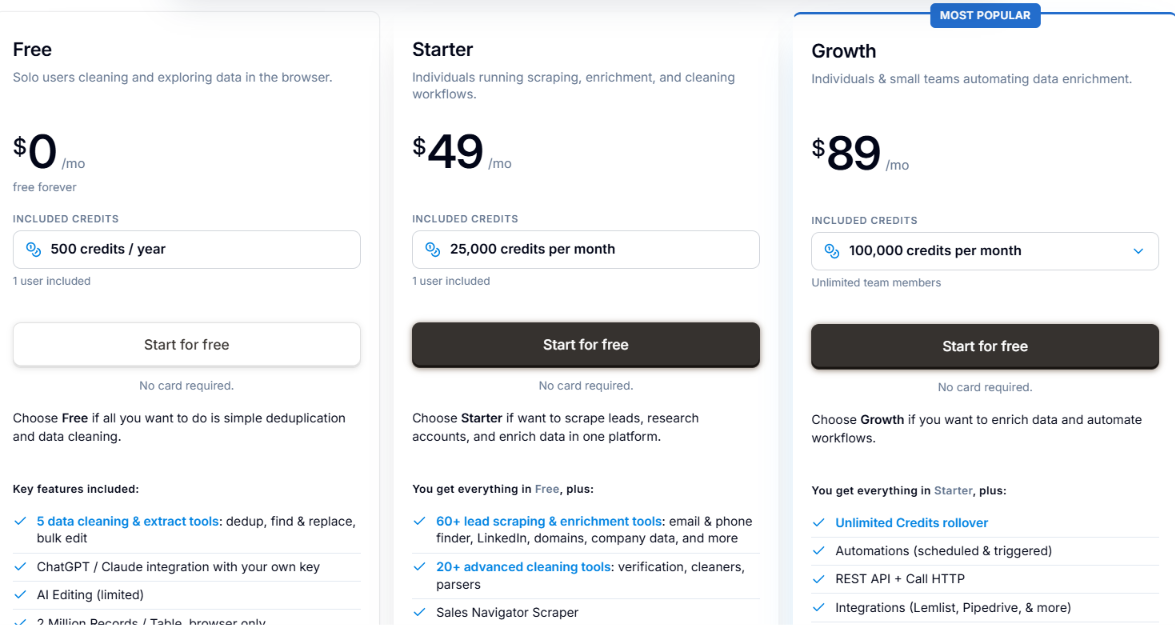
Datablist Pricing

Datablist pricing
This image shows the Datablist pricing
  • Free – $0: 500 credits per year with limited Sales Navigator scraping.
    ‍
  • Starter – $49/month: 25,000 credits per month. Includes the Sales Navigator Scraper.
    ‍
  • Growth – $89/month: 100,000 credits per month. Adds automations and unlimited team members.

For Sales Navigator specifically, expect 20 credits per lead or account in the default mode. The optional account-connected mode costs 10 credits per lead where available.

The main advantage is that Datablist can scrape a Sales Navigator search without requiring your LinkedIn cookie by default.

6. Apify – Best for Sales Navigator Scraping Through Actors

Apify homepage
This image shows the Apify homepage

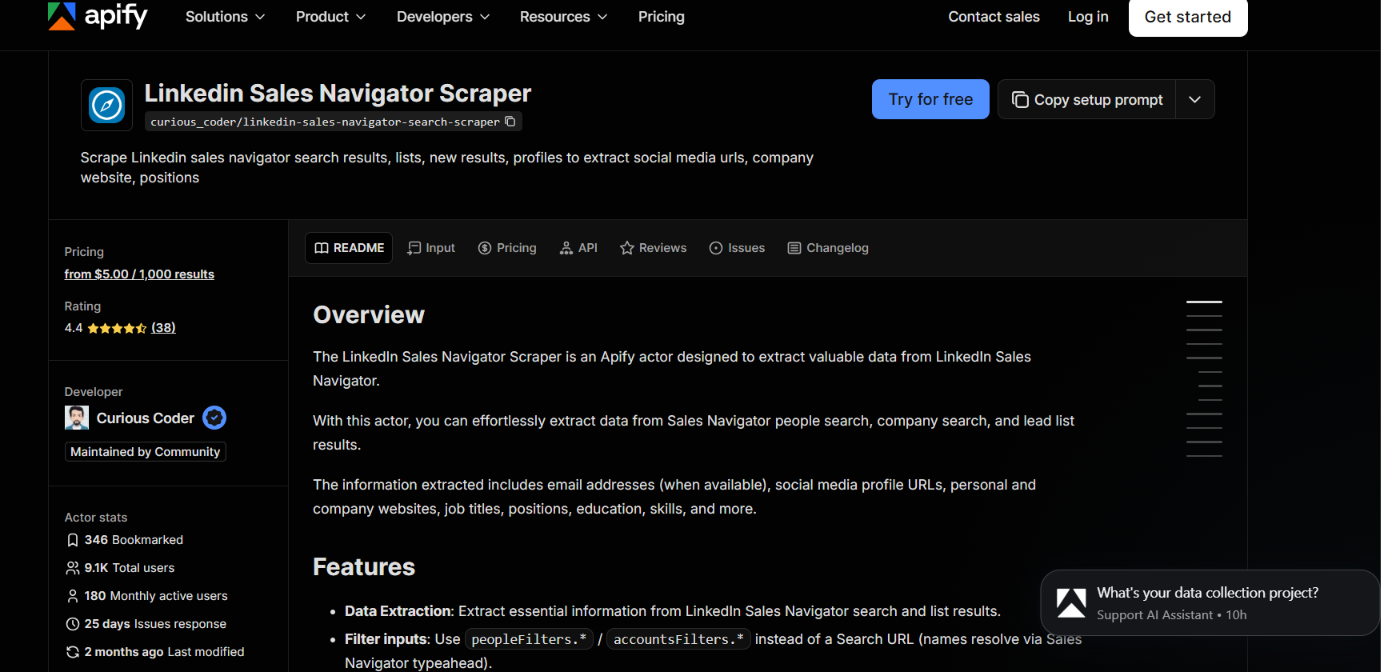
Apify is a web scraping platform with a marketplace of tools called Actors. Its Store includes community-built Actors for scraping LinkedIn Sales Navigator.

These Actors do not all work the same way. Some scrape Sales Navigator searches and lists. Others can visit individual profiles for more data. The login requirements also depend on the Actor you choose.

How Does Apify Scrape LinkedIn Sales Navigator?

LinkedIn Sales Navigator scraper
This image shows the LinkedIn Sales Navigator scraper

One Actor from Curious Coder can scrape People Searches, Account Searches and Lead Lists. You can paste the Sales Navigator URL into the Actor. You can also build the search with People or Account filters.

The basic scrape returns names and job titles. It also pulls location and company data. Work history is included as well. You can turn on deep scrape for more profile data. This can return emails when available. It can also collect skills and education.

Another Sales Navigator Actor works without LinkedIn cookies or login. You paste your search URL and set the number of leads to collect. The maximum is 2,500 leads per search. Each results page returns up to 100 profiles.

Pros of Apify

  • Multiple Sales Navigator Actors give you different scraping methods.
    ‍
  • People Search scraping is supported by specific Actors.
    ‍
  • Account Search scraping is also available.
    ‍
  • Lead List scraping is supported by the Curious Coder Actor.
    ‍
  • Deep profile scraping can return more profile data.
    ‍
  • No-cookie scraping is available through some Actors.

Cons of Apify

  • No standard setup because each Actor works differently.
    ‍
  • Cookie requirements depend on the Actor.
    ‍
  • Output fields vary between Actors.
    ‍
  • Actor pricing is separate from Apify's platform pricing.
    ‍
  • Third-party maintenance applies to the Sales Navigator Actors covered here.

Apify Pricing

Apify pricing
This image shows the Apify pricing
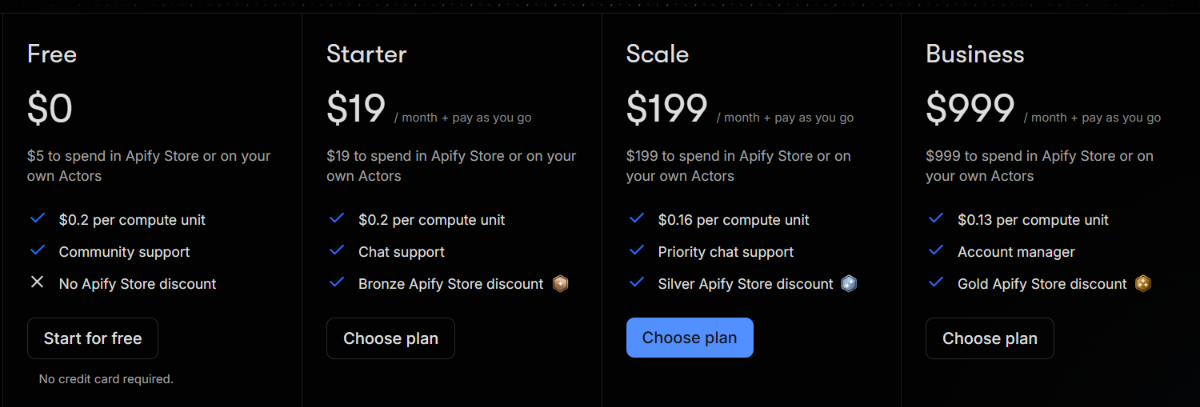
  • Free – $0: $5 in prepaid usage.
    ‍
  • Starter – $19/month: $19 in prepaid usage plus pay as you go.
    ‍
  • Scale – $199/month: $199 in prepaid usage plus pay as you go.
    ‍
  • Business – $999/month: $999 in prepaid usage plus pay as you go.

Each Sales Navigator Actor can have its own pricing. The Curious Coder Actor starts at $5 per 1,000 results.

Another Actor charges $0.50 to start a search. It then charges $0.01 per returned result.

Apify gives you several Sales Navigator Actors to choose from. The scraper you select determines the data you can pull and how much the job costs.

7. Waalaxy – Best for Importing Sales Navigator Prospects Into Outreach

Waalaxy is a LinkedIn prospecting tool that can import prospects from Sales Navigator into its own prospect lists. It supports Sales Navigator searches and saved searches. You can also import lead lists and individual profiles.

Once imported, the prospects can be exported to CSV or added to a Waalaxy outreach campaign. This makes Waalaxy more focused on moving scraped prospects into outreach than simply creating a CSV.

How Does Waalaxy Scrape Sales Navigator?

Automate LinkedIn Sales Navigator with Waalaxy
This image shows the Automate LinkedIn Sales Navigator with Waalaxy

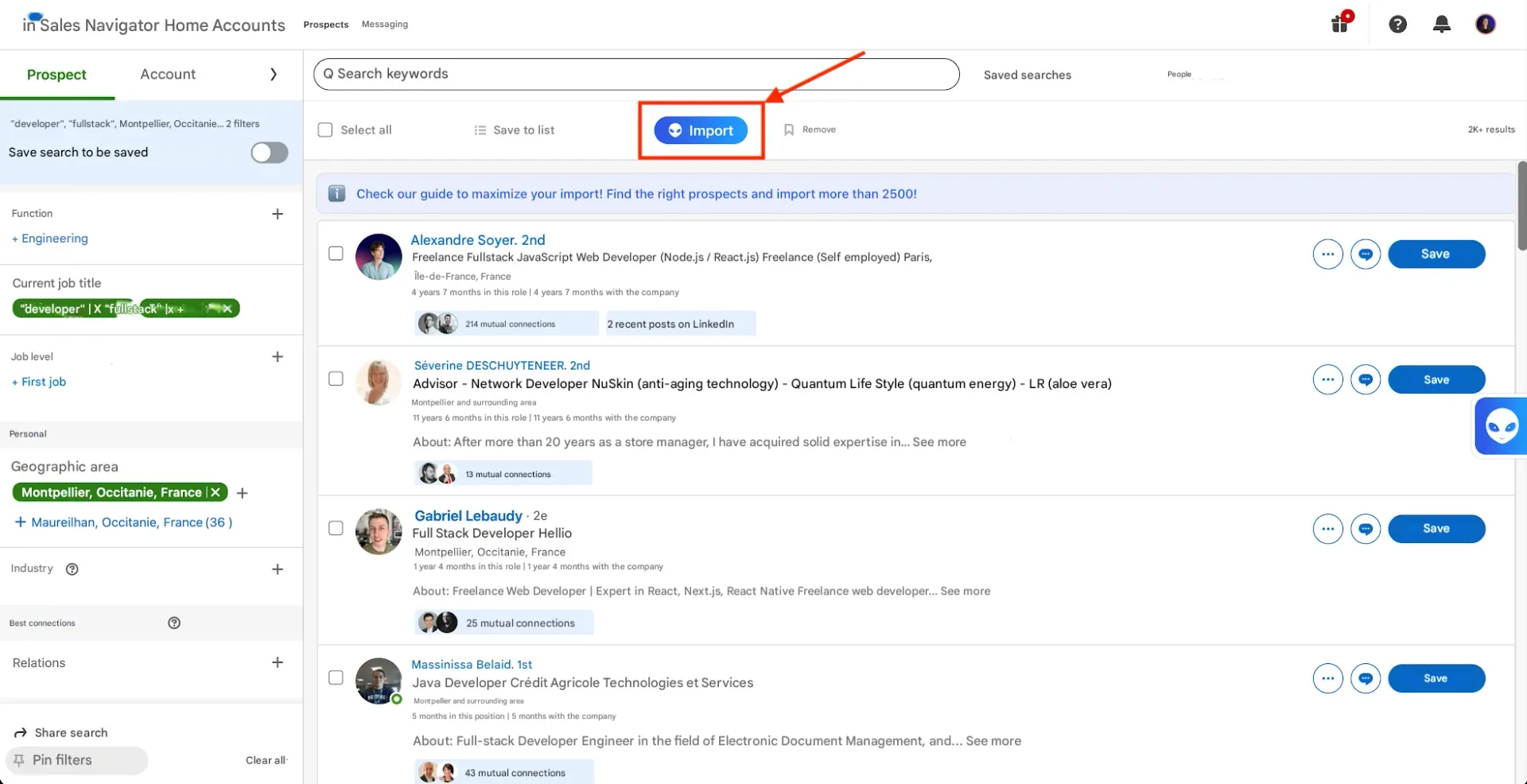
You can build your search in Sales Navigator and launch the import through Waalaxy. You can select the number of prospects you want to collect from the search.

A single Sales Navigator search can return up to 2,500 prospects. If your search contains more than 2,500 results, you need to split it into smaller searches using additional filters.

Imported prospects are saved in a Waalaxy list. Its duplicate check prevents the same prospect from being added twice to your own account. Team duplicate prevention can also check prospects already handled by another team member.

You can export the collected prospects to CSV. Waalaxy also has an Email Finder for finding professional emails. One Email Finder credit is charged for each email found.

Pros of Waalaxy

  • 2,500-result imports are supported from a single Sales Navigator search.
    ‍
  • Multiple import sources include searches and saved searches plus lead lists and profiles.
    ‍
  • Duplicate prevention stops the same prospect from being imported twice.
    ‍
  • CSV exports let you download your prospect lists.
    ‍
  • Email Finder can add professional emails to imported prospects.
    ‍
  • Direct outreach lets you move imported leads into Waalaxy campaigns.

Cons of Waalaxy

  • Search imports are capped by Sales Navigator's 2,500-result display limit.
    ‍
  • Large searches need to be divided into smaller searches.
    ‍
  • Email finding uses separate Email Finder credits.
    ‍
  • Team duplicate prevention depends on the team setup.
    ‍
  • Outreach-focused workflow offers more than you may need if you only want scraped data.

Waalaxy Pricing

  • Pro – €19/user/month: 300 LinkedIn invitations per month and 25 Email Finder credits.
    ‍
  • Advanced – €49/user/month: 800 invitations per month plus API access and integrations.
    ‍
  • Business – €69/user/month: 800 invitations per month and 500 Email Finder credits. It also adds email sequences and multichannel campaigns.

All three paid plans support Sales Navigator imports and CSV imports and exports. Waalaxy works best when you want the Sales Navigator import to feed directly into prospecting. The 2,500-result limit still applies to each search.

8. GetProspect – Best for Sales Navigator Scraping With Email and Phone Data

GetProspect homepage
This image shows the GetProspect homepage

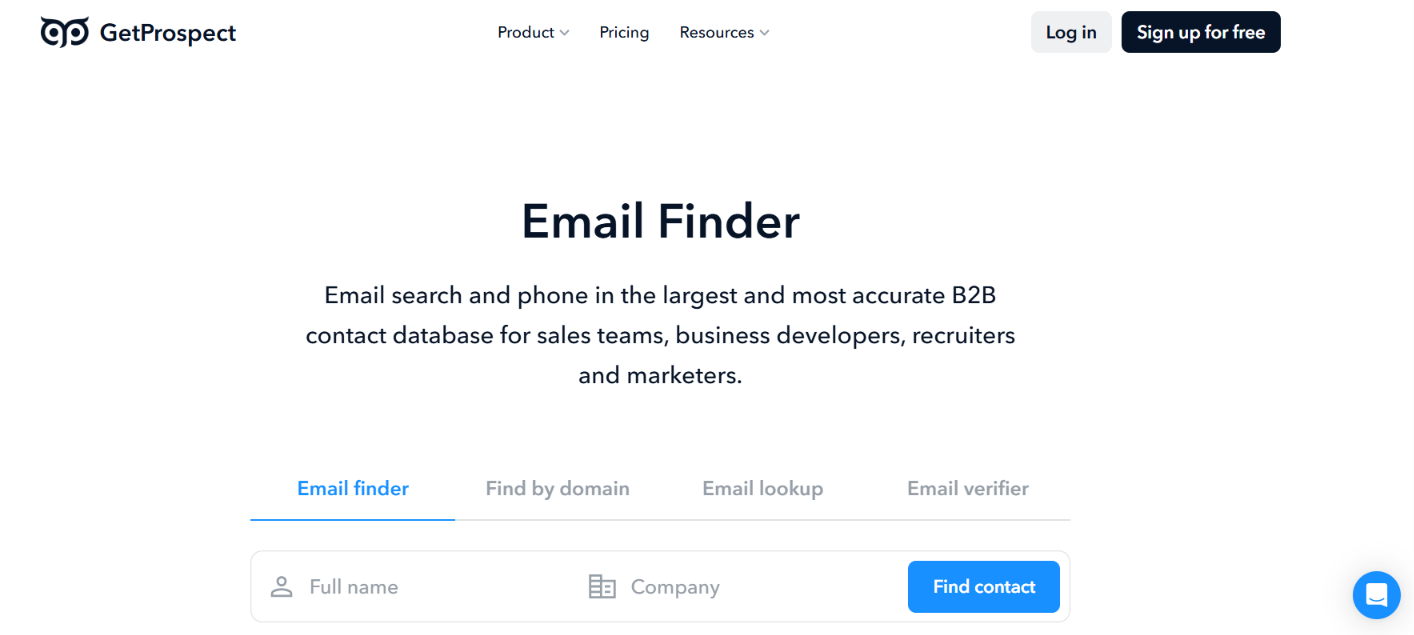
GetProspect is a B2B contact database with a Chrome extension for LinkedIn and Sales Navigator. You can collect prospects from Sales Navigator searches and lead lists. You can also find business emails and mobile numbers.

One limitation matters before you start. The extension panel only shows Sales Navigator profiles that are available in GetProspect's database.

How Does GetProspect Scrape Sales Navigator?

You can run a Sales Navigator search and open the GetProspect extension. The side panel shows available prospects from the current page. You can select individual leads or the whole page.

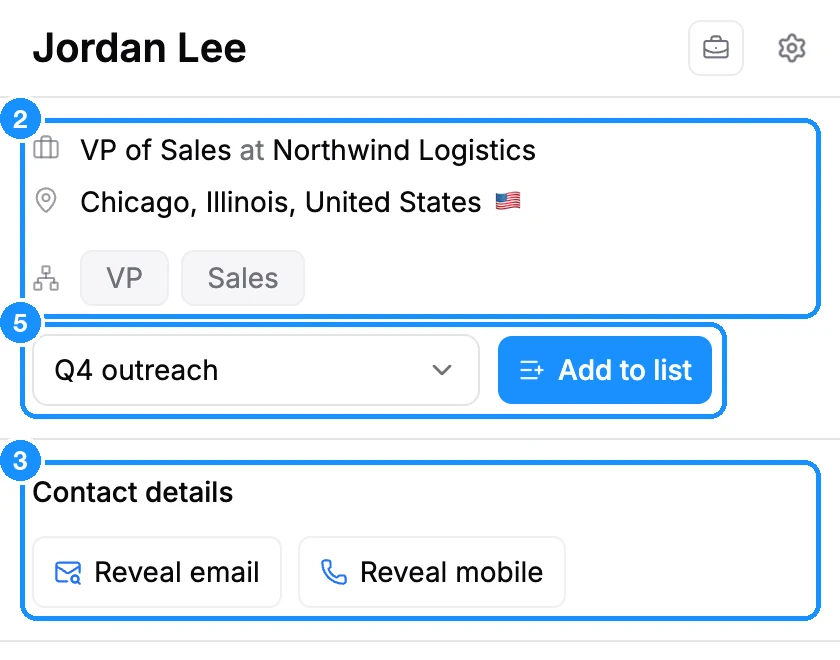
Click Reveal email under Contact details
This image shows the Click Reveal email under Contact details

For bulk scraping, Autosave pages to list can process up to 100 pages in one run. The extension moves through each results page and saves the available prospects to your chosen GetProspect list.

The tab and extension panel must stay open while Autosave runs. Once finished, you get a report with the number of pages processed and profiles saved. It also reports skipped duplicates and errors.

GetProspect re-checks contact data that is more than 90 days old before returning an email. This happens when you do not already own that person's email and still have email credits available.

Pros of GetProspect

  • Bulk page scraping can process up to 100 pages automatically.
    ‍
  • Lead selection supports individual prospects or entire pages.
    ‍
  • Sales Navigator lead lists can also be imported.
    ‍
  • Data cleaning removes items such as emojis and company suffixes.
    ‍
  • Contact enrichment can return business emails and mobile numbers.
    ‍
  • Duplicate detection skips prospects already stored in your workspace.

Cons of GetProspect

  • Database-dependent results mean some Sales Navigator profiles may not appear in the extension.
    ‍
  • Open browser tab is required during an Autosave run.
    ‍
  • Plan usage limits can stop bulk saving until the limit resets.
    ‍
  • Available search results limit Autosave because it stops at the last results page LinkedIn makes available.

GetProspect Pricing

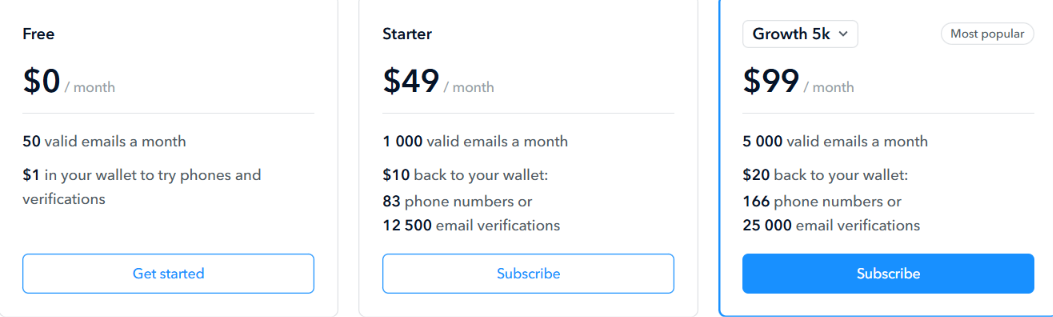
GetProspect pricing
This image shows the GetProspect pricing
  • Free – $0/month: 50 valid emails per month.
    ‍
  • Starter – $49/month: 1,000 valid emails per month plus $10 in wallet credit.
    ‍
  • 5,000-email plan – $99/month: 5,000 valid emails per month plus $20 in wallet credit.

You spend 1 email credit when a new valid email is found. Saving someone without an email is free. An email you already own does not cost another credit.

GetProspect is more useful when you want contact data alongside the Sales Navigator scrape. Its main restriction is that the extension can only save people it can match to its own database.

Which LinkedIn Sales Navigator Scraper Should You Choose?

The main difference between these eight tools is what happens after you run the Sales Navigator search.

If you need a cleaned CSV then Evaboot works differently from a tool built around outreach. If you need the leads to go straight into a campaign then Salesforge or Waalaxy removes that extra export step.

If you need... Choose
Sales Navigator leads sent directly into email or LinkedIn outreach Salesforge
Clean Sales Navigator CSV exports with email finding Evaboot
Multi-page scraping with business email enrichment Skrapp
Scheduled Sales Navigator scraping PhantomBuster
Sales Navigator scraping without sharing your LinkedIn cookie by default Datablist
Different scraping setups through third-party Actors Apify
Sales Navigator imports that feed into LinkedIn campaigns Waalaxy
Bulk saving with email and phone data from its contact database GetProspect
Personalized Outbound Strategy

Get The Right Outbound Strategy In Minutes

Enter your email to get a custom plan & stack recommendation for your business

It's being carefully crafted by AI

Please check your mailbox in 5 minutes
Conclusion

If you only need Sales Navigator leads in a CSV, use a scraper built for exports. But if those leads are going straight into cold outreach, exporting and re-uploading them adds a step you do not need.

Salesforge can import the full Sales Navigator search and enrich leads with emails or phone numbers. You can then add them directly to an email or LinkedIn sequence during the same import.

If that matches your workflow, try the Salesforge Chrome extension with 100 free prospecting credits and run your first Sales Navigator import.

Book more meetings on autopilot

Set up in minutes. No per-seat pricing. No commitment.
Try
free
4.6 rating on G2
Add as a preferred
source on Google