How many tools does your SDR team need to run a single outbound sequence?
If the answer is four or five, your team may be paying for overlapping features and wasting time switching between platforms.
The right B2B sales tool can bring prospecting, outreach, and follow-ups into one place.
Choosing one is not easy. Many platforms now offer similar features. A CRM may handle email sequences, a sales engagement platform may include contact data, and a data provider may offer AI-powered prospecting.
Before choosing a tool, consider three things: Does it support both email and LinkedIn outreach? How does the pricing change as your team grows? And what features does it offer to protect email deliverability?
This guide compares seven B2B sales tools based on their features, outreach channels, pricing, and limitations to help you choose the right fit for your team.
$49 per user per month, annual billing (Basic plan)
Custom quote after a demo
Custom quote after an intro call
$55 per month, annual billing (Email plan)
$49 per user per month, annual billing (Email Volume plan)
Free trial
14 days
Start free, no card needed
14 days, plus a Free plan
No free trial
No free trial
14 days
14 days
7 Best B2B Sales Tools Compared (A Detailed Discussion)
1. Salesforge
Best for: GTM teams and agencies that want to run email and LinkedIn steps in one sequence from as many mailboxes as they need.
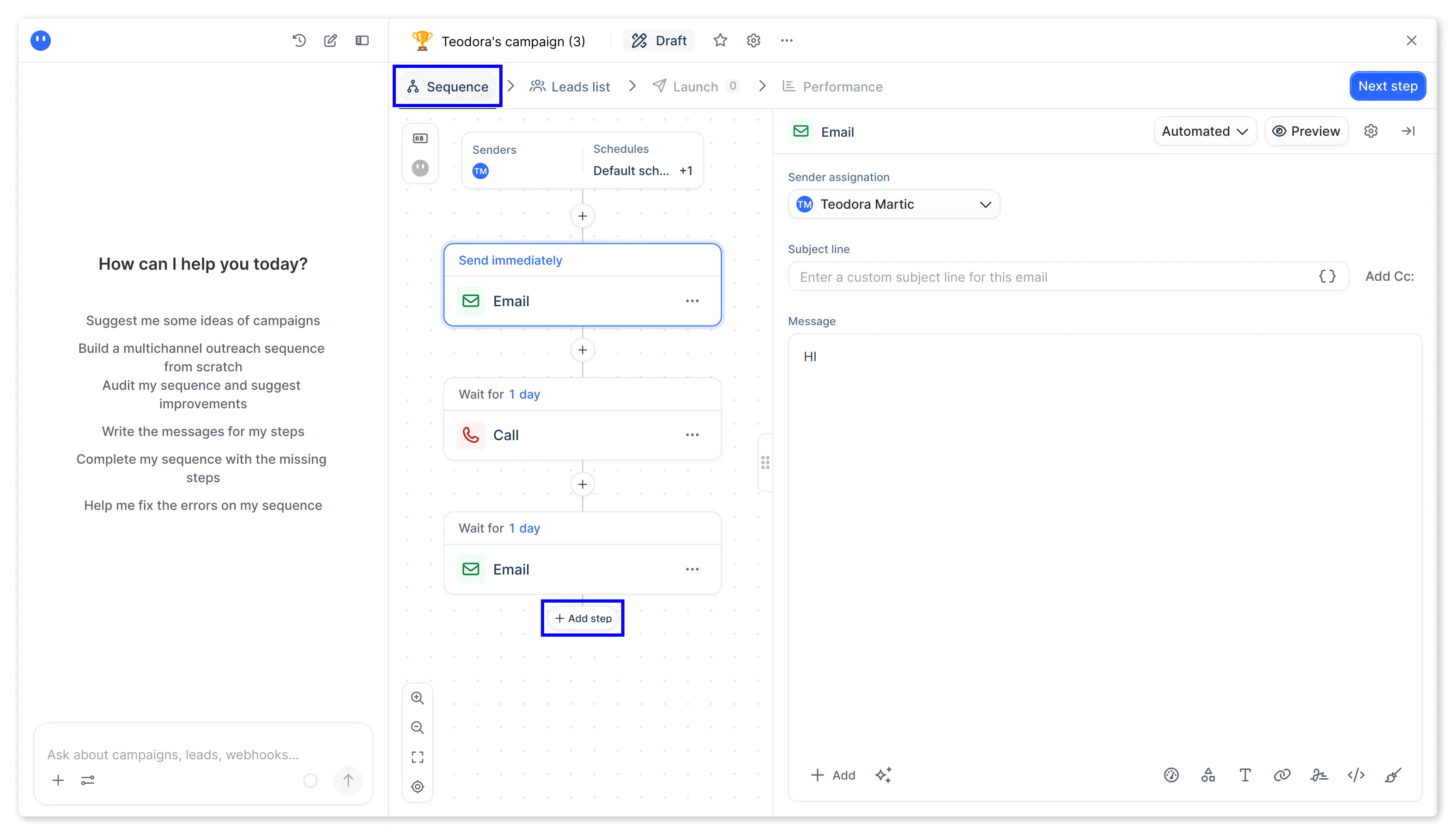
Salesforge is a multichannel outreach tool for B2B sales. It runs email and LinkedIn steps in one multichannel sequence. Its AI SDR, Agent Frank, can find prospects and book meetings on his own.
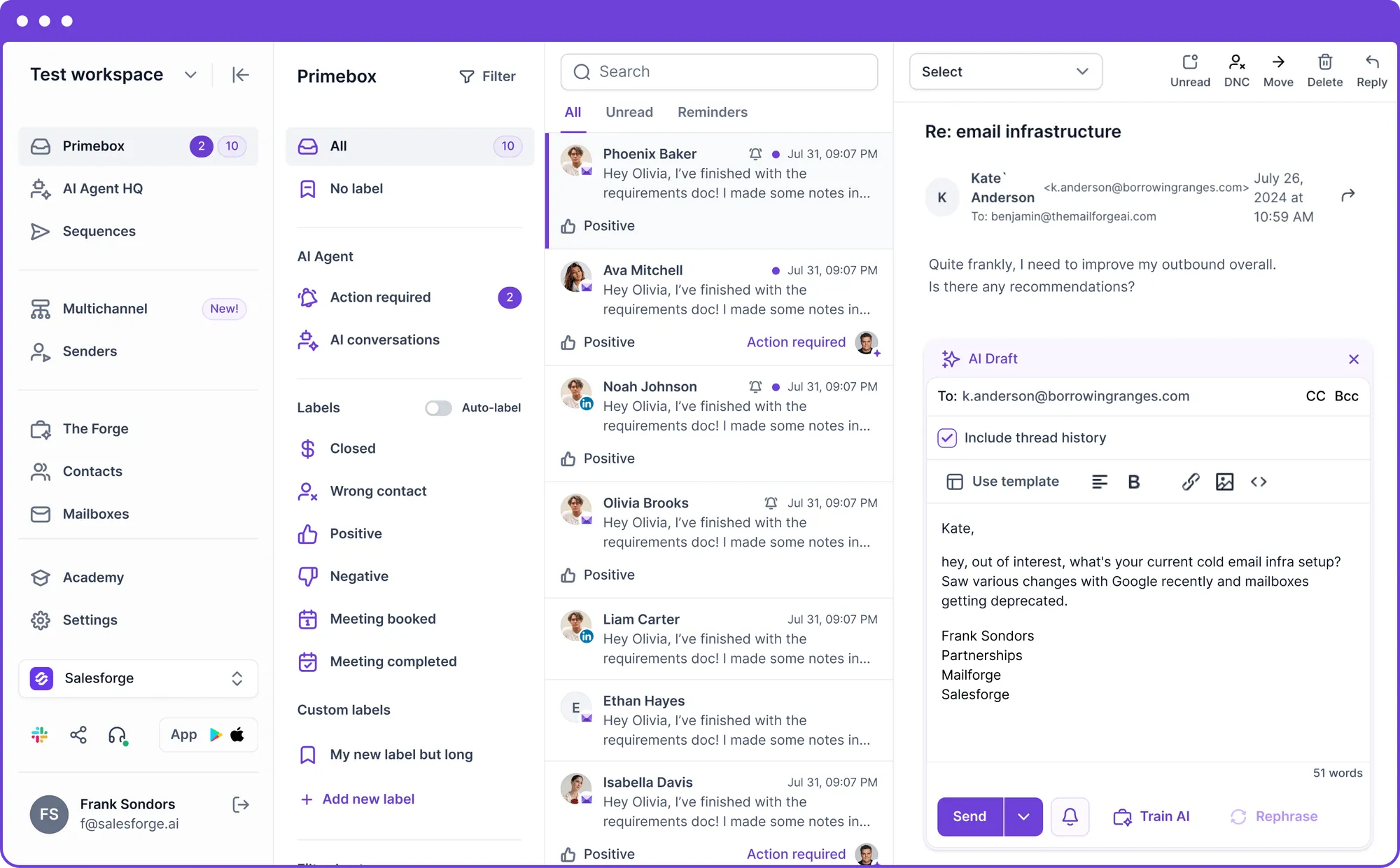
The part I find most useful is Primebox™. When replies are spread across 30 mailboxes and five LinkedIn accounts, warm leads go cold before anyone sees them.
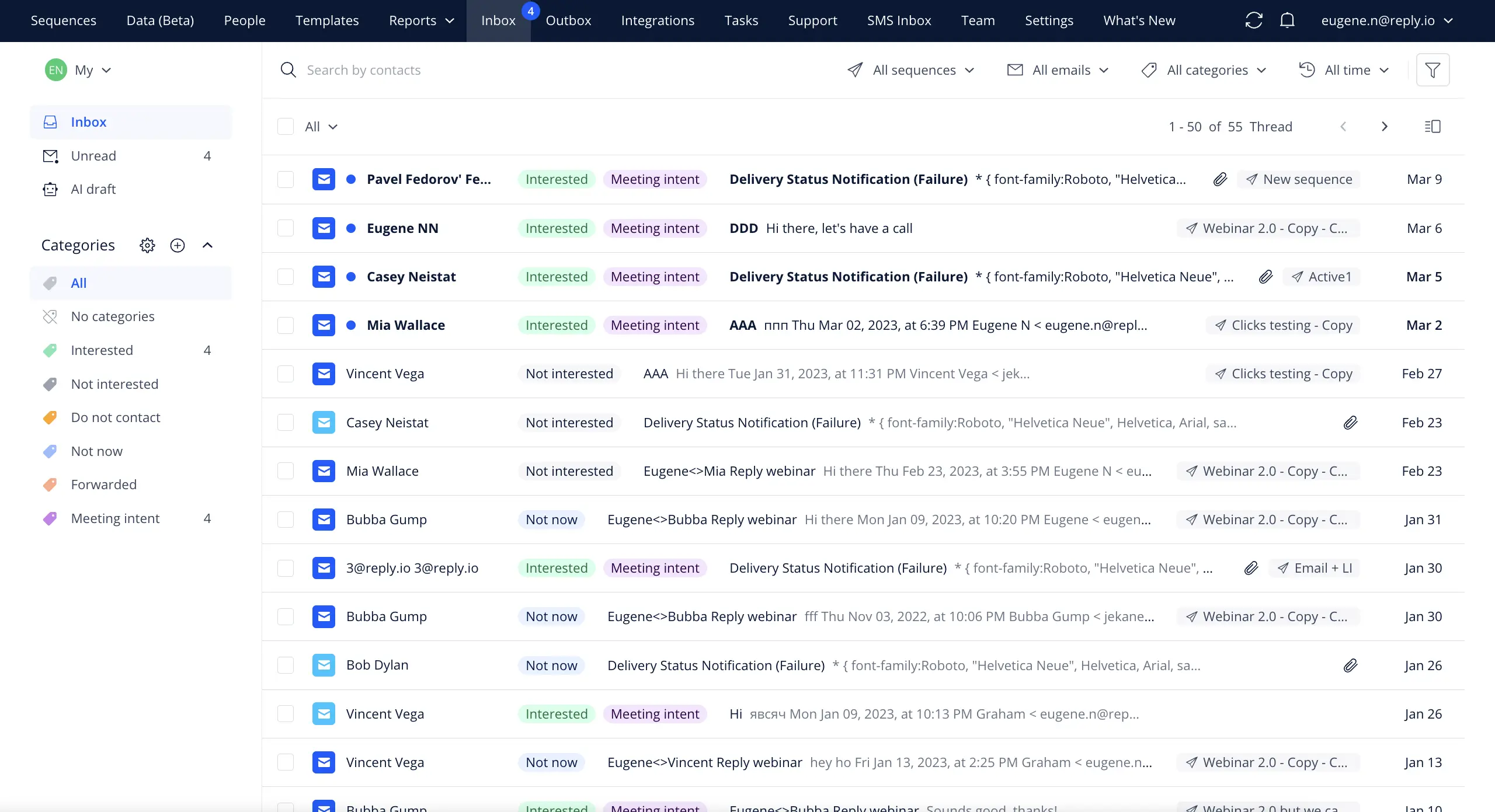
Primebox™ solves that by bringing every email and LinkedIn reply into one inbox. Sentiment analysis tags each thread, so SDRs can answer interested prospects first.
Every plan connects unlimited mailboxes, and each one gets unlimited premium warmup through Warmforge.
That makes Salesforge the right choice for GTM teams and agencies that send email and LinkedIn outreach at volume.
Multichannel sequences that run email and LinkedIn steps in one conditional flow
Unlimited mailboxes with smart mailbox rotation on every plan (no single mailbox sends too much)
Unlimited premium warmup powered by Warmforge on every connected mailbox
Primebox™ that collects email and LinkedIn replies in one inbox with sentiment tags
AI personalization in 20+ languages, with Overdrive mode for deeper lead research
Salesforge MCP, CLI and API that connect Salesforge to Claude, Codex and custom workflows (Growth plan)
Agent Frank, the AI SDR inside Salesforge, with Auto-Pilot and Co-Pilot modes
Pros:
Unlimited mailboxes and premium warmup on every plan
Email and LinkedIn steps in one conditional sequence
Primebox™ inbox for every email and LinkedIn reply
Unlimited workspaces to keep agency clients separate
AI personalization in 20+ languages
Cons:
There is only 14-day free trial
Pricing
Pro plan: $40 per month with annual billing, or $48 billed monthly. It includes 1,000 active contacts, 5,000 emails per month, one LinkedIn sender and one user.
Growth plan: $80 per month with annual billing, or $96 billed monthly. It includes 10,000 active contacts, 50,000 emails per month and unlimited LinkedIn senders and users.
Agent Frank: From $499 per month with annual billing, or $599 with quarterly billing. Hiring him starts with a demo.
Free trial: 14 days. It includes 50 contacts, 100 emails and unlimited mailboxes with warmup.
Salesforge runs email and LinkedIn steps in one conditional sequence. It connects unlimited mailboxes with unlimited premium warmup, and every reply lands in Primebox™.
Best for: Founders and agencies that want to connect unlimited email accounts and send high-volume cold email from one dashboard.
Instantly is a cold email tool for sending at high volume. Its AI Reply Agent handles incoming replies.
The part I find most useful is unlimited email accounts on every Outreach plan. A per-mailbox fee makes each new sending account more expensive to add.
Every Outreach plan includes unlimited email accounts and unlimited warmup. The Growth plan covers 5,000 emails and 1,000 contacts per month. Higher plans raise both limits.
The 450M+ lead database runs on credits. Instantly sells it separately from the Outreach plans.
Outreach plans start at $37.60 per month with annual billing on the Growth plan.
That makes Instantly the right choice for founders and agencies that send cold email at volume and do not need LinkedIn in the same sequence.
Unlimited email accounts and unlimited warmup on every Outreach plan
B2B Lead Database with 450M+ leads, 13 filters and enrichment
AI Reply Agent that answers incoming replies on the Scale bundle and above
AI Email Writer Agent and Web Researcher Agent on the credits plans
Inbox placement tests across Gmail, Outlook and Yahoo (unlimited on paid plans)
Website Visitors that identifies people who visit your site
SISR System with a dedicated private server and IP block on the Light Speed plan
Pros:
Unlimited email accounts and warmup on every Outreach plan
450M+ B2B lead database with 13 filters
AI Reply Agent for handling incoming replies
Built-in inbox placement tests
Private server and IP block on the Light Speed plan
Cons:
No LinkedIn steps, so sequences stay email only
Lead data needs a credits plan on top of the Outreach plan
Pricing
Growth plan: $37.60 per month with annual billing, or $47 billed monthly. It includes 5,000 emails per month, 1,000 contacts and unlimited email accounts.
Hypergrowth plan: $77.60 per month with annual billing, or $97 billed monthly. It includes 125,000 emails per month and 25,000 contacts.
Light Speed plan: $286.30 per month with annual billing, or $358 billed monthly. It includes 500,000 emails per month and 100,000 contacts.
Enterprise plan: Custom quote. Its sales team shares the price on request.
Growth Credits plan: $37.60 per month with annual billing, or $47 billed monthly. It includes 1,500 lead data credits.
Free trial: New accounts can start free with no credit card required.
This Instantly alternatives guide compares Instantly with tools that add LinkedIn to the sequence.
3. Apollo.io
Best for: Founders and SDRs who want to find verified contacts and then email or call them from the same product.
Apollo.io is a sales intelligence and engagement tool. It pairs a database of 240M+ contacts with sequences, a dialer and workflows.
The part I find most useful is having data and sending in one account. Moving a list from a data tool into a sequencer adds a CSV step every time.
Reps filter contacts by more than 65 attributes, including job changes and intent signals. Matching contacts go straight into a sequence.
Each sequence can mix email, calls and LinkedIn tasks. LinkedIn steps run as manual tasks that the rep completes.
Paid plans start at $49 per user per month with annual billing on the Basic plan.
That makes Apollo.io the right choice for founders and small SDR teams that need contact data and sending in one login.
This Apollo.io review explains its features, pricing and limits in more depth.
Key Features
B2B database with 240M+ contacts and 30M+ companies
65+ search filters, including job changes and intent signals
Sequences that combine email, calls and LinkedIn tasks in one flow
Built-in dialer with call recording, transcription and parallel dialing
Waterfall enrichment that checks several data sources for missing emails and phone numbers
AI Assistant that builds sequence steps and email copy from buyer context
Apollo MCP and Chrome extension for ChatGPT, Claude, LinkedIn and Gmail
Pros:
240M+ contact database with 65+ search filters
Email, calls and tasks in one sequence
Built-in dialer with call recording and parallel dialing
Waterfall enrichment fills missing emails and phone numbers
Apollo MCP and Chrome extension for LinkedIn, Gmail and AI assistants
Cons:
Free plan connects Gmail mailboxes only
G2 reviewers report outdated contact data in some segments
Pricing
Free plan: $0 with 75 credits per month.
Basic plan: $49 per user per month with annual billing, or $65 billed monthly.
Professional plan: $79 per user per month with annual billing, or $99 billed monthly.
Organization plan: $119 per user per month with annual billing. It requires at least three users.
Free trial: 14 days on the paid plans. After the trial, the account can move to the Free plan.
Best for: Enterprise sales organizations that want AI agents to run research, sequencing, call coaching and forecasting on one platform.
Outreach is an AI agent platform for revenue teams. Its Research Agent and Personalization Agent prepare account research and tailored messages for each rep.
The part I find most useful is out-of-office detection. A sequence that keeps sending to an empty inbox wastes touches and throws off later steps.
Outreach spots out-of-office replies and pauses the sequence until the prospect returns. The remaining steps then run in the order the rep planned.
Sequence steps cover email, LinkedIn, SMS and calls. Every call, email and message syncs to CRM contacts and opportunities.
Every package has a custom quote based on seats and AI credits. The price is shared after a demo.
That makes Outreach the right choice for enterprise sales organizations that want sequencing, coaching and forecasting on one platform.
Live transcription and coaching cards on the Amplify Essentials and Amplify Plus packages
Cons:
Amplify Essentials package has no sequences
AI credits are used per action, so monthly cost moves with usage
Pricing
Every Outreach package has a custom quote based on seats and AI credits. Its sales team shares the price after a demo.
Amplify Essentials package: 10,000 AI credits for conversation intelligence and coaching.
Amplify Core package: 25,000 AI credits, multichannel sequences and the integrated dialer.
Amplify Plus package: 50,000 AI credits, plus deal agents and live coaching.
Amplify Pro package: 100,000 AI credits, plus forecasting and managed services.
Free trial: Outreach does not offer a free trial. A demo is the first step.
This Salesloft vs Outreach comparison explains how Outreach differs from its closest rival.
5. Salesloft
Best for: Revenue leaders who want rep cadences, deal reviews and Clari forecasts on one data layer.
Salesloft is a revenue orchestration platform for account teams and sales leaders. Its AI agents draft emails from buyer data and help reps find the right leads.
The part I find most useful is Rhythm. A rep with 200 open tasks needs to know which ones matter today.
Rhythm ranks each rep's priority accounts by buyer signals and engagement. The most engaged prospects move to the top of the list.
Cadences mix emails, calls and social touches, with a built-in sales dialer. Clari Forecast and Inspect add forecasting and pipeline review to the same platform.
The Salesloft platform has a custom quote, shared after an intro call.
That makes Salesloft the right choice for sales organizations that want rep cadences and Clari forecasts from one vendor.
Best for: Sales teams that want to find leads in a 650M+ database and reach them by email, LinkedIn, calls and SMS.
Lemlist is a multichannel outreach tool with its own lead database. lemAgent, its AI agent, finds buyers and drafts multichannel campaigns from a goal.
The part I find most useful is the 650M+ lead database inside the same tool. Finding leads in one product and emailing them from another means two subscriptions and an export each time.
Reps search the database, then find and verify emails and phone numbers without leaving Lemlist. Intent signal agents flag events like job changes, funding rounds and website visits.
Conditioned sequences branch based on what each prospect does. lemwarm, Lemlist's warmup tool, is included in every plan.
The Email plan starts at $55 per month with annual billing. The Multichannel plan costs $87 per user per month.
That makes Lemlist the right choice for sales teams that want lead data, multichannel sequences and warmup from one vendor.
This Lemlist review explains its features and pricing in more depth.
Key Features
650M+ lead database with a built-in email finder and phone number finder
Conditioned sequences that branch based on each prospect's actions
LinkedIn automation with profile visits, invites and voice messages on the Multichannel plan
Built-in power dialer and SMS steps on the Multichannel plan
lemAgent that turns a goal into a ready-to-send multichannel sequence (nothing launches without your review)
lemwarm warmup and Deliverability Hub included on every plan
Lemlist MCP, CLI and API for AI assistants and custom workflows
Pros:
650M+ lead database with email and phone finder
Email, LinkedIn, calls and SMS in one sequence on the Multichannel plan
Conditioned next steps based on prospect actions
lemwarm warmup included on every plan
Unlimited users and email senders on the Email plan
Cons:
LinkedIn, calling and the unified inbox start on the Multichannel plan
Five senders per user on the Multichannel plan
Pricing
Email plan: $55 per month with annual billing, or $69 billed monthly. It includes 50,000 emails per month with unlimited users and senders.
Multichannel plan: $87 per user per month with annual billing, or $109 billed monthly. It includes unlimited emails and messages.
Enterprise plan: Custom quote. Its sales team shares the price on request.
Lead data enrichment add-on: $16 per month with annual billing, or $20 billed monthly, for 2,000 credits.
Buying intent signals add-on: $21 per month with annual billing, or $29 billed monthly, for 100 signals.
Free trial: 14 days. It covers Multichannel plan features except in-app calls and includes 200 credits.
Best for: SDR teams that want to price email outreach by active contacts and add LinkedIn or calling only for the reps who need it.
Reply.io is a sales engagement tool for email, LinkedIn, calls and SMS. Jason AI SDR, its AI agent, finds leads and writes outreach.
The part I find most useful is active contact pricing on the Email Volume plan. Tools that count every email make long follow-up sequences expensive.
An active contact is a unique contact who gets a first-step email in a month. Follow-ups to that contact are unlimited, so a five-step sequence counts once.
Every connected mailbox gets warmup through Mailtoaster.ai. The Email Volume plan allows unlimited mailboxes under a fair-use policy.
The Email Volume plan starts at $49 per user per month with annual billing for 1,000 active contacts.
That makes Reply.io the right choice for SDR teams that want to scale email volume first and add LinkedIn and calling later.
Multichannel conditional sequences across email, LinkedIn, calls and SMS
Jason AI SDR with Autopilot and Copilot modes
Live data search across 1B+ B2B contacts (50 credits included each month)
Email warmup through Mailtoaster.ai on every connected mailbox
Unified Inbox that collects replies from every channel in one place
Agentic Chat that runs outreach tasks from simple commands
AI Variables that personalize emails at scale
Pros:
Unlimited follow-ups to active contacts
Unlimited mailboxes under fair use on the Email Volume plan
Warmup through Mailtoaster.ai on every mailbox
Jason AI SDR with Autopilot and Copilot modes
Native HubSpot, Salesforce and Pipedrive integrations
Cons:
LinkedIn automation costs $69 per month per account on the Email Volume plan
Trustpilot reviewers report billing and cancellation issues
Pricing
Email Volume plan: From $49 per user per month with annual billing, or $59 billed monthly, for 1,000 active contacts. Higher tiers raise the contact limit.
Multichannel plan: $89 per user per month with annual billing, or $99 billed monthly. It includes one LinkedIn account, calling and five mailboxes per user.
Extra mailboxes: $29 per mailbox per month on the Multichannel plan.
Jason AI SDR: From $500 per month with annual billing for 1,000 active contacts.
Start with three questions. How many people will send outreach? Which channels do they need? And what will the tool cost at your actual sending volume?
List how many emails you plan to send each month and how many mailboxes that volume needs.
Decide whether the problem is the CRM, the outreach tool or the contact data.
Check how each vendor charges. Per-seat, per-mailbox and per-contact pricing scale in different ways.
Confirm that LinkedIn steps can run in the same sequence as email.
Check whether warmup is included for every connected mailbox.
Pick your sending setup. Shared IPs work for a start, and dedicated IPs give full control.
Make sure replies from every mailbox and channel land in one inbox.
Confirm which plan includes CRM sync, A/B testing and API access.
Calculate the 12-month cost with seats, add-ons and data credits included.
Use the free trial to send a short sequence from two mailboxes to a small verified list.
If your emails start landing in spam as volume grows, this email deliverability page explains what to check first.
Scale Your B2B Sales Outreach Without Paying Per Seat
B2B sales teams need more reps and mailboxes as pipeline grows. The Salesforge Growth plan includes unlimited mailboxes, LinkedIn senders and users for $80 per month with annual billing.
Each tool on this list does one part of outbound well.
If you send email only and want unlimited accounts on the entry plan, Instantly is a fair choice. If you need contact data and sending in one login, Apollo.io is the faster start.
Large sales organizations that want forecasting next to engagement will compare Outreach and Salesloft. Lemlist and Reply.io fit sales teams that want flexible add-ons for LinkedIn and calling.
My take is simple. If your outbound runs on email and LinkedIn across many mailboxes, Salesforge covers sequences, warmup and replies on one plan. It has no per-mailbox charge.
B2B sales tools are software products that help sales teams find business buyers, contact them and close deals. The main categories are CRMs, sales engagement tools, contact data providers and conversation intelligence tools.
2. Which B2B sales tool is the cheapest for a small sales team?
Instantly's Growth plan is the lowest-priced paid plan on this list. It costs $37.60 per month with annual billing and sends email only. Salesforge's Pro plan costs $40 per month with annual billing and adds a LinkedIn sender. Apollo.io also has a free plan that connects Gmail mailboxes only.
3. Do I need a CRM if I already use a sales engagement tool?
Yes, once deals move past the first meeting. A sales engagement tool books the meeting, and the CRM tracks the deal after that. Salesforge connects to CRMs on the Growth plan through its integrations. Replies and meetings then reach the CRM your account executives use.
4. Is Salesforge the same as Salesforce?
No. Salesforge is a cold outreach tool for email and LinkedIn. Salesforce is a CRM. Salesforge can send meetings and replies into a CRM such as Salesforce on the Growth plan.
5. Can one tool run email and LinkedIn in the same sequence?
Yes. Salesforge, Outreach and Reply.io run email and LinkedIn steps in one sequence. Lemlist does it on the Multichannel plan. Instantly sends email only. Apollo.io handles LinkedIn touches as manual tasks.
6. How many mailboxes do I need to send 10,000 cold emails a month?
Around 10 to 15 mailboxes. That assumes a safe ceiling of 30 to 50 emails per mailbox per day across about 22 sending days. Spread them over several domains so one bad domain does not stop the whole campaign. Mailforge sets up shared-IP mailboxes in minutes. Infraforge offers dedicated IPs when you want a sending reputation that belongs to your domains alone.
7. How do I keep cold emails out of spam when I scale?
Warm up every new mailbox for 14 days, verify your list and keep daily volume per mailbox low. Warmforge tracks Heat Score™, a live health score for each mailbox. A score of 85 or more means the mailbox is ready to send. ESP matching also helps. It means sending from the same email provider your prospect uses, and Primeforge provides Google Workspace and Microsoft 365 mailboxes for it.
Book more meetings on autopilot
Set up in minutes. No per-seat pricing. No commitment.
Learn how to use Jev for B2B lead generation with Grok Bot and Leadsforge, from scoring ICP fit and buying signals to finding qualified leads every week.
B2B appointment setting does not have to mean hiring more SDRs. I compare in-house reps, outsourced setters, and an AI SDR, then show how Agent Frank books meetings using Leadsforge, Warmforge, and Primebox™ inside one connected Forge Stack workflow.



.jpg)