Personalized Outbound Strategy
Get The Right Outbound Strategy In Minutes
Enter your email to get a custom plan & stack recommendation for your business
It's being carefully crafted by AI
Please check your mailbox in 5 minutes
Forty people liked your post on X yesterday. By next week, most won’t remember doing it.
That’s when the warmest leads you’ll ever get can slip away, simply because nobody on your team had time to message them.
PumpGTM is designed to close that gap.
It finds people who liked, commented on, or followed your posts, then messages them from your accounts while they’re still interested. If they don’t reply, it follows up on LinkedIn or email.
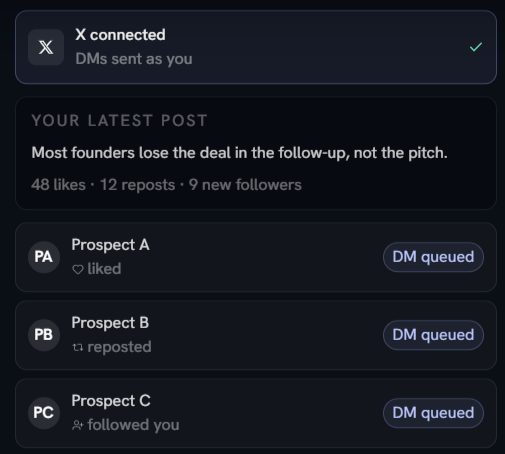
The idea is solid. The real question is whether a $75 seat is worth it for every account you send from. PumpGTM already works inside Claude through its own MCP, and most outbound tools now offer APIs and MCPs too.
A Claude agent connected to the right tools can find leads, write messages, and send them across channels without charging per seat.
Before connecting anything, I’d want to know three things:
In this review, I compare those risks with the meetings PumpGTM can book, calculate what a seat really costs once you add your own mailboxes, and show when an agent-run stack makes more sense as you scale.
Both tools run LinkedIn and email in one sequence. Here's where they differ.
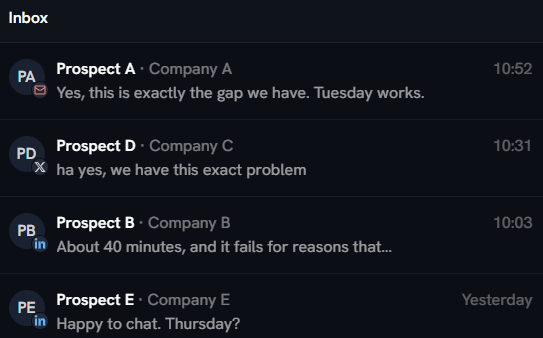
One PumpGTM sequence follows a prospect across three channels. In PumpGTM's example, an ML platform lead likes my post on X and gets a DM from my account.
If the DM goes unanswered, a LinkedIn request and an email follow, and every remaining step stops as soon as they reply anywhere.
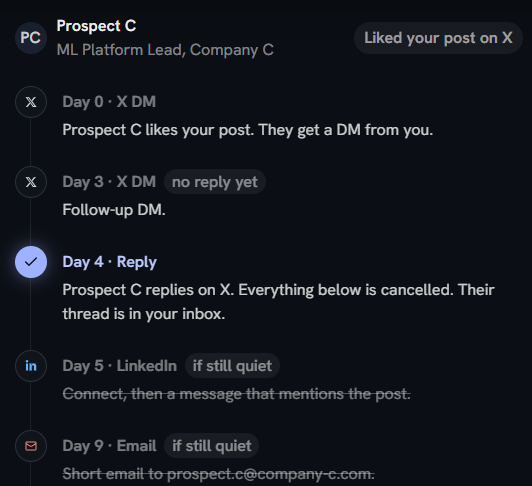
The DM reaches someone while they still remember engaging with my post.
Every reply lands in one inbox, whether it comes through X DM, LinkedIn message, or email. I only have to check one place to see which conversations could lead to a meeting.
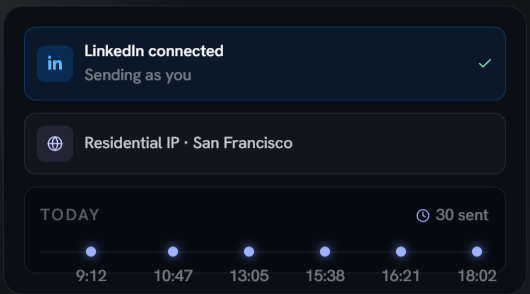
LinkedIn runs from my own account through a residential IP in my city. New accounts ramp from 5 to 30 requests over the first week, and actions are spread across the working day.
X DMs go through X's official API, and anyone I've already spoken to is skipped.
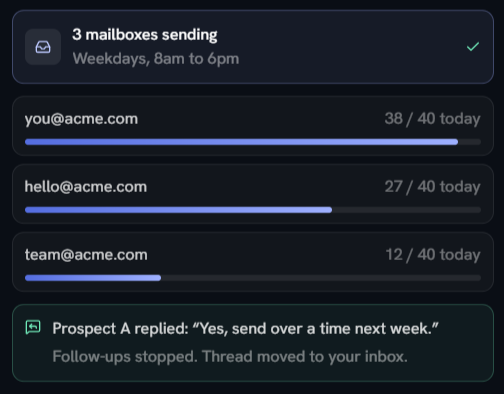
Email has no protection built in. PumpGTM sends from mailboxes I connect myself, and doesn't warm them up, check their health, or test where they land.
If I connect my main company mailbox and send at volume, my own domain takes the risk.
PumpGTM is new, and there isn’t much independent feedback yet. It has two G2 reviews, both 5 stars and posted a day apart, and no reviews on Trustpilot. Most user feedback comes from 10 testimonials on PumpGTM’s own website, which the company chose to publish.
The testimonials are specific, with names, companies, and results. Most are from early-stage founders, several at Y Combinator companies, so I'd read them as examples of what PumpGTM does for founder-led sales.
I’m not surprised by how fast the first meetings come. A person who liked your post yesterday already knows your name, so a message from you isn’t a cold interruption.
People in that position decide quickly, one way or the other.
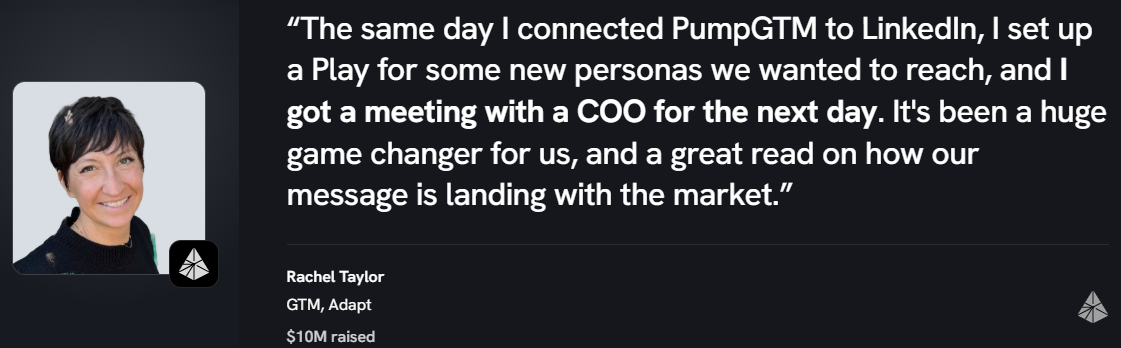
Rachel Taylor, who leads GTM at Adapt, set up a play for new personas the same day she connected on LinkedIn and had a meeting with a COO the next day.
Brian Noronha, founder of LADR Media, had a different first day. He told support that nothing was happening and was already considering Apollo and Instantly. Two days later, a managing director asked him to meet.
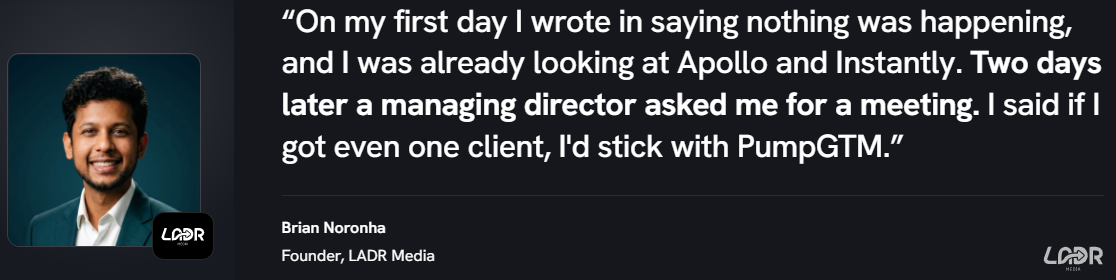
PumpGTM looks at who engages with your content and how closely they match a plain-language description of your buyer, so someone with an unusual job title can still show up.
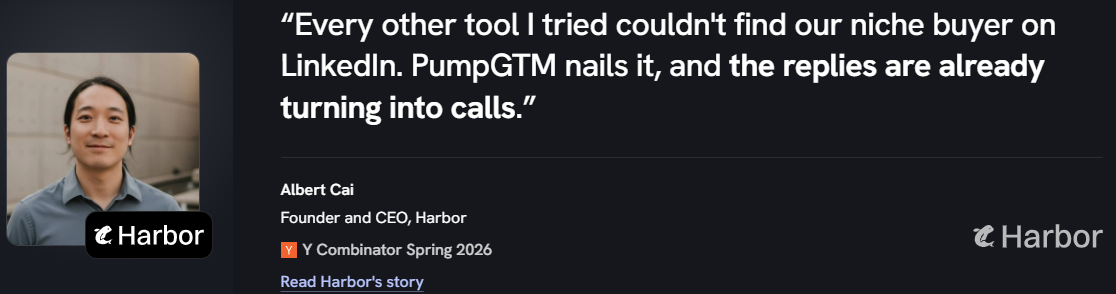
Albert Cai, founder of Harbor, says other tools couldn’t find his niche buyer on LinkedIn, but PumpGTM did. He’s already turning replies into calls.
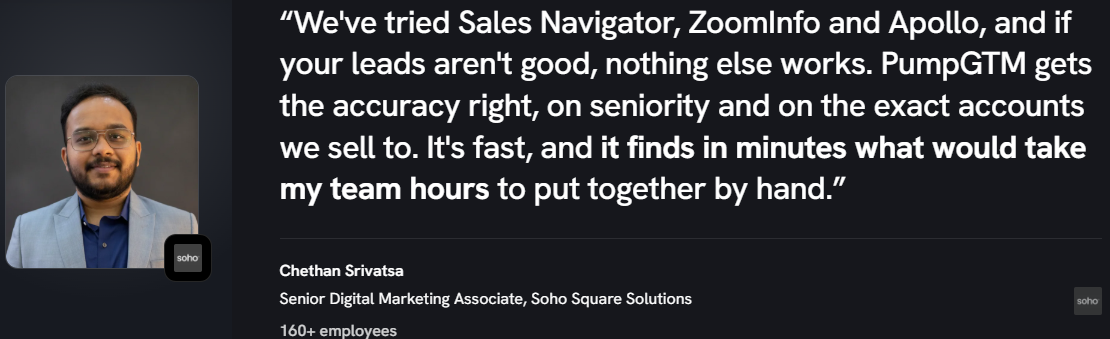
Chethan Srivatsa at Soho Square Solutions, a 160+ person company, tried Sales Navigator, ZoomInfo, and Apollo. He says PumpGTM gets seniority and target accounts right, finding in minutes what used to take his team hours.
Each lead arrives with context attached: the post they liked, the comment they left, who they follow, and how well they match my buyer description. That gives a message something specific to refer to.
Two founders say the same thing.
One finds his automated outreach still sounds human, with leads that are well chosen rather than a bulk list.

The other says PumpGTM finds the right leads and contacts them on its own.
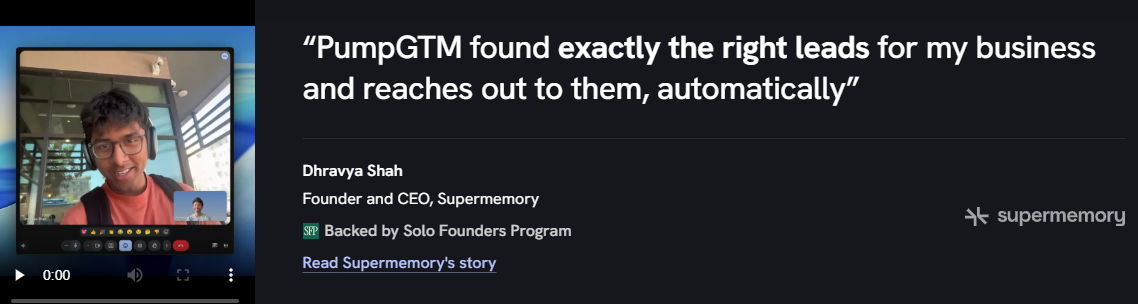
PumpGTM sends the follow-ups on X, LinkedIn, and email, so a solo founder doesn't have to track them.
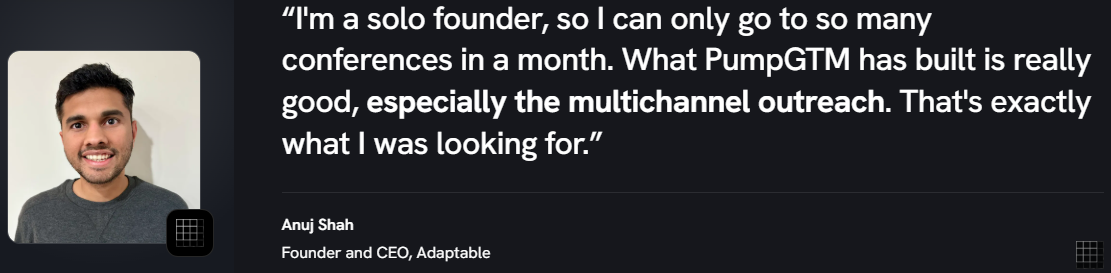
Anuj Shah, founder of Adaptable, values the multichannel outreach PumpGTM starts with people who’ve already shown interest most. As a solo founder, he can attend only so many conferences each month.
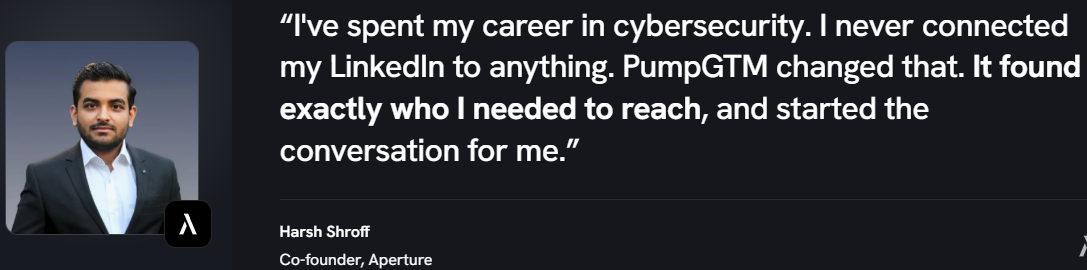
Harsh Shroff, co-founder of Aperture, had never connected their LinkedIn to a tool before and says PumpGTM found the people they needed and started conversations for them.
Adding a sender means connecting another account, so a team can ramp up outbound around a launch in a day. That’s why users mention how easy it is to add accounts and bring the whole team on.
Keep in mind that LinkedIn and X connect instantly, but new email mailboxes still need warming before they can send at volume.
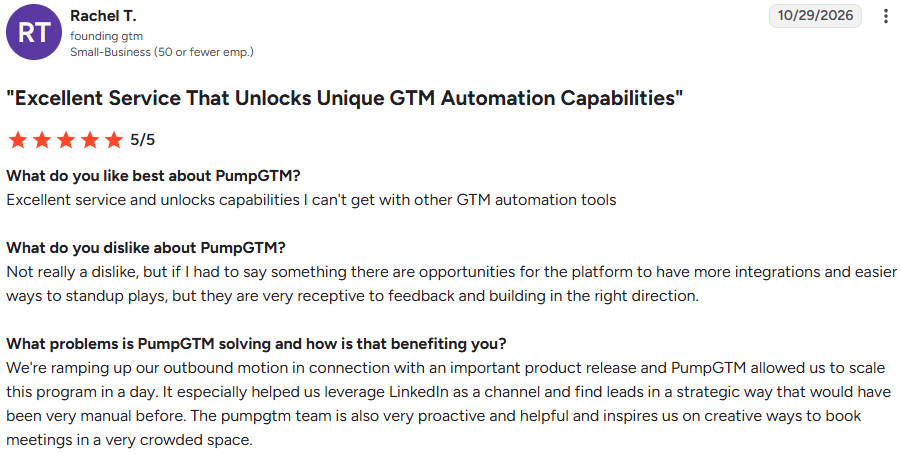
Rachel T., founding GTM at a small business (G2, Oct 29, 2026, 5/5), was ramping up outbound for an important product launch. PumpGTM helped her team scale the program in a day, mostly through LinkedIn.
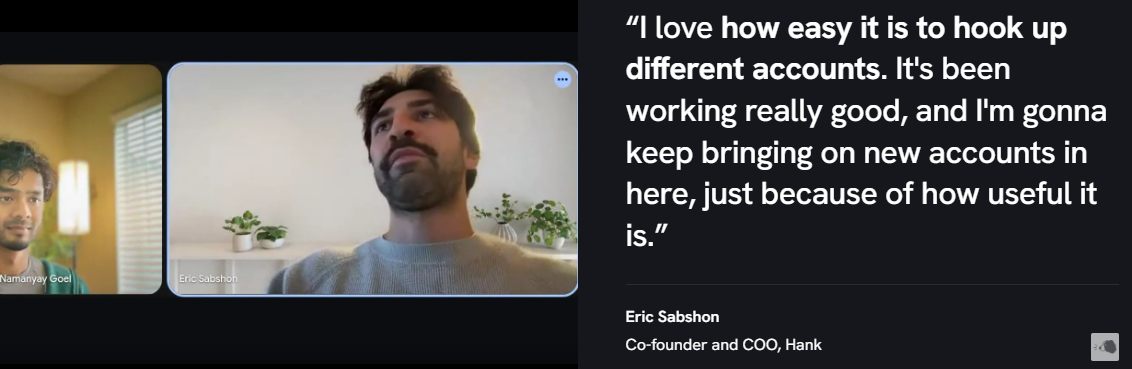
Eric Sabshon, co-founder of Hank, likes how easy it is to connect accounts and plans to keep adding more. Chaitanya Choudhary, founder of Workers.io, is onboarding their whole team.
Early customers get close attention from a young company, and it shows. Reviewers say the product changes fast to fit their needs, and the team suggests new ways to book meetings.
I’d expect that to change as PumpGTM grows, so it’s worth something now but not something to count on long term.
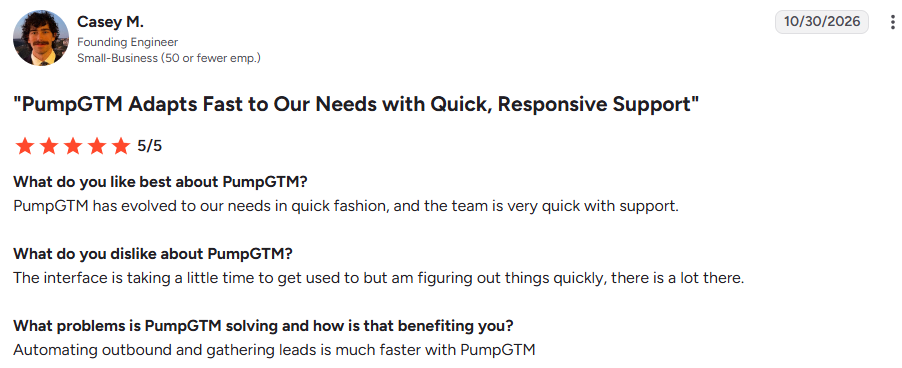
Casey M., a founding engineer at a small business (G2, Oct 30, 2026, 5/5), says PumpGTM has quickly adapted to his team’s needs, and support responds fast.
Rachel T. calls the team proactive and says they’ve suggested creative ways to book meetings in a crowded market.
With separate plays for LinkedIn, X, email, social listening, and follower mining, there’s a lot to set up. I’d expect the first week to go on setup rather than results.
Casey says the product has a lot in it, and it took him a while to get used to. With plays for LinkedIn, X, email, listening, and follower mining, I’d expect the first week to go toward setup rather than results.
Rachel T. would like more integrations and simpler ways to set up plays. She adds that the team listens to feedback.
Brian’s first day showed no activity. It worked out for him, but if you’re on the 7-day trial, losing a day or two to setup leaves less time to judge the results.
PumpGTM runs three channels at once, and each puts a different asset at risk if I set it up carelessly: my LinkedIn account, my email domain, and my relationships on X.
So I’d set up each channel separately and check its safeguards before letting them run together. The 7-day trial is enough, as long as I don’t spend the first two days just clicking around.
I start by describing who I want in plain language, like “Ops leaders at US logistics companies,” or by choosing a preset. I can also pull from a Sales Navigator search, upload a CSV, or ask the team to build the list.
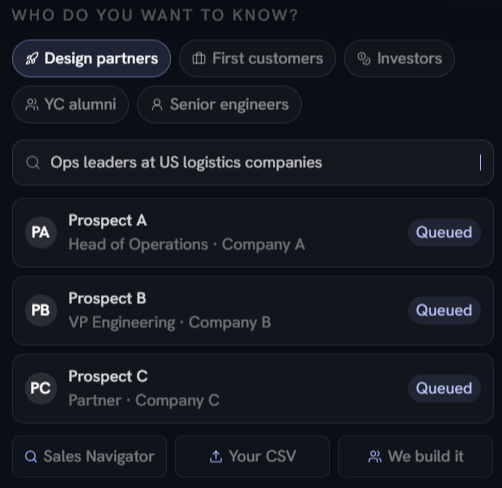
If I sell to a specific role in a specific industry, I’d skip them and write my own description as narrowly as possible.
A new LinkedIn account starts at 5 requests on day one and ramps up to 30 by day seven.
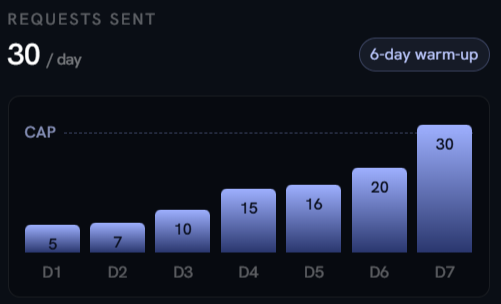
Thirty is the default limit, and there’s no weekly cap. I’d lower the daily cap to 25 on day one, which keeps me under about 175 requests a week. That’s the one setting I wouldn’t leave at its default.
The LinkedIn and email play sends a connection request without a note on day 0, a short message once they accept, then an intro email on day 3 with follow-ups in the same thread.
In the example, the prospect replies by email and every remaining step stops.
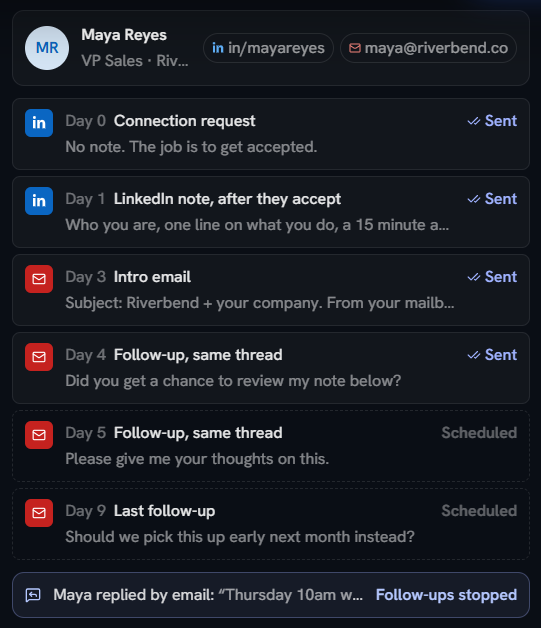
Leads without an email address still get the LinkedIn steps, so they aren’t dropped from the list just because their email is missing.
Each connected mailbox has a daily limit, and campaigns send only during the window I set, such as Monday to Friday, 8 a.m. to 6 p.m.
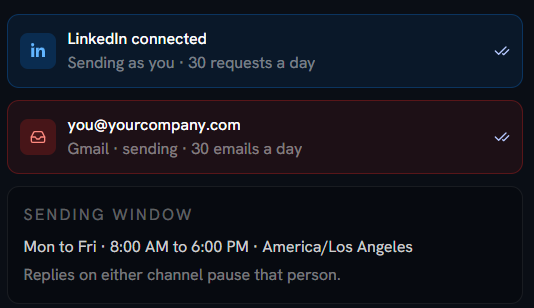
The example connects a main company Gmail address. I wouldn’t do that. Sending 30 cold emails a day from my primary domain puts the address my customers and team rely on at risk.
I’d connect separate, already-warmed sending mailboxes on separate domains, since PumpGTM doesn’t warm them for me.
Follower mining checks up to 25 of my X followers against my buyer description, groups them by fit, and gives a reason for each.
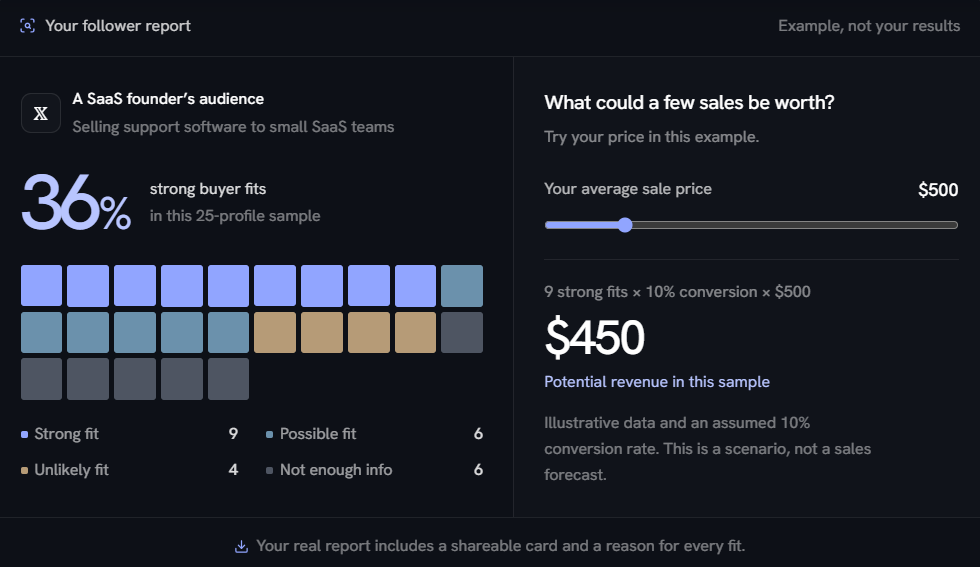
The example shows 36% strong fits and $450 in possible revenue. That figure assumes a 10% conversion rate, and PumpGTM labels it a scenario. I'd use it to judge whether my audience is worth working.
I can attach a DM sequence to one post or every new post. In the example, 45 of 64 people who liked a post were messaged; one was skipped because of an earlier conversation, and another gets a follow-up after three days.
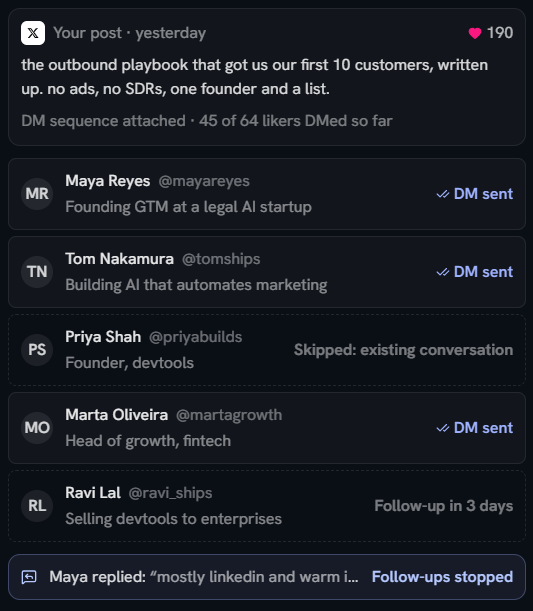
PumpGTM skips anyone I’ve already spoken to on X, along with accounts with an empty bio or fewer than 20 followers.
But it only checks my X messages. A customer I’ve spoken with by email who likes my post could still get a generic opener, so I’d review the liker list before the first message goes out.
X connects in one click through its own approval screen, so PumpGTM never sees my password. I can revoke access from my X settings at any time.
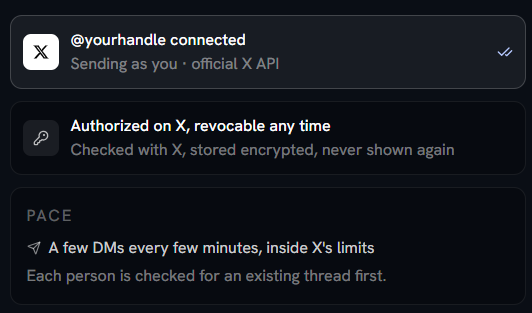
DMs go out a few at a time as likes come in. A post that gets 200 likes over two days is handled over those two days.
Account listening checks the LinkedIn accounts my buyers follow every half hour, alerts me by email or webhook when one posts, and drafts a comment in my voice. Keyword listening does the same for topics across LinkedIn, X, and Reddit.
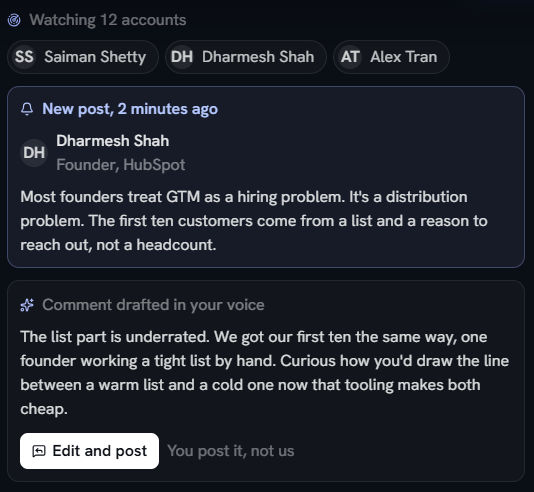
Nothing gets posted under my name without my approval. That’s the right call, because a drafted comment that misses the point is worse than no comment.
The People API turns an email or LinkedIn URL into a profile, work email, X account, and connections PumpGTM has seen, with a source for each.
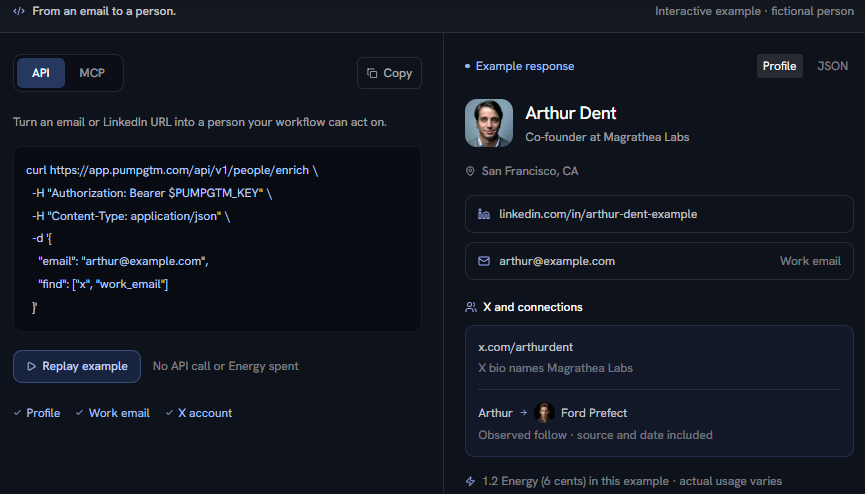
One example cost 6 cents. Paid attempts can use credits even when no match is found, so I'd test a small batch and count the misses before running a full list through it.
Hiring is the only signal available through the API today. It returns the role, company, and job link, along with the date it was first seen.
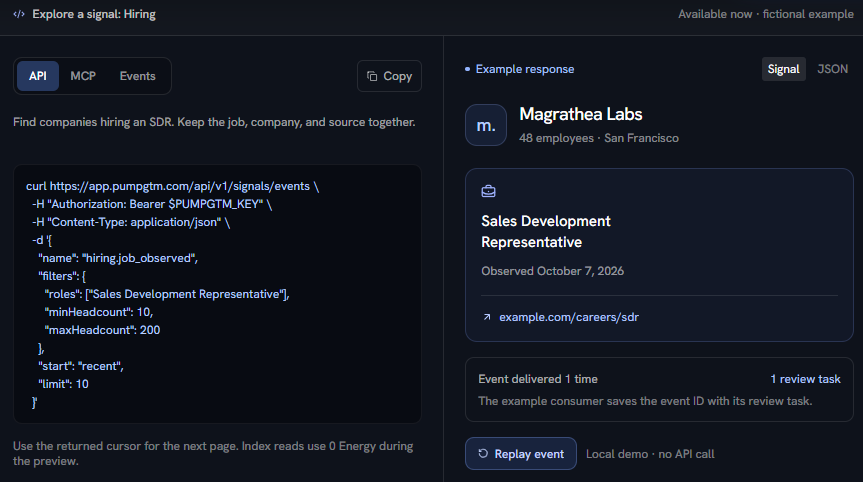
PumpGTM notes that a posting may have closed since it was first seen. I’d open the job link before mentioning the role in a first message.
PumpGTM charges for each LinkedIn account you send from. Each seat includes an email inbox and an X account, so a founder running all three channels pays for one seat.
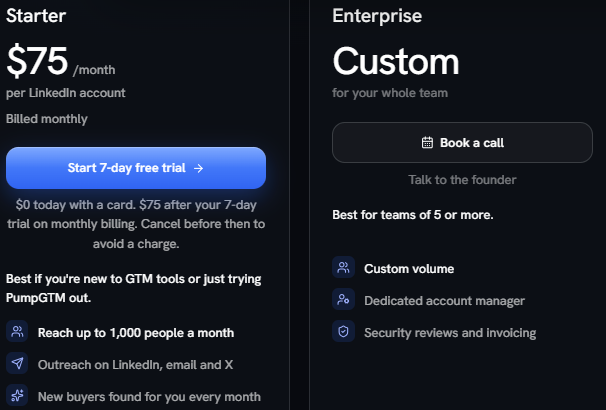
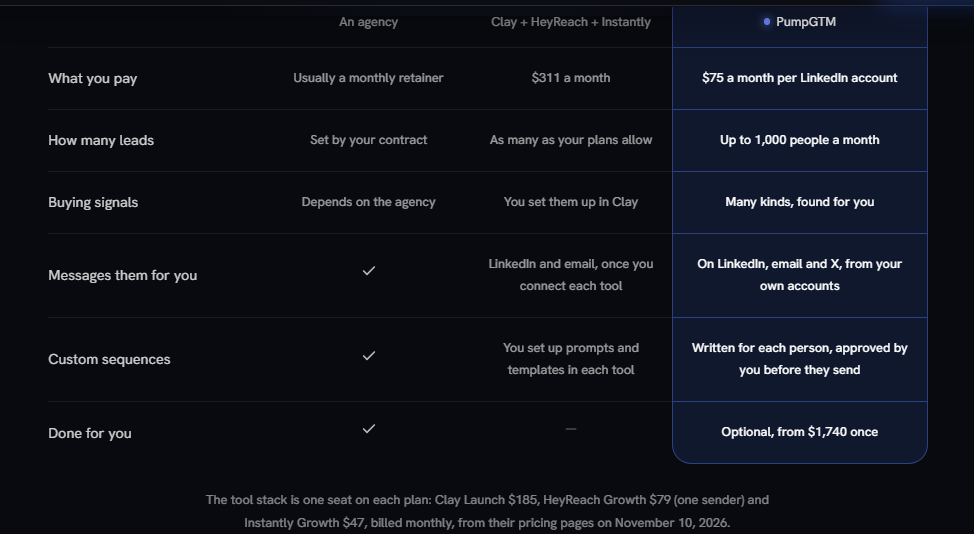
At $75 a month, reaching the full 1,000 people comes to 7.5 cents per person. If I keep LinkedIn at a safe pace and reach around 700 people a month, it’s closer to 11 cents. A team of three senders pays $225 a month, or $180 with yearly billing.
PumpGTM compares its $75 seat with $311 a month for Clay, HeyReach, and Instantly together. That comparison leaves out what PumpGTM doesn’t provide. I still pay separately for the mailboxes and domains I send email from, and for any warmup they need.
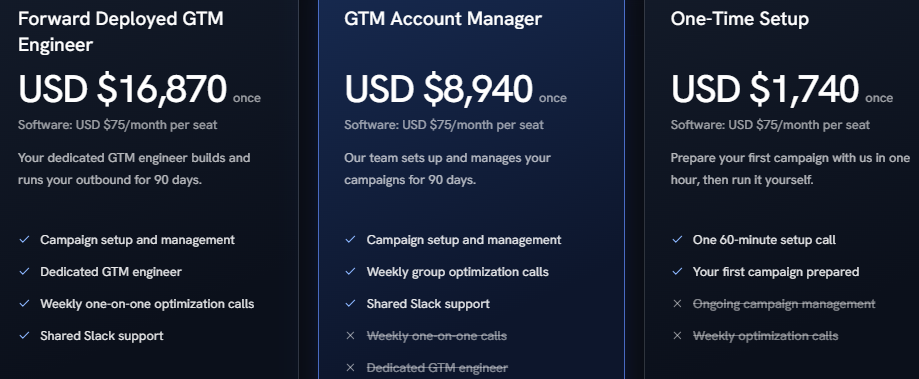
The done-for-you services are one-time fees on top of the software, and none include sending inboxes or domains.
PumpGTM fits a founder who does their own sales, already posts on X or LinkedIn, and wants to turn reactions into conversations without chasing each one.
I’d skip PumpGTM if I ran outbound for a team at volume or needed my email sending protected as well as automated.
PumpGTM and Salesforge both reach one buyer across more than one channel. Both run LinkedIn and email in one sequence, stop every step when someone replies, and bring replies into one inbox.
Each PumpGTM seat reaches up to 1,000 people a month across all channels, so growing means adding $75 seats and buying more mailboxes outside PumpGTM.
Salesforge's Growth plan covers unlimited email and LinkedIn senders for $96 a month, or $80 billed annually, so adding mailboxes doesn't change the software bill. New mailboxes come from Primeforge or Mailforge, and Warmforge warms them, in the same stack.
PumpGTM fits a founder working warm leads from their own audience. From two senders up, Salesforge costs less: two PumpGTM seats are $150 a month, against $96 for Growth.
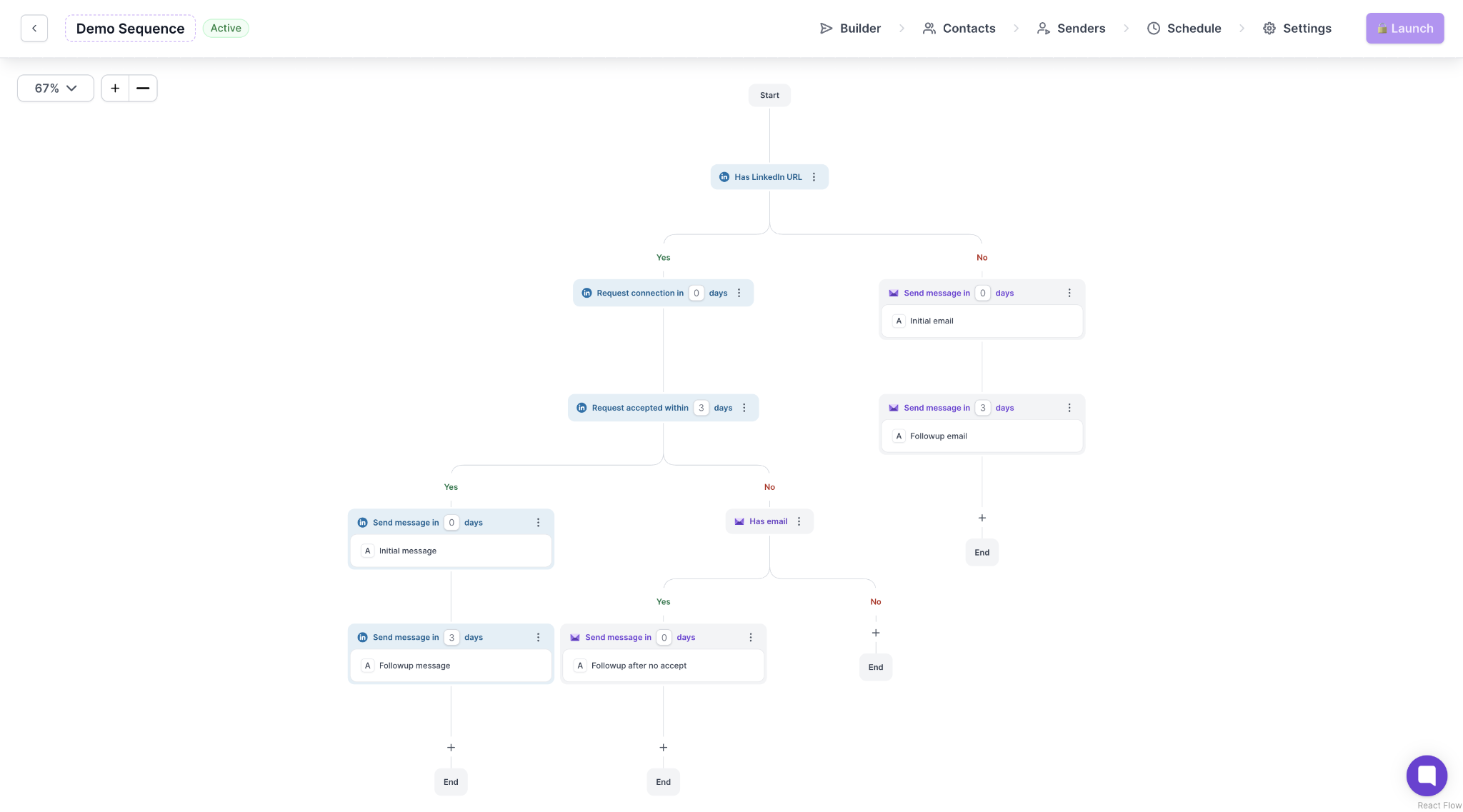
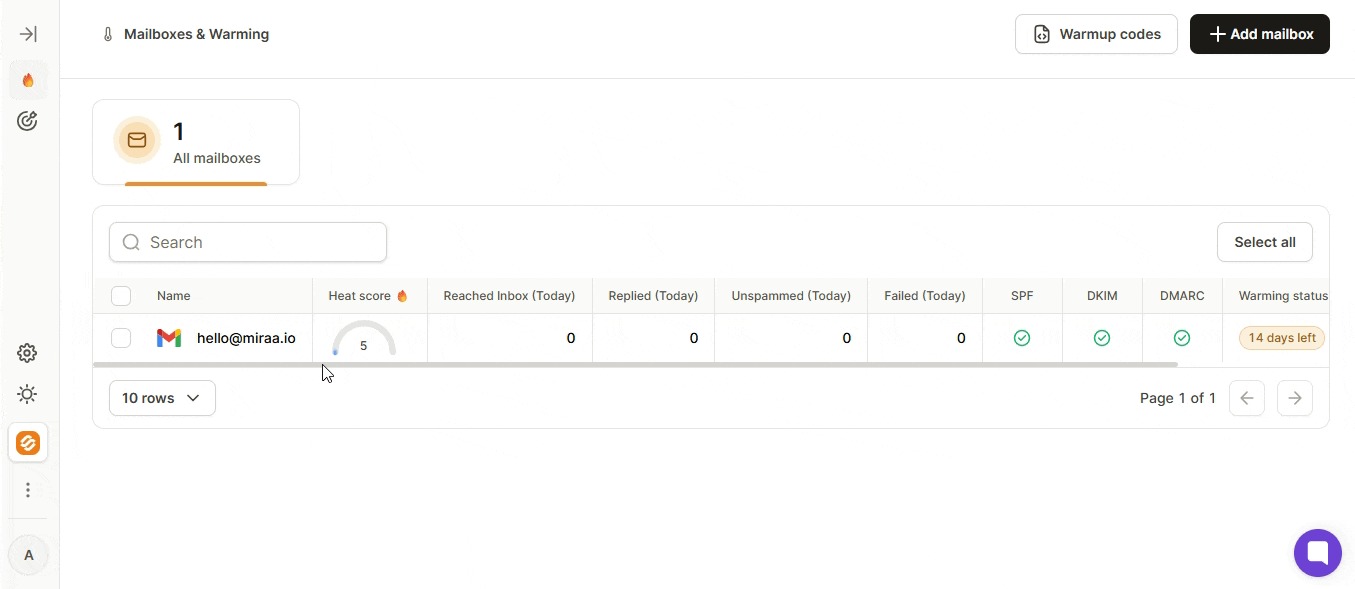
With Salesforge, I’d send from separate mailboxes on separate domains, bought through Primeforge or Mailforge, and warmed by Warmforge before and during sending. If a sending domain takes a hit, my customers' addresses stay clean.
PumpGTM's strongest leads come from people who've already engaged with me. Leadsforge gives me a similar option from another angle: people who follow a competitor’s LinkedIn page, or companies that resemble my best customers.
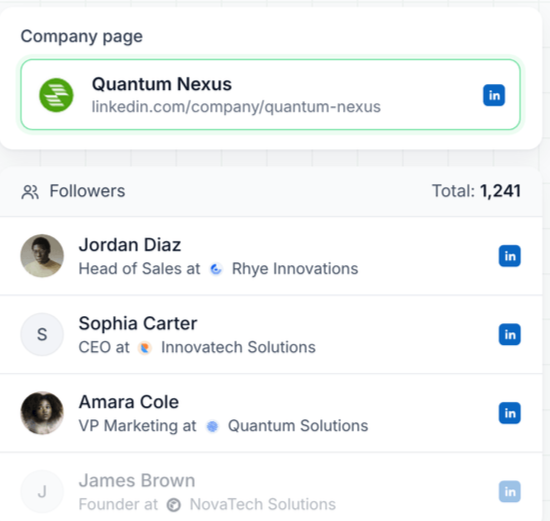
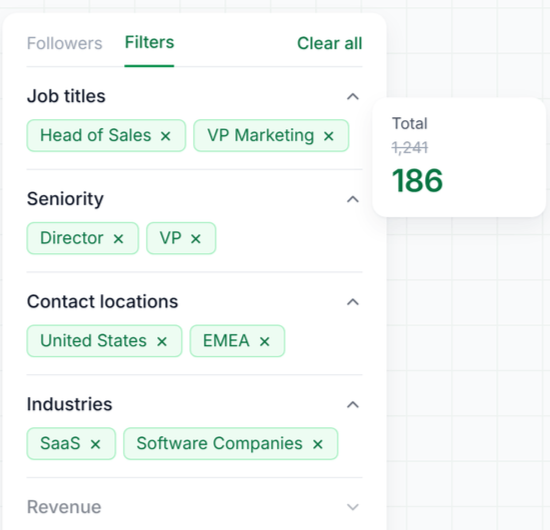
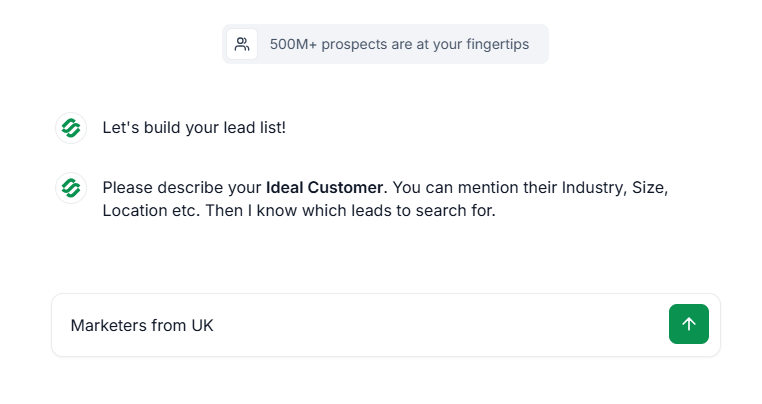
I describe my buyer in plain language, just as I would in PumpGTM. An email costs 1 credit only when Leadsforge finds one, so a list full of hard-to-find people won’t cost me for contacts it can’t reach.
Salesforge validates each email, removes anyone on my do-not-contact list, and runs a preflight check before contacts enter a sequence. I confirm the batch once.
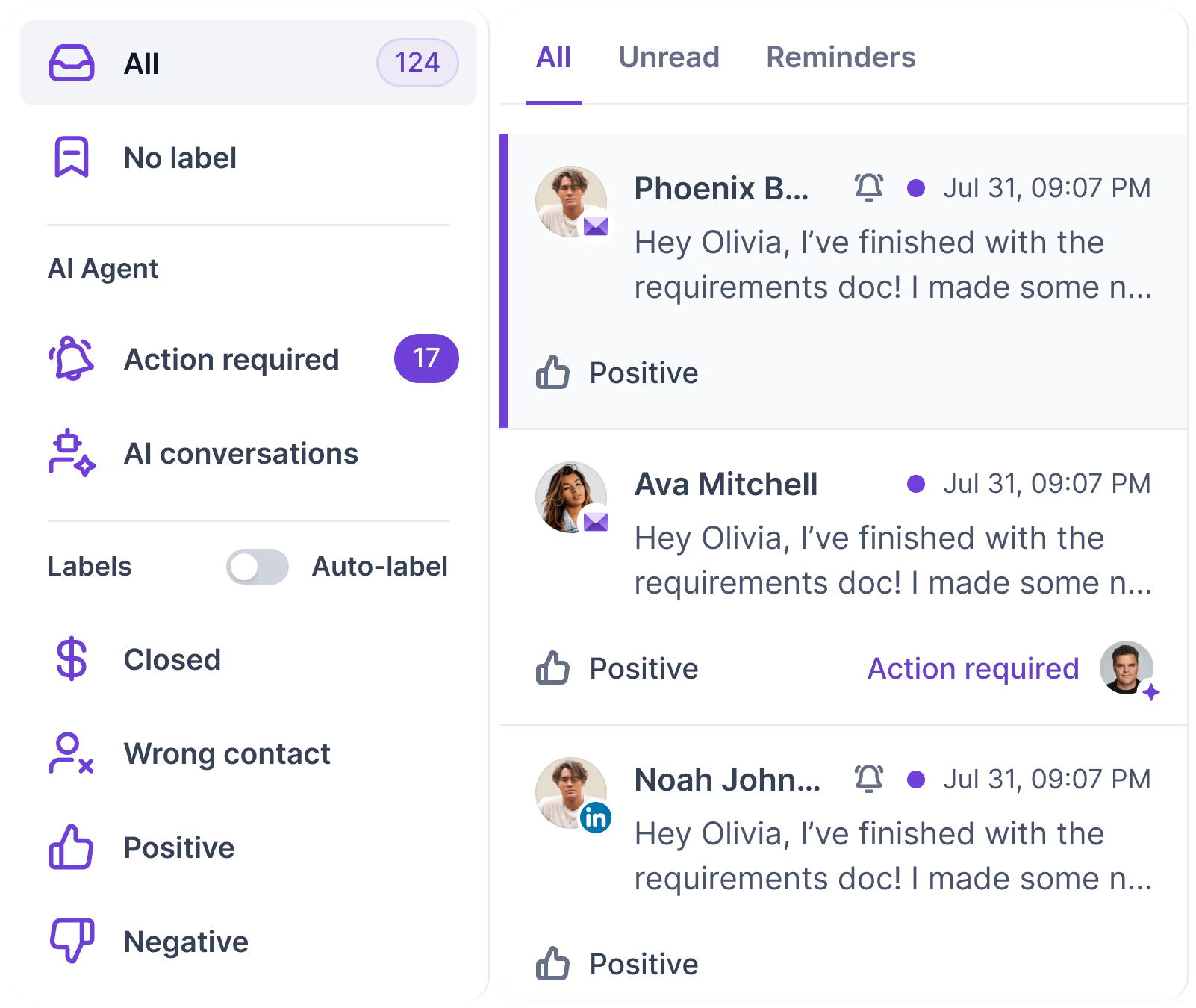
When someone replies on LinkedIn or by email, the rest of their sequence stops, and their reply lands in Primebox. I see every conversation that needs my attention in one inbox, sorted so I can answer interested prospects first.
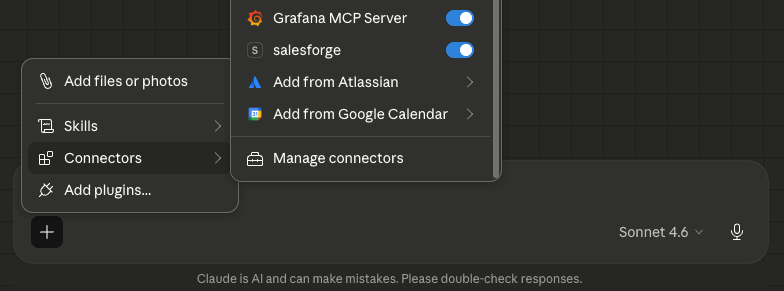
PumpGTM's MCP covers people lookups and hiring signals. Through the Forge MCP, my agent can find leads in Leadsforge, set up mailboxes, check warmup and add contacts to a sequence, all through one connection.
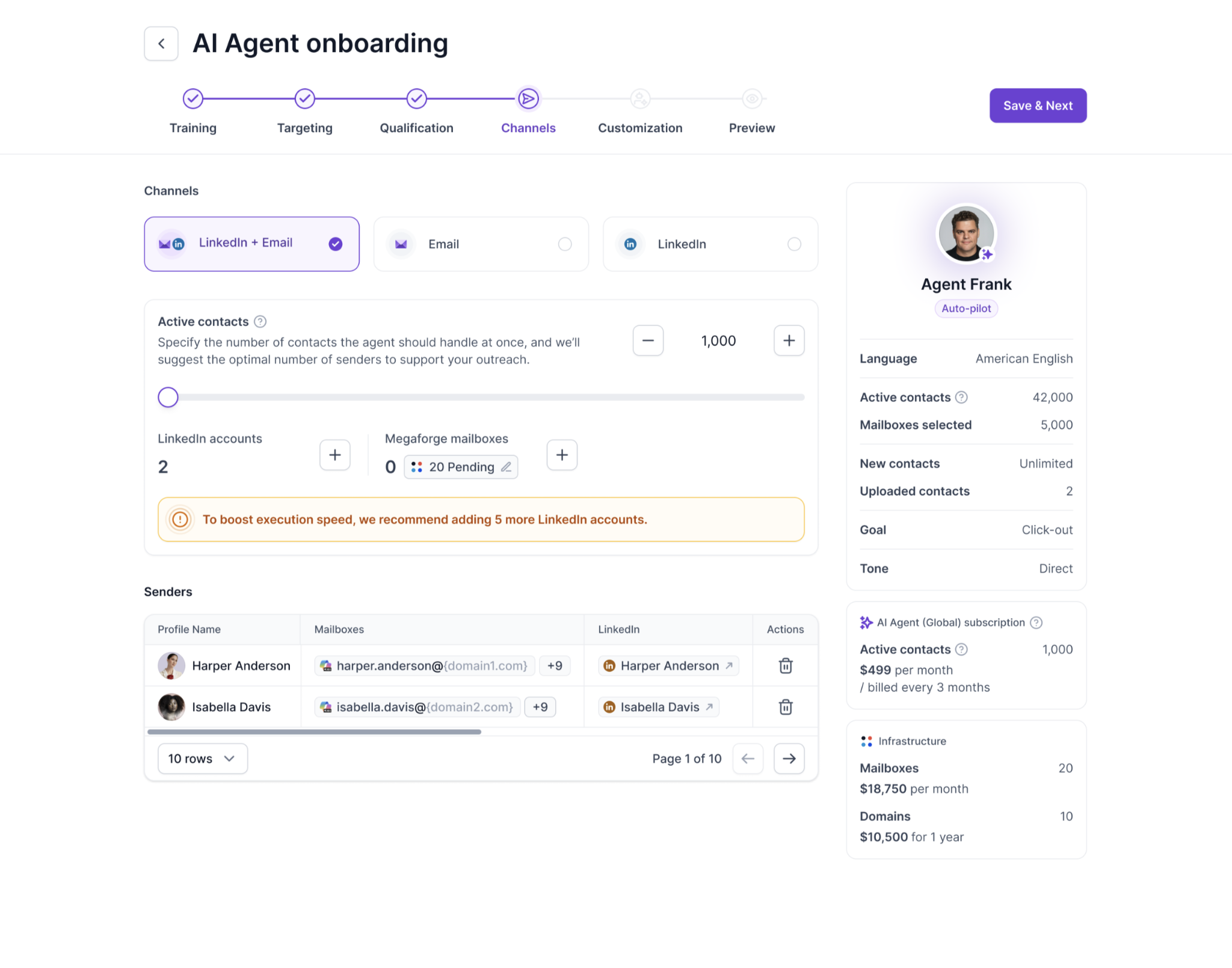
PumpGTM’s managed options range from $1,740 for a setup call to $16,870 for 90 days with a dedicated engineer, with the software billed separately.
Agent Frank finds prospects, writes messages, and books meetings for $499 a month. I can let it run on its own or approve each step.
Enter your email to get a custom plan & stack recommendation for your business
Please check your mailbox in 5 minutes
PumpGTM is worth it as long as you’re the reason people reply.
If your posts on X and LinkedIn already get attention, PumpGTM can turn it into conversations you might otherwise never start, for $60 to $75 a month.
Lower the LinkedIn cap to 25 on day one, and connect separate sending mailboxes, not your main one.
Once your pipeline depends on reps sending steady volume, each new sender adds another $75 seat.
From your second sender, start on Salesforge's Growth plan: build the list in Leadsforge, send LinkedIn and email from mailboxes warmed in Warmforge, and answer every reply in Primebox.