I have run outbound on LinkedIn long enough to watch the connection request limit tighten year after year.
In 2026 it is the single constraint that shapes how much pipeline one seat can build.
Send too many invites too fast, and LinkedIn quietly puts your account in a corner.
Send too few, and your calendar stays empty.
This guide lays out the real LinkedIn connection request limit for 2026: the weekly cap, the daily numbers, and what actually moves your ceiling.
I will also cover what happens when you hit the wall, and how I keep sending without burning an account.
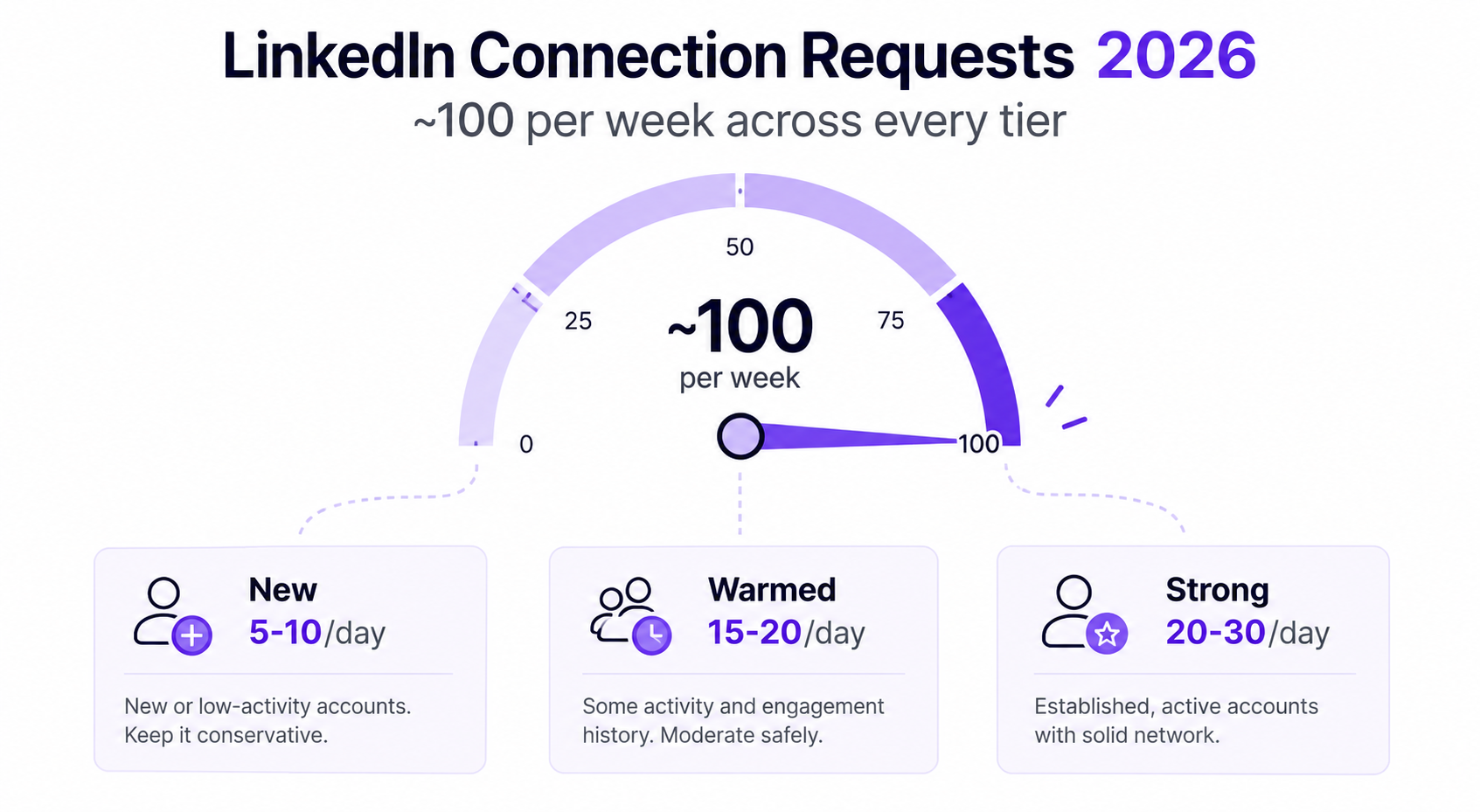
LinkedIn never publishes an official number, so the figure below reflects what senders consistently observe in 2026.
The practical weekly connection request limit is around 100 invites per rolling seven day window.
That window is not a calendar week. It resets seven days after your first request, to the hour.
So if you send your first invite on a Wednesday at 2pm, your count frees up the next Wednesday at 2pm.
The important part is that this cap is a soft, behavioral limit, not a hard button.
Some accounts touch 100 comfortably. Others get throttled at 40 because the signals around those invites looked risky.
Safe limits at a glance:
I treat the top of that range as a ceiling to earn, not a starting point.
The weekly cap gets the attention, but the daily number is where most accounts actually get restricted.
For a healthy, established profile, 15 to 25 invites a day is the comfortable zone.
Past roughly 25 in a single day, LinkedIn's system starts reading the pattern as automation.
Spikes are the real trigger. Jumping from 10 one day to 60 the next is what gets flagged.
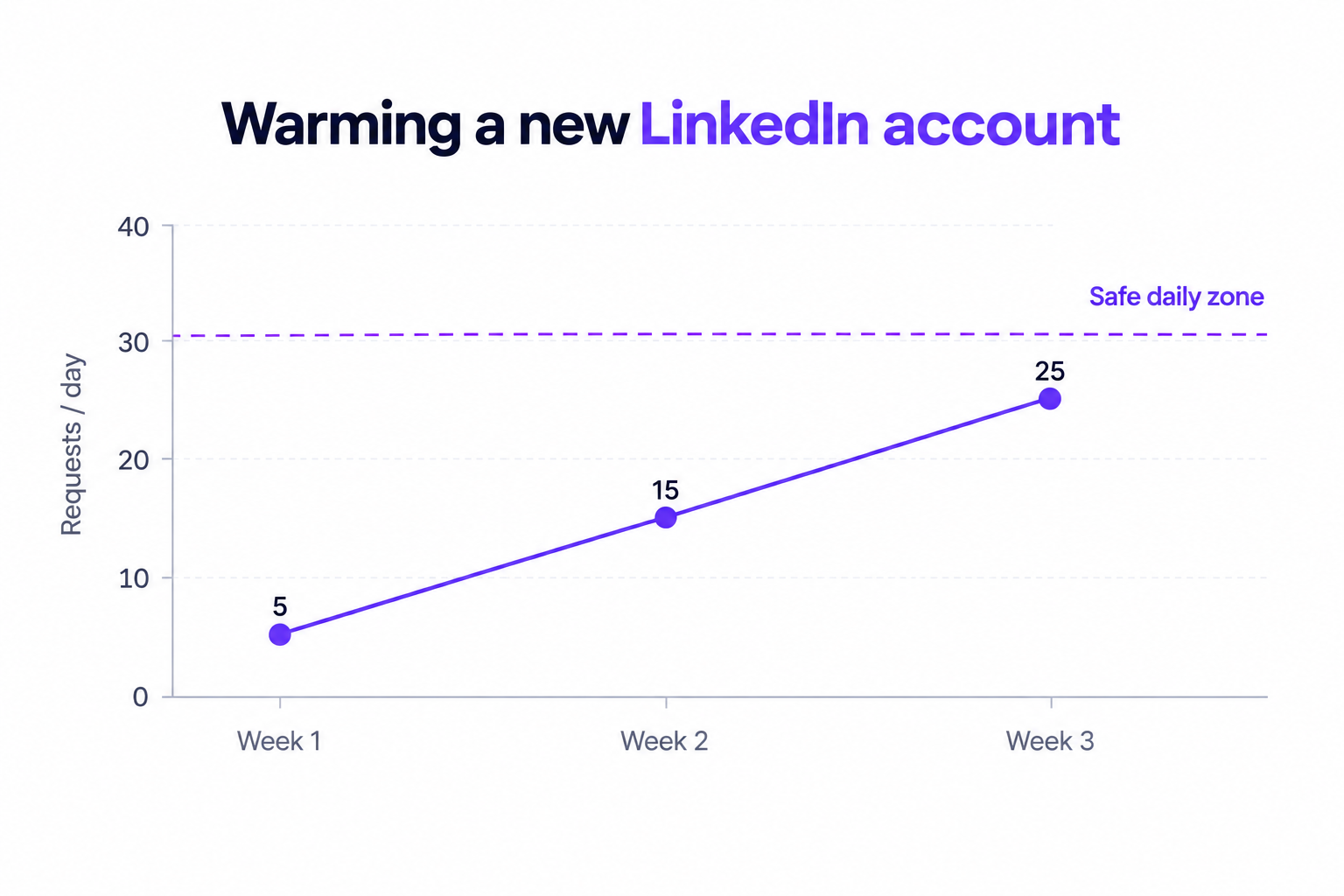
A brand new account has almost no trust, so the safe daily number is small.
I start new profiles at 5 requests a day and add a couple every few days.
Rushing a fresh account to 30 a day is the fastest way to a restriction.
A connection request with a note gives you around 300 characters to work with.
Free accounts often get a much smaller allowance of personalized invites, so notes run out fast.
When they do, you are left sending blank requests, which land far worse.
This is the most common misconception I hear, so let me be direct about it.
Premium and Sales Navigator do not meaningfully raise the weekly invitation cap in 2026.
The roughly 100 per week ceiling applies whether you are on Free, Premium, or Sales Navigator.
What those paid tiers change is everything around the invite: InMail credits, advanced search, Open Profile reach, and lead management.
InMails, worth noting, do not count against your connection request limit at all.
So if your goal is more first touches, Sales Navigator helps you find and message people, not send more invites.
The lever that actually raises your ceiling is account health, and I get to that next.
Two accounts on the same plan can have very different real limits, and the difference comes down to trust signals.
A seasoned account that has sent steadily for months earns a higher ceiling than a two week old profile.
LinkedIn watches how gradually you scaled, not just how much you send.
This is the big one. A low acceptance rate tells LinkedIn your invites are unwanted.
Accounts sitting below a 20 percent acceptance rate get throttled hardest.
Push that number up and your effective limit climbs with it, which is why I treat your connection acceptance rate as a limit lever, not a vanity metric.
A strong SSI score, built through a complete profile and real engagement, correlates with more headroom.
Pending invitations matter too. Sitting on 500 or more unanswered requests drags your standing down.
LinkedIn flags the mechanical stuff: identical timing between actions, messaging the second after a profile view, sudden location jumps.
Human looking activity keeps you safe. Robotic patterns shrink your limit.
When you cross the line, LinkedIn does not explain much. It just closes the door.
First you see the modal: "You've reached the weekly invitation limit."
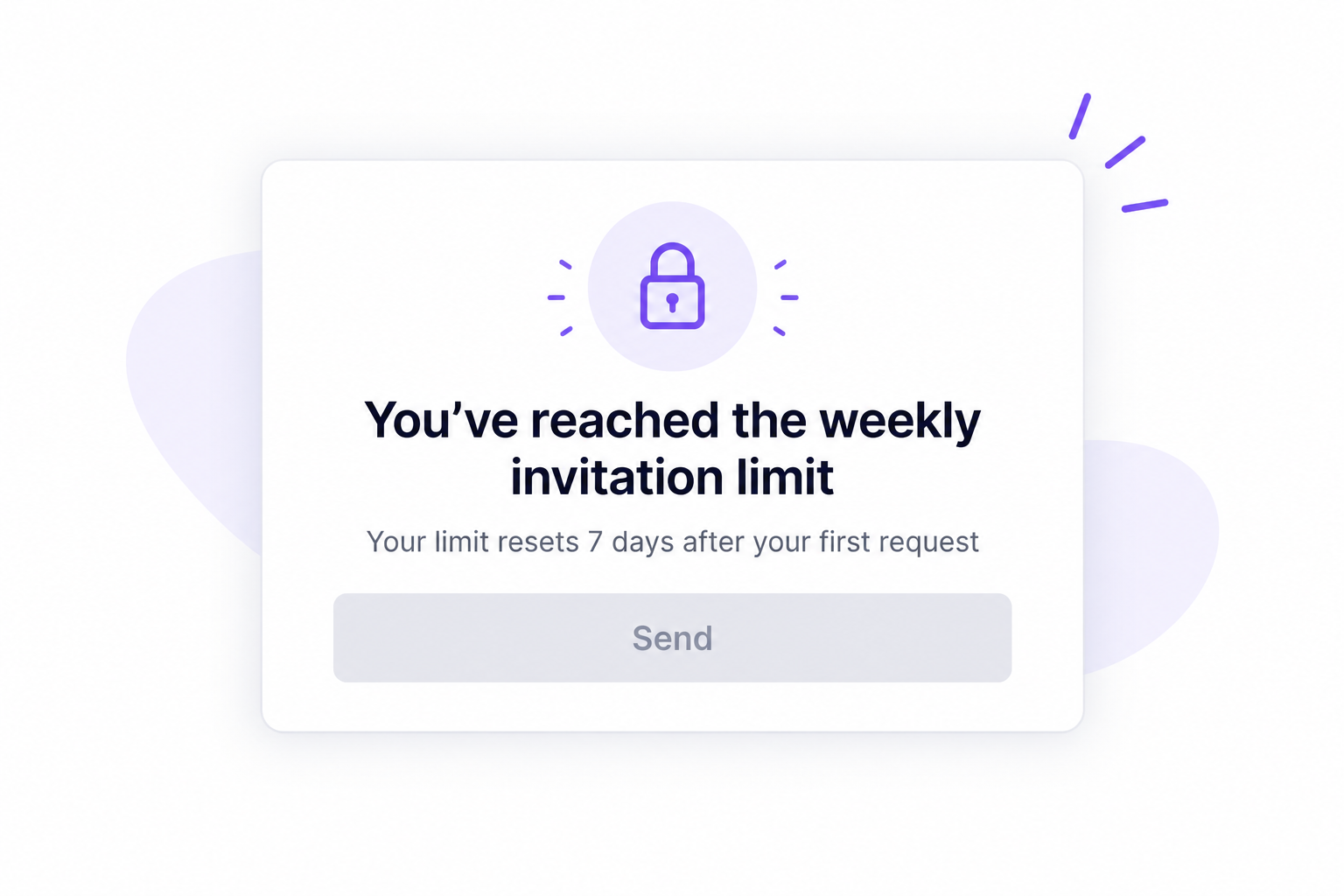
At that point new requests are blocked until your rolling window resets.
Ignore the warning and keep pushing through other tactics, and the response escalates.
The stages generally move from a temporary invite block, to restricted search, to a full account restriction, and in the worst case a permanent ban.
The takeaway is simple. The first warning is a stop sign, not a suggestion.
The limit is fixed, but the number of conversations you start is not. Here is how I stretch every invite.
I ramp new profiles from about 5 invites a day upward, adding a small amount every couple of days.
A randomized daily range looks more human than the same number every morning.
Since acceptance rate feeds your ceiling, targeting precision is now a limit strategy, not just a quality one.
I only invite people who clearly fit the profile, and I warm them by engaging with a post first.
This is where buying signals earn their keep. With Leadsforge Signals, I build targeted lists around companies that just raised funding, got acquired, or had a leadership change, so my capped invites land on prospects who are in the market.
Pending invites that never get accepted pull your standing down.
I clear requests older than a couple of weeks so my acceptance rate reflects live interest.
The invite cap only limits one channel. Email has no such ceiling.
Running LinkedIn and email as one multichannel sequence means a capped invite week still produces replies.
I also pull verified emails straight from LinkedIn profiles, so a prospect I cannot invite this week still gets a first touch.
Staying under these limits by hand is tedious, so I let the tooling enforce the pacing. This is where Salesforge fits.
Salesforge handles the LinkedIn automation side and runs email as a coordinated channel, so I am never leaning on invites alone.
Every LinkedIn action is capped at a conservative daily ceiling per profile, tuned to stay inside LinkedIn's safe thresholds.
Actions route through high quality proxies, and authentication uses a session token, so my password is never stored.
There is no browser extension injecting code into the page, which is the setup that gets accounts flagged.
Salesforge spaces actions with delays and day and night cycles, so the activity reads like a person, not a script.
Daily caps mimic human behavior instead of firing invites in a burst.
Connection requests, messages, InMails, post likes, follows, and withdraw requests all run inside the same sequence.
Conditional steps branch on behavior: if an invite is accepted, send a message; if not, fall back to email.
Every message can be personalized with AI variables across 21+ languages, pulling company news and profile context.
Better personalization means a higher acceptance rate, which quietly raises the ceiling I described earlier.
Primebox™ brings LinkedIn and email replies into a single inbox, with Auto-Pilot and Co-Pilot modes for how much the AI handles.
Unlimited senders and mailboxes mean I scale by adding accounts, not by pushing one account past its limit.
The LinkedIn email and phone finder, powered by Leadsforge, pulls verified contact details from profiles so a capped invite is never a dead end.
The connection request limit is not the enemy. Treating it as a volume problem is.
In 2026 the weekly cap sits near 100 across every tier, and no plan buys you more.
The accounts that hit that number comfortably are the ones with a strong acceptance rate, gradual warm-up, and human pacing.
The accounts that get restricted are the ones sprinting a cold profile through a stale script.
So the real move is not sending more invites. It is making each invite count, and adding email so LinkedIn is never your only lever.
That is exactly the workflow Salesforge is built to run.
In 2026 the practical weekly limit is around 100 connection requests on a rolling seven day window. LinkedIn does not publish an official figure, and the real number varies with account health.
A warmed account can safely send about 15 to 25 invites a day. New accounts should start near 5 a day and ramp slowly to avoid a restriction.
No. The roughly 100 per week cap is the same across Free, Premium, and Sales Navigator. Paid tiers add InMail, search, and lead tools, not more invites.
It resets on a rolling basis, seven days after your first request in the window, down to the hour. It is not tied to a fixed calendar week.
It means you have hit your invitation cap for the current seven day window. New requests are blocked until the window rolls over, and pushing past it risks a longer restriction.
Improve your acceptance rate, warm the account gradually, keep engagement genuine, and clear stale pending invites. Account health, not your subscription, sets your real ceiling.


.jpg)

![How to Use Jev for Cold Email Agents [Step-by-Step Guide]](https://cdn.prod.website-files.com/6436c3ac9f9fd0594d00b9fc/6acbd25fa19716f481a8dc43_Duplicate-me-open-graph%20(67).jpg)


