

In a Salesforge vs Gojiberry vs Expandi comparison, the split is clear. Gojiberry is an AI agent that messages LinkedIn prospects it flags as high-intent. Expandi is cloud-based LinkedIn automation with a dedicated IP per seat. Neither sells email infrastructure or a free warm-up pool.
For multi-channel B2B outbound, Salesforge is the stronger choice. Email and LinkedIn run in one sequence, warm-up is free through Warmforge, with no per-seat pricing. An optional AI SDR (Agent Frank) can run it all. Plans start at $48/mo ($40/mo annual).
I have run outbound across email and LinkedIn for B2B teams, and I have tested all three of these tools on real campaigns. This is the decision I kept hitting: do I want a tool that only works where my buyers are active on LinkedIn, or a system that reaches them by email too?
Gojiberry bets everything on LinkedIn intent signals. Expandi is a careful LinkedIn automation tool with strong safety controls. Both are good at that one job. The gap shows up the moment you need email at scale, more senders, or your own sending infrastructure.
Salesforge takes the wider view. It runs email and LinkedIn together, includes free warm-up, and can hand the whole motion to an AI SDR. One customer, UniteSync, hit an 85.26% positive reply rate at a $2.86 CAC on that stack.
Multi-Channel Outreach Compared at a Glance: Gojiberry vs Expandi
Here is the quick read before the detail. Every cell is a specific, checkable fact, and both competitor prices come straight from their live pricing pages as of July 2026.
| Feature | Salesforge | Gojiberry | Expandi |
|---|---|---|---|
| Primary channels | Email + LinkedIn in one sequence | LinkedIn-first (email + social via AI agent) | LinkedIn (+ email follow-ups in a sequence) |
| Core model | Sequences + optional AI SDR | Autonomous AI agent on intent signals | Cloud LinkedIn automation, dedicated IP |
| Entry price | $48/mo monthly ($40/mo annual) - Salesforge Pro | $99/mo - Gojiberry Pro | $99/mo monthly ($79/mo annual) per seat - Expandi Business |
| Top plan | $96/mo monthly ($80/mo annual) - Salesforge Growth (unlimited users + LinkedIn senders) | Custom (talk to sales) | Custom Agency (10+ seats, white-label) |
| AI SDR | Agent Frank (Auto-Pilot / Co-Pilot), separate $499/mo billed quarterly | AI agent included in the plan | None |
| Email warm-up | Free, unlimited (Warmforge) | Not included | LinkedIn profile warm-up only; no email warm-up pool |
| Email infrastructure | 3 options (Mailforge, Infraforge, Primeforge) or your own | None (enrichment finds emails only) | None (connect your own) |
| Unified inbox | Primebox™ (free) | Unified inbox (included) | Smart Inbox (teammates cannot reply on each other's behalf) |
| LinkedIn senders | Unlimited (Growth plan) | 2 AI agents on Pro; more on Custom | 1 per seat ($99/seat) |
| Free trial | 14 days | Free trial, live in minutes | 7 days |
| SOC 2 compliant | Yes | Not stated | Not stated |
| Best for | SMB / mid-market B2B, $5K-$100K ACV | Solo founders and small LinkedIn-led teams | LinkedIn-focused teams and agencies wanting safety controls |
Gojiberry Overview
Gojiberry is an AI go-to-market agent built for intent-based prospecting. You give it your website, it learns your business, and it watches LinkedIn and social signals to find people who look ready to buy. It is a young, Y Combinator-backed product that scaled fast in 2025, and it leans hard into one idea: message the warm prospects, skip the cold list.
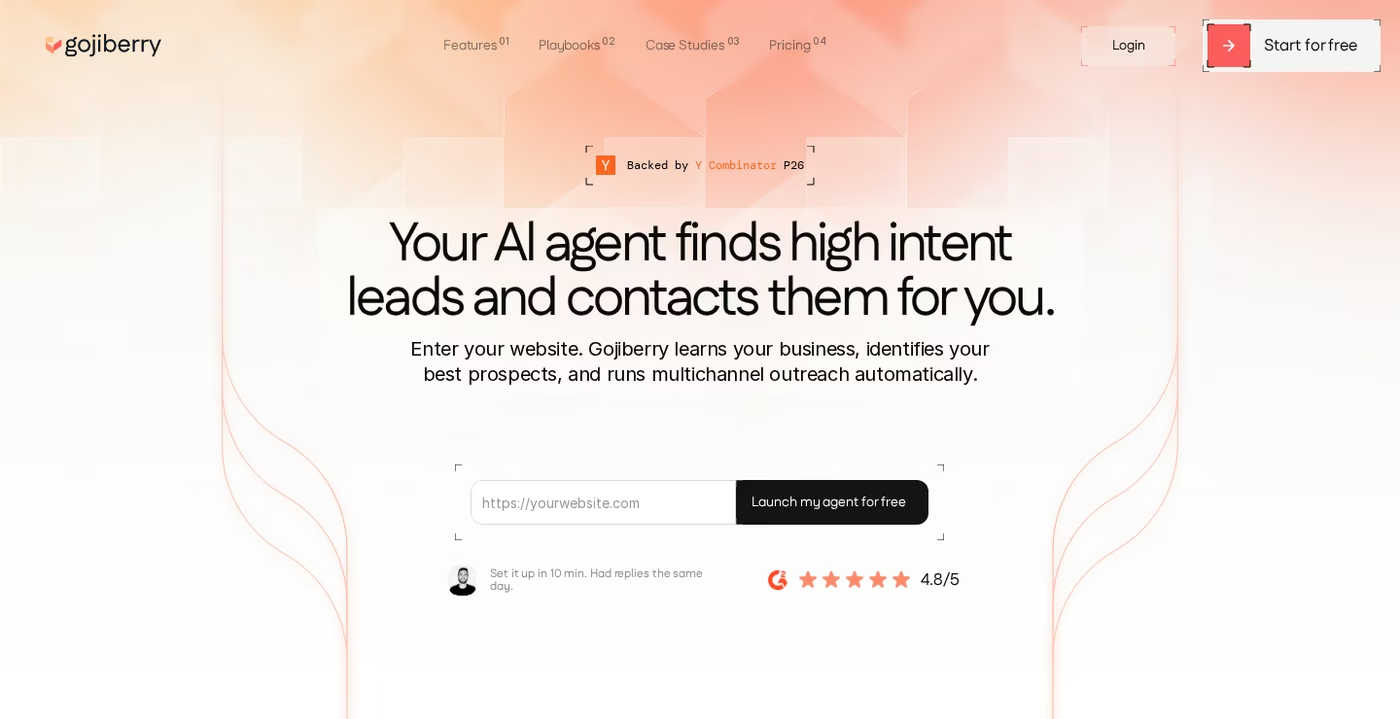
Core features I saw when testing it:
- Intent signal detection - tracks 30+ signals like funding rounds, job changes, competitor engagement, and LinkedIn activity.
- ICP scoring - every prospect is scored against your ideal profile before any message goes out.
- AI-written outreach - the agent drafts messages that reference the signal that surfaced the lead.
- Two AI agents on the Pro plan - prospecting 24/7, with up to 1,800 prospects contacted per month.
- Unified inbox - replies collect in one place, with pre-drafted responses ready to send.
- Email waterfall enrichment - pulls contact data from 15+ providers.
- Native connections - HubSpot, Pipedrive, plus API and an MCP integration for Claude.
Pricing: the Gojiberry Pro plan is $99/mo and includes two AI agents, unified inbox, smart lead scoring, AI Copilot mode, enrichment, and live chat support. A Custom plan (priced by sales) adds more agents, more senders across channels, a dedicated customer success manager, and deeper integrations. There is a free trial with no demo required.
Who it is for: solo founders and small teams whose buyers are genuinely active on LinkedIn, and who want signal-based prospecting without building a large stack. If that describes you, my full Gojiberry review goes deeper on the workflow.
Honest limitations I noted:
- The whole motion depends on LinkedIn activity. If your buyers are not active there, signal discovery drops off, a point Gojiberry's own G2 reviewers make.
- The Pro plan caps you at two agents, so teams of three or more hit the ceiling and jump to opaque Custom pricing.
- The email enrichment publishes no accuracy rate, and there is no sending infrastructure or email warm-up behind it.
- It is a new product with a short track record, so long-term reliability is still being proven.
What reviewers say about Gojiberry
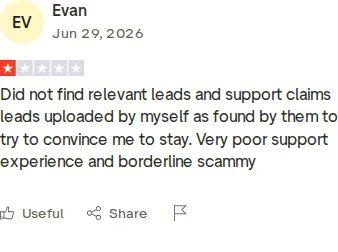
Gojiberry's Trustpilot and G2 scores are positive but sit on small samples, which reflects early-adopter sentiment more than a settled verdict. The critical reviews cluster around lead quality and billing. One buyer described leads that did not match, plus a cancellation that still triggered charge attempts.
Expandi Overview
Expandi is a cloud-based LinkedIn automation tool run by LeadExpress B.V. out of Eindhoven, the Netherlands. It calls itself the safest LinkedIn automation tool, and safety is the real pitch: every seat gets a dedicated country-based IP, the software runs in the cloud so your laptop can stay closed, and it mimics human timing to lower the risk of a restriction. It has been around for years and has a deep feature set for LinkedIn.
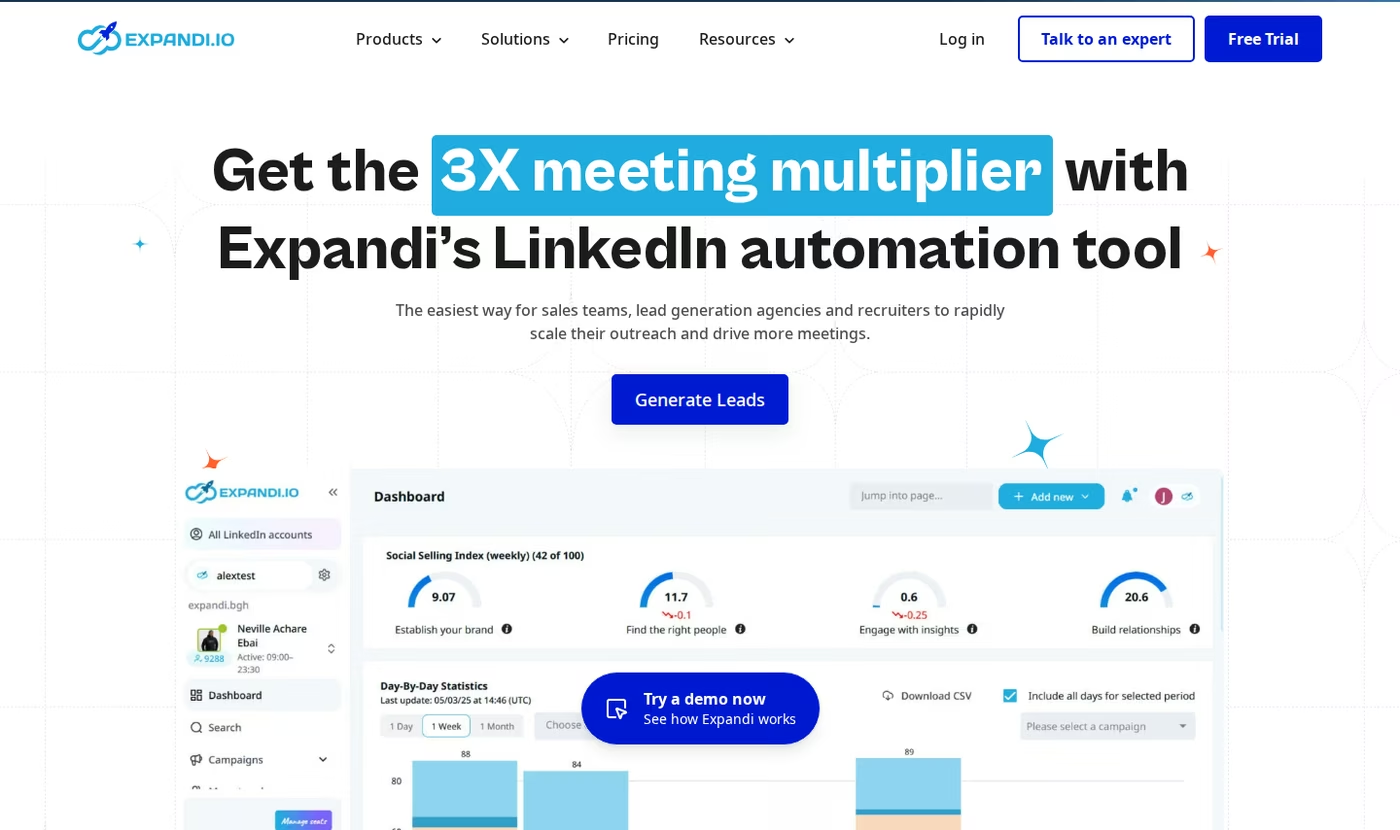
Core features worth knowing:
- Smart campaigns - if/then sequences built from 10 actions and 10 conditions that branch on prospect behavior.
- Dedicated IP + profile warm-up - each account ramps up gradually with smart limit ranges.
- Multichannel steps - connection requests, messages, InMails, and email follow-ups in one sequence.
- Image and GIF personalization - dynamic visuals through Hyperise, sold as a paid add-on.
- Video personalization - available through a Sendspark integration, also a paid add-on.
- Audience scraping - build lists from posts, groups, events, and Sales Navigator searches.
- A/B testing, blacklist, webhooks - plus Pipedrive and Zapier connections and a centralized dashboard.
Pricing: the Expandi Business plan is $99/mo billed monthly, or $79/mo billed annually (a 20% discount, roughly $950/year), and it is priced per LinkedIn account. An Agency plan (custom, for 10+ seats) adds roles and permissions, template sharing, a dedicated customer success manager, and white-labeling. The free trial is 7 days, shorter than most rivals.
Who it is for: sales teams, recruiters, and agencies that run LinkedIn outreach at volume and want granular control plus account-safety features. For a wider field of options, I keep a running list of LinkedIn outreach tools.
Honest limitations I noted:
- The interface is not beginner-friendly. Reviewers and my own testing agree it takes a few hours to get comfortable with the block-based logic.
- Per-seat pricing adds up fast, and image or video personalization sits behind extra paid add-ons.
- There is no email infrastructure and no shared email warm-up pool; email is a follow-up step, not a first-class channel.
- Its inbox does not let teammates reply on each other's behalf, and email replies do not auto-pause a sequence.
- Like all LinkedIn automation, it carries account risk. Expandi's own footer states that use is at your own risk.
What reviewers say about Expandi
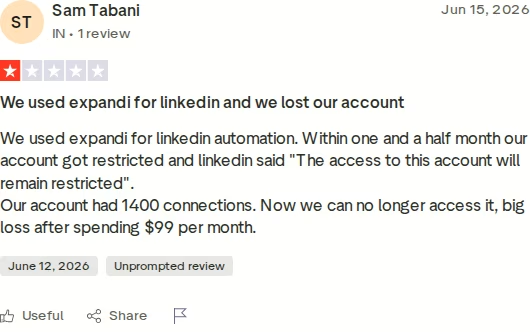
Expandi's onboarding gets a lot of praise on Trustpilot, and its overall score is solid. The negative reviews are worth reading before you commit, and they tend to center on account restrictions and buggy campaign runs. No LinkedIn automation tool can guarantee account safety, so this risk applies across the category, not to Expandi alone.
Salesforge Overview
Salesforge is an all-in-one cold outreach platform that combines email, LinkedIn, AI personalization, and deliverability tooling. It is the flagship of the Forge Stack, a family of tools that covers infrastructure, warm-up, lead data, and an AI SDR. The pitch is simple: run the whole outbound motion in one place instead of stitching five tools together.
Core features I lean on:
- Multi-channel sequences - email and LinkedIn steps branch on prospect behavior inside one workflow.
- Unlimited mailboxes on every plan - no seat-based pricing punishing growth.
- Unlimited LinkedIn senders on the Growth plan - add the whole team without paying per seat.
- Free, unlimited warm-up through Warmforge, with a premium-by-default pool of real Google Workspace and Microsoft 365 mailboxes.
- Overdrive Mode - AI personalization that pulls from a prospect's website, blog, and LinkedIn posts.
- Primebox™ - a free unified inbox that catches replies from any address, even when a prospect answers from a different email.
- Agent Frank - an AI SDR who prospects, writes, follows up, and books meetings on email and LinkedIn.
- Three infrastructure options - Mailforge, Infraforge, and Primeforge, or connect your own mailboxes.
- Native integrations - HubSpot, Salesforce, Pipedrive, Attio, and Clay, plus Zapier, API on Growth, and an MCP server.
- 20+ languages, A/Z testing, and SOC 2 compliance.
Because Salesforge is the outreach layer of the Forge Stack, it plugs into the Forge Stack natively: Mailforge or Infraforge for sending, Warmforge for warm-up, Leadsforge for lead data, and Agent Frank on top. Nothing needs Zapier to talk to the rest.
Pricing: the Salesforge Pro plan is $48/mo monthly ($40/mo annual) with one user and one LinkedIn sender. The Salesforge Growth plan is $96/mo monthly ($80/mo annual) and adds unlimited users, unlimited LinkedIn senders, A/B testing, API access, and Primebox AI. Agent Frank is a separate subscription from $499/mo billed quarterly ($416/mo annual); he is never bundled into the Pro or Growth price.
Start Your 14-Day Free Trial - No Card NeededWho it is for: Salesforge names its own fit clearly. It works best for B2B teams selling at $5K-$100K ACVs into startups, SMBs, and mid-market accounts, targeting 3,000+ businesses. It even publishes who it is not for: if you primarily sell to Fortune 500 accounts on long RFP cycles with six- and seven-figure deals, Salesforge says it is a poor fit. That kind of honesty is rare, and it is the sort of line a competitor would not print.
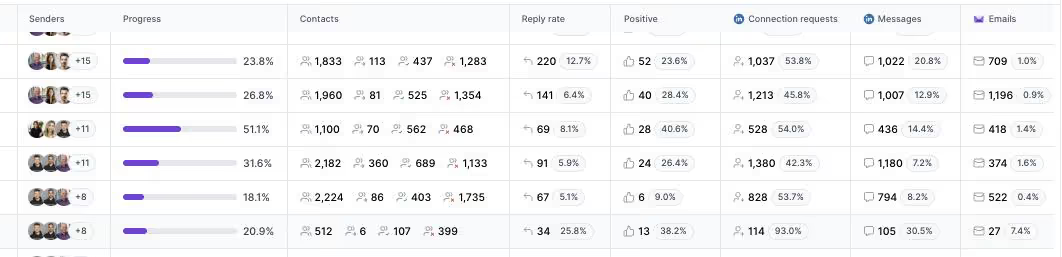
The proof shows up in named results. ChannelCrawler reached an 85.71% positive reply rate on Salesforge, Infraforge, and Warmforge. VAI Consulting booked 3 calls in a single week with Agent Frank on Auto-Pilot. If you are weighing the wider category, I also keep a guide to the best AI outreach tools.
Honest limitations:
- Email infrastructure is not included in the base price. You connect your own mailboxes or add Mailforge, Infraforge, or Primeforge.
- Several features (API, A/B testing, ESP matching, Primebox AI) are gated to the Growth plan.
- Agent Frank needs a sales-led demo and a 2-week warm-up before he can start; there is no self-serve trial for him.
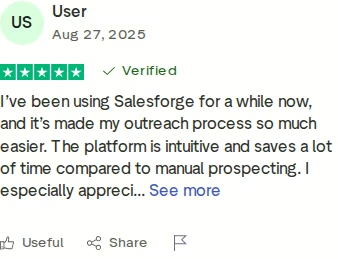
in Action

Head-to-Head Feature Comparison: Gojiberry vs Expandi
Here is where the three tools actually diverge. I am covering the full picture, not just one axis, because the right choice depends on more than a single feature.
Multi-channel outreach
This is the clearest divide. Salesforge runs email and LinkedIn inside one branching sequence: if a prospect ignores an email, the next step can move to LinkedIn, and a reply on either channel pulls them out. Expandi is LinkedIn-first and treats email as a follow-up step within a LinkedIn campaign. Gojiberry runs email and social through its agent, but reviewers consistently describe the motion as LinkedIn-led, with emails often piped to a separate tool to actually send. If you want true two-channel outbound, this is a Salesforge strength. My roundup of multichannel outreach tools covers the trade-offs in more depth.
Email deliverability and warm-up
Deliverability is where email-capable tools live or die, and it is a gap for both competitors. Salesforge includes Warmforge free and unlimited, with a premium-by-default pool made of real Google Workspace and Microsoft 365 mailboxes and a Heat Score to track mailbox health. Expandi warms your LinkedIn account, not email inboxes, and does not provide mailboxes. Gojiberry has no email warm-up or sending infrastructure at all; it finds emails through enrichment and stops there. If email is part of your plan, only one of these three protects inbox placement.
AI and personalization
All three use AI, but at different depths. Gojiberry's edge is timing: it writes messages tied to the exact signal that surfaced a lead, which is genuinely useful for LinkedIn. Expandi personalizes with dynamic variables, images, and GIFs, though the richer visuals cost extra. Salesforge offers Overdrive Mode, which personalizes from a prospect's website, blog, and LinkedIn posts, and goes further with Agent Frank, an AI SDR who runs prospecting to booked meetings on Auto-Pilot or Co-Pilot. Only Salesforge ships a full AI SDR rather than an AI copywriting layer.
Inbox and reply management
Every reply needs a home. Salesforge gives you Primebox™ free, a unified inbox for email and LinkedIn that tags sentiment, drafts AI replies on Growth, and captures replies even when a prospect answers from a different address. Gojiberry includes a unified inbox with pre-drafted replies. Expandi has a Smart Inbox, but it does not let teammates reply on another person's behalf, which is friction for agencies. For reply handling that a whole team can share, Primebox is the most complete of the three.
Pricing and scalability
The models scale very differently. Salesforge Growth is $80/mo annual for unlimited users and unlimited LinkedIn senders, so adding people does not change the platform price. Expandi charges per seat, so a three-person team pays three times over. Gojiberry's Pro plan tops out at two agents, then pushes you to undisclosed Custom pricing. If you plan to grow the team, flat pricing is a real Salesforge advantage, and it is why I point scaling teams toward tools without per-seat math.
Infrastructure, safety, and the stack
Salesforge is the only one of the three that owns the sending layer. It offers three infrastructure products (Mailforge, Infraforge, Primeforge) plus free Warmforge, so you diversify sending and protect reputation without leaving the platform. Expandi's moat is the opposite end: dedicated IPs and safety limits that reduce LinkedIn restriction risk, which matters if LinkedIn is your only channel. Gojiberry brings neither infrastructure nor safety tooling of that kind. For safe LinkedIn sending specifically, I compare options in my guide to LinkedIn messaging tools.
Pricing Comparison: Salesforge, Gojiberry, and Expandi
Pricing is one of the highest-intent questions on any comparison, so here is the side-by-side. Both Gojiberry and Expandi numbers come from their live pricing pages, cross-checked against third-party reviews.
| Plan / item | Salesforge | Gojiberry | Expandi |
|---|---|---|---|
| Entry plan | Salesforge Pro - $48/mo monthly ($40/mo annual): 1 user, 1 LinkedIn sender, unlimited mailboxes, free Warmforge, Primebox | Gojiberry Pro - $99/mo: 2 AI agents, up to 1,800 prospects/mo, enrichment, unified inbox | Expandi Business - $99/mo monthly ($79/mo annual), per seat: cloud automation, 1 LinkedIn account, dedicated IP |
| Scaling plan | Salesforge Growth - $96/mo monthly ($80/mo annual): unlimited users, unlimited LinkedIn senders, API, A/B testing | Gojiberry Custom - talk to sales: more agents and senders, dedicated CSM | Expandi Agency - custom (10+ seats), roles, white-label |
| AI SDR | Agent Frank - $499/mo billed quarterly ($416/mo annual), separate subscription | AI agent included in plan | None |
| Email warm-up | Free, unlimited (Warmforge) | Not included | No email warm-up pool |
| Add-ons to watch | Email infrastructure (Mailforge from $2-3/mailbox; Infraforge from $3-4/mailbox) | None disclosed on Pro | Hyperise (~$69/mo) for images; Sendspark (~$49/mo) for video; Sales Navigator often needed |
| Free trial | 14 days | Free trial, live in minutes | 7 days |
Now a real scenario: a three-person B2B team running email and LinkedIn. On Expandi that is roughly $79/seat/mo annual times three, about $237/mo for LinkedIn only, before Hyperise or Sales Navigator. On Gojiberry, three people exceed the two-agent Pro plan, so you are into undisclosed Custom pricing. On Salesforge, the Growth plan is a flat $80/mo annual for the whole team on both channels, and you add mailbox infrastructure on top (for example, Infraforge for a batch of mailboxes).
The pattern is consistent: Salesforge keeps the platform price flat as the team grows, while a per-seat tool multiplies and a two-agent cap forces a sales call. You can verify current Salesforge rates on the pricing page.
See What Salesforge Can DoWho Should Use Which Tool
None of these tools is wrong; they are built for different motions. Here is how I would steer each buyer.
You might consider Gojiberry if:
- You are a solo founder or a one- to two-person team and LinkedIn is your main channel.
- Your buyers are genuinely active on LinkedIn, so intent signals have something to read.
- You want signal-based prospecting with minimal setup and no demo to get started.
You might consider Expandi if:
- Your outbound is LinkedIn-first and account safety is your top concern.
- You want granular if/then LinkedIn sequences and a dedicated IP per seat.
- You are an agency comfortable managing per-seat costs and add-ons.
Choose Salesforge if:
- You sell B2B at $5K-$100K ACVs into SMB and mid-market accounts and target 3,000+ businesses.
- You want email and LinkedIn in one sequence, with free warm-up and your own sending infrastructure.
- You are scaling a team and refuse to pay per seat for every new sender.
- You run an agency and need unlimited mailboxes, unlimited LinkedIn senders, and a shared unified inbox.
- You want the option to hand the whole motion to an AI SDR in Agent Frank.
For a broader shortlist across providers, I keep an updated guide to LinkedIn outreach services, and you can browse the full comparison library or the sales tools directory for more.
Final Verdict: Which Outbound Tool to Choose
Gojiberry and Expandi are sharp tools that do one thing well. Gojiberry is an AI agent for LinkedIn intent signals, best in a solo or tiny-team motion. Expandi is a safety-first LinkedIn automation tool for teams that live on that one channel. Neither sells email infrastructure, neither includes a free email warm-up pool, and both keep you inside LinkedIn.
For multi-channel B2B outbound that has to scale, Salesforge is the stronger choice. At $80/mo for the Growth plan billed annually ($96/mo monthly), you get unlimited users, unlimited LinkedIn senders, unlimited mailboxes, free Warmforge warm-up, and Primebox™ - a combination neither alternative offers at any price. Add Agent Frank from $499/mo billed quarterly if you want the motion run for you.
One falsifiable benchmark you can hold me to: UniteSync ran on Salesforge, Mailforge, and Warmforge to an 85.26% positive reply rate and a $2.86 CAC. The case study is public.
Frequently Asked Questions
Is Salesforge better than Gojiberry or Expandi?
For multi-channel outbound, yes. Salesforge runs email and LinkedIn in one sequence, includes free unlimited Warmforge warm-up, and offers its own sending infrastructure - none of which Gojiberry or Expandi provide. Gojiberry is strong for LinkedIn intent signals in a small team, and Expandi is strong for safe LinkedIn automation. If your motion is truly LinkedIn-only, either can fit, but Salesforge covers more of the outbound workflow in one place.
What is the main difference between these three tools?
Channels and infrastructure. Gojiberry is a LinkedIn-first AI agent that prospects on intent signals. Expandi is cloud-based LinkedIn automation with a dedicated IP per seat. Salesforge is a full outbound platform that runs email and LinkedIn together, includes free warm-up through Warmforge, offers three infrastructure options, and adds an optional AI SDR in Agent Frank. In short, the competitors specialize in LinkedIn, while Salesforge spans email and LinkedIn end to end.
Which is cheaper: Salesforge, Gojiberry, or Expandi?
Salesforge has the lowest entry price at $48/mo monthly ($40/mo annual) for the Pro plan. Both Gojiberry Pro and Expandi Business start at $99/mo (Expandi drops to $79/mo on annual billing, per seat). The bigger difference is scaling: Salesforge Growth is a flat $80/mo annual for unlimited users, while Expandi multiplies per seat and Gojiberry caps Pro at two agents before custom pricing. Salesforge is usually cheaper for any team of two or more.
Do Gojiberry and Expandi support email outreach?
Partly. Expandi adds email follow-ups inside a LinkedIn sequence, but it does not provide mailboxes or an email warm-up pool. Gojiberry can send email through its agent and finds addresses via waterfall enrichment, though reviewers describe the motion as LinkedIn-led and note there is no sending infrastructure behind it. Salesforge treats email as a first-class channel, with unlimited mailboxes, free Warmforge warm-up, and three infrastructure options to protect deliverability.
Can I switch from Gojiberry or Expandi to Salesforge easily?
Yes. Most teams export their contact lists to CSV and import them into Salesforge, then connect mailboxes and LinkedIn senders and rebuild sequences. Salesforge connects unlimited mailboxes on any plan, and warm-up starts automatically through Warmforge, usually within 24 hours. If you are moving from a LinkedIn-only tool, the main new step is adding email infrastructure, either your own mailboxes or Mailforge, Infraforge, or Primeforge.
Which tool has better email deliverability?
Salesforge, by a clear margin, because it is the only one built for email deliverability. It includes free unlimited Warmforge warm-up with a premium-by-default pool of real Google Workspace and Microsoft 365 mailboxes, plus a Heat Score, mailbox rotation, and three infrastructure options. Expandi warms your LinkedIn account, not email inboxes, and Gojiberry has no warm-up or sending infrastructure. For any campaign that relies on email landing in the inbox, this is decisive.
Does Salesforge offer a free trial?
Yes, Salesforge has a 14-day free trial with no credit card required, and warm-up plus unlimited mailbox connections are available during it. That is longer than Expandi's 7-day trial. Gojiberry also offers a free trial you can start without a demo. Note that Agent Frank, the AI SDR, is the exception: he requires a sales-led demo and a 2-week warm-up, so there is no self-serve trial for that add-on.
Who is Gojiberry best for?
Gojiberry fits solo founders and small teams of one to three whose buyers are active on LinkedIn and who want intent-based prospecting without a big stack. Its AI agent surfaces warm leads from LinkedIn signals and drafts messages tied to each trigger, which can lift reply rates for the right audience. It is less suited to teams that need email at scale, more than two senders, or their own sending infrastructure, which is where a broader platform holds up better.
.jpg)


.jpg)
