Every outreach tool has AI now. And that is the problem.
Two years ago the label meant something.
Today, every outreach tool put AI label on its pricing page whether the tool writes a subject line or runs your entire pipeline.
So I stopped checking feature lists and started digging into what the AI actually does in each one.
What does the AI actually do here?
I discovered three answers, and they are not close to each other.
Some tools use AI to write: Icebreakers, subject lines, a first draft of a sequence. Useful, and almost every tool on this list does it.
Some use AI to decide: It reads replies and sorts them, scores leads, and picks the next step based on what the prospect did rather than what you scheduled.
A few use AI to act: Not draft, not suggest. Act. The clearest test is the reply: when a prospect writes back, does the tool answer, or does it hand the work to you? Most hand it back.
Most of them are overpriced for what they do, which is surface-level AI on top of an ordinary sequencer.
So I went through the tools people actually shortlist for this and checked every price on the vendor's own page rather than a review site.
Nine made the list. Here is what each one costs and where I would place it.
TL;DR: The Best AI Outreach Tools
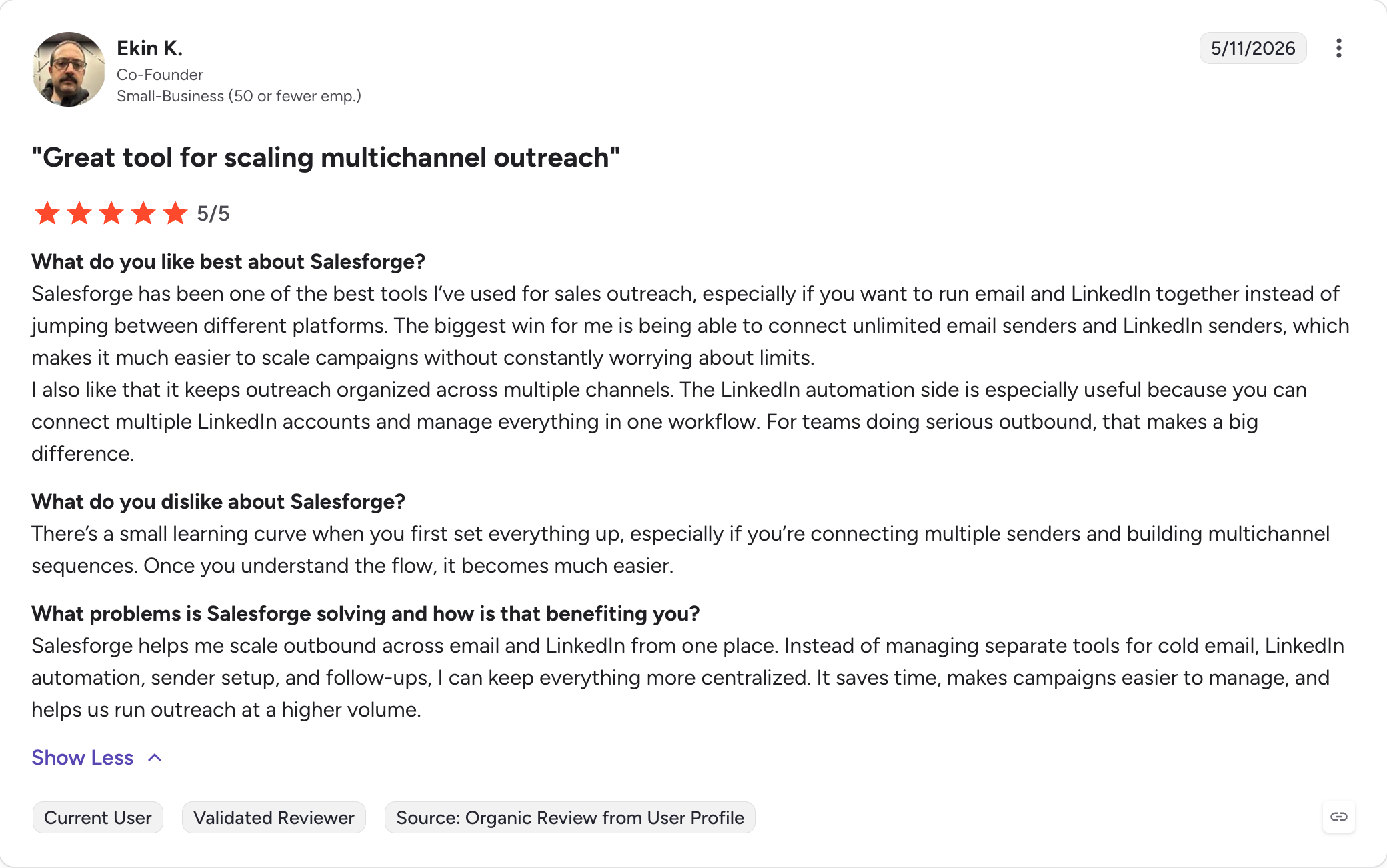
Salesforge: Best multichannel AI outreach tool, with unlimited mailboxes, LinkedIn senders, users and workspaces on a flat fee rather than per seat.
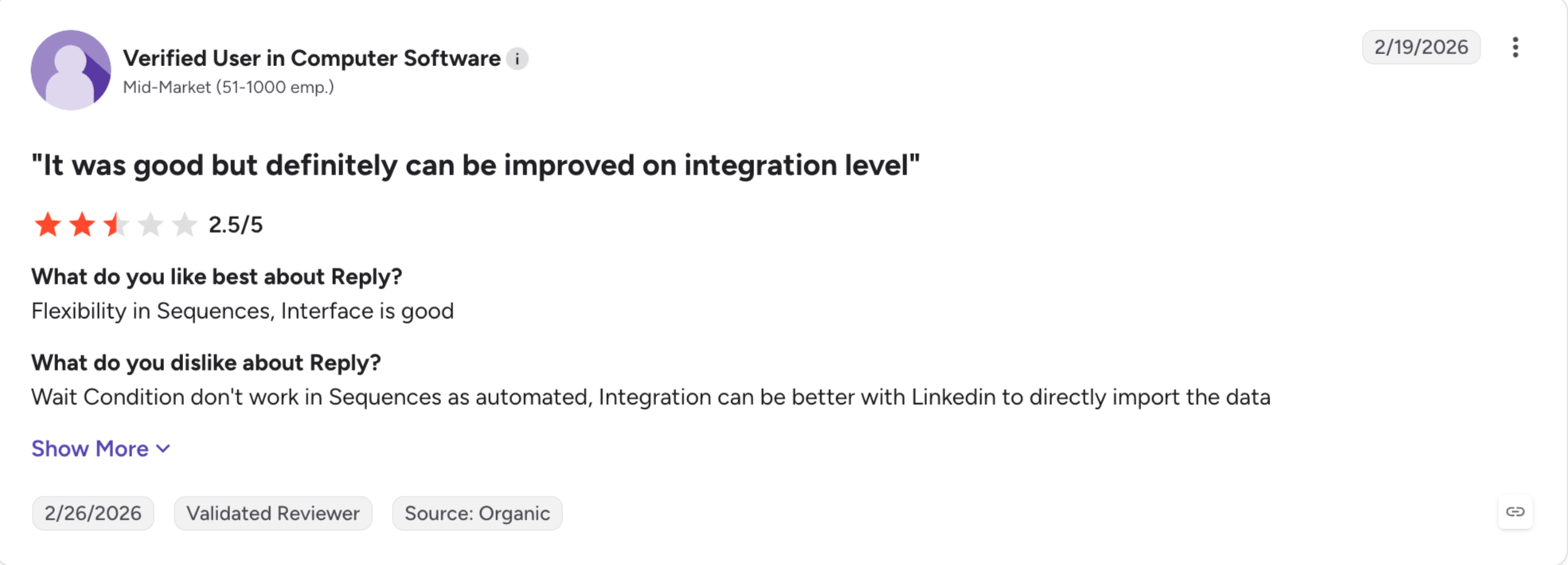
Reply.io: Five channels in one sequence — email, LinkedIn, WhatsApp, SMS and calls — with a 1B+ contact database behind it. LinkedIn is a $69 per account add-on on every plan, including the multichannel one.
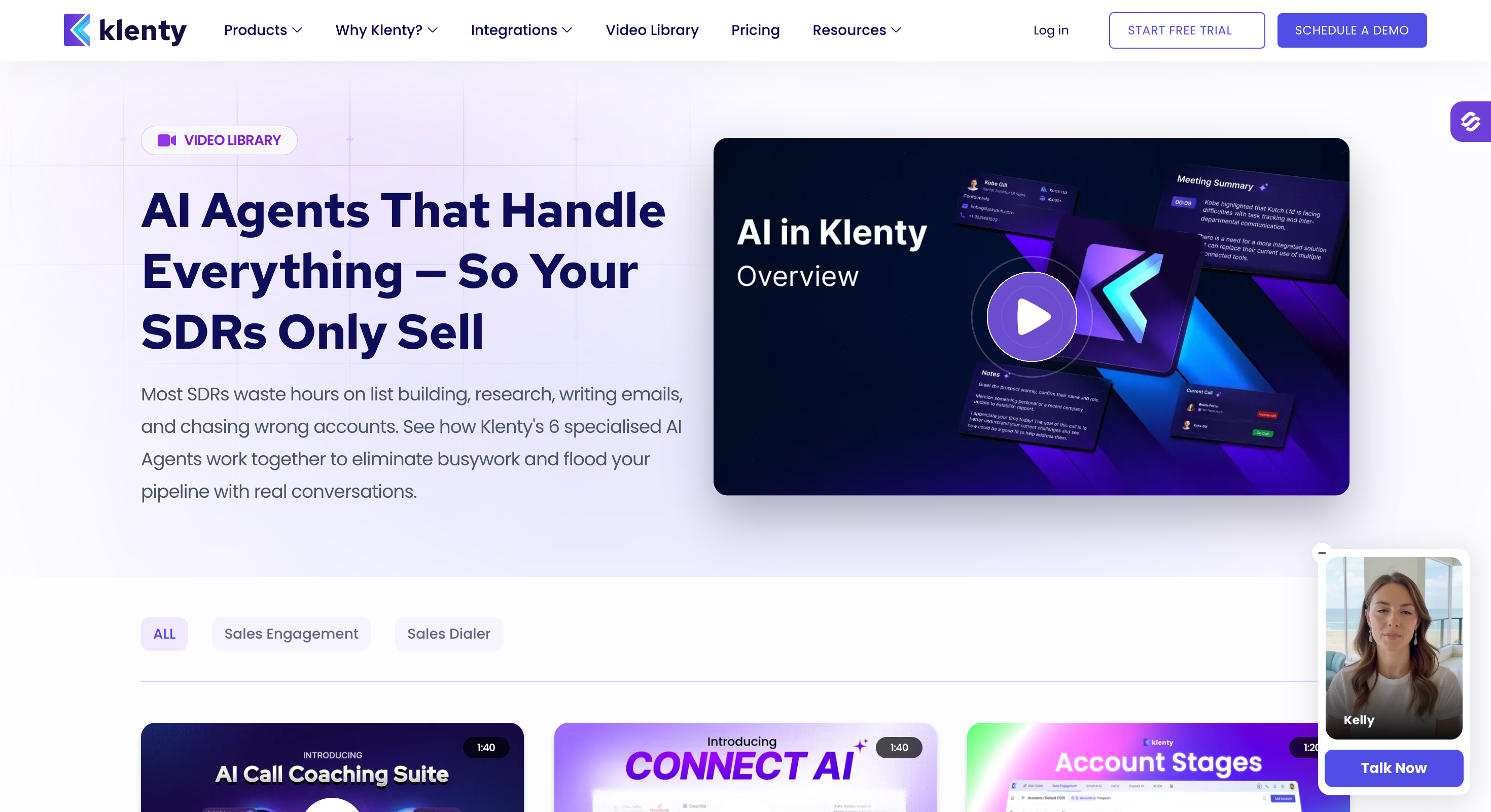
Klenty: Email, LinkedIn and calls in one cadence, with AI coaching on live calls that nothing else here offers. Support scores 9.2 on G2, the strongest on this list.
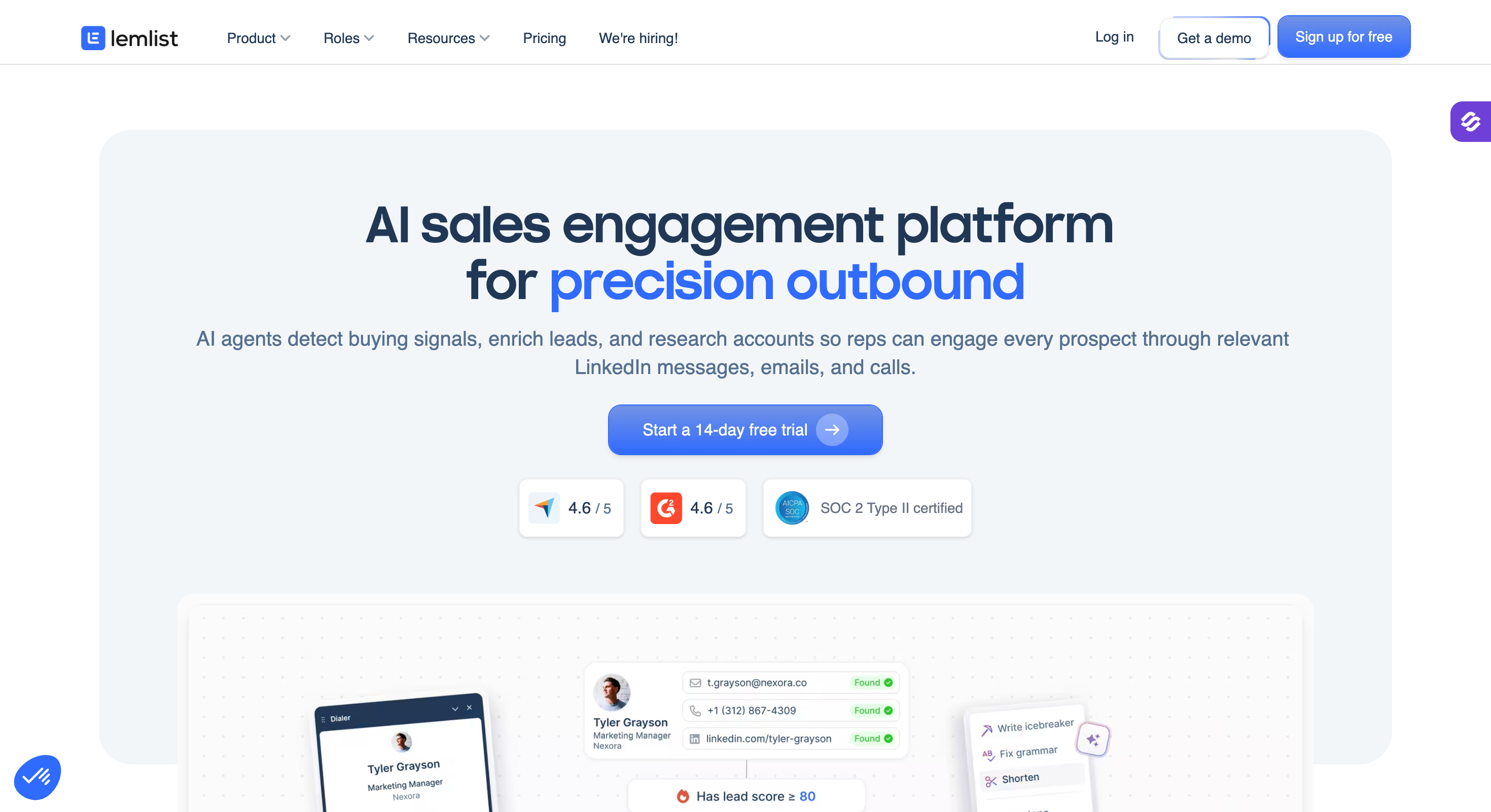
Lemlist: The deepest personalization layer of any tool here. AI variables adapt text, images and landing pages per lead, and Lemwarm warm-up comes free on every paid plan.
Apollo: A 240M+ contact database with sequences and AI writing on top. Credits are pooled, expire monthly, and a phone lookup costs eight of them.
Snov.io: Flat pricing rather than per seat, so a five-person team pays what a solo founder does. Credits are only spent when a valid email is found, but LinkedIn is a separate $62 to $69 module.
Outreach.io: Enterprise sales execution with conversation intelligence and AI agents. Priced on seats plus AI credits, and they do not publish what a credit buys.
Instantly: The only other tool here whose AI answers replies on its own and books meetings in your calendar. It charges five credits per reply through a separate subscription.
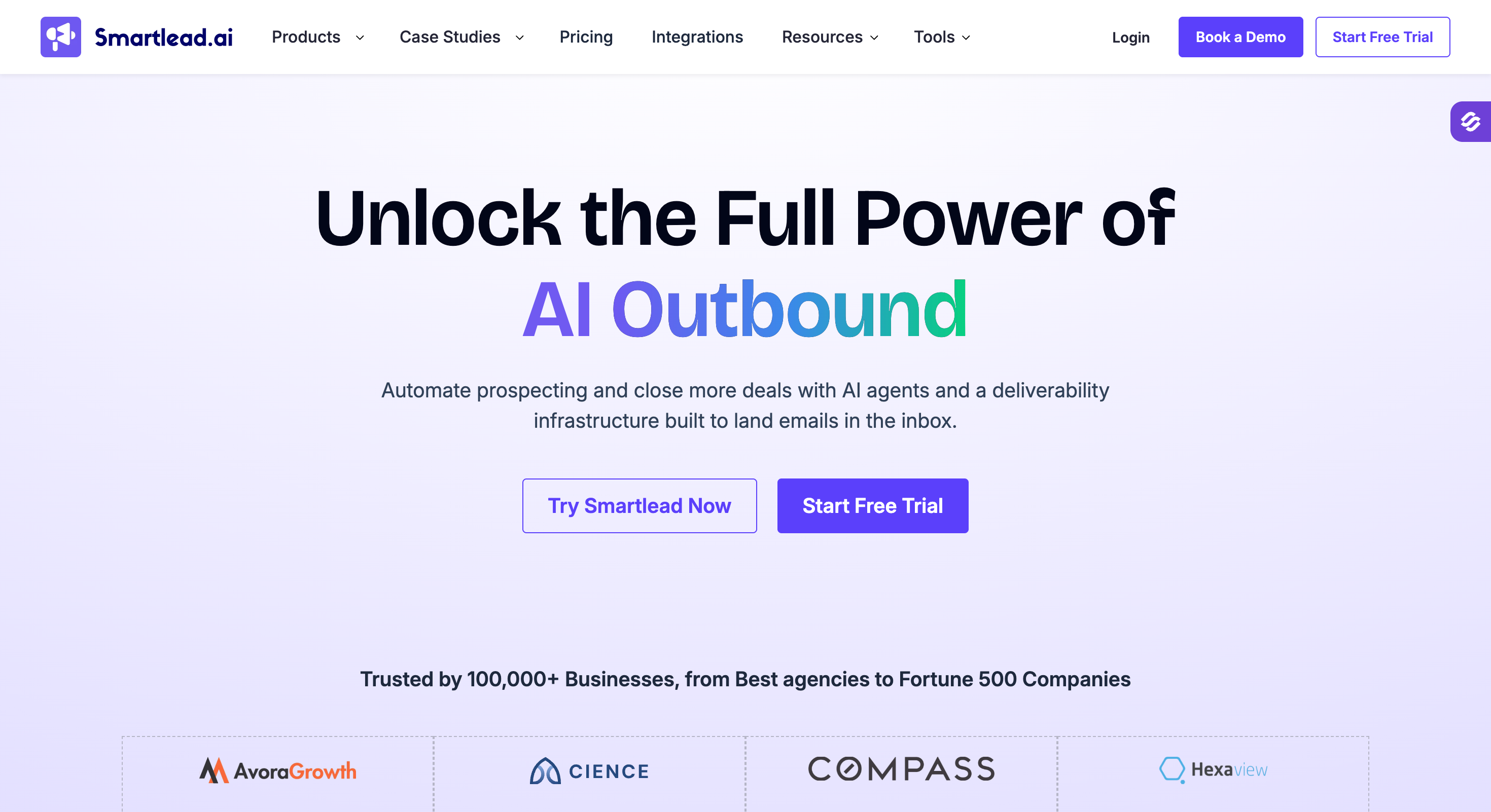
Smartlead: High-volume cold email priced by sending volume rather than per user. The thinnest AI story of the ten, but the agency workspace model is genuinely good.
HubSpot Prospecting Agent – Excellent for in-depth prospect research and personalized outreach campaigns.
Feature Comparison: Top 3 AI Outreach Tools At A Glance
Unlimited mailboxes on both plans. Growth adds unlimited LinkedIn senders, users and workspaces.
Email Volume includes unlimited users. Multichannel is priced per user.
Priced by volume, not per user. Unlimited team members on every plan.
Priced per user, so every extra rep adds to the bill. Mailbox scaling is not mentioned.
AI Reply Handling
Primebox™ Auto-Pilot answers replies with no approval step, on both plans and with no per-reply charge. Co-Pilot drafts for approval.
Reply classification by intent. Answering requires Jason AI at $500/mo.
AI Reply Agent answers on Autopilot and books meetings, at 5 credits per reply.
Not mentioned. Replies land in the HubSpot inbox for a human to handle.
AI Personalization
AI variables pull company news, LinkedIn activity and industry context, across 21+ languages.
AI Variables personalize from prospect and company data.
AI sequence generation and copy variants.
Prospecting Agent researches each prospect and writes personalized emails from CRM and database signals.
AI SDR
Agent Frank prospects, enriches, writes, sequences, handles replies and books meetings. From $499/mo, billed annually.
Jason AI sources, sends, handles objections and books meetings. From $500/mo.
AI Sales Agent reads your site, finds leads, writes, sends and books meetings.
Prospecting Agent researches prospects and sends personalized email outreach, drawing on a built-in 380M+ contact database.
AI Agent Access (MCP & CLI)
Forge MCP server and CLI connect Claude, Cursor and custom agents to the whole stack.
None published.
None published.
Not mentioned for the Prospecting Agent.
What The AI Costs On Top
Nothing. Included on Pro and Growth.
Jason AI from $500/mo, Growth tier $1,500/mo.
5 credits per reply, on a separate Credits subscription from $9/mo.
AI agent usage is billed on top of the per-user seat price.
AI Multichannel
Cold email and LinkedIn in one sequence with real if/then branching.
Email, LinkedIn, WhatsApp, SMS and calls. LinkedIn costs $69/account/mo extra.
Email only.
Email only.
Deliverability Suite
Free unlimited Warmforge warm-up with Heat Score™, ESP matching, sender rotation, Bounce Shield and email validation.
Built-in warm-up and sending controls.
Unlimited warm-up on every plan with no per-inbox fee.
No warm-up. Sending runs off your connected HubSpot mailbox.
Email Infrastructure
Mailforge, Infraforge and Primeforge under one login. Move between them without migrating.
None. Bring your own.
None. Bring your own.
None. Bring your own, with no mailbox scaling mentioned.
Unified Inbox
Primebox™ across every mailbox and LinkedIn account, with Auto-Pilot and Co-Pilot.
Unified inbox across every channel.
Unibox, gated to Hypergrowth and above.
HubSpot's shared conversations inbox, tied to the connected mailbox.
API & Integrations
HubSpot, Salesforce, Pipedrive, folk, Attio and GoHighLevel, plus Sales Navigator, Zapier, Make and webhooks. Open API on Growth.
Native Salesforce, HubSpot, Pipedrive and Close, plus API and webhooks.
API, webhooks and Slack. CRM is a separate product.
Native to HubSpot CRM, plus the HubSpot API and app marketplace.
How I Evaluated These 9 AI Outreach Tools
I built the checklist around one question: what is the AI actually doing, and what does it cost.
What The AI Actually Does
Writes, decides, or acts. I placed every tool on that scale rather than taking the feature list at face value, and the test for the top level was whether it answers a reply on its own.
What The AI Costs On Top Of The Plan
This is where the category hides its real price. Some tools include the AI. Others meter it per reply, per credit, or as a separate product with its own subscription. I worked out which for each tool, and the spread is wider than any headline price suggests.
Live Pricing From The Vendor's Own Page
Every price here came from the vendor's pricing page, not a comparison article. That mattered more than I expected. Several tools had figures circulating online that were plainly wrong, usually monthly rates presented as annual ones.
Is It Scalable
Whether the price and the architecture hold when you add a second, fifth or tenth sender. Per-seat models look fine at one operator and painful at ten.
Multichannel Or Not
Whether email, LinkedIn and calls run in one sequence with branching between them, and whether the channels a tool advertises are included or sold as add-ons.
Real Reviews
I used G2's own breakdown, including the sub-scores for support, ease of use and setup, and the number of reviews behind each. A four-point-six from 300 reviews and a four-point-six from 4,000 are not the same claim.
Advanced Integrations With AI Assistants
Whether an MCP server or CLI exists, so Claude, Cursor or your own agents can build sequences and run campaigns directly rather than through a Zapier bridge.
1 - Salesforge
Best for: GTM teams and agencies who want the safest AI outreach platform, with unlimited mailboxes, LinkedIn senders, users and workspaces.
G2 Rating: 4.6 out of 5
Salesforge is a multichannel AI outreach tool where the AI writes, decides and acts. It personalizes across email and LinkedIn in one sequence, branches on what each prospect does, and answers replies without waiting for you.
You are probably thinking Salesforge is my own tool and that is why it is first.
Fair. So here is the actual reason.
The AI in Salesforge does work you would otherwise do yourself. Primebox™ collects every reply from every mailbox and every connected LinkedIn account, and Auto-Pilot answers them without waiting for your approval. Co-Pilot drafts them if you would rather review first. Both modes are on Pro and Growth.
It is also the only tool here with an MCP server and CLI, so Claude, Cursor or your own agents can build sequences and run campaigns directly.
And if you want the whole workflow handled, Agent Frank is an optional AI SDR who prospects, writes, sequences, handles replies and books meetings on his own.
Salesforge Core Features
Primebox™ with Auto-Pilot and Co-Pilot: Every reply from every mailbox and LinkedIn account in one inbox. Co-Pilot drafts for approval, Auto-Pilot answers on its own. Both plans, no per-reply charge.
AI personalization: AI variables pull company news, LinkedIn activity and industry context into each message, across 21+ languages, for both LinkedIn and email copy.
Agent Frank, an optional AI SDR: Prospects, enriches, writes, sequences, handles replies through Primebox™ and books meetings. Separate subscription from $499/month, billed annually.
Forge MCP server and CLI: Connect Claude, Cursor or your own agents directly to Salesforge and the rest of the stack.
Multichannel sequences: Every step branches on what the prospect does. Connection request accepted, send a LinkedIn message. Not accepted, fall back to email.
Unlimited mailboxes and senders: No per-seat, per-mailbox or per-workspace pricing on Growth.
Six native LinkedIn actions: Connection requests, messages, InMails, post likes, follows and withdraw requests, each capped at 30 a day per profile.
Cloud with no extension: Actions run through high-quality shared proxies with an optional custom proxy. Session tokens only, so your password is never stored.
Free unlimited warm-up via Warmforge: Every mailbox warms continuously at no extra cost, with Heat Score™ showing when one is safe to scale.
ESP matching, sender rotation and Bounce Shield: Providers matched Google to Google, volume spread across mailboxes, risky addresses blocked before they bounce.
Native integrations: HubSpot, Salesforce, Pipedrive, folk, Attio and GoHighLevel for CRM sync, plus LinkedIn Sales Navigator, Zapier, Make and webhooks.
Salesforge Pros And Cons
Pros
Cons
The AI answers replies on both plans, with no per-reply charge
No free plan, only a 14-day trial
Flat monthly fee rather than per seat
Email and LinkedIn in one sequence with conditional branching
Warm-up, ESP matching, sender rotation and Bounce Shield included
Unlimited users and workspaces on Growth
MCP server lets Claude or Cursor run campaigns directly
Best for: Sales teams who need more than two channels in one cold outreach sequence and have the budget for the add-ons that make it work.
G2 Rating: 4.6 out of 5 from 1,543 reviews
Reply.io runs five channels in a single sequence: email, LinkedIn, WhatsApp, SMS and calls. Nothing else on this list covers that much ground.
The AI reads and sorts. It classifies replies by intent, personalizes with AI Variables at scale, and branches sequences on what each prospect does. That is level two, done well.
Level three lives in Jason AI, and it is a separate product at $500 a month, $1,500 on the Growth tier. Jason sources prospects from the 1B+ database, sends, handles objections and books meetings on his own. Capable, and priced accordingly.
The thing to model before you buy is the add-ons. The Multichannel plan is $89 per user per month, but LinkedIn automation is a further $69 per account per month, on every plan including that one. Calls and SMS add $29 per user. A "multichannel" plan that needs $69 per rep before LinkedIn works is worth knowing about in advance.
Email Volume is the better-value track if email is your main channel. It is a flat fee with unlimited users, mailboxes and sends, metered on active contacts instead.
Reply.io Core Features
Five channels in one sequence: Email, LinkedIn, WhatsApp, SMS and calls, with conditional branching between them.
1B+ contact database: Built into the platform rather than sold as a separate data subscription.
AI Variables: Personalization pulled from prospect and company data, applied across a whole list.
Reply classification: The AI reads incoming replies, tags them by intent and routes them.
Jason AI: An autonomous AI SDR that sources, sends, handles objections and books meetings. From $500/month.
Built-in deliverability tooling: Warm-up and sending controls included in the platform.
Native CRM integrations: Salesforce, HubSpot, Pipedrive and Close, plus API and webhooks.
Reply.io Pros And Cons
Pros
Cons
Five channels in one sequence, more than anything else here
LinkedIn is a $69 per account add-on on every plan, including Multichannel
Email Volume is a flat fee with unlimited users and mailboxes
Calls and SMS add another $29 per user
1B+ contacts included rather than a separate subscription
Jason AI is $500/month before you get autonomy
1,543 G2 reviews, one of the longest records on this list
Reviewers report 24 to 72 hour support response times
Jason AI is genuinely autonomous, not a drafting tool
Trustpilot and Reddit reports of undisclosed minimums and difficult cancellation
Native Salesforce, HubSpot, Pipedrive and Close
No contact enrichment, so you may need a separate finder
Reply.io Pricing
Plan
Price
What you get
Email Volume
From $49/month, $159/month at the 10,000-contact tier
Flat fee. Unlimited users, mailboxes and sends, metered on active contacts
Multichannel
$89/user/month, billed annually
Conditional sequences across all channels, unlimited contacts
Jason AI
$500/month, Growth tier $1,500/month
Autonomous sourcing, sending, reply handling and meeting booking
Annual billing is standard, monthly runs 20 to 30% higher. LinkedIn automation is $69 per account per month on every plan. Calls and SMS are $29 per user per month.
Best for: Teams who run calls alongside email and LinkedIn outreach, and want AI coaching on the calls themselves.
G2 Rating: 4.6 out of 5 from 388 reviews
Klenty is a sales engagement platform built around cadences that mix email, LinkedIn, calls and SMS.
The AI does something here that nothing else on this list attempts. It coaches live calls, listening in and surfacing prompts while a rep is talking. Everything else here applies AI to text.
Support is Klenty's standout. It scores 9.2 on G2 across 272 reviews, the highest sub-score of any tool I checked, and reviewers repeatedly single out how quickly setup problems get resolved.
Two things to weigh. The AI features sit on Pro at $99 per user per month, and the dialer is a separate $35 to $99 per user, with AI on the dialer costing a further $40 per user. And the entry plan at $50 is email only, so multichannel starts at $70.
Klenty Core Features
Multichannel cadences: Email, LinkedIn, calls and SMS from one screen, with steps and delays between them.
Parallel dialer: One of the stronger dialers at this price point, sold as a separate module.
AI call coaching: Live prompts and post-call analysis, which is a different application of AI from everything else here.
AI writing assistance and sequence generation: On the Pro tier.
Prospecting credits: 200 per month, included with the plan.
CRM integrations: Deep sync with major CRMs, available from the Growth tier.
Team management: Roles, shared cadences and reporting across a team.
Klenty Pros And Cons
Pros
Cons
Support scores 9.2 on G2 across 272 reviews, the highest here
AI features are gated to Pro at $99 per user per month
AI coaching on live calls, which nothing else on this list offers
The dialer is a separate $35 to $99 per user, and AI on it costs $40 more
Four channels in one cadence
Startup at $50 is email only, so multichannel starts at $70
Strong parallel dialer at this price point
Ease of setup is its weakest G2 sub-score at 8.4
Per-seat cost undercuts Outreach and Salesloft
G2 reviewers describe it as slow and unstable during active campaigns
CRM sync is genuinely deep, not a Zapier bridge
Recurring billing complaints, including charges after cancellation requests
Klenty Pricing
Plan
Annual
What you get
Startup
$50/user/month
Email only
Growth
$70/user/month
Multichannel cadences, CRM sync
Pro
$99/user/month
Adds the AI features
Enterprise
Custom
Unpublished
The dialer is priced separately at $35 to $99 per user per month, with AI features on it a further $40 per user per month.
Best for: Teams who win on standing out rather than sending more, and want AI shaping images and landing pages, not just text.
G2 Rating: 4.7 out of 5 from 1,396 reviews
Lemlist has the deepest personalization layer of anything on this list, and it is the reason to pick it.
The AI does not stop at copy. Dynamic variables adapt message text, custom images carrying the prospect's own logo, and personalized landing pages, all generated per lead from LinkedIn profiles and company websites.
Lemwarm is included free on every paid plan and runs continuously alongside live cold email campaigns rather than only during setup. That puts Lemlist in a small group here that treats deliverability as part of the product rather than an add-on.
Sequences cover email, LinkedIn, WhatsApp and in-app calling, and the 450M+ database with waterfall enrichment is built in.
The catch is the tier. Email Pro is email only. LinkedIn automation requires Multichannel Expert, which catches people out.
Lemlist Core Features
AI personalization at scale: Variables adapt text, images and landing pages per lead, pulling from LinkedIn profiles and company websites.
Image and video personalization: Custom images carrying a prospect's logo or name, the feature Lemlist is known for.
450M+ lead database: With built-in waterfall enrichment for verified emails and phone numbers.
Four channels in one sequence: Email, LinkedIn, WhatsApp and in-app calling.
Lemwarm: Free on every paid plan and running continuously alongside live campaigns.
Multichannel inbox: Every interaction across any channel or sender in one thread.
Native CRM integrations: HubSpot, Salesforce and Pipedrive, plus Aircall, an open API and MCP endpoints.
Lemlist Pros And Cons
Pros
Cons
The strongest personalization of any tool on this list
LinkedIn needs Multichannel Expert, not Email Pro
Lemwarm included free on every paid plan
Per-user pricing with no volume discount below Enterprise
450M+ database with waterfall enrichment built in
WhatsApp is a paid add-on on top of the seat price
4.7 on G2 from 1,396 reviews, the highest rating and one of the largest samples here
Extra sender accounts cost more per month
Four channels in one sequence
Credit-based enrichment adds up and confuses people
The AI shapes images and landing pages, not just copy
The AI stops at creation. Replies come back to you
Lemlist Pricing
Plan
Annual
Monthly
What you get
Email Pro
$63/user/month
$79
Email sequences, Lemwarm, personalization, database access. No LinkedIn
Multichannel Expert
$87/user/month
$109
Adds LinkedIn, in-app calling, full database, highest personalization limits
Best for: Teams whose bottleneck is knowing who to contact, not what to say.
G2 Rating: 4.7 out of 5 from 9,662 reviews
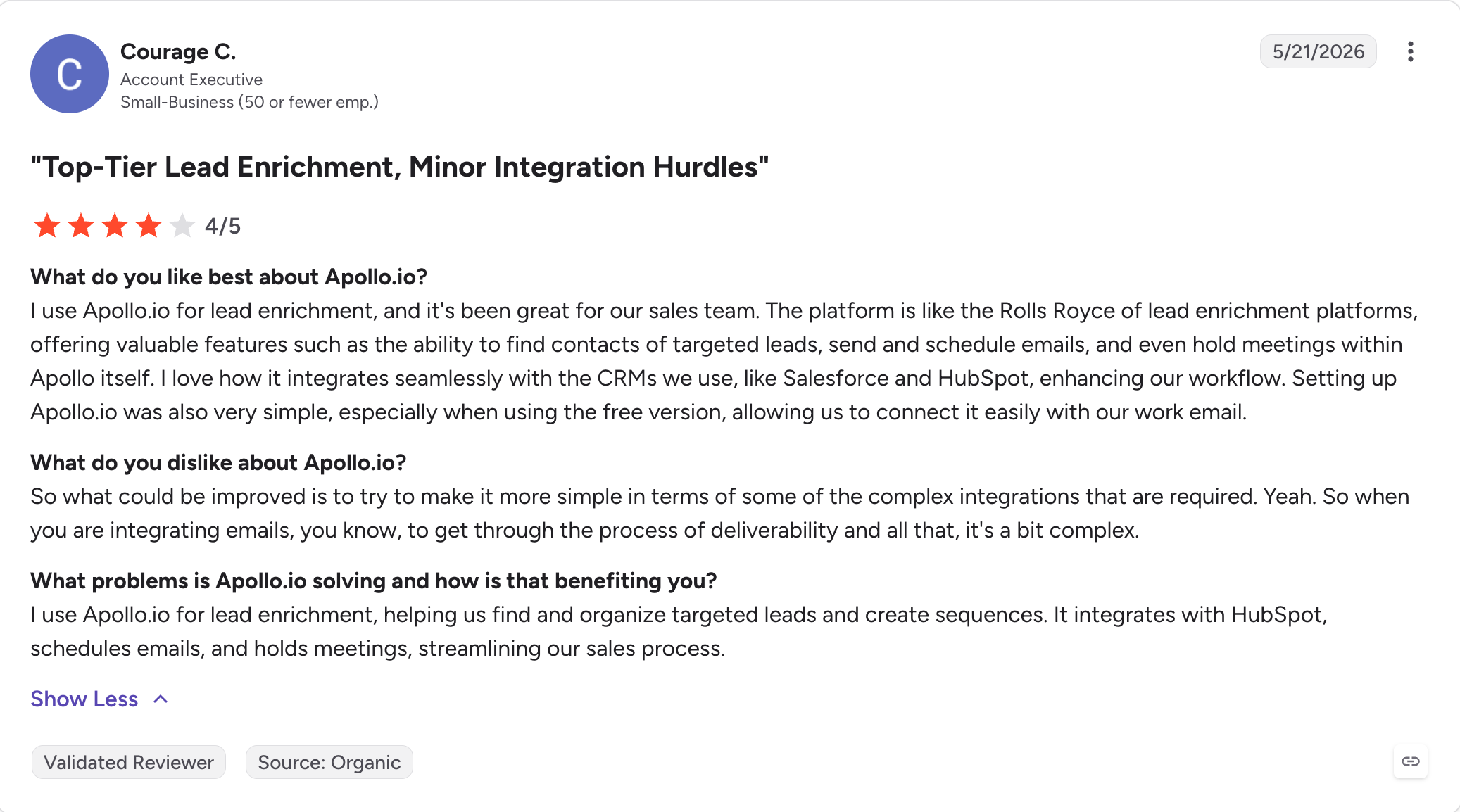
Apollo is a contact database first and an email outreach tool second, and that ordering explains most of what is good and bad about it.
The database is 240M+ contacts with search, filters and intent topics. Sequences and a dialer sit on top, along with AI writing and research briefs. For finding people, nothing else on this list comes close.
The AI writes and helps you decide. It drafts outreach, surfaces signals and builds research briefs. Replies come back to you.
Where it costs more than the sticker suggests is credits. They are pooled across the team and expire at the end of each billing cycle. A phone lookup costs eight credits against one for an email. Overages run $0.20 a credit with a 250-credit minimum, so the smallest top-up is $50.
One gap worth naming: there is no email warm-up. If you use Apollo to send at any volume, budget for a separate tool.
Apollo Core Features
240M+ contact database: With advanced filters, intent topics and buying signals.
Sequences and dialer: Multichannel outreach built on top of the database.
AI writing and research briefs: Drafted outreach and per-account research.
Free tier: 75 credits a month, 900 a year, with full database search access.
Bidirectional CRM sync: HubSpot and Salesforce from the Basic plan, with custom field mapping on Professional.
Chrome extension: Reveal contact data while browsing LinkedIn or a company site.
Apollo Pros And Cons
Pros
Cons
The largest contact database on this list at 240M+
Credits are pooled and expire monthly, so unused allowance is lost
9,662 G2 reviews, by far the largest sample here
A phone lookup costs eight credits against one for an email
A genuinely usable free tier with database access
Overages are $0.20 a credit with a $50 minimum top-up
Sequences, dialer and data in one subscription
No email warm-up at any tier
Bidirectional CRM sync from the entry paid plan
Per-seat pricing multiplies with every team member
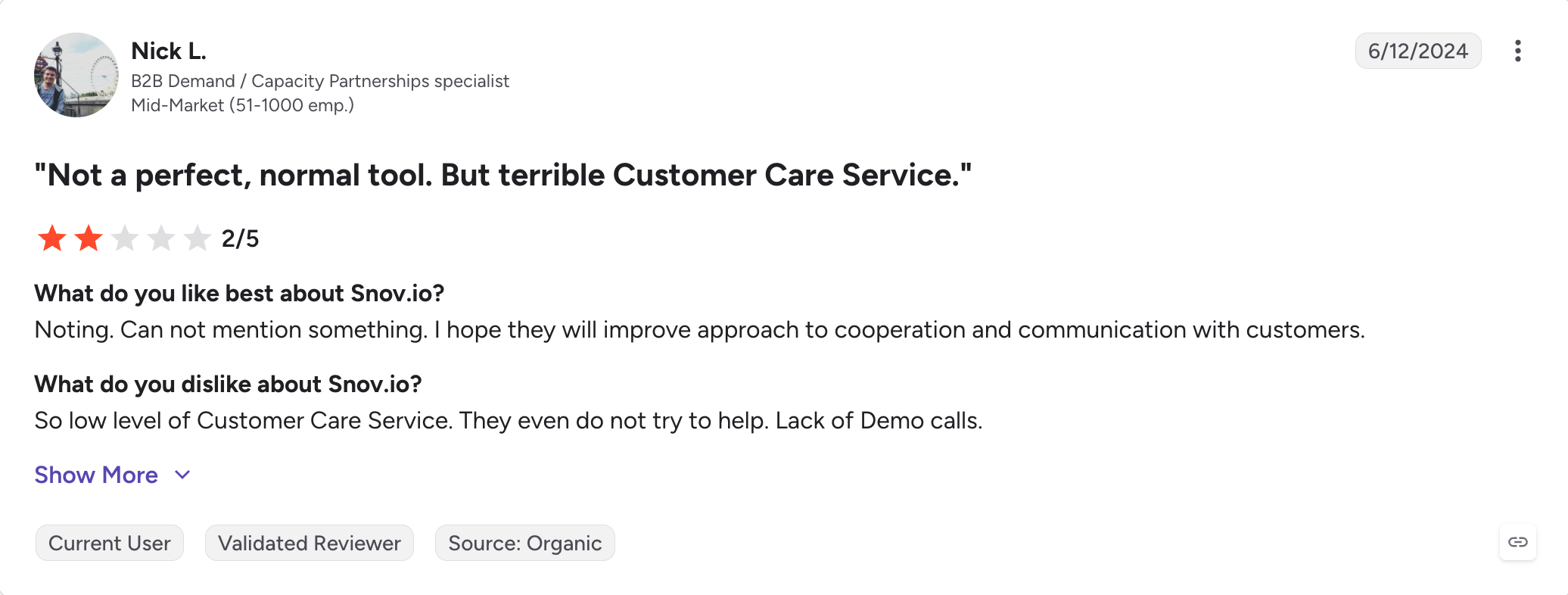
Best for: Small teams who want AI email outreach tool without per-seat pricing, and can live with LinkedIn being a separate module.
G2 Rating: 4.5 out of 5 from 497 reviews
Snov.io prices flat rather than per seat, which is rarer than it should be. A five-person team pays what a solo founder pays.
The credit model is fairer than most too. A credit is only spent when a valid email is found, so failed lookups cost nothing. Apollo charges either way.
The AI sits at level two. Reply sentiment analysis reads incoming responses and sorts them, and A/B testing runs on the Pro tier. Drip campaigns branch on opens, clicks and replies.
Email warm-up is included, which matters given how many tools on this list charge for it separately.
The thing that nearly kept it off this list is LinkedIn. It exists, but as a paid module at roughly $62 to $69 per slot per month on top of your plan. If LinkedIn is central to your outreach, that changes the maths.
Snov.io Core Features
Flat pricing, not per seat: A five-person team pays the same subscription as one person.
Credits only spent on a find: No charge when a lookup fails to return a verified email.
Reply sentiment analysis: The AI reads replies and sorts them by intent.
Drip campaigns with branching: Steps triggered by opens, clicks and replies.
Email warm-up included: Not a separate subscription.
Best for: large revenue teams on Salesforce with a sales ops function and a procurement process.
G2 Rating: 4.3 out of 5 from 3,570 reviews
Outreach is the enterprise end of this list, and it has repositioned.
Its homepage now reads "Agentic AI Platform for Revenue Teams," and its G2 category has moved from Sales Engagement to Revenue AI Platforms.
The AI is real. Kaia transcribes calls and surfaces coaching in real time. Smart Email Assist drafts replies to objections using your own data and past conversations. Account research runs automatically on funding, hiring and engagement signals.
The pricing model is the thing to understand. Outreach states it plainly: seat-based pricing combined with consumption-based pricing powered by AI credits. Two meters, one counting people and one counting AI usage.
They do not publish what a credit buys. Amplify Plus is listed as including 50,000 credits, but there is no way to work out what that covers before you sign. For a tool whose selling point is agentic AI, that is a real forecasting problem.
There is no published price and no free trial. Reviews put the real cost at $100 to $160 a seat, with Vendr data showing a 50-user deployment at around $72,000 a year.
Outreach.io Core Features
Kaia: Conversation intelligence with real-time transcription and live call coaching.
Smart Email Assist: AI replies to objections using context from your own data and past conversations.
Automated account research: Funding, hiring and engagement signals surfaced per account.
Multichannel sequences: Email, phone and LinkedIn, with deep Salesforce sync.
Deal management and forecasting: AI-powered pipeline and revenue forecasting.
Best-in-class Salesforce integration: The strongest CRM tie-in on this list.
Outreach.io Pros And Cons
Pros
Cons
Real-time call coaching through Kaia, which few tools match
No published pricing and no free trial
Best Salesforce integration on this list
AI credits are metered and they do not publish what a credit buys
Deal management and forecasting alongside sequences
Real cost runs $100 to $160 a seat, with a reported $20,000 annual minimum
3,570 G2 reviews, a deep and long record
Implementation typically costs $5,000 to $25,000
Built for large teams with sales ops support
No visitor identification, contact enrichment or intent data at any tier
Automated account research included
Reviewers report two to four weeks before new reps are productive
Outreach.io Pricing
Outreach does not publish pricing. Their page states the model as seat-based pricing combined with consumption-based AI credits, without specifying what a credit buys.
Source
Figure
Typical seat cost, from reviews
$100 to $160 per user per month
Vendr data, 50-user deployment
About $72,000 a year, roughly $120 per user per month
Best for: high-volume email senders who want unlimited mailboxes and will pay per AI reply.
G2 Rating: 4.8 out of 5 from 4,025 reviews
Instantly holds the highest G2 rating on this list, and it is the only tool other than Salesforge whose AI answers replies on its own.
The AI Reply Agent runs in two modes. Human-in-the-Loop drafts and waits. Autopilot sends without review, in under five minutes, around the clock. It classifies intent, handles objections, runs no-show recovery, and books meetings directly in Calendly rather than sending a link.
So why is it at number eight rather than two? Because it is metered. Each AI reply costs five credits, and credits are a separate subscription from the sending plan. Nano is $9 a month for 150 credits, which is thirty replies. Hyper Credits start at $197.
The sending platform itself is strong on economics. Unlimited email accounts and unlimited warm-up on every paid plan, with no per-inbox fee and no per-seat charge. You are metered on contacts stored and emails sent instead.
Worth knowing that Instantly is three separate subscriptions: Outreach for sending, Credits for the database and AI, and CRM. The full stack runs $180 to $400 a month.
Instantly Core Features
AI Reply Agent: Two modes. Human-in-the-Loop drafts for approval, Autopilot answers without review and books meetings in Calendly.
Unlimited email accounts and warm-up: On every paid plan, with no per-inbox fee.
Volume-based pricing: Metered on contacts and emails rather than seats, so team size does not affect cost.
SuperSearch: A 450M+ contact database, on the separate Credits subscription.
Unibox: Unified inbox across every connected mailbox, gated to Hypergrowth and above.
A/Z testing: Multivariate sequence testing, also from Hypergrowth.
SISR: Dedicated server and IP sharding for deliverability isolation, on Light Speed.
Instantly Pros And Cons
Pros
Cons
The AI answers replies and books meetings on its own
Each AI reply costs five credits on a separate subscription
Highest G2 rating here at 4.8 from 4,025 reviews
Three separate subscriptions to run the full stack
Unlimited mailboxes and warm-up on every paid plan
Growth caps you at 1,000 contacts and 5,000 emails a month
Priced by volume, not per seat
Unibox, A/Z testing and analytics all need Hypergrowth
No per-inbox fee as sending scales
Email only, with no LinkedIn channel
Meeting booking goes straight into Calendly
Sources disagree on the Hypergrowth email cap, 100,000 or 125,000
Instantly Pricing
Plan
Annual
Monthly
Contacts
Emails/month
Annual saves 20%. AI replies cost five credits each, on a separate Credits subscription starting at $9 a month for 150 credits.
Best for: agencies running cold email for several clients who need isolated workspaces and white-label dashboards.
G2 Rating: 4.6 out of 5 from 303 reviews
Smartlead is the thinnest AI story on this list, and it earns its place on everything else.
Pricing is by sending volume rather than per user, so a five-person team pays what one person pays. Unlimited email accounts come with every plan.
The agency model is the real draw. Each client gets a separate workspace with isolated billing, its own reply queue and its own API token. A white-label dashboard is an add-on at around $29 per client per month, so clients log in and see your brand rather than Smartlead's.
The AI writes. Campaign generation, sequence drafting, ChatGPT-backed copy. There is no reply handling, no sentiment analysis, no autonomous mode.
If your bottleneck is managing twelve client accounts without twelve logins, that trade is fine. If you came looking for AI, most of this list does more.
Smartlead Core Features
Volume-based pricing: Metered on leads and emails rather than seats, so team size does not affect cost.
Unlimited email accounts: On every plan, with no per-inbox fee.
Isolated client workspaces: Separate billing, reply queues and API tokens per client.
White-label dashboard: An add-on at around $29 per client per month.
AI campaign generation: Sequences drafted from a prompt.
Master inbox: Reply management across every connected mailbox.
Built-in warm-up: Included on every plan.
Smartlead Pros And Cons
Pros
Cons
Priced by volume, not per user
The thinnest AI on this list. Writing only
Unlimited email accounts on every plan
White label costs around $29 per client per month
Isolated workspaces with separate billing per client
Email only, with no LinkedIn or calling
White-label dashboards for agency clients
303 G2 reviews, the smallest sample of the established tools here
Warm-up included rather than sold separately
No reply classification or sentiment analysis
Basic at $39 is a real plan, not a demo tier
No contact database included
Smartlead Pricing
Annual billing saves 17%. White-label client dashboards are an add-on at roughly $29 per client per month.
Best For: In-depth prospect research and personalized outreach campaigns.
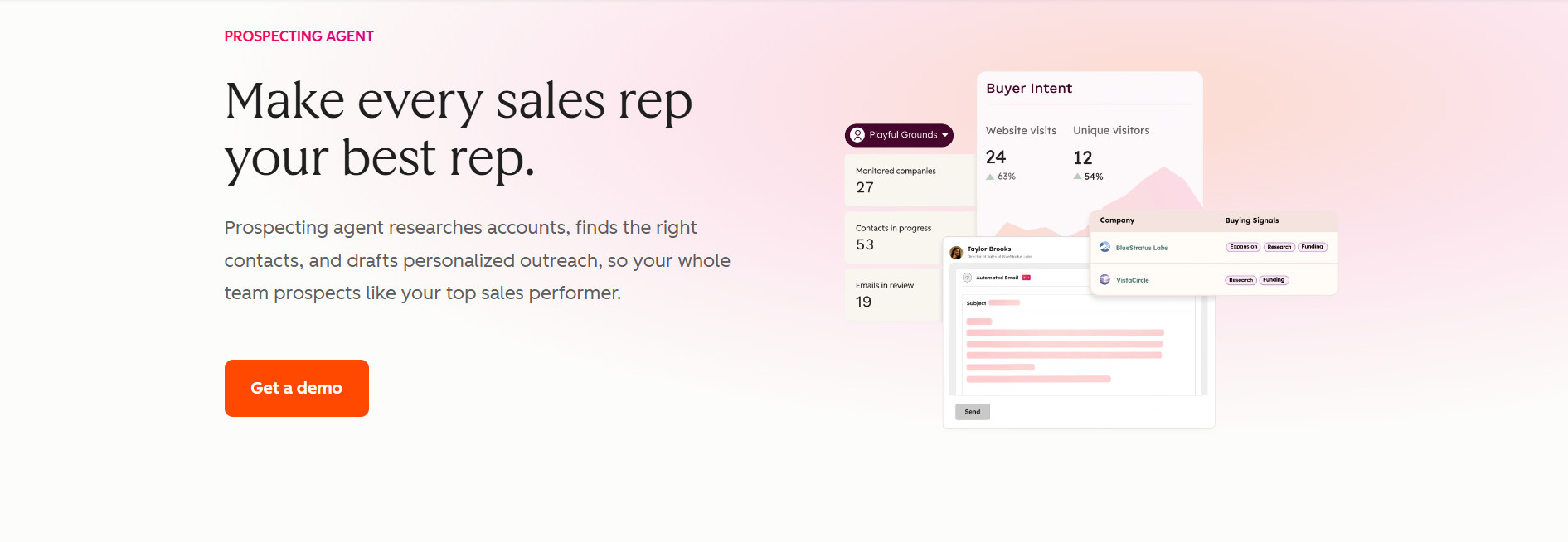
This image shows the Prospecting Agent homepage
HubSpot Prospecting Agent is an agentic AI system that automates most of the cold outreach process: from prospect research and prioritization to personalized outreach emails, follow-ups, and more.
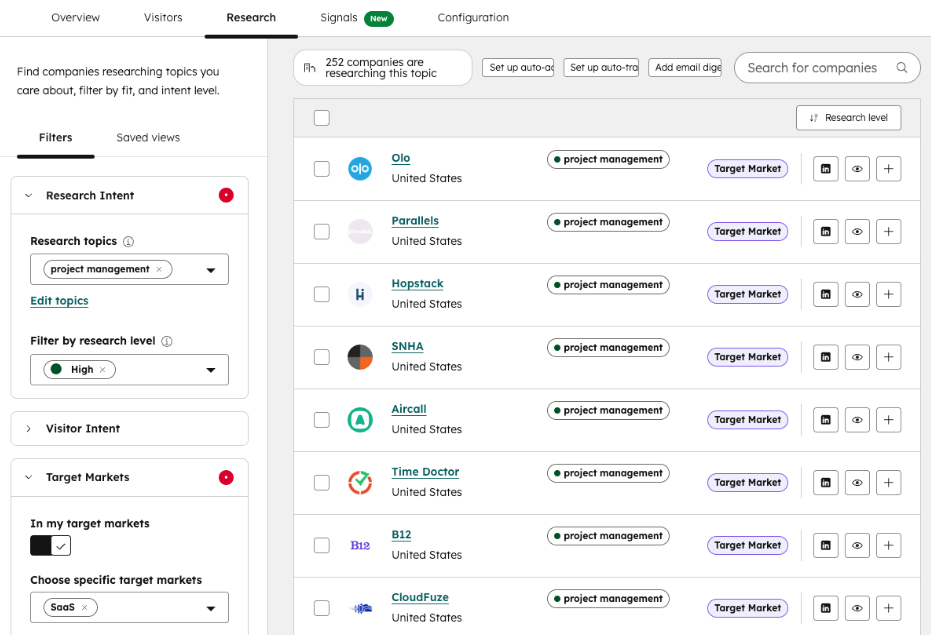
This image shows Prospecting Agent’s research dashboard
Prospecting Agent first looks up prospect information using HubSpot’s internal company database and publicly available resources: LinkedIn profiles, company websites, news, and so on.
All relevant prospect information automatically updates to your CRM data records. The platform then sorts high-value leads based on intent signals like high-intent page visits and recent company funding rounds
Lastly, the agent develops personalized outreach sequences using all the gathered data. After rolling out your emails, the platform tracks engagement signals to adjust follow-up timing in real-time.
Key Features of Prospecting Agent
The platform integrates with third-party data platforms like ZoomInfo, Surfe, Apollo, and Seamless for more in-depth prospect research.
I can customize buying signals to identify high-value prospects based on my particular business goals and processes.
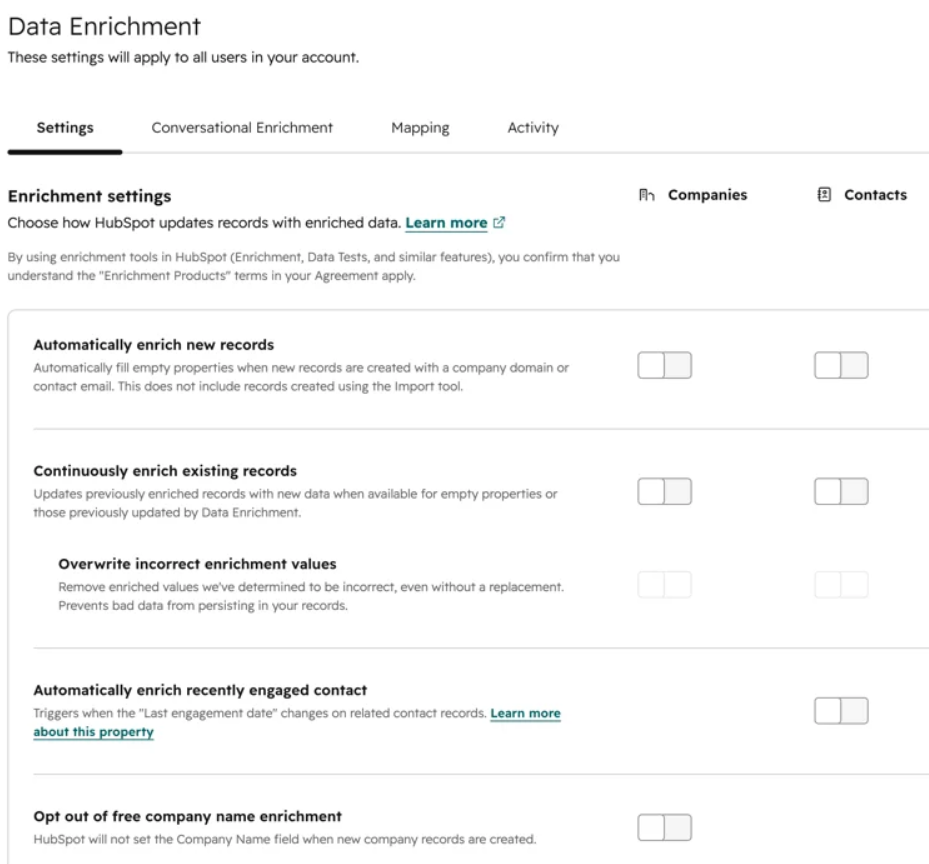
Prospecting Agent continuously runs in the background to keep my CRM database fresh.
This image shows HubSpot’s data enrichment settings
I can access numerous other sales features through HubSpot’s Sales Hub: conversation intelligence, sales reports and forecasts, sales playbooks, and more.
Fully customizable agent research criteria, messaging styles, and engagement rules to help find prospects that match my ICP and deliver consistent messaging.
HubSpot Prospecting Agent Pricing
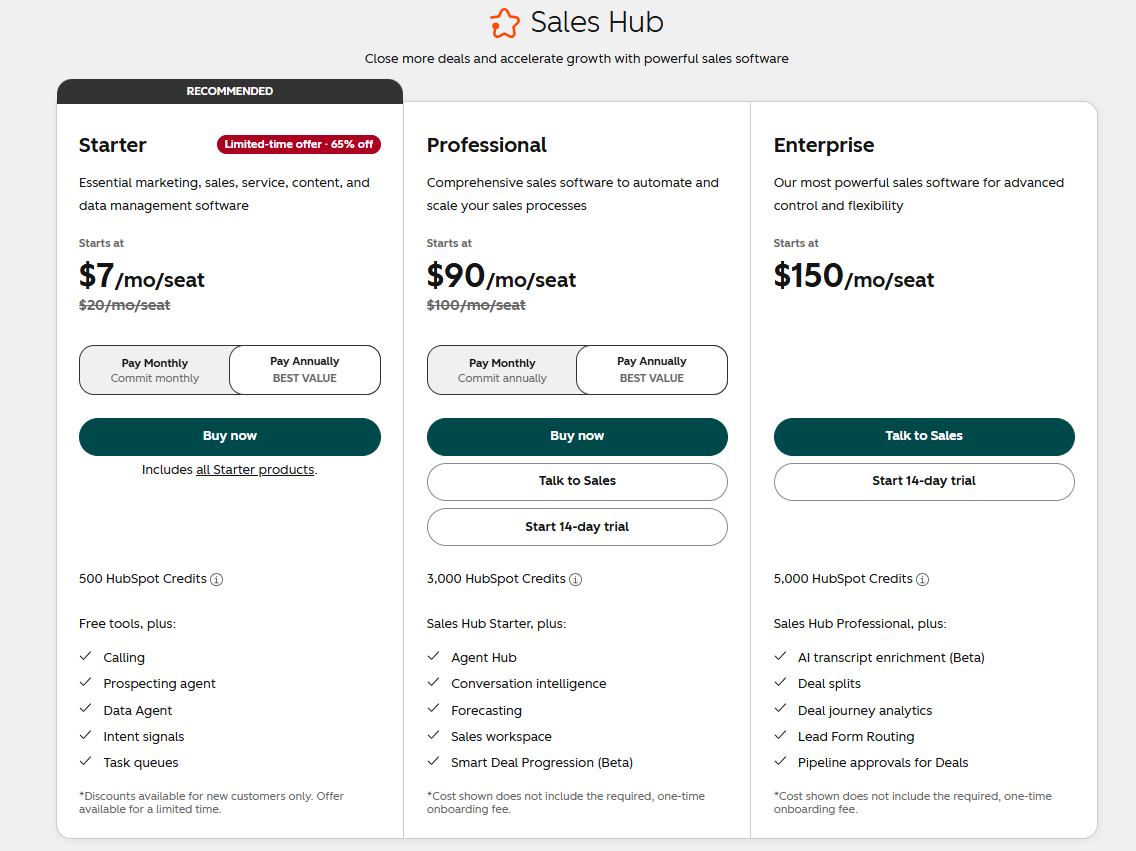
This image shows HubSpot Sales Hub + Prospecting Agent pricing
Prospecting Agent + Sales Hub Starter – $1/lead (email outreach draft) + $7/user/month: Standard features included, like reports, sales automation, and more.
Prospecting Agent + Sales Hub Professional – $1/lead + $90/user/month: Unlocks call transcription and recording, lead scoring, conversation intelligence, etc.
Prospecting Agent + Sales Hub Enterprise – $1/lead + $150/user/month: Full access to Sales Hub features, including AI transcript enrichment, lead form routing, deal journey analytics, and more.
Final Verdict: Which AI Outreach Tool is Best?
Almost every tool here will write your emails. That part of the category is finished, and it stopped being a reason to choose one tool over another some time last year.
What still separates them is what happens after you press send.
A prospect replies at 11pm with a question about pricing. Most tools on this list will tag it, route it, and leave it in your inbox for the morning. By then the reply is eight hours old, and the person who asked has moved on.
Salesforge is the third, and it covers all three levels rather than one.
The AI writes the messages, pulling company news, LinkedIn activity and industry context into each one across 21+ languages.
It decides what happens next, branching the sequence on whether a prospect accepted, replied or ignored you.
Then Primebox™ collects every reply from every mailbox and every connected LinkedIn account, Co-Pilot drafts a response for approval while you are still building trust, and Auto-Pilot answers on its own once you are.
Both modes are on Pro and Growth. Neither charges per reply.
If you want to see it answer a real reply rather than take my word for it, start a 14-day free trial. No credit card required.
FAQs
1) What Is An AI Outreach Tool?
A sales platform that uses AI somewhere in the outbound workflow. The useful distinction is what the AI does: writes copy, decides things like reply intent and lead scoring, or acts by sending without your approval. Most tools stop at writing.
2) What Is The Best AI Outreach Tool In 2026?
Salesforge, if you want the AI to handle replies rather than draft them. It is the only tool here where autonomous reply handling comes with the plan instead of being metered or sold separately.
3) Which AI Outreach Tools Actually Send Without Approval?
Three. Salesforge through Primebox™ Auto-Pilot, included on both plans. Instantly through its AI Reply Agent, at five credits per reply on a separate subscription. Reply.io through Jason AI, from $500 a month.
4) How Much Do AI Outreach Tools Cost?
From $25 a month at the entry end to $160 per seat at the enterprise end. Saleshandy starts at $25 annual, Instantly at $37.60, Snov.io at $39, Salesforge at $40. Outreach.io does not publish pricing and runs around $120 per user.
5) Is The AI Included Or Charged Separately?
It varies more than any headline price suggests. Salesforge includes reply handling on both plans. Instantly charges five credits per AI reply. Klenty charges $40 per user for AI on the dialer. Apollo pools credits that expire monthly. Outreach.io meters AI credits without publishing what a credit buys.
6) Which AI Outreach Tool Is Best For Agencies?
Smartlead for email-only client work, with isolated workspaces and white-label dashboards at around $29 per client. Salesforge if clients need LinkedIn too, with unlimited users and a separate workspace per client on Growth.
7) Do AI Outreach Tools Include Email Warm-Up?
Some do. Salesforge, Instantly, Lemlist, Snov.io and Smartlead all include it. Apollo does not offer it at any tier, so budget for a separate tool if you send at volume.
8) Which AI Outreach Tools Cover LinkedIn As Well As Email?
Salesforge and Klenty include LinkedIn in the plan. Reply.io charges $69 per account per month on top of any plan, and Snov.io charges roughly $62 to $69 per slot. Instantly, Saleshandy and Smartlead are email only.
9) Can An AI Outreach Tool Book Meetings For Me?
Yes. Agent Frank, the AI SDR inside Salesforge (Separate subscription), prospects from a 500M+ contact database, writes and sends across email and LinkedIn, handles the replies through Primebox™ and puts meetings straight on your calendar, around the clock.
Book more meetings on autopilot
Set up in minutes. No per-seat pricing. No commitment.
Compare 5 AI inbox managers for cold email and sales outreach. See how Salesforge, Smartlead, Instantly, Reply.io, and Saleshandy handle replies, AI features, and pricing.












.jpg)

.jpg)