LinkedIn is full of people who could become your next clients, partners, or hires.
But sending invites, follow-ups, and messages one by one takes forever, and most of the time, nothing happens.
If you want to reach more people, book more calls, and keep your pipeline active, you need tools that help you do it at scale.
In this guide, we’ll break down the 5 best LinkedIn outreach tools for high-volume prospecting so you can work smarter, not harder.
TL;DR - Best LinkedIn Outreach Tools for High-Volume Prospecting
Salesforge - Best for AI-personalized LinkedIn + email outreach at scale
Expandi - Ideal for safe LinkedIn automation with multi-step sequences
HeyReach - Best for managing multiple LinkedIn accounts and scaling outreach teams
Skylead - Ideal for multichannel outreach (LinkedIn + email) inside one sequence
Kaspr - Great for finding contact data (emails + phone numbers) for LinkedIn leads
What Are LinkedIn Outreach Tools?
LinkedIn outreach tools are software that help you connect with more people on LinkedIn, faster and more efficiently.
Instead of sending messages, connection requests, and follow-ups by hand, these tools let you automate the process.
Some tools can send personalized messages to hundreds of people, track who replies, and even schedule follow-ups automatically.
Many outreach tools also help you find contact details like emails or phone numbers, so you can reach people outside LinkedIn too.
The main goal of these tools is to save you time, grow your network, and help you start more conversations that turn into leads, clients, or hires.
Personalized Outbound Strategy
Get The Right Outbound Strategy In Minutes
Enter your email to get a custom plan & stack recommendation for your
business
It's being carefully crafted by AI
Please check your mailbox in 5 minutes
How We Evaluated the Best LinkedIn Outreach Tools
To find the most useful outreach tools for LinkedIn, we focused on the things that matter most when you need to scale messaging, stay compliant, and keep your pipeline active.
Here’s how we evaluated the best LinkedIn outreach tools:
Automation and messaging support, to check whether the tool can automate connection requests, follow-ups, and personalized messages at scale.
Safety and account protection, including limits, delays, cloud execution, and IP controls that reduce the risk of LinkedIn warnings or restrictions.
Lead capture and enrichment, such as the ability to find emails, phone numbers, or profile data that support outreach beyond LinkedIn.
Multichannel and CRM integrations, to see how well the tool connects with email platforms, CRMs, or sales tools you already use.
Workflow simplicity, to make sure the tool saves you time instead of slowing you down with complex setup or manual steps.
Pricing and scalability, including how plans are structured and whether the tool makes sense for solo users, agencies, or sales teams.
Each tool was reviewed based on how well it helps you reach more prospects, stay compliant on LinkedIn, and support your outreach workflow.
1. Salesforge – Ideal for Multi-Channel LinkedIn Outreach at High Volumes
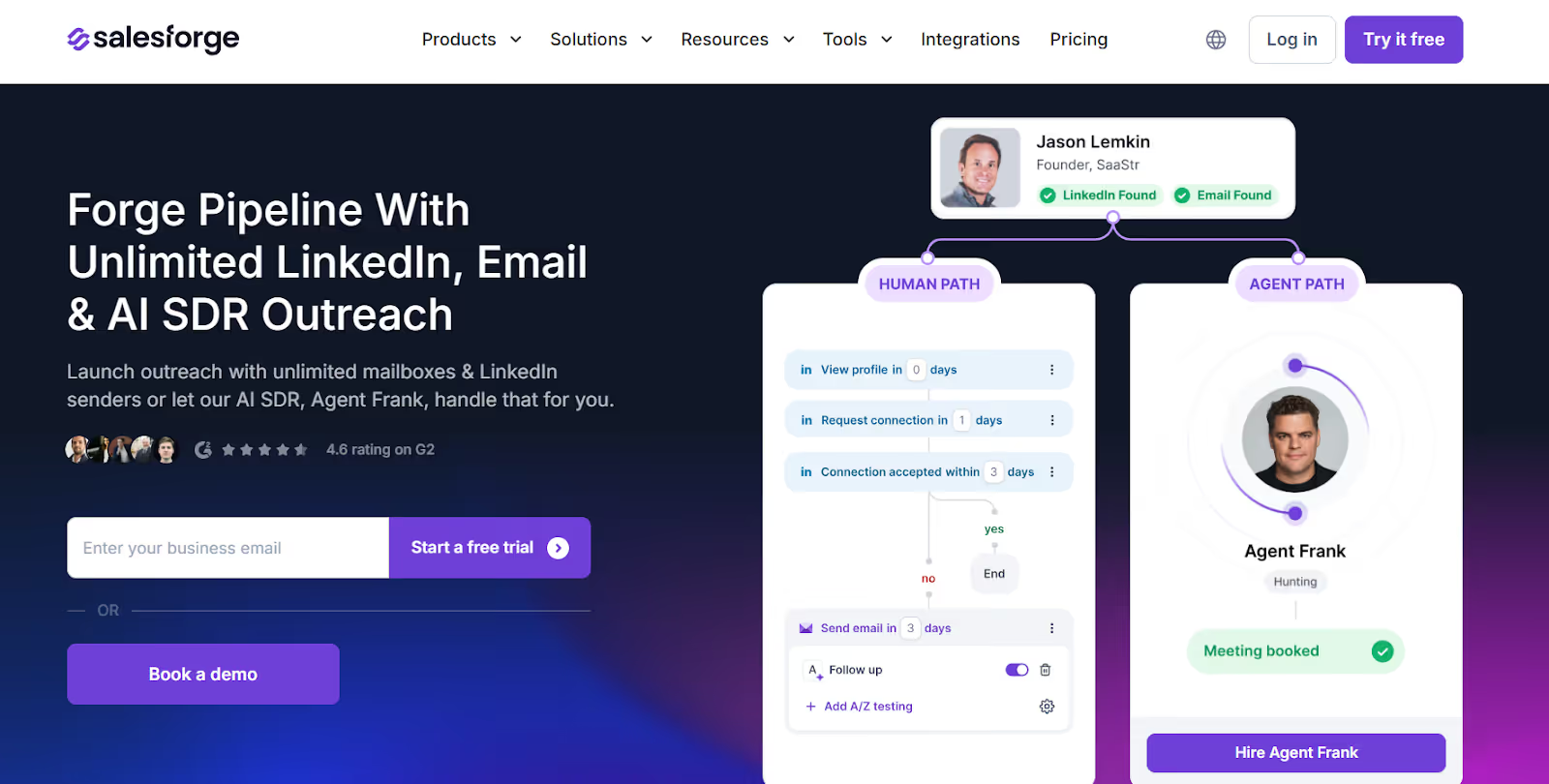
This image shows the Salesforge homepage
Salesforge is an AI-powered outbound platform designed to automate LinkedIn and email outreach at scale for B2B teams and agencies.
It helps users send connection requests, follow-ups, and personalized sequences across LinkedIn and email while managing inboxes and protecting deliverability.
Salesforge combines multi-channel messaging, AI personalization, warm-up, deliverability monitoring, and mailbox infrastructure in one system suitable for high-volume prospecting.
Key Features of Salesforge
Multi-channel LinkedIn and email sequences allow connection requests, profile visits, LinkedIn messages, and outbound email in the same workflow.
AI personalization generates tailored messages based on LinkedIn profiles, websites, or CRM data for higher reply rates at scale.
Unlimited LinkedIn senders & mailboxes let teams or agencies run large-volume outreach without seat-based pricing limits.
Warmforge integration provides mailbox warm-up, placement tests, domain health checks, and smart sending to keep outreach out of spam.
Primebox unified inbox consolidates replies from LinkedIn and email so no leads are missed across multiple accounts.
Infrastructure options (Mailforge, Infraforge, Primeforge) enable easy setup of domains, DNS, SPF, DKIM, DMARC, and MX for large outreach operations.
Pros & Cons of Salesforge
Pros
Cons
Multi-channel LinkedIn + email outreach
Unlimited LinkedIn senders (no per-seat fees)
Built-in warm-up & deliverability protection
Optional AI SDR automates outreach & booking
Agent Frank add-on priced separately
Mailboxes & domains billed separately
Not intended for B2C mass marketing
Salesforge Pricing
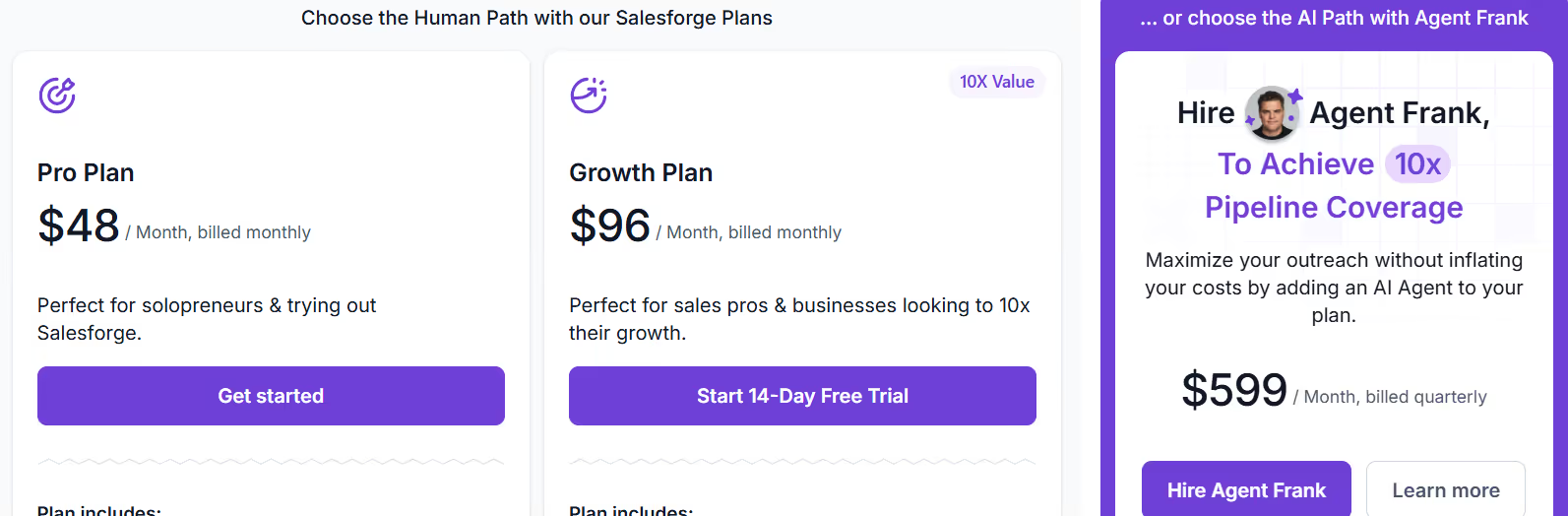
This image shows the Salesforge pricing
Pro - $48/month, includes 1,000 active contacts, 5,000 emails/month, unlimited mailboxes, premium warm-up, Primebox unified inbox, sentiment analysis, and live chat support.
Growth - $96/month, includes everything in Pro + 10,000 active contacts, 50,000 emails/month, unlimited users, unlimited LinkedIn senders, A/B testing, multi-language sequences, API access, priority support, and advanced deliverability settings.
Agent Frank - $599/month (billed quarterly), AI SDR add-on for automated prospecting, messaging, follow-ups, and meeting booking with access to a 500M+ contact search engine, Slack support, and dedicated onboarding.
Best For
Salesforge is best suited for:
B2B outbound sales teams
Lead generation agencies
Startups scaling LinkedIn outreach
Multi-language and multi-region prospecting teams
2. Expandi – Ideal for Safe, High-Volume LinkedIn Outreach With Smart Sequences
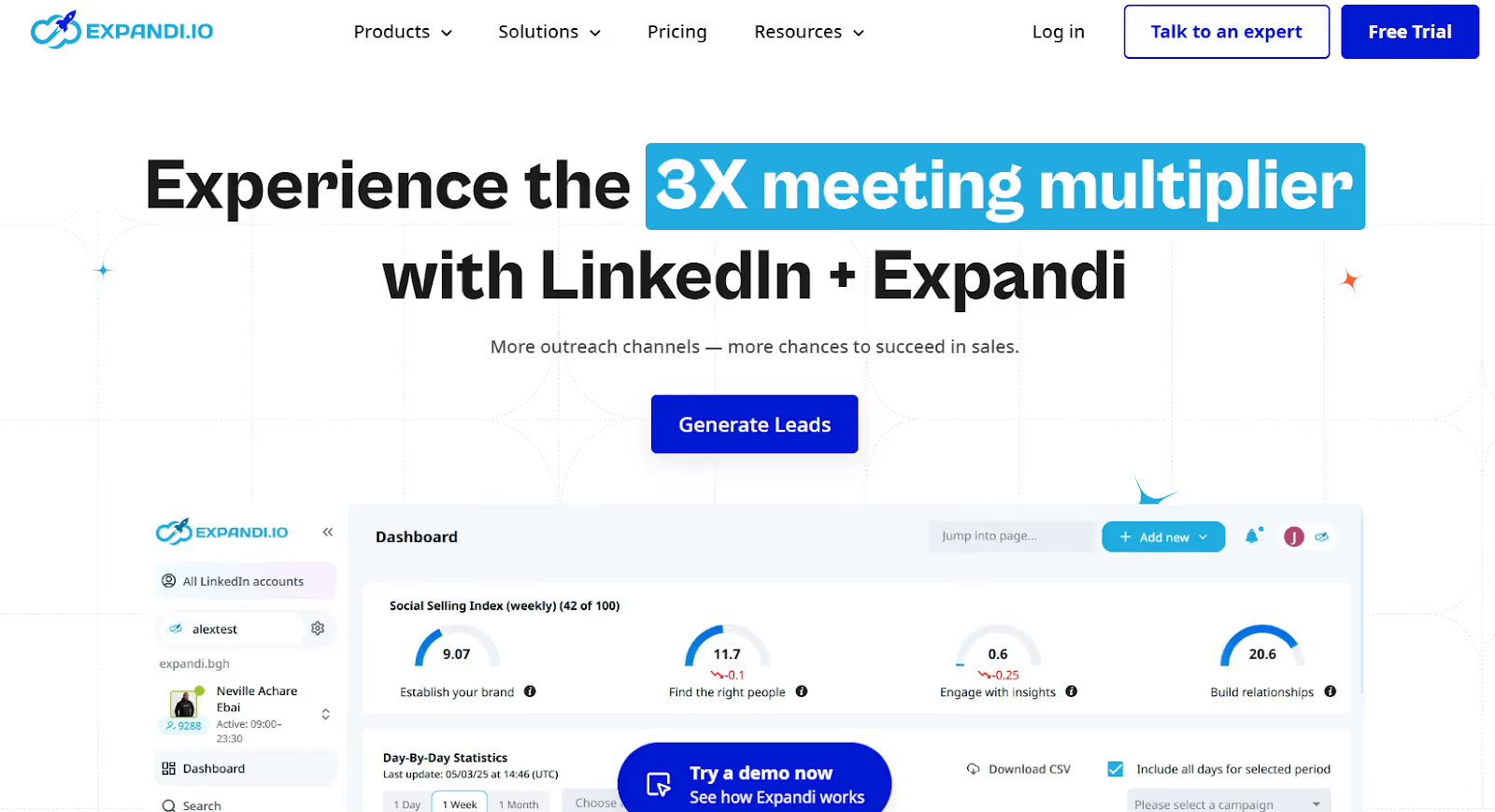
This image shows the Expandi homepage
Expandi is a cloud-based LinkedIn outreach platform designed for agencies, sales teams, recruiters, and business owners that need to scale LinkedIn prospecting safely.
It allows users to send connection requests, sequences, follow-ups, InMails, and email follow-ups while respecting LinkedIn’s limits through warm-up rules, automated throttling, and country-based IP protection.
Expandi runs in the cloud and uses smart limits, dedicated IPs, warm-up, and campaign logic to help users increase outreach volume without triggering LinkedIn restrictions.
Key Features of Expandi
Smart sequences for LinkedIn outreach let you combine connection requests, profile actions, InMails, and email follow-ups in one workflow.
Cloud-based safety controls include dedicated country-based IPs, account warm-up, and smart limit ranges to reduce risk during automation.
Campaign prioritization helps users focus delivery on top-performing campaigns when running multiple outreach workflows.
Multichannel support (LinkedIn + Email) allows email follow-ups inside LinkedIn sequences to increase reply rates.
Pros & Cons of Expandi
Pros
Cons
Strong safety features (warm-up, limits, dedicated IPs)
Cloud-based (no browser plugin needed)
Supports LinkedIn + email in one sequence
Advanced conditions + smart sequencing
Designed for agencies with roles & reporting
Paid add-ons needed for video/GIF personalization
Higher pricing for solo users vs small tools
Only supports LinkedIn + email (not full omni-channel)
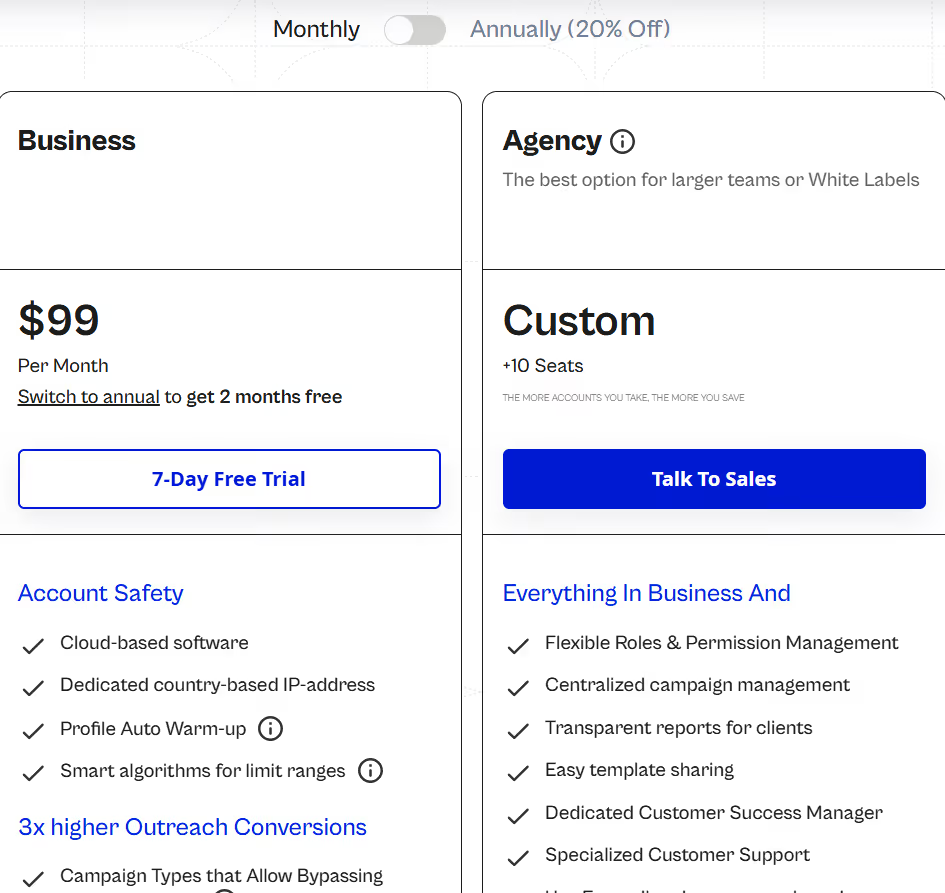
Agency – Custom (10+ seats), includes everything in Business plus role/permission management, centralized campaign management, template sharing, transparent reports, dedicated customer success manager, specialized support, and optional white-labelling.
Best For
Expandi is best suited for:
Lead generation agencies managing multiple LinkedIn accounts
B2B sales teams operating high-volume outbound
Businesses needing safe automation with compliance controls
3. HeyReach – Ideal for Scaling LinkedIn Outreach With Multiple Senders
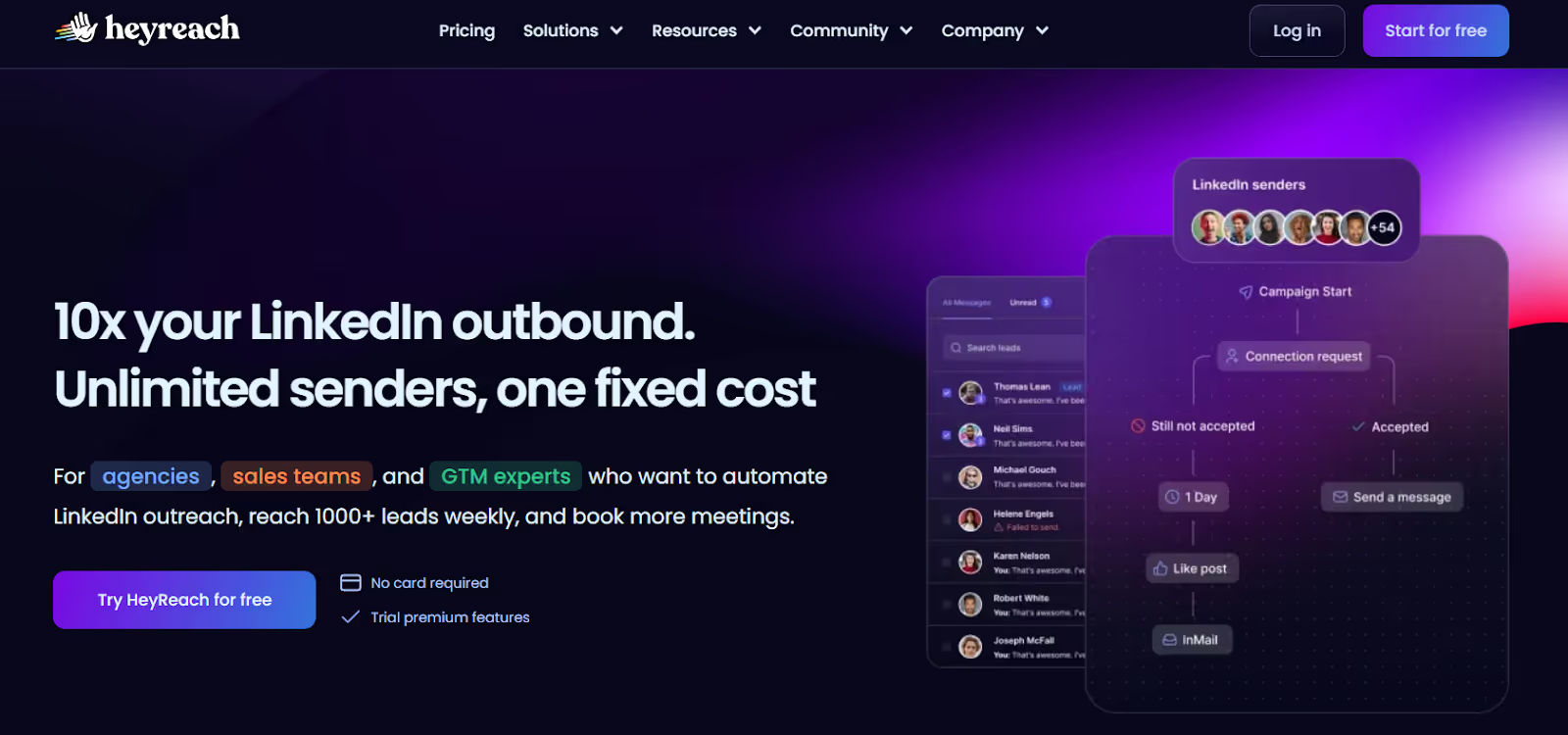
This image shows the HeyReach homepage
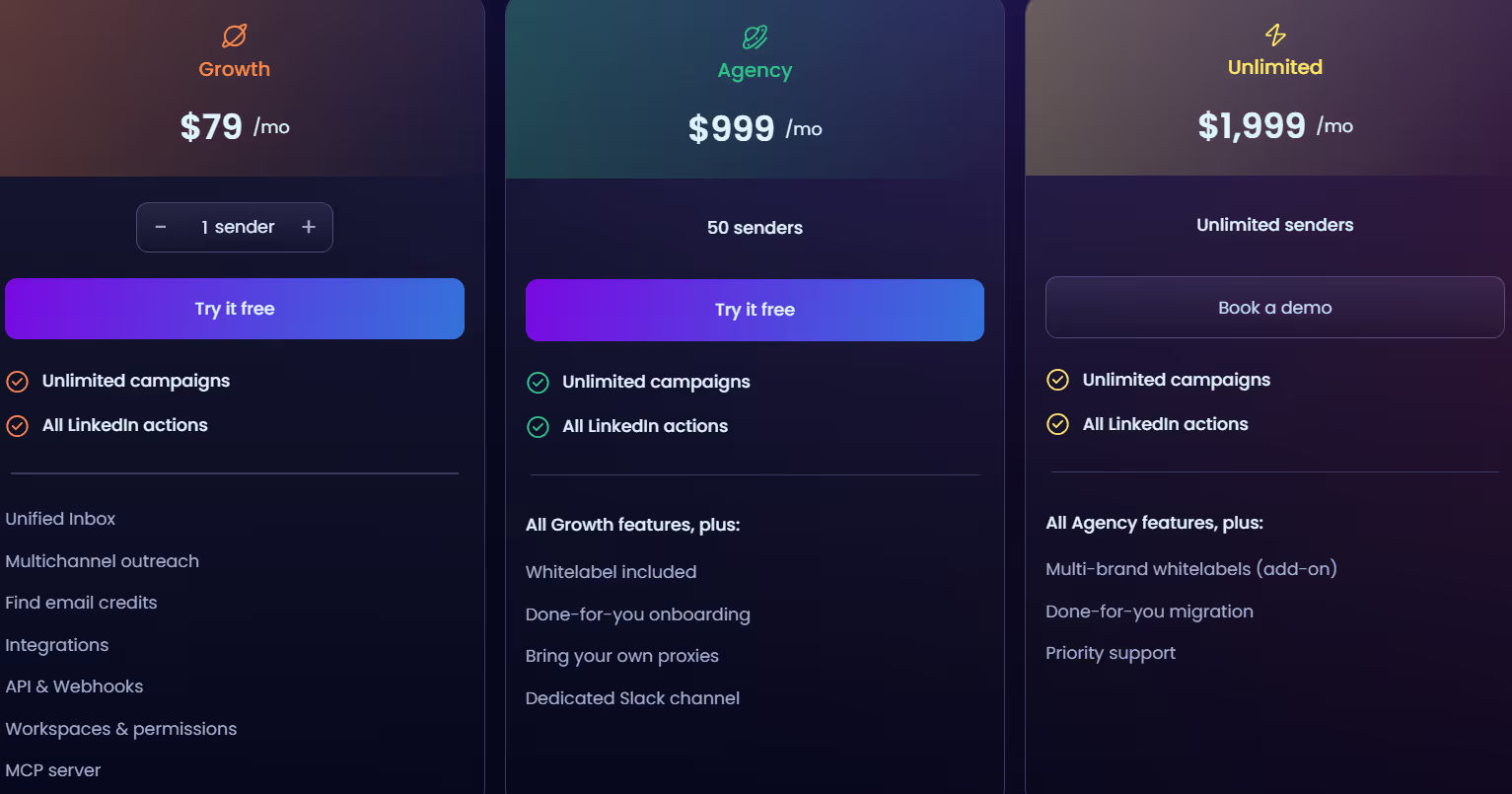
HeyReach is a LinkedIn outreach platform designed for agencies, sales teams, and outbound operators who need to scale prospecting by using multiple LinkedIn accounts (senders) at once.
It allows users to connect unlimited LinkedIn accounts, rotate senders automatically, manage replies centrally, and run outbound campaigns that reach thousands of leads per week while staying within LinkedIn’s safety limits.
Key Features of HeyReach
Unlimited sender support allows users to add multiple LinkedIn accounts and rotate senders automatically to increase total outreach volume.
Sender rotation per campaign enables distributing actions across accounts safely, matching LinkedIn’s daily connection limits.
GTM teams using Clay + Smartlead + HubSpot workflows
Businesses needing centralized inbox management
4. Skylead – Best All-in-One Multichannel Outreach Platform
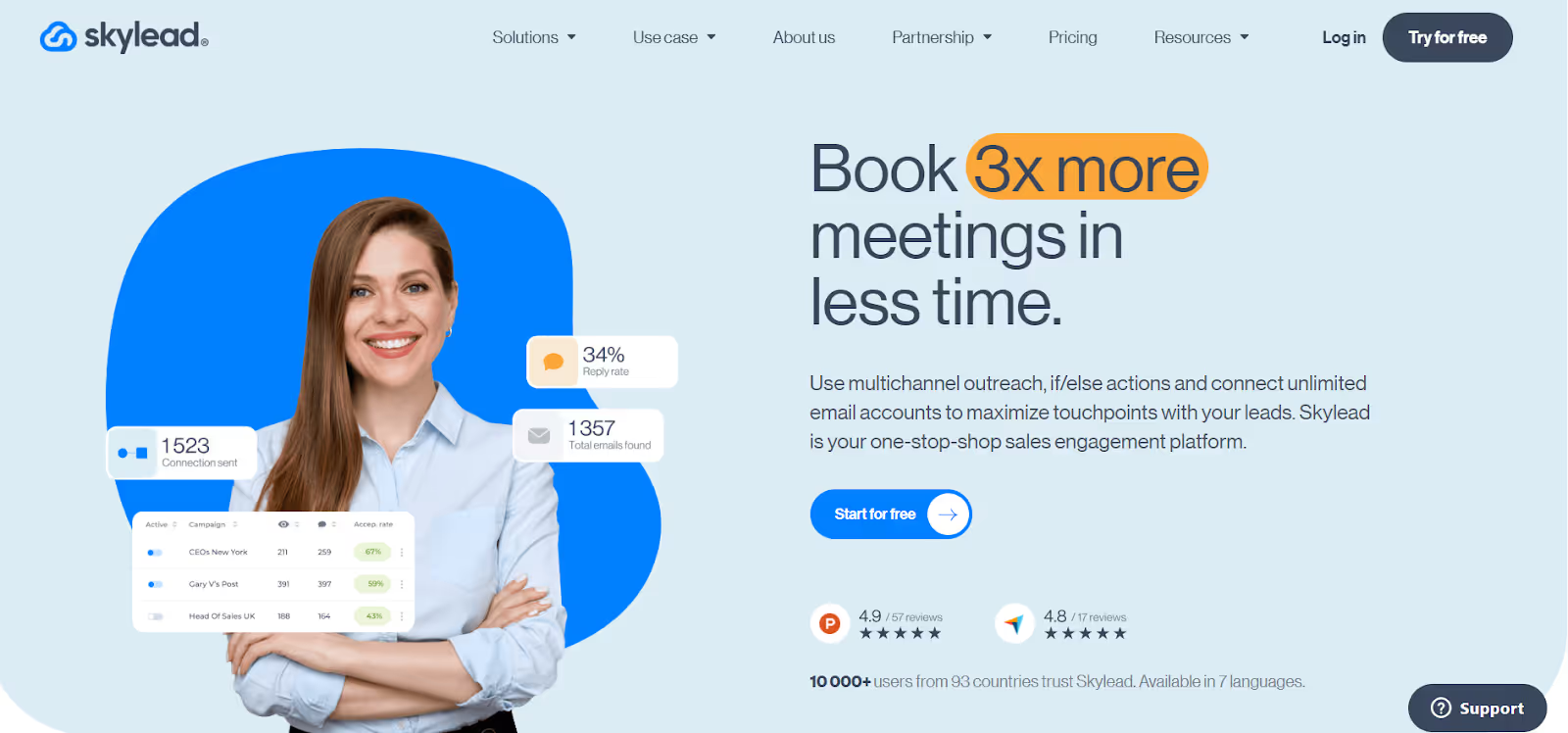
This image shows the Skylead homepage
Skylead is a sales engagement platform designed for outbound teams that want to book more meetings using multichannel outreach across LinkedIn and email.
It supports LinkedIn outreach, unlimited email sending, automated email warm-up, if/else branching, email discovery, and personalized media, all from one dashboard.
Key Features of Skylead
Multichannel outreach allows users to send LinkedIn messages, connection requests, and emails in one sequence.
Smart Sequences with if/else logic adapt outreach based on lead behavior (e.g., accepted request, opened email, clicked link).
Unlimited email automation supports connecting unlimited email accounts to send 100,000+ emails per month.
Email warm-up (InboxFlare) improves deliverability by warming up sender reputation automatically.
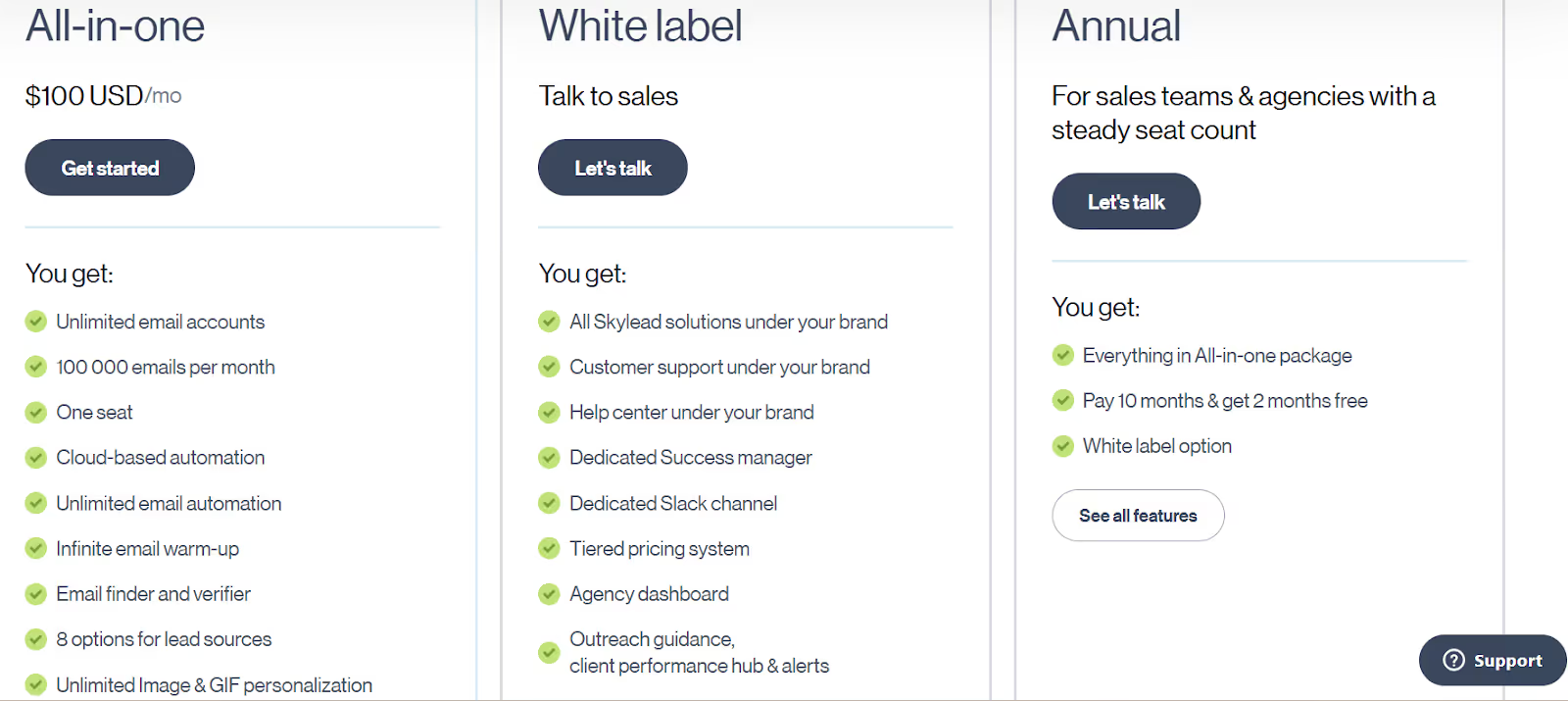
All-in-One - $100/month, includes unlimited email accounts, 100,000 emails/month, email finder & verifier, warm-up, multichannel automation, Smart Sequences, Smart Inbox, API, and personalization features (1 seat).
White Label - Custom, includes branding, support under your brand, success manager, agency dashboard, performance hub, client alerts, Slack channel, etc.
Annual - Custom, includes All-in-One features with annual billing discount and optional whitelabel.
Best For
Skylead works well for:
Sales teams booking outbound demos
Agencies managing LinkedIn and cold email for clients
Recruiters sourcing candidates on LinkedIn
Marketers driving traffic and nurturing leads
5. Kaspr – Best for Accurate European B2B Contact Data on LinkedIn
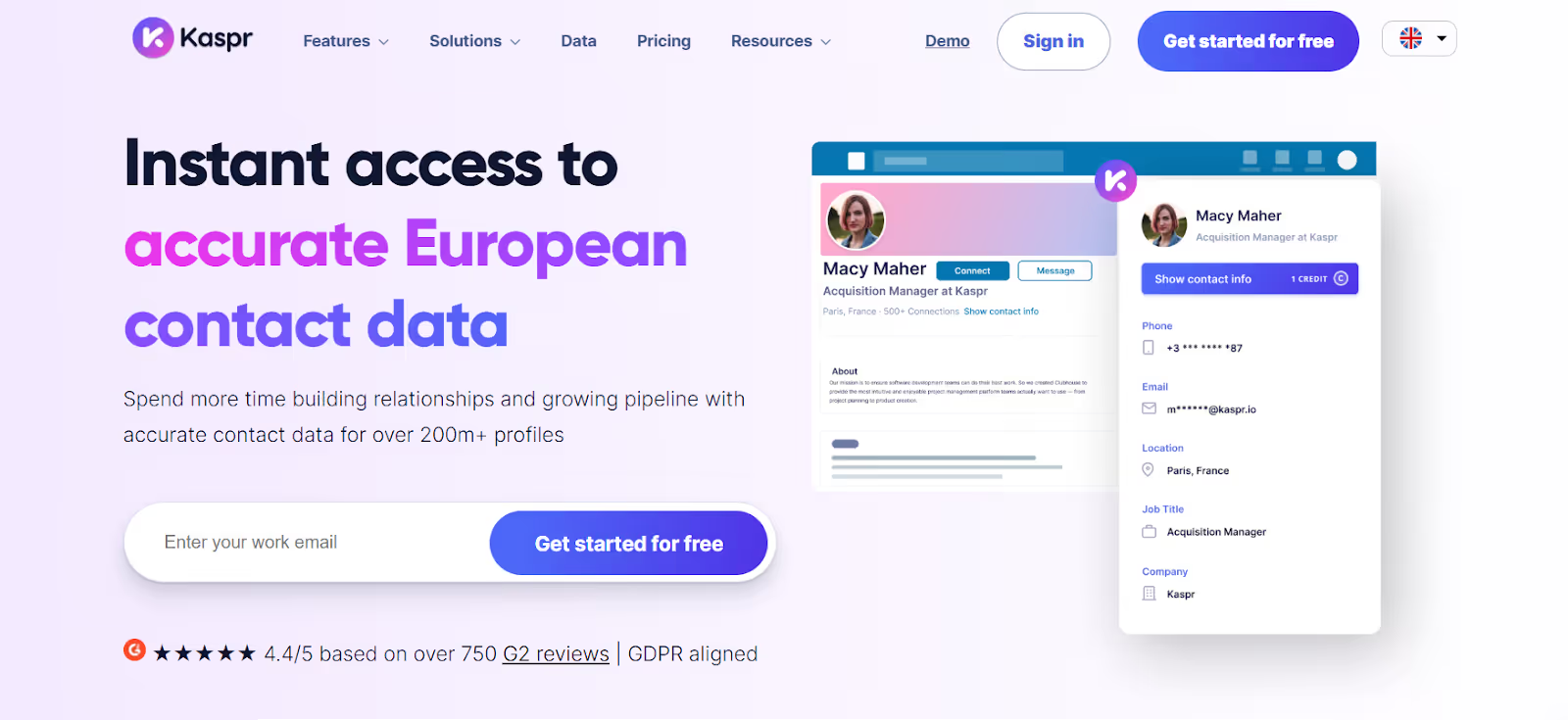
This image shows the Kaspr homepage
Kaspr is a prospecting tool that helps you find verified business phone numbers and email addresses for LinkedIn profiles in one click.
It works through a Chrome Extension on LinkedIn, Sales Navigator, and Recruiter Lite, making it easy to enrich leads while you browse.
Key Features of Kaspr
LinkedIn Chrome Extension to reveal phone numbers, emails, and company info directly on profiles or search pages.
Sales automation workflows to enrich contacts from LinkedIn lists, groups, events, and Sales Navigator.
Lead management dashboard to organize, label, and export leads.
Pros & Cons of Kaspr
Pros
Cons
Best for European B2B data accuracy
Integrated with LinkedIn & Sales Navigator
Verified phone numbers for cold calling
Deep CRM + dialer integrations
Not a full multichannel outreach tool
Requires credits for phone/email reveals
Data strongest in Europe vs. US
No automated LinkedIn messaging sequences
Kaspr Pricing
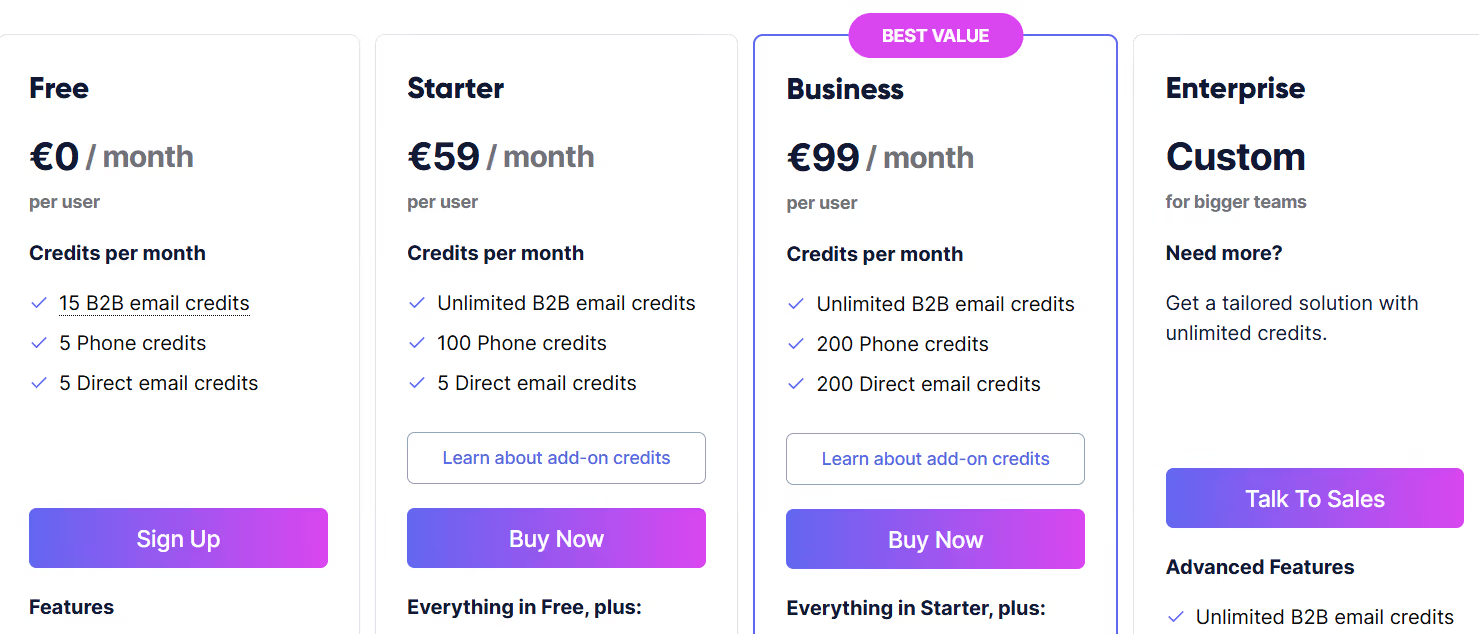
This image shows the Kaspr pricing
Free - €0/month, 15 B2B email credits/month, 5 phone credits/month, 5 direct email credits/month, Chrome Extension + Lead Management
Starter - €59/month per user, Unlimited B2B email credits, 100 phone credits/month, 5 direct email credits/month, Shared credits, LinkedIn Sales Navigator support, Limited API access, Up to 12,000 exports/year
Business - €99/month per user, Unlimited B2B email credits, 200 phone credits/month, 200 direct email credits/month, Recruiter Lite support, Full API access, Custom member permissions, Up to 30,000 exports/year
Kaspr fits teams that rely on verified data to start conversations:
SDRs & sales teams booking meetings through cold calling or outbound
Recruiters sourcing candidates and hiring managers in Europe
Founders breaking into new EU markets
Personalized Outbound Strategy
Get The Right Outbound Strategy In Minutes
Enter your email to get a custom plan & stack recommendation for your
business
It's being carefully crafted by AI
Please check your mailbox in 5 minutes
Which LinkedIn Outreach Tool Should You Choose?
Choosing the right tool depends on what you need for high-volume LinkedIn prospecting:
If you only need to send LinkedIn connection requests and simple follow-ups, platforms like Kaspr or Expandi handle the basics.
If you want safer outreach with account rotation and unified inbox, tools like HeyReach are better suited for scaling across many LinkedIn accounts.
If you want advanced multichannel outreach (LinkedIn + email) with if/else logic, tools like Skylead are great.
But if you want to send email outreach at high volume, use AI to personalize every message, keep deliverability strong, and manage replies inside one inbox, then Salesforge is the strongest choice.
It helps B2B teams send more emails that actually land in the inbox, get replies, and turn interest into booked meetings, without hurting domain reputation.
Compare 5 AI inbox managers for cold email and sales outreach. See how Salesforge, Smartlead, Instantly, Reply.io, and Saleshandy handle replies, AI features, and pricing.





.jpg)

.jpg)