
Personalized Outbound Strategy
Get The Right Outbound Strategy In Minutes
Enter your email to get a custom plan & stack recommendation for your business
It's being carefully crafted by AI
Please check your mailbox in 5 minutes
Sales reps, marketers, founders, and recruiters all turn to email scraping tools to quickly find verified contact details and fuel outbound campaigns.
These tools claim to uncover real business emails, automate prospecting, and save hours of manual research.
But with dozens of platforms promising accuracy and scale, which email scraping tools actually work in 2026?
To find out, we compared leading solutions, tested their features, reviewed user experiences, and looked at how well they fit modern sales workflows, including AI, data quality, automation, and compliance.
In this guide, you’ll get a clear breakdown of the 9 best email scraping tools, who they’re built for, how they perform, and which one is worth your time.

Leadsforge is the email scraping and B2B lead database tool inside the Salesforge ecosystem.
Unlike Salesforge (which is a sender tool), Leadsforge is built specifically to help B2B teams:
If your goal is email scraping, meaning collecting professional contact data for cold outreach, Leadsforge is the correct tool in the ecosystem.
Leadsforge functions as a structured B2B data engine. It allows users to:
✔ Search a large B2B contact database
✔ Apply ICP filters (role, company size, geography, etc.)
✔ Retrieve verified professional emails
✔ Enrich records before export
✔ Export contacts for use in outbound tools
It is not a sender tool. It does not run campaigns or sequences.
Its job is simple:
Provide clean, usable prospect data.
This separation matters for clarity.
A typical workflow looks like this:

This modular structure prevents the common issue where scraping and sending are bundled into one bloated system.
For teams serious about outbound, separating data quality from sending performance often produces better results.
Leadsforge is best suited for:
If you already have leads and only need sending infrastructure, Salesforge alone is enough.
If you need to find leads first, Leadsforge is the correct starting point.
Enter your email to get a custom plan & stack recommendation for your business
Please check your mailbox in 5 minutes

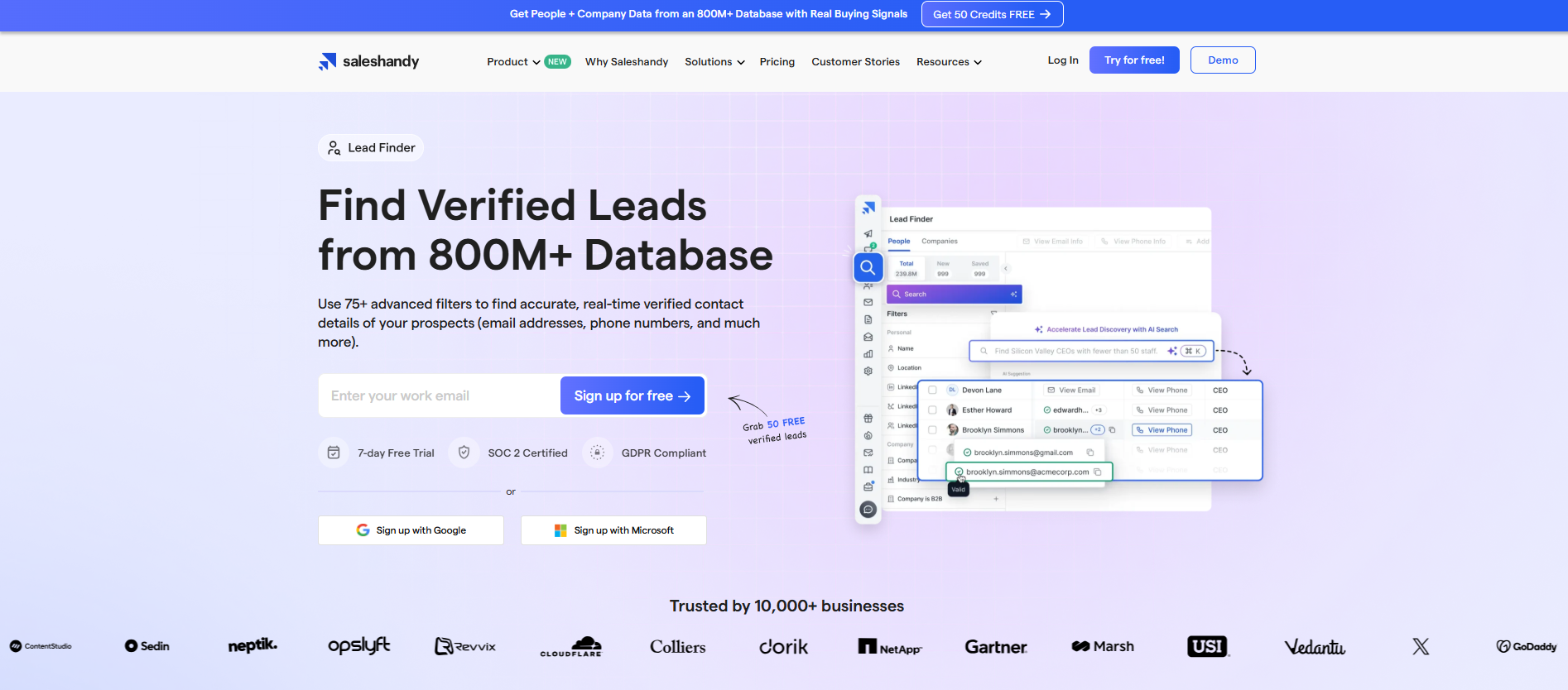
Saleshandy Lead Finder is a B2B prospecting tool built to help teams find verified business contacts at scale.
It gives you access to 800M+ verified B2B contacts across 60M+ companies. You can search at the people level or start with companies first, then drill down to the right decision-makers without leaving the platform.
If you want to find leads, verify them, and launch outreach from the same system, this is built for that workflow.
Saleshandy Lead Finder is built to help teams collect business contact data that’s ready to use.
For email scraping workflows, it can:
✔ Search 800M+ B2B contacts using advanced filters
✔ Reveal verified emails (and phone numbers) using credits
✔ Apply real-time email verification before download
✔ Filter prospects by role, geography, company size, and industry
✔ Push leads directly into cold email campaigns
Verification happens before you download the lead, so you’re not cleaning bounced emails later.
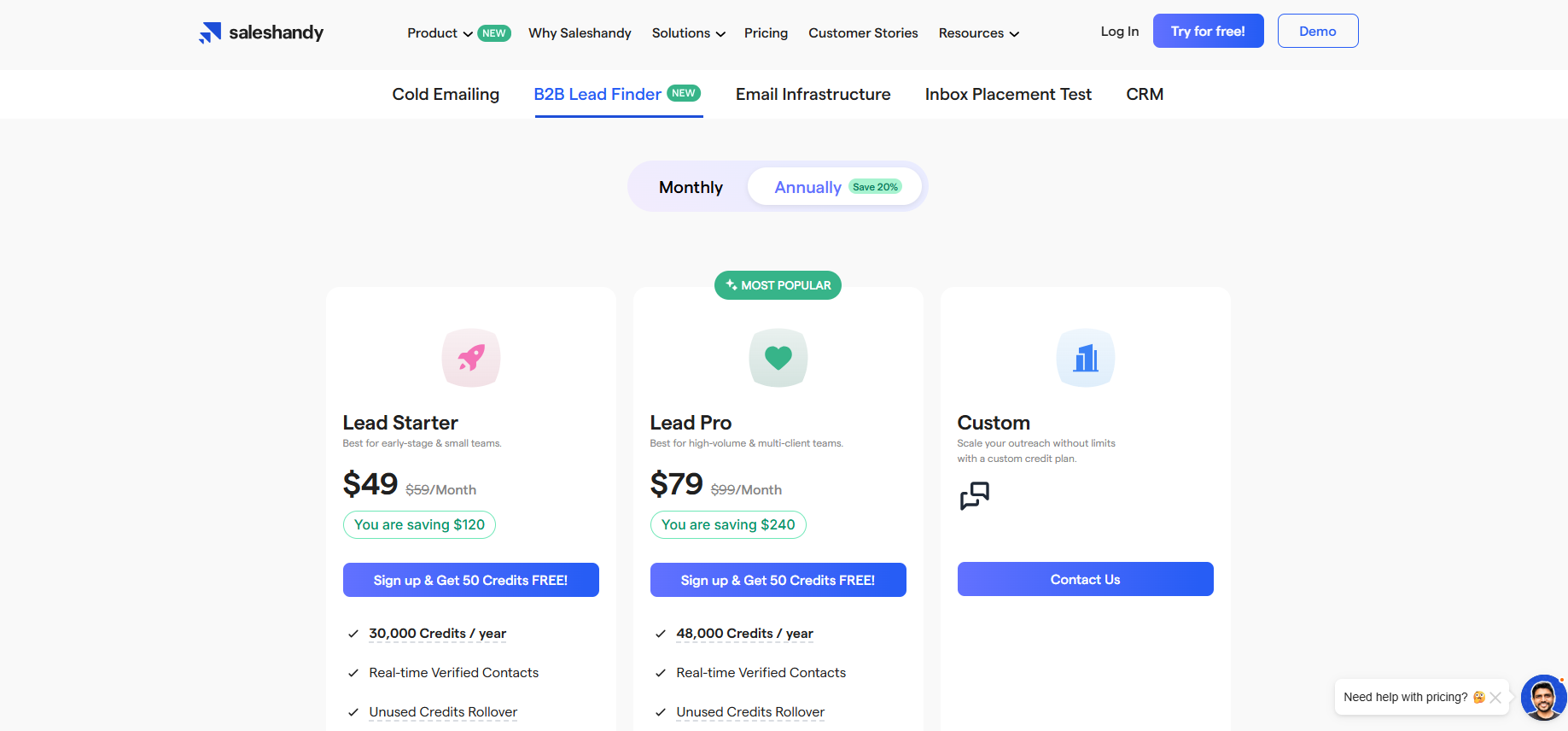
Saleshandy Lead Finder works on a credit-based model, typically bundled within Saleshandy plans.
Lead Starter – $49/month (billed annually)
Best for early-stage and small teams.
✔ 30,000 credits per year
✔ 60+ advanced search filters
Lead Pro – $79/month (billed annually)
Best for high-volume and multi-client teams.
✔ 48,000 credits per year
✔ 75+ advanced search filters
A Custom plan is available for teams that need higher credit limits.
Credits work as follows:
1 email reveal = 1 credit used.
1 Email + 1 Phone Number reveal = 7 credits used.
You can also purchase additional one-time credits if you exceed your allocation, with rollover applied as per your plan policy.
Saleshandy Lead Finder is best for SDRs, founders, sales teams, and agencies who want to find verified leads and launch outreach from the same platform.
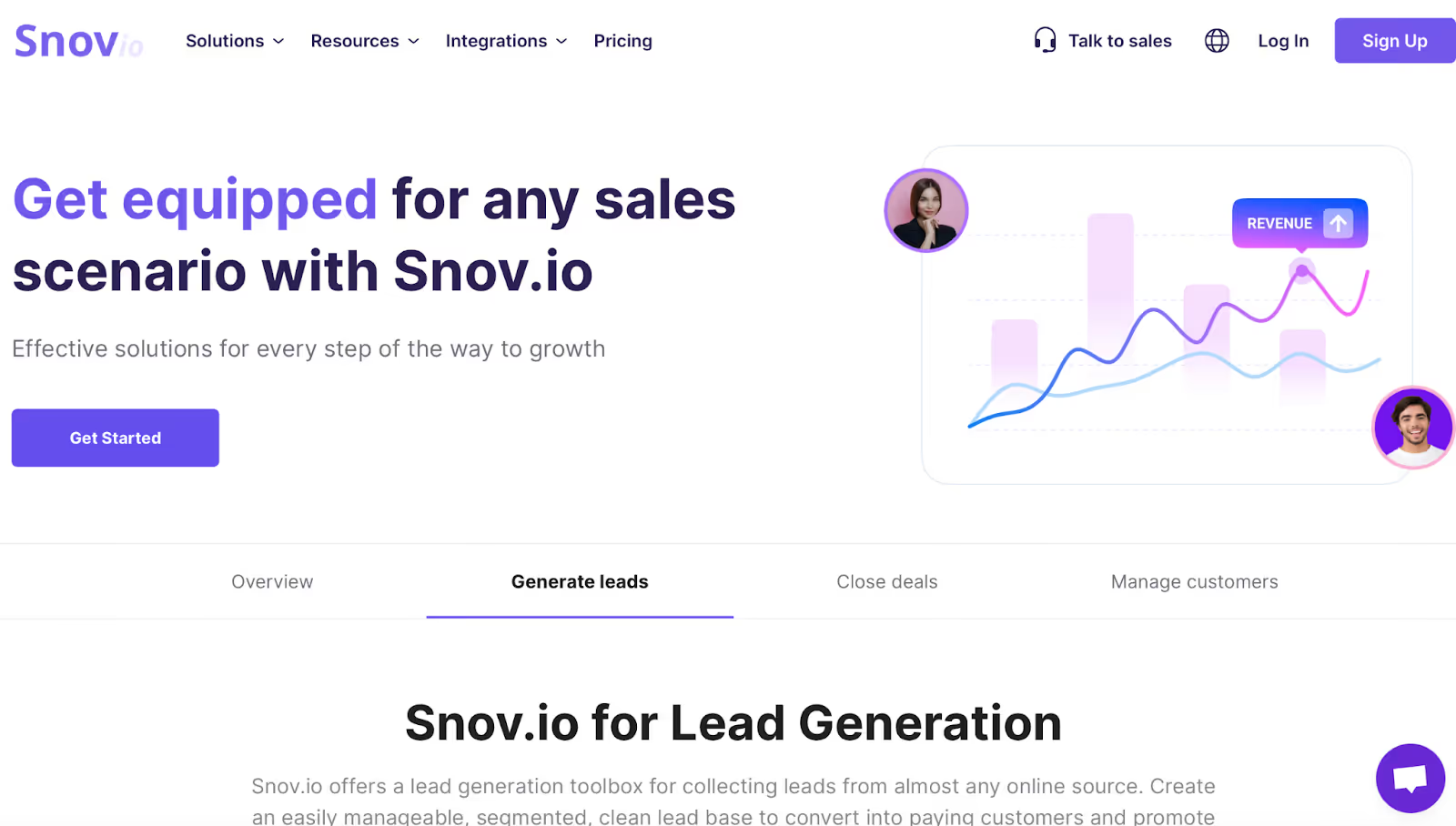
Snov.io is an all-in-one cold outreach platform that includes tools for finding emails, verifying them, automating sequences, and managing CRM data.
Many teams use it as a combined email scraping and outreach system because it lets you collect contacts and then message them from the same dashboard.
It works by pulling emails from company domains, LinkedIn profiles (via its browser extensions), and bulk prospect searches, then verifying them using a multi-step system before you add them into campaigns.
Snov.io is built around the idea of collecting leads and activating them inside the same platform.
Its scraping features work through domain searches, LinkedIn extraction, and bulk prospect uploads.
For email scraping workflows, it can:
✔ Find work emails through domain search, bulk company search, and its Email Finder extension.
✔ Pull emails from LinkedIn via the LinkedIn Prospect Finder extension, which extracts profile-based data such as job title, company name, and basic contact details.
✔ Verify scraped emails using a 7-tier verification system that detects bounce risk before you send.
✔ Warm up new mailboxes, which helps reduce the chance of scraped emails landing in spam.
✔ Export data or move it into CRM, since the tool includes its own lightweight CRM and integrations.
Snov.io’s interface is straightforward and allows users to gather emails, check their accuracy, and push them into sequences without switching tools.
Snov.io keeps everything in one place, finding emails, verifying them, building sequences, sending outreach, and tracking engagement.
The Gmail integration and Chrome extensions make it convenient to scrape emails directly from websites and LinkedIn.
Users say the tool is generally easy to adopt and the built-in warm-up feature helps protect deliverability, especially for new email accounts.
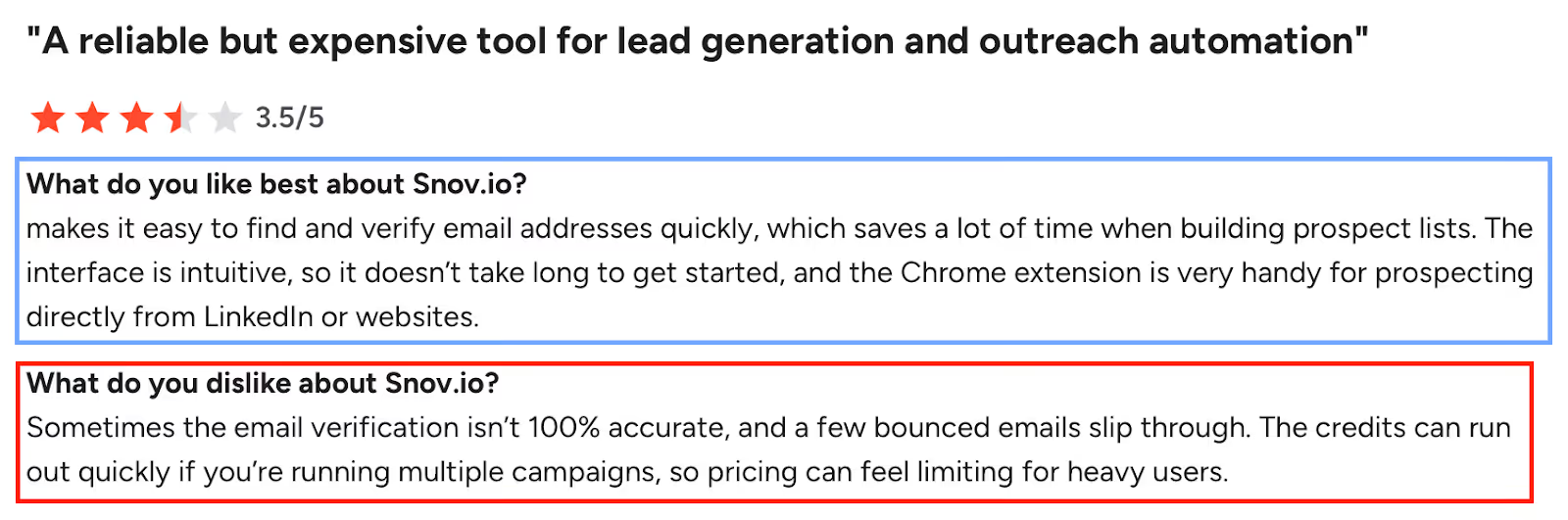
Some users report that pricing becomes expensive depending on region or credit usage, especially for heavy scraping.
A few reviewers mention occasional technical issues, including a serious case where a campaign was resent automatically, which created trust concerns for client-facing teams.
Others note limited database coverage in niche industries, inaccurate matches on some profiles, or basic reporting that may not suit larger teams.
There are also complaints about the dashboard feeling cluttered and some uncertainty about integrations outside the Google ecosystem.
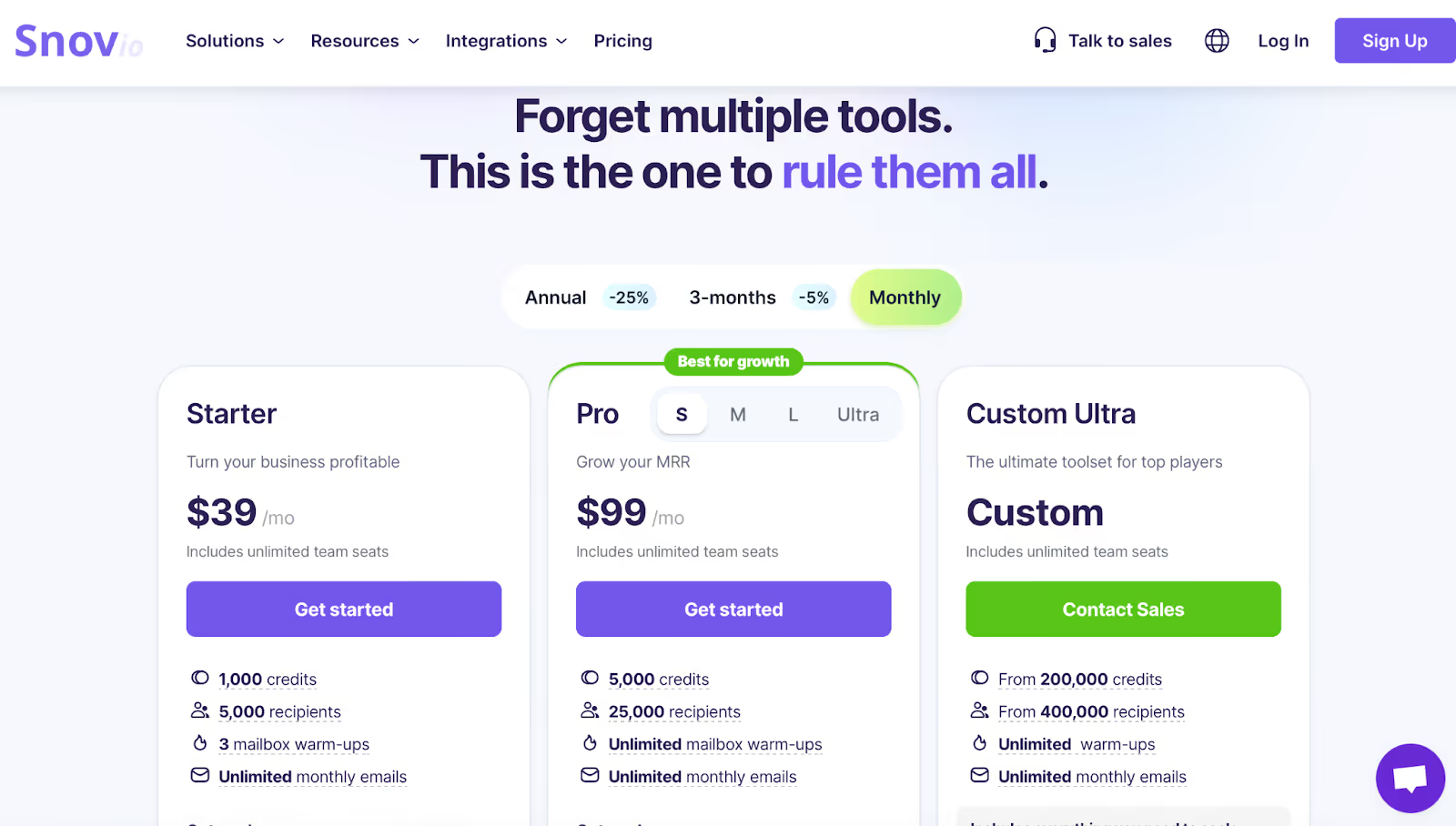
Snov.io offers three main plans:
Includes 1,000 credits, 5,000 recipients, 3 warm-up slots, unlimited emails, and basic scraping and outreach features.
Includes 5,000 credits, 25,000 recipients, unlimited warm-ups, more detailed personalization, A/B testing, LinkedIn automation, and expanded reporting.
Designed for teams needing over 200,000 credits and large sending volumes, with priority support and unlimited storage.
Credits are used for scraping (finding emails, verifying them, checking deliverability), and recipients are used for campaigns.
LinkedIn automation is available as a paid add-on.
5 Best Snov.io Alternatives & Competitors of 2025
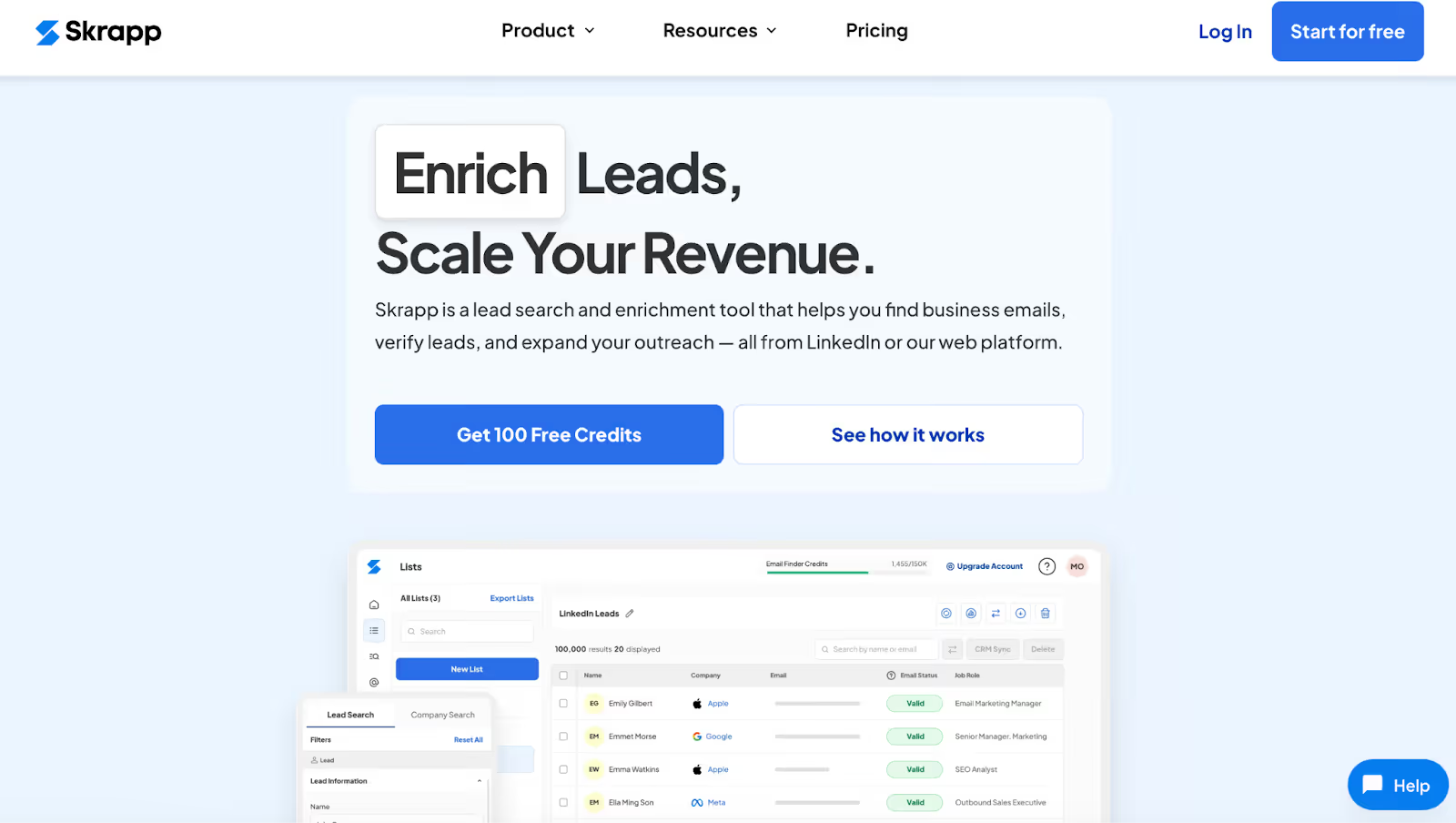
Skrapp.io is a B2B email-finding tool known for scraping professional emails from LinkedIn, Sales Navigator, LinkedIn Recruiter, and company websites.
Many teams use it because it focuses on one thing: returning deliverable business emails at a low cost, without adding complex outreach features.
It works through Chrome extensions and bulk search tools that extract verified emails directly from profile lists, company pages, or domain-level searches.
Skrapp.io operates as a straightforward email scraping and verification system.
Its browser extensions and web tools allow users to capture emails while browsing LinkedIn or company websites.
For email scraping use cases, Skrapp.io can:
✔ Find business emails from LinkedIn profiles, Sales Navigator lists, Recruiter searches, and multi-page LinkedIn results.
✔ Scrape emails from company websites, identifying deliverable addresses for people working at a specific domain.
✔ Verify email deliverability, using a built-in verification engine that flags risky or invalid emails before export.
✔ Enrich profiles with basic data such as name, role, company website, and industry.
✔ Export and sync lead lists to CRMs, which helps teams pass scraped data directly into their pipelines.
It is designed to be lightweight and simple, so most workflows involve clicking the Chrome extension, scraping a list, verifying the data, and exporting it.
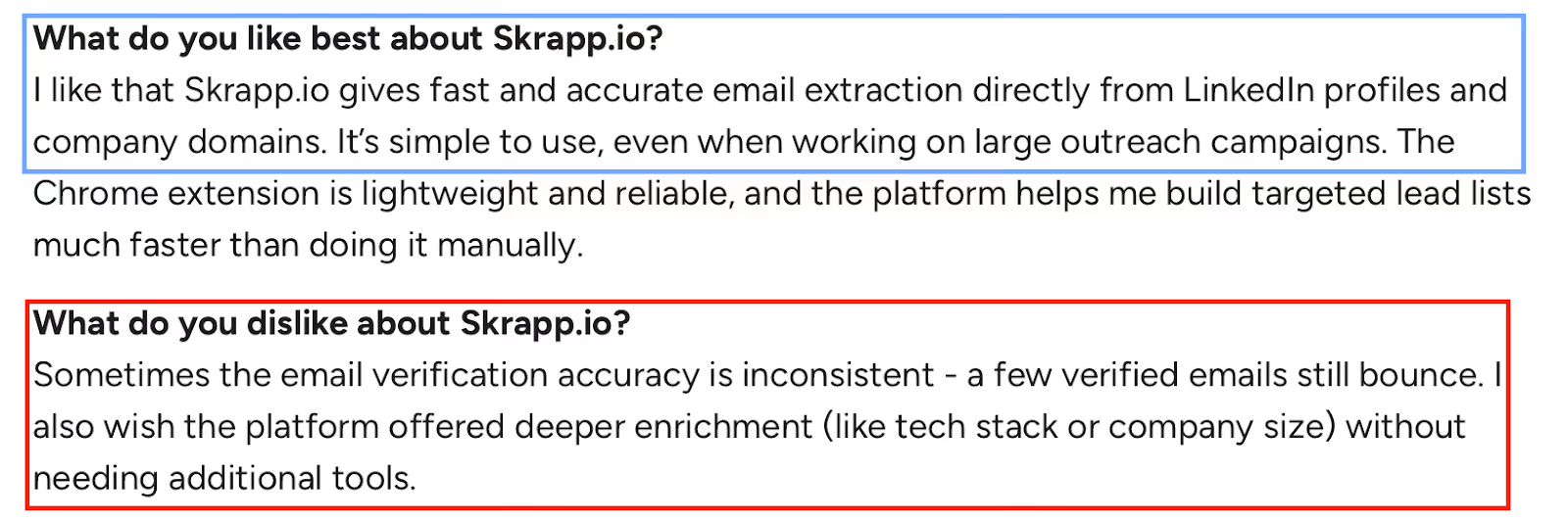
Some users report inconsistent verification accuracy, where a few “verified” emails still bounce.
Others note that Skrapp.io could offer deeper enrichment, such as firmographic or technographic data, without needing external tools.
A few reviewers mention wanting more advanced filters, improved CRM integrations, and better documentation for new users who find certain features confusing.
In niche industries or small companies, email accuracy can vary, and credits may run out quickly during heavy scraping or verification.
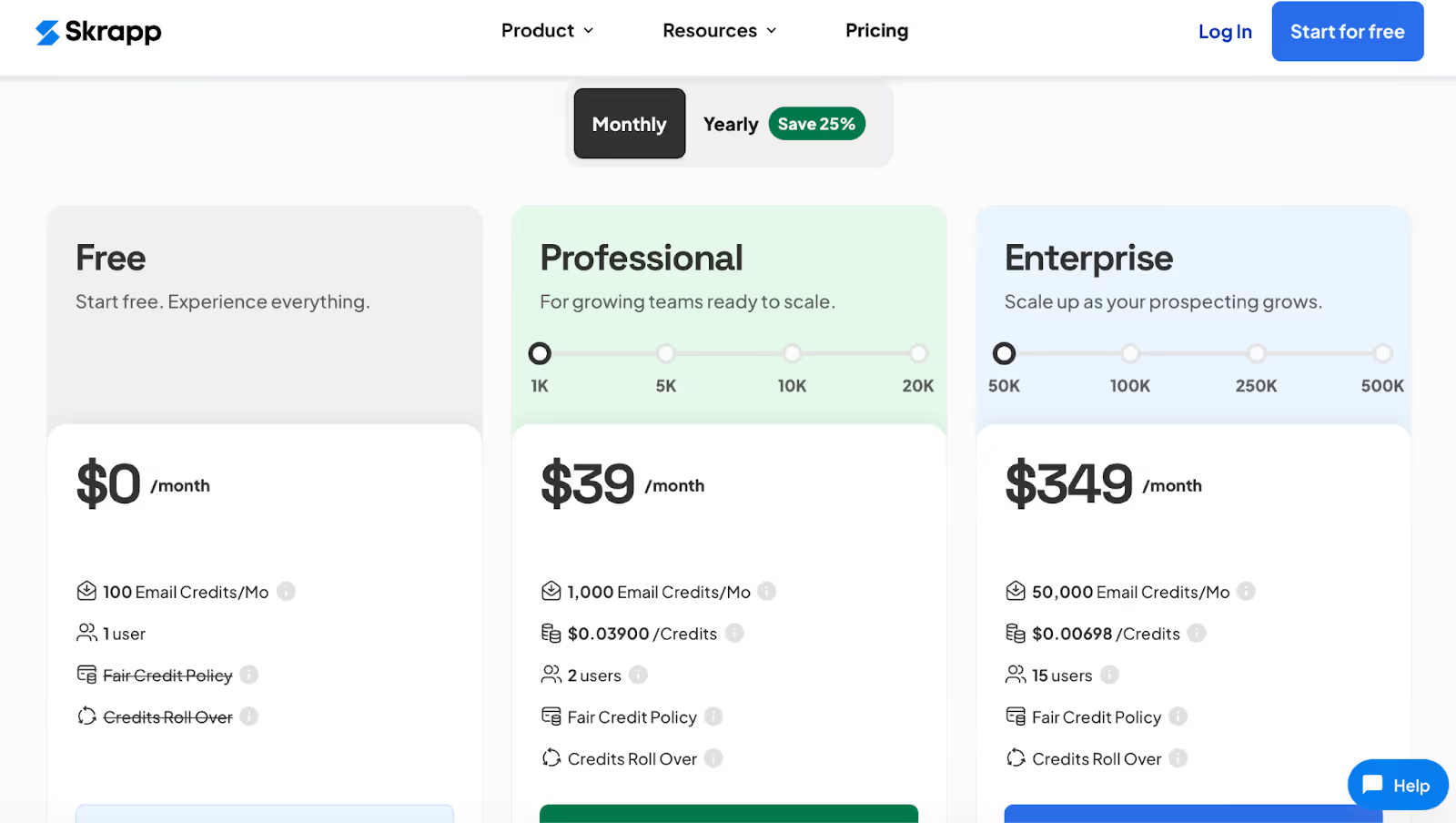
Skrapp.io’s pricing is credit-based and rolls unused credits over each month:
All plans follow a “pay only for deliverable emails” policy, and additional credits can be purchased if scraping volume increases.
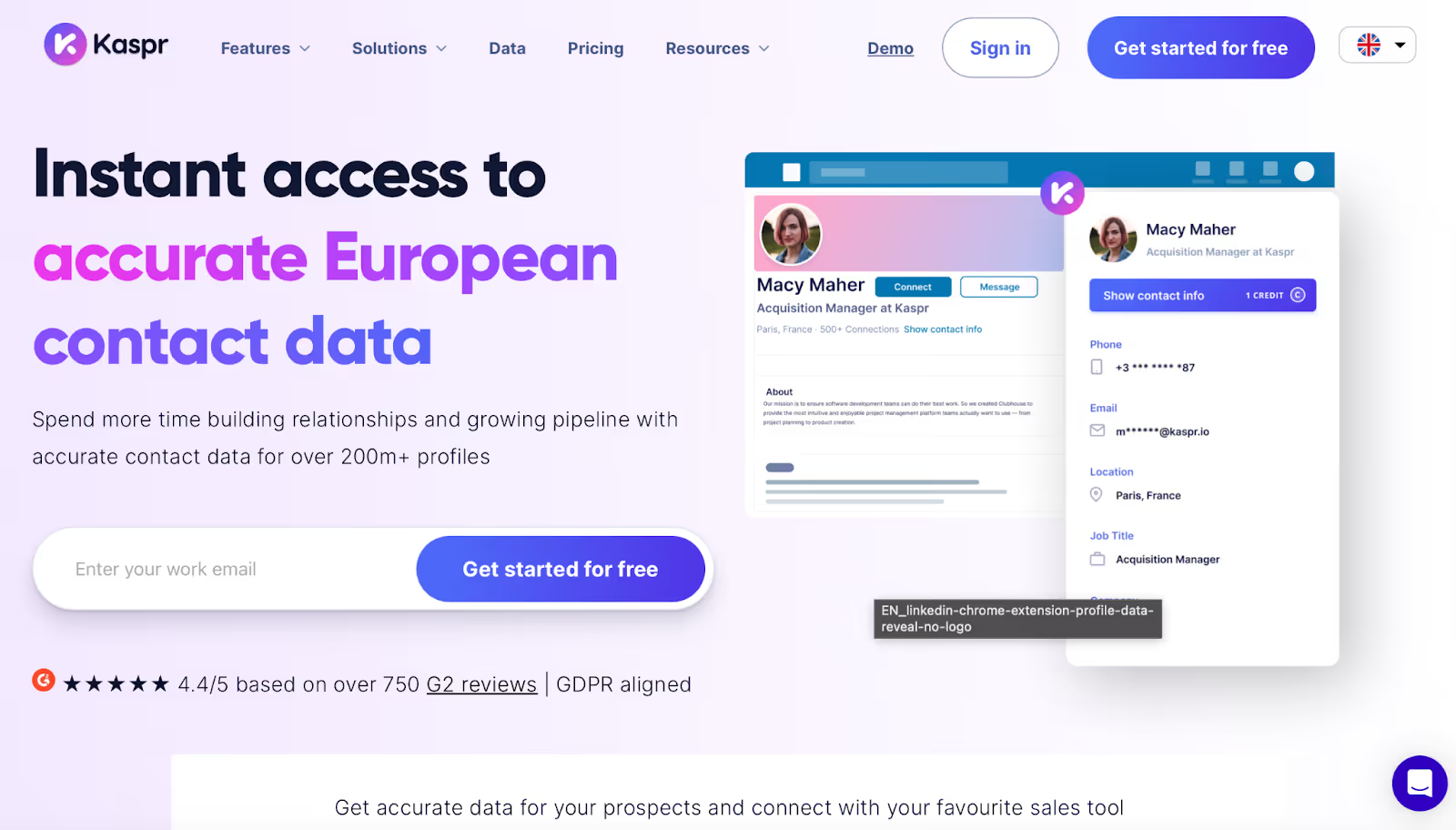
Kaspr is a LinkedIn-focused contact scraping tool that helps users extract B2B emails and phone numbers directly while browsing LinkedIn profiles.
It’s commonly used by sales teams who spend most of their time prospecting inside LinkedIn rather than working from uploaded lists or databases.
Kaspr works primarily as a Chrome extension that appears alongside LinkedIn profiles and allows users to pull contact details with a few clicks.
Kaspr is designed for real-time scraping while you are actively browsing LinkedIn.
Instead of building large databases, it focuses on on-the-spot contact extraction.
For email scraping workflows, Kaspr can:
✔ Extract B2B email addresses directly from regular LinkedIn profiles using its browser extension.
✔ Pull phone numbers (mobile or landline when available), alongside email data.
✔ Work inside LinkedIn, Sales Navigator, and Recruiter Lite, depending on the plan.
✔ Allow CSV enrichment and exports, so scraped contacts can be used in other tools.
✔ Share credits across team members, making it usable for small sales teams.
Kaspr relies on a credit-based system, where scraping emails and phone numbers consumes monthly credits.
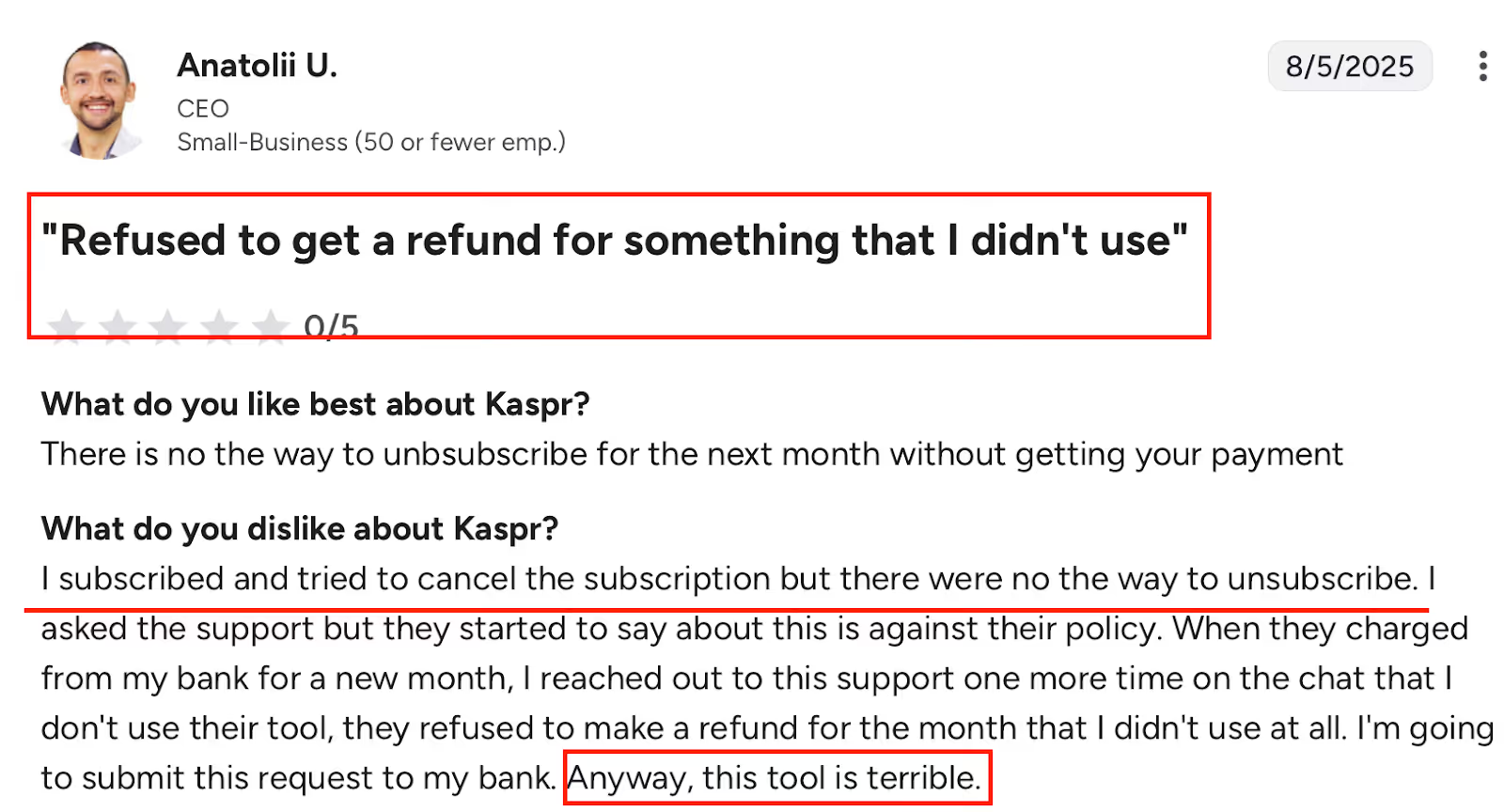
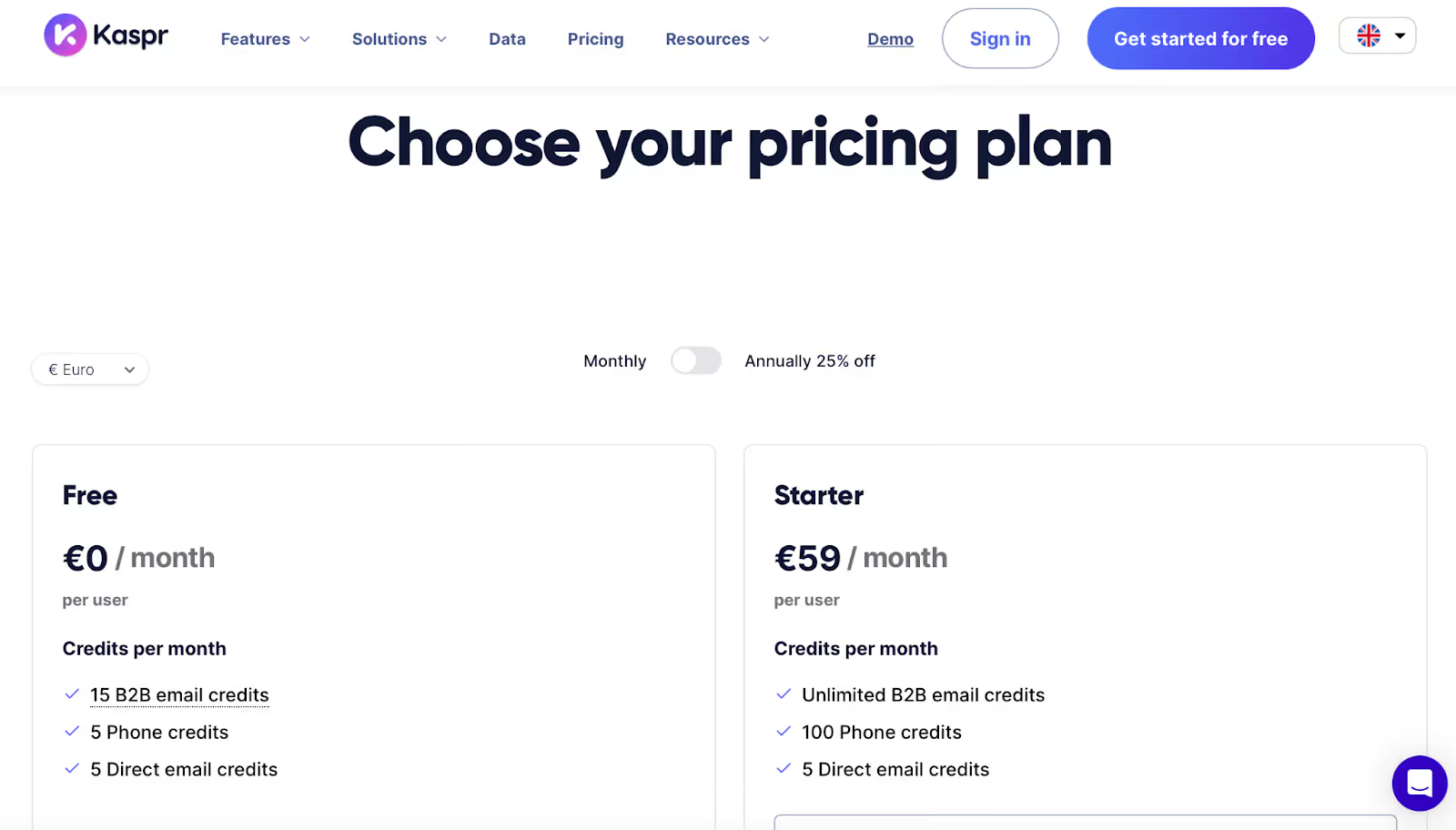
Kaspr uses per-user pricing with monthly credit limits:
Kaspr is best suited for users who want to scrape emails directly from LinkedIn profiles one-by-one, rather than running large-scale bulk enrichment campaigns.
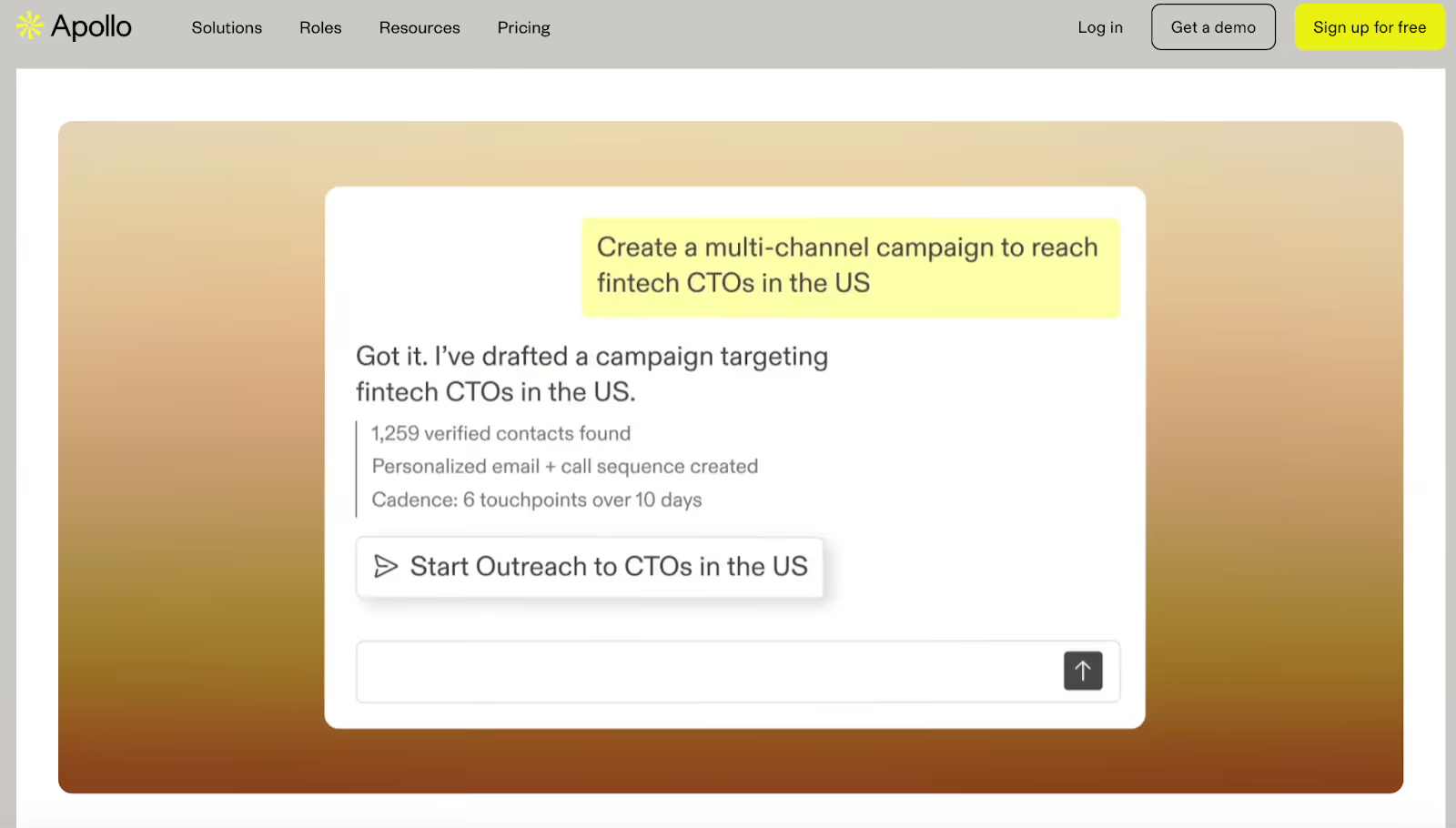
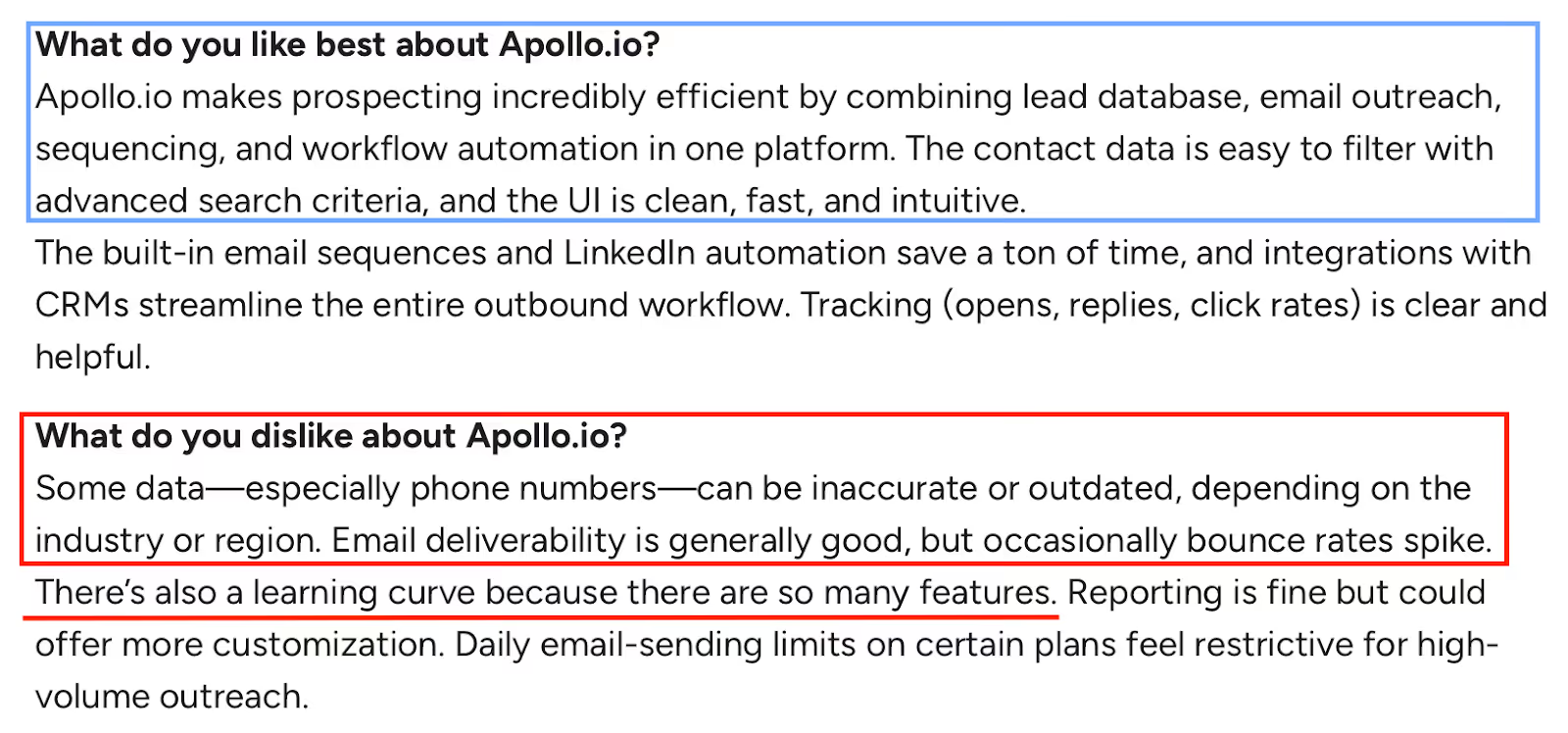
Apollo.io is a large B2B contact database and email scraping platform that combines prospect discovery, data enrichment, and outreach inside one system.
It’s commonly used by teams that want to scrape emails at scale from a pre-built database rather than relying only on LinkedIn or manual searches.
Apollo works by letting users search its database of contacts and companies, apply filters, and unlock verified emails and phone numbers using credits.
Apollo.io is built around a centralized B2B database that users can query, enrich, and export.
Email scraping happens through database searches, Chrome extensions, and enrichment workflows.
For email scraping workflows, Apollo.io can:
✔ Provide verified emails and phone numbers from its internal database using a credit-based system.
✔ Support advanced filtering (job title, company size, industry, location, intent signals) to narrow down scraped contacts.
✔ Use waterfall enrichment, meaning Apollo checks multiple sources before returning an email or phone number.
✔ Enrich CSVs, CRM records, or API data, allowing teams to scrape missing emails for existing leads.
✔ Scrape while browsing using Chrome extensions for LinkedIn, Gmail, and Salesforce.
Contacts can then be exported, synced to CRMs, or activated inside Apollo’s outreach tools.
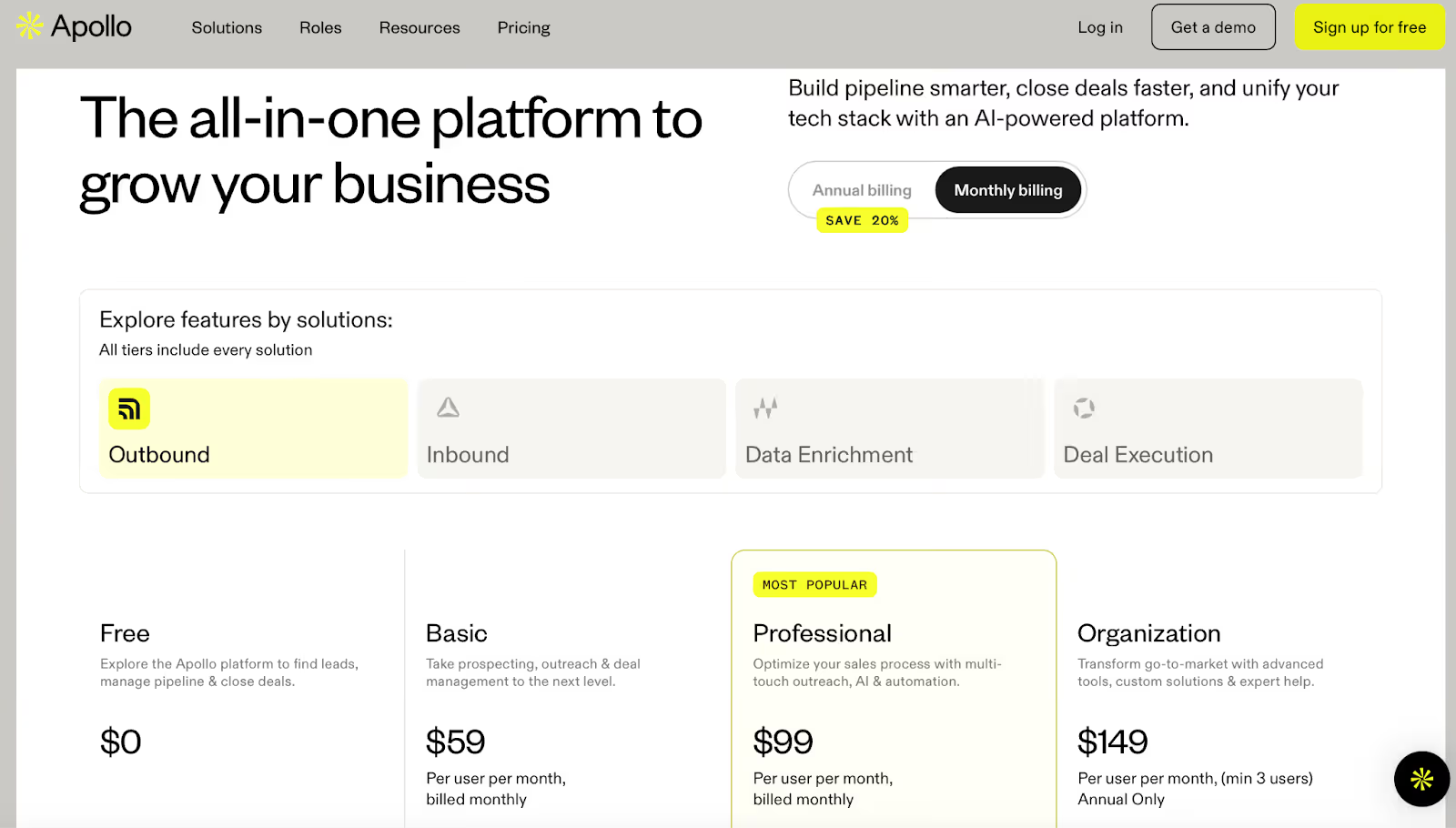
Apollo.io uses per-user pricing with monthly credit limits:
Credits are used to unlock emails, phone numbers, enrichment data, and AI research.
Apollo.io is best suited for teams that want to scrape emails from a large B2B database using filters and enrichment, rather than scraping one profile at a time from LinkedIn.
5 Best Apollo.io Alternatives & Competitors in 2025
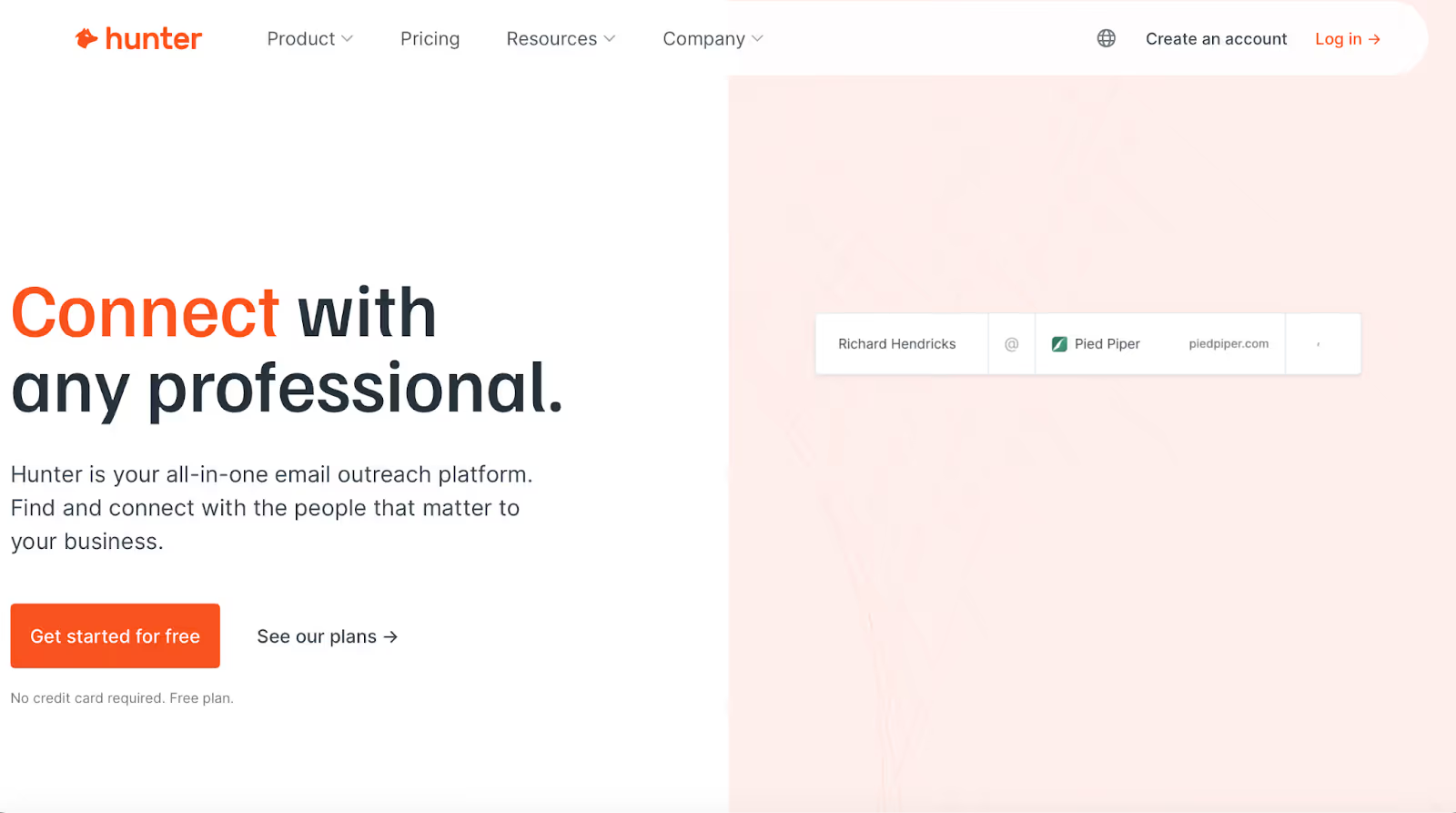
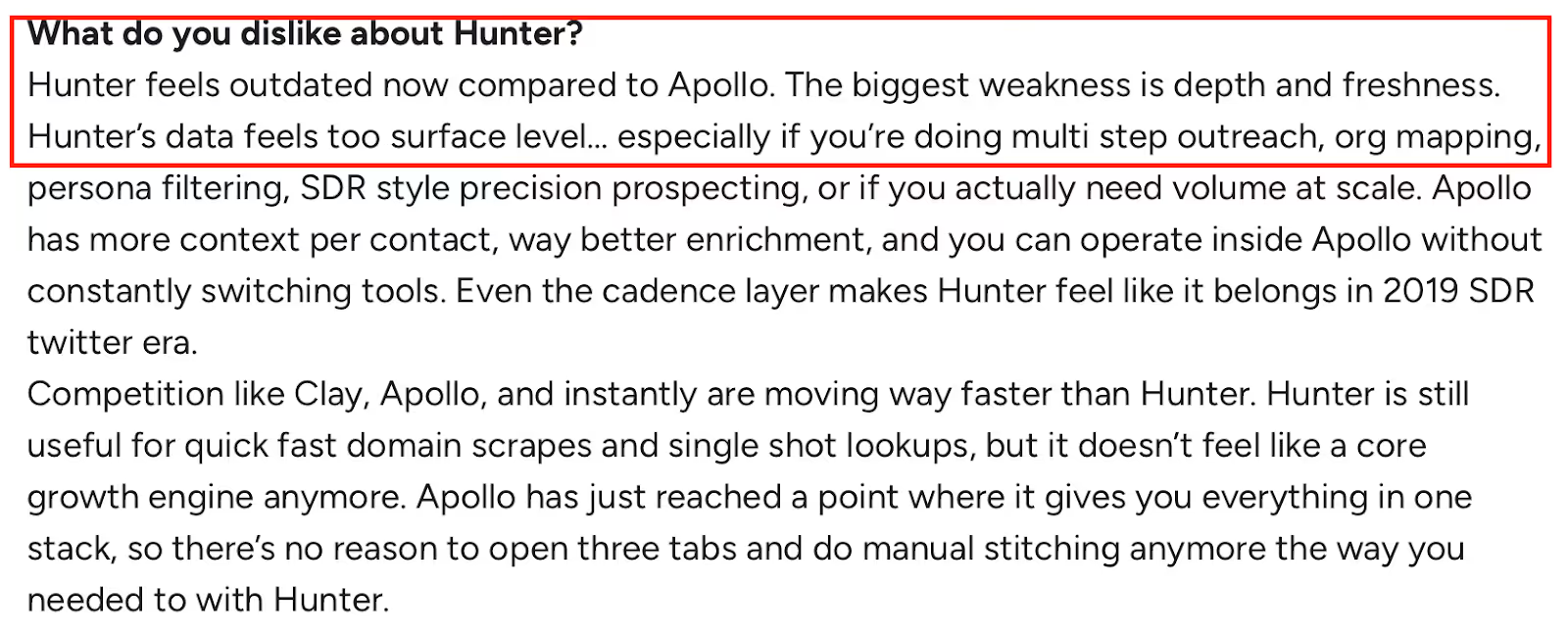
Hunter.io is a domain-based email scraping and verification tool that helps users find and validate professional email addresses linked to a company website.
It’s commonly used for quick domain lookups, single email searches, and email verification, rather than large-scale database prospecting.
Hunter works by scanning company domains to surface public email addresses, identifying common email patterns, and verifying whether an email address is deliverable.
Hunter.io focuses on email discovery at the domain level, rather than deep contact databases or LinkedIn-first scraping.
For email scraping workflows, Hunter.io can:
✔ Perform Domain Search, showing all known email addresses associated with a company website and the email pattern used (e.g., firstname@domain).
✔ Find individual emails using name + company inputs through the Email Finder.
✔ Verify email deliverability automatically or in bulk using the Email Verifier.
✔ Run bulk tasks via CSV uploads to find or verify emails at scale.
✔ Scrape emails while browsing using browser extensions and a Google Sheets add-on.
Hunter’s data is auto-verified and designed to return deliverable emails quickly, without heavy enrichment or segmentation.
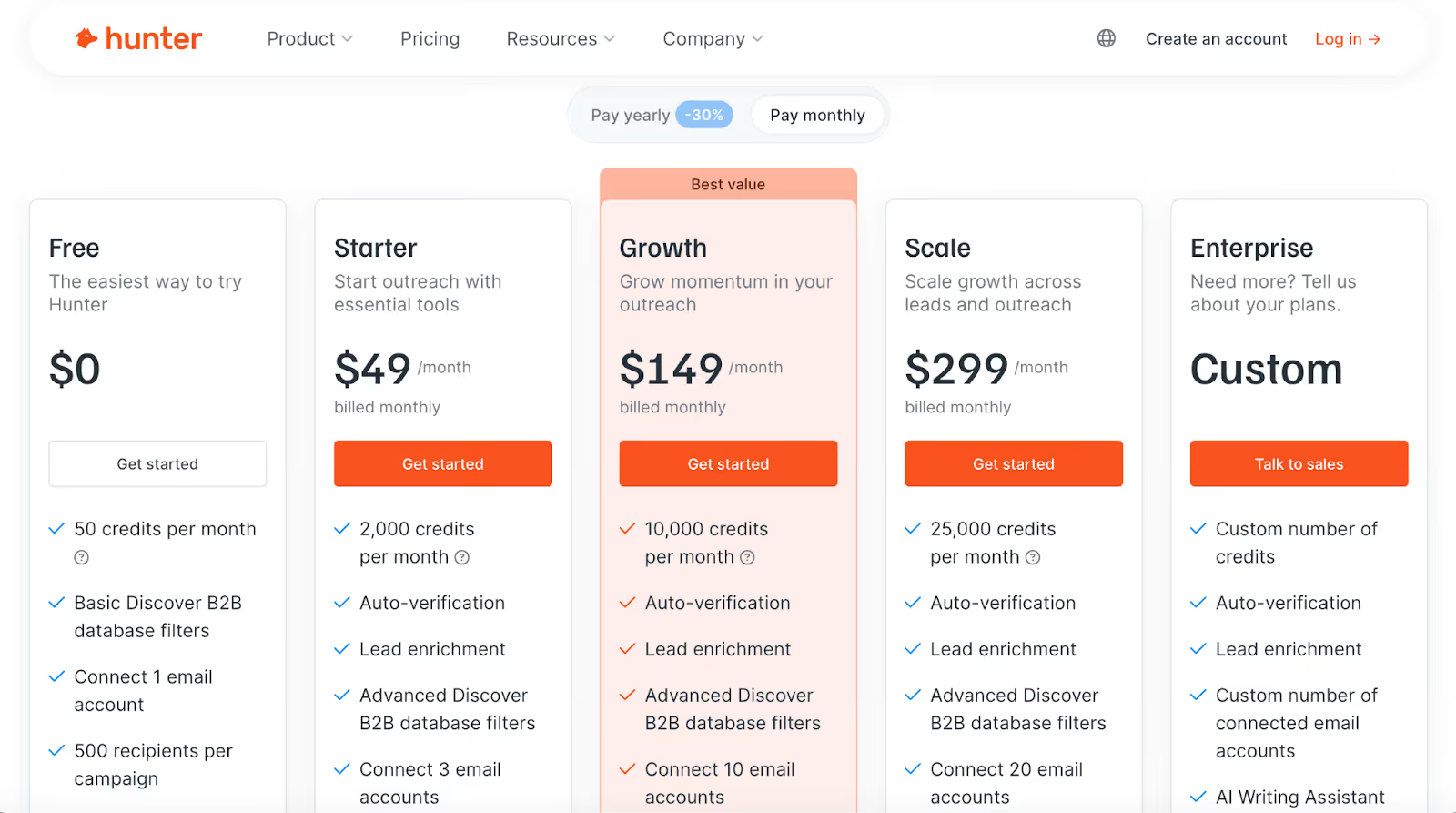
Hunter.io uses a credit-based model with unlimited users:
Credits are used for Email Finder, Domain Search, and Email Verifier actions.
Hunter.io is best suited for teams that need fast domain-based email scraping and reliable verification, rather than deep enrichment or large-scale outbound execution.
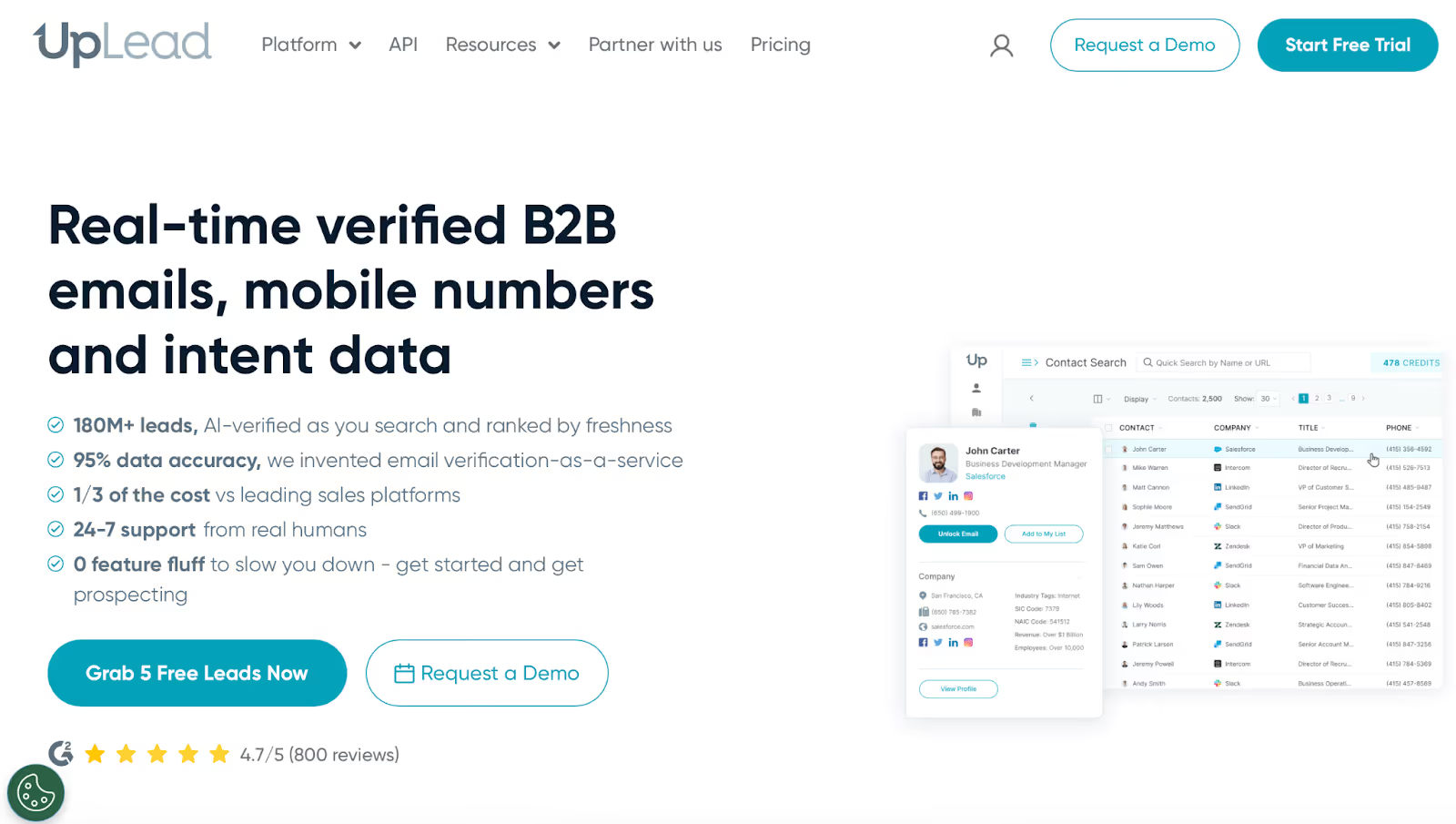
UpLead is a B2B contact database and email scraping platform focused on verified emails and direct phone numbers.
It’s commonly used by teams that want high data accuracy and don’t want to spend credits on contacts that bounce.
UpLead works by letting users search its database, apply filters, and unlock contacts using credits, with real-time verification applied before a contact is delivered.
UpLead is built around real-time data verification, meaning contacts are checked at the moment they are unlocked rather than pre-verified in bulk.
For email scraping workflows, UpLead can:
✔ Provide verified emails and mobile direct dials, with credits only deducted when valid data is found.
✔ Verify emails in real time, reducing bounce risk before outreach begins.
✔ Offer advanced filtering by job title, industry, company size, location, and technologies used.
✔ Enrich contacts with firmographic and technographic data on higher plans.
✔ Exclude existing leads using suppression list uploads to avoid duplicate scraping.
✔ Export contacts to CSV or sync directly with CRMs using native integrations or Zapier.
Email scraping is primarily database-driven, rather than LinkedIn-first or browser-based.
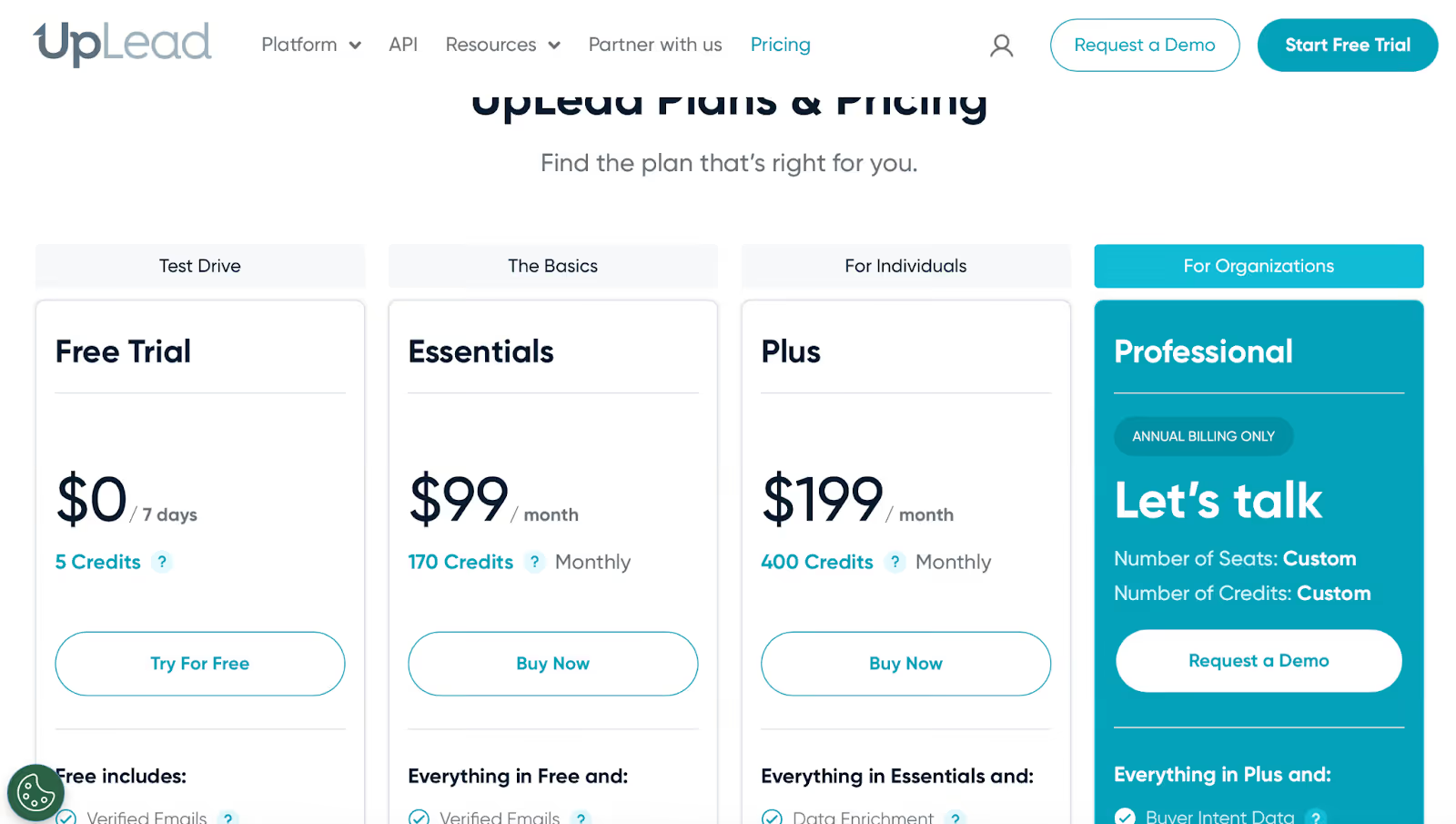
UpLead uses a credit-based pricing model:
Credits are deducted only when a valid contact is delivered, with one credit typically equal to one contact.
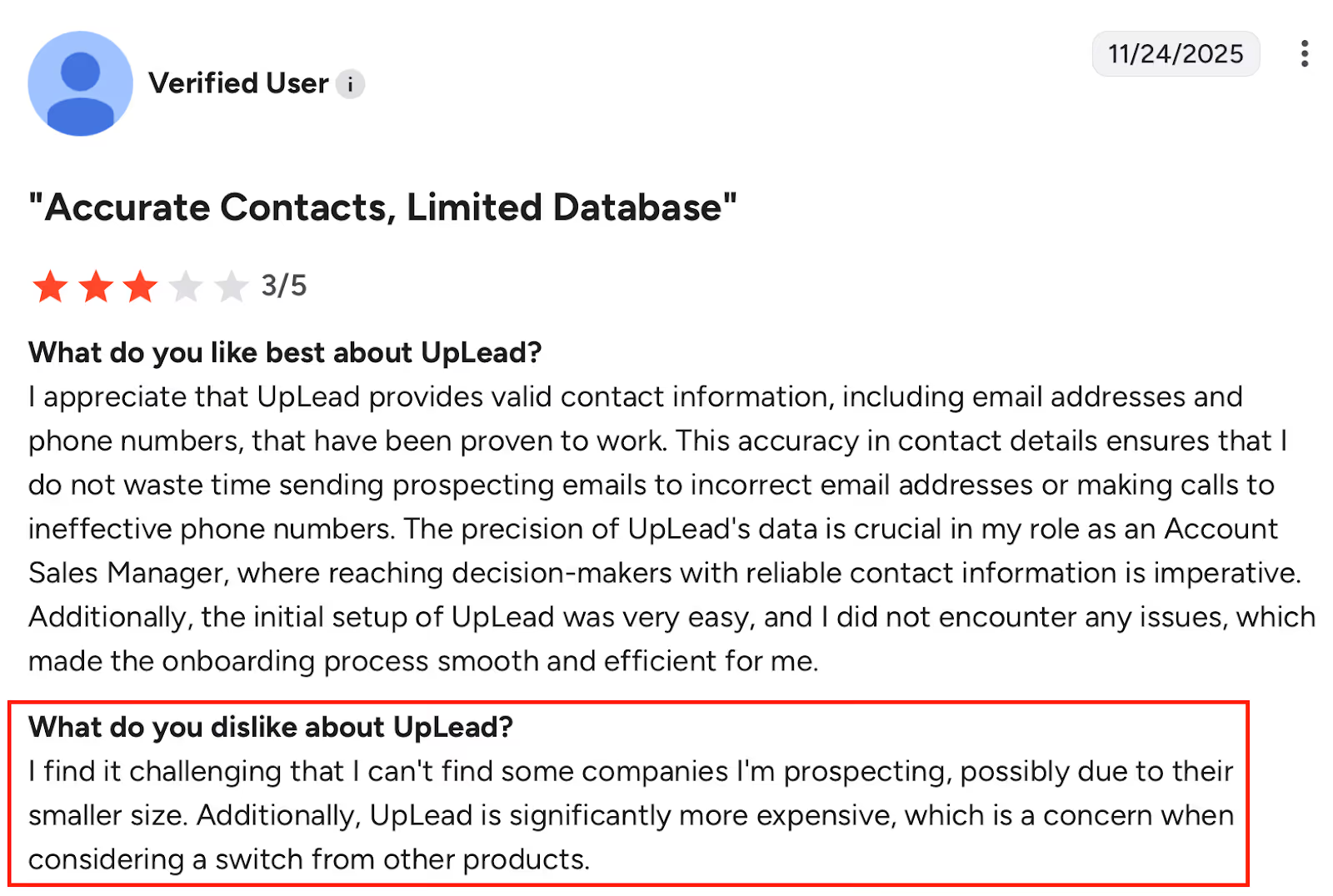
UpLead is best suited for teams that prioritize email accuracy and direct dials over sheer database size or LinkedIn-based scraping.
Lusha is a sales intelligence and email scraping tool focused on direct dials and verified business emails, with strong emphasis on LinkedIn-based prospecting.
It’s commonly used by SDR and sales teams that want fast access to contact details without building complex searches.
Lusha combines a browser extension, a searchable database, and CRM integrations to surface contact data directly where prospecting happens.
Lusha operates primarily through its Chrome extension and database, revealing contact data when users visit LinkedIn profiles or company pages.
For email scraping and contact discovery, Lusha can:
✔ Reveal verified business emails at the contact level (1 credit per email).
✔ Provide direct phone numbers and mobile dials (5 credits per phone).
✔ Work directly inside LinkedIn and Sales Navigator via the browser extension.
✔ Support bulk enrichment for LinkedIn lists and CSV uploads on higher plans.
✔ Apply intent signals and intent filters to identify accounts showing buying behavior.
✔ Sync scraped contacts to CRMs like HubSpot and Salesforce in real time.
✔ Offer AI-based recommendations and playlists to suggest similar contacts and accounts.
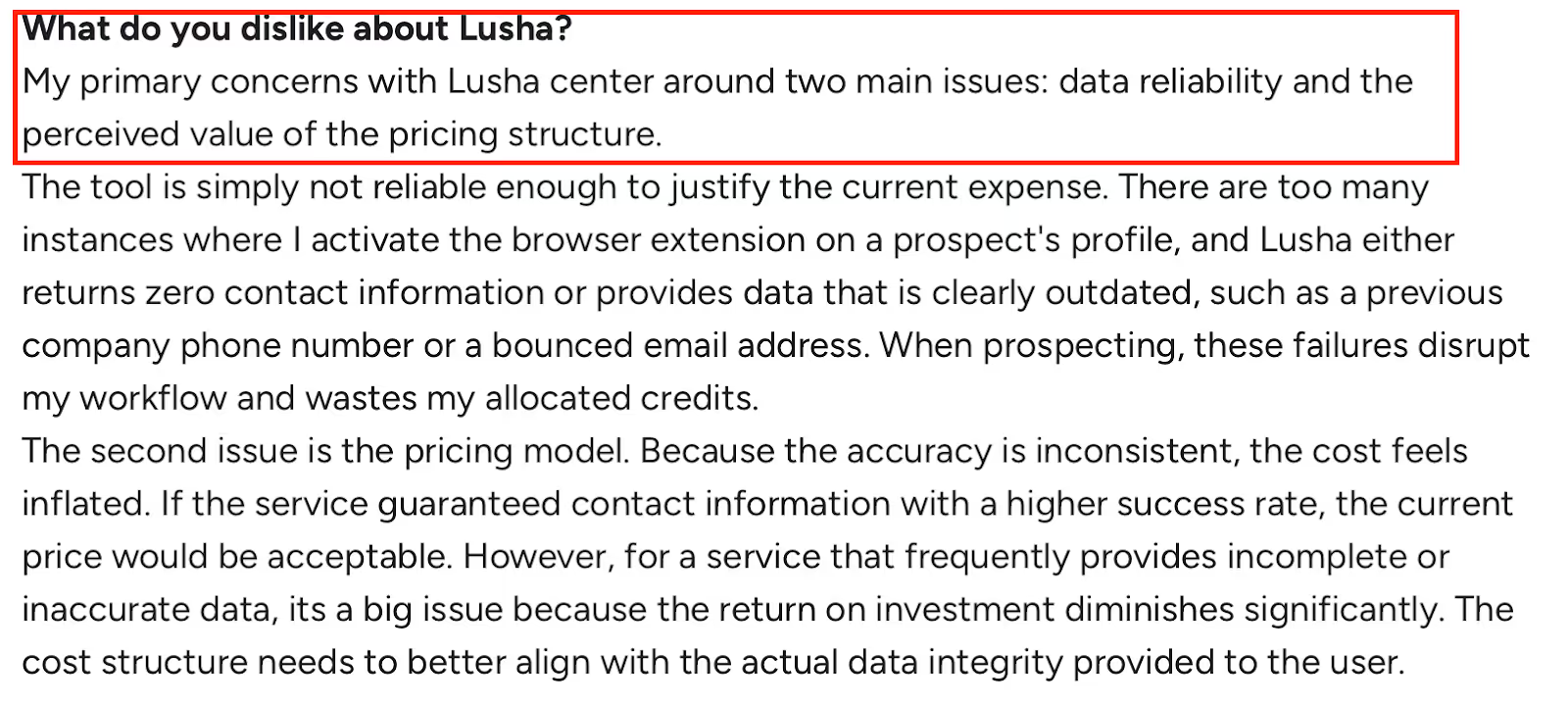
Credits are consumed each time data is revealed, regardless of whether the contact is later usable.
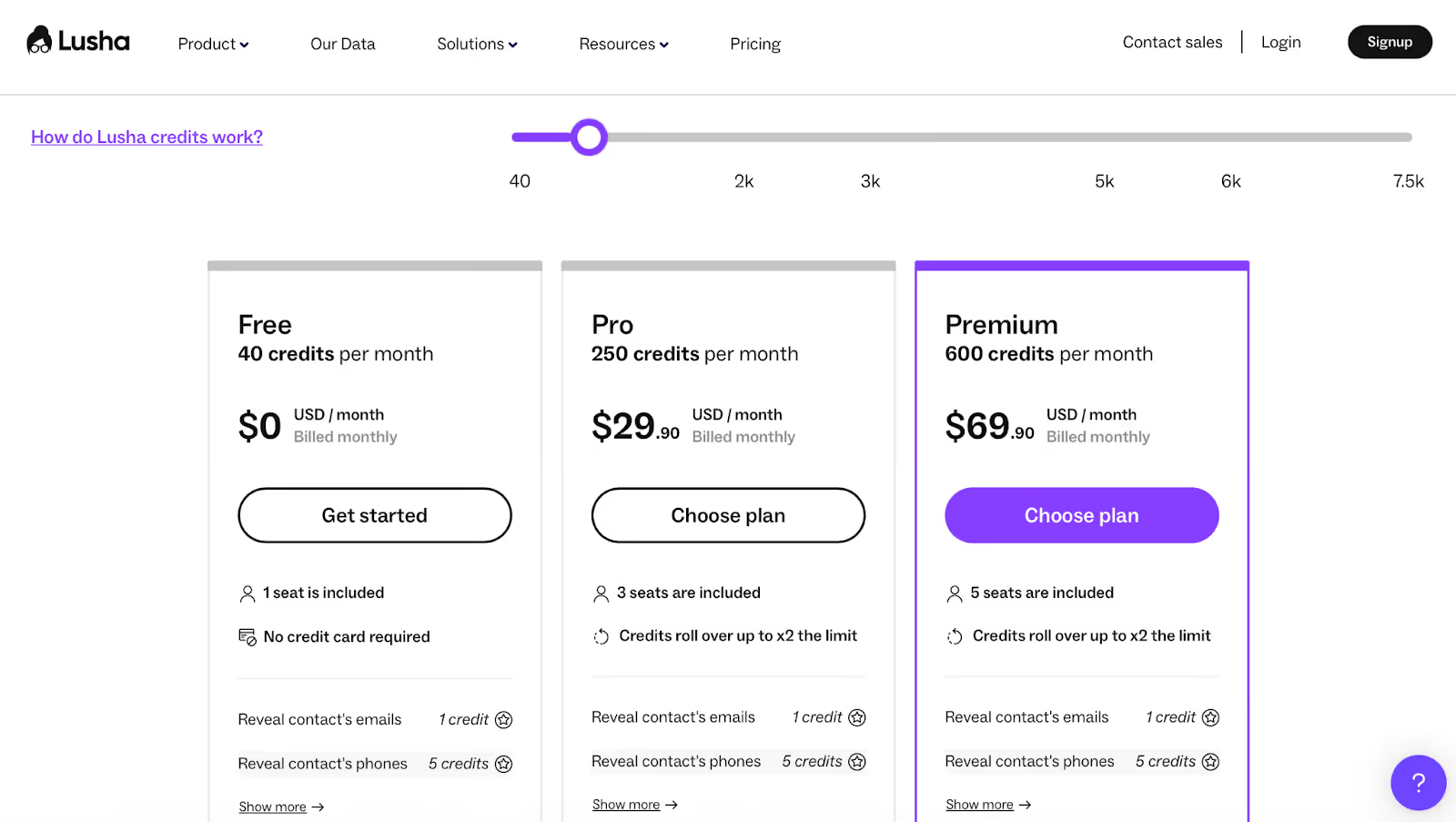
Lusha uses a credit-based pricing model, with credits rolling over on paid plans:
Email reveals cost 1 credit, while phone numbers cost 5 credits, which heavily impacts usage patterns.
Lusha is best suited for teams that prioritize fast LinkedIn scraping and direct phone access.
Enter your email to get a custom plan & stack recommendation for your business
Please check your mailbox in 5 minutes
To wrap it up, the best email scraping tool is the one that actually helps you start conversations, not just collect emails.
If your goal is only to grab a few emails fast, tools like Hunter, Skrapp, or Kaspr will get the job done. If you need a big database with filters, Apollo or UpLead make more sense.
And if you live inside LinkedIn, Lusha and Kaspr feel natural.
But here’s the part most teams miss: scraping emails is only step one. The real work starts after that.
That’s where many tools stop, and where things usually break. Emails sit in spreadsheets, inboxes don’t warm up, replies get missed, and good leads go cold.
Salesforge is built for that exact gap. It doesn’t just help you use scraped leads, it helps you turn them into replies.
You can validate emails, warm up inboxes, send campaigns, manage replies, and even let AI run outreach for you, all in one place.
Now this will help you decide:
If you already have leads or scrape them using other tools, Salesforge becomes the engine that makes them work.
Try Salesforge today
And turn scraped emails into real conversations, not dead lists.


.jpg)
