
Personalized Outbound Strategy
Get The Right Outbound Strategy In Minutes
Enter your email to get a custom plan & stack recommendation for your business
It's being carefully crafted by AI
Please check your mailbox in 5 minutes
Every Google Maps scraping tool I have used answers the same question: which businesses are here?
That is the easy half. The hard half is who to call at those businesses, and a Maps listing doesn't answer that.
GMapsExtractor is honest about being a listing tool. It reads what is on the page and hands you a spreadsheet, quickly and cheaply.
But that means the gap between your export and your first email is work you still have to do somewhere else, and the bigger the list gets, the more of it there is.
The seven tools below close that gap at different points. Some crawl the business website for an email, some look for the owner, and some carry the list all the way into a sent sequence.
Here is which one closes it where you need it.
Every tool on this list solves at least one GMapsExtractor ceiling. Not all of them solve the one blocking you. Here is how I graded them, ordered by what usually gives out first.
I put this first because it is the ceiling most teams hit without noticing. GMapsExtractor works inside the browser, which is fine for twenty businesses and painful past a hundred.
Outscraper, LeadStal, and GMapsScraper.io move the job server-side, and that is the change I would make first if scraping has started eating afternoons.
A Maps listing stops at the company, and I treat that as half a record. CazaLead and Vonsel crawl the business website for a published email.
Whereas LeadStal verifies and enriches from 30+ sources, and Leadsforge is the only one returning named decision makers with mobile numbers instead of a contact-page inbox.
I weighted this heavily because a CSV is where the work starts, not where it ends. GMapsExtractor hands you the file and everything after happens elsewhere.
LeadStal and Vonsel both close the loop in one app, and Leadsforge pushes lists into a Salesforge sequence with no export step.
This one was hardest to compare fairly. GMapsExtractor splits across three products at $39, $49 to $799, and $2 to $365, so wanting two means paying twice.
GMapsScraper.io includes API access on its $19 tier, Bolt Scraper sells lifetime licenses at $119 and $199, and Leadsforge charges $49 per month in credits that roll over.
I stopped treating free tiers as equivalent once I lined them up. GMapsExtractor's is a limited trial, while CazaLead resets 500 contacts monthly and Bolt Scraper allows 3,000 leads.
A trial tells you whether a tool works. A recurring free tier tells you whether you can run it long term.
I nearly left this out, then decided it belonged. GMapsExtractor holds a 3.7 out of 5 rating across 46 Chrome Web Store reviews, with users reporting it breaks after Chrome or Maps updates. Cloud tools sidestep that because the fix ships server-side.
Best for: Sales teams, agencies, and founders who need the person behind the business listing, not just the business.
Leadsforge runs on Google Maps data, but the search works differently from an extension sitting on the Maps page. You drop a pin, set a proximity radius in kilometers, and pick the business types you want.
The radius is the part I would point at.
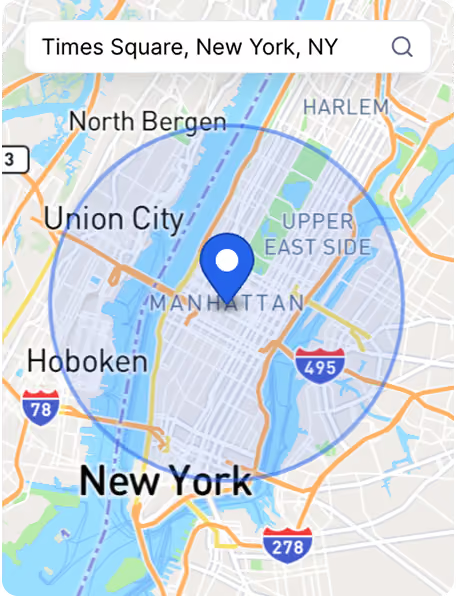
You search from an address outward rather than inside a city boundary, and twenty kilometers from a specific address describes a real service area in a way that "Chicago" does not.
City names are administrative boundaries, not territories, and if your team drives to appointments, the difference shows up in the list you end up calling.
Business types are multi-select, so accounting firms, lawyers, real estate agencies, banks, and consultants go into one search instead of five separate ones.
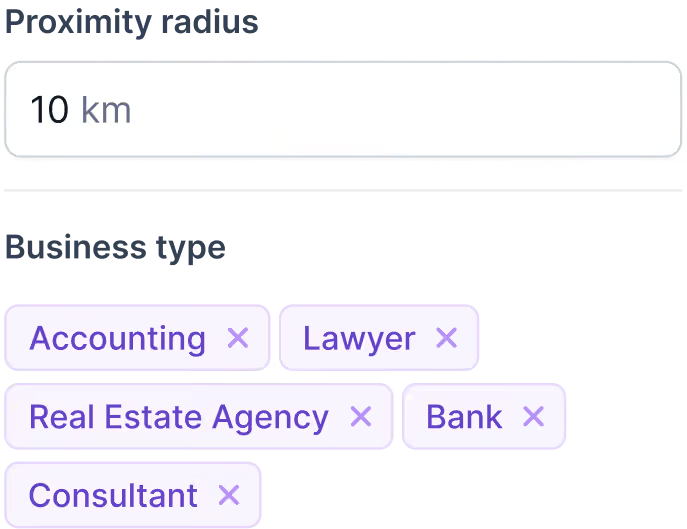
That sounds minor until you have run the same query five times with one filter changed.
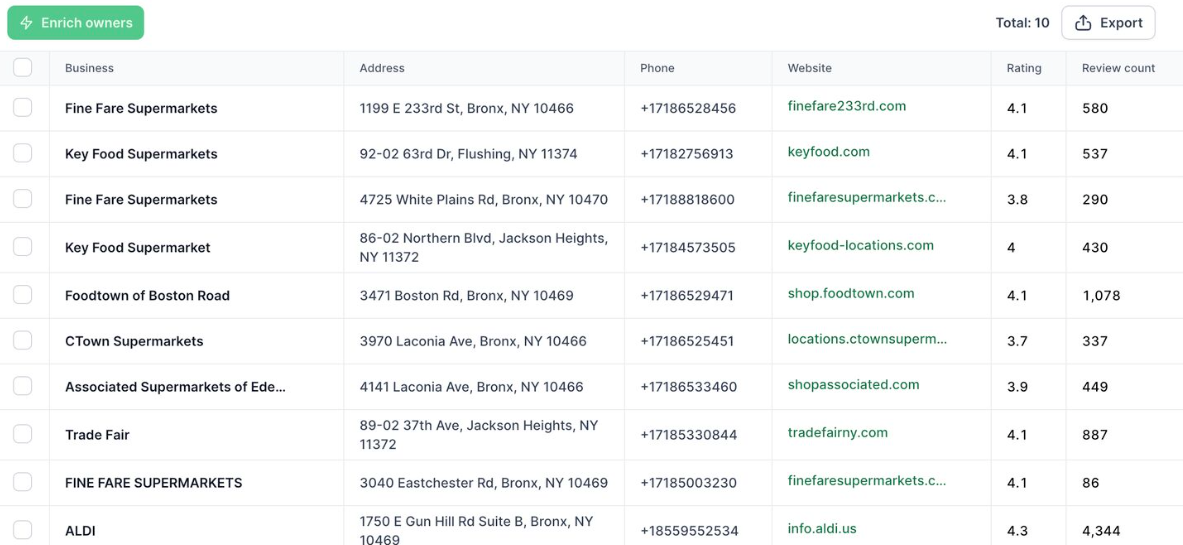
Then the extraction returns a preview table with business name, full address, phone number, website, Google rating and review count, and none of it costs a credit.
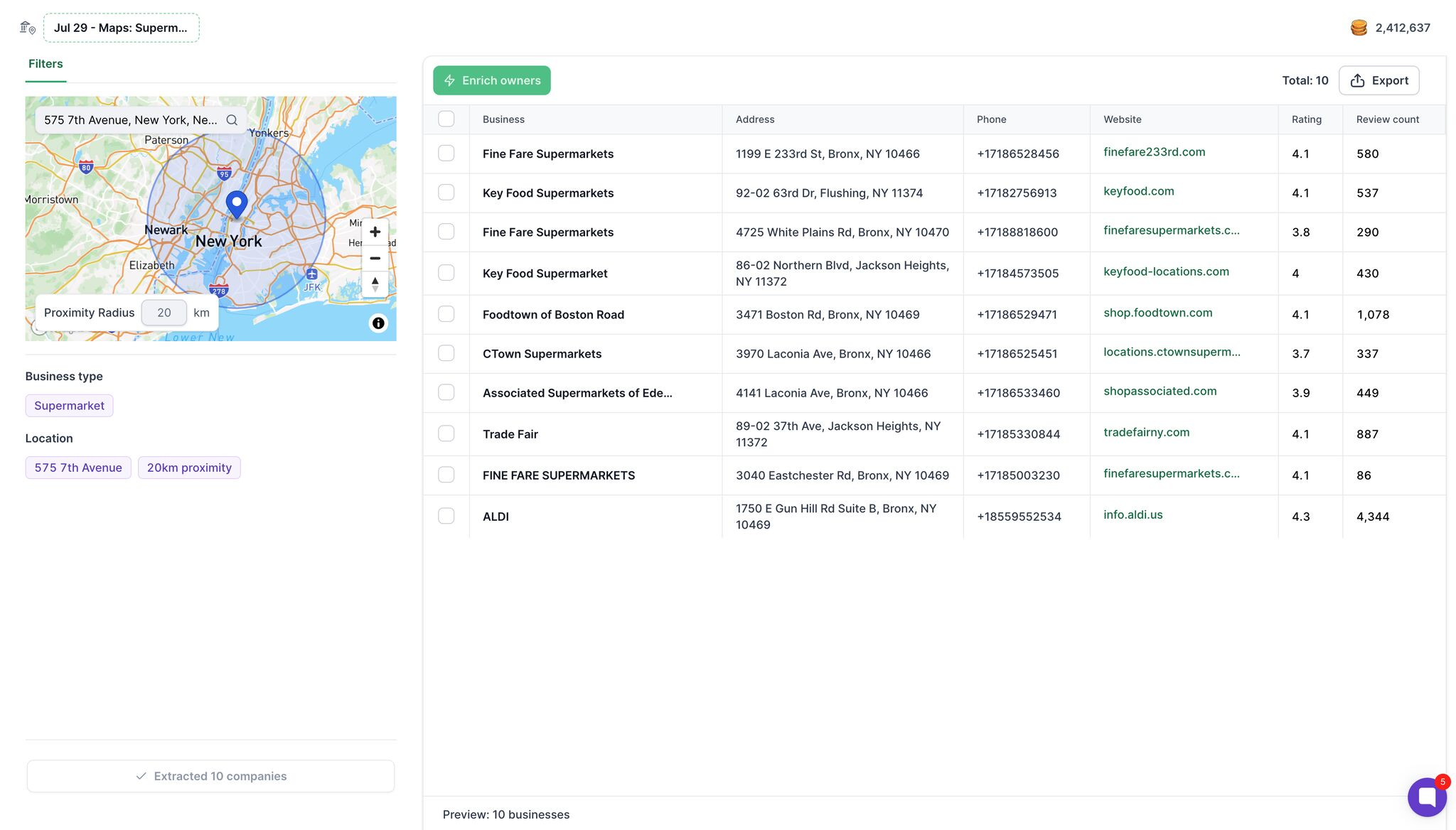
I like being able to look at a segment and decide it is not worth pursuing before paying for it. Most tools here make you spend first and judge after.
What you do with that list is where Leadsforge stops resembling a scraper, and it is the reason it sits at the top of this list rather than in the middle of it.
GMapsExtractor gives you what the Maps listing gives you, and a Maps listing stops at the company. Name, address, phone, website, rating.
A row that reads "Fine Fare Supermarkets, 4.1, 580 reviews" is a business, not somebody you can call.
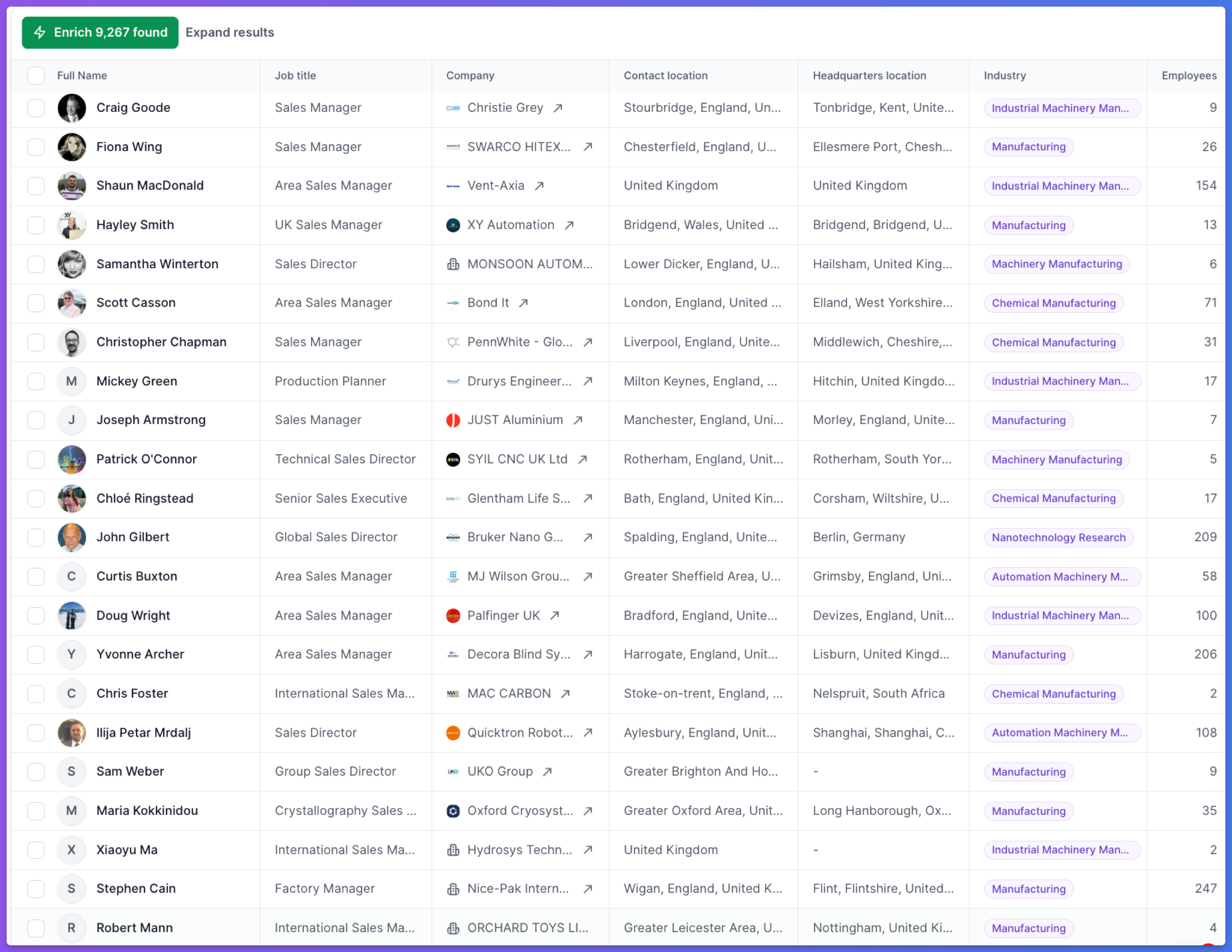
Leadsforge has an Enrich Owners action that closes that gap. Instead of crawling the linked website for whatever inbox is published on the contact page.
It then returns the decision-makers at those businesses along with their mobile numbers.
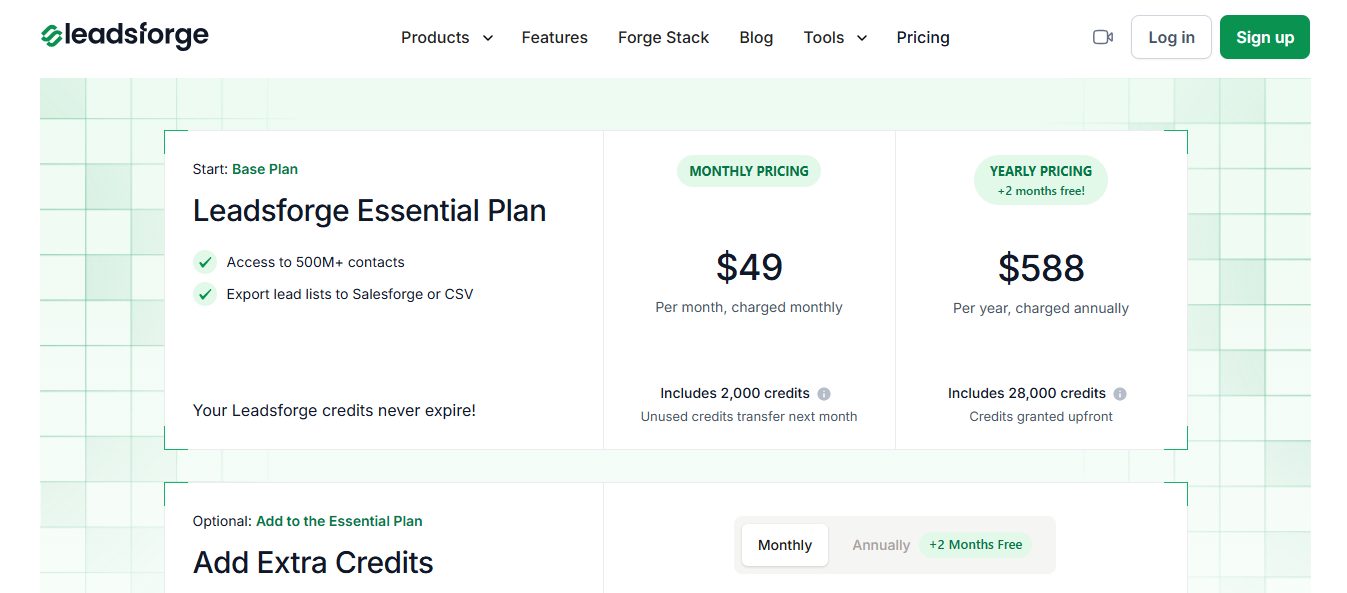
Leadsforge runs on credits rather than a seat license, so you pay per verified result.
Unused credits transfer to the next month and never expire. The yearly rate works out to two months free, and you get 100 free credits at signup.
How to Scrape Leads from Google Maps (Tried & Tested)
Enter your email to get a custom plan & stack recommendation for your business
Please check your mailbox in 5 minutes

Best for: Teams that want API access and usage-based pricing rather than a monthly subscription tied to a browser.
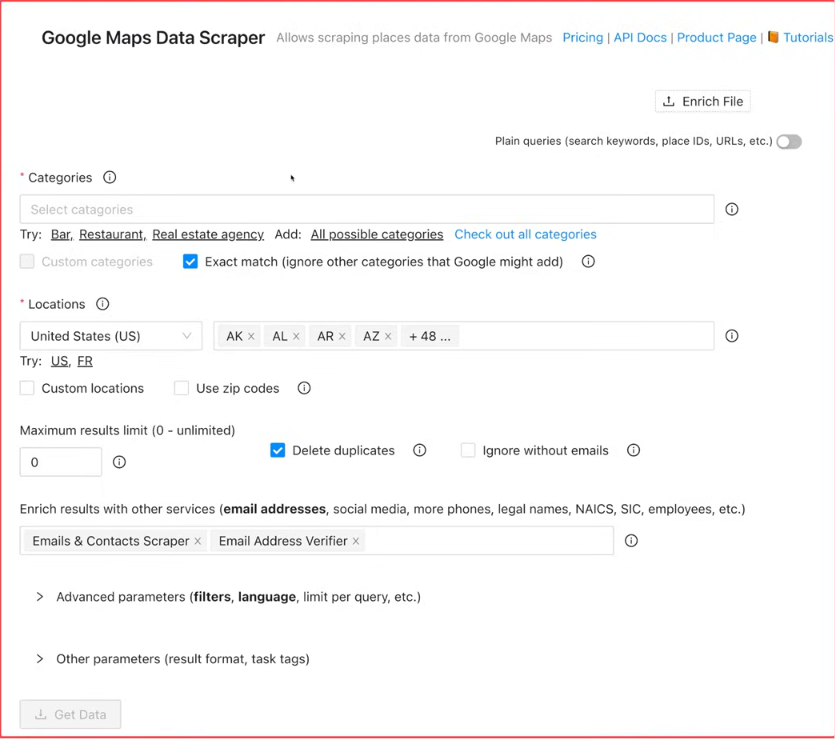
I would reach for Outscraper when the job is volume, not a quick list. It runs as a hosted service, so you pick a category, set a location by city, ZIP code, or country, and let it build the list. Dentists in Austin, roofing contractors in Dallas. Nothing installs.
You get the business name, website, and phone number along with other details the listing exposes.
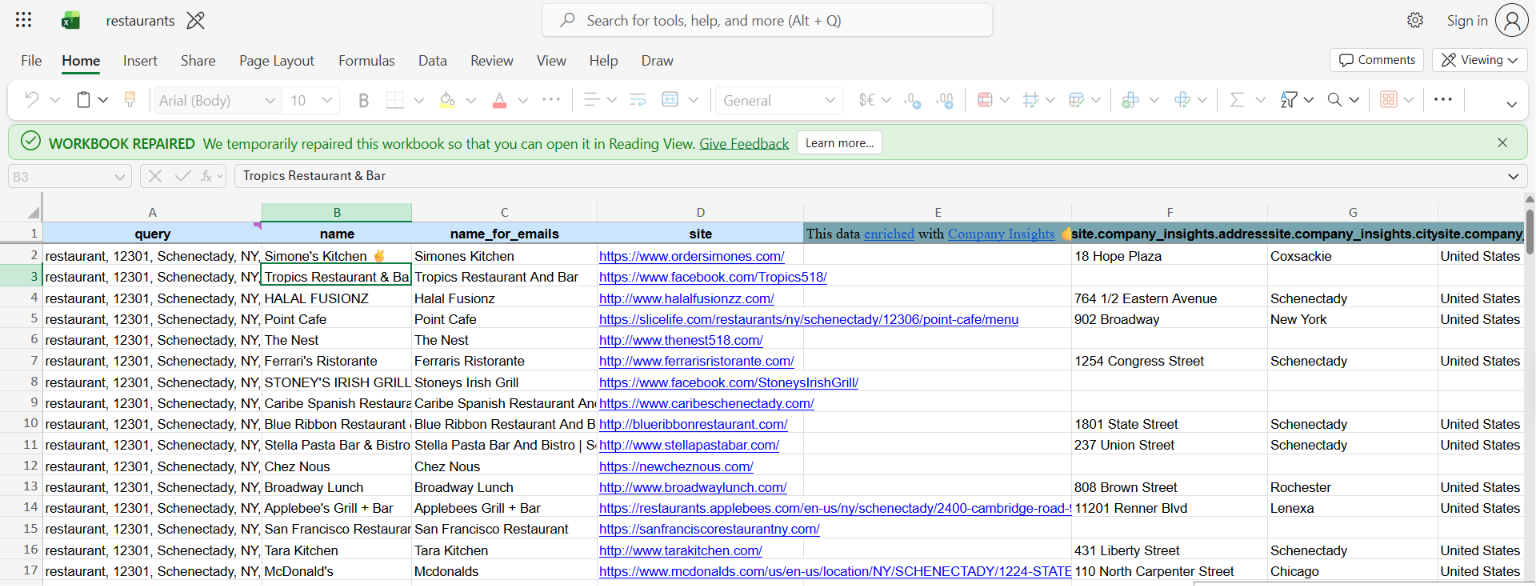
Enrichment is a separate step that adds emails, social links, and company insights to businesses already pulled, so you don't need to rebuild a list elsewhere.
Exports go out as CSV, Excel, Parquet, or JSON. I would only care about the last two if the data feeds another system.
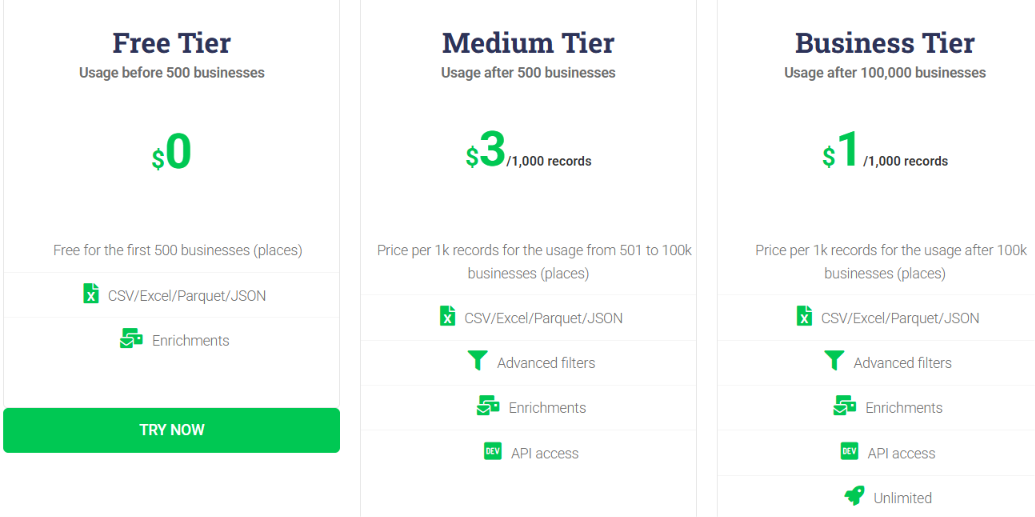
Outscraper charges by volume, with usage tiers resetting every 30 days.
Outscraper's calculator puts 10,000 businesses at $28.50 with the free tier applied.
Enrichment bills separately, so a campaign that needs contact details and verification across all three services costs more.
Prepaid credits do not expire, and postpaid billing charges once monthly usage passes the free tier.
5 Best Outscraper Alternatives For Local Lead Generation
Best for: Sales teams and agencies that need verified email addresses attached to Google Maps listings, not just phone numbers.
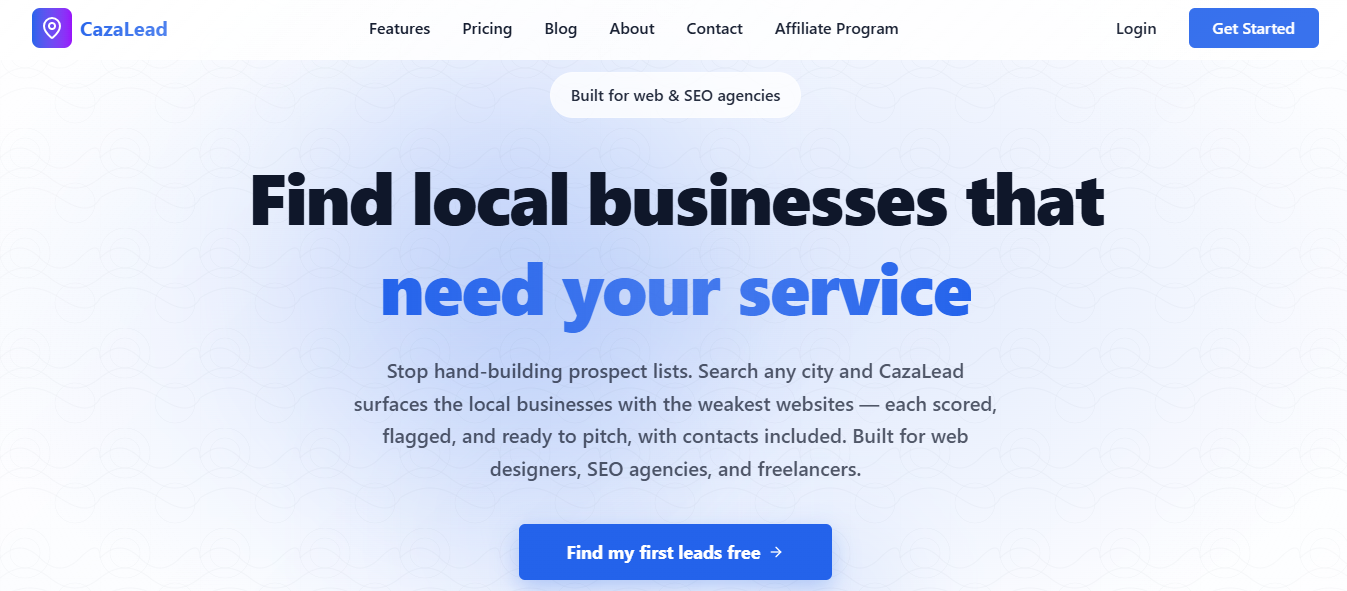
CazaLead pulls the same live Maps data GMapsExtractor does, so name, phone, address, hours, and rating come out comparable. What arrives alongside those fields is the reason I would switch.
Emails are rarely on a Maps listing because they live on the business website. GMapsExtractor stops at the listing.
CazaLead crawls the linked site during every extraction and returns verified addresses with the rest of the record.
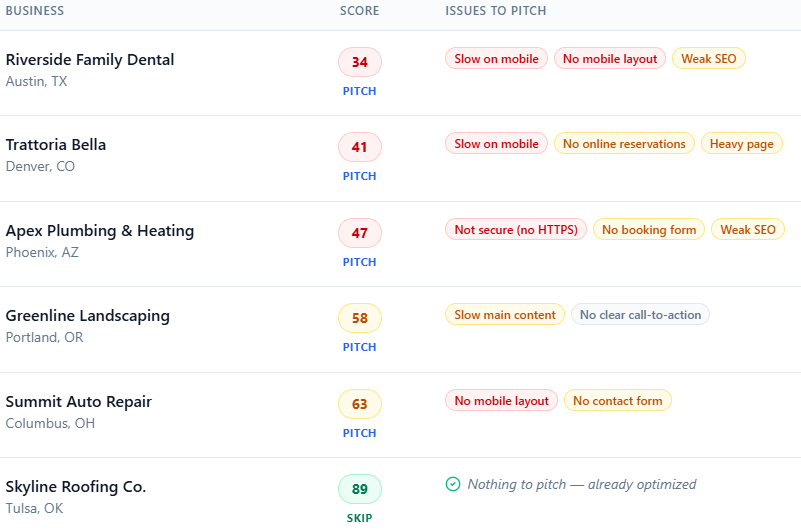
For anyone loading results into a cold email sequence, that decides whether the export is usable or phone-only.
Free usage works differently too. GMapsExtractor gives a small bundle of credits at signup, and once you use them up, the account moves to a paid plan.
CazaLead resets 500 contacts every month with no card, which fits agencies prospecting monthly rather than once a year.
GMapsExtractor is a lean utility for quickly pulling Google Maps data. CazaLead handles extraction, email enrichment, filtering, export, and team accounts in one place.
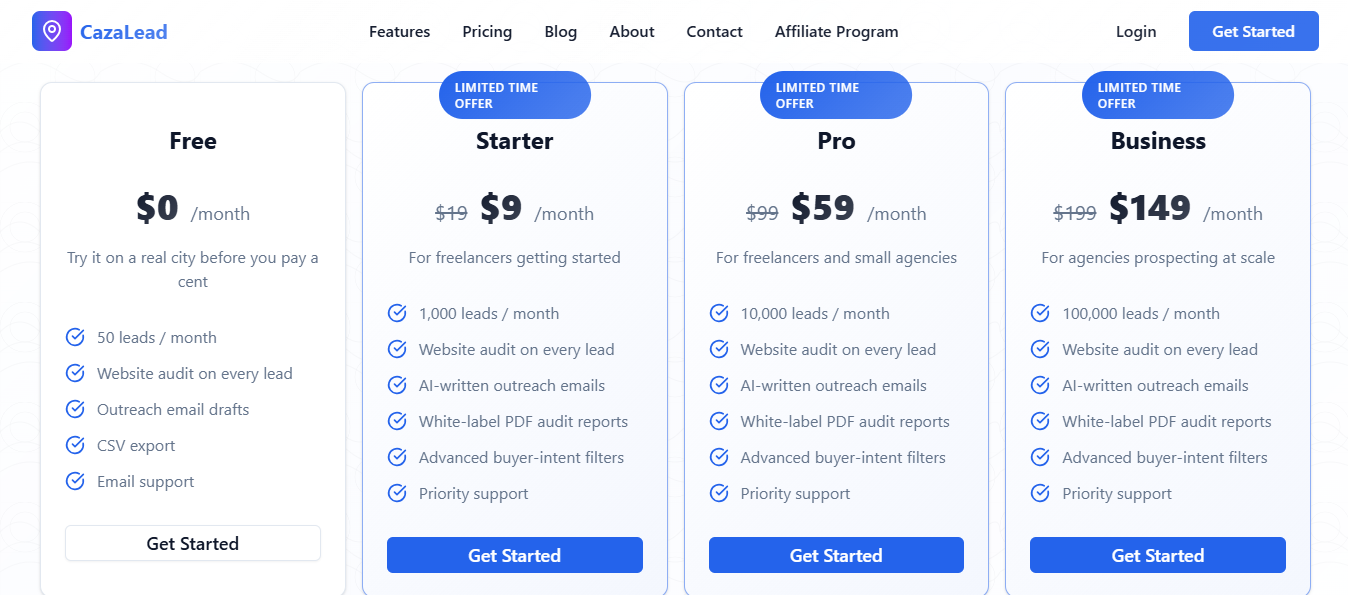
CazaLead has flat monthly tiers with no credit math.
Verified emails are included on every plan, including the free one. Contact limits reset monthly, and you don't need a credit card to start.
Best for: Teams that want Google Maps scraping, email verification, and cold email sending inside one app rather than three.
GMapsExtractor is as quick as an extension. You run a Maps search, click it, and the rows fill your tab within seconds without an account or a job to configure.
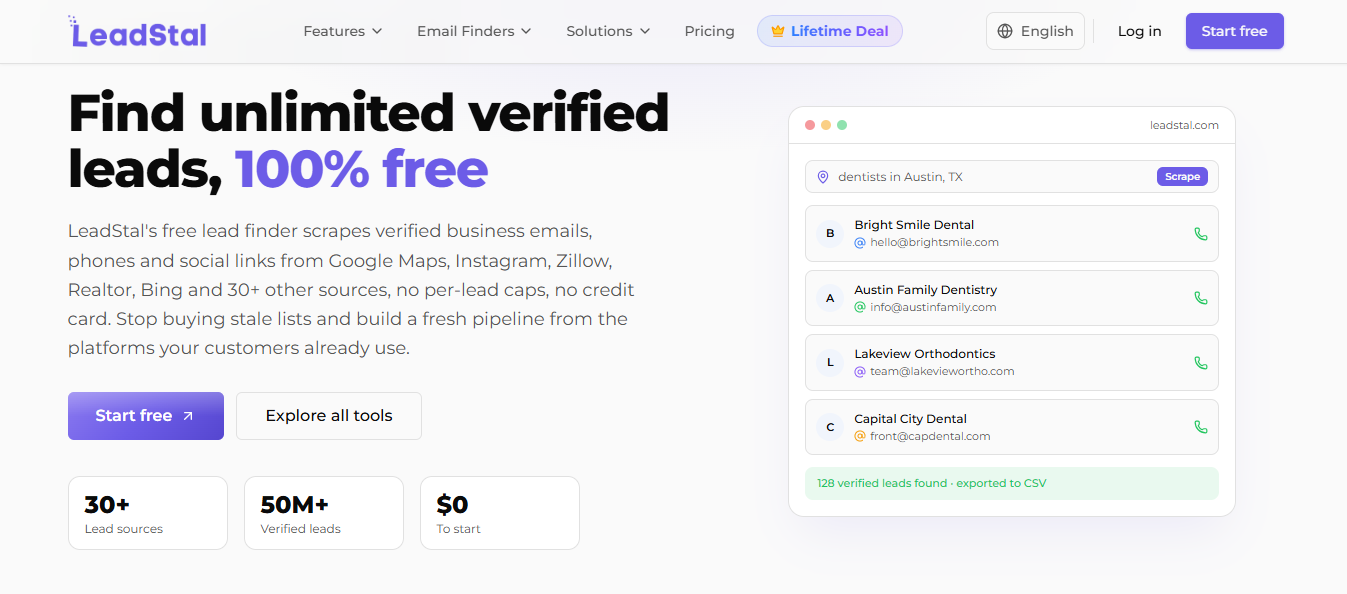
LeadStal runs the same extraction from the cloud instead. You start a job, close the laptop, and a city's worth of listings is waiting when you get back.
Past a certain volume, I would take that trade every time, because a browser-bound scrape depends on your tab, your connection, and your machine, and it stops when you close the window.
Free use on the extension also caps at an export limit, while LeadStal's Maps scraper runs free with no per-row credit meter.
For a quick manual pull of a handful of businesses, I would call the two even. Clicking an extension on the page you are already looking at is hard to beat for that.
GMapsExtractor's job ends at the download. To contact anyone on that list, you export the CSV and move to a separate sender, verifier, and warm-up service. LeadStal keeps those steps in one dashboard.
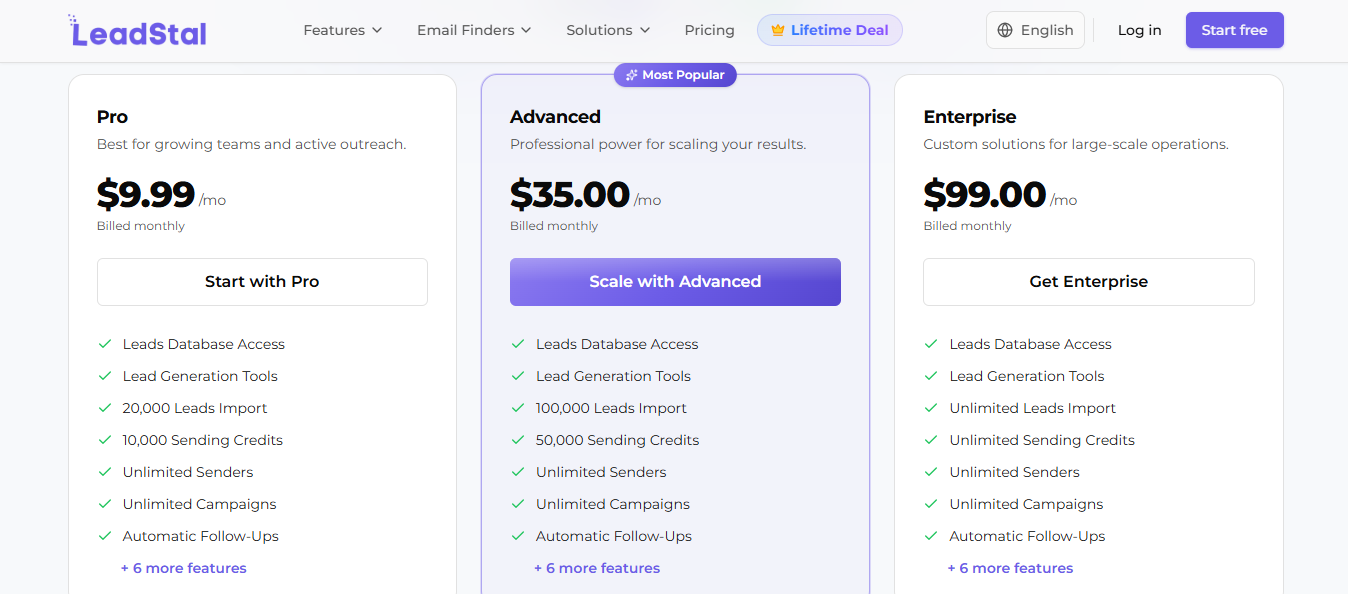
LeadStal keeps the data side free and charges only for sending.
No credit card is needed to try it, and the free tools stay free rather than converting to a trial.
I Tried 7 Local Lead Generation Methods: Here’s What Worked
Best for: Sales teams who want Google Maps businesses to land in a working CRM instead of a download folder.
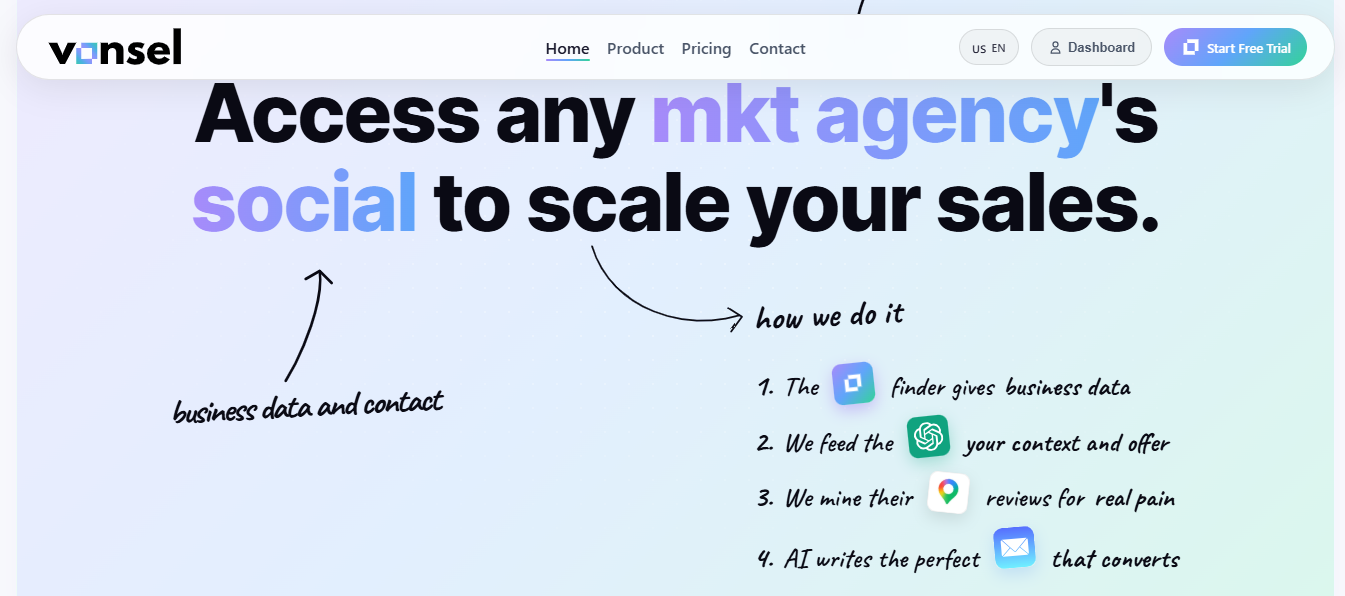
Vonsel and GMapsExtractor sit on the same surface. Both are Chrome extensions reading the Maps results panel for name, category, address, phone, website, rating, and review count.
Google exposes those same fields through its Places API, so I wouldn't choose between them based on field coverage.
The destination is what separates them. GMapsExtractor writes the businesses into a table you export as CSV or Excel, and the tool stops there.
Vonsel sends the same extraction into a workspace where each business is pinned on a map, filterable and trackable through a pipeline.
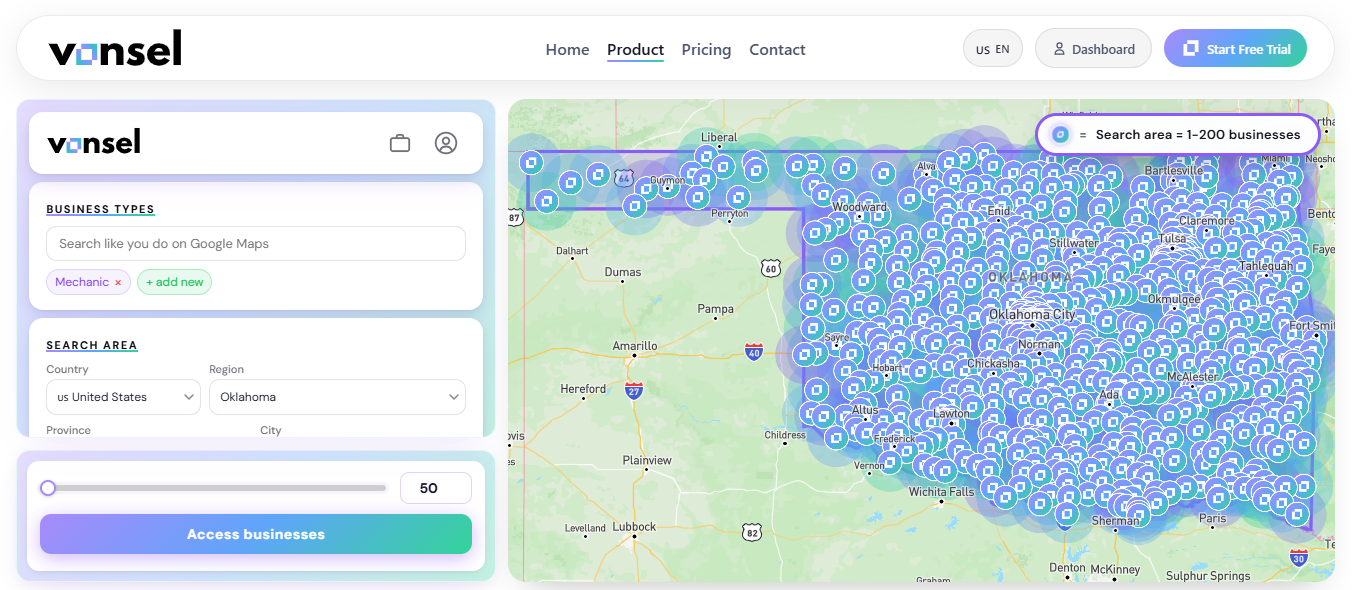
You run a search like Dentist in Madrid, the pop-up pulls the visible businesses, and the results land in that workspace instead of a file. CSV export is still there, so nothing is locked in.
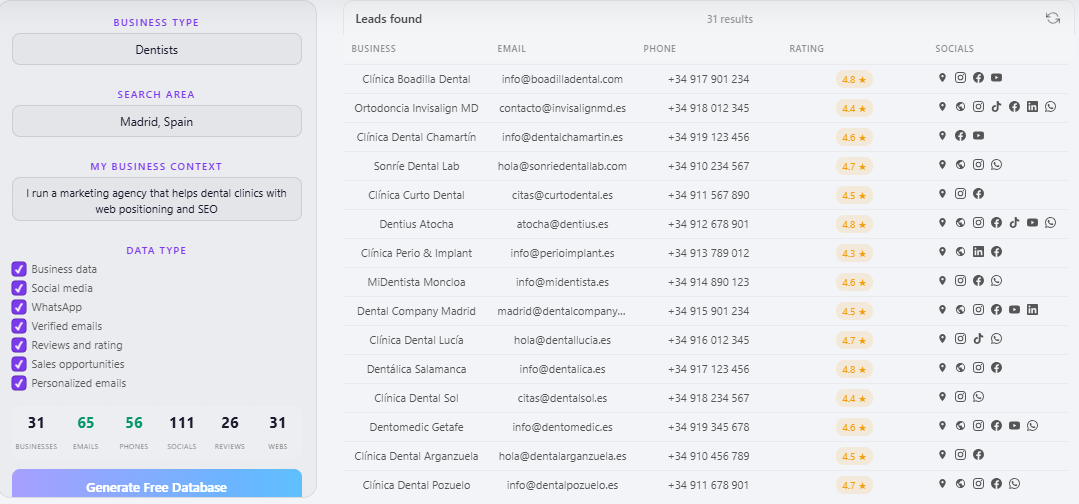
You can also reopen a previous extraction and keep adding to the same list, which removes the merge step you get from exporting twice.
A raw export leaves the rest of the job to you. Import to a CRM, decide which rows deserve a call, research each business, write the outreach. Vonsel handles those steps inside the same workspace.
You install it, open Google Maps, and start saving businesses into your workspace. No paid tiers are listed.
Best for: Teams running bulk extractions who want notifications, auto-save, and lifetime pricing instead of a monthly subscription.
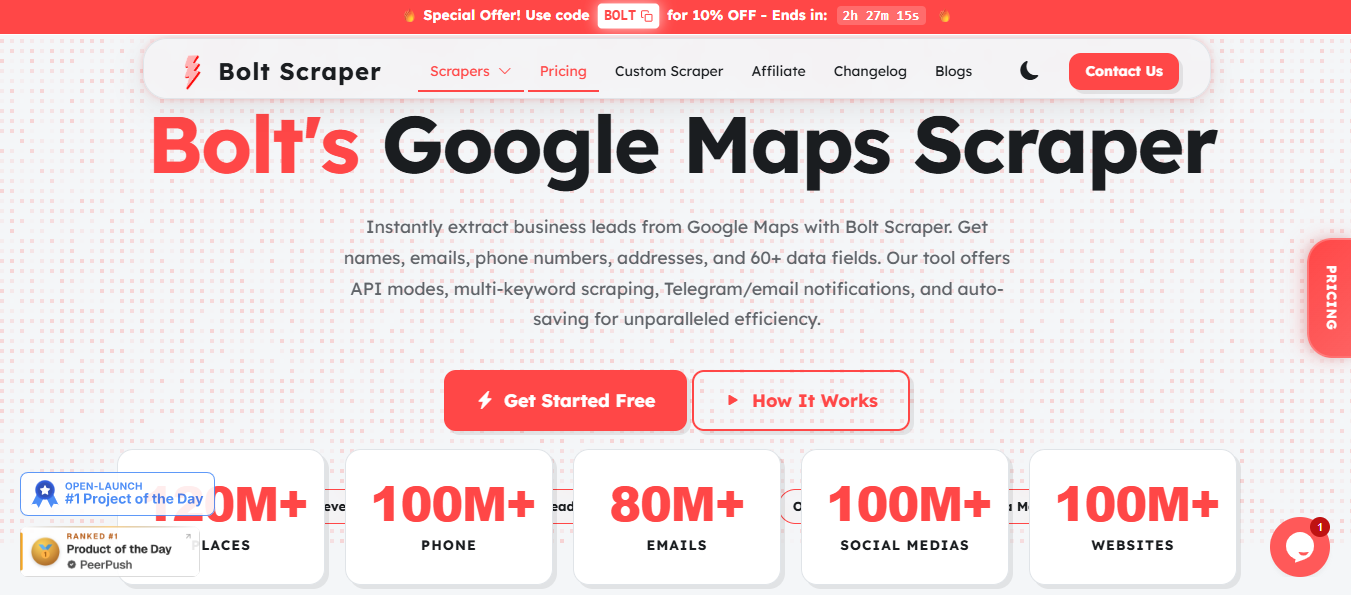
Bolt Scraper is the closest direct swap. Both tools install as browser extensions and export to CSV or Excel, so the job format stays the same. Bolt Scraper runs on Chrome, Edge, and Brave, whereas GMapsExtractor is Chrome-only.
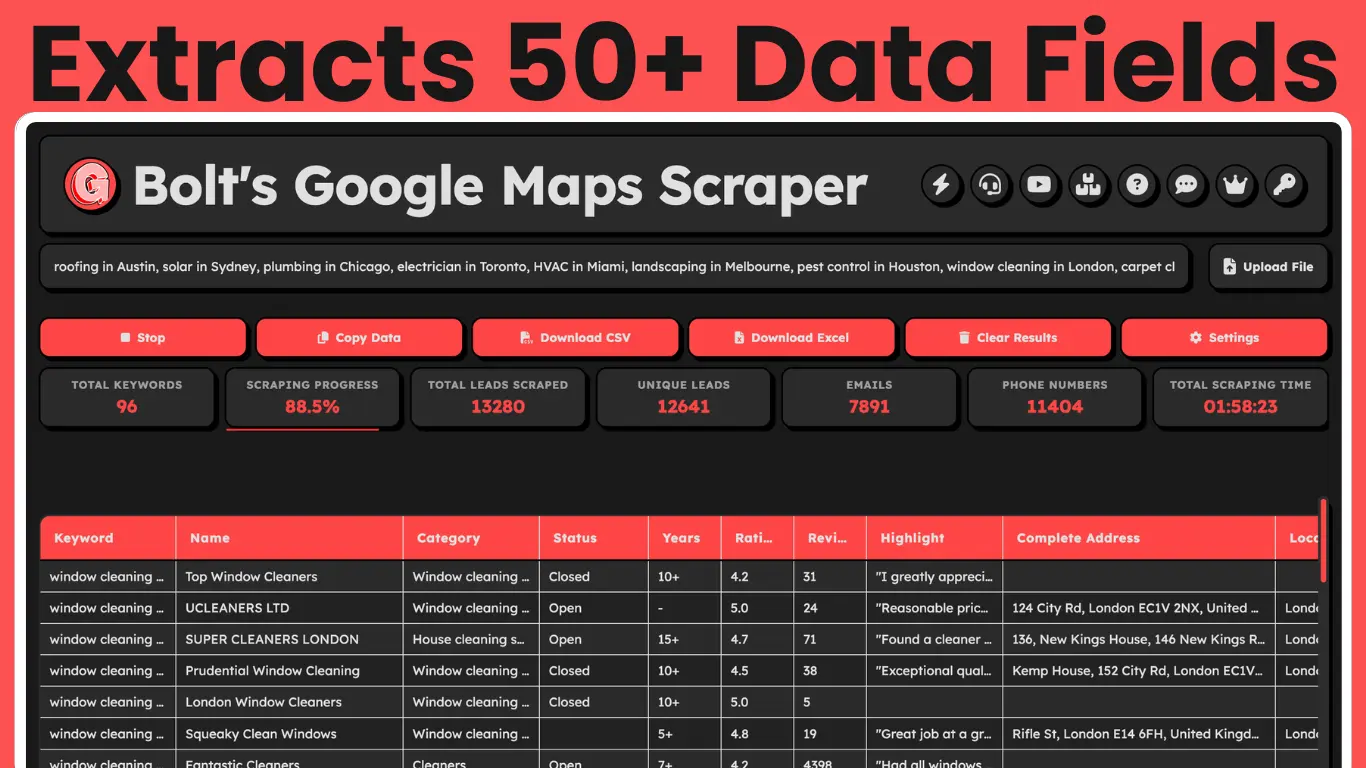
Field coverage differs. Bolt Scraper pulls 50+ fields per business, including enriched emails, social profiles, reviews, and ratings.
GMapsExtractor provides 30+ data fields, including a broader range of social platforms (Facebook, Instagram, LinkedIn, YouTube, Yelp, Twitter/X, and TikTok), whereas Bolt Scraper offers 60+ (Facebook, Instagram, LinkedIn, Twitter, and more).
However, don't assume the higher field count is better if your primary goal is collecting social handles.
Both handle multi-keyword scraping and bulk processing of thousands of leads per session.
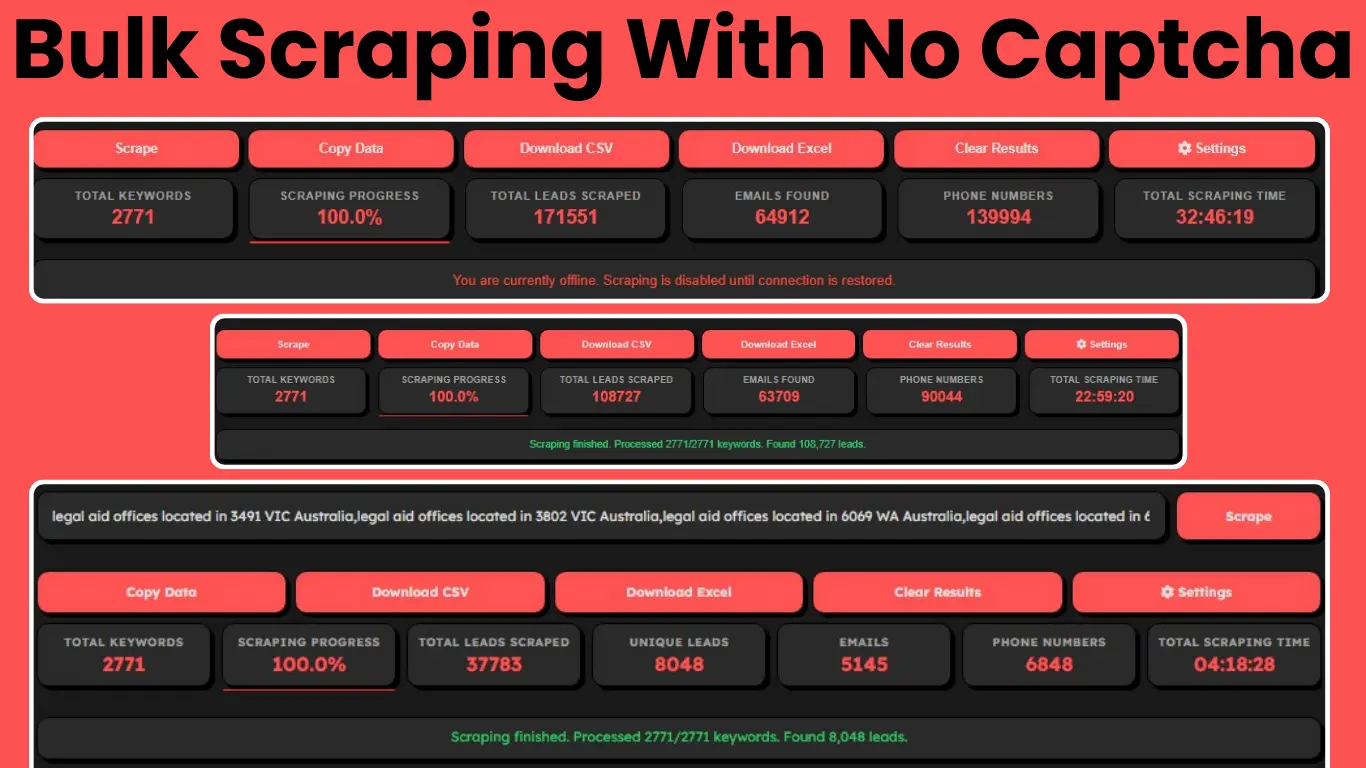
The two diverge on long runs. GMapsExtractor requires a manual export once scraping completes and can hit CAPTCHAs mid-job. Bolt Scraper saves automatically and streams data during the run.
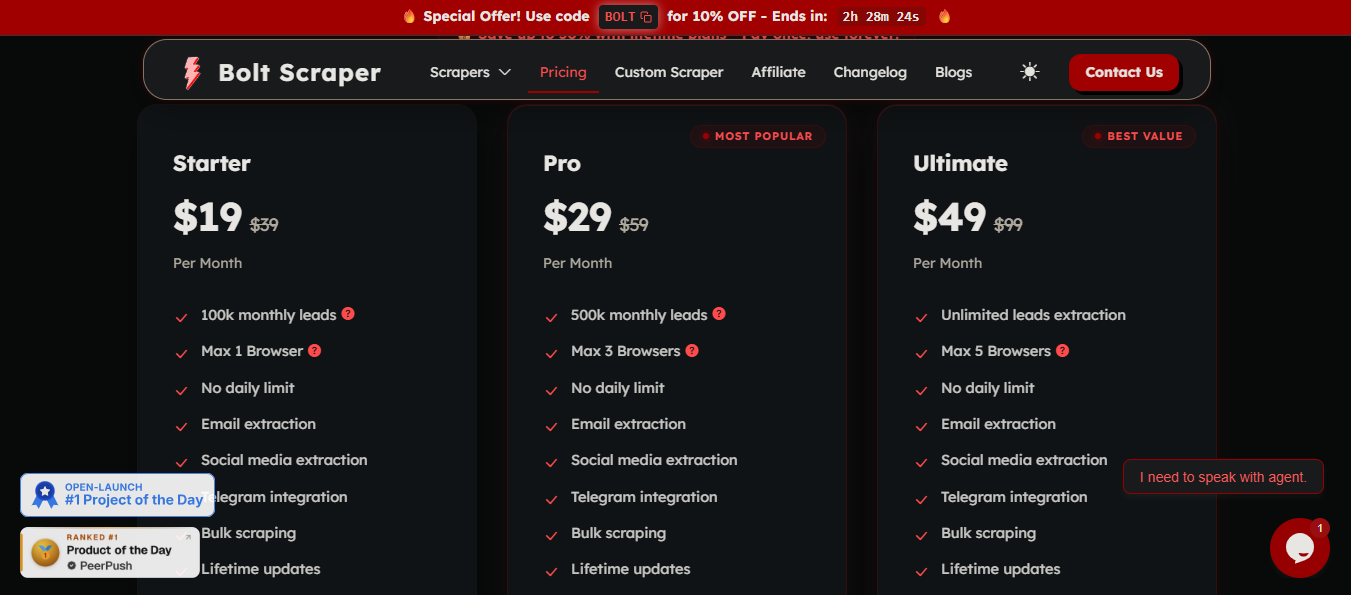
Bolt Scraper sells each paid tier monthly or as a one-time lifetime license.
Starter adds email extraction and Telegram notifications, Professional adds priority support. Annually, that comes to $228 and $588, so the lifetime licenses pay for themselves within the first year at either tier.
Best for: Teams that want API access bundled into one plan and the ability to run extractions from a phone or any browser.
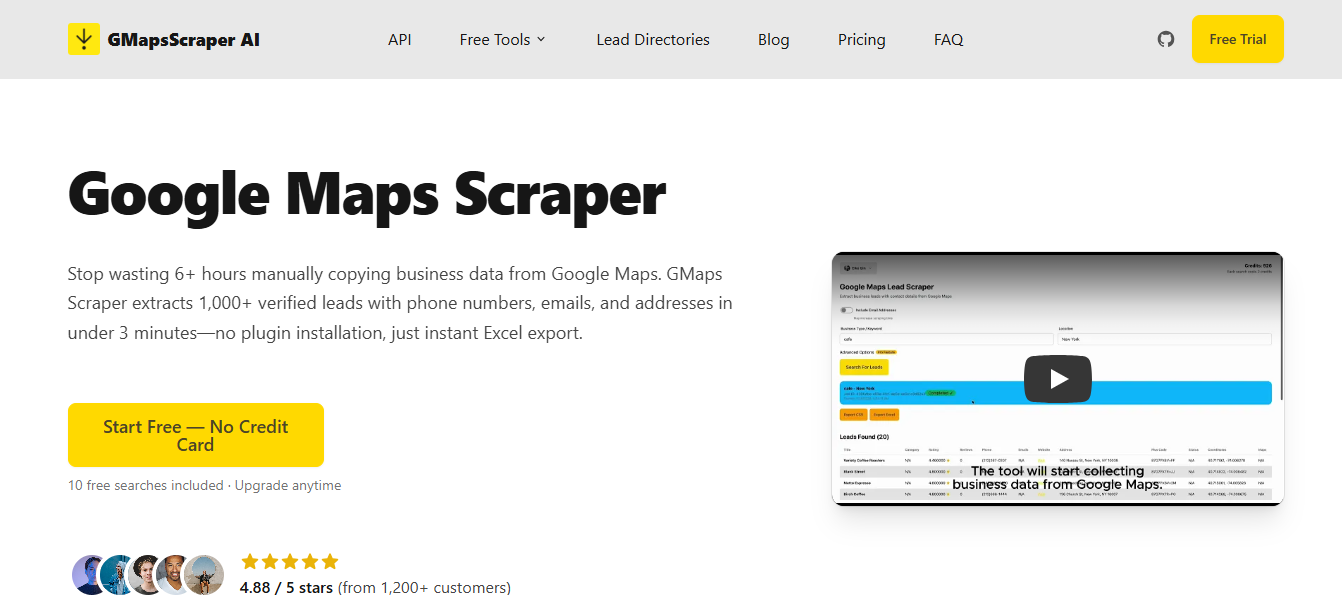
GMapsScraper.io runs on cloud servers with nothing to install. You sign in, type a query, and results come back in 30 to 60 seconds, then export to CSV, Excel, or JSON.
Because processing happens server-side, it works in Chrome, Firefox, Safari, Edge, and mobile browsers.
GMapsExtractor went the other way. It launched in 2022 as a Chrome and Edge extension overlaying Google Maps, and its site claims 12,500+ customers and 85M+ places extracted.
Setup takes 2 to 3 minutes, then you scroll Maps results to load them before clicking extract, which adds time to any pull past 100 results and keeps you on a desktop.
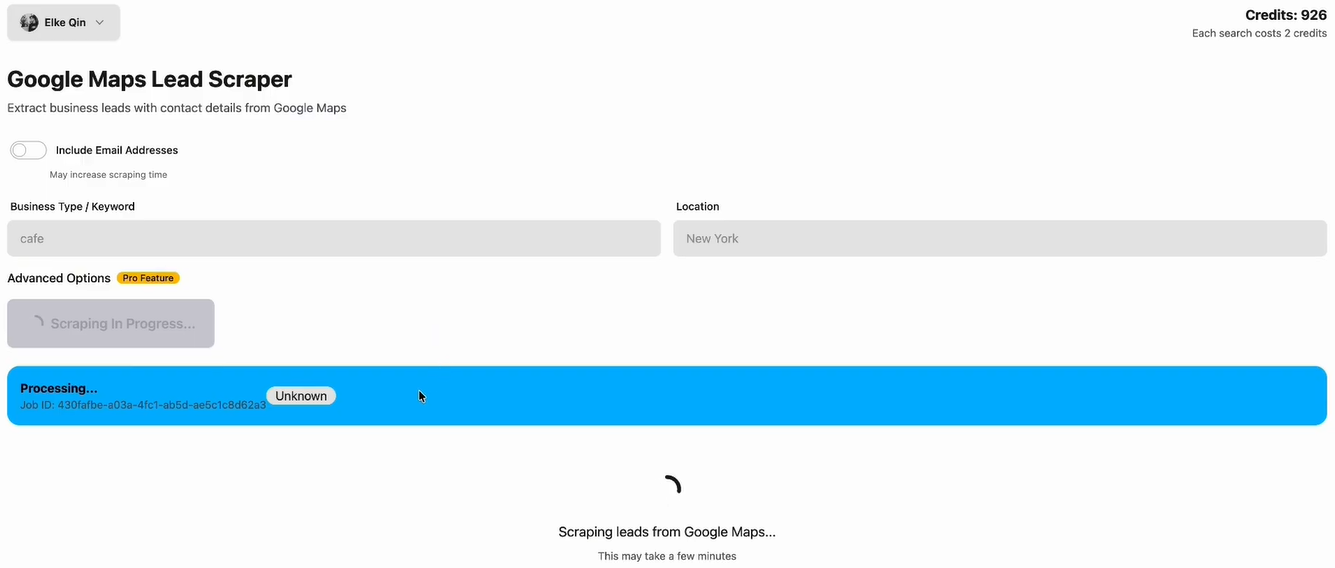
The data lands in much the same shape either way, covering name, phone, website, email, address, rating, reviews, categories, opening hours, and social profiles, with both visiting the business website for emails.
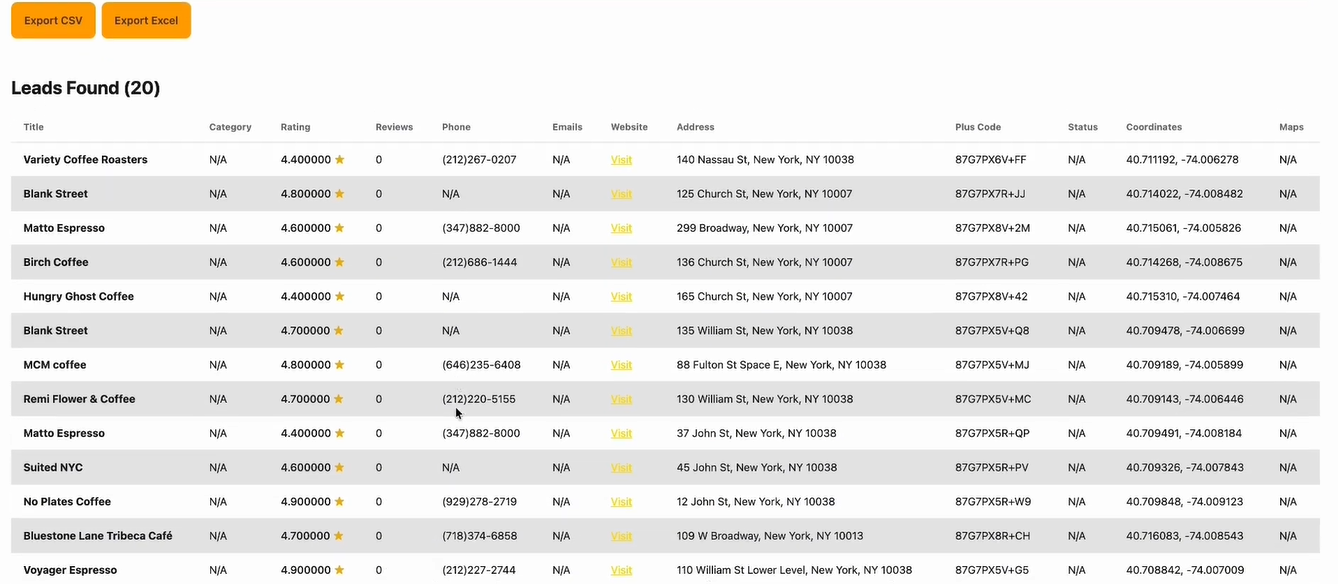
GMapsScraper.io handles those in parallel server-side, while the extension works through them one at a time
GMapsExtractor sells three products with three price lists: the Chrome extension, a separate Online Scraper, and an API.
Running all three means three subscriptions. GMapsScraper.io puts the web app, the API, and every feature on one plan.
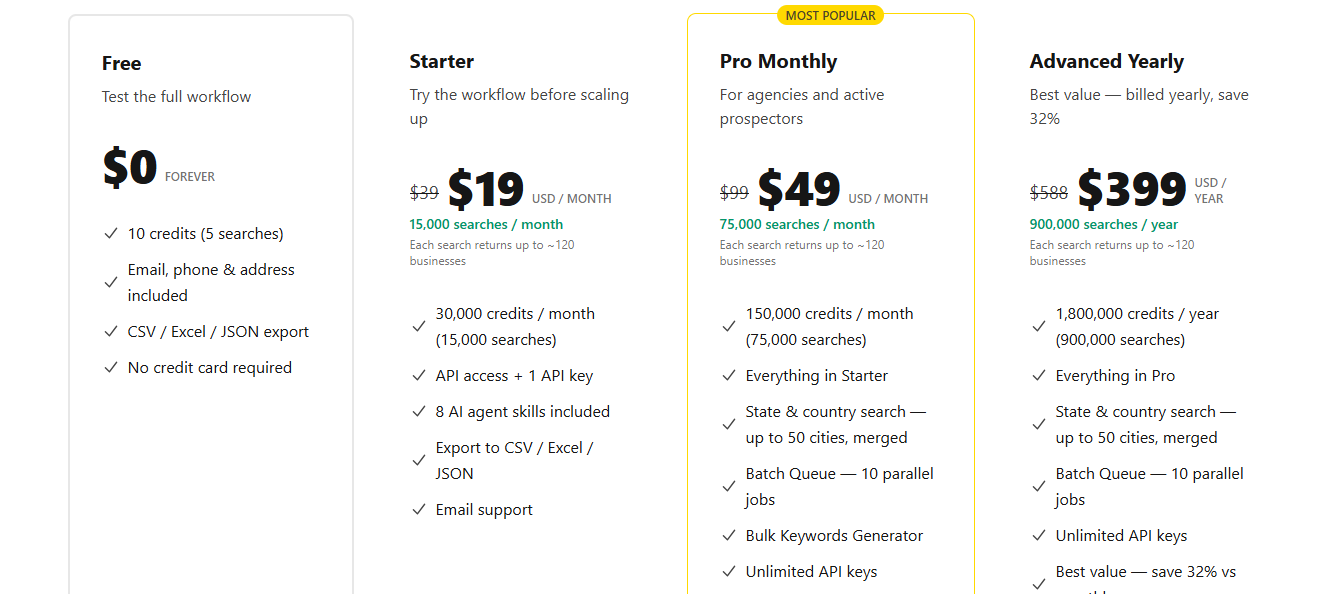
Every plan includes the web app, the API, and all features rather than splitting them across separate products.
Pro adds a priority queue and HubSpot integration. The yearly rate saves 32% against monthly billing, and one-time credit packs at $9, $29, and $79 never expire.
Enter your email to get a custom plan & stack recommendation for your business
Please check your mailbox in 5 minutes
The right pick depends on how far the list needs to travel. If you stop at the spreadsheet, Bolt Scraper gives you more room.
To reach an inbox, CazaLead, LeadStal, and Vonsel each take a different route. Feeding another system, Outscraper and GMapsScraper.io are built for it.
Most people scraping Google Maps are not collecting businesses, though. They are trying to reach the person who runs one, which is why I would start with Leadsforge.
Run one search on a territory you already sell into with the 100 free Leadsforge credits and count the named contacts that come back.


.jpg)

.jpg)