

Personalized Outbound Strategy
Get The Right Outbound Strategy In Minutes
Enter your email to get a custom plan & stack recommendation for your business
It's being carefully crafted by AI
Please check your mailbox in 5 minutes
Getting hundreds of local business leads sounds great, until you open the list and see businesses you never wanted. That’s a problem some Outscraper users have reported.
One user searched for kitchen and bathroom remodelers but also got plumbers and carpet businesses. They asked for up to 1,800 leads, but said their searches often returned only 200 to 500. Another user got 287 results from two searches, but only 30 were unique and usable.
Cost can also be a concern. One longtime user said it was hard to predict the final price of some jobs and noted unexpected extra charges. That said, these complaints do not tell the whole story. Outscraper has a 4.5/5 rating from 290 Trustpilot reviews, and many users praise its scraping tools and quick support.
If you need more relevant local leads, better contact data, or a pricing model that feels easier to work with, it may be worth exploring other options. So I looked at five Outscraper alternatives for local lead generation to see where each one performs best.
Let’s begin.
Outscraper seems to work well for many users. It has a 4.5/5 rating from 290 Trustpilot reviews, and people often praise its Google Maps scraping and customer support.
That said, the reviews also point to a few issues that become important when you use it for local lead generation.
This is one of the biggest challenges in local prospecting. One reviewer searched for kitchen and bathroom remodelers in specific cities, but Outscraper also returned plumbers and carpet businesses.
Outscraper explained that Google Maps can expand a search to related categories or nearby locations, and its filters can help remove some of those results.
The issue is that you may still need extra filtering before your list is ready for outreach. Another reviewer had an even worse experience, they ran two searches, got 287 results, and said only 30 were actually unique and usable.
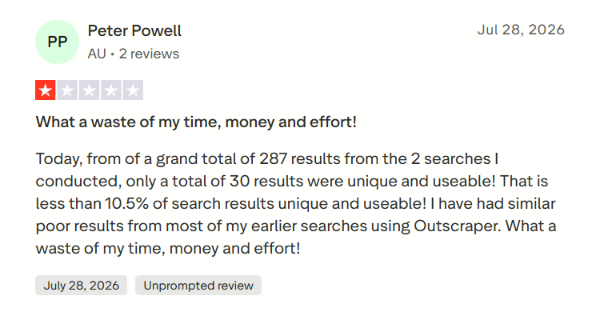
A large export does not always translate into a large prospect list. One reviewer said they paid for 16,000 leads, but after cleaning the data, only 500 were actually usable.
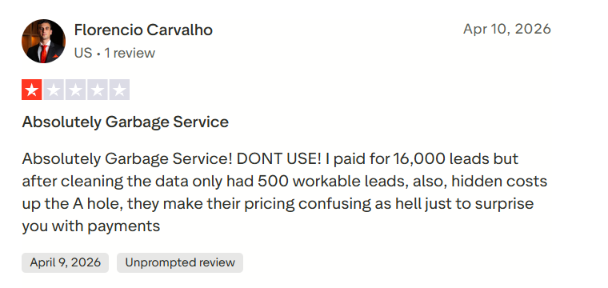
Outscraper replied that Google may include related categories and recommended using its filters to narrow the results.
That matters for sales teams. You want businesses that fit your target customer, not thousands of records you have to sort through first.
Outscraper uses usage-based pricing across its services. One longtime user said the dashboard only gave them a rough sense of cost for each task, and they were frustrated by extra invoices after exceeding the limits in their lifetime deal.
Outscraper explained that the lifetime deal covers specific services and monthly limits, while other services can trigger separate charges.
Another reviewer also found the pricing confusing, and Outscraper admitted in its response that the structure was not immediately obvious. So if you want simpler, more predictable costs for regular local prospecting, a different pricing model may be a better fit.
Most of the feedback about Outscraper’s support is positive. Trustpilot’s review summary specifically calls out fast, responsive customer service.
Still, the experience isn’t the same for everyone. One reviewer said the platform struggled to scrape the data they needed, and they also had trouble getting a refund after the scrape failed. Outscraper acknowledged that the user didn’t get the data or support experience they expected.
Outscraper can still be a solid fit if your main goal is pulling business data from Google Maps. But finding businesses is only the first step in local lead generation. If irrelevant results, messy cleanup, or unpredictable costs slow you down, the alternatives below may offer a more direct path from local business search to usable leads.
Best for: Sales teams, agencies, and founders who use local business data for outbound prospecting.
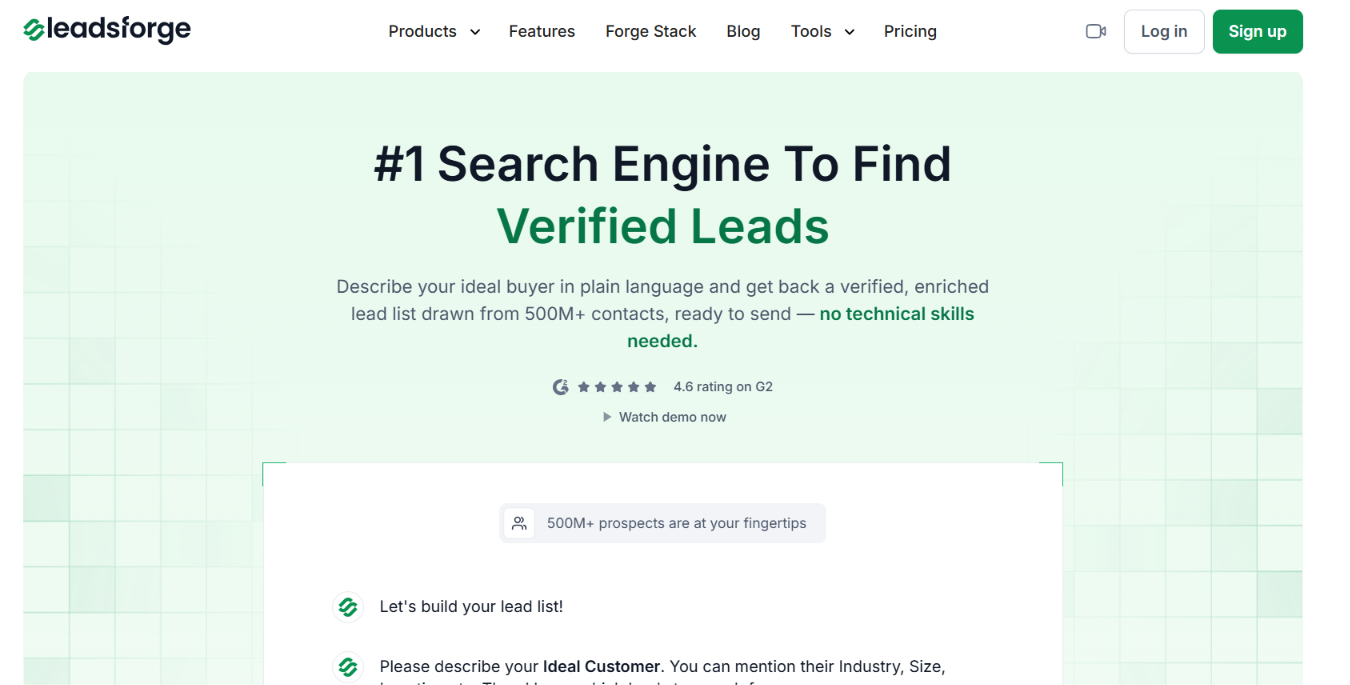
Leadsforge is my top Outscraper alternative if your main goal is local lead generation, not just collecting Google Maps data. Both tools can help you find local businesses, but they’re built for slightly different outcomes.
Outscraper is focused on pulling data from Google Maps. Its Google Maps Scraper can return business details and contact information, and it also offers enrichments and advanced filters.
Leadsforge takes things a step further by helping you prospect. With its Local Companies feature, you can choose a location, set a search radius, and pick the type of business you want to target. For example, I could search for dentists within 5 km of Times Square. Leadsforge pulls matching companies from Google Maps.
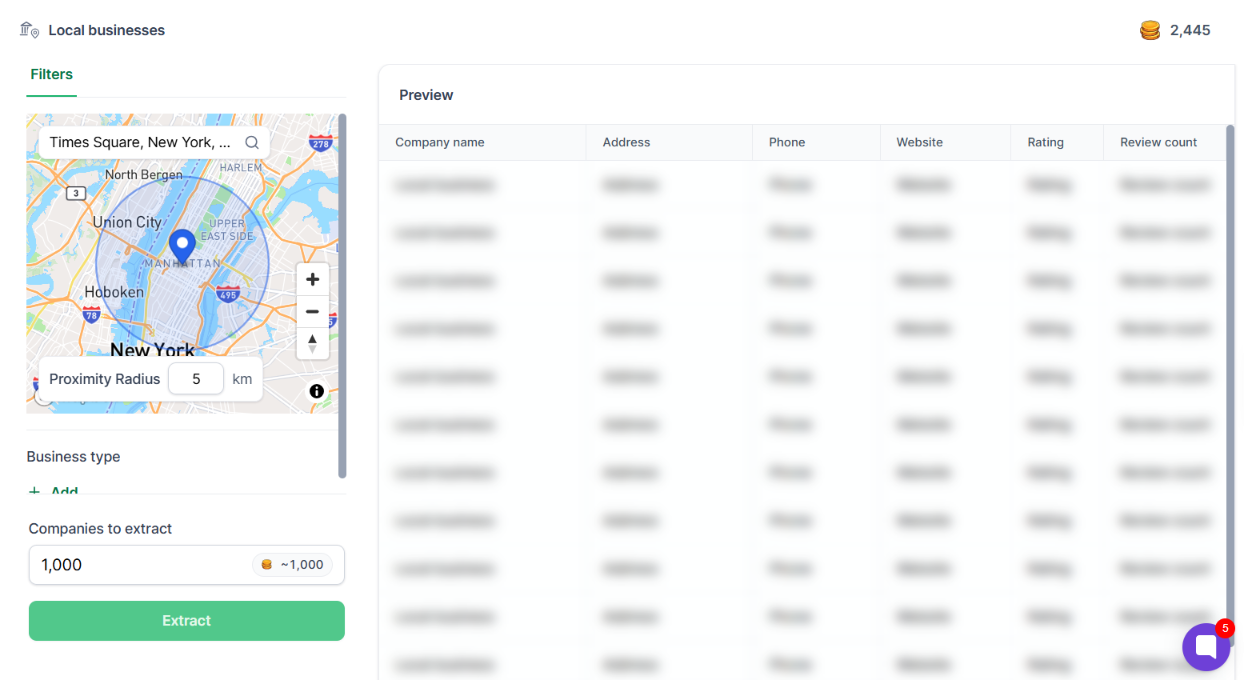
You can then extract the businesses, find the right contacts and export the list for outreach. That’s the main reason I’d choose Leadsforge over Outscraper for outbound sales.
How to scrape leads from google maps (tried & Tested)
The biggest difference is what happens after you find a local business. Outscraper is built for data extraction. Its Google Maps Scraper pulls business listings and can enrich them with contact details.
Leadsforge turns that into a prospecting workflow. You can choose a location, set a search radius, and pick the type of business you want to target. It then pulls matching companies from Google Maps and helps you find the right contacts inside those businesses.
From there, you can enrich the list with verified work emails, LinkedIn profiles, and mobile numbers. There are a few other advantages when it comes to local prospecting:
That makes the difference pretty clear. Outscraper is stronger when you mainly need to extract Google Maps data at scale. Leadsforge is a better fit when you want to turn local businesses into people you can actually contact.
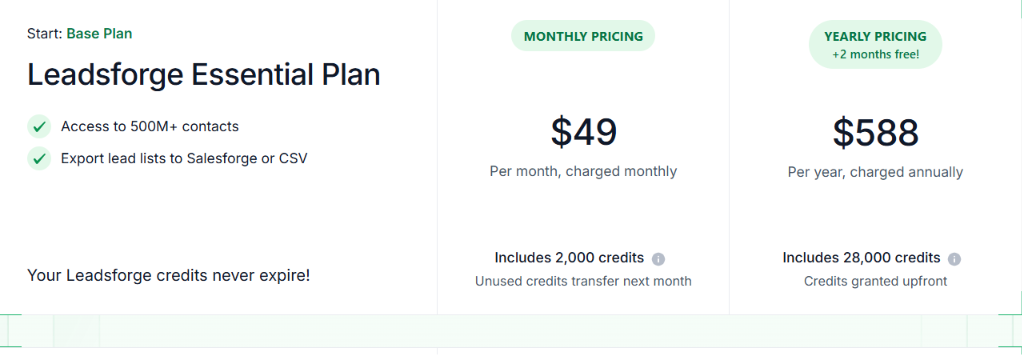
Leadsforge uses a credit-based pricing model. The Essential plan costs $49 per month and includes 2,000 credits. Unused credits roll over, so they don’t expire. The annual plan costs $588 per year and comes with 28,000 credits upfront. You also get 100 free credits when you sign up.
Outscraper works differently. Instead of a monthly subscription, it charges based on usage. Its Google Maps Scraper gives you the first 500 businesses free, and records from 501 to 100,000 cost $3 per 1,000 businesses.
Enter your email to get a custom plan & stack recommendation for your business
Please check your mailbox in 5 minutes

Best for: Sales teams that want to scrape local businesses and enrich those records inside a broader GTM workflow.
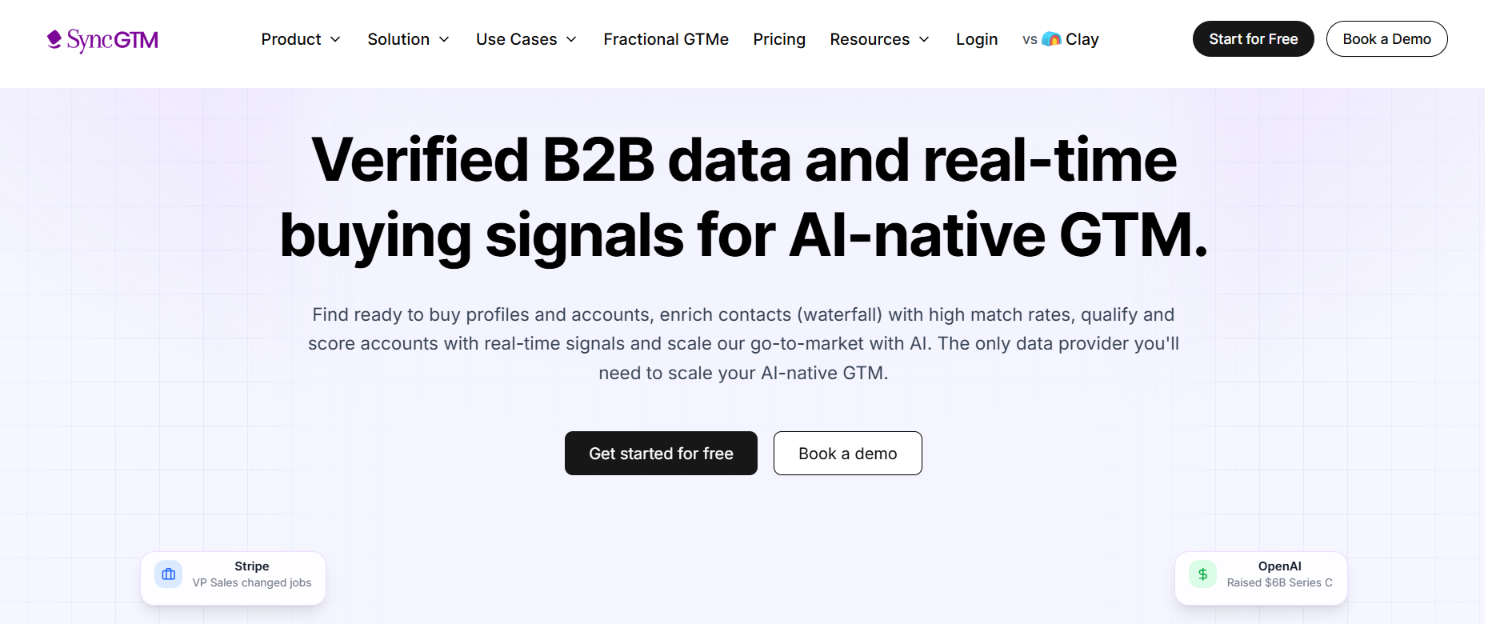
SyncGTM is a strong alternative to Outscraper if you want Google Maps scraping, enrichment, signals, and outbound automation all in one place. Outscraper helps with extracting local business data. SyncGTM also scrapes Google Maps, but that’s just one part of the workflow.
It can then enrich the people and companies you find with verified contact data and other sales context.
That’s especially useful if your goal is outbound sales. Instead of exporting a list and passing it through several tools, you can keep working with the data inside SyncGTM.
The biggest advantage of SyncGTM is what it can do after the scrape.
That makes SyncGTM more useful when Google Maps is just the starting point. Outscraper is still the better choice if you mainly want a simple scraper with pay-as-you-go access to raw local business data.
SyncGTM makes more sense when you want to find the business, enrich the contact, qualify the account, and move the lead into outreach without having to stitch together a separate tool stack.
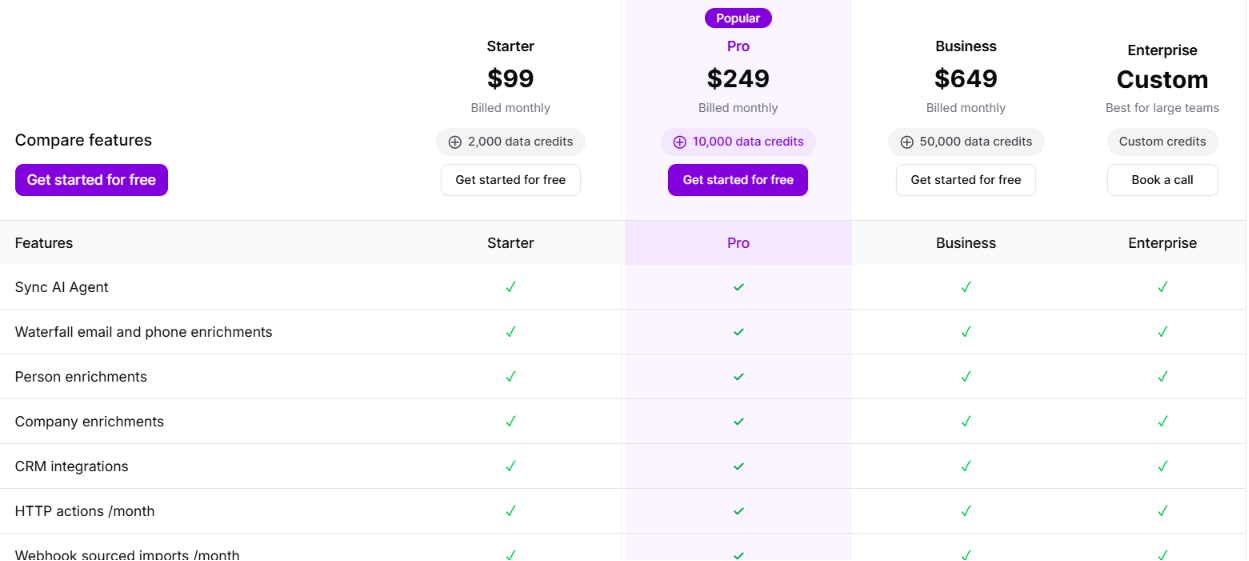
SyncGTM uses monthly usage-based pricing.
Credits are used across enrichments, signals, scrapers, and actions. For example, finding a verified email costs 1 credit, email verification costs 0.3 credits, and a verified phone number costs 15 credits based on the pricing page you shared. You can also buy one-time top-up credits.
The example shown is 2,000 credits for $100, or $0.05 per credit, and those credits don’t expire.
Best for: Agencies and sales teams that need enriched Google Maps leads for local outreach.
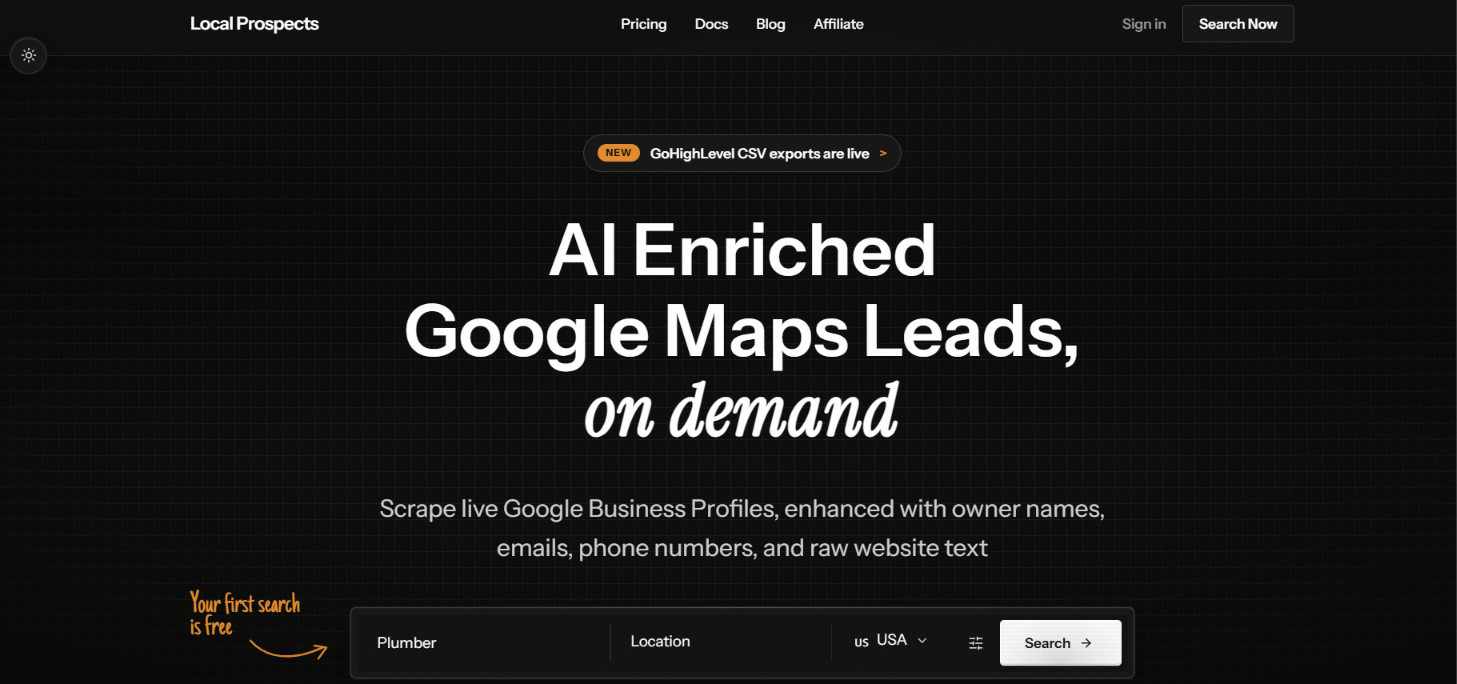
LocalProspects.ai is a focused alternative to Outscraper for local prospecting. It brings Google Maps business search and contact enrichment together in one workflow.
You can search by business type and location, then add owner details, public business emails, phone data, and information from business websites.
That makes it a great fit when you need more than just a list of local companies. It helps you build a prospect list with the contact details you actually need for outreach.
The main difference is that LocalProspects.ai is built to turn local business data into contacts you can actually reach. A few features make that clear:
Outscraper gives you more scraping flexibility and goes deeper with Google Maps data. LocalProspects.ai takes a narrower approach, focusing on helping you find local businesses and collect the contact details you need for outreach.
So if you need business data at scale, Outscraper is the better fit. If you want to turn a local search into a richer prospect list, LocalProspects.ai is the stronger choice.
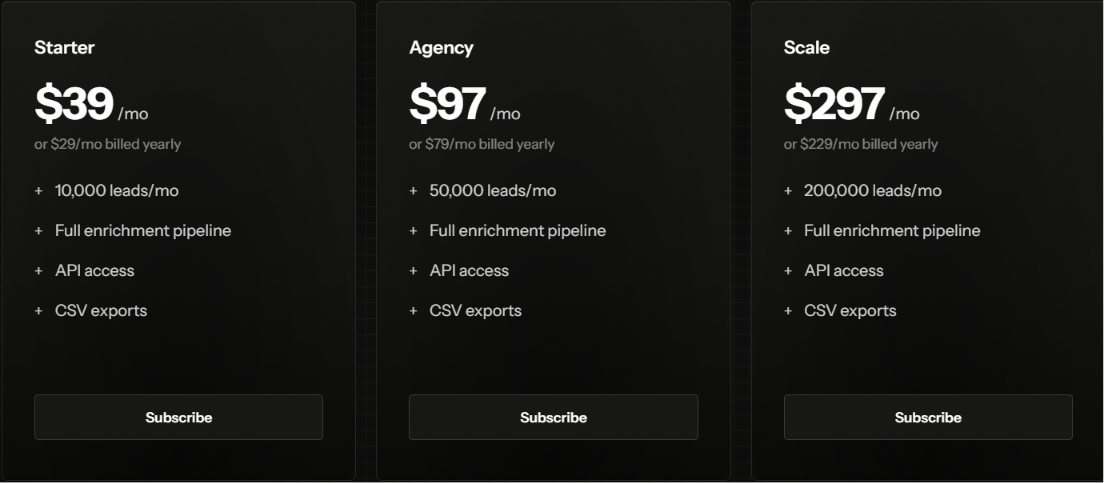
LocalProspects.ai has three paid plans. Each plan includes the full enrichment pipeline, API access and CSV exports.
Lead limits reset each month and unused leads do not roll over. There is also a free option to try LocalProspects.ai, with no credit card required.
Best for: Teams that need more control over how they collect and automate local business data.
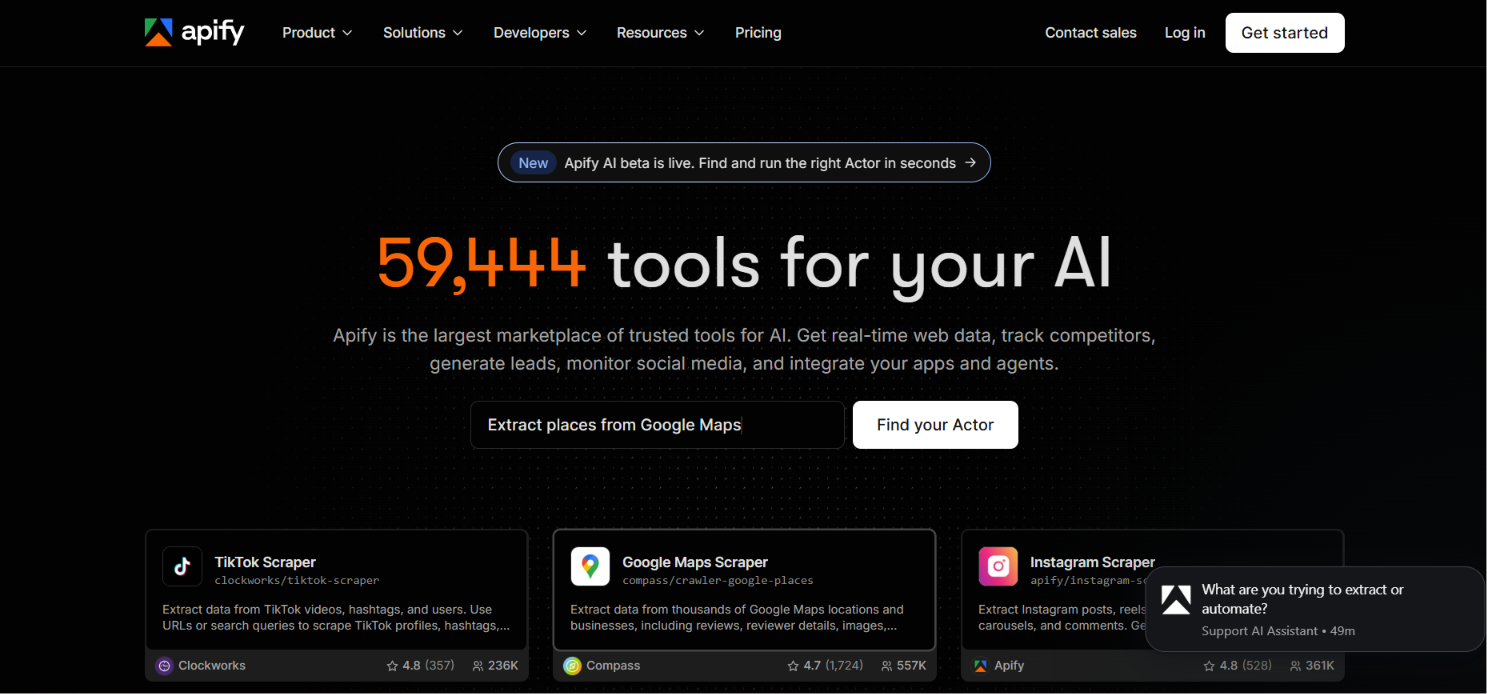
Apify takes a different approach from Outscraper. It is not mainly a Google Maps data tool. It is a broader web scraping platform with thousands of ready-made scrapers called Actors.
For local prospecting, you can use its Google Maps Scraper to collect businesses by category and location. The results can include phone numbers, websites, ratings, reviews, opening hours, and other business details.
But I would consider Apify when Google Maps is only one part of the workflow. You can combine its Google Maps data with other Actors for websites and social platforms. You can also run Actors through an API or schedule them to collect fresh data automatically.
That gives Apify a different use case from Outscraper. It makes more sense when you want to build a repeatable data collection system instead of running individual Google Maps searches.
Apify works well for local lead generation when you need to find businesses across many locations and keep those lists fresh. Its Google Maps Scraper lets you target businesses by category and location. You can collect details such as phone numbers, websites, ratings, reviews, opening hours, and contact information.
Where Apify becomes more useful is at scale:
For example, an agency targeting roofing companies could collect prospects across 50 cities instead of running every location manually. It could then schedule those searches to find new businesses over time.
That is where Apify has an edge for local lead generation. Outscraper is a more direct option for extracting Google Maps data. Apify gives you more control when local prospecting needs to run across many markets or become an automated workflow.
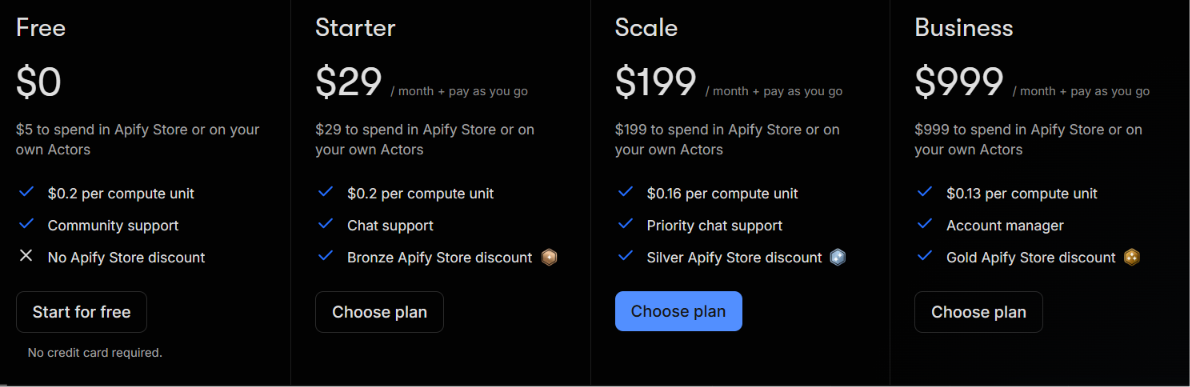
Apify's pricing works differently because you pay for the platform resources and Actors you use. The platform offers these plans:
Individual Actors can have their own pricing models too. For example, the Google Maps Scraper shown in Apify Store starts at $1.50 per 1,000 places. This makes the final cost depend on the Actor and the amount of data you collect. It is worth checking the pricing of the specific Actors you plan to use rather than comparing the subscription price alone.
Best for: Local sales teams and agencies that want to search across multiple map platforms.
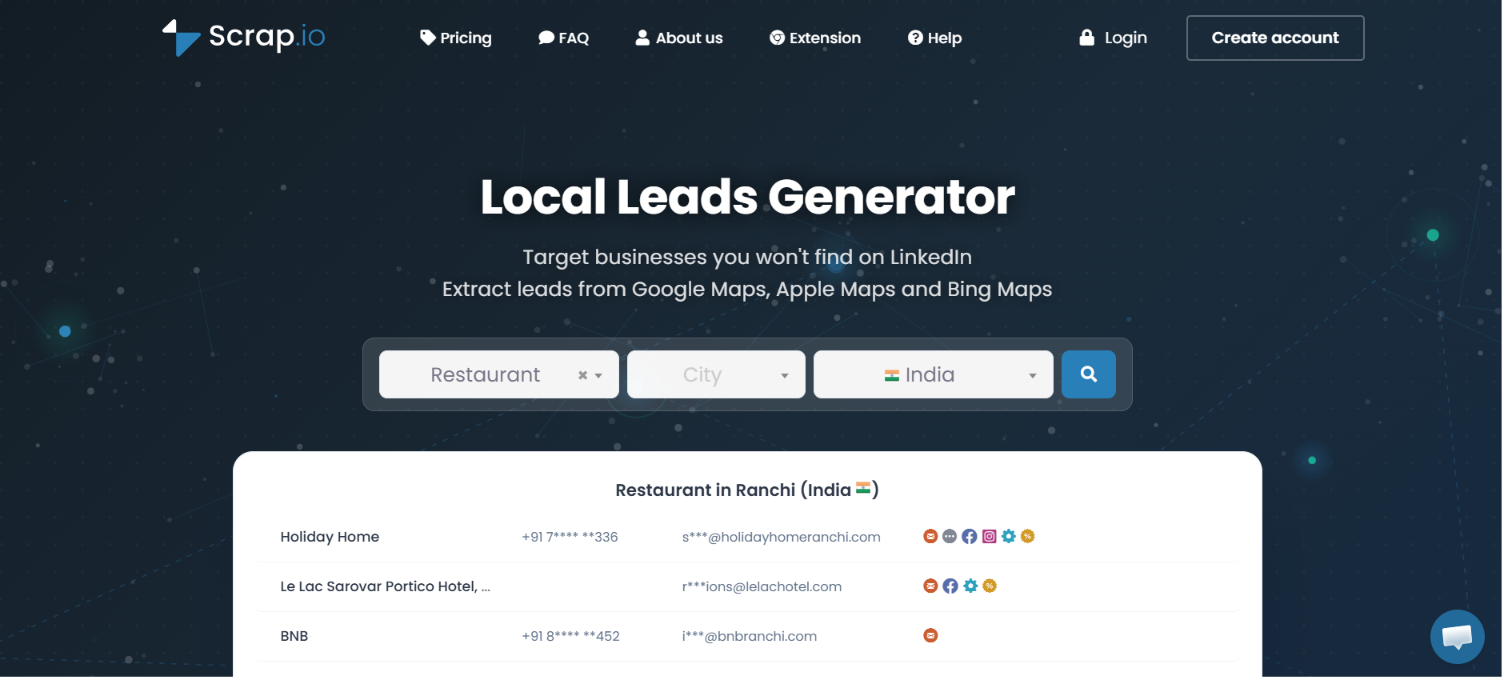
Scrap.io is a good Outscraper alternative when you want to build local lead lists from more than Google Maps. It pulls business data from Google Maps, Apple Maps, and Bing Maps. That gives you another way to find local companies that may not appear in the same way on one platform.
You can search by city, state, country, radius, or a custom area on the map. The platform also supports more than 4,000 business categories. For local lead generation, that gives you more ways to define exactly where your prospects should come from.
Scrap.io stands out because of its geographic targeting and multi-map coverage. You can draw a radius around a location or create a custom polygon on the map. This is useful when your sales territory does not match a city or state boundary. You can also filter the results before exporting them.
This gives Scrap.io a slightly different edge from Outscraper. Outscraper is strong for detailed Google Maps extraction. Scrap.io is more useful when your local prospecting depends on precise sales territories or several map data sources.
For example, an agency could draw a 20 km radius around a client location. It could then filter the businesses to only those with an email and a rating above four stars. That is a practical workflow when geography matters as much as business type.
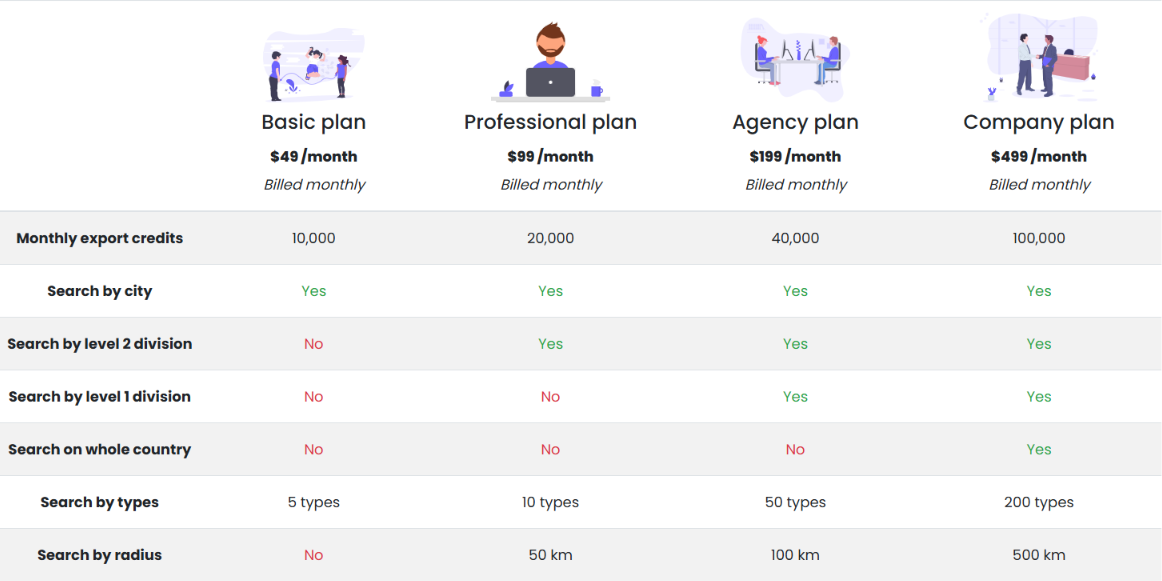
Export credits reset every month and do not roll over. Scrap.io also offers a 7-day free trial with up to 100 leads, so you can test the local search workflow before choosing a paid plan.
Your best option depends on what you need after finding a local business. Some tools focus on enrichment while others give you more control over where and how you collect leads.
For local lead generation, Leadsforge is my top pick. It helps you move from finding nearby companies to identifying contacts you can actually reach.
Enter your email to get a custom plan & stack recommendation for your business
Please check your mailbox in 5 minutes
Outscraper does a good job of pulling business data from Google Maps. The better alternative depends on what you need that data to do next.
Apify is worth considering when you need flexible scraping workflows. Scrap.io gives you access to three major map platforms. SyncGTM suits teams building automated GTM workflows. LocalProspects.ai keeps the process centered on enriched local business leads.
Leadsforge is the better fit when the end goal is outbound sales. Instead of treating the business listing as the finished result, it helps you identify relevant contacts and enrich their details. You can also expand your search through lookalikes and business signals.
So you are not just building another spreadsheet of local companies. You are building a list that is ready for prospecting.
Try Leadsforge with 100 free credits and see how many relevant local prospects you can find in your target market.
.jpg)

.png)
.jpg)