How much time does your team spend finding email addresses for outreach campaigns?
Searching company websites and collecting addresses manually can take hours, especially when building large prospect lists.
When I explored email extractor tools, I came across ways to automate contact collection from websites and other sources.
Many tools also offer email verification, duplicate removal, and bulk exports to help keep prospect lists organized.
In this guide, I’ve compared the best email extractor tools based on their features, pricing, and limitations. Here’s what each tool offers and where it fits best.
Disclaimer: The tools listed here support legitimate contact research and follow ethical data practices and applicable privacy regulations.
Chat search of 500M+ contacts with waterfall enrichment
Domain Search for the emails of a company
Search of 240 million contacts
Search by domain, name or LinkedIn profile
Browser extension for LinkedIn and websites
LinkedIn extension with unlimited B2B emails on paid plans
Export of Sales Navigator searches
Extension for LinkedIn and company websites
Database search with a stated email accuracy of 95%
What you pay for
Credits for each verified match
1 credit per email found
Credits for emails and phone numbers
1 credit per saved prospect
1 credit per email and 5 per phone number
Separate credits for emails and phone numbers
A set number of valid emails each month
1 credit per Valid or Catch-all email
1 credit per contact with email and mobile number
Free credits
100 credits at signup
50 credits per month
900 credits per seat per year
50 credits per month
40 credits per month
15 B2B email credits per month
20 valid emails
50 credits
5 credits in a 7-day trial
Starting price
Essential plan: $49 per month
Starter plan: $34 per month with annual billing
Basic plan: $49 per seat per month with annual billing
Starter plan: $29.25 per month with annual billing
Starter plan: $37.45 per month with annual billing
Starter plan: $49 per user per month with annual billing
Starter plan: $49 per user per month
Professional plan: $29 per month with annual billing
Essentials plan: $74 per month with annual billing
Export options
CSV, Salesforge, HubSpot and Salesforce
CSV, Google Sheets and CRM
CSV and CRM
CSV, XLS, Google Sheets and CRM
CSV and CRM
CSV and CRM
CSV and CRM
List export and CRM sync
CSV and CRM
API, MCP and CLI
API, MCP and CLI
API and MCP
API and MCP
API and MCP
API and MCP
API on request
API on the Team plan
API on the Enterprise plan
API
What is an Email Extractor?
An email extractor is a tool that collects work email addresses in bulk from a source you choose. The source can be a LinkedIn search, a list of company domains or a contact database.
It saves you from copying each address by hand when you build a prospect list.
You can confuse an email extractor with two other tools:
Email finder: An email finder looks up the address of one person from a name and a company.
Email verifier: An email verifier checks if the addresses you already have still work.
Several tools in this guide do all three jobs.
How Does an Email Extractor Work?
An email extractor works in three steps:
It finds the contact: The tool matches the person you want to a contact record in its database or on a web page.
It finds the email address: The tool looks for the address in its own database or on public web pages. Some tools check several data providers one after another. Vendors call this waterfall enrichment.
It verifies the address: The tool checks the address and gives it a status such as valid, invalid or catch-all.
A catch-all status means the company's mail server accepts mail sent to any address. The tool cannot confirm that the mailbox exists, so a catch-all email can still bounce.
How I Evaluated Email Extractor Software
I evaluated these tools based on how well their email extraction features help a sales/SDR/marketing team build a list it can send to:
Can SDRs find emails from the source they use, such as LinkedIn or a company domain?
Does the tool check that an email address works before it adds the address to a list?
Can teams extract emails in bulk from a search or an uploaded file?
Can SDRs find a phone number for the same contact?
Does the tool add details such as job title and company to each contact?
Can teams find new companies that look like their current customers?
Does the tool offer AI features that help build or qualify a list?
Can SDRs remove contacts they already have from new results?
Can teams export a list to a CSV file or a CRM?
Does the tool connect to the product the team uses to send emails?
9 Best Email Extractor Tools in 2026 (Explained in Detail)
1. Leadsforge
Best for: GTM teams and agencies that want to describe an ideal customer in simple words and receive a list of verified emails ready for outreach.
G2 Rating: 4.7 out of 5
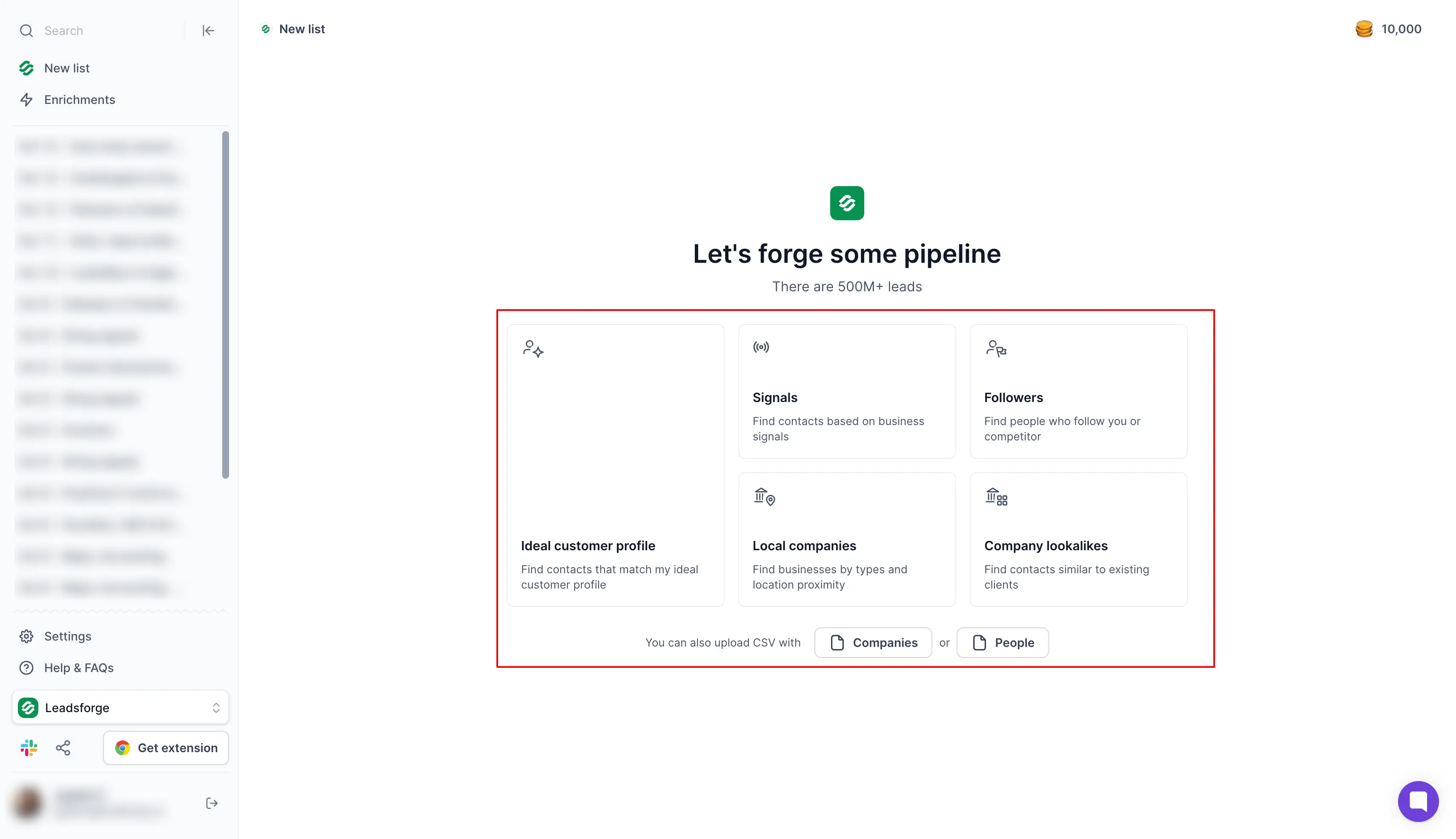
Leadsforge is an AI lead finder that works as a B2B email extractor tool. It helps GTM teams and agencies find verified business email addresses in bulk.
You describe your ideal customer in a chat, and Leadsforge searches more than 500 million B2B contacts for the people who match. It finds each email through waterfall enrichment and verifies it before it adds it to your list.
Standout feature: Chat-based lead discovery. You type a request such as "marketing managers at software companies in the UK" and get the matching contacts with verified emails.
You can send the list directly to Salesforge, and you spend credits only when a verified match comes back.
I recommend Leadsforge if you send cold emails every week and need a new list each time.
Key Features
500M+ contact database: Search more than 500 million B2B contacts and their companies from one account.
Chat-based lead discovery: Describe your ideal customer in simple words and get a matching list without setting filters.
Waterfall enrichment: You can fill in emails, phone numbers and other fields from several data providers in one run.
Company lookalikes: Paste the domains of your current customers and get similar companies with contacts.
Competitor followers search: Enter a competitor's domain and get the people who follow that company.
Intent signals: Build a list from events such as funding rounds, acquisitions and job changes. You can filter each signal by location, industry, company size and role. Each match comes with proof from a public source.
Enrichment while you browse: Find a contact's email while you browse the web. Each enrichment uses credits.
API, MCP and CLI: You can use Leadsforge from your own tools through the API. You can connect it to an AI assistant through MCP or run it from the terminal with the CLI.
Pros
500M+ B2B contact database with chat-based search
Waterfall enrichment across several data providers
Verified emails, phone numbers and LinkedIn profiles in one list
Lookalike, competitor follower and intent signal searches
API, MCP and CLI access for your own tools and AI assistants
Direct export to Salesforge, HubSpot, Salesforce or CSV
100 free credits at signup, with credits used only for verified matches
Cons
No built-in email sending, so outreach needs Salesforge or another tool
More credits needed for mobile numbers than for work emails
Enrichment while you browse uses the same credits as the app
Pricing
Essential plan: The Essential plan costs $49 per month for 2,000 credits, or $588 per year for 28,000 credits.
Extra credits: The slider on the Leadsforge pricing page shows the price for each credit level. Unused credits do not expire.
Free trial: Leadsforge gives you 100 free credits at signup instead of a trial with a set number of days.
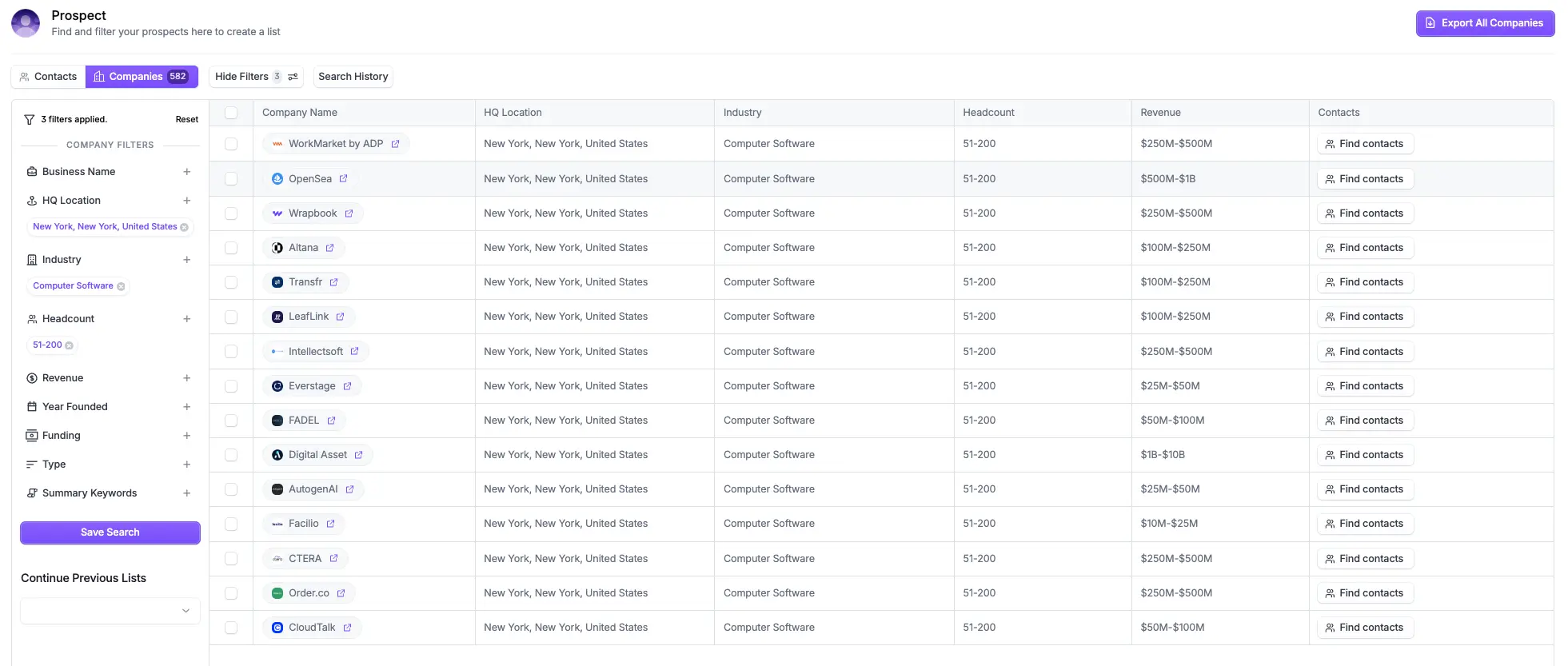
2. Hunter
Best for: Marketing and sales teams that start from a list of target companies and want the email addresses found for each domain.
G2 Rating: 4.4 out of 5
Hunter is an email finder and outreach tool. It covers domain search, single email lookups, verification and cold email sequences.
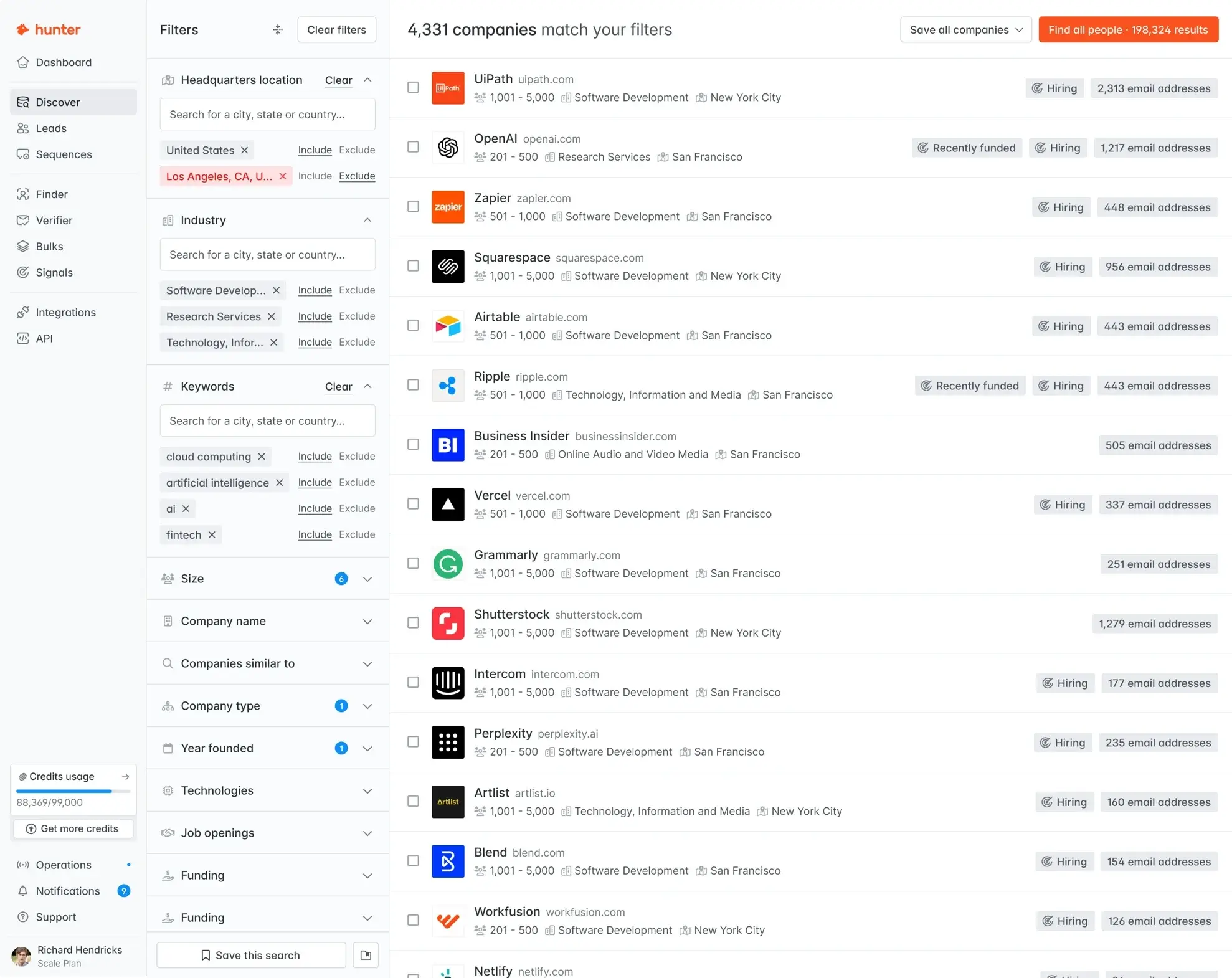
Domain Search is Hunter's main lookup. You enter a company domain, and Hunter lists the email addresses it has found for that company. Each address comes with a confidence score and the web pages where Hunter found it.
The Starter plan includes 2,000 credits per month. Finding an email uses 1 credit, and verifying one uses 0.5 credit.
I recommend Hunter if you search by company instead of by person. It is not the right choice for a team that wants a mobile number with each contact, because Hunter's credits cover email search and verification.
Key Features
Email Finder: You can type a person's name and company to get that person's work address.
Email Verifier: You can check a single address or upload a list before a campaign.
Bulk tasks: You can upload a file of domains or names and run the search for the whole file.
Pros
Domain Search that lists the emails found for any company domain
Confidence score and source pages for each address
Bulk Domain Search with up to 10 emails for 1 credit
Auto-verification of emails on paid plans
Unlimited team members on one shared set of credits
Cons
Free plan limited to 50 credits per month
No credit rollover on monthly billing
Basic database filters on the Free plan, with advanced filters from the Starter plan
Pricing
Free plan: The Free plan includes 50 credits per month.
Starter plan: The Starter plan costs $49 per month, or $34 with annual billing.
Growth plan: The Growth plan costs $149 per month, or $104 with annual billing. It includes 10,000 credits per month.
Scale plan: The Scale plan costs $299 per month, or $209 with annual billing. It includes 25,000 credits per month.
Enterprise plan: The Enterprise plan has a custom quote. You can contact its sales team for the price.
Free trial: Hunter does not offer a free trial. You can use the Free plan for as long as you want instead.
Already used the platform? You can check out Hunter alternatives article to compare it with other tools.
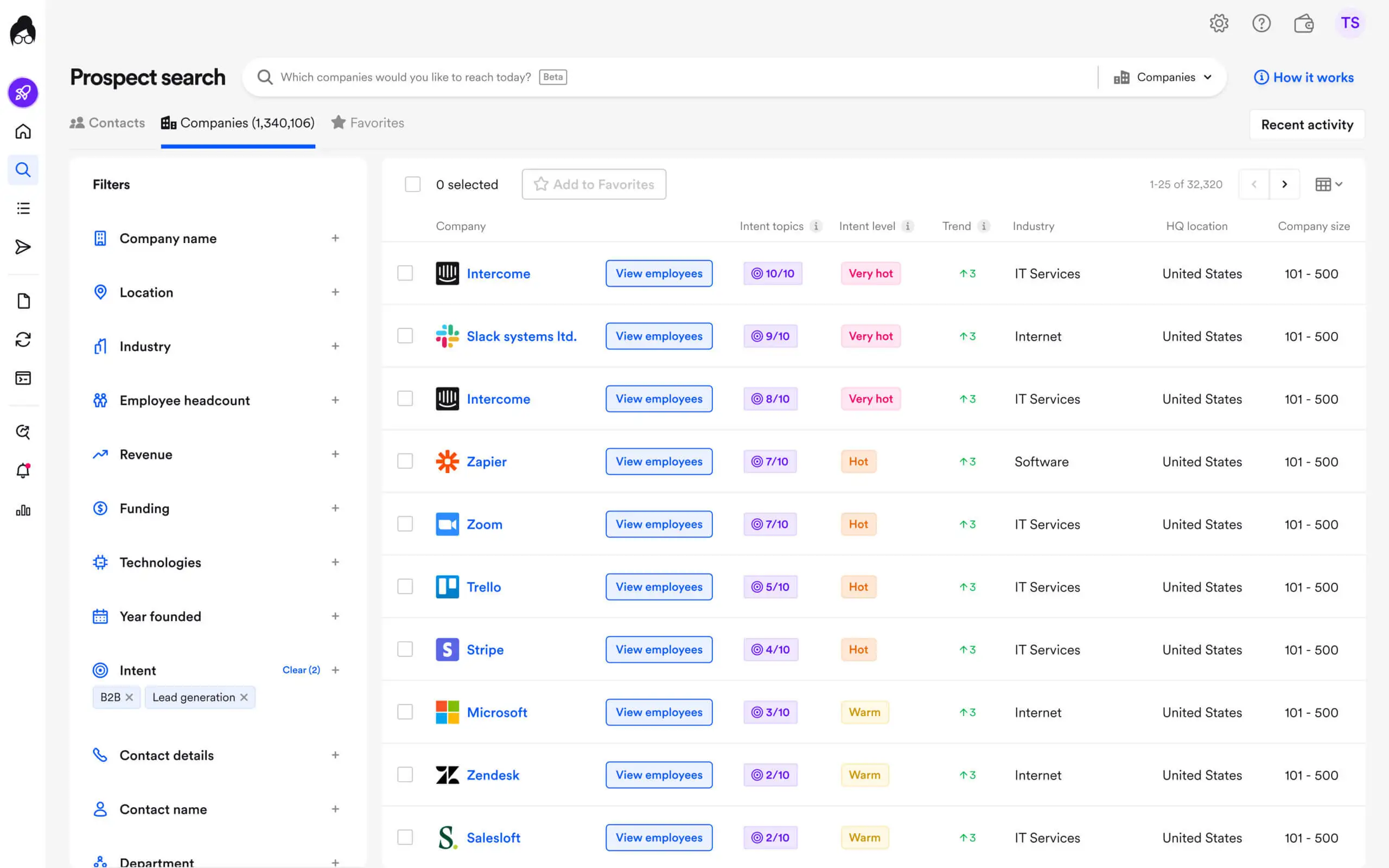
3. Apollo.io
Best for: Sales teams that want to search a large contact database and email the people they find from the same account.
G2 Rating: 4.7 out of 5
Apollo.io is a sales tool that combines a B2B database with outreach. It covers contact search, enrichment, email sequences and a dialer.
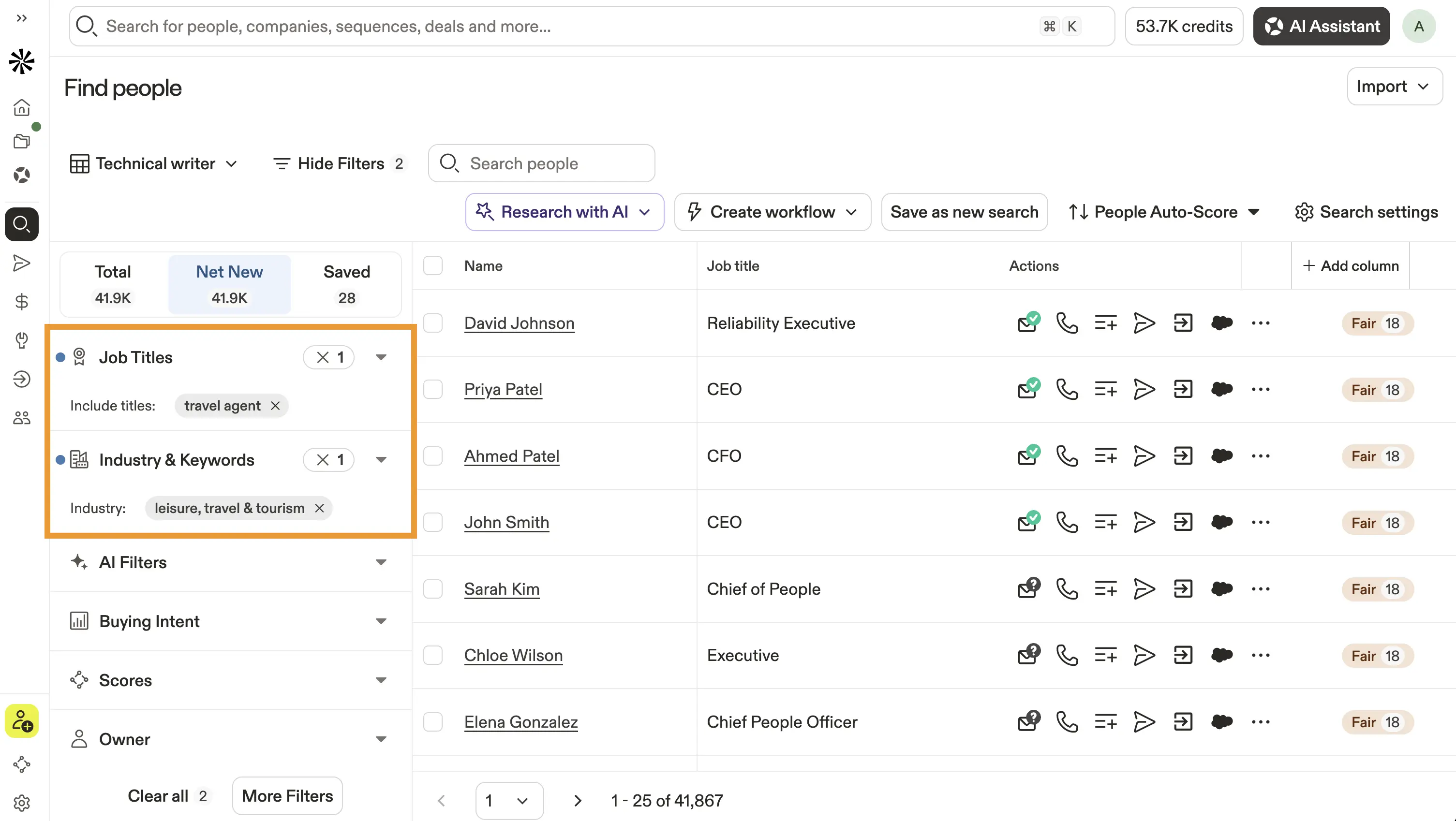
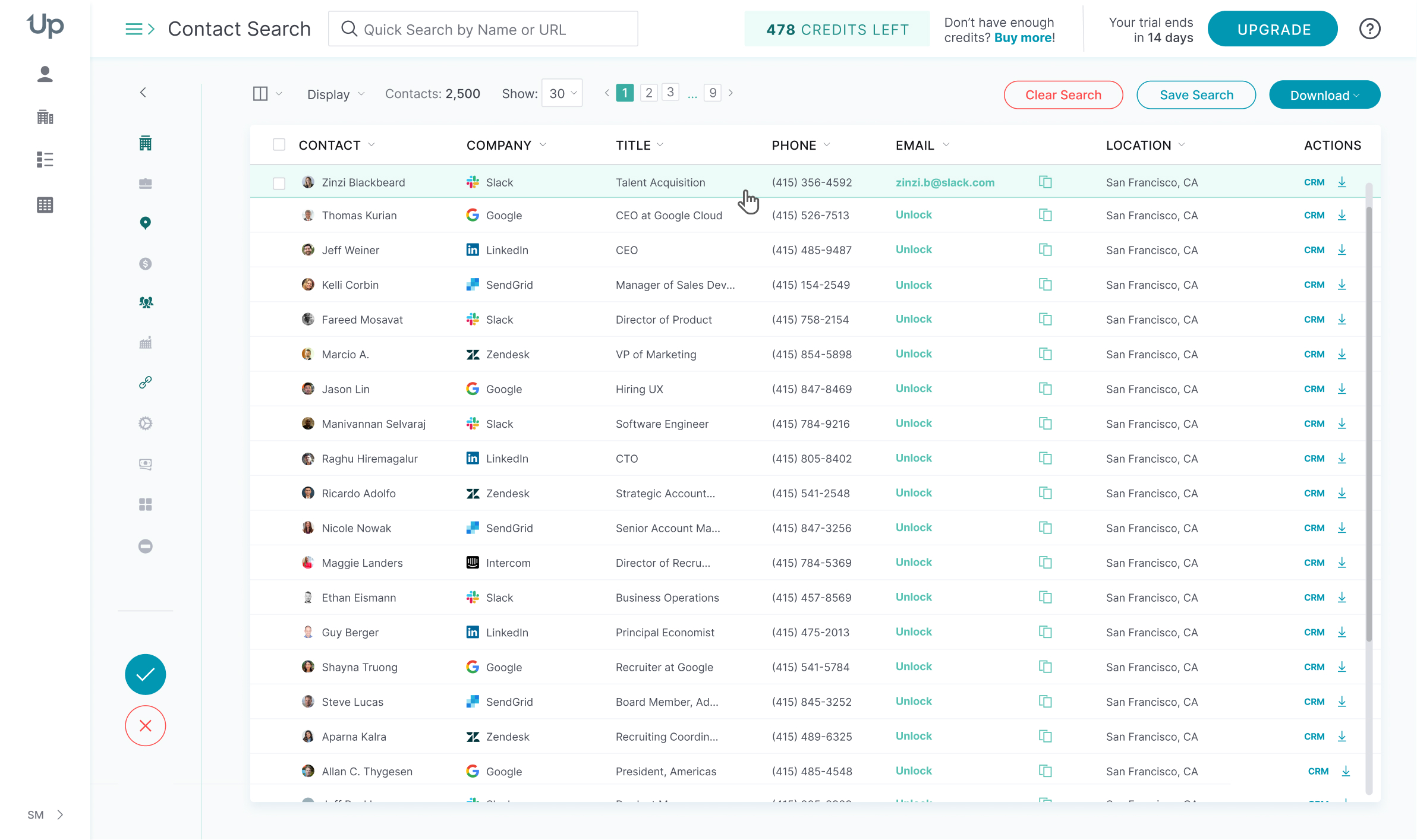
The database holds 240 million contacts. You filter it by job title, industry or company size and save the people you want to a list.
The Basic plan includes 30,000 credits per seat per year. Credits pay for emails, mobile numbers and exports, and the team shares them.
I would choose Apollo.io if you want contact data and email sending in one tool. It is not the right choice for a team that wants different plans for different SDRs, because every seat has to be on the same plan.
Key Features
Contact database: You can search 240 million contacts with filters and save the matches to a list.
Chrome extension: You can open a LinkedIn profile or a company website and see the contact's email.
Waterfall enrichment: You can let Apollo.io check other data providers when its own database has no email.
Pros
Database of 240 million contacts and 30 million companies
Bulk selection and export of up to 10,000 leads at once on higher plans
Chrome extension for LinkedIn and company websites
Waterfall enrichment when the Apollo.io database has no email
Email sequences included in every account
Cons
Outdated or inaccurate contact data reported by reviewers on G2
Unused credits expire at the end of each billing cycle
Limits on how many records you can select at once on lower plans
Pricing
Free plan: The Free plan includes 900 credits per seat per year.
Basic plan: The Basic plan costs $49 per seat per month with annual billing. It includes 30,000 credits per seat per year.
Professional plan: The Professional plan costs $79 per seat per month with annual billing. It includes 48,000 credits per seat per year.
Organization plan: The Organization plan costs $119 per seat per month with annual billing. It needs at least 3 seats and includes 72,000 credits per seat per year.
Free trial: A 14-day free trial of the Basic plan or the Professional plan is available.
Best for: Small sales teams that want to find emails, verify them and send drip campaigns from one account with any number of teammates.
G2 Rating: 4.5 out of 5
Snov.io is a prospecting and outreach tool. It covers email search, verification, drip campaigns and warmup.
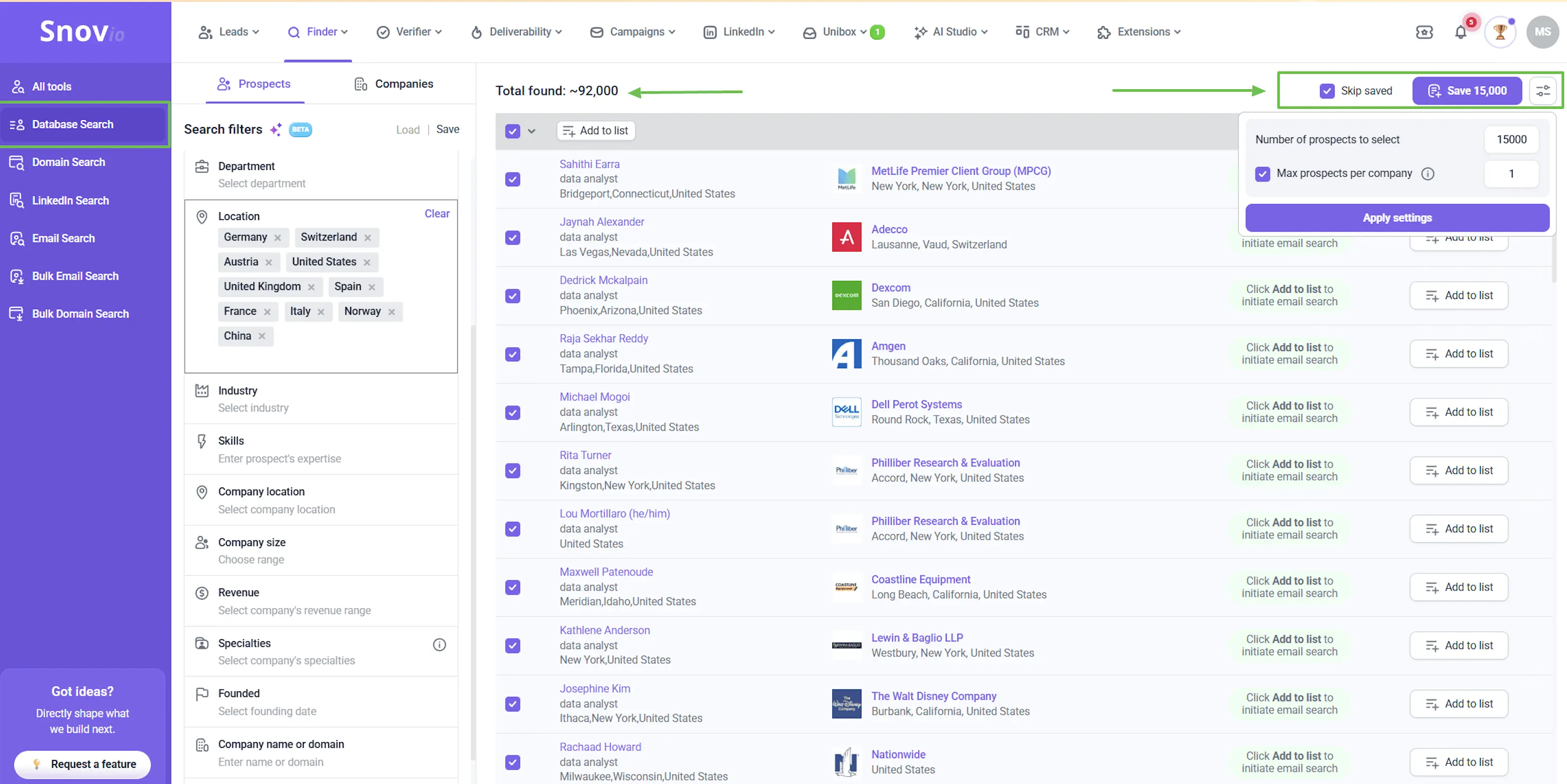
You can find emails by company domain, by a person's name or from LinkedIn profiles. 7-tier verification is Snov.io's email checker. It runs each address through seven checks, and Snov.io states an accuracy of over 98%.
The Starter plan includes 1,000 credits. Each saved prospect and each verification uses 1 credit, and teammates share the same credits.
I would choose Snov.io for a small team that wants to build the list and send the campaign in one tool. It is not the right choice for a sales team that calls prospects first, because phone numbers use separate enrichment tokens.
Key Features
Domain Search: You can enter a company name or domain and see employees with their job titles and emails.
LinkedIn Prospect Finder: You can save profiles from a LinkedIn search to a Snov.io list.
Bulk Email Verifier: You can upload up to 100,000 addresses in one file and remove the ones that fail.
Pros
Email search by company domain, person name or LinkedIn profile
7-tier email verification with a stated accuracy of over 98%
Bulk verification of up to 100,000 emails per file
Export to CSV, XLS and Google Sheets on paid plans
Unlimited team seats on paid plans
Cons
No bulk search, bulk verification or export on the Trial plan
Credits expire after 30 days without annual billing or plan renewal
Phone numbers need separate enrichment tokens
Pricing
Trial plan: The Trial plan is free and includes 50 credits and 100 recipients each month.
Starter plan: The Starter plan costs $39 per month, or $29.25 with annual billing.
Pro plan: The Pro plan starts at $99 per month, or $74.25 with annual billing, for 5,000 credits.
Ultra plan: The Ultra plan costs $738 per month for 100,000 credits.
Free trial: Snov.io does not set a number of trial days. You can use the Trial plan for as long as you want instead.
5. Lusha
Best for: Sales reps who want to see a contact's email and phone number on a LinkedIn profile and save it to their CRM.
G2 Rating: 4.3 out of 5
Lusha is a contact data tool with a browser extension and a prospecting database. It covers contact lookups, list building, enrichment and CRM export.
The Lusha extension works on LinkedIn and company websites. You open a profile and click to see the contact's email or phone number.
The Starter plan includes 400 credits per month. An email uses 1 credit, and a phone number uses 5 credits.
I recommend Lusha for reps who look up one profile at a time. It is not the right choice for agencies that need to limit credits for each teammate, because usage limits per user are part of the Scale plan.
Key Features
Browser extension: You can see a contact's email on LinkedIn or on a company website.
Workspace: You can search for contacts and companies with filters and save them to lists.
Lookalike prospecting: You can find companies similar to the customers you already have.
Pros
Browser extension for LinkedIn and company websites
Email and phone number from the same contact lookup
Lookalike prospecting to find companies similar to your customers
Unused monthly credits roll over up to twice the limit on the Pro plan and the Premium plan
API and MCP server for your own tools and AI assistants
Cons
Inaccurate contact data reported by reviewers on G2
5 credits needed for each phone number
Free plan limited to 40 credits per month
Pricing
Free plan: The Free plan includes 40 credits per month and 1 seat.
Starter plan: The Starter plan costs $49.90 per month, or $37.45 with annual billing.
Pro plan: The Pro plan costs $69.90 per month, or $52.45 with annual billing. It includes 600 credits per month.
Premium plan: The Premium plan costs $399.90 per month, or $299.95 with annual billing. It includes 3,400 credits per month and 5 seats.
Scale plan: The Scale plan has a custom quote. You can contact its sales team for the price.
Free trial: Lusha does not offer a free trial. You can use the Free plan for as long as you want instead.
Already tired of it, but haven’t got expected results? Check Lusha alternatives to find the right extractor for your needs.
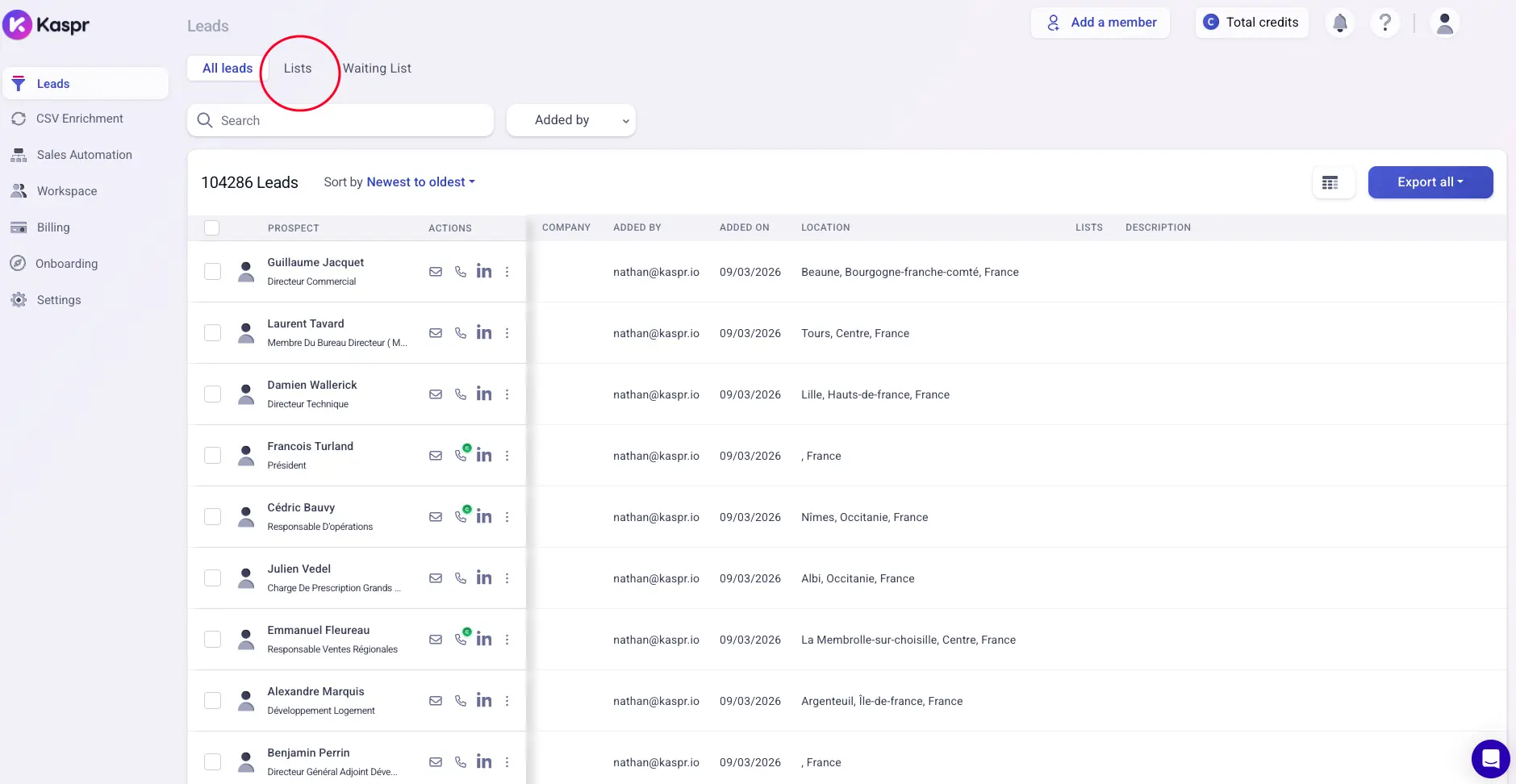
6. Kaspr
Best for: SDRs and recruiters who work inside LinkedIn all day and want work emails and phone numbers shown next to each profile.
G2 Rating: 4.4 out of 5
Kaspr is a LinkedIn contact finder that runs as a Chrome extension. It covers contact lookups on profiles, bulk enrichment from searches and export to sales tools.
You open a LinkedIn profile, and Kaspr shows the emails and phone numbers it has for that person. Kaspr has three credit types. They cover work emails, phone numbers and personal email addresses.
The Starter plan includes unlimited B2B email credits under a fair use policy. It includes 100 phone credits per month as well.
I would choose Kaspr if your prospect lists start on LinkedIn. It is not the right choice for teams that build lists from company domains, because Kaspr needs a LinkedIn profile to start from.
Key Features
LinkedIn extension: You can see a contact's details without leaving the LinkedIn profile.
Enrichment automations: You can enrich the people in a LinkedIn search in bulk, up to 500 per run on the Starter plan.
CSV enrichment: You can upload a file of LinkedIn URLs and get it back with contact data.
Pros
Unlimited B2B email credits on the Starter plan and the Business plan
Bulk enrichment of up to 500 leads per run on the Starter plan
Support for LinkedIn, Sales Navigator and Recruiter Lite
Enrichment from LinkedIn searches, groups and events
CSV enrichment from a file of LinkedIn URLs
Cons
LinkedIn profile or URL needed for every lookup
No Sales Navigator support on the Free plan
Exports limited to 12,000 leads a year on the Starter plan
Pricing
Free plan: The Free plan includes 15 B2B email credits and 5 phone credits each month.
Starter plan: The Starter plan costs $49 per user per month with annual billing, or $65 with monthly billing.
Business plan: The Business plan costs $79 per user per month with annual billing, or $99 with monthly billing. It includes 200 phone credits per month.
Enterprise plan: The Enterprise plan has a custom quote. You can contact its sales team for the price.
Free trial: Kaspr does not offer a free trial. You can use the Free plan for as long as you want instead.
7. Wiza
Best for: Sales teams that build lists in LinkedIn Sales Navigator and want to turn a saved search into a list of valid emails.
G2 Rating: 4.6 out of 5
Wiza is a contact finder for LinkedIn and Sales Navigator. It covers email and phone lookups, list exports and CRM sync.
You build a search in Sales Navigator and export it through Wiza. Wiza counts valid emails instead of lookups, so a plan with 500 valid emails gives you 500 addresses that passed its check.
The Starter plan includes 100 valid emails and 100 phone numbers per month. Each extra valid email costs $0.15.
I recommend Wiza if you already pay for Sales Navigator. It is not the right choice for a team of two that needs API access or CSV import, because those features are part of the Team plan for three or more users.
Key Features
Sales Navigator export: You can export a saved search or lead list and get the contacts back with emails.
Chrome extension: You can get a contact's details from a single LinkedIn profile.
AI Research: You can ask questions about a prospect or company and add the answers to your list.
Pros
Export of Sales Navigator searches with emails
Plans counted in valid emails instead of lookups
Unlimited emails on the Email plan with annual billing
Chrome extension for single LinkedIn profiles
Phone numbers added to the same export
Cons
Limit of 500 valid emails per month on the Email plan with monthly billing
Exports limited to 2,500 per month on the Email plan with annual billing
API access and CSV import on the Team plan, which needs at least 3 users
Pricing
Free plan: The Free plan includes 20 valid emails and 5 phone numbers.
Starter plan: The Starter plan costs $49 per user per month.
Email plan: The Email plan costs $99 per user per month, or $83 with annual billing.
Email + Phone plan: The Email + Phone plan costs $199 per user per month, or $166 with annual billing.
Team plan: The Team plan has a custom quote. You can contact its sales team for the price.
Extra phone numbers: Each extra phone number costs $0.35 on monthly billing.
Free trial: Wiza does not offer a free trial. You can use the Free plan for as long as you want instead.
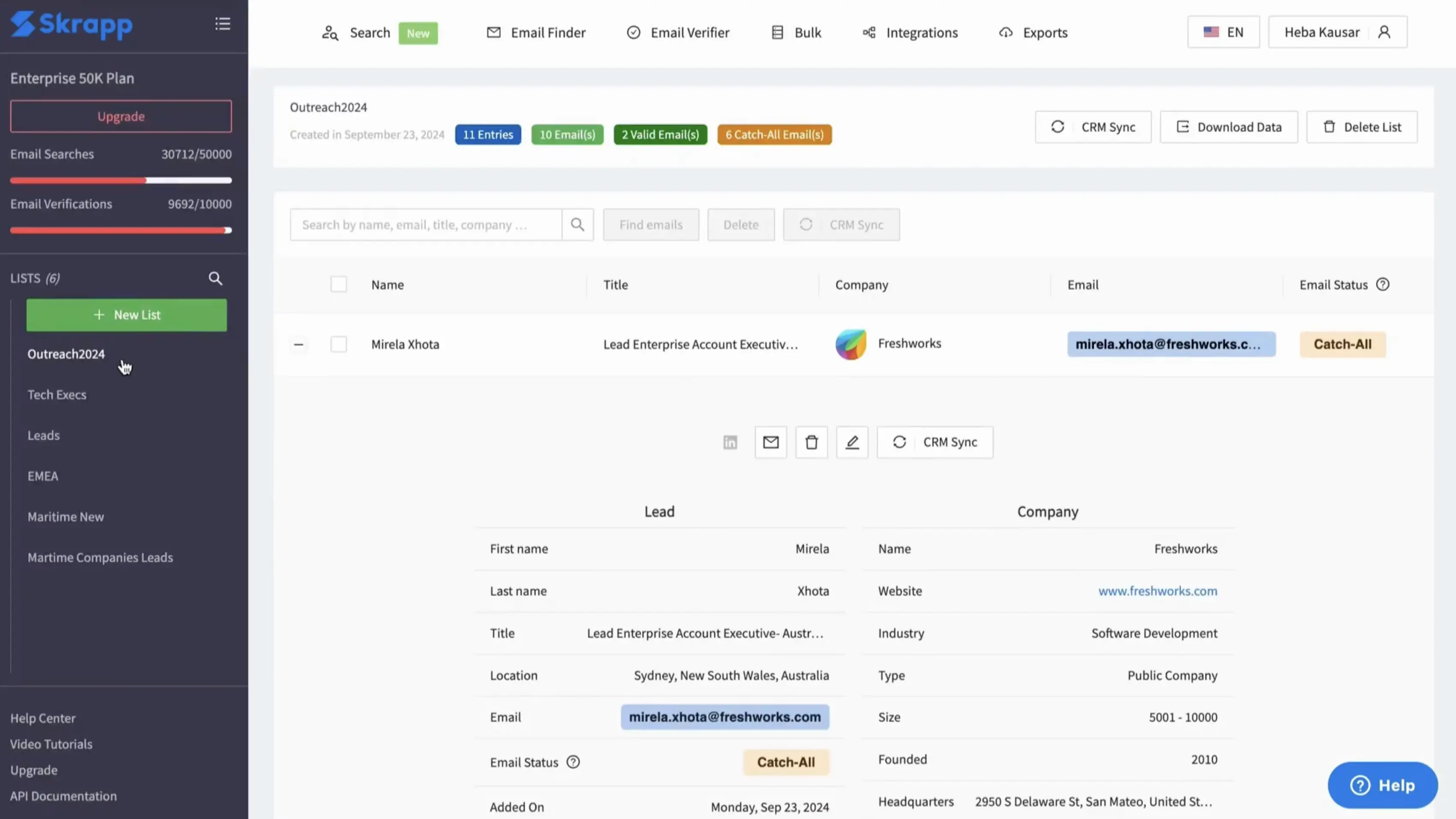
8. Skrapp.io
Best for: Small teams that want verified work emails from LinkedIn and company websites and pay credits for the addresses Skrapp.io finds.
G2 Rating: 4.5 out of 5
Skrapp.io is an email finder with a browser extension and a web app. It covers LinkedIn email lookups, company search, bulk enrichment and verification.
The extension finds emails while you browse LinkedIn, Sales Navigator or a company website. Fair Credit Policy is Skrapp.io's billing rule. Skrapp.io charges you for emails marked Valid or Catch-all, and Invalid or Unknown results use no credits.
The Professional plan includes 2,000 credits per month, list exports and CRM sync. Unused credits roll over to the next month.
I would choose Skrapp.io for a small team that needs emails and nothing else. It is not the right choice for a team that wants to use the API on a small plan, because the API comes with the Enterprise plan.
Key Features
Email Finder: You can enter a name and a company to get one person's work email.
Data Enrichment: You can upload a sheet of names and companies and get emails added in bulk.
Email Verifier: You can verify one address or a list, at 1 credit per address.
Pros
Chrome extension for LinkedIn, Sales Navigator and company websites
Fair Credit Policy with no charge for Invalid or Unknown results
Multi-page enrichment for LinkedIn searches
Built-in email verifier at 1 credit per address
Unused credits roll over to the next month
Cons
Catch-all emails charged as a result, and they can still bounce
Limit of 20 people searches a day on the Professional plan
No list exports or CRM sync on the Free plan
Pricing
Free plan: The Free plan includes 50 credits and 1 user.
Professional plan: The Professional plan costs $39 per month, or $29 with annual billing. It includes 2 users.
Enterprise plan: The Enterprise plan costs $349 per month, or $262 with annual billing. It includes 50,000 credits per month and 15 users.
Free trial: Skrapp.io does not offer a free trial. You can use the Free plan for as long as you want instead.
9. UpLead
Best for: B2B teams that want to filter a contact database by industry or technology and download verified emails with mobile numbers.
G2 Rating: 4.7 out of 5
UpLead is a B2B contact database with email verification. It covers contact search, mobile direct dials, enrichment and CRM export.
You search the database in a tool called the Prospector and download the contacts you want. UpLead verifies the emails, and it states a data accuracy rate of 95% for them.
One credit gives you one contact with the email and the mobile direct dial. The Essentials plan includes 170 credits per month.
I recommend UpLead if you choose target companies by size, industry or the software they use. It is not the right choice for a team that wants buyer intent data, because intent data comes with the Professional plan.
Key Features
Chrome extension: You can see contact and company data while you browse a website or LinkedIn.
Technographics: You can find companies that use a given product, across more than 16,000 technologies.
Suppression lists: You can upload contacts you already have, and UpLead leaves them out of new results.
Pros
Stated data accuracy of 95% for verified emails
Email and mobile direct dial for 1 credit
Technographics search across more than 16,000 technologies
Chrome extension for websites and LinkedIn
Suppression lists that leave out contacts you already have
Cons
No free plan after the 7-day trial with 5 credits
No technographics, data enrichment or advanced filters on the Essentials plan
Single-user accounts on the Essentials plan and the Plus plan
Pricing
Essentials plan: The Essentials plan costs $99 per month with 170 credits, or $74 per month with annual billing.
Plus plan: The Plus plan costs $199 per month with 400 credits, or $149 per month with annual billing.
Professional plan: The Professional plan has a custom quote. You can contact its sales team for the price.
Extra credits: Extra credits cost $0.60 each on the Essentials plan and $0.50 each on the Plus plan.
Free trial: A 7-day free trial with 5 credits is available.
How to Choose an Email Extractor Tool
Before choosing an email extractor tool, consider how many contacts you need, how the tool counts credits and where your prospects come from.
Write down how many new contacts you email each month.
Check what one credit buys in the tool.
Divide the plan price by the emails it gives you.
Check what happens to unused credits when the month ends.
Check that the tool works on the source you use, such as Sales Navigator or company domains.
Check how the tool labels catch-all addresses and whether it charges for them.
Count the teammates who need access and check whether the plan charges per user.
Confirm which plan includes bulk enrichment, export and CRM sync.
Read how the vendor collects its data if you email prospects in the EU.
Test the free plan on 50 contacts whose emails you already know.
If you are comparing database tools in more detail, this B2B email database guide explains what to check.
Which Email Extractor Tool Should You Choose?
The right email extractor depends on where you find prospects, how you build your lists, and how much control you want over the search process. If you already have a clear way to source leads, choose a tool that fits your workflow.
But if you're confused about which email extractor to choose, I would recommend Leadsforge. You can describe your ideal customer profile and find relevant prospects without spending hours setting up filters manually.
Here is the cost with monthly billing. The Hunter Starter plan costs about $0.025 for each email found. The Skrapp.io Professional plan costs about $0.02 for each email. The UpLead Essentials plan costs about $0.58 for each contact, which includes the mobile number. Leadsforge gives you 2,000 credits for $49, and you spend credits only on verified matches.
2. How many emails can I extract for free?
Leadsforge gives you 100 free credits at signup. The Hunter Free plan, the Snov.io Trial plan and the Skrapp.io Free plan each include 50 credits. Lusha includes 40 credits, Wiza includes 20 valid emails and Kaspr includes 15 B2B email credits. UpLead offers 5 credits in a 7-day free trial.
3. Why do verified emails still bounce?
A verified email can bounce when the person has left the company since the last check. Catch-all domains are another reason, because the mail server accepts any address during verification. Vendors state their own accuracy figures, such as 95% for UpLead and over 98% for the Snov.io verifier. I would test a sample of contacts you already know. You can check single addresses with this free email verifier. For larger lists, this email verification tools article compares the options.
4. Is it legal to use an email extractor tool?
Using an email extractor is legal in many countries when you follow the privacy and email rules that apply to your prospects. GDPR in the EU and CAN-SPAM in the US are two examples. Use business contact data and respect opt-out requests. LinkedIn's User Agreement also does not allow third-party software that copies data from its site, so read it before you run a LinkedIn extension on your main account.
5. What should I do after I extract a list of emails?
After extracting your email list, set up your cold email infrastructure before starting outreach. Mailforge helps you set up domains and mailboxes, while Warmforge warms up your mailboxes before you start sending. A 14-day warmup period is a common recommendation, though the right timing depends on your setup and mailbox health. Once your mailboxes are ready, import your list into Salesforge to manage your email and LinkedIn outreach campaigns.
Book more meetings on autopilot
Set up in minutes. No per-seat pricing. No commitment.