

Reply.io is a per-seat sales engagement tool that runs LinkedIn through a Chrome extension and sells calling as an add-on. Outreach.io is an enterprise revenue platform with no public pricing, annual-only contracts, and LinkedIn that is a manual task step, not automation. Both are priced and built for very different teams than the one you may be.
For SMB and mid-market B2B outbound across email and LinkedIn, Salesforge is the stronger choice. You get email and LinkedIn from one dashboard, no per-seat pricing, free unlimited Warmforge warm-up, a unified inbox in Primebox, and an optional AI SDR (Agent Frank). Plans start at $48/mo monthly ($40/mo annual).
I have run outbound on all three of these platforms, and the decision is rarely about which has the longest feature list. It is about how you sell and how much you want to pay to do it.
Reply.io and Outreach.io both started in 2014, and both have grown into mature tools. Reply.io is a multichannel sequencer with a built-in contact database and an AI SDR called Jason. Outreach.io is a heavyweight revenue platform built for large sales orgs that need forecasting and deal management on top of sequencing.
The question I will answer here is simple: which of these actually fits a team booking meetings at scale without an enterprise budget?
Sales Engagement Software Compared at a Glance: Reply.io vs Outreach.io
| Feature | Salesforge | Reply.io | Outreach.io |
|---|---|---|---|
| Outreach channels | Email + LinkedIn (phone on roadmap) | Email + LinkedIn + calls + SMS | Email + calls; LinkedIn as manual task step |
| Entry price | $48/mo monthly ($40/mo annual) - Pro | $49/user/mo annual ($59 monthly) - Email Volume | No public price; quote only |
| Top self-serve plan | $96/mo monthly ($80/mo annual) - Growth | $89/user/mo annual ($99 monthly) - Multichannel | No self-serve plan; annual contract |
| Pricing model | Flat, not per-seat | Per user/seat | Per seat + AI credit consumption |
| LinkedIn automation | Unlimited LinkedIn senders (Growth) | Via Chrome extension, +$69/mo per account | Not automated (manual reminders only) |
| Warm-up | Free, unlimited (Warmforge) | Included via Mailtoaster.ai | Not built in |
| AI SDR | Agent Frank - separate from $499/mo billed quarterly | Jason - separate from $500/mo | AI Agents (credit-based) |
| Unified inbox | Primebox (free, email + LinkedIn) | Centralized inbox | Yes (enterprise) |
| Infrastructure options | 3 (Mailforge, Infraforge, Primeforge) | Bring your own mailboxes | Bring your own mailboxes |
| Free trial | 14 days, no card | 14 days | None (demo only) |
| SOC 2 compliant | Yes | Yes | Yes |
| Best for | SMB/mid-market B2B, $5K-$100K ACV | Mid-market teams of 10-50 reps | Enterprise orgs with 50+ reps |
Reply.io Overview
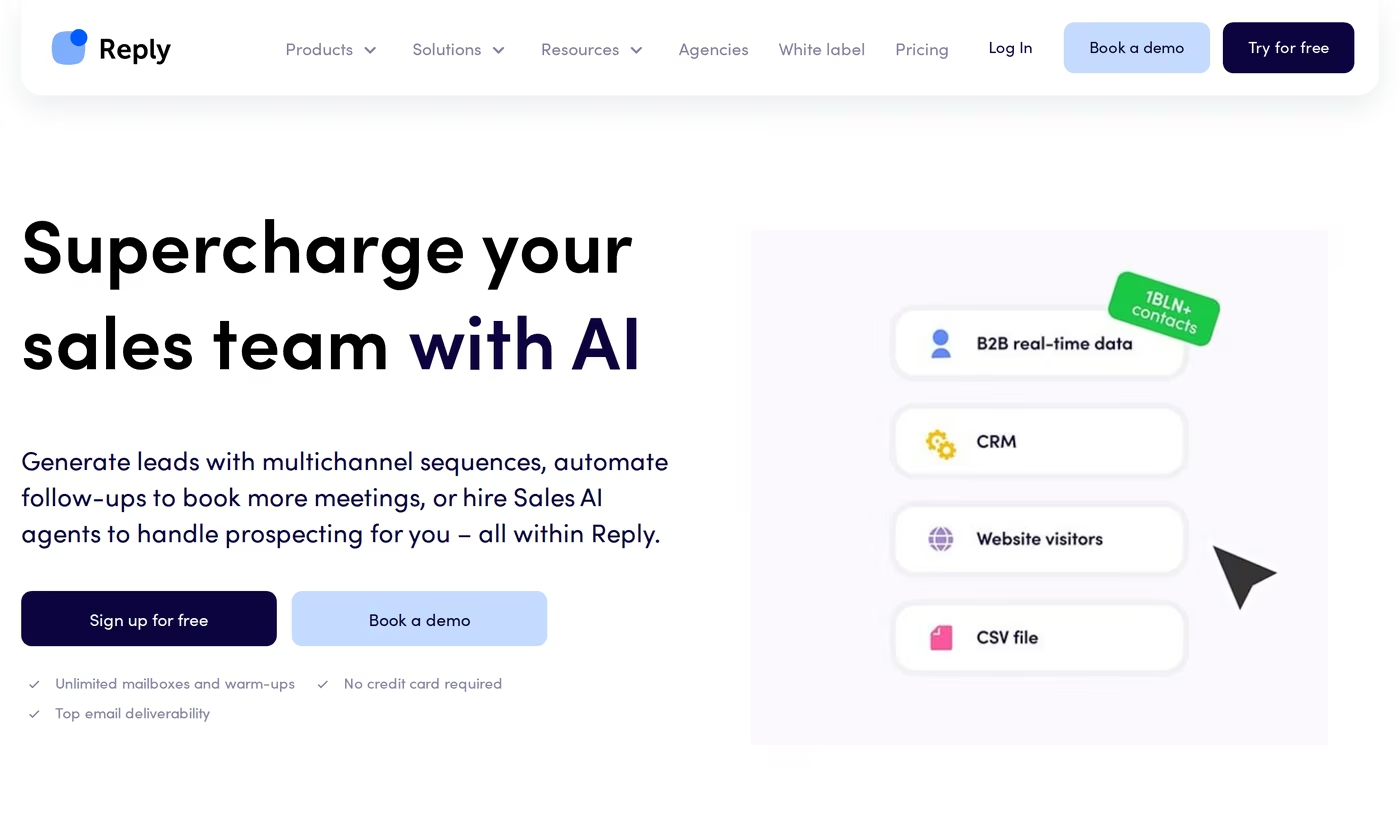
Reply.io is a sales engagement platform founded in 2014 by Oleg Campbell. It holds a 4.6 out of 5 rating on G2 across 1,448 reviews and serves more than 3,000 companies.
The core of Reply.io is a mature multichannel sequencer. It supports email, LinkedIn, calls, SMS, and WhatsApp steps, with conditional logic that branches on prospect behavior. It also bundles a 1 billion-plus contact database and an AI SDR named Jason.
Reply.io core features
- Multichannel sequences: email, LinkedIn, calls, SMS, and WhatsApp in one conditional flow.
- Jason AI SDR: finds prospects, writes copy, and handles replies on autopilot or copilot.
- Built-in B2B data: over 1 billion contacts with 50 live data credits per month included.
- Email warm-up: handled through the Mailtoaster.ai integration on paid plans.
- LinkedIn automation: connection requests and messages run through a Chrome extension.
- Findy extension: grabs verified emails from LinkedIn and the web.
- Deliverability suite: SPF, DKIM, DMARC checks, inbox rotation, and custom tracking domains.
Reply.io pricing
Reply.io splits pricing by product. The Email Volume plan starts at $49 per user/month on annual billing ($59 monthly) for 1,000 active contacts. The Multichannel plan starts at $89 per user/month annual ($99 monthly).
Two things catch teams off guard. LinkedIn automation is a $69 per month add-on per account, and calls and SMS are a separate $29 per month add-on. The Jason AI SDR is a different subscription again, starting at $500 per month annual (and $800 per month on monthly billing). You can learn more about modern AI sales prospecting tools if that path interests you.
It also helps to understand the Email Volume model. Pricing scales by active contacts, the number of unique people you email in a month, starting at 1,000 and climbing in tiers. The Multichannel plan includes 10 mailboxes per user on annual billing and unlimited active contacts, so the per-seat cost is what grows as you add reps.
Who Reply.io is for
Reply.io fits mid-market teams of roughly 10 to 50 reps that want a single sequencer for email and phone, and are comfortable adding channels as paid extras.
What reviewers say about Reply.io
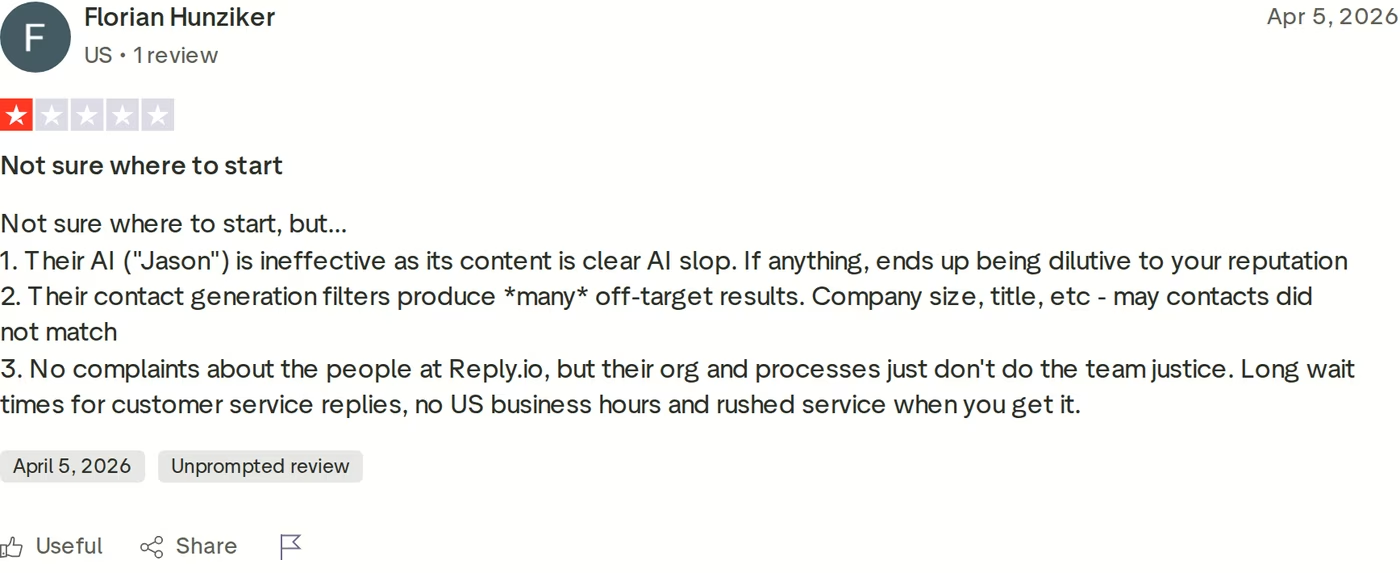
On Trustpilot, Reply.io sits well below its G2 score, with critical reviews clustering on billing, contract terms, and cancellation. Reviewers report unclear minimum commitments and friction around refunds.
Two product limitations come up repeatedly and are worth naming. The LinkedIn Chrome extension carries a real account-restriction risk because LinkedIn can detect extension-based automation. And the built-in data is inconsistent enough that several users still pair it with a separate enrichment tool. If LinkedIn is core to your motion, read up on how to manage multiple LinkedIn accounts without getting banned before you commit.
Outreach.io Overview
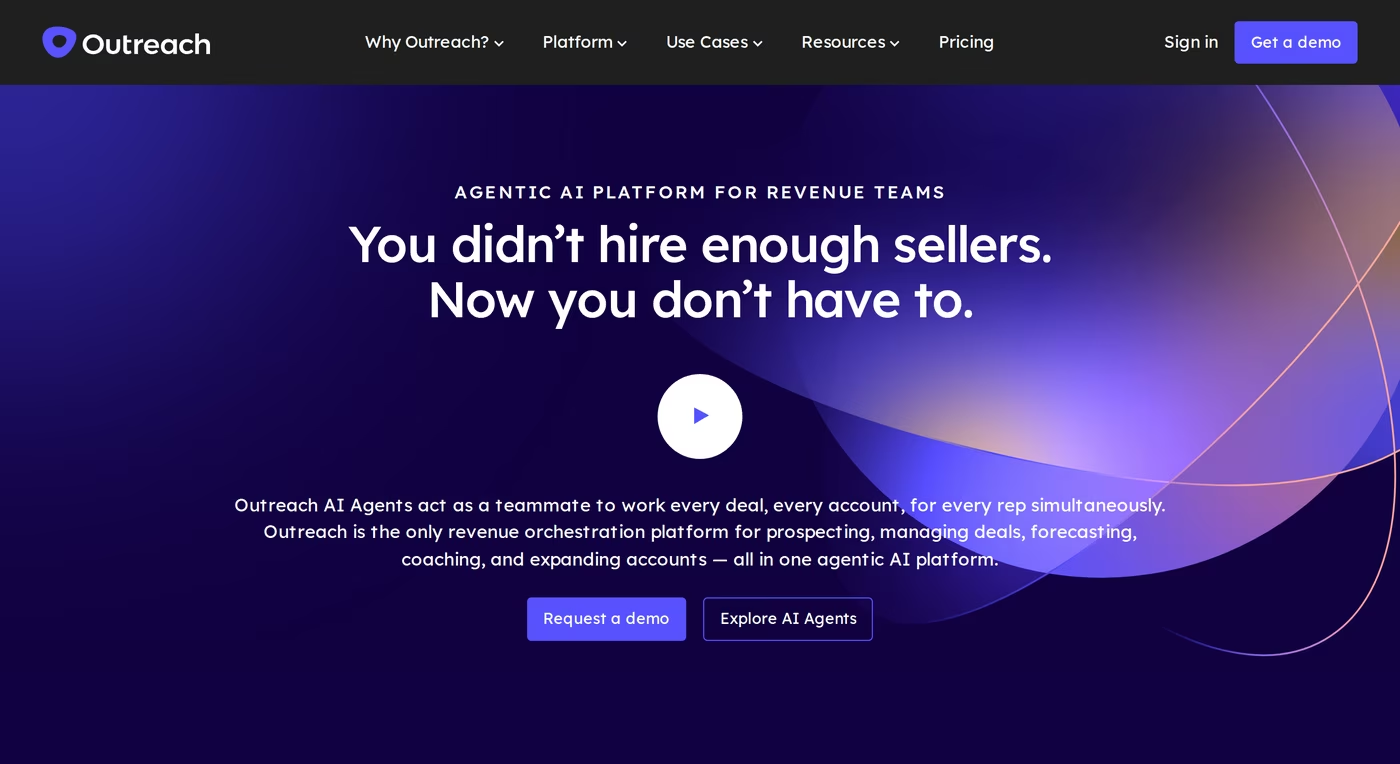
Outreach.io is an enterprise sales execution platform founded in 2014 by Manny Medina and headquartered in Seattle. It is the default choice for large B2B sales organizations, and it is used by brands like Zoom, SAP, and Snowflake.
Outreach.io is more than a sequencer. It combines multichannel engagement, deal management, conversation intelligence, and revenue forecasting into one platform. In 2026 it sells three packages: Amplify Core, Amplify Plus, and Amplify Pro.
Outreach.io core features
- Sales engagement: multichannel sequences with strong analytics and rep activity tracking.
- Deal and pipeline management: deal health, win/loss outcomes, and pipeline views.
- Forecasting: scenario planning, forecast rollups, and trend analysis on the Pro tier.
- Conversation intelligence: call recording, real-time transcription, and sentiment analysis.
- AI Agents: Research, Revenue, Deal, and Personalization agents on a credit-based model.
- Salesforce integration: the deepest bi-directional CRM sync of any tool here.
Outreach.io pricing
Outreach.io does not publish pricing. Every tier is quote-based, sold per seat plus AI credit consumption, and requires an annual contract with no monthly billing option.
Third-party benchmarks give a rough range. Vendr marketplace data puts a 50-user deployment at roughly $72,000 per year, or about $120 per user/month, with core licenses commonly reported between $100 and $140 per user/month and enterprise tiers at $160-plus. Implementation fees commonly run from $5,000 to $25,000 depending on complexity. I confirmed the quote-only structure directly on the live Outreach pricing page; you can see how teams rate it in this breakdown of Outreach.io reviews.
Who Outreach.io is for
Outreach.io fits enterprise sales orgs with 50-plus reps, a Salesforce CRM, dedicated sales ops staff, and the budget for annual contracts and onboarding.
What reviewers say about Outreach.io
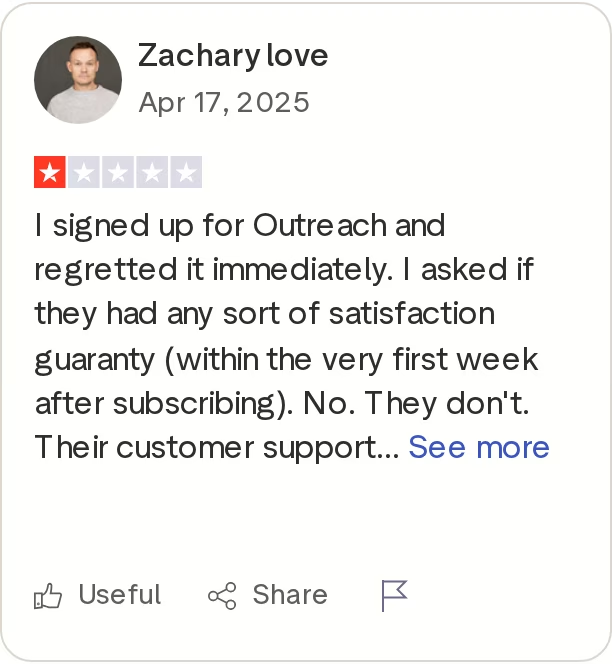
The most consistent complaint about Outreach.io across every review platform is the lack of pricing transparency. Buyers have to sit through a demo to learn the cost. Reviewers also report that the platform is hard to cancel and that the cancellation process requires written notice well before renewal.
The other recurring themes are a steep learning curve, with two to four weeks to full rep productivity, and a HubSpot integration that is meaningfully weaker than the Salesforce one.
Salesforge Overview
Salesforge is the outreach execution layer of the Forge Stack, a family of products that also includes Mailforge, Infraforge, Primeforge, Warmforge, and Leadsforge. It runs email and LinkedIn sequences from one dashboard, with AI personalization and an optional AI SDR. It holds a 4.6 rating on G2 and is trusted by more than 10,000 businesses.
Salesforge core features
- Multichannel sequences: email and LinkedIn in one conditional flow that branches on behavior.
- Unlimited mailboxes: on every plan, with no seat-based cap on sender accounts.
- Unlimited LinkedIn senders: on the Growth plan, alongside unlimited users.
- Free Warmforge warm-up: premium, unlimited warm-up included with every subscription.
- Primebox unified inbox: email and LinkedIn replies in one view, free and included.
- Overdrive Mode: multi-source AI personalization built specifically for cold outreach.
- Agent Frank: an AI SDR who prospects, writes, and books meetings in 20-plus languages.
- Three infrastructure options: shared, dedicated, or Google and Microsoft mailboxes.
- Leadsforge access: a 500M-plus contact search engine for prospecting.
- Sentiment analysis: incoming replies auto-tagged positive, neutral, or negative.
The Forge Stack matters because the pieces connect natively. I can find leads in Leadsforge, warm mailboxes with Warmforge, and send through Salesforge without wiring anything together. That is the difference between a single tool and a connected stack, which I cover more in this guide to AI sales infrastructure.
Salesforge pricing
Salesforge pricing is flat, not per seat. The Pro plan is $48/mo billed monthly or $40/mo billed annually. The Growth plan is $96/mo monthly or $80/mo annually, and it adds unlimited LinkedIn senders, unlimited users, A/B testing, API access, and the full integrations library. You can verify the live rates on the Salesforge pricing page.
Agent Frank is a separate subscription, starting at $499/mo billed quarterly ($416/mo billed annually) for 1,000 active contacts. Email infrastructure is not included in the base plans; you connect your own mailboxes or add Mailforge, Infraforge, or Primeforge.
Try Salesforge Free for 14 DaysWho Salesforge is for
Salesforge is built for B2B teams selling at ACVs between $5K and $100K to startups, SMBs, and mid-market companies, targeting 3,000-plus businesses. Salesforge itself says it is a poor fit for Fortune 500 procurement, long RFP cycles, and six- to seven-figure bespoke deals.
What reviewers say about Salesforge
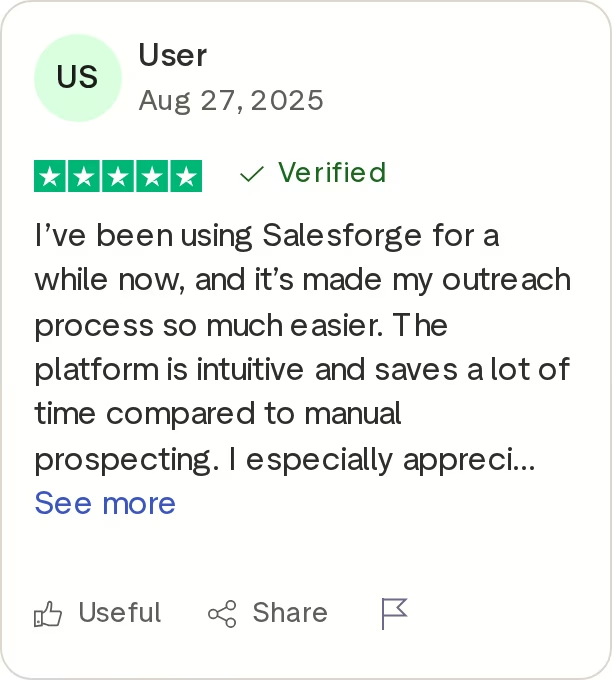
Salesforge users most often praise running email and LinkedIn from one platform, the unlimited mailboxes and senders, and the responsive support. The most common critique is a learning curve on advanced features and a wish for deeper reporting.
Salesforge limitations
- Email infrastructure is not bundled into the base price; it is a separate cost.
- API access, A/B testing, and ESP matching require the Growth plan.
- Agent Frank needs a sales-led demo and a 2-week warm-up before he sends.
in Action

Head-to-Head Feature Comparison: Reply.io vs Outreach.io
Multichannel outreach
This is where the three tools split hardest. Salesforge runs email and LinkedIn natively in one sequence, with phone on the roadmap. Reply.io technically covers the most channels, but LinkedIn and calling are paid add-ons on top of the base plan, and LinkedIn runs through a detectable Chrome extension.
Outreach.io has nothing real here on LinkedIn. It includes LinkedIn as a manual task step, so a rep still has to open LinkedIn and do the action by hand. Paying enterprise rates for LinkedIn reminders a human executes is not automation. If LinkedIn is your channel, this guide on getting clients from LinkedIn is a useful starting point.
Email deliverability and warm-up
Salesforge includes Warmforge free and unlimited, with a premium-by-default warm-up pool, a per-mailbox Heat Score, and placement testing. Reply.io includes warm-up through its Mailtoaster.ai integration, though reviewers report inconsistent inbox placement. Outreach.io does not build warm-up in at all; you bring your own infrastructure and tooling.
Salesforge also gives you three infrastructure choices through the Forge Stack, from shared IPs in Mailforge to dedicated IPs in Infraforge. Neither competitor sells email infrastructure.
AI and personalization
All three have an AI story, so the detail matters. Salesforge offers Overdrive Mode for multi-source personalization, plus Agent Frank, an AI SDR with Auto-Pilot and Co-Pilot modes who works in 20-plus languages.
Reply.io has Jason, but a 1-star Trustpilot reviewer called its output "clear AI slop" that diluted their reputation. Outreach.io runs AI Agents on a credit-based model, which means costs climb with usage. For a wider view, here are the best cold email AI tools tested side by side.
Inbox management and reply handling
Salesforge includes Primebox free, a unified inbox that pulls email and LinkedIn replies into one view with AI sentiment tagging and three reply modes. Reply.io has a centralized inbox, and Outreach.io has enterprise-grade reply management, but neither unifies LinkedIn and email replies the way Primebox does, and neither includes it at Salesforge's price.
Pricing and scalability
Salesforge does not charge per seat, so adding teammates does not raise the bill. The Growth plan at $80/mo annual covers unlimited users and unlimited LinkedIn senders. Reply.io is strictly per seat, so a 6-person team costs six times a 1-person setup, before LinkedIn and calling add-ons. Outreach.io is per seat plus AI credits, with annual contracts and onboarding fees on top.
Integrations and stack
Salesforge integrates natively with HubSpot, Salesforce, Pipedrive, and Clay, plus Zapier, an API on the Growth plan, and an MCP server. Reply.io has solid CRM integrations and an API. Outreach.io has the deepest Salesforce sync of the three, which is its single biggest technical strength, but its HubSpot connector lags. You can see the whole connected system on the Forge Stack overview.
Reporting and analytics
I will give Outreach.io the clear edge here. Its reporting spans sequence performance, rep activity, forecast accuracy, and conversation intelligence, which is exactly what a large org with sales ops staff needs. Reply.io sits in the middle, with solid outbox, channel efficiency, and team performance reports plus A/B testing.
Salesforge covers the essentials, including reply, open, and click tracking, A/B testing on Growth, and per-mailbox deliverability scores. The most common Salesforge critique in reviews is that power users want deeper analytics, so if board-level forecasting is a daily requirement, weigh that honestly. For most SMB and mid-market teams, the reporting on offer is enough to optimize campaigns without a dedicated analyst.
Onboarding and support
Salesforge is self-serve. You start a 14-day trial with no card, connect mailboxes, and launch, with a 1,000-plus member Slack community and a dedicated account manager for Agent Frank users. Reply.io is also self-serve, and its support gets consistent praise in reviews, though one reviewer noted no US business hours and slower replies.
Outreach.io is the heaviest lift. Teams report two to four weeks to full rep productivity, implementation fees from $5,000 to $25,000, and ongoing admin time to keep the platform configured. That overhead is justifiable at enterprise scale, but it is a real cost a smaller team feels immediately.
Salesforge vs Reply.io vs Outreach.io Pricing Compared
| Plan | Salesforge | Reply.io | Outreach.io |
|---|---|---|---|
| Entry plan | Salesforge Pro - $48/mo monthly ($40/mo annual) | Reply.io Email Volume - $49/user/mo annual ($59 monthly) | Quote only |
| Mid plan | Salesforge Growth - $96/mo monthly ($80/mo annual) | Reply.io Multichannel - $89/user/mo annual ($99 monthly) | Quote only |
| Unlimited senders on Growth | +$69/mo per account | Manual step only | |
| Calls/SMS | Phone on roadmap | +$29/mo per account | Included in higher tiers |
| AI SDR | Agent Frank - from $499/mo billed quarterly | Jason - from $500/mo | Credit-based AI Agents |
| Warm-up | Free, unlimited | Included (Mailtoaster.ai) | Not included |
| Contract | Monthly or annual, no contract | Annual or monthly | Annual commitment required |
| Reported real cost | $40-$80/mo flat | ~$187/user/mo with add-ons | ~$120/user/mo (50 users, Vendr) |
The scaling math is the real story. Say you are a 5-person team running email and LinkedIn. On Salesforge Growth, that is $80/mo annual total, flat, with unlimited LinkedIn senders and free warm-up.
On Reply.io Multichannel, five seats at $89/user/mo annual is $445/mo, and adding LinkedIn at $69 per account pushes it well past $700/mo. On Outreach.io, five seats at a reported $120/user/mo is roughly $600/mo, plus an annual contract and onboarding, and you still do not get automated LinkedIn.
Start Your Free Salesforge TrialWho Should Use Which Tool
You might consider Reply.io if
- Your team is 10 to 50 reps and email plus phone is your primary motion.
- You want a built-in contact database inside the same tool as your sequencer.
- You are comfortable paying for LinkedIn and calling as separate add-ons.
You might consider Outreach.io if
- You are an enterprise org with 50-plus reps and dedicated sales ops staff.
- Salesforce is your CRM and you need deep bi-directional sync.
- You need forecasting and deal management in the same platform as engagement.
Choose Salesforge if
- You sell B2B at $5K-$100K ACVs to SMB or mid-market buyers.
- You want email and LinkedIn in one flow without per-seat pricing.
- You want free unlimited warm-up and a unified inbox included, not billed extra.
- You run multiple clients or projects and need unlimited users and workspaces.
- You want the option of an AI SDR who books meetings while you close.
Final Verdict: Which Outreach Tool to Choose
Reply.io and Outreach.io are both capable, but they are built for specific situations. Reply.io is a per-seat sequencer that treats LinkedIn and calling as paid add-ons and runs LinkedIn through a detectable extension. Outreach.io is an enterprise platform that will not show you a price without a sales call and an annual commitment, and its LinkedIn is manual.
For SMB and mid-market B2B teams running real multichannel outbound, Salesforge is the stronger choice. At $80/mo annual for the Growth plan, you get unlimited users, unlimited LinkedIn senders, unlimited mailboxes, free Warmforge warm-up, and Primebox - a combination neither competitor matches at any price.
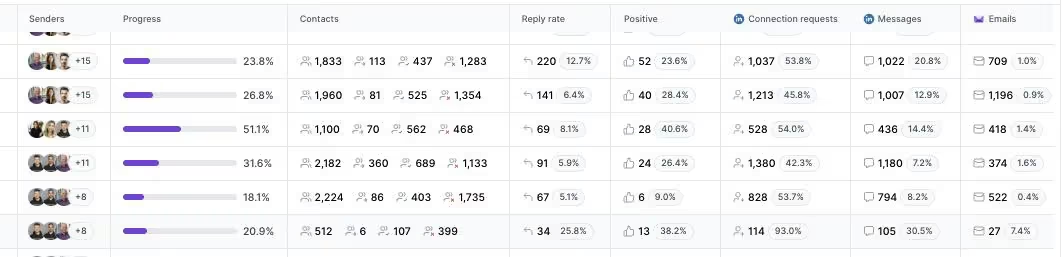
One falsifiable benchmark: UniteSync ran on Salesforge, Mailforge, and Warmforge to an 85.26% positive reply rate and a $2.86 CAC. That case study is public, and it is the kind of multichannel outcome data the dashboard below tracks in real time.
Frequently Asked Questions
Is Salesforge better than Reply.io and Outreach.io?
For SMB and mid-market B2B teams running email and LinkedIn, Salesforge is the stronger fit. It runs both channels from one dashboard with no per-seat pricing, includes free unlimited Warmforge warm-up and the Primebox inbox, and starts at $48/mo monthly ($40/mo annual). Reply.io is a per-seat tool with LinkedIn as a $69 add-on, and Outreach.io is an enterprise platform with quote-only pricing built for 50-plus rep teams.
What's the main difference between Salesforge, Reply.io, and Outreach.io?
The main difference is who each is built for. Salesforge is flat-priced multichannel outreach for SMB and mid-market teams at $5K-$100K ACVs. Reply.io is a per-seat sequencer for 10-to-50-rep teams that adds LinkedIn and calling as paid extras. Outreach.io is an enterprise revenue platform with forecasting and deal management, quote-only pricing, and annual contracts aimed at organizations with 50-plus reps.
Which is cheaper: Salesforge, Reply.io, or Outreach.io?
Salesforge is the most predictable and usually the cheapest for a team. Its Growth plan is a flat $80/mo annual for unlimited users and LinkedIn senders. Reply.io is per seat from $49/user/mo annual, and real multichannel cost reportedly reaches around $187/user/mo with add-ons. Outreach.io has no public pricing, but a 50-user deployment is reported at roughly $120/user/mo plus implementation fees.
Does Reply.io or Outreach.io support LinkedIn automation?
Reply.io supports LinkedIn automation through a Chrome extension, charged at $69/mo per account, though extension-based automation carries an account-restriction risk. Outreach.io does not automate LinkedIn at all; it includes LinkedIn only as a manual task step that reminds a rep to act. Salesforge offers native LinkedIn automation with unlimited LinkedIn senders on the Growth plan.
Can I switch from Reply.io or Outreach.io to Salesforge easily?
Yes. Salesforge lets you connect unlimited mailboxes on any plan and import contacts by CSV or Google Sheets, with a 14-day free trial and no credit card required. Because Salesforge includes free Warmforge warm-up and Primebox, you usually retire a separate warm-up tool and inbox add-on at the same time. Outreach.io contracts are annual, so check your renewal and cancellation notice window first.
Which tool has better email deliverability?
Salesforge has the most complete deliverability setup of the three because Warmforge is free, unlimited, and premium by default, with per-mailbox Heat Scores and placement testing. It also offers three infrastructure options through Mailforge, Infraforge, and Primeforge. Reply.io includes warm-up via Mailtoaster.ai but reviewers report inconsistent inbox placement, and Outreach.io does not build warm-up in at all.
Does Salesforge offer a free trial?
Yes. Salesforge offers a 14-day free trial with no credit card required, including email warm-up and unlimited mailbox connections. The trial caps usage at 50 contacts, 100 emails, and 50 personalization credits. Reply.io also offers a 14-day trial, while Outreach.io has no free trial and requires a demo and an annual contract before you can use it.
Who is Outreach.io best for?
Outreach.io is best for enterprise sales organizations with 50-plus reps, a Salesforce CRM, and dedicated sales operations staff. Its strengths are deep Salesforce sync, forecasting, deal management, and conversation intelligence in one platform. The trade-offs are quote-only pricing reported around $120/user/mo, annual contracts, implementation fees from $5,000 to $25,000, a steep learning curve, and no native LinkedIn automation.
.jpg)

.jpg)
.jpg)
