

GMass is a mail merge tool that lives inside Gmail, so your sending is capped by Google's daily limits. Mailshake is a per-seat sales engagement platform that gates LinkedIn and phone behind its $99/user plan. Neither runs email and LinkedIn as one native motion.
For multi-channel B2B outbound at scale, Salesforge is the stronger choice. You get email and LinkedIn from one dashboard, unlimited mailboxes with no per-seat pricing, free Warmforge warm-up, a unified inbox (Primebox), and an optional AI SDR (Agent Frank). Plans start at $48/mo monthly ($40/mo annual).
I've run outbound for years, and the GMass-versus-Mailshake question usually comes from the same place. You want to send cold email without a heavy setup, and both tools look simple and cheap. I've used each, so here is the honest split.
GMass is a Chrome extension that turns Gmail into a mass-email machine. Mailshake is a standalone app built around email sequences, with phone and LinkedIn bolted on at its top tier. The catch is that cold outreach in 2026 is rarely email-only.
The teams I see winning blend email and LinkedIn and protect deliverability. UniteSync did that on Salesforge, Mailforge, and Warmforge and hit an 85.26% positive reply rate at a $2.86 cost per acquisition. That is the bar I will measure both tools against.
Cold Outreach Tools Compared at a Glance: GMass vs Mailshake
Here is the quick version before I get into detail. Every figure below comes from each vendor's live pricing page, checked in 2026.
| Feature | Salesforge | GMass | Mailshake |
|---|---|---|---|
| Outreach channels | Email + LinkedIn (phone on roadmap) | Email only, inside Gmail | Email + phone + LinkedIn (top plan) |
| Entry price | $48/mo monthly ($40/mo annual) - Pro | $29.95/mo monthly ($20.75/mo annual) - Standard | $29/user/mo monthly ($25 annual) - Starter |
| Top plan | $96/mo monthly ($80/mo annual) - Growth (unlimited users + LinkedIn senders) | $59.95/mo monthly ($49.92/mo annual) - Professional | $99/user/mo monthly ($85 annual) - Sales Engagement |
| Pricing model | Flat, unlimited mailboxes (no per-seat) | Per plan, bound by Gmail limits | Per user/seat |
| Email warm-up | Free, unlimited (Warmforge) | None built in | Built-in, unlimited (all plans) |
| AI SDR | Agent Frank (Auto-Pilot/Co-Pilot) - separate $499/mo billed quarterly | None | None |
| Unified inbox | Primebox™ (free, email + LinkedIn) | Gmail inbox only | Unified inbox (Email Outreach+) |
| LinkedIn senders | Unlimited (Growth) | None | Sales Engagement plan only |
| Infrastructure options | 3 (Mailforge, Infraforge, Primeforge) | Your own Gmail / Workspace | Mailboxes add-on ($12/mo per domain) |
| Sending limits | High volume across many mailboxes | Gmail's 500/day (2,000 on Workspace) | Capped by plan's address count |
| Free trial | 14 days | 7 days (50 emails/day) | None (payment up front) |
| SOC 2 compliant | Yes | Not stated | Not stated |
| Best for | SMB/mid-market B2B, $5K-$100K ACV | Gmail mail merge, light cold email | Small email-first SDR teams |
GMass Overview
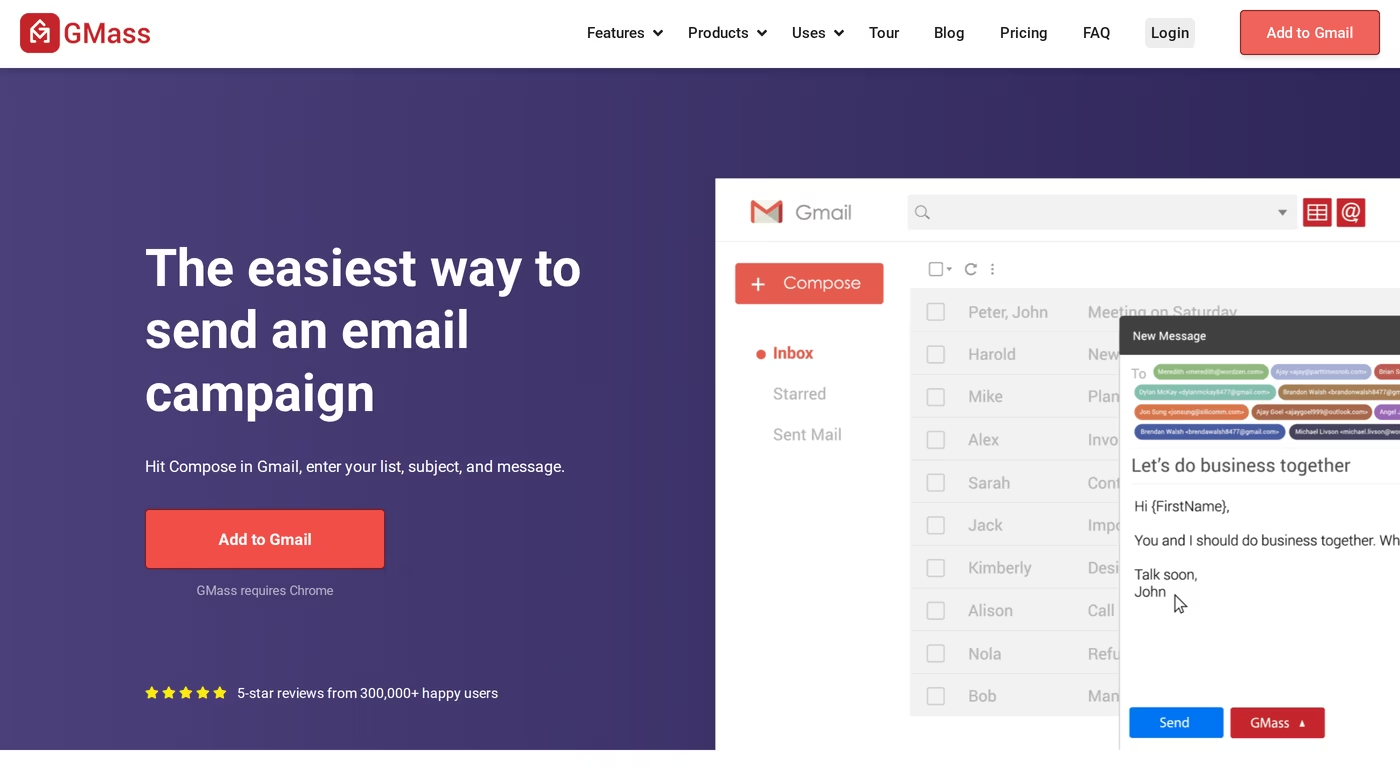
GMass is a Gmail add-on for mail merge and mass email. You install a Chrome extension, hit Compose, point it at a Google Sheet, and send. If you can write a Gmail, you can run a GMass campaign. It has been around for a decade and has roughly 400,000 users.
It is genuinely good at what it does. The problem is that "what it does" is narrow. Everything happens through your own Gmail or Google Workspace account, which sets a hard ceiling on volume.
Core features
- Mail merge with Google Sheets: reads rows and personalizes each send.
- Automated follow-ups: unlimited follow-up stages based on no-open or no-reply.
- A/B testing: test variations and auto-send the winner.
- Spam Solver and AI spintax: tweaks copy to improve inbox placement.
- MultiSend inbox rotation: spreads sending across Gmail accounts, on the Professional tier only.
- Email verification and reporting: built-in list cleaning and open, click, and reply tracking.
Pricing
GMass charges per individual plan, with unlimited emails on every paid tier. Standard is $29.95/mo monthly or $20.75/mo annual ($249/year). Premium is $39.95/mo monthly or $29.08/mo annual. Professional is $59.95/mo monthly or $49.92/mo annual, and it is the only individual plan with high-priority support and inbox rotation. Team plans run from $175/mo for five users up to $2,200/mo for 100.
Who it's best for
GMass fits solo operators and small teams who live in Gmail and send light cold email, newsletters, or mail merges. It is a fast, cheap way to send personalized email at low volume.
What reviewers say
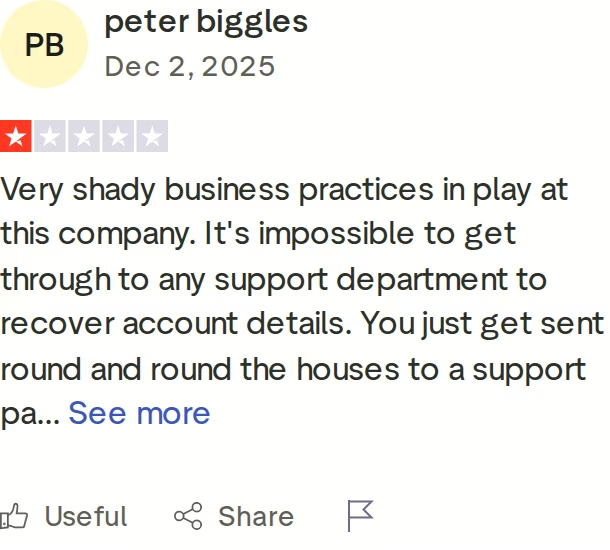
GMass scores well on ease of use, but its Trustpilot rating is 2.3 out of 5, driven by billing and support complaints. Reviewers describe slow support and trouble recovering account access. One reviewer reported that connecting many Gmail accounts and using MultiSend led to dozens of those accounts getting restricted. If you want the deeper teardown, I wrote a full GMass review separately.
The honest limitation: GMass is a Gmail plugin, not cold email infrastructure. Your sending ceiling is whatever Google decides your account can handle - 500 emails a day on regular Gmail, 2,000 on Workspace. There is no native warm-up and no LinkedIn.
Mailshake Overview
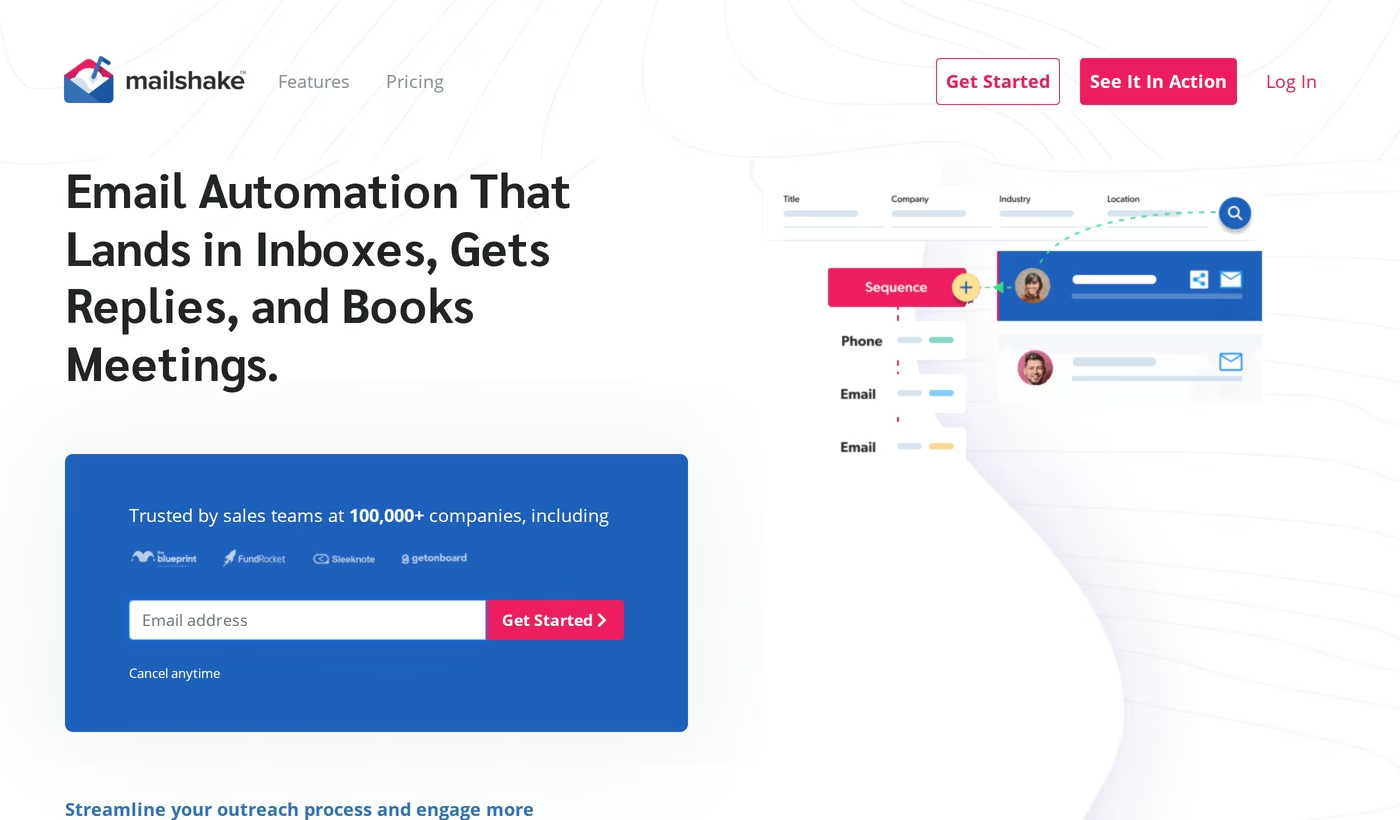
Mailshake is a sales engagement platform for small teams and agencies. It started as a cold email sequencer and added a phone dialer and LinkedIn tasks over time. It works with Gmail, Workspace, Office 365, Outlook, and most SMTP or IMAP accounts, and it is used by more than 100,000 sales teams.
It is clean and quick to set up, with a real warm-up tool baked into every plan. The friction shows up in two places: the pricing is per seat, and the channels you might actually want are split across tiers.
Core features
- Email sequences and follow-ups: automated multi-step campaigns with scheduling.
- SHAKESpeare AI writing: drafts email copy in under a minute.
- Built-in email warm-up: unlimited warm-up on all plans, which is a genuine plus.
- Email rotation: distributes sends across addresses, from the Email Outreach plan up.
- Phone dialer and LinkedIn: a power dialer and social selling, on Sales Engagement only.
- Lead Catcher and unified inbox: manages replies and hot leads in one view.
- CRM integrations: native Salesforce, Pipedrive, and HubSpot, plus Zapier.
Pricing
Mailshake bills per user. Starter is $29/user/mo monthly ($25 annual) and includes one mailbox and only 1,500 sends a month. Email Outreach, the popular plan, is $49/user/mo monthly ($45 annual) with two mailboxes and unlimited sends. Sales Engagement is $99/user/mo monthly ($85 annual) and adds the phone dialer, LinkedIn, and 10 mailboxes. A Data Finder add-on runs $19/mo and a ready-to-use mailboxes add-on is $12/mo per domain. There is no free trial.
Who it's best for
Mailshake suits small, email-first SDR teams that want sequences running the same day and do not mind paying per seat. It is a fine pick if email is most of your motion and you treat phone and LinkedIn as extras.
What reviewers say
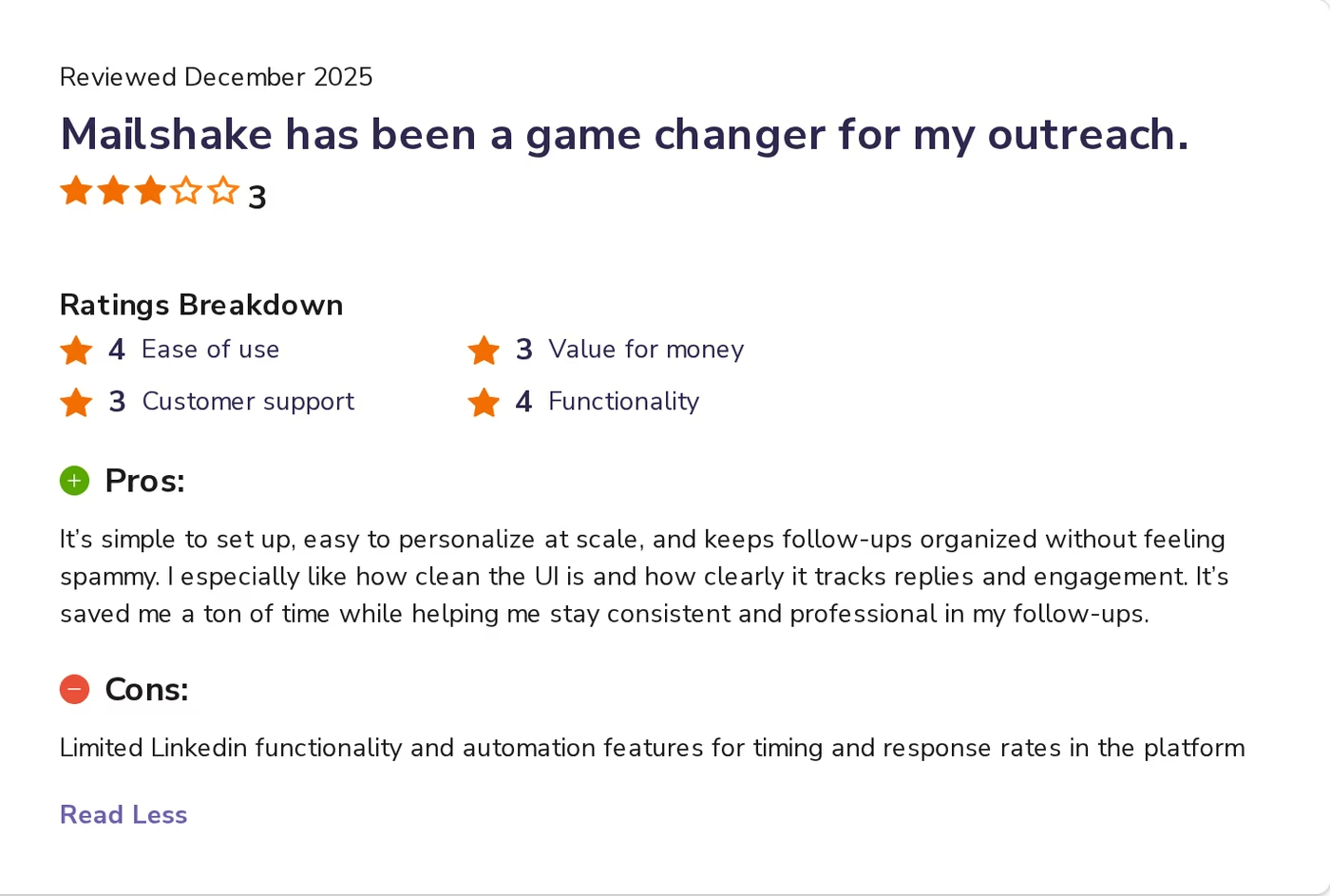
Mailshake reviews are mostly positive, with a 4.7 on G2 and high marks for support. The criticism that matters for this comparison is consistent: reviewers note limited LinkedIn functionality and automation, and rate value for money lower than ease of use. Documented downsides also include per-seat costs that climb with team size, no free trial, and credit limits that run out fast. For the broader landscape, here are other AI outreach tools worth knowing.
What Is Salesforge?
Salesforge is the outreach layer of the Forge Stack. It runs email and LinkedIn in a single sequence, with built-in AI personalization, deliverability protection, and the option to hand the work to an autonomous AI SDR. Unlike a Gmail plugin or a per-seat sequencer, it was built to scale without punishing growth.
Core features
- Multi-channel sequences: email and LinkedIn touchpoints in one workflow, with conditional branching.
- Unlimited mailboxes: connect as many sender accounts as you want, on every plan.
- Unlimited LinkedIn senders: on the Growth plan, connect every rep's profile without paying per profile.
- Free Warmforge warm-up: premium, always-on warm-up with Heat Score monitoring, included.
- Primebox™ unified inbox: email and LinkedIn replies in one place, with sentiment analysis.
- AI personalization: single-source or all-source Overdrive Mode for tailored copy.
- Agent Frank, the AI SDR: finds prospects, writes, follows up, and books meetings.
- Three infrastructure options: shared, private, or Google and Microsoft mailboxes.
- Leadsforge access: a 500M+ contact lead database to feed sequences.
- SOC 2 compliant with 20+ languages for outreach.
The Forge Stack context
Salesforge handles outreach, and the rest of the stack handles everything around it. You can warm mailboxes with Warmforge, spin up shared infrastructure with Mailforge or dedicated IPs with Infraforge, buy real Google and Microsoft mailboxes through Primeforge, and source leads in Leadsforge. It connects natively, so there is no Zapier glue between the pieces.
Pricing
The Pro plan is $48/mo monthly or $40/mo annual, with 1,000 active contacts, 5,000 emails a month, unlimited mailboxes, and one LinkedIn sender. The Growth plan is $96/mo monthly or $80/mo annual, and it adds unlimited users, unlimited LinkedIn senders, 50,000 emails, A/B testing, ESP matching, the API, and the full integrations library. You can verify the live price any time. Agent Frank is a separate subscription from $499/mo billed quarterly ($416/mo annual), not part of the Pro or Growth plan.
Start Your Free 14-Day TrialWho it's best for
Salesforge fits B2B teams selling at ACVs of $5K to $100K to startups, SMBs, and mid-market buyers, and targeting 3,000+ businesses. It is built for teams that want to book meetings at scale without hiring a large SDR bench.
Honest limitations
- Email infrastructure is not bundled into the base price - you bring your own mailboxes or add a Forge product.
- The API, A/B testing, and full integrations sit on the Growth plan.
- Agent Frank needs a sales-led demo and a two-week warm-up before he sends. Salesforge also says it is a poor fit for Fortune 500 procurement and long RFP cycles.
in Action

Head-to-Head Feature Comparison: GMass vs Mailshake
Now the part that decides it. I will walk each axis and say plainly where each tool stands.
Multi-channel outreach
This is the clearest gap. Salesforge runs email and LinkedIn in the same sequence, with phone on the roadmap. GMass is email only, and only inside Gmail - there is no LinkedIn at all. Mailshake does have LinkedIn and a phone dialer, but only on its $99/user Sales Engagement plan. If you want true multi-channel, GMass cannot do it and Mailshake makes you pay the top tier for it. Here is my take on cold email versus LinkedIn outreach and why blending wins.
Email deliverability and warm-up
Salesforge includes Warmforge free on every plan, a premium warm-up pool of real Google and Microsoft mailboxes with a Heat Score that targets 97+. Mailshake also includes warm-up on all plans, which is a real strength worth crediting. GMass has no native warm-up at all, and because sends route through your own Gmail, high bounce rates can trigger throttling and account restrictions. Deliverability is where the Gmail-only model shows its limits.
AI and personalization
All three personalize copy. GMass has AI spintax and an AI template builder. Mailshake has SHAKESpeare for drafting. Salesforge has Overdrive Mode for multi-source personalization, plus something neither competitor offers: Agent Frank, an autonomous AI SDR that prospects, writes, follows up, and books meetings on Auto-Pilot or Co-Pilot. Neither GMass nor Mailshake has an AI SDR. For context, here are the LinkedIn AI SDRs on the market and how Agent Frank compares, plus how I think about AI personalization for cold email.
Inbox management and reply handling
Salesforge includes Primebox free, a unified inbox that pulls email and LinkedIn replies into one view with sentiment tagging and AI-drafted replies on Growth. Mailshake has a unified inbox from the Email Outreach plan up, which is solid. GMass keeps replies in your Gmail inbox and offers reply management there, but there is no cross-channel inbox because there is no second channel.
Pricing and scalability
This is where the models diverge most. GMass and Mailshake both scale by adding cost - GMass through team seats and Mailshake strictly per user. On Salesforge Growth, mailboxes and LinkedIn senders are unlimited, so adding reps or inboxes does not raise the bill. If eight reps each send from several inboxes, Salesforge stays one flat price while a per-seat tool multiplies. I cover the mechanics of scaling in LinkedIn cold outreach at volume.
Integrations and infrastructure
Salesforge offers three infrastructure paths - shared Mailforge, dedicated-IP Infraforge, and real mailboxes via Primeforge - plus native HubSpot, Salesforce, Pipedrive, and Clay, the API on Growth, and an MCP server. Mailshake has native Salesforce, Pipedrive, and HubSpot, plus a small mailboxes add-on at $12/mo per domain. GMass connects to Google Sheets and uses Zapier, but has no dedicated cold email infrastructure - it runs on your Gmail.
One sentence a competitor would not print: a $59.95/mo GMass Professional plan still cannot send past Gmail's daily ceiling without routing through a separate SMTP service, and Mailshake makes you reach $99/user before LinkedIn even turns on. Salesforge runs both channels from $48/mo monthly.
Pricing Comparison: Salesforge vs GMass vs Mailshake
"Which is cheaper" depends on what you are actually buying. Here is the side by side, then a real scenario.
| Plan | Salesforge | GMass | Mailshake |
|---|---|---|---|
| Entry plan | Salesforge Pro - $48/mo monthly ($40 annual) | GMass Standard - $29.95/mo ($20.75 annual) | Mailshake Starter - $29/user/mo ($25 annual) |
| Mid plan | - | GMass Premium - $39.95/mo ($29.08 annual) | Mailshake Email Outreach - $49/user/mo ($45 annual) |
| Top plan | Salesforge Growth - $96/mo monthly ($80 annual) | GMass Professional - $59.95/mo ($49.92 annual) | Mailshake Sales Engagement - $99/user/mo ($85 annual) |
| Pricing basis | Flat - unlimited mailboxes and users (Growth) | Per plan, Gmail-bound | Per user/seat |
| AI SDR | Agent Frank - separate, from $499/mo billed quarterly | None | None |
| Free trial | 14 days | 7 days | None |
Picture a five-person team that wants email and LinkedIn. On Mailshake Sales Engagement, the only plan with LinkedIn, that is five seats at $99/user, or roughly $495/mo, before add-ons. GMass cannot do LinkedIn at any price, and its team plan is $175/mo for five users on email only. Salesforge Growth is $96/mo monthly, or $80/mo annual, for unlimited users and unlimited LinkedIn senders - one flat price for the whole team across both channels.
Both monthly and annual figures are shown because they are real options, not discrepancies. Salesforge's annual rate reflects two months free ($96 x 10/12 = $80). The same logic applies to GMass and Mailshake annual pricing pulled from their live pages.
Who Should Use Which Tool
You might consider GMass if:
- You live inside Gmail and want mail merge or light cold email with almost no setup.
- Your volume is low and comfortably under Gmail's daily sending limits.
- You do not need LinkedIn, warm-up, or dedicated infrastructure.
You might consider Mailshake if:
- You are a small, email-first team that wants sequences running the same day.
- You are fine paying per seat and treat phone and LinkedIn as top-tier extras.
- You want built-in warm-up without configuring infrastructure yourself.
Choose Salesforge if:
- You sell B2B at $5K-$100K ACVs to SMB or mid-market buyers and target 3,000+ businesses.
- You want email and LinkedIn in one sequence, not split across tools or tiers.
- You are scaling reps or inboxes and refuse to pay per seat to do it.
- You want free warm-up, a unified inbox, and dedicated infrastructure options on tap.
- You may want an AI SDR to run prospecting and booking end to end.
If you primarily target Fortune 500 accounts or rely on long RFP cycles, Salesforge says plainly it is not a good fit. You can also see how it stacks up elsewhere in its comparisons library, including Salesforge vs Smartlead.
Final Verdict: Which Cold Outreach Tool to Choose
GMass and Mailshake are both good at a narrow job. GMass is a Gmail plugin for mail merge, capped by Google's sending limits, with no warm-up and no LinkedIn. Mailshake is a tidy per-seat sequencer with real warm-up, but it gates LinkedIn and phone behind its $99/user plan. Neither runs email and LinkedIn as one native motion.
For multi-channel B2B outbound at scale, Salesforge is the stronger choice. At $80/mo for Growth billed annually ($96/mo monthly) you get unlimited users, unlimited LinkedIn senders, unlimited mailboxes, free Warmforge warm-up, and Primebox - a combination neither alternative offers at any price.
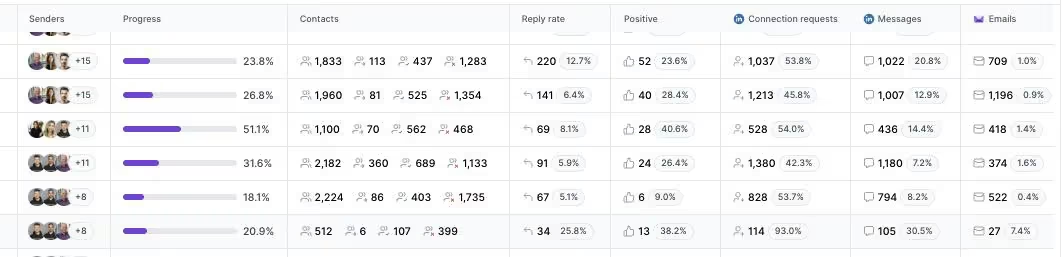
One falsifiable benchmark: UniteSync ran on Salesforge, Mailforge, and Warmforge to an 85.26% positive reply rate and a $2.86 cost per acquisition. ChannelCrawler hit 85.71% positive replies, and VAI Consulting booked three calls in a single week with Agent Frank. The case studies are public.
Frequently Asked Questions
Is Salesforge better than GMass or Mailshake?
For multi-channel B2B outbound, yes. Salesforge runs email and LinkedIn in one sequence, includes free Warmforge warm-up, and does not charge per seat. GMass is email-only inside Gmail with no warm-up, and Mailshake only adds LinkedIn on its $99/user plan. For simple Gmail mail merge, GMass may be enough.
What's the main difference between Salesforge, GMass, and Mailshake?
Channels and model. GMass is a Gmail plugin for mass email, capped by Google's 500-2,000 daily limit. Mailshake is a per-seat sequencer with phone and LinkedIn on its top tier. Salesforge is a multi-channel platform with unlimited mailboxes, free warm-up, a unified inbox, and an optional AI SDR.
Which is cheaper: Salesforge, GMass, or Mailshake?
On sticker price for one user, GMass Standard ($29.95/mo) and Mailshake Starter ($29/user/mo) are lower than Salesforge Pro ($48/mo). But for a team wanting LinkedIn, Salesforge Growth at $96/mo monthly covers unlimited users, while Mailshake charges $99 per user and GMass cannot do LinkedIn at all.
Does GMass or Mailshake support LinkedIn outreach?
GMass does not - it is email only, inside Gmail. Mailshake supports LinkedIn, but only on its Sales Engagement plan at $99/user/mo. Salesforge includes LinkedIn on every plan and offers unlimited LinkedIn senders on Growth, with email and LinkedIn in the same sequence.
Can I switch from GMass or Mailshake to Salesforge easily?
Yes. You can connect unlimited mailboxes, import contacts by CSV or Google Sheets, and rebuild sequences in Salesforge. The 14-day free trial lets you test before moving fully. Warm-up via Warmforge is included, so you can warm new or migrated mailboxes without a separate tool.
Which tool has better email deliverability?
Salesforge and Mailshake both include warm-up; GMass has none built in. Salesforge adds a premium Warmforge pool, Heat Score monitoring above 97, and three infrastructure options. Because GMass sends through your own Gmail, high bounce rates can trigger throttling and account restrictions, which several reviewers report.
Does Salesforge offer a free trial?
Yes, a 14-day free trial with no credit card required, capped at 50 contacts and 100 emails for testing. GMass offers a 7-day trial limited to 50 emails a day. Mailshake has no free trial and collects payment up front, though it includes concierge onboarding.
Who is GMass best for, and who is Mailshake best for?
GMass is best for Gmail users sending light cold email or mail merges at low volume. Mailshake is best for small, email-first SDR teams that want quick sequences and accept per-seat pricing. Salesforge is built for SMB and mid-market B2B teams scaling multi-channel outreach at $5K-$100K ACVs.
Non-commodity self-score: 13/15. Specificity 3/3 (live-verified prices, exact case-study metrics). First-hand experience 2/3 (named UniteSync, ChannelCrawler, VAI outcomes). Viewpoint 3/3 (direct falsifiable claims about Gmail's ceiling and Mailshake's $99 LinkedIn gate). LLM replaceability 3/3 (Agent Frank demo and warm-up specifics, Warmforge pool, feature-gating not in training data). Stakes 2/3 (anti-ICP stated, public UniteSync benchmark).
.jpg)

.jpg)
.jpg)
