

Octopus CRM is a browser-extension tool that automates LinkedIn only, and stops when your computer is off. La Growth Machine is a cloud multichannel platform (LinkedIn, email, calls, X) priced per identity, with no warm-up. Neither includes email infrastructure or an AI SDR.
For B2B teams that want multi-channel outbound at scale, Salesforge is the stronger choice. Email and LinkedIn run from one dashboard with no per-seat pricing, free unlimited Warmforge warm-up, a unified inbox (Primebox™), and an optional AI SDR (Agent Frank). Plans start at $48/mo monthly ($40/mo annual).
I have run outbound on all three of these tools, and the decision usually comes down to one question: how many channels do you actually need, and how far do you plan to scale?
Octopus CRM is the cheapest way to automate LinkedIn, and it does that one job. La Growth Machine adds email, calls, and X into a single visual sequence, but you pay for each sending identity.
Salesforge sits in a different category: it pairs email and LinkedIn outreach with the wider Forge Stack (infrastructure, warm-up, lead data, and an AI SDR) under one login. UniteSync ran that stack to an 85.26% positive reply rate and a $2.86 CAC. This post breaks down where each tool fits.
Octopus CRM vs La Growth Machine at a Glance
Here is the fast version before the detail. Salesforge and La Growth Machine both run multiple channels; Octopus CRM is LinkedIn only. The pricing models are the biggest practical difference at scale.
| Feature | Salesforge | Octopus CRM | La Growth Machine |
|---|---|---|---|
| Outreach channels | Email + LinkedIn (phone on roadmap) | LinkedIn only | LinkedIn + Email + Calls + X |
| Deployment | Cloud (runs 24/7) | Chrome extension (computer must be on) | Cloud (runs 24/7) |
| Entry price | $48/mo ($40 annual) - Pro | $9.99/mo ($6.99 annual) - Starter | €60/mo (€50 annual) per identity - Basic |
| Top plan | $96/mo ($80 annual) - Growth, unlimited users + LinkedIn senders | $39.99/mo ($24.99 annual) - Unlimited | €180/mo (€150 annual) per identity - Ultimate |
| Pricing model | No per-seat pricing | Per LinkedIn account | Per identity (LinkedIn + email) |
| Email warm-up | Free, unlimited (Warmforge) | None | None (bring your own) |
| AI SDR | Agent Frank (separate, from $499/mo quarterly) | No | No |
| Unified inbox | Primebox™ (free) | No | Yes (LinkedIn + email + X) |
| Email infrastructure | 3 options (Mailforge, Infraforge, Primeforge) | None | None |
| Lead data | Leadsforge 500M+ contacts | No | Waterfall enrichment (capped per plan) |
| Free trial | 14 days | 7 days | 14 days |
| Best for | SMB / mid-market B2B, $5K-$100K ACV | Solo, low-volume LinkedIn outreach | EU multichannel SDR teams |
Octopus CRM Overview: Features, Pricing, and Limits
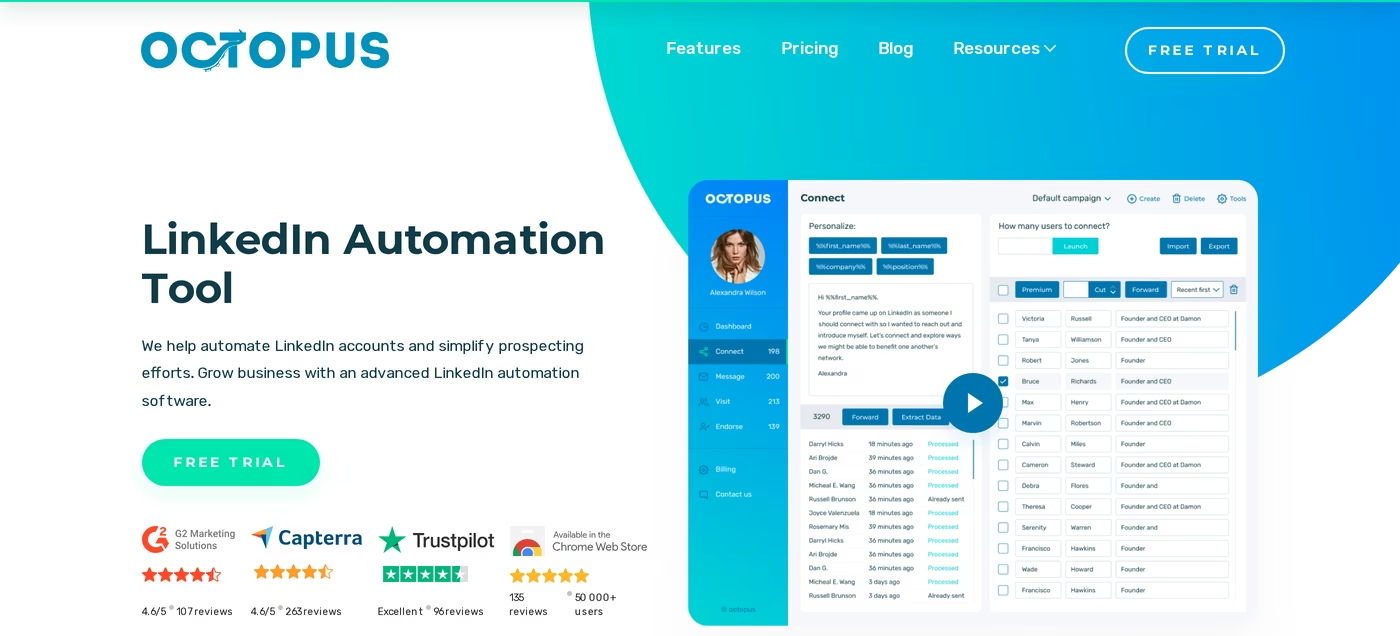
Octopus CRM is a Chrome extension that automates LinkedIn prospecting. It runs connection requests, messages, profile visits, and skill endorsements, and it stores prospects in a built-in mini-CRM. It is one of the cheapest tools in the LinkedIn automation tools category.
Core features
- Automated LinkedIn actions: auto connection requests, bulk messages to first-degree connections, auto profile views, and skill endorsements.
- Personal CRM: a simple pipeline view that tracks prospects and activity directly from LinkedIn.
- Funnel builder: chain actions into a basic sequence (connect, then message, then follow up).
- Activity control: daily limits and alerts meant to keep usage inside LinkedIn's thresholds.
- Connect-by-email: on the Unlimited plan, invite by email to work around LinkedIn's weekly invite cap.
- Integrations: HubSpot and Zapier (Zapier is gated to the Unlimited plan), plus CSV import and export.
- Sales Navigator support: all plans work with Sales Navigator; Premium and Recruiter compatibility is Unlimited-only.
Pricing
Octopus CRM has four tiers, billed per LinkedIn account. Monthly rates are Starter $9.99, Pro $14.99, Advanced $21.99, and Unlimited $39.99. Annual billing carries a 35% discount, dropping those to roughly $6.99, $9.99, $14.99, and $24.99 per month.
There is a 7-day free trial with no card required. At $9.99/mo, Starter is the cheapest paid LinkedIn automation tool you can buy.
Who it is best for
Octopus CRM fits solo operators, freelancers, and early-stage founders running low-volume LinkedIn outreach on a tight budget. It is a single-user tool at heart.
What reviewers say
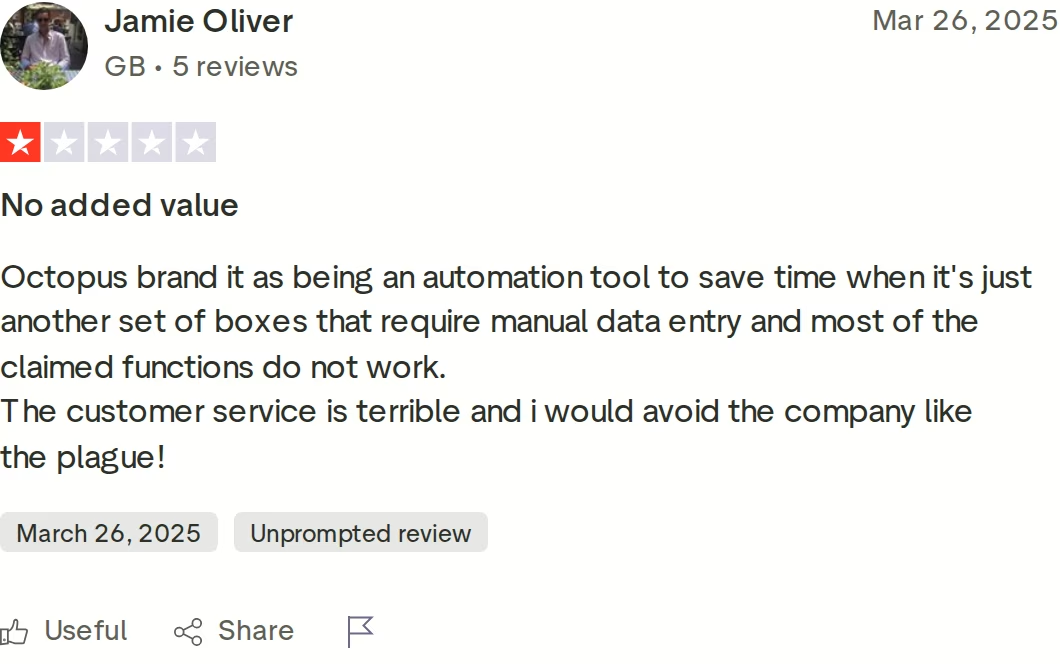
The recurring complaints are consistent. Because Octopus runs as a browser extension, automation only works while Chrome is open and your computer is on, so there is no true 24/7 sending. Reviewers on Trustpilot also flag billing and cancellation friction, and some report that features they expected to be automatic still needed manual work.
Honest limitations
- LinkedIn only. No email channel, no email finder, no phone or data enrichment at any tier.
- Browser-dependent. It cannot run in the cloud, and browser extensions carry higher LinkedIn detection risk than cloud tools.
- Built for one user. Each LinkedIn account needs its own subscription, so agencies pay multiples.
- No warm-up and no deliverability tooling, because there is no email to protect.
La Growth Machine Overview: Features, Pricing, and Limits

La Growth Machine (LGM) is a cloud multichannel outreach platform built in Paris in 2018. It coordinates LinkedIn, email, calls, and X (Twitter) inside a single drag-and-drop sequence, and pulls replies from every channel into one inbox.
It is EU-hosted and GDPR-native, with French-based support. Detailed La Growth Machine reviews praise the visual builder above everything else.
Core features
- Visual sequence builder: drag-and-drop canvas with real if/then branching across channels. Reviewers rate it the strongest in the category.
- Multichannel touches: LinkedIn actions, email steps, call tasks, and X messages in one flow (channels depend on the tier).
- LinkedIn voice messages: AI voice-clone messages you can send inside a sequence, a genuine differentiator.
- Waterfall enrichment: queries multiple data sources to fill in emails and phone numbers, capped per plan.
- Company Lookalike: expand a list by finding companies similar to ones you already target.
- Unified inbox: LinkedIn, email, and X replies land in one view.
- CRM sync: native HubSpot and Pipedrive sync, but only on the top Ultimate plan.
Pricing
LGM prices per identity, where an identity is one LinkedIn account paired with an email. Monthly rates are Basic €60, Pro €120, and Ultimate €180 per identity; annual billing gives two months free, so roughly €50, €100, and €150 per identity per month. There is an Agency plan with custom pricing starting at six identities, and a 14-day free trial with no card.
Enrichment is capped at 250 leads on Basic, 400 on Pro, and 1,000 on Ultimate. Basic allows up to three identities; Pro and Ultimate remove that limit.
Who it is best for
LGM fits EU-based SDR teams running genuine multichannel sequences who value the visual builder and want data residency in Europe. It is strongest for teams of three to ten identities.
What reviewers say
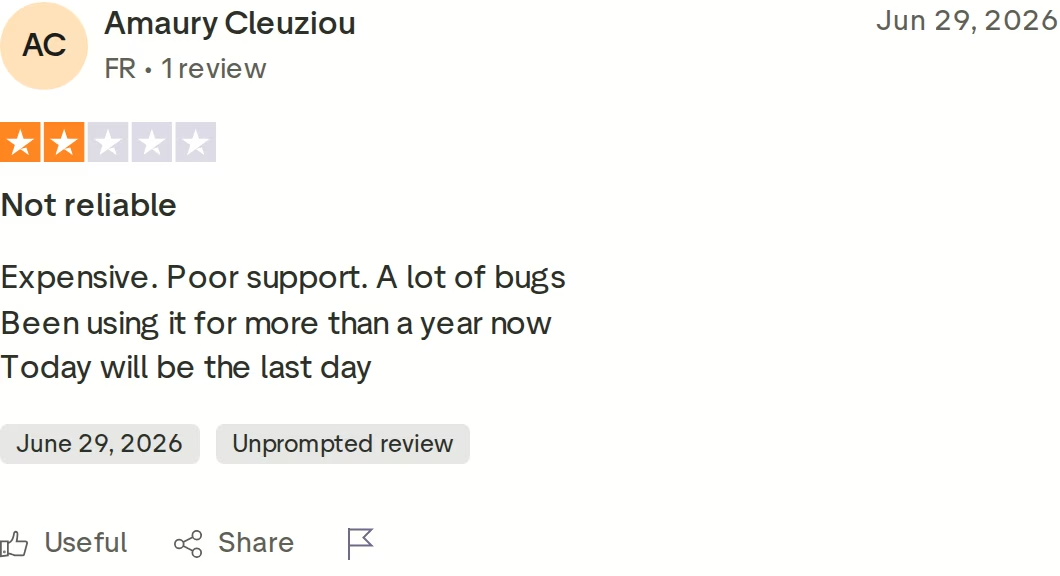
LGM's Trustpilot average sits at 3.3/5, lower than its G2 score, and the pattern is telling. The most common complaints are bugs and sync errors that disrupt live campaigns, per-identity pricing that gets expensive as teams grow, and key features locked behind Ultimate.
One detailed reviewer described paying for 20 identities, spending nearly $10,000, and hitting problems like LinkedIn replies being silently dropped and campaign progress lost when editing. LGM also has no native email warm-up, so you add a separate tool to warm domains before sending.
Honest limitations
- Per-identity pricing punishes growth. Three identities on Pro is roughly €300/mo before enrichment overages.
- No native email warm-up. Deliverability protection is your problem to solve elsewhere.
- No email infrastructure. You bring your own mailboxes and domains.
- Feature gating. CRM sync, X outreach, and the custom sequence builder all require the top Ultimate plan.
- Sales Navigator (about €99/mo per seat) is needed for advanced filtering and is not included.
Salesforge Overview: The Multi-Channel Forge Stack
Salesforge is an all-in-one cold outreach platform that runs email and LinkedIn as two channels of one workflow. What sets it apart from a standalone outreach tool is the Forge Stack behind it: email infrastructure, warm-up, lead data, a unified inbox, and an autonomous AI SDR, all under one login. Recent Salesforge reviews most often praise its deliverability controls and support.
Core features
- Multichannel conditional sequences: email and six native LinkedIn actions (connection requests, messages, InMails, post likes, follows, withdraw requests) in one branching sequence.
- Unlimited mailboxes and LinkedIn senders: connect unlimited mailboxes on any plan, and unlimited LinkedIn senders plus unlimited users on Growth.
- Free unlimited warm-up (Warmforge): every mailbox is warmed in a premium pool of aged IMAP/SMTP, Google Workspace, and Microsoft 365 mailboxes, with Heat Score™ monitoring and placement tests.
- Primebox™ unified inbox: email and LinkedIn replies in one view with sentiment analysis, plus Auto-Pilot and Co-Pilot AI reply modes on Growth.
- AI personalization across 21+ languages: Overdrive Mode pulls from multiple sources to personalize at scale.
- Account safety as standard: LinkedIn actions route through quality proxies, use session tokens only (your password is never stored), and skip Chrome-extension injection.
- ESP matching, Bounce Shield, sender rotation: deliverability protections built into the sending engine.
- Integrations and developer surfaces: native HubSpot, Salesforce, Pipedrive, and Clay, plus Zapier, an open API (Growth), an Agent Frank workflow, and an MCP server.
The Forge Stack context
Salesforge is the outreach layer of a unified stack. Below it sit three infrastructure products (Mailforge for shared IPs, Infraforge for dedicated IPs, Primeforge for Google and Microsoft mailboxes), Warmforge for deliverability, and Leadsforge for a 500M+ contact database that feeds sequences with no CSV export. Above it, Agent Frank runs the whole thing autonomously.
Pricing
Salesforge Pro is $48/mo monthly or $40/mo annual (1 user, 1 LinkedIn sender, unlimited mailboxes, free warm-up). Salesforge Growth is $96/mo monthly or $80/mo annual, adding unlimited users, unlimited LinkedIn senders, API access, A/B testing, ESP matching, and Primebox AI.
Agent Frank is a separate subscription from $499/mo billed quarterly ($416/mo billed annually), never bundled into Pro or Growth. Every paid plan includes a 14-day free trial with no card.
Who it is best for
Salesforge is built for B2B teams selling products with ACVs of $5K-$100K, targeting startups, SMBs, and mid-market at 3,000+ businesses. It is a strong fit if you are overpaying for seat-based tools that punish growth, or juggling separate point solutions for sending, warm-up, and inbox. Salesforge itself says it is a poor fit for Fortune 500 procurement, long RFP cycles, and six- to seven-figure bespoke deals.
Honest limitations
- Email infrastructure is not included in the base price. You connect your own mailboxes or add Mailforge, Infraforge, or Primeforge.
- Several features are Growth-only: API, A/B testing, ESP matching, Primebox AI, multi-language sequences, and the full integrations library.
- Agent Frank requires a sales-led demo and a 2-week warm-up before sending. There is no self-serve trial for the AI SDR.
in Action

Head-to-Head Feature Comparison: Octopus CRM vs La Growth Machine
Here is where the three tools separate across the dimensions that decide outbound performance.
Multi-channel outreach
This is the clearest split. Octopus CRM is LinkedIn only, so half of a modern outbound motion is missing. La Growth Machine is genuinely multichannel: LinkedIn, email, calls, and X in one sequence, and the X channel is a real differentiator.
Salesforge runs email and LinkedIn from one dashboard with six native LinkedIn actions and conditional branching, so a declined connection request can fall back to email automatically. If your outbound is LinkedIn plus email, Salesforge and LGM both cover it; Octopus does not.
Email deliverability and warm-up
Neither competitor solves deliverability. Octopus has no email, so the point is moot. La Growth Machine has email but no native warm-up, which means you bolt on a separate warm-up tool and manage domains yourself.
Salesforge includes Warmforge free and unlimited on every plan: a premium warm-up pool with no recycled inboxes, Heat Score™ per mailbox, and placement tests across major ESPs. This is the difference between emails that land and emails that sit in spam.
AI and personalization
Octopus offers templated LinkedIn messages with basic variables. LGM adds an AI writing assistant and AI voice-clone messages, which is a nice touch on LinkedIn.
Salesforge personalizes across 21+ languages with Overdrive Mode, and goes further than most LinkedIn AI tools with Agent Frank, an autonomous AI SDR that prospects, writes, sends, replies, and books meetings across email and LinkedIn. VAI Consulting booked three calls in a single week with Agent Frank running outreach.
Inbox and reply management
Octopus has no reply inbox; you manage replies in LinkedIn itself. LGM has a unified inbox that pulls LinkedIn, email, and X replies together, which is a real strength.
Salesforge answers with Primebox™, a free unified inbox for email and LinkedIn with sentiment tagging and, on Growth, AI-drafted replies in Co-Pilot or Auto-Pilot mode. Both LGM and Salesforge beat Octopus here; Salesforge adds AI reply drafting on top.
Infrastructure and the stack
This is the widest gap. Neither Octopus nor LGM sells email infrastructure, so you supply your own mailboxes and domains.
Salesforge offers three infrastructure options under one login: Mailforge (shared), Infraforge (dedicated IPs), and Primeforge (real Google and Microsoft mailboxes with ESP matching). ChannelCrawler ran Salesforge on Infraforge and Warmforge to an 85.71% positive reply rate. You can move between infrastructure types as you scale without switching platforms.

Pricing and scalability
Both competitors charge per operator. Octopus needs a separate subscription per LinkedIn account; LGM charges per identity. Add three people and LGM Pro is roughly €300/mo before enrichment overages, and Octopus Unlimited is about $75/mo for LinkedIn alone.
Salesforge Growth is a flat $80/mo annual with unlimited users and unlimited LinkedIn senders, so headcount does not raise the price. On the parts that scale, Salesforge is the cheaper model as teams grow.
Pricing Comparison: What Each Tool Really Costs
Below are the current published prices, pulled from each vendor's live pricing page. Note that Octopus bills per LinkedIn account and LGM bills per identity, while Salesforge does not charge per seat.
| Tool and plan | Monthly | Annual | What you get |
|---|---|---|---|
| Salesforge Pro | $48/mo | $40/mo | 1 user, 1 LinkedIn sender, unlimited mailboxes, free warm-up |
| Salesforge Growth | $96/mo | $80/mo | Unlimited users + LinkedIn senders, API, A/B testing, Primebox AI |
| Salesforge Agent Frank | $499/mo (quarterly) | $416/mo | Autonomous AI SDR, separate subscription |
| Octopus CRM Starter | $9.99/mo | $6.99/mo | LinkedIn auto-messages + CRM, 1 account |
| Octopus CRM Unlimited | $39.99/mo | $24.99/mo | All LinkedIn actions, Sales Nav + Recruiter, Zapier |
| LGM Basic | €60/mo | €50/mo | LinkedIn + email, 250 leads, max 3 identities |
| LGM Pro | €120/mo | €100/mo | + Calls, 400 leads, rotating inbox |
| LGM Ultimate | €180/mo | €150/mo | + X, 1,000 leads, CRM sync, custom builder |
The sticker prices favor Octopus, but they measure different things. Octopus is the cheapest because it does the least: LinkedIn automation for one account.
LGM's real cost climbs with every identity and every enrichment overage. Salesforge's headline is higher than Octopus, yet it is flat as you scale and it folds in warm-up and a unified inbox that the others charge for or skip.
A quick scenario. Say you are a three-person team running email and LinkedIn.
On Salesforge Growth (annual) you pay one flat $80/mo for all three, plus infrastructure if you need it, with warm-up included. On La Growth Machine Pro that is three identities at roughly €100 each, about €300/mo, and you still add a warm-up tool. On Octopus CRM you pay about $75/mo for three accounts, but you get LinkedIn only and no email at all.
Who Should Use Octopus CRM, La Growth Machine, or Salesforge
You might consider Octopus CRM if:
- You are a solo operator or freelancer doing low-volume LinkedIn-only outreach on the tightest possible budget.
- You do not need email, cloud sending, or team features, and you are fine leaving your computer on for automation to run.
You might consider La Growth Machine if:
- You are an EU-based team that wants data residency in Europe and values French-based support.
- You need X (Twitter) in the channel mix, and the drag-and-drop sequence builder is a priority. For that specific combination, LGM's builder and X channel are a genuinely strong pick.
Choose Salesforge if:
- You sell B2B at $5K-$100K ACV to startups, SMBs, or mid-market, and target 3,000+ businesses.
- You want email and LinkedIn in one workflow with free unlimited warm-up and a unified inbox, not three separate tools.
- You are scaling a team and refuse to pay more per seat or per identity as headcount grows.
- You run an agency and need isolated infrastructure and account-level visibility across clients.
- You want the option of an AI SDR (Agent Frank) to run outbound end-to-end.
Final Verdict: Which Outreach Tool to Choose
Octopus CRM and La Growth Machine solve narrower problems than they appear to. Octopus is a cheap, browser-bound LinkedIn automator that stops when your laptop sleeps.
La Growth Machine is a capable multichannel platform with a great builder, held back by per-identity pricing, no native warm-up, and a Trustpilot record worth reading before you commit. Neither ships email infrastructure or an AI SDR.
For real multi-channel B2B outbound at scale, Salesforge is the stronger choice. At $80/mo for Growth billed annually ($96/mo monthly) you get unlimited users, unlimited LinkedIn senders, unlimited mailboxes, free Warmforge warm-up, and Primebox™ - a combination neither alternative offers at any price, without charging you per seat.
One falsifiable benchmark: UniteSync ran Salesforge with Mailforge and Warmforge to an 85.26% positive reply rate and a $2.86 CAC, and AKOOL reached 214K+ prospects at a 16%+ positive reply rate. Those case studies are public. You can compare tools further in the Salesforge comparison library or browse the sales tools directory.
Frequently Asked Questions
Is Salesforge better than Octopus CRM?
For most B2B teams, yes. Octopus CRM automates LinkedIn only and runs as a browser extension, so it cannot send while your computer is off. Salesforge runs email and LinkedIn from the cloud, includes free Warmforge warm-up and the Primebox™ unified inbox, and does not charge per seat. Octopus wins on one thing: price for a single-user, LinkedIn-only motion, starting at $9.99/mo.
What is the main difference between Salesforge and La Growth Machine?
Both run multichannel outreach, but the models differ. La Growth Machine charges per identity and sells the outreach layer only, with no native warm-up or email infrastructure. Salesforge charges no per-seat fee and pairs outreach with the full Forge Stack: three infrastructure options, free Warmforge warm-up, Leadsforge lead data, Primebox™, and the Agent Frank AI SDR, all under one login.
Which is cheaper: Octopus CRM, La Growth Machine, or Salesforge?
Octopus CRM has the lowest sticker price at $9.99/mo, but it only automates LinkedIn for one account. La Growth Machine costs €60 to €180 per identity per month, so a three-person team runs about €300/mo on Pro. Salesforge Growth is a flat $80/mo annual for unlimited users, which usually makes it the cheapest option once a team grows past one or two people.
Does Octopus CRM support email outreach?
No. Octopus CRM is purely a LinkedIn automation tool. It handles connection requests, messages, profile views, and endorsements, but it has no email channel, no email finder, and no data enrichment. Its Unlimited plan adds a connect-by-email feature to bypass LinkedIn's weekly invite limit, but that is not the same as running cold email campaigns.
Can I switch from Octopus CRM or La Growth Machine to Salesforge easily?
Yes. You export your prospect lists to CSV and import them into Salesforge, or use Leadsforge to build fresh lists inside the platform. Salesforge connects unlimited mailboxes on any plan, warm-up starts automatically via Warmforge, and there is a 14-day free trial with no card so you can run a test campaign before moving fully.
Which tool has better email deliverability?
Salesforge, by a wide margin, because it is the only one built around deliverability. Octopus has no email at all. La Growth Machine has email but no native warm-up. Salesforge includes free unlimited Warmforge warm-up with a premium pool, Heat Score™ monitoring, ESP matching, Bounce Shield, and placement tests. You can also read the wider cold email software landscape for context.
Does Salesforge offer a free trial?
Yes. Salesforge has a 14-day free trial with no credit card required. During the trial you can add up to 50 contacts, send up to 100 emails, connect unlimited mailboxes, and run warm-up. Agent Frank, the AI SDR, is the exception: it requires a sales-led demo and a 2-week warm-up rather than a self-serve trial.
Who is La Growth Machine best for?
La Growth Machine is best for EU-based SDR teams of three to ten identities that run genuine multichannel sequences and want European data residency. Its visual builder and X (Twitter) channel are standout features. Teams should budget for per-identity pricing and a separate warm-up tool, since neither is included.
.jpg)

.jpg)
.jpg)
