

Relevance AI is a platform for building AI agents, and its BDR agent, Bosh, is enterprise-only and sold through a demo. Lindy is an AI assistant for Slack, email, and iMessage that waits for your approval before it sends any email. Neither includes a lead database, email infrastructure, or warm-up.
For autonomous B2B outbound, Agent Frank is the stronger choice. He prospects from 500M+ contacts, runs email and LinkedIn, warms mailboxes free with Warmforge, and books meetings, from $499/mo billed annually ($599/mo billed quarterly).
Agent Frank vs Relevance AI vs Lindy AI compares three ways to use AI to book B2B meetings without hiring more SDRs. I judged all three on one job: reach 2,000-2,500 new B2B prospects a month and turn the replies into calls.
I checked each vendor's live pricing page and documentation in October 2026. Relevance AI is a builder: you design the agents, or you buy its enterprise BDR agent through sales. Lindy is an assistant that drafts email, records meetings, and updates your CRM from Slack.
Agent Frank is Salesforge's AI SDR, and he runs outbound end to end on email and LinkedIn. VAI Consulting booked 3 calls in the first week after narrowing its ICP with him.
AI SDR Comparison at a Glance: Relevance AI vs Lindy AI
| Feature | Agent Frank | Relevance AI | Lindy AI |
|---|---|---|---|
| What it is | Autonomous AI SDR from Salesforge that works 24/7, built on the Forge Stack | Platform for building AI agents and multi-agent "workforces" | AI assistant ("AI teammate") for Slack, email, iMessage, and Chrome |
| Outreach channels | Email and LinkedIn in one conditional sequence, unlimited senders | Email and LinkedIn through agents you configure, such as the Outbound Prospector template | Email through 2 to 5 connected inboxes; no LinkedIn outreach job listed |
| Personalization | Researches each prospect; AI personalization across 21+ languages from your Knowledge Base | Whatever your agent's prompts and tools produce; bring your own LLM | Drafts emails in your voice; model chosen per task |
| Starting price | $599/mo billed quarterly or $499/mo billed annually (1,000 active contacts) | Relevance AI Pro: $29/mo monthly or $19/mo annual; Bosh needs a custom Enterprise quote | Free for 7 days ($50 in credits), then $29.99 per user/mo |
| Pricing unit | Active contacts; $0.25 per contact at 2,000+/mo | Actions (one per tool run) plus Vendor Credits | Credits per seat (about one cent each), no rollover |
| Lead data | 500M+ contact search engine with enrichment and verification, included | None built in; connect ZoomInfo or Apollo | None built in; researches and enriches leads using credits |
| Mailboxes and warm-up | Free 2-week Warmforge warm-up; mailboxes from $33/mo (Infraforge) or $69/mo (Megaforge) | Not offered; bring your own | Not offered; uses your existing inboxes |
| Autonomy | Auto-Pilot or Co-Pilot, your choice | Bosh starts in approval mode, then moves to autopilot | Every email send waits for human approval |
| Reply handling | Answers replies and books meetings; replies land in Primebox™ | Bosh holds two-way email conversations and logs them to your CRM | Drafts replies in your voice for you to approve |
| Analytics | Campaign dashboard: reply rate, positive replies, LinkedIn connections, and emails | Analytics dashboard on Team and above; agent evaluations on Enterprise | Credit usage per teammate; no outbound campaign analytics listed |
| Setup time | Demo, a few hours of setup, then a 2-week warm-up | Bosh: a couple of weeks of configuration, then weeks in approval mode | About 2 minutes to add to Slack |
| Support | Dedicated account manager and shared Slack channel | Community forum on Pro, priority support on Team, account manager on Enterprise | Dedicated support on Enterprise only |
| Compliance | SOC 2 | SOC 2 Type II, GDPR | SOC 2, GDPR; HIPAA BAA on Enterprise |
| Best for | B2B teams at $5K-$100K ACVs targeting 3,000+ businesses | Ops-led teams building custom agents across departments | People who want help with inbox, meetings, and CRM updates |
Relevance AI Overview: AI Agent Builder With an Enterprise BDR
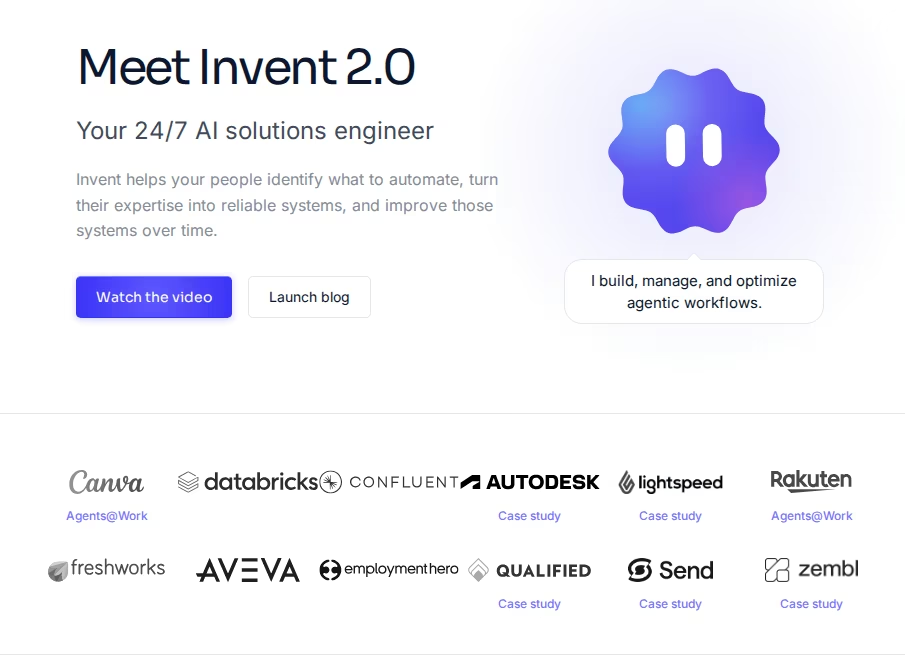
Relevance AI sells a platform for building AI agents and multi-agent teams, which it calls an AI workforce, and its homepage says even non-technical teams can build one. Sales is one use case next to support, marketing, HR, and operations.
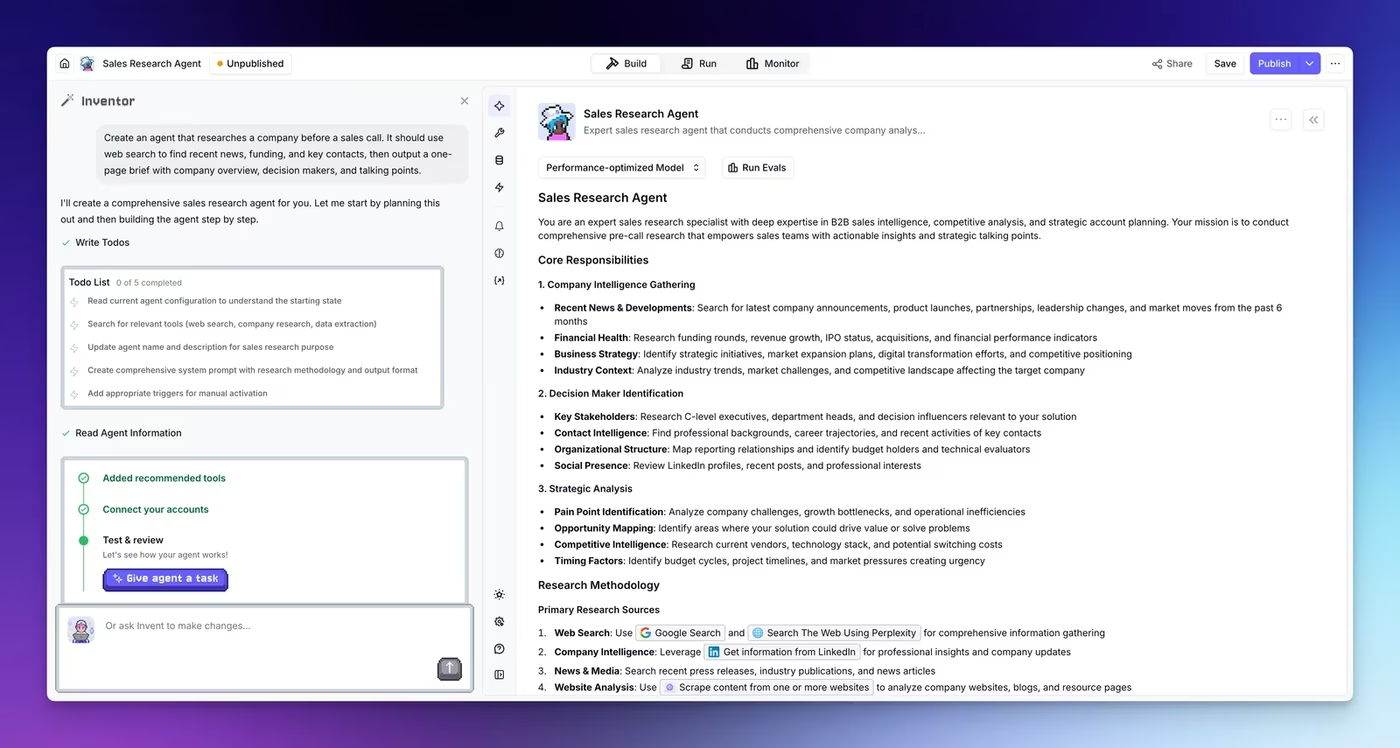
You describe the agent you want, and its Invent assistant drafts it. Then you test it in a Run tab and connect it to triggers and tools.
Relevance AI core features
- Agent builder: describe the job in plain English, and Invent builds the agent for you.
- Workforces: multi-agent systems where agents pass tasks to each other.
- Sales templates for prospect research, pre-meeting briefs, post-call follow-ups, meeting scheduling, and outbound prospecting.
- Bosh, a BDR agent for outreach, replies, CRM updates, and meeting booking, sold on Enterprise only.
- 2,000+ app integrations and 1,000+ app triggers, including LinkedIn and WhatsApp triggers.
- Bring your own LLM keys, plus calling and meeting agents on Team and above.
Relevance AI pricing
The public pricing page shows one Enterprise plan with a "Talk to sales" button, and the self-serve plans now sit in the docs. Relevance AI Pro costs $19/mo billed annually ($29 monthly) for 2,500 Actions and 10,000 Vendor Credits. Relevance AI Team costs $234/mo annually ($349 monthly) for 7,000 Actions and 35,000 Vendor Credits.
An Action is counted every time an agent runs a tool, such as sending one email. Extra Actions cost $80 per 1,000, plan Actions reset at renewal, and the Free plan is retired.
Who Relevance AI is best for
Relevance AI fits ops-led teams that want one platform for custom agents across sales, support, and operations, with someone to design, test, and maintain them. For the two-tool view, see the Relevance AI comparison.
Relevance AI limitations
- Bosh is not on the self-serve platform. Relevance AI's docs say it is tailored to each company, with a couple of weeks of configuration before approval mode and autopilot.
- No lead database. Bosh's prospecting agent finds new contacts through a data tool such as ZoomInfo or Apollo.
- No mailboxes or warm-up. For deliverability, the docs point to personalization and sending volumes that ramp up over time.
- Metered usage. Every tool run is billed as an Action, so longer agent chains cost more per prospect.
What reviewers say about Relevance AI
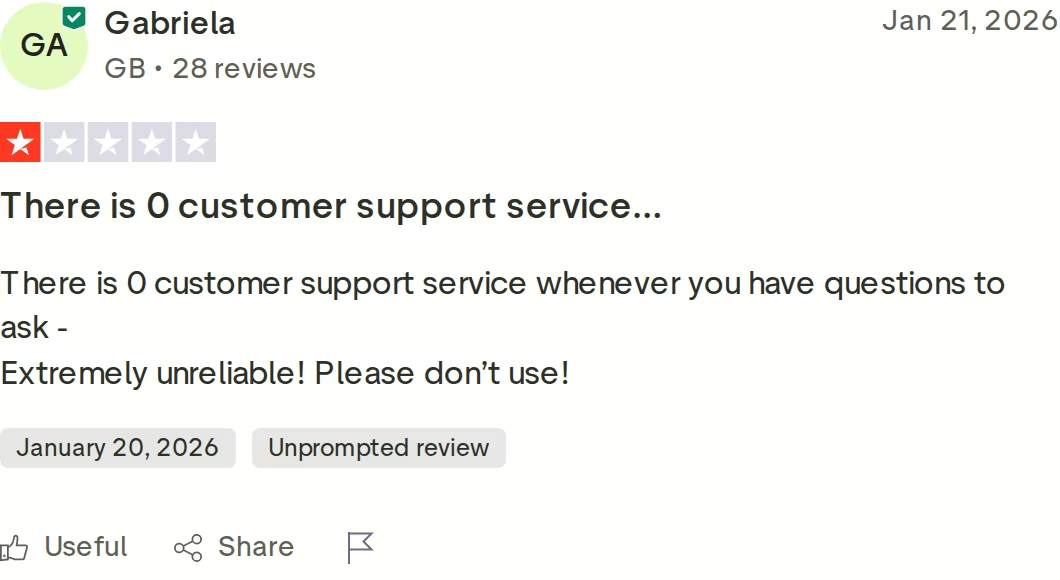
Review volume is thin: Relevance AI's Trustpilot page held two reviews when I checked. One is a 2-star from a user unhappy that an update removed the option to add steps inside tools, and the other is the 1-star below about support.
Lindy AI Overview: AI Teammate for Inbox, Meetings, and CRM
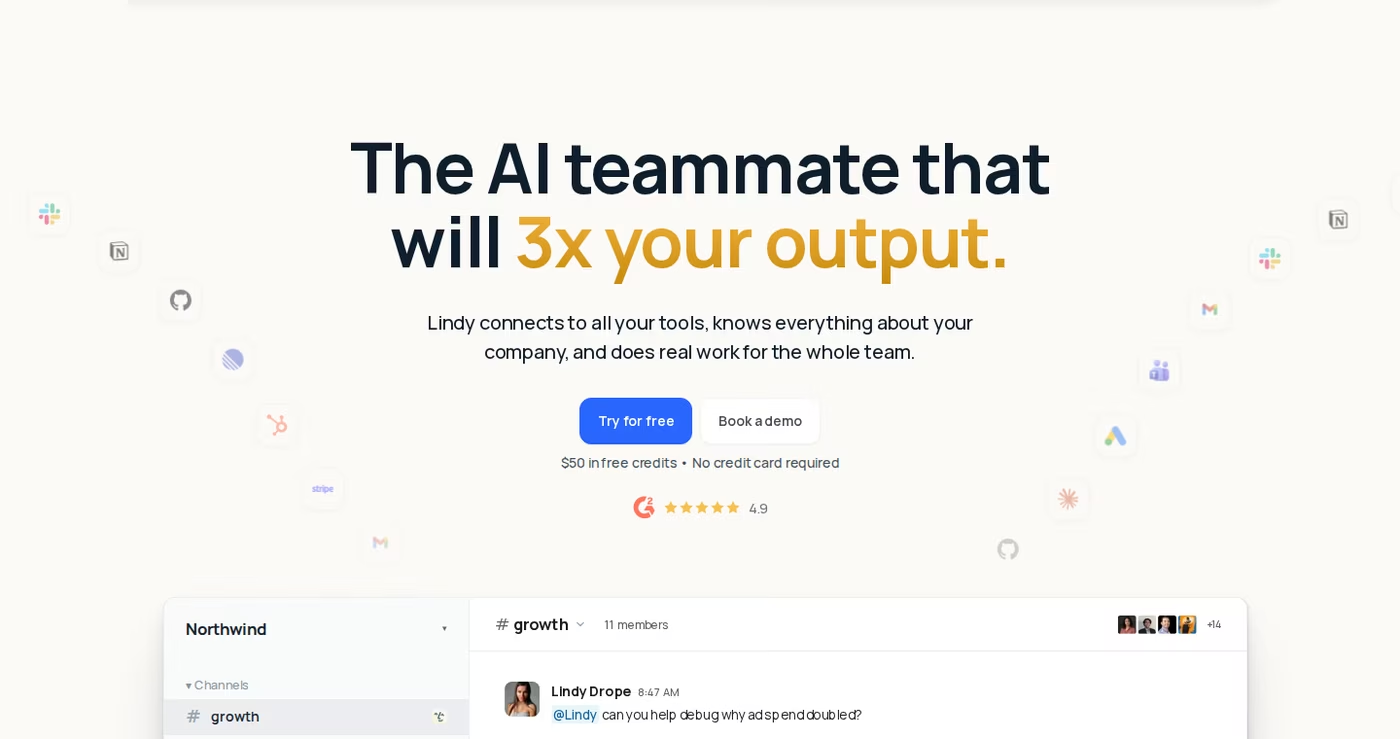
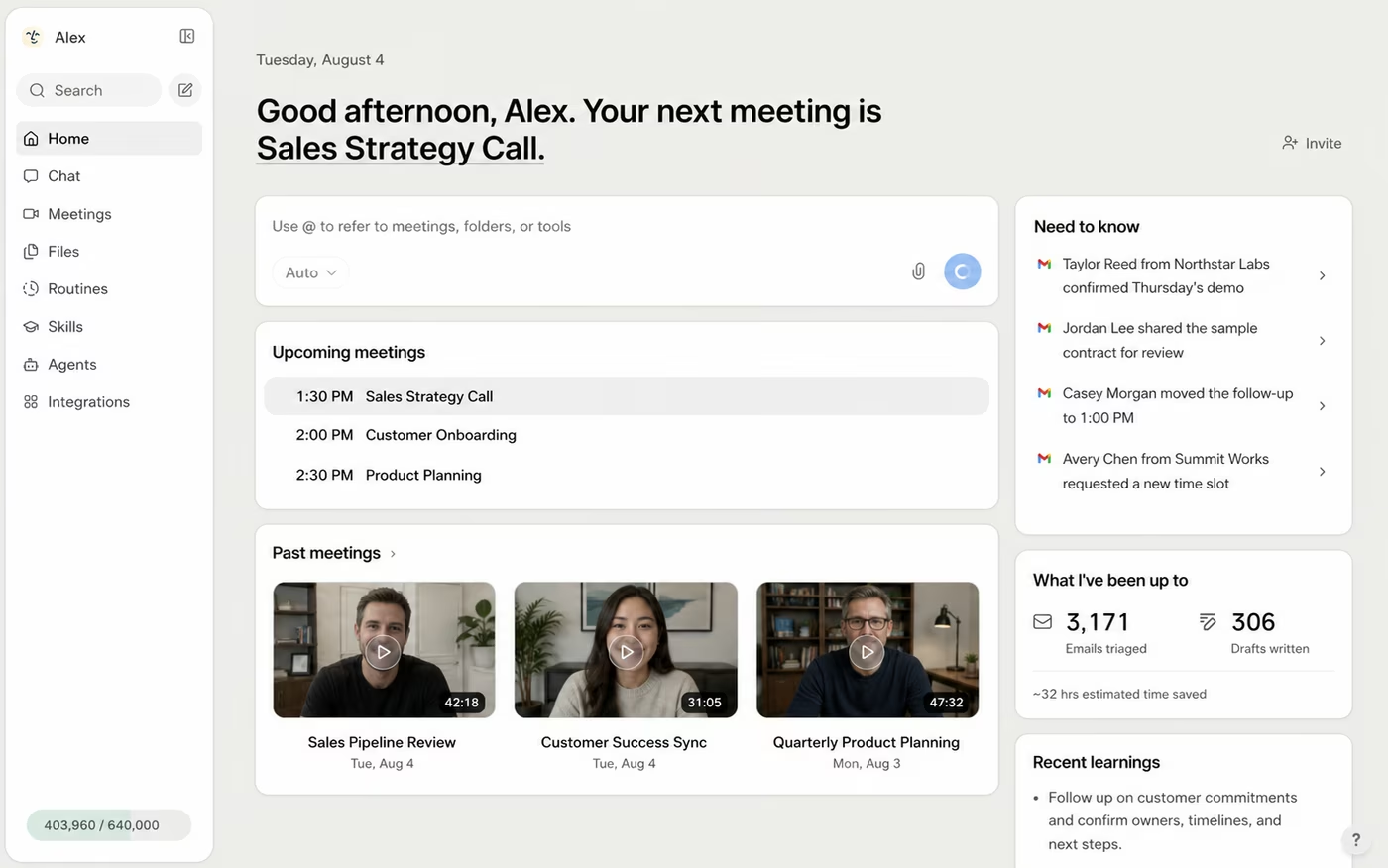
Lindy is an AI assistant that markets itself as an "AI teammate." It works inside Slack, email, iMessage, and a Chrome extension, learns how you work, and runs jobs like daily briefs, meeting notes, and CRM updates.
Lindy AI core features
- Slack-native: tag @Lindy in a channel and it answers in the thread.
- Inbox management: triages email and drafts replies in your voice, across 2 to 5 connected inboxes depending on plan.
- Meetings: records calls, writes notes, keeps a shared meeting library, and handles scheduling and follow-ups.
- Routines and 40+ skills: scheduled jobs like a Monday report, plus skills you teach once and share with the team.
- Sales jobs: watches your pipeline, updates the CRM from Slack, and drafts a personalized sequence for each lead in a sheet.
- 1,000+ integrations with MCP support, and memory stored as plain files you can edit.
Lindy AI pricing
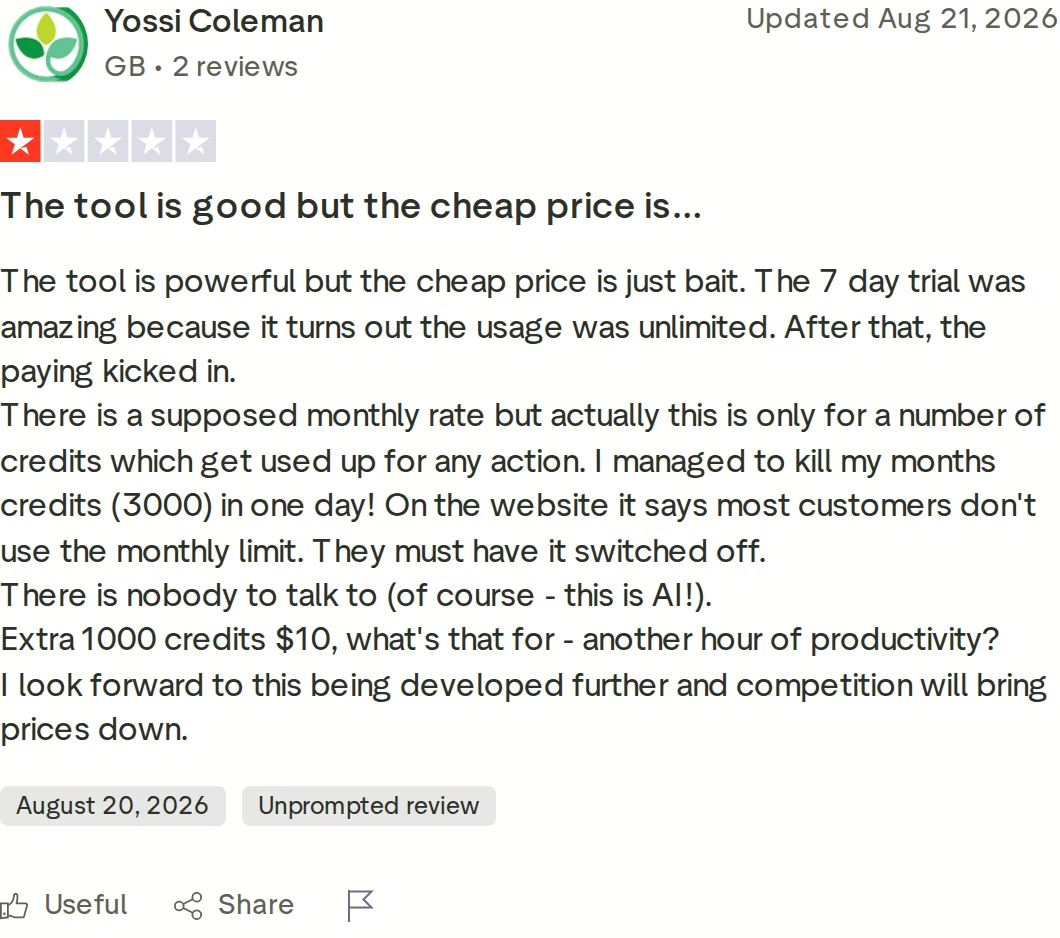
Lindy's pricing page offers $50 in free credits that last 7 days, with no card. After that, every active user is a paid seat at $29.99/mo with 3,000 credits, and top-ups cost $10 per 1,000 credits.
Lindy's docs also list heavier seats: Lindy Pro at $100 and Lindy Max at $200 per user per month, with 15,000 and 35,000 credits. Credits don't roll over, and one task can use anywhere from 2 to 2,500 credits.
Who Lindy AI is best for
Lindy fits founders and small teams that want help with inbox, meetings, and CRM hygiene, where outreach is one job among many.
Lindy AI limitations
- Approval on every send. Lindy's FAQ says anything with outside impact, such as sending an email, waits for approval, so it can't run outbound unattended.
- No lead database, sending infrastructure, or warm-up, and no LinkedIn outreach job on its sales page.
- Spend is hard to predict. Credit use swings from 2 credits for a lookup to 2,500 for a big build, and running out pauses work until credits reset or you buy more.
What reviewers say about Lindy AI
Recent 1-star reviews on Lindy's Trustpilot page focus on credits, billing, and reaching support. In the August 2026 review below, the reviewer says a month's 3,000 credits ran out in one day.
Agent Frank Overview: The AI SDR Built on the Forge Stack
Agent Frank is Salesforge's autonomous AI SDR. He finds prospects, enriches and verifies their data, writes personalized email and LinkedIn messages, follows up, handles replies, and books meetings, 24/7.
He is built for one job, so there is no agent to design. You train him on your business, pick a goal, and he starts once your mailboxes are warm.
Agent Frank core features
- Continuous prospecting against your ICP from a 500M+ contact search engine, powered by Leadsforge.
- Research before every message: the company, buying signals and timing, likely pain points, and objections.
- Email and LinkedIn in conditional multichannel sequences, with unlimited email and LinkedIn senders.
- AI personalization across 21+ languages, grounded in a Knowledge Base of your brochures, docs, and website.
- Auto-Pilot runs on its own, and Co-Pilot sends you his drafts to approve or edit.
- Three meeting goals: send your calendar link, ask for the prospect's link, or drive a click to a page.
- Memory that improves as you give feedback on his outreach.
- Replies in Primebox™ inside a complimentary Salesforge workspace, with sentiment tags.
- A dedicated account manager and a shared Slack channel.
- Mailbox choice: your own, Infraforge (from $33/mo billed annually for 10 mailboxes), or Megaforge (from $69/mo for 20 mailboxes across Gmail, Outlook, Mailforge, and Infraforge, with fallback if one ESP burns).
Agent Frank is the top layer of the Forge Stack: Leadsforge for leads, Mailforge, Infraforge, and Primeforge for infrastructure, Warmforge for deliverability, and Salesforge for execution. Neither Relevance AI nor Lindy sells those layers under one roof.
The same stack runs three ways: your team operates it, Agent Frank operates it, or a vetted Forge Expert agency operates it. Here is a full walkthrough of Agent Frank at work, from setup to live campaigns:
Agent Frank pricing
Agent Frank costs $599/mo billed quarterly, or $499/mo billed annually with 2 months free. That covers 1,000 active contacts, which Salesforge says works out to 2,000-2,500 new leads and 6,000-7,500 personalized emails a month.
At 2,000+ contacts a month, the rate is $0.25 per contact. Mailboxes cost extra, but the 2-week warm-up is included. Agent Frank is a separate subscription from Salesforge's own plans, which start at $48/mo monthly ($40/mo annual).
Try Salesforge Free for 14 DaysWho Agent Frank is best for
Salesforge says Agent Frank fits B2B teams selling at $5K-$100K ACVs to startup, SMB, and mid-market decision-makers, with 3,000 or more target businesses. It also says he is a poor fit if you lack product-market fit, sell mainly to Fortune 500 companies, or depend on long RFP cycles.
VAI Consulting launched him after the 2-week warm-up and pivoted to a tighter ICP a few months later. In the first week after the pivot, he booked 3 calls at a 62.5% positive reply rate. On Salesforge with Mailforge and Warmforge, UniteSync reached an 85.26% positive reply rate and a $2.86 CAC.
Agent Frank limitations
- No free trial. You book a demo first, and he is not self-serve.
- A 2-week warm-up comes before his first send.
- Email infrastructure is a separate cost, and Salesforge says he works alongside your sales team rather than replacing it.
For a deeper look at how he stacks up against 30+ agents, read the full Agent Frank review.
in Action

Head-to-Head Feature Comparison: Relevance AI vs Lindy AI
Here is how the three compare on the jobs an AI SDR has to do every day.
Multichannel outreach on email and LinkedIn
- Agent Frank: runs email and LinkedIn in one conditional sequence. If a connection request is accepted, he can follow up on LinkedIn; if not, he falls back to email.
- Relevance AI: its Outbound Prospector template personalizes email and LinkedIn touches, and LinkedIn is available as a trigger. You configure the sequence logic yourself.
- Lindy AI: works through the inboxes you connect. Its sales page lists no LinkedIn outreach job.
Real multichannel outreach needs both channels in one flow, with one record per prospect. Agent Frank is built around that flow, while Relevance AI gives you a template to configure and Lindy works from your inbox. Two tools for two channels means two lists, two reply streams, and no shared view of who already answered.
Email deliverability, mailboxes, and warm-up
This is the gap that decides most AI SDR rollouts. If the sending domain is burned, even great emails land in spam and book no meetings.
- Agent Frank: every mailbox gets a free 2-week warm-up in Warmforge's premium pool of aged IMAP/SMTP, Google Workspace, and Microsoft 365 mailboxes, tracked by Heat Score™. Megaforge spreads about 300 emails a day across 20 mailboxes on four providers.
- Relevance AI: no mailboxes or warm-up. Bosh's docs rely on personalization and gradually ramped volume.
- Lindy AI: no mailboxes or warm-up. It sends from inboxes you already own.
My rule: if a vendor can't tell you which mailboxes its agent sends from and how those mailboxes were warmed up, don't expect booked meetings.
If you run your own setup, start with email warm-up and a clean cold email infrastructure.
Lead data and prospecting
- Agent Frank: prospects 24/7 from Leadsforge's 500M+ contacts, then enriches and verifies each contact before outreach. You describe the ICP once, and he keeps finding new matches instead of working a static list.
- Relevance AI: Bosh researches prospects in your CRM, Google, and LinkedIn. New contacts come from a prospecting agent tied to a provider such as ZoomInfo or Apollo.
- Lindy AI: builds prospect lists from your calls and finds emails, and every lookup spends credits. There is no built-in contact database.
The data is part of Agent Frank's price, and Salesforge says the only extra cost is email infrastructure.
AI autonomy and personalization
- Agent Frank: runs on Auto-Pilot or Co-Pilot, writes from your Knowledge Base, and lets you set his tone. AI personalization across 21+ languages is built in.
- Relevance AI: lets you build almost any agent and bring your own LLM keys. Bosh runs in approval mode before autopilot.
- Lindy AI: picks a model per task and keeps editable memory files, but any action with outside impact waits for approval.
On raw flexibility, Relevance AI has the edge, because it is a builder first and can shape agents for any department. For outbound alone, that flexibility means setup work that Agent Frank doesn't need. Lindy's approval rule suits an executive assistant, but at 2,000+ new prospects a month someone has to approve every email by hand.
Reply handling and inbox management
- Agent Frank: answers replies and books the meeting, by sending your calendar link, asking for theirs, or driving a click, based on the goal you set. Email and LinkedIn replies land in Primebox™, tagged positive, neutral, or negative.
- Relevance AI: Bosh holds two-way email conversations, logs activity to your CRM, and hands warm leads to your account executives.
- Lindy AI: triages your inbox with labels and drafts replies in your voice, and you approve each one before it goes out.
A unified inbox matters more as volume grows, because replies arrive on both channels and across many mailboxes.
Setup, onboarding, and support
- Agent Frank: demo, account setup, Knowledge Base, and mailboxes, then a 2-week warm-up. A dedicated account manager guides each step, and you get a shared Slack channel with the team.
- Relevance AI: its docs say Bosh takes a couple of weeks to configure, then runs in approval mode for a couple more. Relevance AI Pro includes community-forum support only.
- Lindy AI: installs in Slack in about two minutes. Several recent Trustpilot reviewers say they could not reach a human about billing.
On time to first try, Lindy wins: it is free for 7 days with no card. But booking meetings also takes lead data and warmed-up mailboxes, and only Agent Frank includes both.
Pricing and scalability as your team grows
- Agent Frank: priced by active contacts, not seats, with unlimited email and LinkedIn senders. At 2,000+ contacts a month, the rate drops to $0.25 per contact.
- Relevance AI: priced by Actions and Vendor Credits, with builder caps: 2 on Relevance AI Pro and 5 on Relevance AI Team. Bosh is quoted separately on Enterprise.
- Lindy AI: every person who uses Lindy takes a paid seat, including teammates who start by mentioning it in Slack once their 7-day trial ends.
The full numbers and a cost scenario are in the pricing comparison below.
Integrations, security, and compliance
- Agent Frank: works inside Salesforge, which integrates with HubSpot, Salesforce, Pipedrive, and Attio, plus Zapier, Make, webhooks, an API, and an MCP server. Salesforge is SOC 2 compliant.
- Relevance AI: 2,000+ app integrations, 1,000+ triggers, SOC 2 Type II, and GDPR. SSO, RBAC, and audit logs are Enterprise-only.
- Lindy AI: 1,000+ integrations (its pricing page says 1,500+) with MCP support. It is SOC 2 and GDPR compliant, with HIPAA and SSO on Enterprise.
Relevance AI has the widest app catalog of the three, and Lindy's HIPAA option on Enterprise is a real plus for healthcare teams. Agent Frank's edge is that his data, mailboxes, warm-up, and inbox come from one vendor, so there is less to connect and maintain.
Pricing Comparison: Agent Frank vs Relevance AI vs Lindy AI
| Pricing detail | Agent Frank | Relevance AI | Lindy AI |
|---|---|---|---|
| Entry price | $599/mo billed quarterly, or $499/mo billed annually | Relevance AI Pro: $29/mo monthly, or $19/mo annual | Lindy paid seat: $29.99 per user/mo |
| What it buys | 1,000 active contacts (2,000-2,500 new leads, 6,000-7,500 emails a month) | 2,500 Actions and 10,000 Vendor Credits, 2 builders, 1 project | 3,000 credits per user, no rollover |
| Higher tiers | $0.25 per contact at 2,000+ contacts/mo | Relevance AI Team: $349/mo monthly or $234/mo annual (7,000 Actions) | Lindy Pro $100 and Lindy Max $200 per user/mo (per its docs) |
| Overage | Move to a bigger active-contact tier (up to 50,000) | $80 per 1,000 Actions; $20 per 10,000 Vendor Credits | $10 per 1,000 credits |
| AI SDR agent | Included: he is the product | Bosh: Enterprise only, custom quote | No dedicated SDR agent |
| Free option | None; demo first | None; Free plan retired | $50 in credits for 7 days |
| Lead data | Included (500M+ contacts) | Not built in; via ZoomInfo, Apollo, or similar | Not included |
| Mailboxes and warm-up | Warm-up free; mailboxes from $33/mo or $69/mo | Not offered | Not offered |
The three pricing models grow in different ways. Agent Frank charges by active contacts, so the bill follows pipeline volume. Relevance AI charges per tool run, so a longer agent chain costs more for the same prospect, and Lindy charges per seat and credit.
Here is one scenario: reaching about 2,250 new prospects a month (the midpoint of Agent Frank's 2,000-2,500 range) with personalized email follow-ups.
- Agent Frank: $599/mo billed quarterly ($499/mo annual) plus Megaforge at $69/mo, so about $668/mo ($568/mo annual). Lead data and warm-up are included.
- Relevance AI: on Relevance AI Team, six tool runs per prospect (research, enrich, write and send, two follow-ups, CRM update) means 13,500 Actions. The plan covers 7,000, and 7,000 more cost $560, so about $909/mo before mailboxes, warm-up, and lead-data costs.
- Lindy AI: at a low 25 credits per prospect (everyday asks use 2-250), that is about 56,000 credits, or roughly $420-$570/mo depending on seat tier. Mailboxes, warm-up, lead data, and approving every send are on you.
The competitor totals are my estimates from each vendor's published rates, and your agent design will move them. If you are weighing an agent against a hire, this AI SDR vs SDR breakdown helps; Salesforge's own calculator puts a human SDR at about $8,000/mo all-in.
Who Should Use Agent Frank, Relevance AI, or Lindy AI
You might consider Relevance AI if:
- You want to build custom agents across sales, support, and operations, and you have an ops owner to design and maintain them.
- You are an enterprise team that wants Bosh tailored to your CRM and processes, and you can wait several weeks for configuration.
You might consider Lindy AI if:
- You mainly want help with your inbox, meetings, and CRM updates inside Slack, and outreach is a small part of the job.
- You want to try an AI assistant today: Lindy is free for 7 days with $50 in credits and no card.
- Your outreach is small and occasional, so a $29.99 seat costs less than a dedicated AI SDR.
Choose Agent Frank if:
- You sell B2B at $5K-$100K ACVs and target 3,000+ businesses, which matches Salesforge's published ICP.
- You want outbound to run on its own in Auto-Pilot, or with your sign-off in Co-Pilot.
- You want lead data, mailboxes, and warm-up from one vendor instead of three.
- You want a price tied to active contacts, not to tool runs or credits.
- You want email and LinkedIn replies in one Primebox™ inbox.
Still comparing? The AI SDR comparison covers the top 10 AI SDRs, and the comparison library and sales tools directory go wider.
Final Verdict: Agent Frank vs Relevance AI vs Lindy AI
Relevance AI is a builder for custom agent workforces, and its BDR agent is an enterprise-only setup that takes weeks. Lindy is a helpful assistant for inbox, meetings, and CRM work, but it waits for approval before any email goes out. Neither sells lead data, mailboxes, or warm-up.
For autonomous B2B outbound that books meetings, Agent Frank is the stronger choice. At $499/mo billed annually ($599/mo billed quarterly), he covers 1,000 active contacts, prospects from 500M+ contacts, runs email and LinkedIn, and warms every mailbox free through Warmforge.
One falsifiable benchmark: VAI Consulting booked 3 calls in the first week after its ICP pivot with Agent Frank, at a 62.5% positive reply rate. The case study is public. If you mainly sell to Fortune 500 accounts through long RFP cycles, Salesforge itself says he is the wrong fit.

FAQ: Agent Frank vs Relevance AI vs Lindy AI
Is Agent Frank better than Relevance AI and Lindy AI for outbound?
For autonomous B2B outbound, yes: Agent Frank includes 500M+ contacts, email and LinkedIn sequences, and a free 2-week warm-up, from $499/mo billed annually. Relevance AI's BDR agent, Bosh, is Enterprise-only and takes weeks to configure. Lindy waits for approval before it sends any email, so it can't run outbound unattended.
What's the main difference between Agent Frank, Relevance AI, and Lindy AI?
They are three different kinds of product: Agent Frank is a ready-made AI SDR who prospects, writes, follows up, and books meetings on email and LinkedIn. Relevance AI is a platform for building your own agents across departments. Lindy is an AI assistant for Slack, email, and meetings, where outreach is one job among many.
Which is cheaper: Agent Frank, Relevance AI, or Lindy AI?
Lindy and Relevance AI have lower entry prices: $29.99 per user per month on Lindy, and $19/mo billed annually on Relevance AI Pro. Agent Frank costs $599/mo billed quarterly or $499/mo billed annually. For 2,250 new prospects a month, my estimate puts Agent Frank at $568-$668/mo with mailboxes, against about $909/mo on Relevance AI Team and $420-$570/mo on Lindy, both before mailboxes, warm-up, and lead-data costs.
Do Relevance AI and Lindy support LinkedIn outreach?
Only partly: Relevance AI's Outbound Prospector template personalizes email and LinkedIn touches, and LinkedIn works as a trigger, but you configure the logic yourself. Lindy's sales page lists no LinkedIn outreach job, and it works through your connected inboxes. Agent Frank runs email and LinkedIn in one conditional sequence, with unlimited email and LinkedIn senders.
Can I switch from Relevance AI or Lindy to Agent Frank easily?
Yes: you book a demo, and a dedicated account manager helps you set up a complimentary Salesforge workspace, your Knowledge Base, and prospecting. You can connect domains and mailboxes you already own or buy them through Infraforge or Megaforge. Then allow 2 weeks of warm-up before Agent Frank sends his first email.
Which tool has better email deliverability?
Agent Frank, because he is the only one of the three with deliverability built in. Every mailbox gets a free 2-week warm-up through Warmforge, and Megaforge spreads sending across Gmail, Outlook, Mailforge, and Infraforge mailboxes with automatic fallback. Relevance AI and Lindy send from mailboxes you bring, and neither offers warm-up.
Does Agent Frank offer a free trial?
No: Salesforge doesn't offer a free trial for Agent Frank, but you can book a full demo first, and setup takes a few hours plus a 2-week mailbox warm-up. Salesforge's own platform has a 14-day free trial, as a separate subscription from $48/mo monthly ($40/mo annual). Agent Frank himself costs $599/mo billed quarterly or $499/mo billed annually.
Who are Relevance AI and Lindy AI best for?
Relevance AI suits ops-led teams that want to build custom agents across sales, support, and operations, with someone to maintain them. Lindy suits founders and small teams who want an assistant for inbox, meetings, and CRM updates in Slack. Teams that want outbound to run without a human approving each email are better served by Agent Frank.
.jpg)
.jpg)

.jpg)
